


KNOX Message: Collaborate Securely, Anywhere, Anytime
Overview
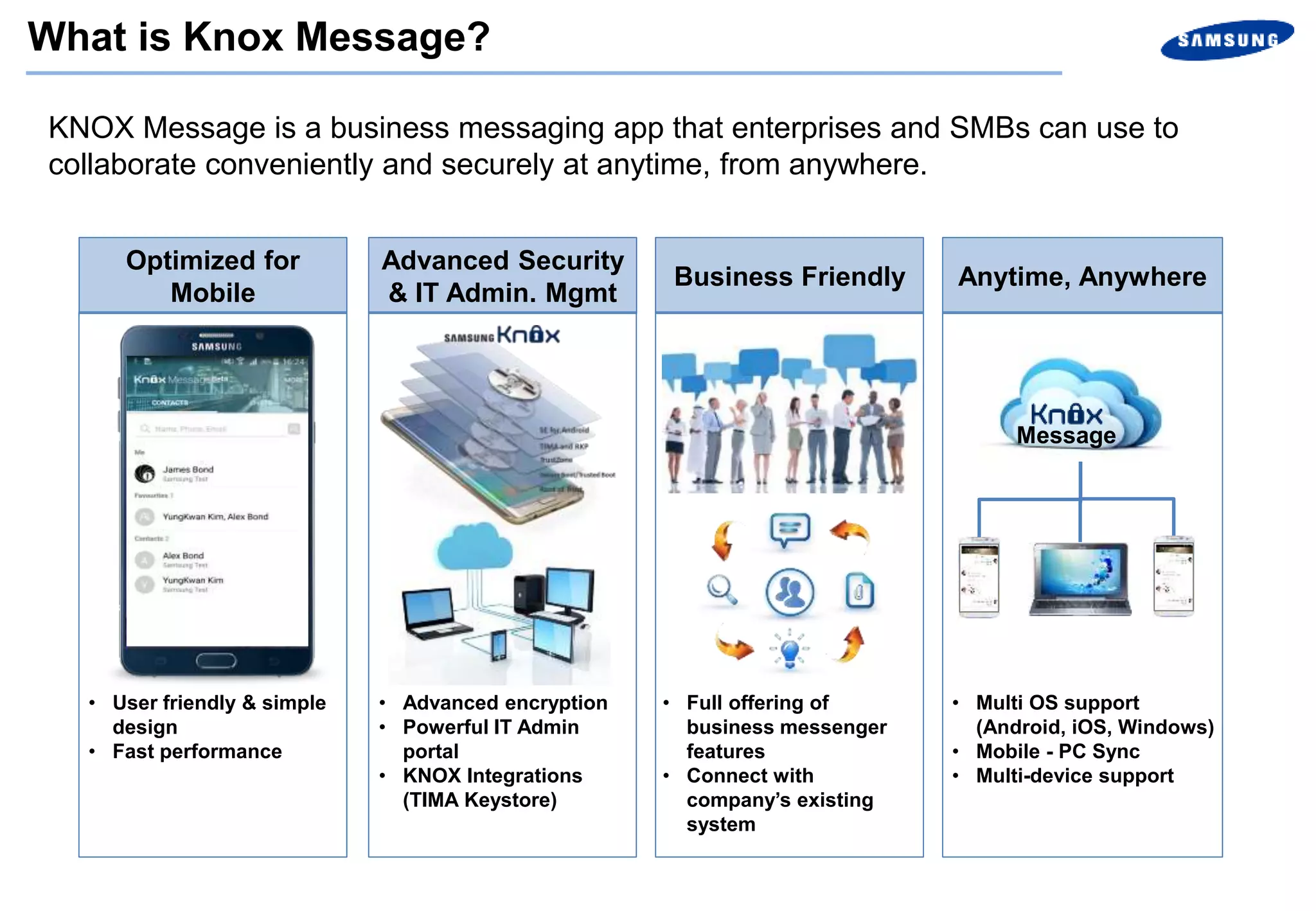
KNOX Message is a business messaging app that enterprises and SMBs can use to
collaborate conveniently and securely at anytime, from anywhere.
Optimized for
Mobile
Advanced Security
& IT Admin. Mgmt
Business Friendly Anytime, Anywhere
• User friendly & simple
design
• Fast performance
• Advanced encryption
• Powerful IT Admin
portal
• KNOX Integrations
(TIMA Keystore)
• Multi OS support
(Android, iOS, Windows)
• Mobile - PC Sync
• Multi-device support
Message
• Full offering of
business messenger
features
• Connect with
company’s existing
system
What is Knox Message?
Key Features
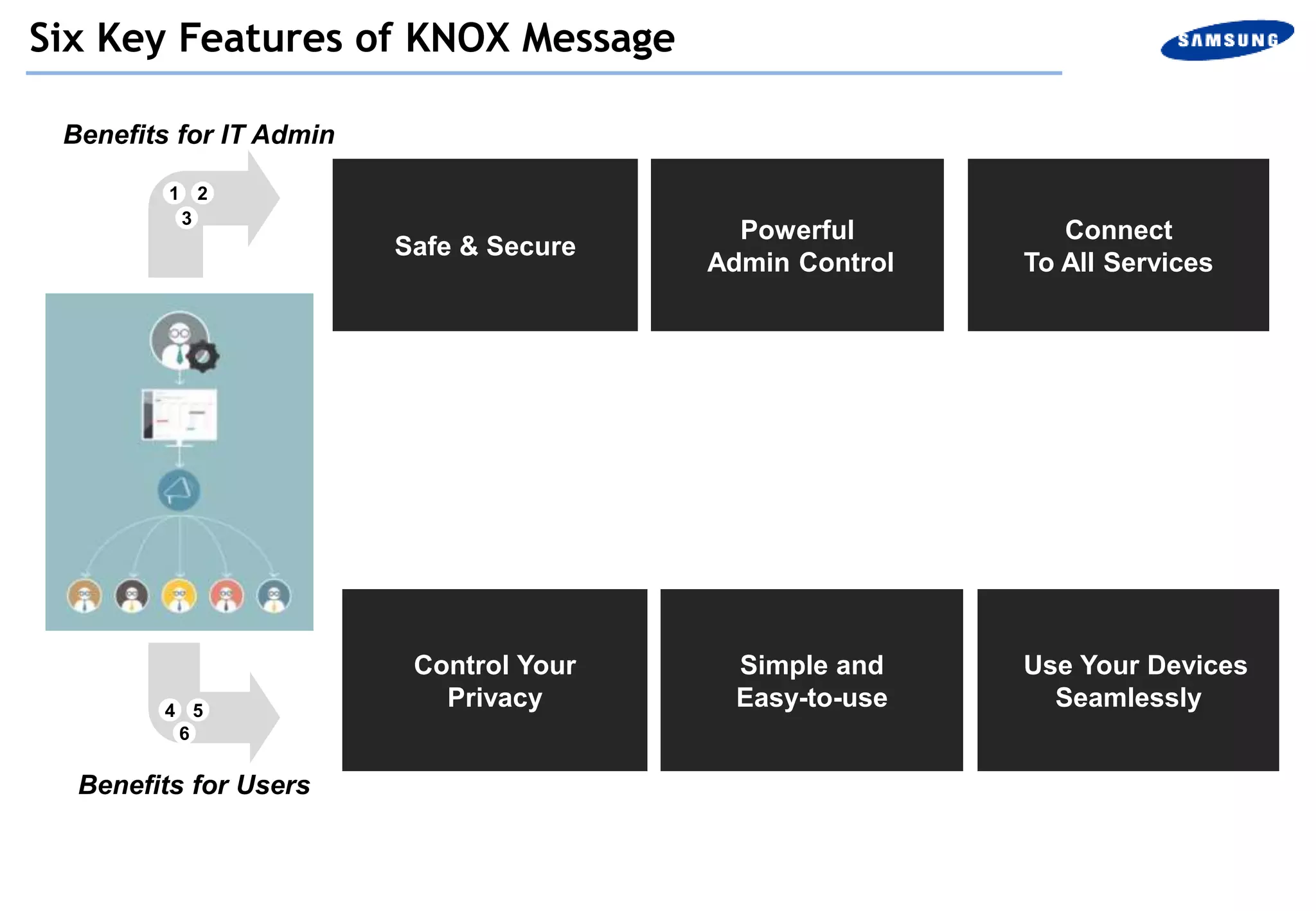
Benefits for IT Admin
Safe & Secure
Powerful
Admin Control
4 5
6
Connect
To All Services
Control Your
Privacy
Simple and
Easy-to-use
Use Your Devices
Seamlessly
Six Key Features of KNOX Message
1 2
3
Benefits for Users
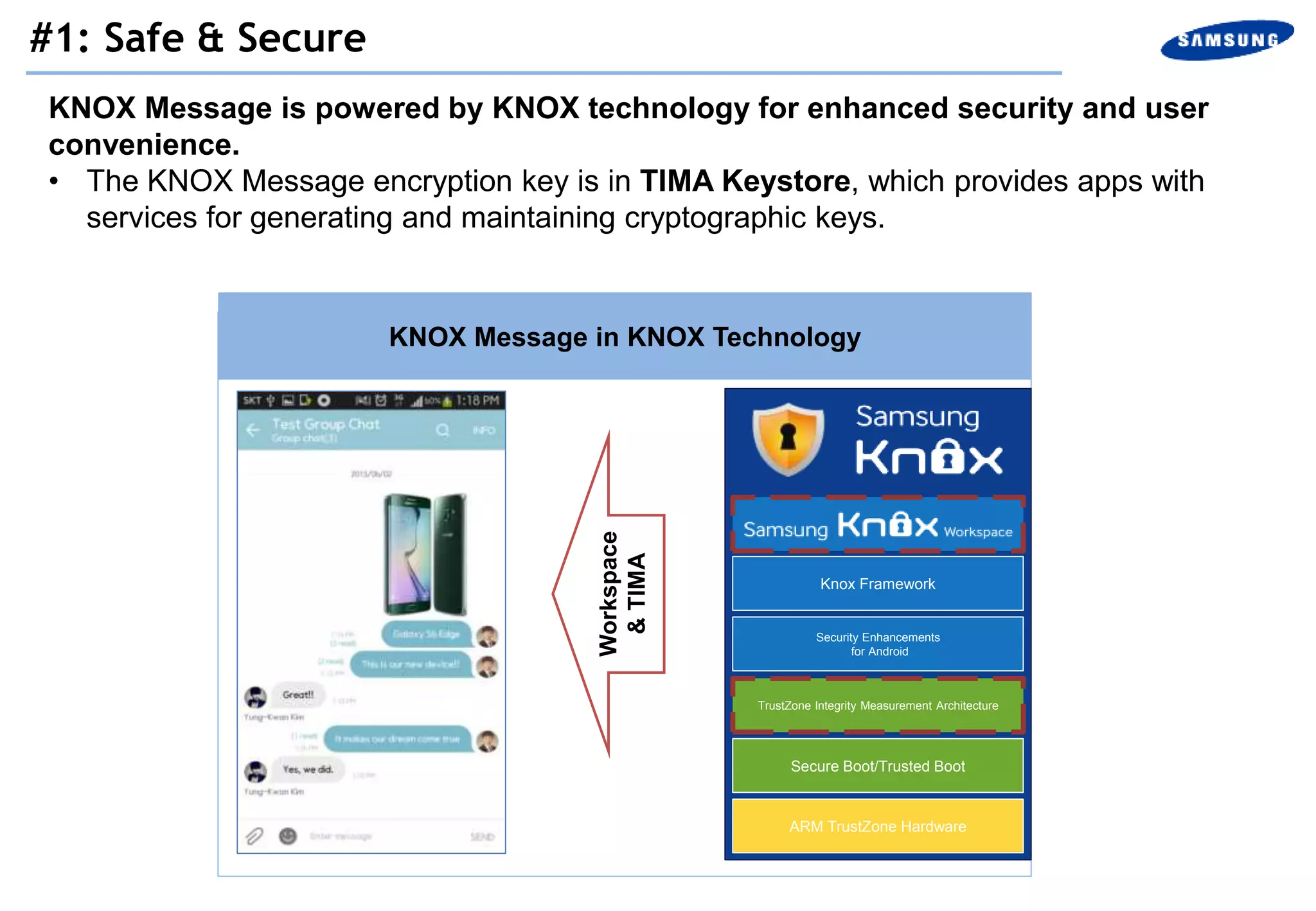
KNOX Message is powered by KNOX technology for enhanced security and user
convenience.
• The KNOX Message encryption key is in TIMA Keystore, which provides apps with
services for generating and maintaining cryptographic keys.
KNOX Message in KNOX Technology
KNOX Message
Security Enhancements
for Android
TrustZone Integrity Measurement Architecture
Secure Boot/Trusted Boot
ARM TrustZone Hardware
Knox Framework
Workspace
&TIMA
#1: Safe & Secure
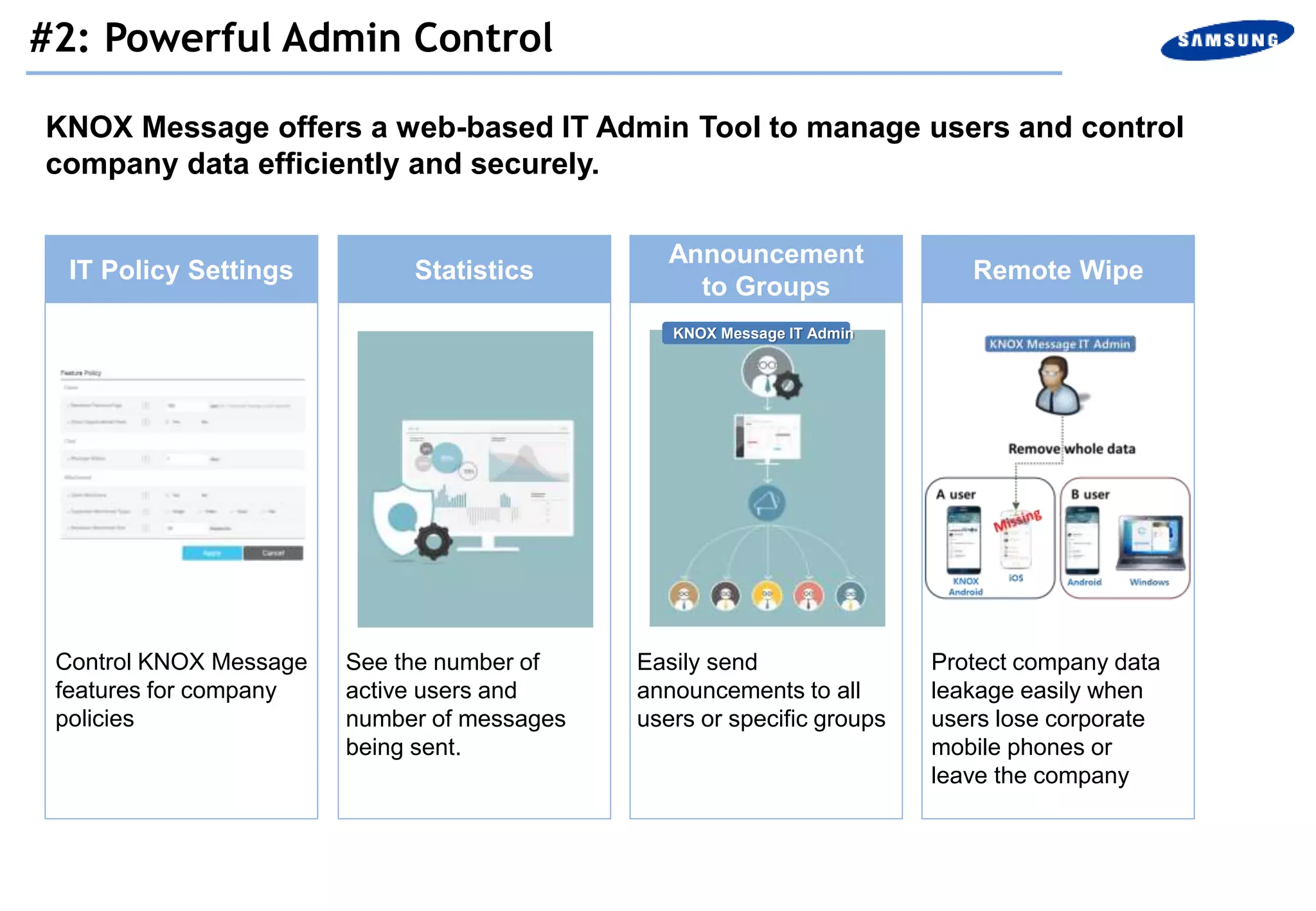
KNOX Message offers a web-based IT Admin Tool to manage users and control
company data efficiently and securely.
Remote WipeIT Policy Settings
Announcement
to Groups
Statistics
Protect company data
leakage easily when
users lose corporate
mobile phones or
leave the company
See the number of
active users and
number of messages
being sent.
Easily send
announcements to all
users or specific groups
Control KNOX Message
features for company
policies
KNOX Message IT Admin
#2: Powerful Admin Control
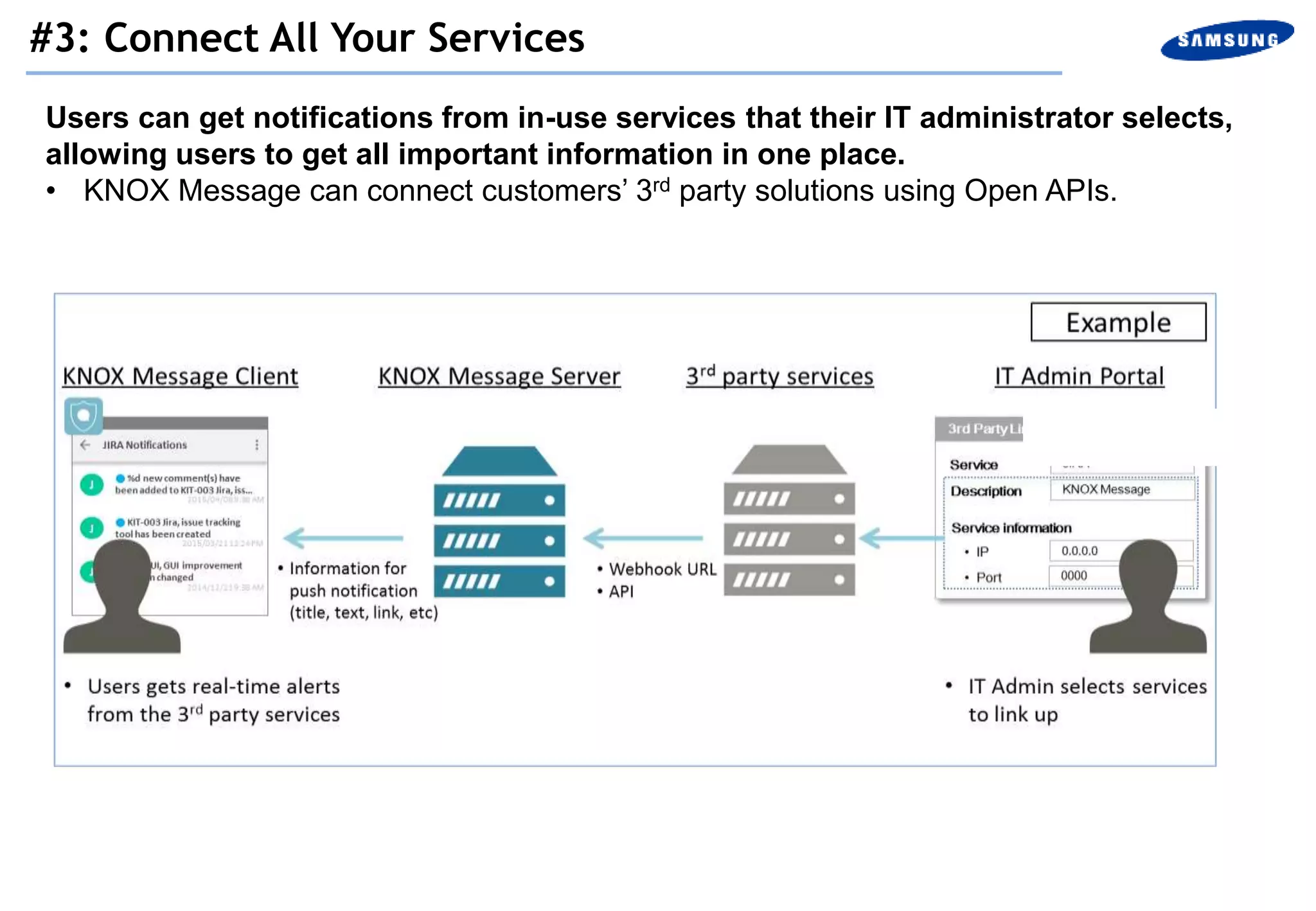
Users can get notifications from in-use services that their IT administrator selects,
allowing users to get all important information in one place.
• KNOX Message can connect customers’ 3rd party solutions using Open APIs.
#3: Connect All Your Services
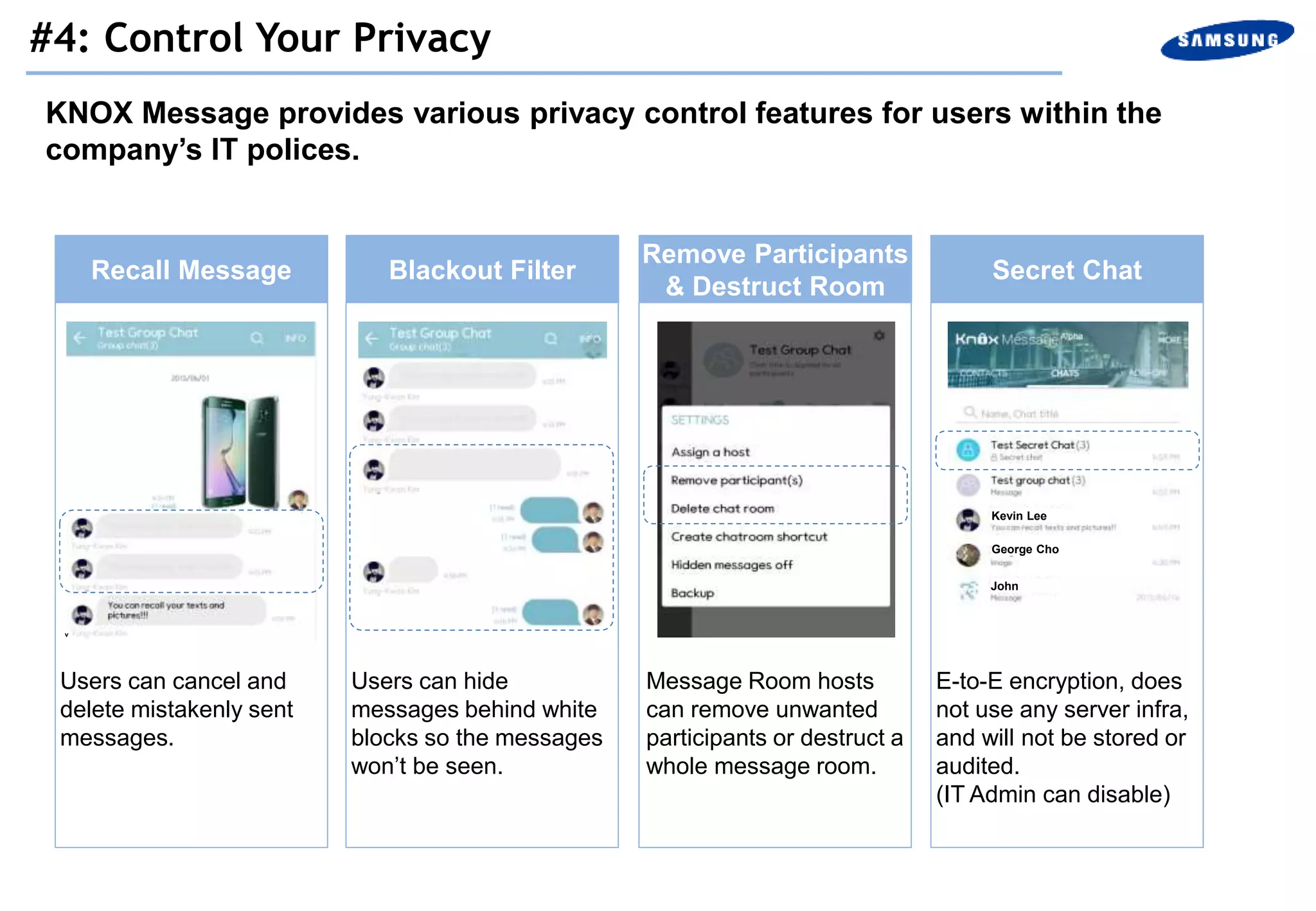
KNOX Message provides various privacy control features for users within the
company’s IT polices.
Recall Message Blackout Filter Secret Chat
Remove Participants
& Destruct Room
Users can cancel and
delete mistakenly sent
messages.
Message Room hosts
can remove unwanted
participants or destruct a
whole message room.
E-to-E encryption, does
not use any server infra,
and will not be stored or
audited.
(IT Admin can disable)
Users can hide
messages behind white
blocks so the messages
won’t be seen.
Kevin Lee
George Cho
John
v
#4: Control Your Privacy
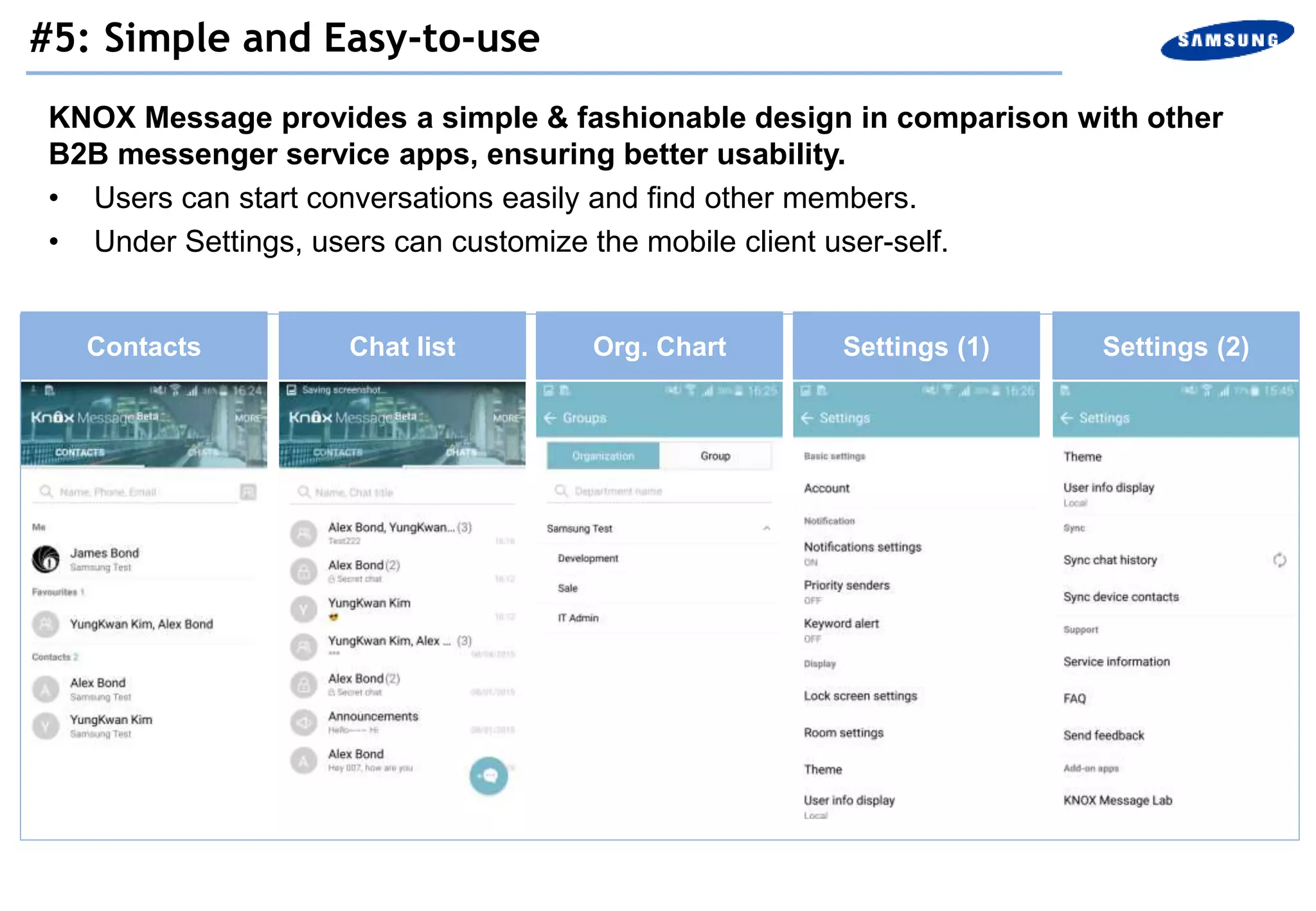
KNOX Message provides a simple & fashionable design in comparison with other
B2B messenger service apps, ensuring better usability.
• Users can start conversations easily and find other members.
• Under Settings, users can customize the mobile client user-self.
Contacts Chat list Org. Chart Settings (1) Settings (2)
#5: Simple and Easy-to-use
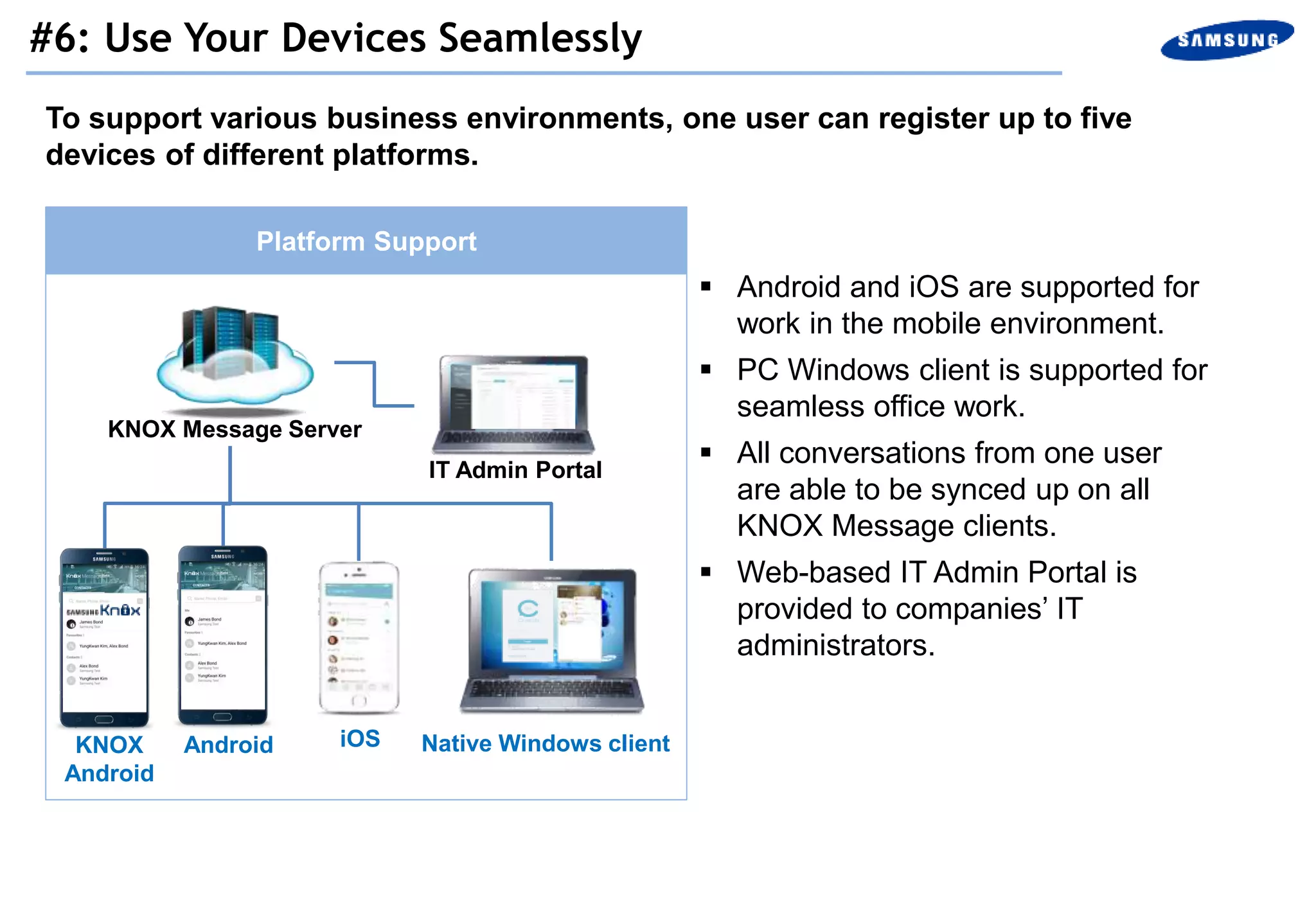
To support various business environments, one user can register up to five
devices of different platforms.
Platform Support
Android
KNOX Message Server
IT Admin Portal
Native Windows clientiOS
 Android and iOS are supported for
work in the mobile environment.
 PC Windows client is supported for
seamless office work.
 All conversations from one user
are able to be synced up on all
KNOX Message clients.
 Web-based IT Admin Portal is
provided to companies’ IT
administrators.
KNOX
Android
#6: Use Your Devices Seamlessly
Getting Started
Initially, IT Administrators can only invite users who have enrolled their whole company.
Registration steps
1. Go to http://www.knoxmessage.com
2. Click on “Start for FREE Now”
3. Enter your email address and wait for email verification
4. Verify your email and get started
Create your ‘Company’ & Sign-in
- When you sign up for the first time, fill in your company information
- Input user name and password, then click “Next”
- Enter Workspace name, description, select country, choose workspace category
and number of employees
- T&Cs, Privacy Policy and Service Notification show up according to your country
- After completing your company’s profile, you can sign in by clicking on the button at the
upper right corner
For IT Administrators
Only users who are registered in KNOX Message by IT Administrators can sign-up for
KNOX Message.
Sign-up
1. Install KNOX Message from the application stores (Google Play, KNOX Apps &
Apple app store)
2. Open the KNOX Message app and tap on “Sign Up”
3. Accept the terms and conditions
4. Insert your e-mail address in the sign-up form
5. Create a new password
6. A validation link will be sent to your email address
7. To verify, check your email and click on the link (link is available for 24 hours)
8. After verifying, you can sign-in KNOX Message with your email and password
For Users

KNOX Message: Collaborate Securely, Anywhere, Anytime

  • 1.
    KNOX Message: CollaborateSecurely, Anywhere, Anytime
  • 2.
  • 3.
    KNOX Message isa business messaging app that enterprises and SMBs can use to collaborate conveniently and securely at anytime, from anywhere. Optimized for Mobile Advanced Security & IT Admin. Mgmt Business Friendly Anytime, Anywhere • User friendly & simple design • Fast performance • Advanced encryption • Powerful IT Admin portal • KNOX Integrations (TIMA Keystore) • Multi OS support (Android, iOS, Windows) • Mobile - PC Sync • Multi-device support Message • Full offering of business messenger features • Connect with company’s existing system What is Knox Message?
  • 4.
  • 5.
    Benefits for ITAdmin Safe & Secure Powerful Admin Control 4 5 6 Connect To All Services Control Your Privacy Simple and Easy-to-use Use Your Devices Seamlessly Six Key Features of KNOX Message 1 2 3 Benefits for Users
  • 6.
    KNOX Message ispowered by KNOX technology for enhanced security and user convenience. • The KNOX Message encryption key is in TIMA Keystore, which provides apps with services for generating and maintaining cryptographic keys. KNOX Message in KNOX Technology KNOX Message Security Enhancements for Android TrustZone Integrity Measurement Architecture Secure Boot/Trusted Boot ARM TrustZone Hardware Knox Framework Workspace &TIMA #1: Safe & Secure
  • 7.
    KNOX Message offersa web-based IT Admin Tool to manage users and control company data efficiently and securely. Remote WipeIT Policy Settings Announcement to Groups Statistics Protect company data leakage easily when users lose corporate mobile phones or leave the company See the number of active users and number of messages being sent. Easily send announcements to all users or specific groups Control KNOX Message features for company policies KNOX Message IT Admin #2: Powerful Admin Control
  • 8.
    Users can getnotifications from in-use services that their IT administrator selects, allowing users to get all important information in one place. • KNOX Message can connect customers’ 3rd party solutions using Open APIs. #3: Connect All Your Services
  • 9.
    KNOX Message providesvarious privacy control features for users within the company’s IT polices. Recall Message Blackout Filter Secret Chat Remove Participants & Destruct Room Users can cancel and delete mistakenly sent messages. Message Room hosts can remove unwanted participants or destruct a whole message room. E-to-E encryption, does not use any server infra, and will not be stored or audited. (IT Admin can disable) Users can hide messages behind white blocks so the messages won’t be seen. Kevin Lee George Cho John v #4: Control Your Privacy
  • 10.
    KNOX Message providesa simple & fashionable design in comparison with other B2B messenger service apps, ensuring better usability. • Users can start conversations easily and find other members. • Under Settings, users can customize the mobile client user-self. Contacts Chat list Org. Chart Settings (1) Settings (2) #5: Simple and Easy-to-use
  • 11.
    To support variousbusiness environments, one user can register up to five devices of different platforms. Platform Support Android KNOX Message Server IT Admin Portal Native Windows clientiOS  Android and iOS are supported for work in the mobile environment.  PC Windows client is supported for seamless office work.  All conversations from one user are able to be synced up on all KNOX Message clients.  Web-based IT Admin Portal is provided to companies’ IT administrators. KNOX Android #6: Use Your Devices Seamlessly
  • 12.
  • 13.
    Initially, IT Administratorscan only invite users who have enrolled their whole company. Registration steps 1. Go to http://www.knoxmessage.com 2. Click on “Start for FREE Now” 3. Enter your email address and wait for email verification 4. Verify your email and get started Create your ‘Company’ & Sign-in - When you sign up for the first time, fill in your company information - Input user name and password, then click “Next” - Enter Workspace name, description, select country, choose workspace category and number of employees - T&Cs, Privacy Policy and Service Notification show up according to your country - After completing your company’s profile, you can sign in by clicking on the button at the upper right corner For IT Administrators
  • 14.
    Only users whoare registered in KNOX Message by IT Administrators can sign-up for KNOX Message. Sign-up 1. Install KNOX Message from the application stores (Google Play, KNOX Apps & Apple app store) 2. Open the KNOX Message app and tap on “Sign Up” 3. Accept the terms and conditions 4. Insert your e-mail address in the sign-up form 5. Create a new password 6. A validation link will be sent to your email address 7. To verify, check your email and click on the link (link is available for 24 hours) 8. After verifying, you can sign-in KNOX Message with your email and password For Users