Key Matters Relating to
Technology Enhanced Learning
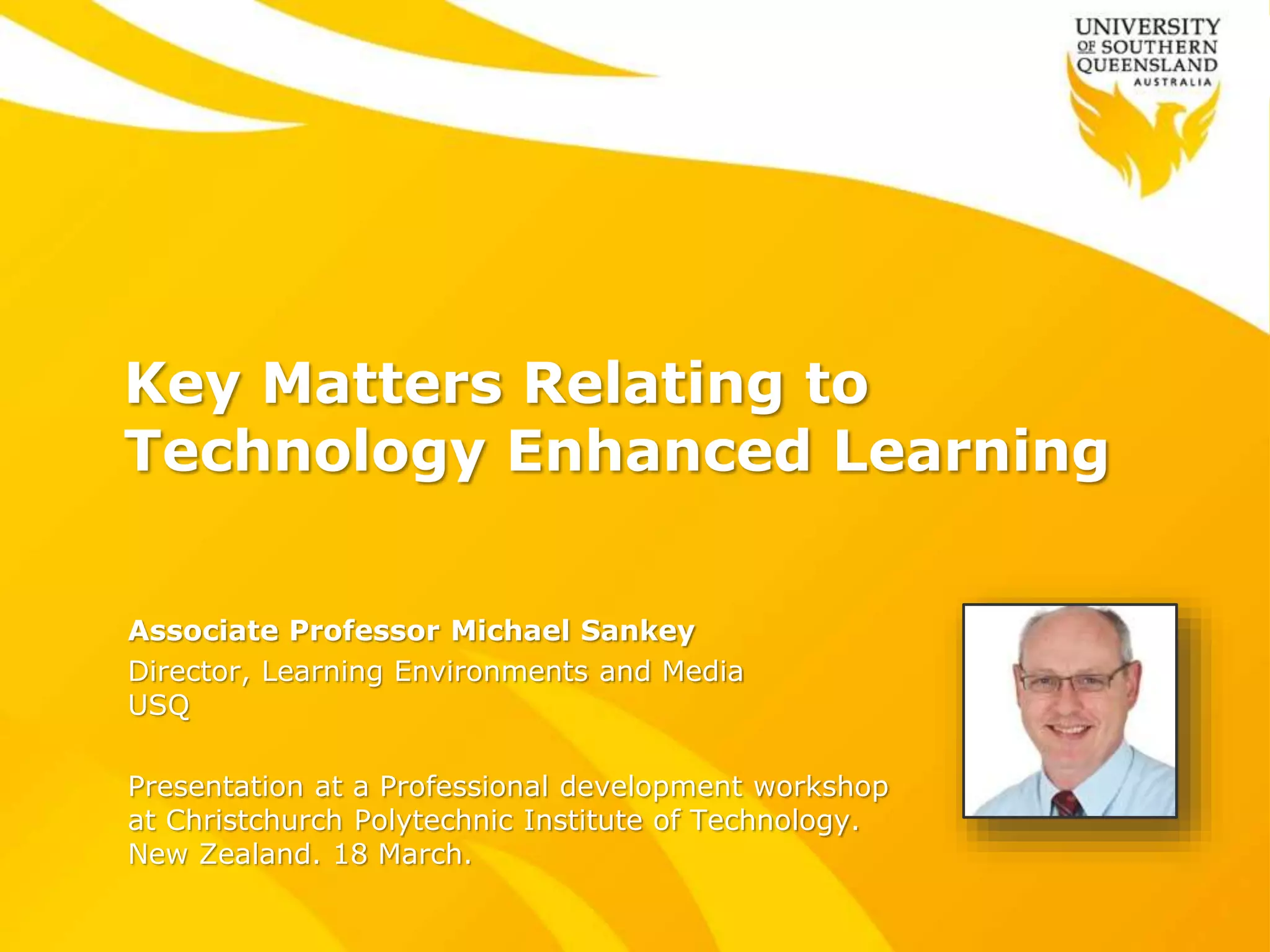
Associate Professor Michael Sankey
Director, Learning Environments and Media
USQ
Presentation at a Professional development workshop
at Christchurch Polytechnic Institute of Technology.
New Zealand. 18 March.
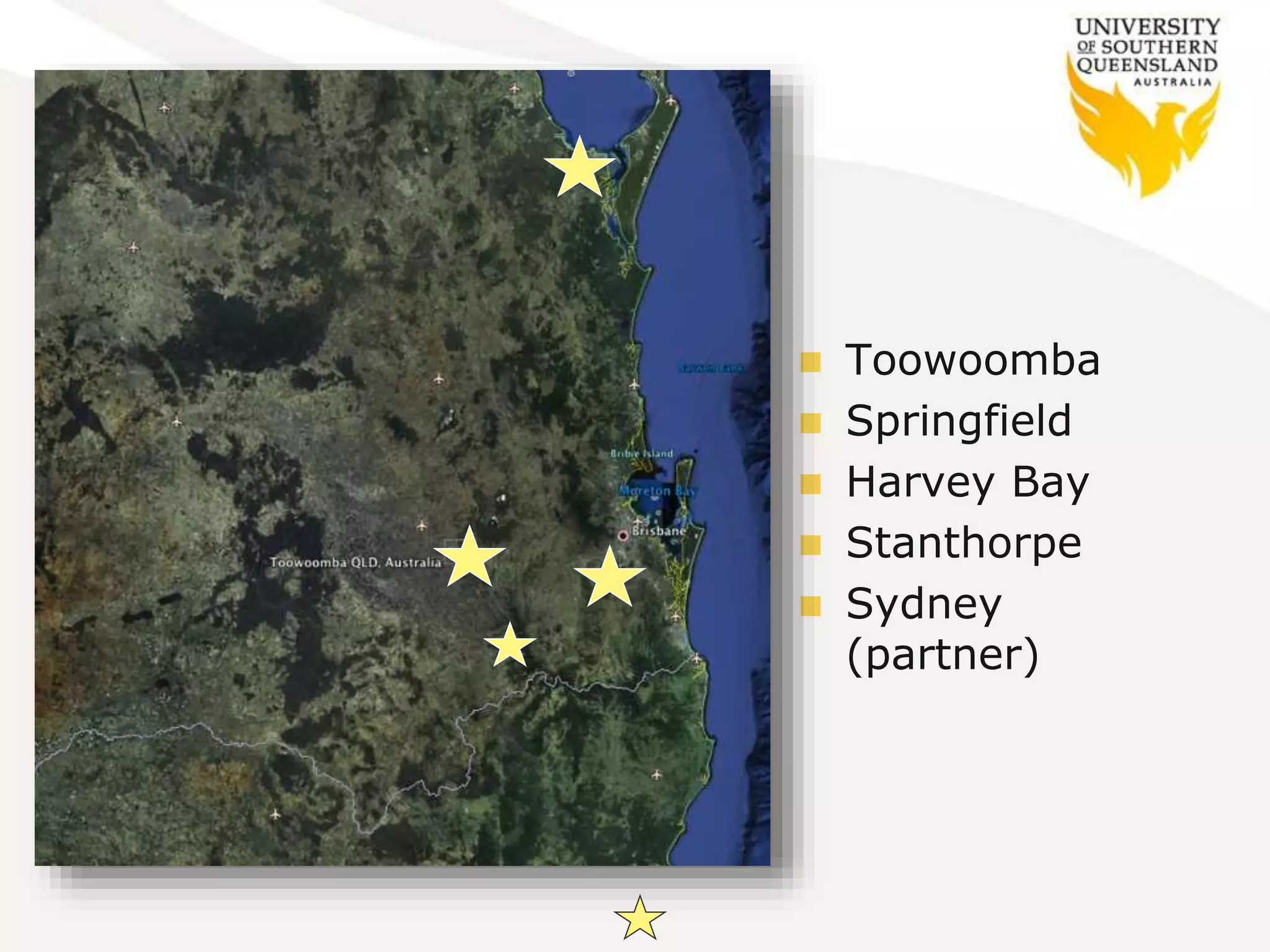
 Toowoomba
 Springfield
 Harvey Bay
 Stanthorpe
 Sydney
(partner)
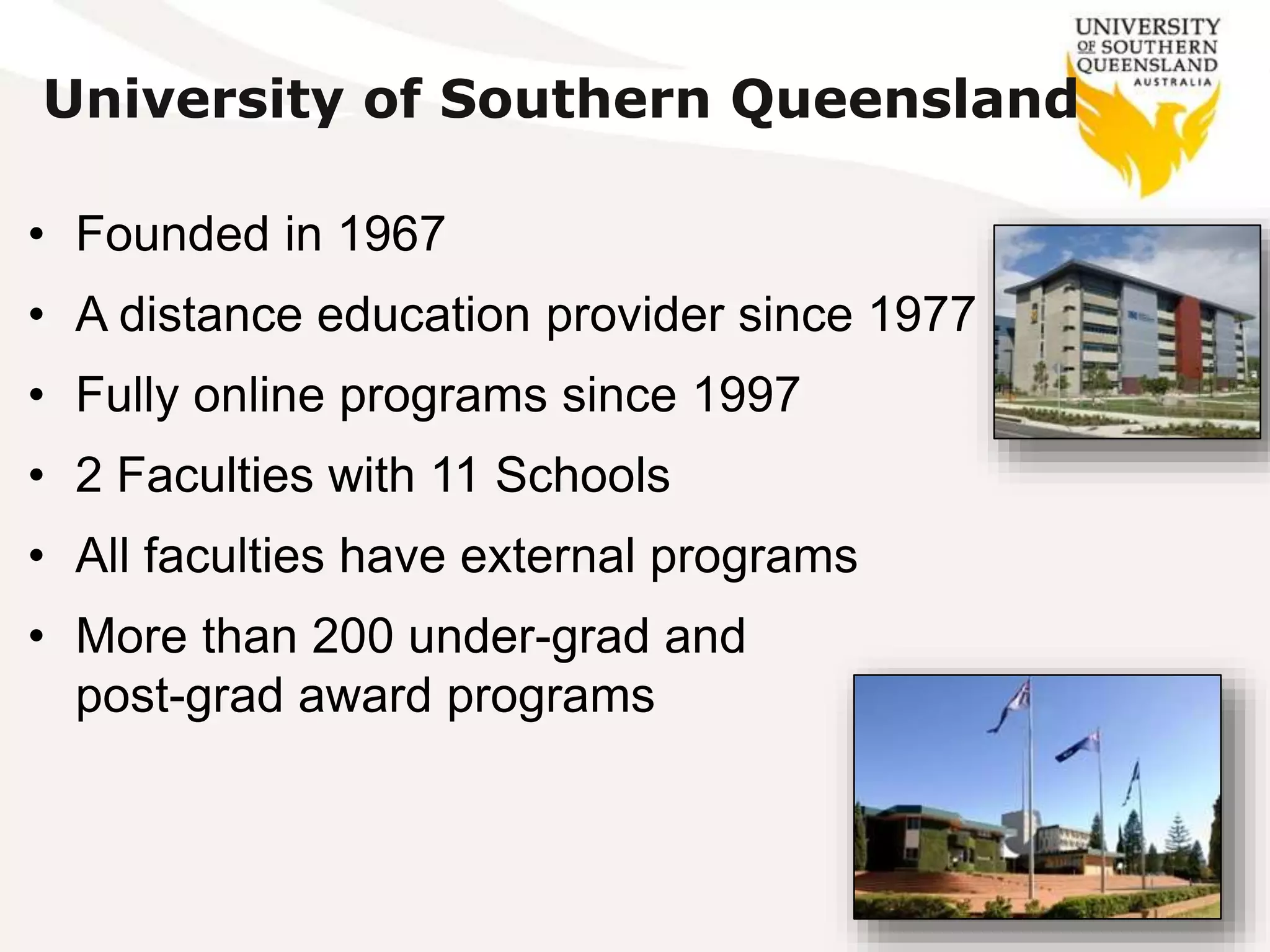
• Founded in 1967
• A distance education provider since 1977
• Fully online programs since 1997
• 2 Faculties with 11 Schools
• All faculties have external programs
• More than 200 under-grad and
post-grad award programs
University of Southern Queensland
Enrolled students USQ
• All students 27,235
• On-campus 7,235
• External/online 20,000 (73%)
• International 5,824 (1,100 ONC)
The vast majority of USQ students access
information services online
Most Students and Staff know what they’re getting
themselves in for when they come to USQ 
Some current strategies
 Every course has an online presence
 Every student has a named person to contact
 Minimum standards for all courses
 Threshold expectations – a common wireframe
 Learning Innovation & Teaching Enhancement
(LITE) teams
 Significant media enhancement available
 Strong focus on the Student Learning Journey
(SLJ) and personal learning environment (PLE)
Some current trends
 Print – Progressively reducing but still wanted by
some - but will be gone within Feb 2015
 Digital content – Increasingly more accessible &
able to be used on mobile devices
 CDs – popular for many years but will also be
gone within Feb 2015
 Physical spaces – Comfortable places to meet,
study, eat, talk and recharge.
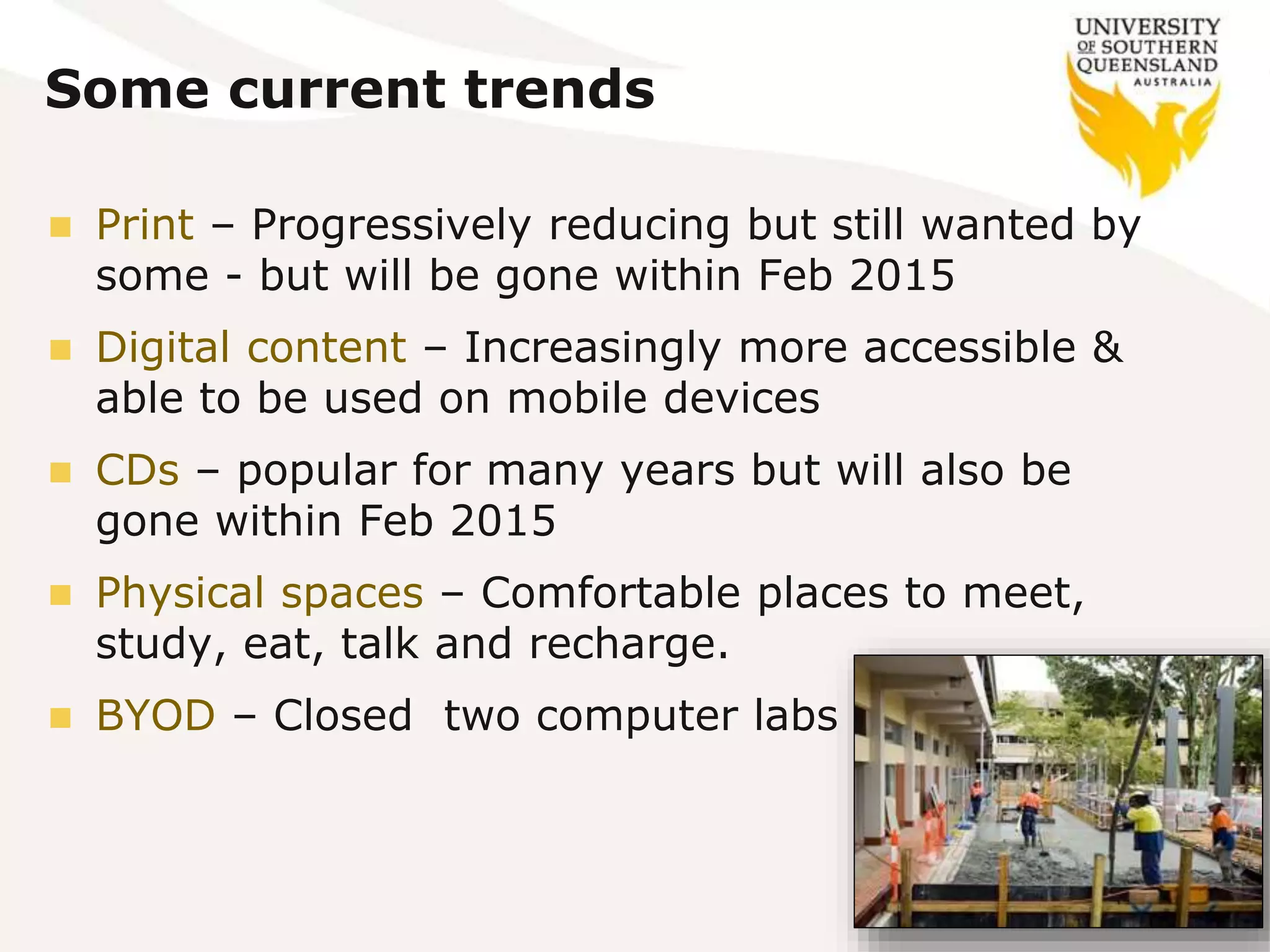
 BYOD – Closed two computer labs
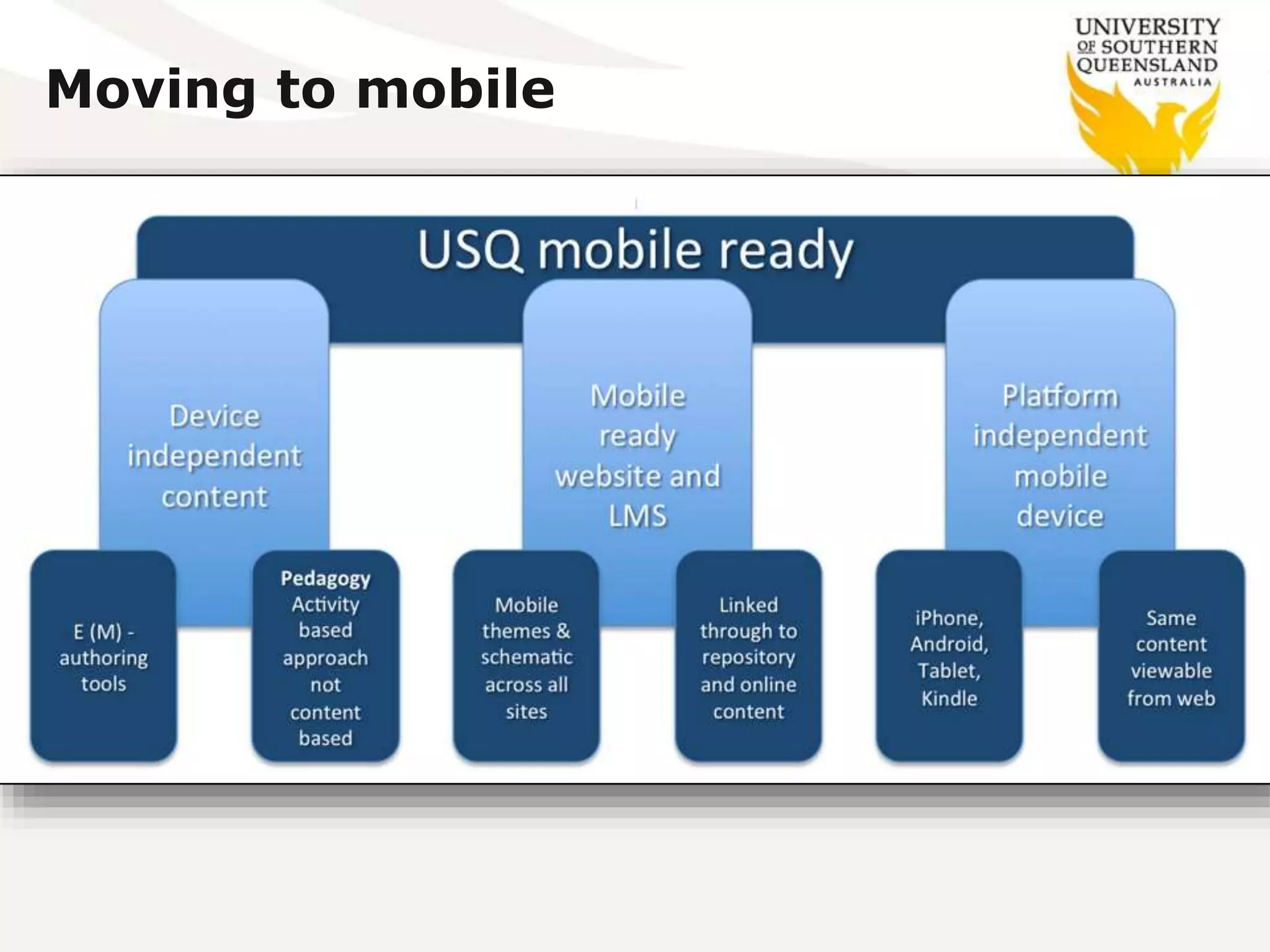
Moving to mobile
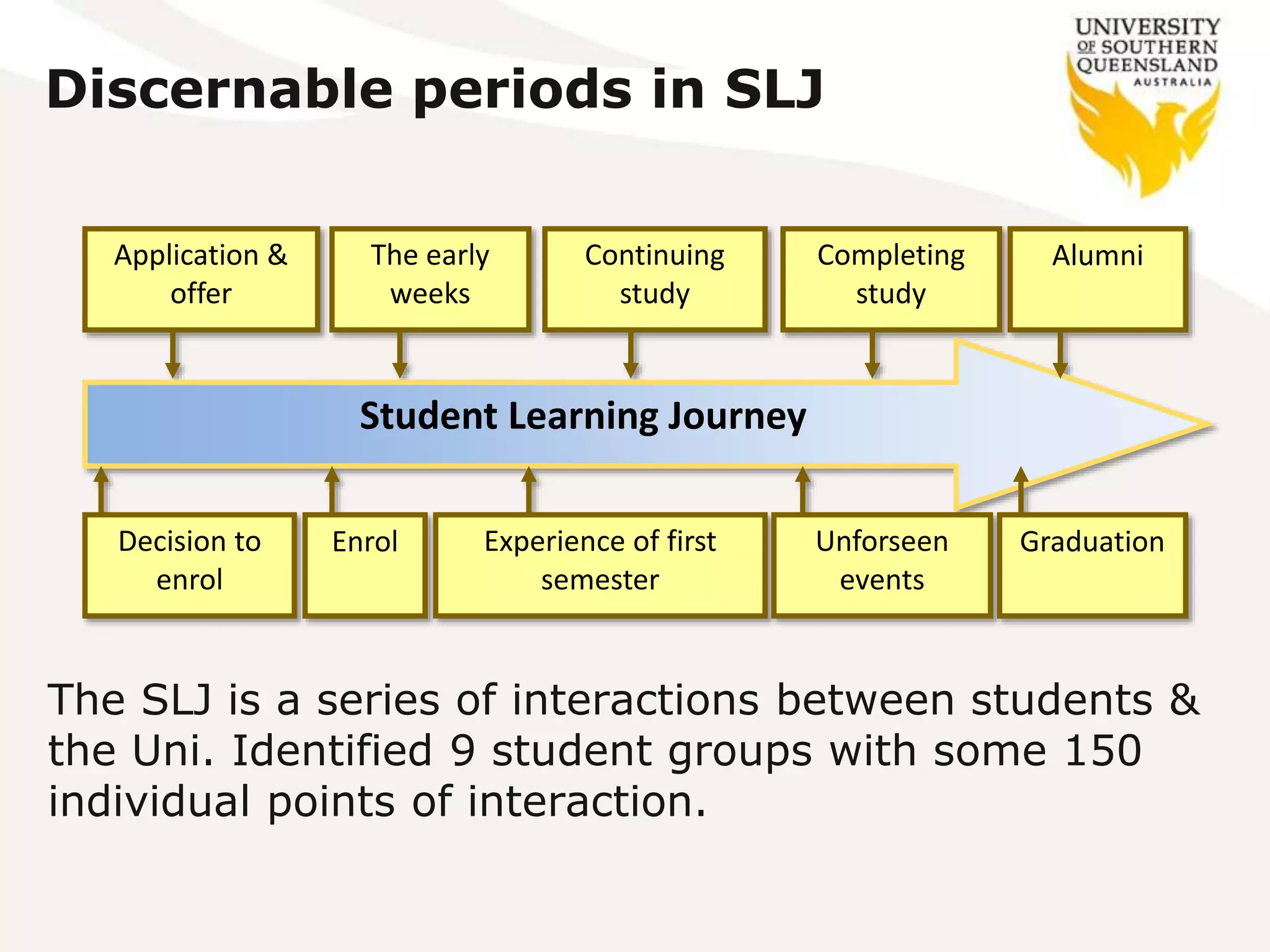
Discernable periods in SLJ
Student Learning Journey
Decision to
enrol
Application &
offer
Enrol
The early
weeks
Experience of first
semester
Continuing
study
Unforseen
events
Completing
study
Graduation
Alumni
The SLJ is a series of interactions between students &
the Uni. Identified 9 student groups with some 150
individual points of interaction.
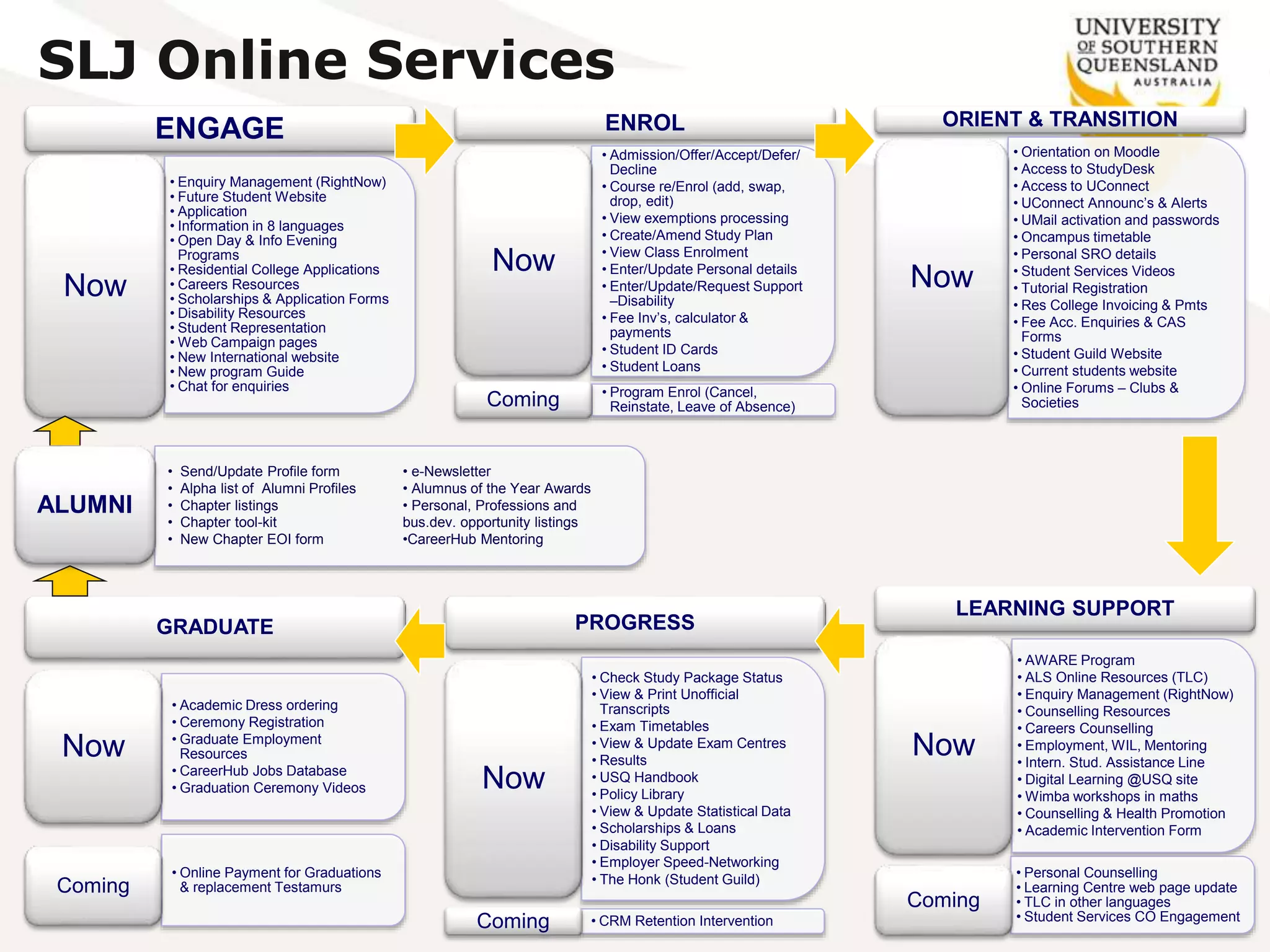
SLJ Online Services
ENGAGE
• Enquiry Management (RightNow)
• Future Student Website
• Application
• Information in 8 languages
• Open Day & Info Evening
Programs
• Residential College Applications
• Careers Resources
• Scholarships & Application Forms
• Disability Resources
• Student Representation
• Web Campaign pages
• New International website
• New program Guide
• Chat for enquiries
Now
ENROL
• Admission/Offer/Accept/Defer/
Decline
• Course re/Enrol (add, swap,
drop, edit)
• View exemptions processing
• Create/Amend Study Plan
• View Class Enrolment
• Enter/Update Personal details
• Enter/Update/Request Support
–Disability
• Fee Inv’s, calculator &
payments
• Student ID Cards
• Student Loans
Now
• Program Enrol (Cancel,
Reinstate, Leave of Absence)Coming
ORIENT & TRANSITION
• Orientation on Moodle
• Access to StudyDesk
• Access to UConnect
• UConnect Announc’s & Alerts
• UMail activation and passwords
• Oncampus timetable
• Personal SRO details
• Student Services Videos
• Tutorial Registration
• Res College Invoicing & Pmts
• Fee Acc. Enquiries & CAS
Forms
• Student Guild Website
• Current students website
• Online Forums – Clubs &
Societies
Now
LEARNING SUPPORT
• AWARE Program
• ALS Online Resources (TLC)
• Enquiry Management (RightNow)
• Counselling Resources
• Careers Counselling
• Employment, WIL, Mentoring
• Intern. Stud. Assistance Line
• Digital Learning @USQ site
• Wimba workshops in maths
• Counselling & Health Promotion
• Academic Intervention Form
Now
• Personal Counselling
• Learning Centre web page update
• TLC in other languages
• Student Services CO Engagement
Coming
PROGRESS
• Check Study Package Status
• View & Print Unofficial
Transcripts
• Exam Timetables
• View & Update Exam Centres
• Results
• USQ Handbook
• Policy Library
• View & Update Statistical Data
• Scholarships & Loans
• Disability Support
• Employer Speed-Networking
• The Honk (Student Guild)
Now
• CRM Retention InterventionComing
GRADUATE
• Academic Dress ordering
• Ceremony Registration
• Graduate Employment
Resources
• CareerHub Jobs Database
• Graduation Ceremony Videos
Now
• Online Payment for Graduations
& replacement TestamursComing
• Send/Update Profile form
• Alpha list of Alumni Profiles
• Chapter listings
• Chapter tool-kit
• New Chapter EOI form
• e-Newsletter
• Alumnus of the Year Awards
• Personal, Professions and
bus.dev. opportunity listings
•CareerHub Mentoring
ALUMNI
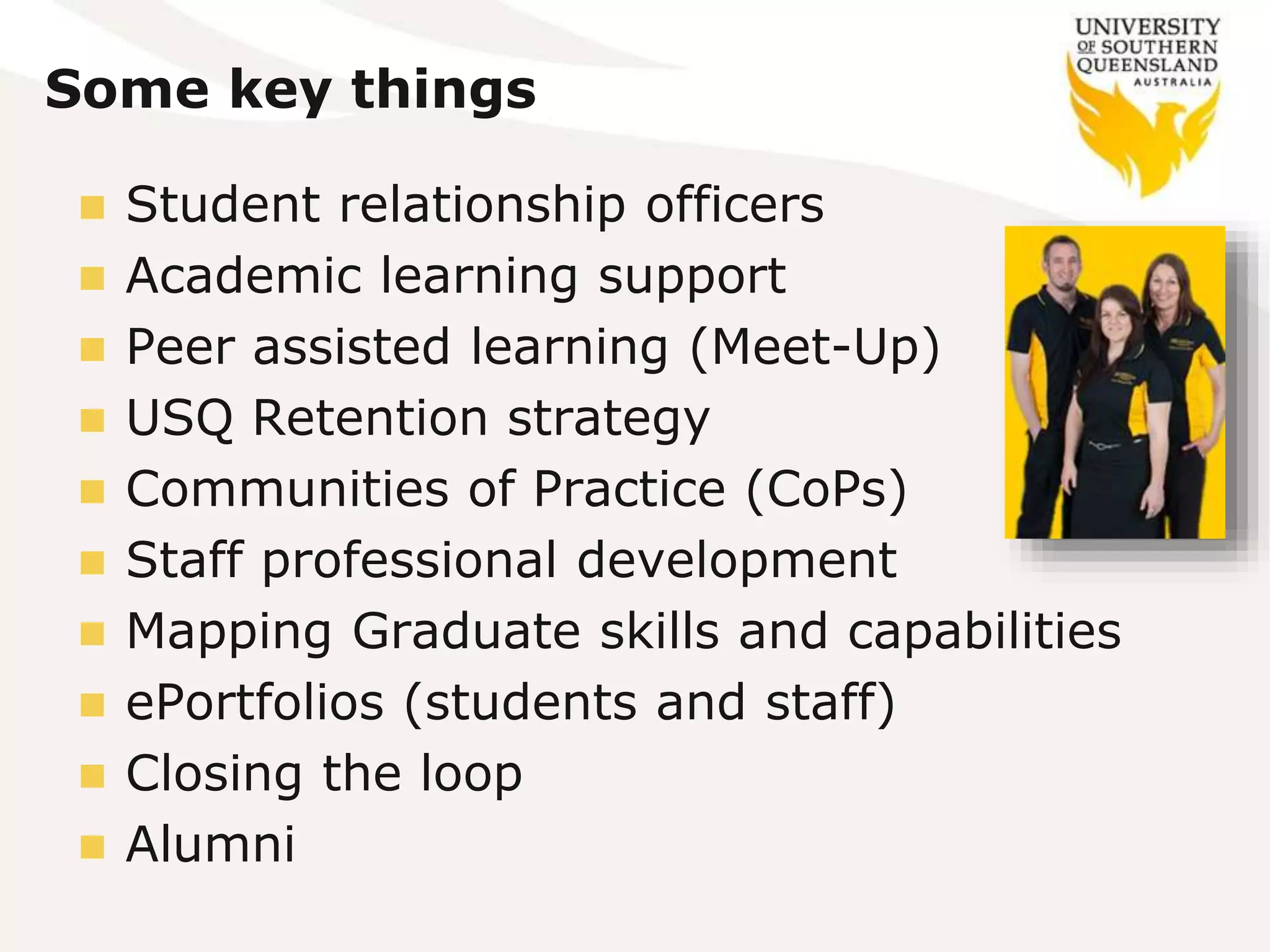
Some key things
 Student relationship officers
 Academic learning support
 Peer assisted learning (Meet-Up)
 USQ Retention strategy
 Communities of Practice (CoPs)
 Staff professional development
 Mapping Graduate skills and capabilities
 ePortfolios (students and staff)
 Closing the loop
 Alumni
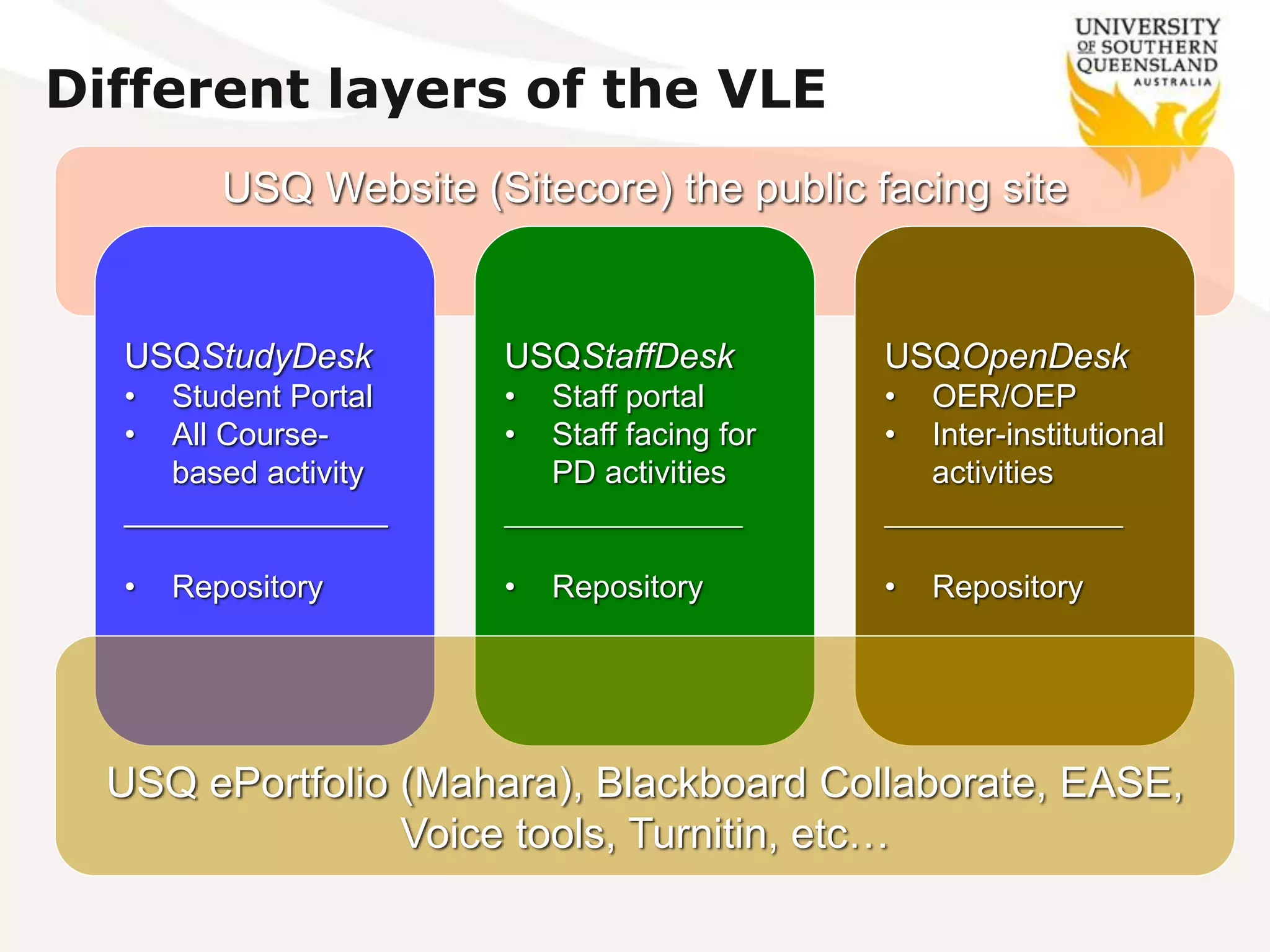
USQ Website (Sitecore) the public facing site
Different layers of the VLE
USQStudyDesk
• Student Portal
• All Course-
based activity
_______________
• Repository
USQStaffDesk
• Staff portal
• Staff facing for
PD activities
_______________
• Repository
USQOpenDesk
• OER/OEP
• Inter-institutional
activities
_______________
• Repository
USQ ePortfolio (Mahara), Blackboard Collaborate, EASE,
Voice tools, Turnitin, etc…
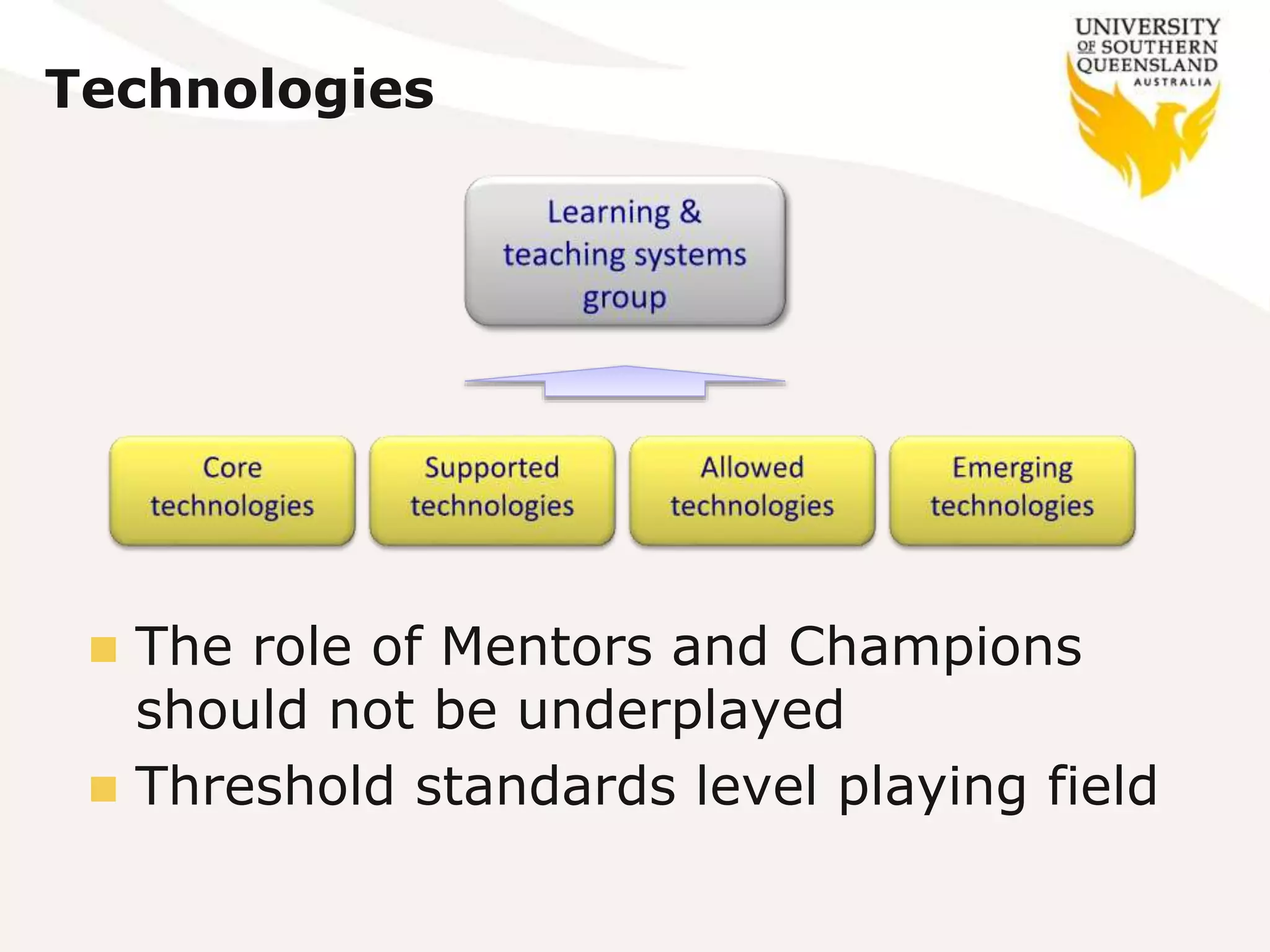
Technologies
 The role of Mentors and Champions
should not be underplayed
 Threshold standards level playing field
Defined minimum standards
1. An introductory message, posted before the start of
semester, which:
 welcomes students to the course;
 introduces the teaching team for the course;
 describes how the StudyDesk space will be used throughout the semester;
and
 explains how students may obtain support by appropriately directing
academic or technical. enquiries.
2. Checking of discussions and other student access areas on at
least three [3] working days per week in order to:
 monitor and moderate comments and discussion by students;
 manage course operation by responding to student enquiries and learning
activities.
3. Student requests for clarification or assistance should be
responded to as soon as possible, but certainly within 48
hours during the working week.
The role of the teacher
 They are our
interface
 In most cases they
want to engage
 But are not confident
 And not overly
aware of what others
are doing
 Staff need to be using the same tools they use to
teach to also learn
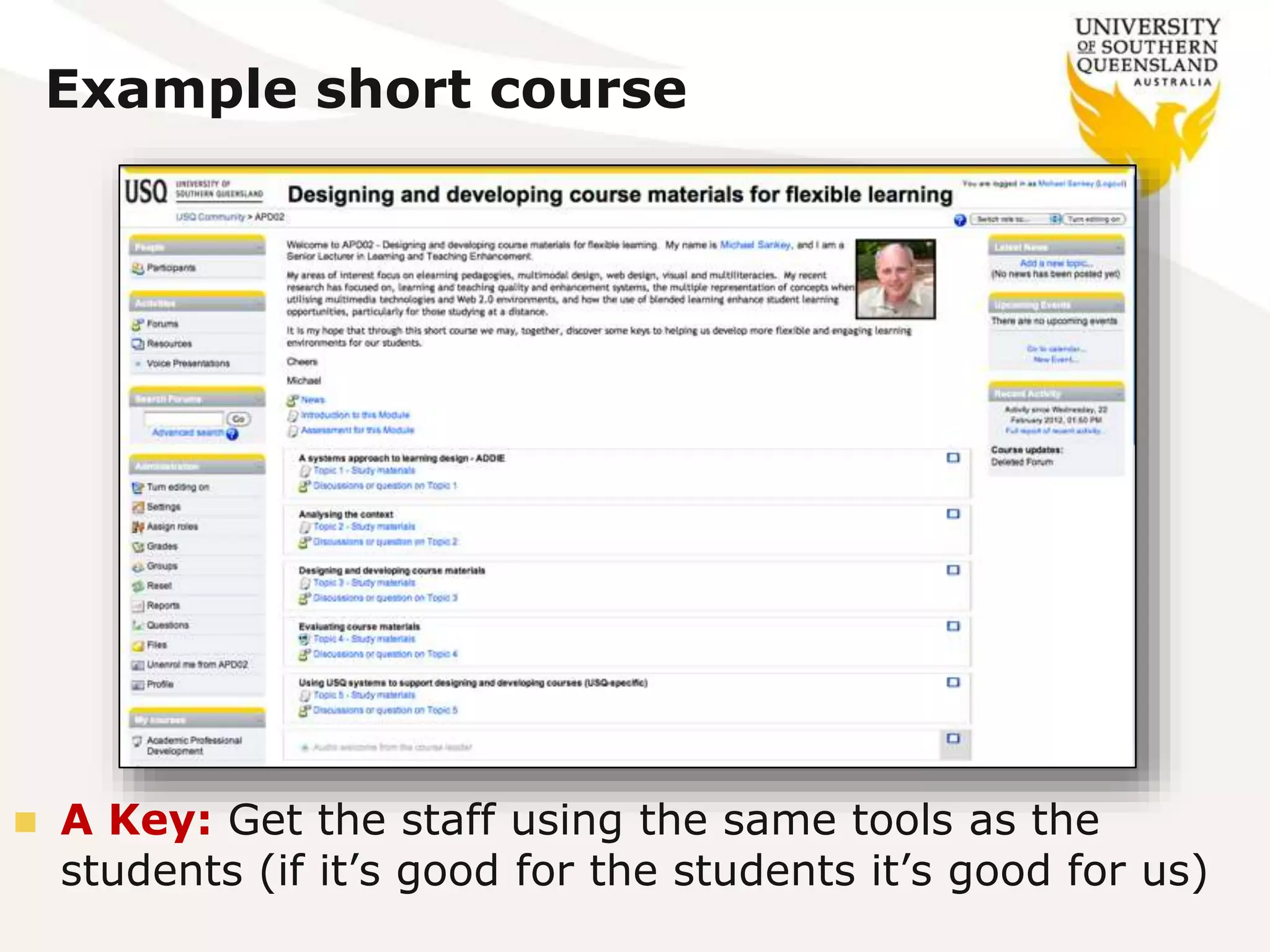
Example short course
 A Key: Get the staff using the same tools as the
students (if it’s good for the students it’s good for us)
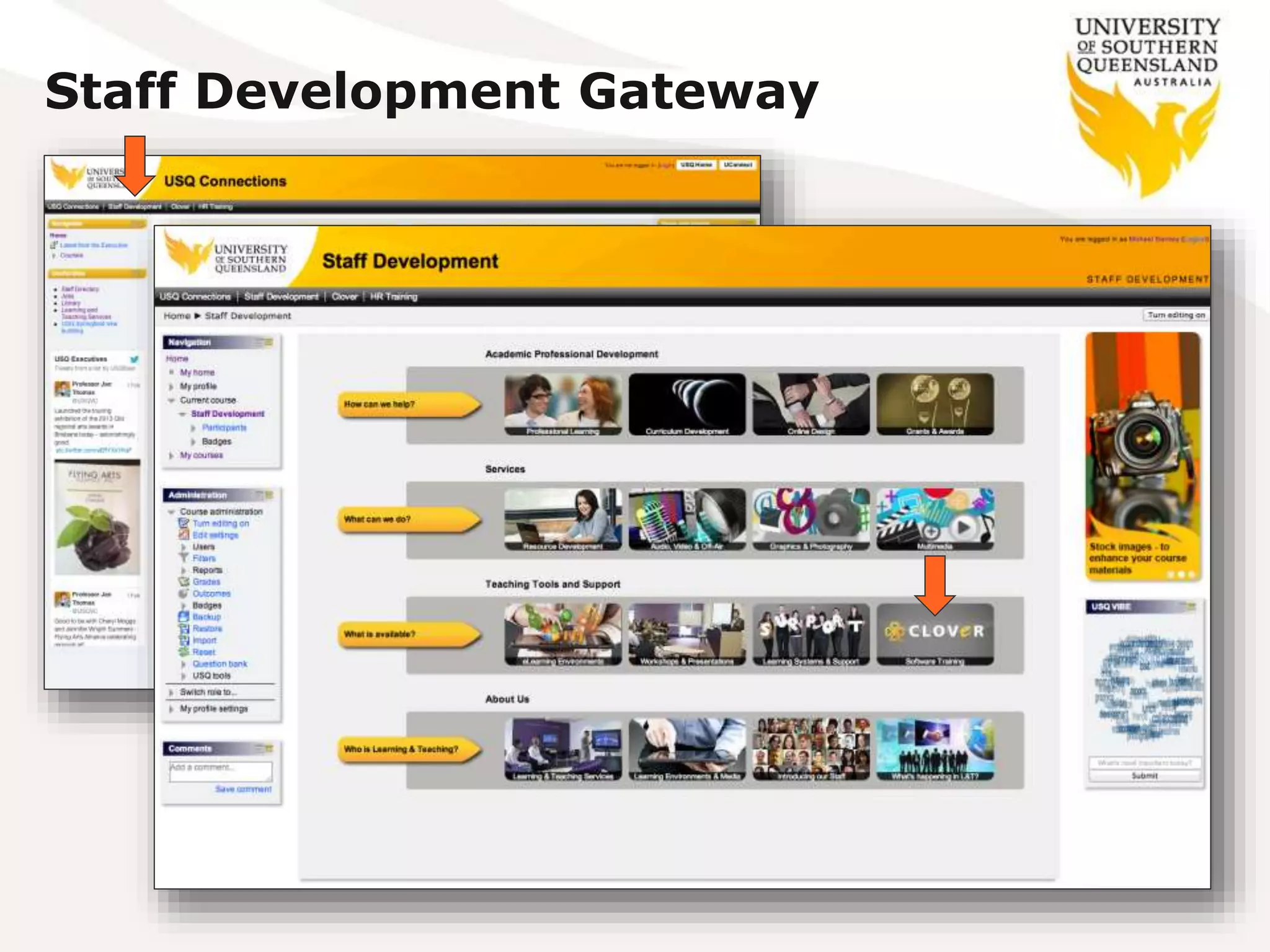
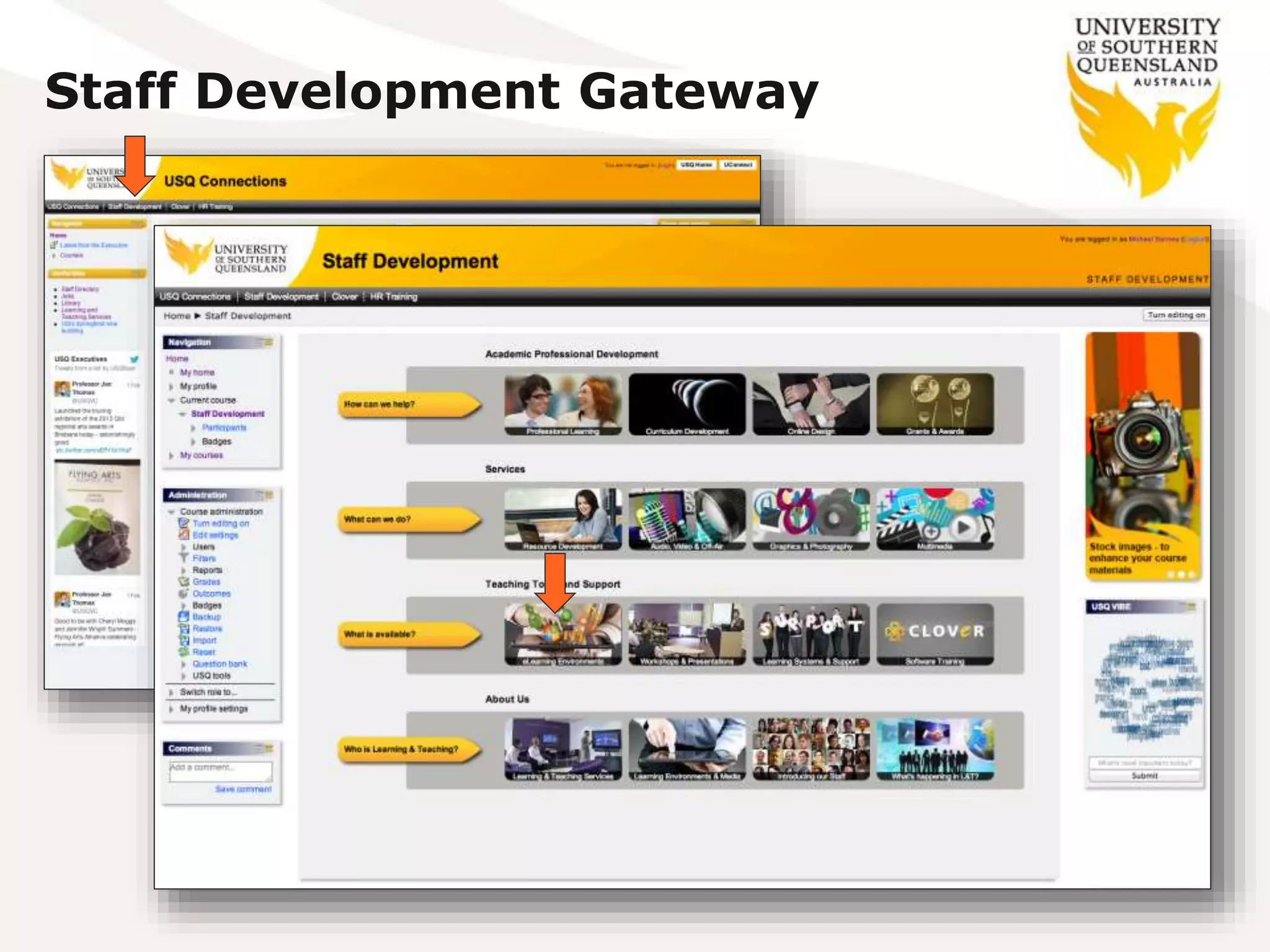
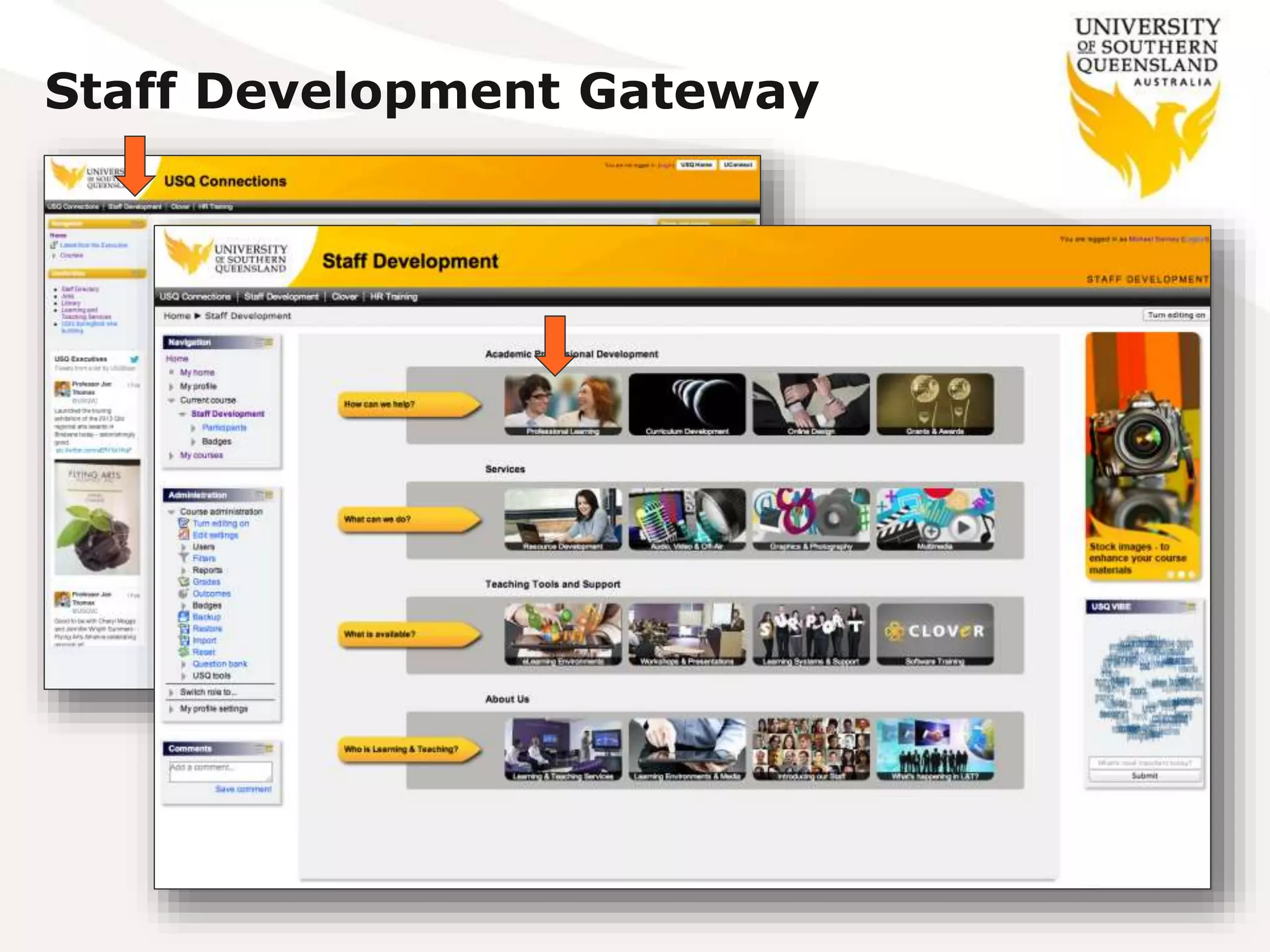
Staff Development Gateway
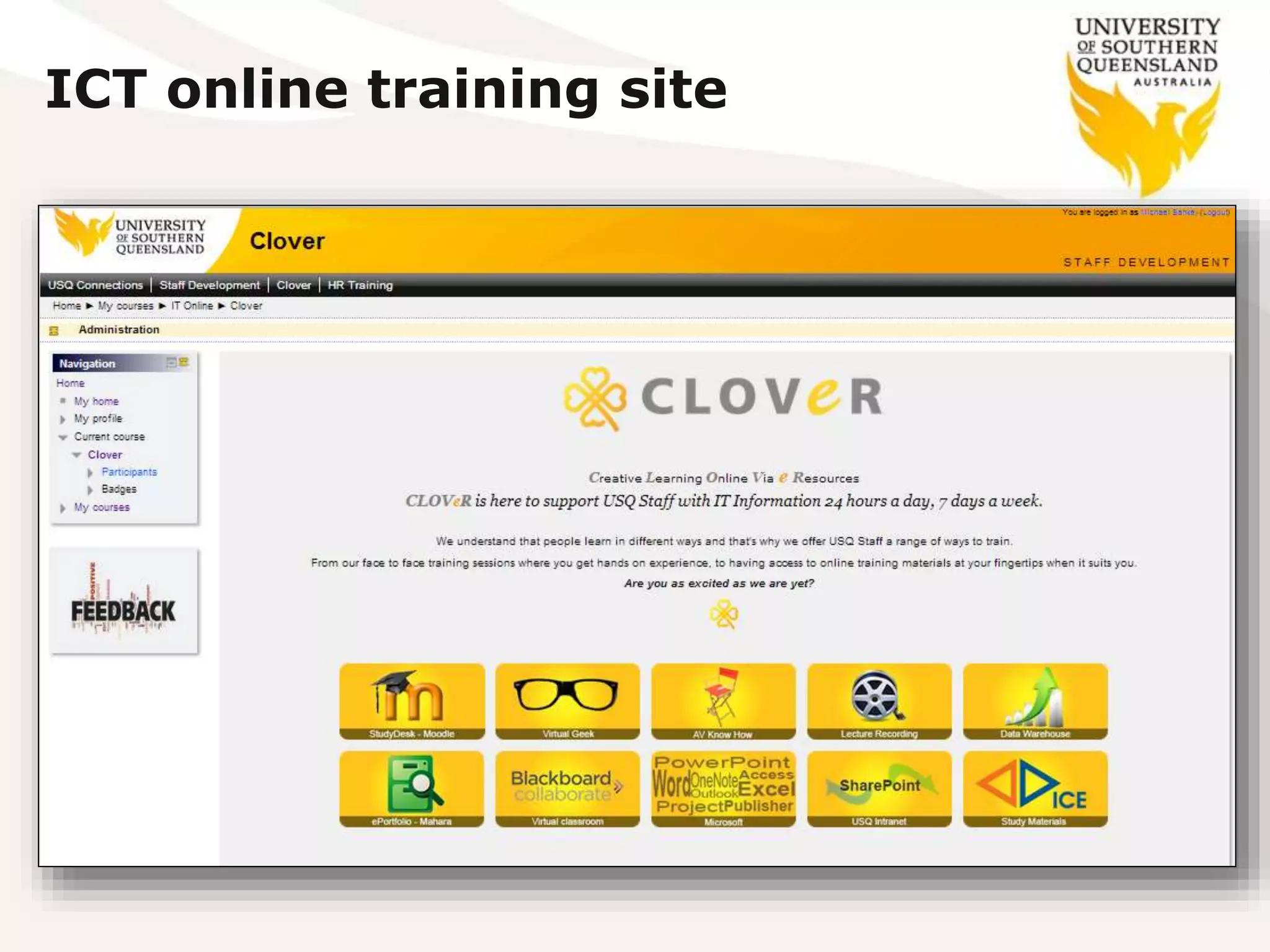
ICT online training site
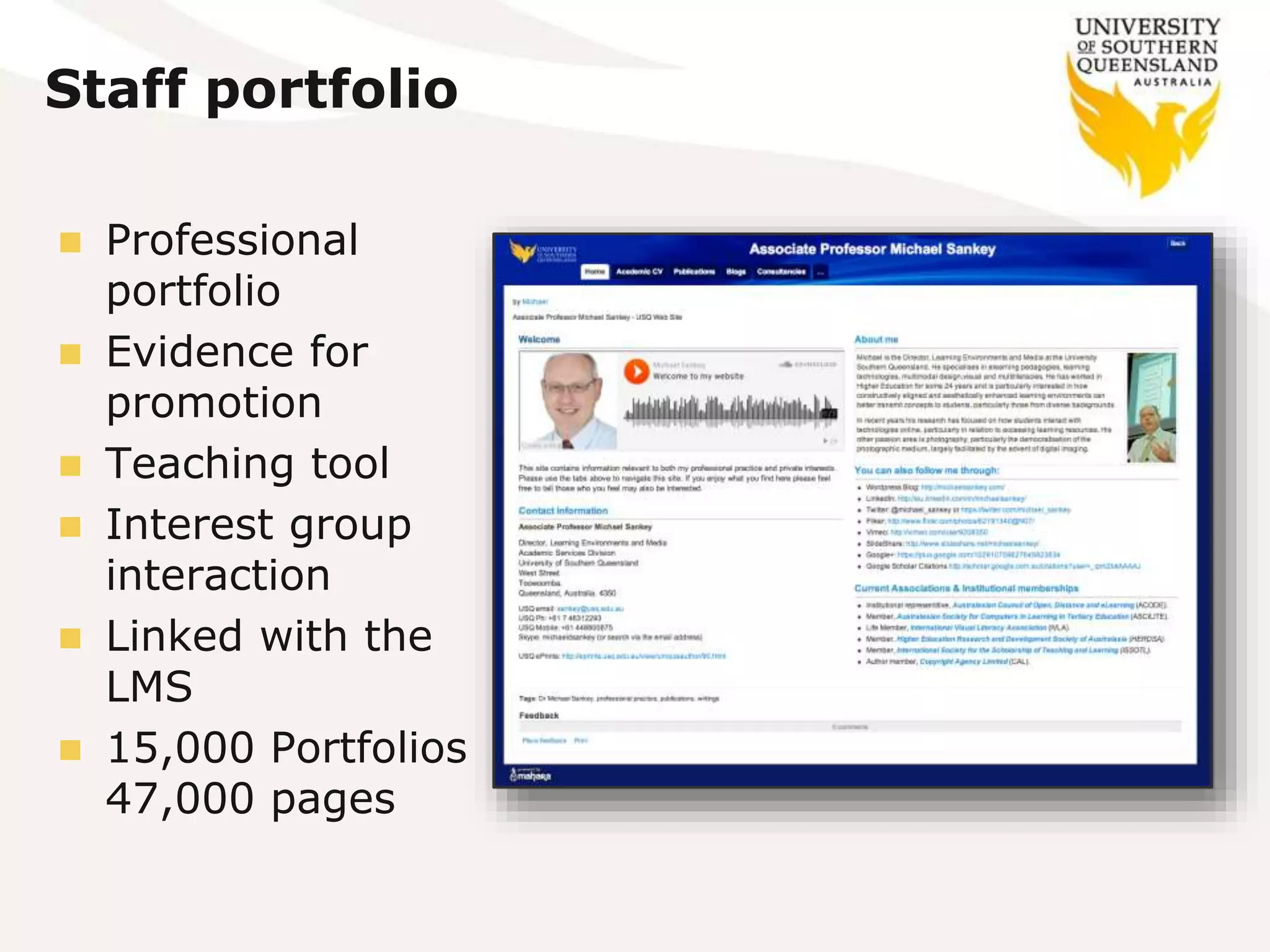
Staff portfolio
 Professional
portfolio
 Evidence for
promotion
 Teaching tool
 Interest group
interaction
 Linked with the
LMS
 15,000 Portfolios
47,000 pages
Staff Development Gateway
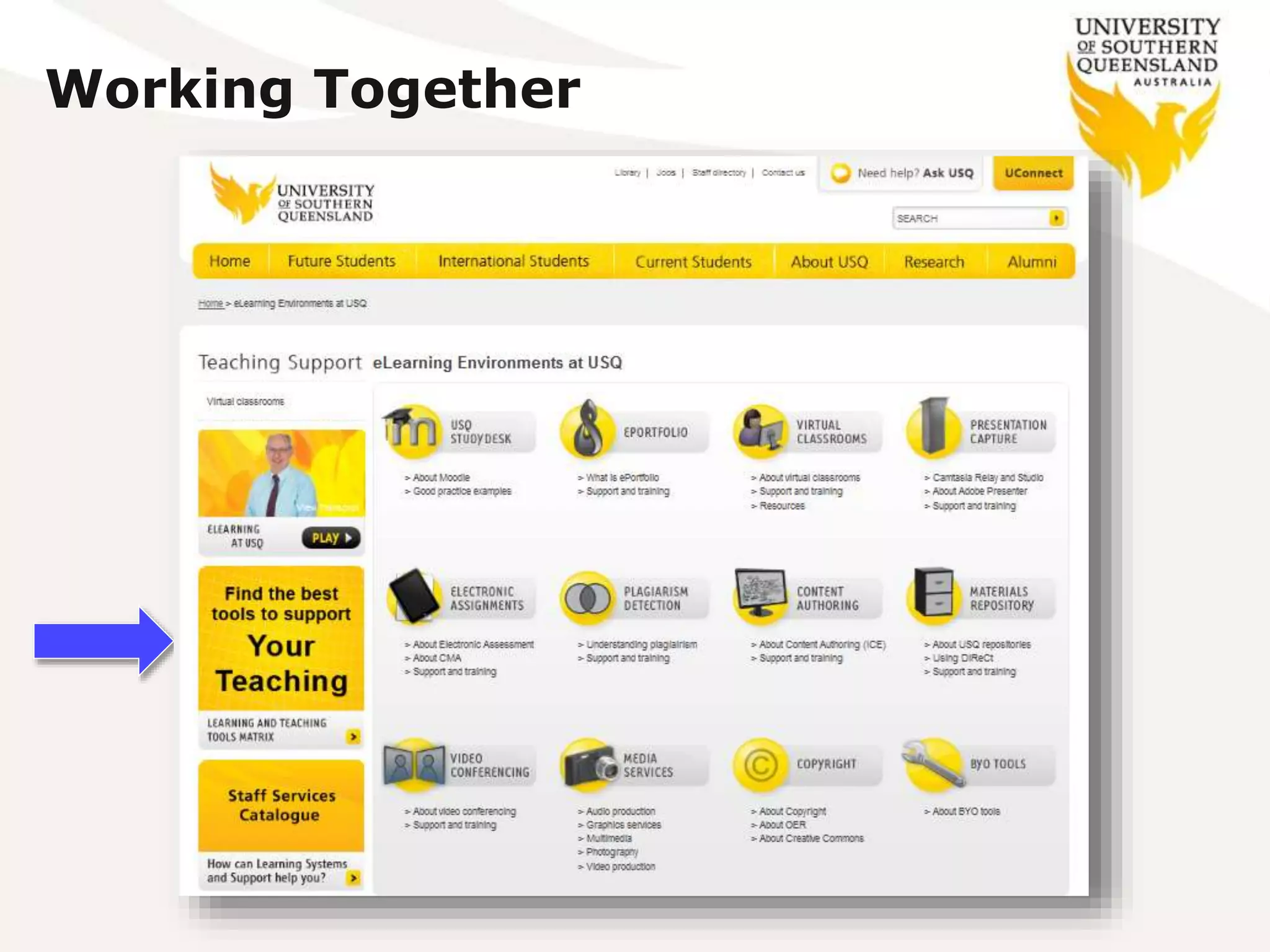
Working Together
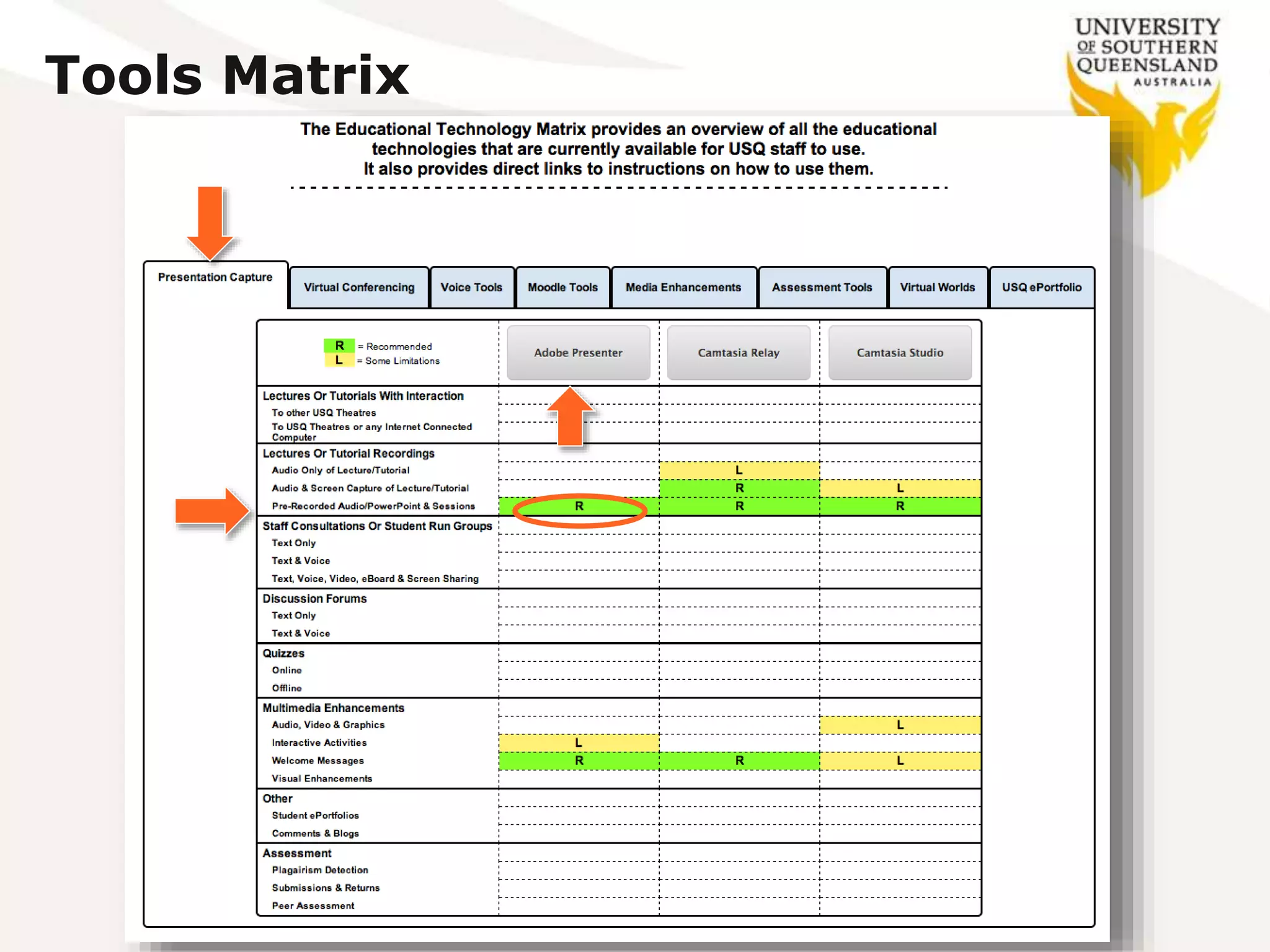
Tools Matrix
Key eLearning trends
 Lots of opportunities emerging for HE all
closely aligned with educational technology:
 Ongoing evolution of online, blended and collaborative learning
 Growing ubiquity of social media (scaffolding towards a profession)
 Open education practice (OEP) aligned with massive repositories
open education resources (OERs), Open Badges, etc.
 Rise of data-driven learning and assessment (using analytics)
 Personalised learning and agile approaches to change (innovation)
 Shift from students as consumers to students as creators (flexibility)
 Some are capitalising on these opportunities, others
are watching closely, but being slow to commit.
 Because “there be dragons in them there hills”
 Not
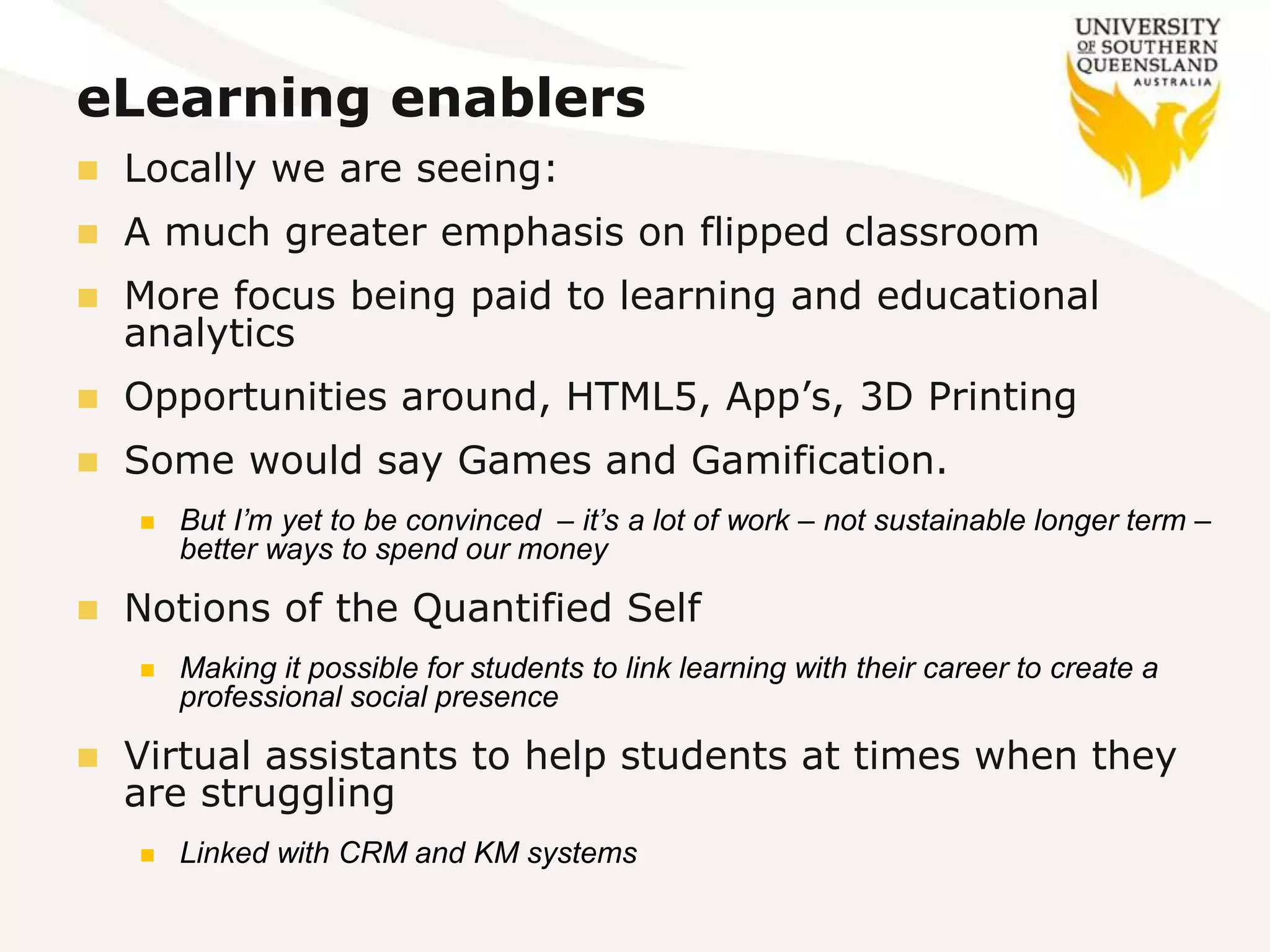
eLearning enablers
 Locally we are seeing:
 A much greater emphasis on flipped classroom
 More focus being paid to learning and educational
analytics
 Opportunities around, HTML5, App’s, 3D Printing
 Some would say Games and Gamification.
 But I’m yet to be convinced – it’s a lot of work – not sustainable longer term –
better ways to spend our money
 Notions of the Quantified Self
 Making it possible for students to link learning with their career to create a
professional social presence
 Virtual assistants to help students at times when they
are struggling
 Linked with CRM and KM systems
Challenges
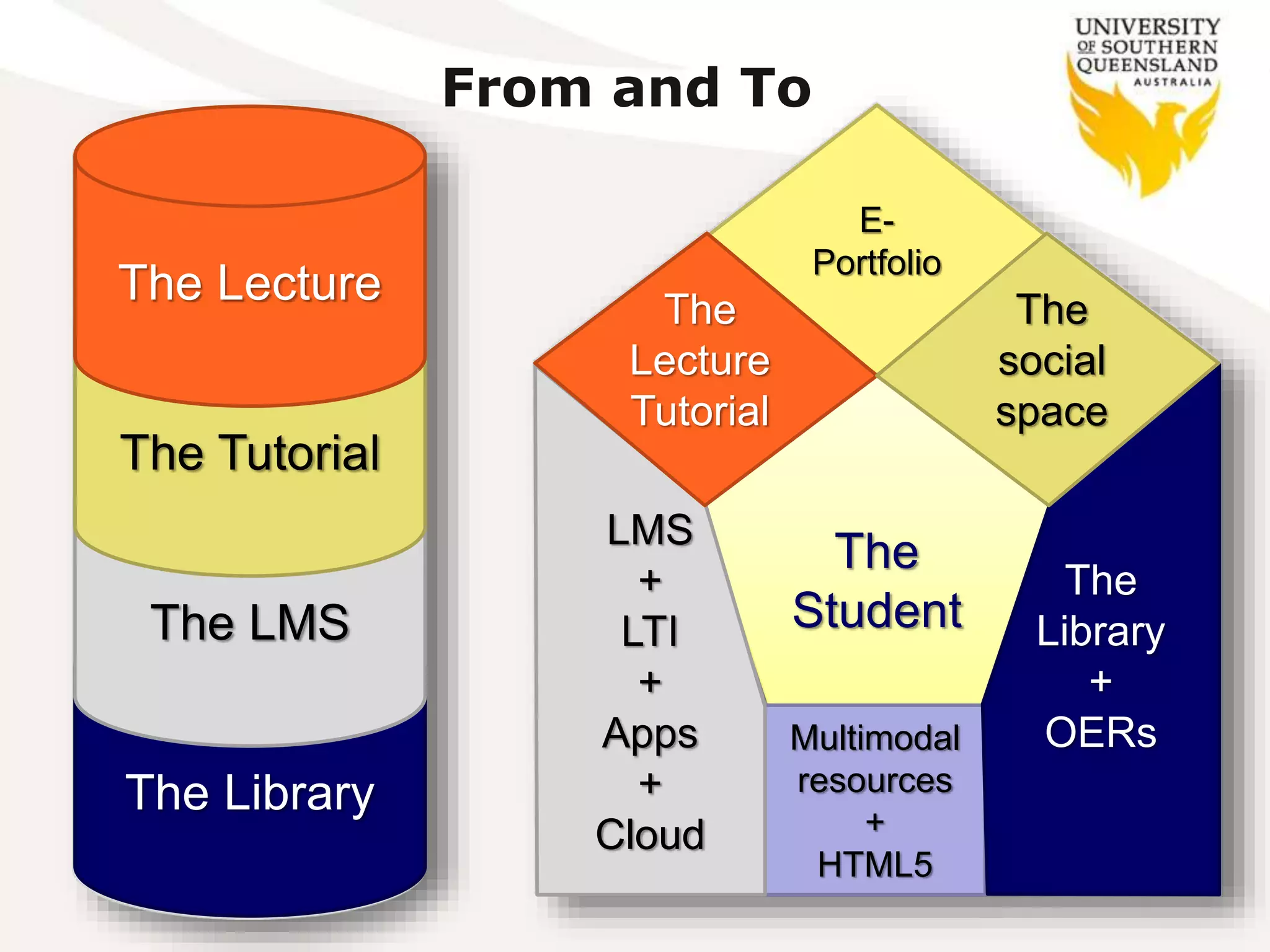
 The days of the LMS as the monolithic system are
numbered
The Library
From and To
The LMS
The Tutorial
The Lecture
The
Student
Multimodal
resources
+
HTML5
LMS
+
LTI
+
Apps
+
Cloud
E-
Portfolio
The
Library
+
OERs
The
Lecture
Tutorial
The
social
space
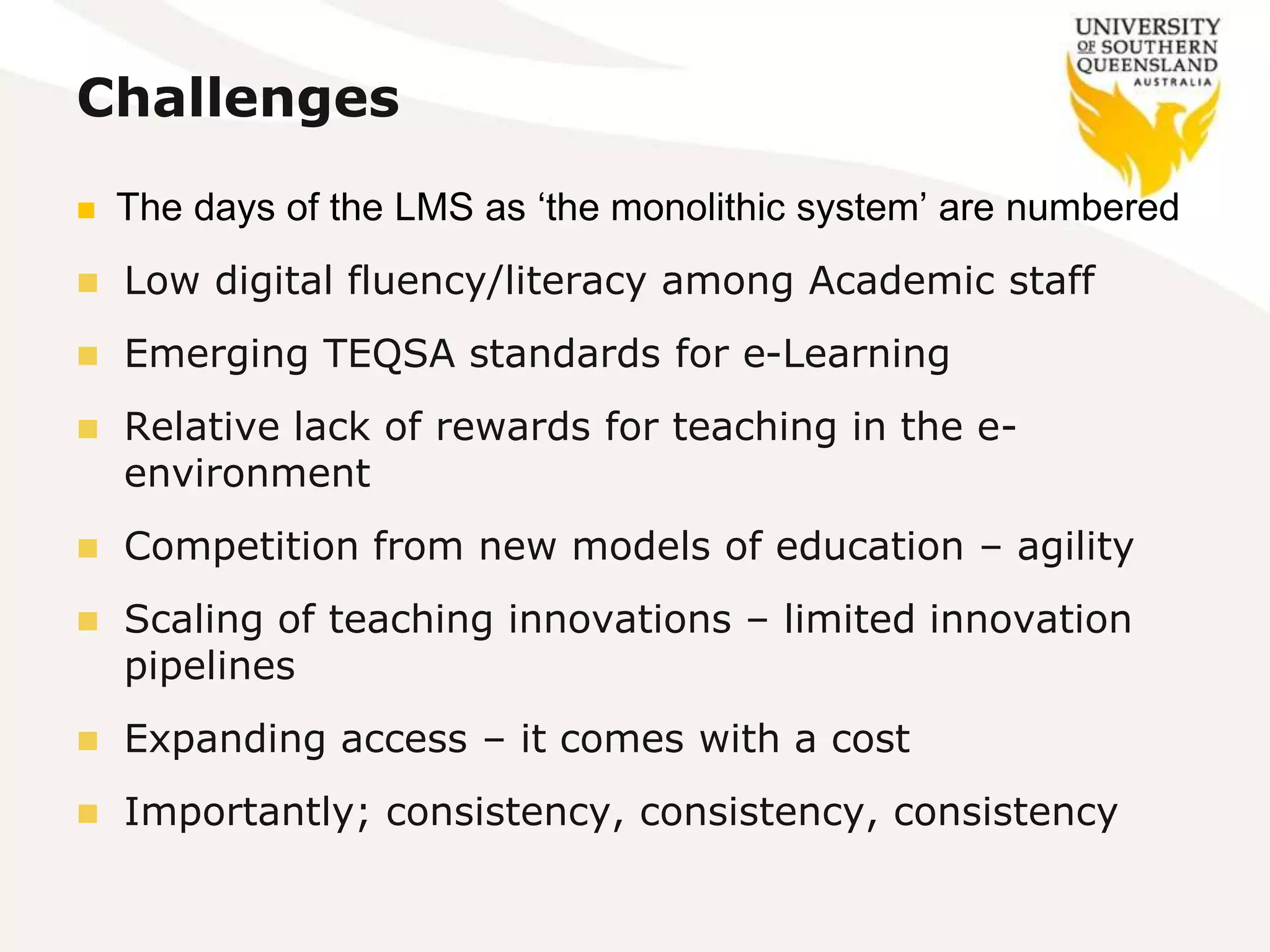
Challenges
 The days of the LMS as ‘the monolithic system’ are numbered
 Low digital fluency/literacy among Academic staff
 Emerging TEQSA standards for e-Learning
 Relative lack of rewards for teaching in the e-
environment
 Competition from new models of education – agility
 Scaling of teaching innovations – limited innovation
pipelines
 Expanding access – it comes with a cost
 Importantly; consistency, consistency, consistency
Taking the bull by the horns
 To aspire to be flexible, collaborative, learner-
centred, technology enabled and grounded in
sound pedagogy
 It’s noble aspiration and very easy to say
 But it’s much more than just being about the
eLearning systems
 It’s about having our whole house in order
 That means ensuring we have a quality
management framework in place
 One predominantly built around the practice of
distributed leadership
 and the learning community (staff and students).
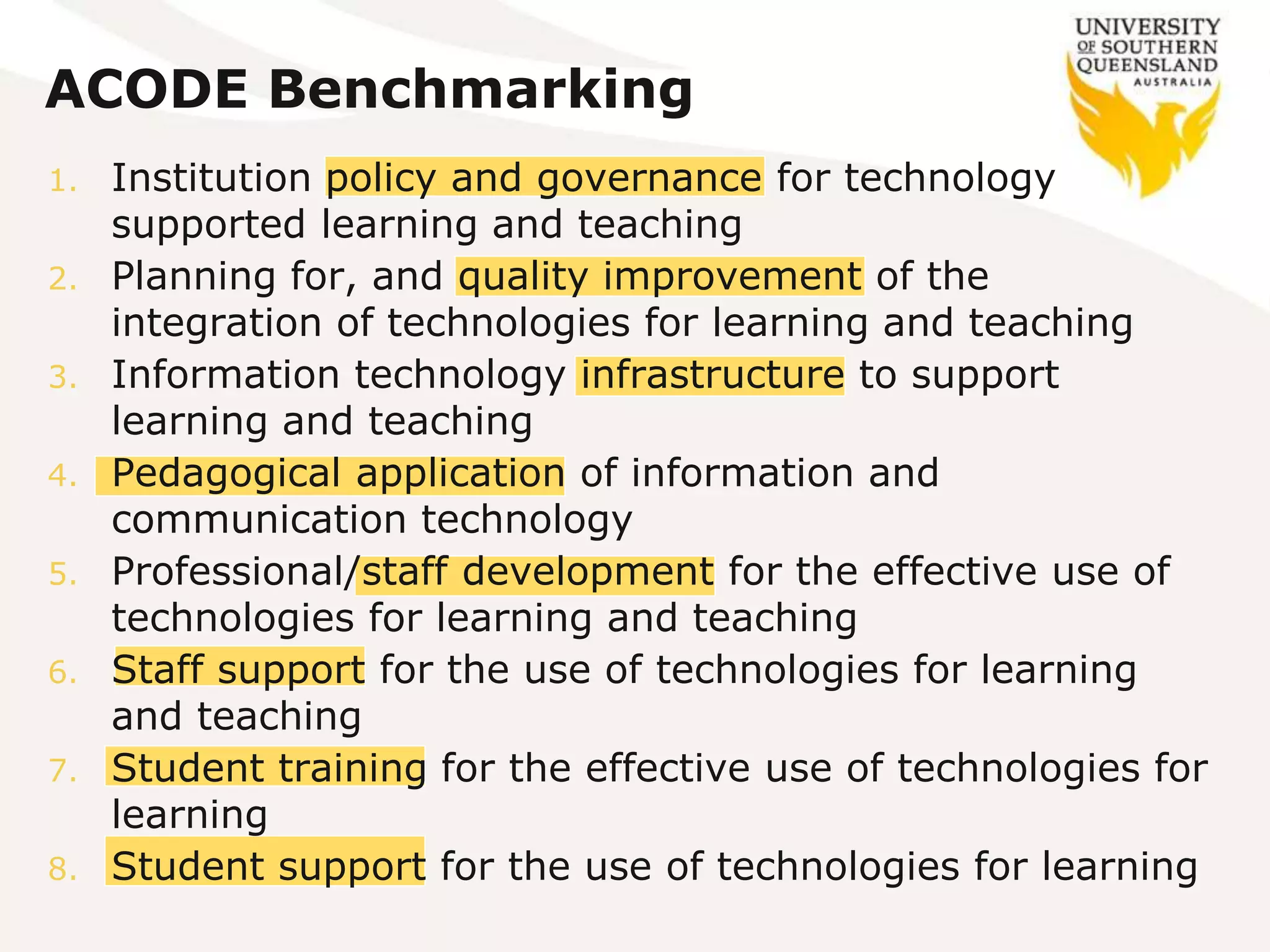
ACODE Benchmarking
1. Institution policy and governance for technology
supported learning and teaching
2. Planning for, and quality improvement of the
integration of technologies for learning and teaching
3. Information technology infrastructure to support
learning and teaching
4. Pedagogical application of information and
communication technology
5. Professional/staff development for the effective use of
technologies for learning and teaching
6. Staff support for the use of technologies for learning
and teaching
7. Student training for the effective use of technologies for
learning
8. Student support for the use of technologies for learning
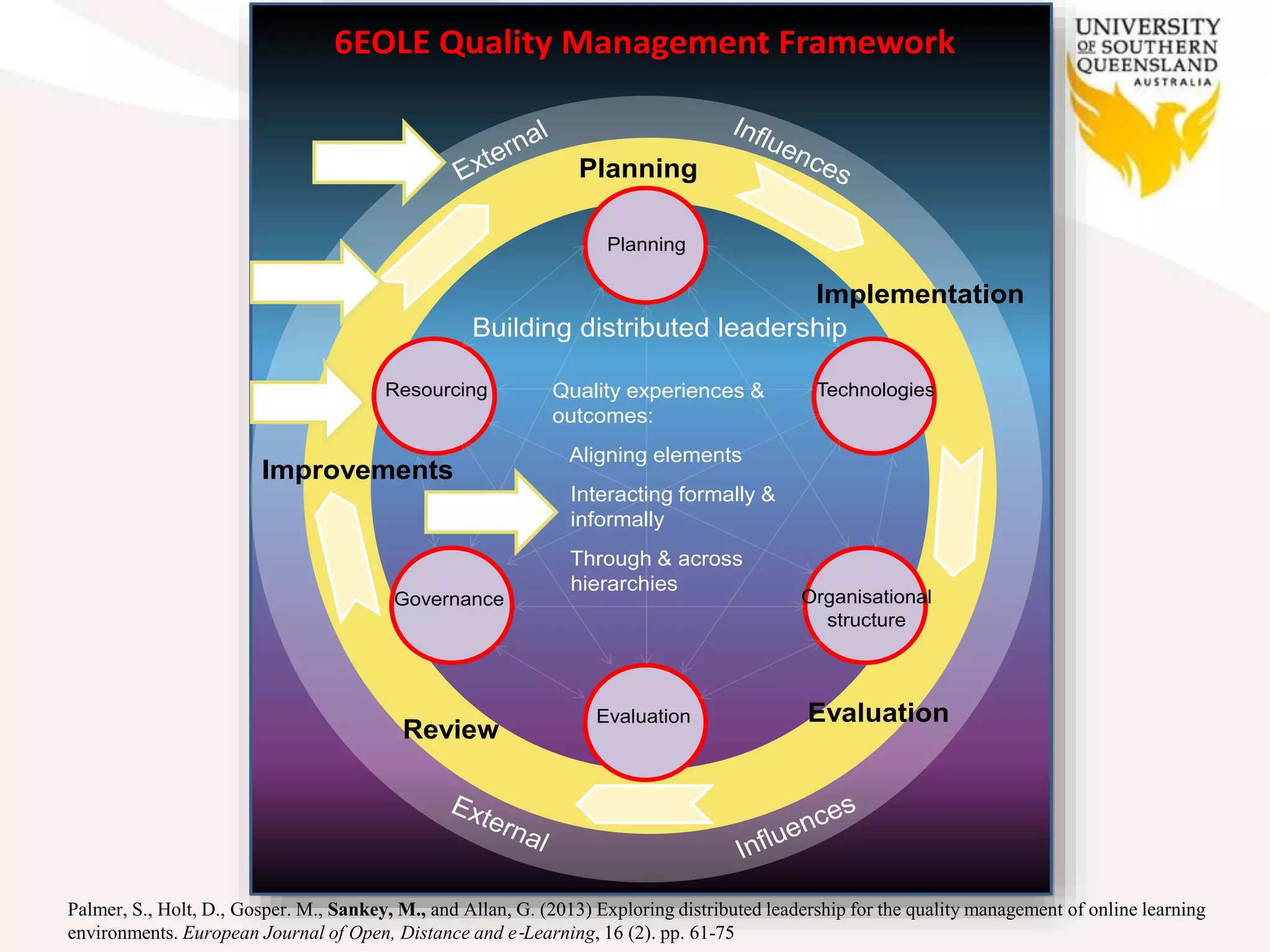
Establishing a quality
framework
6EOLE Quality Management Framework
Resourcing
Evaluation
Organisational
structure
Planning
Technologies
Governance
Planning
Implementation
Evaluation
Review
Improvements
Building distributed leadership
Quality experiences &
outcomes:
Aligning elements
Interacting formally &
informally
Through & across
hierarchies
Palmer, S., Holt, D., Gosper. M., Sankey, M., and Allan, G. (2013) Exploring distributed leadership for the quality management of online learning
environments. European Journal of Open, Distance and e‐Learning, 16 (2). pp. 61-75
Staff Development Gateway
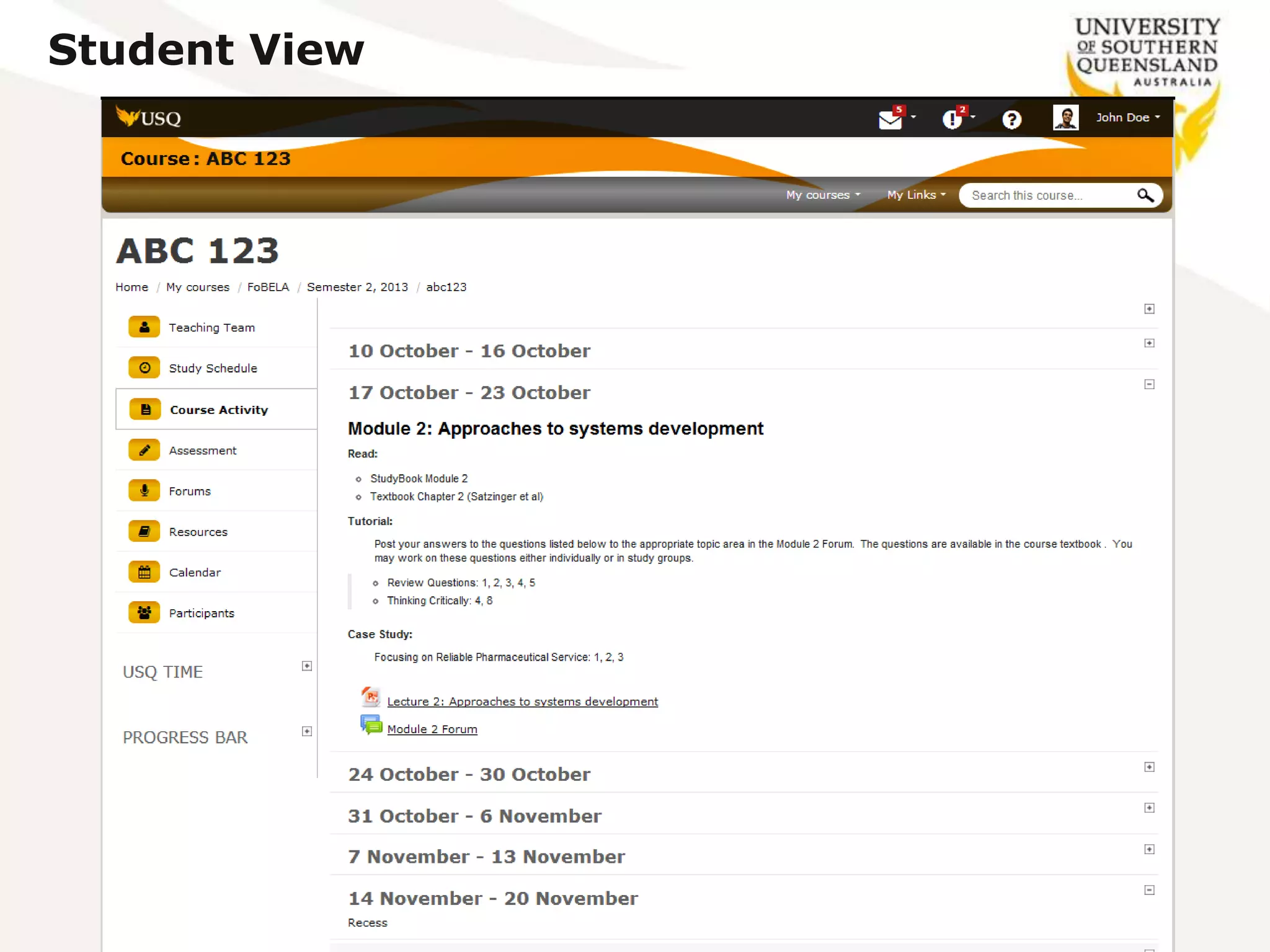
USQStudyDesk
What’s New?
 New look and feel – simplified, clear and branded
 Use existing data to minimise manual input by academics & reduce
human error e.g. pulling key dates & activities from Peoplesoft
 Consolidation of online assessment; EASE functions in Moodle
 Explore analytics – evidence base for enhanced L&T
What’s different?
 New design heavily influenced by student feedback and reflects
contemporary website design e.g. Facebook style icons etc.
 Navigation – now consistent across the StudyDesk
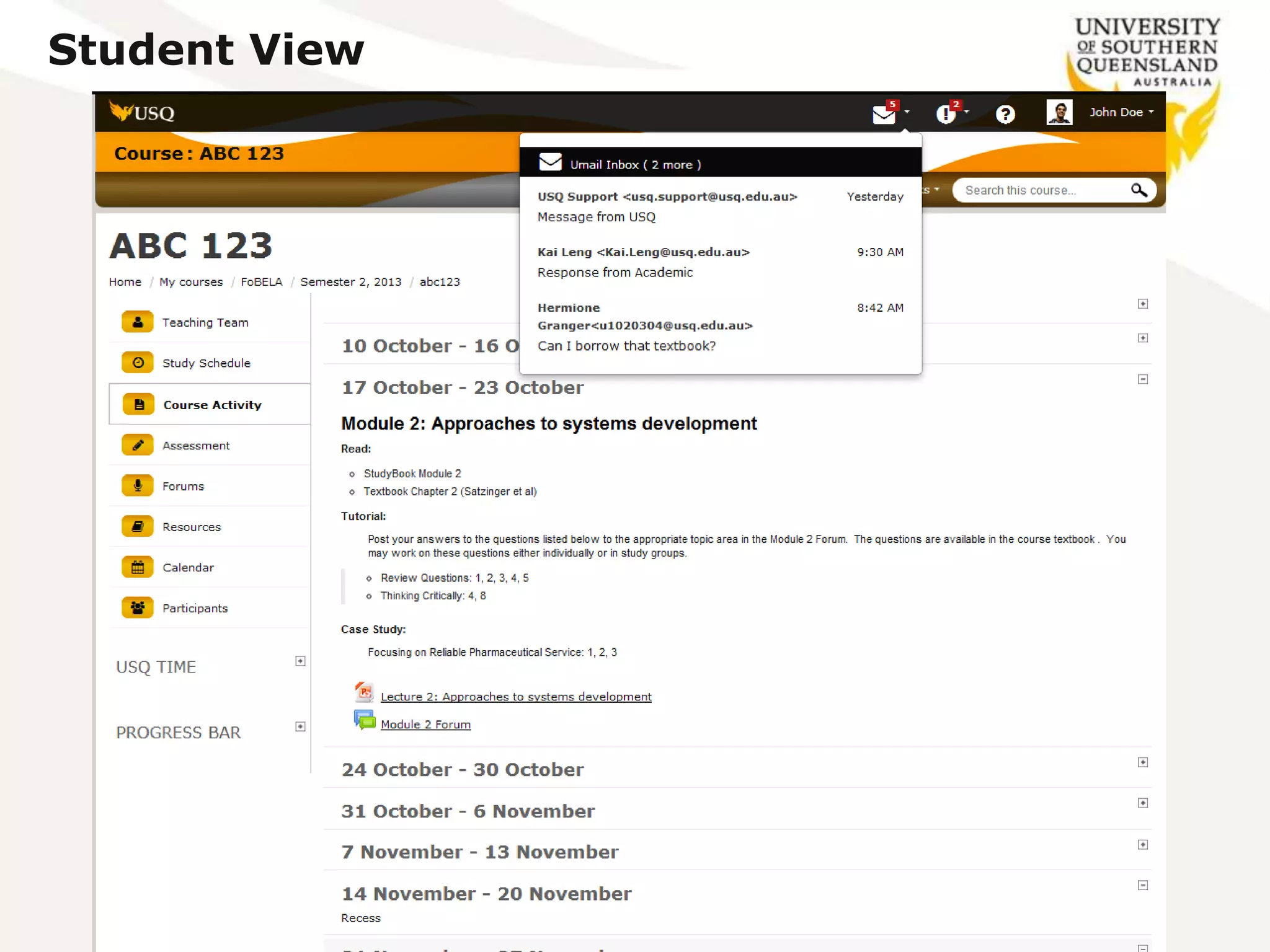
 Add in-context features to improve student experience and make
learning process easier; e.g. direct access to Umail
How are students affected?
 Some students participating in usability testing
 Students being exposed to elements of the new StudyDesk through
managed trials e.g. assessment and accessing course materials
 Final design planned to be introduced to students by end of 2014
Student View
Student View
StudyDesk
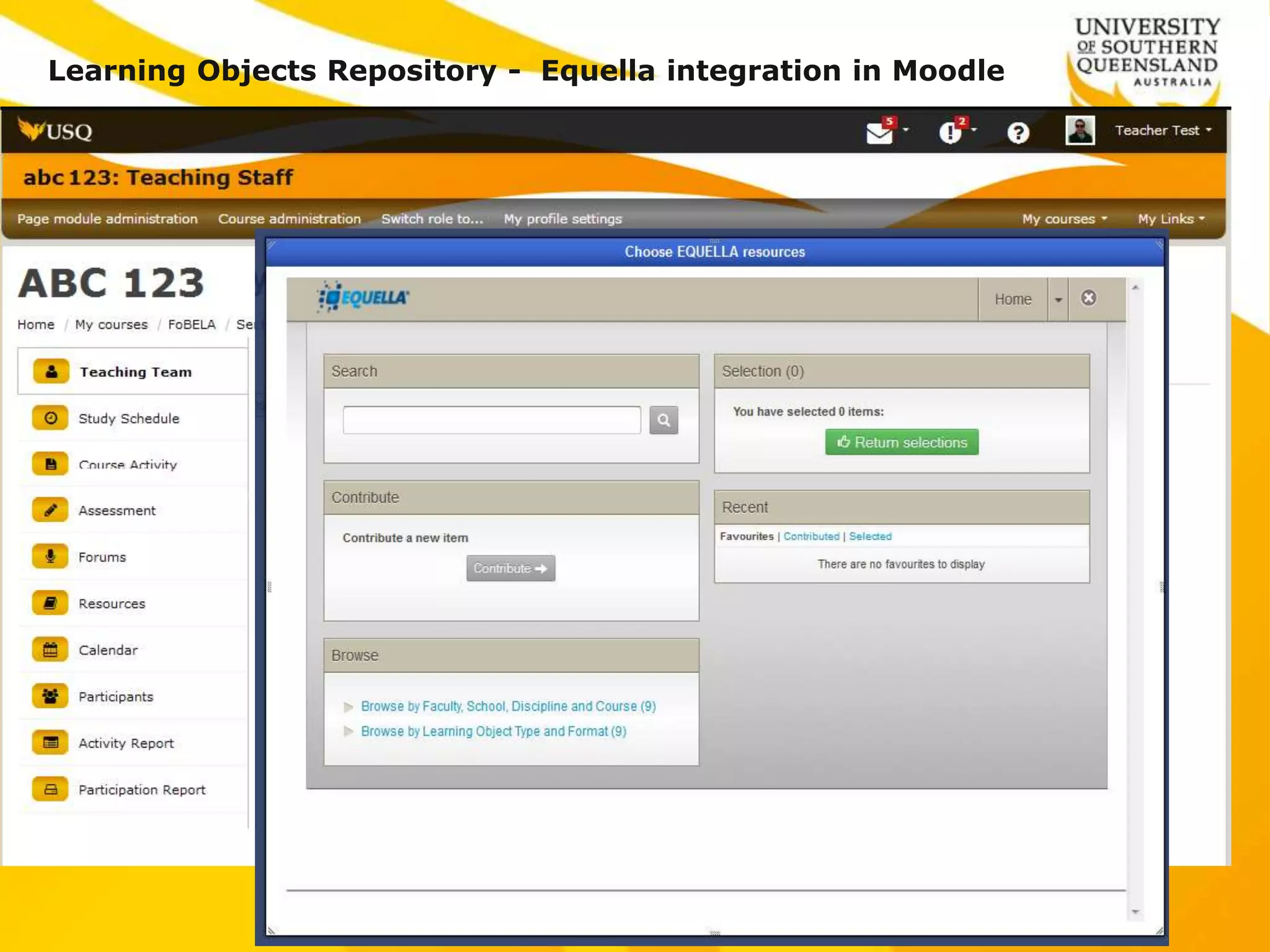
Learning Objects Repository - Equella integration in Moodle
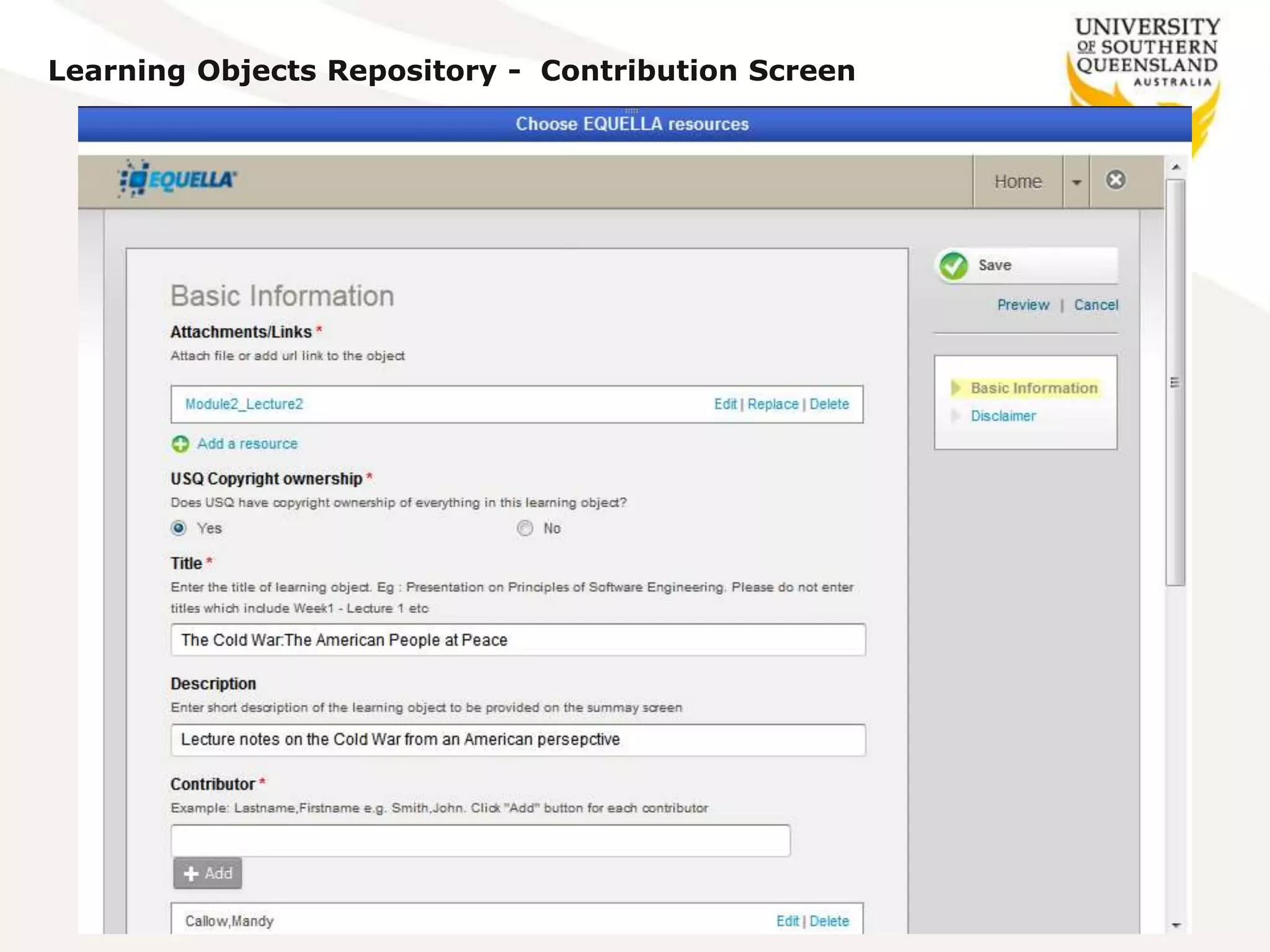
Learning Objects Repository - Contribution Screen
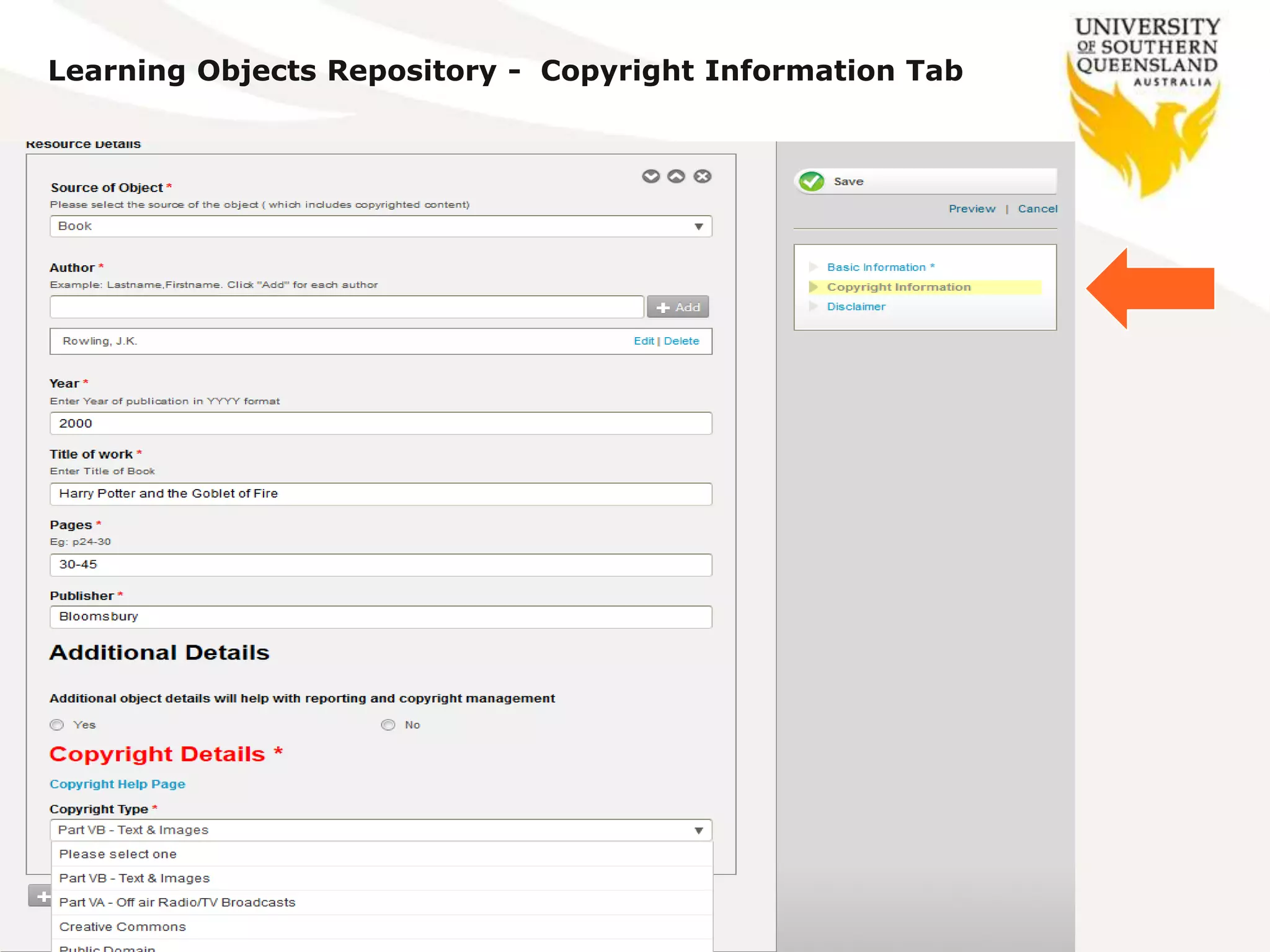
Learning Objects Repository - Copyright Information Tab
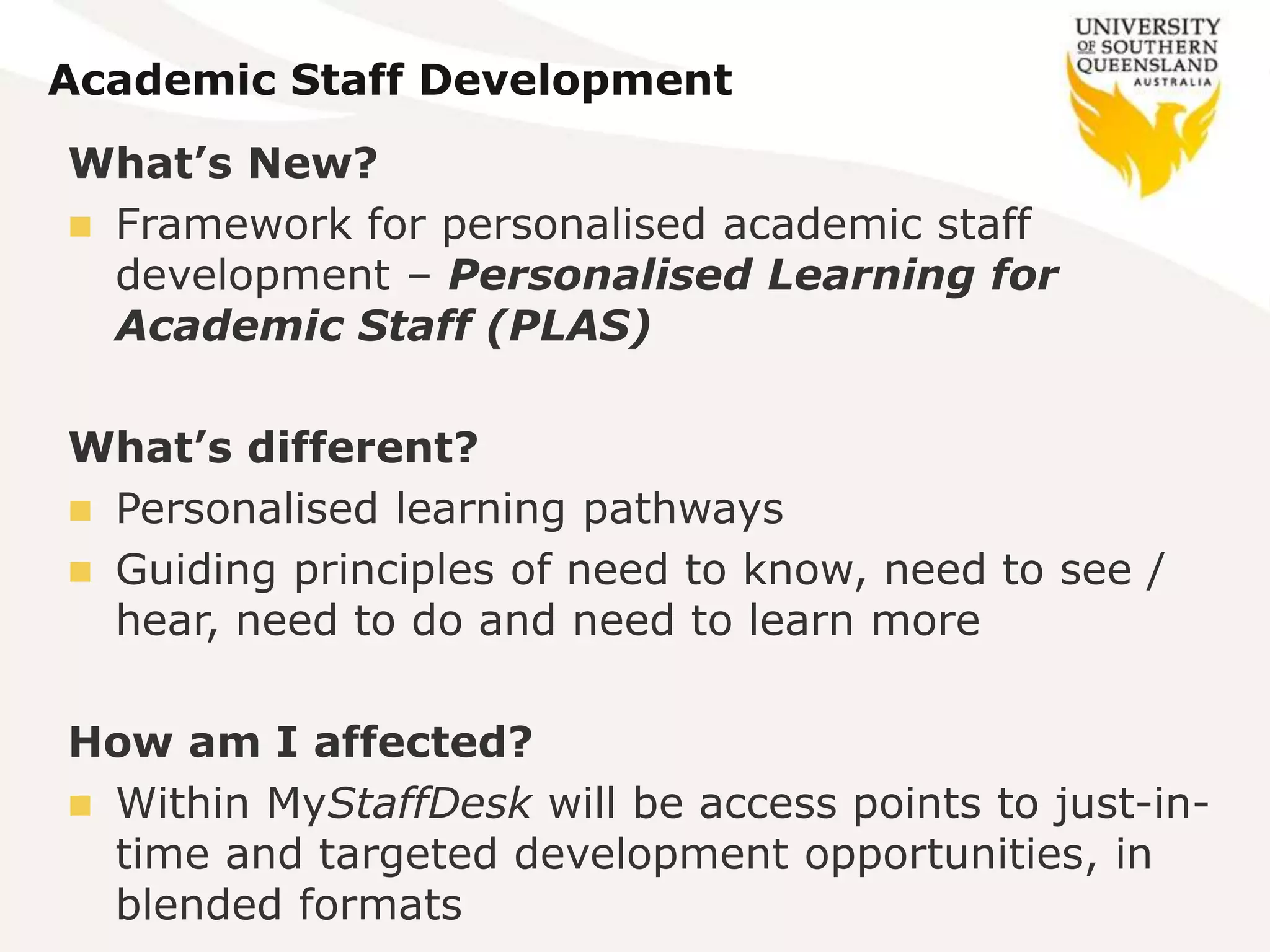
Academic Staff Development
What’s New?
 Framework for personalised academic staff
development – Personalised Learning for
Academic Staff (PLAS)
What’s different?
 Personalised learning pathways
 Guiding principles of need to know, need to see /
hear, need to do and need to learn more
How am I affected?
 Within MyStaffDesk will be access points to just-in-
time and targeted development opportunities, in
blended formats
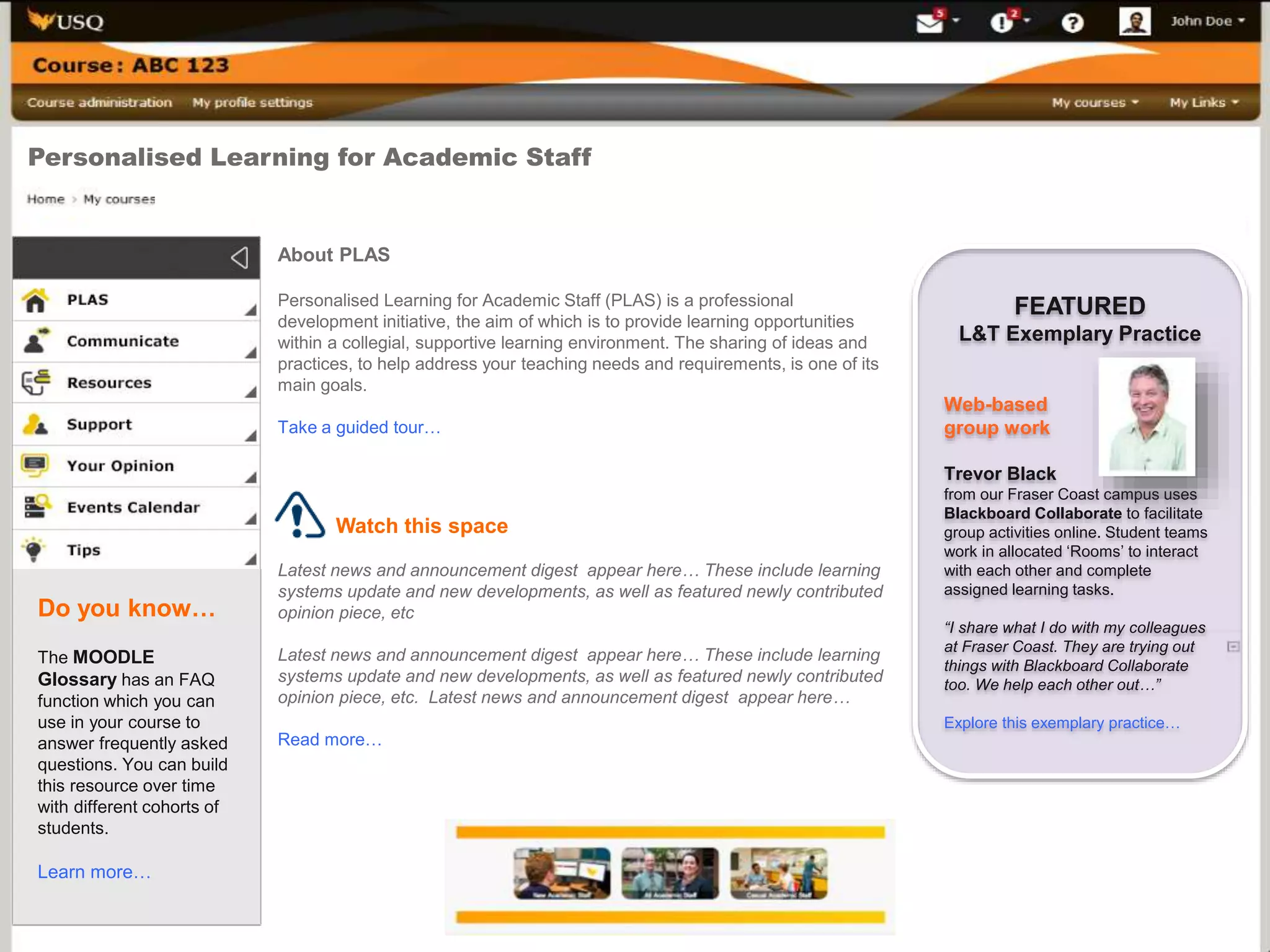
Personalised Learning for Academic Staff
About PLAS
Personalised Learning for Academic Staff (PLAS) is a professional
development initiative, the aim of which is to provide learning opportunities
within a collegial, supportive learning environment. The sharing of ideas and
practices, to help address your teaching needs and requirements, is one of its
main goals.
Take a guided tour…
Watch this space
Latest news and announcement digest appear here… These include learning
systems update and new developments, as well as featured newly contributed
opinion piece, etc
Latest news and announcement digest appear here… These include learning
systems update and new developments, as well as featured newly contributed
opinion piece, etc. Latest news and announcement digest appear here…
Read more…
FEATURED
L&T Exemplary Practice
Web-based
group work
Trevor Black
from our Fraser Coast campus uses
Blackboard Collaborate to facilitate
group activities online. Student teams
work in allocated ‘Rooms’ to interact
with each other and complete
assigned learning tasks.
“I share what I do with my colleagues
at Fraser Coast. They are trying out
things with Blackboard Collaborate
too. We help each other out…”
Explore this exemplary practice…
Do you know…
The MOODLE
Glossary has an FAQ
function which you can
use in your course to
answer frequently asked
questions. You can build
this resource over time
with different cohorts of
students.
Learn more…
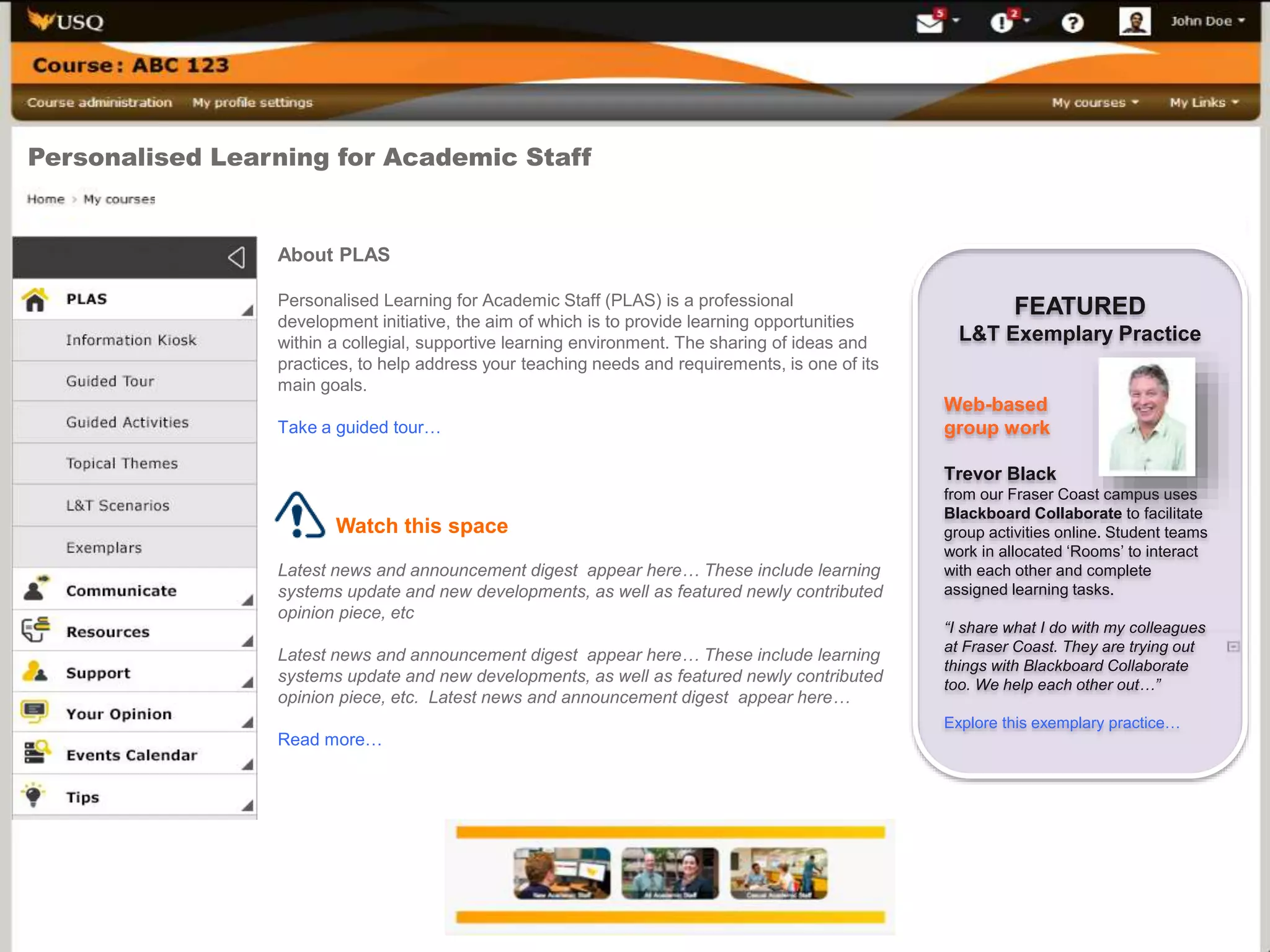
Personalised Learning for Academic Staff
About PLAS
Personalised Learning for Academic Staff (PLAS) is a professional
development initiative, the aim of which is to provide learning opportunities
within a collegial, supportive learning environment. The sharing of ideas and
practices, to help address your teaching needs and requirements, is one of its
main goals.
Take a guided tour…
Watch this space
Latest news and announcement digest appear here… These include learning
systems update and new developments, as well as featured newly contributed
opinion piece, etc
Latest news and announcement digest appear here… These include learning
systems update and new developments, as well as featured newly contributed
opinion piece, etc. Latest news and announcement digest appear here…
Read more…
FEATURED
L&T Exemplary Practice
Web-based
group work
Trevor Black
from our Fraser Coast campus uses
Blackboard Collaborate to facilitate
group activities online. Student teams
work in allocated ‘Rooms’ to interact
with each other and complete
assigned learning tasks.
“I share what I do with my colleagues
at Fraser Coast. They are trying out
things with Blackboard Collaborate
too. We help each other out…”
Explore this exemplary practice…

Key Matters Relating to Technology Enhanced Learning

  • 1.
    Key Matters Relatingto Technology Enhanced Learning Associate Professor Michael Sankey Director, Learning Environments and Media USQ Presentation at a Professional development workshop at Christchurch Polytechnic Institute of Technology. New Zealand. 18 March.
  • 2.
     Toowoomba  Springfield Harvey Bay  Stanthorpe  Sydney (partner)
  • 3.
    • Founded in1967 • A distance education provider since 1977 • Fully online programs since 1997 • 2 Faculties with 11 Schools • All faculties have external programs • More than 200 under-grad and post-grad award programs University of Southern Queensland
  • 4.
    Enrolled students USQ •All students 27,235 • On-campus 7,235 • External/online 20,000 (73%) • International 5,824 (1,100 ONC) The vast majority of USQ students access information services online Most Students and Staff know what they’re getting themselves in for when they come to USQ 
  • 5.
    Some current strategies Every course has an online presence  Every student has a named person to contact  Minimum standards for all courses  Threshold expectations – a common wireframe  Learning Innovation & Teaching Enhancement (LITE) teams  Significant media enhancement available  Strong focus on the Student Learning Journey (SLJ) and personal learning environment (PLE)
  • 6.
    Some current trends Print – Progressively reducing but still wanted by some - but will be gone within Feb 2015  Digital content – Increasingly more accessible & able to be used on mobile devices  CDs – popular for many years but will also be gone within Feb 2015  Physical spaces – Comfortable places to meet, study, eat, talk and recharge.  BYOD – Closed two computer labs
  • 7.
  • 8.
    Discernable periods inSLJ Student Learning Journey Decision to enrol Application & offer Enrol The early weeks Experience of first semester Continuing study Unforseen events Completing study Graduation Alumni The SLJ is a series of interactions between students & the Uni. Identified 9 student groups with some 150 individual points of interaction.
  • 9.
    SLJ Online Services ENGAGE •Enquiry Management (RightNow) • Future Student Website • Application • Information in 8 languages • Open Day & Info Evening Programs • Residential College Applications • Careers Resources • Scholarships & Application Forms • Disability Resources • Student Representation • Web Campaign pages • New International website • New program Guide • Chat for enquiries Now ENROL • Admission/Offer/Accept/Defer/ Decline • Course re/Enrol (add, swap, drop, edit) • View exemptions processing • Create/Amend Study Plan • View Class Enrolment • Enter/Update Personal details • Enter/Update/Request Support –Disability • Fee Inv’s, calculator & payments • Student ID Cards • Student Loans Now • Program Enrol (Cancel, Reinstate, Leave of Absence)Coming ORIENT & TRANSITION • Orientation on Moodle • Access to StudyDesk • Access to UConnect • UConnect Announc’s & Alerts • UMail activation and passwords • Oncampus timetable • Personal SRO details • Student Services Videos • Tutorial Registration • Res College Invoicing & Pmts • Fee Acc. Enquiries & CAS Forms • Student Guild Website • Current students website • Online Forums – Clubs & Societies Now LEARNING SUPPORT • AWARE Program • ALS Online Resources (TLC) • Enquiry Management (RightNow) • Counselling Resources • Careers Counselling • Employment, WIL, Mentoring • Intern. Stud. Assistance Line • Digital Learning @USQ site • Wimba workshops in maths • Counselling & Health Promotion • Academic Intervention Form Now • Personal Counselling • Learning Centre web page update • TLC in other languages • Student Services CO Engagement Coming PROGRESS • Check Study Package Status • View & Print Unofficial Transcripts • Exam Timetables • View & Update Exam Centres • Results • USQ Handbook • Policy Library • View & Update Statistical Data • Scholarships & Loans • Disability Support • Employer Speed-Networking • The Honk (Student Guild) Now • CRM Retention InterventionComing GRADUATE • Academic Dress ordering • Ceremony Registration • Graduate Employment Resources • CareerHub Jobs Database • Graduation Ceremony Videos Now • Online Payment for Graduations & replacement TestamursComing • Send/Update Profile form • Alpha list of Alumni Profiles • Chapter listings • Chapter tool-kit • New Chapter EOI form • e-Newsletter • Alumnus of the Year Awards • Personal, Professions and bus.dev. opportunity listings •CareerHub Mentoring ALUMNI
  • 10.
    Some key things Student relationship officers  Academic learning support  Peer assisted learning (Meet-Up)  USQ Retention strategy  Communities of Practice (CoPs)  Staff professional development  Mapping Graduate skills and capabilities  ePortfolios (students and staff)  Closing the loop  Alumni
  • 11.
    USQ Website (Sitecore)the public facing site Different layers of the VLE USQStudyDesk • Student Portal • All Course- based activity _______________ • Repository USQStaffDesk • Staff portal • Staff facing for PD activities _______________ • Repository USQOpenDesk • OER/OEP • Inter-institutional activities _______________ • Repository USQ ePortfolio (Mahara), Blackboard Collaborate, EASE, Voice tools, Turnitin, etc…
  • 13.
    Technologies  The roleof Mentors and Champions should not be underplayed  Threshold standards level playing field
  • 14.
    Defined minimum standards 1.An introductory message, posted before the start of semester, which:  welcomes students to the course;  introduces the teaching team for the course;  describes how the StudyDesk space will be used throughout the semester; and  explains how students may obtain support by appropriately directing academic or technical. enquiries. 2. Checking of discussions and other student access areas on at least three [3] working days per week in order to:  monitor and moderate comments and discussion by students;  manage course operation by responding to student enquiries and learning activities. 3. Student requests for clarification or assistance should be responded to as soon as possible, but certainly within 48 hours during the working week.
  • 15.
    The role ofthe teacher  They are our interface  In most cases they want to engage  But are not confident  And not overly aware of what others are doing  Staff need to be using the same tools they use to teach to also learn
  • 16.
    Example short course A Key: Get the staff using the same tools as the students (if it’s good for the students it’s good for us)
  • 17.
  • 18.
  • 19.
    Staff portfolio  Professional portfolio Evidence for promotion  Teaching tool  Interest group interaction  Linked with the LMS  15,000 Portfolios 47,000 pages
  • 20.
  • 21.
  • 22.
  • 25.
    Key eLearning trends Lots of opportunities emerging for HE all closely aligned with educational technology:  Ongoing evolution of online, blended and collaborative learning  Growing ubiquity of social media (scaffolding towards a profession)  Open education practice (OEP) aligned with massive repositories open education resources (OERs), Open Badges, etc.  Rise of data-driven learning and assessment (using analytics)  Personalised learning and agile approaches to change (innovation)  Shift from students as consumers to students as creators (flexibility)  Some are capitalising on these opportunities, others are watching closely, but being slow to commit.  Because “there be dragons in them there hills”  Not
  • 26.
    eLearning enablers  Locallywe are seeing:  A much greater emphasis on flipped classroom  More focus being paid to learning and educational analytics  Opportunities around, HTML5, App’s, 3D Printing  Some would say Games and Gamification.  But I’m yet to be convinced – it’s a lot of work – not sustainable longer term – better ways to spend our money  Notions of the Quantified Self  Making it possible for students to link learning with their career to create a professional social presence  Virtual assistants to help students at times when they are struggling  Linked with CRM and KM systems
  • 27.
    Challenges  The daysof the LMS as the monolithic system are numbered
  • 28.
    The Library From andTo The LMS The Tutorial The Lecture The Student Multimodal resources + HTML5 LMS + LTI + Apps + Cloud E- Portfolio The Library + OERs The Lecture Tutorial The social space
  • 29.
    Challenges  The daysof the LMS as ‘the monolithic system’ are numbered  Low digital fluency/literacy among Academic staff  Emerging TEQSA standards for e-Learning  Relative lack of rewards for teaching in the e- environment  Competition from new models of education – agility  Scaling of teaching innovations – limited innovation pipelines  Expanding access – it comes with a cost  Importantly; consistency, consistency, consistency
  • 30.
    Taking the bullby the horns  To aspire to be flexible, collaborative, learner- centred, technology enabled and grounded in sound pedagogy  It’s noble aspiration and very easy to say  But it’s much more than just being about the eLearning systems  It’s about having our whole house in order  That means ensuring we have a quality management framework in place  One predominantly built around the practice of distributed leadership  and the learning community (staff and students).
  • 31.
    ACODE Benchmarking 1. Institutionpolicy and governance for technology supported learning and teaching 2. Planning for, and quality improvement of the integration of technologies for learning and teaching 3. Information technology infrastructure to support learning and teaching 4. Pedagogical application of information and communication technology 5. Professional/staff development for the effective use of technologies for learning and teaching 6. Staff support for the use of technologies for learning and teaching 7. Student training for the effective use of technologies for learning 8. Student support for the use of technologies for learning
  • 32.
    Establishing a quality framework 6EOLEQuality Management Framework Resourcing Evaluation Organisational structure Planning Technologies Governance Planning Implementation Evaluation Review Improvements Building distributed leadership Quality experiences & outcomes: Aligning elements Interacting formally & informally Through & across hierarchies Palmer, S., Holt, D., Gosper. M., Sankey, M., and Allan, G. (2013) Exploring distributed leadership for the quality management of online learning environments. European Journal of Open, Distance and e‐Learning, 16 (2). pp. 61-75
  • 33.
  • 34.
    USQStudyDesk What’s New?  Newlook and feel – simplified, clear and branded  Use existing data to minimise manual input by academics & reduce human error e.g. pulling key dates & activities from Peoplesoft  Consolidation of online assessment; EASE functions in Moodle  Explore analytics – evidence base for enhanced L&T What’s different?  New design heavily influenced by student feedback and reflects contemporary website design e.g. Facebook style icons etc.  Navigation – now consistent across the StudyDesk  Add in-context features to improve student experience and make learning process easier; e.g. direct access to Umail How are students affected?  Some students participating in usability testing  Students being exposed to elements of the new StudyDesk through managed trials e.g. assessment and accessing course materials  Final design planned to be introduced to students by end of 2014
  • 35.
  • 36.
  • 37.
  • 38.
    Learning Objects Repository- Equella integration in Moodle
  • 39.
    Learning Objects Repository- Contribution Screen
  • 40.
    Learning Objects Repository- Copyright Information Tab
  • 41.
    Academic Staff Development What’sNew?  Framework for personalised academic staff development – Personalised Learning for Academic Staff (PLAS) What’s different?  Personalised learning pathways  Guiding principles of need to know, need to see / hear, need to do and need to learn more How am I affected?  Within MyStaffDesk will be access points to just-in- time and targeted development opportunities, in blended formats
  • 42.
    Personalised Learning forAcademic Staff About PLAS Personalised Learning for Academic Staff (PLAS) is a professional development initiative, the aim of which is to provide learning opportunities within a collegial, supportive learning environment. The sharing of ideas and practices, to help address your teaching needs and requirements, is one of its main goals. Take a guided tour… Watch this space Latest news and announcement digest appear here… These include learning systems update and new developments, as well as featured newly contributed opinion piece, etc Latest news and announcement digest appear here… These include learning systems update and new developments, as well as featured newly contributed opinion piece, etc. Latest news and announcement digest appear here… Read more… FEATURED L&T Exemplary Practice Web-based group work Trevor Black from our Fraser Coast campus uses Blackboard Collaborate to facilitate group activities online. Student teams work in allocated ‘Rooms’ to interact with each other and complete assigned learning tasks. “I share what I do with my colleagues at Fraser Coast. They are trying out things with Blackboard Collaborate too. We help each other out…” Explore this exemplary practice… Do you know… The MOODLE Glossary has an FAQ function which you can use in your course to answer frequently asked questions. You can build this resource over time with different cohorts of students. Learn more…
  • 43.
    Personalised Learning forAcademic Staff About PLAS Personalised Learning for Academic Staff (PLAS) is a professional development initiative, the aim of which is to provide learning opportunities within a collegial, supportive learning environment. The sharing of ideas and practices, to help address your teaching needs and requirements, is one of its main goals. Take a guided tour… Watch this space Latest news and announcement digest appear here… These include learning systems update and new developments, as well as featured newly contributed opinion piece, etc Latest news and announcement digest appear here… These include learning systems update and new developments, as well as featured newly contributed opinion piece, etc. Latest news and announcement digest appear here… Read more… FEATURED L&T Exemplary Practice Web-based group work Trevor Black from our Fraser Coast campus uses Blackboard Collaborate to facilitate group activities online. Student teams work in allocated ‘Rooms’ to interact with each other and complete assigned learning tasks. “I share what I do with my colleagues at Fraser Coast. They are trying out things with Blackboard Collaborate too. We help each other out…” Explore this exemplary practice…