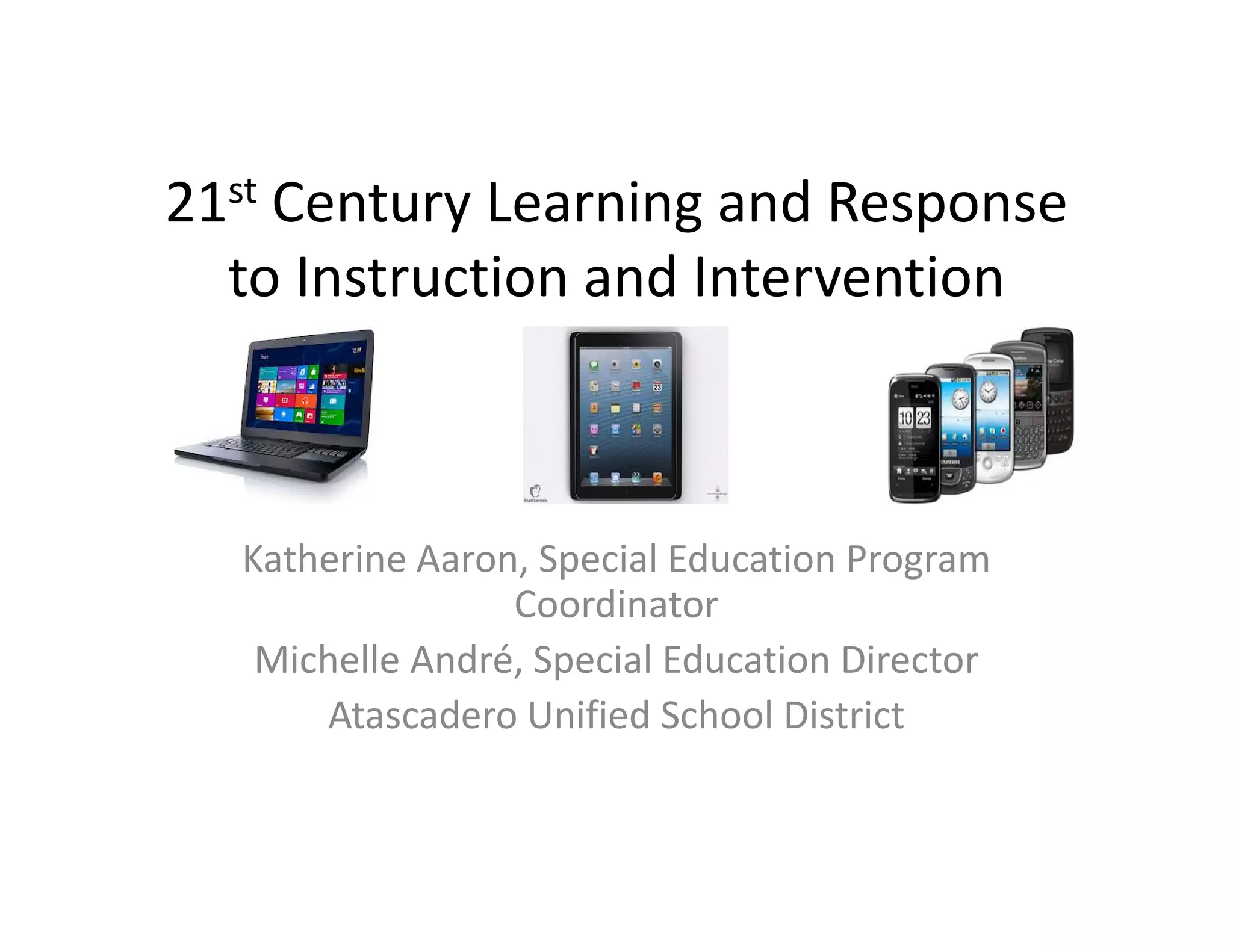
21st Century Learning and Response 
to Instruction and Intervention

Katherine Aaron, Special Education Program 
Coordinator
Michelle André, Special Education Director
Atascadero Unified School District
Agenda
• Review of Objectives
• Review of RtI2 for Academics & Behavior
• RtI2 for Assistive Technology – Tiers of 
Educational vs. Assistive Technology
• RtI2 for Academics, Communication & Social‐
Emotional‐Behavioral
• Assistive Technology Assessment 
• Resources and Examples
Take a moment……….
• think about all the demands that a student 
must meet to be successful in school
• think about how easy it is for some students 
to access their education vs. others
• think about if this was you or your child…….
Objectives
• Understand how educational/assistive 
technology fits into RtI2
• Understand levels of technology
• Understand how to implement RtI2 using the 
benefits of technology 
• Understand how to conduct an Assistive 
Technology Assessment
• Resources and examples
Review of RtI2
• A three‐tiered, data‐driven approach that 
provides access to quality instruction and 
intervention for all students.
• Core components outline a comprehensive 
instructional approach that includes:
– Systematic screening
– Differentiating instruction
– Targeted interventions
– Progress monitoring
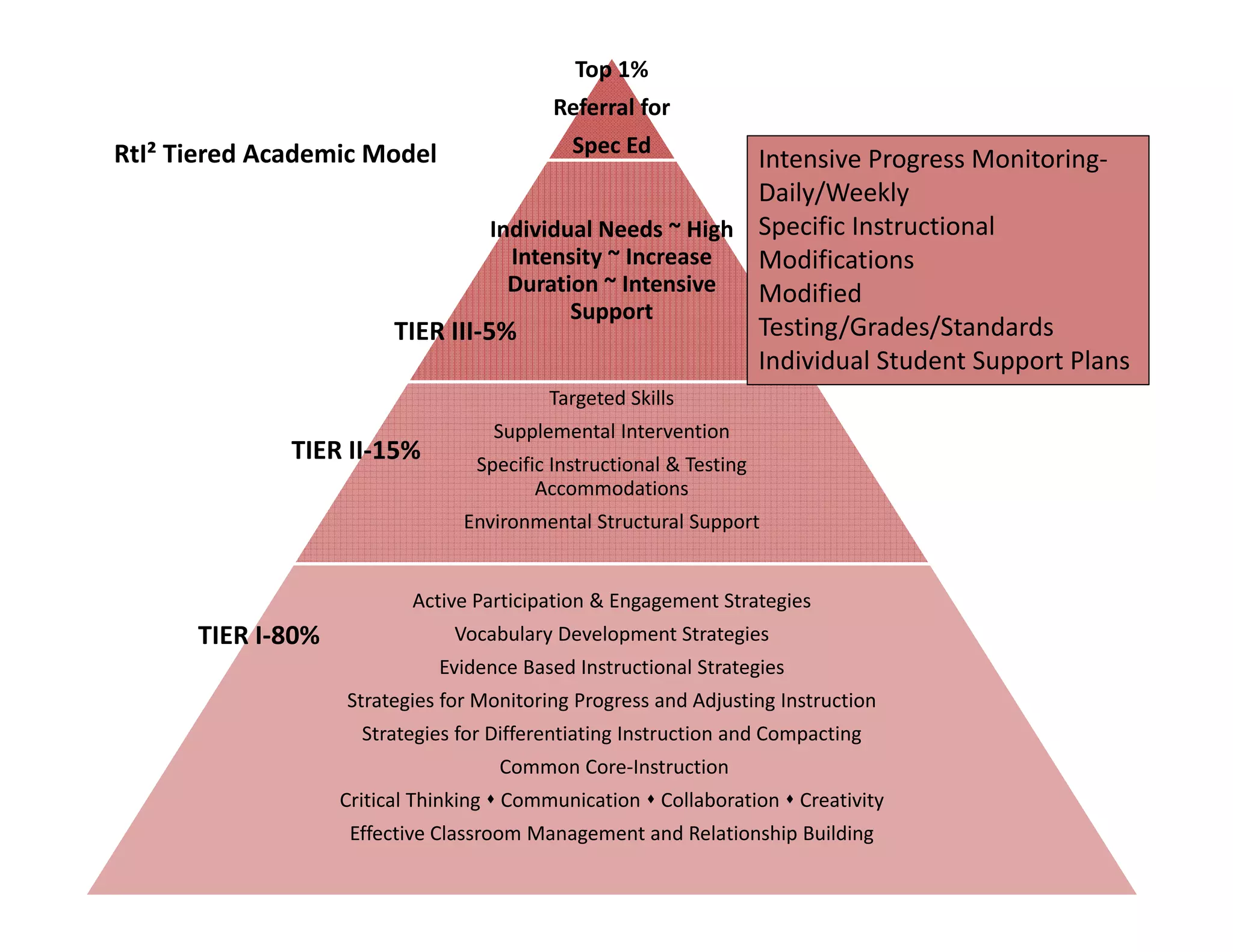
Top 1%
Referral for

RtI² Tiered Academic Model

Spec Ed

Intensive Progress Monitoring‐
Daily/Weekly
Individual Needs ~ High  Specific Instructional 
Intensity ~ Increase 
Modifications
Duration ~ Intensive  Modified 
Support
Testing/Grades/Standards
TIER III‐5%
Individual Student Support Plans
Targeted Skills

TIER II‐15%

Supplemental Intervention
Specific Instructional & Testing 
Accommodations
Environmental Structural Support

Active Participation & Engagement Strategies

TIER I‐80%

Vocabulary Development Strategies
Evidence Based Instructional Strategies
Strategies for Monitoring Progress and Adjusting Instruction
Strategies for Differentiating Instruction and Compacting
Common Core‐Instruction
Critical Thinking  Communication  Collaboration  Creativity
Effective Classroom Management and Relationship Building
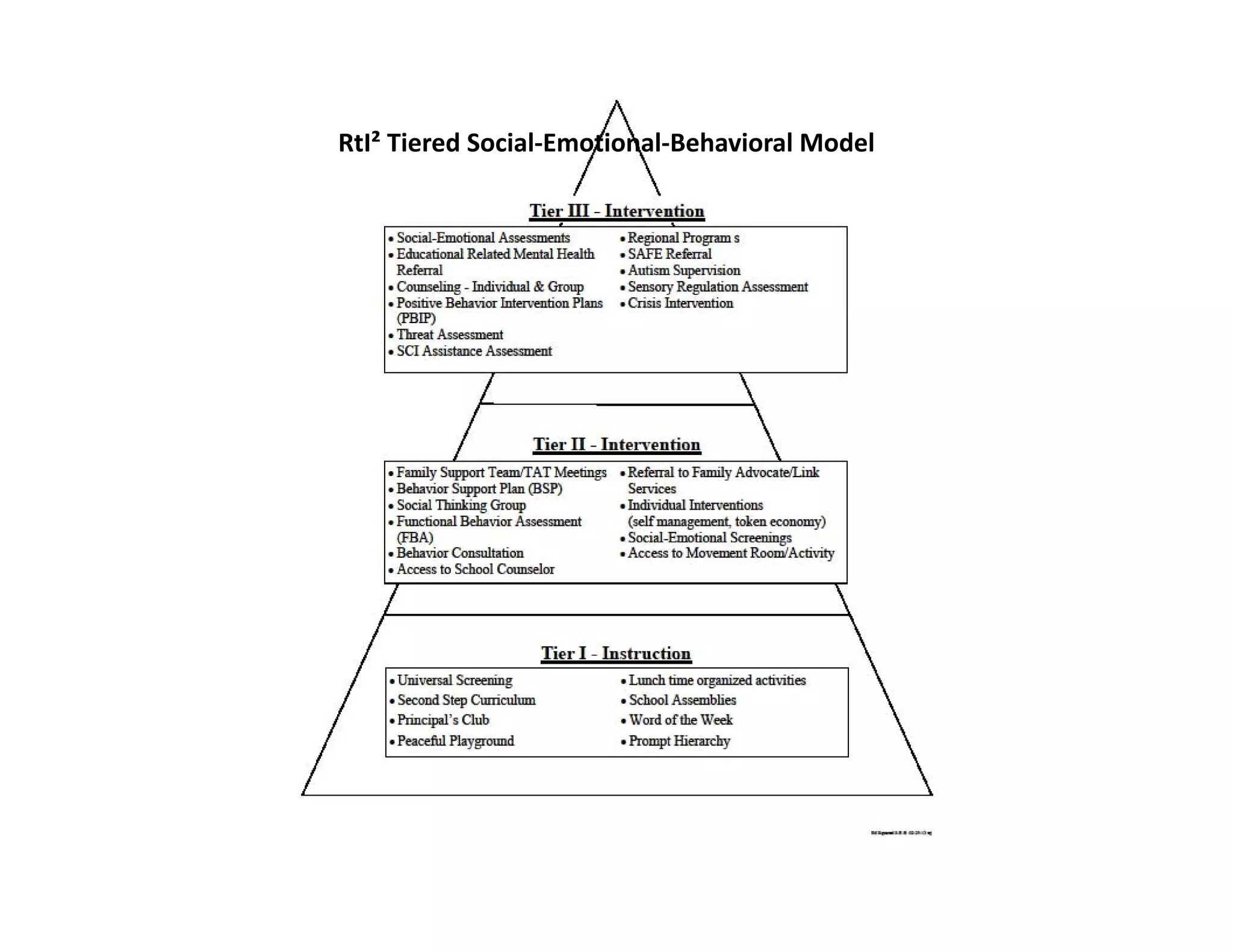
RtI² Tiered Social‐Emotional‐Behavioral Model
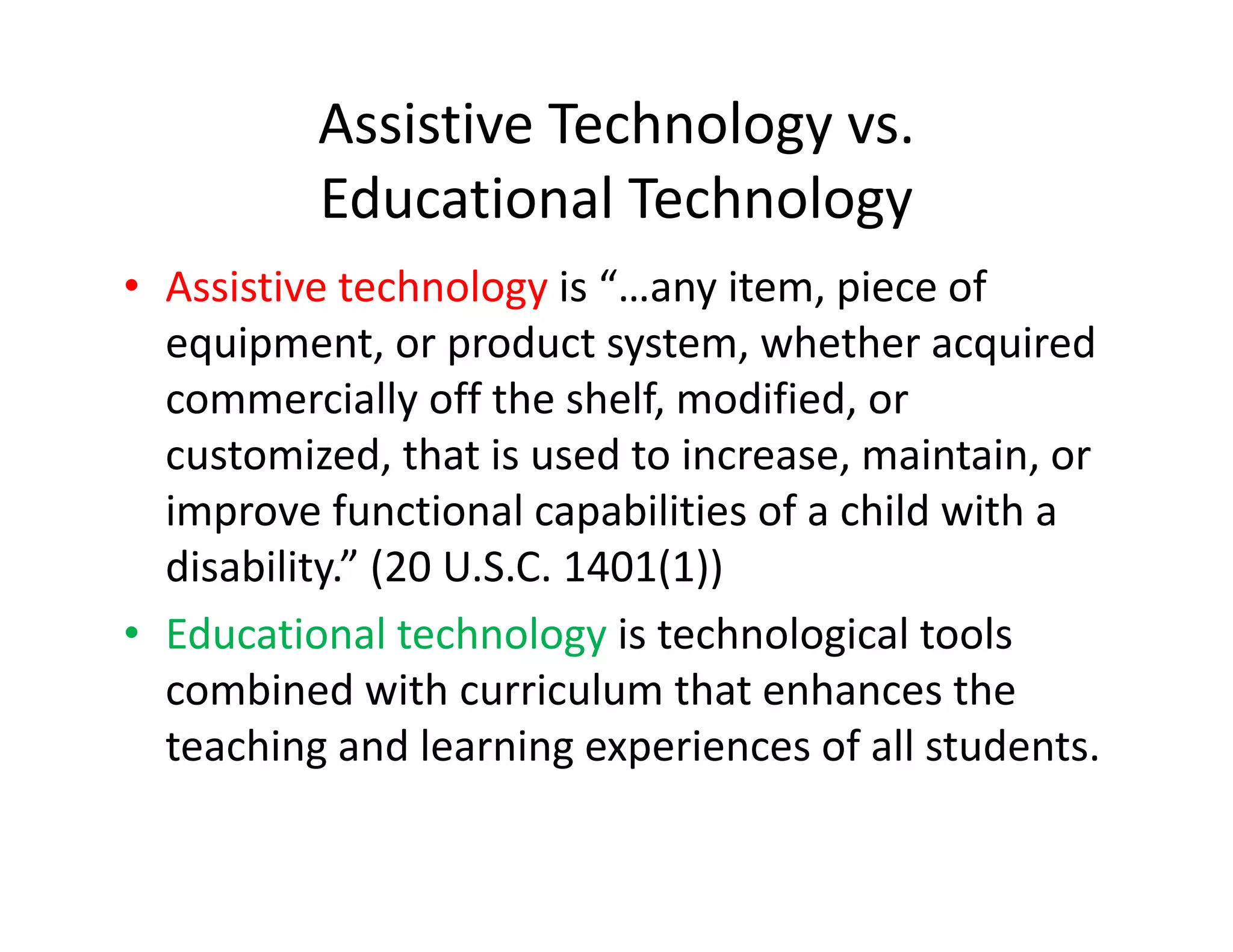
Assistive Technology vs.
Educational Technology
• Assistive technology is “…any item, piece of 
equipment, or product system, whether acquired 
commercially off the shelf, modified, or 
customized, that is used to increase, maintain, or 
improve functional capabilities of a child with a 
disability.” (20 U.S.C. 1401(1))
• Educational technology is technological tools 
combined with curriculum that enhances the 
teaching and learning experiences of all students.
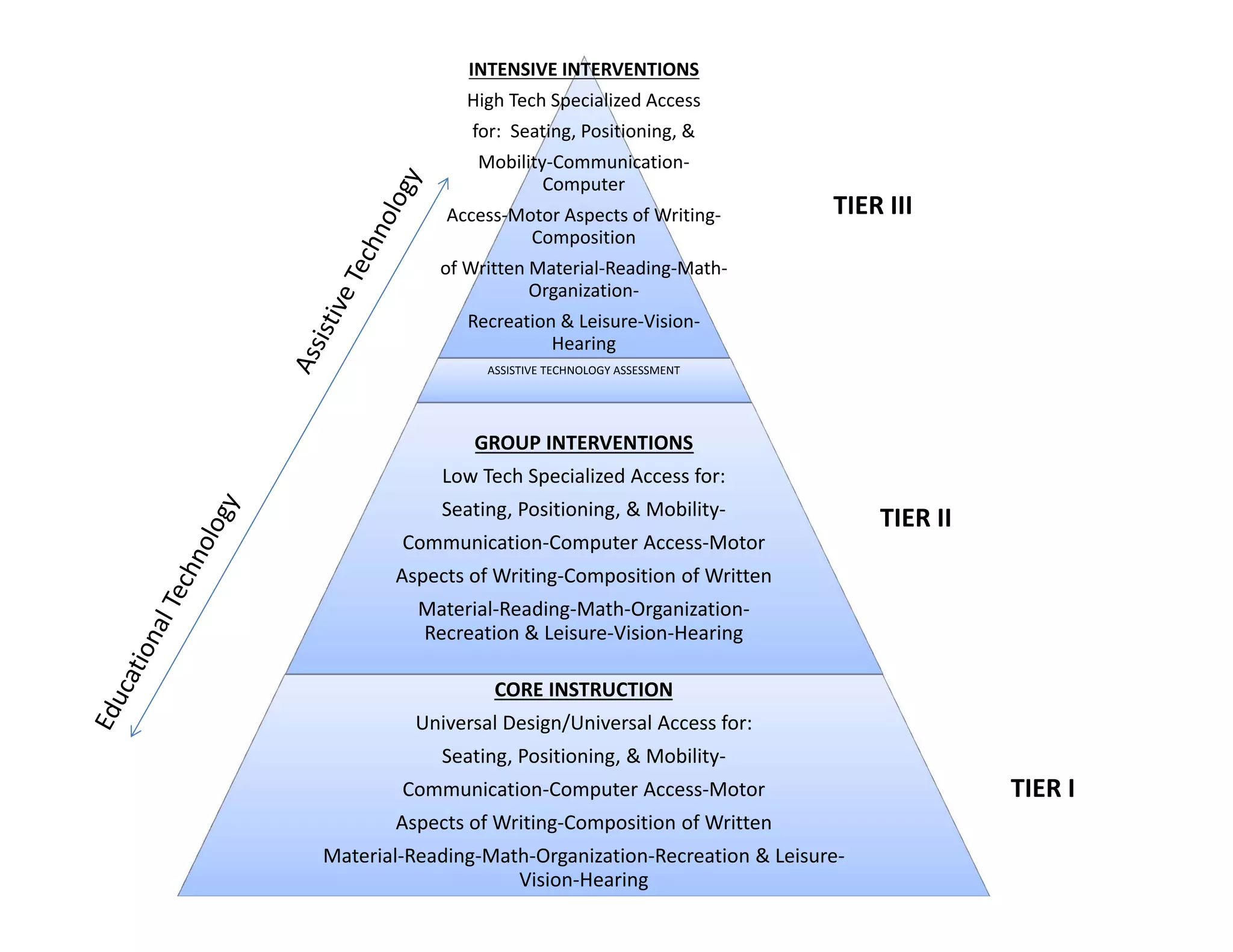
INTENSIVE INTERVENTIONS
High Tech Specialized Access
for:  Seating, Positioning, &
Mobility‐Communication‐
Computer
Access‐Motor Aspects of Writing‐
Composition

TIER III

of Written Material‐Reading‐Math‐
Organization‐
Recreation & Leisure‐Vision‐
Hearing
ASSISTIVE TECHNOLOGY ASSESSMENT

GROUP INTERVENTIONS
Low Tech Specialized Access for:
Seating, Positioning, & Mobility‐
Communication‐Computer Access‐Motor 

TIER II

Aspects of Writing‐Composition of Written 
Material‐Reading‐Math‐Organization‐
Recreation & Leisure‐Vision‐Hearing
CORE INSTRUCTION
Universal Design/Universal Access for:
Seating, Positioning, & Mobility‐
Communication‐Computer Access‐Motor 
Aspects of Writing‐Composition of Written 
Material‐Reading‐Math‐Organization‐Recreation & Leisure‐
Vision‐Hearing

TIER I
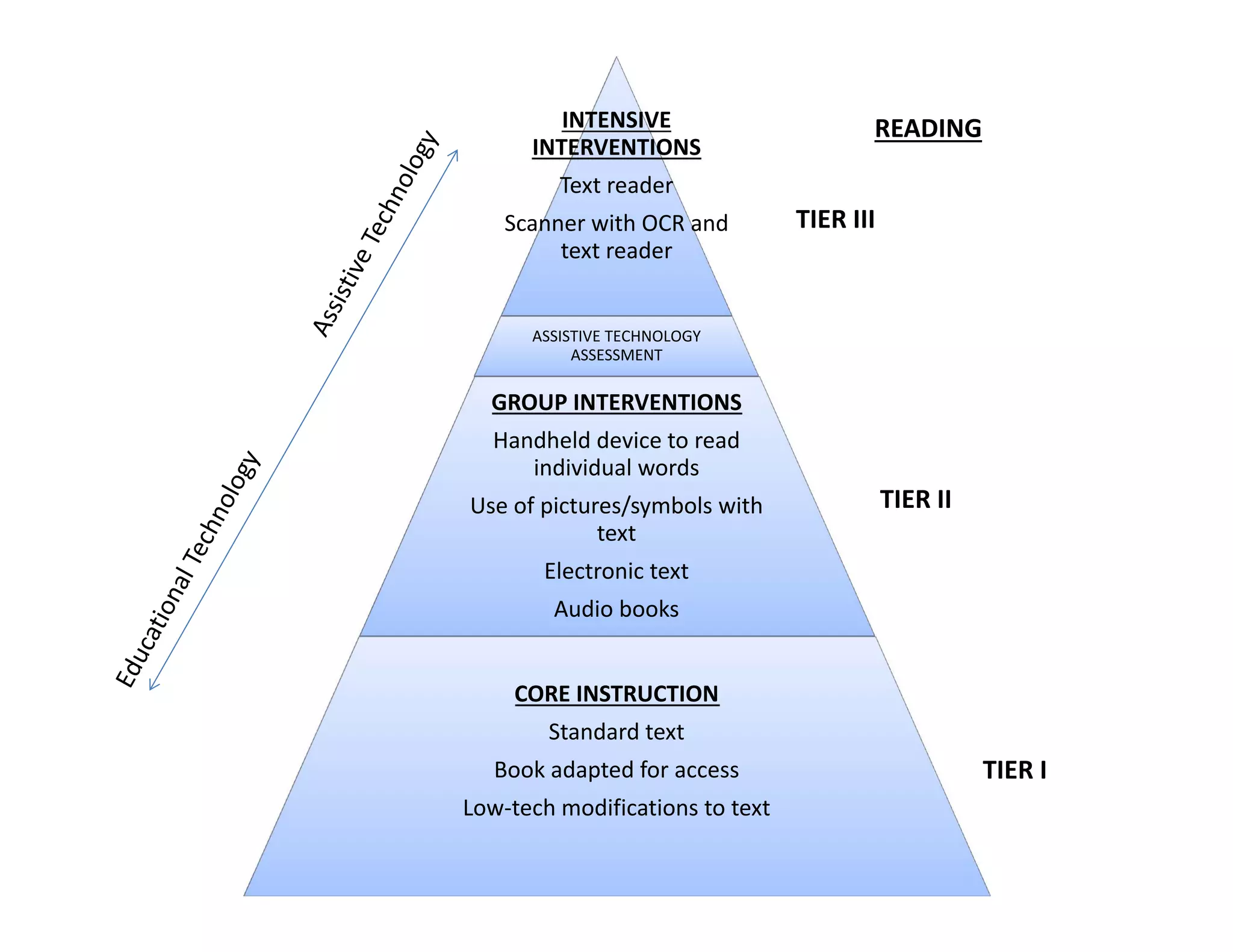
INTENSIVE 
INTERVENTIONS

READING

Text reader
Scanner with OCR and 
text reader

TIER III

ASSISTIVE TECHNOLOGY 
ASSESSMENT

GROUP INTERVENTIONS
Handheld device to read 
individual words
Use of pictures/symbols with 
text

TIER II

Electronic text
Audio books
CORE INSTRUCTION
Standard text
Book adapted for access
Low‐tech modifications to text

TIER I
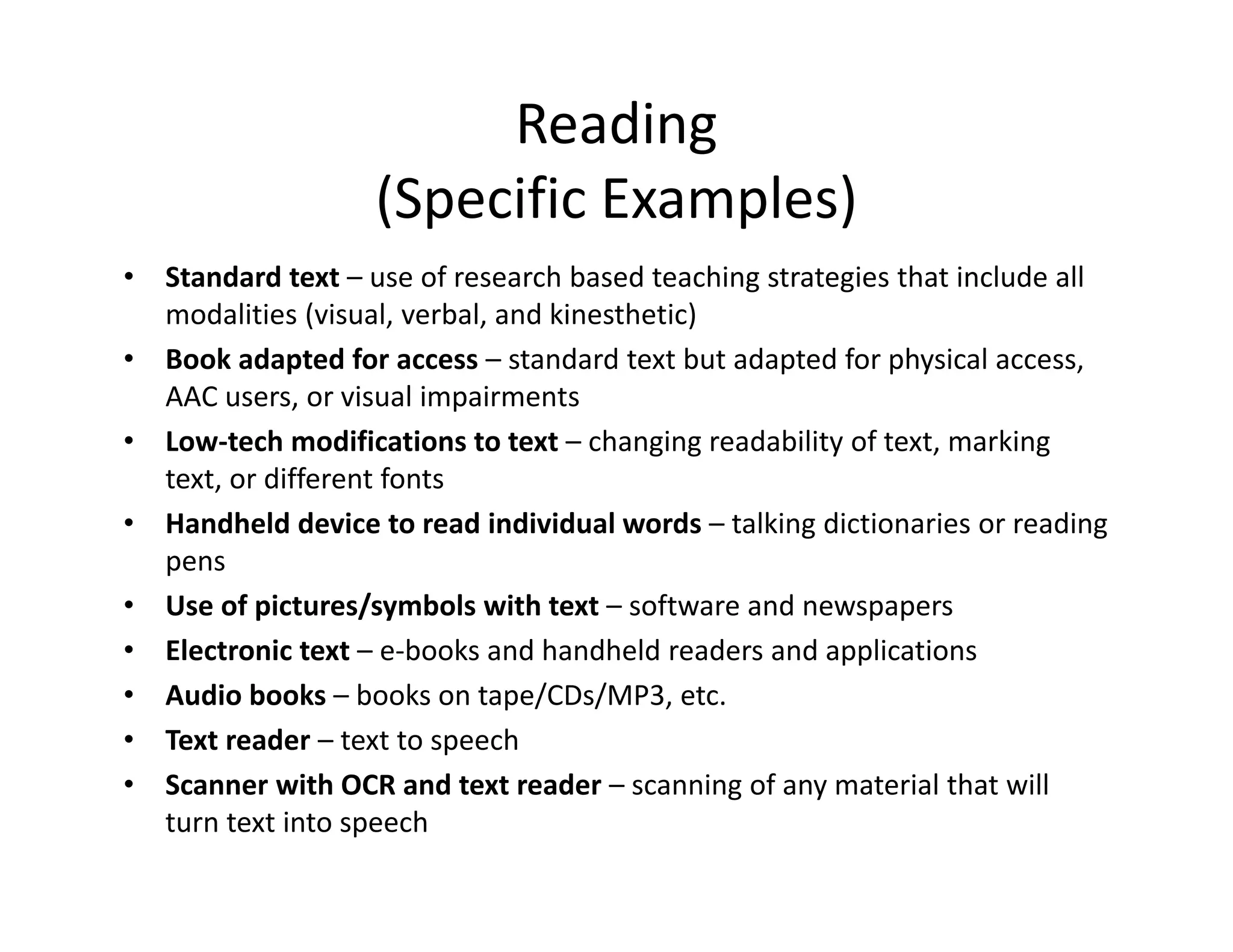
Reading
(Specific Examples)
•
•
•
•
•
•
•
•
•

Standard text – use of research based teaching strategies that include all 
modalities (visual, verbal, and kinesthetic)
Book adapted for access – standard text but adapted for physical access, 
AAC users, or visual impairments
Low‐tech modifications to text – changing readability of text, marking 
text, or different fonts
Handheld device to read individual words – talking dictionaries or reading 
pens
Use of pictures/symbols with text – software and newspapers
Electronic text – e‐books and handheld readers and applications
Audio books – books on tape/CDs/MP3, etc.
Text reader – text to speech
Scanner with OCR and text reader – scanning of any material that will 
turn text into speech
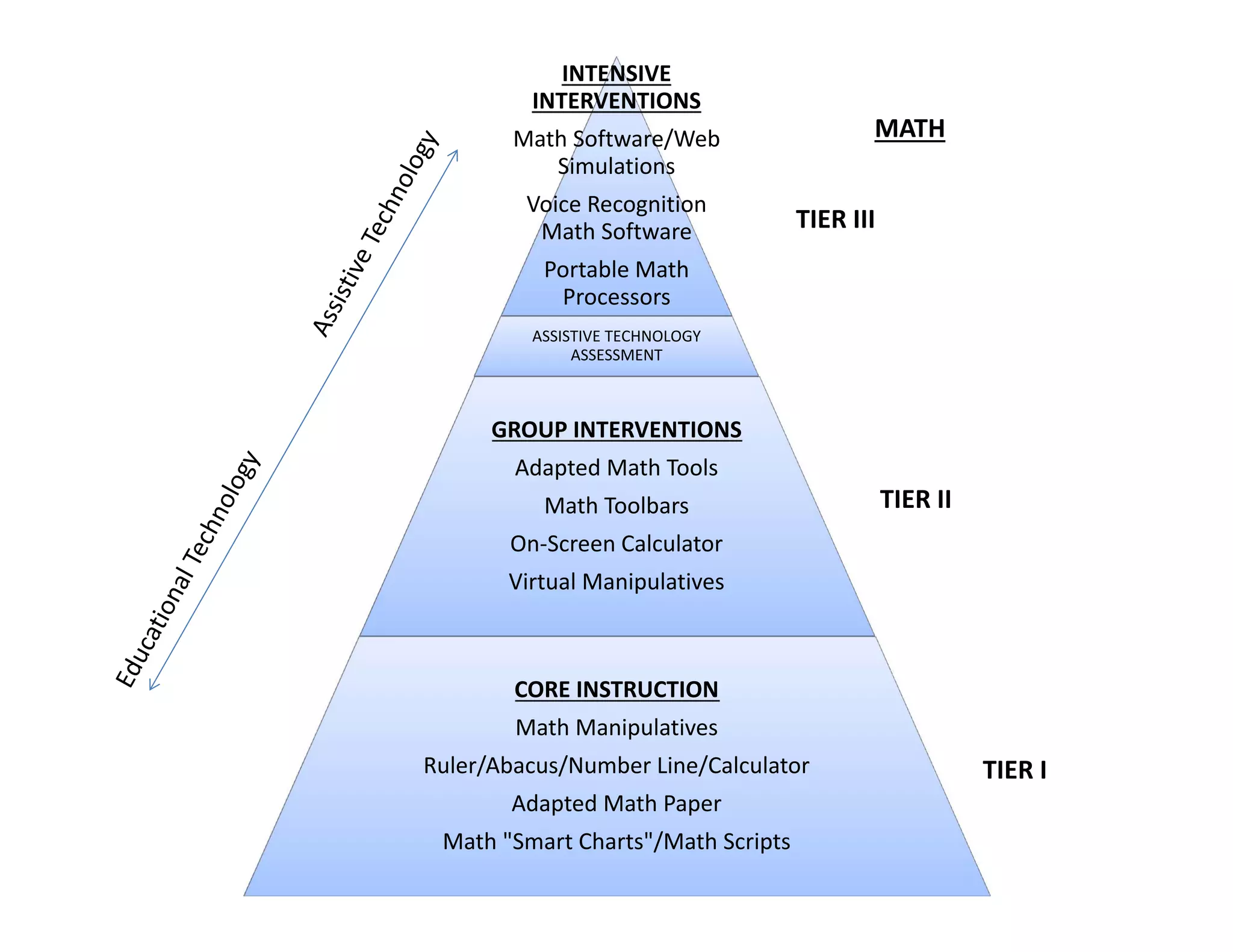
INTENSIVE 
INTERVENTIONS

MATH

Math Software/Web 
Simulations
Voice Recognition 
Math Software

TIER III

Portable Math 
Processors
ASSISTIVE TECHNOLOGY 
ASSESSMENT

GROUP INTERVENTIONS
Adapted Math Tools
Math Toolbars

TIER II

On‐Screen Calculator
Virtual Manipulatives

CORE INSTRUCTION
Math Manipulatives
Ruler/Abacus/Number Line/Calculator
Adapted Math Paper
Math "Smart Charts"/Math Scripts

TIER I
Math
(Specific Examples)
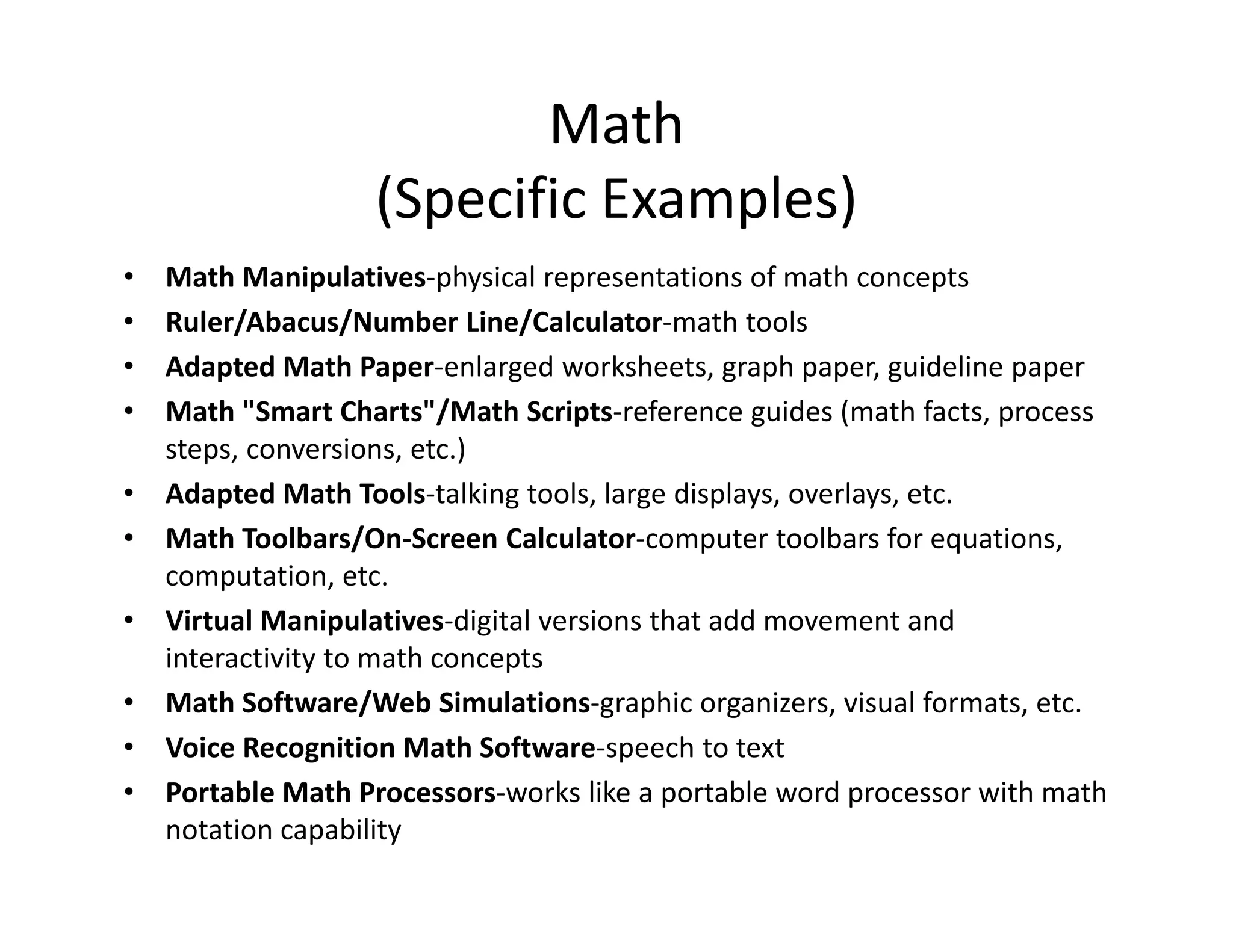
Math Manipulatives‐physical representations of math concepts
Ruler/Abacus/Number Line/Calculator‐math tools
Adapted Math Paper‐enlarged worksheets, graph paper, guideline paper
Math "Smart Charts"/Math Scripts‐reference guides (math facts, process 
steps, conversions, etc.)
• Adapted Math Tools‐talking tools, large displays, overlays, etc.
• Math Toolbars/On‐Screen Calculator‐computer toolbars for equations, 
computation, etc.
• Virtual Manipulatives‐digital versions that add movement and 
interactivity to math concepts
• Math Software/Web Simulations‐graphic organizers, visual formats, etc.
• Voice Recognition Math Software‐speech to text
• Portable Math Processors‐works like a portable word processor with math 
notation capability
•
•
•
•
INTENSIVE 
INTERVENTIONS
Voice Recognition 
Software

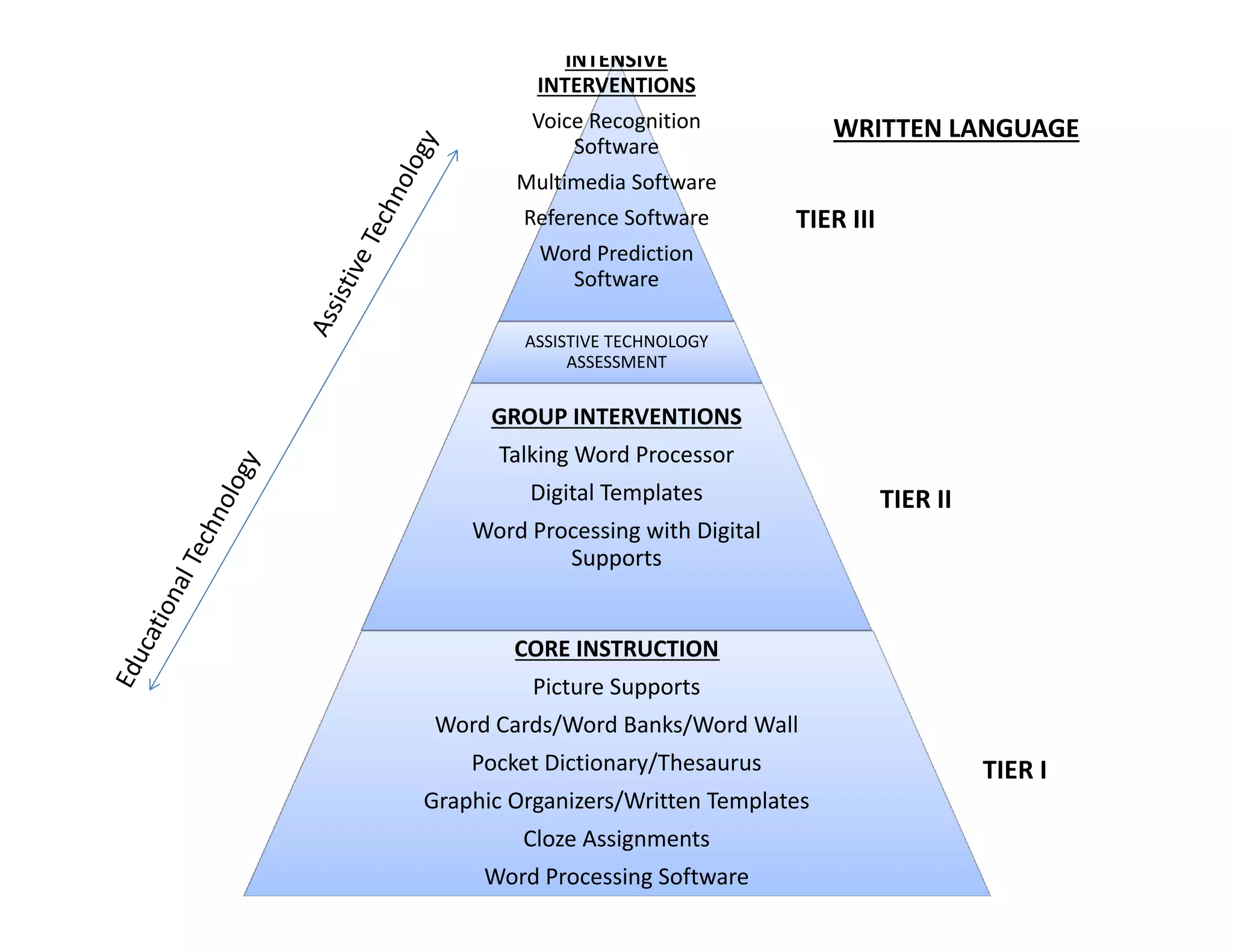
WRITTEN LANGUAGE

Multimedia Software
Reference Software

TIER III

Word Prediction 
Software
ASSISTIVE TECHNOLOGY 
ASSESSMENT

GROUP INTERVENTIONS
Talking Word Processor
Digital Templates

TIER II

Word Processing with Digital 
Supports

CORE INSTRUCTION
Picture Supports
Word Cards/Word Banks/Word Wall
Pocket Dictionary/Thesaurus
Graphic Organizers/Written Templates
Cloze Assignments
Word Processing Software

TIER I
Written Language
(Specific Examples)
•
•
•
•
•
•
•
•
•
•
•
•
•

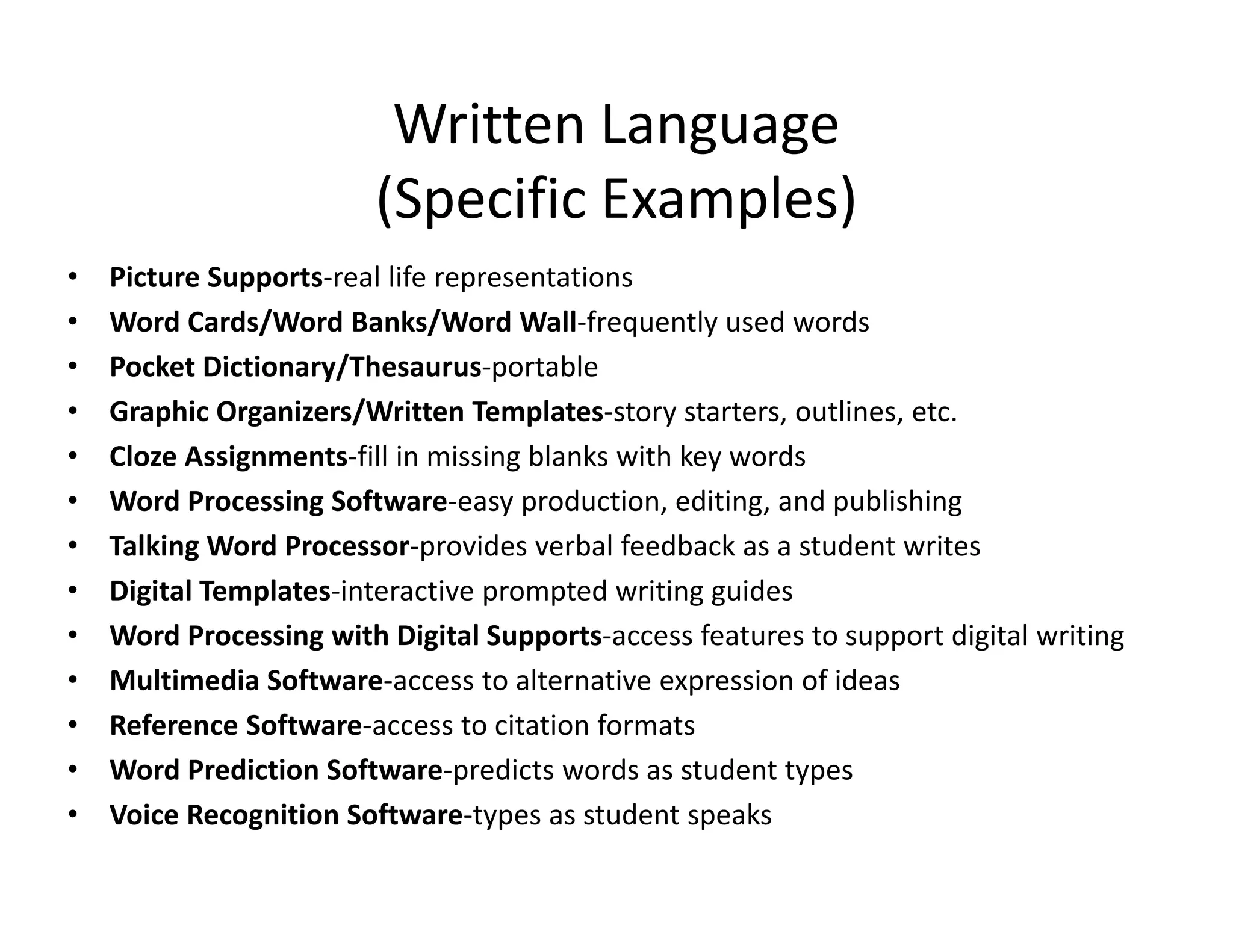
Picture Supports‐real life representations
Word Cards/Word Banks/Word Wall‐frequently used words
Pocket Dictionary/Thesaurus‐portable
Graphic Organizers/Written Templates‐story starters, outlines, etc.
Cloze Assignments‐fill in missing blanks with key words
Word Processing Software‐easy production, editing, and publishing
Talking Word Processor‐provides verbal feedback as a student writes
Digital Templates‐interactive prompted writing guides
Word Processing with Digital Supports‐access features to support digital writing
Multimedia Software‐access to alternative expression of ideas
Reference Software‐access to citation formats
Word Prediction Software‐predicts words as student types
Voice Recognition Software‐types as student speaks
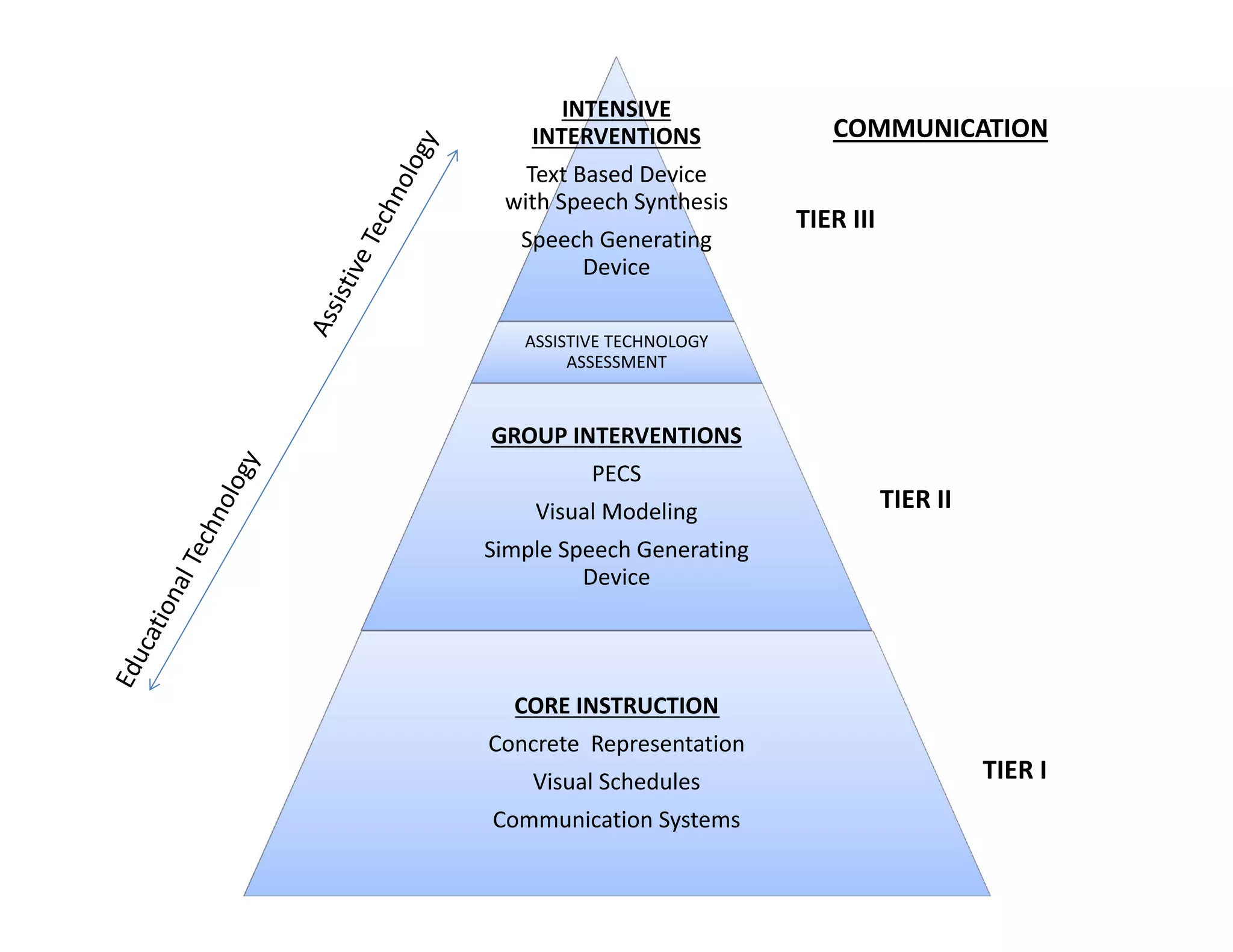
INTENSIVE 
INTERVENTIONS
Text Based Device 
with Speech Synthesis
Speech Generating 
Device

COMMUNICATION
TIER III

ASSISTIVE TECHNOLOGY 
ASSESSMENT

GROUP INTERVENTIONS
PECS
Visual Modeling

TIER II

Simple Speech Generating 
Device

CORE INSTRUCTION
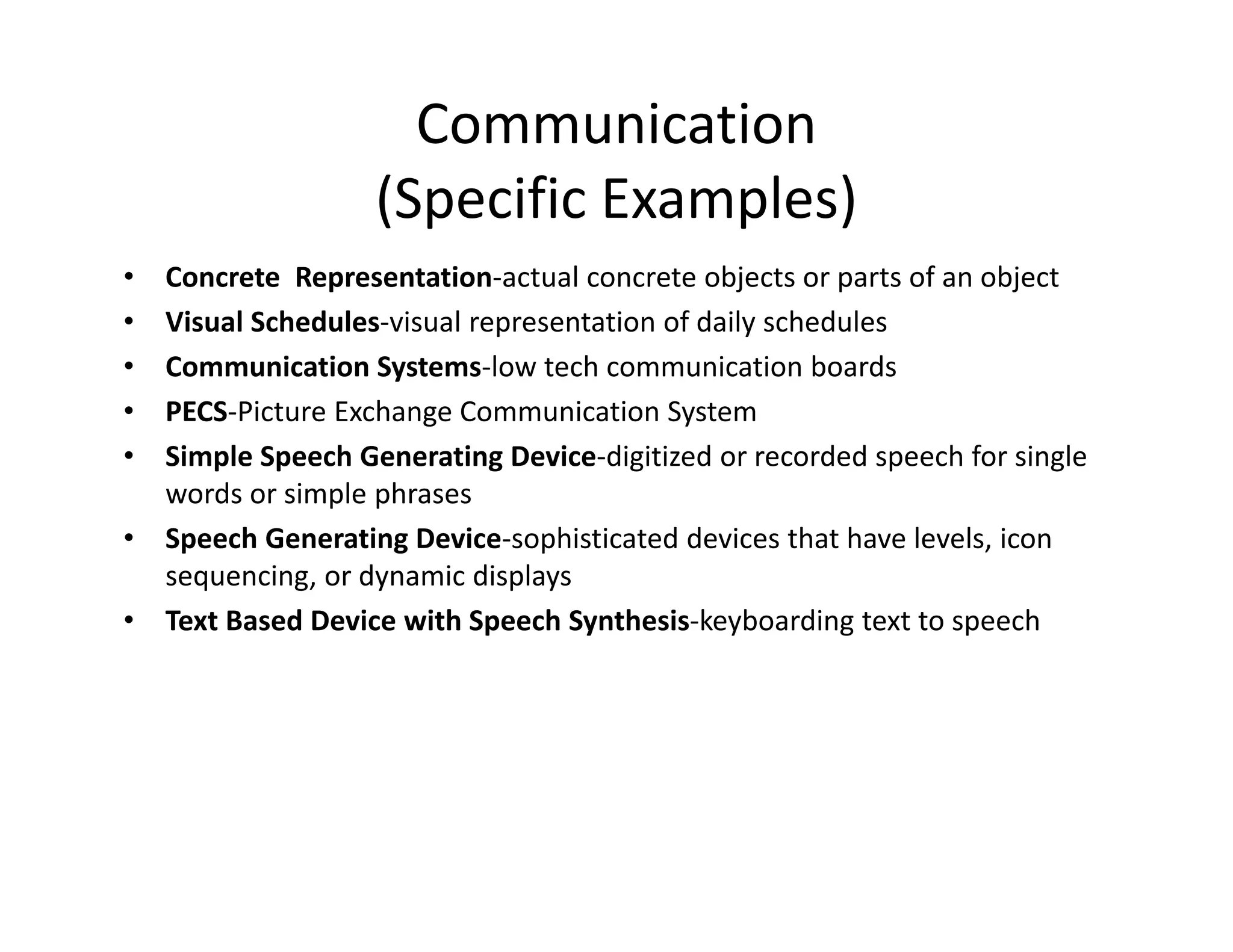
Concrete  Representation
Visual Schedules
Communication Systems

TIER I
Communication
(Specific Examples)
•
•
•
•
•
•
•

Concrete  Representation‐actual concrete objects or parts of an object
Visual Schedules‐visual representation of daily schedules
Communication Systems‐low tech communication boards
PECS‐Picture Exchange Communication System
Simple Speech Generating Device‐digitized or recorded speech for single 
words or simple phrases
Speech Generating Device‐sophisticated devices that have levels, icon 
sequencing, or dynamic displays
Text Based Device with Speech Synthesis‐keyboarding text to speech
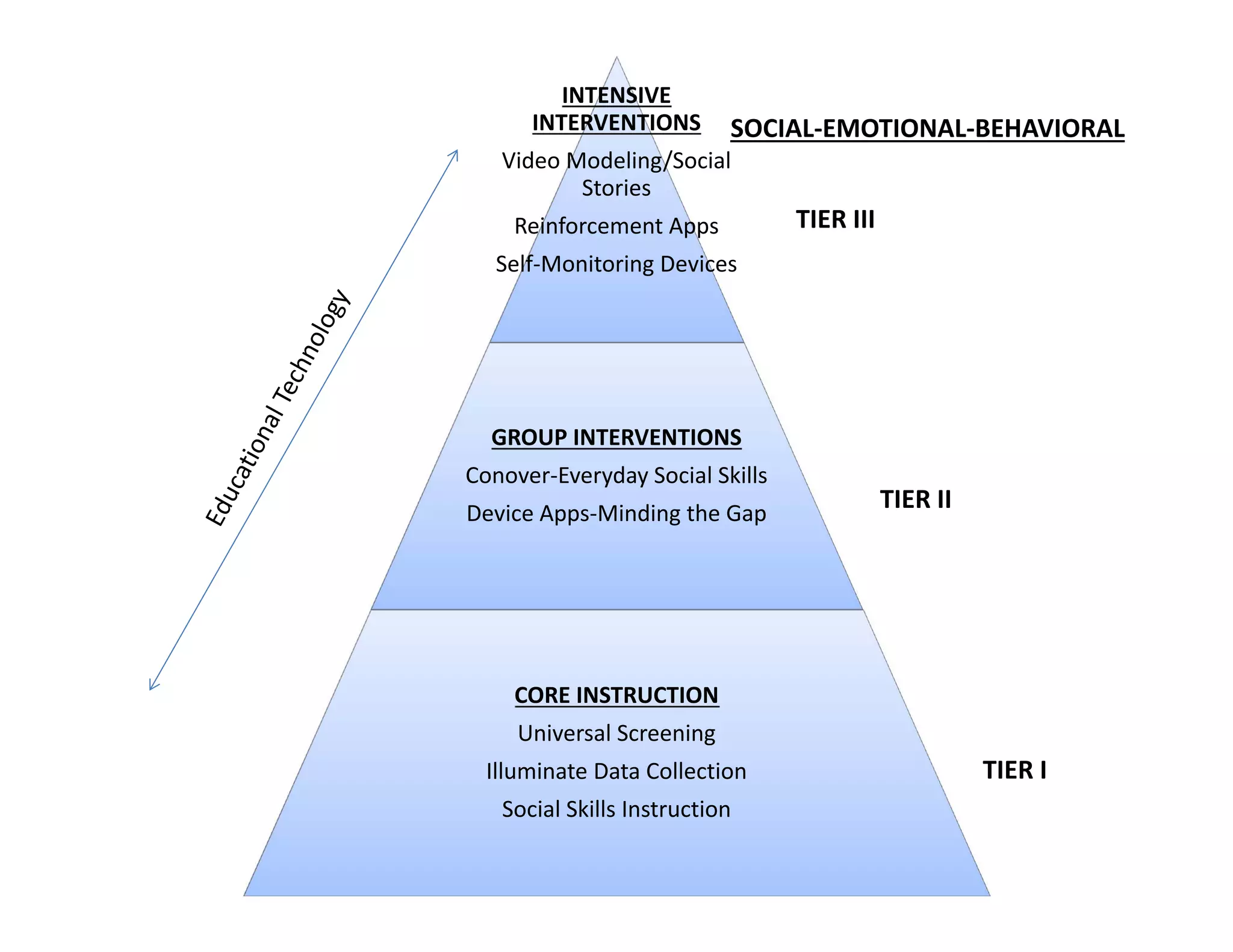
INTENSIVE 
INTERVENTIONS

SOCIAL‐EMOTIONAL‐BEHAVIORAL

Video Modeling/Social 
Stories
Reinforcement Apps

TIER III

Self‐Monitoring Devices

GROUP INTERVENTIONS
Conover‐Everyday Social Skills
Device Apps‐Minding the Gap

TIER II

CORE INSTRUCTION
Universal Screening
Illuminate Data Collection
Social Skills Instruction

TIER I
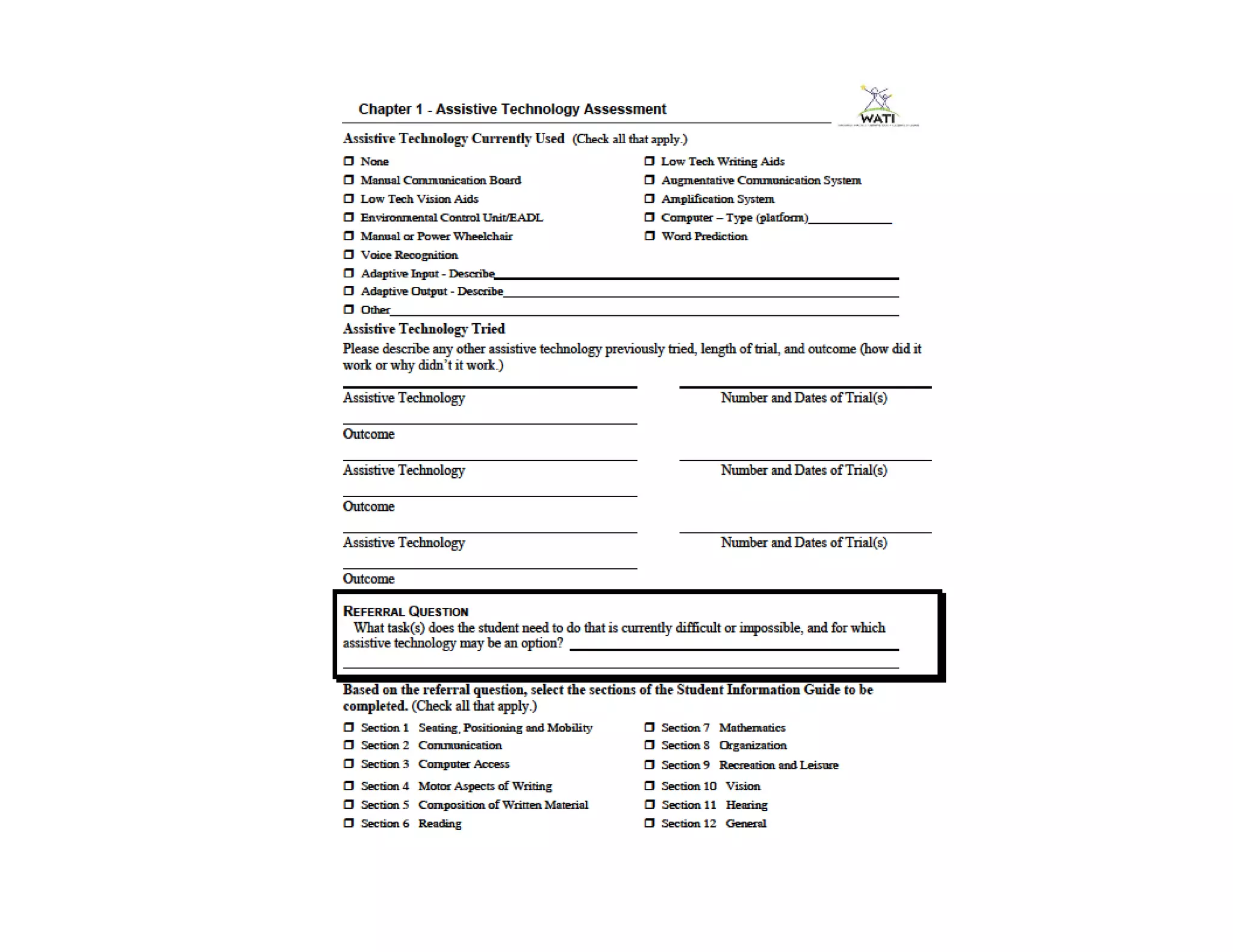
Assistive Technology Assessment
Wisconsin Assistive Technology Initiative’s
Assessing Students’ Needs for Assistive 
Technology
(ASNAT)
A Resource Manual for School District Teams*
http://www.wati.org/
*The assessment process is meant to be 
completed as a team
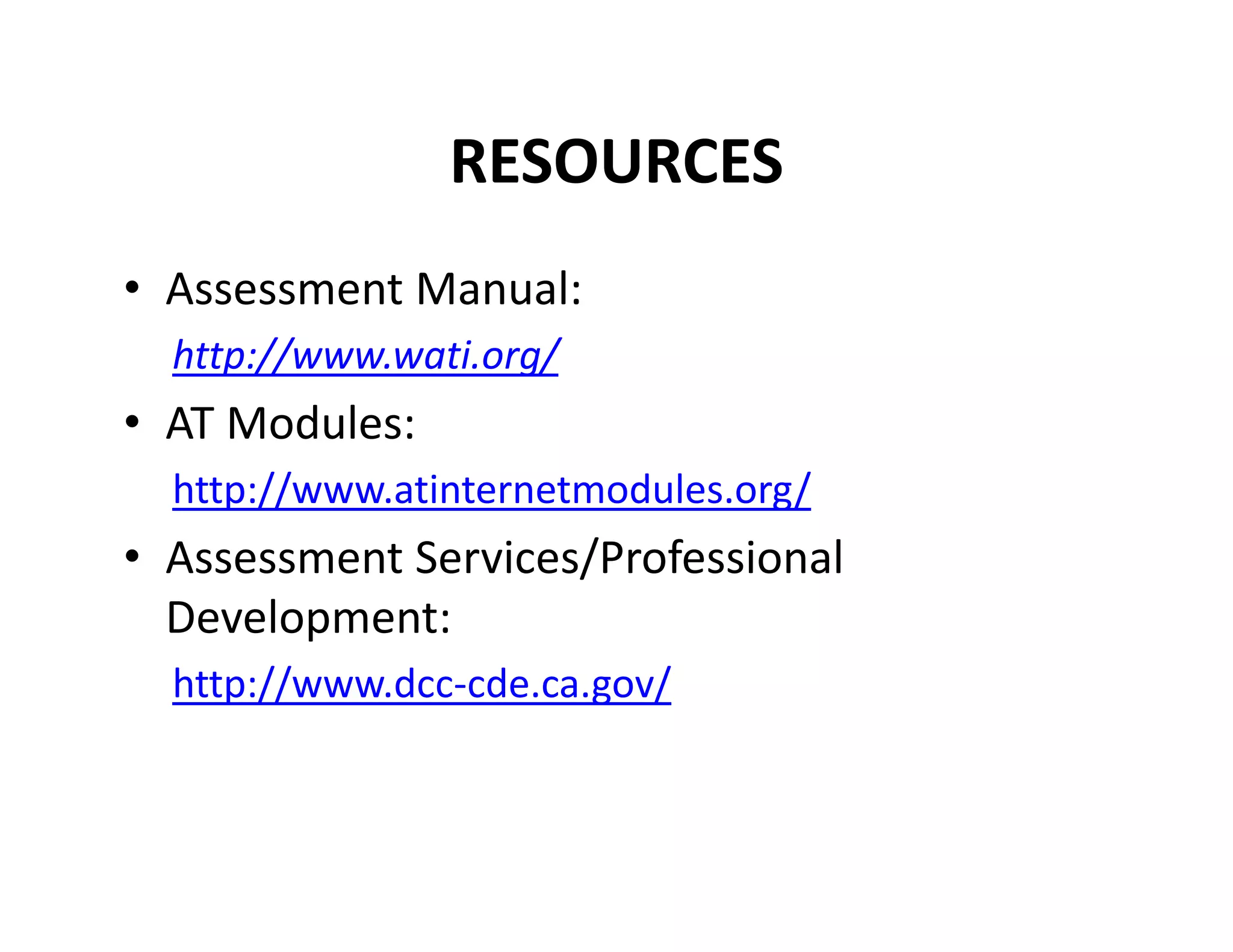
RESOURCES
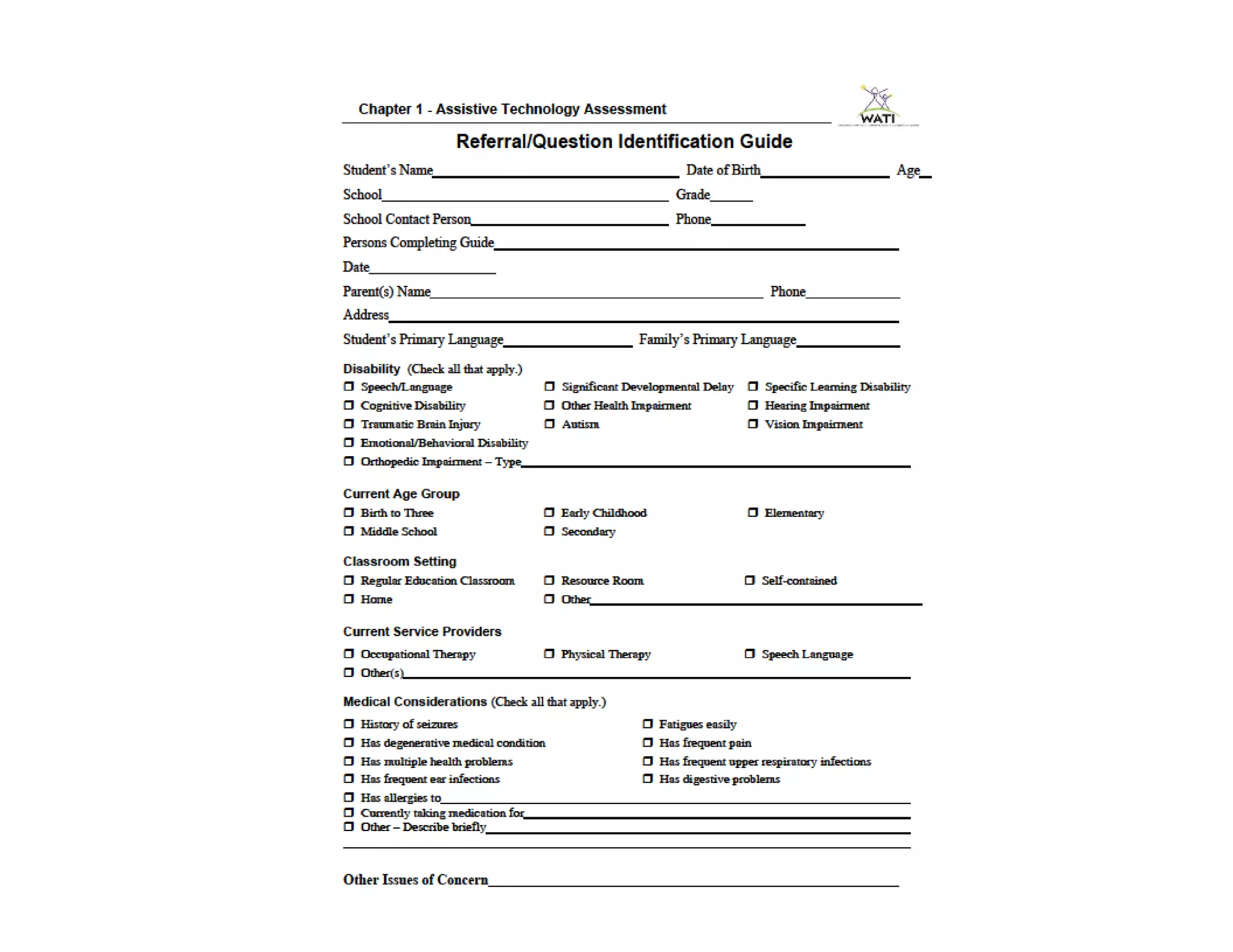
• Assessment Manual:
http://www.wati.org/

• AT Modules:
http://www.atinternetmodules.org/

• Assessment Services/Professional 
Development:
http://www.dcc‐cde.ca.gov/
Contact Information
Atascadero Unified School District
Student Intervention Services
4507 Del Rio Road
Atascadero, CA 93422
(805) 462‐4230
katherineaaron@atasusd.org
michelleandre@atasusd.org

Katherine aaron 1