Katalon Studio
Free Test Automation IDE
Hai Nguyen
About me
 github.com/minhhai2209
 Software Architect @ QASymphony.
 Software Testing & OSS junkie.
Introduction
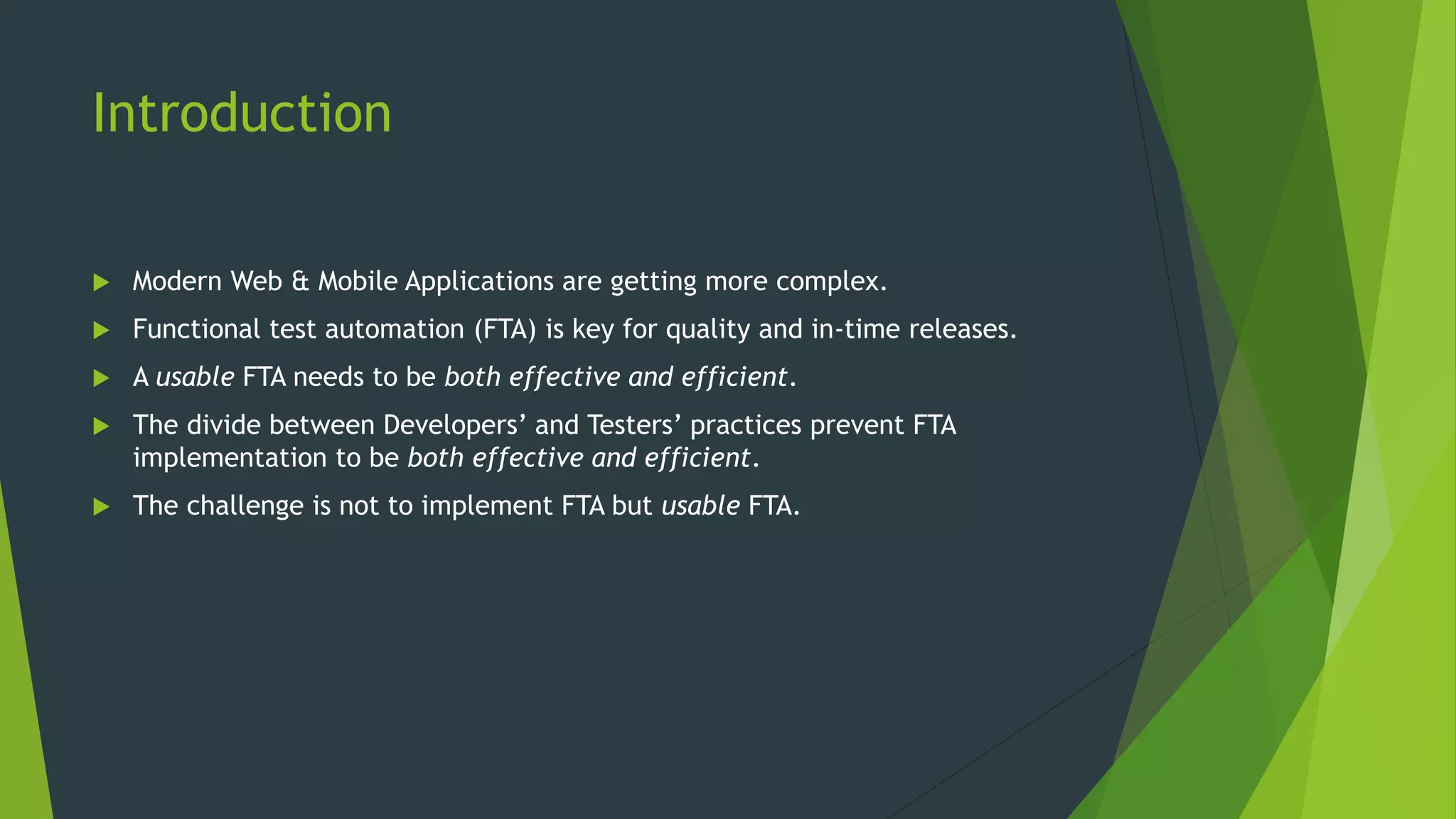
 Modern Web & Mobile Applications are getting more complex.
 Functional test automation (FTA) is key for quality and in-time releases.
 A usable FTA needs to be both effective and efficient.
 The divide between Developers’ and Testers’ practices prevent FTA
implementation to be both effective and efficient.
 The challenge is not to implement FTA but usable FTA.
The Great Divide of Functional Test
Automation
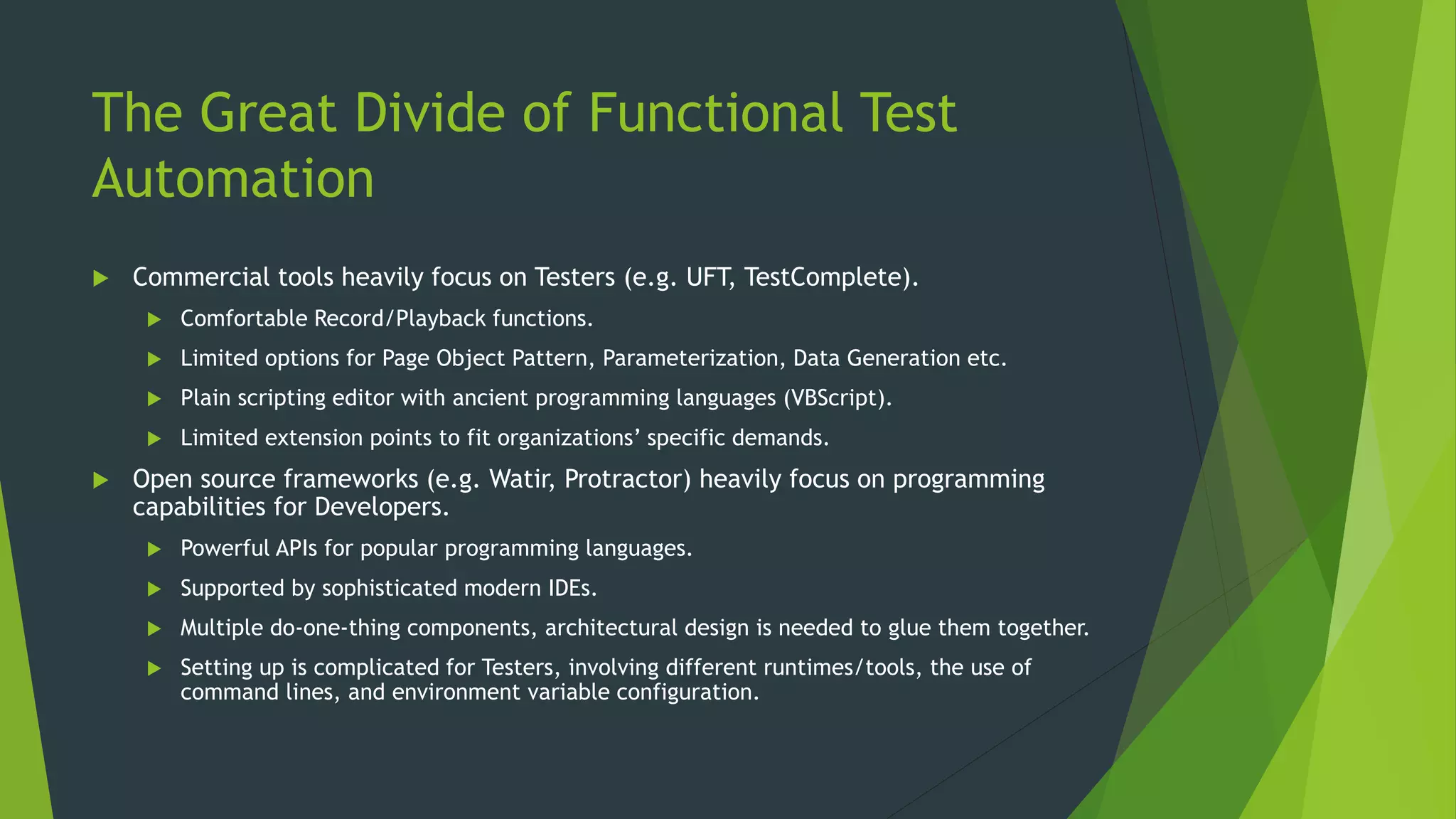
 Commercial tools heavily focus on Testers (e.g. UFT, TestComplete).
 Comfortable Record/Playback functions.
 Limited options for Page Object Pattern, Parameterization, Data Generation etc.
 Plain scripting editor with ancient programming languages (VBScript).
 Limited extension points to fit organizations’ specific demands.
 Open source frameworks (e.g. Watir, Protractor) heavily focus on programming
capabilities for Developers.
 Powerful APIs for popular programming languages.
 Supported by sophisticated modern IDEs.
 Multiple do-one-thing components, architectural design is needed to glue them together.
 Setting up is complicated for Testers, involving different runtimes/tools, the use of
command lines, and environment variable configuration.
Functional Test Automation is Vietnam
War for Record/Playback tools
 Same approach, many attempts, same failures.
 Still unsolved problems:
 Wait detection: Heavy AJAX and HTML generation prevent page objects available in
time.
 Replay-able actions: Complex widgets with many layer of markup make it difficult
to detect the correct elements under actions.
 Reliable XPath/CSS selectors: Generated selectors are inefficient and lack invariant
factors to be immune with future changes.
 Complex fixture set up cannot be done elegantly.
 At the end, a programmable FTA framework is still necessary.
Modern FTA frameworks are not for
Testers
 Modern FTA leverages mainstream programming languages with advanced
concepts.
 Testers can only work on simple languages with limited power, resulting in low
maintainability.
 Time and energy end up being spent on coding rather than doing
Exploratory/Acceptance Testing.
 Still needs Developers to solve the problems of replay-able actions and
reliable XPath/CSS selectors.
Developers cannot write tests alone
 Developers are good at building robust testing frameworks.
 But time tends to be devoted on perfecting the architecture, and beautifying
the code, rather than the Test Cases’ content.
 Less effective scenarios due to isolated view without system-wide and end-
user perspective.
 Frameworks often focus on scripting and execution without supports for
various other Testers’ activities like data generation, reporting, ALM
integration.
1st Solution – Developers as Interpreter
 Testers define scenarios in natural or Gherkin-style languages.
 Developers translate scenarios into programming languages.
 Cons:
 Double the effort of authoring Test Cases.
 Content is split to separate forms and places.
 Requires close collaboration to keep scenarios and test scripts in sync.
 Testers cannot verify the test scripts directly.
 Separate contents make it hard for Testers to do failure analysis.
2nd Solution – Developers extend Testers’
scripts
 Testers compose scenarios using Record/Replay tools (e.g. Selenium IDE).
 Recorded sessions are exported as scripts in desired programming languages.
 Developers modify the exported scripts to fit the frameworks.
 Initial translation effort is reduced.
 Cons:
 Exporting happens in one-direction only – from recorded sessions to test scripts.
 Still subjects to the first solution’s problems after initial translation.
3rd Solution – Developers and Testers
work together
 Testers and Developers work on the same scripts using both graphical and
scripting interface.
 Changes must be continuously reflected i.e. Testers and Developers always
read the same content.
 Execution should be simple for Testers.
 Logs and other artifacts should be presented in a readable.
 The underlying framework must not ignore Testers’ requirements for Test
Management, Parameterization, integration etc. for effective reporting and
collaboration.
 Deployment should be trivial for the whole toolset.
Meet Katalon Studio
Katalon Studio
 https://www.katalon.com.
 A free Functional Test Automation IDE, designed for efficient and effective
testing, with collaboration in mind.
 IDE means real IDE with autocomplete and debugging e.g. IntelliJ IDEA, Eclipse,
Visual Studio – not a glorified text editor.
 Supports Web, Mobile, and API Testing.
 Works on Windows, Mac, and Linux.
Setting up
 One package to rule them all – nothing else needed.
 Even JRE, Selenium, WebDriver binaries, Appium, Android SDK.
 For both GUI and CLI modes.
 Necessary PATHs are configured automatically.
 Out of the box support for Cloud Services e.g. Sauce Labs, BrowserStack,
Kobiton.
Test Cases
 Consist of many actions (Keywords) interacting with AUTs, can be authored in
three ways:
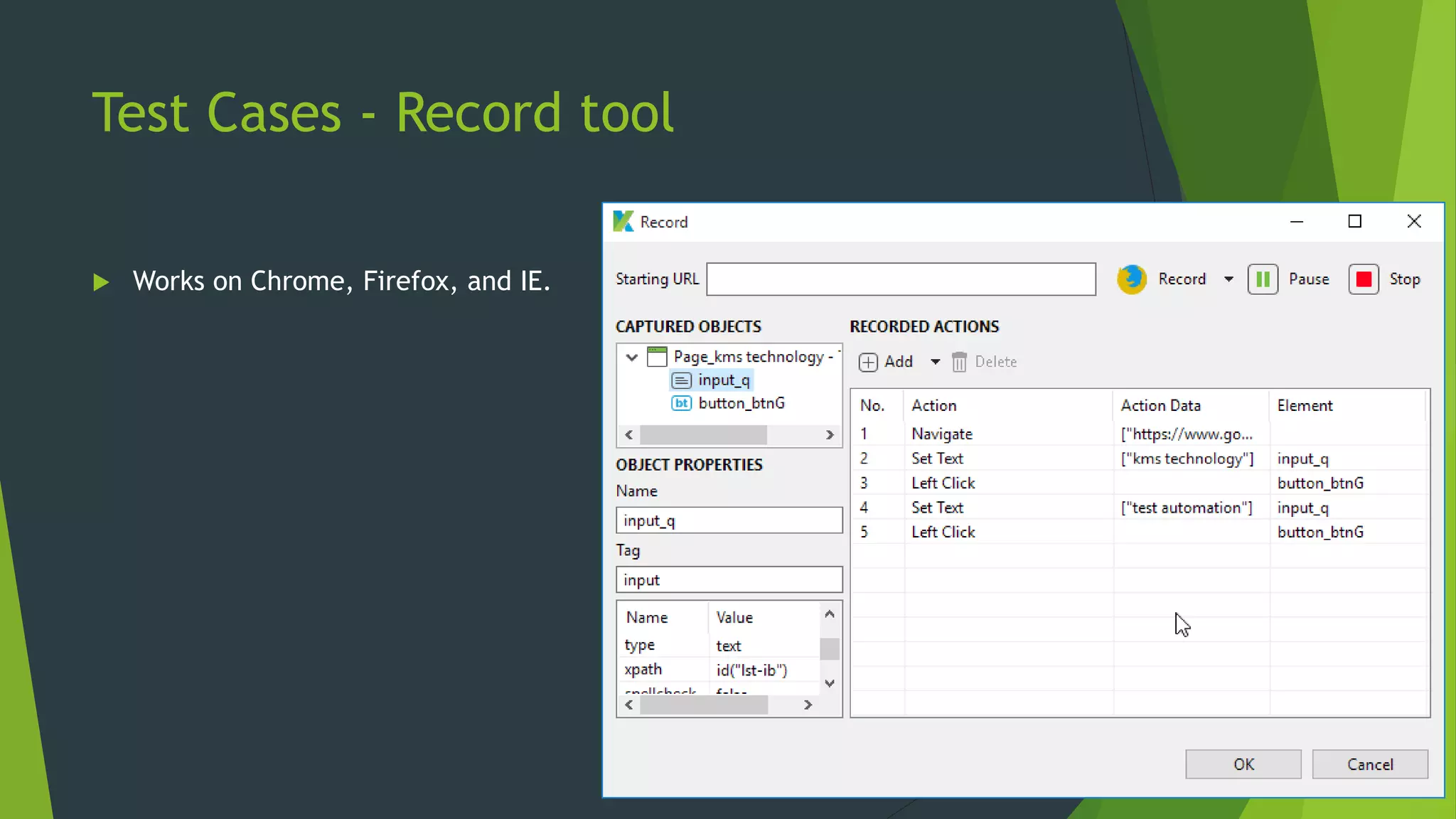
 Record: capturing interactions on browsers i.e. Chrome, Firefox, IE (for Testers).
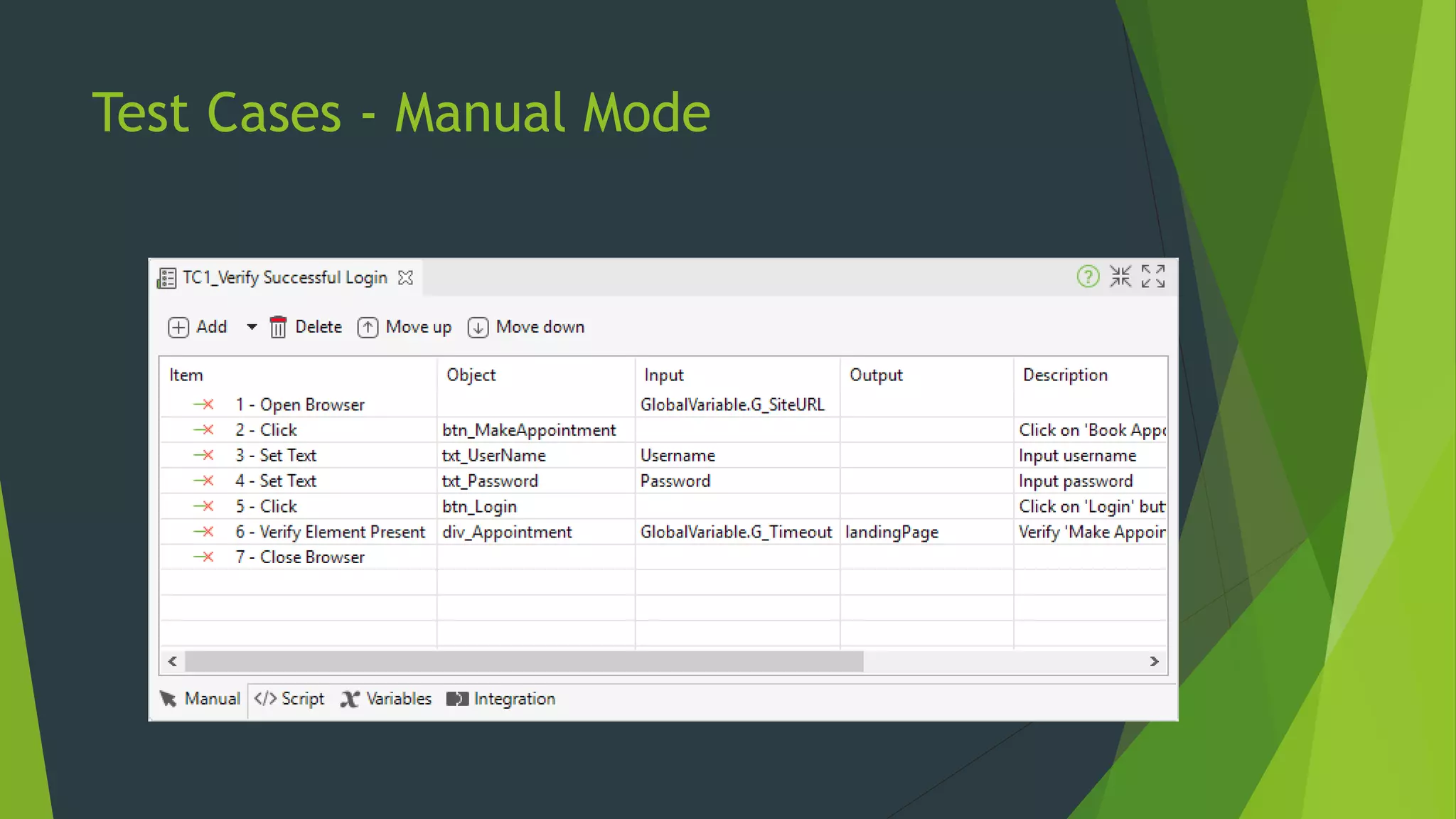
 Manual: selecting actions on GUI in a point-and-click manner (for Testers).
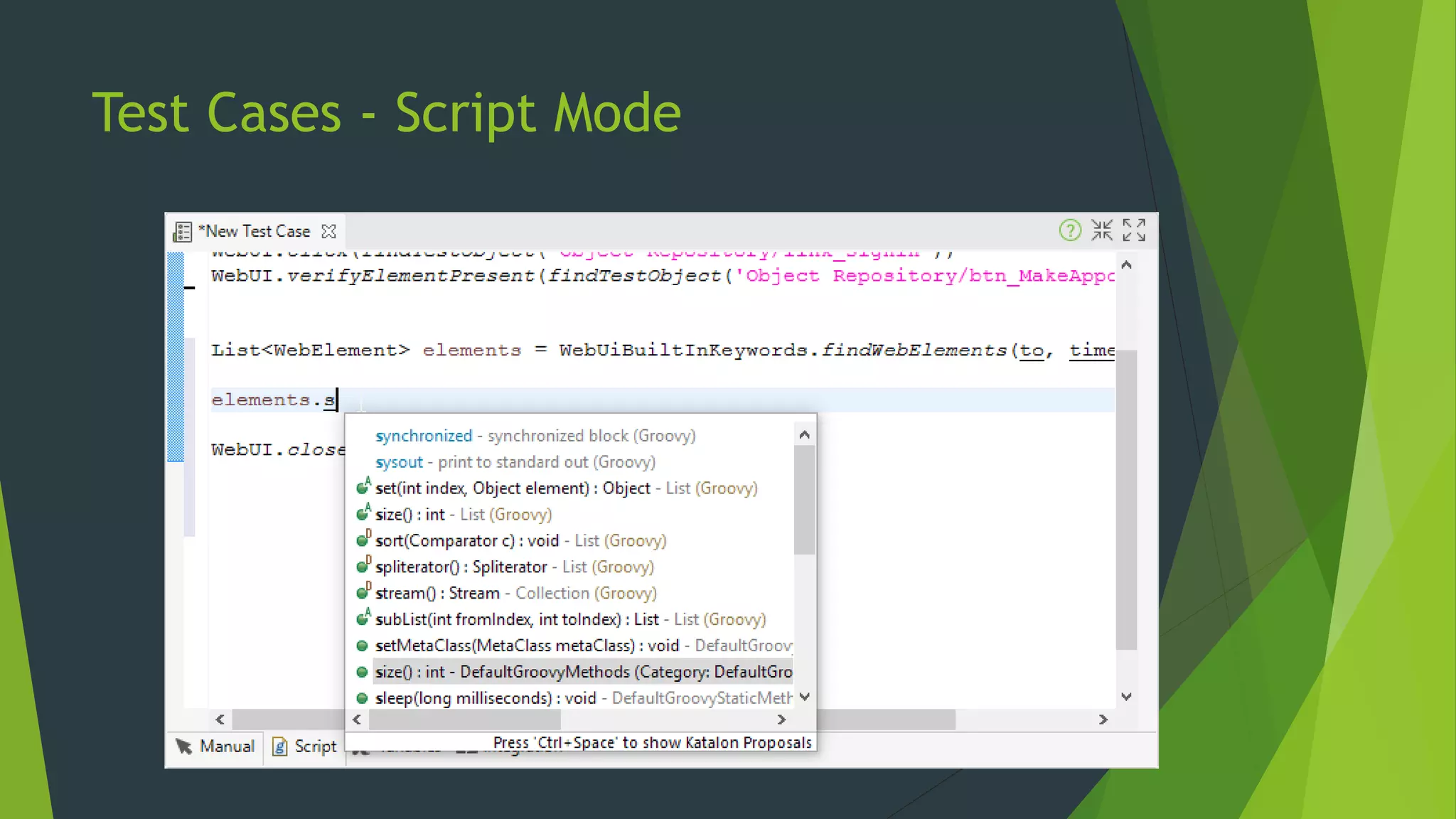
 Script: writing real scripts using Groovy (for Developers).
 All methods output the same content interchangeably at any point of time.
 Manual and Script Modes are equally powerful.
 Test Case are Groovy scripts behind the scene.
 Groovy is Java-based language, suitable for complex implementation.
 Groovy supplements Java syntax with intuitive structures.
 Testers can write script without hassles of Java syntax.
Test Cases - Record tool
 Works on Chrome, Firefox, and IE.
Test Cases - Manual Mode
Test Cases - Script Mode
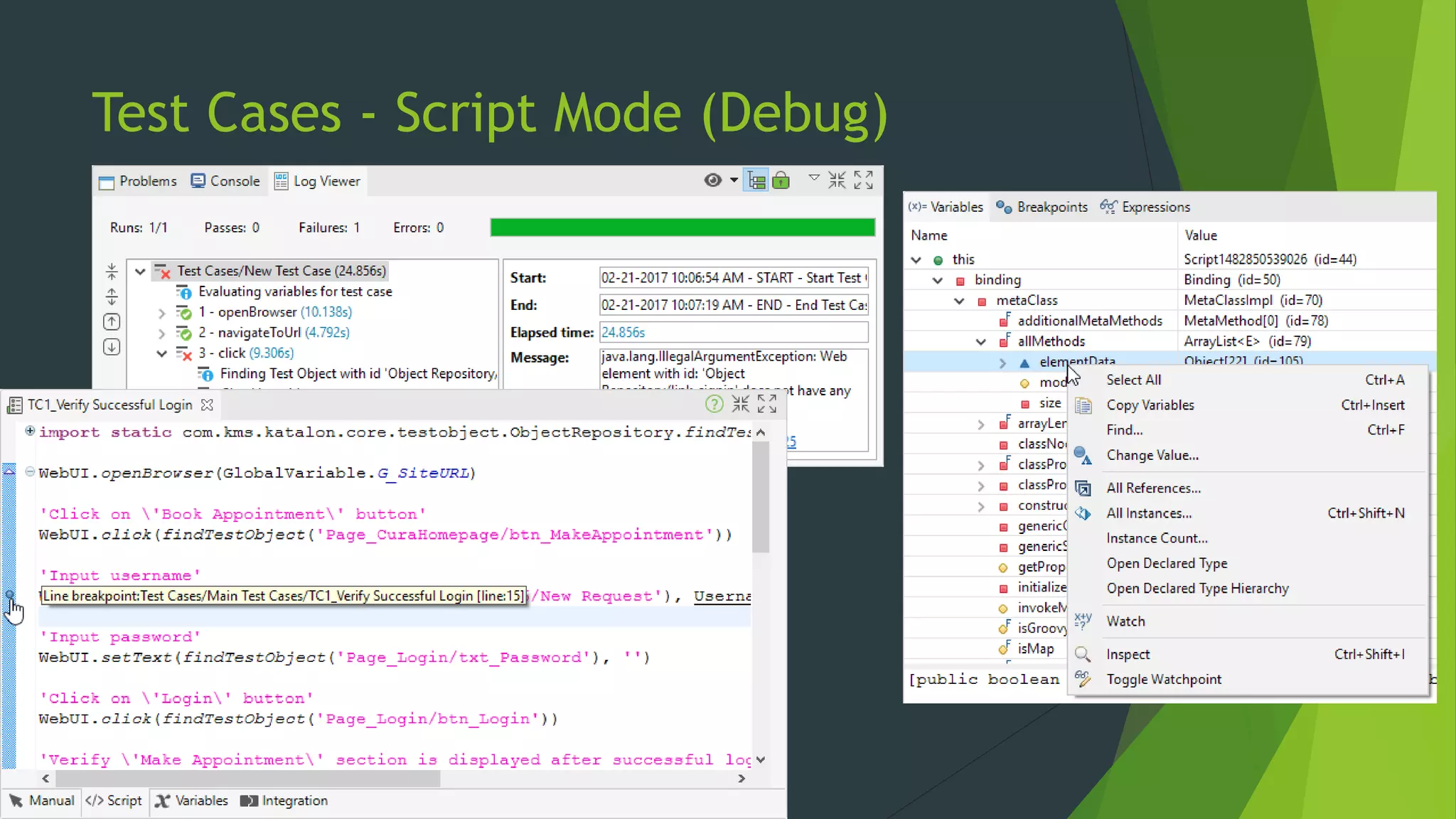
Test Cases - Script Mode (Debug)
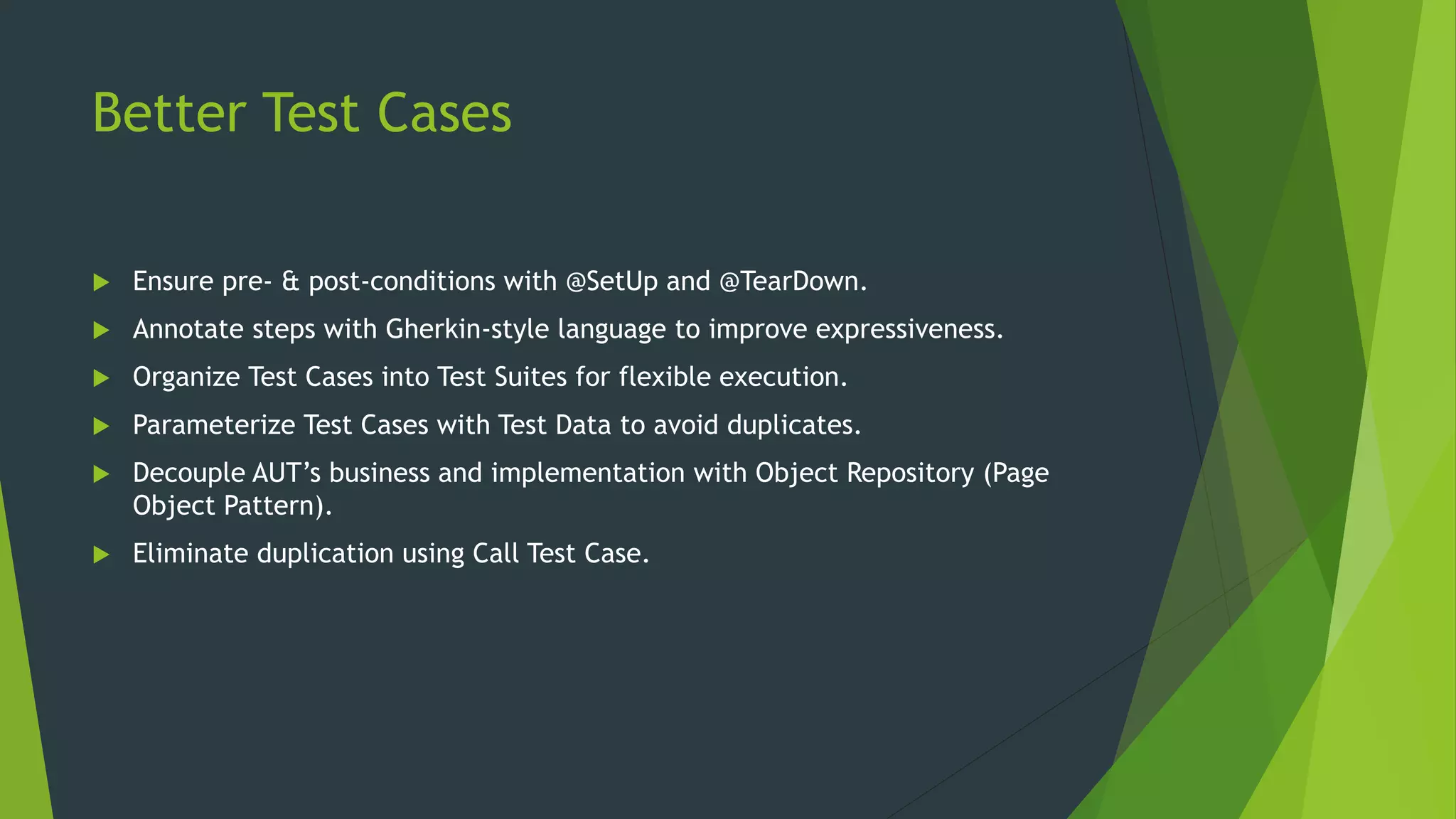
Better Test Cases
 Ensure pre- & post-conditions with @SetUp and @TearDown.
 Annotate steps with Gherkin-style language to improve expressiveness.
 Organize Test Cases into Test Suites for flexible execution.
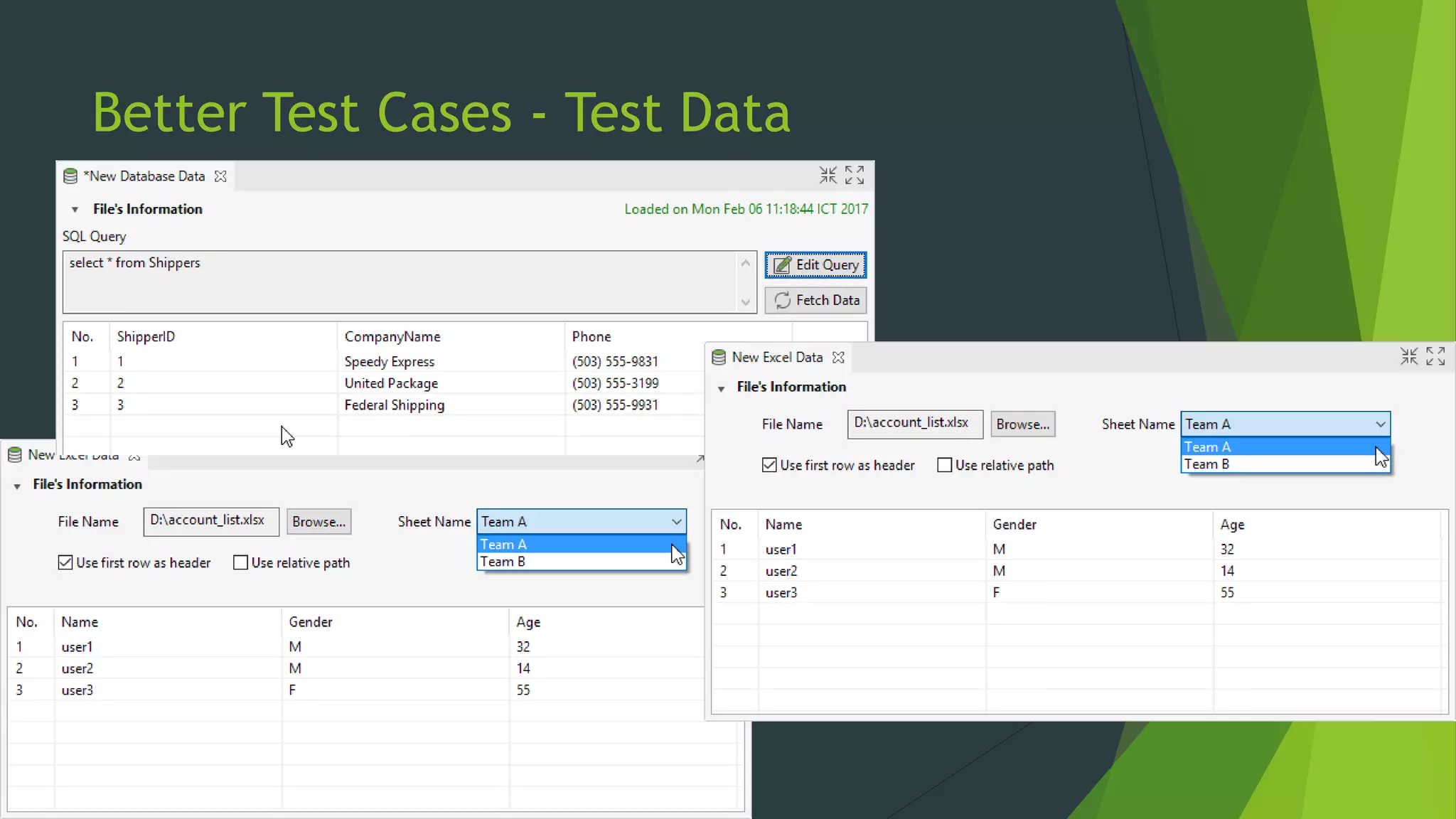
 Parameterize Test Cases with Test Data to avoid duplicates.
 Decouple AUT’s business and implementation with Object Repository (Page
Object Pattern).
 Eliminate duplication using Call Test Case.
Better Test Cases - Test Data
Execution
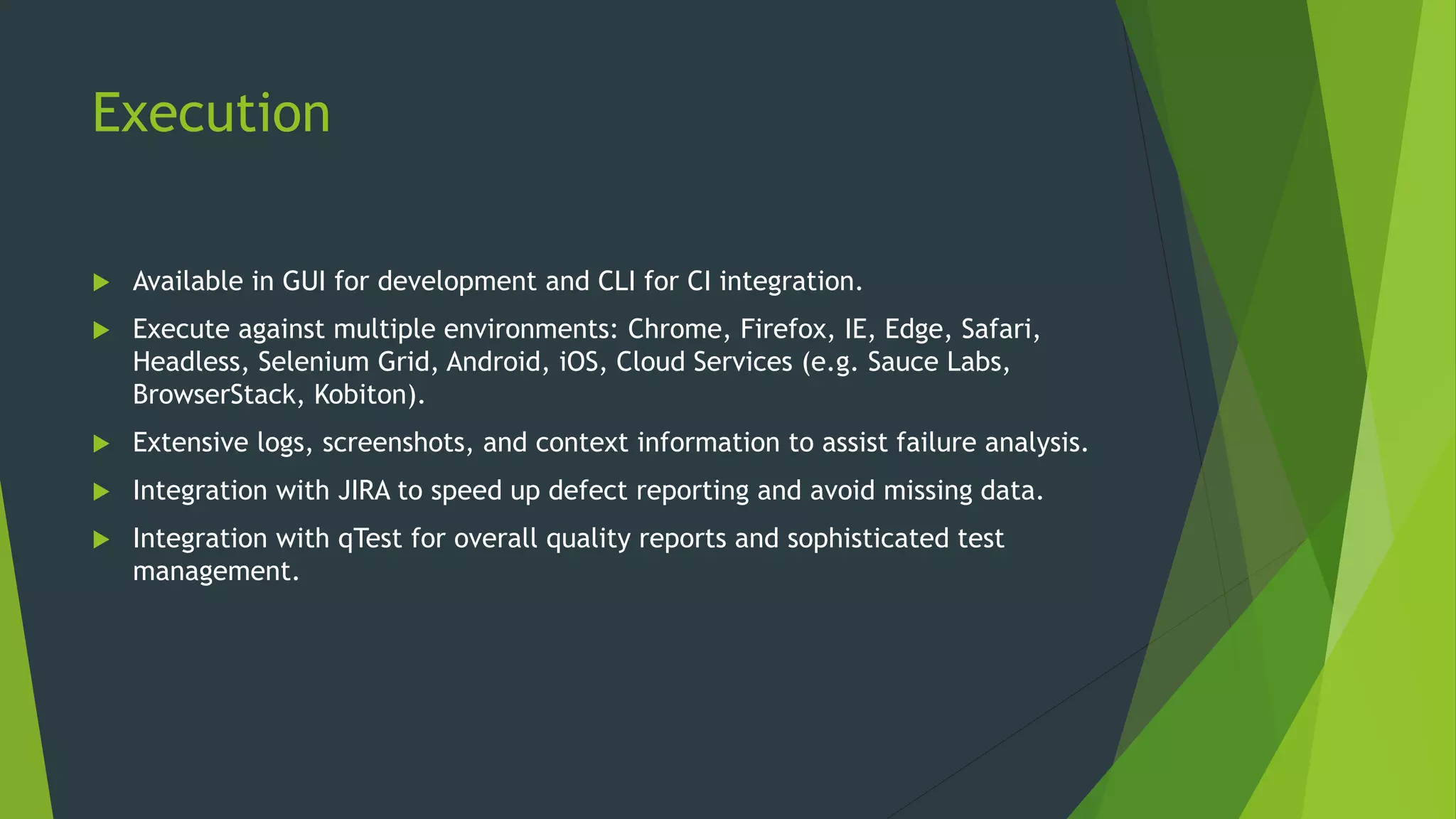
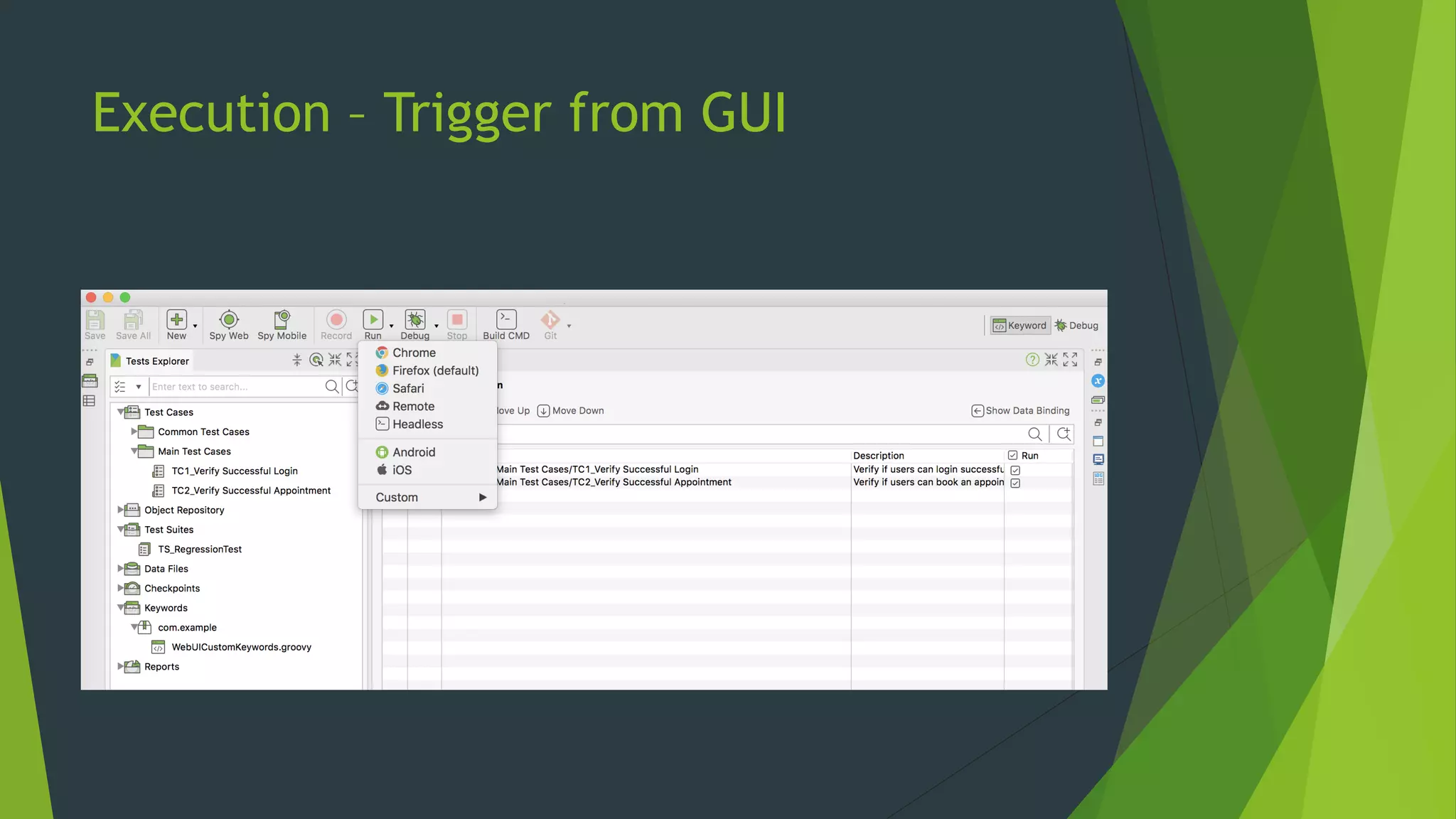
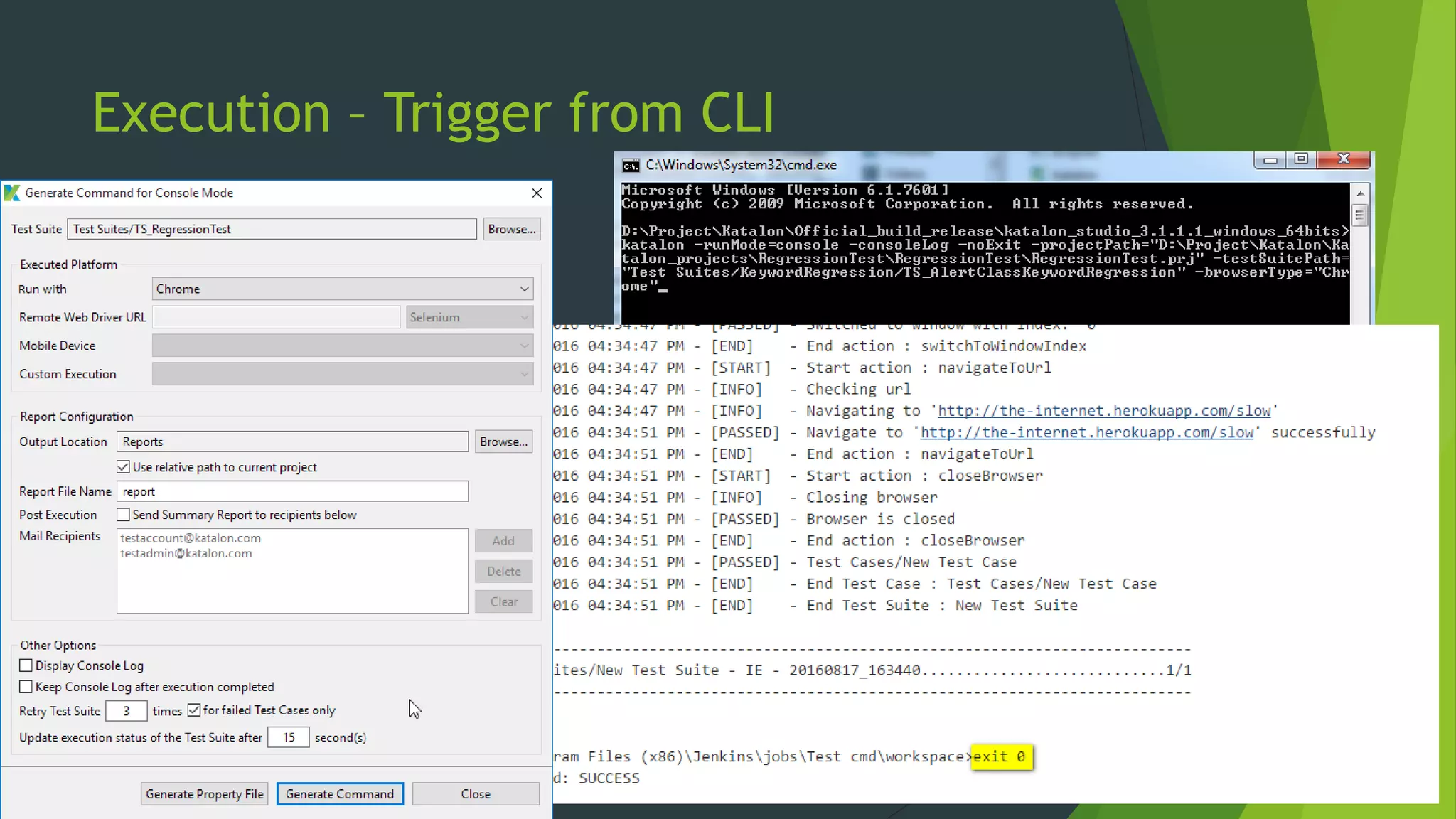
 Available in GUI for development and CLI for CI integration.
 Execute against multiple environments: Chrome, Firefox, IE, Edge, Safari,
Headless, Selenium Grid, Android, iOS, Cloud Services (e.g. Sauce Labs,
BrowserStack, Kobiton).
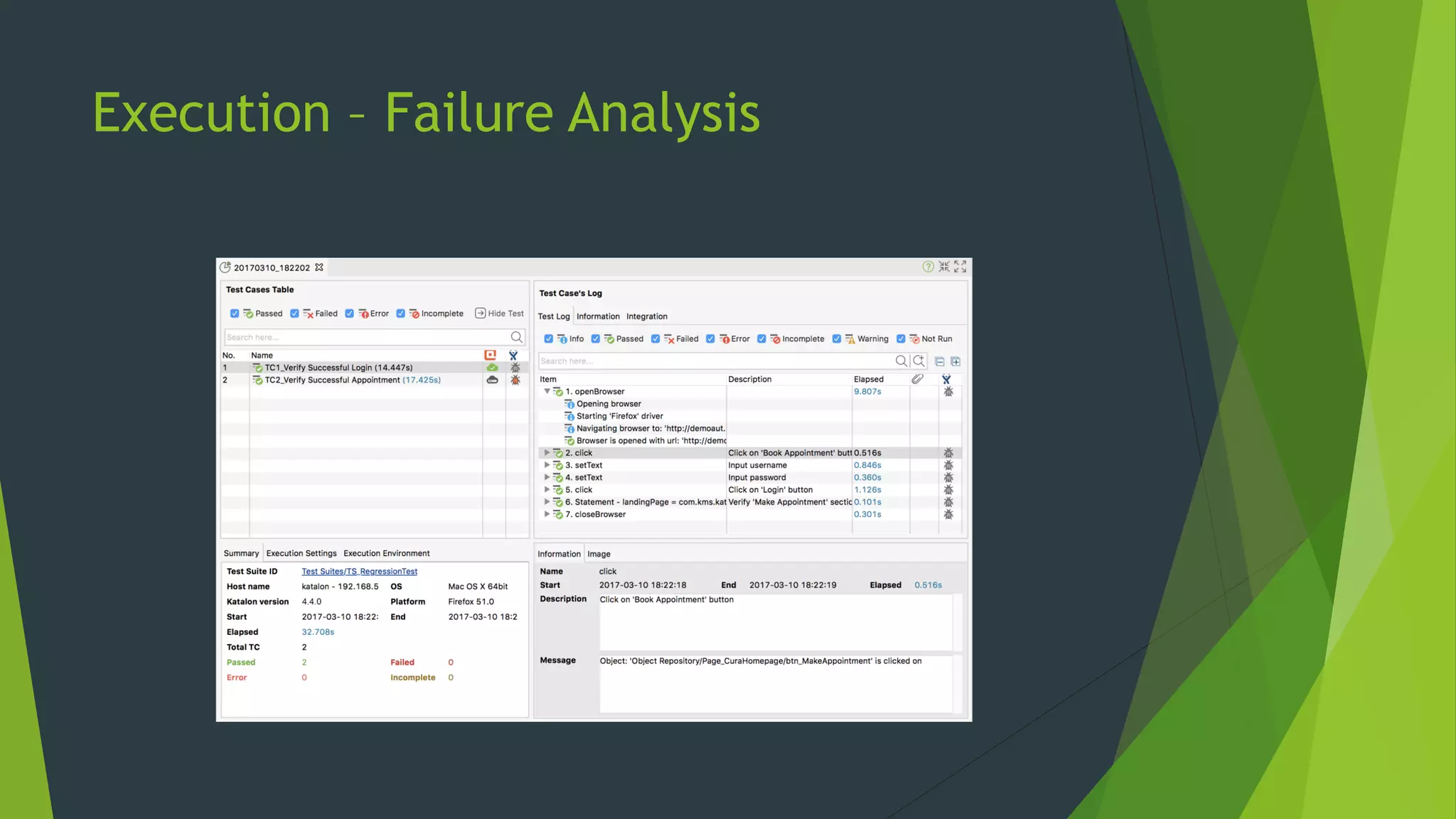
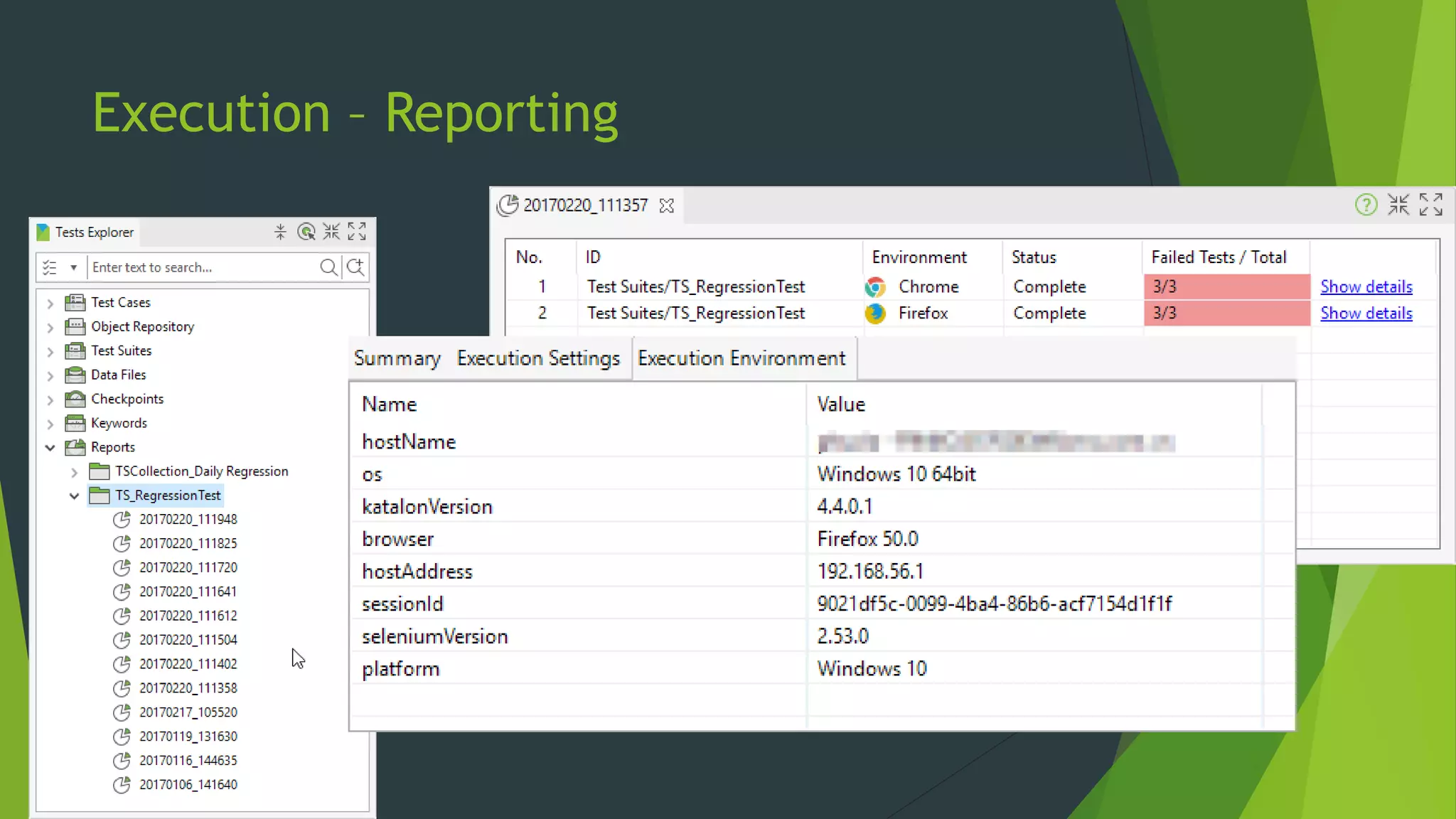
 Extensive logs, screenshots, and context information to assist failure analysis.
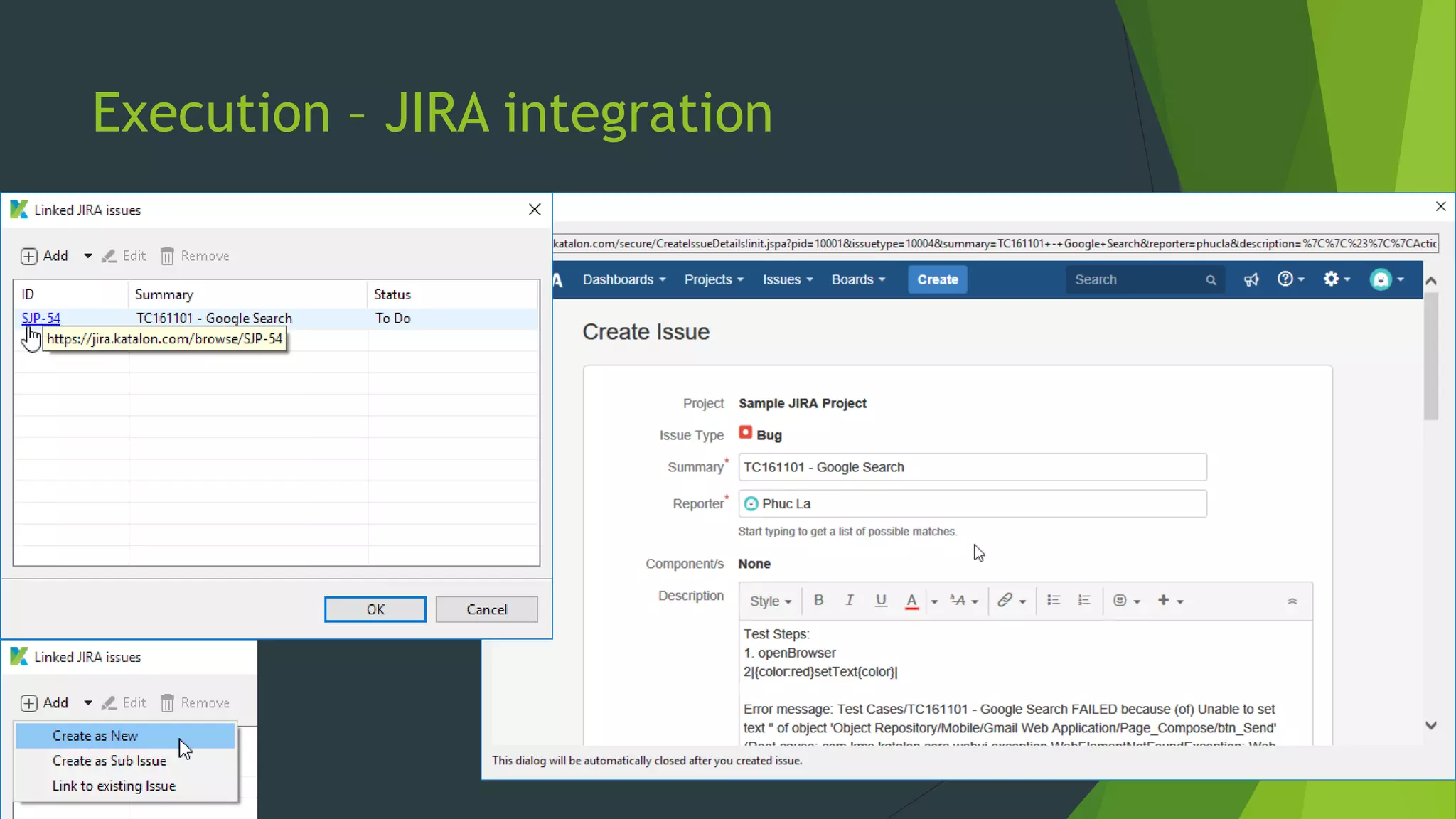
 Integration with JIRA to speed up defect reporting and avoid missing data.
 Integration with qTest for overall quality reports and sophisticated test
management.
Execution – Trigger from GUI
Execution – Trigger from CLI
Execution – Failure Analysis
Execution – Reporting
Execution – JIRA integration
Collaboration
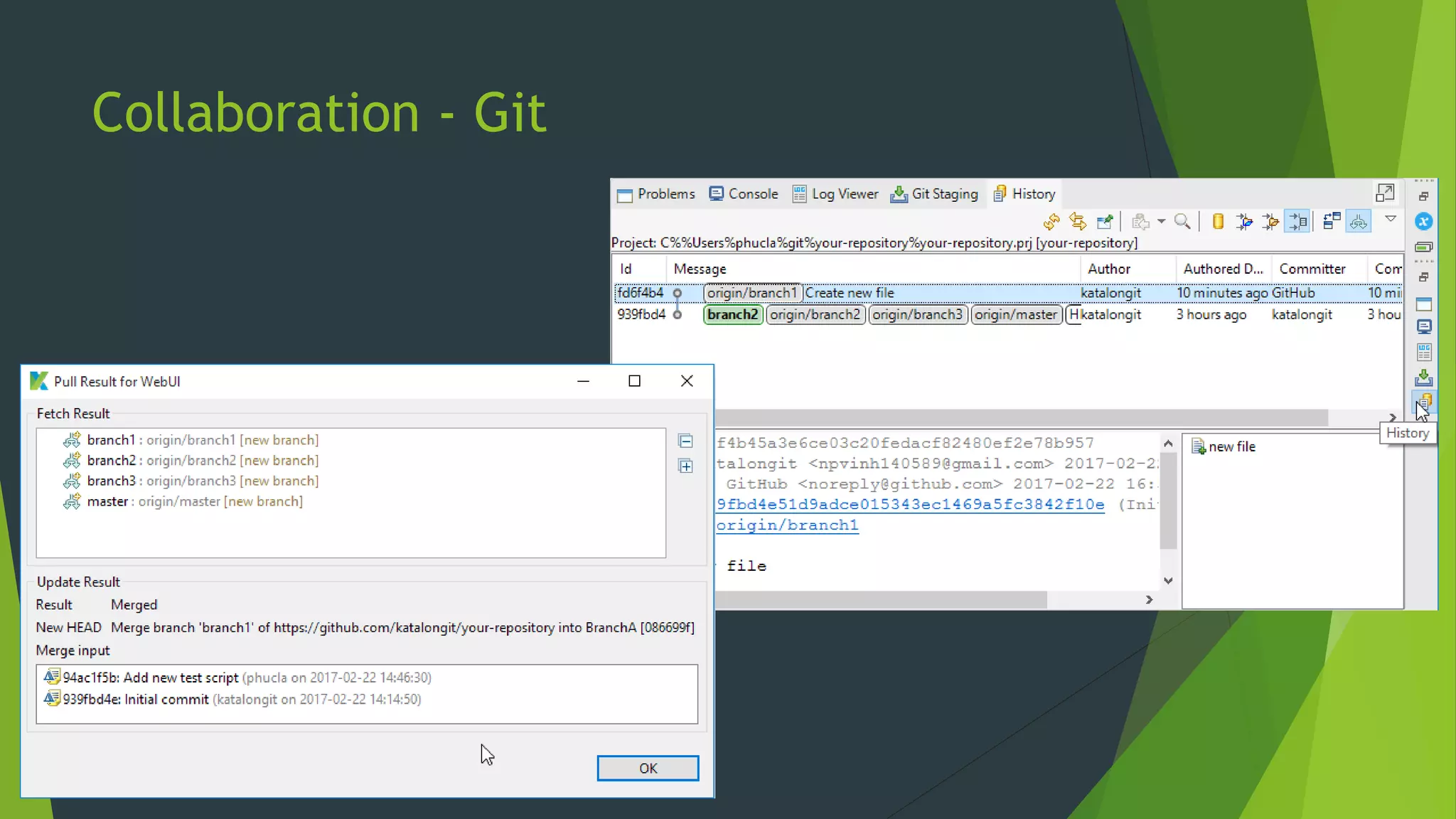
 Built-in Git supports for reviewing history and merging changes.
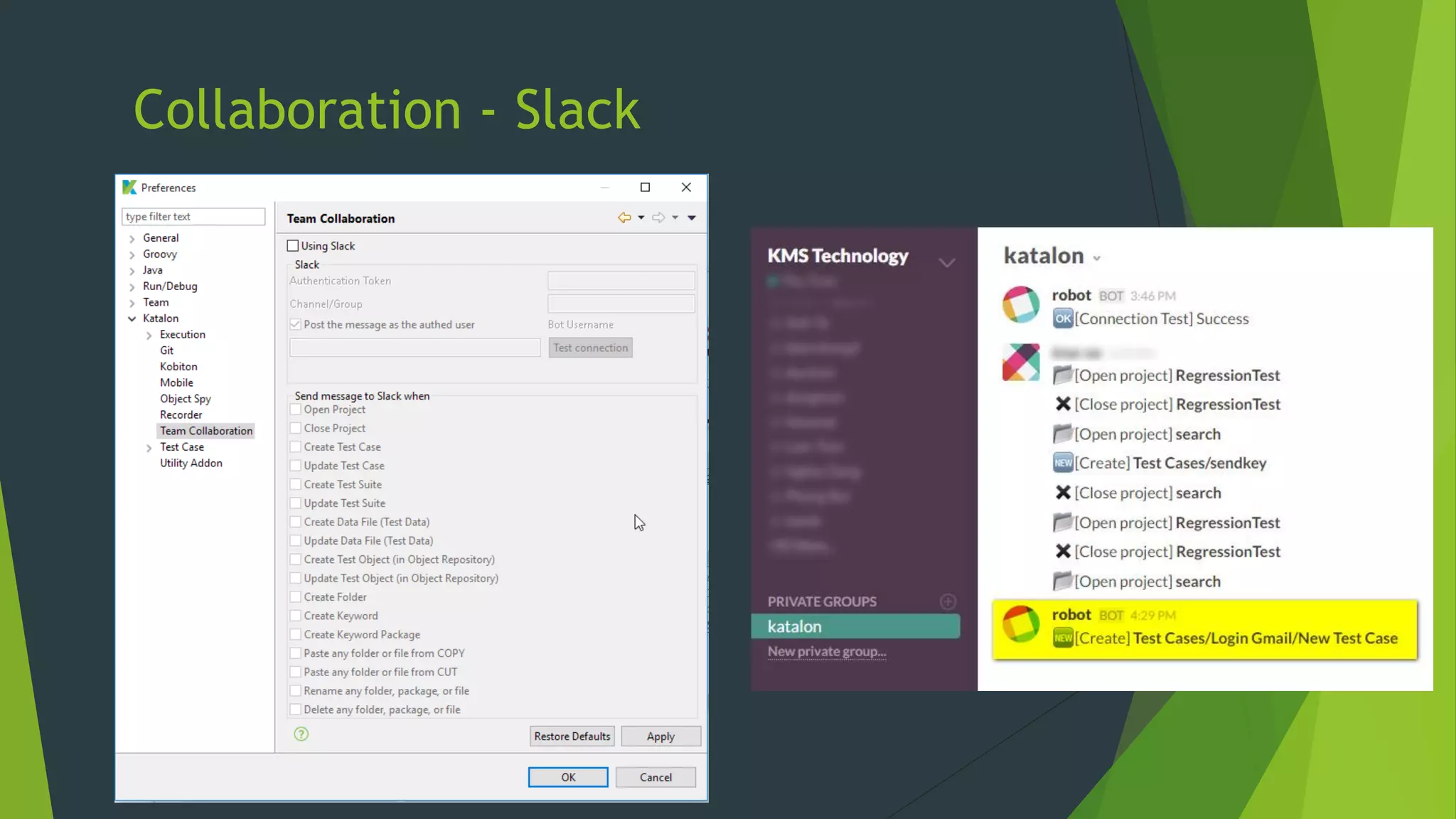
 Activities can be published to Slack for discussion.
Collaboration - Git
Collaboration - Slack
Extension Points – Custom Keywords
 Actions set can be extended via Custom (user defined) Keywords.
 Keywords are normal programming methods without any limitations.
 Custom Keywords can be used in both Manual and Script Modes.
References
 Katalon Studio homepage – https://katalon.com.
 Katalon Studio documentation - https://docs.katalon.com.
 Test Automation Framework Designs (by Sauce Labs) -
https://www.slideshare.net/saucelabs/test-automation-framework-designs.
Thank you!

Katalon Studio - Successful Test Automation for both Testers and Developers

  • 1.
    Katalon Studio Free TestAutomation IDE Hai Nguyen
  • 2.
    About me  github.com/minhhai2209 Software Architect @ QASymphony.  Software Testing & OSS junkie.
  • 3.
    Introduction  Modern Web& Mobile Applications are getting more complex.  Functional test automation (FTA) is key for quality and in-time releases.  A usable FTA needs to be both effective and efficient.  The divide between Developers’ and Testers’ practices prevent FTA implementation to be both effective and efficient.  The challenge is not to implement FTA but usable FTA.
  • 4.
    The Great Divideof Functional Test Automation  Commercial tools heavily focus on Testers (e.g. UFT, TestComplete).  Comfortable Record/Playback functions.  Limited options for Page Object Pattern, Parameterization, Data Generation etc.  Plain scripting editor with ancient programming languages (VBScript).  Limited extension points to fit organizations’ specific demands.  Open source frameworks (e.g. Watir, Protractor) heavily focus on programming capabilities for Developers.  Powerful APIs for popular programming languages.  Supported by sophisticated modern IDEs.  Multiple do-one-thing components, architectural design is needed to glue them together.  Setting up is complicated for Testers, involving different runtimes/tools, the use of command lines, and environment variable configuration.
  • 5.
    Functional Test Automationis Vietnam War for Record/Playback tools  Same approach, many attempts, same failures.  Still unsolved problems:  Wait detection: Heavy AJAX and HTML generation prevent page objects available in time.  Replay-able actions: Complex widgets with many layer of markup make it difficult to detect the correct elements under actions.  Reliable XPath/CSS selectors: Generated selectors are inefficient and lack invariant factors to be immune with future changes.  Complex fixture set up cannot be done elegantly.  At the end, a programmable FTA framework is still necessary.
  • 6.
    Modern FTA frameworksare not for Testers  Modern FTA leverages mainstream programming languages with advanced concepts.  Testers can only work on simple languages with limited power, resulting in low maintainability.  Time and energy end up being spent on coding rather than doing Exploratory/Acceptance Testing.  Still needs Developers to solve the problems of replay-able actions and reliable XPath/CSS selectors.
  • 7.
    Developers cannot writetests alone  Developers are good at building robust testing frameworks.  But time tends to be devoted on perfecting the architecture, and beautifying the code, rather than the Test Cases’ content.  Less effective scenarios due to isolated view without system-wide and end- user perspective.  Frameworks often focus on scripting and execution without supports for various other Testers’ activities like data generation, reporting, ALM integration.
  • 8.
    1st Solution –Developers as Interpreter  Testers define scenarios in natural or Gherkin-style languages.  Developers translate scenarios into programming languages.  Cons:  Double the effort of authoring Test Cases.  Content is split to separate forms and places.  Requires close collaboration to keep scenarios and test scripts in sync.  Testers cannot verify the test scripts directly.  Separate contents make it hard for Testers to do failure analysis.
  • 9.
    2nd Solution –Developers extend Testers’ scripts  Testers compose scenarios using Record/Replay tools (e.g. Selenium IDE).  Recorded sessions are exported as scripts in desired programming languages.  Developers modify the exported scripts to fit the frameworks.  Initial translation effort is reduced.  Cons:  Exporting happens in one-direction only – from recorded sessions to test scripts.  Still subjects to the first solution’s problems after initial translation.
  • 10.
    3rd Solution –Developers and Testers work together  Testers and Developers work on the same scripts using both graphical and scripting interface.  Changes must be continuously reflected i.e. Testers and Developers always read the same content.  Execution should be simple for Testers.  Logs and other artifacts should be presented in a readable.  The underlying framework must not ignore Testers’ requirements for Test Management, Parameterization, integration etc. for effective reporting and collaboration.  Deployment should be trivial for the whole toolset.
  • 11.
  • 12.
    Katalon Studio  https://www.katalon.com. A free Functional Test Automation IDE, designed for efficient and effective testing, with collaboration in mind.  IDE means real IDE with autocomplete and debugging e.g. IntelliJ IDEA, Eclipse, Visual Studio – not a glorified text editor.  Supports Web, Mobile, and API Testing.  Works on Windows, Mac, and Linux.
  • 14.
    Setting up  Onepackage to rule them all – nothing else needed.  Even JRE, Selenium, WebDriver binaries, Appium, Android SDK.  For both GUI and CLI modes.  Necessary PATHs are configured automatically.  Out of the box support for Cloud Services e.g. Sauce Labs, BrowserStack, Kobiton.
  • 15.
    Test Cases  Consistof many actions (Keywords) interacting with AUTs, can be authored in three ways:  Record: capturing interactions on browsers i.e. Chrome, Firefox, IE (for Testers).  Manual: selecting actions on GUI in a point-and-click manner (for Testers).  Script: writing real scripts using Groovy (for Developers).  All methods output the same content interchangeably at any point of time.  Manual and Script Modes are equally powerful.  Test Case are Groovy scripts behind the scene.  Groovy is Java-based language, suitable for complex implementation.  Groovy supplements Java syntax with intuitive structures.  Testers can write script without hassles of Java syntax.
  • 16.
    Test Cases -Record tool  Works on Chrome, Firefox, and IE.
  • 17.
    Test Cases -Manual Mode
  • 18.
    Test Cases -Script Mode
  • 19.
    Test Cases -Script Mode (Debug)
  • 20.
    Better Test Cases Ensure pre- & post-conditions with @SetUp and @TearDown.  Annotate steps with Gherkin-style language to improve expressiveness.  Organize Test Cases into Test Suites for flexible execution.  Parameterize Test Cases with Test Data to avoid duplicates.  Decouple AUT’s business and implementation with Object Repository (Page Object Pattern).  Eliminate duplication using Call Test Case.
  • 21.
    Better Test Cases- Test Data
  • 22.
    Execution  Available inGUI for development and CLI for CI integration.  Execute against multiple environments: Chrome, Firefox, IE, Edge, Safari, Headless, Selenium Grid, Android, iOS, Cloud Services (e.g. Sauce Labs, BrowserStack, Kobiton).  Extensive logs, screenshots, and context information to assist failure analysis.  Integration with JIRA to speed up defect reporting and avoid missing data.  Integration with qTest for overall quality reports and sophisticated test management.
  • 23.
  • 24.
  • 25.
  • 26.
  • 27.
    Execution – JIRAintegration
  • 28.
    Collaboration  Built-in Gitsupports for reviewing history and merging changes.  Activities can be published to Slack for discussion.
  • 29.
  • 30.
  • 31.
    Extension Points –Custom Keywords  Actions set can be extended via Custom (user defined) Keywords.  Keywords are normal programming methods without any limitations.  Custom Keywords can be used in both Manual and Script Modes.
  • 32.
    References  Katalon Studiohomepage – https://katalon.com.  Katalon Studio documentation - https://docs.katalon.com.  Test Automation Framework Designs (by Sauce Labs) - https://www.slideshare.net/saucelabs/test-automation-framework-designs.
  • 33.