1) Quick summary how page module works (really basic info) - Answer in slide number  2 to 19.2) How simple is it? Do the user  need to know HTML? - Answer on Slide number 163) Can the user build it first and then push it live? - Answer on slide Number 18 4) How do the user put it in a sub-domain like www.volunteermatch/pages? -Answer on Slide number 18
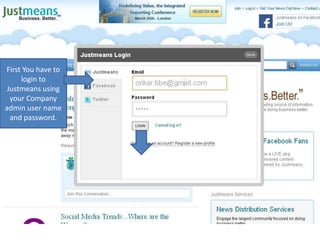
First You have to login to Justmeans using your Company admin user name and password.
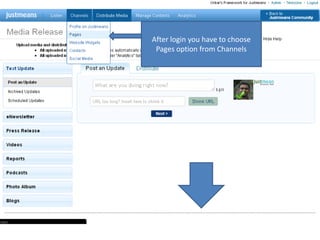
After login you have to choose Pages option from Channels
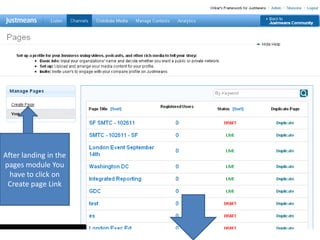
After landing in the pages module You have to click on Create page Link
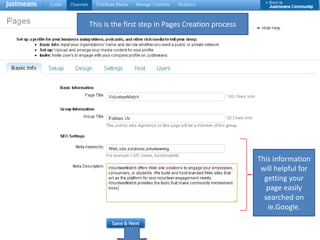
This is the first step in Pages Creation processThis information will helpful for getting your page easily searched on ie.Google.
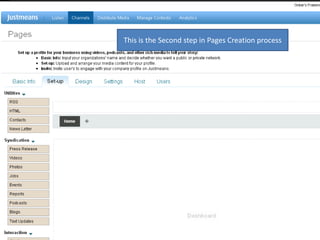
This is the Second step in Pages Creation process
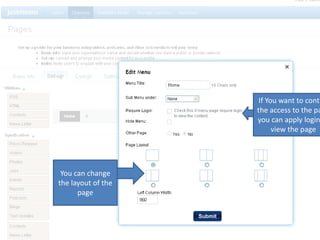
If You want to control the access to the page you can apply login to view the page You can change the layout of the page
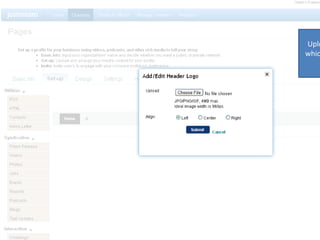
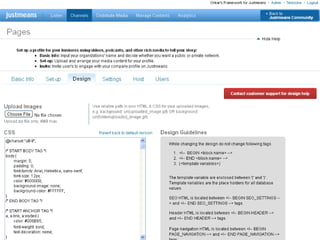
Upload Banner image which will be displayed on the pages
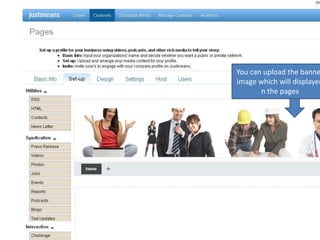
You can upload the banner image which will displayed n the pages
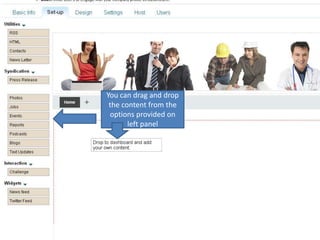
You can drag and drop the content from the options provided on  left panel
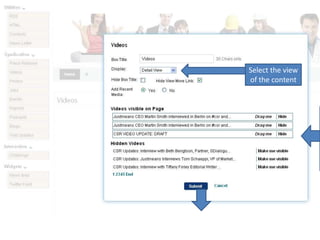
Select the view of the contentYou can choose the content which you want to displayed on  your page.
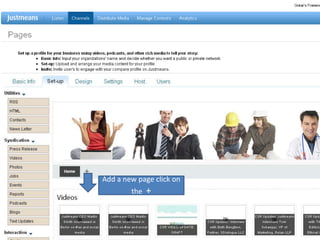
Add a new page click on the  +
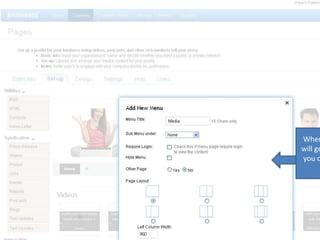
When you click on + you will get a pop up in which you can set a new menu (page).
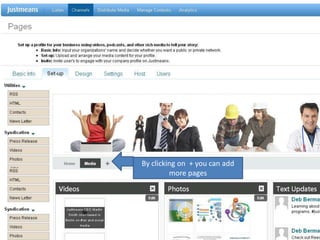
By clicking on  + you can add more pages
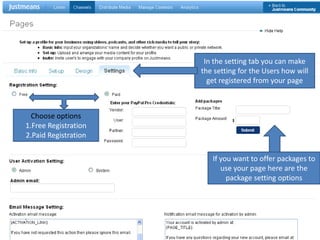
In the setting tab you can make the setting for the Users how will get registered from your pageChoose options 1.Free Registration2.Paid RegistrationIf you want to offer packages to use your page here are the package setting optionsChoose the text which will be sent to the user when they register through your page
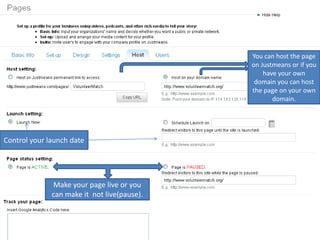
You can host the page on Justmeans or if you have your own domain you can host the page on your own domain.Control your launch dateMake your page live or you can make it  not live(pause).
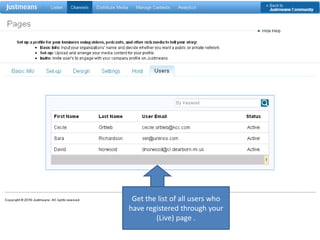
Get the list of all users who have registered through your (Live) page .

Justmeans power point

  • 1.
    1) Quick summaryhow page module works (really basic info) - Answer in slide number 2 to 19.2) How simple is it? Do the user need to know HTML? - Answer on Slide number 163) Can the user build it first and then push it live? - Answer on slide Number 18 4) How do the user put it in a sub-domain like www.volunteermatch/pages? -Answer on Slide number 18
  • 2.
    First You haveto login to Justmeans using your Company admin user name and password.
  • 3.
    After login youhave to choose Pages option from Channels
  • 4.
    After landing inthe pages module You have to click on Create page Link
  • 5.
    This is thefirst step in Pages Creation processThis information will helpful for getting your page easily searched on ie.Google.
  • 6.
    This is theSecond step in Pages Creation process
  • 7.
    If You wantto control the access to the page you can apply login to view the page You can change the layout of the page
  • 8.
    Upload Banner imagewhich will be displayed on the pages
  • 9.
    You can uploadthe banner image which will displayed n the pages
  • 10.
    You can dragand drop the content from the options provided on left panel
  • 11.
    Select the viewof the contentYou can choose the content which you want to displayed on your page.
  • 12.
    Add a newpage click on the +
  • 14.
    When you clickon + you will get a pop up in which you can set a new menu (page).
  • 15.
    By clicking on + you can add more pages
  • 17.
    In the settingtab you can make the setting for the Users how will get registered from your pageChoose options 1.Free Registration2.Paid RegistrationIf you want to offer packages to use your page here are the package setting optionsChoose the text which will be sent to the user when they register through your page
  • 18.
    You can hostthe page on Justmeans or if you have your own domain you can host the page on your own domain.Control your launch dateMake your page live or you can make it not live(pause).
  • 19.
    Get the listof all users who have registered through your (Live) page .