

JSON Web Tokens
Will Improve Your Life
John SJ Anderson | @genehack | SCaLE 15x | 5 Mar 2017
SCaLE 15x – 5 Mar 2017 – @genehack 1
Hi, I'm John.
a/k/a @genehack
SCaLE 15x – 5 Mar 2017 – @genehack 2
VP, Tech
Infinity
Interactive
SCaLE 15x – 5 Mar 2017 – @genehack 3
Now that I've been promoted into a management
position, I don't get to do all that much coding anymore.
When I do end up with a coding project, Sammy helps
me out from her cushion under my desk
This is
my dog,
Sammy
a/k/a @sammyGenehack
SCaLE 15x – 5 Mar 2017 – @genehack 4
who's heard of JWTs before this talk?
who's using JWTs?
So, what's
a JWT?
SCaLE 15x – 5 Mar 2017 – @genehack 5
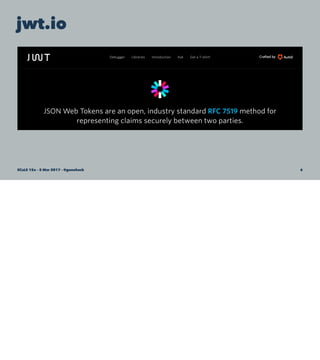
jwt.io
SCaLE 15x – 5 Mar 2017 – @genehack 6
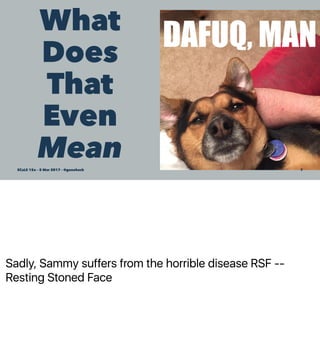
Sadly, Sammy suffers from the horrible disease RSF --
Resting Stoned Face
What
Does
That
Even
MeanSCaLE 15x – 5 Mar 2017 – @genehack 7
Holy RFCs, Batman
• RFC 7519 - JSON Web Token (JWT)
SCaLE 15x – 5 Mar 2017 – @genehack 8
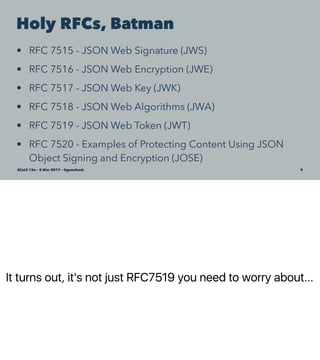
It turns out, it's not just RFC7519 you need to worry about...
Holy RFCs, Batman
• RFC 7515 - JSON Web Signature (JWS)
• RFC 7516 - JSON Web Encryption (JWE)
• RFC 7517 - JSON Web Key (JWK)
• RFC 7518 - JSON Web Algorithms (JWA)
• RFC 7519 - JSON Web Token (JWT)
• RFC 7520 - Examples of Protecting Content Using JSON
Object Signing and Encryption (JOSE)
SCaLE 15x – 5 Mar 2017 – @genehack 9
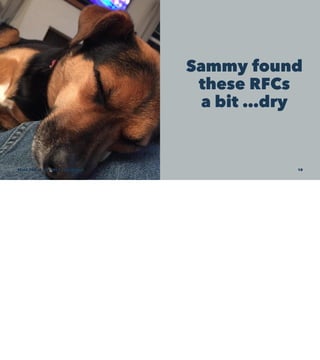
Sammy found
these RFCs
a bit …dry
SCaLE 15x – 5 Mar 2017 – @genehack 10
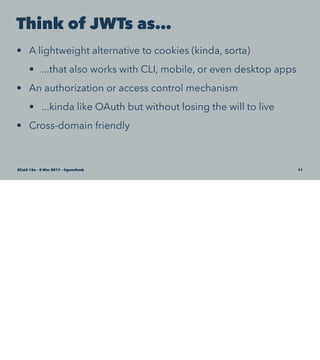
Think of JWTs as…
• A lightweight alternative to cookies (kinda, sorta)
• ...that also works with CLI, mobile, or even desktop apps
• An authorization or access control mechanism
• ...kinda like OAuth but without losing the will to live
• Cross-domain friendly
SCaLE 15x – 5 Mar 2017 – @genehack 11
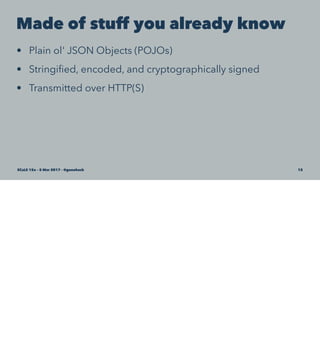
Made of stuff you already know
• Plain ol' JSON Objects (POJOs)
• Stringified, encoded, and cryptographically signed
• Transmitted over HTTP(S)
SCaLE 15x – 5 Mar 2017 – @genehack 12
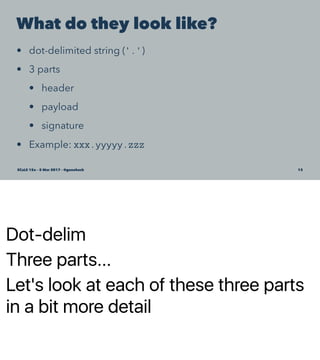
Dot-delim
Three parts...
Let's look at each of these three parts
in a bit more detail
What do they look like?
• dot-delimited string ('.')
• 3 parts
• header
• payload
• signature
• Example: xxx.yyyyy.zzz
SCaLE 15x – 5 Mar 2017 – @genehack 13
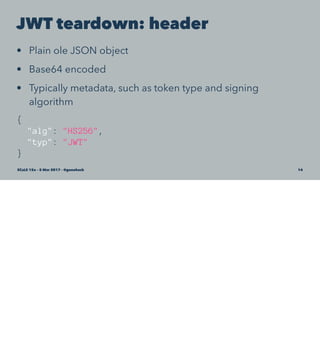
JWT teardown: header
• Plain ole JSON object
• Base64 encoded
• Typically metadata, such as token type and signing
algorithm
{
"alg": "HS256",
"typ": "JWT"
}
SCaLE 15x – 5 Mar 2017 – @genehack 14
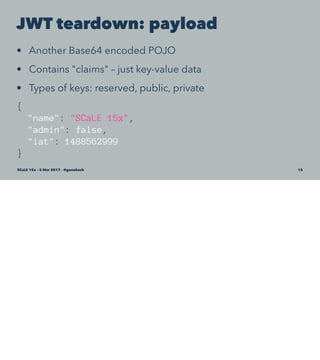
JWT teardown: payload
• Another Base64 encoded POJO
• Contains "claims" – just key-value data
• Types of keys: reserved, public, private
{
"name": "SCaLE 15x",
"admin": false,
"iat": 1488562999
}
SCaLE 15x – 5 Mar 2017 – @genehack 15
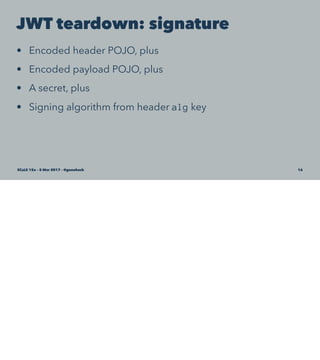
JWT teardown: signature
• Encoded header POJO, plus
• Encoded payload POJO, plus
• A secret, plus
• Signing algorithm from header alg key
SCaLE 15x – 5 Mar 2017 – @genehack 16
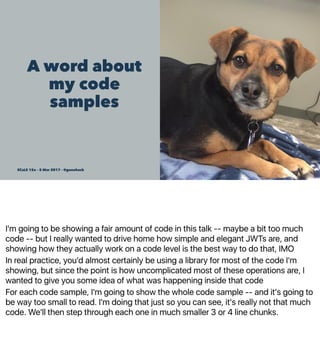
I'm going to be showing a fair amount of code in this talk -- maybe a bit too much
code -- but I really wanted to drive home how simple and elegant JWTs are, and
showing how they actually work on a code level is the best way to do that, IMO
In real practice, you'd almost certainly be using a library for most of the code I'm
showing, but since the point is how uncomplicated most of these operations are, I
wanted to give you some idea of what was happening inside that code
For each code sample, I'm going to show the whole code sample -- and it's going to
be way too small to read. I'm doing that just so you can see, it's really not that much
code. We'll then step through each one in much smaller 3 or 4 line chunks.
A word about
my code
samples
SCaLE 15x – 5 Mar 2017 – @genehack 17
Making a JWT
function base64EncodeJson (pojo) {
var jsonString = JSON.stringify(pojo);
var encoded = new Buffer(jsonString).toString("base64");
return encoded;
}
function hmacIt (string, secret) {
var hmac = crypto.createHmac("sha256" , secret);
hmac.update(string);
var signature = hmac.digest("hex");
return signature;
}
var header = {
"alg": "HS256",
"typ": "JWT"
};
var payload = {
"name": "SCaLE 15x",
"admin": false,
"iat": 1488562999
};
var secret = "be wery, wery qwiet, we're hunting JWTs";
var encodedHeader = base64EncodeJson(header);
var encodedPayload = base64EncodeJson(payload);
var signature = hmacIt(encodedHeader + "." + encodedPayload, secret);
var jwt = encodedHeader + "." + encodedPayload + "." + signature;
SCaLE 15x – 5 Mar 2017 – @genehack 18
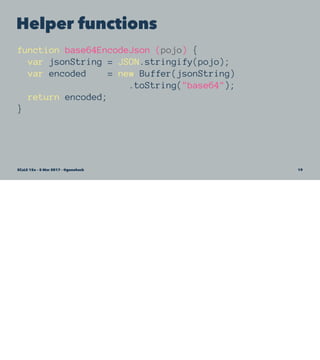
Helper functions
function base64EncodeJson (pojo) {
var jsonString = JSON.stringify(pojo);
var encoded = new Buffer(jsonString)
.toString("base64");
return encoded;
}
SCaLE 15x – 5 Mar 2017 – @genehack 19
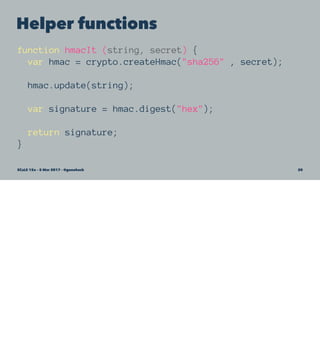
Helper functions
function hmacIt (string, secret) {
var hmac = crypto.createHmac("sha256" , secret);
hmac.update(string);
var signature = hmac.digest("hex");
return signature;
}
SCaLE 15x – 5 Mar 2017 – @genehack 20
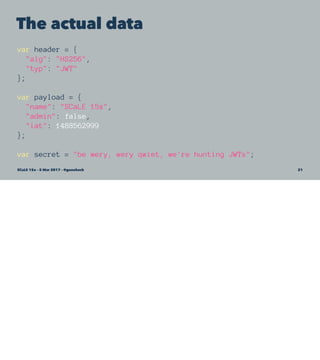
The actual data
var header = {
"alg": "HS256",
"typ": "JWT"
};
var payload = {
"name": "SCaLE 15x",
"admin": false,
"iat": 1488562999
};
var secret = "be wery, wery qwiet, we're hunting JWTs";
SCaLE 15x – 5 Mar 2017 – @genehack 21
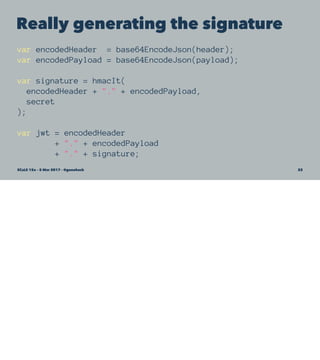
Really generating the signature
var encodedHeader = base64EncodeJson(header);
var encodedPayload = base64EncodeJson(payload);
var signature = hmacIt(
encodedHeader + "." + encodedPayload,
secret
);
var jwt = encodedHeader
+ "." + encodedPayload
+ "." + signature;
SCaLE 15x – 5 Mar 2017 – @genehack 22
Hand-rolled, artisanal JWT
console.log(jwt);
'eyJhbGciOiJIUzI1NiIsInR5cCI6IkpXVCJ9.
eyJuYW1lIjoiU0NhTEUgMTV4IiwiYWRtaW4iOmZhbHNlLCJpYXQiOjE0ODg1NjI5OTl9.
7ff8afdb838338a23d77adc23b98697083a78795808971ead54a88e02ecbbe19'
Key bit:
The signature means you can detect any attempts to modify
the header or the payload.
SCaLE 15x – 5 Mar 2017 – @genehack 23
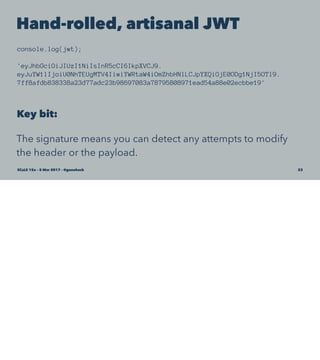
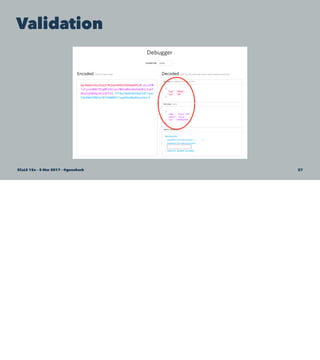
Validation
SCaLE 15x – 5 Mar 2017 – @genehack 24
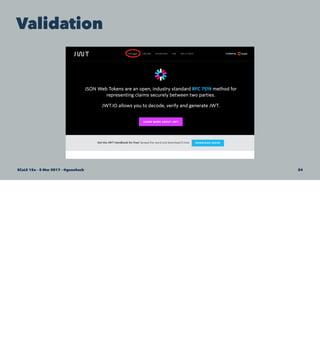
Validation
SCaLE 15x – 5 Mar 2017 – @genehack 25
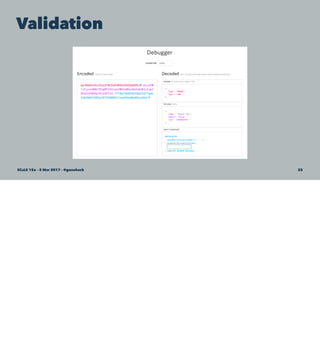
Validation
SCaLE 15x – 5 Mar 2017 – @genehack 26
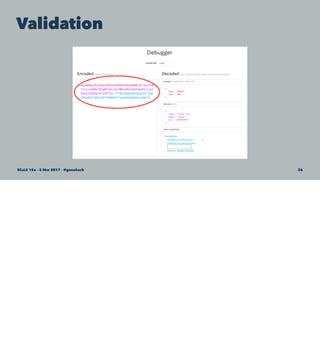
Validation
SCaLE 15x – 5 Mar 2017 – @genehack 27
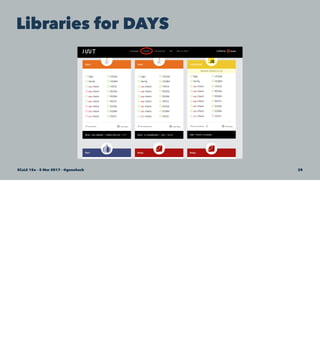
Libraries for DAYS
SCaLE 15x – 5 Mar 2017 – @genehack 28
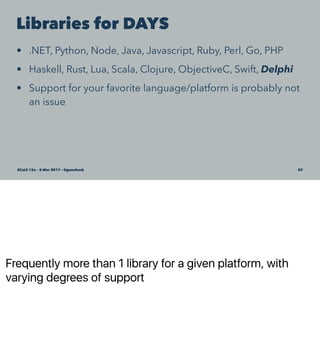
Frequently more than 1 library for a given platform, with
varying degrees of support
Libraries for DAYS
• .NET, Python, Node, Java, Javascript, Ruby, Perl, Go, PHP
• Haskell, Rust, Lua, Scala, Clojure, ObjectiveC, Swift, Delphi
• Support for your favorite language/platform is probably not
an issue
SCaLE 15x – 5 Mar 2017 – @genehack 29
At this point, Sammy perked back up a little bit. Now that we were past the RFC reading
stage, and she'd seen how simple and elegant JWTs were conceptually, she starting
asking...
OK,
you've
got my
attention
SCaLE 15x – 5 Mar 2017 – @genehack 30
How
do I
actually
use
JWTs?SCaLE 15x – 5 Mar 2017 – @genehack 31
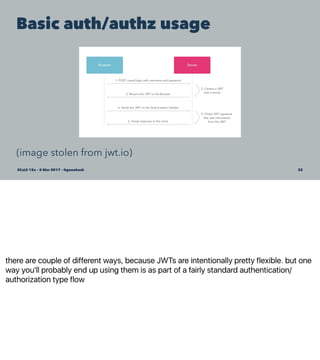
there are couple of different ways, because JWTs are intentionally pretty flexible. but one
way you'll probably end up using them is as part of a fairly standard authentication/
authorization type flow
Basic auth/authz usage
(image stolen from jwt.io)
SCaLE 15x – 5 Mar 2017 – @genehack 32
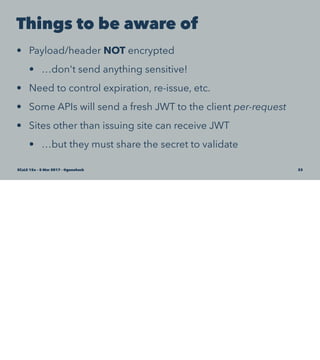
Things to be aware of
• Payload/header NOT encrypted
• …don't send anything sensitive!
• Need to control expiration, re-issue, etc.
• Some APIs will send a fresh JWT to the client per-request
• Sites other than issuing site can receive JWT
• …but they must share the secret to validate
SCaLE 15x – 5 Mar 2017 – @genehack 33
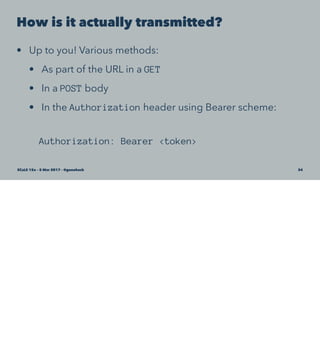
How is it actually transmitted?
• Up to you! Various methods:
• As part of the URL in a GET
• In a POST body
• In the Authorization header using Bearer scheme:
Authorization: Bearer <token>
SCaLE 15x – 5 Mar 2017 – @genehack 34
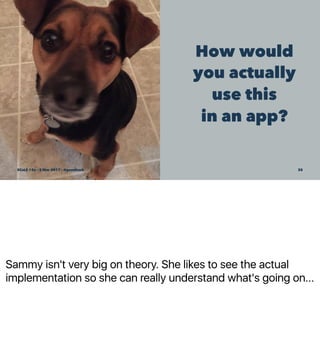
Sammy isn't very big on theory. She likes to see the actual
implementation so she can really understand what's going on...
How would
you actually
use this
in an app?
SCaLE 15x – 5 Mar 2017 – @genehack 35
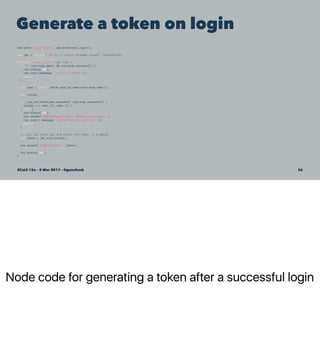
Node code for generating a token after a successful login
Generate a token on login
app.post('/user/login', app.wrap(user_login));
var jwt = require('jwt'); // helper wrapper around 'jsonwebtoken'
function * user_login (req, res) {
if (! (req.body.email && req.body.password)) {
res.status(400);
res.json({message: 'invalid request'});
return;
}
var user = yield _fetch_user_by_email(req.body.email);
var claims;
if (_pw_validate(user.password, req.body.password)) {
claims = { user_id: user.id };
} else {
res.status(401);
res.header('WWW-Authenticate', 'Bearer realm=myapp');
res.json({ message: 'authorization required' });
return;
}
// sign the claim set and return the token in a header
var token = jwt.sign(claims);
res.append('X-MyApp-Token', token);
res.status(200);
}
SCaLE 15x – 5 Mar 2017 – @genehack 36
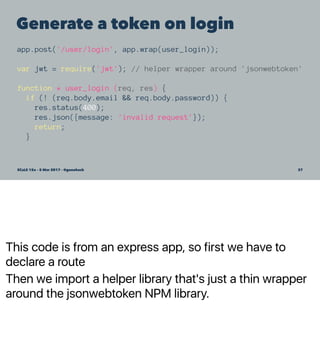
This code is from an express app, so first we have to
declare a route
Then we import a helper library that's just a thin wrapper
around the jsonwebtoken NPM library.
Generate a token on login
app.post('/user/login', app.wrap(user_login));
var jwt = require('jwt'); // helper wrapper around 'jsonwebtoken'
function * user_login (req, res) {
if (! (req.body.email && req.body.password)) {
res.status(400);
res.json({message: 'invalid request'});
return;
}
SCaLE 15x – 5 Mar 2017 – @genehack 37
Generate a token on login
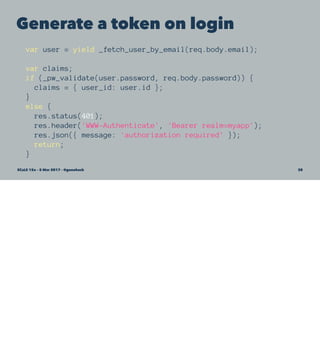
var user = yield _fetch_user_by_email(req.body.email);
var claims;
if (_pw_validate(user.password, req.body.password)) {
claims = { user_id: user.id };
}
else {
res.status(401);
res.header('WWW-Authenticate', 'Bearer realm=myapp');
res.json({ message: 'authorization required' });
return;
}
SCaLE 15x – 5 Mar 2017 – @genehack 38
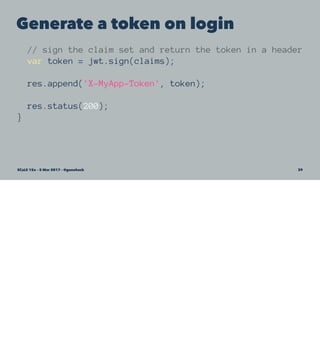
Generate a token on login
// sign the claim set and return the token in a header
var token = jwt.sign(claims);
res.append('X-MyApp-Token', token);
res.status(200);
}
SCaLE 15x – 5 Mar 2017 – @genehack 39
OK, that's
how you
make one.
How do you
validate it?
SCaLE 15x – 5 Mar 2017 – @genehack 40
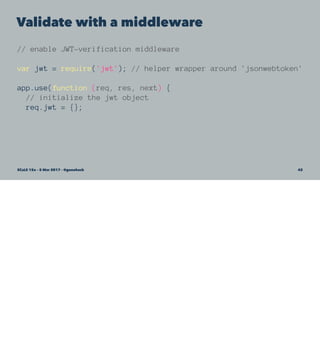
Again, because this is Express, we can do validation in a
middleware. That'll make sure it happens on every request.
Validate with a middleware
// enable JWT-verification middleware
var jwt = require('jwt'); // helper wrapper around 'jsonwebtoken'
app.use(function (req, res, next) {
// initialize the jwt object
req.jwt = {};
// now parse the Authorization header if it exists
Promise.resolve(req.headers.authorization).then(function (auth) {
// If the Authorization header is present and employs the correct
// Bearar scheme, extract the token and attempt to verify it.
if (auth) {
var scheme = auth.split(' ')[0];
var token = auth.split(' ')[1];
if (scheme == 'Bearer') {
return jwt.verify(token).catch(function (error) {
throw new Error('failed to verify claim');
});
}
}
throw new Error('authorization not attempted');
})
.then(function (payload) {
req.jwt = payload;
next();
})
.catch(function (error) {
// Allow login and signed URLs without JWT
if (req.path == '/user/login' && req.method == 'POST') {
return next();
}
res.status(401);
res.header('WWW-Authenticate', 'Bearer realm=myapp');
res.json({ message: 'authorization required' });
});
});
SCaLE 15x – 5 Mar 2017 – @genehack 41
Validate with a middleware
// enable JWT-verification middleware
var jwt = require('jwt'); // helper wrapper around 'jsonwebtoken'
app.use(function (req, res, next) {
// initialize the jwt object
req.jwt = {};
SCaLE 15x – 5 Mar 2017 – @genehack 42
Validate with a middleware
// now parse the Authorization header if it exists
Promise.resolve(req.headers.authorization).then(function (auth) {
// If the Authorization header is present and employs the correct
// Bearar scheme, extract the token and attempt to verify it.
if (auth) {
var scheme = auth.split(' ')[0];
var token = auth.split(' ')[1];
if (scheme === 'Bearer') {
return jwt.verify(token).catch(function (error) {
throw new Error('failed to verify claim');
});
}
}
throw new Error('authorization not attempted');
})
SCaLE 15x – 5 Mar 2017 – @genehack 43
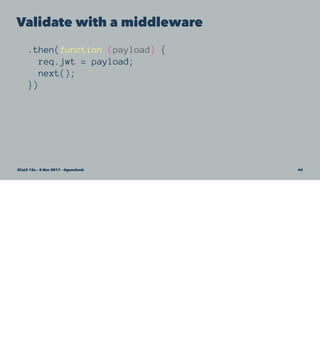
Validate with a middleware
.then(function (payload) {
req.jwt = payload;
next();
})
SCaLE 15x – 5 Mar 2017 – @genehack 44
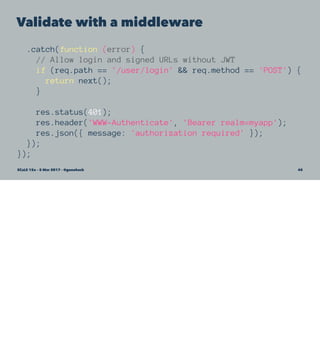
Validate with a middleware
.catch(function (error) {
// Allow login and signed URLs without JWT
if (req.path == '/user/login' && req.method == 'POST') {
return next();
}
res.status(401);
res.header('WWW-Authenticate', 'Bearer realm=myapp');
res.json({ message: 'authorization required' });
});
});
SCaLE 15x – 5 Mar 2017 – @genehack 45
At this point, Sammy was pretty impressed and happy, and was making plans to use
JWTs in all her future projects. But she wondered if there was anything else JWTs could
do for her...
That's cool.
What else
you got?
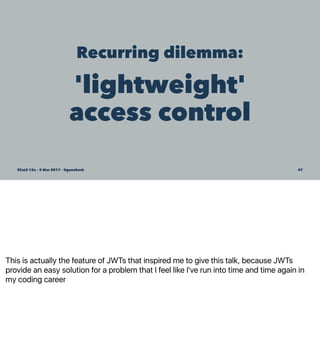
SCaLE 15x – 5 Mar 2017 – @genehack 46
This is actually the feature of JWTs that inspired me to give this talk, because JWTs
provide an easy solution for a problem that I feel like I've run into time and time again in
my coding career
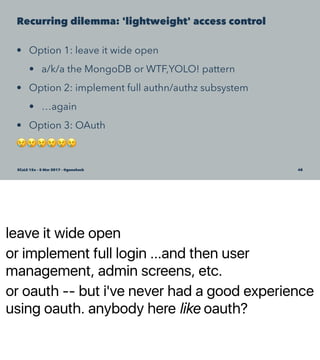
Recurring dilemma:
'lightweight'
access control
SCaLE 15x – 5 Mar 2017 – @genehack 47
leave it wide open
or implement full login ...and then user
management, admin screens, etc.
or oauth -- but i've never had a good experience
using oauth. anybody here like oauth?
Recurring dilemma: 'lightweight' access control
• Option 1: leave it wide open
• a/k/a the MongoDB or WTF,YOLO! pattern
• Option 2: implement full authn/authz subsystem
• …again
• Option 3: OAuth
!!!!!!
SCaLE 15x – 5 Mar 2017 – @genehack 48
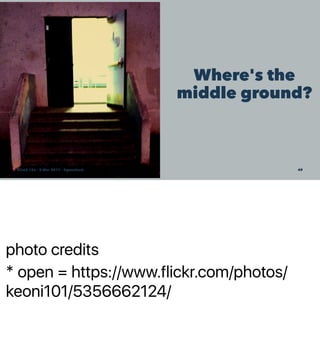
photo credits
* open = https://www.flickr.com/photos/
keoni101/5356662124/
Where's the
middle ground?
SCaLE 15x – 5 Mar 2017 – @genehack 49
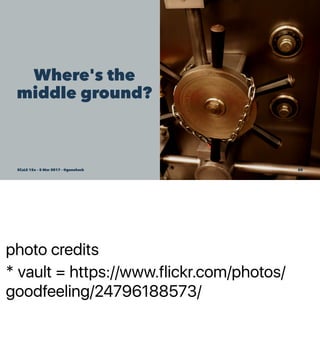
photo credits
* vault = https://www.flickr.com/photos/
goodfeeling/24796188573/
Where's the
middle ground?
SCaLE 15x – 5 Mar 2017 – @genehack 50
photo credit = https://www.flickr.com/photos/slemmon/
4938498564
A screen door
for APIs
SCaLE 15x – 5 Mar 2017 – @genehack 51
Authorization without authentication
• Scenario:
• You have an API
• You don't want to make anybody authenticate to use it
• You don't want it wide open to the Internet either
• a/k/a authz without authn
SCaLE 15x – 5 Mar 2017 – @genehack 52
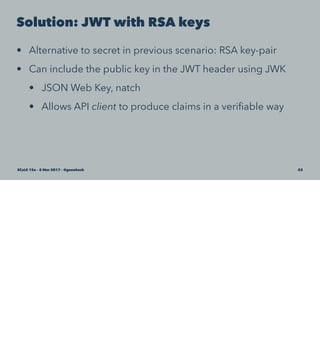
Solution: JWT with RSA keys
• Alternative to secret in previous scenario: RSA key-pair
• Can include the public key in the JWT header using JWK
• JSON Web Key, natch
• Allows API client to produce claims in a verifiable way
SCaLE 15x – 5 Mar 2017 – @genehack 53
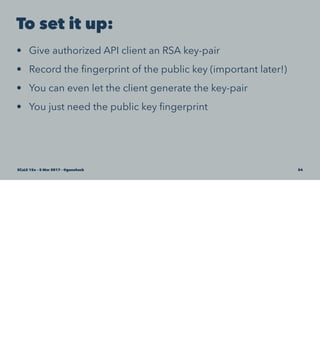
To set it up:
• Give authorized API client an RSA key-pair
• Record the fingerprint of the public key (important later!)
• You can even let the client generate the key-pair
• You just need the public key fingerprint
SCaLE 15x – 5 Mar 2017 – @genehack 54
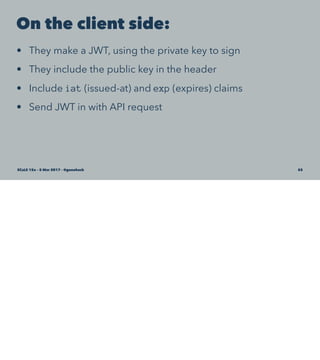
On the client side:
• They make a JWT, using the private key to sign
• They include the public key in the header
• Include iat (issued-at) and exp (expires) claims
• Send JWT in with API request
SCaLE 15x – 5 Mar 2017 – @genehack 55
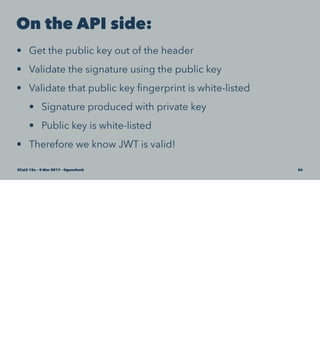
On the API side:
• Get the public key out of the header
• Validate the signature using the public key
• Validate that public key fingerprint is white-listed
• Signature produced with private key
• Public key is white-listed
• Therefore we know JWT is valid!
SCaLE 15x – 5 Mar 2017 – @genehack 56
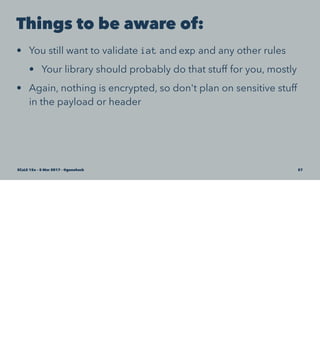
Things to be aware of:
• You still want to validate iat and exp and any other rules
• Your library should probably do that stuff for you, mostly
• Again, nothing is encrypted, so don't plan on sensitive stuff
in the payload or header
SCaLE 15x – 5 Mar 2017 – @genehack 57
Client side code
use Crypt::JWT qw(encode_jwt);
use Crypt::PK::RSA;
use HTTP::Request;
# generate a JWT and POST a request
my $pri_key = Crypt::PK::RSA->new('./key.pri');
my $pub_key = Crypt::PK::RSA->new('./key.pub');
my $token = encode_jwt(
alg => 'RS512',
extra_headers => {
jwk => $pub_key->export_key_jwk('public', 1),
nonce => undef ,
},
key => $pri_key ,
payload => { iat => time() },
relative_exp => 1800,
);
HTTP::Request->new(
'POST' => 'https://example.com/endpoint',
['Authorization' => "Bearer $token"],
encode_json({ request => 'body' })
);
SCaLE 15x – 5 Mar 2017 – @genehack 58
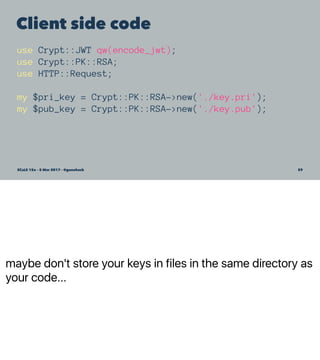
maybe don't store your keys in files in the same directory as
your code...
Client side code
use Crypt::JWT qw(encode_jwt);
use Crypt::PK::RSA;
use HTTP::Request;
my $pri_key = Crypt::PK::RSA->new('./key.pri');
my $pub_key = Crypt::PK::RSA->new('./key.pub');
SCaLE 15x – 5 Mar 2017 – @genehack 59
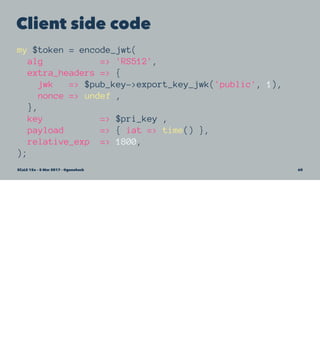
Client side code
my $token = encode_jwt(
alg => 'RS512',
extra_headers => {
jwk => $pub_key->export_key_jwk('public', 1),
nonce => undef ,
},
key => $pri_key ,
payload => { iat => time() },
relative_exp => 1800,
);
SCaLE 15x – 5 Mar 2017 – @genehack 60
Client side code
HTTP::Request->new(
'POST' => 'https://example.com/endpoint',
['Authorization' => "Bearer $token"],
encode_json({ request => 'body' })
);
SCaLE 15x – 5 Mar 2017 – @genehack 61
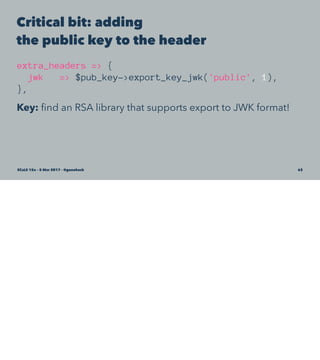
Critical bit: adding
the public key to the header
extra_headers => {
jwk => $pub_key->export_key_jwk('public', 1),
},
Key: find an RSA library that supports export to JWK format!
SCaLE 15x – 5 Mar 2017 – @genehack 62
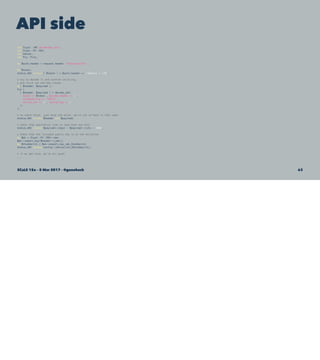
API side
use Crypt::JWT qw(decode_jwt);
use Crypt::PK::RSA;
use Dancer;
use Try::Tiny;
my $auth_header = request_header 'Authorization' ;
my $token;
status_401 unless ( $token ) = $auth_header =~ /^Bearer (.*)$/;
# try to decode it and confirm valid sig,
# and valid iat and exp claims
my( $header, $payload );
try {
( $header, $payload ) = decode_jwt(
token => $token , decode_header => 1 ,
accepted_alg => 'RS512' ,
verify_iat => 1 , verify_exp => 1
);
};
# no catch block, just drop the error, we're out of here in that case
status_401 unless $header and $payload;
# check that expiration time is less than one hour
status_401 unless $payload->{exp} - $payload->{iat} < 3600;
# check that the included public key is on the whitelist
my $pk = Crypt::PK::RSA->new;
$pk->import_key($header->{jwk});
my $thumbprint = $pk->export_key_jwk_thumbprint;
status_401 unless config->{whitelist}{$thumbprint};
# if we get here, we're all good!
...
SCaLE 15x – 5 Mar 2017 – @genehack 63
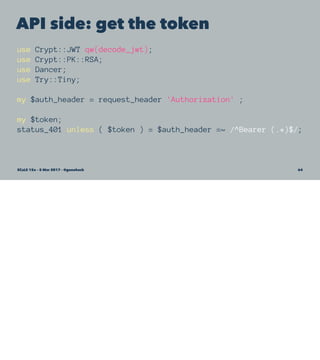
API side: get the token
use Crypt::JWT qw(decode_jwt);
use Crypt::PK::RSA;
use Dancer;
use Try::Tiny;
my $auth_header = request_header 'Authorization' ;
my $token;
status_401 unless ( $token ) = $auth_header =~ /^Bearer (.*)$/;
SCaLE 15x – 5 Mar 2017 – @genehack 64
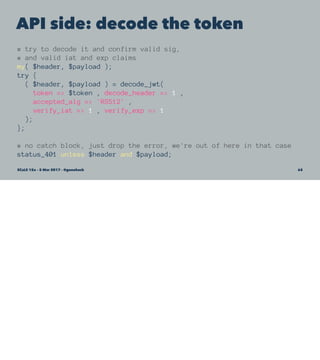
API side: decode the token
# try to decode it and confirm valid sig,
# and valid iat and exp claims
my( $header, $payload );
try {
( $header, $payload ) = decode_jwt(
token => $token , decode_header => 1 ,
accepted_alg => 'RS512' ,
verify_iat => 1 , verify_exp => 1
);
};
# no catch block, just drop the error, we're out of here in that case
status_401 unless $header and $payload;
SCaLE 15x – 5 Mar 2017 – @genehack 65
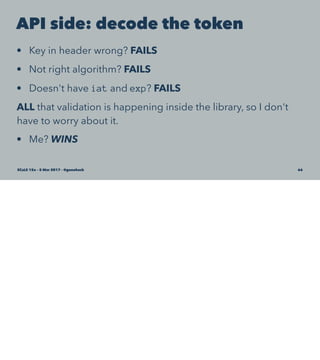
API side: decode the token
• Key in header wrong? FAILS
• Not right algorithm? FAILS
• Doesn't have iat and exp? FAILS
ALL that validation is happening inside the library, so I don't
have to worry about it.
• Me? WINS
SCaLE 15x – 5 Mar 2017 – @genehack 66
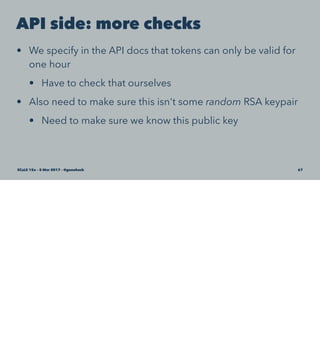
API side: more checks
• We specify in the API docs that tokens can only be valid for
one hour
• Have to check that ourselves
• Also need to make sure this isn't some random RSA keypair
• Need to make sure we know this public key
SCaLE 15x – 5 Mar 2017 – @genehack 67
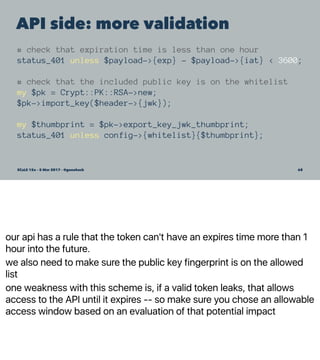
our api has a rule that the token can't have an expires time more than 1
hour into the future.
we also need to make sure the public key fingerprint is on the allowed
list
one weakness with this scheme is, if a valid token leaks, that allows
access to the API until it expires -- so make sure you chose an allowable
access window based on an evaluation of that potential impact
API side: more validation
# check that expiration time is less than one hour
status_401 unless $payload->{exp} - $payload->{iat} < 3600;
# check that the included public key is on the whitelist
my $pk = Crypt::PK::RSA->new;
$pk->import_key($header->{jwk});
my $thumbprint = $pk->export_key_jwk_thumbprint;
status_401 unless config->{whitelist}{$thumbprint};
SCaLE 15x – 5 Mar 2017 – @genehack 68
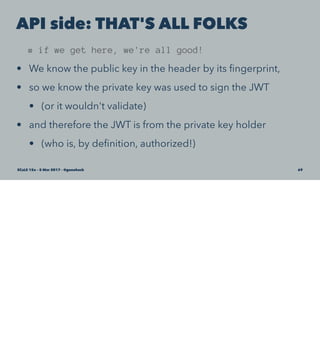
API side: THAT'S ALL FOLKS
# if we get here, we're all good!
• We know the public key in the header by its fingerprint,
• so we know the private key was used to sign the JWT
• (or it wouldn't validate)
• and therefore the JWT is from the private key holder
• (who is, by definition, authorized!)
SCaLE 15x – 5 Mar 2017 – @genehack 69
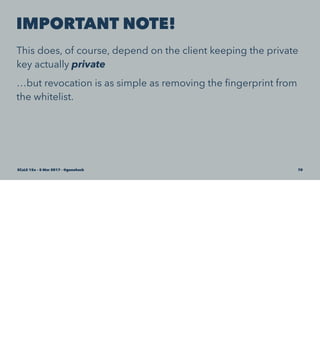
IMPORTANT NOTE!
This does, of course, depend on the client keeping the private
key actually private
…but revocation is as simple as removing the fingerprint from
the whitelist.
SCaLE 15x – 5 Mar 2017 – @genehack 70
More advanced usage
• Encrypted payloads (JWE)
• Nested JWT
See those RFCs!
SCaLE 15x – 5 Mar 2017 – @genehack 71
Conclusions
• JWTs solve some really common problems.
• JWTs solve them in a pretty elegant way.
• This is really pretty damn cool.
SCaLE 15x – 5 Mar 2017 – @genehack 72
Conclusions
• JWTs solve some really common problems.
• JWTs solve them in a pretty elegant way.
• This is really pretty damn cool!!!
• You should think about using JWTs.
SCaLE 15x – 5 Mar 2017 – @genehack 73
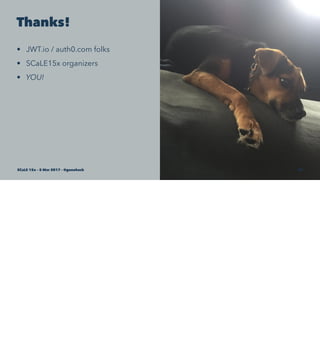
Thanks!
• JWT.io / auth0.com folks
• SCaLE15x organizers
• YOU!
SCaLE 15x – 5 Mar 2017 – @genehack 74
SCaLE 15x – 5 Mar 2017 – @genehack 75
Questions?
SCaLE 15x – 5 Mar 2017 – @genehack 76

JSON Web Tokens Will Improve Your Life

  • 1.
    JSON Web Tokens WillImprove Your Life John SJ Anderson | @genehack | SCaLE 15x | 5 Mar 2017 SCaLE 15x – 5 Mar 2017 – @genehack 1
  • 2.
    Hi, I'm John. a/k/a@genehack SCaLE 15x – 5 Mar 2017 – @genehack 2
  • 3.
    VP, Tech Infinity Interactive SCaLE 15x– 5 Mar 2017 – @genehack 3
  • 4.
    Now that I'vebeen promoted into a management position, I don't get to do all that much coding anymore. When I do end up with a coding project, Sammy helps me out from her cushion under my desk This is my dog, Sammy a/k/a @sammyGenehack SCaLE 15x – 5 Mar 2017 – @genehack 4
  • 5.
    who's heard ofJWTs before this talk? who's using JWTs? So, what's a JWT? SCaLE 15x – 5 Mar 2017 – @genehack 5
  • 6.
    jwt.io SCaLE 15x –5 Mar 2017 – @genehack 6
  • 7.
    Sadly, Sammy suffersfrom the horrible disease RSF -- Resting Stoned Face What Does That Even MeanSCaLE 15x – 5 Mar 2017 – @genehack 7
  • 8.
    Holy RFCs, Batman •RFC 7519 - JSON Web Token (JWT) SCaLE 15x – 5 Mar 2017 – @genehack 8
  • 9.
    It turns out,it's not just RFC7519 you need to worry about... Holy RFCs, Batman • RFC 7515 - JSON Web Signature (JWS) • RFC 7516 - JSON Web Encryption (JWE) • RFC 7517 - JSON Web Key (JWK) • RFC 7518 - JSON Web Algorithms (JWA) • RFC 7519 - JSON Web Token (JWT) • RFC 7520 - Examples of Protecting Content Using JSON Object Signing and Encryption (JOSE) SCaLE 15x – 5 Mar 2017 – @genehack 9
  • 10.
    Sammy found these RFCs abit …dry SCaLE 15x – 5 Mar 2017 – @genehack 10
  • 11.
    Think of JWTsas… • A lightweight alternative to cookies (kinda, sorta) • ...that also works with CLI, mobile, or even desktop apps • An authorization or access control mechanism • ...kinda like OAuth but without losing the will to live • Cross-domain friendly SCaLE 15x – 5 Mar 2017 – @genehack 11
  • 12.
    Made of stuffyou already know • Plain ol' JSON Objects (POJOs) • Stringified, encoded, and cryptographically signed • Transmitted over HTTP(S) SCaLE 15x – 5 Mar 2017 – @genehack 12
  • 13.
    Dot-delim Three parts... Let's lookat each of these three parts in a bit more detail What do they look like? • dot-delimited string ('.') • 3 parts • header • payload • signature • Example: xxx.yyyyy.zzz SCaLE 15x – 5 Mar 2017 – @genehack 13
  • 14.
    JWT teardown: header •Plain ole JSON object • Base64 encoded • Typically metadata, such as token type and signing algorithm { "alg": "HS256", "typ": "JWT" } SCaLE 15x – 5 Mar 2017 – @genehack 14
  • 15.
    JWT teardown: payload •Another Base64 encoded POJO • Contains "claims" – just key-value data • Types of keys: reserved, public, private { "name": "SCaLE 15x", "admin": false, "iat": 1488562999 } SCaLE 15x – 5 Mar 2017 – @genehack 15
  • 16.
    JWT teardown: signature •Encoded header POJO, plus • Encoded payload POJO, plus • A secret, plus • Signing algorithm from header alg key SCaLE 15x – 5 Mar 2017 – @genehack 16
  • 17.
    I'm going tobe showing a fair amount of code in this talk -- maybe a bit too much code -- but I really wanted to drive home how simple and elegant JWTs are, and showing how they actually work on a code level is the best way to do that, IMO In real practice, you'd almost certainly be using a library for most of the code I'm showing, but since the point is how uncomplicated most of these operations are, I wanted to give you some idea of what was happening inside that code For each code sample, I'm going to show the whole code sample -- and it's going to be way too small to read. I'm doing that just so you can see, it's really not that much code. We'll then step through each one in much smaller 3 or 4 line chunks. A word about my code samples SCaLE 15x – 5 Mar 2017 – @genehack 17
  • 18.
    Making a JWT functionbase64EncodeJson (pojo) { var jsonString = JSON.stringify(pojo); var encoded = new Buffer(jsonString).toString("base64"); return encoded; } function hmacIt (string, secret) { var hmac = crypto.createHmac("sha256" , secret); hmac.update(string); var signature = hmac.digest("hex"); return signature; } var header = { "alg": "HS256", "typ": "JWT" }; var payload = { "name": "SCaLE 15x", "admin": false, "iat": 1488562999 }; var secret = "be wery, wery qwiet, we're hunting JWTs"; var encodedHeader = base64EncodeJson(header); var encodedPayload = base64EncodeJson(payload); var signature = hmacIt(encodedHeader + "." + encodedPayload, secret); var jwt = encodedHeader + "." + encodedPayload + "." + signature; SCaLE 15x – 5 Mar 2017 – @genehack 18
  • 19.
    Helper functions function base64EncodeJson(pojo) { var jsonString = JSON.stringify(pojo); var encoded = new Buffer(jsonString) .toString("base64"); return encoded; } SCaLE 15x – 5 Mar 2017 – @genehack 19
  • 20.
    Helper functions function hmacIt(string, secret) { var hmac = crypto.createHmac("sha256" , secret); hmac.update(string); var signature = hmac.digest("hex"); return signature; } SCaLE 15x – 5 Mar 2017 – @genehack 20
  • 21.
    The actual data varheader = { "alg": "HS256", "typ": "JWT" }; var payload = { "name": "SCaLE 15x", "admin": false, "iat": 1488562999 }; var secret = "be wery, wery qwiet, we're hunting JWTs"; SCaLE 15x – 5 Mar 2017 – @genehack 21
  • 22.
    Really generating thesignature var encodedHeader = base64EncodeJson(header); var encodedPayload = base64EncodeJson(payload); var signature = hmacIt( encodedHeader + "." + encodedPayload, secret ); var jwt = encodedHeader + "." + encodedPayload + "." + signature; SCaLE 15x – 5 Mar 2017 – @genehack 22
  • 23.
  • 24.
    Validation SCaLE 15x –5 Mar 2017 – @genehack 24
  • 25.
    Validation SCaLE 15x –5 Mar 2017 – @genehack 25
  • 26.
    Validation SCaLE 15x –5 Mar 2017 – @genehack 26
  • 27.
    Validation SCaLE 15x –5 Mar 2017 – @genehack 27
  • 28.
    Libraries for DAYS SCaLE15x – 5 Mar 2017 – @genehack 28
  • 29.
    Frequently more than1 library for a given platform, with varying degrees of support Libraries for DAYS • .NET, Python, Node, Java, Javascript, Ruby, Perl, Go, PHP • Haskell, Rust, Lua, Scala, Clojure, ObjectiveC, Swift, Delphi • Support for your favorite language/platform is probably not an issue SCaLE 15x – 5 Mar 2017 – @genehack 29
  • 30.
    At this point,Sammy perked back up a little bit. Now that we were past the RFC reading stage, and she'd seen how simple and elegant JWTs were conceptually, she starting asking... OK, you've got my attention SCaLE 15x – 5 Mar 2017 – @genehack 30
  • 31.
    How do I actually use JWTs?SCaLE 15x– 5 Mar 2017 – @genehack 31
  • 32.
    there are coupleof different ways, because JWTs are intentionally pretty flexible. but one way you'll probably end up using them is as part of a fairly standard authentication/ authorization type flow Basic auth/authz usage (image stolen from jwt.io) SCaLE 15x – 5 Mar 2017 – @genehack 32
  • 33.
    Things to beaware of • Payload/header NOT encrypted • …don't send anything sensitive! • Need to control expiration, re-issue, etc. • Some APIs will send a fresh JWT to the client per-request • Sites other than issuing site can receive JWT • …but they must share the secret to validate SCaLE 15x – 5 Mar 2017 – @genehack 33
  • 34.
    How is itactually transmitted? • Up to you! Various methods: • As part of the URL in a GET • In a POST body • In the Authorization header using Bearer scheme: Authorization: Bearer <token> SCaLE 15x – 5 Mar 2017 – @genehack 34
  • 35.
    Sammy isn't verybig on theory. She likes to see the actual implementation so she can really understand what's going on... How would you actually use this in an app? SCaLE 15x – 5 Mar 2017 – @genehack 35
  • 36.
    Node code forgenerating a token after a successful login Generate a token on login app.post('/user/login', app.wrap(user_login)); var jwt = require('jwt'); // helper wrapper around 'jsonwebtoken' function * user_login (req, res) { if (! (req.body.email && req.body.password)) { res.status(400); res.json({message: 'invalid request'}); return; } var user = yield _fetch_user_by_email(req.body.email); var claims; if (_pw_validate(user.password, req.body.password)) { claims = { user_id: user.id }; } else { res.status(401); res.header('WWW-Authenticate', 'Bearer realm=myapp'); res.json({ message: 'authorization required' }); return; } // sign the claim set and return the token in a header var token = jwt.sign(claims); res.append('X-MyApp-Token', token); res.status(200); } SCaLE 15x – 5 Mar 2017 – @genehack 36
  • 37.
    This code isfrom an express app, so first we have to declare a route Then we import a helper library that's just a thin wrapper around the jsonwebtoken NPM library. Generate a token on login app.post('/user/login', app.wrap(user_login)); var jwt = require('jwt'); // helper wrapper around 'jsonwebtoken' function * user_login (req, res) { if (! (req.body.email && req.body.password)) { res.status(400); res.json({message: 'invalid request'}); return; } SCaLE 15x – 5 Mar 2017 – @genehack 37
  • 38.
    Generate a tokenon login var user = yield _fetch_user_by_email(req.body.email); var claims; if (_pw_validate(user.password, req.body.password)) { claims = { user_id: user.id }; } else { res.status(401); res.header('WWW-Authenticate', 'Bearer realm=myapp'); res.json({ message: 'authorization required' }); return; } SCaLE 15x – 5 Mar 2017 – @genehack 38
  • 39.
    Generate a tokenon login // sign the claim set and return the token in a header var token = jwt.sign(claims); res.append('X-MyApp-Token', token); res.status(200); } SCaLE 15x – 5 Mar 2017 – @genehack 39
  • 40.
    OK, that's how you makeone. How do you validate it? SCaLE 15x – 5 Mar 2017 – @genehack 40
  • 41.
    Again, because thisis Express, we can do validation in a middleware. That'll make sure it happens on every request. Validate with a middleware // enable JWT-verification middleware var jwt = require('jwt'); // helper wrapper around 'jsonwebtoken' app.use(function (req, res, next) { // initialize the jwt object req.jwt = {}; // now parse the Authorization header if it exists Promise.resolve(req.headers.authorization).then(function (auth) { // If the Authorization header is present and employs the correct // Bearar scheme, extract the token and attempt to verify it. if (auth) { var scheme = auth.split(' ')[0]; var token = auth.split(' ')[1]; if (scheme == 'Bearer') { return jwt.verify(token).catch(function (error) { throw new Error('failed to verify claim'); }); } } throw new Error('authorization not attempted'); }) .then(function (payload) { req.jwt = payload; next(); }) .catch(function (error) { // Allow login and signed URLs without JWT if (req.path == '/user/login' && req.method == 'POST') { return next(); } res.status(401); res.header('WWW-Authenticate', 'Bearer realm=myapp'); res.json({ message: 'authorization required' }); }); }); SCaLE 15x – 5 Mar 2017 – @genehack 41
  • 42.
    Validate with amiddleware // enable JWT-verification middleware var jwt = require('jwt'); // helper wrapper around 'jsonwebtoken' app.use(function (req, res, next) { // initialize the jwt object req.jwt = {}; SCaLE 15x – 5 Mar 2017 – @genehack 42
  • 43.
    Validate with amiddleware // now parse the Authorization header if it exists Promise.resolve(req.headers.authorization).then(function (auth) { // If the Authorization header is present and employs the correct // Bearar scheme, extract the token and attempt to verify it. if (auth) { var scheme = auth.split(' ')[0]; var token = auth.split(' ')[1]; if (scheme === 'Bearer') { return jwt.verify(token).catch(function (error) { throw new Error('failed to verify claim'); }); } } throw new Error('authorization not attempted'); }) SCaLE 15x – 5 Mar 2017 – @genehack 43
  • 44.
    Validate with amiddleware .then(function (payload) { req.jwt = payload; next(); }) SCaLE 15x – 5 Mar 2017 – @genehack 44
  • 45.
    Validate with amiddleware .catch(function (error) { // Allow login and signed URLs without JWT if (req.path == '/user/login' && req.method == 'POST') { return next(); } res.status(401); res.header('WWW-Authenticate', 'Bearer realm=myapp'); res.json({ message: 'authorization required' }); }); }); SCaLE 15x – 5 Mar 2017 – @genehack 45
  • 46.
    At this point,Sammy was pretty impressed and happy, and was making plans to use JWTs in all her future projects. But she wondered if there was anything else JWTs could do for her... That's cool. What else you got? SCaLE 15x – 5 Mar 2017 – @genehack 46
  • 47.
    This is actuallythe feature of JWTs that inspired me to give this talk, because JWTs provide an easy solution for a problem that I feel like I've run into time and time again in my coding career Recurring dilemma: 'lightweight' access control SCaLE 15x – 5 Mar 2017 – @genehack 47
  • 48.
    leave it wideopen or implement full login ...and then user management, admin screens, etc. or oauth -- but i've never had a good experience using oauth. anybody here like oauth? Recurring dilemma: 'lightweight' access control • Option 1: leave it wide open • a/k/a the MongoDB or WTF,YOLO! pattern • Option 2: implement full authn/authz subsystem • …again • Option 3: OAuth !!!!!! SCaLE 15x – 5 Mar 2017 – @genehack 48
  • 49.
    photo credits * open= https://www.flickr.com/photos/ keoni101/5356662124/ Where's the middle ground? SCaLE 15x – 5 Mar 2017 – @genehack 49
  • 50.
    photo credits * vault= https://www.flickr.com/photos/ goodfeeling/24796188573/ Where's the middle ground? SCaLE 15x – 5 Mar 2017 – @genehack 50
  • 51.
    photo credit =https://www.flickr.com/photos/slemmon/ 4938498564 A screen door for APIs SCaLE 15x – 5 Mar 2017 – @genehack 51
  • 52.
    Authorization without authentication •Scenario: • You have an API • You don't want to make anybody authenticate to use it • You don't want it wide open to the Internet either • a/k/a authz without authn SCaLE 15x – 5 Mar 2017 – @genehack 52
  • 53.
    Solution: JWT withRSA keys • Alternative to secret in previous scenario: RSA key-pair • Can include the public key in the JWT header using JWK • JSON Web Key, natch • Allows API client to produce claims in a verifiable way SCaLE 15x – 5 Mar 2017 – @genehack 53
  • 54.
    To set itup: • Give authorized API client an RSA key-pair • Record the fingerprint of the public key (important later!) • You can even let the client generate the key-pair • You just need the public key fingerprint SCaLE 15x – 5 Mar 2017 – @genehack 54
  • 55.
    On the clientside: • They make a JWT, using the private key to sign • They include the public key in the header • Include iat (issued-at) and exp (expires) claims • Send JWT in with API request SCaLE 15x – 5 Mar 2017 – @genehack 55
  • 56.
    On the APIside: • Get the public key out of the header • Validate the signature using the public key • Validate that public key fingerprint is white-listed • Signature produced with private key • Public key is white-listed • Therefore we know JWT is valid! SCaLE 15x – 5 Mar 2017 – @genehack 56
  • 57.
    Things to beaware of: • You still want to validate iat and exp and any other rules • Your library should probably do that stuff for you, mostly • Again, nothing is encrypted, so don't plan on sensitive stuff in the payload or header SCaLE 15x – 5 Mar 2017 – @genehack 57
  • 58.
    Client side code useCrypt::JWT qw(encode_jwt); use Crypt::PK::RSA; use HTTP::Request; # generate a JWT and POST a request my $pri_key = Crypt::PK::RSA->new('./key.pri'); my $pub_key = Crypt::PK::RSA->new('./key.pub'); my $token = encode_jwt( alg => 'RS512', extra_headers => { jwk => $pub_key->export_key_jwk('public', 1), nonce => undef , }, key => $pri_key , payload => { iat => time() }, relative_exp => 1800, ); HTTP::Request->new( 'POST' => 'https://example.com/endpoint', ['Authorization' => "Bearer $token"], encode_json({ request => 'body' }) ); SCaLE 15x – 5 Mar 2017 – @genehack 58
  • 59.
    maybe don't storeyour keys in files in the same directory as your code... Client side code use Crypt::JWT qw(encode_jwt); use Crypt::PK::RSA; use HTTP::Request; my $pri_key = Crypt::PK::RSA->new('./key.pri'); my $pub_key = Crypt::PK::RSA->new('./key.pub'); SCaLE 15x – 5 Mar 2017 – @genehack 59
  • 60.
    Client side code my$token = encode_jwt( alg => 'RS512', extra_headers => { jwk => $pub_key->export_key_jwk('public', 1), nonce => undef , }, key => $pri_key , payload => { iat => time() }, relative_exp => 1800, ); SCaLE 15x – 5 Mar 2017 – @genehack 60
  • 61.
    Client side code HTTP::Request->new( 'POST'=> 'https://example.com/endpoint', ['Authorization' => "Bearer $token"], encode_json({ request => 'body' }) ); SCaLE 15x – 5 Mar 2017 – @genehack 61
  • 62.
    Critical bit: adding thepublic key to the header extra_headers => { jwk => $pub_key->export_key_jwk('public', 1), }, Key: find an RSA library that supports export to JWK format! SCaLE 15x – 5 Mar 2017 – @genehack 62
  • 63.
    API side use Crypt::JWTqw(decode_jwt); use Crypt::PK::RSA; use Dancer; use Try::Tiny; my $auth_header = request_header 'Authorization' ; my $token; status_401 unless ( $token ) = $auth_header =~ /^Bearer (.*)$/; # try to decode it and confirm valid sig, # and valid iat and exp claims my( $header, $payload ); try { ( $header, $payload ) = decode_jwt( token => $token , decode_header => 1 , accepted_alg => 'RS512' , verify_iat => 1 , verify_exp => 1 ); }; # no catch block, just drop the error, we're out of here in that case status_401 unless $header and $payload; # check that expiration time is less than one hour status_401 unless $payload->{exp} - $payload->{iat} < 3600; # check that the included public key is on the whitelist my $pk = Crypt::PK::RSA->new; $pk->import_key($header->{jwk}); my $thumbprint = $pk->export_key_jwk_thumbprint; status_401 unless config->{whitelist}{$thumbprint}; # if we get here, we're all good! ... SCaLE 15x – 5 Mar 2017 – @genehack 63
  • 64.
    API side: getthe token use Crypt::JWT qw(decode_jwt); use Crypt::PK::RSA; use Dancer; use Try::Tiny; my $auth_header = request_header 'Authorization' ; my $token; status_401 unless ( $token ) = $auth_header =~ /^Bearer (.*)$/; SCaLE 15x – 5 Mar 2017 – @genehack 64
  • 65.
    API side: decodethe token # try to decode it and confirm valid sig, # and valid iat and exp claims my( $header, $payload ); try { ( $header, $payload ) = decode_jwt( token => $token , decode_header => 1 , accepted_alg => 'RS512' , verify_iat => 1 , verify_exp => 1 ); }; # no catch block, just drop the error, we're out of here in that case status_401 unless $header and $payload; SCaLE 15x – 5 Mar 2017 – @genehack 65
  • 66.
    API side: decodethe token • Key in header wrong? FAILS • Not right algorithm? FAILS • Doesn't have iat and exp? FAILS ALL that validation is happening inside the library, so I don't have to worry about it. • Me? WINS SCaLE 15x – 5 Mar 2017 – @genehack 66
  • 67.
    API side: morechecks • We specify in the API docs that tokens can only be valid for one hour • Have to check that ourselves • Also need to make sure this isn't some random RSA keypair • Need to make sure we know this public key SCaLE 15x – 5 Mar 2017 – @genehack 67
  • 68.
    our api hasa rule that the token can't have an expires time more than 1 hour into the future. we also need to make sure the public key fingerprint is on the allowed list one weakness with this scheme is, if a valid token leaks, that allows access to the API until it expires -- so make sure you chose an allowable access window based on an evaluation of that potential impact API side: more validation # check that expiration time is less than one hour status_401 unless $payload->{exp} - $payload->{iat} < 3600; # check that the included public key is on the whitelist my $pk = Crypt::PK::RSA->new; $pk->import_key($header->{jwk}); my $thumbprint = $pk->export_key_jwk_thumbprint; status_401 unless config->{whitelist}{$thumbprint}; SCaLE 15x – 5 Mar 2017 – @genehack 68
  • 69.
    API side: THAT'SALL FOLKS # if we get here, we're all good! • We know the public key in the header by its fingerprint, • so we know the private key was used to sign the JWT • (or it wouldn't validate) • and therefore the JWT is from the private key holder • (who is, by definition, authorized!) SCaLE 15x – 5 Mar 2017 – @genehack 69
  • 70.
    IMPORTANT NOTE! This does,of course, depend on the client keeping the private key actually private …but revocation is as simple as removing the fingerprint from the whitelist. SCaLE 15x – 5 Mar 2017 – @genehack 70
  • 71.
    More advanced usage •Encrypted payloads (JWE) • Nested JWT See those RFCs! SCaLE 15x – 5 Mar 2017 – @genehack 71
  • 72.
    Conclusions • JWTs solvesome really common problems. • JWTs solve them in a pretty elegant way. • This is really pretty damn cool. SCaLE 15x – 5 Mar 2017 – @genehack 72
  • 73.
    Conclusions • JWTs solvesome really common problems. • JWTs solve them in a pretty elegant way. • This is really pretty damn cool!!! • You should think about using JWTs. SCaLE 15x – 5 Mar 2017 – @genehack 73
  • 74.
    Thanks! • JWT.io /auth0.com folks • SCaLE15x organizers • YOU! SCaLE 15x – 5 Mar 2017 – @genehack 74
  • 75.
    SCaLE 15x –5 Mar 2017 – @genehack 75
  • 76.
    Questions? SCaLE 15x –5 Mar 2017 – @genehack 76