What is jQuery?
 jQuery is a JavaScript library
 Fast and concise, simplifies HTML
  documents traversing, event handling,
  animating, and Ajax interactions

   Basically, in many cases, a shorthand
    for JavaScript
Why jQuery is awesome!
 Lightweight, loads quickly
  - it’s only 31KB!
 CSS3 compliant
 Cross-browser compatibility
 Open source
 Easy to install & use
What jQuery does
 Makes it easier to implement animations
  and transitions into your page
 Also compresses other functionalities
  into shorter code
Who’s using jQuery?
 Google, Dell, Bank of America, MLB,
  Digg, NBC, CBS, Netflix, Mozilla,
  Wordpress, Drupal
 Many businesses, designers,
  developers
Examples
 Menus
 Galleries
 Parallax
 Animation & interactive content
 Maps
 Sliders
 Anything you can do with JavaScript,
  you can do with jQuery + more!
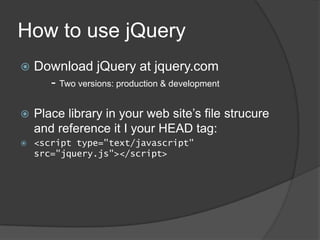
How to use jQuery
   Download jQuery at jquery.com
      - Two versions: production & development

   Place library in your web site’s file strucure
    and reference it I your HEAD tag:
   <script type="text/javascript"
    src="jquery.js"></script>
jQuery Resources
 jQuery.com
 W3schools.com


   Google it 
Implementing jQuery
 Go through tutorials online
 Install/use open source jQuery projects
  to your site for free
 Purchase jQuery projects/plug-ins


   Just like JavaScript projects ^
Why Use It?
   Smooth, concise, easy to learn
   Saves you time on coding and
    development
   Lots of websites are implementing it, so
    you probably need to learn it
   Works well alongside HTML5 and CSS3,
    which are quickly becoming the new
    standard
   Learning it now will put you ahead of the
    game

jQuery

  • 2.
    What is jQuery? jQuery is a JavaScript library  Fast and concise, simplifies HTML documents traversing, event handling, animating, and Ajax interactions  Basically, in many cases, a shorthand for JavaScript
  • 3.
    Why jQuery isawesome!  Lightweight, loads quickly - it’s only 31KB!  CSS3 compliant  Cross-browser compatibility  Open source  Easy to install & use
  • 4.
    What jQuery does Makes it easier to implement animations and transitions into your page  Also compresses other functionalities into shorter code
  • 5.
    Who’s using jQuery? Google, Dell, Bank of America, MLB, Digg, NBC, CBS, Netflix, Mozilla, Wordpress, Drupal  Many businesses, designers, developers
  • 6.
    Examples  Menus  Galleries Parallax  Animation & interactive content  Maps  Sliders  Anything you can do with JavaScript, you can do with jQuery + more!
  • 7.
    How to usejQuery  Download jQuery at jquery.com - Two versions: production & development  Place library in your web site’s file strucure and reference it I your HEAD tag:  <script type="text/javascript" src="jquery.js"></script>
  • 8.
    jQuery Resources  jQuery.com W3schools.com  Google it 
  • 9.
    Implementing jQuery  Gothrough tutorials online  Install/use open source jQuery projects to your site for free  Purchase jQuery projects/plug-ins  Just like JavaScript projects ^
  • 10.
    Why Use It?  Smooth, concise, easy to learn  Saves you time on coding and development  Lots of websites are implementing it, so you probably need to learn it  Works well alongside HTML5 and CSS3, which are quickly becoming the new standard  Learning it now will put you ahead of the game