Copyright © 2015, Oracle and/or its affiliates. All rights reserved. |
JDK8 : Streams
Bansi Haudakari
Oracle Confidential – Internal/Restricted/Highly Restricted 1
Copyright © 2015, Oracle and/or its affiliates. All rights reserved. |
Agenda
8 Features of JDK 8
Why Streams
How Streams Work
Streams Internals
Lets have some Fun With Hands-On Session
1
2
3
4
5
Oracle Confidential – Internal/Restricted/Highly Restricted 2
Copyright © 2015, Oracle and/or its affiliates. All rights reserved. |
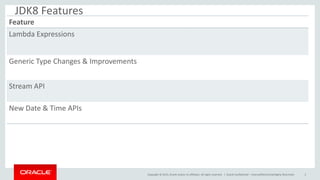
JDK8 Features
Oracle Confidential – Internal/Restricted/Highly Restricted 3
Feature
Lambda Expressions
Generic Type Changes & Improvements
Stream API
New Date & Time APIs
Copyright © 2015, Oracle and/or its affiliates. All rights reserved. |
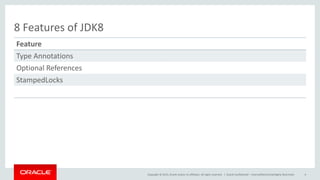
8 Features of JDK8
Oracle Confidential – Internal/Restricted/Highly Restricted 4
Feature
Type Annotations
Optional References
StampedLocks
Copyright © 2015, Oracle and/or its affiliates. All rights reserved. |
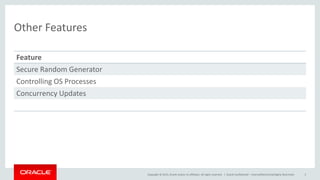
Other Features
Oracle Confidential – Internal/Restricted/Highly Restricted 5
Feature
Secure Random Generator
Controlling OS Processes
Concurrency Updates
Copyright © 2015, Oracle and/or its affiliates. All rights reserved. |
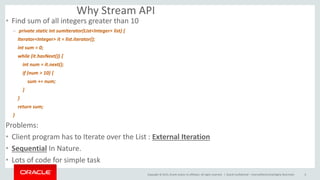
Why Stream API
• Find sum of all integers greater than 10
– private static int sumIterator(List<Integer> list) {
Iterator<Integer> it = list.iterator();
int sum = 0;
while (it.hasNext()) {
int num = it.next();
if (num > 10) {
sum += num;
}
}
return sum;
}
Problems:
• Client program has to Iterate over the List : External Iteration
• Sequential In Nature.
• Lots of code for simple task
Oracle Confidential – Internal/Restricted/Highly Restricted 6
Copyright © 2015, Oracle and/or its affiliates. All rights reserved. |
Why Stream API
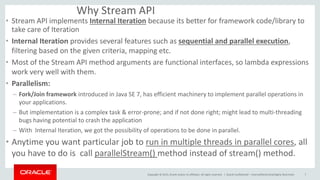
• Stream API implements Internal Iteration because its better for framework code/library to
take care of Iteration
• Internal Iteration provides several features such as sequential and parallel execution,
filtering based on the given criteria, mapping etc.
• Most of the Stream API method arguments are functional interfaces, so lambda expressions
work very well with them.
• Parallelism:
– Fork/Join framework introduced in Java SE 7, has efficient machinery to implement parallel operations in
your applications.
– But implementation is a complex task & error-prone; and if not done right; might lead to multi-threading
bugs having potential to crash the application
– With Internal Iteration, we got the possibility of operations to be done in parallel.
• Anytime you want particular job to run in multiple threads in parallel cores, all
you have to do is call parallelStream() method instead of stream() method.
Oracle Confidential – Internal/Restricted/Highly Restricted 7
Copyright © 2015, Oracle and/or its affiliates. All rights reserved. |
Design Rationale Behind Streams API
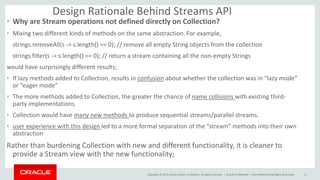
• Why are Stream operations not defined directly on Collection?
• Mixing two different kinds of methods on the same abstraction. For example,
strings.removeAll(s -> s.length() == 0); // remove all empty String objects from the collection
strings.filter(s -> s.length() == 0); // return a stream containing all the non-empty Strings
would have surprisingly different results;
• If lazy methods added to Collection, results in confusion about whether the collection was in “lazy mode”
or “eager mode”
• The more methods added to Collection, the greater the chance of name collisions with existing third-
party implementations.
• Collection would have many new methods to produce sequential streams/parallel streams.
• user experience with this design led to a more formal separation of the “stream” methods into their own
abstraction
Rather than burdening Collection with new and different functionality, it is cleaner to
provide a Stream view with the new functionality;
Oracle Confidential – Internal/Restricted/Highly Restricted 8
Copyright © 2015, Oracle and/or its affiliates. All rights reserved. |
Stream API Overview
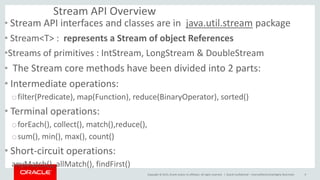
• Stream API interfaces and classes are in java.util.stream package
• Stream<T> : represents a Stream of object References
•Streams of primitives : IntStream, LongStream & DoubleStream
• The Stream core methods have been divided into 2 parts:
• Intermediate operations:
ofilter(Predicate), map(Function), reduce(BinaryOperator), sorted()
• Terminal operations:
oforEach(), collect(), match(),reduce(),
osum(), min(), max(), count()
• Short-circuit operations:
anyMatch(), allMatch(), findFirst()
Oracle Confidential – Internal/Restricted/Highly Restricted 9
Copyright © 2015, Oracle and/or its affiliates. All rights reserved. |
Functional Interfaces In Stream
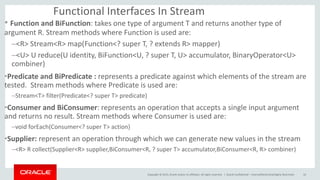
• Function and BiFunction: takes one type of argument T and returns another type of
argument R. Stream methods where Function is used are:
–<R> Stream<R> map(Function<? super T, ? extends R> mapper)
–<U> U reduce(U identity, BiFunction<U, ? super T, U> accumulator, BinaryOperator<U>
combiner)
•Predicate and BiPredicate : represents a predicate against which elements of the stream are
tested. Stream methods where Predicate is used are:
–Stream<T> filter(Predicate<? super T> predicate)
•Consumer and BiConsumer: represents an operation that accepts a single input argument
and returns no result. Stream methods where Consumer is used are:
–void forEach(Consumer<? super T> action)
•Supplier: represent an operation through which we can generate new values in the stream
–<R> R collect(Supplier<R> supplier,BiConsumer<R, ? super T> accumulator,BiConsumer<R, R> combiner)
Oracle Confidential – Internal/Restricted/Highly Restricted 10
Copyright © 2015, Oracle and/or its affiliates. All rights reserved. |
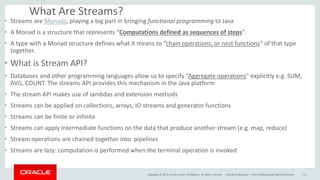
What Are Streams?
• Streams are Monads, playing a big part in bringing functional programming to Java
• A Monad is a structure that represents “Computations defined as sequences of steps”.
• A type with a Monad structure defines what it means to “chain operations, or nest functions” of that type
together.
• What is Stream API?
• Databases and other programming languages allow us to specify “Aggregate operations” explicitly e.g. SUM,
AVG, COUNT. The streams API provides this mechanism in the Java platform
• The stream API makes use of lambdas and extension methods
• Streams can be applied on collections, arrays, IO streams and generator functions
• Streams can be finite or infinite
• Streams can apply intermediate functions on the data that produce another stream (e.g. map, reduce)
• Stream operations are chained together into pipelines
• Streams are lazy: computation is performed when the terminal operation is invoked
Oracle Confidential – Internal/Restricted/Highly Restricted 11
Copyright © 2015, Oracle and/or its affiliates. All rights reserved. |
How Streams Work?
• Collection is an in-memory data structure to hold data
• Stream is neither a data structure nor a data-store.
• Stream performs computations on-demand.
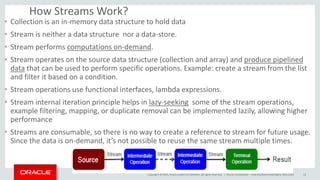
• Stream operates on the source data structure (collection and array) and produce pipelined
data that can be used to perform specific operations. Example: create a stream from the list
and filter it based on a condition.
• Stream operations use functional interfaces, lambda expressions.
• Stream internal iteration principle helps in lazy-seeking some of the stream operations,
example filtering, mapping, or duplicate removal can be implemented lazily, allowing higher
performance
• Streams are consumable, so there is no way to create a reference to stream for future usage.
Since the data is on-demand, it’s not possible to reuse the same stream multiple times.
Oracle Confidential – Internal/Restricted/Highly Restricted 12
Copyright © 2015, Oracle and/or its affiliates. All rights reserved. |
Stream In Action
Creating Streams:
• Use Stream.of() to create a stream from similar type of data. For example
– Stream<Integer> stream = Stream.of(1,2,3,4);
• use Stream.of() with an array of Objects to return the stream
– Stream<Integer> stream = Stream.of(new Integer[]{1,2,3,4});
• use Collection stream() to create sequential stream and parallelStream() to
create parallel stream.
– Stream<Integer> sequentialStream = myList.stream();
– Stream<Integer> parallelStream = myList.parallelStream();
• use Stream.generate() and Stream.iterate() methods to create Stream
– Stream<String> stream1 = Stream.generate(() -> {return "abc";});
– Stream<String> stream2 = Stream.iterate("abc", (i) -> i);
Oracle Confidential – Internal/Restricted/Highly Restricted 13
Copyright © 2015, Oracle and/or its affiliates. All rights reserved. |
Stream In Action
How to Get A Collection or Array From Stream:
• Use Stream collect() method to get List, Map or Set from stream
1) Stream<Integer> intStream = Stream.of(1,2,3,4);
List<Integer> intList = intStream.collect(Collectors.toList());
2)Map<Integer,Integer> intMap = intStream.collect(Collectors.toMap(i -> i, i -> i+10));
System.out.println(intMap); //prints {1=11, 2=12, 3=13, 4=14}
• Use stream toArray() method to create an array from the stream.
– Integer[] intArray = intStream.toArray(Integer[]::new);
Oracle Confidential – Internal/Restricted/Highly Restricted 14
Copyright © 2015, Oracle and/or its affiliates. All rights reserved. |
Stream In Action : Intermediate Operations
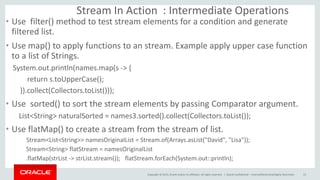
• Use filter() method to test stream elements for a condition and generate
filtered list.
• Use map() to apply functions to an stream. Example apply upper case function
to a list of Strings.
System.out.println(names.map(s -> {
return s.toUpperCase();
}).collect(Collectors.toList()));
• Use sorted() to sort the stream elements by passing Comparator argument.
List<String> naturalSorted = names3.sorted().collect(Collectors.toList());
• Use flatMap() to create a stream from the stream of list.
Stream<List<String>> namesOriginalList = Stream.of(Arrays.asList("David", "Lisa"));
Stream<String> flatStream = namesOriginalList
.flatMap(strList -> strList.stream()); flatStream.forEach(System.out::println);
Oracle Confidential – Internal/Restricted/Highly Restricted 15
Copyright © 2015, Oracle and/or its affiliates. All rights reserved. |
Stream In Action : Terminal Operations
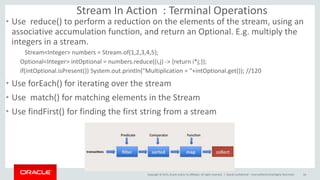
• Use reduce() to perform a reduction on the elements of the stream, using an
associative accumulation function, and return an Optional. E.g. multiply the
integers in a stream.
Stream<Integer> numbers = Stream.of(1,2,3,4,5);
Optional<Integer> intOptional = numbers.reduce((i,j) -> {return i*j;});
if(intOptional.isPresent()) System.out.println("Multiplication = "+intOptional.get()); //120
• Use forEach() for iterating over the stream
• Use match() for matching elements in the Stream
• Use findFirst() for finding the first string from a stream
Oracle Confidential – Internal/Restricted/Highly Restricted 16

JDK8 Streams

  • 1.
    Copyright © 2015,Oracle and/or its affiliates. All rights reserved. | JDK8 : Streams Bansi Haudakari Oracle Confidential – Internal/Restricted/Highly Restricted 1
  • 2.
    Copyright © 2015,Oracle and/or its affiliates. All rights reserved. | Agenda 8 Features of JDK 8 Why Streams How Streams Work Streams Internals Lets have some Fun With Hands-On Session 1 2 3 4 5 Oracle Confidential – Internal/Restricted/Highly Restricted 2
  • 3.
    Copyright © 2015,Oracle and/or its affiliates. All rights reserved. | JDK8 Features Oracle Confidential – Internal/Restricted/Highly Restricted 3 Feature Lambda Expressions Generic Type Changes & Improvements Stream API New Date & Time APIs
  • 4.
    Copyright © 2015,Oracle and/or its affiliates. All rights reserved. | 8 Features of JDK8 Oracle Confidential – Internal/Restricted/Highly Restricted 4 Feature Type Annotations Optional References StampedLocks
  • 5.
    Copyright © 2015,Oracle and/or its affiliates. All rights reserved. | Other Features Oracle Confidential – Internal/Restricted/Highly Restricted 5 Feature Secure Random Generator Controlling OS Processes Concurrency Updates
  • 6.
    Copyright © 2015,Oracle and/or its affiliates. All rights reserved. | Why Stream API • Find sum of all integers greater than 10 – private static int sumIterator(List<Integer> list) { Iterator<Integer> it = list.iterator(); int sum = 0; while (it.hasNext()) { int num = it.next(); if (num > 10) { sum += num; } } return sum; } Problems: • Client program has to Iterate over the List : External Iteration • Sequential In Nature. • Lots of code for simple task Oracle Confidential – Internal/Restricted/Highly Restricted 6
  • 7.
    Copyright © 2015,Oracle and/or its affiliates. All rights reserved. | Why Stream API • Stream API implements Internal Iteration because its better for framework code/library to take care of Iteration • Internal Iteration provides several features such as sequential and parallel execution, filtering based on the given criteria, mapping etc. • Most of the Stream API method arguments are functional interfaces, so lambda expressions work very well with them. • Parallelism: – Fork/Join framework introduced in Java SE 7, has efficient machinery to implement parallel operations in your applications. – But implementation is a complex task & error-prone; and if not done right; might lead to multi-threading bugs having potential to crash the application – With Internal Iteration, we got the possibility of operations to be done in parallel. • Anytime you want particular job to run in multiple threads in parallel cores, all you have to do is call parallelStream() method instead of stream() method. Oracle Confidential – Internal/Restricted/Highly Restricted 7
  • 8.
    Copyright © 2015,Oracle and/or its affiliates. All rights reserved. | Design Rationale Behind Streams API • Why are Stream operations not defined directly on Collection? • Mixing two different kinds of methods on the same abstraction. For example, strings.removeAll(s -> s.length() == 0); // remove all empty String objects from the collection strings.filter(s -> s.length() == 0); // return a stream containing all the non-empty Strings would have surprisingly different results; • If lazy methods added to Collection, results in confusion about whether the collection was in “lazy mode” or “eager mode” • The more methods added to Collection, the greater the chance of name collisions with existing third- party implementations. • Collection would have many new methods to produce sequential streams/parallel streams. • user experience with this design led to a more formal separation of the “stream” methods into their own abstraction Rather than burdening Collection with new and different functionality, it is cleaner to provide a Stream view with the new functionality; Oracle Confidential – Internal/Restricted/Highly Restricted 8
  • 9.
    Copyright © 2015,Oracle and/or its affiliates. All rights reserved. | Stream API Overview • Stream API interfaces and classes are in java.util.stream package • Stream<T> : represents a Stream of object References •Streams of primitives : IntStream, LongStream & DoubleStream • The Stream core methods have been divided into 2 parts: • Intermediate operations: ofilter(Predicate), map(Function), reduce(BinaryOperator), sorted() • Terminal operations: oforEach(), collect(), match(),reduce(), osum(), min(), max(), count() • Short-circuit operations: anyMatch(), allMatch(), findFirst() Oracle Confidential – Internal/Restricted/Highly Restricted 9
  • 10.
    Copyright © 2015,Oracle and/or its affiliates. All rights reserved. | Functional Interfaces In Stream • Function and BiFunction: takes one type of argument T and returns another type of argument R. Stream methods where Function is used are: –<R> Stream<R> map(Function<? super T, ? extends R> mapper) –<U> U reduce(U identity, BiFunction<U, ? super T, U> accumulator, BinaryOperator<U> combiner) •Predicate and BiPredicate : represents a predicate against which elements of the stream are tested. Stream methods where Predicate is used are: –Stream<T> filter(Predicate<? super T> predicate) •Consumer and BiConsumer: represents an operation that accepts a single input argument and returns no result. Stream methods where Consumer is used are: –void forEach(Consumer<? super T> action) •Supplier: represent an operation through which we can generate new values in the stream –<R> R collect(Supplier<R> supplier,BiConsumer<R, ? super T> accumulator,BiConsumer<R, R> combiner) Oracle Confidential – Internal/Restricted/Highly Restricted 10
  • 11.
    Copyright © 2015,Oracle and/or its affiliates. All rights reserved. | What Are Streams? • Streams are Monads, playing a big part in bringing functional programming to Java • A Monad is a structure that represents “Computations defined as sequences of steps”. • A type with a Monad structure defines what it means to “chain operations, or nest functions” of that type together. • What is Stream API? • Databases and other programming languages allow us to specify “Aggregate operations” explicitly e.g. SUM, AVG, COUNT. The streams API provides this mechanism in the Java platform • The stream API makes use of lambdas and extension methods • Streams can be applied on collections, arrays, IO streams and generator functions • Streams can be finite or infinite • Streams can apply intermediate functions on the data that produce another stream (e.g. map, reduce) • Stream operations are chained together into pipelines • Streams are lazy: computation is performed when the terminal operation is invoked Oracle Confidential – Internal/Restricted/Highly Restricted 11
  • 12.
    Copyright © 2015,Oracle and/or its affiliates. All rights reserved. | How Streams Work? • Collection is an in-memory data structure to hold data • Stream is neither a data structure nor a data-store. • Stream performs computations on-demand. • Stream operates on the source data structure (collection and array) and produce pipelined data that can be used to perform specific operations. Example: create a stream from the list and filter it based on a condition. • Stream operations use functional interfaces, lambda expressions. • Stream internal iteration principle helps in lazy-seeking some of the stream operations, example filtering, mapping, or duplicate removal can be implemented lazily, allowing higher performance • Streams are consumable, so there is no way to create a reference to stream for future usage. Since the data is on-demand, it’s not possible to reuse the same stream multiple times. Oracle Confidential – Internal/Restricted/Highly Restricted 12
  • 13.
    Copyright © 2015,Oracle and/or its affiliates. All rights reserved. | Stream In Action Creating Streams: • Use Stream.of() to create a stream from similar type of data. For example – Stream<Integer> stream = Stream.of(1,2,3,4); • use Stream.of() with an array of Objects to return the stream – Stream<Integer> stream = Stream.of(new Integer[]{1,2,3,4}); • use Collection stream() to create sequential stream and parallelStream() to create parallel stream. – Stream<Integer> sequentialStream = myList.stream(); – Stream<Integer> parallelStream = myList.parallelStream(); • use Stream.generate() and Stream.iterate() methods to create Stream – Stream<String> stream1 = Stream.generate(() -> {return "abc";}); – Stream<String> stream2 = Stream.iterate("abc", (i) -> i); Oracle Confidential – Internal/Restricted/Highly Restricted 13
  • 14.
    Copyright © 2015,Oracle and/or its affiliates. All rights reserved. | Stream In Action How to Get A Collection or Array From Stream: • Use Stream collect() method to get List, Map or Set from stream 1) Stream<Integer> intStream = Stream.of(1,2,3,4); List<Integer> intList = intStream.collect(Collectors.toList()); 2)Map<Integer,Integer> intMap = intStream.collect(Collectors.toMap(i -> i, i -> i+10)); System.out.println(intMap); //prints {1=11, 2=12, 3=13, 4=14} • Use stream toArray() method to create an array from the stream. – Integer[] intArray = intStream.toArray(Integer[]::new); Oracle Confidential – Internal/Restricted/Highly Restricted 14
  • 15.
    Copyright © 2015,Oracle and/or its affiliates. All rights reserved. | Stream In Action : Intermediate Operations • Use filter() method to test stream elements for a condition and generate filtered list. • Use map() to apply functions to an stream. Example apply upper case function to a list of Strings. System.out.println(names.map(s -> { return s.toUpperCase(); }).collect(Collectors.toList())); • Use sorted() to sort the stream elements by passing Comparator argument. List<String> naturalSorted = names3.sorted().collect(Collectors.toList()); • Use flatMap() to create a stream from the stream of list. Stream<List<String>> namesOriginalList = Stream.of(Arrays.asList("David", "Lisa")); Stream<String> flatStream = namesOriginalList .flatMap(strList -> strList.stream()); flatStream.forEach(System.out::println); Oracle Confidential – Internal/Restricted/Highly Restricted 15
  • 16.
    Copyright © 2015,Oracle and/or its affiliates. All rights reserved. | Stream In Action : Terminal Operations • Use reduce() to perform a reduction on the elements of the stream, using an associative accumulation function, and return an Optional. E.g. multiply the integers in a stream. Stream<Integer> numbers = Stream.of(1,2,3,4,5); Optional<Integer> intOptional = numbers.reduce((i,j) -> {return i*j;}); if(intOptional.isPresent()) System.out.println("Multiplication = "+intOptional.get()); //120 • Use forEach() for iterating over the stream • Use match() for matching elements in the Stream • Use findFirst() for finding the first string from a stream Oracle Confidential – Internal/Restricted/Highly Restricted 16