Introduction to JavaScript
JavaScript is a cross-platform, object-oriented scripting
language modeled after C++.
Scripting languages are programming languages that are
generally easy to learn, easy to use, excellent for small routines
and applications, and developed to serve a particular purpose.
JavaScript was written for the express purpose of adding
interactivity to Web pages.
As a scripting language, JavaScript is easy to learn and easy
to use.
You can embed commands directly into your HTML code and
the browser will interpret and run them at the appropriate time.
2
3.
Introduction to JavaScript
JavaScript is also much more forgiving than compiled
languages such as Java and C++.
Its syntax, the special combination of words and symbols used
by the language for programming commands, is simple and easy
to read.
Scripting languages are usually interpreted rather than
compiled. JavaScript is an interpreted language.
That means that a software routine called an interpreter must
translate a program’s statements into machine code, code
understandable by a particular type of computer, before
executing them every time the program is run.
3
4.
Introduction to JavaScript
Compiled languages, on the other hand, are translated into
machine code and stored for later execution.
When the compiled program is run, it executes immediately
without further need of interpretation; it was interpreted into
machine code when it was compiled..
Because programs written in interpreted languages must be
translated into machine code every time they are run, they are
typically slower than compiled programs.
However, this does not usually present a problem for the small
applications for which scripting languages are generally used.
4
5.
Introduction to JavaScript
Beinginterpreted does have its advantages.
❖ One is platform independence. Because an interpreter
performs the translation, you can write your program once and
run it on a variety of platforms.
❖ All you need is the correct interpreter. In the case of
JavaScript, the interpreter is built into Web browsers.
❖ Browsers are available for a variety of platforms and
operating systems.
❖ Another advantage is that scripting languages are often
loosely typed and more forgiving than compiled languages.
5
6.
Running JavaScript
Anytime you include JavaScript in an HTML document, you
must enclose the code inside a <SCRIPT>...</SCRIPT> tag pair.
These tags alert the browser to begin interpreting all the text
between these tags as a script.
Because other scripting languages (such as Microsoft’s
VBScript) can take advantage of these script tags, you must
specify the name of the language in which the enclosed code is
written.
Therefore, when the browser receives this signal that your script
uses the JavaScript language, it employs its built-in JavaScript
interpreter to handle the code.
6
7.
Running JavaScript
JavaScriptis case-sensitive.
Hence, you must enter any item in your script that uses a
JavaScript word with the correct uppercase and lowercase
letters.
Your HTML tags (including the <SCRIPT> tag) can be in the
case of your choice, but everything in JavaScript is case-sensitive.
When a line of JavaScript doesn’t work, one of the things you
have to do is look for the wrong case first.
<script language=”JavaScript”>
//your script here
</script>
7
8.
Running JavaScript
Sometips to remember when writing JavaScript commands:
• JavaScript code is case sensitive (e.g. age and Age are
different variables)
• White space between words and tabs are ignored
• Line breaks are ignored except within a statement
• JavaScript statements end with a semi colon (;)
Adding JavaScript
There are three ways to add JavaScript commands to your
HTML pages.
• Embedding code
• Inline code
• External file
8
9.
Running JavaScript
1. ExternalFile
If you want to run the same JavaScript on several pages,
without having to write the same script on every page, you can
write a JavaScript in an external file. The external script should
not contain the <script></script> tags! Save the external
JavaScript file with a .js file extension. To use the external script,
point to the .js file in the "src" attribute of the <script> tag.
You can use the SRC attribute of the <SCRIPT> tag to call
JavaScript code from an external text file. It is called by the
following tag:
<SCRIPT language = "JavaScript" src = "filename">
</SCRIPT>
9
10.
Running JavaScript
2. Scriptsin <head> (Embeded Code)
Scripts to be executed when they are called, or when an event
is triggered, are placed in functions.
Put your functions in the head section, this way they are all in
one place, and they do not interfere with page content.
<html>
<head>
<script language="javascript">
function message()
{
10
11.
Running JavaScript
2. Scriptsin <head> (Embeded Code)
Scripts to be executed when they are called, or when an event
is triggered, are placed in functions.
Put your functions in the head section, this way they are all in
one place, and they do not interfere with page content.
<html>
<head>
<script language="javascript">
function message()
{
alert("This alert box was called
with the onload event");
}
11
</script>
</head>
<body
onload="message()">
</body>
</html>
12.
Running JavaScript
3. Scriptsin <body> (Inline Code)
If you don't want your script to be placed inside a function, or
if your script should write page content, it should be placed in the
body section. Scripts inside body is executed immediately when
the page loads. <html>
<head> </head>
<body>
<script language="javascript">
document.write("This message is written by
JavaScript");
</script>
</body> </html>
12
13.
Running JavaScript
Input-Output inJava
In JavaScript, input-output can be done in different ways:
▪ document.write(“message to display”);
▪ alert(“message to display”);
▪ prompt(“message to display”, “default value”);
▪ confirm(“message to display”);
document.write method writes a string to the web page.
Anything between double quotes will be displayed as it is in
the web page.
However, if there is something out of quotes, it is evaluated as
expression and the result will be sent to the web page.
13
14.
Running JavaScript
Thealert method is produces a browser alert box.
These are useful for debugging and learning the language.
However, they are not good way to communicate with the users.
alert() displays a modal window that presents a message to
the user with a single Ok button to dismiss the dialog box.
The prompt display includes a message, field for user query,
and two buttons (Ok, and Cancel).
The prompt(“”) returns string of text entered by user. It takes
two parameters: a message providing the prompt for the
response, and a default string which is used to fill in the text field.
14
15.
Running JavaScript
Aconfirm dialog box presents a message in a modal dialog
box along with Ok and Cancel buttons.
Such dialog boxes can be used to ask a question of the user,
usually prior to performing actions that will not be undoable.
The dialog box returns a Boolean value of Ok=true, and
Cancel=false;
Example:
var adult = confirm(“Are you sure you are older than 18 years?”)
if(adult)
alert(“Yes”);
else
alert(“No”);
15
16.
Working with variablesand data
In JavaScript, a variable can be one of several types.
Table 4-1 lists JavaScript’s formal data types, with examples
of the values.
16
Type Example Description
String “John” a series of characters inside quotation
marks
Number 4.5 any number not inside quotes
Boolean True a logical true or false
Null Null completely devoid of any value
Object a software thing that is defined by its
properties and methods
17.
Declaring Variables
Todeclare variable, we use the var keyword, followed by the
name we want to give to the variable.
var variablename;
Therefore, to declare a new variable called myAge, the
JavaScript statement is:
var myAge;
Variable names should obey a number of restrictions (rules) as
in any other programming language.
First, you cannot use any reserved keyword as a variable
name.
That includes all keywords currently used by the language and
all others held in reserve for future versions of JavaScript.
17
18.
Declaring Variables
Second,a variable name cannot contain space characters.
Should your description really benefit from more than one
word, you can use one of two conventions to join multiple words
as one.
The first is to place an underscore character between the
words; the other is to start the combination word with a lowercase
letter and capitalize the first letter of each subsequent word
within the name.
Both of the following examples are valid variable names:
var my_age;
var myAge;
18
19.
Declaring Variables
Variablenames have a couple of other important restrictions.
Avoid all punctuation symbols except for the underscore
character.
Also, the first character of a variable name cannot be a
numeral.
Example: correct variable declaration,
▪ var firstName;
▪ var weight;
▪ var he89;
▪ var TH_;
19
20.
Assigning values tovariable
After the declaration shown above, the variables are empty
which means they have no data values yet.
After declaring a variable, it is possible to assign a value to it
by using equal sign (=) as follows:
var myAge;
myAge = 45;
However, you can also assign values to the variables when you
just declare them:
var age=5;
var carName="Volvo";
20
21.
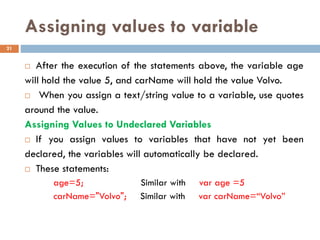
Assigning values tovariable
After the execution of the statements above, the variable age
will hold the value 5, and carName will hold the value Volvo.
When you assign a text/string value to a variable, use quotes
around the value.
Assigning Values to Undeclared Variables
If you assign values to variables that have not yet been
declared, the variables will automatically be declared.
These statements:
age=5; Similar with var age =5
carName="Volvo"; Similar with var carName=“Volvo”
21
22.
Declaring JavaScript variables
If you redeclare a JavaScript variable, it will not lose its
original value.
var age=5;
var age;
After the execution of the statements above, the variable age
will still have the value of 5.
The value of age is not reset (cleared) when you redeclare it.
JavaScript is a loosely typed language. Hence, variables can
store any type of data.
var value=“Hello world!”; //value store string data
value = 30.5; //value stores number data
22
23.
Comments in JavaScript
JavaScript supports two types of comments:
• Comments on a single line are preceded by a double-slash
(//).
• Comments that span multiple lines are preceded by /* and
followed by */
Example: the following example shows two comments:
//This next line prints text into the document
document.write("This line came from some JavaScript");
/* This is a multiple-line comment. This line shows an alert so
we know things worked properly */
alert("The text has been printed");
23
24.
Practice
1. Write inbody a JavaScript code that declares a variable
called name and assigns a value “William” to it.
2. Then display the content of the variable.
24
25.
Practice
1. Write inbody a JavaScript code that declares a variable
called name and assigns a value “William” to it.
2. Then display the content of the variable.
25
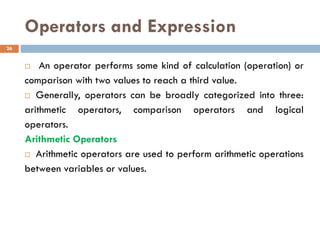
26.
Operators and Expression
An operator performs some kind of calculation (operation) or
comparison with two values to reach a third value.
Generally, operators can be broadly categorized into three:
arithmetic operators, comparison operators and logical
operators.
Arithmetic Operators
Arithmetic operators are used to perform arithmetic operations
between variables or values.
26
27.
Operators and Expression
An operator performs some kind of calculation (operation) or
comparison with two values to reach a third value.
Generally, operators can be broadly categorized into three:
1. arithmetic operators,
2. comparison operators
3. logical operators.
27
28.
Operators and Expression
ArithmeticOperators
Arithmetic operators are used to perform arithmetic operations
between variables or values.
Table 4.2 arithmetic operators
28
Operator Description
+ Perform addition of numbers
- Perform Subtraction
* Multiply numbers
/ Divide numbers
% Modulus (performs division and gets the remainder)
++ Increment
-- Decrement
29.
Operators and Expression
Example:
<scriptlanguage=“JavaScript”>
var x;
var y=5;
x = y+2; //x=7
x = y-2; //x=3
x = y*2; //x=10
x = y/2; //x=2.5
x = y%2; //x=1
x = ++y; //x=6
x = --y; //x=4
</script>
29
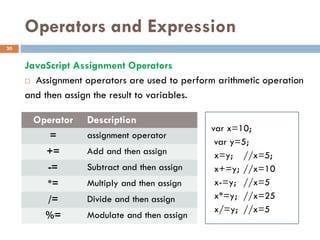
30.
Operators and Expression
JavaScriptAssignment Operators
Assignment operators are used to perform arithmetic operation
and then assign the result to variables.
30
Operator Description
= assignment operator
+= Add and then assign
-= Subtract and then assign
*= Multiply and then assign
/= Divide and then assign
%= Modulate and then assign
var x=10;
var y=5;
x=y; //x=5;
x+=y; //x=10
x-=y; //x=5
x*=y; //x=25
x/=y; //x=5
31.
Operators and Expression
ComparisonOperators
Comparison operators help you compare two or more values -
whether two values are equal, for example.
These kinds of comparisons return a value of the Boolean type
- true or false. Table 4.6 lists the comparison operators.
31
Symbol Description
== Equals
=== Exactly equal to (value and type)
!= Not equal to
> Greater than
>= Greater than or equal to
< Less than
<= Less than or equal to
32.
Operators and Expression
LogicalOperators
Logical operators are used to determine the logic between
variables or values.
Example:
var x=6;
var y=3;
var a = (x<10 && y>1); //a=true
var b = (x==5 || y==5); //b=false
var c = !(x==y); //c=true
32
Operator Description
&& And
|| Or
! Not
33.
Operators and Expression
BitwiseOperators
The Bitwise Operators operate on operands that are
composed of bits, that is, zeros and ones.
However, they return standard JavaScript numbers. These
operators are used very rarely.
33
Operator Operation Description
& Bitwise AND If bits of both operands are ones, then it returns
a one in each bit position.
^ Bitwise XOR If bits of either one but not both operands are
one, then it returns a one in a bit position.
| Bitwise OR If bits of either operand is one it returns a one
in a bit.
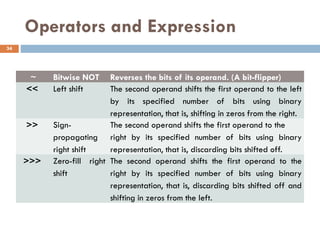
34.
Operators and Expression
~Bitwise NOT Reverses the bits of its operand. (A bit-flipper)
<< Left shift The second operand shifts the first operand to the left
by its specified number of bits using binary
representation, that is, shifting in zeros from the right.
>> Sign-
propagating
right shift
The second operand shifts the first operand to the
right by its specified number of bits using binary
representation, that is, discarding bits shifted off.
>>> Zero-fill right
shift
The second operand shifts the first operand to the
right by its specified number of bits using binary
representation, that is, discarding bits shifted off and
shifting in zeros from the left.
34
35.
Data type Conversion
The type of data in an expression can trip up some script
operations if the expected components of the operation are not
of the right data type.
JavaScript tries its best to perform internal conversions to head
off such problems.
However, if your intentions differ from the way JavaScript
treats the values, you won’t get the results you expect.
A case in point is adding numbers that may be in the form of
text strings.
In a simple arithmetic statement that adds two numbers
together, you get the expected result:
3 + 3; // result = 6
35
36.
Data type Conversion
But if one of those numbers is a string, JavaScript leans toward
converting the other value to a string - thus turning the plus sign’s
action from arithmetic addition to concatenating strings.
Therefore:
3 + “3”; // result = “33” instead of 6
the “string-ness” of the second value prevails over the entire
operation.
The first value is automatically converted to a string, and the
result joins the two strings.
36
37.
Data type Conversion
If you take this one step further, look what happens when
another number is added to the statement:
3 + 3 + “3”; // result = “63”
This might seem illogical, but there is logic behind this result.
The expression is evaluated from left to right.
The first plus operation works on two numbers, yielding a value
of 6. But as the 6 is about to be added to the “3,” JavaScript lets
the “string-ness” of the “3” rule.
The 6 is converted to a string, and two string values are joined
to yield “63.”
37
38.
Data type Conversion
If you take this one step further, look what happens when
another number is added to the statement:
3 + 3 + “3”; // result = “63”
This might seem illogical, but there is logic behind this result.
The expression is evaluated from left to right.
The first plus operation works on two numbers, yielding a value
of 6. But as the 6 is about to be added to the “3,” JavaScript lets
the “string-ness” of the “3” rule.
The 6 is converted to a string, and two string values are joined
to yield “63.”
38
39.
Data type Conversion
Convertingstring to numbers
If a numeric value is stored as a string—as it is when entered
into a form text field—your scripts will have difficulty applying
that value to a math operation.
The JavaScript language provides two built-in functions to
convert string representations of numbers to true numbers:
parseInt() and parseFloat().
The syntax is:
parseInt(string [,radix]);
parseFloat(string [,radix]);
radix, which is optional, specifies the base of the number to
convert to: hexadecimal, octal, or decimal, ..
39
40.
Data type Conversion
For example, look at the results of two different string values
when passed through the parseInt():
parseInt(“42”); // result = 42
parseInt(“42.33”); // result = 42
Even though the second expression passes the string version of
a floating-point number to the function, the value returned by the
function is an integer. No rounding of the value occurs here. The
decimal and everything to its right are simply stripped off.
The parseFloat() function returns an integer if it can; otherwise,
it returns a floating-point number:
parseFloat(“42”); // result = 42
parseFloat(“42.33”); // result = 42.33
40
41.
Data type Conversion
Convertingnumbers to string
JavaScript gravitates toward strings when faced with an
expression containing mixed data types. The simplest way to
convert a number to a string is by adding an empty string to a
number:
(“” + 2500); // result = “2500”
(“” + 2500).length; // result = 4
A more elegant way is to use the toString([radix]) method. For
example, to convert the dollars variable value to a string, use this
statement:
var dollars = 2500;
dollars.toString(); // result = “2500”
41
42.
Data type Conversion
You can specify a number base for the string representation of
the number.
Called the radix, the base number is added as a parameter to
the method name.
Here is an example of creating a numeric value for conversion
to its hexadecimal equivalent as a string:
var x = 30;
var y = x.toString(16); // result = “1e”
42
43.
Working with conditionalStatements
Conditional statements are used to perform different actions
based on different conditions. Broadly, there are two ways to
execute code conditionally in JavaScript:
• If statement and switch statement
1. If condition
The simplest program decision is to follow a special branch or
path of the program if a certain condition is true. Formal syntax
for this construction follows:
if (condition) {
statement[s] if true }
In the parentheses goes an expression that evaluates to a
Boolean value.
43
44.
Working with conditionalStatements
if . . . else Condition
Rather than specifying one detour for a given condition, you
might want the program to follow one of many branches
depending on that condition. The formal syntax definition for an
if...else construction is as follows:
if (condition) {
statement(s) if true }
[else if(condition){
statement(s) if true }]
[else {
statement(s) if false }]
[] indicates optional parts of the JavaScript code.
44
45.
Working with conditionalStatements
2. switch Statement
A switch statement allows a program to evaluate an expression
and attempt to match the expression's value to a case label. If a
match is found, the program executes the associated statement.
switch (expression) {
case label1:
statements1
[break;]
case label2:
statements2
[break;]
45
...
default:
statementsdefault
[break;]
}
46.
JavaScript Loops
A loopis a set of commands that executes repeatedly until a
specified condition is met.
JavaScript supports the for, do while, and while loop
statements. In addition, you can use the break and continue
statements within loop statements.
Another statement, for...in, executes statements repeatedly but
is used for object manipulation.
There are three loop statements in JavaScript:
1. for Statement
2. do...while Statement
3. while Statement
46
47.
JavaScript Loops
For loops
Afor loop repeats until a specified condition evaluates to false.
A for statement looks as follows:
for ([initialization]; [condition]; [increment]){
Statement(s) }
When a for loop executes, the following occurs:
1. The initializing expression initialization, if any, is executed. This expression usually
initializes one or more loop counters. This expression can also declare variables.
2. The condition expression is evaluated. If the value of condition is true, the loop
statements execute. If the value of condition is false, the loop terminates. If the
condition expression is omitted entirely, the condition is assumed to be true.
3. The statement executes. To execute multiple statements, use a block statement ({ ... })
to group those statements.
4. Execute the increment expression, if there is one, and control returns to step 2.
47
48.
JavaScript Loops
Example: aprogram that adds numbers from 0 to 10
var counter = 10;
var sum = 0;
for (var i = 0; i <= counter; i++) {
sum = sum + i;
}
document.write(“the sum is ” + sum);
48
49.
JavaScript Loops
do...while Statement
The do...while statement repeats until a specified condition
evaluates to false. A do...while statement looks as follows:
do{
statement
}while (condition);
statement executes once before the condition is checked.
If condition is true, the statement executes again.
At the end of every execution, the condition is checked.
When the condition is false, execution stops and control passes
to the statement following do...while.
49
50.
JavaScript Loops
while Statement
A while statement executes its statements as long as a
specified condition evaluates to true. A while statement looks as
follows:
while (condition){
statement
}
The condition test occurs before statement in the loop are
executed. If the condition returns true, statement is executed and
the condition is tested again.
If the condition returns false, execution stops and control is
passed to the statement following while.
50
51.
JavaScript Loops
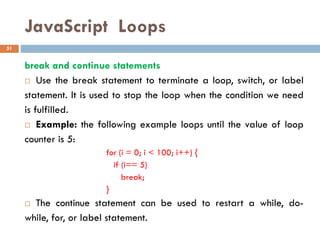
break andcontinue statements
Use the break statement to terminate a loop, switch, or label
statement. It is used to stop the loop when the condition we need
is fulfilled.
Example: the following example loops until the value of loop
counter is 5:
for (i = 0; i < 100; i++) {
if (i== 5)
break;
}
The continue statement can be used to restart a while, do-
while, for, or label statement.
51
52.
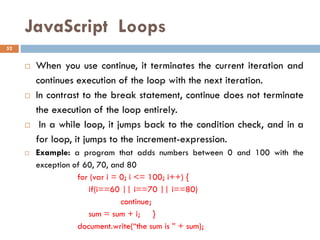
JavaScript Loops
Whenyou use continue, it terminates the current iteration and
continues execution of the loop with the next iteration.
In contrast to the break statement, continue does not terminate
the execution of the loop entirely.
In a while loop, it jumps back to the condition check, and in a
for loop, it jumps to the increment-expression.
Example: a program that adds numbers between 0 and 100 with the
exception of 60, 70, and 80
for (var i = 0; i <= 100; i++) {
if(i==60 || i==70 || i==80)
continue;
sum = sum + i; }
document.write(“the sum is ” + sum);
52
53.
JavaScript Arrays
Anarray is an ordered collection of data.
You can best visualize an array as a table, not much different
from a spreadsheet.
A JavaScript-enabled browser creates a number of internal
arrays for the objects in your HTML documents and browser
properties.
For example, if your document contains five links, the browser
maintains a table of those links.
You access them by number (with 0 being the first link) in the
array syntax as in document.links[0], which represents the first link
in the document.
53
54.
JavaScript Arrays
Toinitialize an array for your script, use the new keyword to
construct the object for you while assigning the array object to a
variable of your choice:
var myArray = new Array(n)
where n is the number of entries you anticipate for the array.
This initialization does not make any array entries or create
any placeholders.
Such preconditioning of arrays is not necessary in JavaScript.
54
55.
JavaScript Arrays
Example:an array that stores the names of planets
var planet = new Array(9); //an array with 9 entries
planet[0] = “Mercury”;
planet[1] = “Venus”;
planet[2] = “Earth”;
planet[3] = “Mars”;
planet[4] = “Jupiter”;
planet[5] = “Saturn”;
planet[6] = “Uranus”;
planet[7] = “Neptune”;
planet[8] = “Pluto”;
55
56.
JavaScript Arrays
Youcan also create array by directly giving the values:
Planet = new Array(“Mercury”, ”Venus”, ”Earth”, ”Mars”,
“Jupiter”, “Saturn”, ”Uranus”, ”Neptune”,”Pluto”);
You can also create the planets array like:
var planet= [“Mercury”, ”Venus”, ”Earth”, ”Mars”, “Jupiter”,
“Saturn”, ”Uranus”, ”Neptune”, ”Pluto”];
In general, you can create array in three different ways in
JavaScript. The syntax is:
arrayName = new Array(arrayLength);
arrayName = new Array(element0, element1, ..., elementN);
arrayName = [element0, element1, ..., elementN];
56
57.
JavaScript Arrays
Access anArray
If you use the document.write() Method with just the name of
the array as the argument, you will get one long text string that is
composed of each element of the array like this:
document.write(planet);
which would render the following output, noting that JavaScript
does not store the optional space between elements, but it does
store the comma separator:
Mercury,Venus,Earth,Mars,Jupiter,Saturn,Uranus,Neptune,Pluto
57
58.
JavaScript Arrays
Youcan refer to a particular element in an array by referring
to the name of the array and the index number. The index
number starts at 0 and end at n-1 for array of n entries. For
example, to access the fifth planet in the planets array, we use:
document.write(planet[4]); //prints Jupiter
If you wanted to output each element of the array individually
and create some additional markup, you can set up a for ()
statement like this:
for (var i=0; i < myArray1.length; i++) {
document.write(planet[i] + "<BR>");
}
58
59.
JavaScript Arrays
Deleting ArrayEntries
You can always set the value of an array entry to null or an
empty string to wipe out any data that used to occupy that
space.
But with the delete operator, you could not completely remove
the element. Deleting an array element eliminates the index from
the list of accessible index values but does not reduce the array’s
length, as in the following sequence of statements:
planet.length; // result: 9
delete planet[2];
planet.length; //result: 9
document.write(planet[2]); //result: undefined
59
60.
JavaScript Arrays
Two DimensionalArrays
To create a two-dimensional Array, just define two arrays and
assign one of the arrays as an Element of the other Array. To
access the elements of the nested array, you use a second set of
index subscripts.
You can also create multidimensional array like:
letter = [["alpha", "beta", "gamma", "delta"],
["blue", "red", "gold", "silver"],
["one", "two", "three", "four"],
["www", "xxx", "yyy", "zzz"]];
To display each row:
for(var i=0; i < letter.length; i++)
document.writeln("<br>" + letter[i]);
60
61.
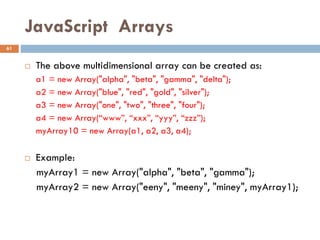
JavaScript Arrays
Theabove multidimensional array can be created as:
a1 = new Array("alpha", "beta", "gamma", "delta");
a2 = new Array("blue", "red", "gold", "silver");
a3 = new Array("one", "two", "three", "four");
a4 = new Array(“www”, “xxx”, “yyy”, “zzz”);
myArray10 = new Array(a1, a2, a3, a4);
Example:
myArray1 = new Array("alpha", "beta", "gamma");
myArray2 = new Array("eeny", "meeny", "miney", myArray1);
61
JavaScript Functions
Functionsare one of the fundamental building blocks in
JavaScript. A function is a set of statements that performs a
specific task. To use a function, you must first define it; then your
script can call it.
Defining Functions
A function definition consists of the function keyword, followed by:
• The name of the function.
• A list of arguments to the function, enclosed in parentheses and
separated by commas.
• The JavaScript statements that define the function, enclosed in
curly braces, { }. The statements in a function can include calls
to other functions defined in the current application.
63
64.
JavaScript Functions
Thesyntax to define function:
function functionName ( [parameter1]...[,parameterN] ) {
statement[s] }
Function names have the same restrictions as variable names.
You should devise a name that succinctly describes what the
function does. It is possible to use multiword names with the
interCap (internally capitalized) format that start with a verb
because functions are action items.
Example: the following code defines a simple function named
square:
function square(number) {
return number * number; }
64
65.
JavaScript Functions
Function Parameters
You can define functions so they receive parameter values from
the calling statement.
Parameters (also known as arguments) provide a mechanism
for “handing off” a value from one statement to another by way
of a function call.
If no parameters occur in the function definition, both the
function definition and call to the function have only empty sets of
parentheses.
When a function receives parameters, it assigns the incoming
values to the variable names specified in the function definition’s
parentheses.
65
66.
JavaScript Functions
Considerthe following script segment:
function sayHiToFirst(first, second, third) {
alert(“Say hello, “ + first)
}
sayHiToFirst(“Gracie”, “George”, “Harry”)
sayHiToFirst(“Larry”, “Moe”, “Curly”)
After the function is defined in the script, the next statement
calls that very function, passing three strings as parameters. The
function definition automatically assigns the strings to variables
first, second, and third. Therefore, before the alert() statement
inside the function ever runs, first evaluates to “Gracie,” second
evaluates to “George,” and third evaluates to “Harry
66
67.
JavaScript Functions
Inthe alert() statement, only the first value is used and the
alert reads
Say hello, Gracie
When the user closes the first alert, the next call to the function
occurs. This time through, different values are passed to the
function and assigned to first, second, and third. The alert dialog
box reads
Say hello, Larry
Unlike other variables that you define in your script, function
parameters do not use the var keyword to initialize them. They
are automatically initialized whenever the function is called.
67
68.
JavaScript Functions
The returnStatement
The return statement is used to specify the value that is
returned from the function. So, functions that are going to return a
value must use the return statement. The example below returns
the product of two numbers (a and b):
<html>
<head>
<script language=“JavaScript">
function product(op1, op2){
return op1*op2;
}
</script>
68
</head>
<body>
<script language=“JavaScript">
document.write(product(4,3));
</script>
</body>
</html>

















![Data type Conversion
Converting string to numbers
If a numeric value is stored as a string—as it is when entered
into a form text field—your scripts will have difficulty applying
that value to a math operation.
The JavaScript language provides two built-in functions to
convert string representations of numbers to true numbers:
parseInt() and parseFloat().
The syntax is:
parseInt(string [,radix]);
parseFloat(string [,radix]);
radix, which is optional, specifies the base of the number to
convert to: hexadecimal, octal, or decimal, ..
39](https://image.slidesharecdn.com/chapter4-javascript-260112135519-e6b3ccbe/85/Chapter-Four-web-programming-JavaScripts-39-320.jpg)
![Data type Conversion
Converting numbers to string
JavaScript gravitates toward strings when faced with an
expression containing mixed data types. The simplest way to
convert a number to a string is by adding an empty string to a
number:
(“” + 2500); // result = “2500”
(“” + 2500).length; // result = 4
A more elegant way is to use the toString([radix]) method. For
example, to convert the dollars variable value to a string, use this
statement:
var dollars = 2500;
dollars.toString(); // result = “2500”
41](https://image.slidesharecdn.com/chapter4-javascript-260112135519-e6b3ccbe/85/Chapter-Four-web-programming-JavaScripts-41-320.jpg)
![Working with conditional Statements
Conditional statements are used to perform different actions
based on different conditions. Broadly, there are two ways to
execute code conditionally in JavaScript:
• If statement and switch statement
1. If condition
The simplest program decision is to follow a special branch or
path of the program if a certain condition is true. Formal syntax
for this construction follows:
if (condition) {
statement[s] if true }
In the parentheses goes an expression that evaluates to a
Boolean value.
43](https://image.slidesharecdn.com/chapter4-javascript-260112135519-e6b3ccbe/85/Chapter-Four-web-programming-JavaScripts-43-320.jpg)
![Working with conditional Statements
if . . . else Condition
Rather than specifying one detour for a given condition, you
might want the program to follow one of many branches
depending on that condition. The formal syntax definition for an
if...else construction is as follows:
if (condition) {
statement(s) if true }
[else if(condition){
statement(s) if true }]
[else {
statement(s) if false }]
[] indicates optional parts of the JavaScript code.
44](https://image.slidesharecdn.com/chapter4-javascript-260112135519-e6b3ccbe/85/Chapter-Four-web-programming-JavaScripts-44-320.jpg)
![Working with conditional Statements
2. switch Statement
A switch statement allows a program to evaluate an expression
and attempt to match the expression's value to a case label. If a
match is found, the program executes the associated statement.
switch (expression) {
case label1:
statements1
[break;]
case label2:
statements2
[break;]
45
...
default:
statementsdefault
[break;]
}](https://image.slidesharecdn.com/chapter4-javascript-260112135519-e6b3ccbe/85/Chapter-Four-web-programming-JavaScripts-45-320.jpg)

![JavaScript Loops
For loops
A for loop repeats until a specified condition evaluates to false.
A for statement looks as follows:
for ([initialization]; [condition]; [increment]){
Statement(s) }
When a for loop executes, the following occurs:
1. The initializing expression initialization, if any, is executed. This expression usually
initializes one or more loop counters. This expression can also declare variables.
2. The condition expression is evaluated. If the value of condition is true, the loop
statements execute. If the value of condition is false, the loop terminates. If the
condition expression is omitted entirely, the condition is assumed to be true.
3. The statement executes. To execute multiple statements, use a block statement ({ ... })
to group those statements.
4. Execute the increment expression, if there is one, and control returns to step 2.
47](https://image.slidesharecdn.com/chapter4-javascript-260112135519-e6b3ccbe/85/Chapter-Four-web-programming-JavaScripts-47-320.jpg)


![JavaScript Arrays
An array is an ordered collection of data.
You can best visualize an array as a table, not much different
from a spreadsheet.
A JavaScript-enabled browser creates a number of internal
arrays for the objects in your HTML documents and browser
properties.
For example, if your document contains five links, the browser
maintains a table of those links.
You access them by number (with 0 being the first link) in the
array syntax as in document.links[0], which represents the first link
in the document.
53](https://image.slidesharecdn.com/chapter4-javascript-260112135519-e6b3ccbe/85/Chapter-Four-web-programming-JavaScripts-53-320.jpg)

![JavaScript Arrays
Example: an array that stores the names of planets
var planet = new Array(9); //an array with 9 entries
planet[0] = “Mercury”;
planet[1] = “Venus”;
planet[2] = “Earth”;
planet[3] = “Mars”;
planet[4] = “Jupiter”;
planet[5] = “Saturn”;
planet[6] = “Uranus”;
planet[7] = “Neptune”;
planet[8] = “Pluto”;
55](https://image.slidesharecdn.com/chapter4-javascript-260112135519-e6b3ccbe/85/Chapter-Four-web-programming-JavaScripts-55-320.jpg)
![JavaScript Arrays
You can also create array by directly giving the values:
Planet = new Array(“Mercury”, ”Venus”, ”Earth”, ”Mars”,
“Jupiter”, “Saturn”, ”Uranus”, ”Neptune”,”Pluto”);
You can also create the planets array like:
var planet= [“Mercury”, ”Venus”, ”Earth”, ”Mars”, “Jupiter”,
“Saturn”, ”Uranus”, ”Neptune”, ”Pluto”];
In general, you can create array in three different ways in
JavaScript. The syntax is:
arrayName = new Array(arrayLength);
arrayName = new Array(element0, element1, ..., elementN);
arrayName = [element0, element1, ..., elementN];
56](https://image.slidesharecdn.com/chapter4-javascript-260112135519-e6b3ccbe/85/Chapter-Four-web-programming-JavaScripts-56-320.jpg)

![JavaScript Arrays
You can refer to a particular element in an array by referring
to the name of the array and the index number. The index
number starts at 0 and end at n-1 for array of n entries. For
example, to access the fifth planet in the planets array, we use:
document.write(planet[4]); //prints Jupiter
If you wanted to output each element of the array individually
and create some additional markup, you can set up a for ()
statement like this:
for (var i=0; i < myArray1.length; i++) {
document.write(planet[i] + "<BR>");
}
58](https://image.slidesharecdn.com/chapter4-javascript-260112135519-e6b3ccbe/85/Chapter-Four-web-programming-JavaScripts-58-320.jpg)
![JavaScript Arrays
Deleting Array Entries
You can always set the value of an array entry to null or an
empty string to wipe out any data that used to occupy that
space.
But with the delete operator, you could not completely remove
the element. Deleting an array element eliminates the index from
the list of accessible index values but does not reduce the array’s
length, as in the following sequence of statements:
planet.length; // result: 9
delete planet[2];
planet.length; //result: 9
document.write(planet[2]); //result: undefined
59](https://image.slidesharecdn.com/chapter4-javascript-260112135519-e6b3ccbe/85/Chapter-Four-web-programming-JavaScripts-59-320.jpg)
![JavaScript Arrays
Two Dimensional Arrays
To create a two-dimensional Array, just define two arrays and
assign one of the arrays as an Element of the other Array. To
access the elements of the nested array, you use a second set of
index subscripts.
You can also create multidimensional array like:
letter = [["alpha", "beta", "gamma", "delta"],
["blue", "red", "gold", "silver"],
["one", "two", "three", "four"],
["www", "xxx", "yyy", "zzz"]];
To display each row:
for(var i=0; i < letter.length; i++)
document.writeln("<br>" + letter[i]);
60](https://image.slidesharecdn.com/chapter4-javascript-260112135519-e6b3ccbe/85/Chapter-Four-web-programming-JavaScripts-60-320.jpg)

![JavaScript Functions
The syntax to define function:
function functionName ( [parameter1]...[,parameterN] ) {
statement[s] }
Function names have the same restrictions as variable names.
You should devise a name that succinctly describes what the
function does. It is possible to use multiword names with the
interCap (internally capitalized) format that start with a verb
because functions are action items.
Example: the following code defines a simple function named
square:
function square(number) {
return number * number; }
64](https://image.slidesharecdn.com/chapter4-javascript-260112135519-e6b3ccbe/85/Chapter-Four-web-programming-JavaScripts-64-320.jpg)


