Object Oriented
Concepts
Name : Dhimanth Shetty
USN : 1SU20CS012
CONTENT
 Introduction to Applets
 What is java Applet?
 Types of Applets
 Advantages of applets
 Disadvantages of applet
 How applets differ from applications
 Preparing to write applets
Introduction to Applets
An applet is a special Java program that runs in a browser
enabled with java technology(JRE) that can be downloaded
from internet and run. An applet is typically embedded
inside a HTML page and runs in context of a browser . An
applet is designed to run remotely in the client browser, so
there are some restrictions on it . An applet must be a
subclass of the java.applet.Applet class . the applet class
provides the standared interface between the applet and
the browser environment
What is Java Applet ?
Java applets are the small applications written in the java
programming language or another programming language
that complies to java bytecode and delivered to users in the
form of java bytecode
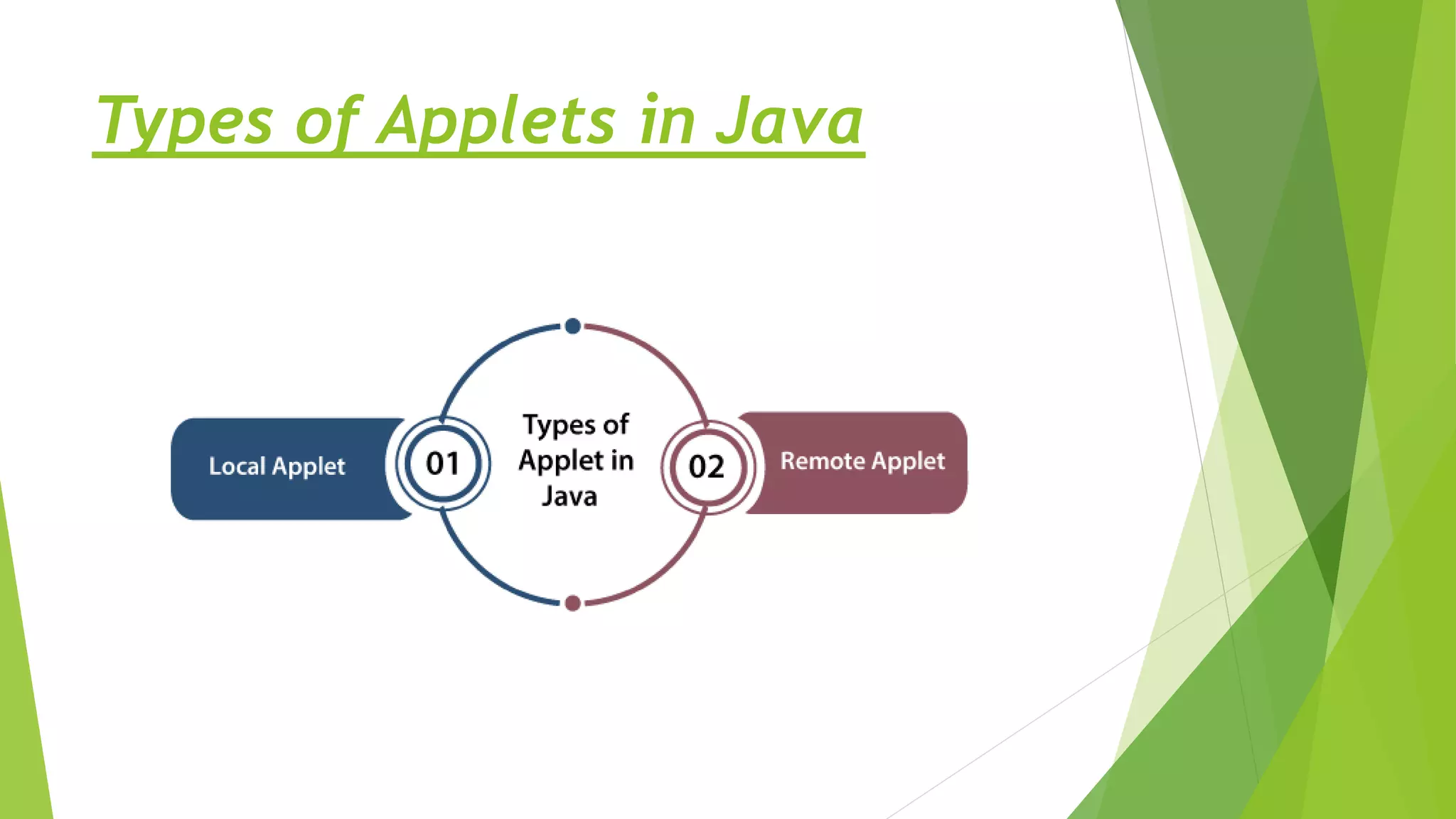
Types of Applets in Java
Local Applet
 Here we create our own web page and embed applet in it .
In another way we download an applet from a remote
computer system and then embed it in our web page .
 Such applet which has been developed on the local
computer and that applet is stored on the same local
system then this type of applet is called Local Applet
 When a local web page searches for a local applet it is not
necessary to be connected to the internet . Such a web
page usually searches all the directories of the local
computer and finds applet and local it in the web page
Remote applet
 A remote applet is an applet that has been developed by
another developer and stored on a computer system that
is connected to the internet .
 If our computer is connected to the internet then we can
download that remote applet through the internet and run
it on our local computer system.
 In order to find the remote applet placed on a remote
computer and load it in the web browser of the computer
system ,we need to know the web address of that applet
Advantages of Applets
 Applets don’t have concordance objects with different
versions of java
 Applets cache quickly, that’s why there will be no latency
in downloading of them.
 It can also be resort as a real time application.
 Java has constituted security, by this feature of java; an
applet doesn’t produce any harmful activity to your
computer.
 Database integration is another important advantage of
applets.
Disadvantage of Applet
 Some browsers especially mobile browsers which are
running on Apple IOS or Android don’t support applets run.
 Applets have to tag as trusted applets and they must be
registered to APS (Applet Security Manager).
 Applet cannot work with native methods.
 Applet can only extract information about client-machine
is its name, java version, OS, version etc.
 Applets don’t access client-side resources, like-
1. Files
2.Operating system
How Applets Differ from Applications
 There are significant difference between applets and
stand java applications applets are not full featured
applications programs .
 Applets are usually written to accomplish a small task or
a component of a task.
 They are designed for use on the internet they impose
certain limitation and restriction in their design
They are:
1.main() methods are not used in any applets as it is not
required for initiating the execution of code.
2.Applets are run from inside a web page using a special
feature known as HTML tag.
3.Files that are located in the local computer cannot be read
or written by applet.
4.Applets cannot communicate with other servers on the
network
5.Applets cannot run any programs from the local computer
6.Applets are restricted from using libraries from other
language such as C and C++.
Preparing to write Applets
 Until now we were creating a simple java program using
single main() method that created other objects ,set
instance variables and ran methods . To write any applets
we will need to know :
1.When to use applets
2.How an applet works
3.What sort of features an applet has
4.Where to start , when we first create our own applet
 The following are the steps that are involved in
developing and testing an applet:
1.Building an applet code(.java file)
2.Creating an executable applet(.class file)
3.Designing a web page using HTML
4.Preparing<Applet tag>
5.Incorporating<Applet>tag into web page
6.Creating a HTML file
7.Testing the applet code.
Thank You

JAVA.pptx

  • 1.
    Object Oriented Concepts Name :Dhimanth Shetty USN : 1SU20CS012
  • 2.
    CONTENT  Introduction toApplets  What is java Applet?  Types of Applets  Advantages of applets  Disadvantages of applet  How applets differ from applications  Preparing to write applets
  • 3.
    Introduction to Applets Anapplet is a special Java program that runs in a browser enabled with java technology(JRE) that can be downloaded from internet and run. An applet is typically embedded inside a HTML page and runs in context of a browser . An applet is designed to run remotely in the client browser, so there are some restrictions on it . An applet must be a subclass of the java.applet.Applet class . the applet class provides the standared interface between the applet and the browser environment
  • 4.
    What is JavaApplet ? Java applets are the small applications written in the java programming language or another programming language that complies to java bytecode and delivered to users in the form of java bytecode
  • 5.
  • 6.
    Local Applet  Herewe create our own web page and embed applet in it . In another way we download an applet from a remote computer system and then embed it in our web page .  Such applet which has been developed on the local computer and that applet is stored on the same local system then this type of applet is called Local Applet  When a local web page searches for a local applet it is not necessary to be connected to the internet . Such a web page usually searches all the directories of the local computer and finds applet and local it in the web page
  • 7.
    Remote applet  Aremote applet is an applet that has been developed by another developer and stored on a computer system that is connected to the internet .  If our computer is connected to the internet then we can download that remote applet through the internet and run it on our local computer system.  In order to find the remote applet placed on a remote computer and load it in the web browser of the computer system ,we need to know the web address of that applet
  • 8.
    Advantages of Applets Applets don’t have concordance objects with different versions of java  Applets cache quickly, that’s why there will be no latency in downloading of them.  It can also be resort as a real time application.  Java has constituted security, by this feature of java; an applet doesn’t produce any harmful activity to your computer.  Database integration is another important advantage of applets.
  • 9.
    Disadvantage of Applet Some browsers especially mobile browsers which are running on Apple IOS or Android don’t support applets run.  Applets have to tag as trusted applets and they must be registered to APS (Applet Security Manager).  Applet cannot work with native methods.  Applet can only extract information about client-machine is its name, java version, OS, version etc.  Applets don’t access client-side resources, like- 1. Files 2.Operating system
  • 10.
    How Applets Differfrom Applications  There are significant difference between applets and stand java applications applets are not full featured applications programs .  Applets are usually written to accomplish a small task or a component of a task.  They are designed for use on the internet they impose certain limitation and restriction in their design They are:
  • 11.
    1.main() methods arenot used in any applets as it is not required for initiating the execution of code. 2.Applets are run from inside a web page using a special feature known as HTML tag. 3.Files that are located in the local computer cannot be read or written by applet. 4.Applets cannot communicate with other servers on the network 5.Applets cannot run any programs from the local computer 6.Applets are restricted from using libraries from other language such as C and C++.
  • 12.
    Preparing to writeApplets  Until now we were creating a simple java program using single main() method that created other objects ,set instance variables and ran methods . To write any applets we will need to know : 1.When to use applets 2.How an applet works 3.What sort of features an applet has 4.Where to start , when we first create our own applet
  • 13.
     The followingare the steps that are involved in developing and testing an applet: 1.Building an applet code(.java file) 2.Creating an executable applet(.class file) 3.Designing a web page using HTML 4.Preparing<Applet tag> 5.Incorporating<Applet>tag into web page 6.Creating a HTML file 7.Testing the applet code.
  • 14.