Deep Dive
JAVA SE 8
AND
JAVA EE 7
CONTEXT
ROUTE TO GLORY
BEST PRACTICE
A method or technique that has consistently shown results superior to those
achieved with other means
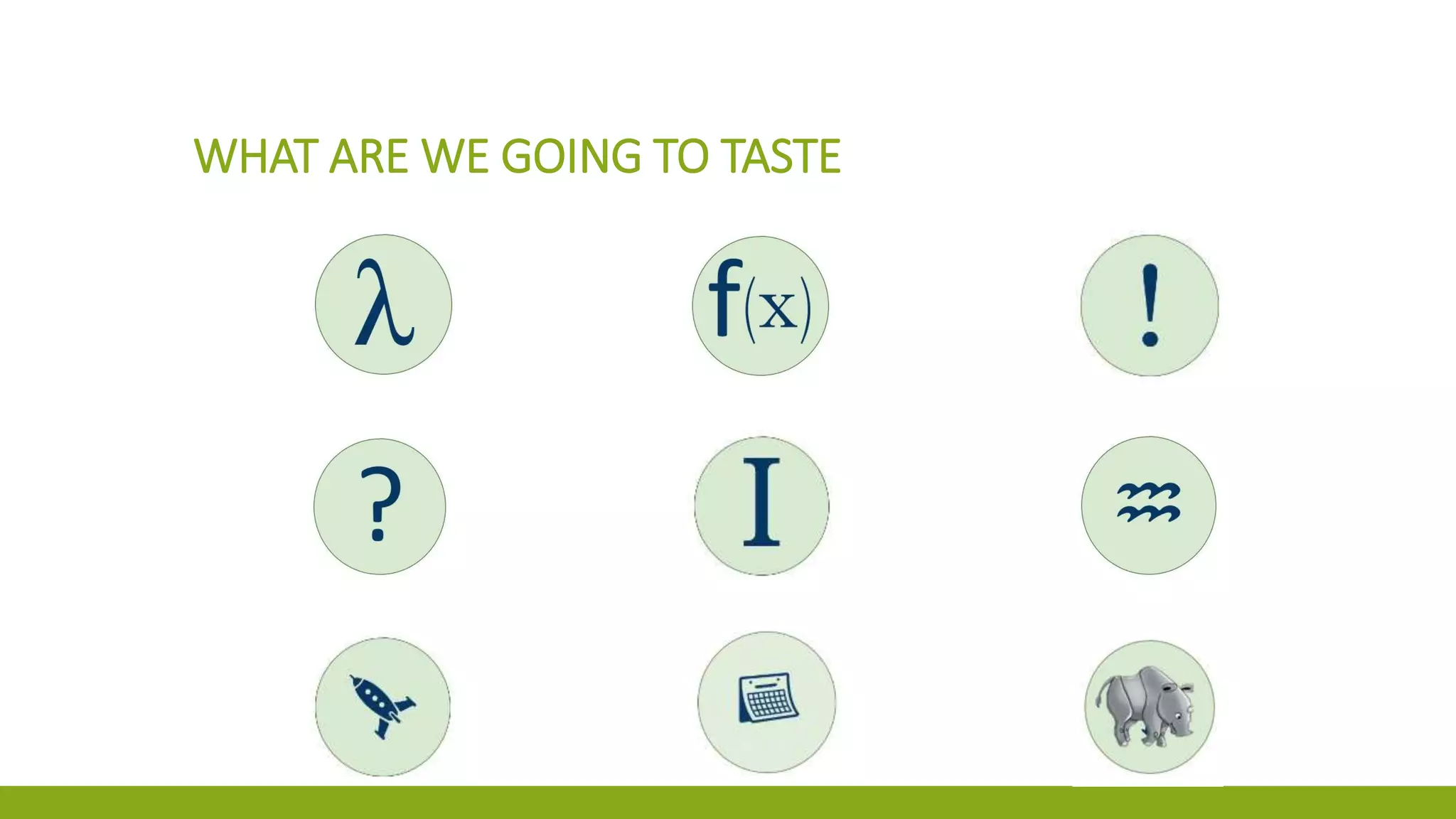
WHAT ARE WE GOING TO TASTE
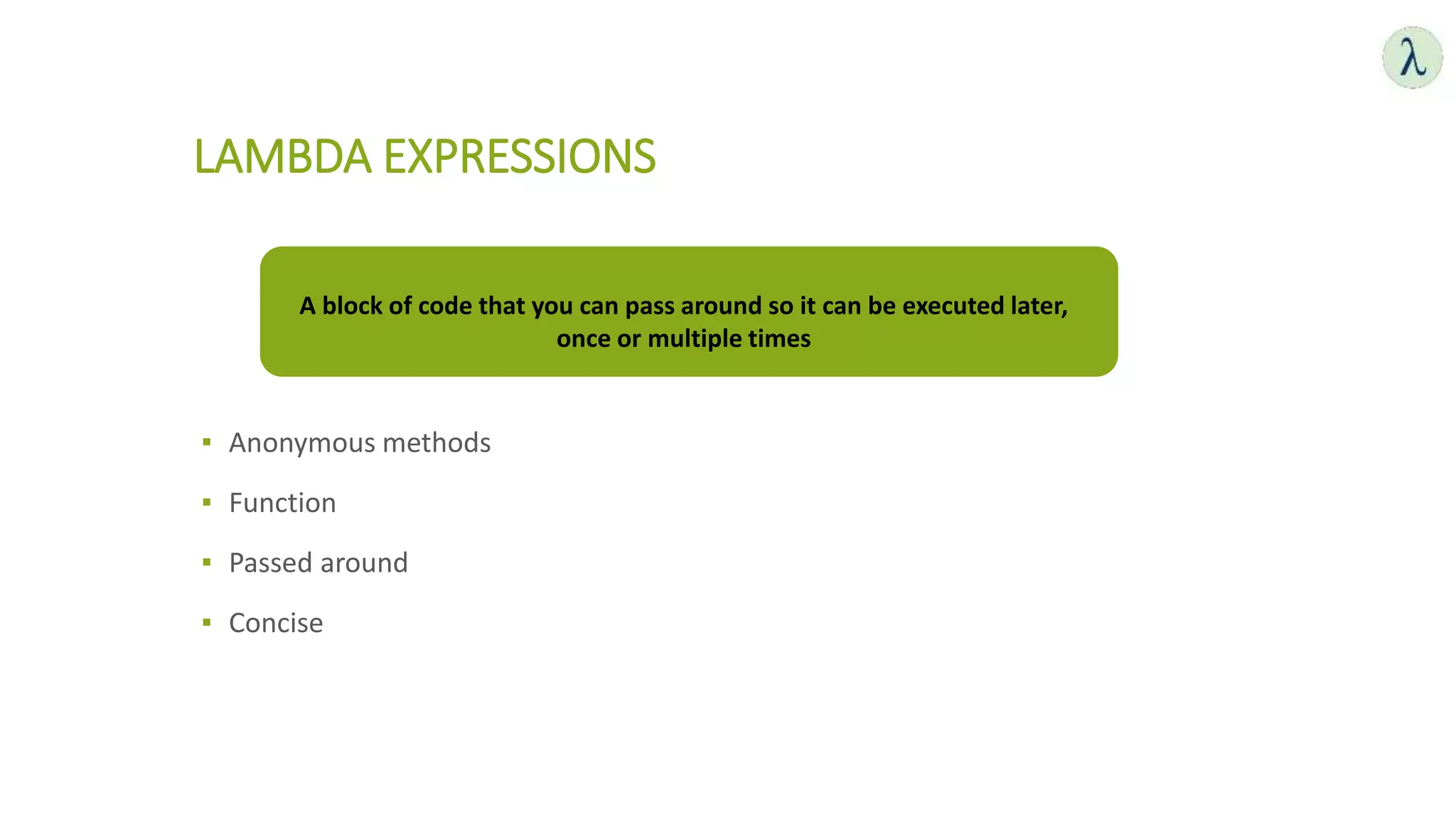
LAMBDA EXPRESSIONS
▪ Anonymous methods
▪ Function
▪ Passed around
▪ Concise
A block of code that you can pass around so it can be executed later,
once or multiple times
INTRODUCTION TO LAMBDA
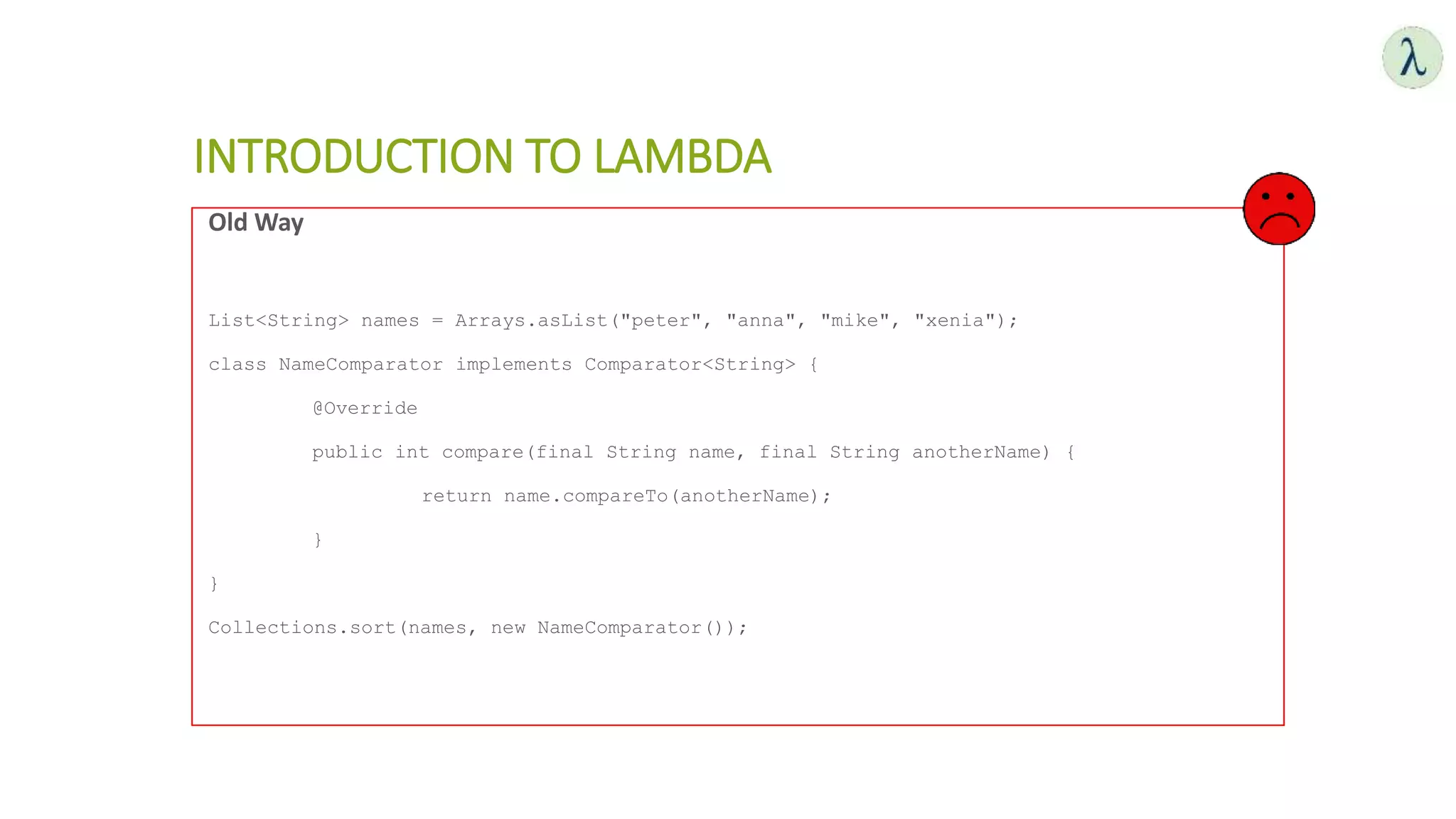
Old Way
List<String> names = Arrays.asList("peter", "anna", "mike", "xenia");
class NameComparator implements Comparator<String> {
@Override
public int compare(final String name, final String anotherName) {
return name.compareTo(anotherName);
}
}
Collections.sort(names, new NameComparator());
INTRODUCTION TO LAMBDA
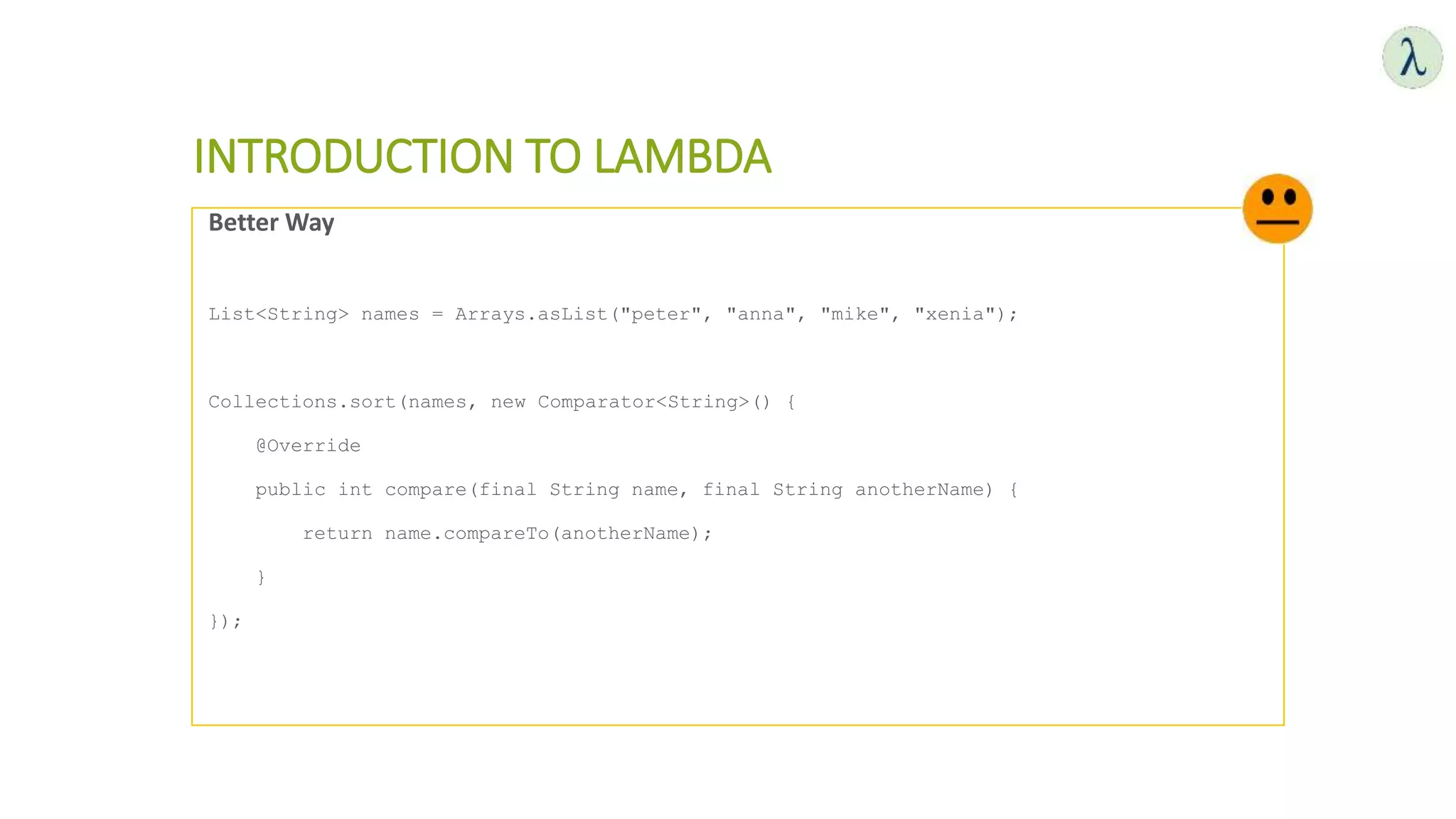
Better Way
List<String> names = Arrays.asList("peter", "anna", "mike", "xenia");
Collections.sort(names, new Comparator<String>() {
@Override
public int compare(final String name, final String anotherName) {
return name.compareTo(anotherName);
}
});
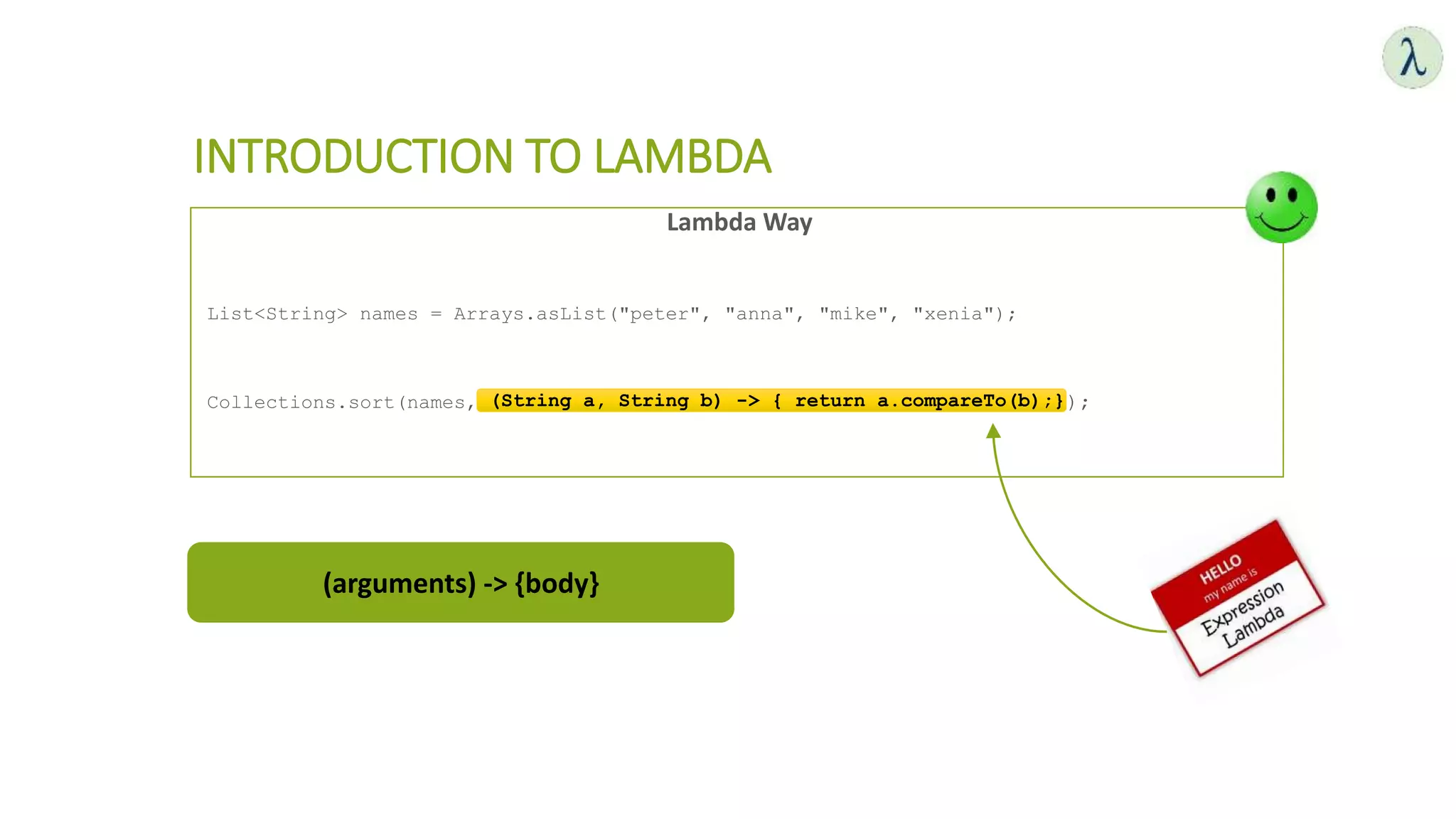
Lambda Way
List<String> names = Arrays.asList("peter", "anna", "mike", "xenia");
Collections.sort(names,(String a, String b) -> { return a.compareTo(b);} );
INTRODUCTION TO LAMBDA
(String a, String b) -> { return a.compareTo(b);}
(arguments) -> {body}
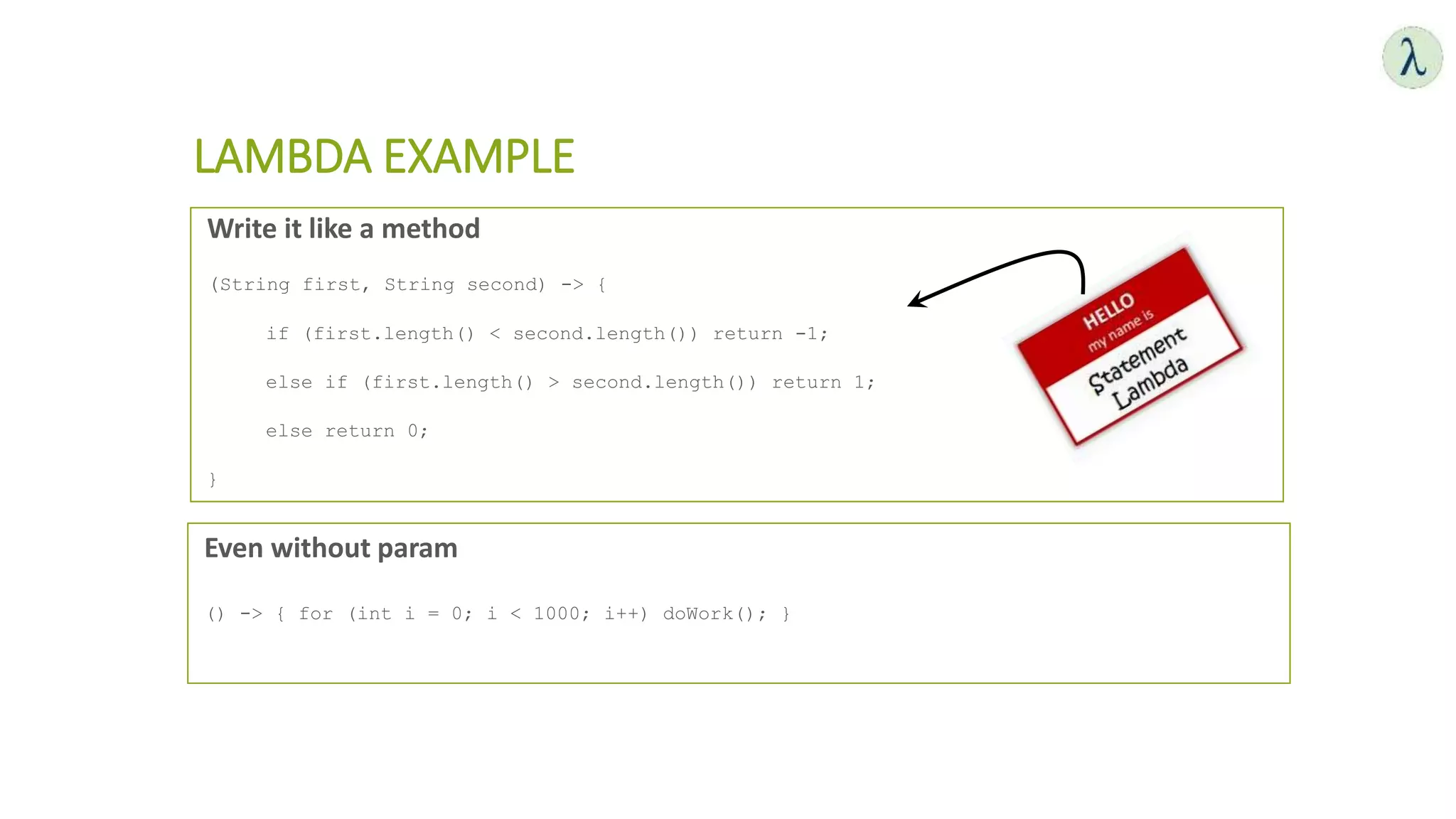
LAMBDA EXAMPLE
Write it like a method
(String first, String second) -> {
if (first.length() < second.length()) return -1;
else if (first.length() > second.length()) return 1;
else return 0;
}
Even without param
() -> { for (int i = 0; i < 1000; i++) doWork(); }
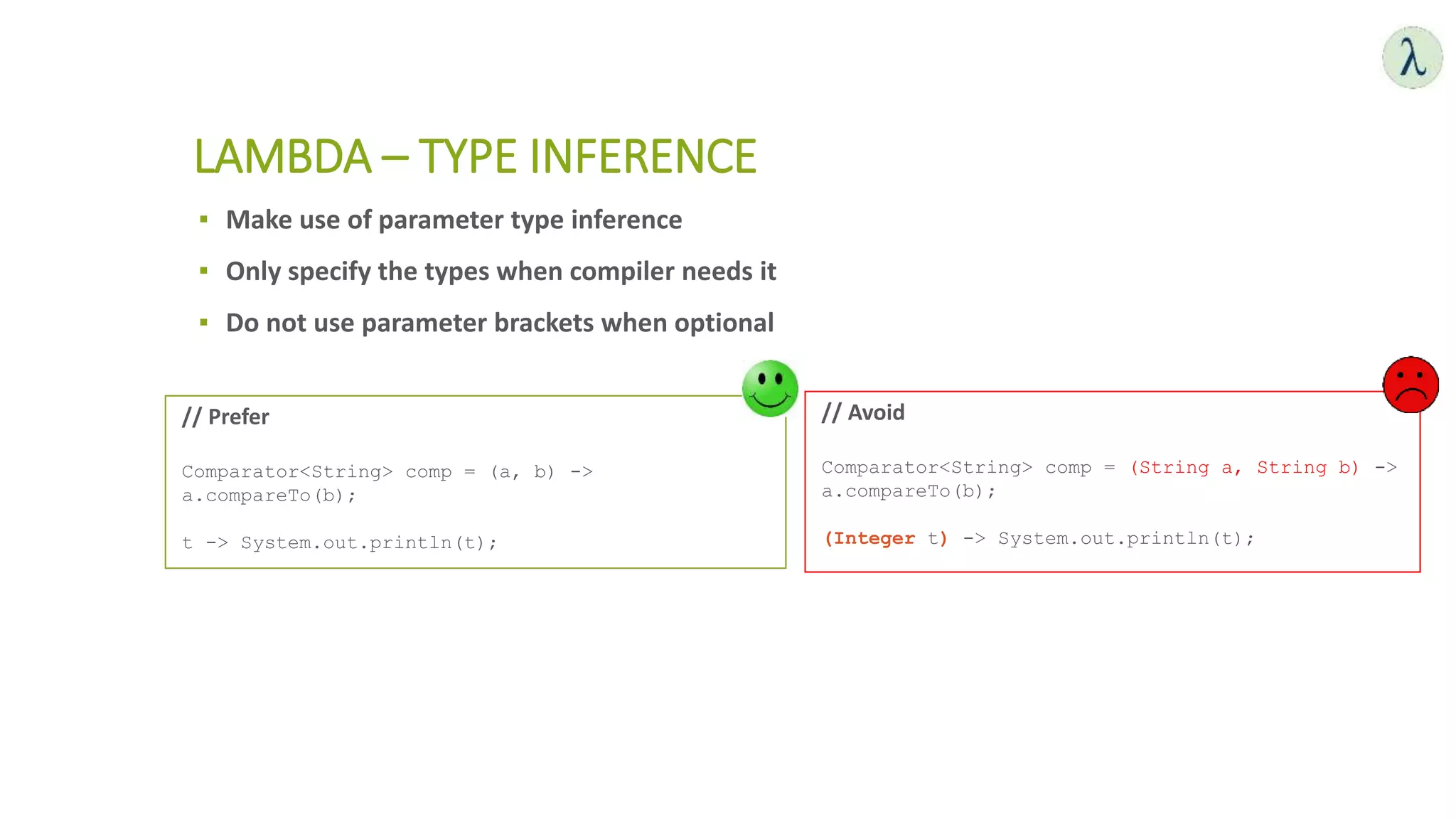
▪ Make use of parameter type inference
▪ Only specify the types when compiler needs it
▪ Do not use parameter brackets when optional
LAMBDA – TYPE INFERENCE
// Avoid
Comparator<String> comp = (String a, String b) ->
a.compareTo(b);
(Integer t) -> System.out.println(t);
// Prefer
Comparator<String> comp = (a, b) ->
a.compareTo(b);
t -> System.out.println(t);
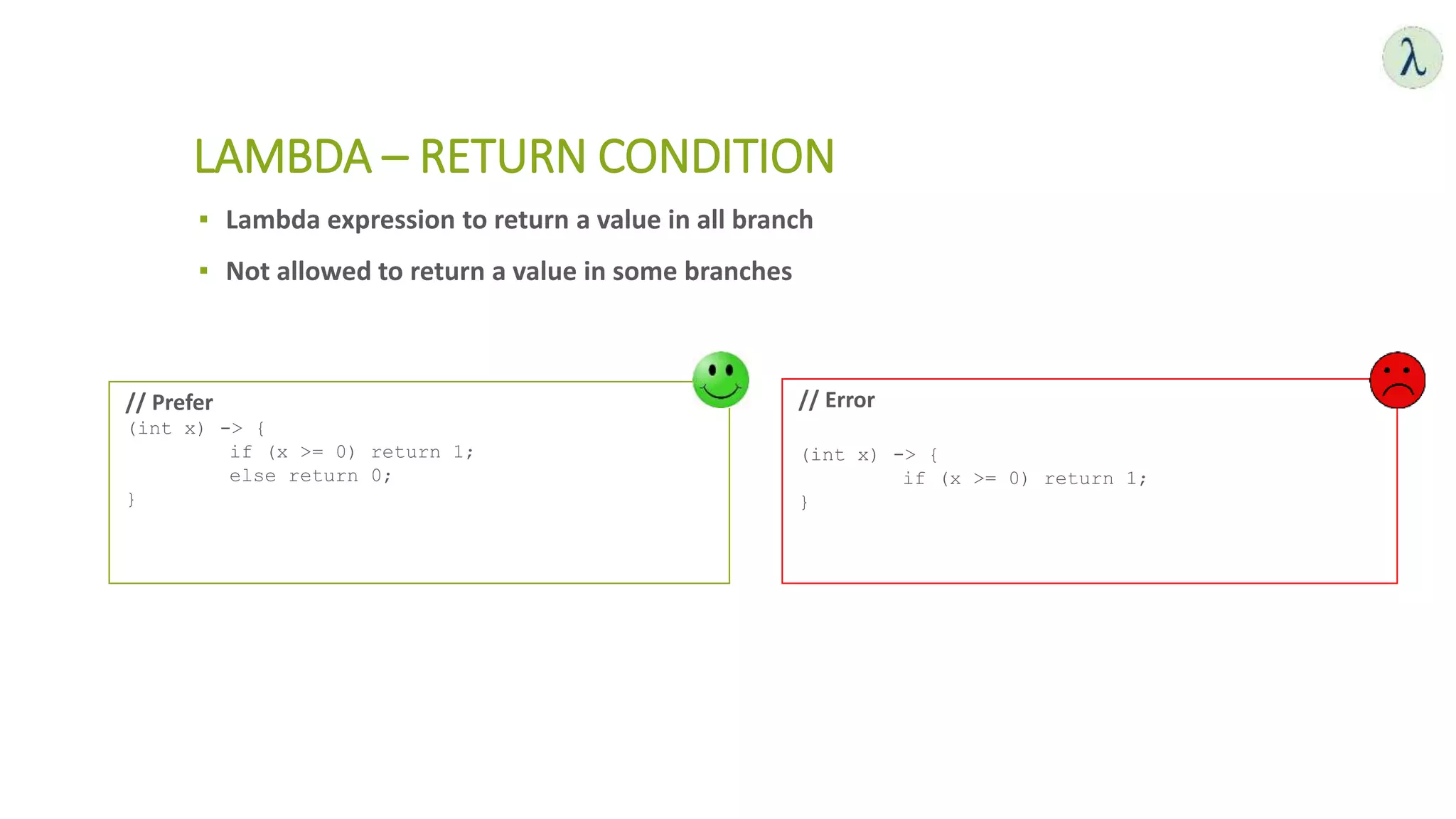
▪ Lambda expression to return a value in all branch
▪ Not allowed to return a value in some branches
LAMBDA – RETURN CONDITION
// Prefer
(int x) -> {
if (x >= 0) return 1;
else return 0;
}
// Error
(int x) -> {
if (x >= 0) return 1;
}
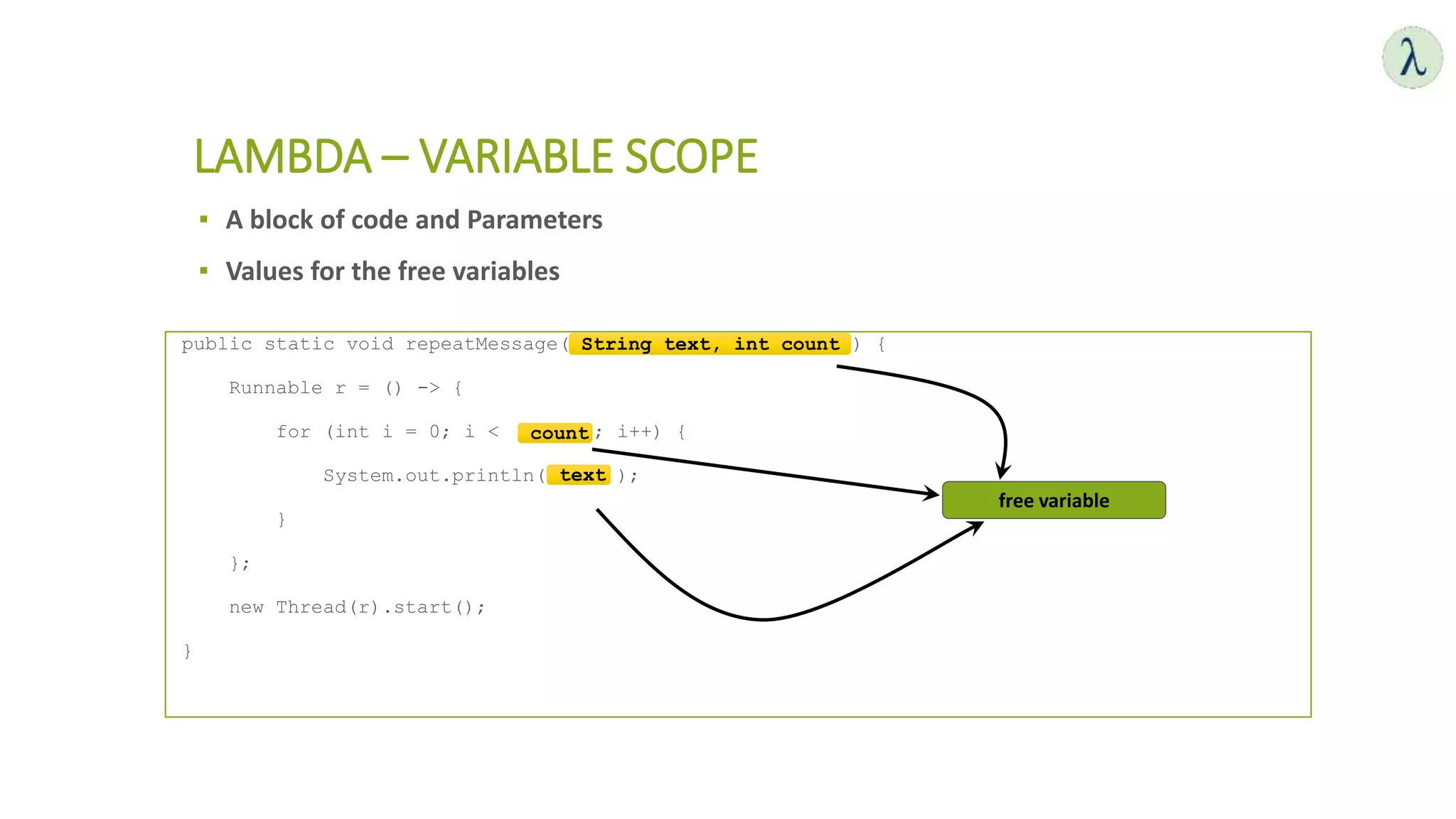
▪ A block of code and Parameters
▪ Values for the free variables
LAMBDA – VARIABLE SCOPE
public static void repeatMessage( String text, int count ) {
Runnable r = () -> {
for (int i = 0; i < count ; i++) {
System.out.println( text );
}
};
new Thread(r).start();
}
free variable
String text, int count
text
count
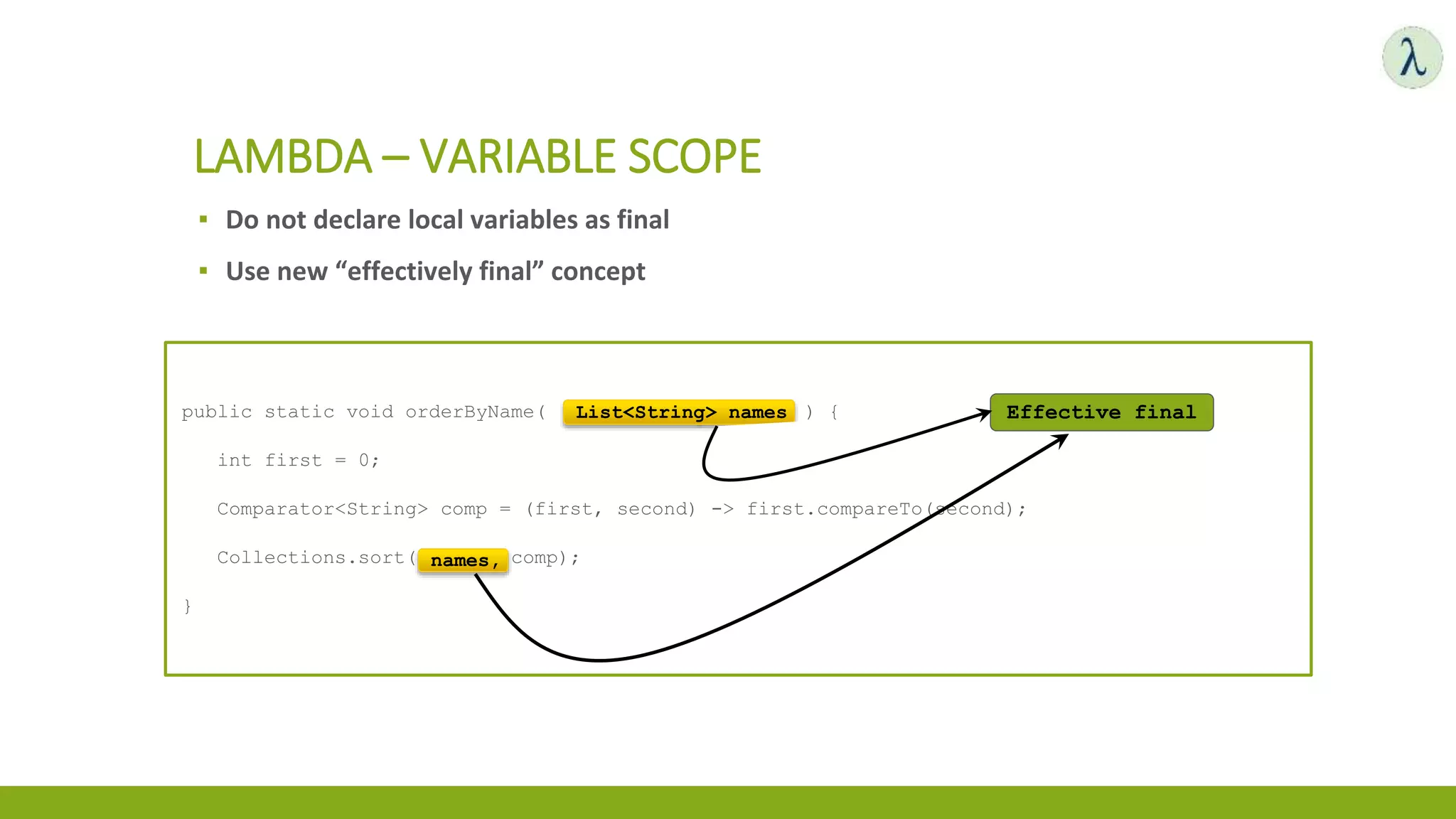
▪ Do not declare local variables as final
▪ Use new “effectively final” concept
LAMBDA – VARIABLE SCOPE
public static void orderByName( List<String> names ) {
int first = 0;
Comparator<String> comp = (first, second) -> first.compareTo(second);
Collections.sort(names, comp);
}
Effective finalList<String> names
names,
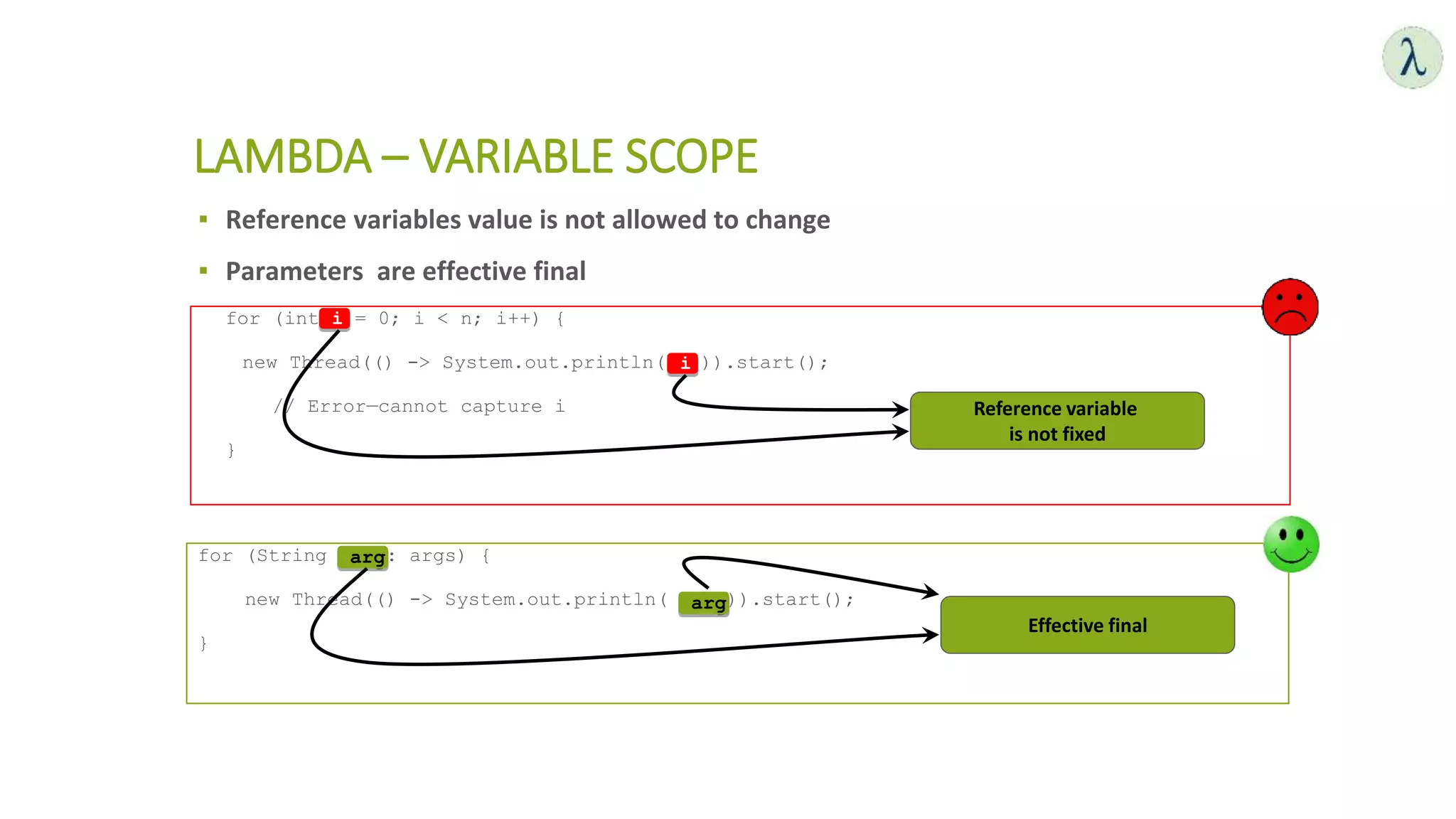
LAMBDA – VARIABLE SCOPE
for (int i = 0; i < n; i++) {
new Thread(() -> System.out.println( i )).start();
// Error—cannot capture i
}
▪ Reference variables value is not allowed to change
▪ Parameters are effective final
for (String arg : args) {
new Thread(() -> System.out.println( arg )).start();
}
Reference variable
is not fixed
i
i
Effective final
arg
arg
▪ Lambda expression can not mutate
LAMBDA – VARIABLE SCOPE
public class LambdaNonFinalExample {
static boolean odd = false;
public static void main(String[] args) throws Exception {
runLambda(() -> odd = true);
System.out.println("Odd=" + odd);
}
public static void runLambda(Callable c) throws Exception {
c.call();
}
}
Not possible to mutate
boolean odd = false;
runLambda(() -> odd = true);
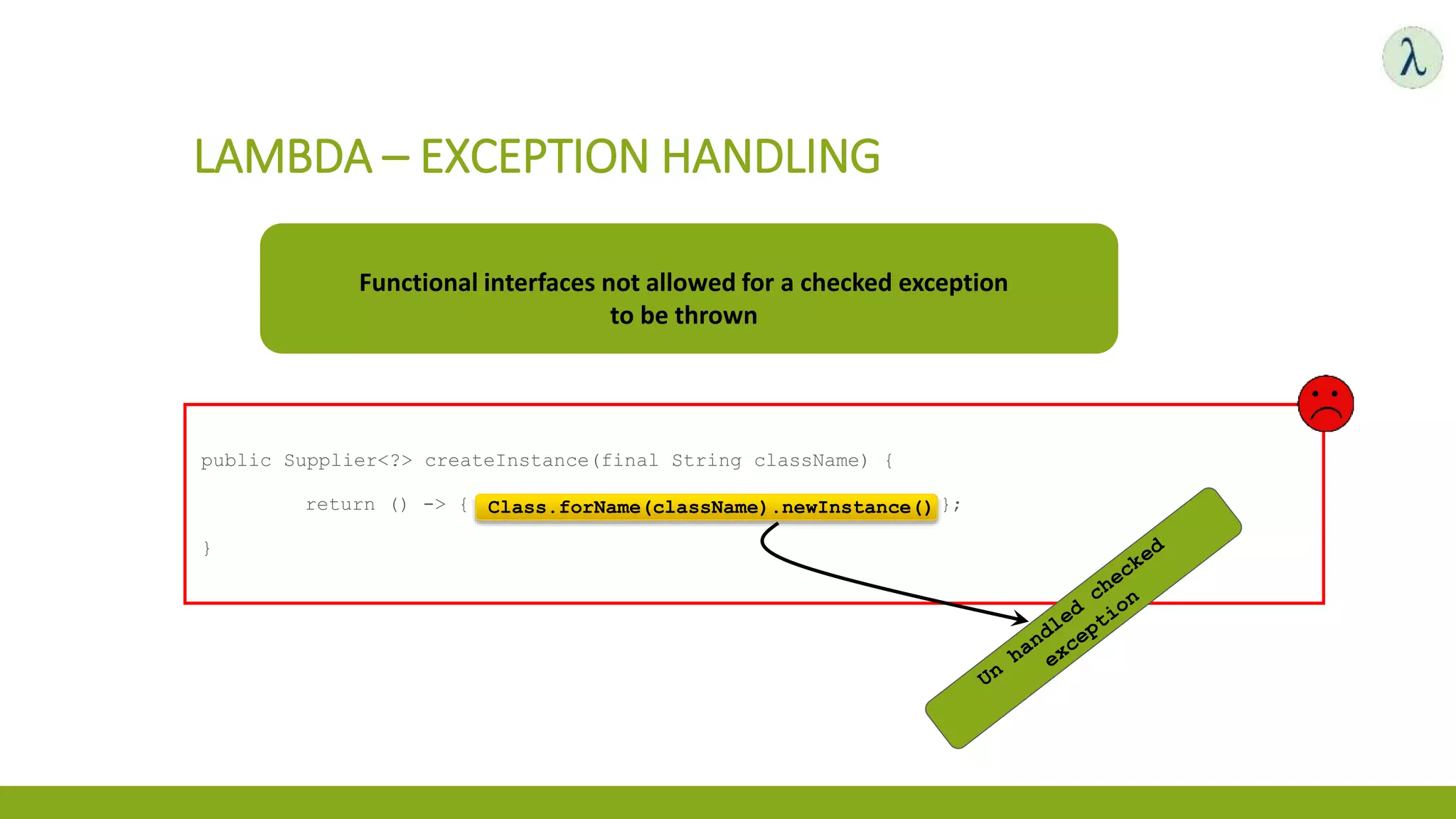
LAMBDA – EXCEPTION HANDLING
public Supplier<?> createInstance(final String className) {
return () -> { Class.forName(className).newInstance() };
}
Functional interfaces not allowed for a checked exception
to be thrown
Class.forName(className).newInstance()
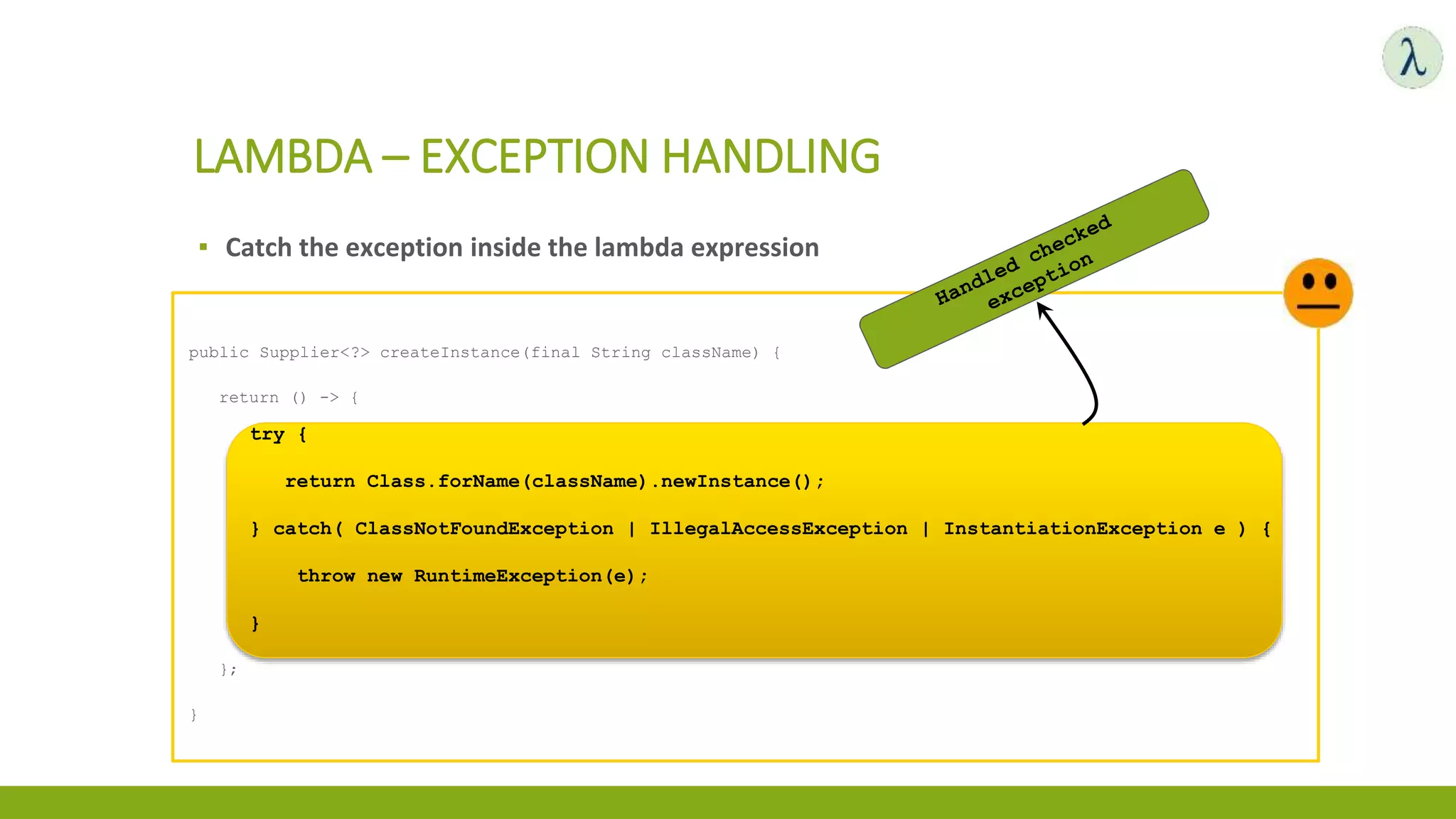
▪ Catch the exception inside the lambda expression
LAMBDA – EXCEPTION HANDLING
public Supplier<?> createInstance(final String className) {
return () -> {
try {
return Class.forName(className).newInstance();
} catch( ClassNotFoundException | IllegalAccessException | InstantiationException e ) {
throw new RuntimeException(e);
}
};
}
try {
return Class.forName(className).newInstance();
} catch( ClassNotFoundException | IllegalAccessException | InstantiationException e ) {
throw new RuntimeException(e);
}
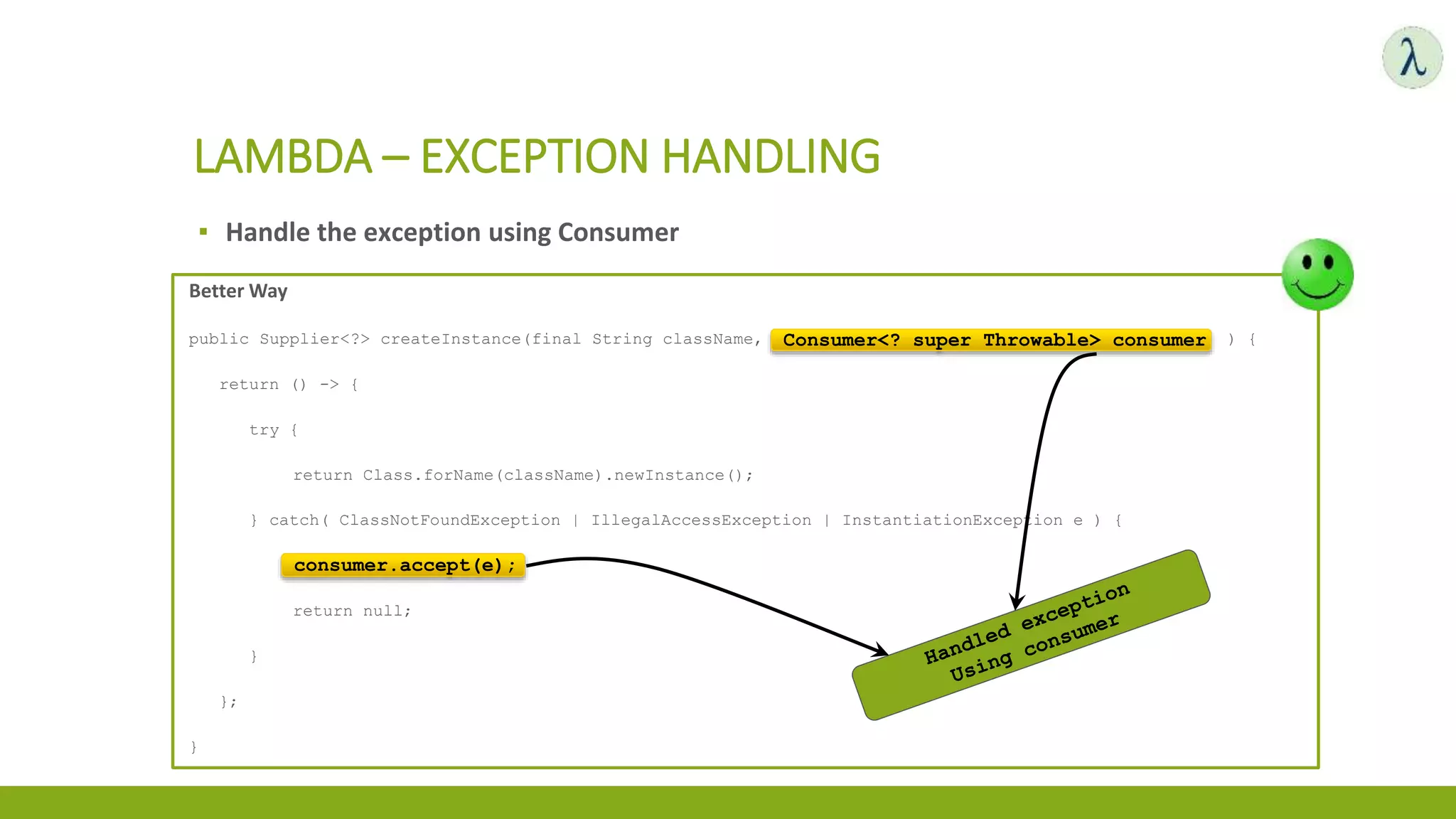
▪ Handle the exception using Consumer
LAMBDA – EXCEPTION HANDLING
Better Way
public Supplier<?> createInstance(final String className, final Consumer<? super Throwable> consumer ) {
return () -> {
try {
return Class.forName(className).newInstance();
} catch( ClassNotFoundException | IllegalAccessException | InstantiationException e ) {
consumer.accept(e);
return null;
}
};
}
Consumer<? super Throwable> consumer
consumer.accept(e);
FUNCTIONAL INTERFACE
▪ An Interface with a single abstract method
▪ Runnable
▪ Comparable
▪ Callable
▪ Java SE 8 new functional interfaces
▪ Function<T,R>
▪ Predicate<T>
▪ Supplier<T>
▪ Consumer<T>
FUNCTIONAL INTERFACES
An interface which has Single Abstract Method
▪ Functional interface must have a single abstract method
▪ Supply a lambda whenever an object of an interface with a single abstract method
▪ Tag any functional interface with the @FunctionalInterface annotation
FUNCTION
Purpose is to return any result by working on
a single input argument
▪ It accepts an argument of type T
▪ Returns a result of type R
▪ Applying specified logic on the input via the apply method
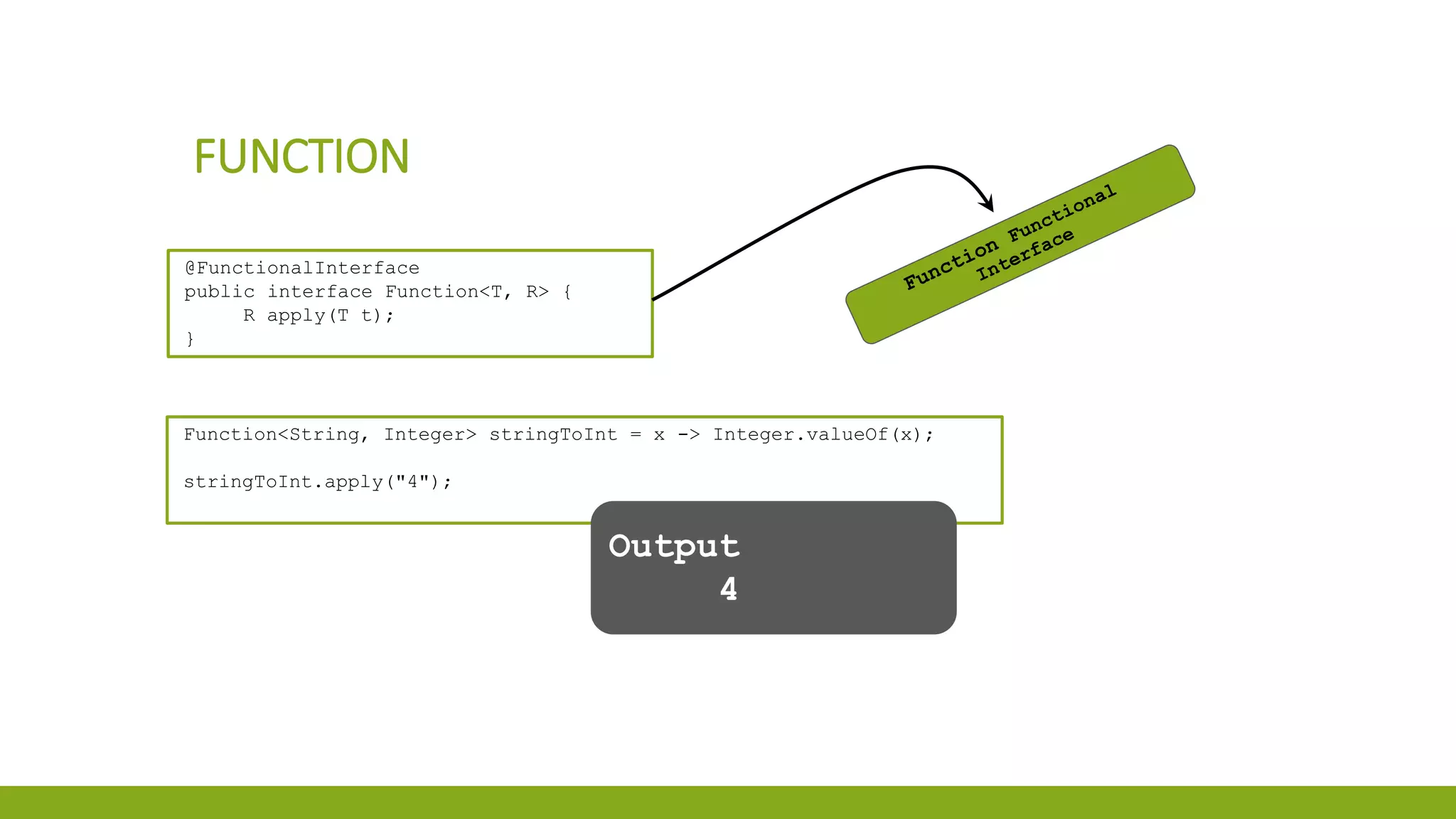
FUNCTION
Function<String, Integer> stringToInt = x -> Integer.valueOf(x);
stringToInt.apply("4");
@FunctionalInterface
public interface Function<T, R> {
R apply(T t);
}
Output
4
PREDICATE
Function for checking a condition
▪ Accepting a single argument to evaluate to a boolean result
▪ It has a single method test which returns the boolean value
FUNCTION
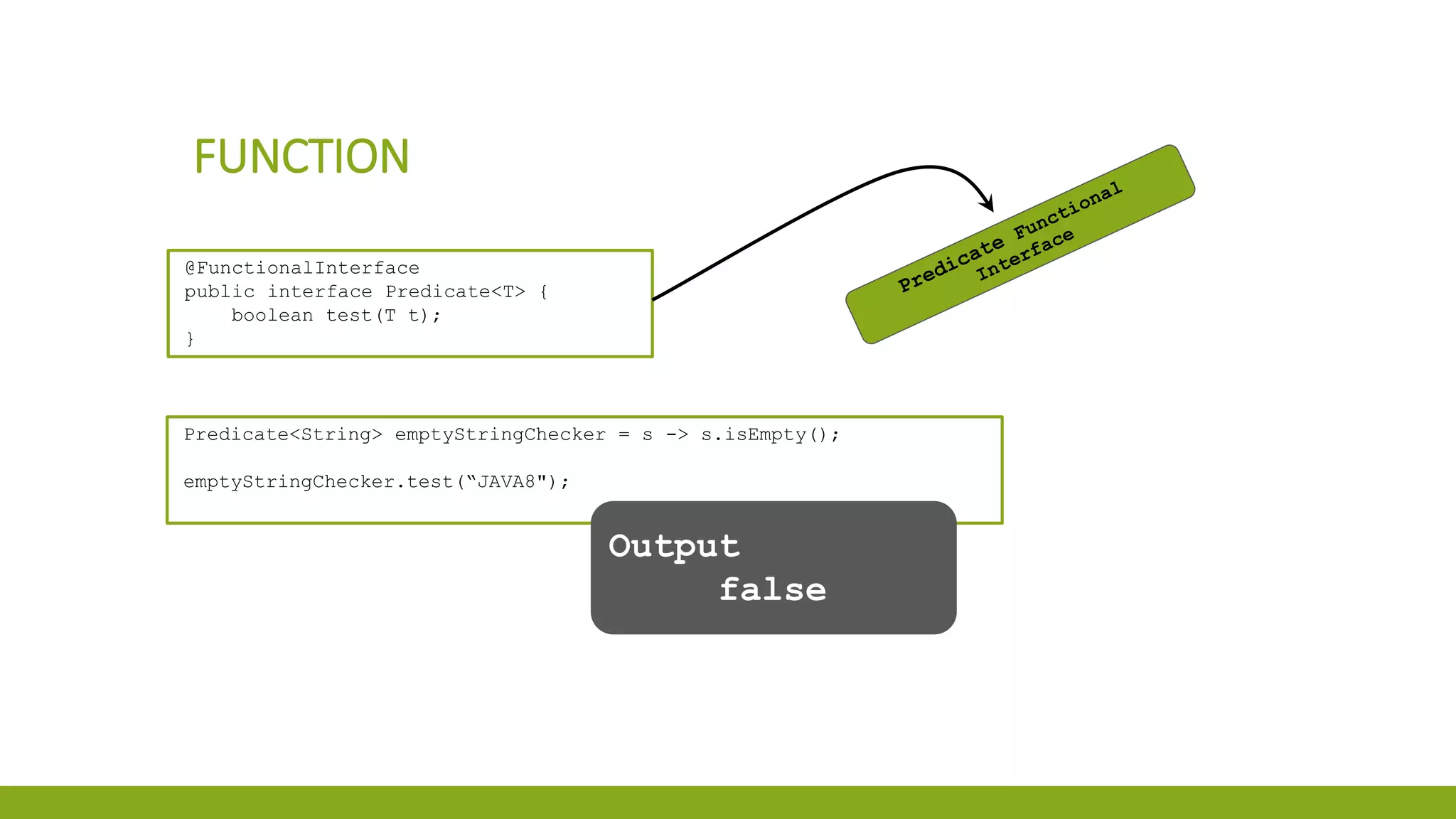
Predicate<String> emptyStringChecker = s -> s.isEmpty();
emptyStringChecker.test(“JAVA8");
@FunctionalInterface
public interface Predicate<T> {
boolean test(T t);
}
Output
false
CONSUMER
Perform operations on the arguments
▪ Accepts a single argument but does not return any result
▪ Used to perform operations on the arguments
▪ Persisting
▪ Invoking house keeping operations
▪ Emailing
▪ Etc..
CONSUMER
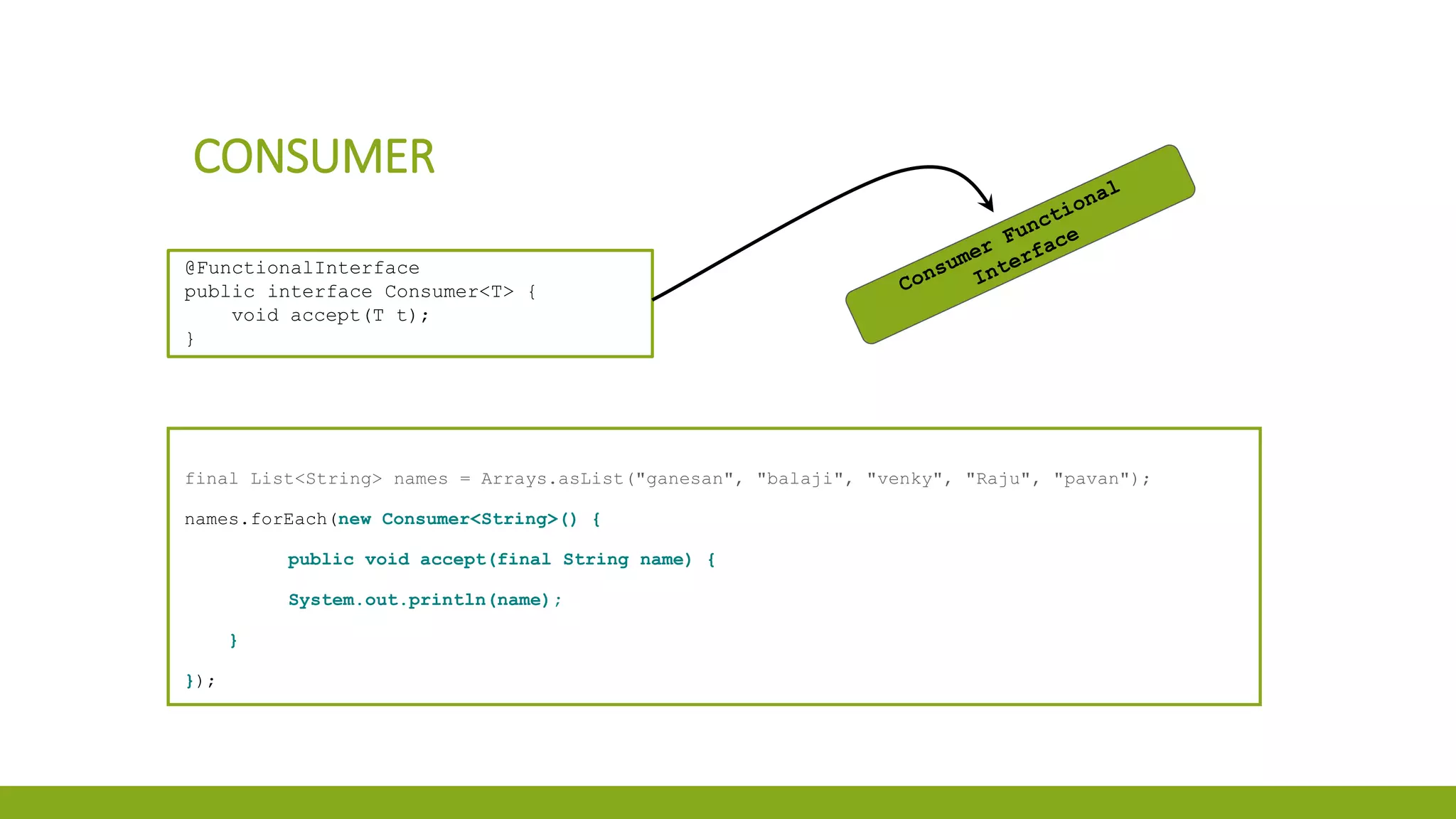
@FunctionalInterface
public interface Consumer<T> {
void accept(T t);
}
final List<String> names = Arrays.asList("ganesan", "balaji", "venky", "Raju", "pavan");
names.forEach(new Consumer<String>() {
public void accept(final String name) {
System.out.println(name);
}
});
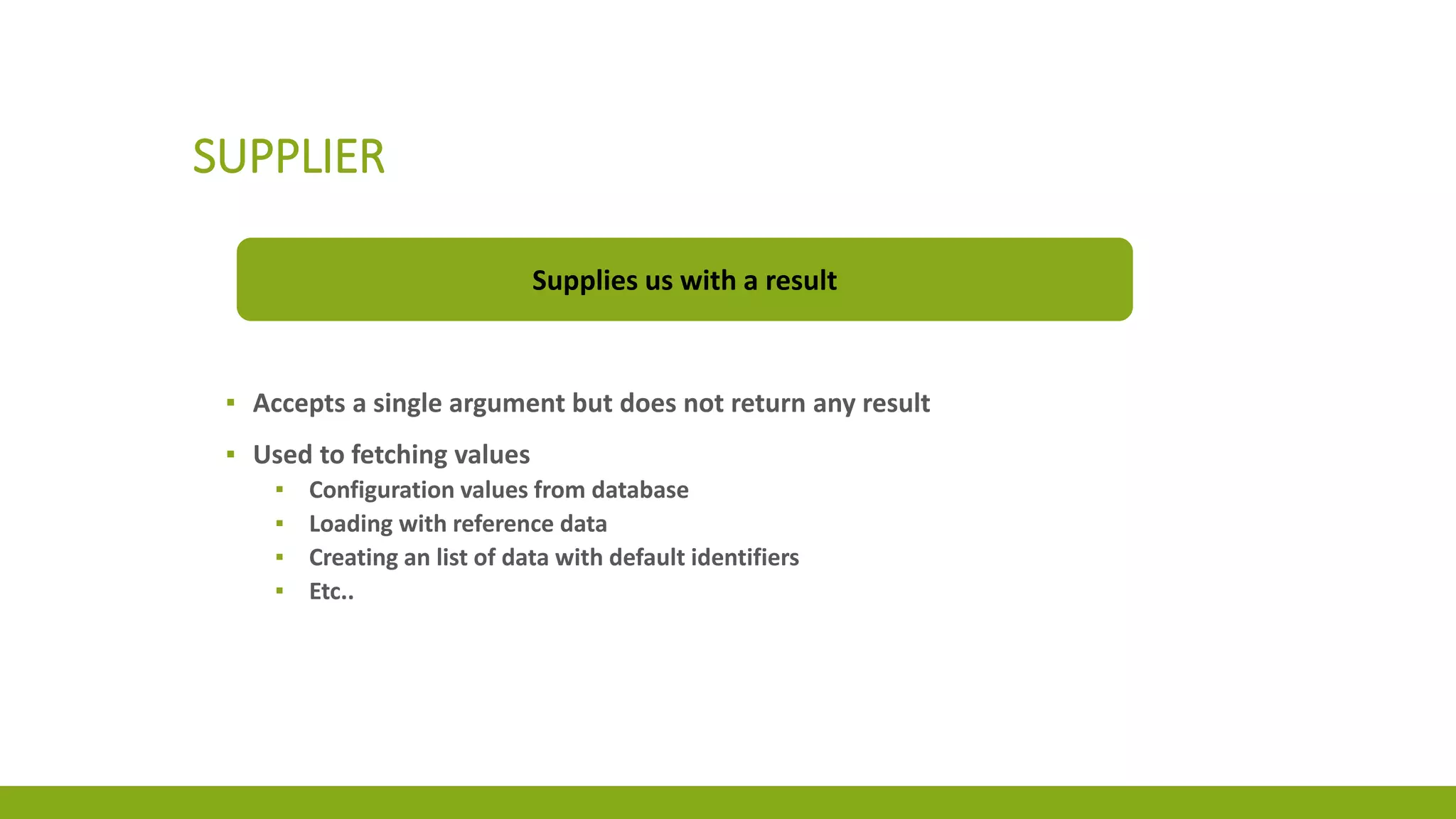
SUPPLIER
Supplies us with a result
▪ Accepts a single argument but does not return any result
▪ Used to fetching values
▪ Configuration values from database
▪ Loading with reference data
▪ Creating an list of data with default identifiers
▪ Etc..
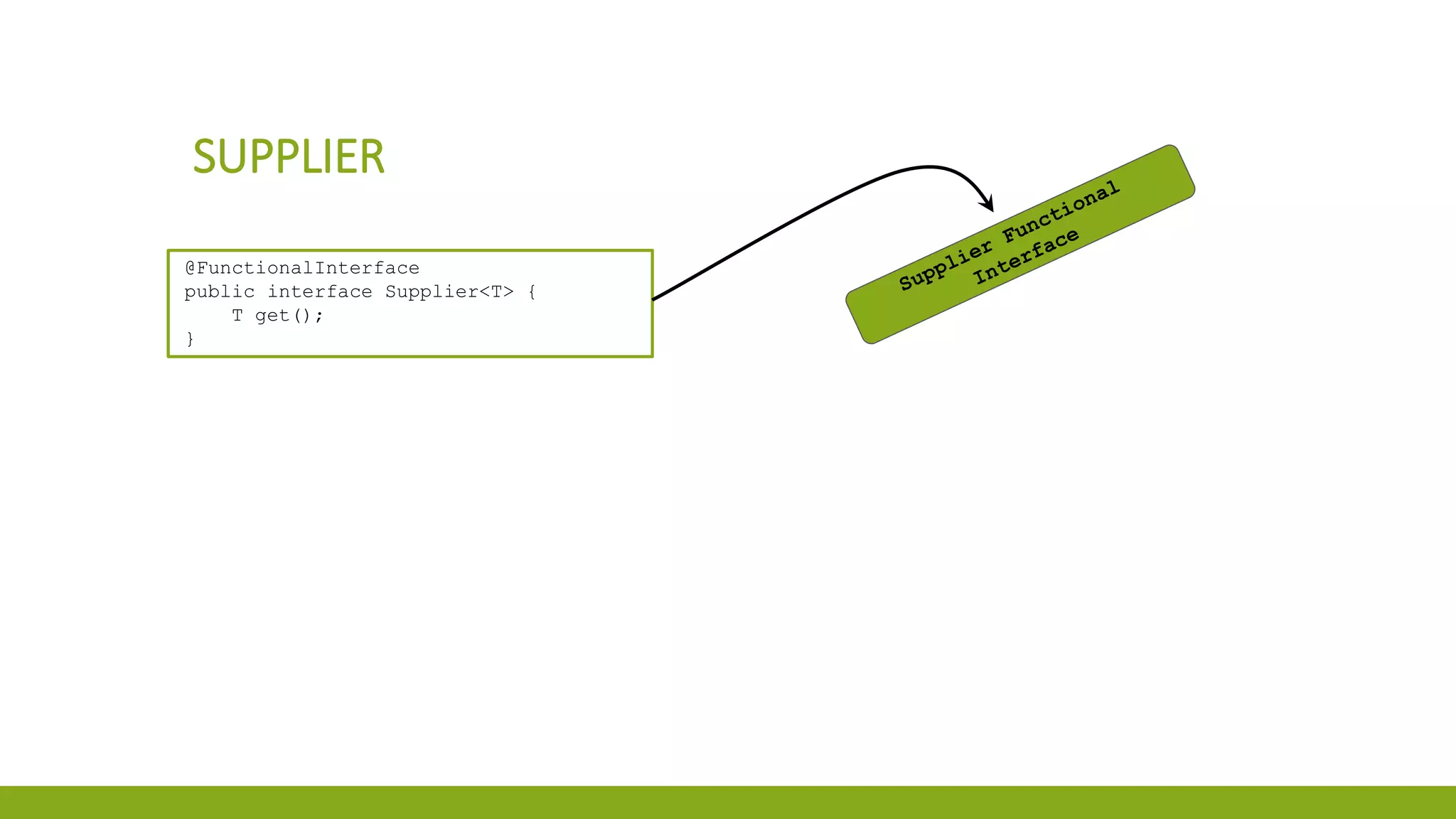
SUPPLIER
@FunctionalInterface
public interface Supplier<T> {
T get();
}
FUNCTIONAL INTERFACES
Function that expects two arguments but produces a result by
operating on these two arguments
▪ BiPredicate
▪ BiConsumer
▪ BiFunction
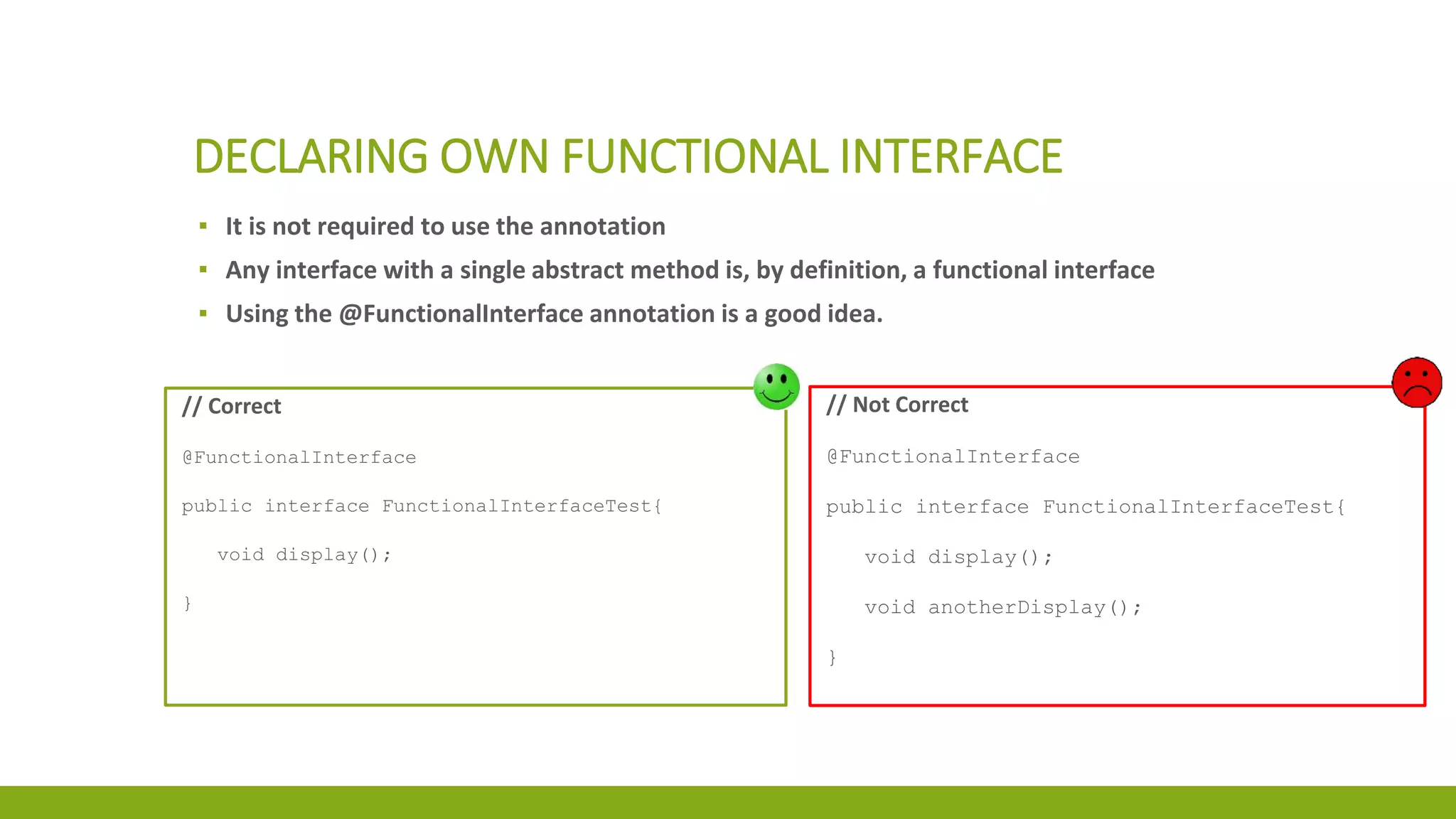
DECLARING OWN FUNCTIONAL INTERFACE
We can declare our own Functional Interface by defining Single
Abstract Method in interface
▪ Can tag any functional interface with @FunctionalInterface
▪ Compiler checks entity is an interface with a single abstract
method
▪ Javadoc page includes a statement that your interface is a
functional interface
▪ It is not required to use the annotation
▪ Any interface with a single abstract method is, by definition, a functional interface
▪ Using the @FunctionalInterface annotation is a good idea.
DECLARING OWN FUNCTIONAL INTERFACE
// Not Correct
@FunctionalInterface
public interface FunctionalInterfaceTest{
void display();
void anotherDisplay();
}
// Correct
@FunctionalInterface
public interface FunctionalInterfaceTest{
void display();
}
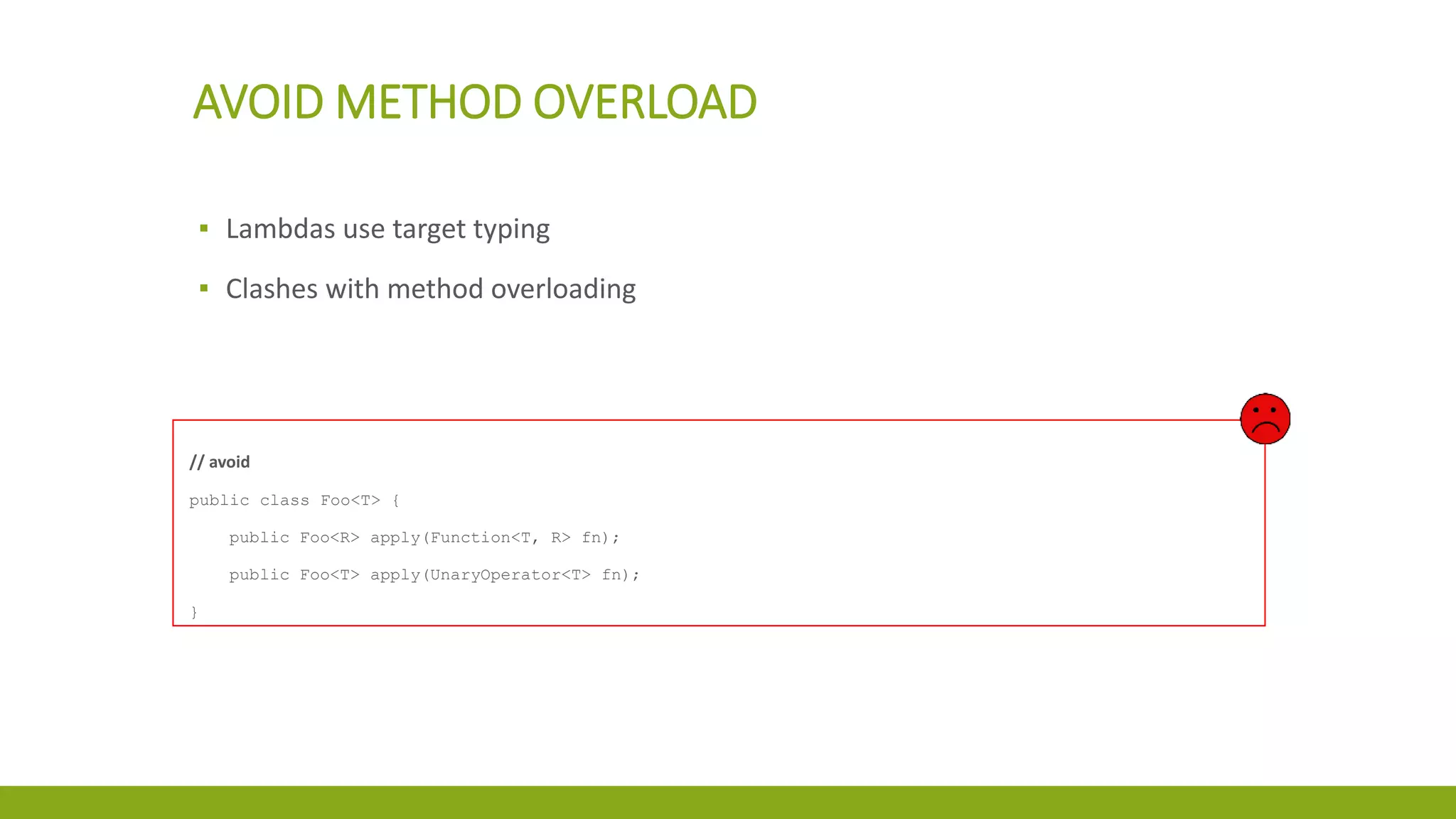
AVOID METHOD OVERLOAD
▪ Lambdas use target typing
▪ Clashes with method overloading
// avoid
public class Foo<T> {
public Foo<R> apply(Function<T, R> fn);
public Foo<T> apply(UnaryOperator<T> fn);
}
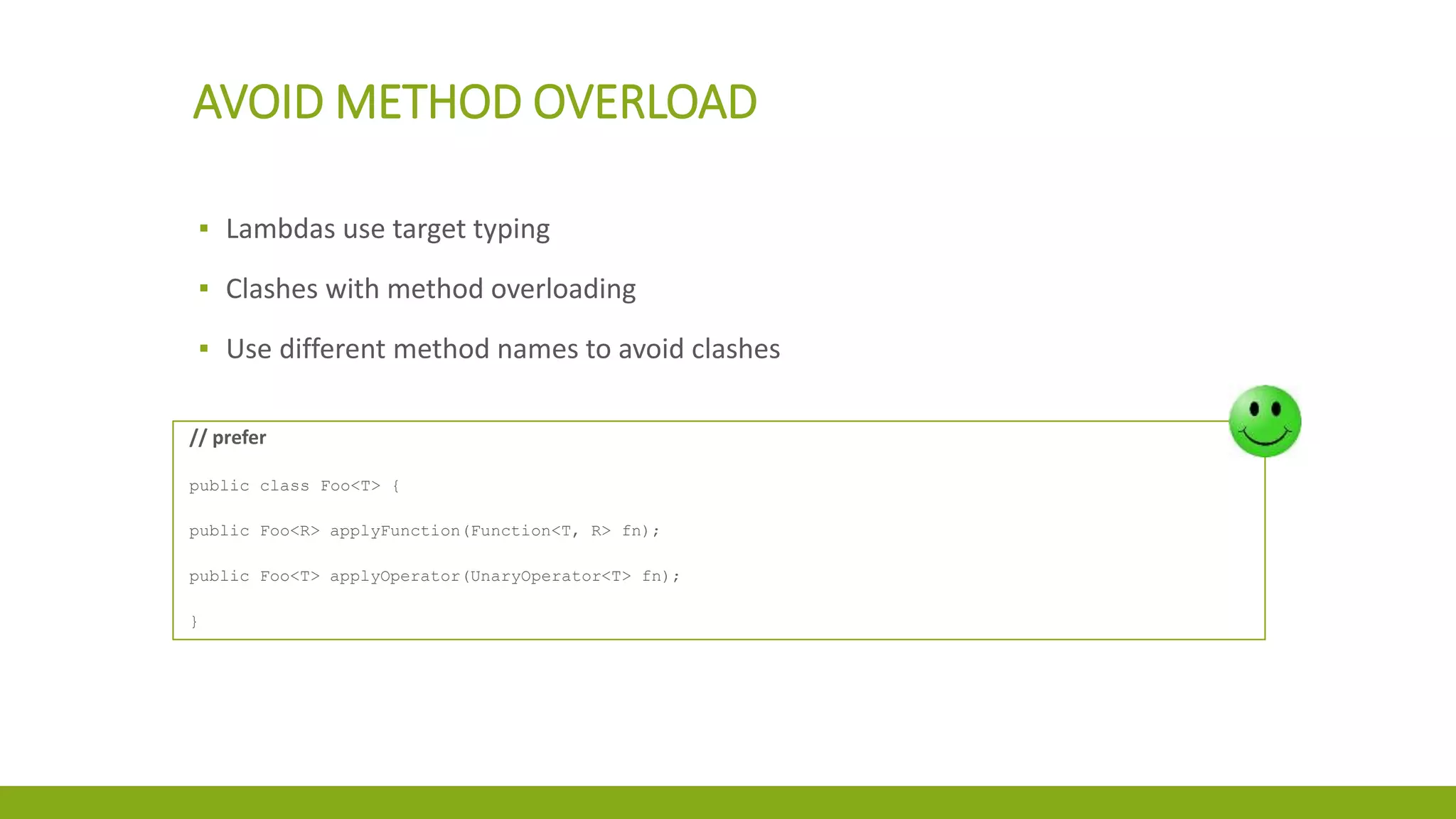
AVOID METHOD OVERLOAD
▪ Lambdas use target typing
▪ Clashes with method overloading
▪ Use different method names to avoid clashes
// prefer
public class Foo<T> {
public Foo<R> applyFunction(Function<T, R> fn);
public Foo<T> applyOperator(UnaryOperator<T> fn);
}
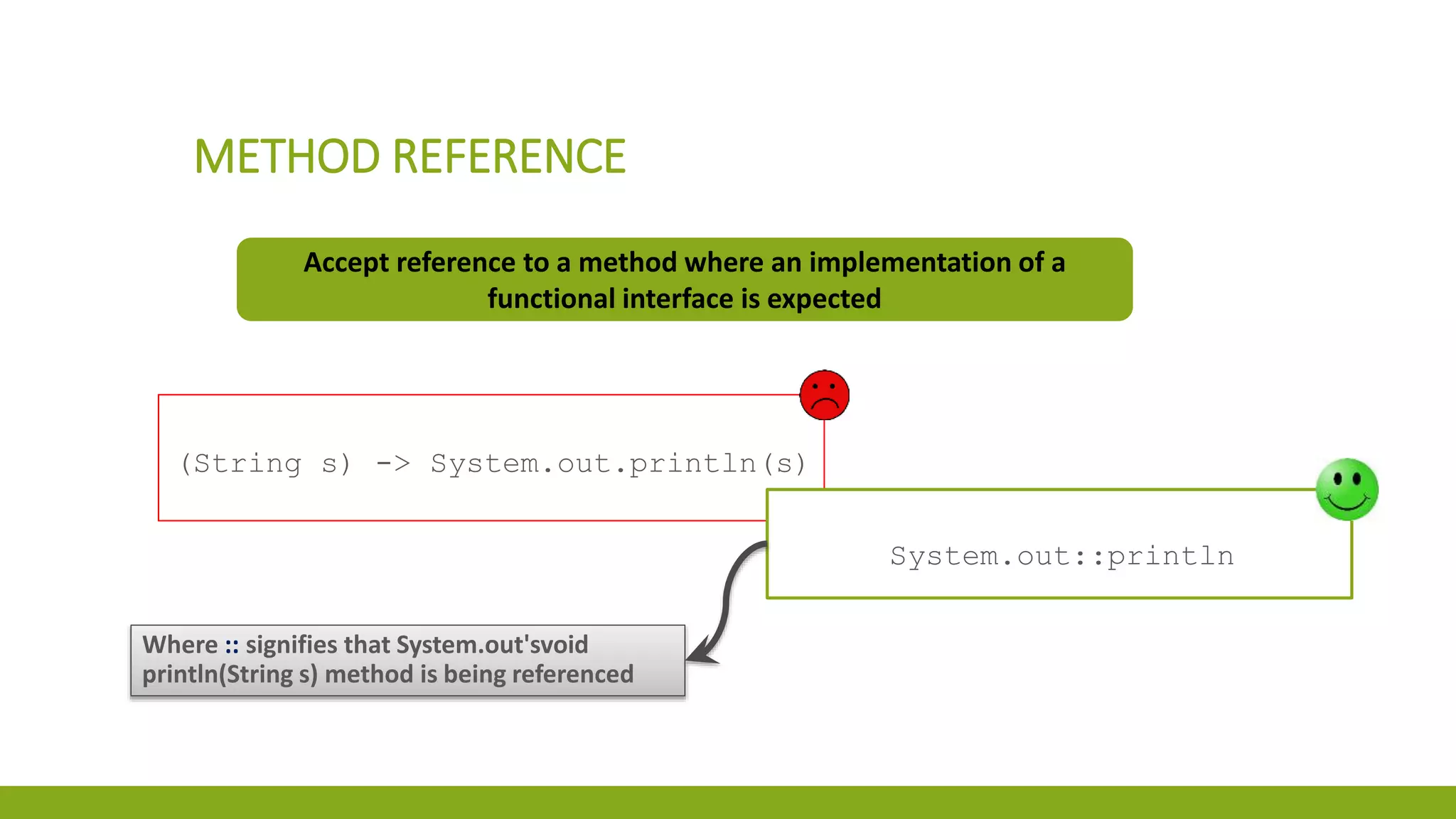
METHOD REFERENCE
Accept reference to a method where an implementation of a
functional interface is expected
(String s) -> System.out.println(s)
System.out::println
Where :: signifies that System.out'svoid
println(String s) method is being referenced
METHOD REFERENCE
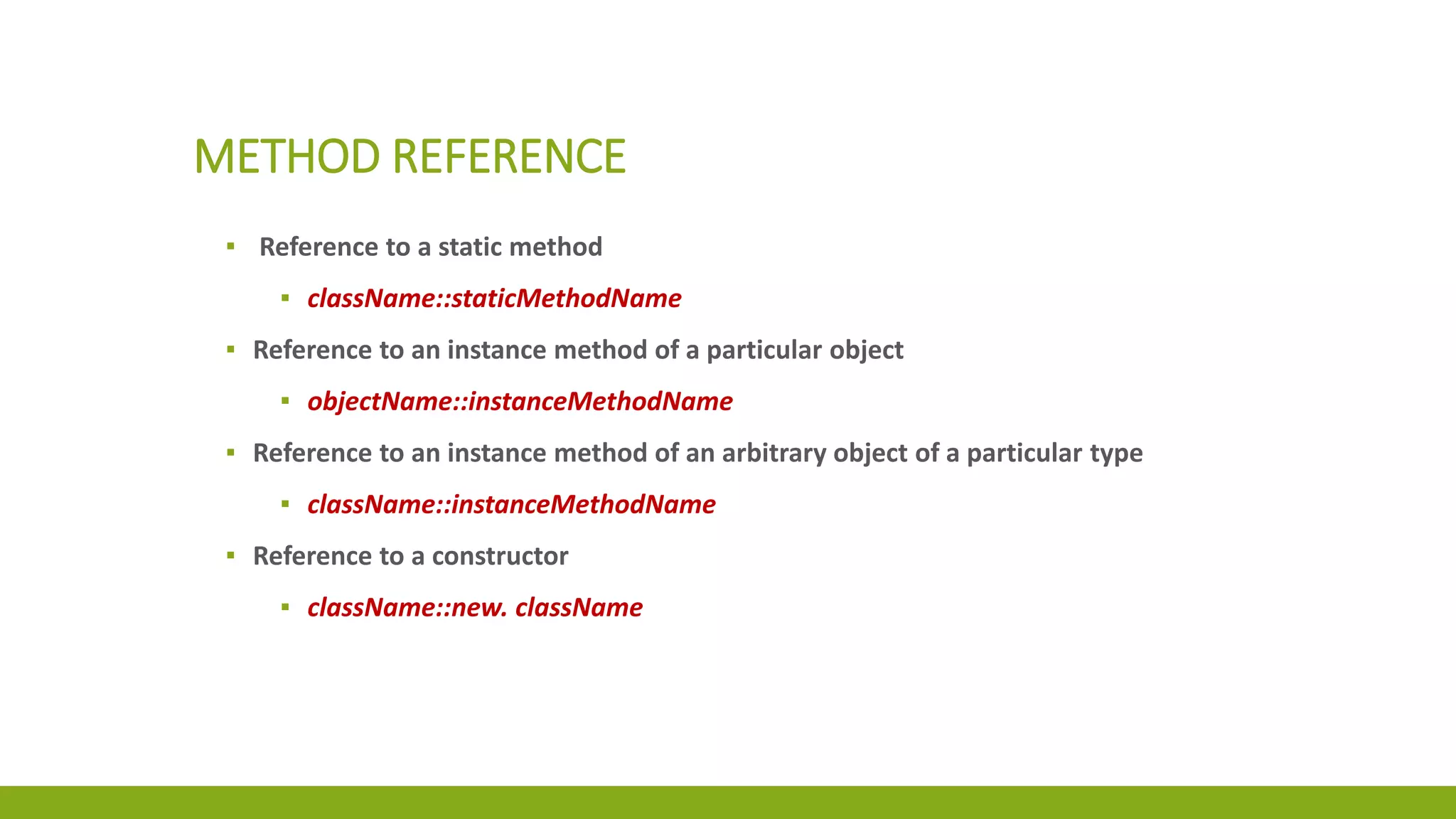
▪ Reference to a static method
▪ className::staticMethodName
▪ Reference to an instance method of a particular object
▪ objectName::instanceMethodName
▪ Reference to an instance method of an arbitrary object of a particular type
▪ className::instanceMethodName
▪ Reference to a constructor
▪ className::new. className
METHOD REFERENCE
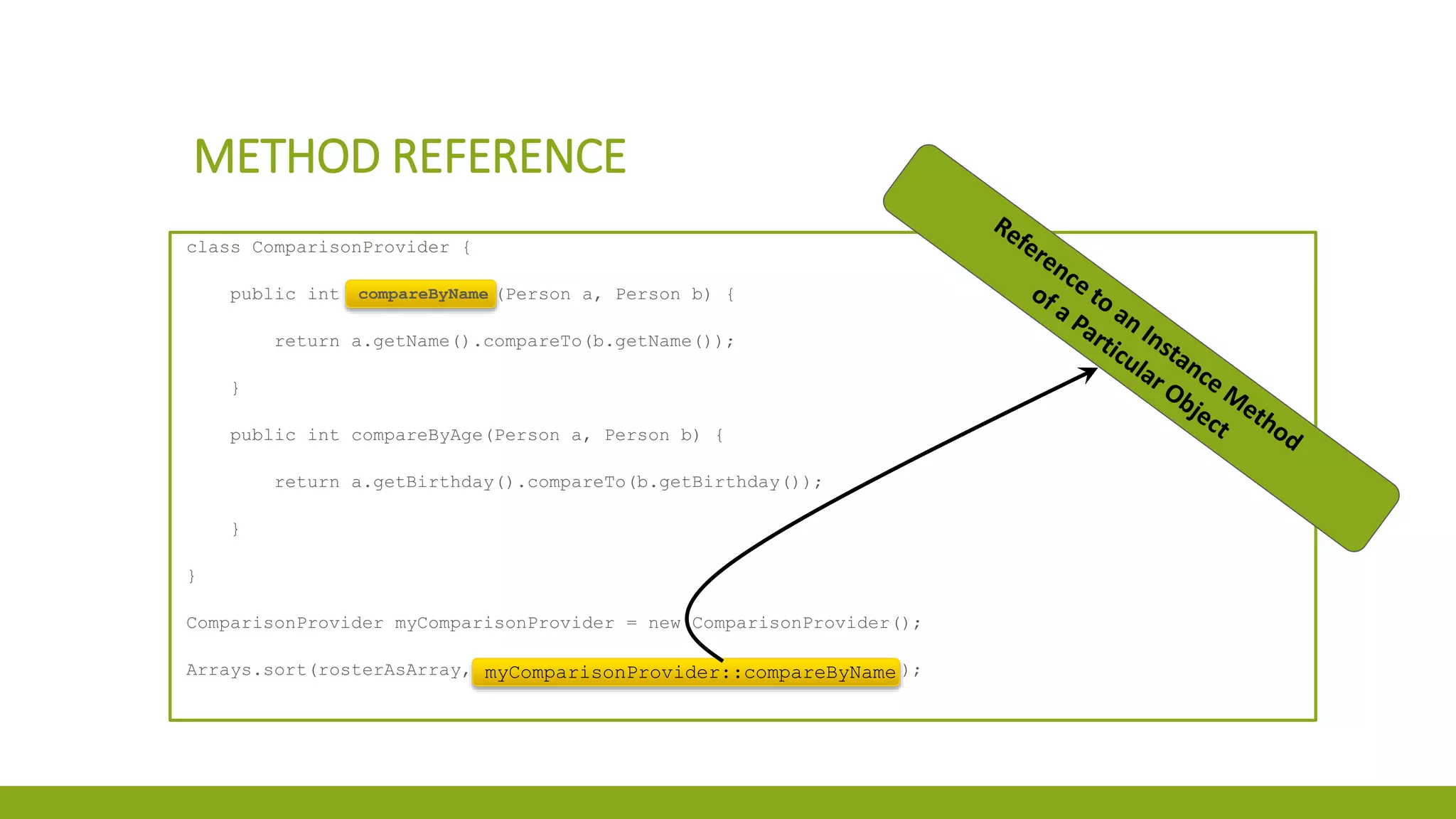
class ComparisonProvider {
public int compareByName(Person a, Person b) {
return a.getName().compareTo(b.getName());
}
public int compareByAge(Person a, Person b) {
return a.getBirthday().compareTo(b.getBirthday());
}
}
ComparisonProvider myComparisonProvider = new ComparisonProvider();
Arrays.sort(rosterAsArray, myComparisonProvider::compareByName );myComparisonProvider::compareByName
compareByName
METHOD REFERENCE
String[] stringArray = { "Barbara", "James", "Mary", "John", "Patricia", "Robert"};
Arrays.sort(stringArray, String::compareToIgnoreCase);String::compareToIgnoreCase
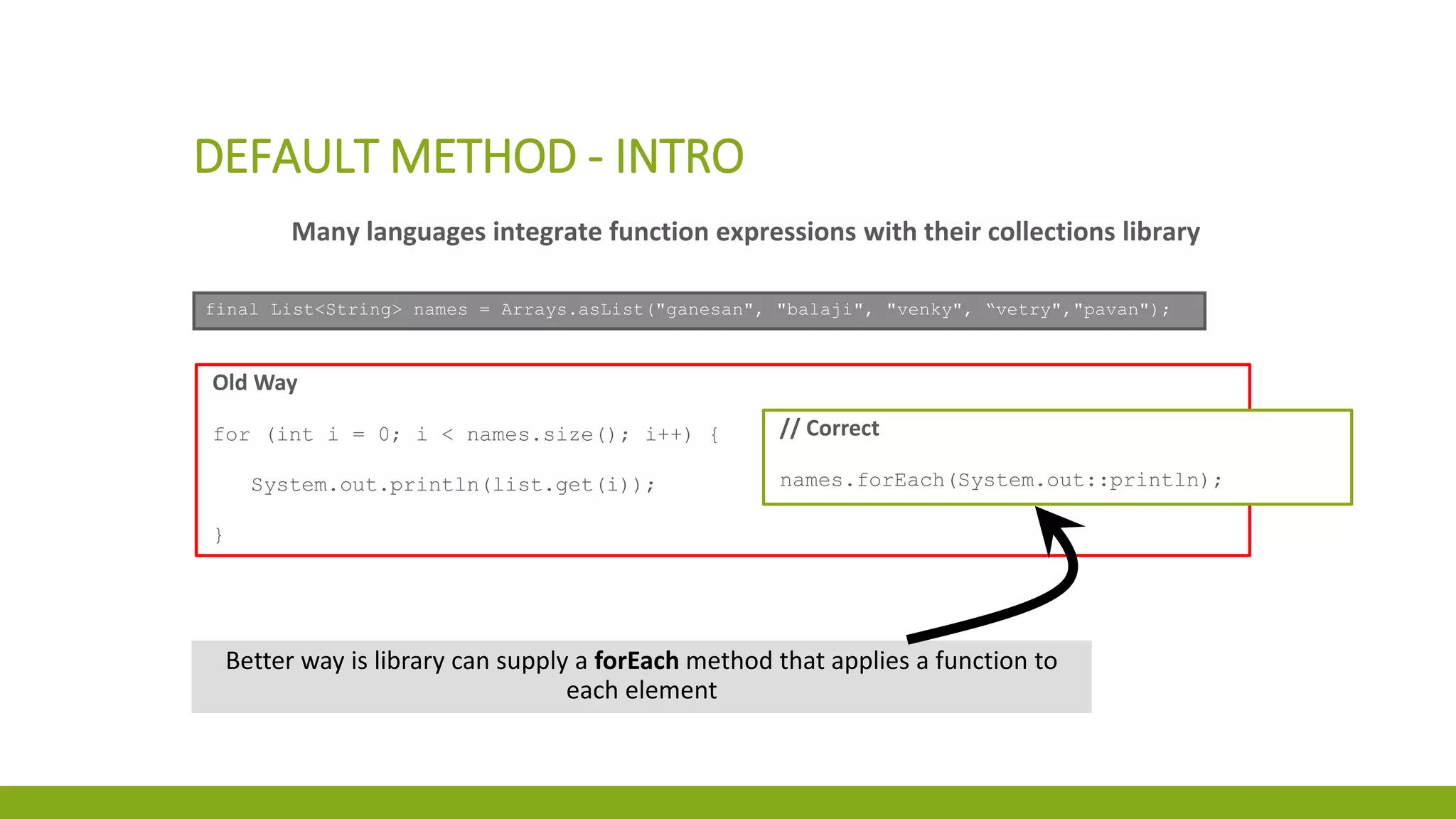
Many languages integrate function expressions with their collections library
DEFAULT METHOD - INTRO
Old Way
for (int i = 0; i < names.size(); i++) {
System.out.println(list.get(i));
}
final List<String> names = Arrays.asList("ganesan", "balaji", "venky", “vetry","pavan");
// Correct
names.forEach(System.out::println);
Better way is library can supply a forEach method that applies a function to
each element
DEFAULT METHOD - INTRO
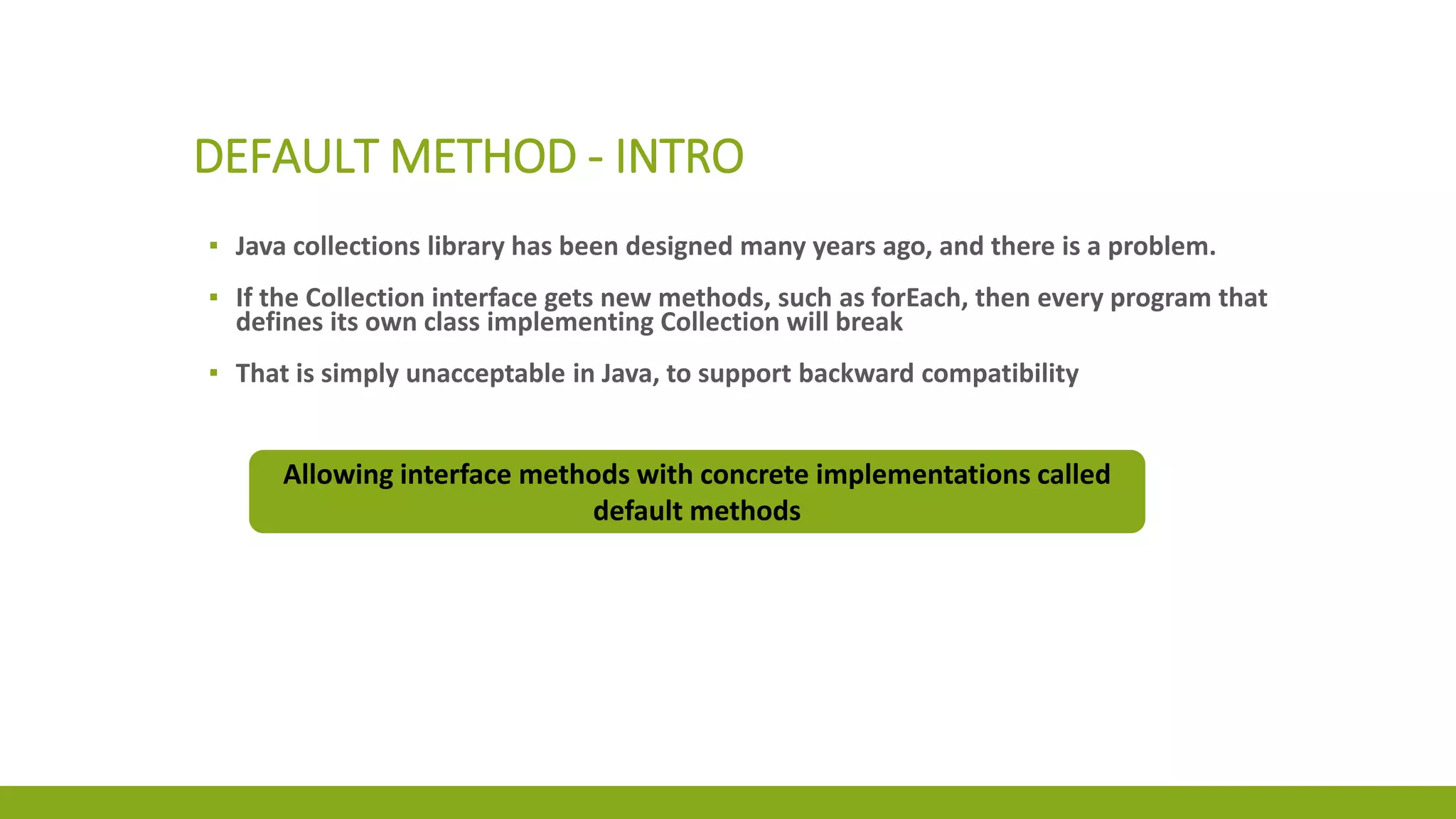
▪ Java collections library has been designed many years ago, and there is a problem.
▪ If the Collection interface gets new methods, such as forEach, then every program that
defines its own class implementing Collection will break
▪ That is simply unacceptable in Java, to support backward compatibility
Allowing interface methods with concrete implementations called
default methods
DEFAULT METHOD - INTRO
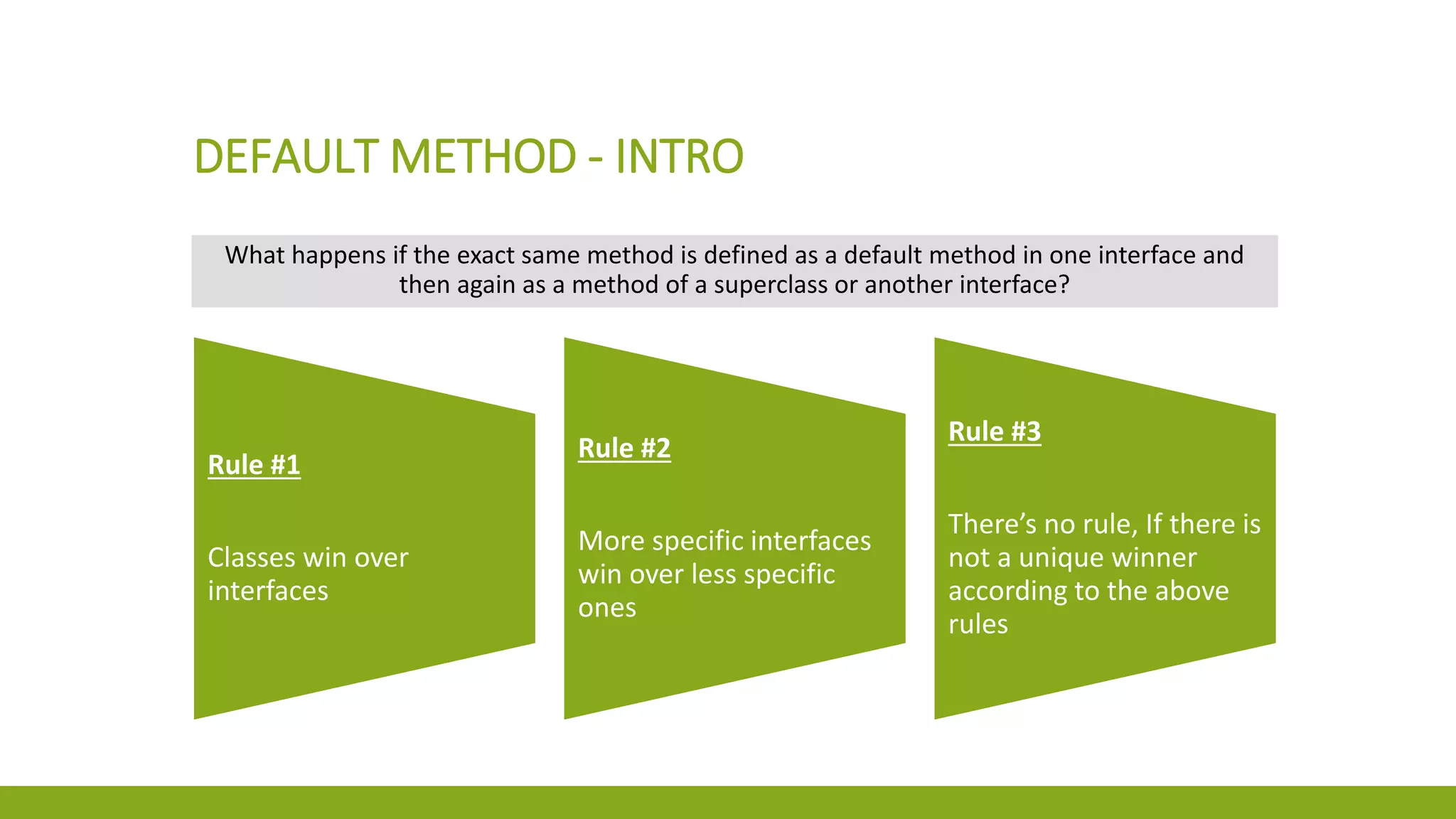
What happens if the exact same method is defined as a default method in one interface and
then again as a method of a superclass or another interface?
Rule #1
Classes win over
interfaces
Rule #2
More specific interfaces
win over less specific
ones
Rule #3
There’s no rule, If there is
not a unique winner
according to the above
rules
DEFAULT METHOD
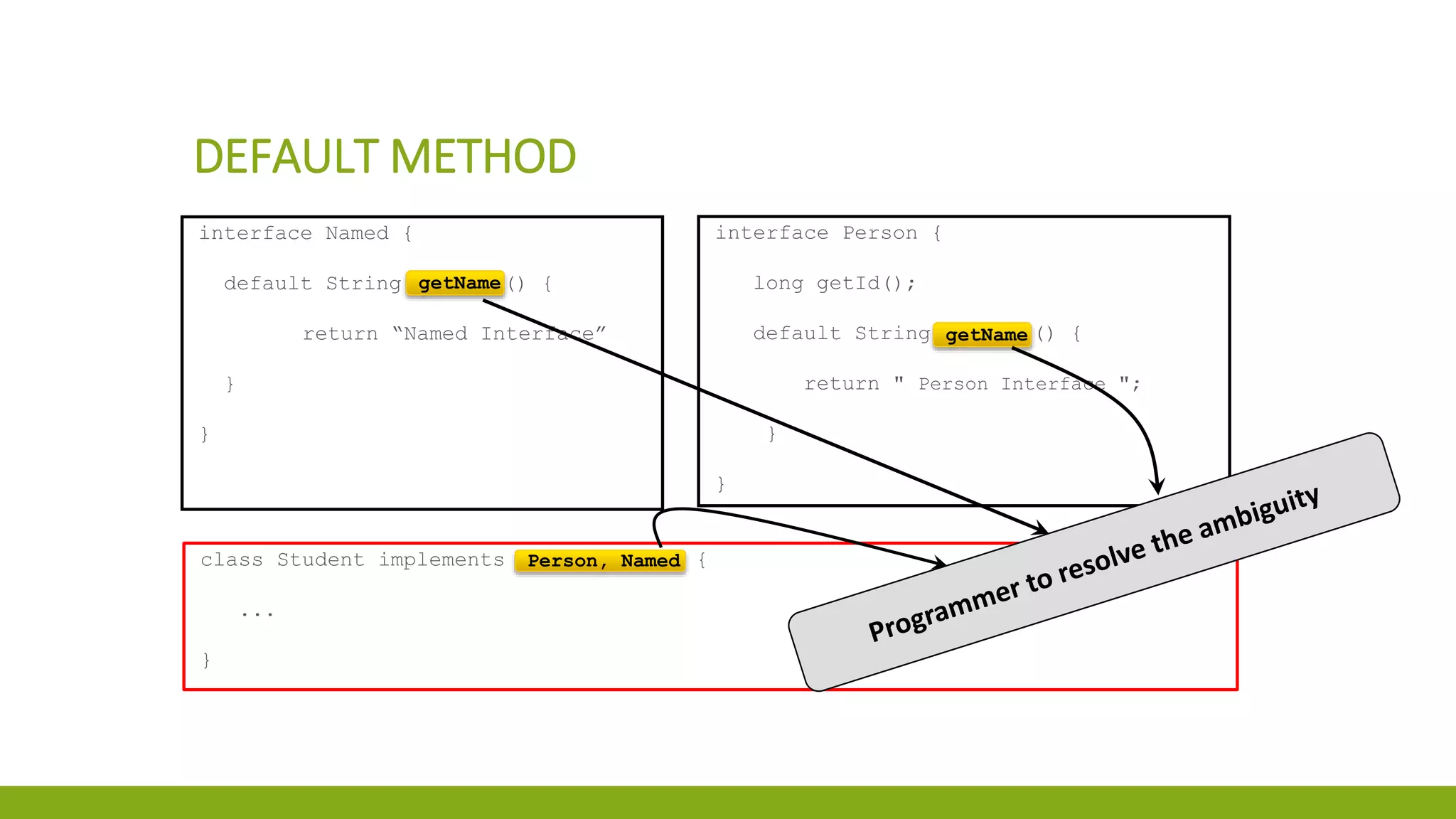
interface Named {
default String getName() {
return “Named Interface”
}
}
interface Person {
long getId();
default String getName() {
return " Person Interface ";
}
}
class Student implements Person, Named {
...
}
getName
getName
Person, Named
DEFAULT METHOD
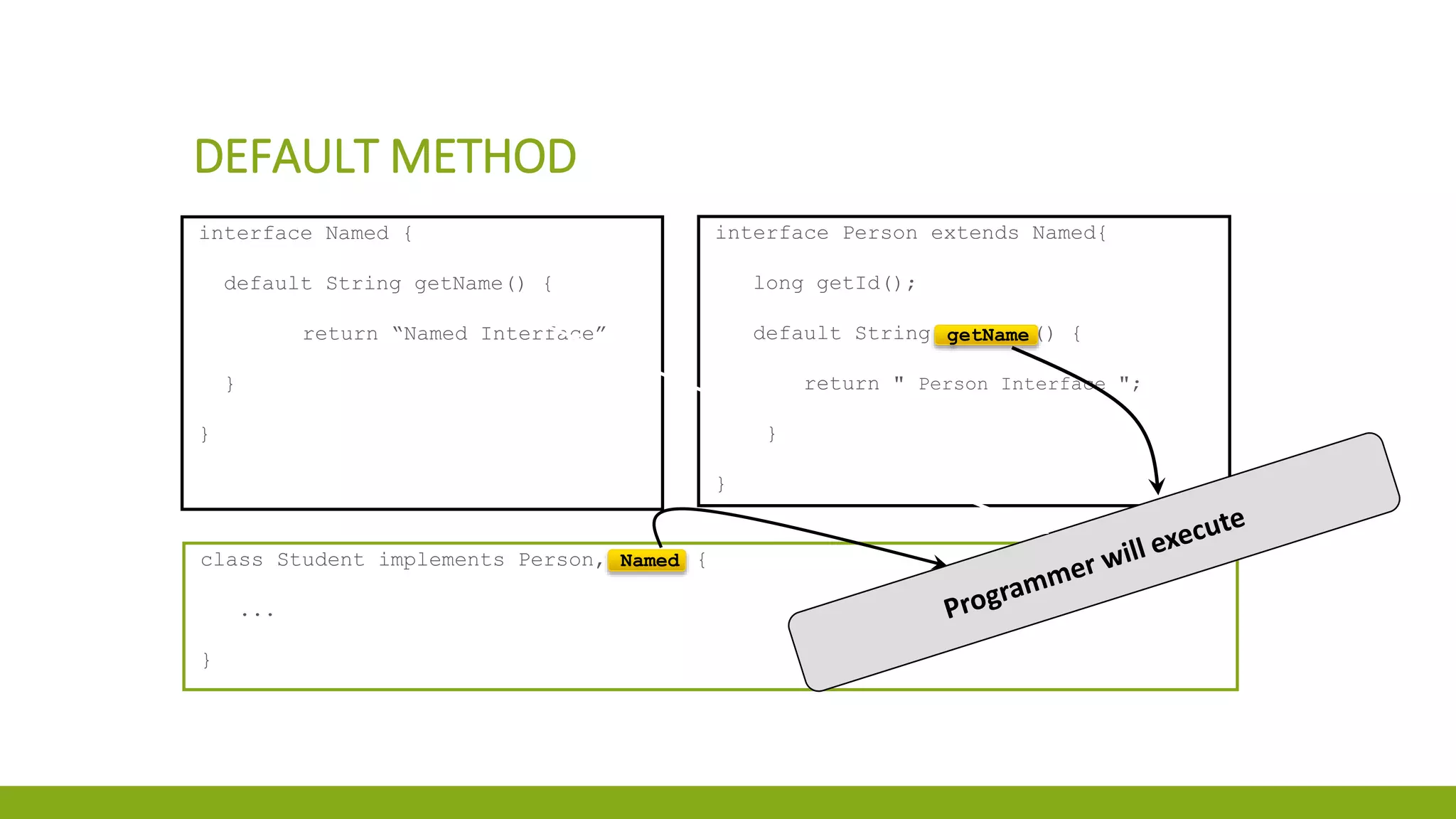
interface Named {
default String getName() {
return “Named Interface”
}
}
interface Person extends Named{
long getId();
default String getName() {
return " Person Interface ";
}
}
class Student implements Person, Named {
...
}
Named
getName
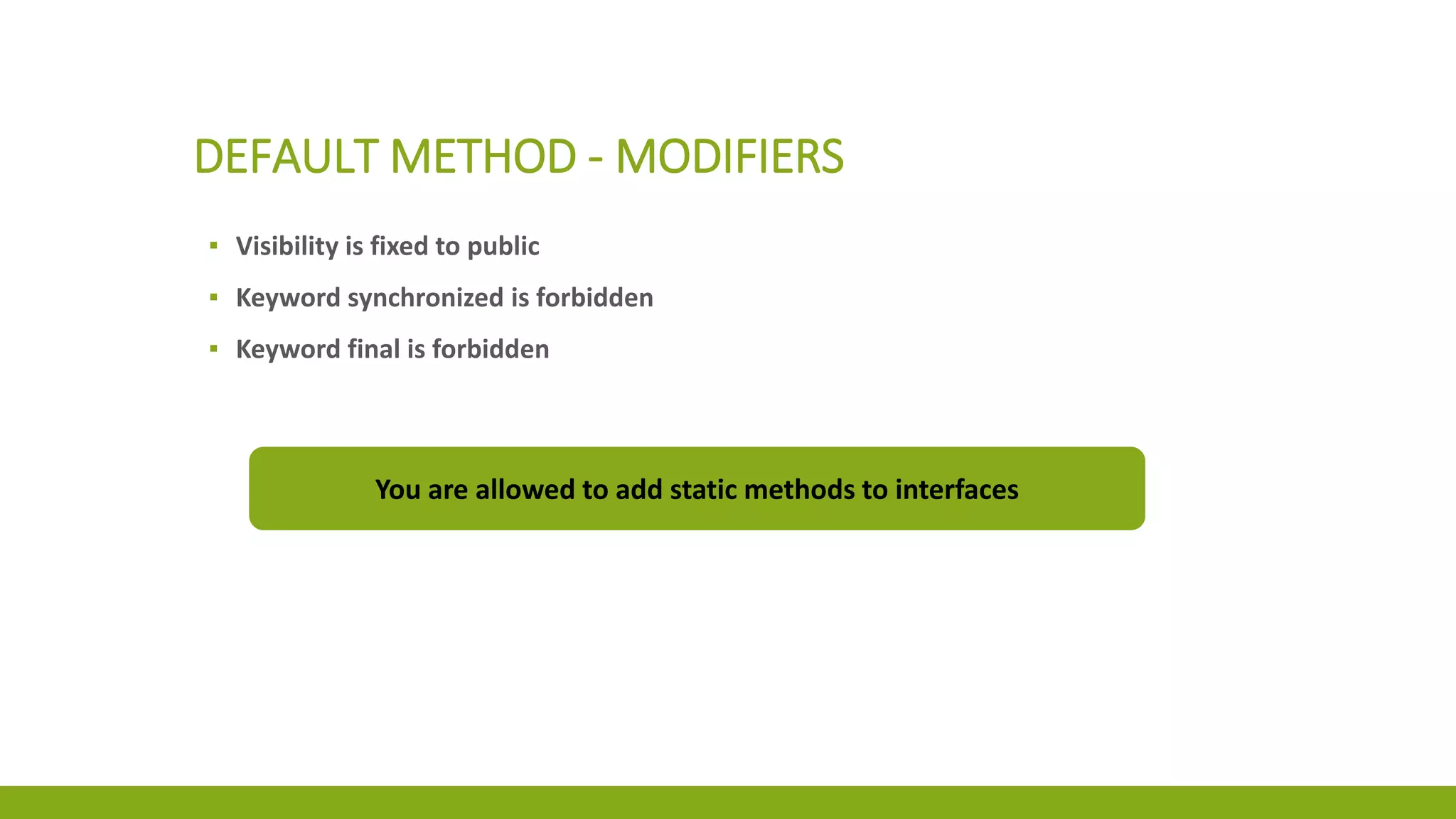
DEFAULT METHOD - MODIFIERS
▪ Visibility is fixed to public
▪ Keyword synchronized is forbidden
▪ Keyword final is forbidden
You are allowed to add static methods to interfaces
STATIC METHODS
Static methods cannot be inherited by the class implementing
WHAT?
▪ Influenced by Joda-Time
▪ java.time package contains date, time, date/time, time zones, instants, duration, and
clocks manipulation.
▪ conforms to immutability, a lesson learnt from java.util.Calendar.
PROBLEMS - EXISTING DATE AND TIME APIS
▪ Bad Naming
▪ Historical Issues
▪ Design Problems
▪ Deficiencies
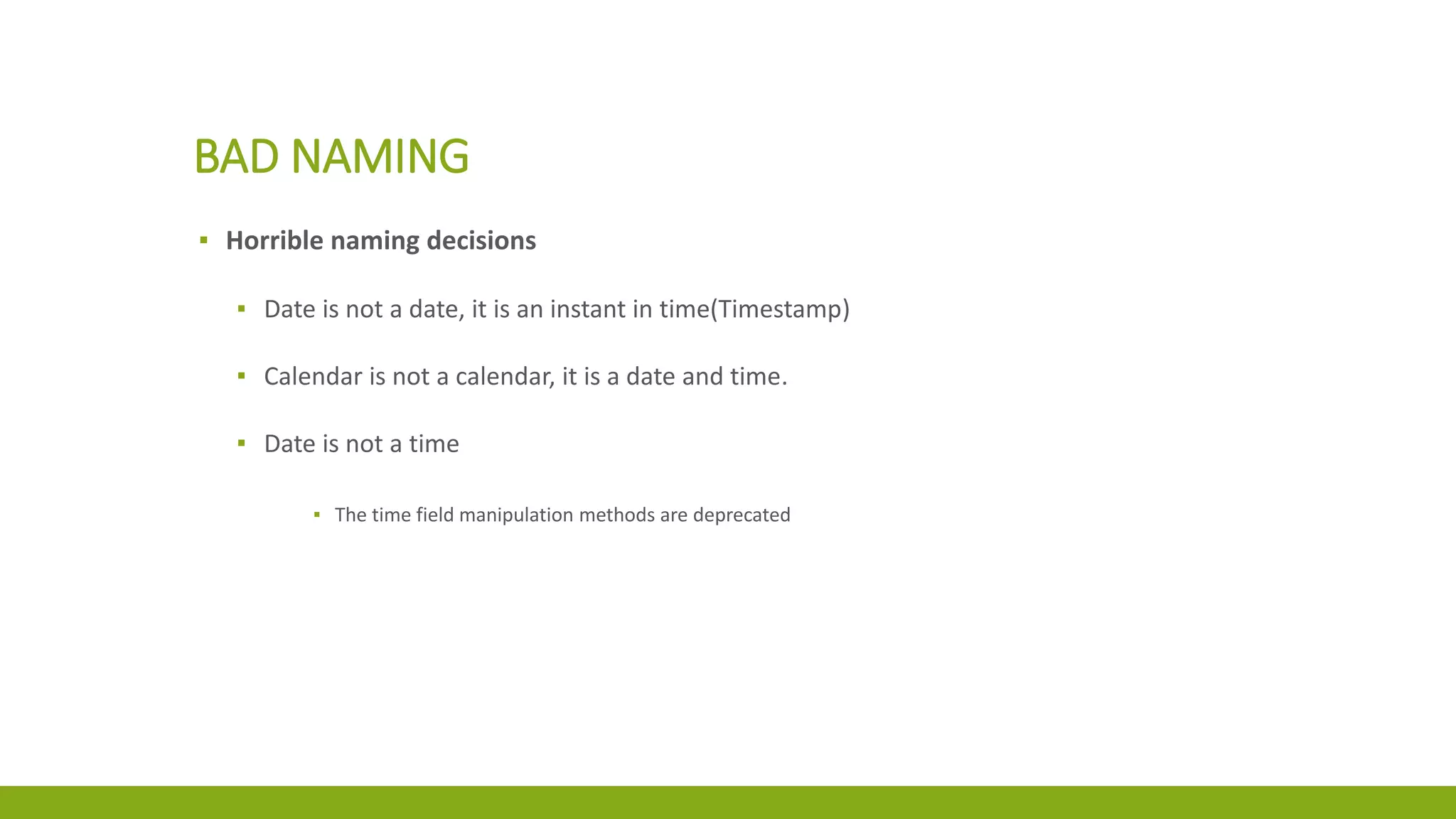
BAD NAMING
▪ Horrible naming decisions
▪ Date is not a date, it is an instant in time(Timestamp)
▪ Calendar is not a calendar, it is a date and time.
▪ Date is not a time
▪ The time field manipulation methods are deprecated
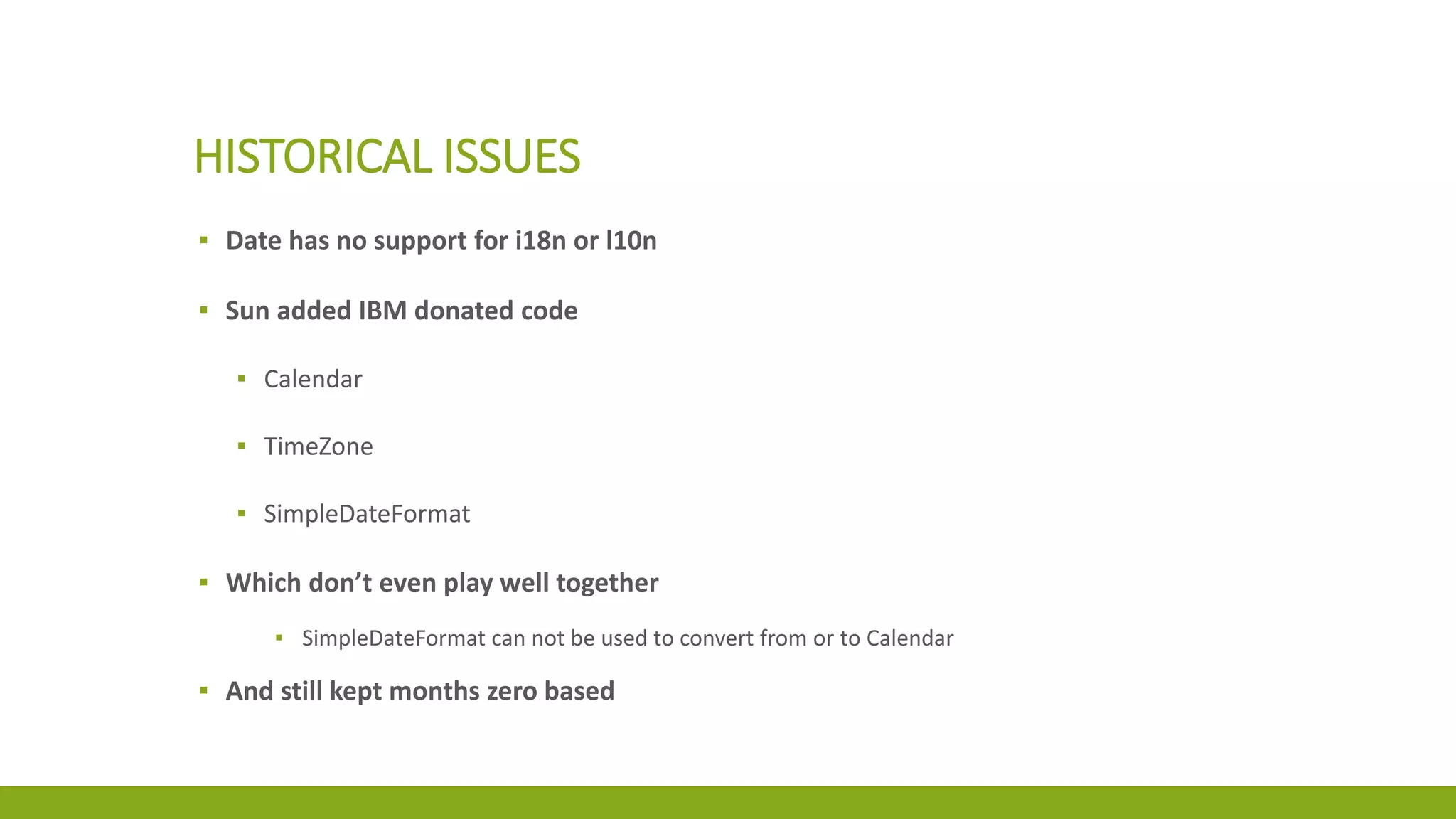
HISTORICAL ISSUES
▪ Date has no support for i18n or l10n
▪ Sun added IBM donated code
▪ Calendar
▪ TimeZone
▪ SimpleDateFormat
▪ Which don’t even play well together
▪ SimpleDateFormat can not be used to convert from or to Calendar
▪ And still kept months zero based
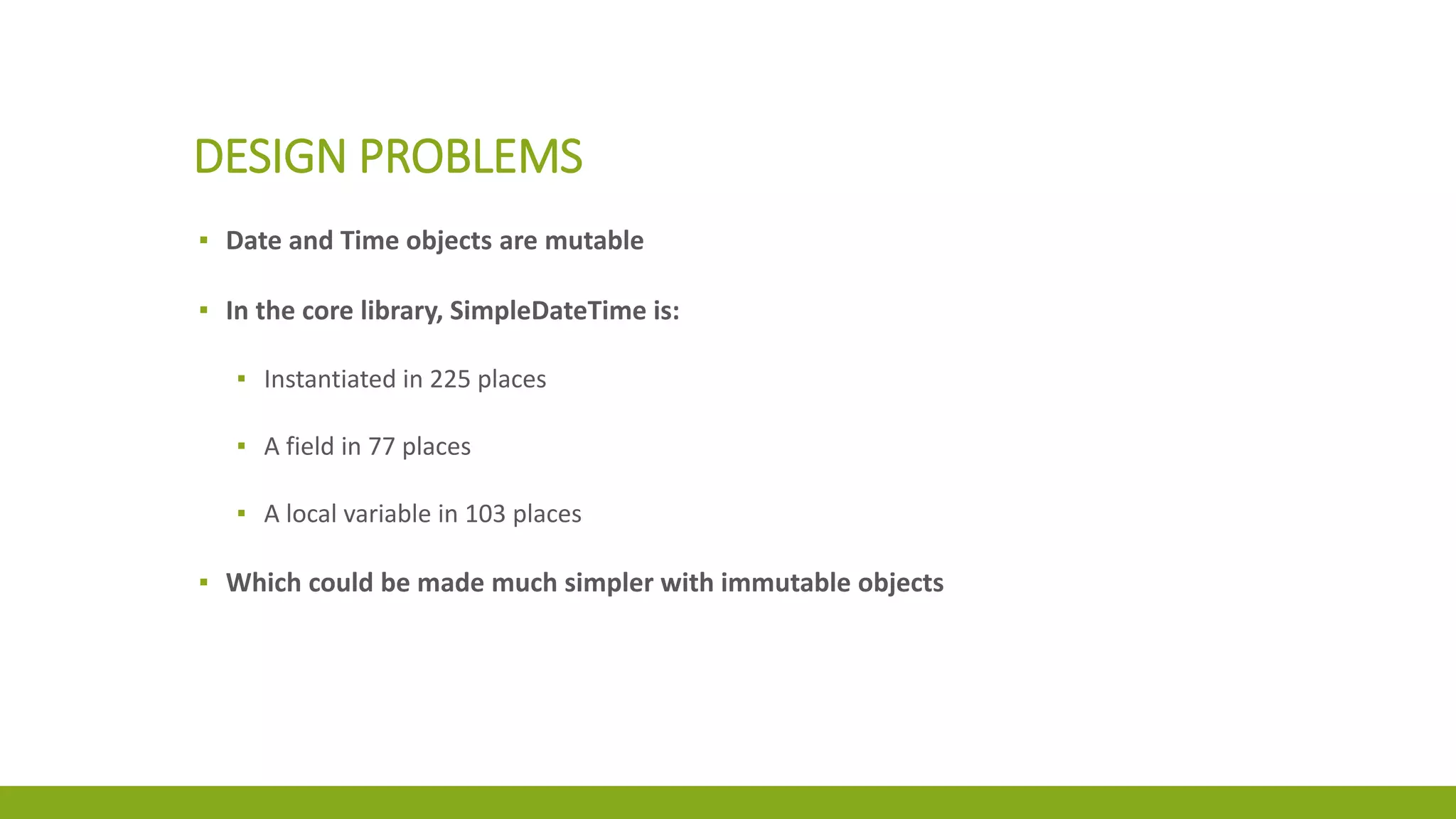
DESIGN PROBLEMS
▪ Date and Time objects are mutable
▪ In the core library, SimpleDateTime is:
▪ Instantiated in 225 places
▪ A field in 77 places
▪ A local variable in 103 places
▪ Which could be made much simpler with immutable objects
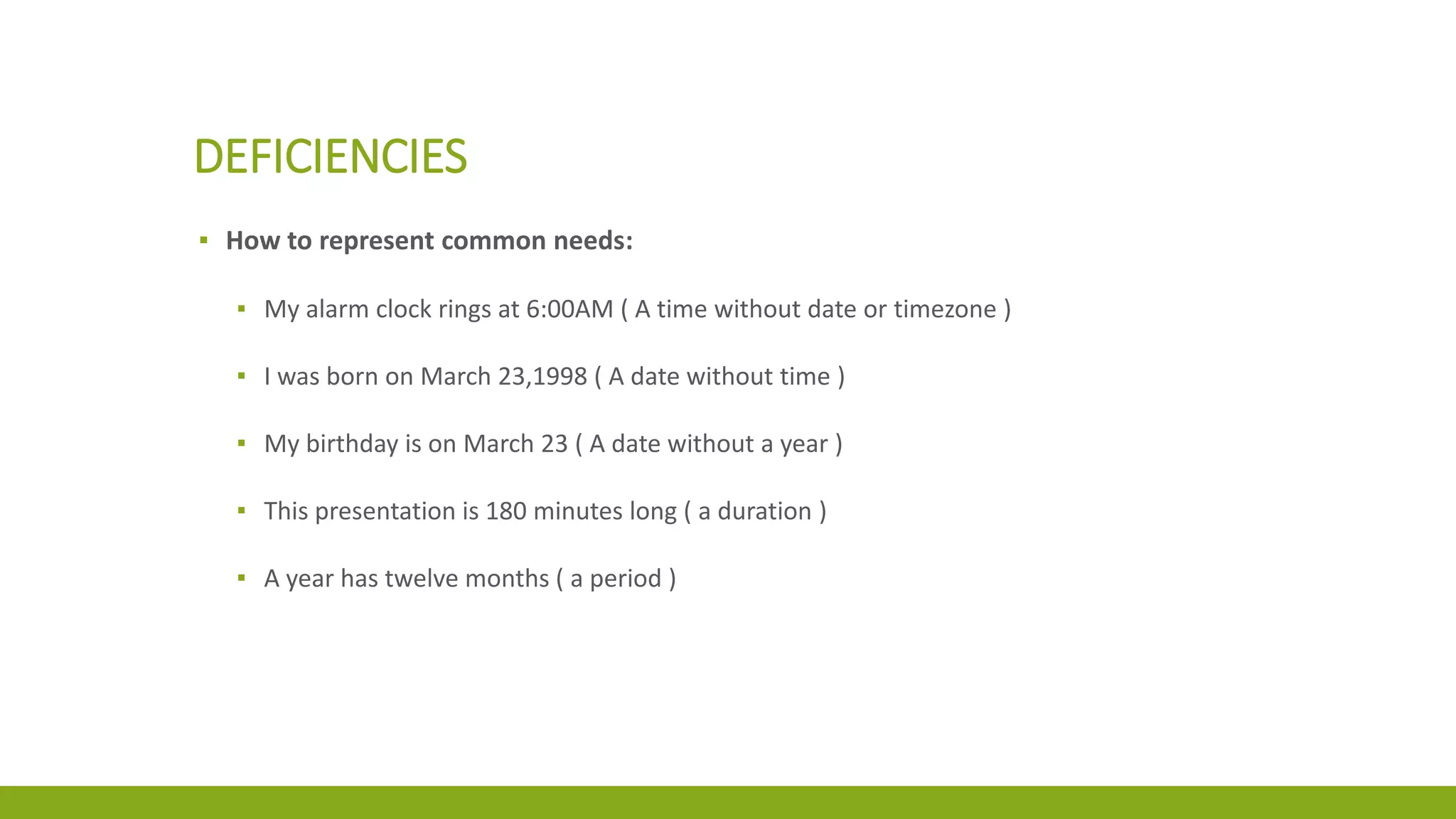
DEFICIENCIES
▪ How to represent common needs:
▪ My alarm clock rings at 6:00AM ( A time without date or timezone )
▪ I was born on March 23,1998 ( A date without time )
▪ My birthday is on March 23 ( A date without a year )
▪ This presentation is 180 minutes long ( a duration )
▪ A year has twelve months ( a period )
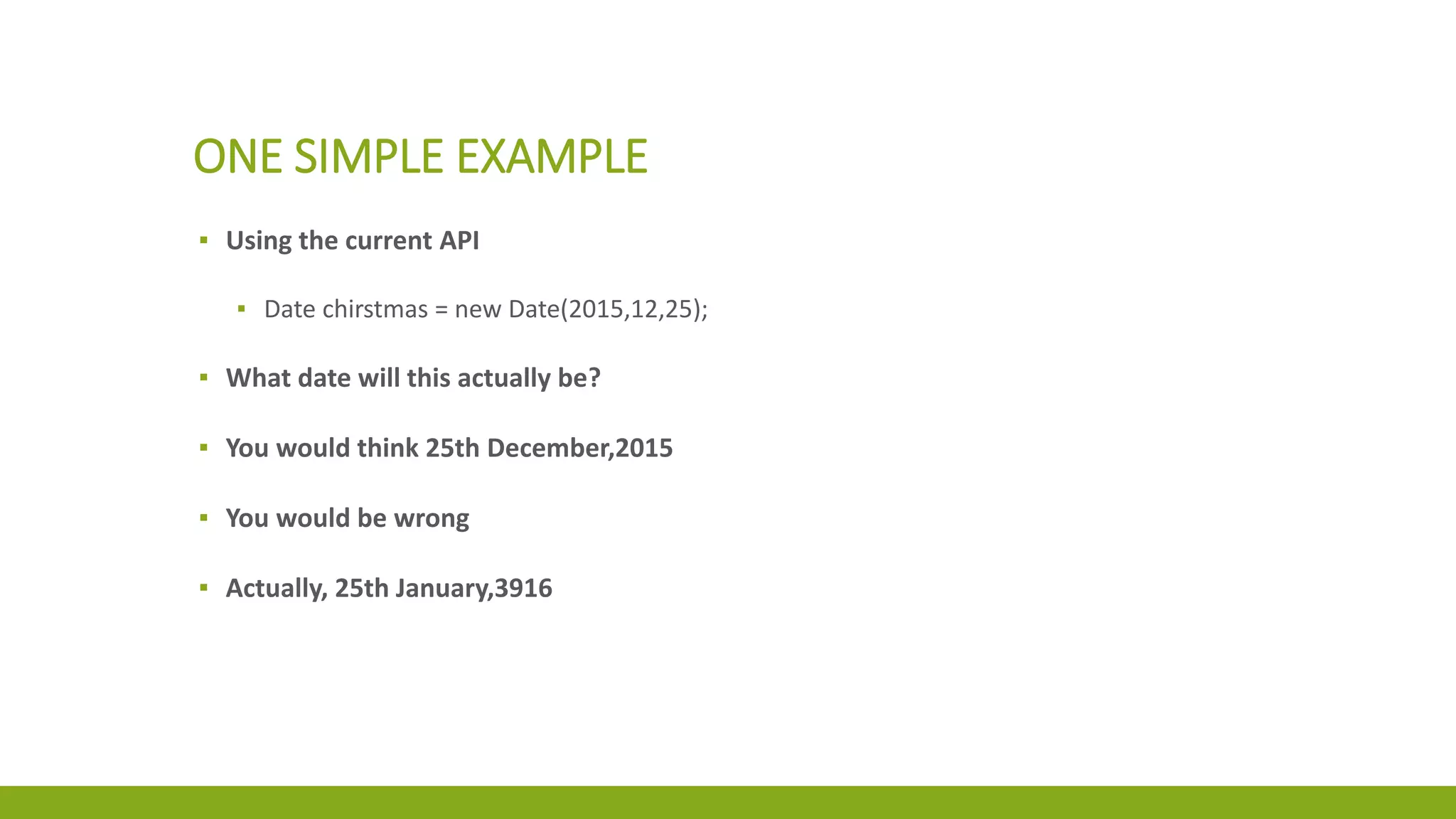
ONE SIMPLE EXAMPLE
▪ Using the current API
▪ Date chirstmas = new Date(2015,12,25);
▪ What date will this actually be?
▪ You would think 25th December,2015
▪ You would be wrong
▪ Actually, 25th January,3916
A BETTER WAY IS
JSR-310
SOME IMPORTANT CLASSES
▪ Clock
▪ LocalDate
▪ LocalTime
▪ LocalDateTime
▪ ZoneDateTime
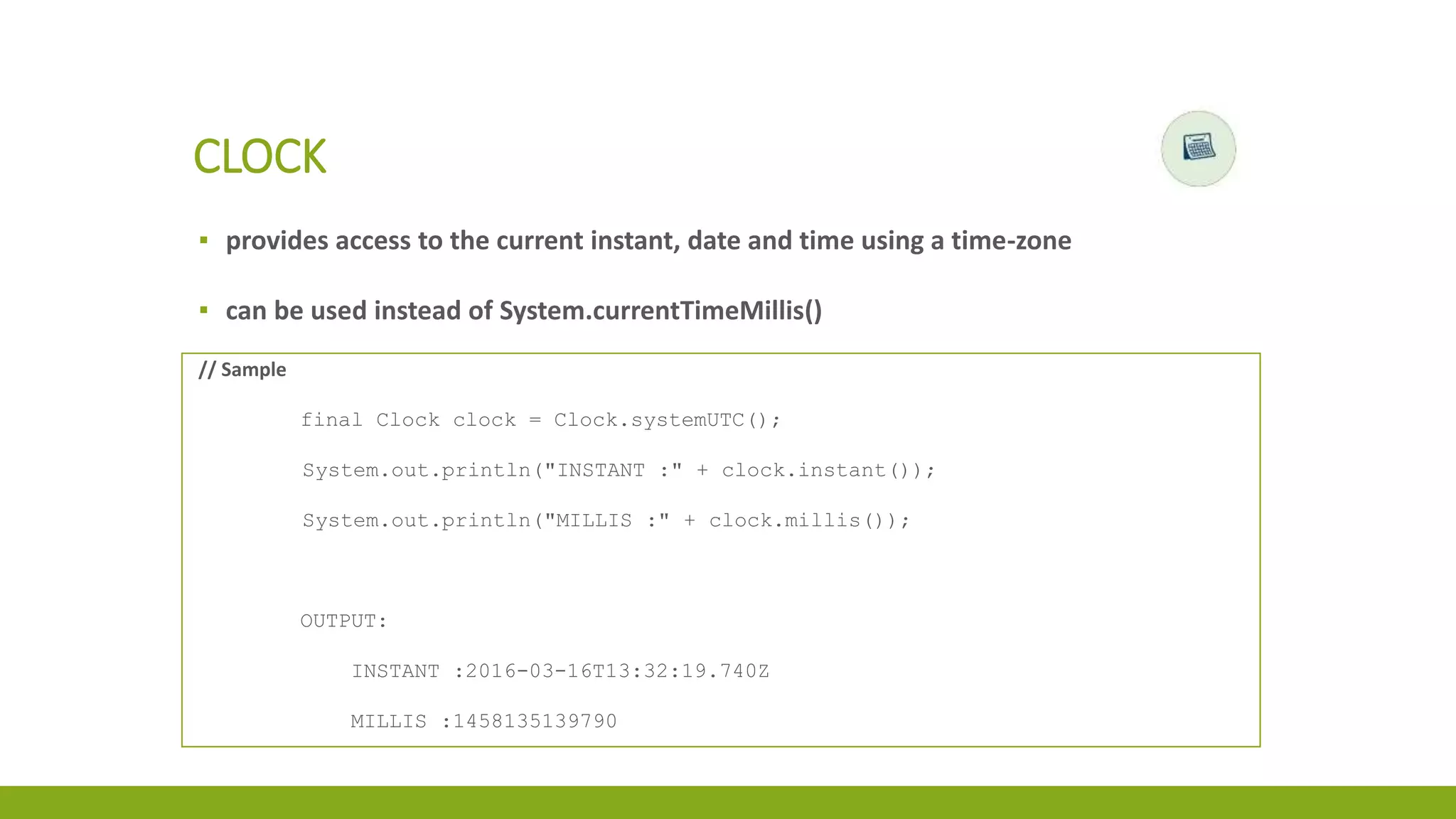
▪ provides access to the current instant, date and time using a time-zone
▪ can be used instead of System.currentTimeMillis()
CLOCK
// Sample
final Clock clock = Clock.systemUTC();
System.out.println("INSTANT :" + clock.instant());
System.out.println("MILLIS :" + clock.millis());
OUTPUT:
INSTANT :2016-03-16T13:32:19.740Z
MILLIS :1458135139790
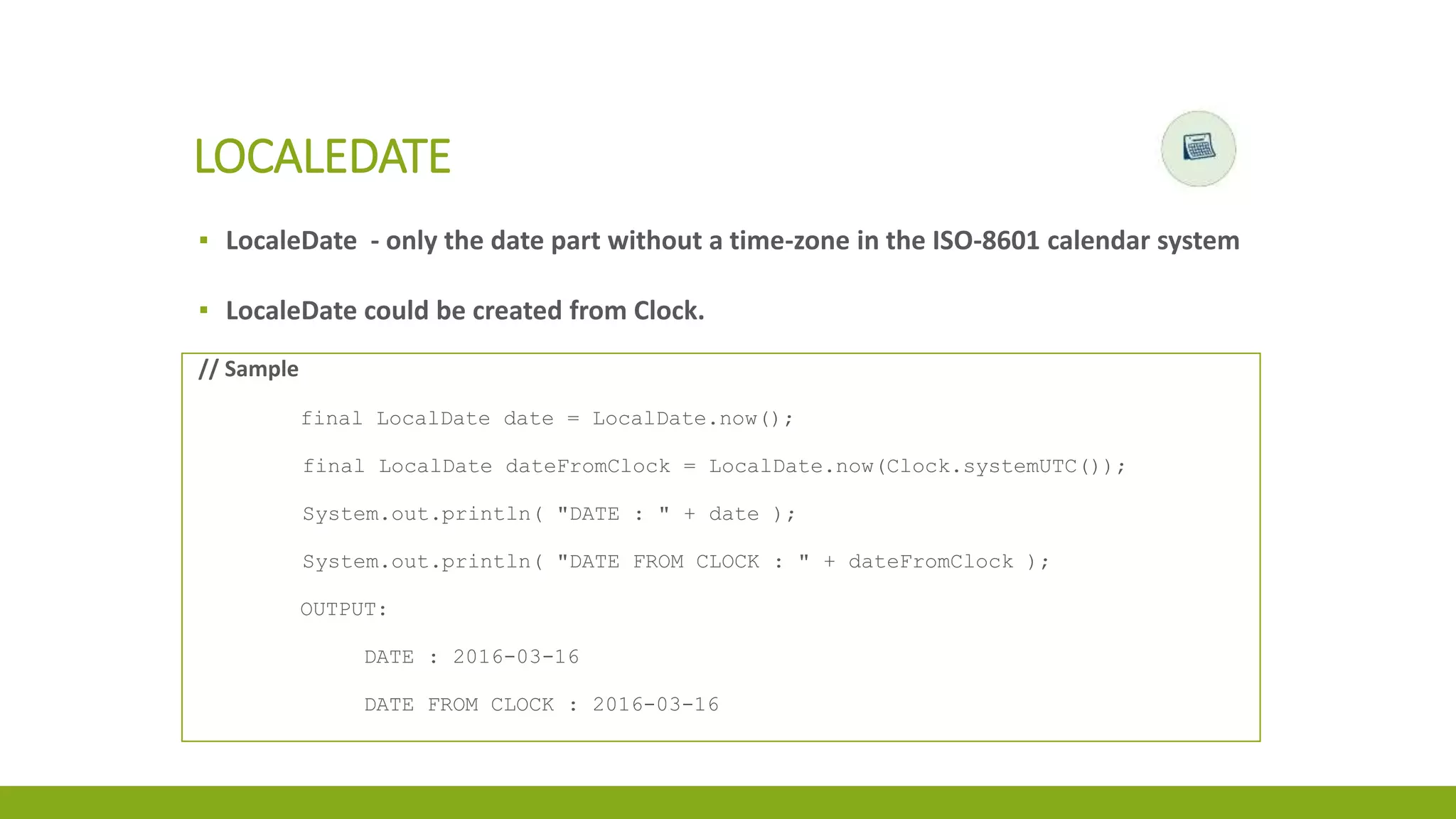
▪ LocaleDate - only the date part without a time-zone in the ISO-8601 calendar system
▪ LocaleDate could be created from Clock.
LOCALEDATE
// Sample
final LocalDate date = LocalDate.now();
final LocalDate dateFromClock = LocalDate.now(Clock.systemUTC());
System.out.println( "DATE : " + date );
System.out.println( "DATE FROM CLOCK : " + dateFromClock );
OUTPUT:
DATE : 2016-03-16
DATE FROM CLOCK : 2016-03-16
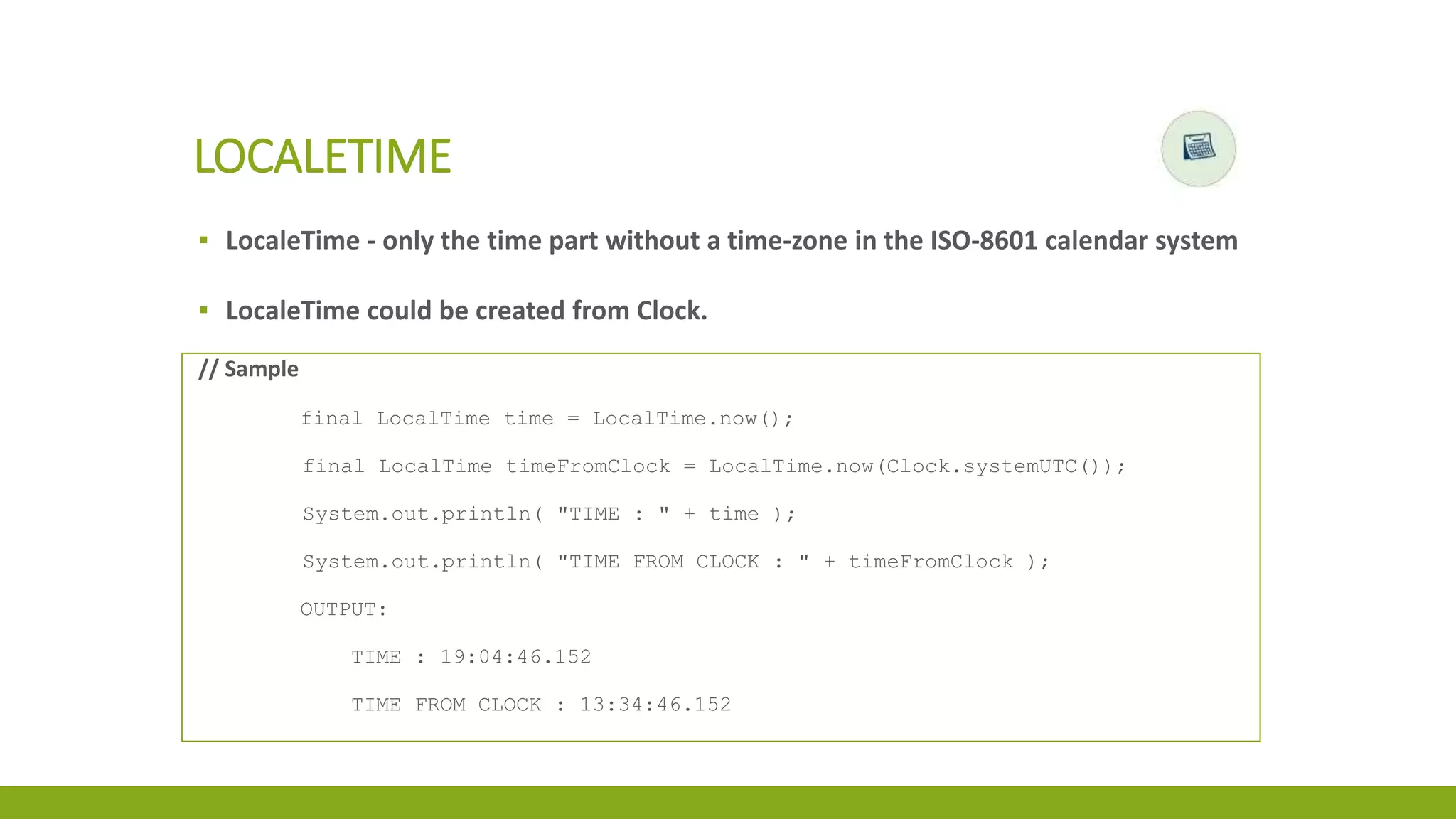
▪ LocaleTime - only the time part without a time-zone in the ISO-8601 calendar system
▪ LocaleTime could be created from Clock.
LOCALETIME
// Sample
final LocalTime time = LocalTime.now();
final LocalTime timeFromClock = LocalTime.now(Clock.systemUTC());
System.out.println( "TIME : " + time );
System.out.println( "TIME FROM CLOCK : " + timeFromClock );
OUTPUT:
TIME : 19:04:46.152
TIME FROM CLOCK : 13:34:46.152
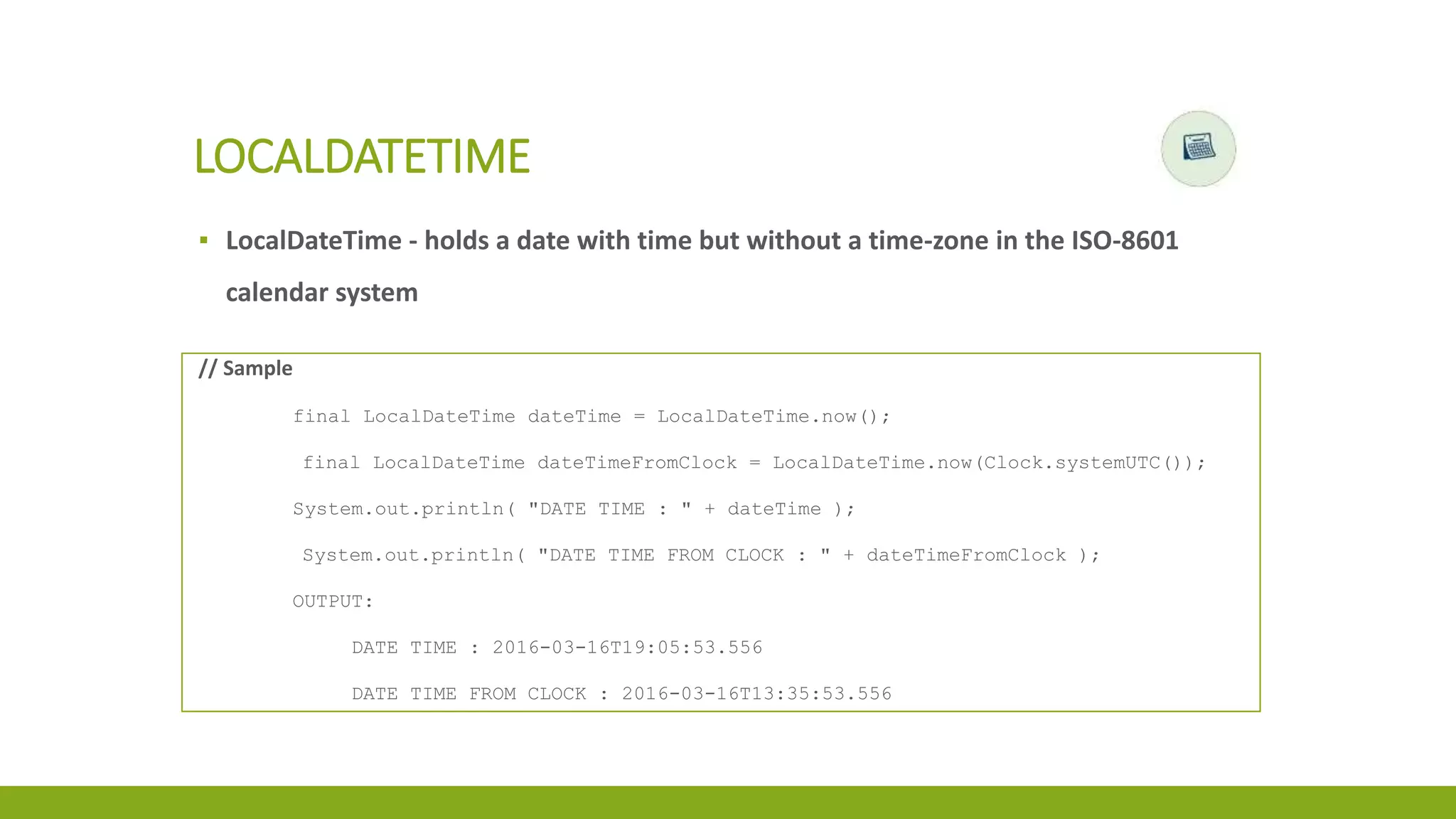
▪ LocalDateTime - holds a date with time but without a time-zone in the ISO-8601
calendar system
LOCALDATETIME
// Sample
final LocalDateTime dateTime = LocalDateTime.now();
final LocalDateTime dateTimeFromClock = LocalDateTime.now(Clock.systemUTC());
System.out.println( "DATE TIME : " + dateTime );
System.out.println( "DATE TIME FROM CLOCK : " + dateTimeFromClock );
OUTPUT:
DATE TIME : 2016-03-16T19:05:53.556
DATE TIME FROM CLOCK : 2016-03-16T13:35:53.556
▪ ZonedDateTime - holds a date with time and with a time-zone in the ISO-8601
calendar system
ZONEDDATETIME
// Sample
final ZonedDateTime zonedDateTime =
ZonedDateTime.now();
final ZonedDateTime zonedDateTimeFromClock =
ZonedDateTime.now(Clock.systemUTC());
final ZonedDateTime zonedDateTimeFromZone =
ZonedDateTime.now( ZoneId.of("America/Los_Angeles"));
System.out.println( "ZONED DATE TIME : " +
zonedDateTime );
System.out.println( "ZONED DATE TIME FROM
CLOCK : " + zonedDateTimeFromClock );
System.out.println( "ZONED DATE TIME FROM ZONE
: " + zonedDateTimeFromZone );
OUTPUT:
ZONED DATE TIME : 2016-03-
16T19:06:34.761+05:30[Asia/Calcutta]
ZONED DATE TIME FROM CLOCK : 2016-03-16T13:36:34.761Z
ZONED DATE TIME FROM ZONE : 2016-03-16T06:36:34.761-
07:00[America/Los_Angeles]s
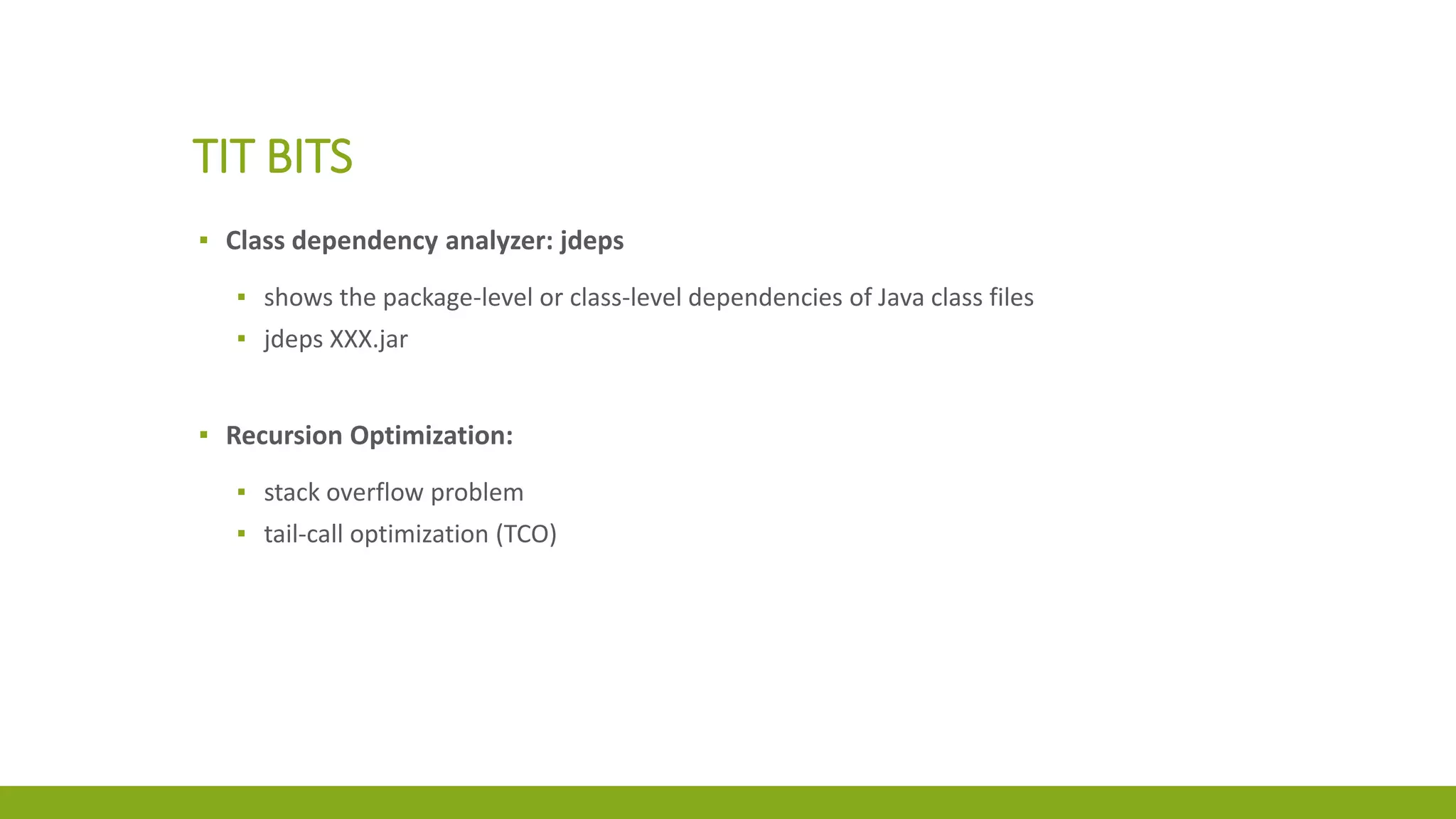
TIT BITS
▪ Class dependency analyzer: jdeps
▪ shows the package-level or class-level dependencies of Java class files
▪ jdeps XXX.jar
▪ Recursion Optimization:
▪ stack overflow problem
▪ tail-call optimization (TCO)
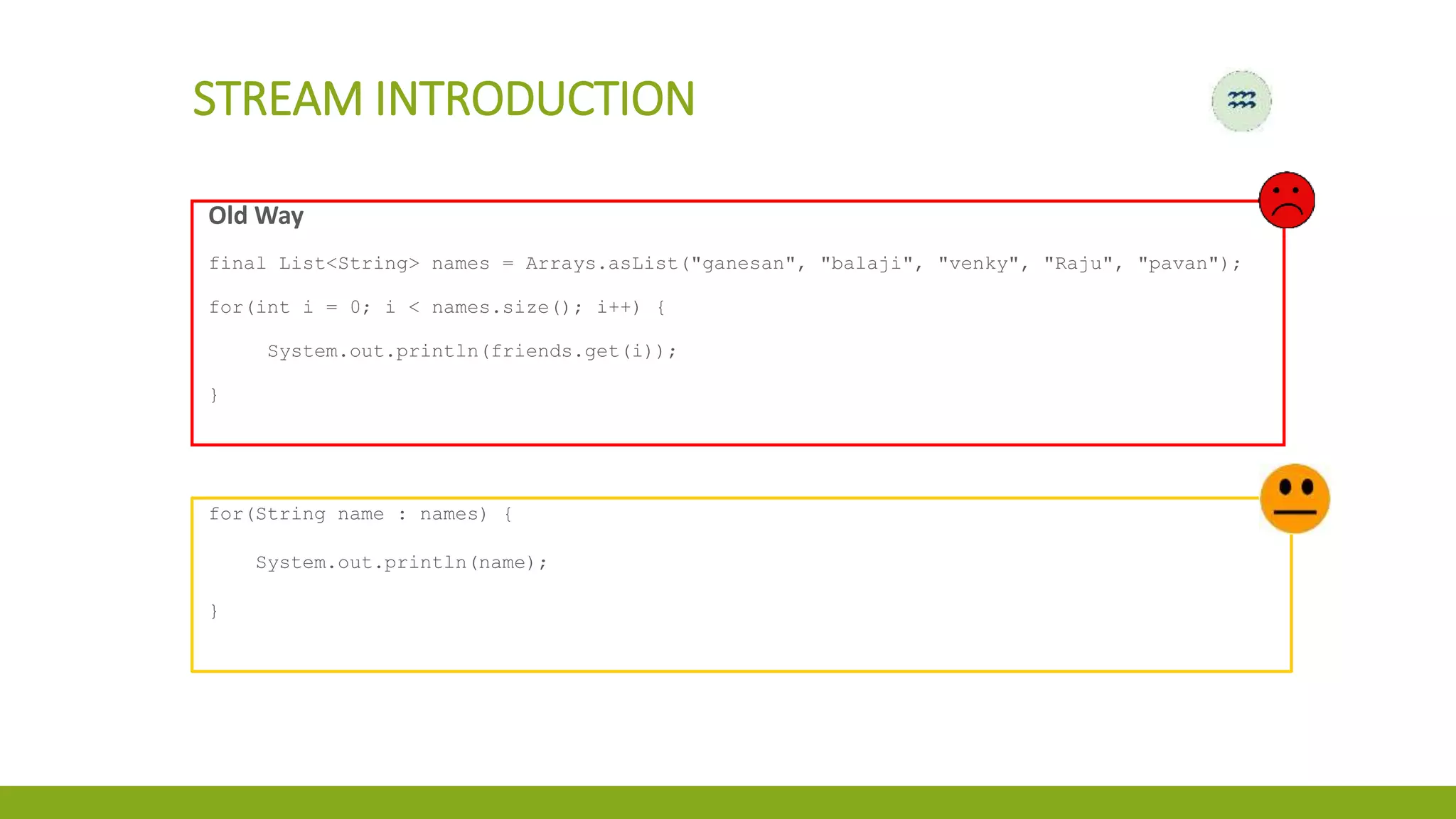
STREAM INTRODUCTION
Old Way
final List<String> names = Arrays.asList("ganesan", "balaji", "venky", "Raju", "pavan");
for(int i = 0; i < names.size(); i++) {
System.out.println(friends.get(i));
}
for(String name : names) {
System.out.println(name);
}
names.forEach((final String name) -> System.out.println(name));
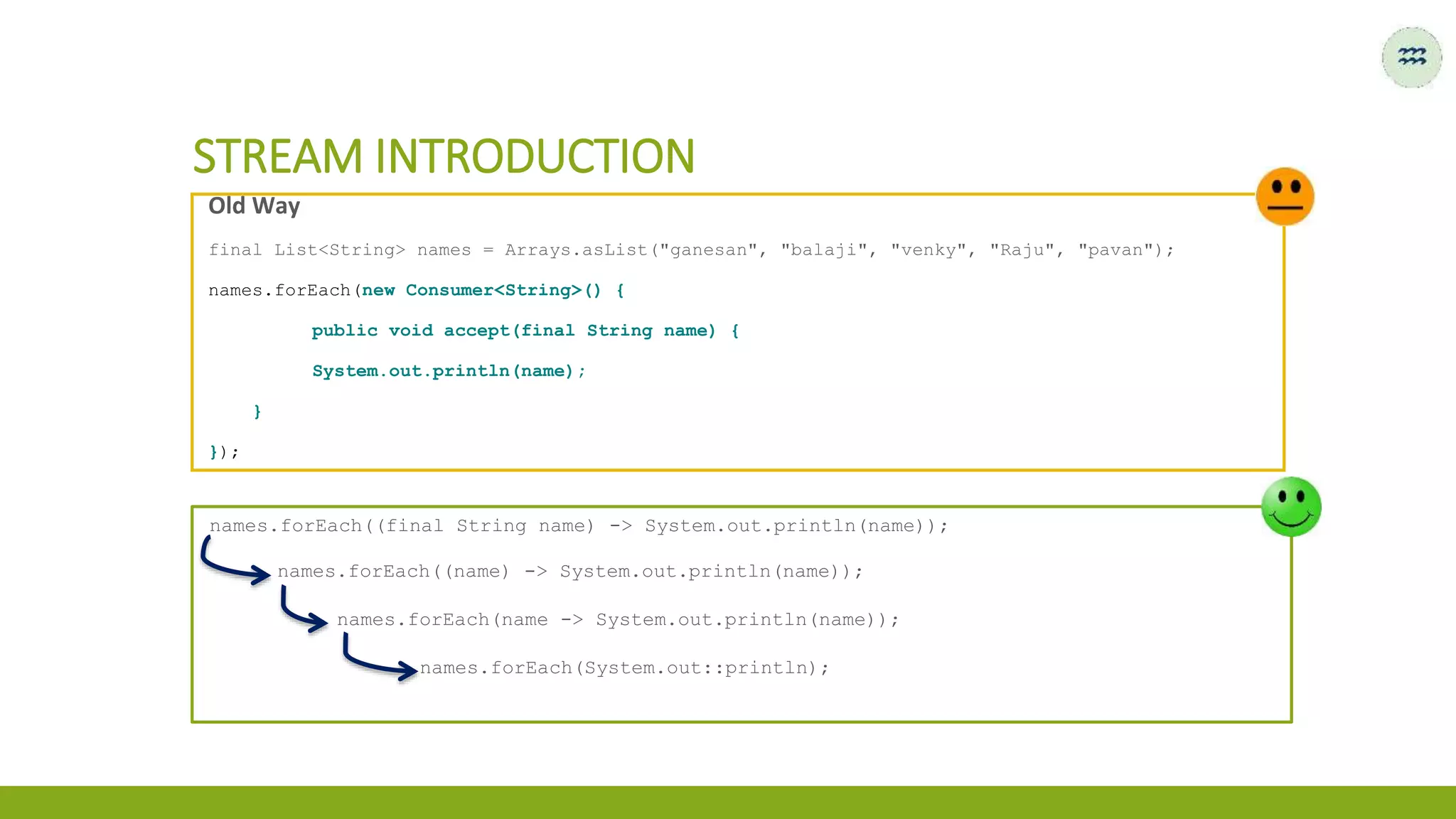
STREAM INTRODUCTION
Old Way
final List<String> names = Arrays.asList("ganesan", "balaji", "venky", "Raju", "pavan");
names.forEach(new Consumer<String>() {
public void accept(final String name) {
System.out.println(name);
}
});
names.forEach((name) -> System.out.println(name));
names.forEach(name -> System.out.println(name));
names.forEach(System.out::println);
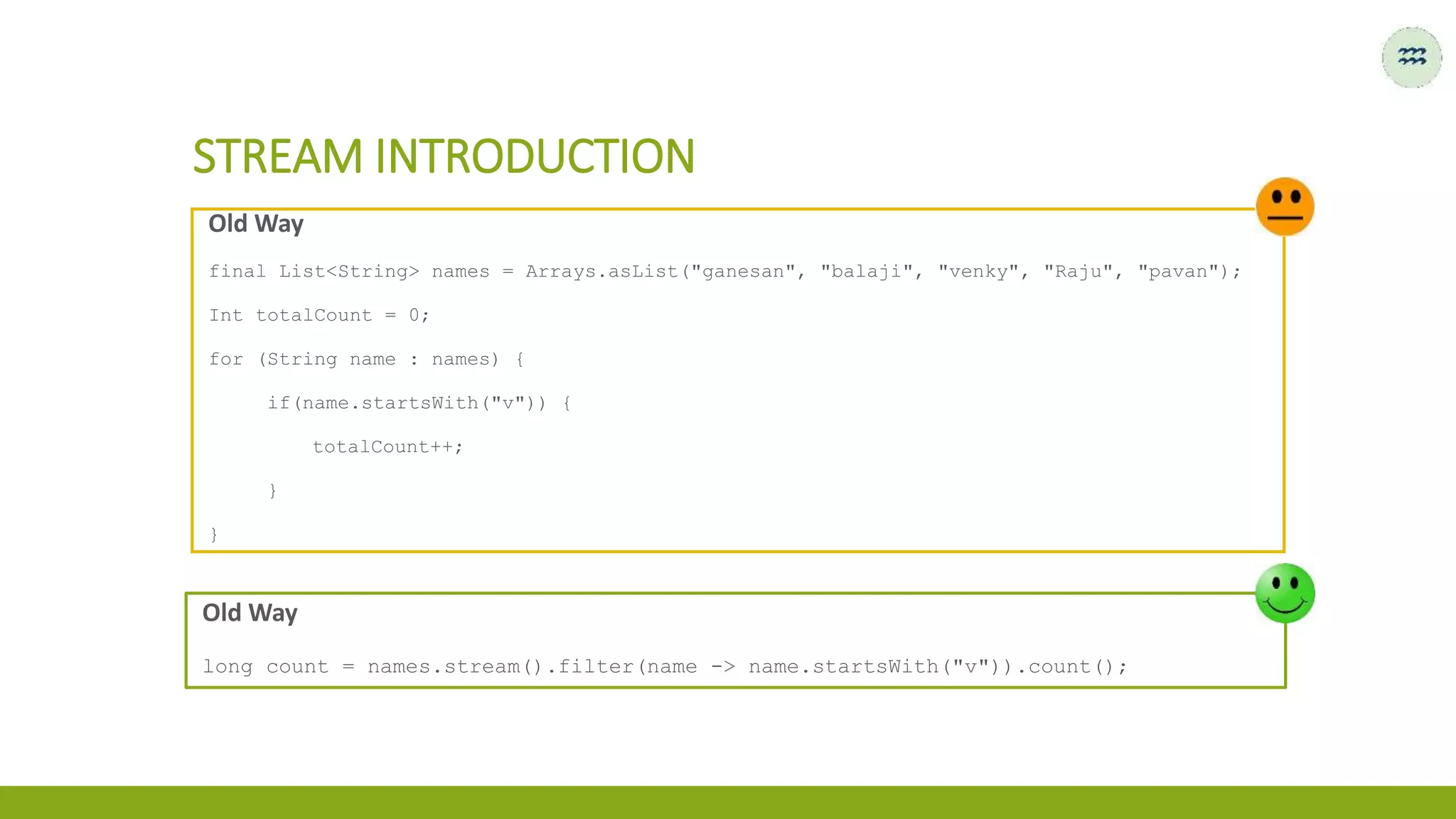
STREAM INTRODUCTION
Old Way
long count = names.stream().filter(name -> name.startsWith("v")).count();
Old Way
final List<String> names = Arrays.asList("ganesan", "balaji", "venky", "Raju", "pavan");
Int totalCount = 0;
for (String name : names) {
if(name.startsWith("v")) {
totalCount++;
}
}
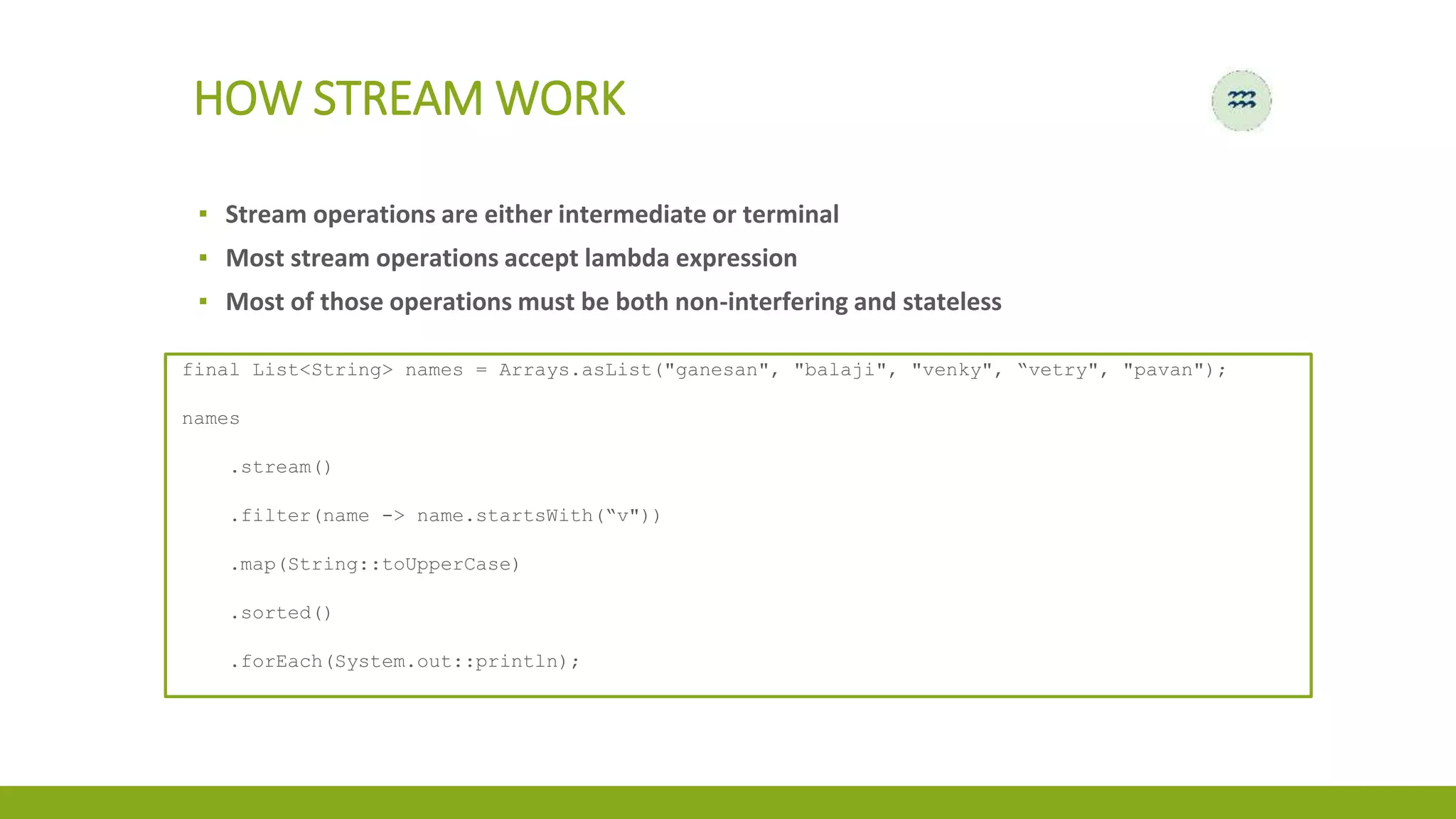
▪ Stream operations are either intermediate or terminal
▪ Most stream operations accept lambda expression
▪ Most of those operations must be both non-interfering and stateless
HOW STREAM WORK
final List<String> names = Arrays.asList("ganesan", "balaji", "venky", “vetry", "pavan");
names
.stream()
.filter(name -> name.startsWith(“v"))
.map(String::toUpperCase)
.sorted()
.forEach(System.out::println);
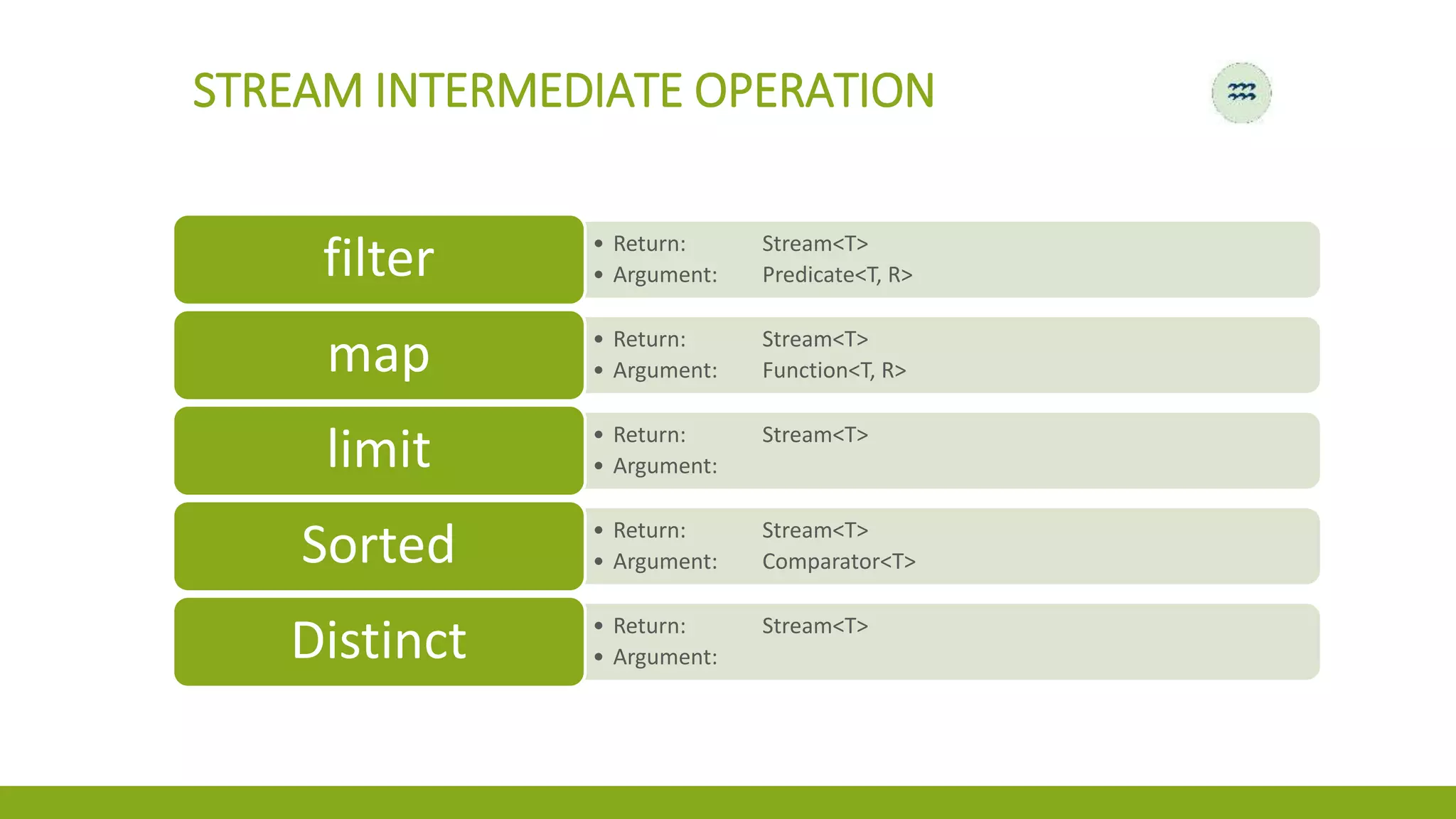
STREAM INTERMEDIATE OPERATION
• Return: Stream<T>
• Argument: Predicate<T, R>filter
• Return: Stream<T>
• Argument: Function<T, R>map
• Return: Stream<T>
• Argument:limit
• Return: Stream<T>
• Argument: Comparator<T>Sorted
• Return: Stream<T>
• Argument:Distinct
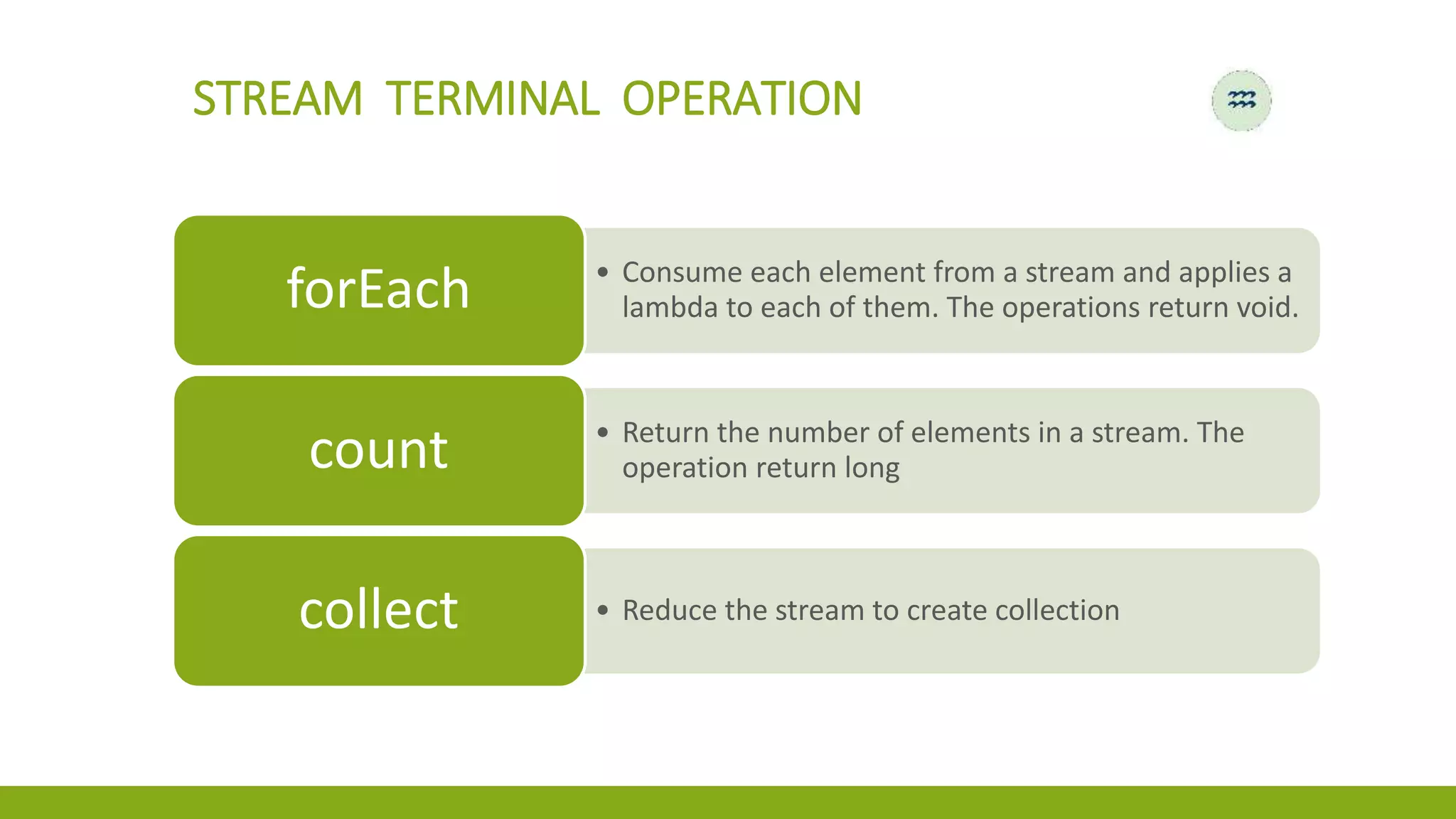
STREAM TERMINAL OPERATION
• Consume each element from a stream and applies a
lambda to each of them. The operations return void.forEach
• Return the number of elements in a stream. The
operation return longcount
• Reduce the stream to create collectioncollect
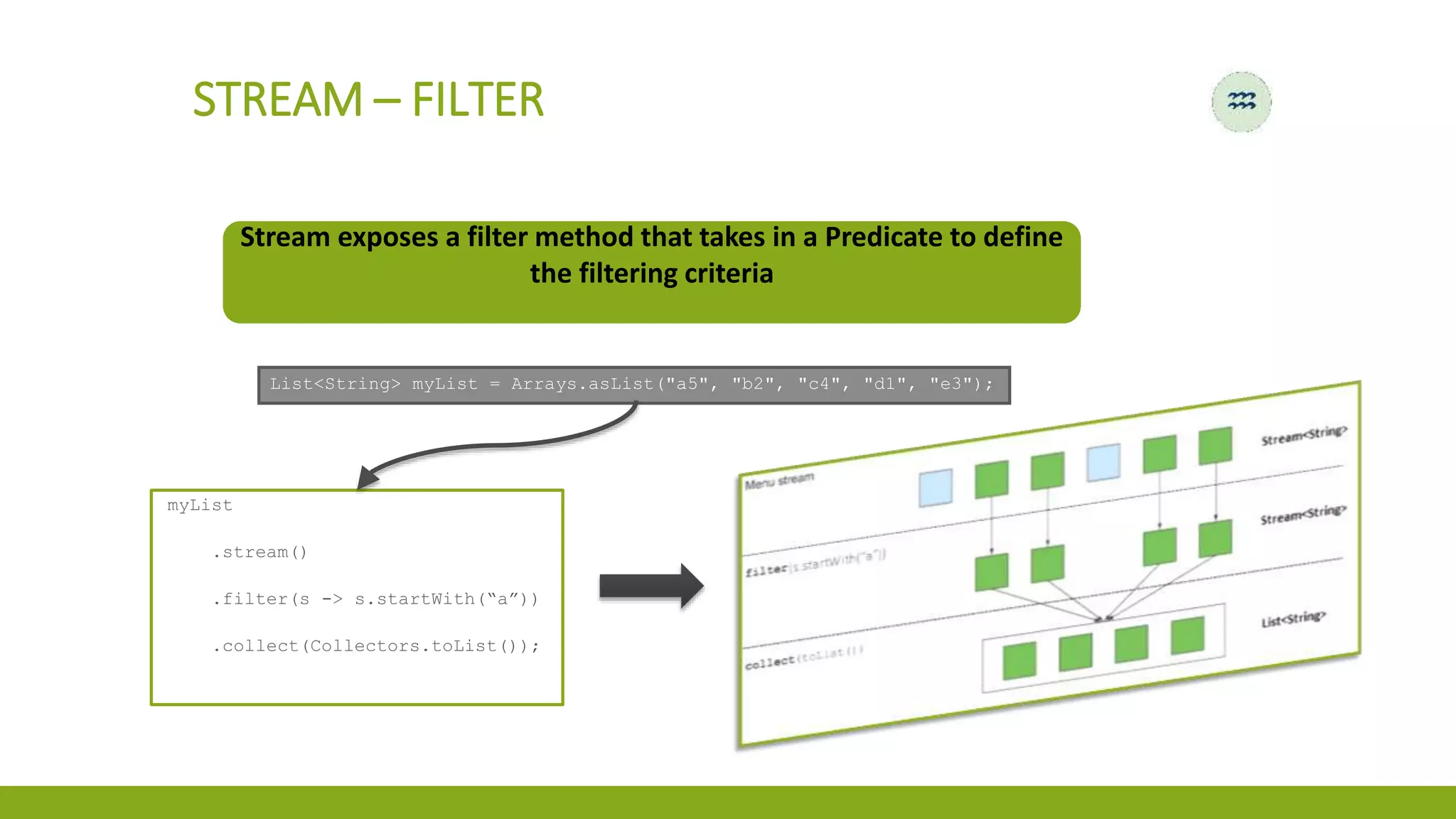
STREAM – FILTER
Stream exposes a filter method that takes in a Predicate to define
the filtering criteria
List<String> myList = Arrays.asList("a5", "b2", "c4", "d1", "e3");
myList
.stream()
.filter(s -> s.startWith(“a”))
.collect(Collectors.toList());
STREAM – FILTER
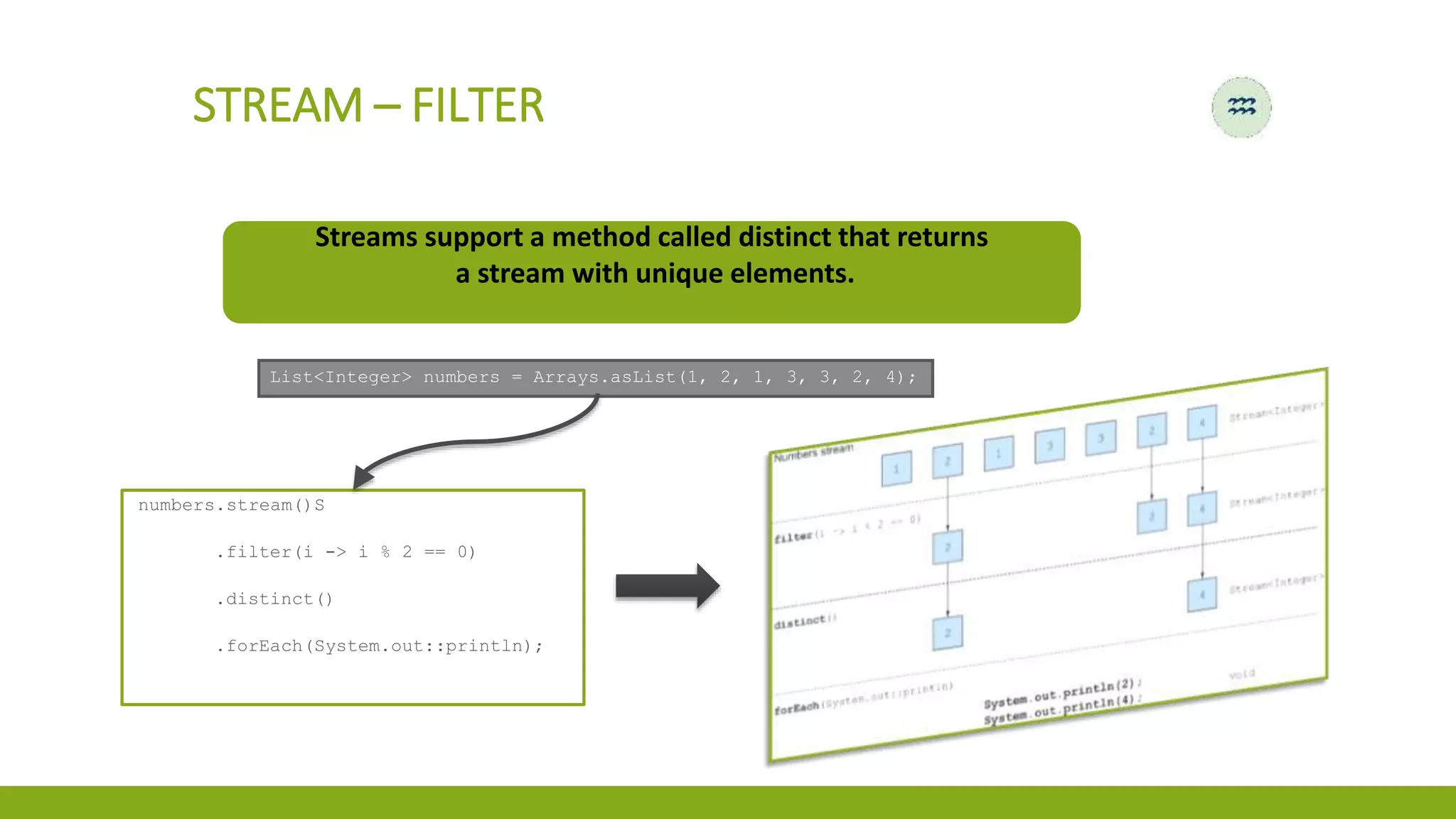
Streams support a method called distinct that returns
a stream with unique elements.
List<Integer> numbers = Arrays.asList(1, 2, 1, 3, 3, 2, 4);
numbers.stream()S
.filter(i -> i % 2 == 0)
.distinct()
.forEach(System.out::println);
STREAM – SKIP & LIMIT
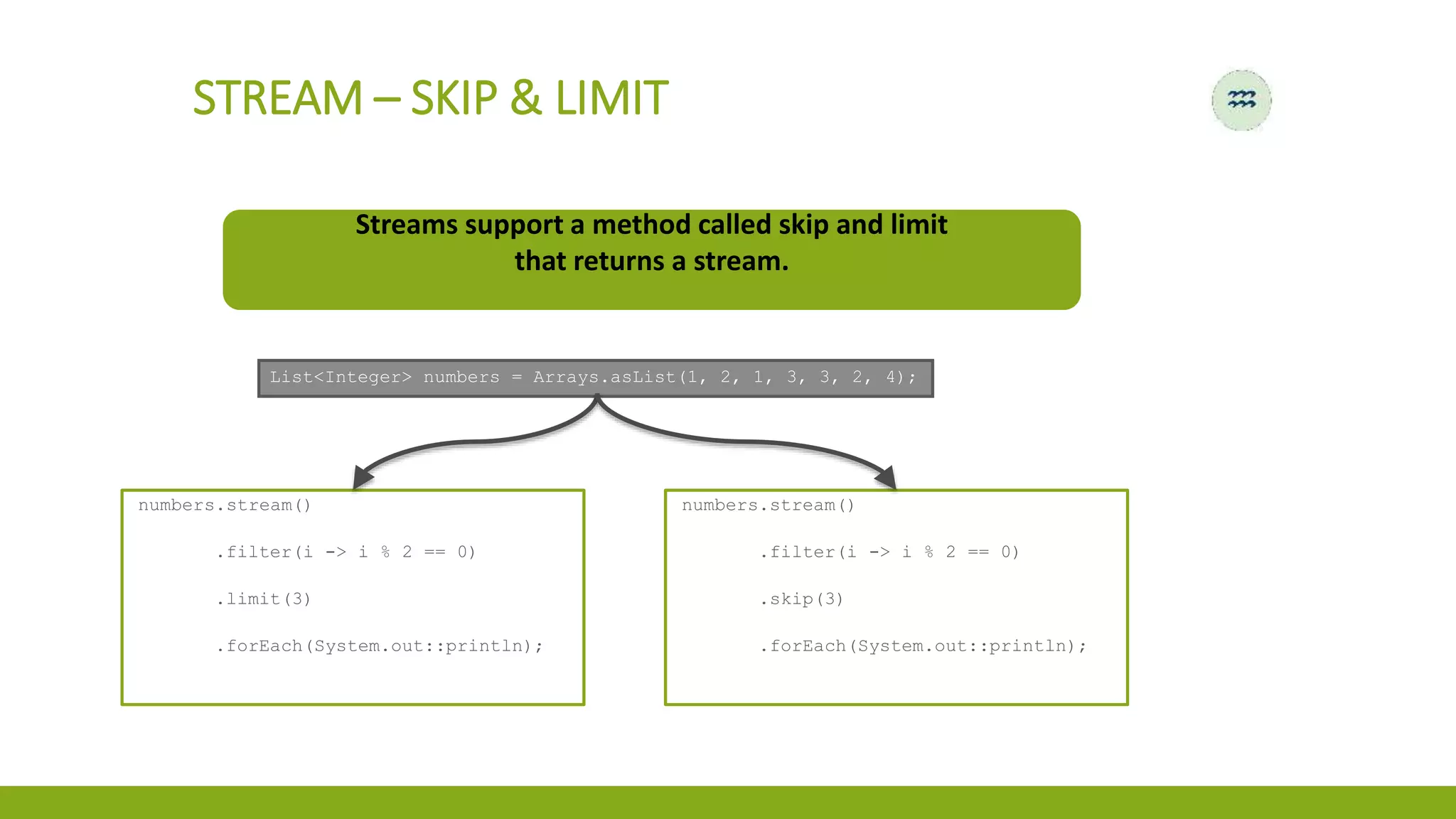
Streams support a method called skip and limit
that returns a stream.
List<Integer> numbers = Arrays.asList(1, 2, 1, 3, 3, 2, 4);
numbers.stream()
.filter(i -> i % 2 == 0)
.limit(3)
.forEach(System.out::println);
numbers.stream()
.filter(i -> i % 2 == 0)
.skip(3)
.forEach(System.out::println);
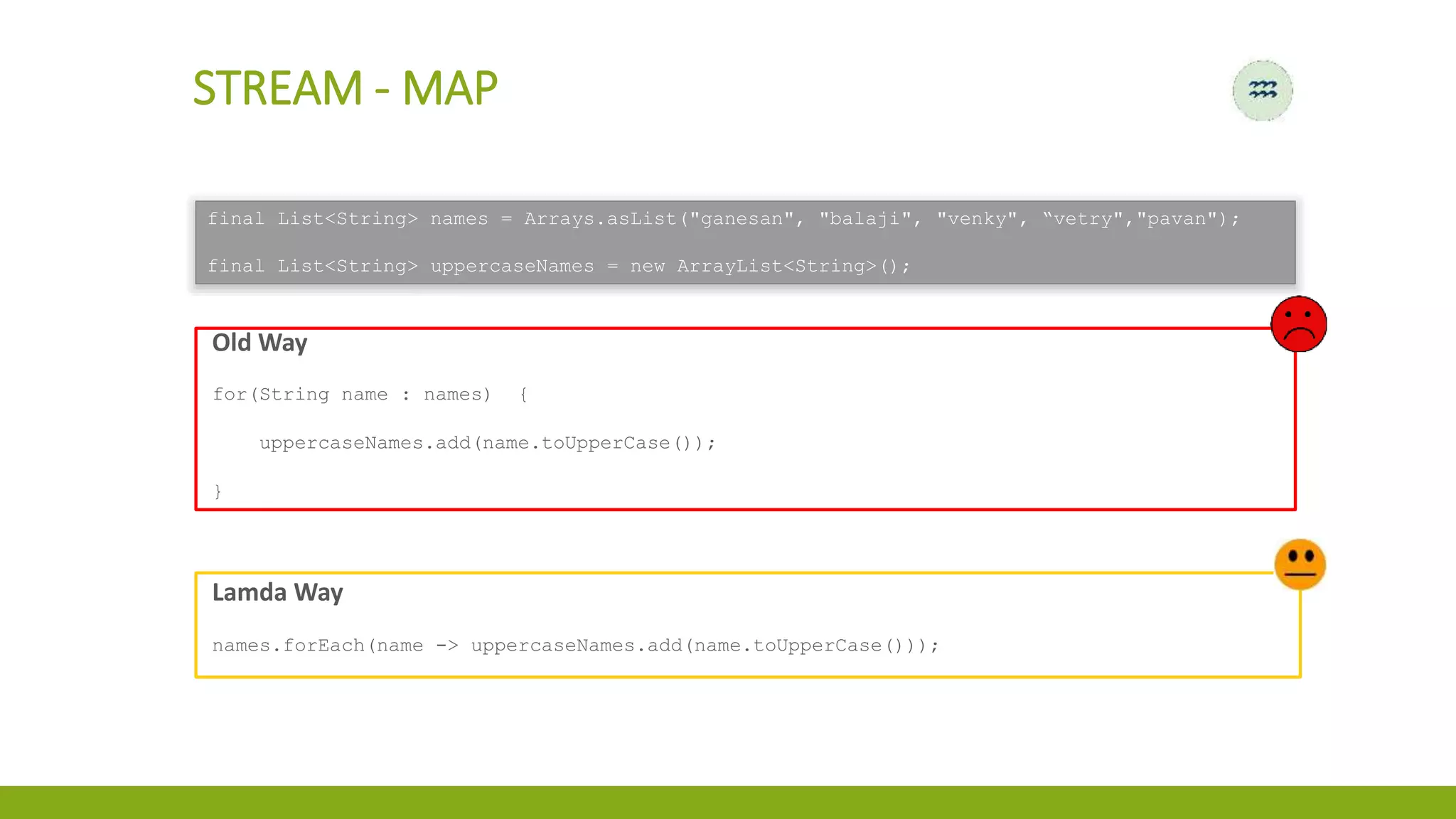
Old Way
for(String name : names) {
uppercaseNames.add(name.toUpperCase());
}
STREAM - MAP
Lamda Way
names.forEach(name -> uppercaseNames.add(name.toUpperCase()));
final List<String> names = Arrays.asList("ganesan", "balaji", "venky", “vetry","pavan");
final List<String> uppercaseNames = new ArrayList<String>();
STREAM - MAP
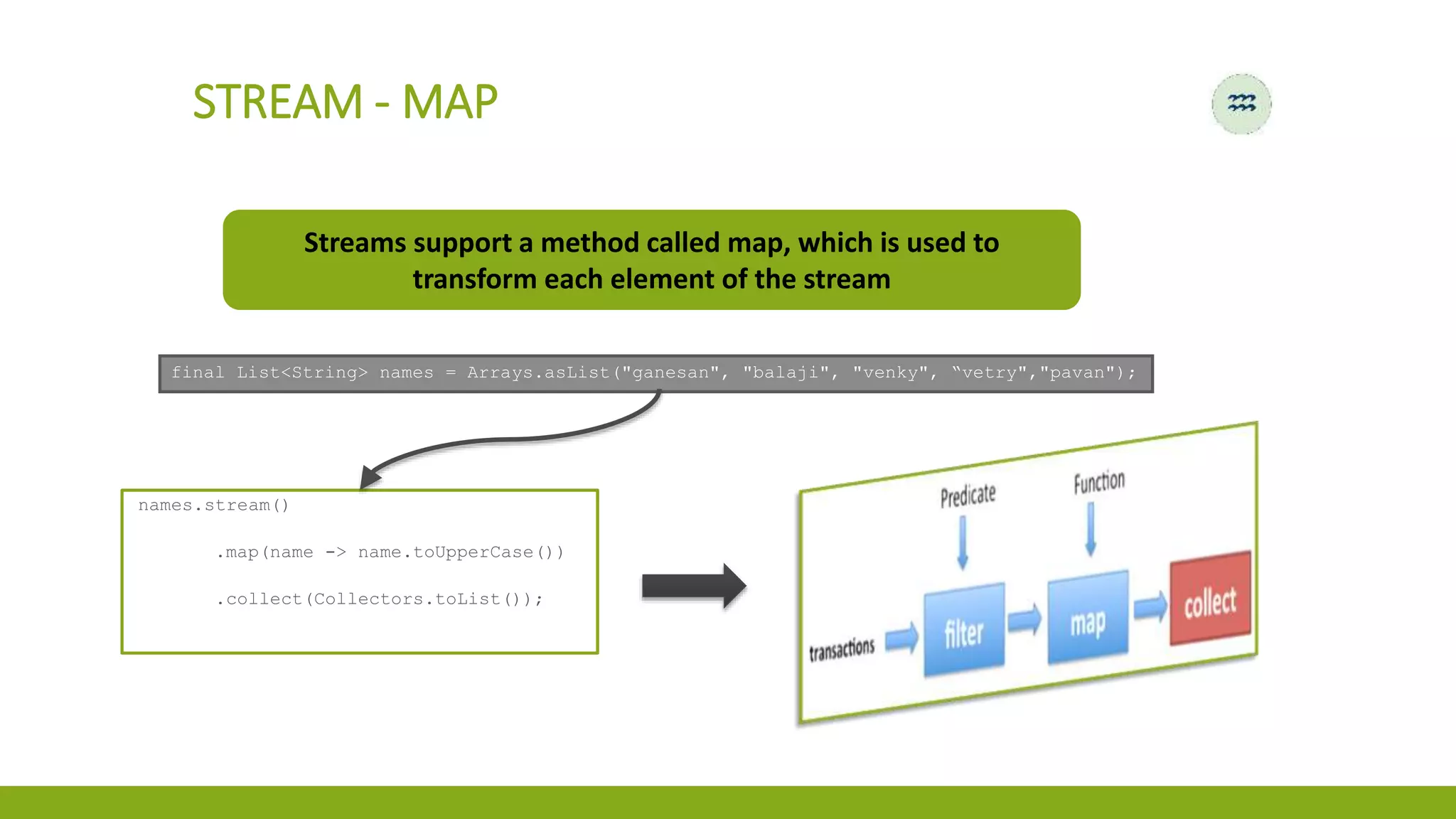
Streams support a method called map, which is used to
transform each element of the stream
final List<String> names = Arrays.asList("ganesan", "balaji", "venky", “vetry","pavan");
names.stream()
.map(name -> name.toUpperCase())
.collect(Collectors.toList());
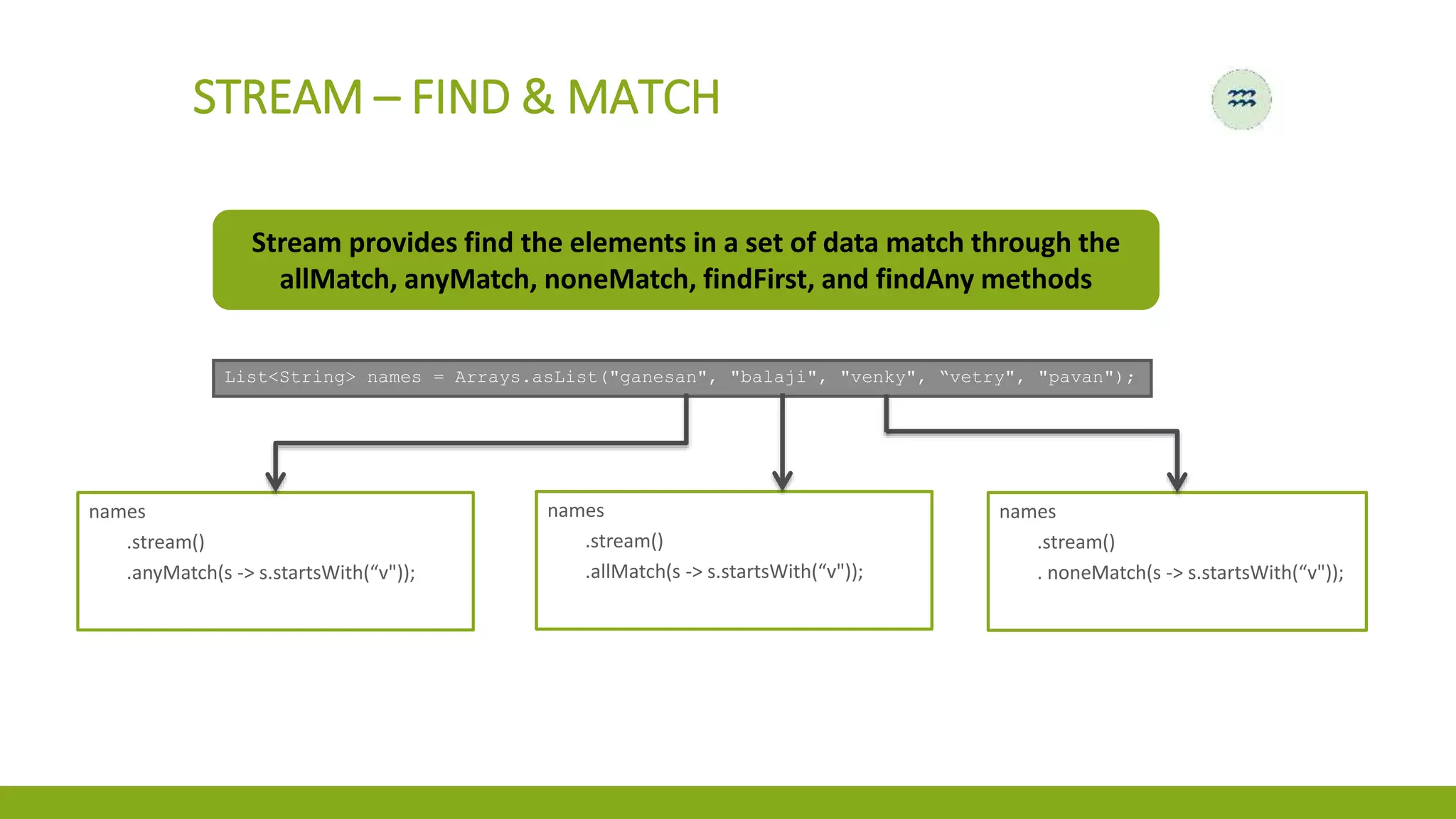
STREAM – FIND & MATCH
Stream provides find the elements in a set of data match through the
allMatch, anyMatch, noneMatch, findFirst, and findAny methods
List<String> names = Arrays.asList("ganesan", "balaji", "venky", “vetry", "pavan");
names
.stream()
.anyMatch(s -> s.startsWith(“v"));
names
.stream()
.allMatch(s -> s.startsWith(“v"));
names
.stream()
. noneMatch(s -> s.startsWith(“v"));
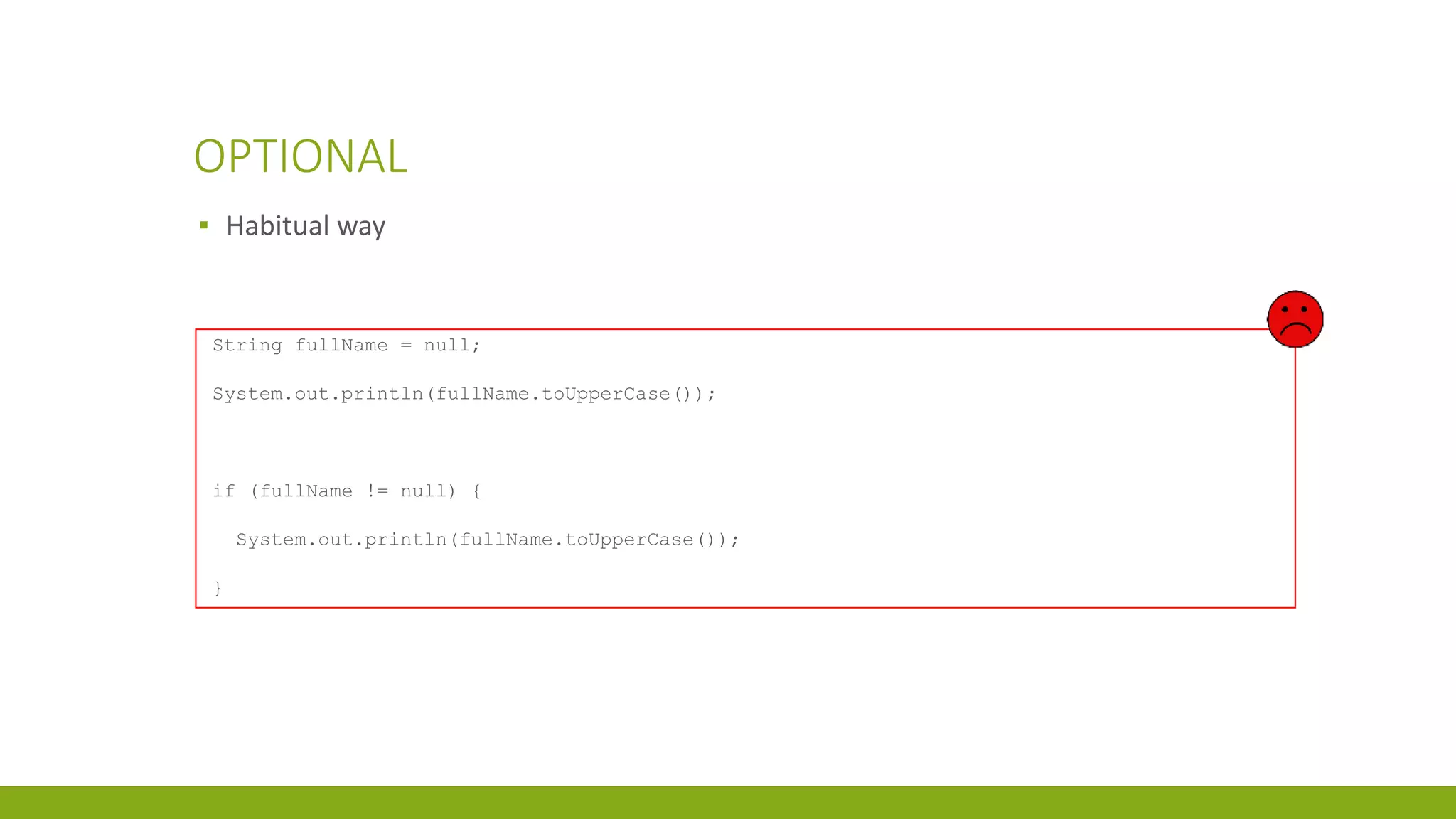
OPTIONAL
▪ Habitual way
String fullName = null;
System.out.println(fullName.toUpperCase());
if (fullName != null) {
System.out.println(fullName.toUpperCase());
}
OPTIONAL
▪ Tired of Null Pointer Exceptions? Consider Using Java SE 8's Optional API
▪ Make your code more readable and protect it against null pointer exceptions.
▪ Optional is just a container: it can hold a value of some type T or just be null.
▪ It provides a lot of useful methods so there is no need for explicit null checks.
OPTIONAL
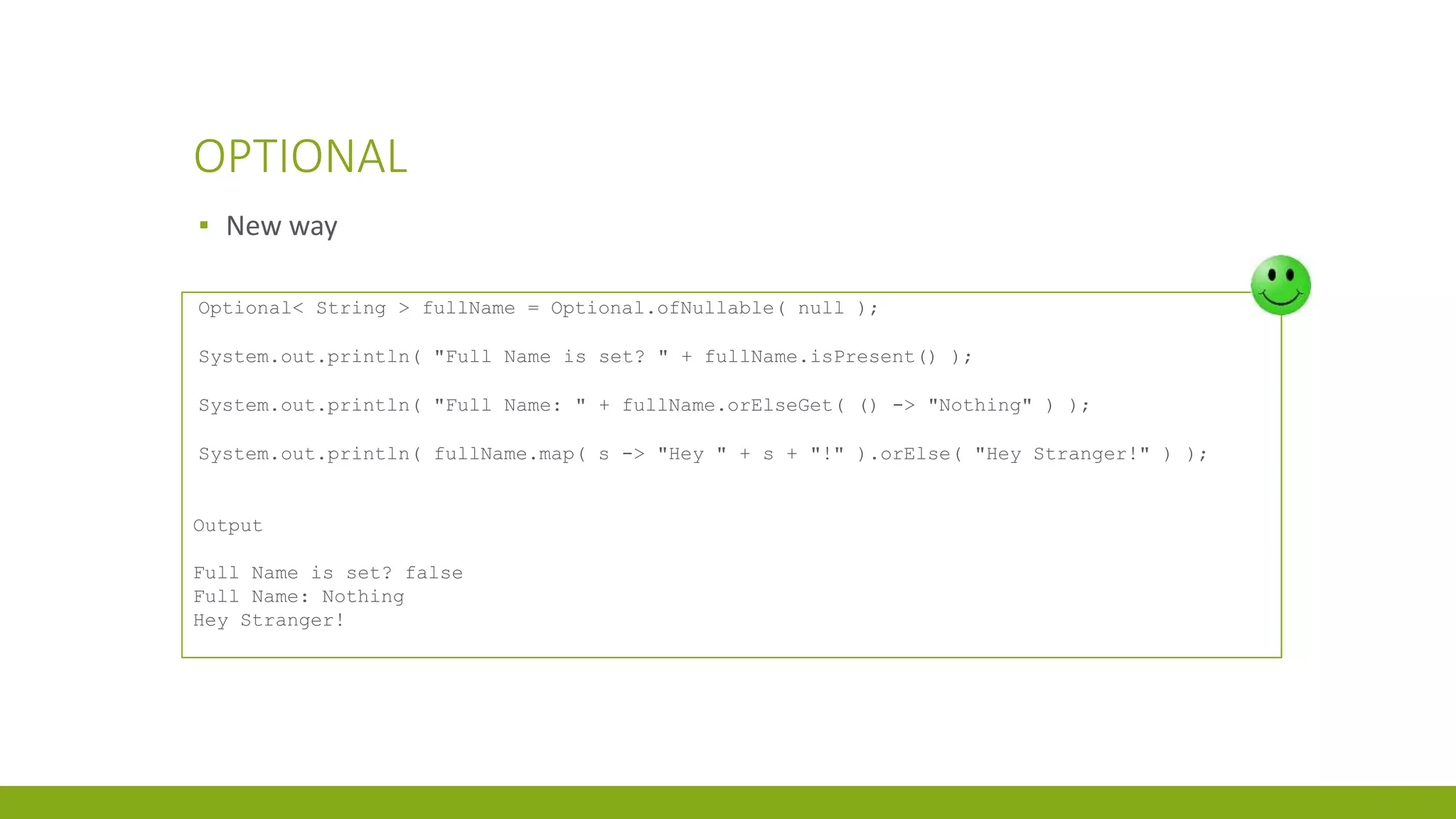
▪ New way
Optional< String > fullName = Optional.ofNullable( null );
System.out.println( "Full Name is set? " + fullName.isPresent() );
System.out.println( "Full Name: " + fullName.orElseGet( () -> "Nothing" ) );
System.out.println( fullName.map( s -> "Hey " + s + "!" ).orElse( "Hey Stranger!" ) );
Output
Full Name is set? false
Full Name: Nothing
Hey Stranger!
OPTIONAL
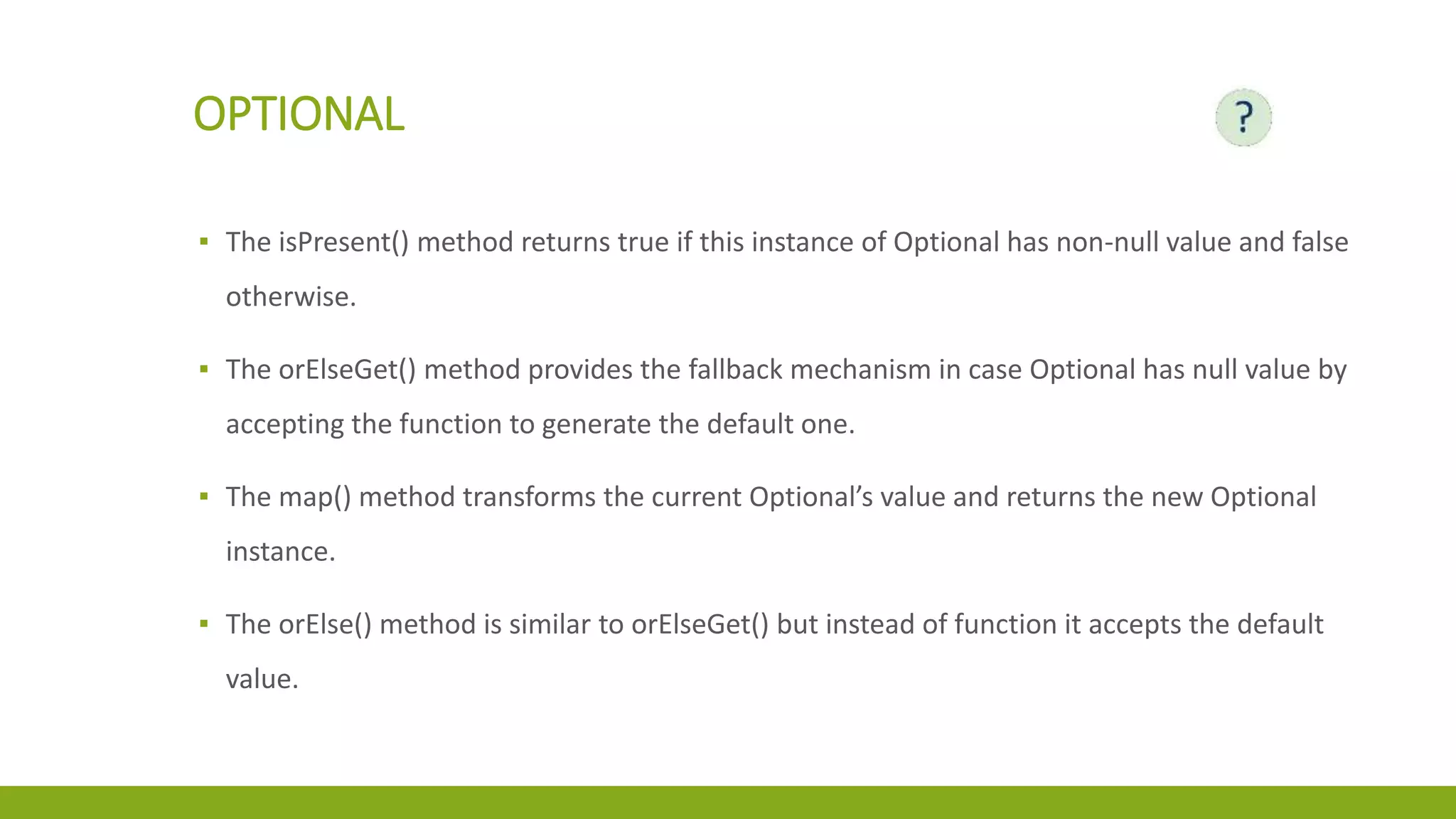
▪ The isPresent() method returns true if this instance of Optional has non-null value and false
otherwise.
▪ The orElseGet() method provides the fallback mechanism in case Optional has null value by
accepting the function to generate the default one.
▪ The map() method transforms the current Optional’s value and returns the new Optional
instance.
▪ The orElse() method is similar to orElseGet() but instead of function it accepts the default
value.
OPTIONAL
▪ New way
Optional< String > firstName = Optional.of( "Tom" );
System.out.println( "First Name is set? " + firstName.isPresent() );
System.out.println( "First Name: " + firstName.orElseGet( () -> "[none]" ) );
System.out.println( firstName.map( s -> "Hey " + s + "!" ).orElse( "Hey Stranger!" ) );
firstName.ifPresent( fname -> {System.out.println(fname.toUpperCase());});
System.out.println();
There is also another useful method ifPresent which execute actions directly when the value
is present, in combination with Lambdas
Output
First Name is set? true
First Name: Tom
Hey Tom!
TOM
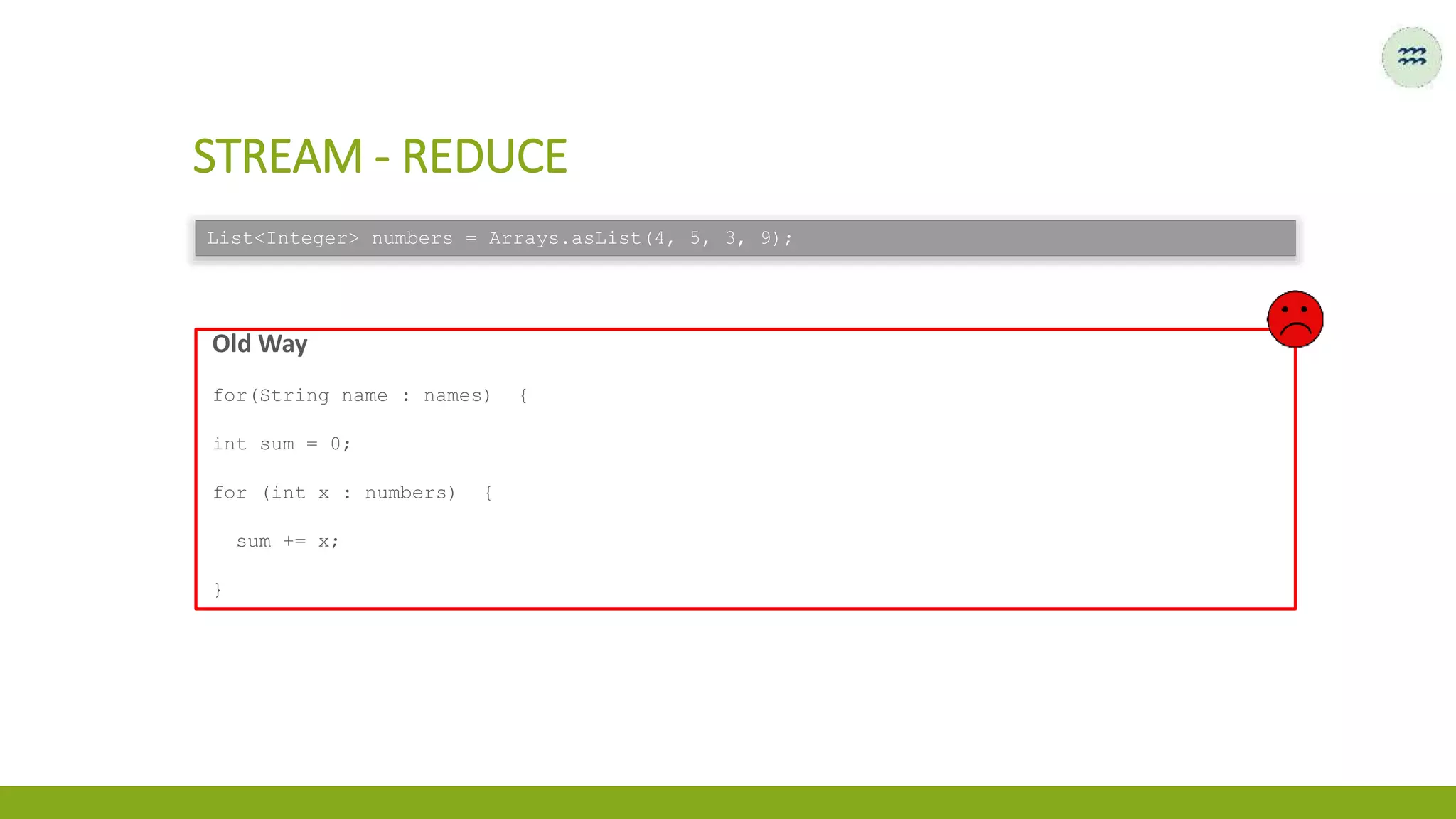
Old Way
for(String name : names) {
int sum = 0;
for (int x : numbers) {
sum += x;
}
STREAM - REDUCE
List<Integer> numbers = Arrays.asList(4, 5, 3, 9);
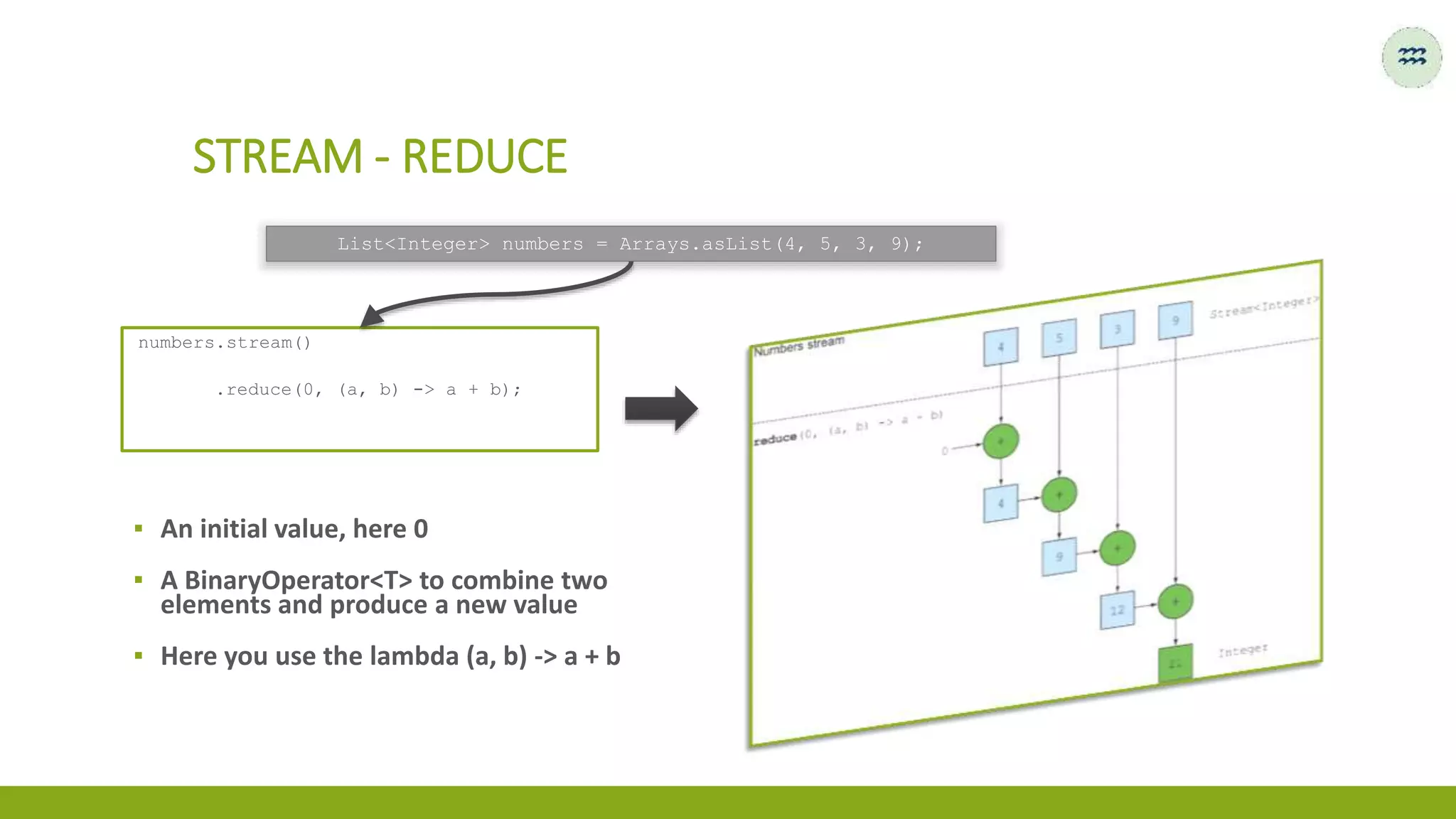
STREAM - REDUCE
List<Integer> numbers = Arrays.asList(4, 5, 3, 9);
▪ An initial value, here 0
▪ A BinaryOperator<T> to combine two
elements and produce a new value
▪ Here you use the lambda (a, b) -> a + b
numbers.stream()
.reduce(0, (a, b) -> a + b);
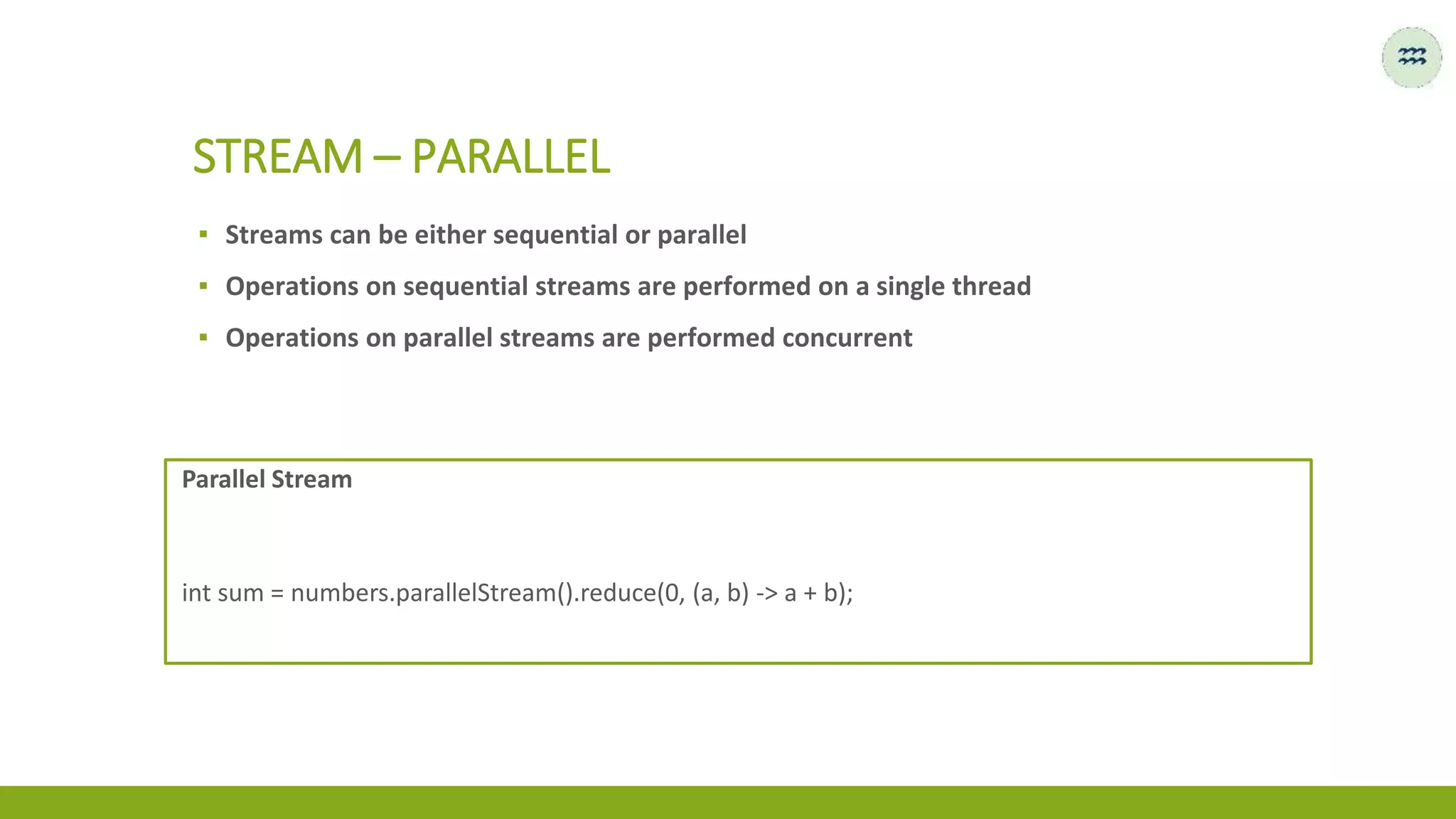
▪ Streams can be either sequential or parallel
▪ Operations on sequential streams are performed on a single thread
▪ Operations on parallel streams are performed concurrent
STREAM – PARALLEL
Parallel Stream
int sum = numbers.parallelStream().reduce(0, (a, b) -> a + b);
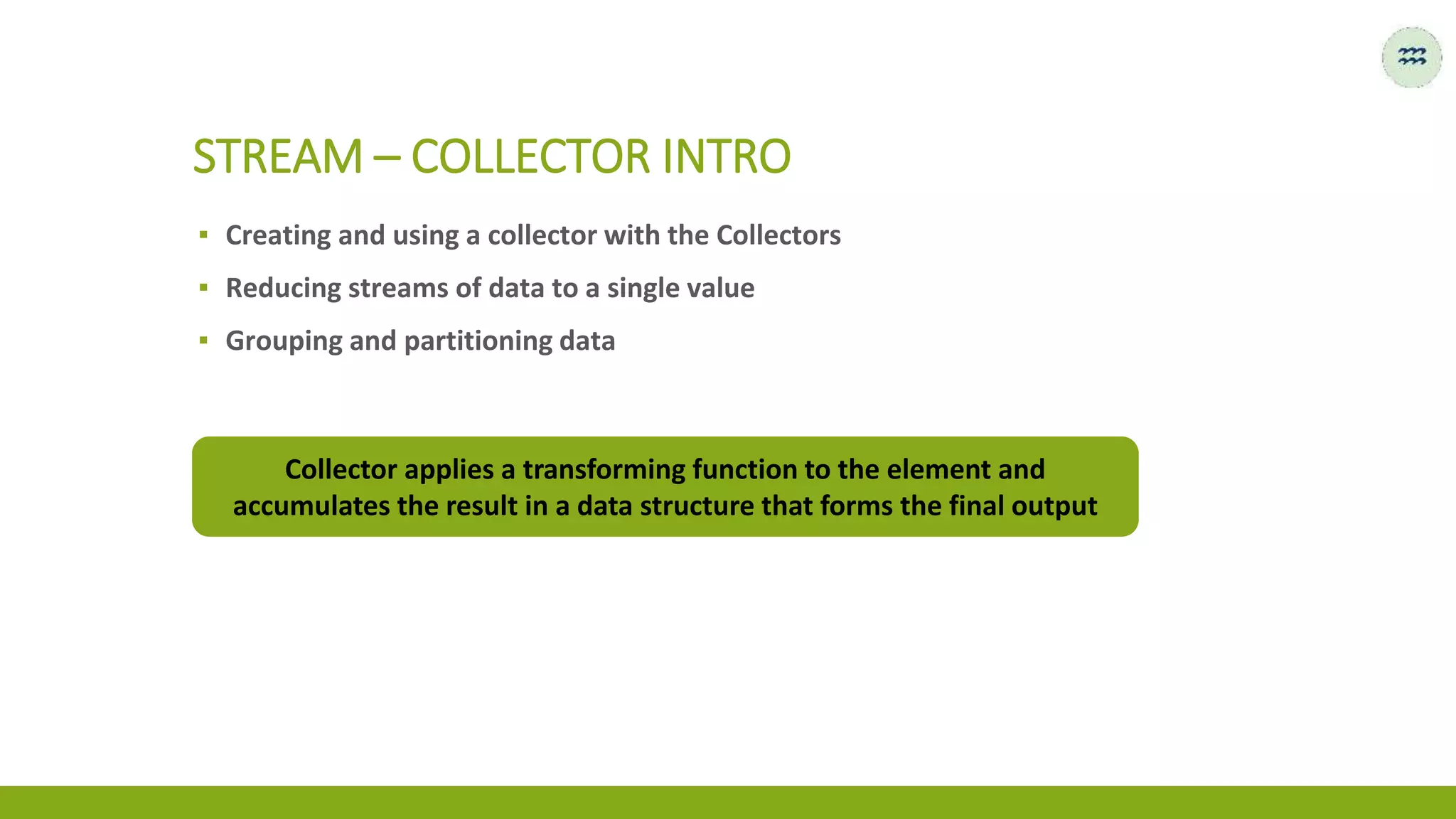
▪ Creating and using a collector with the Collectors
▪ Reducing streams of data to a single value
▪ Grouping and partitioning data
STREAM – COLLECTOR INTRO
Collector applies a transforming function to the element and
accumulates the result in a data structure that forms the final output
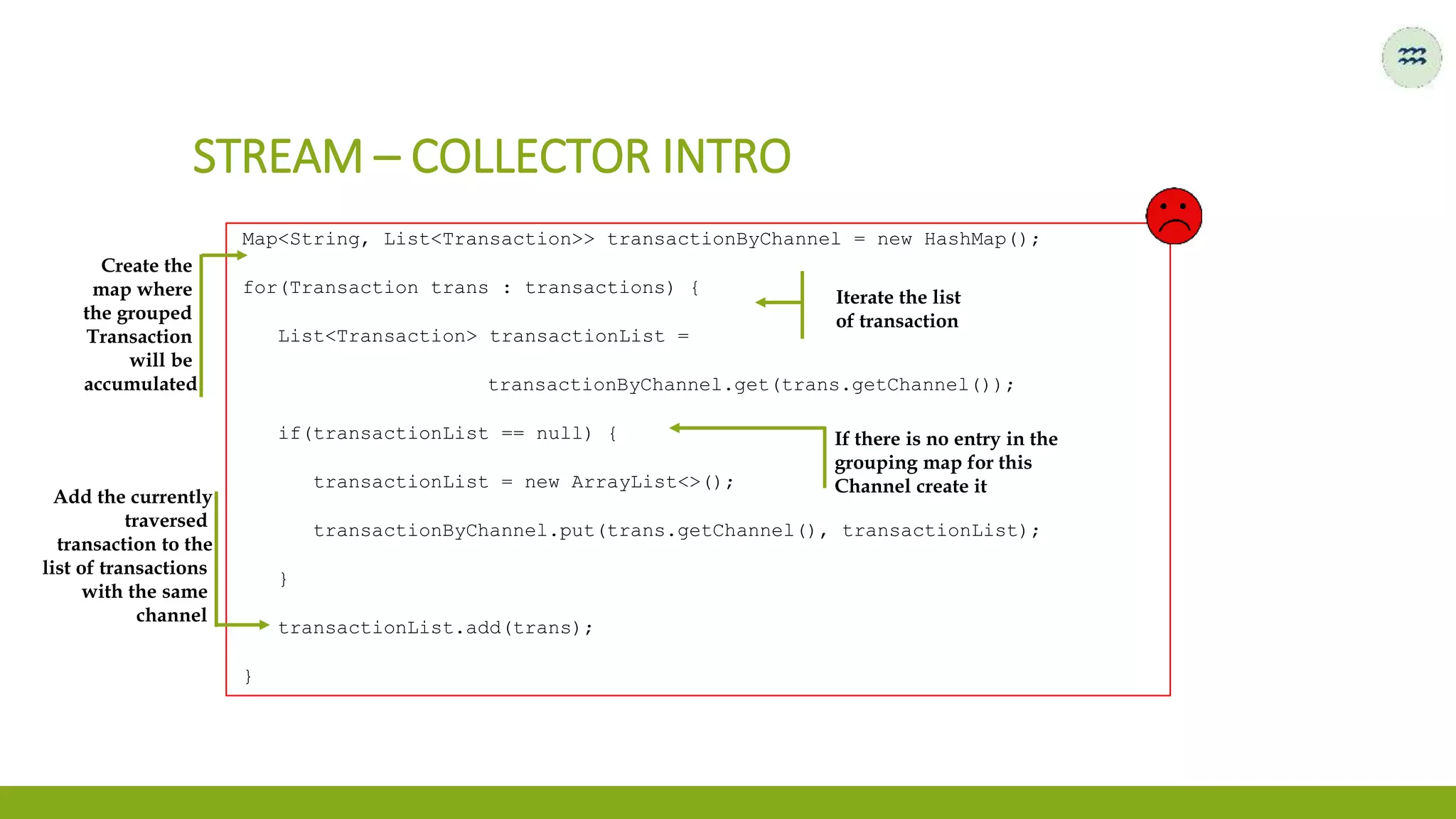
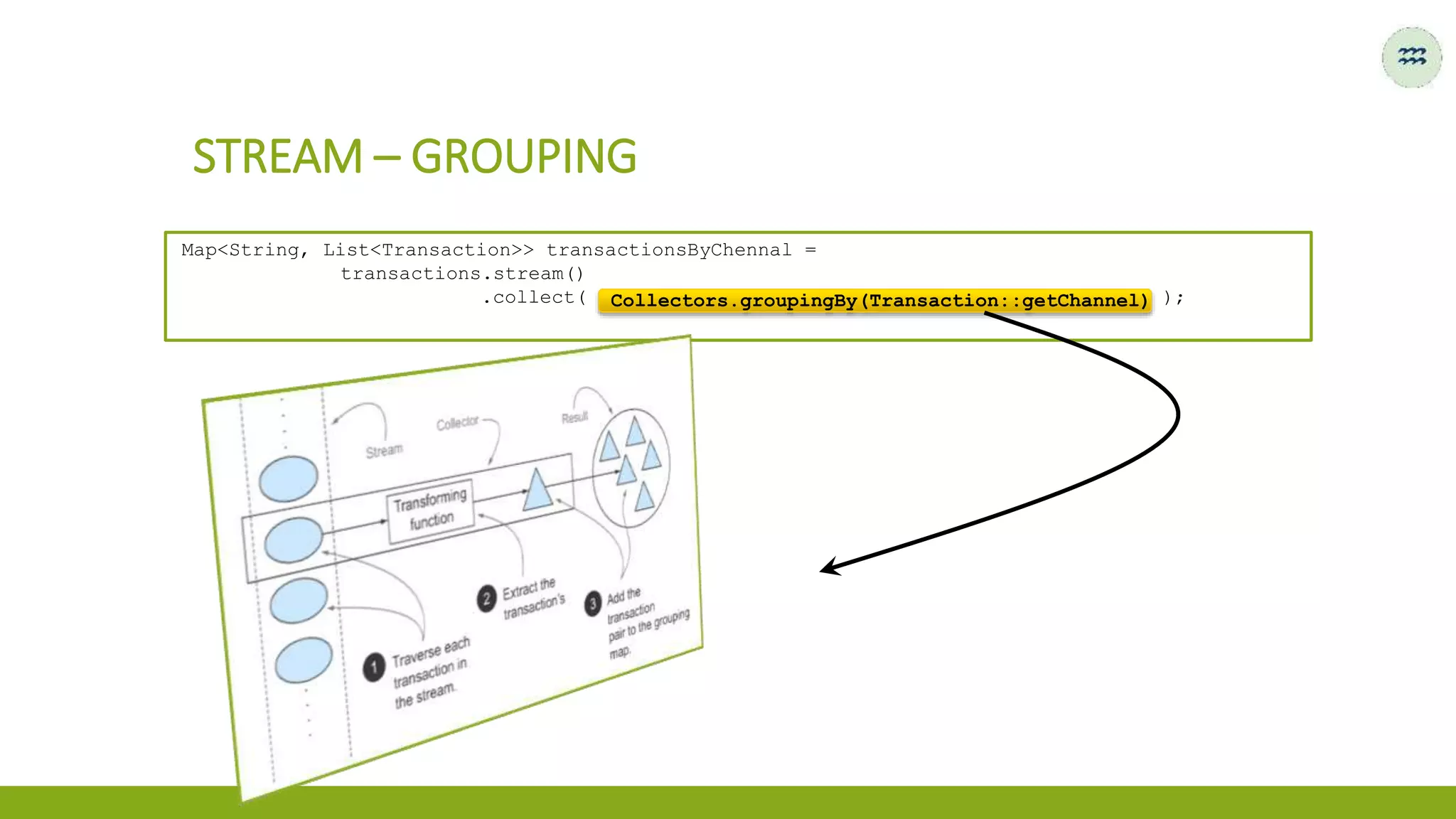
Map<String, List<Transaction>> transactionByChannel = new HashMap();
for(Transaction trans : transactions) {
List<Transaction> transactionList =
transactionByChannel.get(trans.getChannel());
if(transactionList == null) {
transactionList = new ArrayList<>();
transactionByChannel.put(trans.getChannel(), transactionList);
}
transactionList.add(trans);
}
STREAM – COLLECTOR INTRO
Create the
map where
the grouped
Transaction
will be
accumulated
Iterate the list
of transaction
If there is no entry in the
grouping map for this
Channel create it
Add the currently
traversed
transaction to the
list of transactions
with the same
channel
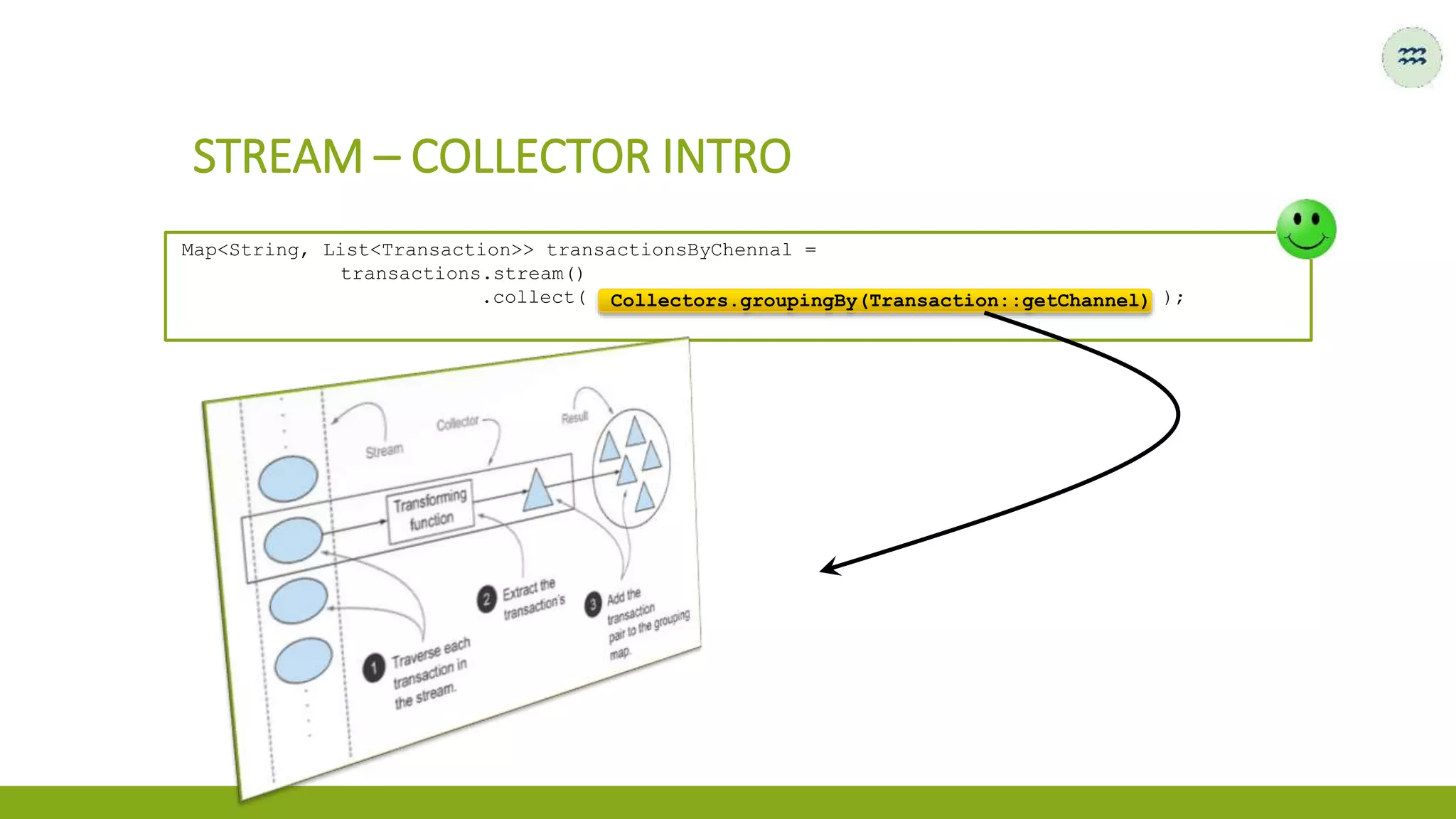
STREAM – COLLECTOR INTRO
Map<String, List<Transaction>> transactionsByChennal =
transactions.stream()
.collect( Collectors.groupingBy(Transaction::getChannel) );Collectors.groupingBy(Transaction::getChannel)
▪ Summarizing elements
▪ Grouping elements
▪ Partitioning elements
STREAM – COLLECTOR INTRO
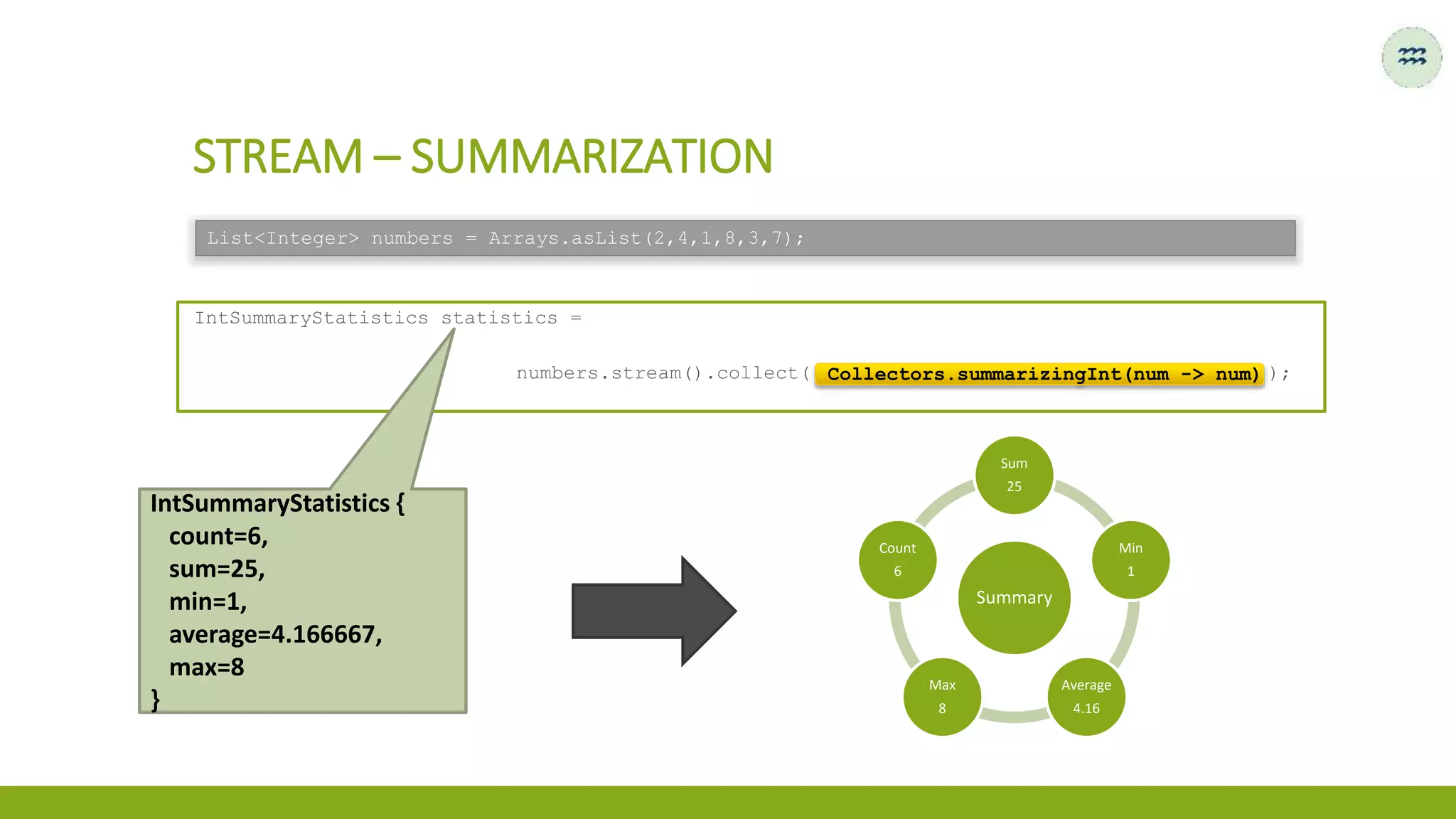
STREAM – SUMMARIZATION
List<Integer> numbers = Arrays.asList(2,4,1,8,3,7);
IntSummaryStatistics statistics =
numbers.stream().collect( Collectors.summarizingInt(num -> num) );Collectors.summarizingInt(num -> num)
Summary
Sum
25
Min
1
Average
4.16
Max
8
Count
6
IntSummaryStatistics {
count=6,
sum=25,
min=1,
average=4.166667,
max=8
}
STREAM – GROUPING
Map<String, List<Transaction>> transactionsByChennal =
transactions.stream()
.collect( Collectors.groupingBy(Transaction::getChannel) );Collectors.groupingBy(Transaction::getChannel)
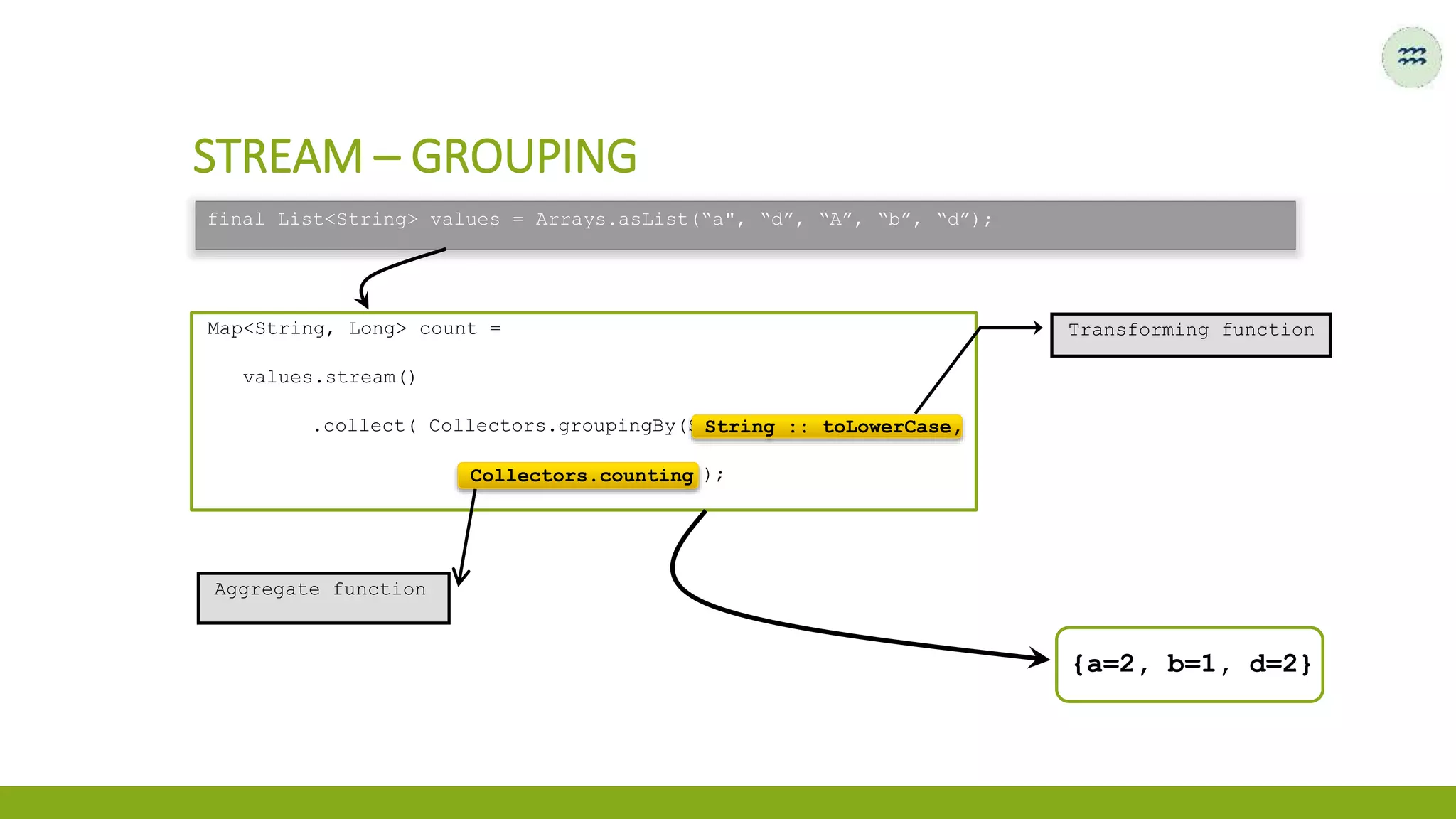
STREAM – GROUPING
final List<String> values = Arrays.asList(“a", “d”, “A”, “b”, “d”);
Map<String, Long> count =
values.stream()
.collect( Collectors.groupingBy(String :: toLowerCase,
Collectors.counting));
String :: toLowerCase,
Transforming function
Aggregate function
Collectors.counting
{a=2, b=1, d=2}
STRINGS AND COMPARATORS
▪ String
▪ new chars method
▪ chars method returns a Stream
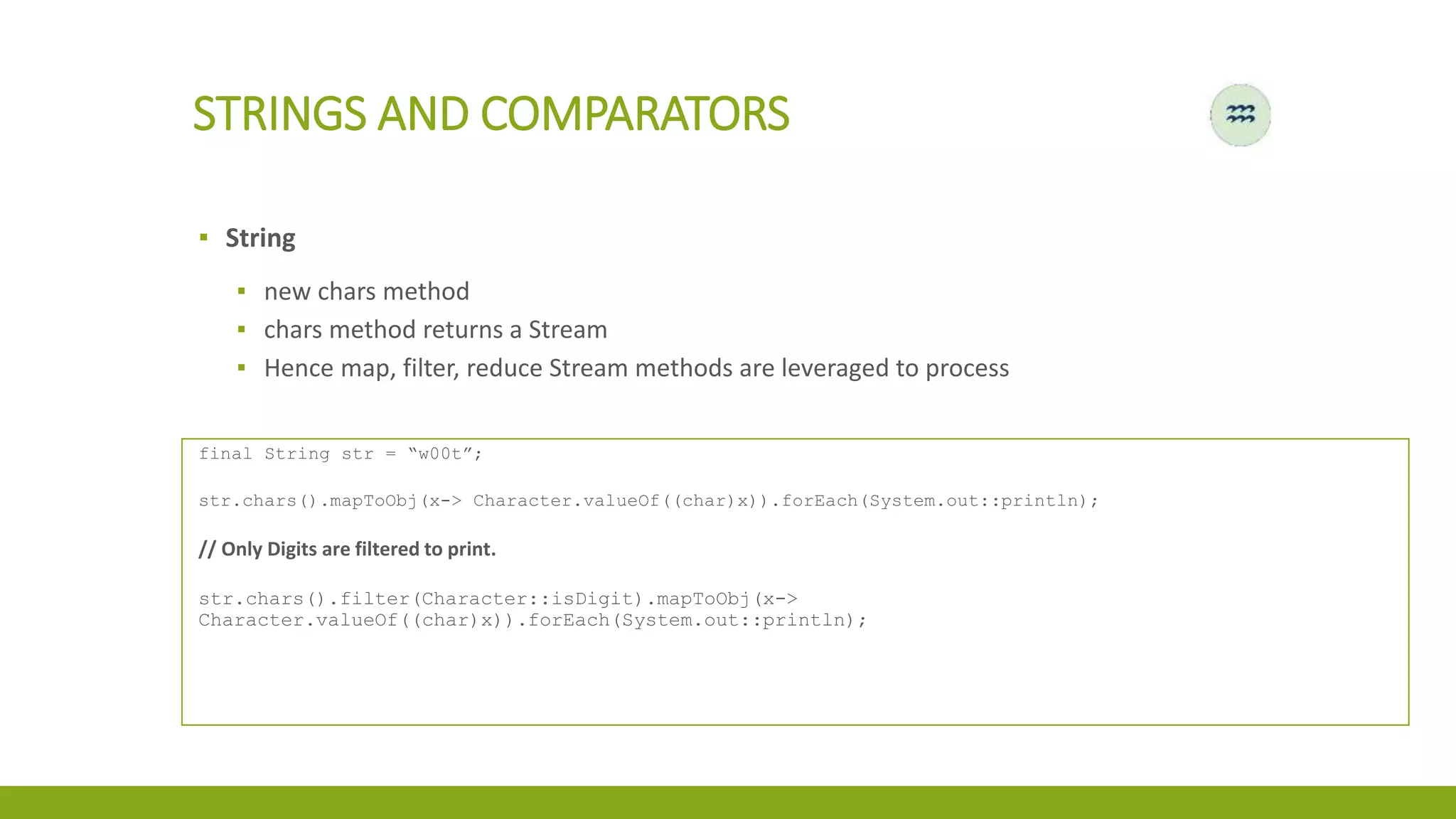
▪ Hence map, filter, reduce Stream methods are leveraged to process
final String str = “w00t”;
str.chars().mapToObj(x-> Character.valueOf((char)x)).forEach(System.out::println);
// Only Digits are filtered to print.
str.chars().filter(Character::isDigit).mapToObj(x->
Character.valueOf((char)x)).forEach(System.out::println);
STRINGS AND COMPARATORS
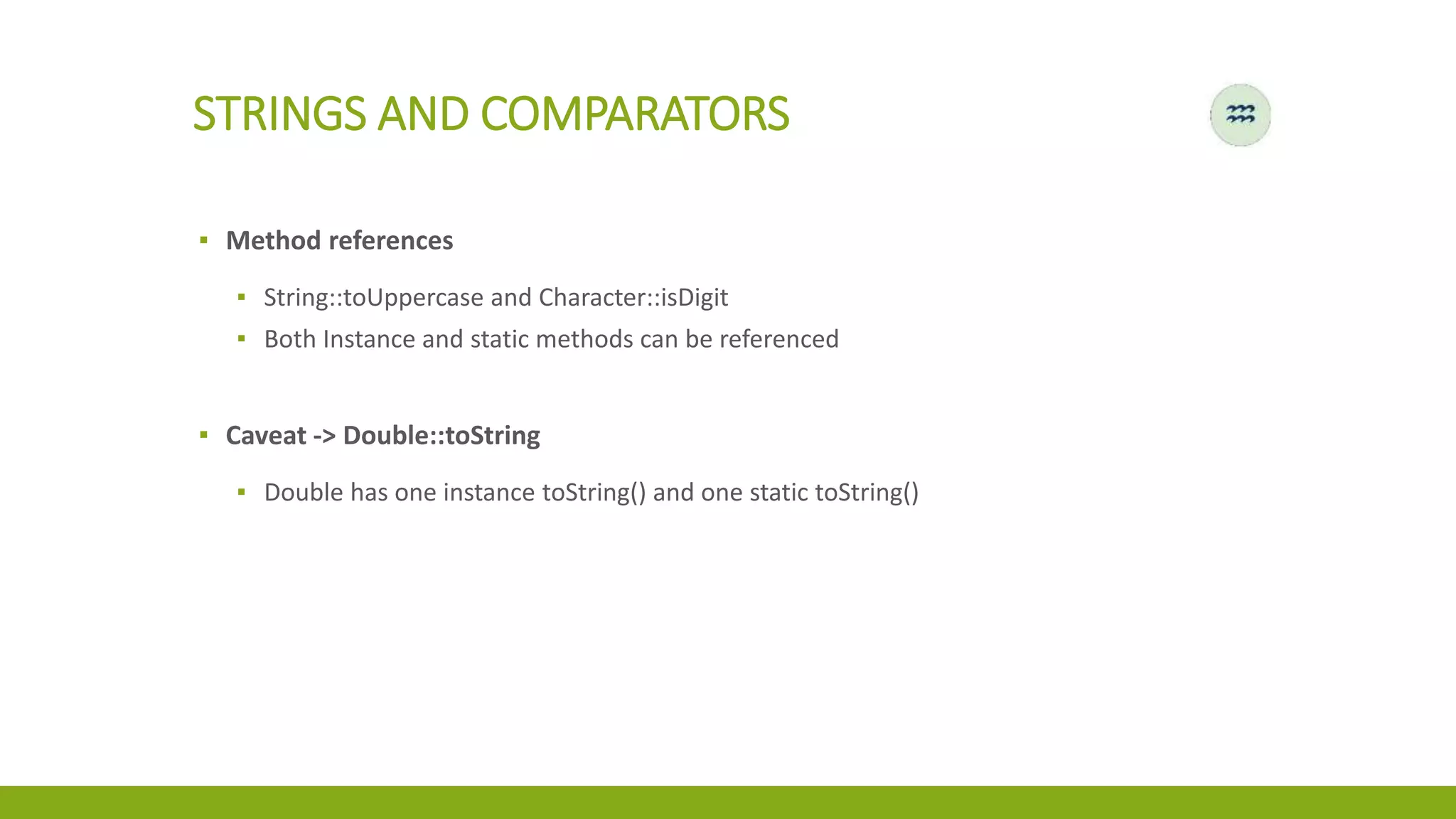
▪ Method references
▪ String::toUppercase and Character::isDigit
▪ Both Instance and static methods can be referenced
▪ Caveat -> Double::toString
▪ Double has one instance toString() and one static toString()
COMPARATOR INTERFACE
▪ Became functional interface J8.
▪ Hence Lambda compatible.
COMPARATOR SAMPLE
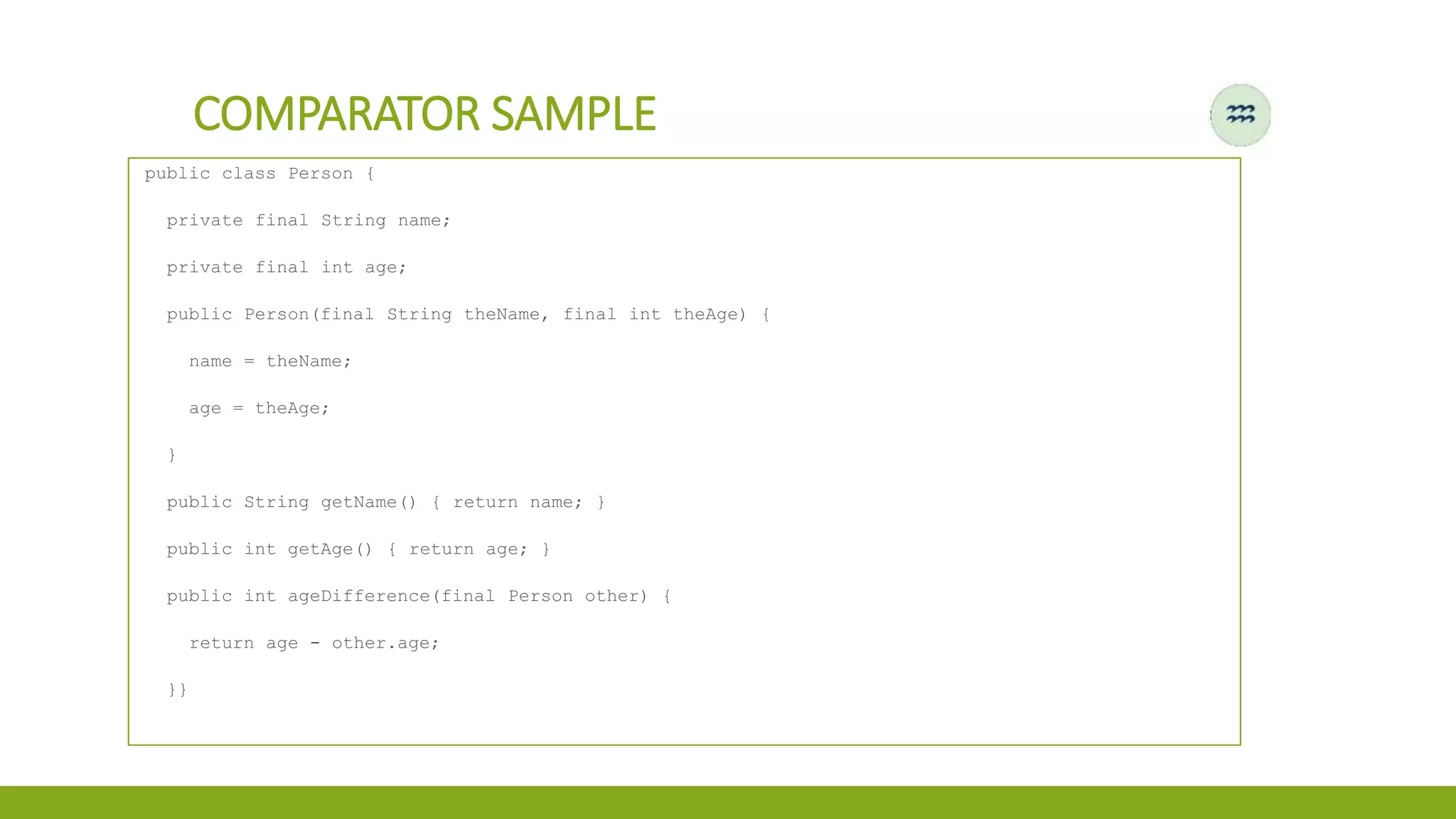
public class Person {
private final String name;
private final int age;
public Person(final String theName, final int theAge) {
name = theName;
age = theAge;
}
public String getName() { return name; }
public int getAge() { return age; }
public int ageDifference(final Person other) {
return age - other.age;
}}
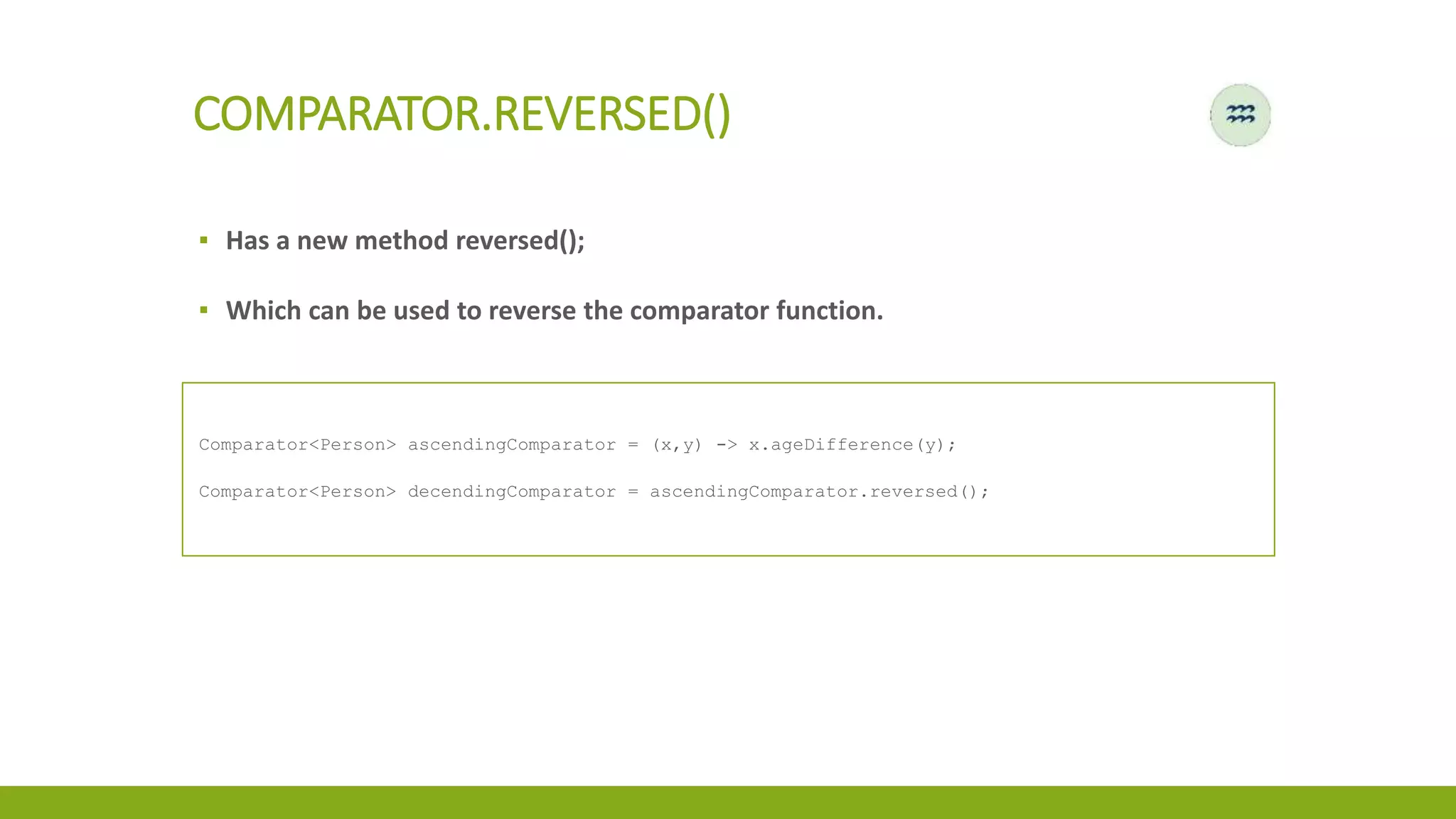
COMPARATOR.REVERSED()
▪ Has a new method reversed();
▪ Which can be used to reverse the comparator function.
Comparator<Person> ascendingComparator = (x,y) -> x.ageDifference(y);
Comparator<Person> decendingComparator = ascendingComparator.reversed();
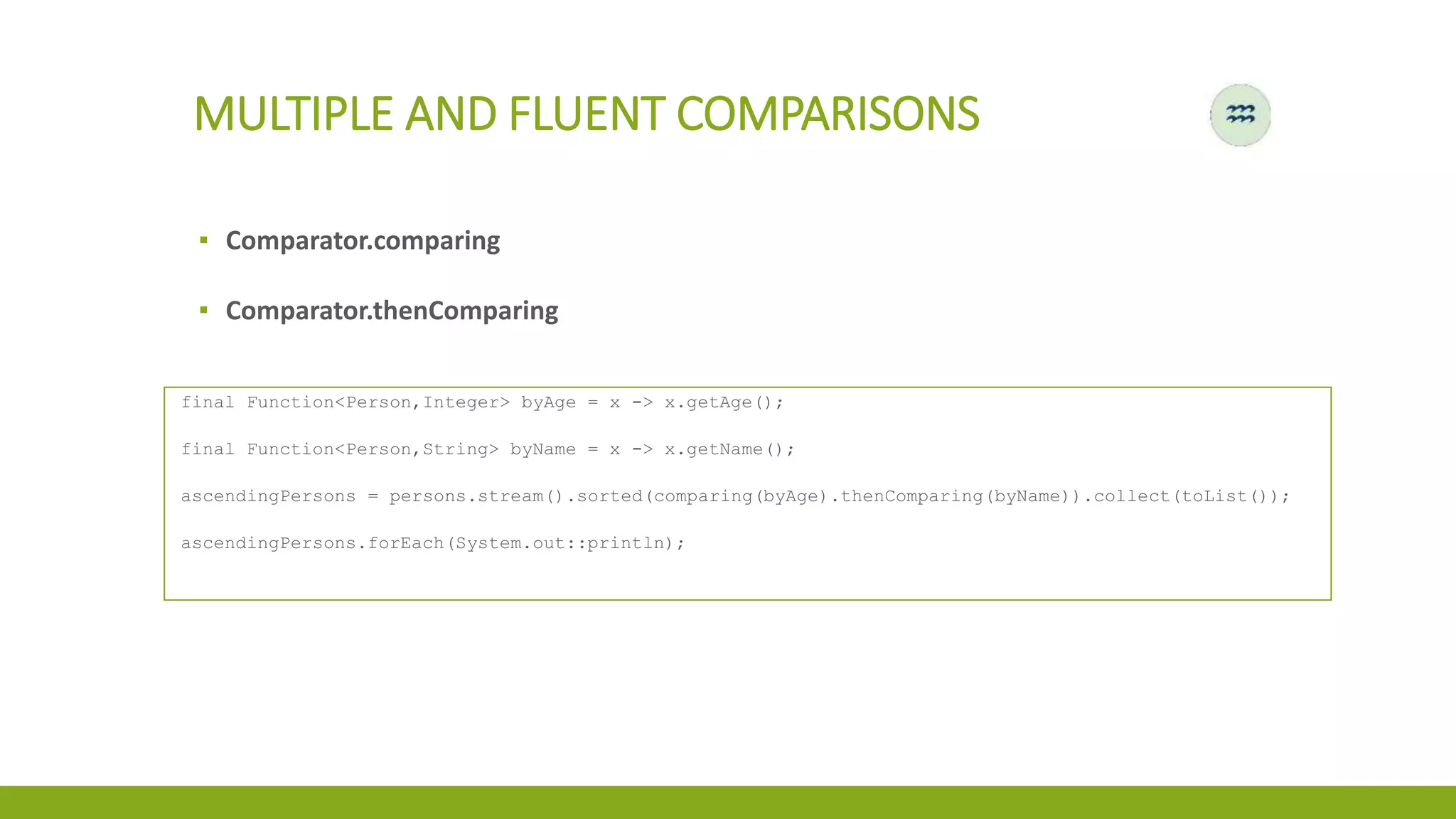
MULTIPLE AND FLUENT COMPARISONS
▪ Comparator.comparing
▪ Comparator.thenComparing
final Function<Person,Integer> byAge = x -> x.getAge();
final Function<Person,String> byName = x -> x.getName();
ascendingPersons = persons.stream().sorted(comparing(byAge).thenComparing(byName)).collect(toList());
ascendingPersons.forEach(System.out::println);
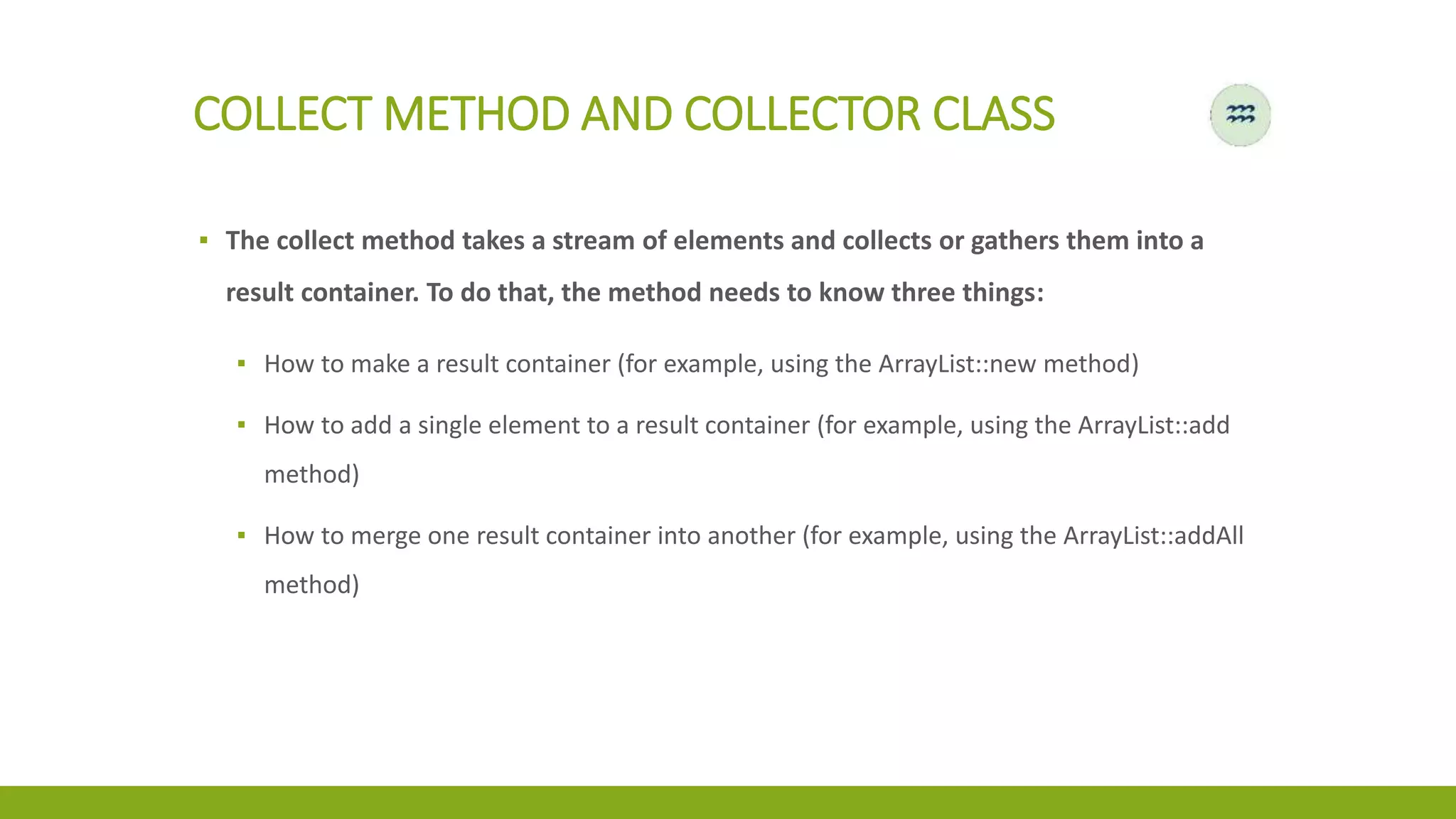
COLLECT METHOD AND COLLECTOR CLASS
▪ The collect method takes a stream of elements and collects or gathers them into a
result container. To do that, the method needs to know three things:
▪ How to make a result container (for example, using the ArrayList::new method)
▪ How to add a single element to a result container (for example, using the ArrayList::add
method)
▪ How to merge one result container into another (for example, using the ArrayList::addAll
method)
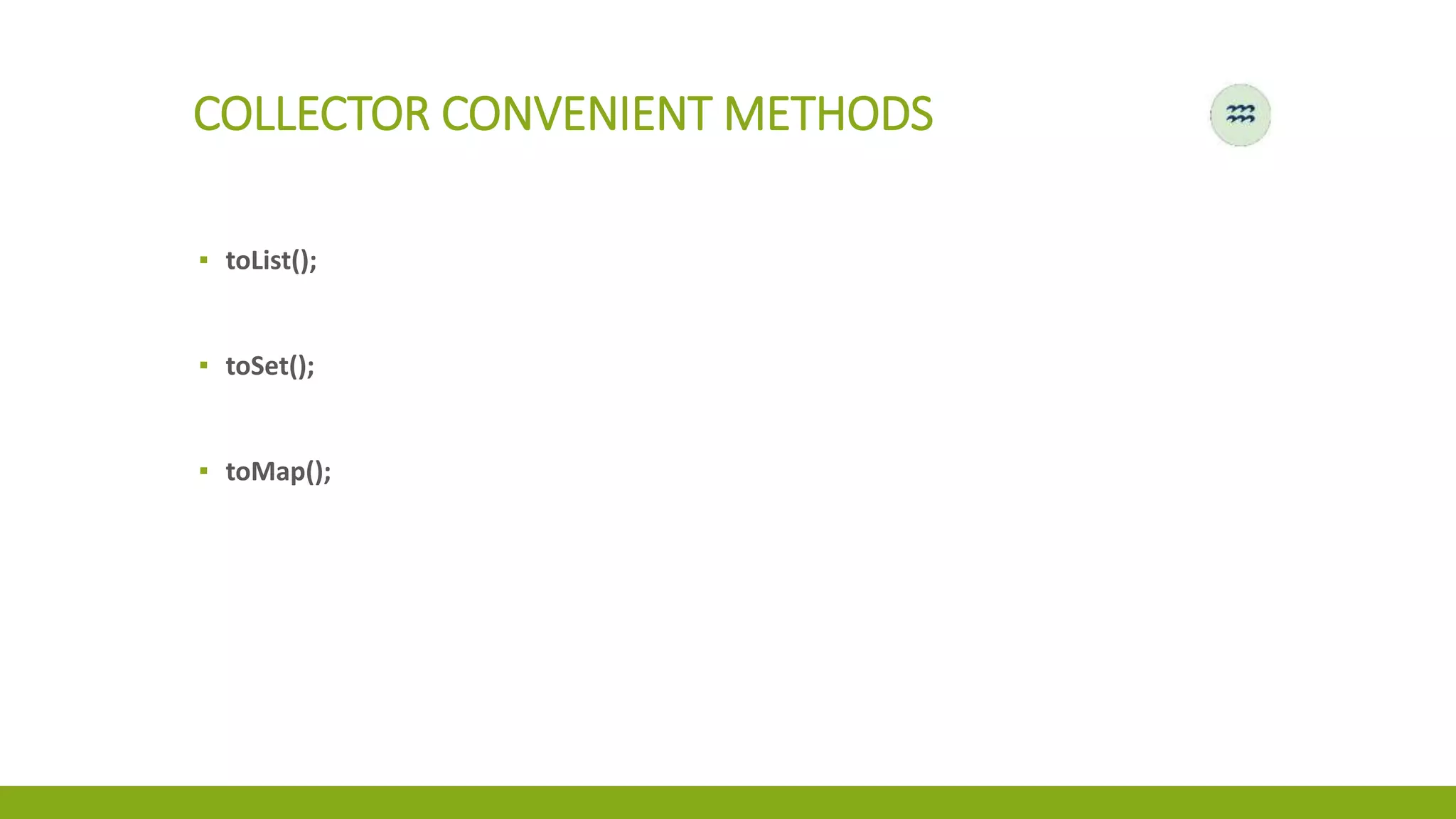
COLLECTOR CONVENIENT METHODS
▪ toList();
▪ toSet();
▪ toMap();
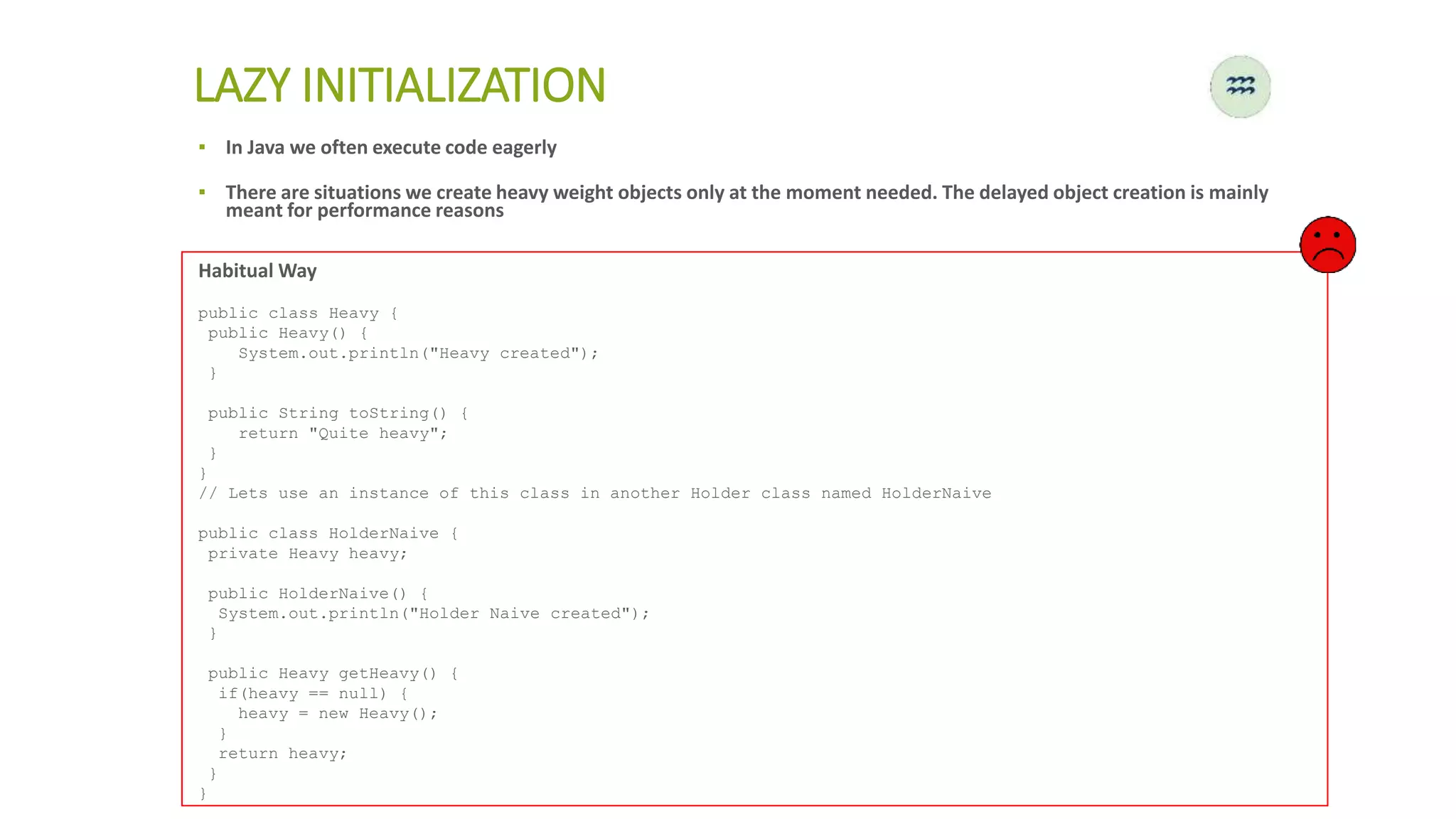
▪ In Java we often execute code eagerly
▪ There are situations we create heavy weight objects only at the moment needed. The delayed object creation is mainly
meant for performance reasons
LAZY INITIALIZATION
Habitual Way
public class Heavy {
public Heavy() {
System.out.println("Heavy created");
}
public String toString() {
return "Quite heavy";
}
}
// Lets use an instance of this class in another Holder class named HolderNaive
public class HolderNaive {
private Heavy heavy;
public HolderNaive() {
System.out.println("Holder Naive created");
}
public Heavy getHeavy() {
if(heavy == null) {
heavy = new Heavy();
}
return heavy;
}
}
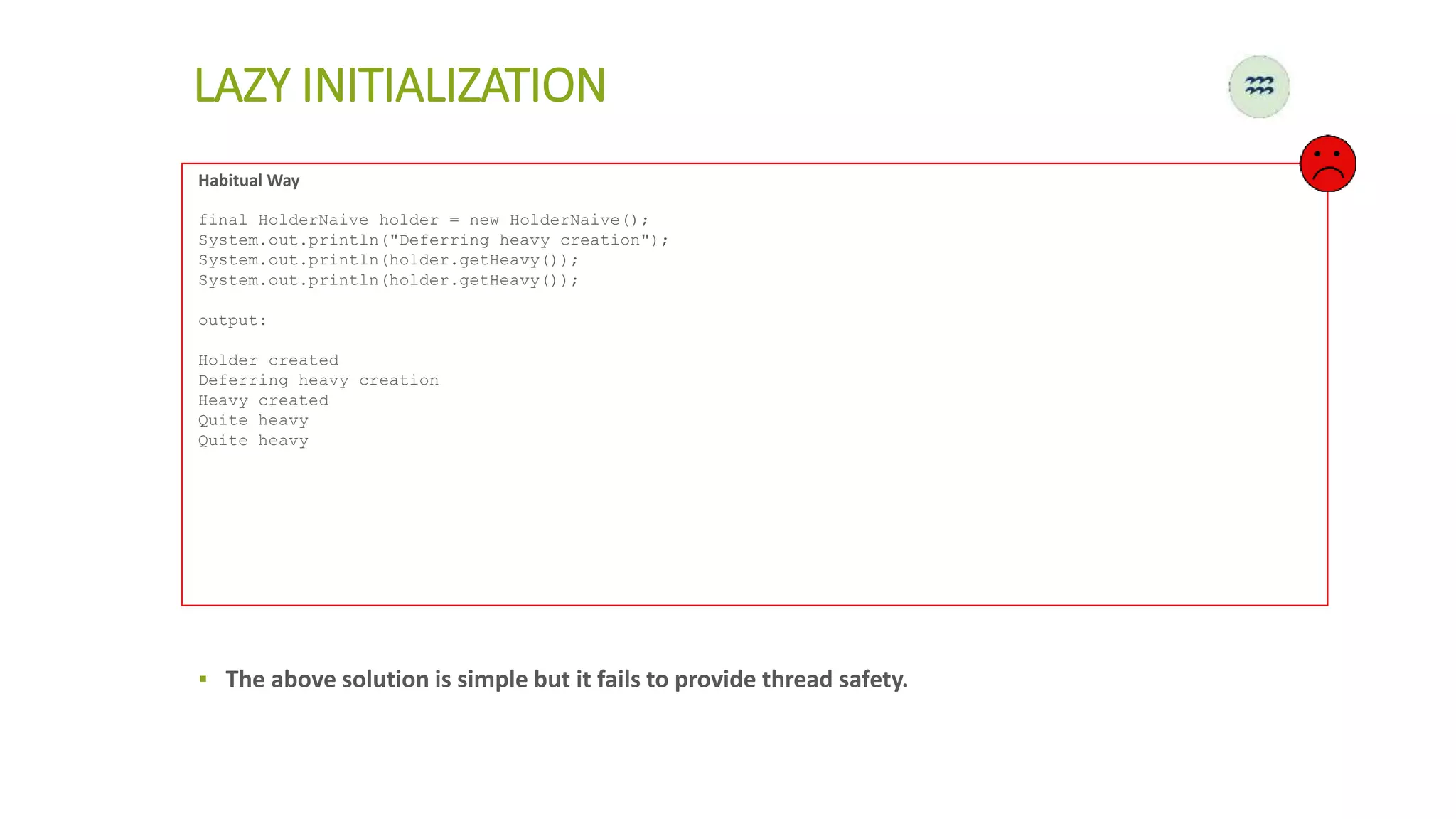
Habitual Way
final HolderNaive holder = new HolderNaive();
System.out.println("Deferring heavy creation");
System.out.println(holder.getHeavy());
output:
Holder created
Deferring heavy creation
Heavy created
Quite heavy
Quite heavy
LAZY INITIALIZATION
▪ The above solution is simple but it fails to provide thread safety.
LAZY INITIALIZATION
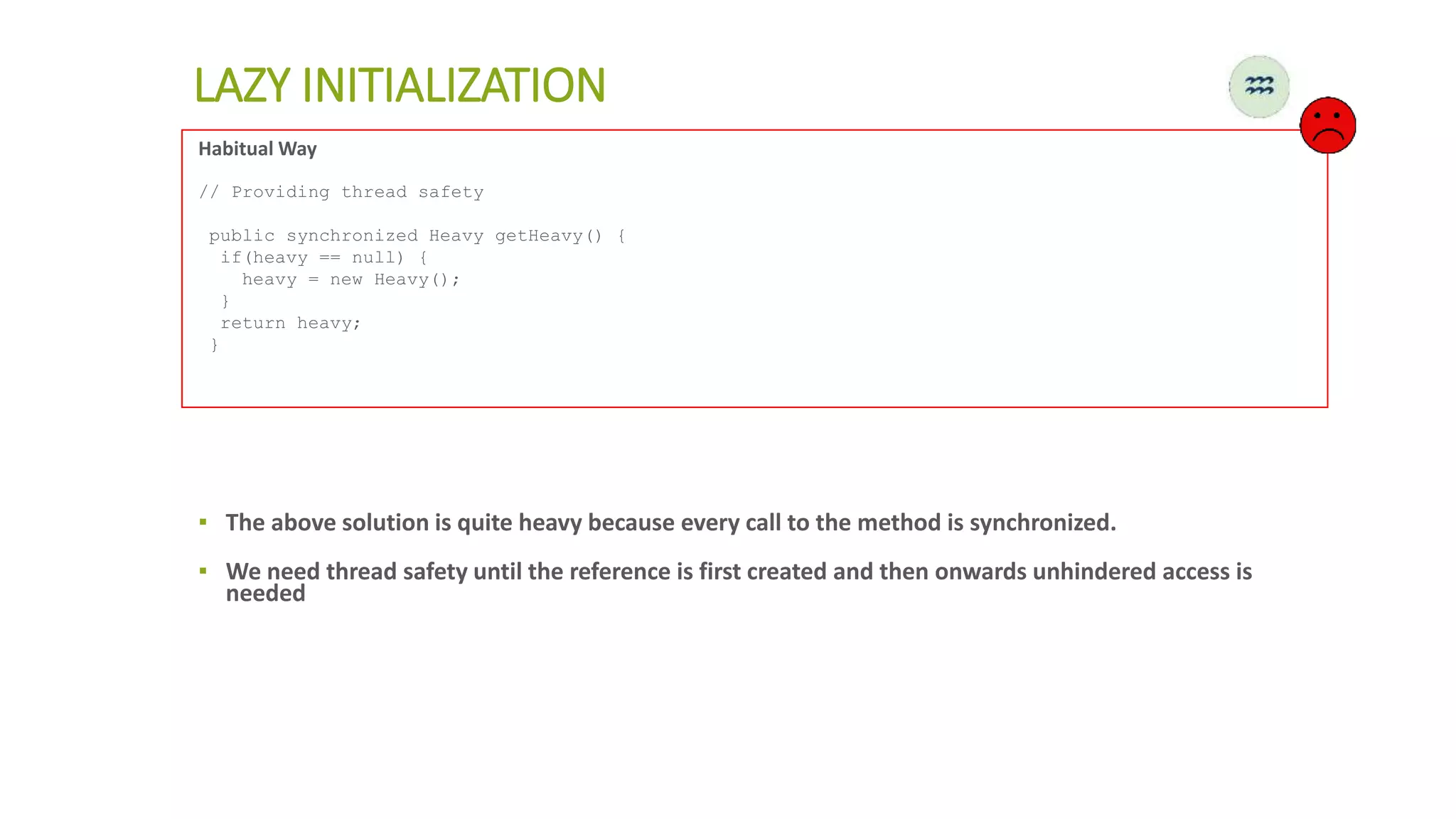
Habitual Way
// Providing thread safety
public synchronized Heavy getHeavy() {
if(heavy == null) {
heavy = new Heavy();
}
return heavy;
}
▪ The above solution is quite heavy because every call to the method is synchronized.
▪ We need thread safety until the reference is first created and then onwards unhindered access is
needed
LAZY INITIALIZATION
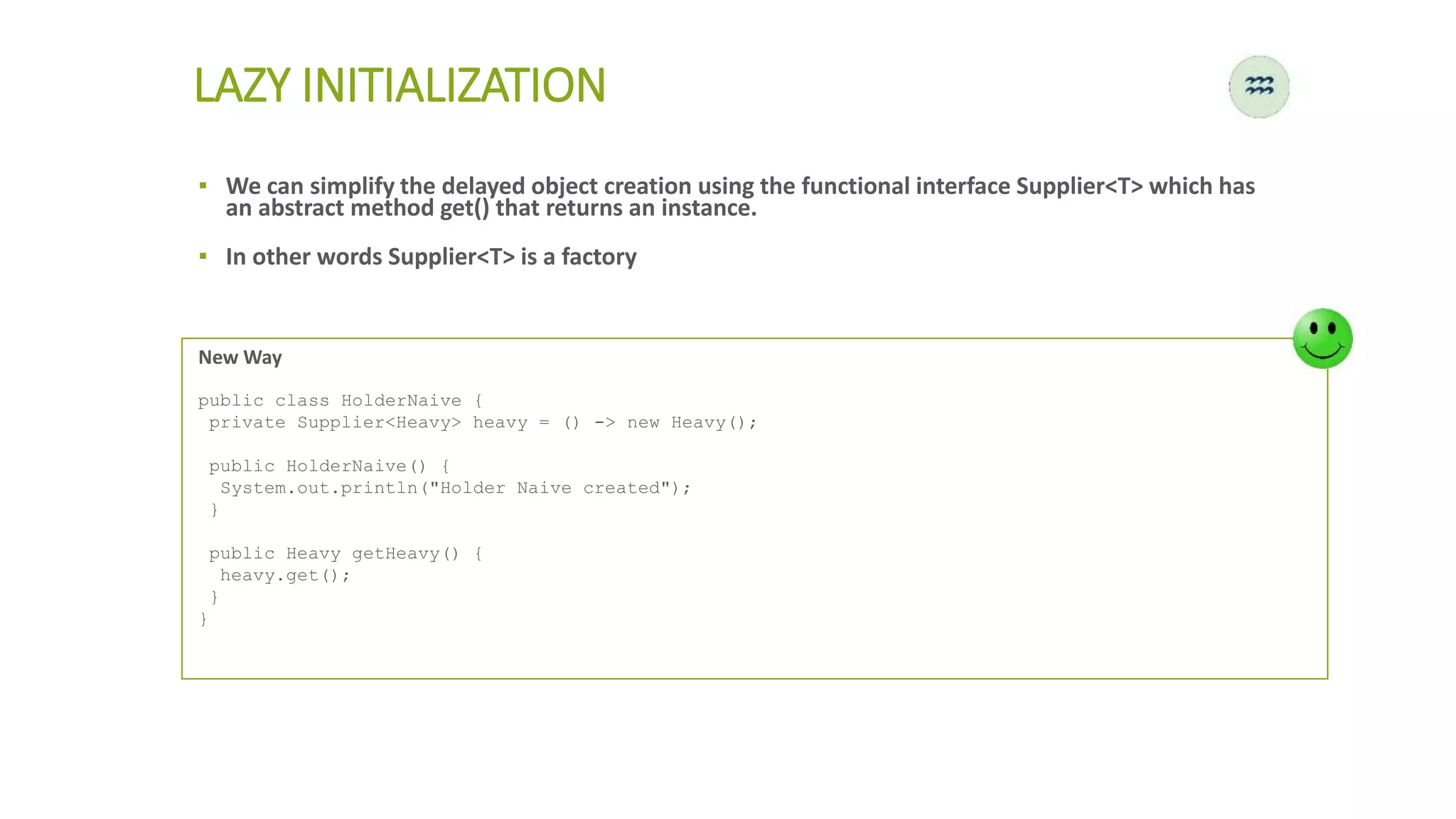
New Way
public class HolderNaive {
private Supplier<Heavy> heavy = () -> new Heavy();
public HolderNaive() {
System.out.println("Holder Naive created");
}
public Heavy getHeavy() {
heavy.get();
}
}
▪ We can simplify the delayed object creation using the functional interface Supplier<T> which has
an abstract method get() that returns an instance.
▪ In other words Supplier<T> is a factory
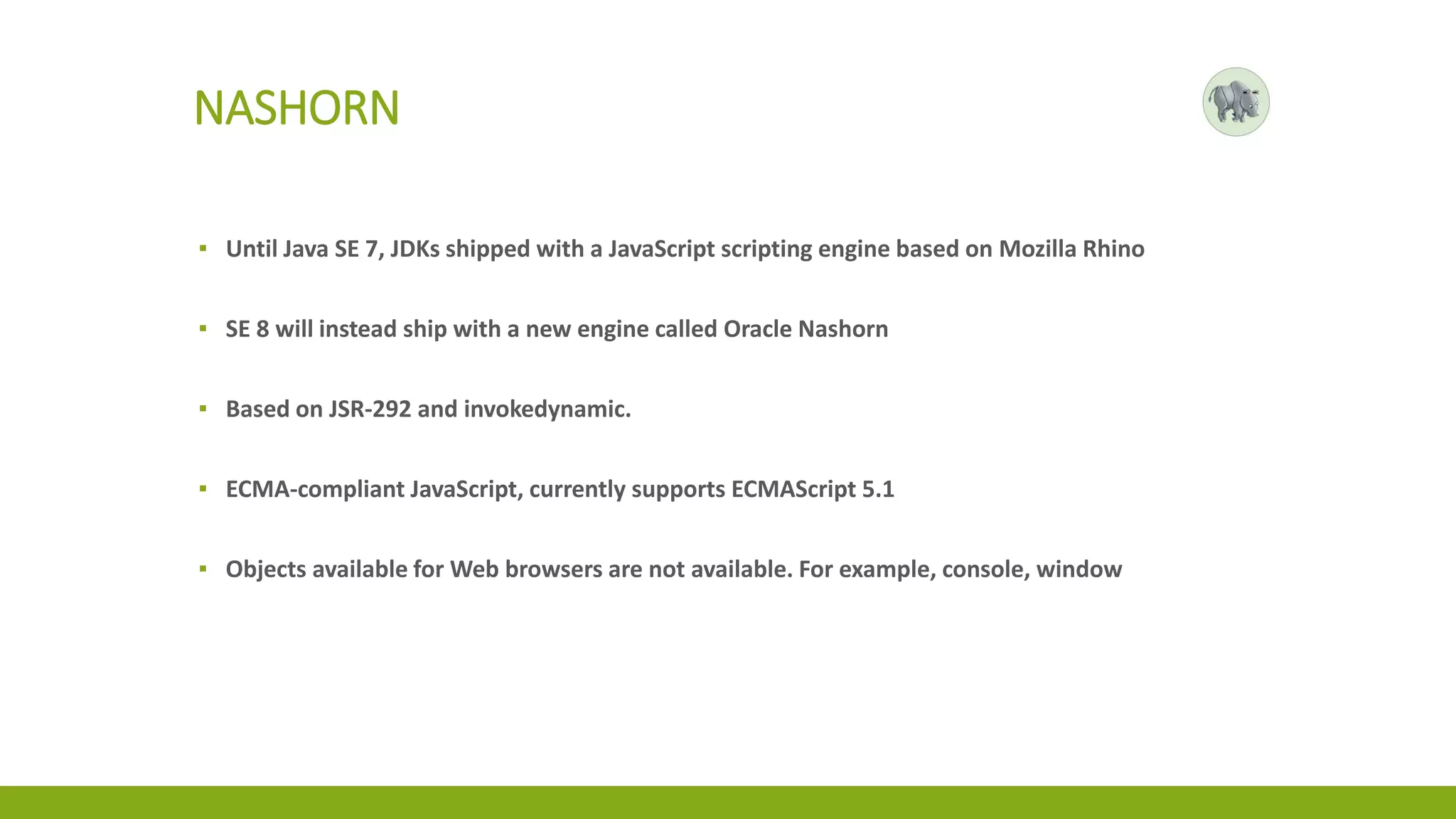
NASHORN
▪ Until Java SE 7, JDKs shipped with a JavaScript scripting engine based on Mozilla Rhino
▪ SE 8 will instead ship with a new engine called Oracle Nashorn
▪ Based on JSR-292 and invokedynamic.
▪ ECMA-compliant JavaScript, currently supports ECMAScript 5.1
▪ Objects available for Web browsers are not available. For example, console, window
TO USE
1. jjs command-line tool[REPL]
2. Oracle Nashorn as an embedded scripting engine inside Java
3. Using Java inside JS
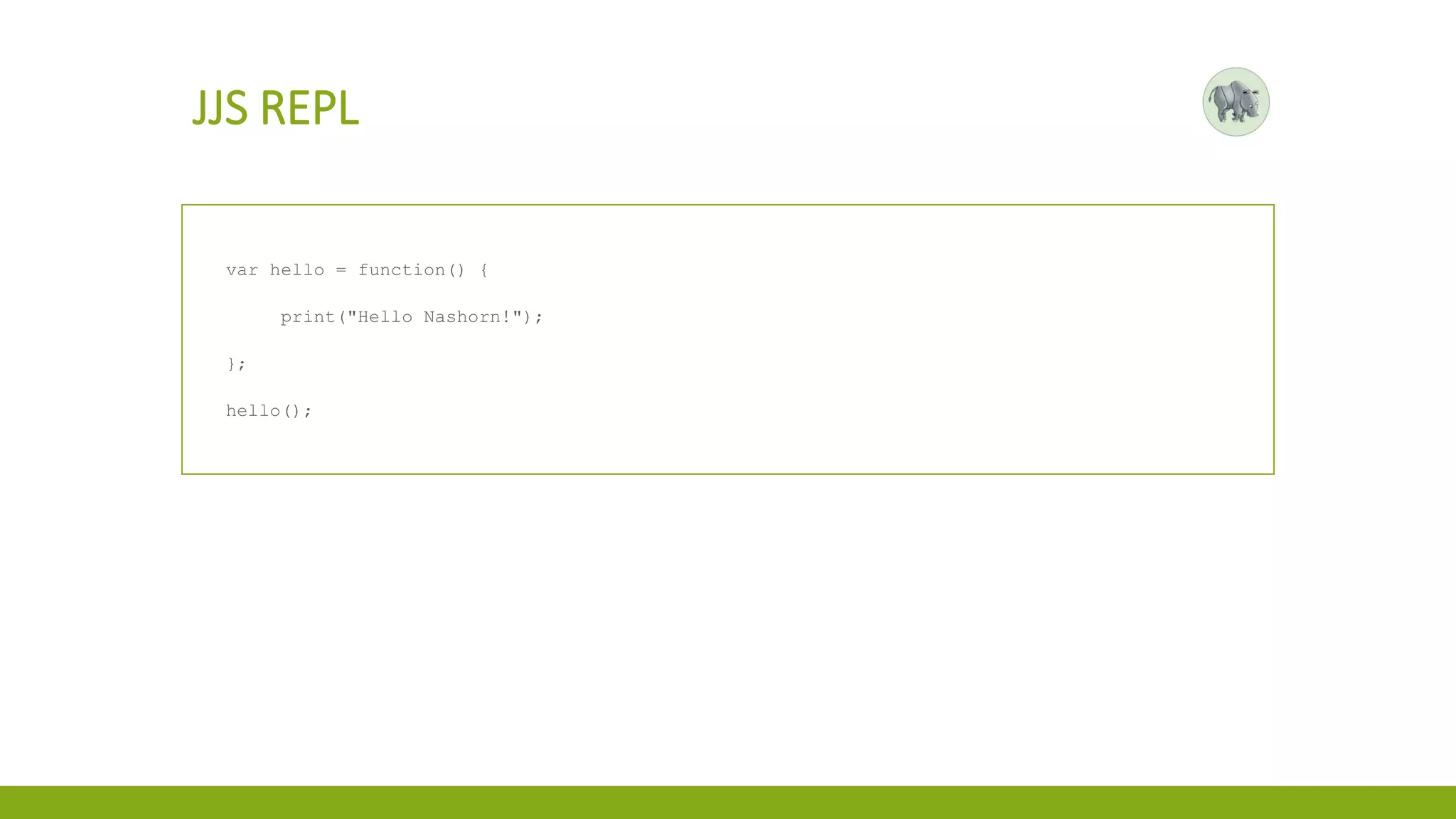
JJS REPL
var hello = function() {
print("Hello Nashorn!");
};
hello();
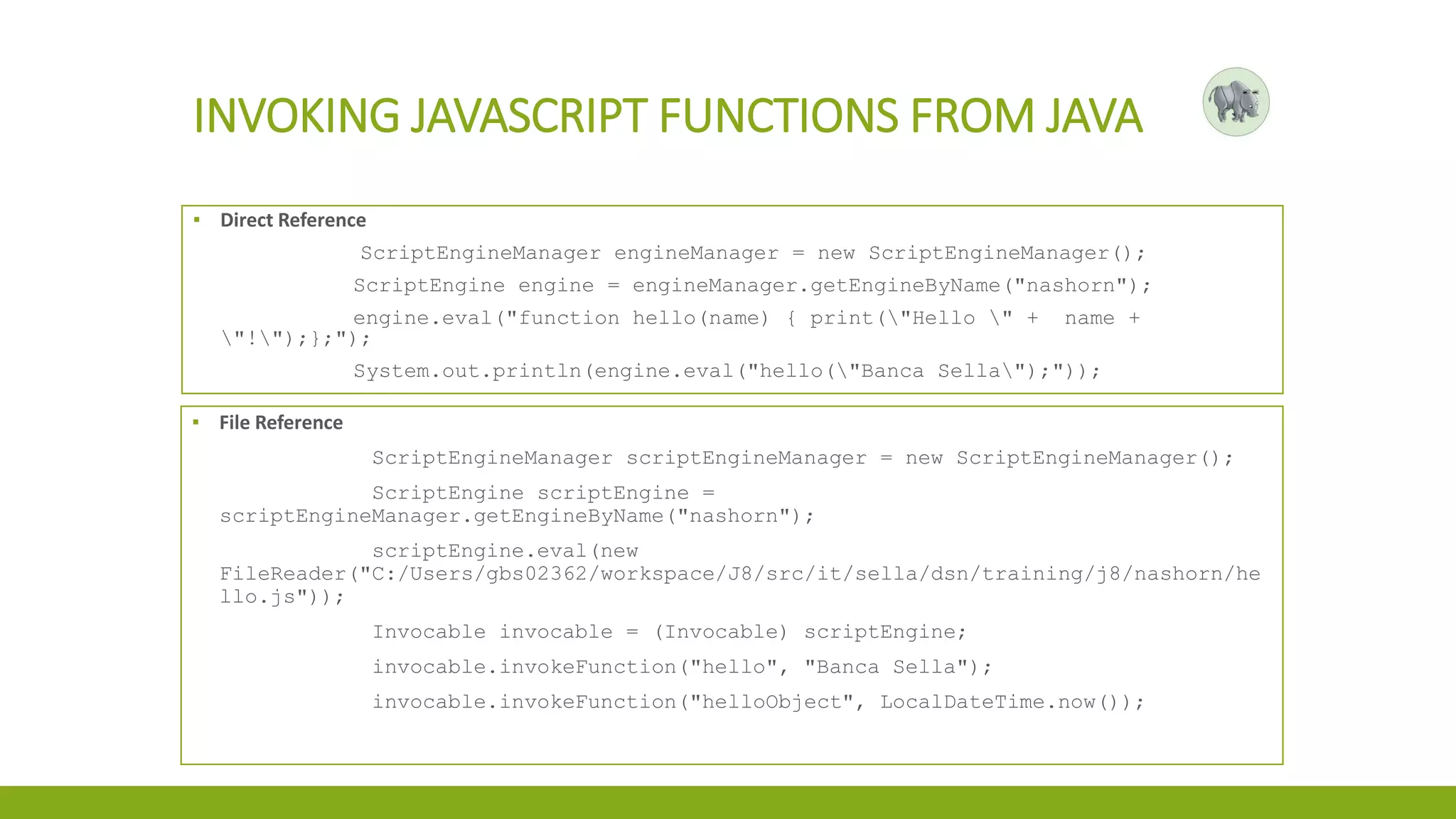
INVOKING JAVASCRIPT FUNCTIONS FROM JAVA
▪ Direct Reference
ScriptEngineManager engineManager = new ScriptEngineManager();
ScriptEngine engine = engineManager.getEngineByName("nashorn");
engine.eval("function hello(name) { print("Hello " + name +
"!");};");
System.out.println(engine.eval("hello("Banca Sella");"));
▪ File Reference
ScriptEngineManager scriptEngineManager = new ScriptEngineManager();
ScriptEngine scriptEngine =
scriptEngineManager.getEngineByName("nashorn");
scriptEngine.eval(new
FileReader("C:/Users/gbs02362/workspace/J8/src/it/sella/dsn/training/j8/nashorn/he
llo.js"));
Invocable invocable = (Invocable) scriptEngine;
invocable.invokeFunction("hello", "Banca Sella");
invocable.invokeFunction("helloObject", LocalDateTime.now());
INVOKING JAVA METHODS FROM JAVASCRIPT
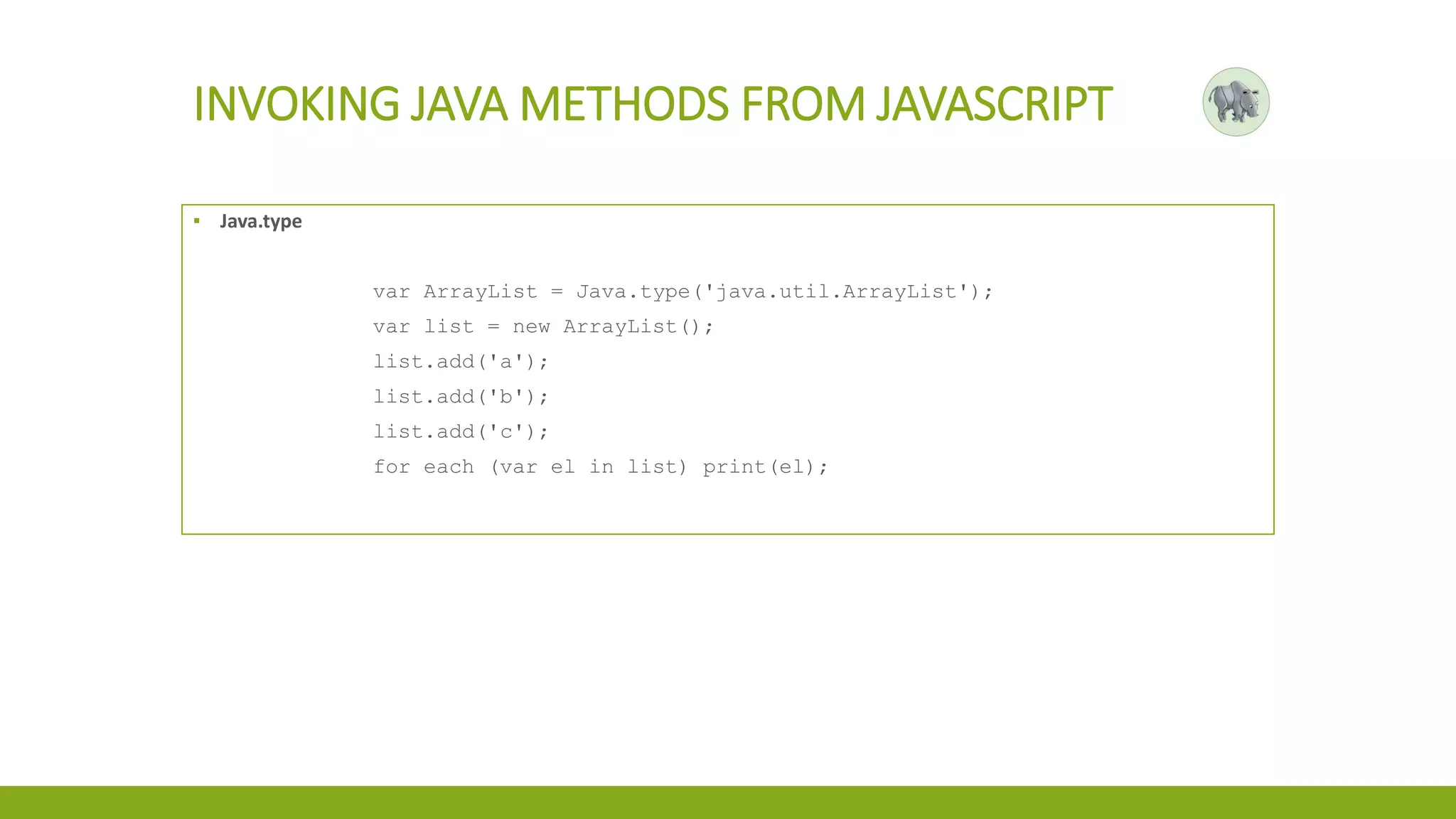
▪ Java.type
var ArrayList = Java.type('java.util.ArrayList');
var list = new ArrayList();
list.add('a');
list.add('b');
list.add('c');
for each (var el in list) print(el);
INVOKING JAVA METHODS FROM JAVASCRIPT
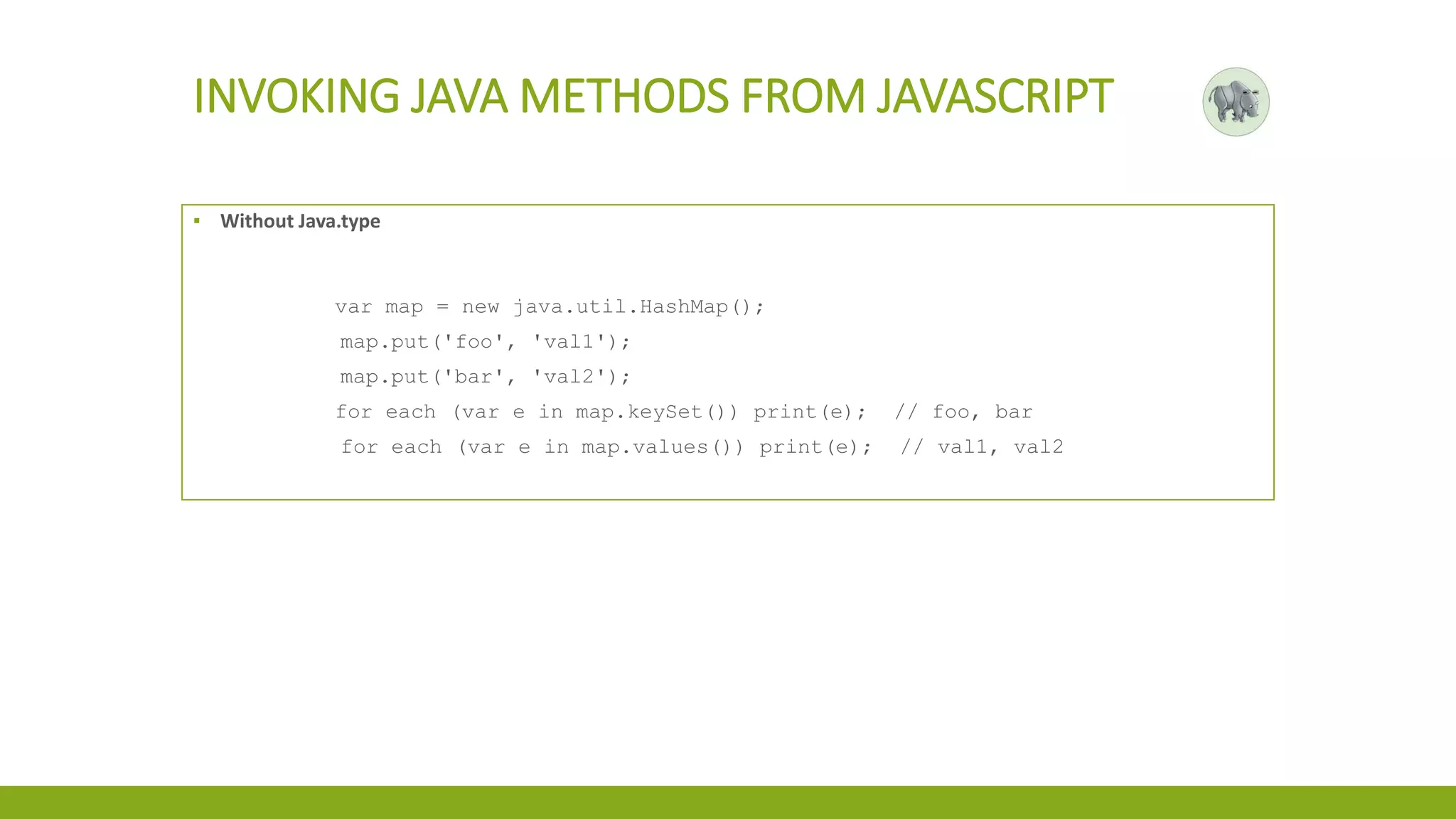
▪ Without Java.type
var map = new java.util.HashMap();
map.put('foo', 'val1');
map.put('bar', 'val2');
for each (var e in map.keySet()) print(e); // foo, bar
for each (var e in map.values()) print(e); // val1, val2
INVOKING JAVA METHODS FROM JAVASCRIPT
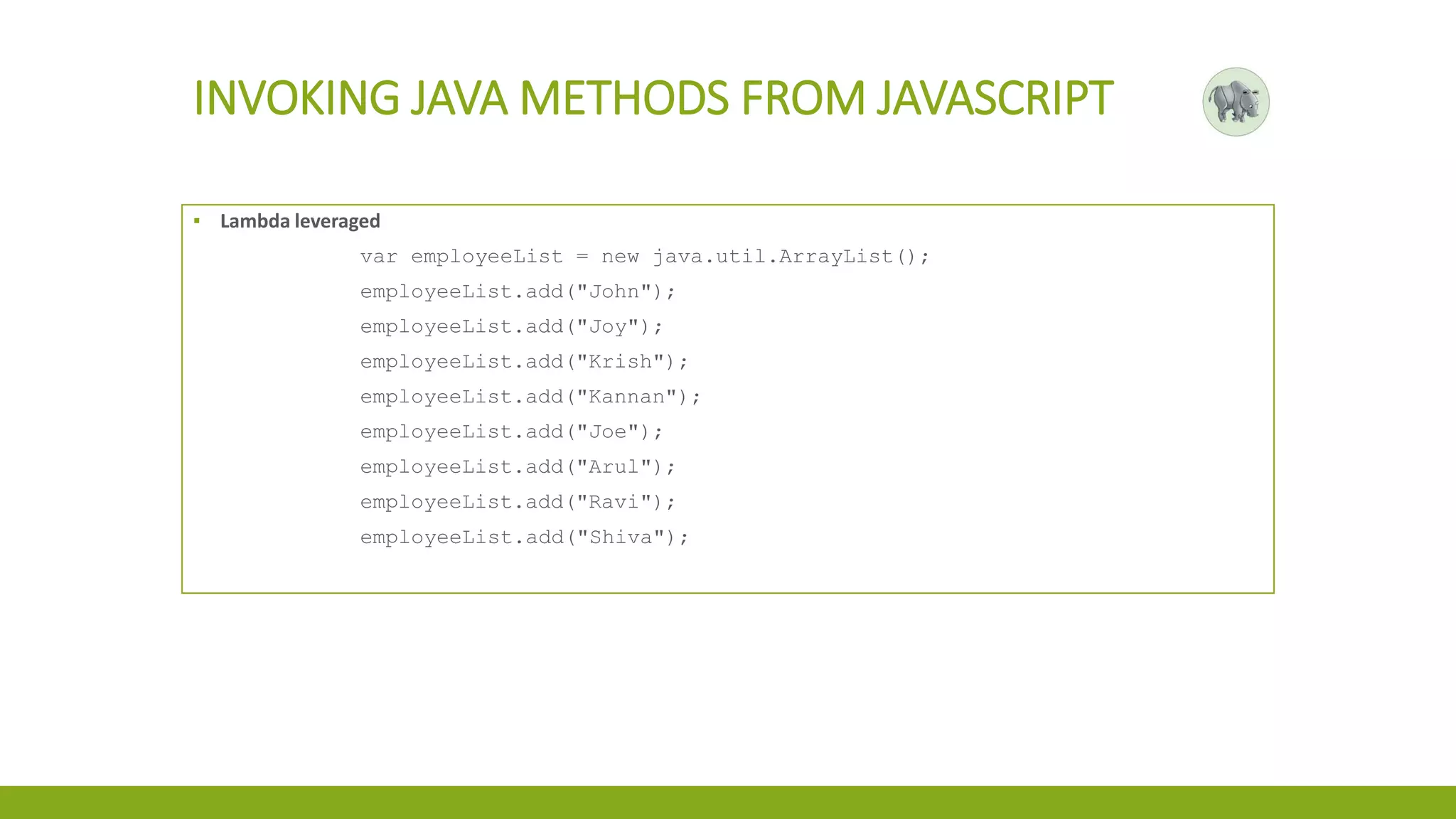
▪ Lambda leveraged
var employeeList = new java.util.ArrayList();
employeeList.add("John");
employeeList.add("Joy");
employeeList.add("Krish");
employeeList.add("Kannan");
employeeList.add("Joe");
employeeList.add("Arul");
employeeList.add("Ravi");
employeeList.add("Shiva");
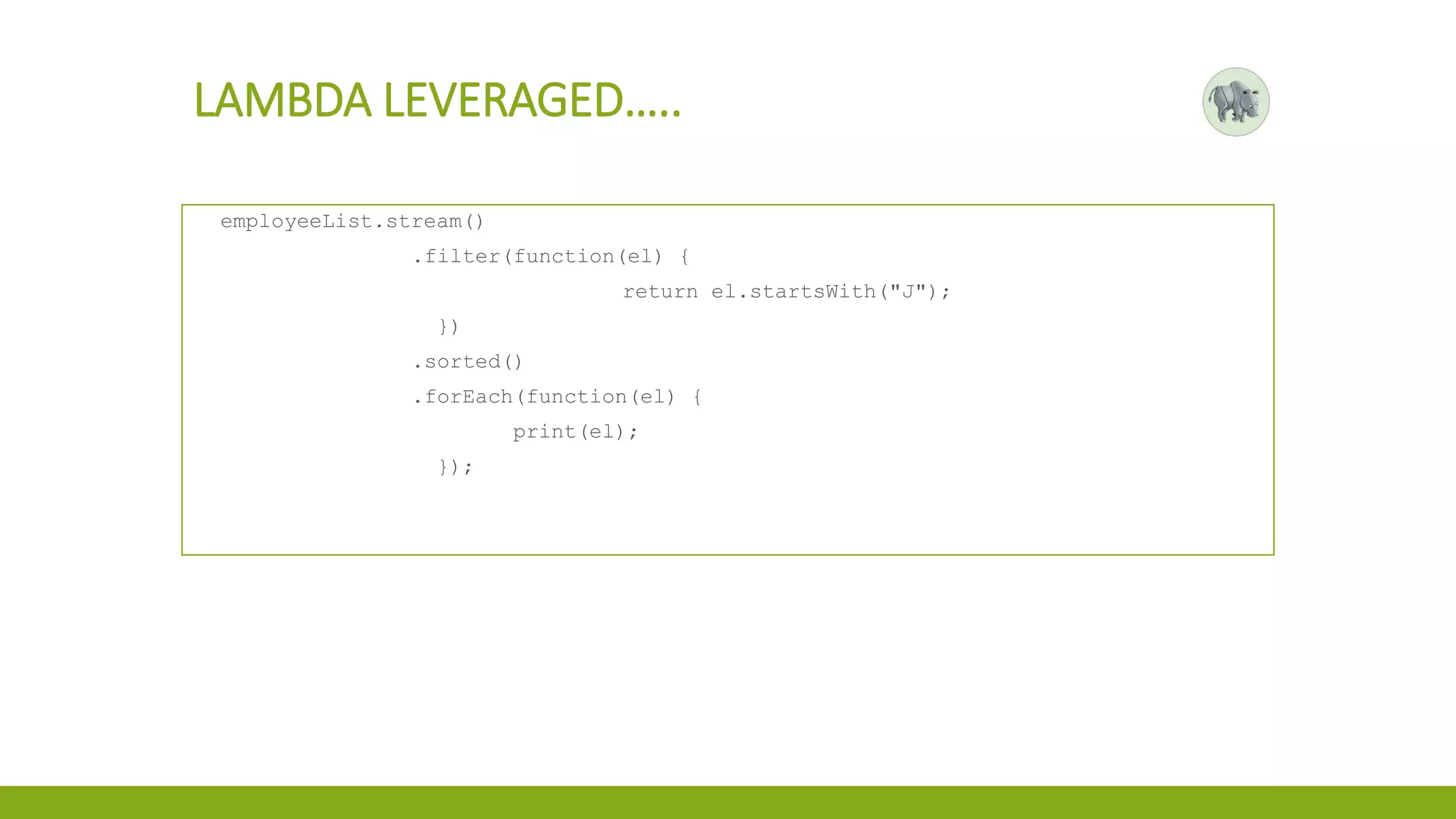
LAMBDA LEVERAGED…..
employeeList.stream()
.filter(function(el) {
return el.startsWith("J");
})
.sorted()
.forEach(function(el) {
print(el);
});

Java SE 8

  • 1.
    Deep Dive JAVA SE8 AND JAVA EE 7
  • 2.
  • 3.
    BEST PRACTICE A methodor technique that has consistently shown results superior to those achieved with other means
  • 4.
    WHAT ARE WEGOING TO TASTE
  • 6.
    LAMBDA EXPRESSIONS ▪ Anonymousmethods ▪ Function ▪ Passed around ▪ Concise A block of code that you can pass around so it can be executed later, once or multiple times
  • 7.
    INTRODUCTION TO LAMBDA OldWay List<String> names = Arrays.asList("peter", "anna", "mike", "xenia"); class NameComparator implements Comparator<String> { @Override public int compare(final String name, final String anotherName) { return name.compareTo(anotherName); } } Collections.sort(names, new NameComparator());
  • 8.
    INTRODUCTION TO LAMBDA BetterWay List<String> names = Arrays.asList("peter", "anna", "mike", "xenia"); Collections.sort(names, new Comparator<String>() { @Override public int compare(final String name, final String anotherName) { return name.compareTo(anotherName); } });
  • 9.
    Lambda Way List<String> names= Arrays.asList("peter", "anna", "mike", "xenia"); Collections.sort(names,(String a, String b) -> { return a.compareTo(b);} ); INTRODUCTION TO LAMBDA (String a, String b) -> { return a.compareTo(b);} (arguments) -> {body}
  • 10.
    LAMBDA EXAMPLE Write itlike a method (String first, String second) -> { if (first.length() < second.length()) return -1; else if (first.length() > second.length()) return 1; else return 0; } Even without param () -> { for (int i = 0; i < 1000; i++) doWork(); }
  • 11.
    ▪ Make useof parameter type inference ▪ Only specify the types when compiler needs it ▪ Do not use parameter brackets when optional LAMBDA – TYPE INFERENCE // Avoid Comparator<String> comp = (String a, String b) -> a.compareTo(b); (Integer t) -> System.out.println(t); // Prefer Comparator<String> comp = (a, b) -> a.compareTo(b); t -> System.out.println(t);
  • 12.
    ▪ Lambda expressionto return a value in all branch ▪ Not allowed to return a value in some branches LAMBDA – RETURN CONDITION // Prefer (int x) -> { if (x >= 0) return 1; else return 0; } // Error (int x) -> { if (x >= 0) return 1; }
  • 13.
    ▪ A blockof code and Parameters ▪ Values for the free variables LAMBDA – VARIABLE SCOPE public static void repeatMessage( String text, int count ) { Runnable r = () -> { for (int i = 0; i < count ; i++) { System.out.println( text ); } }; new Thread(r).start(); } free variable String text, int count text count
  • 14.
    ▪ Do notdeclare local variables as final ▪ Use new “effectively final” concept LAMBDA – VARIABLE SCOPE public static void orderByName( List<String> names ) { int first = 0; Comparator<String> comp = (first, second) -> first.compareTo(second); Collections.sort(names, comp); } Effective finalList<String> names names,
  • 15.
    LAMBDA – VARIABLESCOPE for (int i = 0; i < n; i++) { new Thread(() -> System.out.println( i )).start(); // Error—cannot capture i } ▪ Reference variables value is not allowed to change ▪ Parameters are effective final for (String arg : args) { new Thread(() -> System.out.println( arg )).start(); } Reference variable is not fixed i i Effective final arg arg
  • 16.
    ▪ Lambda expressioncan not mutate LAMBDA – VARIABLE SCOPE public class LambdaNonFinalExample { static boolean odd = false; public static void main(String[] args) throws Exception { runLambda(() -> odd = true); System.out.println("Odd=" + odd); } public static void runLambda(Callable c) throws Exception { c.call(); } } Not possible to mutate boolean odd = false; runLambda(() -> odd = true);
  • 17.
    LAMBDA – EXCEPTIONHANDLING public Supplier<?> createInstance(final String className) { return () -> { Class.forName(className).newInstance() }; } Functional interfaces not allowed for a checked exception to be thrown Class.forName(className).newInstance()
  • 18.
    ▪ Catch theexception inside the lambda expression LAMBDA – EXCEPTION HANDLING public Supplier<?> createInstance(final String className) { return () -> { try { return Class.forName(className).newInstance(); } catch( ClassNotFoundException | IllegalAccessException | InstantiationException e ) { throw new RuntimeException(e); } }; } try { return Class.forName(className).newInstance(); } catch( ClassNotFoundException | IllegalAccessException | InstantiationException e ) { throw new RuntimeException(e); }
  • 19.
    ▪ Handle theexception using Consumer LAMBDA – EXCEPTION HANDLING Better Way public Supplier<?> createInstance(final String className, final Consumer<? super Throwable> consumer ) { return () -> { try { return Class.forName(className).newInstance(); } catch( ClassNotFoundException | IllegalAccessException | InstantiationException e ) { consumer.accept(e); return null; } }; } Consumer<? super Throwable> consumer consumer.accept(e);
  • 21.
    FUNCTIONAL INTERFACE ▪ AnInterface with a single abstract method ▪ Runnable ▪ Comparable ▪ Callable ▪ Java SE 8 new functional interfaces ▪ Function<T,R> ▪ Predicate<T> ▪ Supplier<T> ▪ Consumer<T>
  • 22.
    FUNCTIONAL INTERFACES An interfacewhich has Single Abstract Method ▪ Functional interface must have a single abstract method ▪ Supply a lambda whenever an object of an interface with a single abstract method ▪ Tag any functional interface with the @FunctionalInterface annotation
  • 23.
    FUNCTION Purpose is toreturn any result by working on a single input argument ▪ It accepts an argument of type T ▪ Returns a result of type R ▪ Applying specified logic on the input via the apply method
  • 24.
    FUNCTION Function<String, Integer> stringToInt= x -> Integer.valueOf(x); stringToInt.apply("4"); @FunctionalInterface public interface Function<T, R> { R apply(T t); } Output 4
  • 25.
    PREDICATE Function for checkinga condition ▪ Accepting a single argument to evaluate to a boolean result ▪ It has a single method test which returns the boolean value
  • 26.
    FUNCTION Predicate<String> emptyStringChecker =s -> s.isEmpty(); emptyStringChecker.test(“JAVA8"); @FunctionalInterface public interface Predicate<T> { boolean test(T t); } Output false
  • 27.
    CONSUMER Perform operations onthe arguments ▪ Accepts a single argument but does not return any result ▪ Used to perform operations on the arguments ▪ Persisting ▪ Invoking house keeping operations ▪ Emailing ▪ Etc..
  • 28.
    CONSUMER @FunctionalInterface public interface Consumer<T>{ void accept(T t); } final List<String> names = Arrays.asList("ganesan", "balaji", "venky", "Raju", "pavan"); names.forEach(new Consumer<String>() { public void accept(final String name) { System.out.println(name); } });
  • 29.
    SUPPLIER Supplies us witha result ▪ Accepts a single argument but does not return any result ▪ Used to fetching values ▪ Configuration values from database ▪ Loading with reference data ▪ Creating an list of data with default identifiers ▪ Etc..
  • 30.
  • 31.
    FUNCTIONAL INTERFACES Function thatexpects two arguments but produces a result by operating on these two arguments ▪ BiPredicate ▪ BiConsumer ▪ BiFunction
  • 32.
    DECLARING OWN FUNCTIONALINTERFACE We can declare our own Functional Interface by defining Single Abstract Method in interface ▪ Can tag any functional interface with @FunctionalInterface ▪ Compiler checks entity is an interface with a single abstract method ▪ Javadoc page includes a statement that your interface is a functional interface
  • 33.
    ▪ It isnot required to use the annotation ▪ Any interface with a single abstract method is, by definition, a functional interface ▪ Using the @FunctionalInterface annotation is a good idea. DECLARING OWN FUNCTIONAL INTERFACE // Not Correct @FunctionalInterface public interface FunctionalInterfaceTest{ void display(); void anotherDisplay(); } // Correct @FunctionalInterface public interface FunctionalInterfaceTest{ void display(); }
  • 34.
    AVOID METHOD OVERLOAD ▪Lambdas use target typing ▪ Clashes with method overloading // avoid public class Foo<T> { public Foo<R> apply(Function<T, R> fn); public Foo<T> apply(UnaryOperator<T> fn); }
  • 35.
    AVOID METHOD OVERLOAD ▪Lambdas use target typing ▪ Clashes with method overloading ▪ Use different method names to avoid clashes // prefer public class Foo<T> { public Foo<R> applyFunction(Function<T, R> fn); public Foo<T> applyOperator(UnaryOperator<T> fn); }
  • 36.
    METHOD REFERENCE Accept referenceto a method where an implementation of a functional interface is expected (String s) -> System.out.println(s) System.out::println Where :: signifies that System.out'svoid println(String s) method is being referenced
  • 37.
    METHOD REFERENCE ▪ Referenceto a static method ▪ className::staticMethodName ▪ Reference to an instance method of a particular object ▪ objectName::instanceMethodName ▪ Reference to an instance method of an arbitrary object of a particular type ▪ className::instanceMethodName ▪ Reference to a constructor ▪ className::new. className
  • 38.
    METHOD REFERENCE class ComparisonProvider{ public int compareByName(Person a, Person b) { return a.getName().compareTo(b.getName()); } public int compareByAge(Person a, Person b) { return a.getBirthday().compareTo(b.getBirthday()); } } ComparisonProvider myComparisonProvider = new ComparisonProvider(); Arrays.sort(rosterAsArray, myComparisonProvider::compareByName );myComparisonProvider::compareByName compareByName
  • 39.
    METHOD REFERENCE String[] stringArray= { "Barbara", "James", "Mary", "John", "Patricia", "Robert"}; Arrays.sort(stringArray, String::compareToIgnoreCase);String::compareToIgnoreCase
  • 40.
    Many languages integratefunction expressions with their collections library DEFAULT METHOD - INTRO Old Way for (int i = 0; i < names.size(); i++) { System.out.println(list.get(i)); } final List<String> names = Arrays.asList("ganesan", "balaji", "venky", “vetry","pavan"); // Correct names.forEach(System.out::println); Better way is library can supply a forEach method that applies a function to each element
  • 41.
    DEFAULT METHOD -INTRO ▪ Java collections library has been designed many years ago, and there is a problem. ▪ If the Collection interface gets new methods, such as forEach, then every program that defines its own class implementing Collection will break ▪ That is simply unacceptable in Java, to support backward compatibility Allowing interface methods with concrete implementations called default methods
  • 42.
    DEFAULT METHOD -INTRO What happens if the exact same method is defined as a default method in one interface and then again as a method of a superclass or another interface? Rule #1 Classes win over interfaces Rule #2 More specific interfaces win over less specific ones Rule #3 There’s no rule, If there is not a unique winner according to the above rules
  • 43.
    DEFAULT METHOD interface Named{ default String getName() { return “Named Interface” } } interface Person { long getId(); default String getName() { return " Person Interface "; } } class Student implements Person, Named { ... } getName getName Person, Named
  • 44.
    DEFAULT METHOD interface Named{ default String getName() { return “Named Interface” } } interface Person extends Named{ long getId(); default String getName() { return " Person Interface "; } } class Student implements Person, Named { ... } Named getName
  • 45.
    DEFAULT METHOD -MODIFIERS ▪ Visibility is fixed to public ▪ Keyword synchronized is forbidden ▪ Keyword final is forbidden You are allowed to add static methods to interfaces
  • 46.
    STATIC METHODS Static methodscannot be inherited by the class implementing
  • 48.
    WHAT? ▪ Influenced byJoda-Time ▪ java.time package contains date, time, date/time, time zones, instants, duration, and clocks manipulation. ▪ conforms to immutability, a lesson learnt from java.util.Calendar.
  • 49.
    PROBLEMS - EXISTINGDATE AND TIME APIS ▪ Bad Naming ▪ Historical Issues ▪ Design Problems ▪ Deficiencies
  • 50.
    BAD NAMING ▪ Horriblenaming decisions ▪ Date is not a date, it is an instant in time(Timestamp) ▪ Calendar is not a calendar, it is a date and time. ▪ Date is not a time ▪ The time field manipulation methods are deprecated
  • 51.
    HISTORICAL ISSUES ▪ Datehas no support for i18n or l10n ▪ Sun added IBM donated code ▪ Calendar ▪ TimeZone ▪ SimpleDateFormat ▪ Which don’t even play well together ▪ SimpleDateFormat can not be used to convert from or to Calendar ▪ And still kept months zero based
  • 52.
    DESIGN PROBLEMS ▪ Dateand Time objects are mutable ▪ In the core library, SimpleDateTime is: ▪ Instantiated in 225 places ▪ A field in 77 places ▪ A local variable in 103 places ▪ Which could be made much simpler with immutable objects
  • 53.
    DEFICIENCIES ▪ How torepresent common needs: ▪ My alarm clock rings at 6:00AM ( A time without date or timezone ) ▪ I was born on March 23,1998 ( A date without time ) ▪ My birthday is on March 23 ( A date without a year ) ▪ This presentation is 180 minutes long ( a duration ) ▪ A year has twelve months ( a period )
  • 54.
    ONE SIMPLE EXAMPLE ▪Using the current API ▪ Date chirstmas = new Date(2015,12,25); ▪ What date will this actually be? ▪ You would think 25th December,2015 ▪ You would be wrong ▪ Actually, 25th January,3916
  • 55.
    A BETTER WAYIS JSR-310
  • 56.
    SOME IMPORTANT CLASSES ▪Clock ▪ LocalDate ▪ LocalTime ▪ LocalDateTime ▪ ZoneDateTime
  • 57.
    ▪ provides accessto the current instant, date and time using a time-zone ▪ can be used instead of System.currentTimeMillis() CLOCK // Sample final Clock clock = Clock.systemUTC(); System.out.println("INSTANT :" + clock.instant()); System.out.println("MILLIS :" + clock.millis()); OUTPUT: INSTANT :2016-03-16T13:32:19.740Z MILLIS :1458135139790
  • 58.
    ▪ LocaleDate -only the date part without a time-zone in the ISO-8601 calendar system ▪ LocaleDate could be created from Clock. LOCALEDATE // Sample final LocalDate date = LocalDate.now(); final LocalDate dateFromClock = LocalDate.now(Clock.systemUTC()); System.out.println( "DATE : " + date ); System.out.println( "DATE FROM CLOCK : " + dateFromClock ); OUTPUT: DATE : 2016-03-16 DATE FROM CLOCK : 2016-03-16
  • 59.
    ▪ LocaleTime -only the time part without a time-zone in the ISO-8601 calendar system ▪ LocaleTime could be created from Clock. LOCALETIME // Sample final LocalTime time = LocalTime.now(); final LocalTime timeFromClock = LocalTime.now(Clock.systemUTC()); System.out.println( "TIME : " + time ); System.out.println( "TIME FROM CLOCK : " + timeFromClock ); OUTPUT: TIME : 19:04:46.152 TIME FROM CLOCK : 13:34:46.152
  • 60.
    ▪ LocalDateTime -holds a date with time but without a time-zone in the ISO-8601 calendar system LOCALDATETIME // Sample final LocalDateTime dateTime = LocalDateTime.now(); final LocalDateTime dateTimeFromClock = LocalDateTime.now(Clock.systemUTC()); System.out.println( "DATE TIME : " + dateTime ); System.out.println( "DATE TIME FROM CLOCK : " + dateTimeFromClock ); OUTPUT: DATE TIME : 2016-03-16T19:05:53.556 DATE TIME FROM CLOCK : 2016-03-16T13:35:53.556
  • 61.
    ▪ ZonedDateTime -holds a date with time and with a time-zone in the ISO-8601 calendar system ZONEDDATETIME // Sample final ZonedDateTime zonedDateTime = ZonedDateTime.now(); final ZonedDateTime zonedDateTimeFromClock = ZonedDateTime.now(Clock.systemUTC()); final ZonedDateTime zonedDateTimeFromZone = ZonedDateTime.now( ZoneId.of("America/Los_Angeles")); System.out.println( "ZONED DATE TIME : " + zonedDateTime ); System.out.println( "ZONED DATE TIME FROM CLOCK : " + zonedDateTimeFromClock ); System.out.println( "ZONED DATE TIME FROM ZONE : " + zonedDateTimeFromZone ); OUTPUT: ZONED DATE TIME : 2016-03- 16T19:06:34.761+05:30[Asia/Calcutta] ZONED DATE TIME FROM CLOCK : 2016-03-16T13:36:34.761Z ZONED DATE TIME FROM ZONE : 2016-03-16T06:36:34.761- 07:00[America/Los_Angeles]s
  • 62.
    TIT BITS ▪ Classdependency analyzer: jdeps ▪ shows the package-level or class-level dependencies of Java class files ▪ jdeps XXX.jar ▪ Recursion Optimization: ▪ stack overflow problem ▪ tail-call optimization (TCO)
  • 64.
    STREAM INTRODUCTION Old Way finalList<String> names = Arrays.asList("ganesan", "balaji", "venky", "Raju", "pavan"); for(int i = 0; i < names.size(); i++) { System.out.println(friends.get(i)); } for(String name : names) { System.out.println(name); }
  • 65.
    names.forEach((final String name)-> System.out.println(name)); STREAM INTRODUCTION Old Way final List<String> names = Arrays.asList("ganesan", "balaji", "venky", "Raju", "pavan"); names.forEach(new Consumer<String>() { public void accept(final String name) { System.out.println(name); } }); names.forEach((name) -> System.out.println(name)); names.forEach(name -> System.out.println(name)); names.forEach(System.out::println);
  • 66.
    STREAM INTRODUCTION Old Way longcount = names.stream().filter(name -> name.startsWith("v")).count(); Old Way final List<String> names = Arrays.asList("ganesan", "balaji", "venky", "Raju", "pavan"); Int totalCount = 0; for (String name : names) { if(name.startsWith("v")) { totalCount++; } }
  • 67.
    ▪ Stream operationsare either intermediate or terminal ▪ Most stream operations accept lambda expression ▪ Most of those operations must be both non-interfering and stateless HOW STREAM WORK final List<String> names = Arrays.asList("ganesan", "balaji", "venky", “vetry", "pavan"); names .stream() .filter(name -> name.startsWith(“v")) .map(String::toUpperCase) .sorted() .forEach(System.out::println);
  • 68.
    STREAM INTERMEDIATE OPERATION •Return: Stream<T> • Argument: Predicate<T, R>filter • Return: Stream<T> • Argument: Function<T, R>map • Return: Stream<T> • Argument:limit • Return: Stream<T> • Argument: Comparator<T>Sorted • Return: Stream<T> • Argument:Distinct
  • 69.
    STREAM TERMINAL OPERATION •Consume each element from a stream and applies a lambda to each of them. The operations return void.forEach • Return the number of elements in a stream. The operation return longcount • Reduce the stream to create collectioncollect
  • 70.
    STREAM – FILTER Streamexposes a filter method that takes in a Predicate to define the filtering criteria List<String> myList = Arrays.asList("a5", "b2", "c4", "d1", "e3"); myList .stream() .filter(s -> s.startWith(“a”)) .collect(Collectors.toList());
  • 71.
    STREAM – FILTER Streamssupport a method called distinct that returns a stream with unique elements. List<Integer> numbers = Arrays.asList(1, 2, 1, 3, 3, 2, 4); numbers.stream()S .filter(i -> i % 2 == 0) .distinct() .forEach(System.out::println);
  • 72.
    STREAM – SKIP& LIMIT Streams support a method called skip and limit that returns a stream. List<Integer> numbers = Arrays.asList(1, 2, 1, 3, 3, 2, 4); numbers.stream() .filter(i -> i % 2 == 0) .limit(3) .forEach(System.out::println); numbers.stream() .filter(i -> i % 2 == 0) .skip(3) .forEach(System.out::println);
  • 73.
    Old Way for(String name: names) { uppercaseNames.add(name.toUpperCase()); } STREAM - MAP Lamda Way names.forEach(name -> uppercaseNames.add(name.toUpperCase())); final List<String> names = Arrays.asList("ganesan", "balaji", "venky", “vetry","pavan"); final List<String> uppercaseNames = new ArrayList<String>();
  • 74.
    STREAM - MAP Streamssupport a method called map, which is used to transform each element of the stream final List<String> names = Arrays.asList("ganesan", "balaji", "venky", “vetry","pavan"); names.stream() .map(name -> name.toUpperCase()) .collect(Collectors.toList());
  • 75.
    STREAM – FIND& MATCH Stream provides find the elements in a set of data match through the allMatch, anyMatch, noneMatch, findFirst, and findAny methods List<String> names = Arrays.asList("ganesan", "balaji", "venky", “vetry", "pavan"); names .stream() .anyMatch(s -> s.startsWith(“v")); names .stream() .allMatch(s -> s.startsWith(“v")); names .stream() . noneMatch(s -> s.startsWith(“v"));
  • 77.
    OPTIONAL ▪ Habitual way StringfullName = null; System.out.println(fullName.toUpperCase()); if (fullName != null) { System.out.println(fullName.toUpperCase()); }
  • 78.
    OPTIONAL ▪ Tired ofNull Pointer Exceptions? Consider Using Java SE 8's Optional API ▪ Make your code more readable and protect it against null pointer exceptions. ▪ Optional is just a container: it can hold a value of some type T or just be null. ▪ It provides a lot of useful methods so there is no need for explicit null checks.
  • 79.
    OPTIONAL ▪ New way Optional<String > fullName = Optional.ofNullable( null ); System.out.println( "Full Name is set? " + fullName.isPresent() ); System.out.println( "Full Name: " + fullName.orElseGet( () -> "Nothing" ) ); System.out.println( fullName.map( s -> "Hey " + s + "!" ).orElse( "Hey Stranger!" ) ); Output Full Name is set? false Full Name: Nothing Hey Stranger!
  • 80.
    OPTIONAL ▪ The isPresent()method returns true if this instance of Optional has non-null value and false otherwise. ▪ The orElseGet() method provides the fallback mechanism in case Optional has null value by accepting the function to generate the default one. ▪ The map() method transforms the current Optional’s value and returns the new Optional instance. ▪ The orElse() method is similar to orElseGet() but instead of function it accepts the default value.
  • 81.
    OPTIONAL ▪ New way Optional<String > firstName = Optional.of( "Tom" ); System.out.println( "First Name is set? " + firstName.isPresent() ); System.out.println( "First Name: " + firstName.orElseGet( () -> "[none]" ) ); System.out.println( firstName.map( s -> "Hey " + s + "!" ).orElse( "Hey Stranger!" ) ); firstName.ifPresent( fname -> {System.out.println(fname.toUpperCase());}); System.out.println(); There is also another useful method ifPresent which execute actions directly when the value is present, in combination with Lambdas Output First Name is set? true First Name: Tom Hey Tom! TOM
  • 82.
    Old Way for(String name: names) { int sum = 0; for (int x : numbers) { sum += x; } STREAM - REDUCE List<Integer> numbers = Arrays.asList(4, 5, 3, 9);
  • 83.
    STREAM - REDUCE List<Integer>numbers = Arrays.asList(4, 5, 3, 9); ▪ An initial value, here 0 ▪ A BinaryOperator<T> to combine two elements and produce a new value ▪ Here you use the lambda (a, b) -> a + b numbers.stream() .reduce(0, (a, b) -> a + b);
  • 84.
    ▪ Streams canbe either sequential or parallel ▪ Operations on sequential streams are performed on a single thread ▪ Operations on parallel streams are performed concurrent STREAM – PARALLEL Parallel Stream int sum = numbers.parallelStream().reduce(0, (a, b) -> a + b);
  • 85.
    ▪ Creating andusing a collector with the Collectors ▪ Reducing streams of data to a single value ▪ Grouping and partitioning data STREAM – COLLECTOR INTRO Collector applies a transforming function to the element and accumulates the result in a data structure that forms the final output
  • 86.
    Map<String, List<Transaction>> transactionByChannel= new HashMap(); for(Transaction trans : transactions) { List<Transaction> transactionList = transactionByChannel.get(trans.getChannel()); if(transactionList == null) { transactionList = new ArrayList<>(); transactionByChannel.put(trans.getChannel(), transactionList); } transactionList.add(trans); } STREAM – COLLECTOR INTRO Create the map where the grouped Transaction will be accumulated Iterate the list of transaction If there is no entry in the grouping map for this Channel create it Add the currently traversed transaction to the list of transactions with the same channel
  • 87.
    STREAM – COLLECTORINTRO Map<String, List<Transaction>> transactionsByChennal = transactions.stream() .collect( Collectors.groupingBy(Transaction::getChannel) );Collectors.groupingBy(Transaction::getChannel)
  • 88.
    ▪ Summarizing elements ▪Grouping elements ▪ Partitioning elements STREAM – COLLECTOR INTRO
  • 89.
    STREAM – SUMMARIZATION List<Integer>numbers = Arrays.asList(2,4,1,8,3,7); IntSummaryStatistics statistics = numbers.stream().collect( Collectors.summarizingInt(num -> num) );Collectors.summarizingInt(num -> num) Summary Sum 25 Min 1 Average 4.16 Max 8 Count 6 IntSummaryStatistics { count=6, sum=25, min=1, average=4.166667, max=8 }
  • 90.
    STREAM – GROUPING Map<String,List<Transaction>> transactionsByChennal = transactions.stream() .collect( Collectors.groupingBy(Transaction::getChannel) );Collectors.groupingBy(Transaction::getChannel)
  • 91.
    STREAM – GROUPING finalList<String> values = Arrays.asList(“a", “d”, “A”, “b”, “d”); Map<String, Long> count = values.stream() .collect( Collectors.groupingBy(String :: toLowerCase, Collectors.counting)); String :: toLowerCase, Transforming function Aggregate function Collectors.counting {a=2, b=1, d=2}
  • 92.
    STRINGS AND COMPARATORS ▪String ▪ new chars method ▪ chars method returns a Stream ▪ Hence map, filter, reduce Stream methods are leveraged to process final String str = “w00t”; str.chars().mapToObj(x-> Character.valueOf((char)x)).forEach(System.out::println); // Only Digits are filtered to print. str.chars().filter(Character::isDigit).mapToObj(x-> Character.valueOf((char)x)).forEach(System.out::println);
  • 93.
    STRINGS AND COMPARATORS ▪Method references ▪ String::toUppercase and Character::isDigit ▪ Both Instance and static methods can be referenced ▪ Caveat -> Double::toString ▪ Double has one instance toString() and one static toString()
  • 94.
    COMPARATOR INTERFACE ▪ Becamefunctional interface J8. ▪ Hence Lambda compatible.
  • 95.
    COMPARATOR SAMPLE public classPerson { private final String name; private final int age; public Person(final String theName, final int theAge) { name = theName; age = theAge; } public String getName() { return name; } public int getAge() { return age; } public int ageDifference(final Person other) { return age - other.age; }}
  • 96.
    COMPARATOR.REVERSED() ▪ Has anew method reversed(); ▪ Which can be used to reverse the comparator function. Comparator<Person> ascendingComparator = (x,y) -> x.ageDifference(y); Comparator<Person> decendingComparator = ascendingComparator.reversed();
  • 97.
    MULTIPLE AND FLUENTCOMPARISONS ▪ Comparator.comparing ▪ Comparator.thenComparing final Function<Person,Integer> byAge = x -> x.getAge(); final Function<Person,String> byName = x -> x.getName(); ascendingPersons = persons.stream().sorted(comparing(byAge).thenComparing(byName)).collect(toList()); ascendingPersons.forEach(System.out::println);
  • 98.
    COLLECT METHOD ANDCOLLECTOR CLASS ▪ The collect method takes a stream of elements and collects or gathers them into a result container. To do that, the method needs to know three things: ▪ How to make a result container (for example, using the ArrayList::new method) ▪ How to add a single element to a result container (for example, using the ArrayList::add method) ▪ How to merge one result container into another (for example, using the ArrayList::addAll method)
  • 99.
    COLLECTOR CONVENIENT METHODS ▪toList(); ▪ toSet(); ▪ toMap();
  • 100.
    ▪ In Javawe often execute code eagerly ▪ There are situations we create heavy weight objects only at the moment needed. The delayed object creation is mainly meant for performance reasons LAZY INITIALIZATION Habitual Way public class Heavy { public Heavy() { System.out.println("Heavy created"); } public String toString() { return "Quite heavy"; } } // Lets use an instance of this class in another Holder class named HolderNaive public class HolderNaive { private Heavy heavy; public HolderNaive() { System.out.println("Holder Naive created"); } public Heavy getHeavy() { if(heavy == null) { heavy = new Heavy(); } return heavy; } }
  • 101.
    Habitual Way final HolderNaiveholder = new HolderNaive(); System.out.println("Deferring heavy creation"); System.out.println(holder.getHeavy()); System.out.println(holder.getHeavy()); output: Holder created Deferring heavy creation Heavy created Quite heavy Quite heavy LAZY INITIALIZATION ▪ The above solution is simple but it fails to provide thread safety.
  • 102.
    LAZY INITIALIZATION Habitual Way //Providing thread safety public synchronized Heavy getHeavy() { if(heavy == null) { heavy = new Heavy(); } return heavy; } ▪ The above solution is quite heavy because every call to the method is synchronized. ▪ We need thread safety until the reference is first created and then onwards unhindered access is needed
  • 103.
    LAZY INITIALIZATION New Way publicclass HolderNaive { private Supplier<Heavy> heavy = () -> new Heavy(); public HolderNaive() { System.out.println("Holder Naive created"); } public Heavy getHeavy() { heavy.get(); } } ▪ We can simplify the delayed object creation using the functional interface Supplier<T> which has an abstract method get() that returns an instance. ▪ In other words Supplier<T> is a factory
  • 105.
    NASHORN ▪ Until JavaSE 7, JDKs shipped with a JavaScript scripting engine based on Mozilla Rhino ▪ SE 8 will instead ship with a new engine called Oracle Nashorn ▪ Based on JSR-292 and invokedynamic. ▪ ECMA-compliant JavaScript, currently supports ECMAScript 5.1 ▪ Objects available for Web browsers are not available. For example, console, window
  • 106.
    TO USE 1. jjscommand-line tool[REPL] 2. Oracle Nashorn as an embedded scripting engine inside Java 3. Using Java inside JS
  • 107.
    JJS REPL var hello= function() { print("Hello Nashorn!"); }; hello();
  • 108.
    INVOKING JAVASCRIPT FUNCTIONSFROM JAVA ▪ Direct Reference ScriptEngineManager engineManager = new ScriptEngineManager(); ScriptEngine engine = engineManager.getEngineByName("nashorn"); engine.eval("function hello(name) { print("Hello " + name + "!");};"); System.out.println(engine.eval("hello("Banca Sella");")); ▪ File Reference ScriptEngineManager scriptEngineManager = new ScriptEngineManager(); ScriptEngine scriptEngine = scriptEngineManager.getEngineByName("nashorn"); scriptEngine.eval(new FileReader("C:/Users/gbs02362/workspace/J8/src/it/sella/dsn/training/j8/nashorn/he llo.js")); Invocable invocable = (Invocable) scriptEngine; invocable.invokeFunction("hello", "Banca Sella"); invocable.invokeFunction("helloObject", LocalDateTime.now());
  • 109.
    INVOKING JAVA METHODSFROM JAVASCRIPT ▪ Java.type var ArrayList = Java.type('java.util.ArrayList'); var list = new ArrayList(); list.add('a'); list.add('b'); list.add('c'); for each (var el in list) print(el);
  • 110.
    INVOKING JAVA METHODSFROM JAVASCRIPT ▪ Without Java.type var map = new java.util.HashMap(); map.put('foo', 'val1'); map.put('bar', 'val2'); for each (var e in map.keySet()) print(e); // foo, bar for each (var e in map.values()) print(e); // val1, val2
  • 111.
    INVOKING JAVA METHODSFROM JAVASCRIPT ▪ Lambda leveraged var employeeList = new java.util.ArrayList(); employeeList.add("John"); employeeList.add("Joy"); employeeList.add("Krish"); employeeList.add("Kannan"); employeeList.add("Joe"); employeeList.add("Arul"); employeeList.add("Ravi"); employeeList.add("Shiva");
  • 112.
    LAMBDA LEVERAGED….. employeeList.stream() .filter(function(el) { returnel.startsWith("J"); }) .sorted() .forEach(function(el) { print(el); });