1
Java Advanced
Features
Trenton Computer Festival
March 17, 2018
Michael P. Redlich
@mpredli
about.me/mpredli/
Who’s Mike?
• BS in CS from
• “Petrochemical Research Organization”
• Java Queue News Editor, InfoQ
• Ai-Logix, Inc. (now AudioCodes)
• Amateur Computer Group of New Jersey
2
Objectives (1)
• Java Beans
• Exception Handling
• Generics
• Java Database Connectivity
• Java Collections Framework
3
Java Beans
4
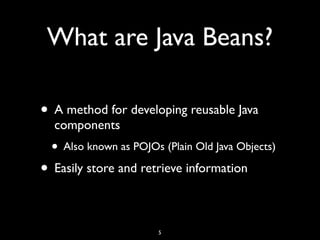
What are Java Beans?
• A method for developing reusable Java
components
• Also known as POJOs (Plain Old Java Objects)
• Easily store and retrieve information
5
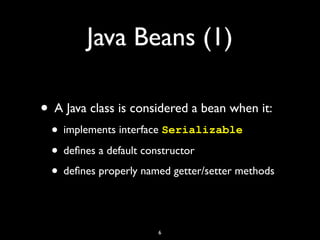
Java Beans (1)
• A Java class is considered a bean when it:
• implements interface Serializable
• defines a default constructor
• defines properly named getter/setter methods
6
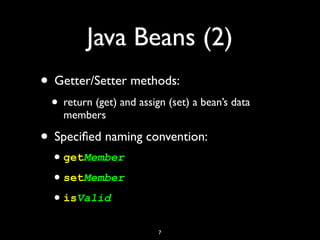
Java Beans (2)
• Getter/Setter methods:
• return (get) and assign (set) a bean’s data
members
• Specified naming convention:
•getMember
•setMember
•isValid
7
8
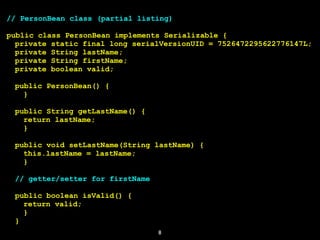
// PersonBean class (partial listing)
public class PersonBean implements Serializable {
private static final long serialVersionUID = 7526472295622776147L;
private String lastName;
private String firstName;
private boolean valid;
public PersonBean() {
}
public String getLastName() {
return lastName;
}
public void setLastName(String lastName) {
this.lastName = lastName;
}
// getter/setter for firstName
public boolean isValid() {
return valid;
}
}
Demo Time…
9
Exception Handling
10
What is Exception
Handling?
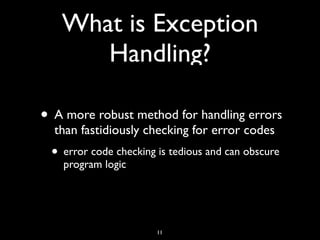
• A more robust method for handling errors
than fastidiously checking for error codes
• error code checking is tedious and can obscure
program logic
11
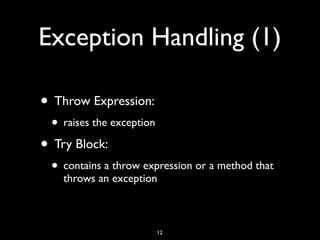
Exception Handling (1)
• Throw Expression:
• raises the exception
• Try Block:
• contains a throw expression or a method that
throws an exception
12
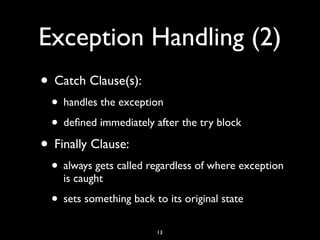
Exception Handling (2)
• Catch Clause(s):
• handles the exception
• defined immediately after the try block
• Finally Clause:
• always gets called regardless of where exception
is caught
• sets something back to its original state
13
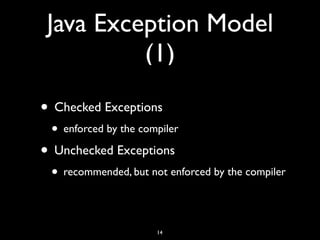
Java Exception Model
(1)
• Checked Exceptions
• enforced by the compiler
• Unchecked Exceptions
• recommended, but not enforced by the compiler
14
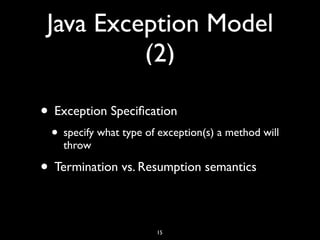
Java Exception Model
(2)
• Exception Specification
• specify what type of exception(s) a method will
throw
• Termination vs. Resumption semantics
15
16
// ExceptionDemo class
public class ExceptionDemo {
public static void main(String[] args) {
try {
initialize();
}
catch(Exception exception) {
exception.printStackTrace();
}
public void initialize() throws Exception {
// contains code that may throw an exception of type Exception
}
}
Demo Time…
17
Generics
18
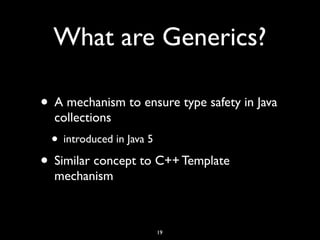
What are Generics?
• A mechanism to ensure type safety in Java
collections
• introduced in Java 5
• Similar concept to C++ Template
mechanism
19
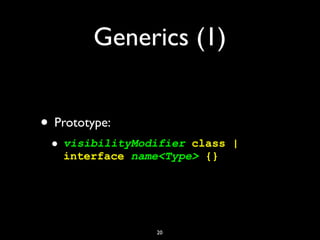
Generics (1)
• Prototype:
• visibilityModifier class |
interface name<Type> {}
20
21
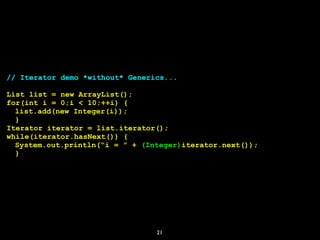
// Iterator demo *without* Generics...
List list = new ArrayList();
for(int i = 0;i < 10;++i) {
list.add(new Integer(i));
}
Iterator iterator = list.iterator();
while(iterator.hasNext()) {
System.out.println(“i = ” + (Integer)iterator.next());
}
22
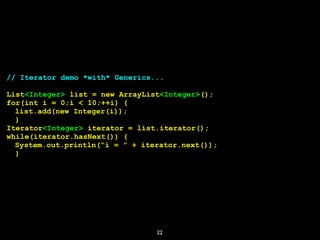
// Iterator demo *with* Generics...
List<Integer> list = new ArrayList<Integer>();
for(int i = 0;i < 10;++i) {
list.add(new Integer(i));
}
Iterator<Integer> iterator = list.iterator();
while(iterator.hasNext()) {
System.out.println(“i = ” + iterator.next());
}
23
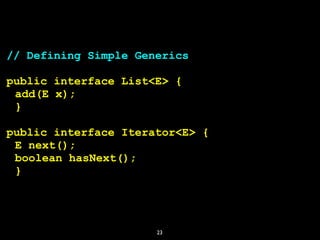
// Defining Simple Generics
public interface List<E> {
add(E x);
}
public interface Iterator<E> {
E next();
boolean hasNext();
}
Java Database
Connectivity (JDBC)
24
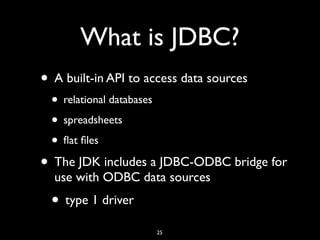
What is JDBC?
• A built-in API to access data sources
• relational databases
• spreadsheets
• flat files
• The JDK includes a JDBC-ODBC bridge for
use with ODBC data sources
• type 1 driver
25
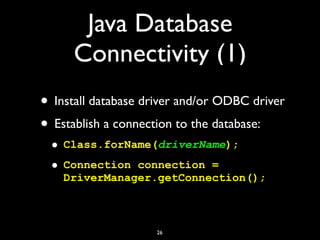
Java Database
Connectivity (1)
• Install database driver and/or ODBC driver
• Establish a connection to the database:
• Class.forName(driverName);
• Connection connection =
DriverManager.getConnection();
26
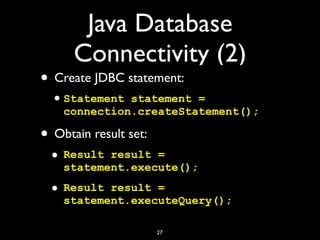
Java Database
Connectivity (2)
• Create JDBC statement:
•Statement statement =
connection.createStatement();
• Obtain result set:
• Result result =
statement.execute();
• Result result =
statement.executeQuery();
27
28
// JDBC example
import java.sql.*;
public class DatabaseDemo {
public static void main(String[] args) {
String sql = “SELECT * FROM timeZones”;
Class.forName(“sun.jdbc.odbc.JdbcOdbcDriver”);
Connection connection =
DriverManager.getConnection(“jdbc:odbc:timezones”,””,””);
Statement statement = connection.createStatement();
ResultSet result = statement.executeQuery(sql);
while(result.next()) {
System.out.println(result.getDouble(2) + “ “
+ result.getDouble(3));
}
connection.close();
}
}
Java Collections
Framework
29
What are Java
Collections? (1)
• A single object that groups together
multiple elements
• Collections are used to:
• store
• retrieve
• manipulate
30
What is the Java
Collection Framework?
• A unified architecture for collections
• All collection frameworks contain:
• interfaces
• implementations
• algorithms
• Inspired by the C++ Standard Template
Library
31
What is a Collection?
• A single object that groups together
multiple elements
• sometimes referred to as a container
• Containers before Java 2 were a
disappointment:
• only four containers
• no built-in algorithms
32
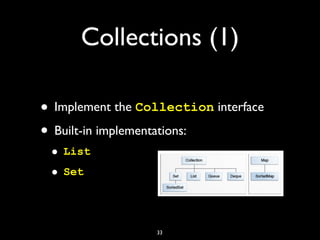
Collections (1)
• Implement the Collection interface
• Built-in implementations:
• List
• Set
33
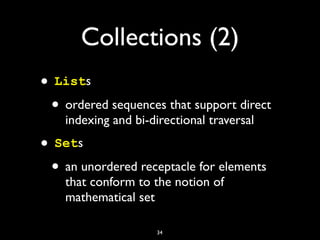
Collections (2)
• Lists
• ordered sequences that support direct
indexing and bi-directional traversal
• Sets
• an unordered receptacle for elements
that conform to the notion of
mathematical set
34
35
// the Collection interface
public interface Collection<E> extends Iterable<E>{
boolean add(E e);
boolean addAll(Collection<? extends E> collection);
void clear();
boolean contains(Object object);
boolean containsAll(Collection<?> collection);
boolean equals(Object object);
int hashCode();
boolean isEmpty();
Iterator<E> iterator();
boolean remove(Object object);
boolean removeAll(Collection<?> collection);
boolean retainAll(Collection<?> collection);
int size();
Object[] toArray();
<T> T[] toArray(T[] array);
}
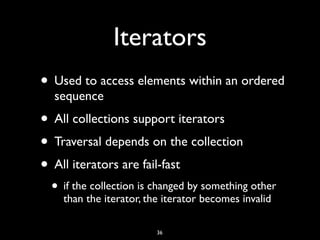
Iterators
• Used to access elements within an ordered
sequence
• All collections support iterators
• Traversal depends on the collection
• All iterators are fail-fast
• if the collection is changed by something other
than the iterator, the iterator becomes invalid
36
37
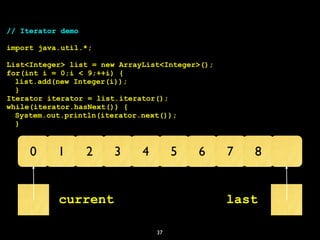
// Iterator demo
import java.util.*;
List<Integer> list = new ArrayList<Integer>();
for(int i = 0;i < 9;++i) {
list.add(new Integer(i));
}
Iterator iterator = list.iterator();
while(iterator.hasNext()) {
System.out.println(iterator.next());
}
0 1 2 3 4 5 6 7 8
current last
Demo Time…
38
Java IDEs (1)
• IntelliJ IDEA 2017.3
•jetbrains.com/idea
• stay tuned for version 2018.1 coming soon
• Eclipse IDE
•eclipse.org/ide
39
Java IDEs (2)
• NetBeans 8.2
•netbeans.org
• currently being moved from Oracle to Apache
40
Local Java User Groups
(1)
• ACGNJ Java Users Group
• facilitated by Mike Redlich
• javasig.org
• Princeton Java Users Group
• facilitated byYakov Fain
• meetup.com/NJFlex
41
Local Java User Groups
(2)
• NYJavaSIG
• facilitated by Frank Greco
• javasig.com
• PhillyJUG
• facilitated by Martin Snyder, et. al.
• meetup.com/PhillyJUG
42
Local Java User Groups
(3)
• Capital District Java Developers Network
• facilitated by Dan Patsey
•cdjdn.com
• currently restructuring
43
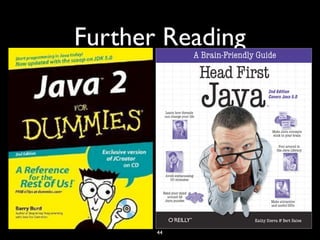
Further Reading
44
Upcoming Events
• ACGNJ Java Users Group
• Dr. Venkat Subramaniam
• Monday, March 19, 2018
• DorothyYoung Center for the Arts, Room 106
• Drew University
• 7:30-9:00pm
• “Twelve Ways to Make Code Suck Less”
45
46
Thanks!
mike@redlich.net
@mpredli
redlich.net
slideshare.net/mpredli01
github.com/mpredli01
Upcoming Events
• March 17-18, 2017
•tcf-nj.org
• April 18-19, 2017
•phillyemergingtech.com
47

Java Advanced Features

  • 1.
    1 Java Advanced Features Trenton ComputerFestival March 17, 2018 Michael P. Redlich @mpredli about.me/mpredli/
  • 2.
    Who’s Mike? • BSin CS from • “Petrochemical Research Organization” • Java Queue News Editor, InfoQ • Ai-Logix, Inc. (now AudioCodes) • Amateur Computer Group of New Jersey 2
  • 3.
    Objectives (1) • JavaBeans • Exception Handling • Generics • Java Database Connectivity • Java Collections Framework 3
  • 4.
  • 5.
    What are JavaBeans? • A method for developing reusable Java components • Also known as POJOs (Plain Old Java Objects) • Easily store and retrieve information 5
  • 6.
    Java Beans (1) •A Java class is considered a bean when it: • implements interface Serializable • defines a default constructor • defines properly named getter/setter methods 6
  • 7.
    Java Beans (2) •Getter/Setter methods: • return (get) and assign (set) a bean’s data members • Specified naming convention: •getMember •setMember •isValid 7
  • 8.
    8 // PersonBean class(partial listing) public class PersonBean implements Serializable { private static final long serialVersionUID = 7526472295622776147L; private String lastName; private String firstName; private boolean valid; public PersonBean() { } public String getLastName() { return lastName; } public void setLastName(String lastName) { this.lastName = lastName; } // getter/setter for firstName public boolean isValid() { return valid; } }
  • 9.
  • 10.
  • 11.
    What is Exception Handling? •A more robust method for handling errors than fastidiously checking for error codes • error code checking is tedious and can obscure program logic 11
  • 12.
    Exception Handling (1) •Throw Expression: • raises the exception • Try Block: • contains a throw expression or a method that throws an exception 12
  • 13.
    Exception Handling (2) •Catch Clause(s): • handles the exception • defined immediately after the try block • Finally Clause: • always gets called regardless of where exception is caught • sets something back to its original state 13
  • 14.
    Java Exception Model (1) •Checked Exceptions • enforced by the compiler • Unchecked Exceptions • recommended, but not enforced by the compiler 14
  • 15.
    Java Exception Model (2) •Exception Specification • specify what type of exception(s) a method will throw • Termination vs. Resumption semantics 15
  • 16.
    16 // ExceptionDemo class publicclass ExceptionDemo { public static void main(String[] args) { try { initialize(); } catch(Exception exception) { exception.printStackTrace(); } public void initialize() throws Exception { // contains code that may throw an exception of type Exception } }
  • 17.
  • 18.
  • 19.
    What are Generics? •A mechanism to ensure type safety in Java collections • introduced in Java 5 • Similar concept to C++ Template mechanism 19
  • 20.
    Generics (1) • Prototype: •visibilityModifier class | interface name<Type> {} 20
  • 21.
    21 // Iterator demo*without* Generics... List list = new ArrayList(); for(int i = 0;i < 10;++i) { list.add(new Integer(i)); } Iterator iterator = list.iterator(); while(iterator.hasNext()) { System.out.println(“i = ” + (Integer)iterator.next()); }
  • 22.
    22 // Iterator demo*with* Generics... List<Integer> list = new ArrayList<Integer>(); for(int i = 0;i < 10;++i) { list.add(new Integer(i)); } Iterator<Integer> iterator = list.iterator(); while(iterator.hasNext()) { System.out.println(“i = ” + iterator.next()); }
  • 23.
    23 // Defining SimpleGenerics public interface List<E> { add(E x); } public interface Iterator<E> { E next(); boolean hasNext(); }
  • 24.
  • 25.
    What is JDBC? •A built-in API to access data sources • relational databases • spreadsheets • flat files • The JDK includes a JDBC-ODBC bridge for use with ODBC data sources • type 1 driver 25
  • 26.
    Java Database Connectivity (1) •Install database driver and/or ODBC driver • Establish a connection to the database: • Class.forName(driverName); • Connection connection = DriverManager.getConnection(); 26
  • 27.
    Java Database Connectivity (2) •Create JDBC statement: •Statement statement = connection.createStatement(); • Obtain result set: • Result result = statement.execute(); • Result result = statement.executeQuery(); 27
  • 28.
    28 // JDBC example importjava.sql.*; public class DatabaseDemo { public static void main(String[] args) { String sql = “SELECT * FROM timeZones”; Class.forName(“sun.jdbc.odbc.JdbcOdbcDriver”); Connection connection = DriverManager.getConnection(“jdbc:odbc:timezones”,””,””); Statement statement = connection.createStatement(); ResultSet result = statement.executeQuery(sql); while(result.next()) { System.out.println(result.getDouble(2) + “ “ + result.getDouble(3)); } connection.close(); } }
  • 29.
  • 30.
    What are Java Collections?(1) • A single object that groups together multiple elements • Collections are used to: • store • retrieve • manipulate 30
  • 31.
    What is theJava Collection Framework? • A unified architecture for collections • All collection frameworks contain: • interfaces • implementations • algorithms • Inspired by the C++ Standard Template Library 31
  • 32.
    What is aCollection? • A single object that groups together multiple elements • sometimes referred to as a container • Containers before Java 2 were a disappointment: • only four containers • no built-in algorithms 32
  • 33.
    Collections (1) • Implementthe Collection interface • Built-in implementations: • List • Set 33
  • 34.
    Collections (2) • Lists •ordered sequences that support direct indexing and bi-directional traversal • Sets • an unordered receptacle for elements that conform to the notion of mathematical set 34
  • 35.
    35 // the Collectioninterface public interface Collection<E> extends Iterable<E>{ boolean add(E e); boolean addAll(Collection<? extends E> collection); void clear(); boolean contains(Object object); boolean containsAll(Collection<?> collection); boolean equals(Object object); int hashCode(); boolean isEmpty(); Iterator<E> iterator(); boolean remove(Object object); boolean removeAll(Collection<?> collection); boolean retainAll(Collection<?> collection); int size(); Object[] toArray(); <T> T[] toArray(T[] array); }
  • 36.
    Iterators • Used toaccess elements within an ordered sequence • All collections support iterators • Traversal depends on the collection • All iterators are fail-fast • if the collection is changed by something other than the iterator, the iterator becomes invalid 36
  • 37.
    37 // Iterator demo importjava.util.*; List<Integer> list = new ArrayList<Integer>(); for(int i = 0;i < 9;++i) { list.add(new Integer(i)); } Iterator iterator = list.iterator(); while(iterator.hasNext()) { System.out.println(iterator.next()); } 0 1 2 3 4 5 6 7 8 current last
  • 38.
  • 39.
    Java IDEs (1) •IntelliJ IDEA 2017.3 •jetbrains.com/idea • stay tuned for version 2018.1 coming soon • Eclipse IDE •eclipse.org/ide 39
  • 40.
    Java IDEs (2) •NetBeans 8.2 •netbeans.org • currently being moved from Oracle to Apache 40
  • 41.
    Local Java UserGroups (1) • ACGNJ Java Users Group • facilitated by Mike Redlich • javasig.org • Princeton Java Users Group • facilitated byYakov Fain • meetup.com/NJFlex 41
  • 42.
    Local Java UserGroups (2) • NYJavaSIG • facilitated by Frank Greco • javasig.com • PhillyJUG • facilitated by Martin Snyder, et. al. • meetup.com/PhillyJUG 42
  • 43.
    Local Java UserGroups (3) • Capital District Java Developers Network • facilitated by Dan Patsey •cdjdn.com • currently restructuring 43
  • 44.
  • 45.
    Upcoming Events • ACGNJJava Users Group • Dr. Venkat Subramaniam • Monday, March 19, 2018 • DorothyYoung Center for the Arts, Room 106 • Drew University • 7:30-9:00pm • “Twelve Ways to Make Code Suck Less” 45
  • 46.
  • 47.
    Upcoming Events • March17-18, 2017 •tcf-nj.org • April 18-19, 2017 •phillyemergingtech.com 47