Azure RemoteApp Overview 
Stanislav Zhelyazkov 
Consultant at BulPros
Today’s challenges 
• Deliver applications to mobile platforms (BYOD) 
• Respond to dynamic business requirements for IT: 
• Seasonal/temporary workers 
• Vendors 
• New employees (mergers and acquisitions) 
• Reduce infrastructure costs (move CAPEX to OPEX) 
• Provide access to legacy applications 
• Protect corporate resources and ensure compliance
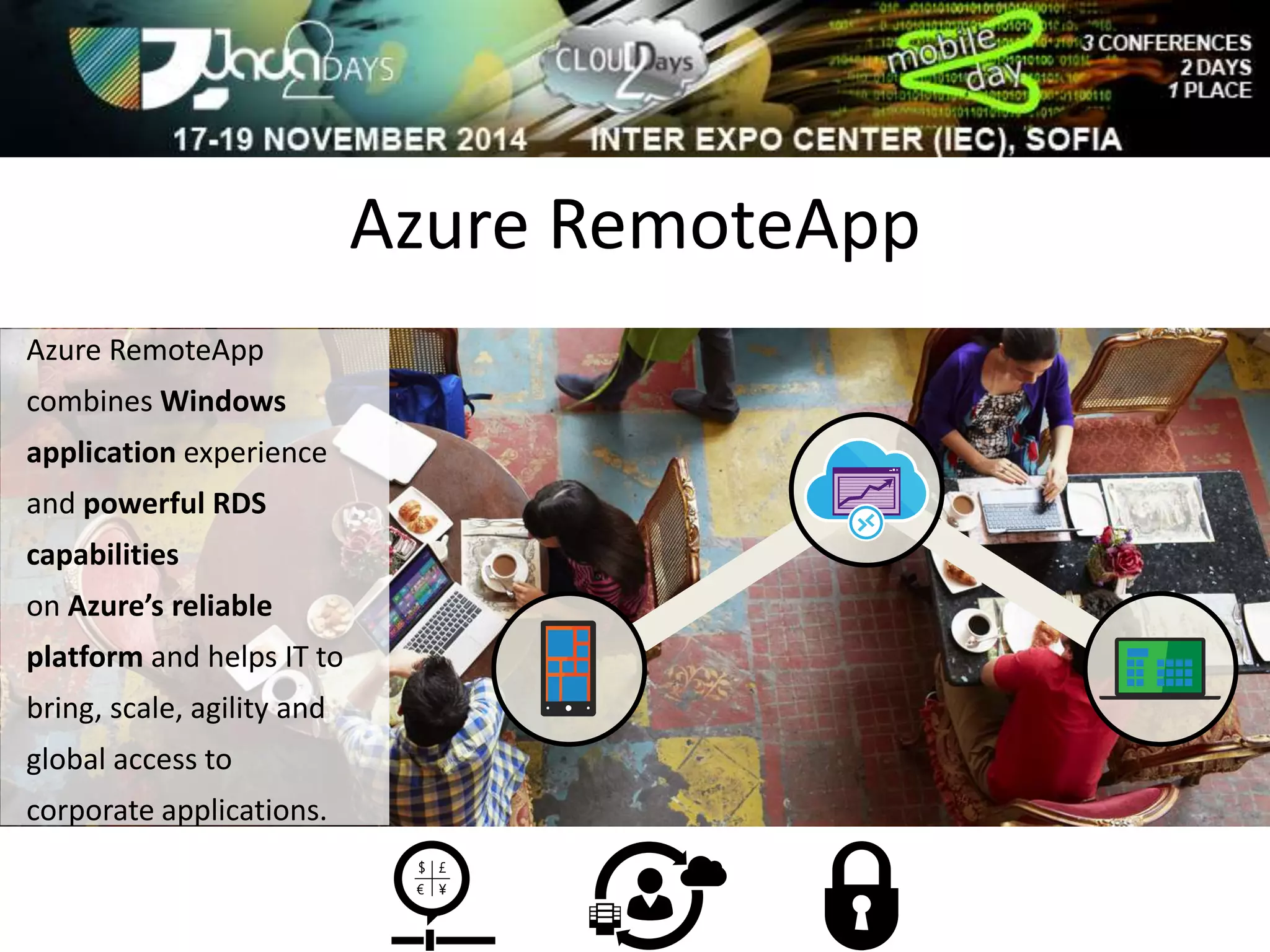
Azure RemoteApp 
Azure RemoteApp 
combines Windows 
application experience 
and powerful RDS 
capabilities 
on Azure’s reliable 
platform and helps IT to 
bring, scale, agility and 
global access to 
corporate applications.
Introducing Azure RemoteApp 
Preview 
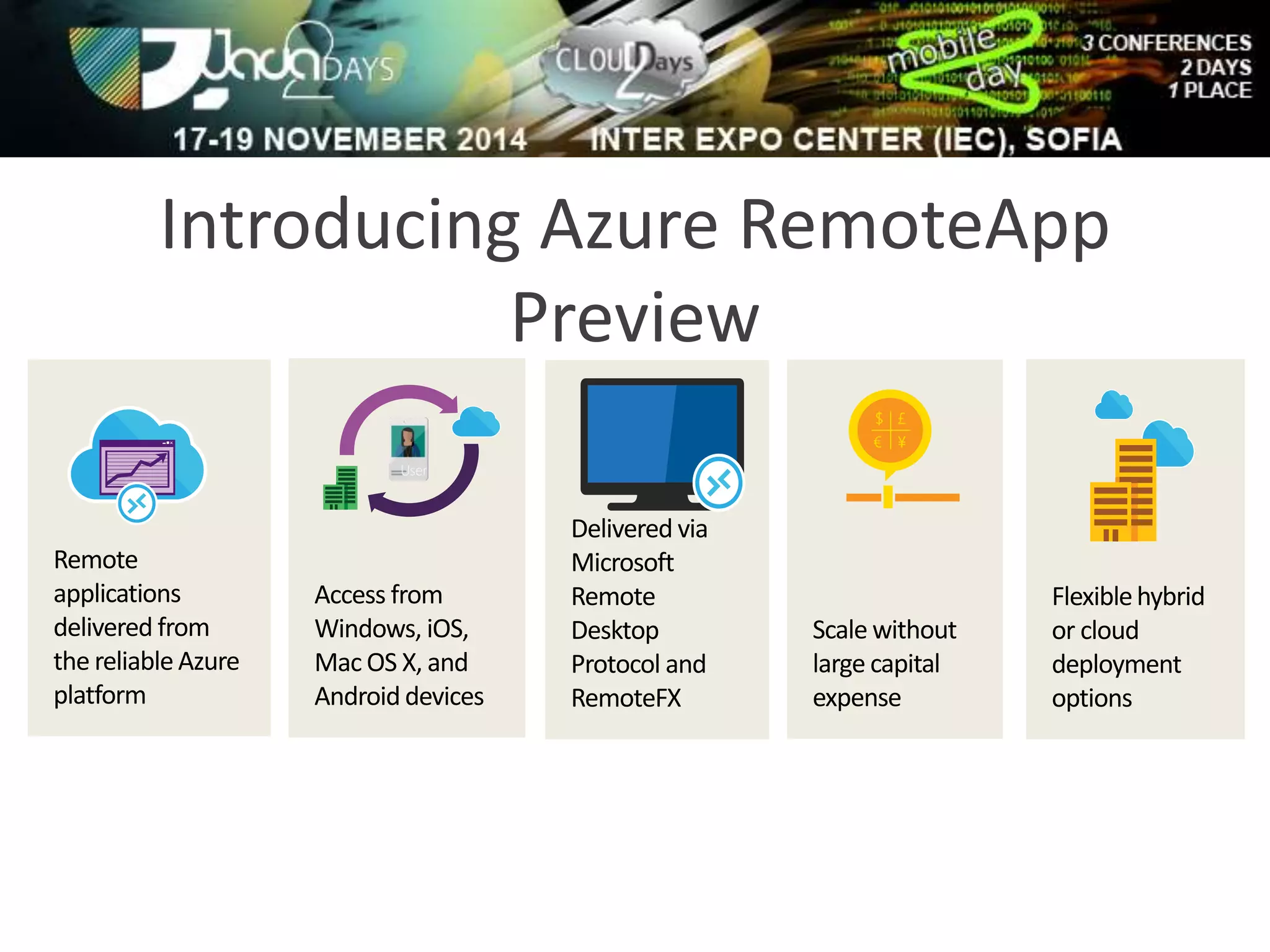
Remote 
applications 
delivered from 
the reliable Azure 
platform 
Delivered via 
Microsoft 
Remote 
Desktop 
Protocol and 
RemoteFX 
Scale without 
large capital 
expense 
Flexible hybrid 
or cloud 
deployment 
options 
User 
Access from 
Windows, iOS, 
Mac OS X, and 
Android devices
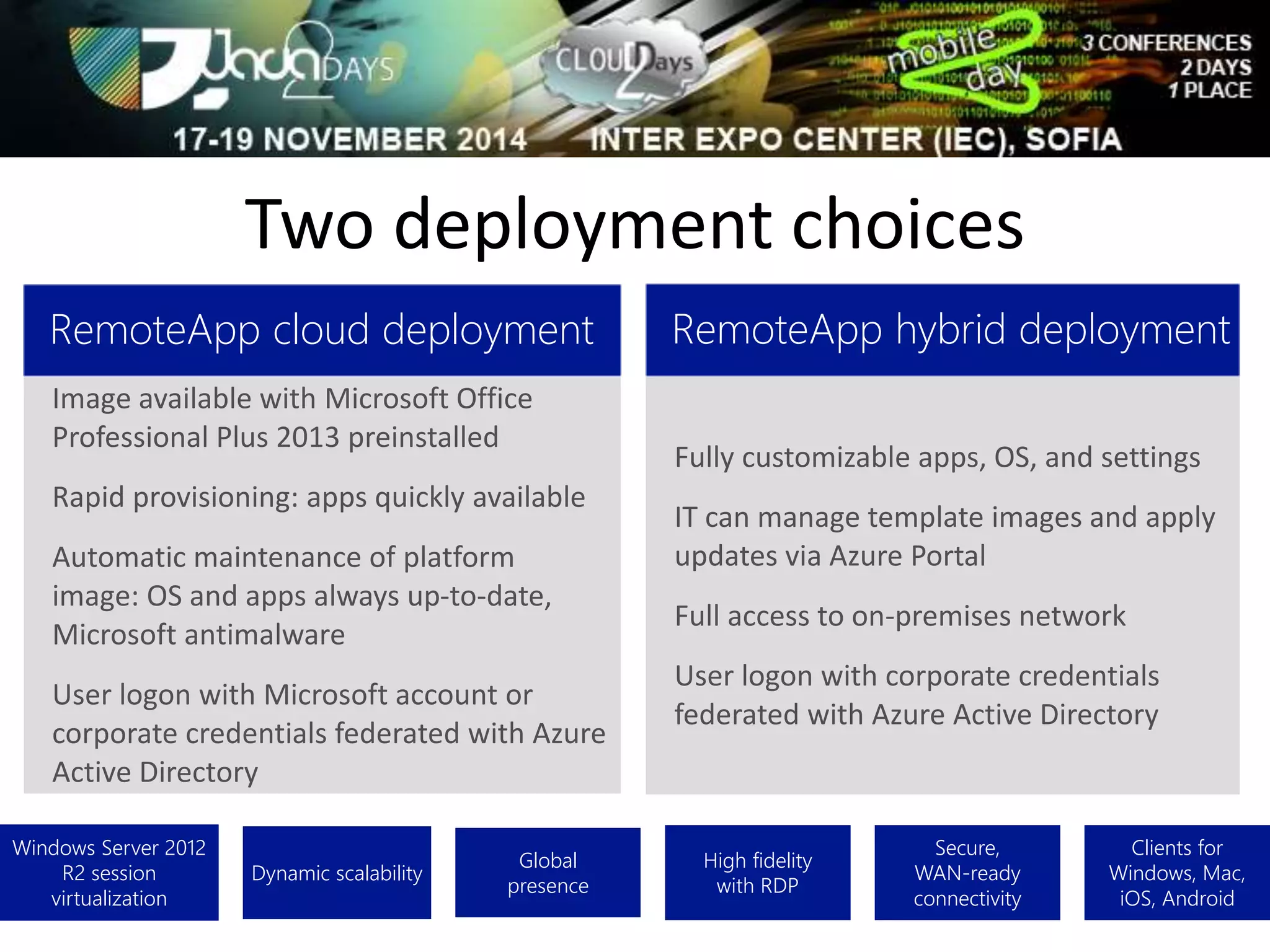
Two deployment choices 
Windows Server 2012 
R2 session 
virtualization 
Dynamic scalability 
Global 
presence 
High fidelity 
with RDP 
Secure, 
WAN-ready 
connectivity 
Clients for 
Windows, Mac, 
iOS, Android 
RemoteApp cloud deployment 
Image available with Microsoft Office 
Professional Plus 2013 preinstalled 
Rapid provisioning: apps quickly available 
Automatic maintenance of platform 
image: OS and apps always up-to-date, 
Microsoft antimalware 
User logon with Microsoft account or 
corporate credentials federated with Azure 
Active Directory 
RemoteApp hybrid deployment 
Fully customizable apps, OS, and settings 
IT can manage template images and apply 
updates via Azure Portal 
Full access to on-premises network 
User logon with corporate credentials 
federated with Azure Active Directory
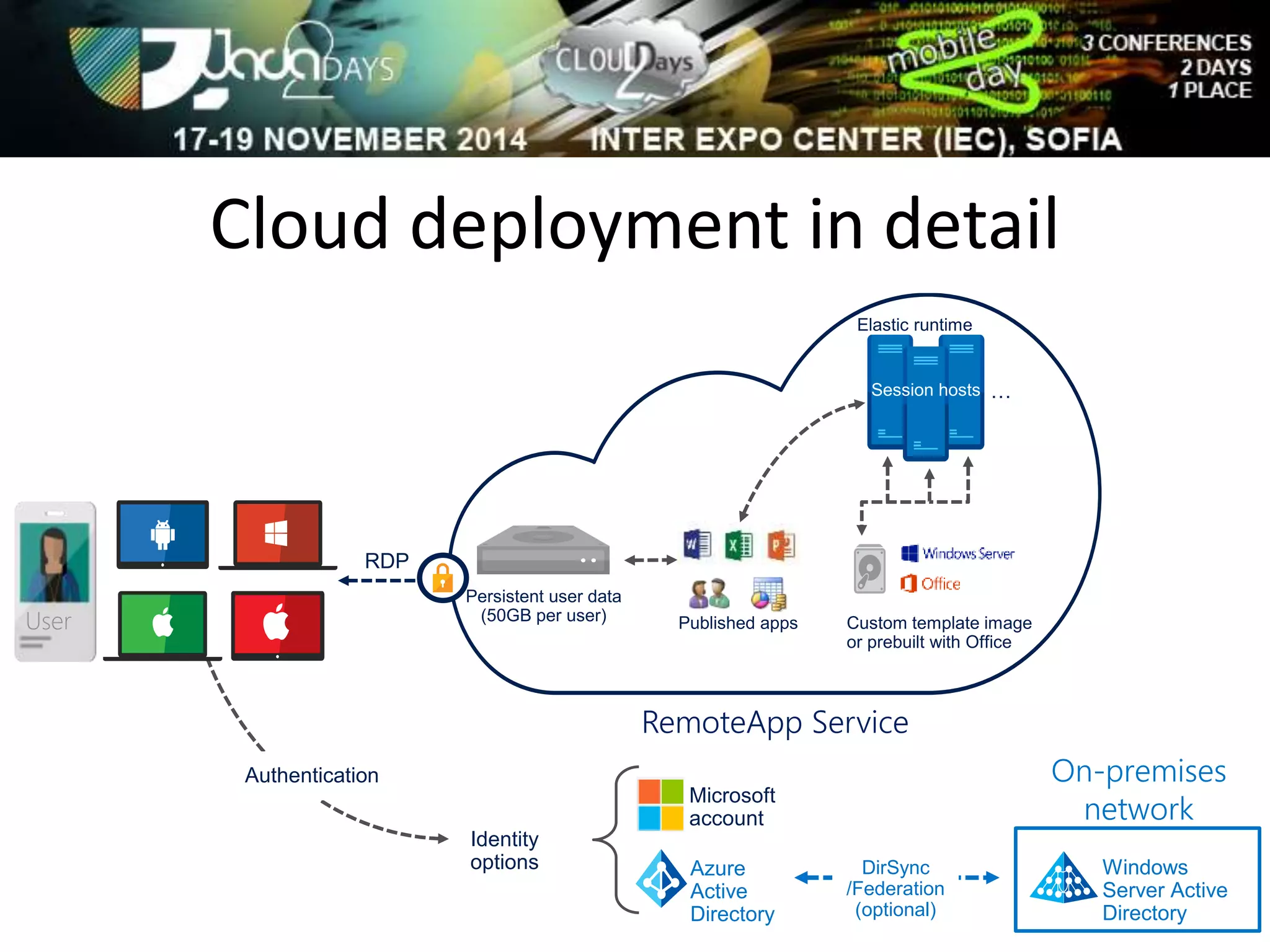
Cloud deployment in detail 
Published apps 
Custom template image 
or prebuilt with Office 
RemoteApp Service 
Microsoft 
account 
Identity 
options 
RDP 
Elastic runtime 
… 
DirSync 
/Federation 
(optional) 
On-premises 
network 
Windows 
Server Active 
Directory 
Azure 
Active 
Directory 
Authentication 
User 
Persistent user data 
(50GB per user)
Demo: 
Cloud Deployment
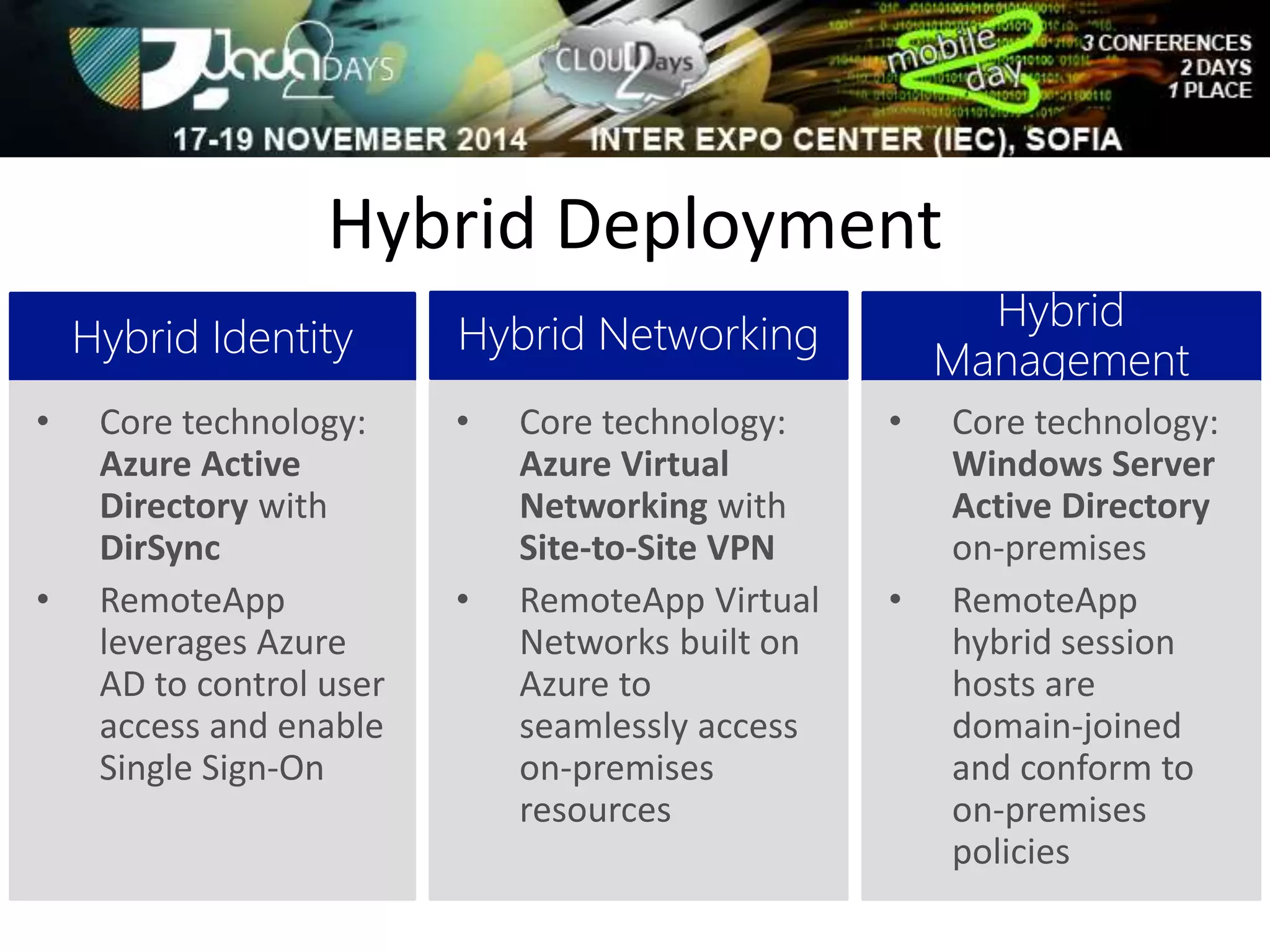
Hybrid Deployment 
• Core technology: 
Azure Virtual 
Networking with 
Site-to-Site VPN 
• RemoteApp Virtual 
Networks built on 
Azure to 
seamlessly access 
on-premises 
resources 
• Core technology: 
Azure Active 
Directory with 
DirSync 
• RemoteApp 
leverages Azure 
AD to control user 
access and enable 
Single Sign-On 
• Core technology: 
Windows Server 
Active Directory 
on-premises 
• RemoteApp 
hybrid session 
hosts are 
domain-joined 
and conform to 
on-premises 
policies
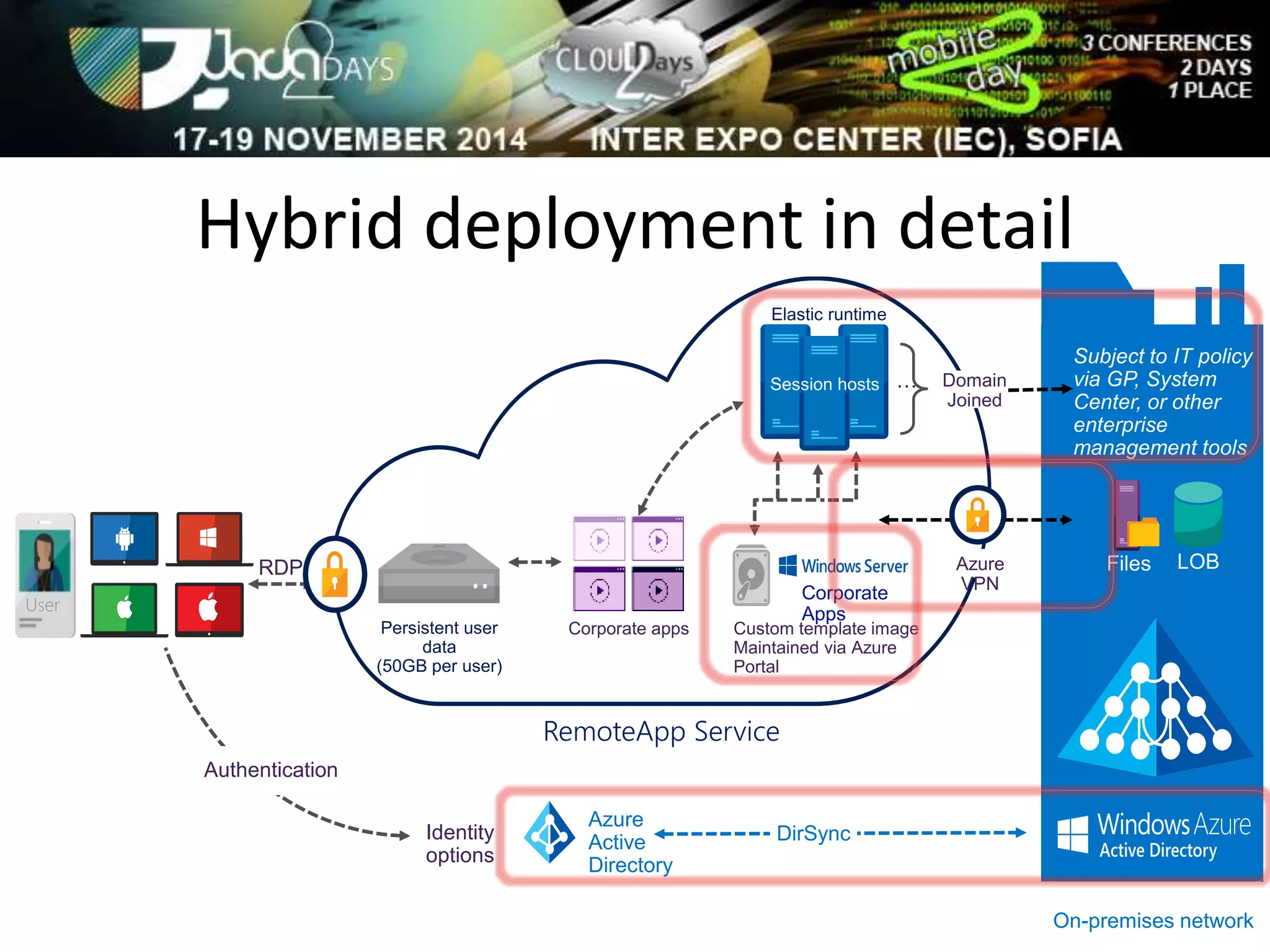
Hybrid deployment in detail 
RemoteApp Service 
Identity 
options 
RDP 
Authentication 
Domain 
Joined 
Subject to IT policy 
via GP, System 
Center, or other 
enterprise 
management tools 
On-premises network 
Corporate 
Apps 
DirSync 
User 
Persistent user 
data 
(50GB per user) 
Azure 
VPN 
Custom template image 
Maintained via Azure 
Portal 
Corporate apps 
Azure 
Active 
Directory 
Elastic runtime 
…
Demo: 
Hybrid Deployment
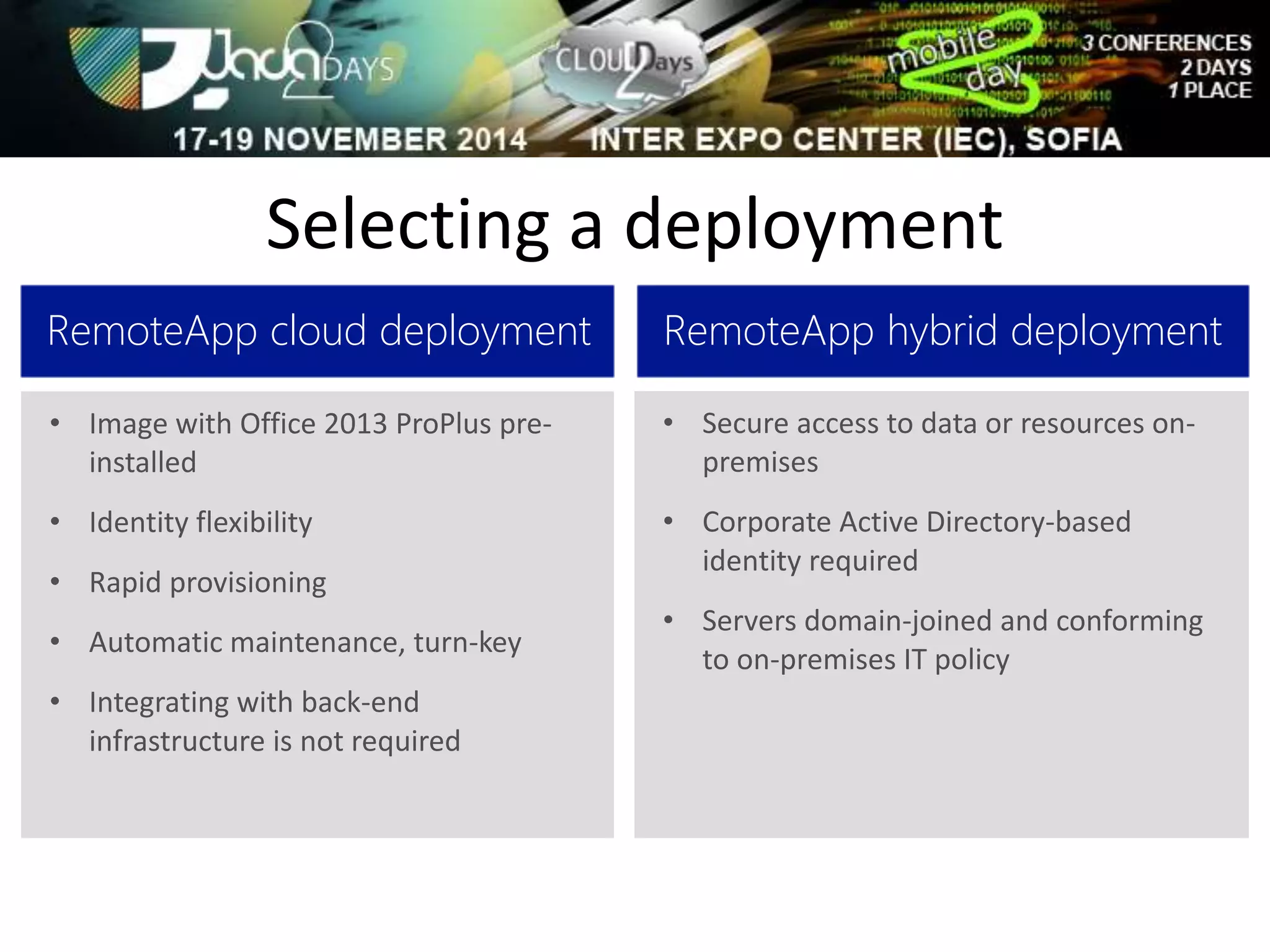
Selecting a deployment 
RemoteApp cloud deployment 
• Image with Office 2013 ProPlus pre-installed 
• Identity flexibility 
• Rapid provisioning 
• Automatic maintenance, turn-key 
• Integrating with back-end 
infrastructure is not required 
RemoteApp hybrid deployment 
• Secure access to data or resources on-premises 
• Corporate Active Directory-based 
identity required 
• Servers domain-joined and conforming 
to on-premises IT policy
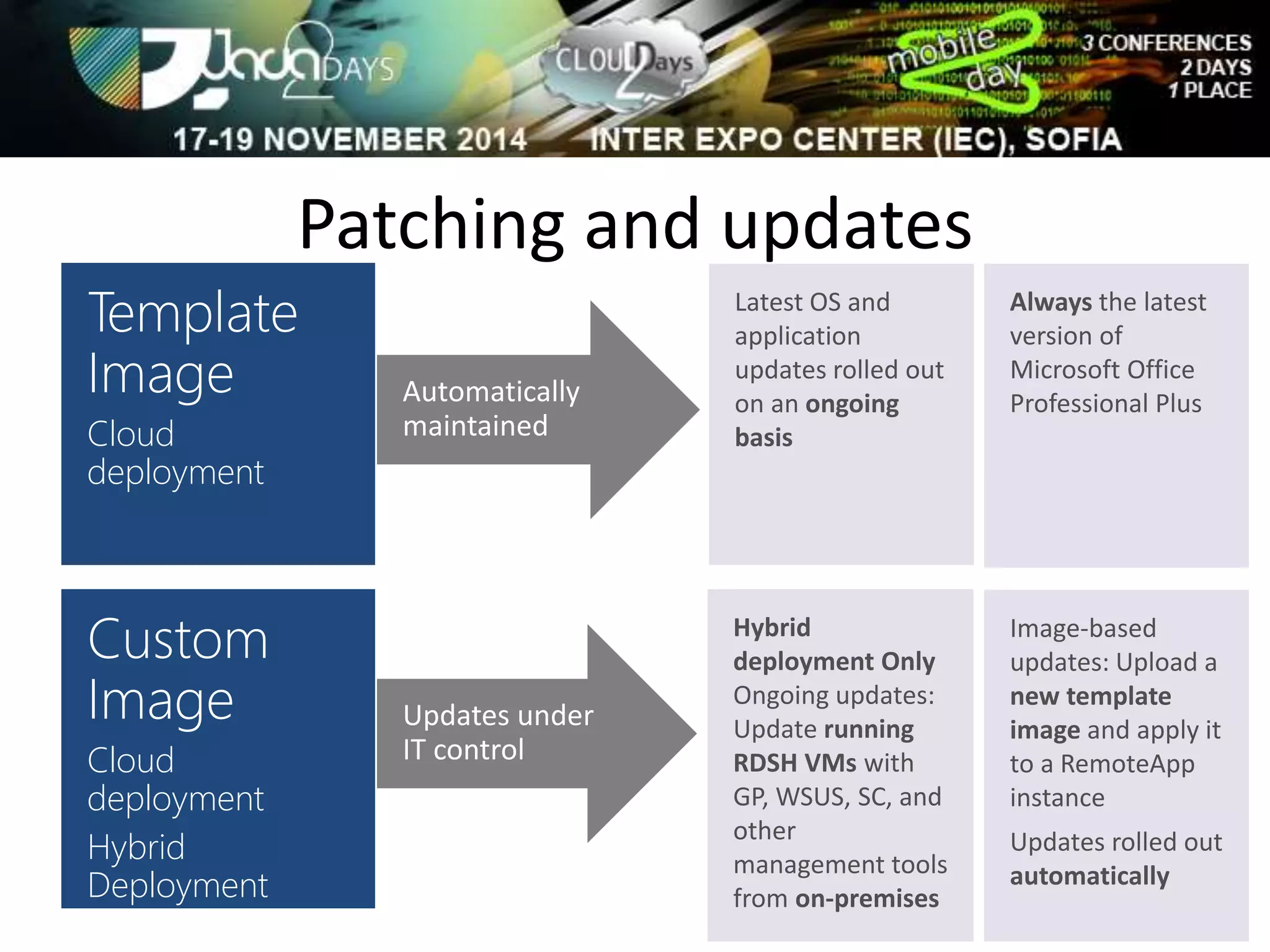
Patching and updates 
Template 
Image 
Cloud 
deployment 
Automatically 
maintained 
Latest OS and 
application 
updates rolled out 
on an ongoing 
basis 
Custom 
Image 
Cloud 
deployment 
Hybrid 
Deployment 
Updates under 
IT control 
Always the latest 
version of 
Microsoft Office 
Professional Plus 
Hybrid 
deployment Only 
Ongoing updates: 
Update running 
RDSH VMs with 
GP, WSUS, SC, and 
other 
management tools 
from on-premises 
Image-based 
updates: Upload a 
new template 
image and apply it 
to a RemoteApp 
instance 
Updates rolled out 
automatically
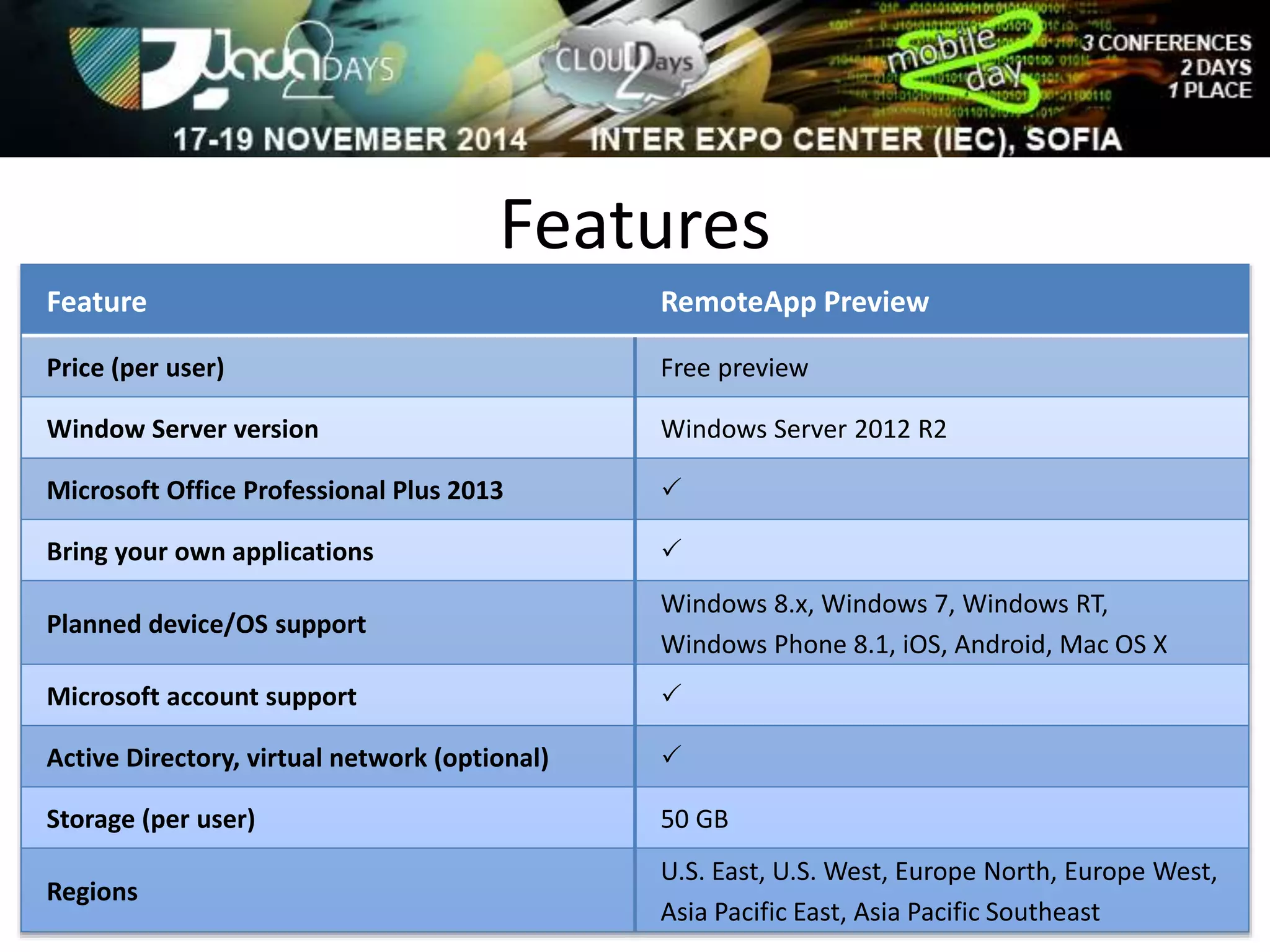
Features 
Feature RemoteApp Preview 
Price (per user) Free preview 
Window Server version Windows Server 2012 R2 
Microsoft Office Professional Plus 2013  
Bring your own applications  
Planned device/OS support 
Windows 8.x, Windows 7, Windows RT, 
Windows Phone 8.1, iOS, Android, Mac OS X 
Microsoft account support  
Active Directory, virtual network (optional)  
Storage (per user) 50 GB 
Regions 
U.S. East, U.S. West, Europe North, Europe West, 
Asia Pacific East, Asia Pacific Southeast
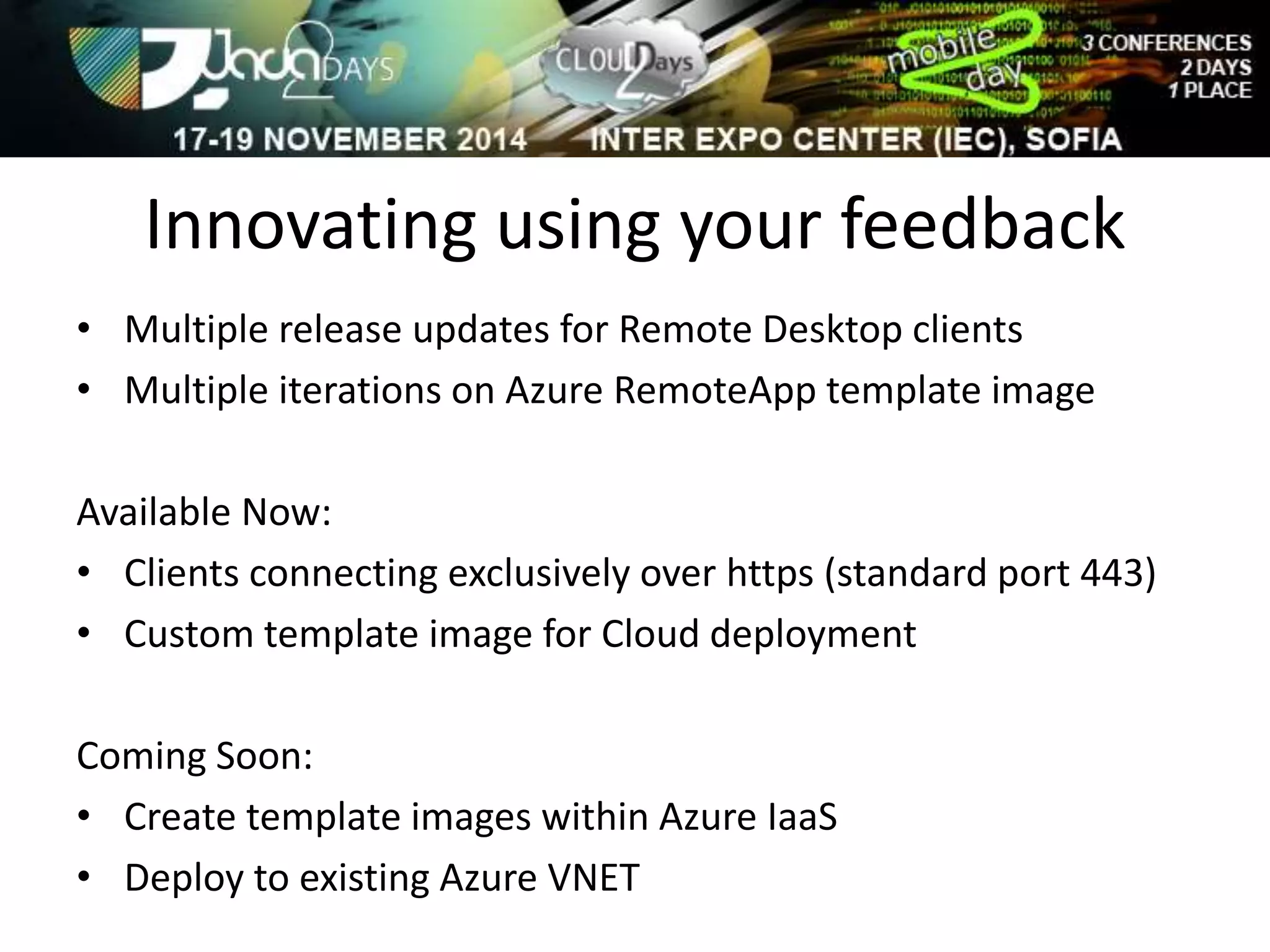
Innovating using your feedback 
• Multiple release updates for Remote Desktop clients 
• Multiple iterations on Azure RemoteApp template image 
Available Now: 
• Clients connecting exclusively over https (standard port 443) 
• Custom template image for Cloud deployment 
Coming Soon: 
• Create template images within Azure IaaS 
• Deploy to existing Azure VNET
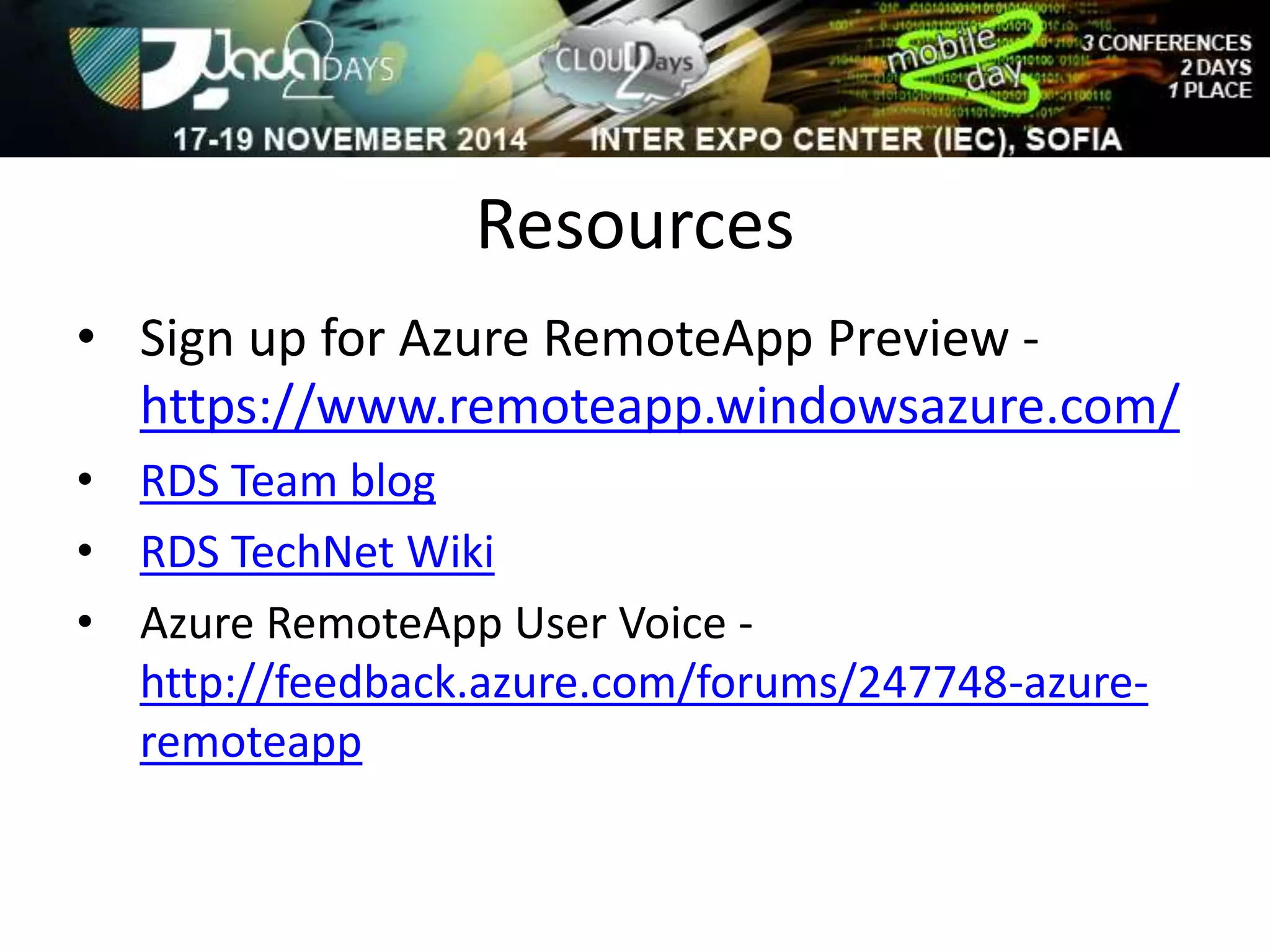
Resources 
• Sign up for Azure RemoteApp Preview - 
https://www.remoteapp.windowsazure.com/ 
• RDS Team blog 
• RDS TechNet Wiki 
• Azure RemoteApp User Voice - 
http://feedback.azure.com/forums/247748-azure-remoteapp
Q&A

J2D - Azure RemoteApp Overview

  • 1.
    Azure RemoteApp Overview Stanislav Zhelyazkov Consultant at BulPros
  • 2.
    Today’s challenges •Deliver applications to mobile platforms (BYOD) • Respond to dynamic business requirements for IT: • Seasonal/temporary workers • Vendors • New employees (mergers and acquisitions) • Reduce infrastructure costs (move CAPEX to OPEX) • Provide access to legacy applications • Protect corporate resources and ensure compliance
  • 3.
    Azure RemoteApp AzureRemoteApp combines Windows application experience and powerful RDS capabilities on Azure’s reliable platform and helps IT to bring, scale, agility and global access to corporate applications.
  • 4.
    Introducing Azure RemoteApp Preview Remote applications delivered from the reliable Azure platform Delivered via Microsoft Remote Desktop Protocol and RemoteFX Scale without large capital expense Flexible hybrid or cloud deployment options User Access from Windows, iOS, Mac OS X, and Android devices
  • 5.
    Two deployment choices Windows Server 2012 R2 session virtualization Dynamic scalability Global presence High fidelity with RDP Secure, WAN-ready connectivity Clients for Windows, Mac, iOS, Android RemoteApp cloud deployment Image available with Microsoft Office Professional Plus 2013 preinstalled Rapid provisioning: apps quickly available Automatic maintenance of platform image: OS and apps always up-to-date, Microsoft antimalware User logon with Microsoft account or corporate credentials federated with Azure Active Directory RemoteApp hybrid deployment Fully customizable apps, OS, and settings IT can manage template images and apply updates via Azure Portal Full access to on-premises network User logon with corporate credentials federated with Azure Active Directory
  • 6.
    Cloud deployment indetail Published apps Custom template image or prebuilt with Office RemoteApp Service Microsoft account Identity options RDP Elastic runtime … DirSync /Federation (optional) On-premises network Windows Server Active Directory Azure Active Directory Authentication User Persistent user data (50GB per user)
  • 7.
  • 8.
    Hybrid Deployment •Core technology: Azure Virtual Networking with Site-to-Site VPN • RemoteApp Virtual Networks built on Azure to seamlessly access on-premises resources • Core technology: Azure Active Directory with DirSync • RemoteApp leverages Azure AD to control user access and enable Single Sign-On • Core technology: Windows Server Active Directory on-premises • RemoteApp hybrid session hosts are domain-joined and conform to on-premises policies
  • 9.
    Hybrid deployment indetail RemoteApp Service Identity options RDP Authentication Domain Joined Subject to IT policy via GP, System Center, or other enterprise management tools On-premises network Corporate Apps DirSync User Persistent user data (50GB per user) Azure VPN Custom template image Maintained via Azure Portal Corporate apps Azure Active Directory Elastic runtime …
  • 10.
  • 11.
    Selecting a deployment RemoteApp cloud deployment • Image with Office 2013 ProPlus pre-installed • Identity flexibility • Rapid provisioning • Automatic maintenance, turn-key • Integrating with back-end infrastructure is not required RemoteApp hybrid deployment • Secure access to data or resources on-premises • Corporate Active Directory-based identity required • Servers domain-joined and conforming to on-premises IT policy
  • 12.
    Patching and updates Template Image Cloud deployment Automatically maintained Latest OS and application updates rolled out on an ongoing basis Custom Image Cloud deployment Hybrid Deployment Updates under IT control Always the latest version of Microsoft Office Professional Plus Hybrid deployment Only Ongoing updates: Update running RDSH VMs with GP, WSUS, SC, and other management tools from on-premises Image-based updates: Upload a new template image and apply it to a RemoteApp instance Updates rolled out automatically
  • 13.
    Features Feature RemoteAppPreview Price (per user) Free preview Window Server version Windows Server 2012 R2 Microsoft Office Professional Plus 2013  Bring your own applications  Planned device/OS support Windows 8.x, Windows 7, Windows RT, Windows Phone 8.1, iOS, Android, Mac OS X Microsoft account support  Active Directory, virtual network (optional)  Storage (per user) 50 GB Regions U.S. East, U.S. West, Europe North, Europe West, Asia Pacific East, Asia Pacific Southeast
  • 14.
    Innovating using yourfeedback • Multiple release updates for Remote Desktop clients • Multiple iterations on Azure RemoteApp template image Available Now: • Clients connecting exclusively over https (standard port 443) • Custom template image for Cloud deployment Coming Soon: • Create template images within Azure IaaS • Deploy to existing Azure VNET
  • 15.
    Resources • Signup for Azure RemoteApp Preview - https://www.remoteapp.windowsazure.com/ • RDS Team blog • RDS TechNet Wiki • Azure RemoteApp User Voice - http://feedback.azure.com/forums/247748-azure-remoteapp
  • 16.