iTicket POS
Mobile Tickets
Leaders in integrated theme park ticketing, Timeshare Gifting, Point
of Sale, Inventory, Vouchers, Enterprise management tools
Attraction
Tickets
IntegrationsPoint of Sale
TM
Overview
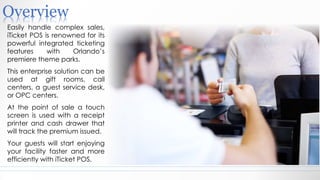
Easily handle complex sales,
iTicket POS is renowned for its
powerful integrated ticketing
features with Orlando’s
premiere theme parks.
This enterprise solution can be
used at gift rooms, call
centers, a guest service desk,
or OPC centers.
At the point of sale a touch
screen is used with a receipt
printer and cash drawer that
will track the premium issued.
Your guests will start enjoying
your facility faster and more
efficiently with iTicket POS.
Scenarios
In this review we will go through the following scenarios:
1.Sell 2 SeaWorld Adult tickets using “Hot Keys”
2.Sell a group of 6 Wonderworks tickets with manually entry
3.Sell 2 Adult Medieval vouchers using Lookup product
catalogue
4.Splitting a receipt
5.Refund
6.Reprint receipt
Scenario 1:Using Hot Keys
A young couple comes to the counter and is ready for a day at
SeaWorld.
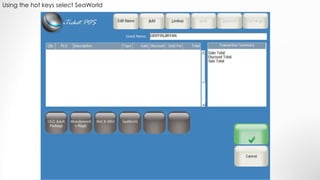
In this scenario you use the Hot Keys to complete the order.
Using the hot keys select SeaWorld
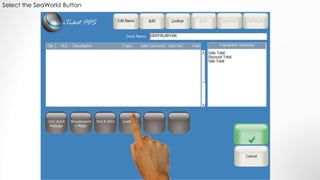
Select the SeaWorld Button
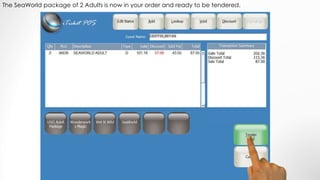
The SeaWorld package of 2 Adults is now in your order and ready to be tendered.
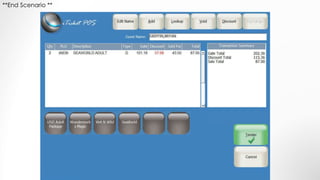
**End Scenario **
Scenario 2:Manual Entry
A group comes to the counter and is ready for the adventure at
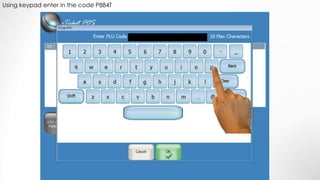
Wonderworks. Use code P844T to fulfill this group order. Since it is a group
order, you will give them a discount of $10 off per ticket.
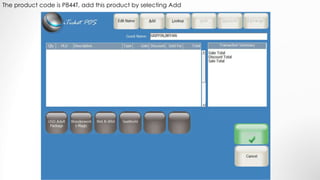
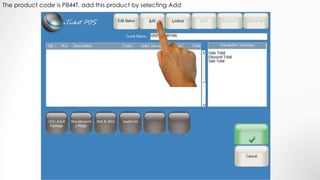
The product code is P844T, add this product by selecting Add
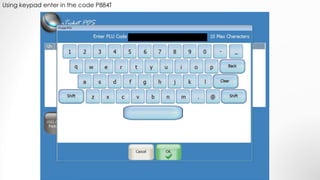
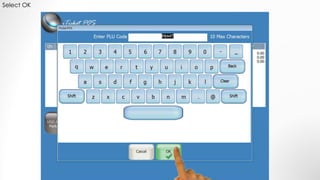
Using keypad enter in the code P884T
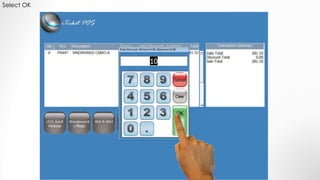
Select OK
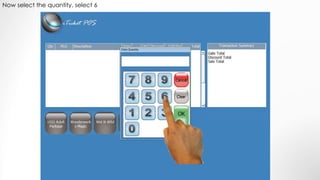
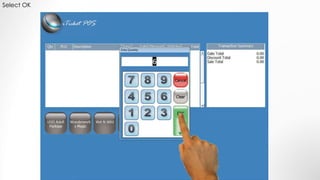
Now select the quantity, select 6
Select OK
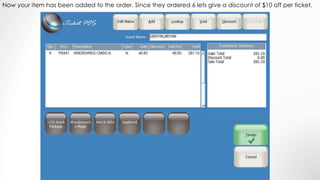
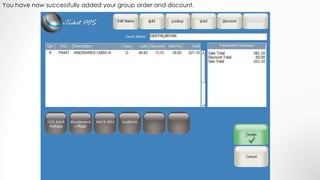
Now your item has been added to the order. Since they ordered 6 lets give a discount of $10 off per ticket.
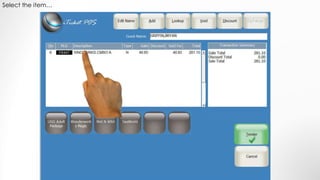
Select the item…
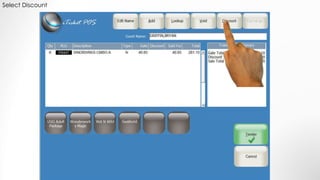
Select Discount
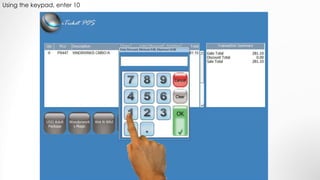
Using the keypad, enter 10
Select OK
You have now successfully added your group order and discount.
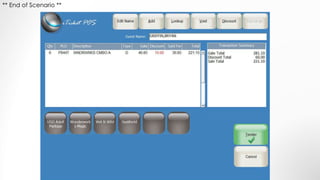
** End of Scenario **
Scenario 3:Browse
Customer comes to the counter and wants to go to a dinner show. After
speaking with the customer, you recommend the Medieval Times Dinner
show for him and his wife. You will use the Look Up screen to make your
selections.
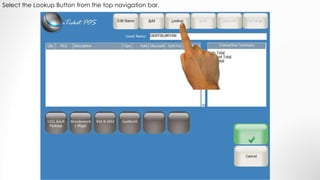
Select the Lookup Button from the top navigation bar.
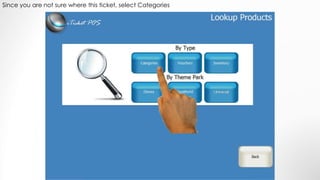
Since you are not sure where this ticket, select Categories
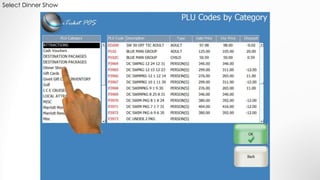
Select Dinner Show
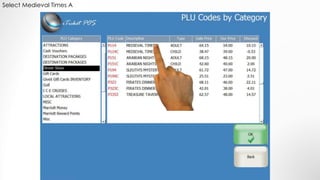
Select Medieval Times A
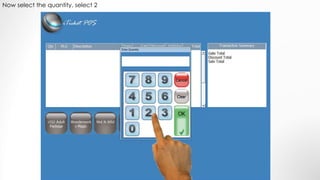
Now select the quantity, select 2
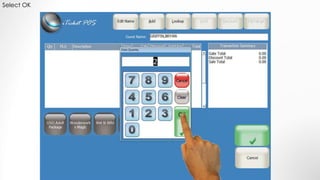
Select OK
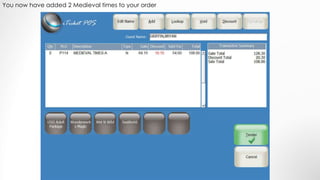
You now have added 2 Medieval times to your order
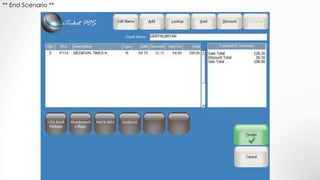
** End Scenario **
Scenario 4:Splitting Tender
Many times a guest will want to split how they are paying for their tickets.
This scenario you split the tender between Room Charge and Cash.
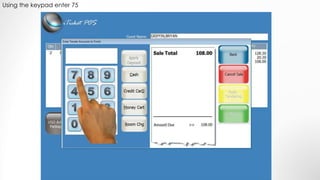
Using the keypad enter 75
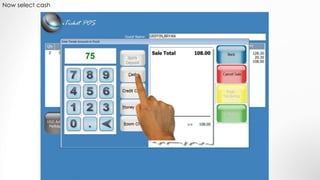
Now select cash
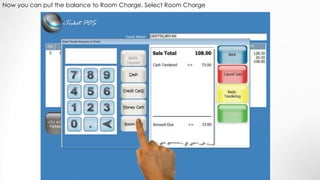
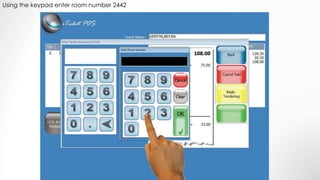
Now you can put the balance to Room Charge, Select Room Charge
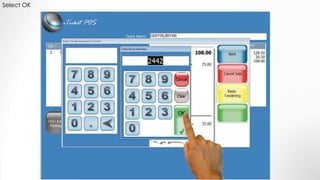
Using the keypad enter room number 2442
Select OK
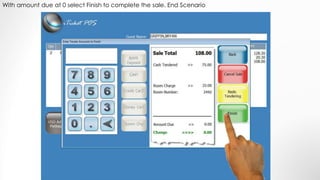
With amount due at 0 select Finish to complete the sale. End Scenario
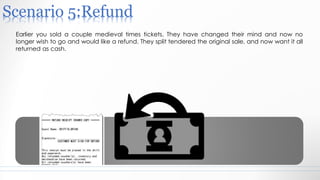
Scenario 5:Refund
Earlier you sold a couple medieval times tickets. They have changed their mind and now no
longer wish to go and would like a refund. They split tendered the original sale, and now want it all
returned as cash.
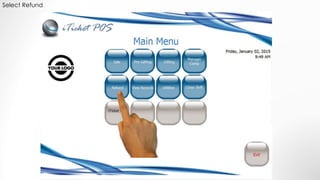
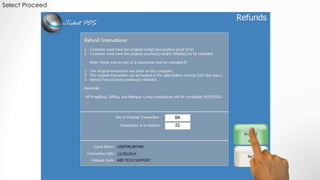
Select Refund
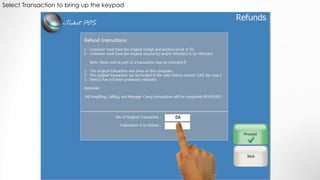
Select Transaction to bring up the keypad
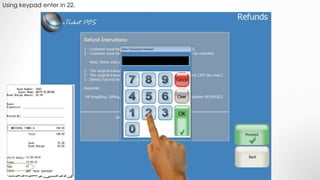
Using keypad enter in 22.
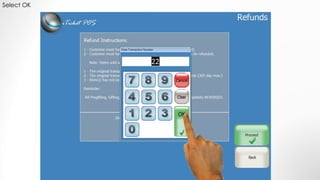
Select OK
Select Proceed
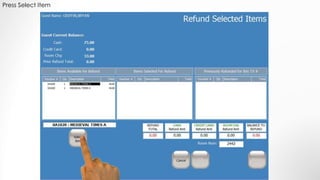
Press Select Item
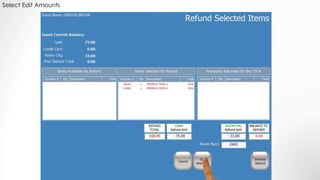
Select Edit Amounts
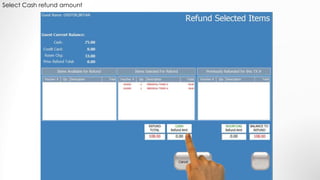
Select Cash refund amount
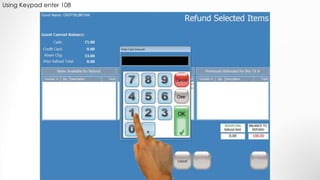
Using Keypad enter 108
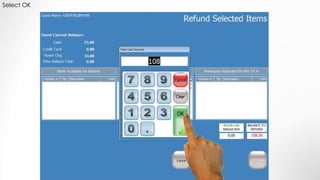
Select OK
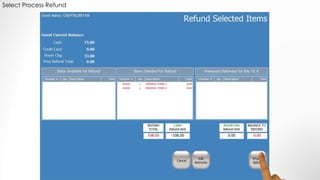
Select Process Refund
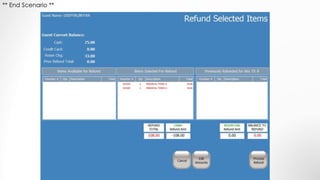
** End Scenario **
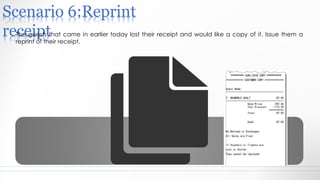
Scenario 6:Reprint
receiptThe guests that came in earlier today lost their receipt and would like a copy of it. Issue them a
reprint of their receipt.
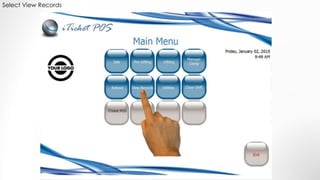
Select View Records
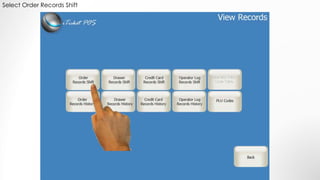
Select Order Records Shift
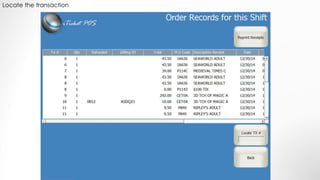
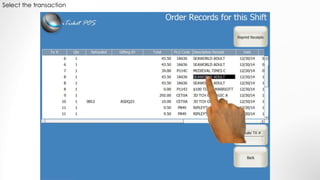
Locate the transaction
Select the transaction
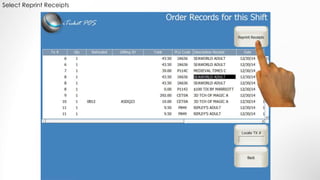
Select Reprint Receipts
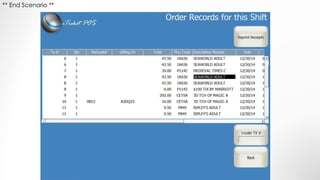
** End Scenario **
youtube.com/channel/iTicket
POS
Linkedin.com/company/iticket-
pos
iticketpos.com
Activity Providers Timeshare Resorts Concierge Services
407-347-4310
Technology that powers today's timeshare resorts and activity providers.

iTicket pos Retail and Gifting POS gui