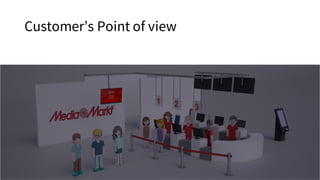
Customer’s Point of view
I don’t want to wait, I want to have information, I
don’t want to stay on a queue, I want now…
• How much time does it take?
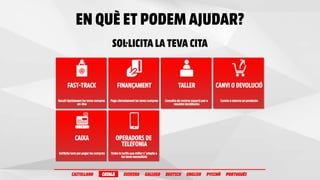
• What Services Can I Book?
• Financing, Pickup, Change or Return, Technical assistance, Trainings, etc.
• Where can I book?
• Store, Web or App
• Where can I give feedback?
• Can I do it myself?
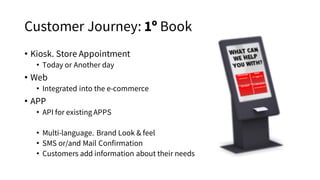
Customer Journey: 1º Book
• Kiosk. Store Appointment
• Today or Another day
• Web
• Integrated into the e-commerce
• APP
• API for existing APPS
• Multi-language. Brand Look & feel
• SMS or/and Mail Confirmation
• Customers add information about their needs
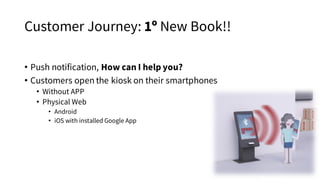
Customer Journey: 1º New Book!!
• Push notification, How can I help you?
• Customers open the kiosk on their smartphones
• Without APP
• Physical Web
• Android
• iOS with installed Google App
Customer Journey: Kiosk
1. Welcome
2. Available Services/Queues.Looking at real workforce planning
3. QR Validation/User Validation
4. Reservation. Now or Appointment
5. Confirmation
HTML Tech
API for custom development
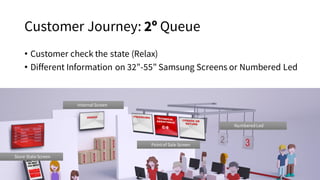
Customer Journey: 2º Queue
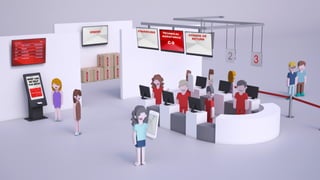
• Customer check the state (Relax)
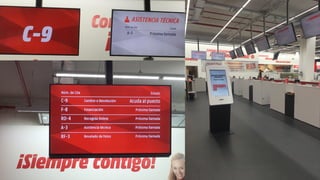
• Different Information on 32”-55” Samsung Screens or Numbered Led
Internal Screen
Store StateScreen
Point of Sale Screen
Numbered Led
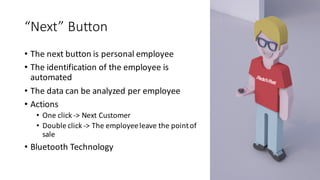
“Next”	Button
• The	next	button	is	personal	employee
• The	identification	of	the	employee	is	
automated
• The	data	can	be	analyzed	per	employee
• Actions
• One	click	->	Next	Customer
• Double	click	->	The	employee	leave	the	point	of	
sale
• Bluetooth	Technology
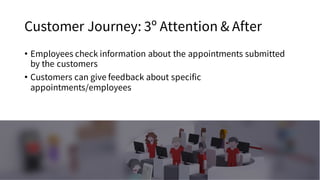
Customer Journey: 3º Attention & After
• Employees check information about the appointments submitted
by the customers
• Customers can give feedback about specific
appointments/employees
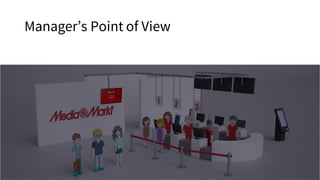
Manager’s Point of View
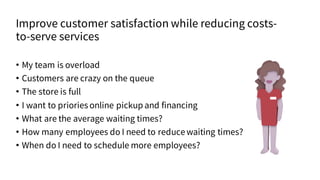
Improve customer satisfaction while reducing costs-
to-serve services
• My team is overload
• Customers are crazy on the queue
• The store is full
• I want to priories online pickup and financing
• What are the average waiting times?
• How many employees do I need to reducewaiting times?
• When do I need to schedule more employees?
What can managers do?
• Define Services to publish as queues
• Financing, Pickup, Change or return, Technical assistance, Trainings, etc.
• Define Workforce schedule to adjust accurate appointments
• Define best employees for specific services
• Define the point of sales per service or services (Filters)
• Flexible configuration of points
• Commercial campaigns-> open more financing points
• After Christmas-> open more return points
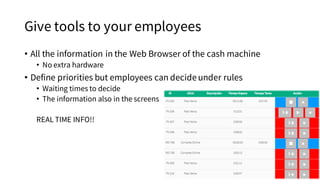
Give tools to your employees
• All the information in the Web Browser of the cash machine
• No extra hardware
• Define priorities but employees can decideunder rules
• Waiting times to decide
• The information also in the screens
REAL TIME INFO!!
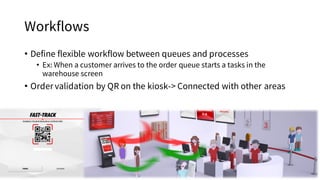
Workflows
• Define flexible workflow between queues and processes
• Ex: When a customer arrives to the order queue starts a tasks in the
warehouse screen
• Order validation by QR on the kiosk-> Connected with other areas
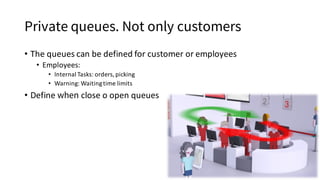
Private queues. Not only customers
• The	queues	can	be	defined	for	customer	or	employees
• Employees:
• Internal	Tasks:	orders,	picking
• Warning:	Waiting	time	limits
• Define	when close	o	open	queues
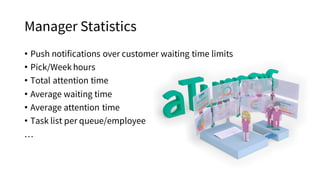
Manager Statistics
• Push notifications over customer waiting time limits
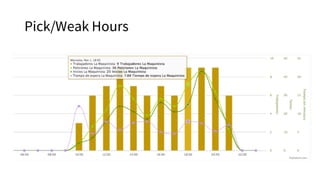
• Pick/Weekhours
• Total attention time
• Average waiting time
• Average attention time
• Task list per queue/employee
…
Pick/Weak Hours
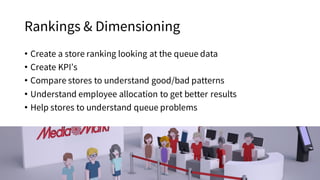
Rankings & Dimensioning
• Create a store ranking looking at the queue data
• Create KPI’s
• Compare stores to understand good/bad patterns
• Understand employee allocation to get better results
• Help stores to understand queue problems
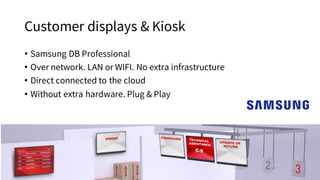
Customer displays & Kiosk
• Samsung DB Professional
• Over network. LAN or WIFI. No extra infrastructure
• Direct connected to the cloud
• Without extra hardware. Plug & Play
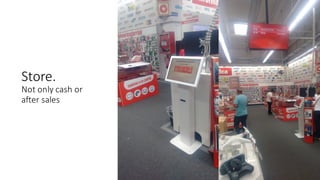
Store.	
Not only cash	or
after sales
Queue management

Queue management

  • 3.
  • 4.
    I don’t wantto wait, I want to have information, I don’t want to stay on a queue, I want now… • How much time does it take? • What Services Can I Book? • Financing, Pickup, Change or Return, Technical assistance, Trainings, etc. • Where can I book? • Store, Web or App • Where can I give feedback? • Can I do it myself?
  • 5.
    Customer Journey: 1ºBook • Kiosk. Store Appointment • Today or Another day • Web • Integrated into the e-commerce • APP • API for existing APPS • Multi-language. Brand Look & feel • SMS or/and Mail Confirmation • Customers add information about their needs
  • 7.
    Customer Journey: 1ºNew Book!! • Push notification, How can I help you? • Customers open the kiosk on their smartphones • Without APP • Physical Web • Android • iOS with installed Google App
  • 8.
    Customer Journey: Kiosk 1.Welcome 2. Available Services/Queues.Looking at real workforce planning 3. QR Validation/User Validation 4. Reservation. Now or Appointment 5. Confirmation HTML Tech API for custom development
  • 9.
    Customer Journey: 2ºQueue • Customer check the state (Relax) • Different Information on 32”-55” Samsung Screens or Numbered Led Internal Screen Store StateScreen Point of Sale Screen Numbered Led
  • 10.
    “Next” Button • The next button is personal employee • The identification of the employee is automated •The data can be analyzed per employee • Actions • One click -> Next Customer • Double click -> The employee leave the point of sale • Bluetooth Technology
  • 11.
    Customer Journey: 3ºAttention & After • Employees check information about the appointments submitted by the customers • Customers can give feedback about specific appointments/employees
  • 12.
  • 13.
    Improve customer satisfactionwhile reducing costs- to-serve services • My team is overload • Customers are crazy on the queue • The store is full • I want to priories online pickup and financing • What are the average waiting times? • How many employees do I need to reducewaiting times? • When do I need to schedule more employees?
  • 14.
    What can managersdo? • Define Services to publish as queues • Financing, Pickup, Change or return, Technical assistance, Trainings, etc. • Define Workforce schedule to adjust accurate appointments • Define best employees for specific services • Define the point of sales per service or services (Filters) • Flexible configuration of points • Commercial campaigns-> open more financing points • After Christmas-> open more return points
  • 15.
    Give tools toyour employees • All the information in the Web Browser of the cash machine • No extra hardware • Define priorities but employees can decideunder rules • Waiting times to decide • The information also in the screens REAL TIME INFO!!
  • 16.
    Workflows • Define flexibleworkflow between queues and processes • Ex: When a customer arrives to the order queue starts a tasks in the warehouse screen • Order validation by QR on the kiosk-> Connected with other areas
  • 17.
    Private queues. Notonly customers • The queues can be defined for customer or employees • Employees: • Internal Tasks: orders, picking • Warning: Waiting time limits • Define when close o open queues
  • 18.
    Manager Statistics • Pushnotifications over customer waiting time limits • Pick/Weekhours • Total attention time • Average waiting time • Average attention time • Task list per queue/employee …
  • 19.
  • 20.
    Rankings & Dimensioning •Create a store ranking looking at the queue data • Create KPI’s • Compare stores to understand good/bad patterns • Understand employee allocation to get better results • Help stores to understand queue problems
  • 21.
    Customer displays &Kiosk • Samsung DB Professional • Over network. LAN or WIFI. No extra infrastructure • Direct connected to the cloud • Without extra hardware. Plug & Play
  • 23.