CompTIA IT Fundamentals Exam Objectives v.3 1 of 15
Copyright © 2014 by the Computing Technology Industry Association. All rights reserved.
The CompTIA IT Fundamentals Exam Objectives are subject to change without notice.
CompTIA IT Fundamentals
Certification Exam Objectives
(FC0-U51)
INTRODUCTION
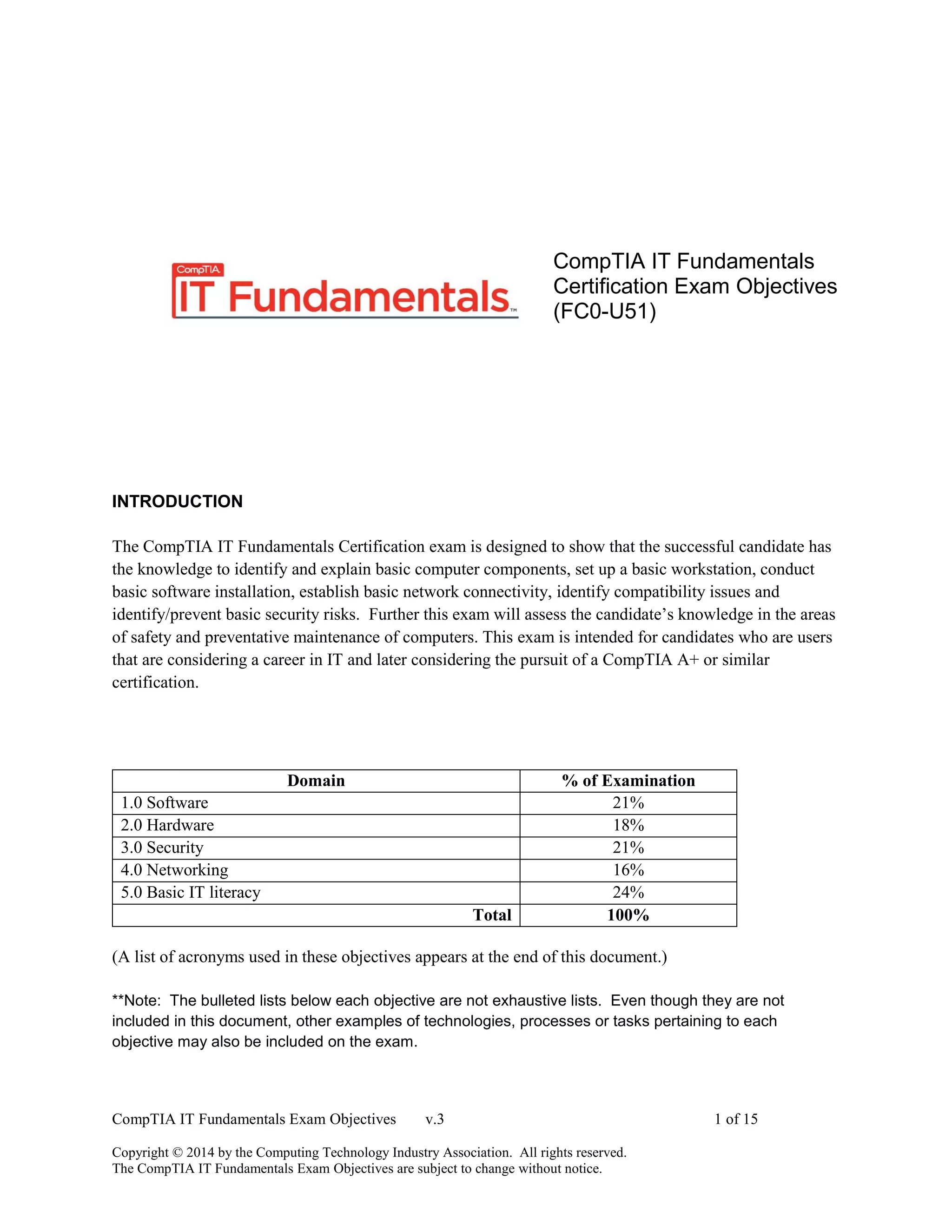
The CompTIA IT Fundamentals Certification exam is designed to show that the successful candidate has
the knowledge to identify and explain basic computer components, set up a basic workstation, conduct
basic software installation, establish basic network connectivity, identify compatibility issues and
identify/prevent basic security risks. Further this exam will assess the candidate’s knowledge in the areas
of safety and preventative maintenance of computers. This exam is intended for candidates who are users
that are considering a career in IT and later considering the pursuit of a CompTIA A+ or similar
certification.
Domain % of Examination
1.0 Software 21%
2.0 Hardware 18%
3.0 Security 21%
4.0 Networking 16%
5.0 Basic IT literacy 24%
Total 100%
(A list of acronyms used in these objectives appears at the end of this document.)
**Note: The bulleted lists below each objective are not exhaustive lists. Even though they are not
included in this document, other examples of technologies, processes or tasks pertaining to each
objective may also be included on the exam.
CompTIA IT Fundamentals Exam Objectives v.3 2 of 15
Copyright © 2014 by the Computing Technology Industry Association. All rights reserved.
The CompTIA IT Fundamentals Exam Objectives are subject to change without notice.
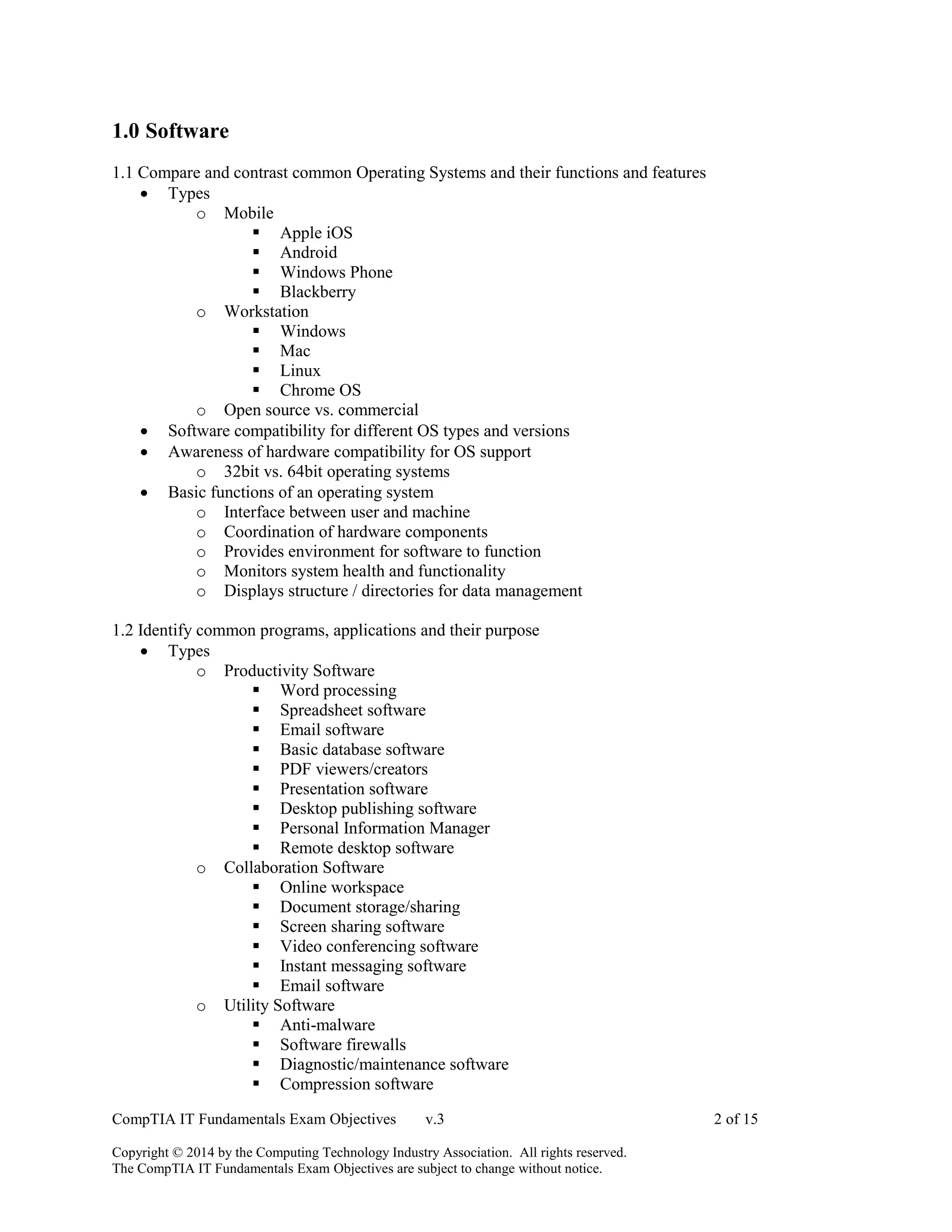
1.0 Software
1.1 Compare and contrast common Operating Systems and their functions and features
 Types
o Mobile
 Apple iOS
 Android
 Windows Phone
 Blackberry
o Workstation
 Windows
 Mac
 Linux
 Chrome OS
o Open source vs. commercial
 Software compatibility for different OS types and versions
 Awareness of hardware compatibility for OS support
o 32bit vs. 64bit operating systems
 Basic functions of an operating system
o Interface between user and machine
o Coordination of hardware components
o Provides environment for software to function
o Monitors system health and functionality
o Displays structure / directories for data management
1.2 Identify common programs, applications and their purpose
 Types
o Productivity Software
 Word processing
 Spreadsheet software
 Email software
 Basic database software
 PDF viewers/creators
 Presentation software
 Desktop publishing software
 Personal Information Manager
 Remote desktop software
o Collaboration Software
 Online workspace
 Document storage/sharing
 Screen sharing software
 Video conferencing software
 Instant messaging software
 Email software
o Utility Software
 Anti-malware
 Software firewalls
 Diagnostic/maintenance software
 Compression software
CompTIA IT Fundamentals Exam Objectives v.3 3 of 15
Copyright © 2014 by the Computing Technology Industry Association. All rights reserved.
The CompTIA IT Fundamentals Exam Objectives are subject to change without notice.
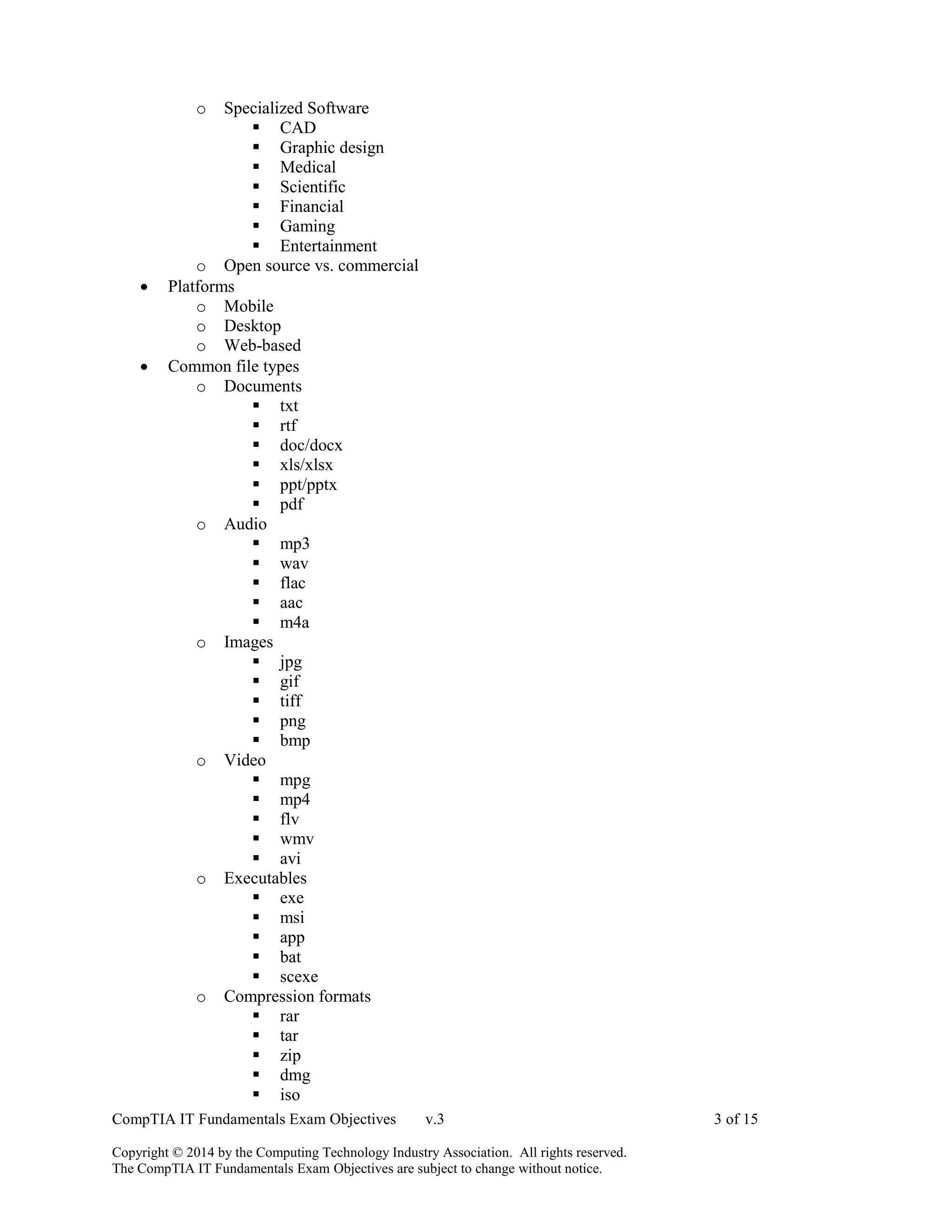
o Specialized Software
 CAD
 Graphic design
 Medical
 Scientific
 Financial
 Gaming
 Entertainment
o Open source vs. commercial
 Platforms
o Mobile
o Desktop
o Web-based
 Common file types
o Documents
 txt
 rtf
 doc/docx
 xls/xlsx
 ppt/pptx
 pdf
o Audio
 mp3
 wav
 flac
 aac
 m4a
o Images
 jpg
 gif
 tiff
 png
 bmp
o Video
 mpg
 mp4
 flv
 wmv
 avi
o Executables
 exe
 msi
 app
 bat
 scexe
o Compression formats
 rar
 tar
 zip
 dmg
 iso
CompTIA IT Fundamentals Exam Objectives v.3 4 of 15
Copyright © 2014 by the Computing Technology Industry Association. All rights reserved.
The CompTIA IT Fundamentals Exam Objectives are subject to change without notice.
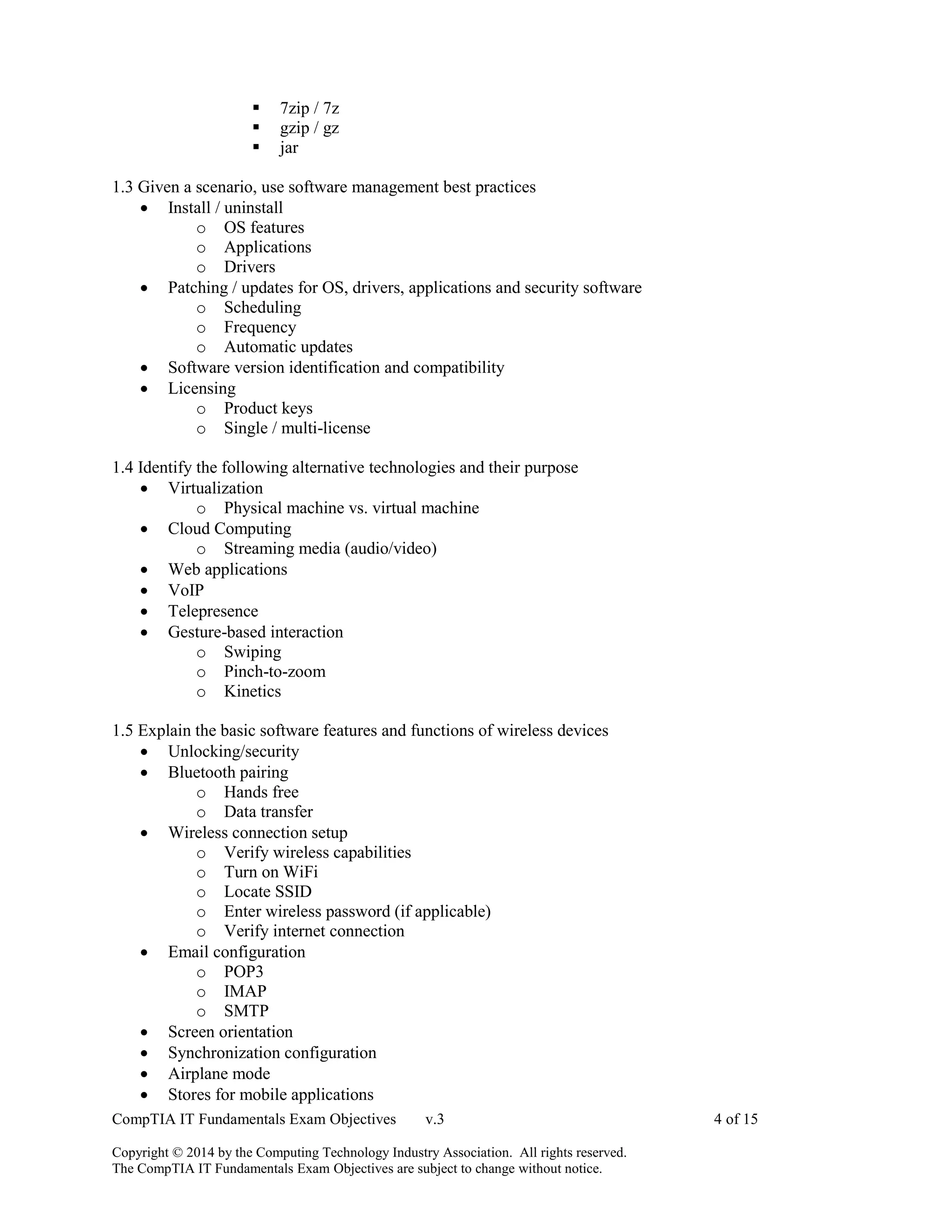
 7zip / 7z
 gzip / gz
 jar
1.3 Given a scenario, use software management best practices
 Install / uninstall
o OS features
o Applications
o Drivers
 Patching / updates for OS, drivers, applications and security software
o Scheduling
o Frequency
o Automatic updates
 Software version identification and compatibility
 Licensing
o Product keys
o Single / multi-license
1.4 Identify the following alternative technologies and their purpose
 Virtualization
o Physical machine vs. virtual machine
 Cloud Computing
o Streaming media (audio/video)
 Web applications
 VoIP
 Telepresence
 Gesture-based interaction
o Swiping
o Pinch-to-zoom
o Kinetics
1.5 Explain the basic software features and functions of wireless devices
 Unlocking/security
 Bluetooth pairing
o Hands free
o Data transfer
 Wireless connection setup
o Verify wireless capabilities
o Turn on WiFi
o Locate SSID
o Enter wireless password (if applicable)
o Verify internet connection
 Email configuration
o POP3
o IMAP
o SMTP
 Screen orientation
 Synchronization configuration
 Airplane mode
 Stores for mobile applications
CompTIA IT Fundamentals Exam Objectives v.3 5 of 15
Copyright © 2014 by the Computing Technology Industry Association. All rights reserved.
The CompTIA IT Fundamentals Exam Objectives are subject to change without notice.
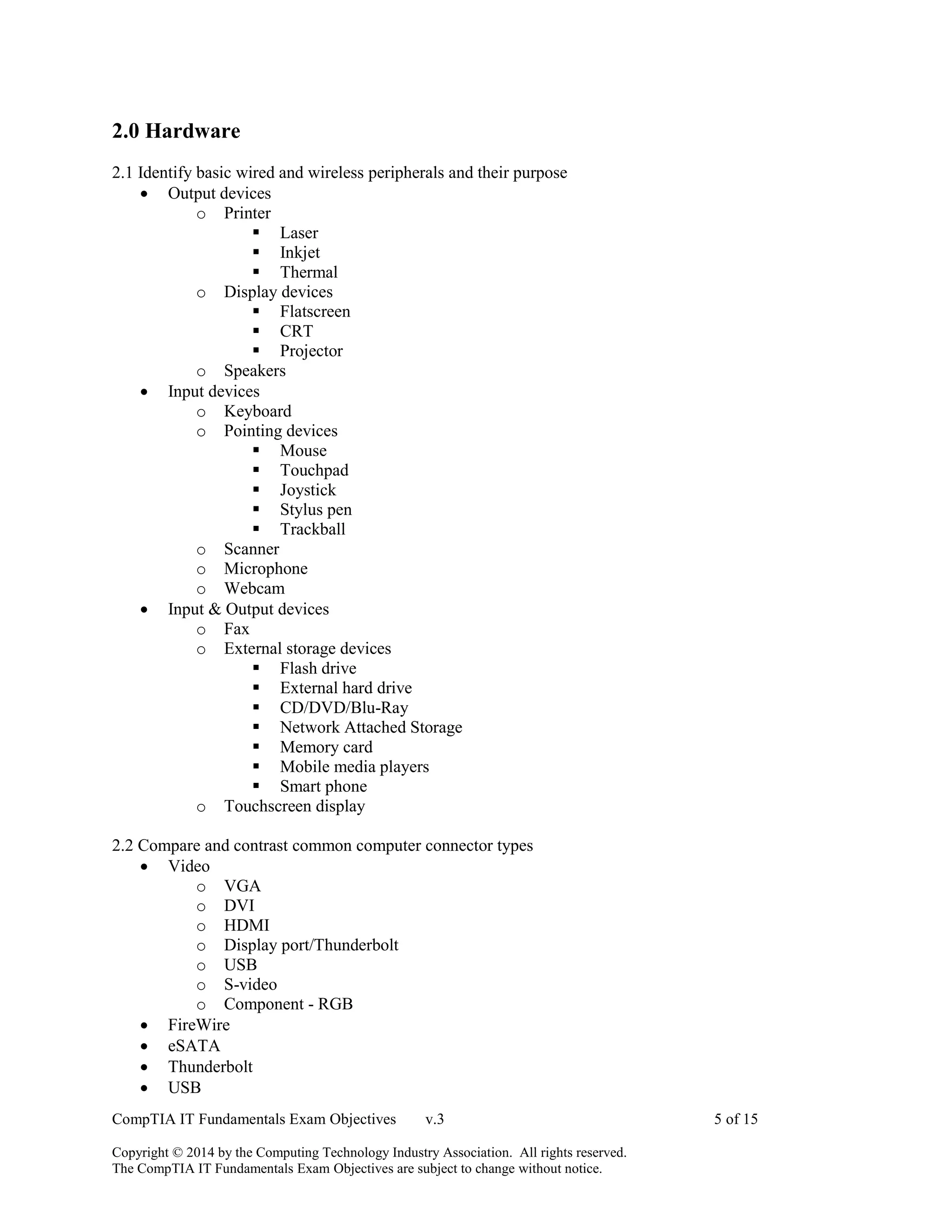
2.0 Hardware
2.1 Identify basic wired and wireless peripherals and their purpose
 Output devices
o Printer
 Laser
 Inkjet
 Thermal
o Display devices
 Flatscreen
 CRT
 Projector
o Speakers
 Input devices
o Keyboard
o Pointing devices
 Mouse
 Touchpad
 Joystick
 Stylus pen
 Trackball
o Scanner
o Microphone
o Webcam
 Input & Output devices
o Fax
o External storage devices
 Flash drive
 External hard drive
 CD/DVD/Blu-Ray
 Network Attached Storage
 Memory card
 Mobile media players
 Smart phone
o Touchscreen display
2.2 Compare and contrast common computer connector types
 Video
o VGA
o DVI
o HDMI
o Display port/Thunderbolt
o USB
o S-video
o Component - RGB
 FireWire
 eSATA
 Thunderbolt
 USB
CompTIA IT Fundamentals Exam Objectives v.3 6 of 15
Copyright © 2014 by the Computing Technology Industry Association. All rights reserved.
The CompTIA IT Fundamentals Exam Objectives are subject to change without notice.
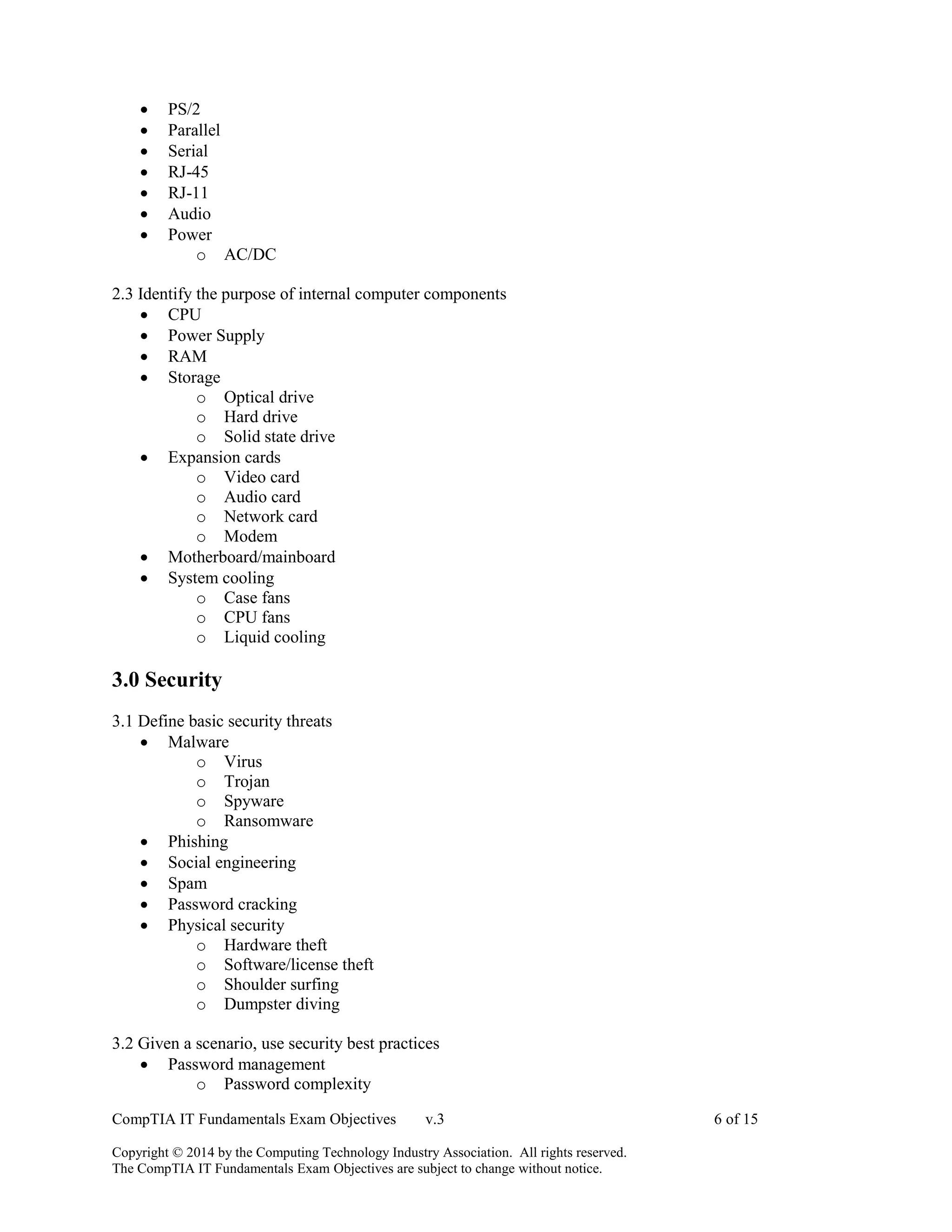
 PS/2
 Parallel
 Serial
 RJ-45
 RJ-11
 Audio
 Power
o AC/DC
2.3 Identify the purpose of internal computer components
 CPU
 Power Supply
 RAM
 Storage
o Optical drive
o Hard drive
o Solid state drive
 Expansion cards
o Video card
o Audio card
o Network card
o Modem
 Motherboard/mainboard
 System cooling
o Case fans
o CPU fans
o Liquid cooling
3.0 Security
3.1 Define basic security threats
 Malware
o Virus
o Trojan
o Spyware
o Ransomware
 Phishing
 Social engineering
 Spam
 Password cracking
 Physical security
o Hardware theft
o Software/license theft
o Shoulder surfing
o Dumpster diving
3.2 Given a scenario, use security best practices
 Password management
o Password complexity
CompTIA IT Fundamentals Exam Objectives v.3 7 of 15
Copyright © 2014 by the Computing Technology Industry Association. All rights reserved.
The CompTIA IT Fundamentals Exam Objectives are subject to change without notice.
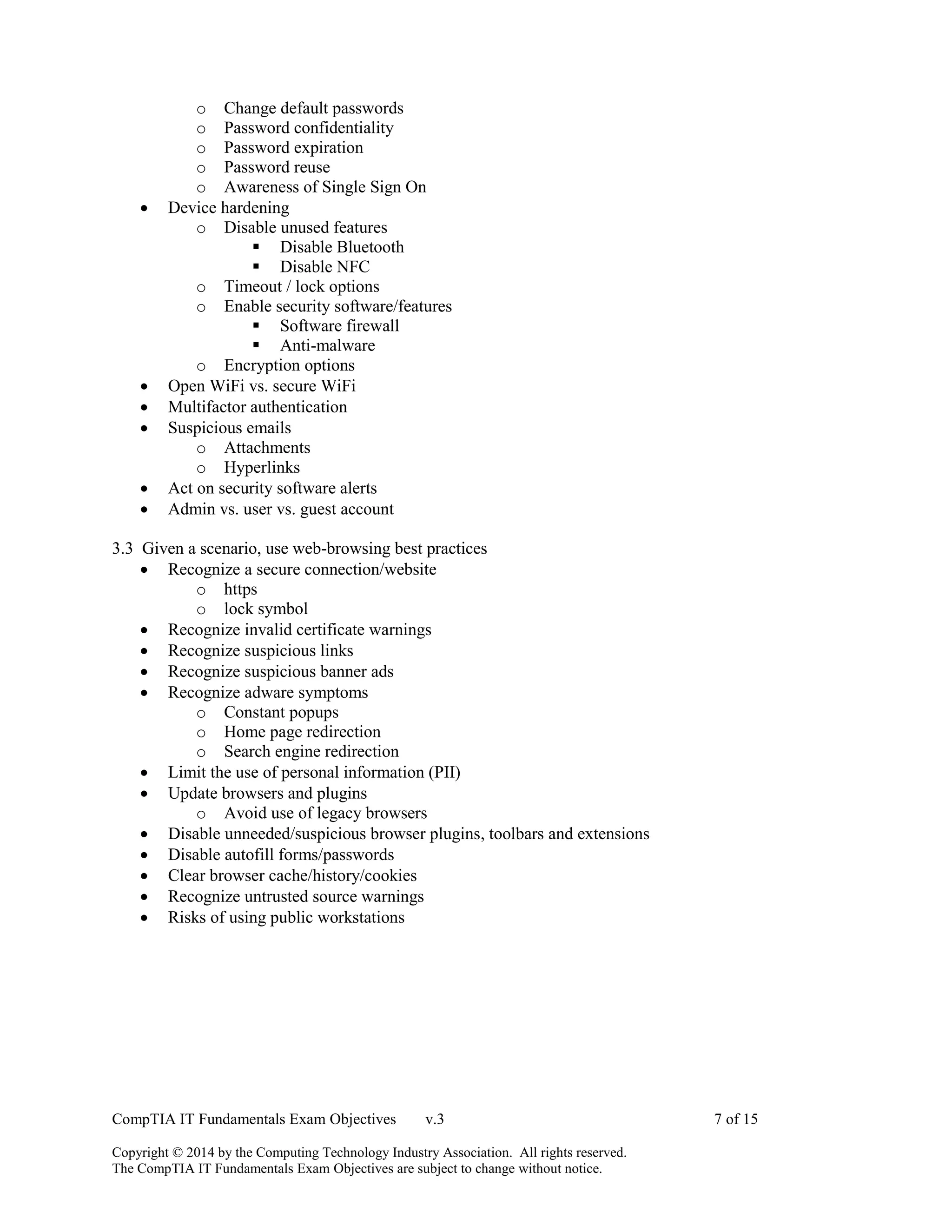
o Change default passwords
o Password confidentiality
o Password expiration
o Password reuse
o Awareness of Single Sign On
 Device hardening
o Disable unused features
 Disable Bluetooth
 Disable NFC
o Timeout / lock options
o Enable security software/features
 Software firewall
 Anti-malware
o Encryption options
 Open WiFi vs. secure WiFi
 Multifactor authentication
 Suspicious emails
o Attachments
o Hyperlinks
 Act on security software alerts
 Admin vs. user vs. guest account
3.3 Given a scenario, use web-browsing best practices
 Recognize a secure connection/website
o https
o lock symbol
 Recognize invalid certificate warnings
 Recognize suspicious links
 Recognize suspicious banner ads
 Recognize adware symptoms
o Constant popups
o Home page redirection
o Search engine redirection
 Limit the use of personal information (PII)
 Update browsers and plugins
o Avoid use of legacy browsers
 Disable unneeded/suspicious browser plugins, toolbars and extensions
 Disable autofill forms/passwords
 Clear browser cache/history/cookies
 Recognize untrusted source warnings
 Risks of using public workstations
CompTIA IT Fundamentals Exam Objectives v.3 8 of 15
Copyright © 2014 by the Computing Technology Industry Association. All rights reserved.
The CompTIA IT Fundamentals Exam Objectives are subject to change without notice.
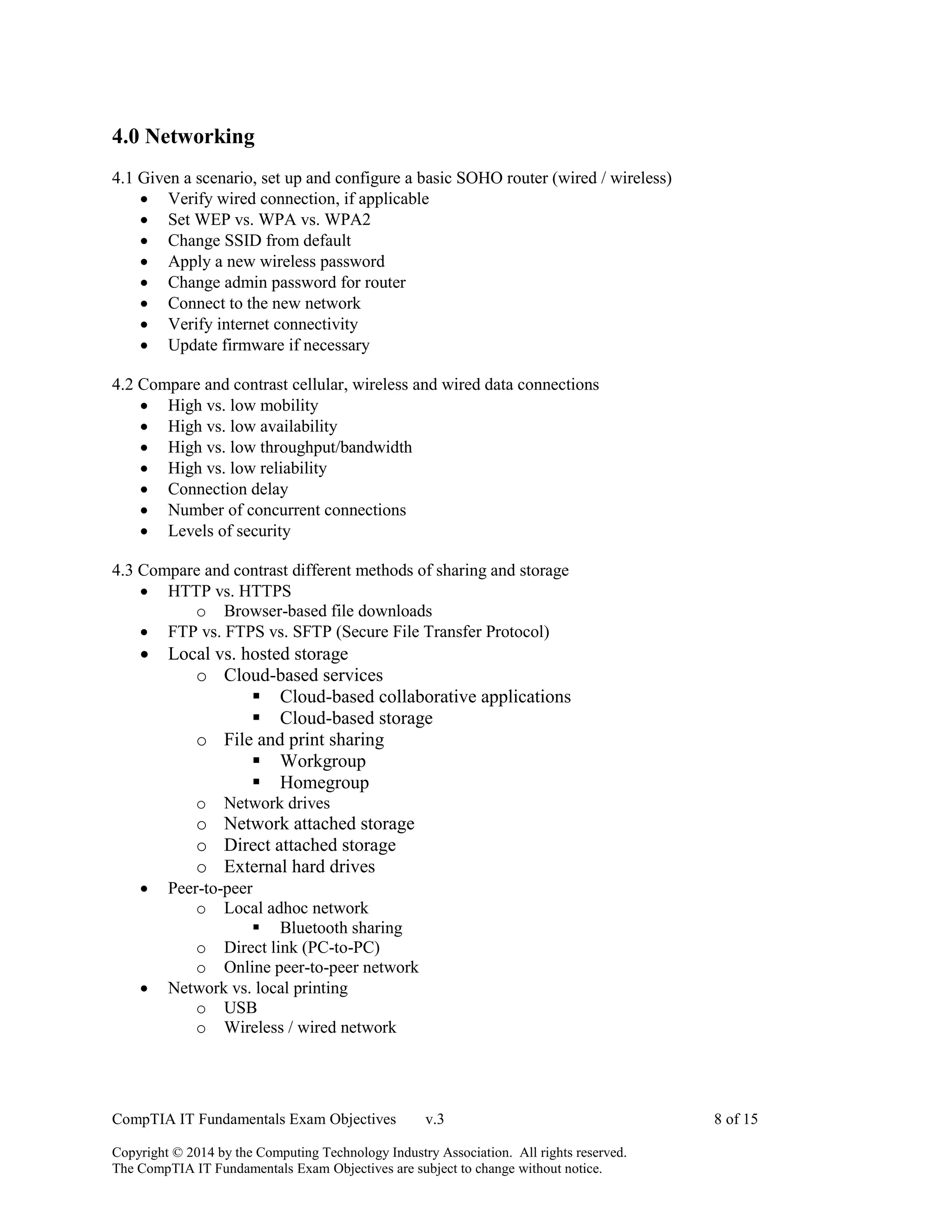
4.0 Networking
4.1 Given a scenario, set up and configure a basic SOHO router (wired / wireless)
 Verify wired connection, if applicable
 Set WEP vs. WPA vs. WPA2
 Change SSID from default
 Apply a new wireless password
 Change admin password for router
 Connect to the new network
 Verify internet connectivity
 Update firmware if necessary
4.2 Compare and contrast cellular, wireless and wired data connections
 High vs. low mobility
 High vs. low availability
 High vs. low throughput/bandwidth
 High vs. low reliability
 Connection delay
 Number of concurrent connections
 Levels of security
4.3 Compare and contrast different methods of sharing and storage
 HTTP vs. HTTPS
o Browser-based file downloads
 FTP vs. FTPS vs. SFTP (Secure File Transfer Protocol)
 Local vs. hosted storage
o Cloud-based services
 Cloud-based collaborative applications
 Cloud-based storage
o File and print sharing
 Workgroup
 Homegroup
o Network drives
o Network attached storage
o Direct attached storage
o External hard drives
 Peer-to-peer
o Local adhoc network
 Bluetooth sharing
o Direct link (PC-to-PC)
o Online peer-to-peer network
 Network vs. local printing
o USB
o Wireless / wired network
CompTIA IT Fundamentals Exam Objectives v.3 9 of 15
Copyright © 2014 by the Computing Technology Industry Association. All rights reserved.
The CompTIA IT Fundamentals Exam Objectives are subject to change without notice.
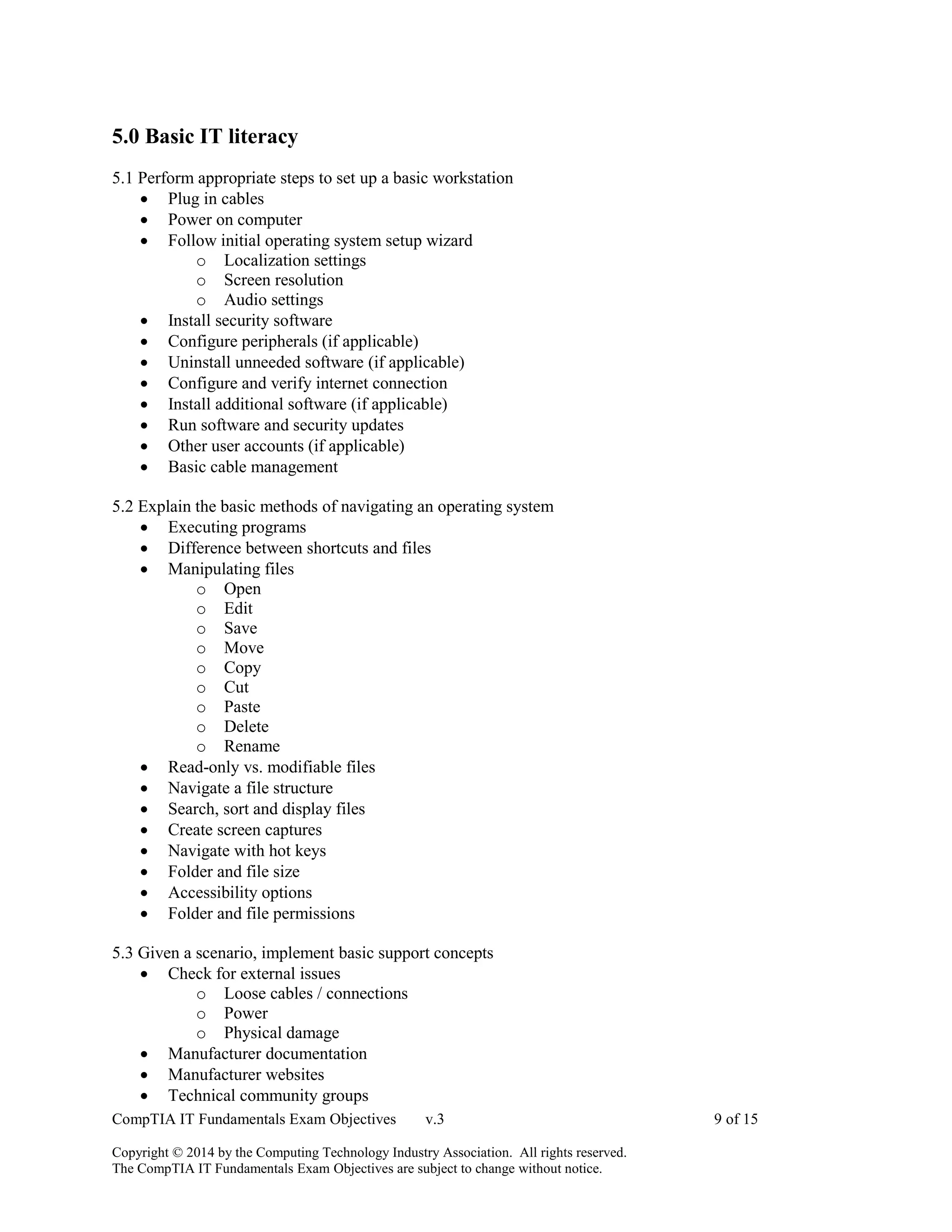
5.0 Basic IT literacy
5.1 Perform appropriate steps to set up a basic workstation
 Plug in cables
 Power on computer
 Follow initial operating system setup wizard
o Localization settings
o Screen resolution
o Audio settings
 Install security software
 Configure peripherals (if applicable)
 Uninstall unneeded software (if applicable)
 Configure and verify internet connection
 Install additional software (if applicable)
 Run software and security updates
 Other user accounts (if applicable)
 Basic cable management
5.2 Explain the basic methods of navigating an operating system
 Executing programs
 Difference between shortcuts and files
 Manipulating files
o Open
o Edit
o Save
o Move
o Copy
o Cut
o Paste
o Delete
o Rename
 Read-only vs. modifiable files
 Navigate a file structure
 Search, sort and display files
 Create screen captures
 Navigate with hot keys
 Folder and file size
 Accessibility options
 Folder and file permissions
5.3 Given a scenario, implement basic support concepts
 Check for external issues
o Loose cables / connections
o Power
o Physical damage
 Manufacturer documentation
 Manufacturer websites
 Technical community groups
CompTIA IT Fundamentals Exam Objectives v.3 10 of 15
Copyright © 2014 by the Computing Technology Industry Association. All rights reserved.
The CompTIA IT Fundamentals Exam Objectives are subject to change without notice.
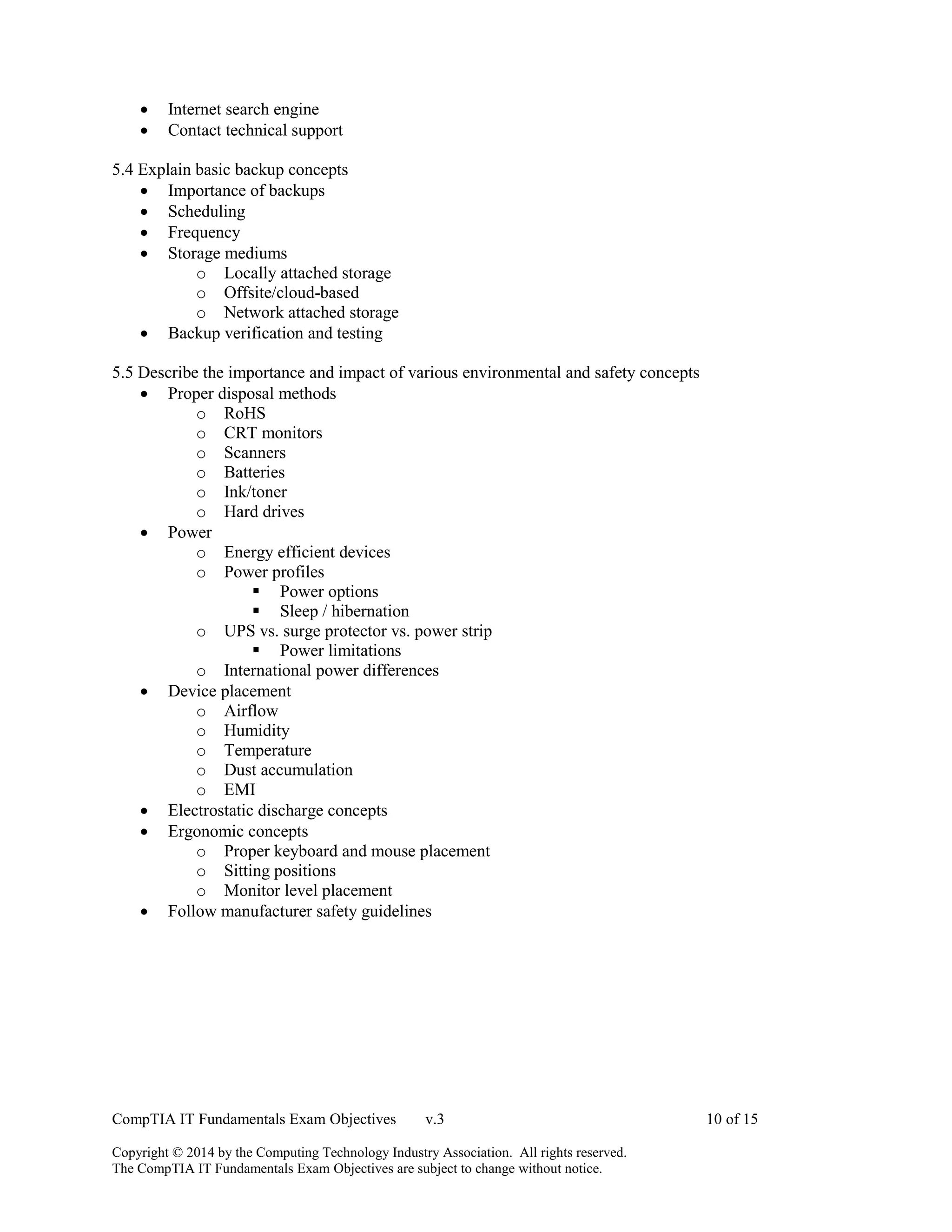
 Internet search engine
 Contact technical support
5.4 Explain basic backup concepts
 Importance of backups
 Scheduling
 Frequency
 Storage mediums
o Locally attached storage
o Offsite/cloud-based
o Network attached storage
 Backup verification and testing
5.5 Describe the importance and impact of various environmental and safety concepts
 Proper disposal methods
o RoHS
o CRT monitors
o Scanners
o Batteries
o Ink/toner
o Hard drives
 Power
o Energy efficient devices
o Power profiles
 Power options
 Sleep / hibernation
o UPS vs. surge protector vs. power strip
 Power limitations
o International power differences
 Device placement
o Airflow
o Humidity
o Temperature
o Dust accumulation
o EMI
 Electrostatic discharge concepts
 Ergonomic concepts
o Proper keyboard and mouse placement
o Sitting positions
o Monitor level placement
 Follow manufacturer safety guidelines
CompTIA IT Fundamentals Exam Objectives v.3 11 of 15
Copyright © 2014 by the Computing Technology Industry Association. All rights reserved.
The CompTIA IT Fundamentals Exam Objectives are subject to change without notice.
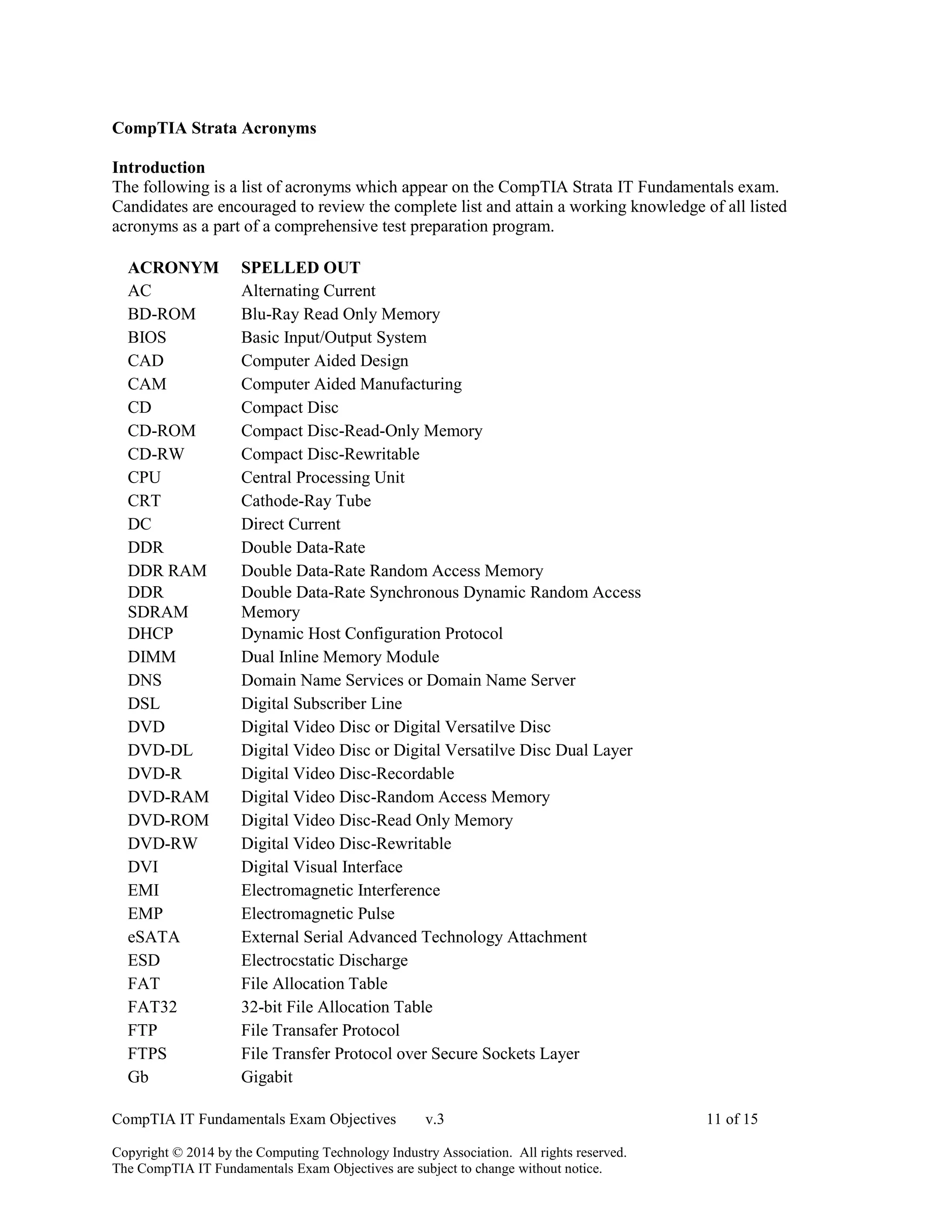
CompTIA Strata Acronyms
Introduction
The following is a list of acronyms which appear on the CompTIA Strata IT Fundamentals exam.
Candidates are encouraged to review the complete list and attain a working knowledge of all listed
acronyms as a part of a comprehensive test preparation program.
ACRONYM SPELLED OUT
AC Alternating Current
BD-ROM Blu-Ray Read Only Memory
BIOS Basic Input/Output System
CAD Computer Aided Design
CAM Computer Aided Manufacturing
CD Compact Disc
CD-ROM Compact Disc-Read-Only Memory
CD-RW Compact Disc-Rewritable
CPU Central Processing Unit
CRT Cathode-Ray Tube
DC Direct Current
DDR Double Data-Rate
DDR RAM Double Data-Rate Random Access Memory
DDR
SDRAM
Double Data-Rate Synchronous Dynamic Random Access
Memory
DHCP Dynamic Host Configuration Protocol
DIMM Dual Inline Memory Module
DNS Domain Name Services or Domain Name Server
DSL Digital Subscriber Line
DVD Digital Video Disc or Digital Versatilve Disc
DVD-DL Digital Video Disc or Digital Versatilve Disc Dual Layer
DVD-R Digital Video Disc-Recordable
DVD-RAM Digital Video Disc-Random Access Memory
DVD-ROM Digital Video Disc-Read Only Memory
DVD-RW Digital Video Disc-Rewritable
DVI Digital Visual Interface
EMI Electromagnetic Interference
EMP Electromagnetic Pulse
eSATA External Serial Advanced Technology Attachment
ESD Electrocstatic Discharge
FAT File Allocation Table
FAT32 32-bit File Allocation Table
FTP File Transafer Protocol
FTPS File Transfer Protocol over Secure Sockets Layer
Gb Gigabit
CompTIA IT Fundamentals Exam Objectives v.3 12 of 15
Copyright © 2014 by the Computing Technology Industry Association. All rights reserved.
The CompTIA IT Fundamentals Exam Objectives are subject to change without notice.
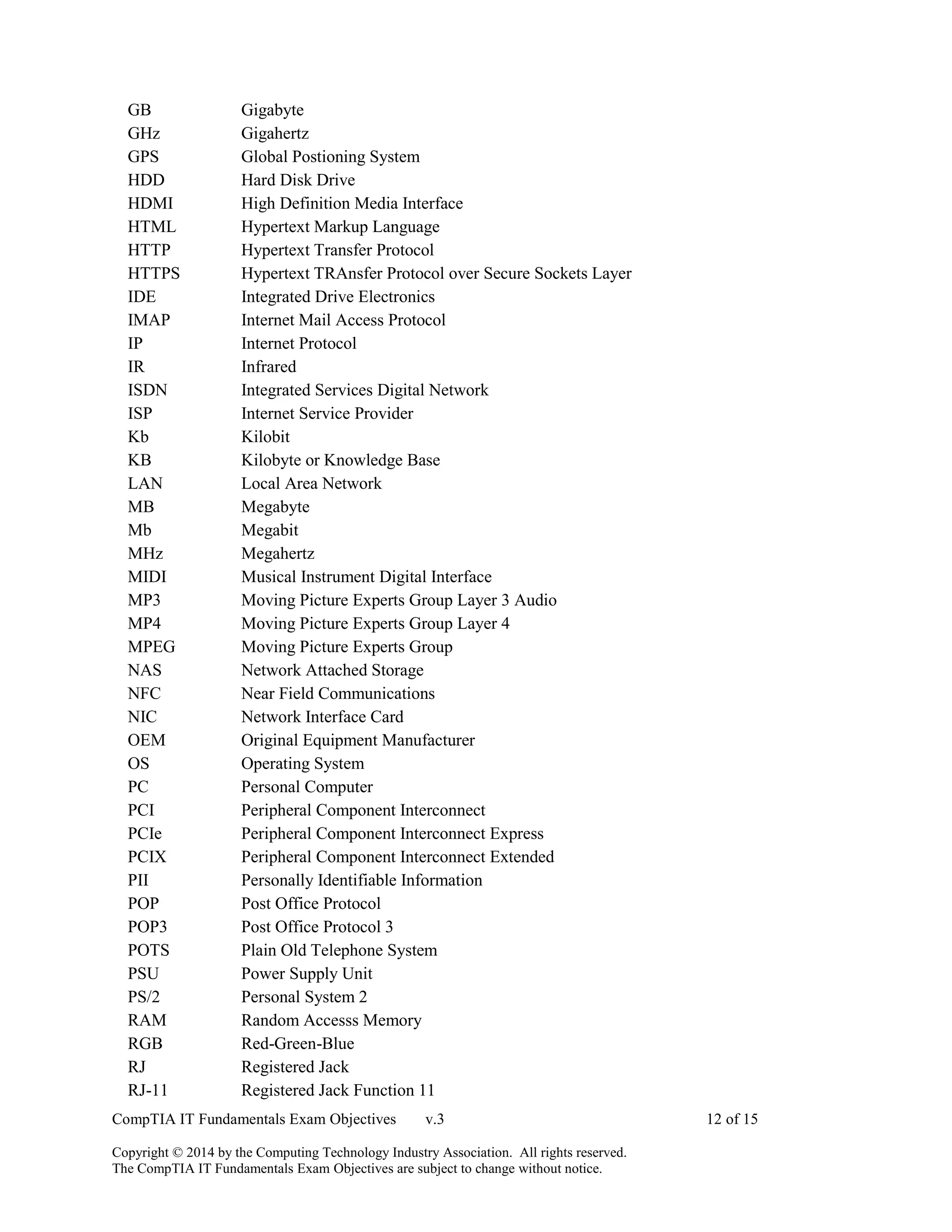
GB Gigabyte
GHz Gigahertz
GPS Global Postioning System
HDD Hard Disk Drive
HDMI High Definition Media Interface
HTML Hypertext Markup Language
HTTP Hypertext Transfer Protocol
HTTPS Hypertext TRAnsfer Protocol over Secure Sockets Layer
IDE Integrated Drive Electronics
IMAP Internet Mail Access Protocol
IP Internet Protocol
IR Infrared
ISDN Integrated Services Digital Network
ISP Internet Service Provider
Kb Kilobit
KB Kilobyte or Knowledge Base
LAN Local Area Network
MB Megabyte
Mb Megabit
MHz Megahertz
MIDI Musical Instrument Digital Interface
MP3 Moving Picture Experts Group Layer 3 Audio
MP4 Moving Picture Experts Group Layer 4
MPEG Moving Picture Experts Group
NAS Network Attached Storage
NFC Near Field Communications
NIC Network Interface Card
OEM Original Equipment Manufacturer
OS Operating System
PC Personal Computer
PCI Peripheral Component Interconnect
PCIe Peripheral Component Interconnect Express
PCIX Peripheral Component Interconnect Extended
PII Personally Identifiable Information
POP Post Office Protocol
POP3 Post Office Protocol 3
POTS Plain Old Telephone System
PSU Power Supply Unit
PS/2 Personal System 2
RAM Random Accesss Memory
RGB Red-Green-Blue
RJ Registered Jack
RJ-11 Registered Jack Function 11
CompTIA IT Fundamentals Exam Objectives v.3 13 of 15
Copyright © 2014 by the Computing Technology Industry Association. All rights reserved.
The CompTIA IT Fundamentals Exam Objectives are subject to change without notice.
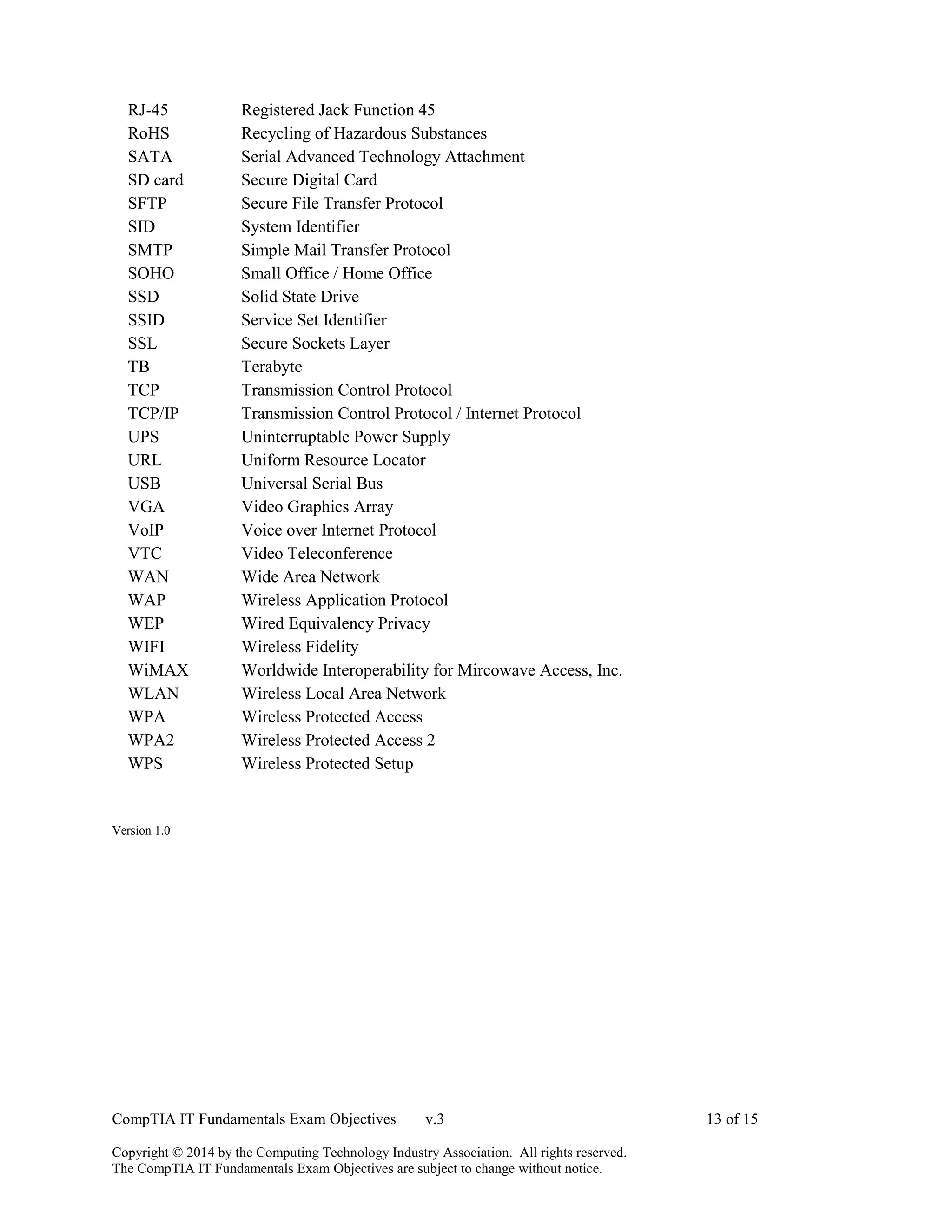
RJ-45 Registered Jack Function 45
RoHS Recycling of Hazardous Substances
SATA Serial Advanced Technology Attachment
SD card Secure Digital Card
SFTP Secure File Transfer Protocol
SID System Identifier
SMTP Simple Mail Transfer Protocol
SOHO Small Office / Home Office
SSD Solid State Drive
SSID Service Set Identifier
SSL Secure Sockets Layer
TB Terabyte
TCP Transmission Control Protocol
TCP/IP Transmission Control Protocol / Internet Protocol
UPS Uninterruptable Power Supply
URL Uniform Resource Locator
USB Universal Serial Bus
VGA Video Graphics Array
VoIP Voice over Internet Protocol
VTC Video Teleconference
WAN Wide Area Network
WAP Wireless Application Protocol
WEP Wired Equivalency Privacy
WIFI Wireless Fidelity
WiMAX Worldwide Interoperability for Mircowave Access, Inc.
WLAN Wireless Local Area Network
WPA Wireless Protected Access
WPA2 Wireless Protected Access 2
WPS Wireless Protected Setup
Version 1.0
CompTIA IT Fundamentals Exam Objectives v.3 14 of 15
Copyright © 2014 by the Computing Technology Industry Association. All rights reserved.
The CompTIA IT Fundamentals Exam Objectives are subject to change without notice.
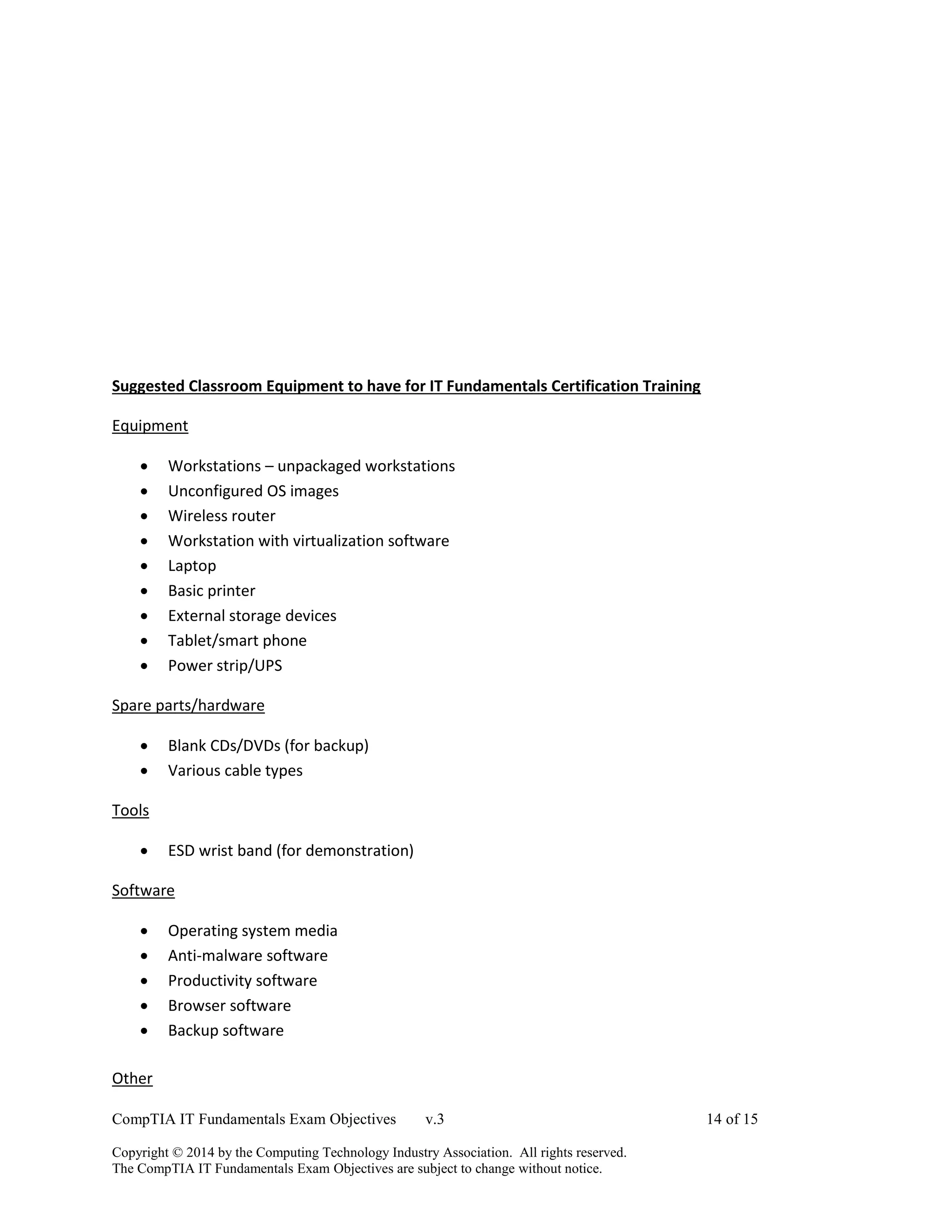
Suggested Classroom Equipment to have for IT Fundamentals Certification Training
Equipment
 Workstations – unpackaged workstations
 Unconfigured OS images
 Wireless router
 Workstation with virtualization software
 Laptop
 Basic printer
 External storage devices
 Tablet/smart phone
 Power strip/UPS
Spare parts/hardware
 Blank CDs/DVDs (for backup)
 Various cable types
Tools
 ESD wrist band (for demonstration)
Software
 Operating system media
 Anti-malware software
 Productivity software
 Browser software
 Backup software
Other
CompTIA IT Fundamentals Exam Objectives v.3 15 of 15
Copyright © 2014 by the Computing Technology Industry Association. All rights reserved.
The CompTIA IT Fundamentals Exam Objectives are subject to change without notice.
 N/A

It fundamentals

  • 1.
    CompTIA IT FundamentalsExam Objectives v.3 1 of 15 Copyright © 2014 by the Computing Technology Industry Association. All rights reserved. The CompTIA IT Fundamentals Exam Objectives are subject to change without notice. CompTIA IT Fundamentals Certification Exam Objectives (FC0-U51) INTRODUCTION The CompTIA IT Fundamentals Certification exam is designed to show that the successful candidate has the knowledge to identify and explain basic computer components, set up a basic workstation, conduct basic software installation, establish basic network connectivity, identify compatibility issues and identify/prevent basic security risks. Further this exam will assess the candidate’s knowledge in the areas of safety and preventative maintenance of computers. This exam is intended for candidates who are users that are considering a career in IT and later considering the pursuit of a CompTIA A+ or similar certification. Domain % of Examination 1.0 Software 21% 2.0 Hardware 18% 3.0 Security 21% 4.0 Networking 16% 5.0 Basic IT literacy 24% Total 100% (A list of acronyms used in these objectives appears at the end of this document.) **Note: The bulleted lists below each objective are not exhaustive lists. Even though they are not included in this document, other examples of technologies, processes or tasks pertaining to each objective may also be included on the exam.
  • 2.
    CompTIA IT FundamentalsExam Objectives v.3 2 of 15 Copyright © 2014 by the Computing Technology Industry Association. All rights reserved. The CompTIA IT Fundamentals Exam Objectives are subject to change without notice. 1.0 Software 1.1 Compare and contrast common Operating Systems and their functions and features  Types o Mobile  Apple iOS  Android  Windows Phone  Blackberry o Workstation  Windows  Mac  Linux  Chrome OS o Open source vs. commercial  Software compatibility for different OS types and versions  Awareness of hardware compatibility for OS support o 32bit vs. 64bit operating systems  Basic functions of an operating system o Interface between user and machine o Coordination of hardware components o Provides environment for software to function o Monitors system health and functionality o Displays structure / directories for data management 1.2 Identify common programs, applications and their purpose  Types o Productivity Software  Word processing  Spreadsheet software  Email software  Basic database software  PDF viewers/creators  Presentation software  Desktop publishing software  Personal Information Manager  Remote desktop software o Collaboration Software  Online workspace  Document storage/sharing  Screen sharing software  Video conferencing software  Instant messaging software  Email software o Utility Software  Anti-malware  Software firewalls  Diagnostic/maintenance software  Compression software
  • 3.
    CompTIA IT FundamentalsExam Objectives v.3 3 of 15 Copyright © 2014 by the Computing Technology Industry Association. All rights reserved. The CompTIA IT Fundamentals Exam Objectives are subject to change without notice. o Specialized Software  CAD  Graphic design  Medical  Scientific  Financial  Gaming  Entertainment o Open source vs. commercial  Platforms o Mobile o Desktop o Web-based  Common file types o Documents  txt  rtf  doc/docx  xls/xlsx  ppt/pptx  pdf o Audio  mp3  wav  flac  aac  m4a o Images  jpg  gif  tiff  png  bmp o Video  mpg  mp4  flv  wmv  avi o Executables  exe  msi  app  bat  scexe o Compression formats  rar  tar  zip  dmg  iso
  • 4.
    CompTIA IT FundamentalsExam Objectives v.3 4 of 15 Copyright © 2014 by the Computing Technology Industry Association. All rights reserved. The CompTIA IT Fundamentals Exam Objectives are subject to change without notice.  7zip / 7z  gzip / gz  jar 1.3 Given a scenario, use software management best practices  Install / uninstall o OS features o Applications o Drivers  Patching / updates for OS, drivers, applications and security software o Scheduling o Frequency o Automatic updates  Software version identification and compatibility  Licensing o Product keys o Single / multi-license 1.4 Identify the following alternative technologies and their purpose  Virtualization o Physical machine vs. virtual machine  Cloud Computing o Streaming media (audio/video)  Web applications  VoIP  Telepresence  Gesture-based interaction o Swiping o Pinch-to-zoom o Kinetics 1.5 Explain the basic software features and functions of wireless devices  Unlocking/security  Bluetooth pairing o Hands free o Data transfer  Wireless connection setup o Verify wireless capabilities o Turn on WiFi o Locate SSID o Enter wireless password (if applicable) o Verify internet connection  Email configuration o POP3 o IMAP o SMTP  Screen orientation  Synchronization configuration  Airplane mode  Stores for mobile applications
  • 5.
    CompTIA IT FundamentalsExam Objectives v.3 5 of 15 Copyright © 2014 by the Computing Technology Industry Association. All rights reserved. The CompTIA IT Fundamentals Exam Objectives are subject to change without notice. 2.0 Hardware 2.1 Identify basic wired and wireless peripherals and their purpose  Output devices o Printer  Laser  Inkjet  Thermal o Display devices  Flatscreen  CRT  Projector o Speakers  Input devices o Keyboard o Pointing devices  Mouse  Touchpad  Joystick  Stylus pen  Trackball o Scanner o Microphone o Webcam  Input & Output devices o Fax o External storage devices  Flash drive  External hard drive  CD/DVD/Blu-Ray  Network Attached Storage  Memory card  Mobile media players  Smart phone o Touchscreen display 2.2 Compare and contrast common computer connector types  Video o VGA o DVI o HDMI o Display port/Thunderbolt o USB o S-video o Component - RGB  FireWire  eSATA  Thunderbolt  USB
  • 6.
    CompTIA IT FundamentalsExam Objectives v.3 6 of 15 Copyright © 2014 by the Computing Technology Industry Association. All rights reserved. The CompTIA IT Fundamentals Exam Objectives are subject to change without notice.  PS/2  Parallel  Serial  RJ-45  RJ-11  Audio  Power o AC/DC 2.3 Identify the purpose of internal computer components  CPU  Power Supply  RAM  Storage o Optical drive o Hard drive o Solid state drive  Expansion cards o Video card o Audio card o Network card o Modem  Motherboard/mainboard  System cooling o Case fans o CPU fans o Liquid cooling 3.0 Security 3.1 Define basic security threats  Malware o Virus o Trojan o Spyware o Ransomware  Phishing  Social engineering  Spam  Password cracking  Physical security o Hardware theft o Software/license theft o Shoulder surfing o Dumpster diving 3.2 Given a scenario, use security best practices  Password management o Password complexity
  • 7.
    CompTIA IT FundamentalsExam Objectives v.3 7 of 15 Copyright © 2014 by the Computing Technology Industry Association. All rights reserved. The CompTIA IT Fundamentals Exam Objectives are subject to change without notice. o Change default passwords o Password confidentiality o Password expiration o Password reuse o Awareness of Single Sign On  Device hardening o Disable unused features  Disable Bluetooth  Disable NFC o Timeout / lock options o Enable security software/features  Software firewall  Anti-malware o Encryption options  Open WiFi vs. secure WiFi  Multifactor authentication  Suspicious emails o Attachments o Hyperlinks  Act on security software alerts  Admin vs. user vs. guest account 3.3 Given a scenario, use web-browsing best practices  Recognize a secure connection/website o https o lock symbol  Recognize invalid certificate warnings  Recognize suspicious links  Recognize suspicious banner ads  Recognize adware symptoms o Constant popups o Home page redirection o Search engine redirection  Limit the use of personal information (PII)  Update browsers and plugins o Avoid use of legacy browsers  Disable unneeded/suspicious browser plugins, toolbars and extensions  Disable autofill forms/passwords  Clear browser cache/history/cookies  Recognize untrusted source warnings  Risks of using public workstations
  • 8.
    CompTIA IT FundamentalsExam Objectives v.3 8 of 15 Copyright © 2014 by the Computing Technology Industry Association. All rights reserved. The CompTIA IT Fundamentals Exam Objectives are subject to change without notice. 4.0 Networking 4.1 Given a scenario, set up and configure a basic SOHO router (wired / wireless)  Verify wired connection, if applicable  Set WEP vs. WPA vs. WPA2  Change SSID from default  Apply a new wireless password  Change admin password for router  Connect to the new network  Verify internet connectivity  Update firmware if necessary 4.2 Compare and contrast cellular, wireless and wired data connections  High vs. low mobility  High vs. low availability  High vs. low throughput/bandwidth  High vs. low reliability  Connection delay  Number of concurrent connections  Levels of security 4.3 Compare and contrast different methods of sharing and storage  HTTP vs. HTTPS o Browser-based file downloads  FTP vs. FTPS vs. SFTP (Secure File Transfer Protocol)  Local vs. hosted storage o Cloud-based services  Cloud-based collaborative applications  Cloud-based storage o File and print sharing  Workgroup  Homegroup o Network drives o Network attached storage o Direct attached storage o External hard drives  Peer-to-peer o Local adhoc network  Bluetooth sharing o Direct link (PC-to-PC) o Online peer-to-peer network  Network vs. local printing o USB o Wireless / wired network
  • 9.
    CompTIA IT FundamentalsExam Objectives v.3 9 of 15 Copyright © 2014 by the Computing Technology Industry Association. All rights reserved. The CompTIA IT Fundamentals Exam Objectives are subject to change without notice. 5.0 Basic IT literacy 5.1 Perform appropriate steps to set up a basic workstation  Plug in cables  Power on computer  Follow initial operating system setup wizard o Localization settings o Screen resolution o Audio settings  Install security software  Configure peripherals (if applicable)  Uninstall unneeded software (if applicable)  Configure and verify internet connection  Install additional software (if applicable)  Run software and security updates  Other user accounts (if applicable)  Basic cable management 5.2 Explain the basic methods of navigating an operating system  Executing programs  Difference between shortcuts and files  Manipulating files o Open o Edit o Save o Move o Copy o Cut o Paste o Delete o Rename  Read-only vs. modifiable files  Navigate a file structure  Search, sort and display files  Create screen captures  Navigate with hot keys  Folder and file size  Accessibility options  Folder and file permissions 5.3 Given a scenario, implement basic support concepts  Check for external issues o Loose cables / connections o Power o Physical damage  Manufacturer documentation  Manufacturer websites  Technical community groups
  • 10.
    CompTIA IT FundamentalsExam Objectives v.3 10 of 15 Copyright © 2014 by the Computing Technology Industry Association. All rights reserved. The CompTIA IT Fundamentals Exam Objectives are subject to change without notice.  Internet search engine  Contact technical support 5.4 Explain basic backup concepts  Importance of backups  Scheduling  Frequency  Storage mediums o Locally attached storage o Offsite/cloud-based o Network attached storage  Backup verification and testing 5.5 Describe the importance and impact of various environmental and safety concepts  Proper disposal methods o RoHS o CRT monitors o Scanners o Batteries o Ink/toner o Hard drives  Power o Energy efficient devices o Power profiles  Power options  Sleep / hibernation o UPS vs. surge protector vs. power strip  Power limitations o International power differences  Device placement o Airflow o Humidity o Temperature o Dust accumulation o EMI  Electrostatic discharge concepts  Ergonomic concepts o Proper keyboard and mouse placement o Sitting positions o Monitor level placement  Follow manufacturer safety guidelines
  • 11.
    CompTIA IT FundamentalsExam Objectives v.3 11 of 15 Copyright © 2014 by the Computing Technology Industry Association. All rights reserved. The CompTIA IT Fundamentals Exam Objectives are subject to change without notice. CompTIA Strata Acronyms Introduction The following is a list of acronyms which appear on the CompTIA Strata IT Fundamentals exam. Candidates are encouraged to review the complete list and attain a working knowledge of all listed acronyms as a part of a comprehensive test preparation program. ACRONYM SPELLED OUT AC Alternating Current BD-ROM Blu-Ray Read Only Memory BIOS Basic Input/Output System CAD Computer Aided Design CAM Computer Aided Manufacturing CD Compact Disc CD-ROM Compact Disc-Read-Only Memory CD-RW Compact Disc-Rewritable CPU Central Processing Unit CRT Cathode-Ray Tube DC Direct Current DDR Double Data-Rate DDR RAM Double Data-Rate Random Access Memory DDR SDRAM Double Data-Rate Synchronous Dynamic Random Access Memory DHCP Dynamic Host Configuration Protocol DIMM Dual Inline Memory Module DNS Domain Name Services or Domain Name Server DSL Digital Subscriber Line DVD Digital Video Disc or Digital Versatilve Disc DVD-DL Digital Video Disc or Digital Versatilve Disc Dual Layer DVD-R Digital Video Disc-Recordable DVD-RAM Digital Video Disc-Random Access Memory DVD-ROM Digital Video Disc-Read Only Memory DVD-RW Digital Video Disc-Rewritable DVI Digital Visual Interface EMI Electromagnetic Interference EMP Electromagnetic Pulse eSATA External Serial Advanced Technology Attachment ESD Electrocstatic Discharge FAT File Allocation Table FAT32 32-bit File Allocation Table FTP File Transafer Protocol FTPS File Transfer Protocol over Secure Sockets Layer Gb Gigabit
  • 12.
    CompTIA IT FundamentalsExam Objectives v.3 12 of 15 Copyright © 2014 by the Computing Technology Industry Association. All rights reserved. The CompTIA IT Fundamentals Exam Objectives are subject to change without notice. GB Gigabyte GHz Gigahertz GPS Global Postioning System HDD Hard Disk Drive HDMI High Definition Media Interface HTML Hypertext Markup Language HTTP Hypertext Transfer Protocol HTTPS Hypertext TRAnsfer Protocol over Secure Sockets Layer IDE Integrated Drive Electronics IMAP Internet Mail Access Protocol IP Internet Protocol IR Infrared ISDN Integrated Services Digital Network ISP Internet Service Provider Kb Kilobit KB Kilobyte or Knowledge Base LAN Local Area Network MB Megabyte Mb Megabit MHz Megahertz MIDI Musical Instrument Digital Interface MP3 Moving Picture Experts Group Layer 3 Audio MP4 Moving Picture Experts Group Layer 4 MPEG Moving Picture Experts Group NAS Network Attached Storage NFC Near Field Communications NIC Network Interface Card OEM Original Equipment Manufacturer OS Operating System PC Personal Computer PCI Peripheral Component Interconnect PCIe Peripheral Component Interconnect Express PCIX Peripheral Component Interconnect Extended PII Personally Identifiable Information POP Post Office Protocol POP3 Post Office Protocol 3 POTS Plain Old Telephone System PSU Power Supply Unit PS/2 Personal System 2 RAM Random Accesss Memory RGB Red-Green-Blue RJ Registered Jack RJ-11 Registered Jack Function 11
  • 13.
    CompTIA IT FundamentalsExam Objectives v.3 13 of 15 Copyright © 2014 by the Computing Technology Industry Association. All rights reserved. The CompTIA IT Fundamentals Exam Objectives are subject to change without notice. RJ-45 Registered Jack Function 45 RoHS Recycling of Hazardous Substances SATA Serial Advanced Technology Attachment SD card Secure Digital Card SFTP Secure File Transfer Protocol SID System Identifier SMTP Simple Mail Transfer Protocol SOHO Small Office / Home Office SSD Solid State Drive SSID Service Set Identifier SSL Secure Sockets Layer TB Terabyte TCP Transmission Control Protocol TCP/IP Transmission Control Protocol / Internet Protocol UPS Uninterruptable Power Supply URL Uniform Resource Locator USB Universal Serial Bus VGA Video Graphics Array VoIP Voice over Internet Protocol VTC Video Teleconference WAN Wide Area Network WAP Wireless Application Protocol WEP Wired Equivalency Privacy WIFI Wireless Fidelity WiMAX Worldwide Interoperability for Mircowave Access, Inc. WLAN Wireless Local Area Network WPA Wireless Protected Access WPA2 Wireless Protected Access 2 WPS Wireless Protected Setup Version 1.0
  • 14.
    CompTIA IT FundamentalsExam Objectives v.3 14 of 15 Copyright © 2014 by the Computing Technology Industry Association. All rights reserved. The CompTIA IT Fundamentals Exam Objectives are subject to change without notice. Suggested Classroom Equipment to have for IT Fundamentals Certification Training Equipment  Workstations – unpackaged workstations  Unconfigured OS images  Wireless router  Workstation with virtualization software  Laptop  Basic printer  External storage devices  Tablet/smart phone  Power strip/UPS Spare parts/hardware  Blank CDs/DVDs (for backup)  Various cable types Tools  ESD wrist band (for demonstration) Software  Operating system media  Anti-malware software  Productivity software  Browser software  Backup software Other
  • 15.
    CompTIA IT FundamentalsExam Objectives v.3 15 of 15 Copyright © 2014 by the Computing Technology Industry Association. All rights reserved. The CompTIA IT Fundamentals Exam Objectives are subject to change without notice.  N/A