CompTIA A+
Certification Exam
Core 1 Objectives
EXAM NUMBER: CORE 1 (220-1101)
CompTIA A+ Certification Exam: Core 1 (220-1101) Exam Objectives Version 4.0
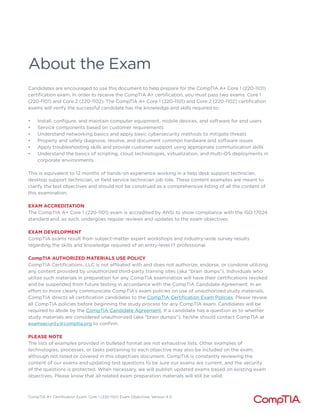
About the Exam
Candidates are encouraged to use this document to help prepare for the CompTIA A+ Core 1 (220-1101)
certification exam. In order to receive the CompTIA A+ certification, you must pass two exams: Core 1
(220-1101) and Core 2 (220-1102). The CompTIA A+ Core 1 (220-1101) and Core 2 (220-1102) certification
exams will verify the successful candidate has the knowledge and skills required to:
• Install, configure, and maintain computer equipment, mobile devices, and software for end users
• Service components based on customer requirements
• Understand networking basics and apply basic cybersecurity methods to mitigate threats
• Properly and safely diagnose, resolve, and document common hardware and software issues
• Apply troubleshooting skills and provide customer support using appropriate communication skills
• Understand the basics of scripting, cloud technologies, virtualization, and multi-OS deployments in
corporate environments
This is equivalent to 12 months of hands-on experience working in a help desk support technician,
desktop support technician, or field service technician job role. These content examples are meant to
clarify the test objectives and should not be construed as a comprehensive listing of all the content of
this examination.
EXAM ACCREDITATION
The CompTIA A+ Core 1 (220-1101) exam is accredited by ANSI to show compliance with the ISO 17024
standard and, as such, undergoes regular reviews and updates to the exam objectives.
EXAM DEVELOPMENT
CompTIA exams result from subject-matter expert workshops and industry-wide survey results
regarding the skills and knowledge required of an entry-level IT professional.
CompTIA AUTHORIZED MATERIALS USE POLICY
CompTIA Certifications, LLC is not affiliated with and does not authorize, endorse, or condone utilizing
any content provided by unauthorized third-party training sites (aka “brain dumps”). Individuals who
utilize such materials in preparation for any CompTIA examination will have their certifications revoked
and be suspended from future testing in accordance with the CompTIA Candidate Agreement. In an
effort to more clearly communicate CompTIA’s exam policies on use of unauthorized study materials,
CompTIA directs all certification candidates to the CompTIA Certification Exam Policies. Please review
all CompTIA policies before beginning the study process for any CompTIA exam. Candidates will be
required to abide by the CompTIA Candidate Agreement. If a candidate has a question as to whether
study materials are considered unauthorized (aka “brain dumps”), he/she should contact CompTIA at
examsecurity@comptia.org to confirm.
PLEASE NOTE
The lists of examples provided in bulleted format are not exhaustive lists. Other examples of
technologies, processes, or tasks pertaining to each objective may also be included on the exam,
although not listed or covered in this objectives document. CompTIA is constantly reviewing the
content of our exams and updating test questions to be sure our exams are current, and the security
of the questions is protected. When necessary, we will publish updated exams based on existing exam
objectives. Please know that all related exam preparation materials will still be valid.
CompTIA A+ Certification Exam: Core 1 (220-1101) Exam Objectives Version 4.0
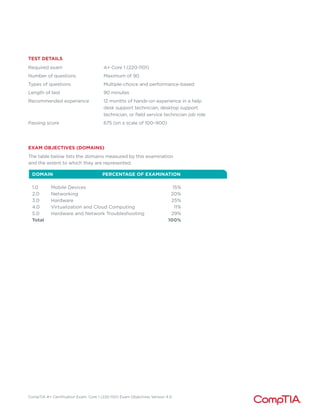
TEST DETAILS
Required exam A+ Core 1 (220-1101)
Number of questions Maximum of 90
Types of questions Multiple-choice and performance-based
Length of test 90 minutes
Recommended experience 12 months of hands-on experience in a help
desk support technician, desktop support
technician, or field service technician job role
Passing score 675 (on a scale of 100–900)
EXAM OBJECTIVES (DOMAINS)
The table below lists the domains measured by this examination
and the extent to which they are represented.
DOMAIN PERCENTAGE OF EXAMINATION
1.0 Mobile Devices		 15%
2.0 Networking		 20%
3.0 Hardware		 25%
4.0 Virtualization and Cloud Computing 11%
5.0 Hardware and Network Troubleshooting		 29%
Total 100%
CompTIA A+ Certification Exam: Core 1 (220-1101) Exam Objectives Version 4.0
1.0 Mobile Devices
1.1
1.2
1.3
Given a scenario, install and configure laptop hardware
and components.
• Hardware/device replacement
- Battery
- Keyboard/keys
- Random-access memory (RAM)
- Hard disk drive (HDD)/solid-
state drive (SSD) migration
- HDD/SSD replacement
- Wireless cards
• Physical privacy and security
components
- Biometrics
- Near-field scanner features
Compare and contrast the display components of mobile devices.
• Types
- Liquid crystal display (LCD)
M In-plane switching (IPS)
M Twisted nematic (TN)
M Vertical alignment (VA)
- Organic light-emitting diode
(OLED)
• Mobile display components
• WiFi antenna connector/
placement
• Camera/webcam
• Microphone
• Touch screen/digitizer
• Inverter
Given a scenario, set up and configure accessories and ports
of mobile devices.
• Connection methods
- Universal Serial Bus (USB)/
USB-C/microUSB/miniUSB
- Lightning
- Serial interfaces
- Near-field communication (NFC)
- Bluetooth
- Hotspot
• Accessories
- Touch pens
- Headsets
- Speakers
- Webcam
• Docking station
• Port replicator
• Trackpad/drawing pad
CompTIA A+ Certification Exam: Core 1 (220-1101) Exam Objectives Version 4.0
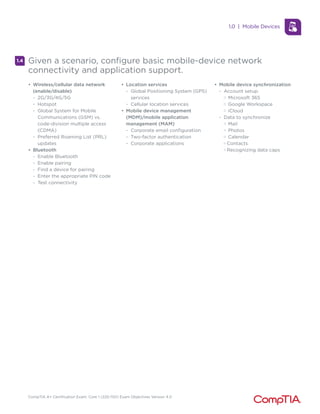
1.4 Given a scenario, configure basic mobile-device network
connectivity and application support.
• Wireless/cellular data network
(enable/disable)
- 2G/3G/4G/5G
- Hotspot
- Global System for Mobile
Communications (GSM) vs.
code-division multiple access
(CDMA)
- Preferred Roaming List (PRL)
updates
• Bluetooth
- Enable Bluetooth
- Enable pairing
- Find a device for pairing
- Enter the appropriate PIN code
- Test connectivity
• Location services
- Global Positioning System (GPS)
services
- Cellular location services
• Mobile device management
(MDM)/mobile application
management (MAM)
- Corporate email configuration
- Two-factor authentication
- Corporate applications
• Mobile device synchronization
- Account setup
M Microsoft 365
M Google Workspace
M iCloud
- Data to synchronize
M Mail
M Photos
M Calendar
M Contacts
M Recognizing data caps
1.0 | Mobile Devices
CompTIA A+ Certification Exam: Core 1 (220-1101) Exam Objectives Version 4.0
2.0 Networking
2.1
2.2
Compare and contrast Transmission Control Protocol (TCP) and
User Datagram Protocol (UDP) ports, protocols, and their purposes.
• Ports and protocols
- 20/21 – File Transfer Protocol
(FTP)
- 22 – Secure Shell (SSH)
- 23 – Telnet
- 25 – Simple Mail Transfer
Protocol (SMTP)
- 53 – Domain Name System
(DNS)
- 67/68 – Dynamic Host
Configuration Protocol (DHCP)
- 80 – Hypertext Transfer Protocol
(HTTP)
- 110 – Post Office Protocol 3
(POP3)
- 137/139 – Network Basic Input/
Output System (NetBIOS)/
NetBIOS over TCP/IP (NetBT)
- 143 – Internet Mail Access
Protocol (IMAP)
- 161/162 – Simple Network
Management Protocol (SNMP)
- 389 – Lightweight Directory
Access Protocol (LDAP)
- 443 – Hypertext Transfer
Protocol Secure (HTTPS)
- 445 – Server Message Block
(SMB)/Common Internet File
System (CIFS)
- 3389 – Remote Desktop Protocol
(RDP)
• TCP vs. UDP
- Connectionless
M DHCP
M Trivial File Transfer Protocol
(TFTP)
- Connection-oriented
M HTTPS
M SSH
Compare and contrast common networking hardware.
• Routers
• Switches
- Managed
- Unmanaged
• Access points
• Patch panel
• Firewall
• Power over Ethernet (PoE)
- Injectors
- Switch
- PoE standards
• Hub
• Cable modem
• Digital subscriber line (DSL)
• Optical network terminal (ONT)
• Network interface card (NIC)
• Software-defined networking
(SDN)
CompTIA A+ Certification Exam: Core 1 (220-1101) Exam Objectives Version 4.0
Compare and contrast protocols for wireless networking.
• Frequencies
- 2.4GHz
- 5GHz
• Channels
- Regulations
- 2.4GHz vs. 5GHz
• Bluetooth
• 802.11
- a
- b
- g
- n
- ac (WiFi 5)
- ax (WiFi 6)
• Long-range fixed wireless
- Licensed
- Unlicensed
- Power
- Regulatory requirements for
wireless power
• NFC
• Radio-frequency identification
(RFID)
2.3
2.4
2.5
Summarize services provided by networked hosts.
• Server roles
- DNS
- DHCP
- Fileshare
- Print servers
- Mail servers
- Syslog
- Web servers
- Authentication, authorization,
and accounting (AAA)
• Internet appliances
- Spam gateways
- Unified threat management
(UTM)
- Load balancers
- Proxy servers
• Legacy/embedded systems
- Supervisory control and data
acquisition (SCADA)
• Internet of Things (IoT) devices
Given a scenario, install and configure basic wired/wireless small
office/home office (SOHO) networks.
• Internet Protocol (IP) addressing
- IPv4
M Private addresses
M Public addresses
- IPv6
- Automatic Private IP Addressing (APIPA)
- Static
- Dynamic
- Gateway
2.0 | Networking
CompTIA A+ Certification Exam: Core 1 (220-1101) Exam Objectives Version 4.0
Compare and contrast common network configuration
concepts.
• DNS
- Address
M A
M AAAA
- Mail exchanger (MX)
- Text (TXT)
M Spam management
(i) DomainKeys Identified Mail (DKIM)
(ii) Sender Policy Framework (SPF)
(iii) Domain-based Message Authentication,
Reporting, and Conformance (DMARC)
• DHCP
- Leases
- Reservations
- Scope
• Virtual LAN (VLAN)
• Virtual private network (VPN)
2.6
2.7
2.8
Compare and contrast Internet connection types, network types,
and their features.
• Internet connection types
- Satellite
- Fiber
- Cable
- DSL
- Cellular
- Wireless Internet service
provider (WISP)
• Network types
- Local area network (LAN)
- Wide area network (WAN)
- Personal area network (PAN)
- Metropolitan area network (MAN)
- Storage area network (SAN)
- Wireless local area network
(WLAN)
Given a scenario, use networking tools.
• Crimper
• Cable stripper
• WiFi analyzer
• Toner probe
• Punchdown tool
• Cable tester
• Loopback plug
• Network tap
2.0 | Networking
CompTIA A+ Certification Exam: Core 1 (220-1101) Exam Objectives Version 4.0
3.0 Hardware
3.1
3.2
Explain basic cable types and their connectors, features,
and purposes.
• Network cables
- Copper
M Cat 5
M Cat 5e
M Cat 6
M Cat 6a
M Coaxial
M Shielded twisted pair
(i) Direct burial
M Unshielded twisted pair
- Plenum
- Optical
M Fiber
- T568A/T568B
• Peripheral cables
- USB 2.0
- USB 3.0
- Serial
- Thunderbolt
• Video cables
- High-Definition Multimedia
Interface (HDMI)
- DisplayPort
- Digital Visual Interface (DVI)
- Video Graphics Array (VGA)
• Hard drive cables
- Serial Advanced Technology
Attachment (SATA)
- Small Computer System
Interface (SCSI)
- External SATA (eSATA)
- Integrated Drive Electronics
(IDE)
• Adapters
• Connector types
- RJ11
- RJ45
- F type
- Straight tip (ST)
- Subscriber connector (SC)
- Lucent connector (LC)
- Punchdown block
- microUSB
- miniUSB
- USB-C
- Molex
- Lightning port
- DB9
Given a scenario, install the appropriate RAM.
• RAM types
- Virtual RAM
- Small outline dual inline memory
module (SODIMM)
- Double Data Rate 3 (DDR3)
- Double Data Rate 4 (DDR4)
- Double Data Rate 5 (DDR5)
- Error correction code (ECC)
RAM
• Single-channel
• Dual-channel
• Triple-channel
• Quad-channel
CompTIA A+ Certification Exam: Core 1 (220-1101) Exam Objectives Version 4.0
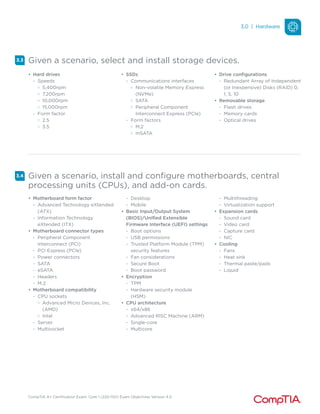
Given a scenario, select and install storage devices.
3.3
3.4
• Hard drives
- Speeds
M 5,400rpm
M 7,200rpm
M 10,000rpm
M 15,000rpm
- Form factor
M 2.5
M 3.5
• SSDs
- Communications interfaces
M Non-volatile Memory Express
(NVMe)
M SATA
M Peripheral Component
Interconnect Express (PCIe)
- Form factors
M M.2
M mSATA
• Drive configurations
- Redundant Array of Independent
(or Inexpensive) Disks (RAID) 0,
1, 5, 10
• Removable storage
- Flash drives
- Memory cards
- Optical drives
Given a scenario, install and configure motherboards, central
processing units (CPUs), and add-on cards.
• Motherboard form factor
- Advanced Technology eXtended
(ATX)
- Information Technology
eXtended (ITX)
• Motherboard connector types
- Peripheral Component
Interconnect (PCI)
- PCI Express (PCIe)
- Power connectors
- SATA
- eSATA
- Headers
- M.2
• Motherboard compatibility
- CPU sockets
M Advanced Micro Devices, Inc.
(AMD)
M Intel
- Server
- Multisocket
- Desktop
- Mobile
• Basic Input/Output System
(BIOS)/Unified Extensible
Firmware Interface (UEFI) settings
- Boot options
- USB permissions
- Trusted Platform Module (TPM)
security features
- Fan considerations
- Secure Boot
- Boot password
• Encryption
- TPM
- Hardware security module
(HSM)
• CPU architecture
- x64/x86
- Advanced RISC Machine (ARM)
- Single-core
- Multicore
- Multithreading
- Virtualization support
• Expansion cards
- Sound card
- Video card
- Capture card
- NIC
• Cooling
- Fans
- Heat sink
- Thermal paste/pads
- Liquid
3.0 | Hardware
CompTIA A+ Certification Exam: Core 1 (220-1101) Exam Objectives Version 4.0
3.5
3.6
3.7
Given a scenario, install or replace the appropriate power
supply.
• Input 110-120 VAC vs. 220-240 VAC
• Output 3.3V vs. 5V vs. 12V
• 20-pin to 24-pin motherboard adapter
• Redundant power supply
• Modular power supply
• Wattage rating
Given a scenario, deploy and configure multifunction devices/
printers and settings.
• Properly unboxing a device –
setup location considerations
• Use appropriate drivers for a
given OS
- Printer Control Language (PCL)
vs. PostScript
• Device connectivity
- USB
- Ethernet
- Wireless
• Public/shared devices
- Printer share
- Print server
• Configuration settings
- Duplex
- Orientation
- Tray settings
- Quality
• Security
- User authentication
- Badging
- Audit logs
- Secured prints
• Network scan services
- Email
- SMB
- Cloud services
• Automatic document feeder
(ADF)/flatbed scanner
Given a scenario, install and replace printer consumables.
• Laser
- Imaging drum, fuser assembly,
transfer belt, transfer roller,
pickup rollers, separation pads,
duplexing assembly
- Imaging process: processing,
charging, exposing, developing,
transferring, fusing, and cleaning
- Maintenance: Replace toner,
apply maintenance kit, calibrate,
clean
• Inkjet
- Ink cartridge, print head, roller,
feeder, duplexing assembly,
carriage belt
- Calibration
- Maintenance: Clean heads,
replace cartridges, calibrate,
clear jams
• Thermal
- Feed assembly, heating element
- Special thermal paper
- Maintenance: Replace paper,
clean heating element, remove
debris
- Heat sensitivity of paper
• Impact
- Print head, ribbon, tractor feed
- Impact paper
- Maintenance: Replace ribbon,
replace print head, replace paper
• 3-D printer
- Filament
- Resin
- Print bed
3.0 | Hardware
CompTIA A+ Certification Exam: Core 1 (220-1101) Exam Objectives Version 4.0
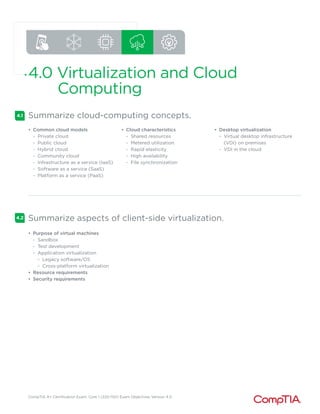
4.0 Virtualization and Cloud
Computing
4.1
4.2
Summarize cloud-computing concepts.
• Common cloud models
- Private cloud
- Public cloud
- Hybrid cloud
- Community cloud
- Infrastructure as a service (IaaS)
- Software as a service (SaaS)
- Platform as a service (PaaS)
• Cloud characteristics
- Shared resources
- Metered utilization
- Rapid elasticity
- High availability
- File synchronization
• Desktop virtualization
- Virtual desktop infrastructure
(VDI) on premises
- VDI in the cloud
Summarize aspects of client-side virtualization.
• Purpose of virtual machines
- Sandbox
- Test development
- Application virtualization
M Legacy software/OS
M Cross-platform virtualization
• Resource requirements
• Security requirements
CompTIA A+ Certification Exam: Core 1 (220-1101) Exam Objectives Version 4.0
5.0 Hardware and Network
Troubleshooting
5.1
5.2
Given a scenario, apply the best practice methodology to resolve
problems.
• Always consider corporate
policies, procedures, and impacts
before implementing changes
1. Identify the problem
- Gather information from the
user, identify user changes, and,
if applicable, perform backups
before making changes
- Inquire regarding
environmental or infrastructure
changes
2. Establish a theory of probable
cause (question the obvious)
- If necessary, conduct external
or internal research based on
symptoms
3.Test the theory to determine the
cause
- Once the theory is confirmed,
determine the next steps to
resolve the problem
- If the theory is not confirmed,
re-establish a new theory or
escalate
4.Establish a plan of action
to resolve the problem and
implement the solution
- Refer to the vendor’s
instructions for guidance
5.Verify full system functionality
and, if applicable, implement
preventive measures
6.Document the findings, actions,
and outcomes
Given a scenario, troubleshoot problems related to motherboards,
RAM, CPU, and power.
• Common symptoms
- Power-on self-test (POST) beeps
- Proprietary crash screens
(blue screen of death [BSOD]/
pinwheel)
- Black screen
- No power
- Sluggish performance
- Overheating
- Burning smell
- Intermittent shutdown
- Application crashes
- Grinding noise
- Capacitor swelling
- Inaccurate system date/time
CompTIA A+ Certification Exam: Core 1 (220-1101) Exam Objectives Version 4.0
5.3
5.4
5.5
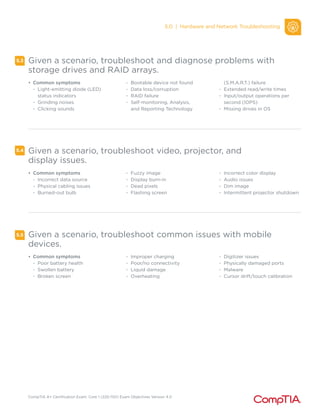
Given a scenario, troubleshoot and diagnose problems with
storage drives and RAID arrays.
• Common symptoms
- Light-emitting diode (LED)
status indicators
- Grinding noises
- Clicking sounds
- Bootable device not found
- Data loss/corruption
- RAID failure
- Self-monitoring, Analysis,
and Reporting Technology
(S.M.A.R.T.) failure
- Extended read/write times
- Input/output operations per
second (IOPS)
- Missing drives in OS
Given a scenario, troubleshoot video, projector, and
display issues.
• Common symptoms
- Incorrect data source
- Physical cabling issues
- Burned-out bulb
- Fuzzy image
- Display burn-in
- Dead pixels
- Flashing screen
- Incorrect color display
- Audio issues
- Dim image
- Intermittent projector shutdown
Given a scenario, troubleshoot common issues with mobile
devices.
• Common symptoms
- Poor battery health
- Swollen battery
- Broken screen
- Improper charging
- Poor/no connectivity
- Liquid damage
- Overheating
- Digitizer issues
- Physically damaged ports
- Malware
- Cursor drift/touch calibration
5.0 | Hardware and Network Troubleshooting
CompTIA A+ Certification Exam: Core 1 (220-1101) Exam Objectives Version 4.0
Given a scenario, troubleshoot and resolve printer issues.
5.6
5.7
• Common symptoms
- Lines down the printed pages
- Garbled print
- Toner not fusing to paper
- Paper jams
- Faded print
- Incorrect paper size
- Paper not feeding
- Multipage misfeed
- Multiple prints pending in queue
- Speckling on printed pages
- Double/echo images on the print
- Incorrect color settings
- Grinding noise
- Finishing issues
M Staple jams
M Hole punch
- Incorrect page orientation
Given a scenario, troubleshoot problems with wired and wireless
networks.
• Common symptoms
- Intermittent wireless
connectivity
- Slow network speeds
- Limited connectivity
- Jitter
- Poor Voice over Internet
Protocol (VoIP) quality
- Port flapping
- High latency
- External interference
5.0 | Hardware and Network Troubleshooting
CompTIA A+ Certification Exam: Core 1 (220-1101) Exam Objectives Version 4.0
CompTIA A+ Core 1 (220-1101) Acronym List
The following is a list of acronyms that appear on the CompTIA A+
Core 1 (220-1101) exam. Candidates are encouraged to review the complete
list and attain a working knowledge of all listed acronyms as part of a
comprehensive exam preparation program.
Acronym Definition
AAA Authentication, Authorization, and
Accounting
AC Alternating Current
ACL Access Control List
ADF Automatic Document Feeder
AES Advanced Encryption Standard
AP Access Point
APFS Apple File System
APIPA Automatic Private Internet Protocol
Addressing
APK Android Package
ARM Advanced RISC [Reduced Instruction Set
Computer] Machine
ARP Address Resolution Protocol
ATA Advanced Technology Attachment
ATM Asynchronous Transfer Mode
ATX Advanced Technology Extended
AUP Acceptable Use Policy
BIOS Basic Input/Output System
BSOD Blue Screen of Death
BYOD Bring Your Own Device
CAD Computer-aided Design
CAPTCHA Completely Automated Public Turing Test
to Tell Computers and Humans Apart
CD Compact Disc
CDFS Compact Disc File System
CDMA Code-Division Multiple Access
CERT Computer Emergency Response Team
CIFS Common Internet File System
CMD Command Prompt
CMOS Complementary Metal-Oxide
Semiconductor
CPU Central Processing Unit
CRL Certificate Revocation List
DC Direct Current
DDoS Distributed Denial of Service
DDR Double Data Rate
DHCP Dynamic Host Configuration Protocol
Acronym Definition
DIMM Dual Inline Memory Module
DKIM DomainKeys Identified Mail
DMA Direct Memory Access
DMARC Domain-based Message Authentication,
Reporting, and Conformance
DNS Domain Name System
DoS Denial of Service
DRAM Dynamic Random-Access Memory
DRM Digital Rights Management
DSL Digital Subscriber Line
DVI Digital Visual Interface
DVI-D Digital Visual Interface-Digital
ECC Error Correcting Code
EFS Encrypting File System
EMI Electromagnetic Interference
EOL End-of-Life
eSATA External Serial Advanced Technology
Attachment
ESD Electrostatic Discharge
EULA End-User License Agreement
exFAT Extensible File Allocation Table
ext Extended File System
FAT File Allocation Table
FAT12 12-bit File Allocation Table
FAT16 16-bit File Allocation Table
FAT32 32-bit File Allocation Table
FSB Front-Side Bus
FTP File Transfer Protocol
GFS Grandfather-Father-Son
GPS Global Positioning System
GPT GUID [Globally Unique Identifier] Partition
Table
GPU Graphics Processing Unit
GSM Global System for Mobile Communications
GUI Graphical User Interface
GUID Globally Unique Identifier
HAL Hardware Abstraction Layer
HAV Hardware-assisted Virtualization
CompTIA A+ Certification Exam: Core 1 (220-1101) Exam Objectives Version 4.0
Acronym Definition
HCL Hardware Compatibility List
HDCP High-bandwidth Digital Content Protection
HDD Hard Disk Drive
HDMI High-Definition Multimedia Interface
HSM Hardware Security Module
HTML Hypertext Markup Language
HTTP Hypertext Transfer Protocol
HTTPS Hypertext Transfer Protocol Secure
I/O Input/Output
IaaS Infrastructure as a Service
ICR Intelligent Character Recognition
IDE Integrated Drive Electronics
IDS Intrusion Detection System
IEEE Institute of Electrical and Electronics
Engineers
IMAP Internet Mail Access Protocol
IOPS Input/Output Operations Per Second
IoT Internet of Things
IP Internet Protocol
IPS Intrusion Prevention System
IPS In-plane Switching
IPSec Internet Protocol Security
IR Infrared
IrDA Infrared Data Association
IRP Incident Response Plan
ISO International Organization for
Standardization
ISP Internet Service Provider
ITX Information Technology eXtended
KB Knowledge Base
KVM Keyboard-Video-Mouse
LAN Local Area Network
LC Lucent Connector
LCD Liquid Crystal Display
LDAP Lightweight Directory Access Protocol
LED Light-emitting Diode
MAC Media Access Control/Mandatory Access
Control
MAM Mobile Application Management
MAN Metropolitan Area Network
MBR Master Boot Record
MDM Mobile Device Management
MFA Multifactor Authentication
MFD Multifunction Device
MFP Multifunction Printer
MMC Microsoft Management Console
MOU Memorandum of Understanding
MSDS Material Safety Data Sheet
MSRA Microsoft Remote Assistance
Acronym Definition
MX Mail Exchange
NAC Network Access Control
NAT Network Address Translation
NDA Non-disclosure Agreement
NetBIOS Networked Basic Input/Output System
NetBT NetBIOS over TCP/IP [Transmission Control
Protocol/Internet Protocol]
NFC Near-field Communication
NFS Network File System
NIC Network Interface Card
NTFS New Technology File System
NVMe Non-volatile Memory Express
OCR Optical Character Recognition
OLED Organic Light-emitting Diode
ONT Optical Network Terminal
OS Operating System
PaaS Platform as a Service
PAN Personal Area Network
PC Personal Computer
PCIe Peripheral Component Interconnect Express
PCL Printer Command Language
PE Preinstallation Environment
PII Personally Identifiable Information
PIN Personal Identification Number
PKI Public Key Infrastructure
PoE Power over Ethernet
POP3 Post Office Protocol 3
POST Power-on Self-Test
PPP Point-to-Point Protocol
PRL Preferred Roaming List
PSU Power Supply Unit
PXE Preboot Execution Environment
RADIUS Remote Authentication Dial-in User Service
RAID Redundant Array of Independent (or
Inexpensive) Disks
RAM Random-access Memory
RDP Remote Desktop Protocol
RF Radio Frequency
RFI Radio-Frequency Interference
RFID Radio-Frequency Identification
RJ11 Registered Jack Function 11
RJ45 Registered Jack Function 45
RMM Remote Monitoring and Management
RTO Recovery Time Objective
SaaS Software as a Service
SAN Storage Area Network
SAS Serial Attached SCSI [Small Computer
System Interface]
SATA Serial Advanced Technology Attachment
CompTIA A+ Certification Exam: Core 1 (220-1101) Exam Objectives Version 4.0
Acronym Definition
SC Subscriber Connector
SCADA Supervisory Control and Data Acquisition
SCP Secure Copy Protection
SCSI Small Computer System Interface
SDN Software-defined Networking
SFTP Secure File Transfer Protocol
SIM Subscriber Identity Module
SIMM Single Inline Memory Module
S.M.A.R.T. Self-monitoring Analysis and Reporting
Technology
SMB Server Message Block
SMS Short Message Service
SMTP Simple Mail Transfer Protocol
SNMP Simple Network Management Protocol
SNTP Simple Network Time Protocol
SODIMM Small Outline Dual Inline Memory Module
SOHO Small Office/Home Office
SPF Sender Policy Framework
SQL Structured Query Language
SRAM Static Random-access Memory
SSD Solid-State Drive
SSH Secure Shell
SSID Service Set Identifier
SSL Secure Sockets Layer
SSO Single Sign-on
ST Straight Tip
STP Shielded Twisted Pair
TACACS Terminal Access Controller Access-Control
System
TCP Transmission Control Protocol
TCP/IP Transmission Control Protocol/Internet
Protocol
TFTP Trivial File Transfer Protocol
TKIP Temporal Key Integrity Protocol
Acronym Definition
TLS Transport Layer Security
TN Twisted Nematic
TPM Trusted Platform Module
UAC User Account Control
UDP User Datagram Protocol
UEFI Unified Extensible Firmware Interface
UNC Universal Naming Convention
UPnP Universal Plug and Play
UPS Uninterruptible Power Supply
USB Universal Serial Bus
UTM Unified Threat Management
UTP Unshielded Twisted Pair
VA Vertical Alignment
VDI Virtual Desktop Infrastructure
VGA Video Graphics Array
VLAN Virtual LAN [Local Area Network]
VM Virtual Machine
VNC Virtual Network Computer
VoIP Voice over Internet Protocol
VPN Virtual Private Network
VRAM Video Random-access Memory
WAN Wide Area Network
WEP Wired Equivalent Privacy
WISP Wireless Internet Service Provider
WLAN Wireless LAN [Local Area Network]
WMN Wireless Mesh Network
WPA WiFi Protected Access
WWAN Wireless Wide Area Network
XSS Cross-site Scripting
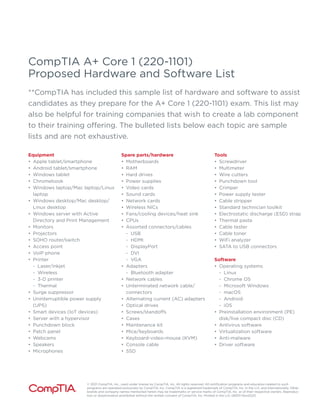
CompTIA A+ Core 1 (220-1101)
Proposed Hardware and Software List
**CompTIA has included this sample list of hardware and software to assist
candidates as they prepare for the A+ Core 1 (220-1101) exam. This list may
also be helpful for training companies that wish to create a lab component
to their training offering. The bulleted lists below each topic are sample
lists and are not exhaustive.
Equipment
• Apple tablet/smartphone
• Android tablet/smartphone
• Windows tablet
• Chromebook
• Windows laptop/Mac laptop/Linux
laptop
• Windows desktop/Mac desktop/
Linux desktop
• Windows server with Active
Directory and Print Management
• Monitors
• Projectors
• SOHO router/switch
• Access point
• VoIP phone
• Printer
- Laser/inkjet
- Wireless
- 3-D printer
- Thermal
• Surge suppressor
• Uninterruptible power supply
(UPS)
• Smart devices (IoT devices)
• Server with a hypervisor
• Punchdown block
• Patch panel
• Webcams
• Speakers
• Microphones
Spare parts/hardware
• Motherboards
• RAM
• Hard drives
• Power supplies
• Video cards
• Sound cards
• Network cards
• Wireless NICs
• Fans/cooling devices/heat sink
• CPUs
• Assorted connectors/cables
- USB
- HDMI
- DisplayPort
- DVI
- VGA
• Adapters
- Bluetooth adapter
• Network cables
• Unterminated network cable/
connectors
• Alternating current (AC) adapters
• Optical drives
• Screws/standoffs
• Cases
• Maintenance kit
• Mice/keyboards
• Keyboard-video-mouse (KVM)
• Console cable
• SSD
Tools
• Screwdriver
• Multimeter
• Wire cutters
• Punchdown tool
• Crimper
• Power supply tester
• Cable stripper
• Standard technician toolkit
• Electrostatic discharge (ESD) strap
• Thermal paste
• Cable tester
• Cable toner
• WiFi analyzer
• SATA to USB connectors
Software
• Operating systems
- Linux
- Chrome OS
- Microsoft Windows
- macOS
- Android
- iOS
• Preinstallation environment (PE)
disk/live compact disc (CD)
• Antivirus software
• Virtualization software
• Anti-malware
• Driver software
© 2021 CompTIA, Inc., used under license by CompTIA, Inc. All rights reserved. All certification programs and education related to such
programs are operated exclusively by CompTIA, Inc. CompTIA is a registered trademark of CompTIA, Inc. in the U.S. and internationally. Other
brands and company names mentioned herein may be trademarks or service marks of CompTIA, Inc. or of their respective owners. Reproduc-
tion or dissemination prohibited without the written consent of CompTIA, Inc. Printed in the U.S. 08301-Nov2020

CompTIA+A++Core+1+(220-1101)+Exam+Objectives.pdf

  • 1.
    CompTIA A+ Certification Exam Core1 Objectives EXAM NUMBER: CORE 1 (220-1101)
  • 2.
    CompTIA A+ CertificationExam: Core 1 (220-1101) Exam Objectives Version 4.0 About the Exam Candidates are encouraged to use this document to help prepare for the CompTIA A+ Core 1 (220-1101) certification exam. In order to receive the CompTIA A+ certification, you must pass two exams: Core 1 (220-1101) and Core 2 (220-1102). The CompTIA A+ Core 1 (220-1101) and Core 2 (220-1102) certification exams will verify the successful candidate has the knowledge and skills required to: • Install, configure, and maintain computer equipment, mobile devices, and software for end users • Service components based on customer requirements • Understand networking basics and apply basic cybersecurity methods to mitigate threats • Properly and safely diagnose, resolve, and document common hardware and software issues • Apply troubleshooting skills and provide customer support using appropriate communication skills • Understand the basics of scripting, cloud technologies, virtualization, and multi-OS deployments in corporate environments This is equivalent to 12 months of hands-on experience working in a help desk support technician, desktop support technician, or field service technician job role. These content examples are meant to clarify the test objectives and should not be construed as a comprehensive listing of all the content of this examination. EXAM ACCREDITATION The CompTIA A+ Core 1 (220-1101) exam is accredited by ANSI to show compliance with the ISO 17024 standard and, as such, undergoes regular reviews and updates to the exam objectives. EXAM DEVELOPMENT CompTIA exams result from subject-matter expert workshops and industry-wide survey results regarding the skills and knowledge required of an entry-level IT professional. CompTIA AUTHORIZED MATERIALS USE POLICY CompTIA Certifications, LLC is not affiliated with and does not authorize, endorse, or condone utilizing any content provided by unauthorized third-party training sites (aka “brain dumps”). Individuals who utilize such materials in preparation for any CompTIA examination will have their certifications revoked and be suspended from future testing in accordance with the CompTIA Candidate Agreement. In an effort to more clearly communicate CompTIA’s exam policies on use of unauthorized study materials, CompTIA directs all certification candidates to the CompTIA Certification Exam Policies. Please review all CompTIA policies before beginning the study process for any CompTIA exam. Candidates will be required to abide by the CompTIA Candidate Agreement. If a candidate has a question as to whether study materials are considered unauthorized (aka “brain dumps”), he/she should contact CompTIA at examsecurity@comptia.org to confirm. PLEASE NOTE The lists of examples provided in bulleted format are not exhaustive lists. Other examples of technologies, processes, or tasks pertaining to each objective may also be included on the exam, although not listed or covered in this objectives document. CompTIA is constantly reviewing the content of our exams and updating test questions to be sure our exams are current, and the security of the questions is protected. When necessary, we will publish updated exams based on existing exam objectives. Please know that all related exam preparation materials will still be valid.
  • 3.
    CompTIA A+ CertificationExam: Core 1 (220-1101) Exam Objectives Version 4.0 TEST DETAILS Required exam A+ Core 1 (220-1101) Number of questions Maximum of 90 Types of questions Multiple-choice and performance-based Length of test 90 minutes Recommended experience 12 months of hands-on experience in a help desk support technician, desktop support technician, or field service technician job role Passing score 675 (on a scale of 100–900) EXAM OBJECTIVES (DOMAINS) The table below lists the domains measured by this examination and the extent to which they are represented. DOMAIN PERCENTAGE OF EXAMINATION 1.0 Mobile Devices 15% 2.0 Networking 20% 3.0 Hardware 25% 4.0 Virtualization and Cloud Computing 11% 5.0 Hardware and Network Troubleshooting 29% Total 100%
  • 4.
    CompTIA A+ CertificationExam: Core 1 (220-1101) Exam Objectives Version 4.0 1.0 Mobile Devices 1.1 1.2 1.3 Given a scenario, install and configure laptop hardware and components. • Hardware/device replacement - Battery - Keyboard/keys - Random-access memory (RAM) - Hard disk drive (HDD)/solid- state drive (SSD) migration - HDD/SSD replacement - Wireless cards • Physical privacy and security components - Biometrics - Near-field scanner features Compare and contrast the display components of mobile devices. • Types - Liquid crystal display (LCD) M In-plane switching (IPS) M Twisted nematic (TN) M Vertical alignment (VA) - Organic light-emitting diode (OLED) • Mobile display components • WiFi antenna connector/ placement • Camera/webcam • Microphone • Touch screen/digitizer • Inverter Given a scenario, set up and configure accessories and ports of mobile devices. • Connection methods - Universal Serial Bus (USB)/ USB-C/microUSB/miniUSB - Lightning - Serial interfaces - Near-field communication (NFC) - Bluetooth - Hotspot • Accessories - Touch pens - Headsets - Speakers - Webcam • Docking station • Port replicator • Trackpad/drawing pad
  • 5.
    CompTIA A+ CertificationExam: Core 1 (220-1101) Exam Objectives Version 4.0 1.4 Given a scenario, configure basic mobile-device network connectivity and application support. • Wireless/cellular data network (enable/disable) - 2G/3G/4G/5G - Hotspot - Global System for Mobile Communications (GSM) vs. code-division multiple access (CDMA) - Preferred Roaming List (PRL) updates • Bluetooth - Enable Bluetooth - Enable pairing - Find a device for pairing - Enter the appropriate PIN code - Test connectivity • Location services - Global Positioning System (GPS) services - Cellular location services • Mobile device management (MDM)/mobile application management (MAM) - Corporate email configuration - Two-factor authentication - Corporate applications • Mobile device synchronization - Account setup M Microsoft 365 M Google Workspace M iCloud - Data to synchronize M Mail M Photos M Calendar M Contacts M Recognizing data caps 1.0 | Mobile Devices
  • 6.
    CompTIA A+ CertificationExam: Core 1 (220-1101) Exam Objectives Version 4.0 2.0 Networking 2.1 2.2 Compare and contrast Transmission Control Protocol (TCP) and User Datagram Protocol (UDP) ports, protocols, and their purposes. • Ports and protocols - 20/21 – File Transfer Protocol (FTP) - 22 – Secure Shell (SSH) - 23 – Telnet - 25 – Simple Mail Transfer Protocol (SMTP) - 53 – Domain Name System (DNS) - 67/68 – Dynamic Host Configuration Protocol (DHCP) - 80 – Hypertext Transfer Protocol (HTTP) - 110 – Post Office Protocol 3 (POP3) - 137/139 – Network Basic Input/ Output System (NetBIOS)/ NetBIOS over TCP/IP (NetBT) - 143 – Internet Mail Access Protocol (IMAP) - 161/162 – Simple Network Management Protocol (SNMP) - 389 – Lightweight Directory Access Protocol (LDAP) - 443 – Hypertext Transfer Protocol Secure (HTTPS) - 445 – Server Message Block (SMB)/Common Internet File System (CIFS) - 3389 – Remote Desktop Protocol (RDP) • TCP vs. UDP - Connectionless M DHCP M Trivial File Transfer Protocol (TFTP) - Connection-oriented M HTTPS M SSH Compare and contrast common networking hardware. • Routers • Switches - Managed - Unmanaged • Access points • Patch panel • Firewall • Power over Ethernet (PoE) - Injectors - Switch - PoE standards • Hub • Cable modem • Digital subscriber line (DSL) • Optical network terminal (ONT) • Network interface card (NIC) • Software-defined networking (SDN)
  • 7.
    CompTIA A+ CertificationExam: Core 1 (220-1101) Exam Objectives Version 4.0 Compare and contrast protocols for wireless networking. • Frequencies - 2.4GHz - 5GHz • Channels - Regulations - 2.4GHz vs. 5GHz • Bluetooth • 802.11 - a - b - g - n - ac (WiFi 5) - ax (WiFi 6) • Long-range fixed wireless - Licensed - Unlicensed - Power - Regulatory requirements for wireless power • NFC • Radio-frequency identification (RFID) 2.3 2.4 2.5 Summarize services provided by networked hosts. • Server roles - DNS - DHCP - Fileshare - Print servers - Mail servers - Syslog - Web servers - Authentication, authorization, and accounting (AAA) • Internet appliances - Spam gateways - Unified threat management (UTM) - Load balancers - Proxy servers • Legacy/embedded systems - Supervisory control and data acquisition (SCADA) • Internet of Things (IoT) devices Given a scenario, install and configure basic wired/wireless small office/home office (SOHO) networks. • Internet Protocol (IP) addressing - IPv4 M Private addresses M Public addresses - IPv6 - Automatic Private IP Addressing (APIPA) - Static - Dynamic - Gateway 2.0 | Networking
  • 8.
    CompTIA A+ CertificationExam: Core 1 (220-1101) Exam Objectives Version 4.0 Compare and contrast common network configuration concepts. • DNS - Address M A M AAAA - Mail exchanger (MX) - Text (TXT) M Spam management (i) DomainKeys Identified Mail (DKIM) (ii) Sender Policy Framework (SPF) (iii) Domain-based Message Authentication, Reporting, and Conformance (DMARC) • DHCP - Leases - Reservations - Scope • Virtual LAN (VLAN) • Virtual private network (VPN) 2.6 2.7 2.8 Compare and contrast Internet connection types, network types, and their features. • Internet connection types - Satellite - Fiber - Cable - DSL - Cellular - Wireless Internet service provider (WISP) • Network types - Local area network (LAN) - Wide area network (WAN) - Personal area network (PAN) - Metropolitan area network (MAN) - Storage area network (SAN) - Wireless local area network (WLAN) Given a scenario, use networking tools. • Crimper • Cable stripper • WiFi analyzer • Toner probe • Punchdown tool • Cable tester • Loopback plug • Network tap 2.0 | Networking
  • 9.
    CompTIA A+ CertificationExam: Core 1 (220-1101) Exam Objectives Version 4.0 3.0 Hardware 3.1 3.2 Explain basic cable types and their connectors, features, and purposes. • Network cables - Copper M Cat 5 M Cat 5e M Cat 6 M Cat 6a M Coaxial M Shielded twisted pair (i) Direct burial M Unshielded twisted pair - Plenum - Optical M Fiber - T568A/T568B • Peripheral cables - USB 2.0 - USB 3.0 - Serial - Thunderbolt • Video cables - High-Definition Multimedia Interface (HDMI) - DisplayPort - Digital Visual Interface (DVI) - Video Graphics Array (VGA) • Hard drive cables - Serial Advanced Technology Attachment (SATA) - Small Computer System Interface (SCSI) - External SATA (eSATA) - Integrated Drive Electronics (IDE) • Adapters • Connector types - RJ11 - RJ45 - F type - Straight tip (ST) - Subscriber connector (SC) - Lucent connector (LC) - Punchdown block - microUSB - miniUSB - USB-C - Molex - Lightning port - DB9 Given a scenario, install the appropriate RAM. • RAM types - Virtual RAM - Small outline dual inline memory module (SODIMM) - Double Data Rate 3 (DDR3) - Double Data Rate 4 (DDR4) - Double Data Rate 5 (DDR5) - Error correction code (ECC) RAM • Single-channel • Dual-channel • Triple-channel • Quad-channel
  • 10.
    CompTIA A+ CertificationExam: Core 1 (220-1101) Exam Objectives Version 4.0 Given a scenario, select and install storage devices. 3.3 3.4 • Hard drives - Speeds M 5,400rpm M 7,200rpm M 10,000rpm M 15,000rpm - Form factor M 2.5 M 3.5 • SSDs - Communications interfaces M Non-volatile Memory Express (NVMe) M SATA M Peripheral Component Interconnect Express (PCIe) - Form factors M M.2 M mSATA • Drive configurations - Redundant Array of Independent (or Inexpensive) Disks (RAID) 0, 1, 5, 10 • Removable storage - Flash drives - Memory cards - Optical drives Given a scenario, install and configure motherboards, central processing units (CPUs), and add-on cards. • Motherboard form factor - Advanced Technology eXtended (ATX) - Information Technology eXtended (ITX) • Motherboard connector types - Peripheral Component Interconnect (PCI) - PCI Express (PCIe) - Power connectors - SATA - eSATA - Headers - M.2 • Motherboard compatibility - CPU sockets M Advanced Micro Devices, Inc. (AMD) M Intel - Server - Multisocket - Desktop - Mobile • Basic Input/Output System (BIOS)/Unified Extensible Firmware Interface (UEFI) settings - Boot options - USB permissions - Trusted Platform Module (TPM) security features - Fan considerations - Secure Boot - Boot password • Encryption - TPM - Hardware security module (HSM) • CPU architecture - x64/x86 - Advanced RISC Machine (ARM) - Single-core - Multicore - Multithreading - Virtualization support • Expansion cards - Sound card - Video card - Capture card - NIC • Cooling - Fans - Heat sink - Thermal paste/pads - Liquid 3.0 | Hardware
  • 11.
    CompTIA A+ CertificationExam: Core 1 (220-1101) Exam Objectives Version 4.0 3.5 3.6 3.7 Given a scenario, install or replace the appropriate power supply. • Input 110-120 VAC vs. 220-240 VAC • Output 3.3V vs. 5V vs. 12V • 20-pin to 24-pin motherboard adapter • Redundant power supply • Modular power supply • Wattage rating Given a scenario, deploy and configure multifunction devices/ printers and settings. • Properly unboxing a device – setup location considerations • Use appropriate drivers for a given OS - Printer Control Language (PCL) vs. PostScript • Device connectivity - USB - Ethernet - Wireless • Public/shared devices - Printer share - Print server • Configuration settings - Duplex - Orientation - Tray settings - Quality • Security - User authentication - Badging - Audit logs - Secured prints • Network scan services - Email - SMB - Cloud services • Automatic document feeder (ADF)/flatbed scanner Given a scenario, install and replace printer consumables. • Laser - Imaging drum, fuser assembly, transfer belt, transfer roller, pickup rollers, separation pads, duplexing assembly - Imaging process: processing, charging, exposing, developing, transferring, fusing, and cleaning - Maintenance: Replace toner, apply maintenance kit, calibrate, clean • Inkjet - Ink cartridge, print head, roller, feeder, duplexing assembly, carriage belt - Calibration - Maintenance: Clean heads, replace cartridges, calibrate, clear jams • Thermal - Feed assembly, heating element - Special thermal paper - Maintenance: Replace paper, clean heating element, remove debris - Heat sensitivity of paper • Impact - Print head, ribbon, tractor feed - Impact paper - Maintenance: Replace ribbon, replace print head, replace paper • 3-D printer - Filament - Resin - Print bed 3.0 | Hardware
  • 12.
    CompTIA A+ CertificationExam: Core 1 (220-1101) Exam Objectives Version 4.0 4.0 Virtualization and Cloud Computing 4.1 4.2 Summarize cloud-computing concepts. • Common cloud models - Private cloud - Public cloud - Hybrid cloud - Community cloud - Infrastructure as a service (IaaS) - Software as a service (SaaS) - Platform as a service (PaaS) • Cloud characteristics - Shared resources - Metered utilization - Rapid elasticity - High availability - File synchronization • Desktop virtualization - Virtual desktop infrastructure (VDI) on premises - VDI in the cloud Summarize aspects of client-side virtualization. • Purpose of virtual machines - Sandbox - Test development - Application virtualization M Legacy software/OS M Cross-platform virtualization • Resource requirements • Security requirements
  • 13.
    CompTIA A+ CertificationExam: Core 1 (220-1101) Exam Objectives Version 4.0 5.0 Hardware and Network Troubleshooting 5.1 5.2 Given a scenario, apply the best practice methodology to resolve problems. • Always consider corporate policies, procedures, and impacts before implementing changes 1. Identify the problem - Gather information from the user, identify user changes, and, if applicable, perform backups before making changes - Inquire regarding environmental or infrastructure changes 2. Establish a theory of probable cause (question the obvious) - If necessary, conduct external or internal research based on symptoms 3.Test the theory to determine the cause - Once the theory is confirmed, determine the next steps to resolve the problem - If the theory is not confirmed, re-establish a new theory or escalate 4.Establish a plan of action to resolve the problem and implement the solution - Refer to the vendor’s instructions for guidance 5.Verify full system functionality and, if applicable, implement preventive measures 6.Document the findings, actions, and outcomes Given a scenario, troubleshoot problems related to motherboards, RAM, CPU, and power. • Common symptoms - Power-on self-test (POST) beeps - Proprietary crash screens (blue screen of death [BSOD]/ pinwheel) - Black screen - No power - Sluggish performance - Overheating - Burning smell - Intermittent shutdown - Application crashes - Grinding noise - Capacitor swelling - Inaccurate system date/time
  • 14.
    CompTIA A+ CertificationExam: Core 1 (220-1101) Exam Objectives Version 4.0 5.3 5.4 5.5 Given a scenario, troubleshoot and diagnose problems with storage drives and RAID arrays. • Common symptoms - Light-emitting diode (LED) status indicators - Grinding noises - Clicking sounds - Bootable device not found - Data loss/corruption - RAID failure - Self-monitoring, Analysis, and Reporting Technology (S.M.A.R.T.) failure - Extended read/write times - Input/output operations per second (IOPS) - Missing drives in OS Given a scenario, troubleshoot video, projector, and display issues. • Common symptoms - Incorrect data source - Physical cabling issues - Burned-out bulb - Fuzzy image - Display burn-in - Dead pixels - Flashing screen - Incorrect color display - Audio issues - Dim image - Intermittent projector shutdown Given a scenario, troubleshoot common issues with mobile devices. • Common symptoms - Poor battery health - Swollen battery - Broken screen - Improper charging - Poor/no connectivity - Liquid damage - Overheating - Digitizer issues - Physically damaged ports - Malware - Cursor drift/touch calibration 5.0 | Hardware and Network Troubleshooting
  • 15.
    CompTIA A+ CertificationExam: Core 1 (220-1101) Exam Objectives Version 4.0 Given a scenario, troubleshoot and resolve printer issues. 5.6 5.7 • Common symptoms - Lines down the printed pages - Garbled print - Toner not fusing to paper - Paper jams - Faded print - Incorrect paper size - Paper not feeding - Multipage misfeed - Multiple prints pending in queue - Speckling on printed pages - Double/echo images on the print - Incorrect color settings - Grinding noise - Finishing issues M Staple jams M Hole punch - Incorrect page orientation Given a scenario, troubleshoot problems with wired and wireless networks. • Common symptoms - Intermittent wireless connectivity - Slow network speeds - Limited connectivity - Jitter - Poor Voice over Internet Protocol (VoIP) quality - Port flapping - High latency - External interference 5.0 | Hardware and Network Troubleshooting
  • 16.
    CompTIA A+ CertificationExam: Core 1 (220-1101) Exam Objectives Version 4.0 CompTIA A+ Core 1 (220-1101) Acronym List The following is a list of acronyms that appear on the CompTIA A+ Core 1 (220-1101) exam. Candidates are encouraged to review the complete list and attain a working knowledge of all listed acronyms as part of a comprehensive exam preparation program. Acronym Definition AAA Authentication, Authorization, and Accounting AC Alternating Current ACL Access Control List ADF Automatic Document Feeder AES Advanced Encryption Standard AP Access Point APFS Apple File System APIPA Automatic Private Internet Protocol Addressing APK Android Package ARM Advanced RISC [Reduced Instruction Set Computer] Machine ARP Address Resolution Protocol ATA Advanced Technology Attachment ATM Asynchronous Transfer Mode ATX Advanced Technology Extended AUP Acceptable Use Policy BIOS Basic Input/Output System BSOD Blue Screen of Death BYOD Bring Your Own Device CAD Computer-aided Design CAPTCHA Completely Automated Public Turing Test to Tell Computers and Humans Apart CD Compact Disc CDFS Compact Disc File System CDMA Code-Division Multiple Access CERT Computer Emergency Response Team CIFS Common Internet File System CMD Command Prompt CMOS Complementary Metal-Oxide Semiconductor CPU Central Processing Unit CRL Certificate Revocation List DC Direct Current DDoS Distributed Denial of Service DDR Double Data Rate DHCP Dynamic Host Configuration Protocol Acronym Definition DIMM Dual Inline Memory Module DKIM DomainKeys Identified Mail DMA Direct Memory Access DMARC Domain-based Message Authentication, Reporting, and Conformance DNS Domain Name System DoS Denial of Service DRAM Dynamic Random-Access Memory DRM Digital Rights Management DSL Digital Subscriber Line DVI Digital Visual Interface DVI-D Digital Visual Interface-Digital ECC Error Correcting Code EFS Encrypting File System EMI Electromagnetic Interference EOL End-of-Life eSATA External Serial Advanced Technology Attachment ESD Electrostatic Discharge EULA End-User License Agreement exFAT Extensible File Allocation Table ext Extended File System FAT File Allocation Table FAT12 12-bit File Allocation Table FAT16 16-bit File Allocation Table FAT32 32-bit File Allocation Table FSB Front-Side Bus FTP File Transfer Protocol GFS Grandfather-Father-Son GPS Global Positioning System GPT GUID [Globally Unique Identifier] Partition Table GPU Graphics Processing Unit GSM Global System for Mobile Communications GUI Graphical User Interface GUID Globally Unique Identifier HAL Hardware Abstraction Layer HAV Hardware-assisted Virtualization
  • 17.
    CompTIA A+ CertificationExam: Core 1 (220-1101) Exam Objectives Version 4.0 Acronym Definition HCL Hardware Compatibility List HDCP High-bandwidth Digital Content Protection HDD Hard Disk Drive HDMI High-Definition Multimedia Interface HSM Hardware Security Module HTML Hypertext Markup Language HTTP Hypertext Transfer Protocol HTTPS Hypertext Transfer Protocol Secure I/O Input/Output IaaS Infrastructure as a Service ICR Intelligent Character Recognition IDE Integrated Drive Electronics IDS Intrusion Detection System IEEE Institute of Electrical and Electronics Engineers IMAP Internet Mail Access Protocol IOPS Input/Output Operations Per Second IoT Internet of Things IP Internet Protocol IPS Intrusion Prevention System IPS In-plane Switching IPSec Internet Protocol Security IR Infrared IrDA Infrared Data Association IRP Incident Response Plan ISO International Organization for Standardization ISP Internet Service Provider ITX Information Technology eXtended KB Knowledge Base KVM Keyboard-Video-Mouse LAN Local Area Network LC Lucent Connector LCD Liquid Crystal Display LDAP Lightweight Directory Access Protocol LED Light-emitting Diode MAC Media Access Control/Mandatory Access Control MAM Mobile Application Management MAN Metropolitan Area Network MBR Master Boot Record MDM Mobile Device Management MFA Multifactor Authentication MFD Multifunction Device MFP Multifunction Printer MMC Microsoft Management Console MOU Memorandum of Understanding MSDS Material Safety Data Sheet MSRA Microsoft Remote Assistance Acronym Definition MX Mail Exchange NAC Network Access Control NAT Network Address Translation NDA Non-disclosure Agreement NetBIOS Networked Basic Input/Output System NetBT NetBIOS over TCP/IP [Transmission Control Protocol/Internet Protocol] NFC Near-field Communication NFS Network File System NIC Network Interface Card NTFS New Technology File System NVMe Non-volatile Memory Express OCR Optical Character Recognition OLED Organic Light-emitting Diode ONT Optical Network Terminal OS Operating System PaaS Platform as a Service PAN Personal Area Network PC Personal Computer PCIe Peripheral Component Interconnect Express PCL Printer Command Language PE Preinstallation Environment PII Personally Identifiable Information PIN Personal Identification Number PKI Public Key Infrastructure PoE Power over Ethernet POP3 Post Office Protocol 3 POST Power-on Self-Test PPP Point-to-Point Protocol PRL Preferred Roaming List PSU Power Supply Unit PXE Preboot Execution Environment RADIUS Remote Authentication Dial-in User Service RAID Redundant Array of Independent (or Inexpensive) Disks RAM Random-access Memory RDP Remote Desktop Protocol RF Radio Frequency RFI Radio-Frequency Interference RFID Radio-Frequency Identification RJ11 Registered Jack Function 11 RJ45 Registered Jack Function 45 RMM Remote Monitoring and Management RTO Recovery Time Objective SaaS Software as a Service SAN Storage Area Network SAS Serial Attached SCSI [Small Computer System Interface] SATA Serial Advanced Technology Attachment
  • 18.
    CompTIA A+ CertificationExam: Core 1 (220-1101) Exam Objectives Version 4.0 Acronym Definition SC Subscriber Connector SCADA Supervisory Control and Data Acquisition SCP Secure Copy Protection SCSI Small Computer System Interface SDN Software-defined Networking SFTP Secure File Transfer Protocol SIM Subscriber Identity Module SIMM Single Inline Memory Module S.M.A.R.T. Self-monitoring Analysis and Reporting Technology SMB Server Message Block SMS Short Message Service SMTP Simple Mail Transfer Protocol SNMP Simple Network Management Protocol SNTP Simple Network Time Protocol SODIMM Small Outline Dual Inline Memory Module SOHO Small Office/Home Office SPF Sender Policy Framework SQL Structured Query Language SRAM Static Random-access Memory SSD Solid-State Drive SSH Secure Shell SSID Service Set Identifier SSL Secure Sockets Layer SSO Single Sign-on ST Straight Tip STP Shielded Twisted Pair TACACS Terminal Access Controller Access-Control System TCP Transmission Control Protocol TCP/IP Transmission Control Protocol/Internet Protocol TFTP Trivial File Transfer Protocol TKIP Temporal Key Integrity Protocol Acronym Definition TLS Transport Layer Security TN Twisted Nematic TPM Trusted Platform Module UAC User Account Control UDP User Datagram Protocol UEFI Unified Extensible Firmware Interface UNC Universal Naming Convention UPnP Universal Plug and Play UPS Uninterruptible Power Supply USB Universal Serial Bus UTM Unified Threat Management UTP Unshielded Twisted Pair VA Vertical Alignment VDI Virtual Desktop Infrastructure VGA Video Graphics Array VLAN Virtual LAN [Local Area Network] VM Virtual Machine VNC Virtual Network Computer VoIP Voice over Internet Protocol VPN Virtual Private Network VRAM Video Random-access Memory WAN Wide Area Network WEP Wired Equivalent Privacy WISP Wireless Internet Service Provider WLAN Wireless LAN [Local Area Network] WMN Wireless Mesh Network WPA WiFi Protected Access WWAN Wireless Wide Area Network XSS Cross-site Scripting
  • 19.
    CompTIA A+ Core1 (220-1101) Proposed Hardware and Software List **CompTIA has included this sample list of hardware and software to assist candidates as they prepare for the A+ Core 1 (220-1101) exam. This list may also be helpful for training companies that wish to create a lab component to their training offering. The bulleted lists below each topic are sample lists and are not exhaustive. Equipment • Apple tablet/smartphone • Android tablet/smartphone • Windows tablet • Chromebook • Windows laptop/Mac laptop/Linux laptop • Windows desktop/Mac desktop/ Linux desktop • Windows server with Active Directory and Print Management • Monitors • Projectors • SOHO router/switch • Access point • VoIP phone • Printer - Laser/inkjet - Wireless - 3-D printer - Thermal • Surge suppressor • Uninterruptible power supply (UPS) • Smart devices (IoT devices) • Server with a hypervisor • Punchdown block • Patch panel • Webcams • Speakers • Microphones Spare parts/hardware • Motherboards • RAM • Hard drives • Power supplies • Video cards • Sound cards • Network cards • Wireless NICs • Fans/cooling devices/heat sink • CPUs • Assorted connectors/cables - USB - HDMI - DisplayPort - DVI - VGA • Adapters - Bluetooth adapter • Network cables • Unterminated network cable/ connectors • Alternating current (AC) adapters • Optical drives • Screws/standoffs • Cases • Maintenance kit • Mice/keyboards • Keyboard-video-mouse (KVM) • Console cable • SSD Tools • Screwdriver • Multimeter • Wire cutters • Punchdown tool • Crimper • Power supply tester • Cable stripper • Standard technician toolkit • Electrostatic discharge (ESD) strap • Thermal paste • Cable tester • Cable toner • WiFi analyzer • SATA to USB connectors Software • Operating systems - Linux - Chrome OS - Microsoft Windows - macOS - Android - iOS • Preinstallation environment (PE) disk/live compact disc (CD) • Antivirus software • Virtualization software • Anti-malware • Driver software © 2021 CompTIA, Inc., used under license by CompTIA, Inc. All rights reserved. All certification programs and education related to such programs are operated exclusively by CompTIA, Inc. CompTIA is a registered trademark of CompTIA, Inc. in the U.S. and internationally. Other brands and company names mentioned herein may be trademarks or service marks of CompTIA, Inc. or of their respective owners. Reproduc- tion or dissemination prohibited without the written consent of CompTIA, Inc. Printed in the U.S. 08301-Nov2020