Jeff Ware
March 12th, 2013
   IT in your business
    ◦ The value of data
    ◦ The value of connectivity
   Backups
    ◦ Planning for the worst
   The cloud is not always the answer
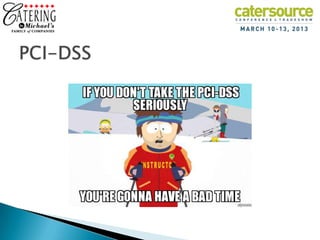
   PCI-DSS
   Q&A
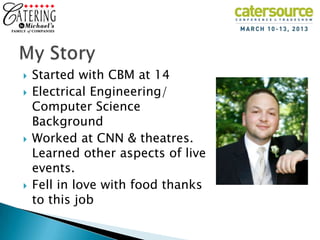
   Started with CBM at 14
   Electrical Engineering/
    Computer Science
    Background
   Worked at CNN & theatres.
    Learned other aspects of live
    events.
   Fell in love with food thanks
    to this job
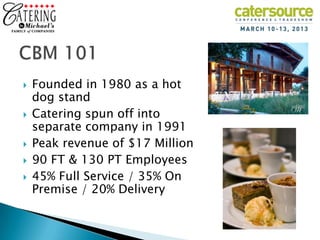
   Founded in 1980 as a hot
    dog stand
   Catering spun off into
    separate company in 1991
   Peak revenue of $17 Million
   90 FT & 130 PT Employees
   45% Full Service / 35% On
    Premise / 20% Delivery
   Largest event $1.3 million
   Focused on food quality
    above all else
   Poor facility design
    challenges efficiency
   Non Chicago address is a
    marketing struggle
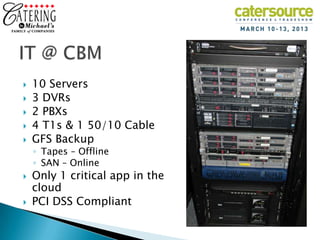
   10 Servers
   3 DVRs
   2 PBXs
   4 T1s & 1 50/10 Cable
   GFS Backup
    ◦ Tapes – Offline
    ◦ SAN – Online
   Only 1 critical app in the
    cloud
   PCI DSS Compliant
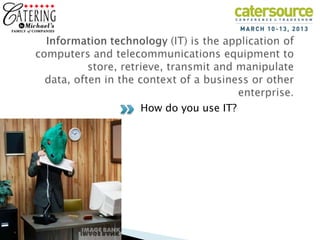
How do you use IT?
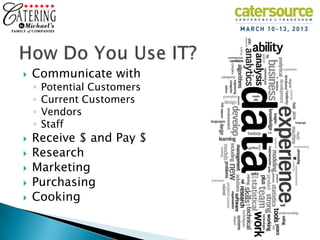
   Communicate with
    ◦   Potential Customers
    ◦   Current Customers
    ◦   Vendors
    ◦   Staff
   Receive $ and Pay $
   Research
   Marketing
   Purchasing
   Cooking
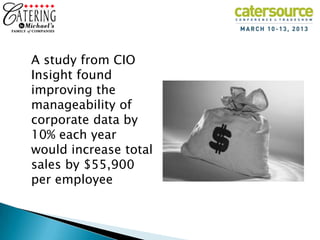
A study from CIO
Insight found
improving the
manageability of
corporate data by
10% each year
would increase total
sales by $55,900
per employee
How productive are you
          When your not connected?
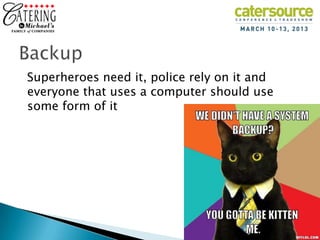
Superheroes need it, police rely on it and
everyone that uses a computer should use
some form of it
1.   Mission Critical
2.   Business Critical
3.   Essential
4.   Consequential
5.   Non-Critical
6.   Inconsequential
7.   Disposable
1.   Full Backup
2.   Incremental Backup
3.   Differential Backup
4.   Mirror Backup
5.   Full Computer Backup/Image
1.   Local
2.   Offsite (Offline)
3.   Online
4.   Remote
5.   Cloud
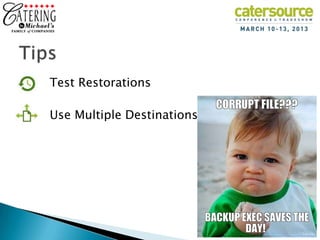
Test Restorations

Use Multiple Destinations
1.   Security & Privacy
2.   Dependency (Loss of control)
3.   Cost
4.   Decreased Flexibility
5.   Knowledge and Integration
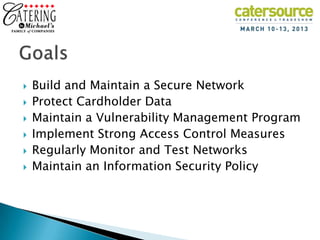
   Build and Maintain a Secure Network
   Protect Cardholder Data
   Maintain a Vulnerability Management Program
   Implement Strong Access Control Measures
   Regularly Monitor and Test Networks
   Maintain an Information Security Policy
To download a copy of this presentation, go to:
         slideshare.net/CateringChicago

                     Jeff Ware
jware@CateringByMichaels.com     |   (847) 966-6555

It

  • 1.
  • 2.
    IT in your business ◦ The value of data ◦ The value of connectivity  Backups ◦ Planning for the worst  The cloud is not always the answer  PCI-DSS  Q&A
  • 3.
    Started with CBM at 14  Electrical Engineering/ Computer Science Background  Worked at CNN & theatres. Learned other aspects of live events.  Fell in love with food thanks to this job
  • 4.
    Founded in 1980 as a hot dog stand  Catering spun off into separate company in 1991  Peak revenue of $17 Million  90 FT & 130 PT Employees  45% Full Service / 35% On Premise / 20% Delivery
  • 5.
    Largest event $1.3 million  Focused on food quality above all else  Poor facility design challenges efficiency  Non Chicago address is a marketing struggle
  • 6.
    10 Servers  3 DVRs  2 PBXs  4 T1s & 1 50/10 Cable  GFS Backup ◦ Tapes – Offline ◦ SAN – Online  Only 1 critical app in the cloud  PCI DSS Compliant
  • 7.
    How do youuse IT?
  • 8.
    Communicate with ◦ Potential Customers ◦ Current Customers ◦ Vendors ◦ Staff  Receive $ and Pay $  Research  Marketing  Purchasing  Cooking
  • 10.
    A study fromCIO Insight found improving the manageability of corporate data by 10% each year would increase total sales by $55,900 per employee
  • 12.
    How productive areyou When your not connected?
  • 13.
    Superheroes need it,police rely on it and everyone that uses a computer should use some form of it
  • 14.
    1. Mission Critical 2. Business Critical 3. Essential 4. Consequential 5. Non-Critical 6. Inconsequential 7. Disposable
  • 15.
    1. Full Backup 2. Incremental Backup 3. Differential Backup 4. Mirror Backup 5. Full Computer Backup/Image
  • 16.
    1. Local 2. Offsite (Offline) 3. Online 4. Remote 5. Cloud
  • 17.
  • 19.
    1. Security & Privacy 2. Dependency (Loss of control) 3. Cost 4. Decreased Flexibility 5. Knowledge and Integration
  • 22.
    Build and Maintain a Secure Network  Protect Cardholder Data  Maintain a Vulnerability Management Program  Implement Strong Access Control Measures  Regularly Monitor and Test Networks  Maintain an Information Security Policy
  • 23.
    To download acopy of this presentation, go to: slideshare.net/CateringChicago Jeff Ware jware@CateringByMichaels.com | (847) 966-6555

Editor's Notes

  • #10 Your business data is growingDigital data is rapidly growing at a rate of 80% each year, and businesses like yours are responsible for maintaining 85% of that information.Data loss happensHard drive crashes, spilled drinks, and accidental file deletion can occur at any time and put your company’s future in jeopardy. In fact, 93% of all companies that suffer significant data loss close down within 5 years!
  • #11 What's the value of your organization's data?The ability of business and IT managers to answer that question directly correlates to the success of their company's business continuity and data recovery efforts. The answer is difficult to provide, given the massive amounts of data coursing through organizations and the fact that the value of data changes frequently and quickly in today's unpredictable, highly competitive, and increasingly regulated business environment.
  • #14 In the world of mainframes and microchips it's called data backup or data recovery and it can mean the difference between a slight computer setback and living through your own electronic apocalypse.Let's face it; our computers are a bigger part of life than ever before. We shop, work and play using computers. They've replaced stereos, encyclopedias, even the mailman. They've become journals, photo albums and canvases for our art.But computers aren't perfect. Files become corrupt, motherboards malfunction, CPUs call it quits taking our precious data with them."My computer won't crash." You've had your computer this long and haven't had problems so far why worry about computer backup now? Data backup is about protecting your data's future, but with computers, it isn't if you crash, it's when you crash.In today's high-tech world of sneaky spyware and venomous viruses, you are in more danger of data loss than ever before. Computer viruses grew by as much as 11% percent during 2003 alone.*Like tires on your car, the electronic circuits your computer rides on will eventually wear down and blow out. When this happens, you can either grieve at your loss or simply restore your data with data backup software.
  • #15 1. Mission Critical: Frequently used, immediate availability, significant and immediate financial impact, significant and immediate operational impact, eventual compliance impact.2. Business Critical: Regularly used, reasonably available, significant long-term financial impact, significant operational impact over time, eventual compliance impact.3. Essential: Periodically used, available within defined timeframe, potential long-term financial impact, probable operational impact over time, probable compliance issues.4. Consequential: Occasionally used, available within extended timeframe, possible but not likely financial impact, possible operational impact over time, probable compliance issues.5. Non-Critical: Rarely used, limited availability, unlikely financial impact, doubtful operational impact over time, potential compliance impact.6. Inconsequential: Used only on request, limited availability, no financial impact, doubtful operational impact over time, potential compliance impact.7. Disposable: Never used, no need for availability, no financial impact, no operational impact, no expected compliance impact.Mission-critical data might include quarterly expense figures and a list of addresses of key suppliers - or it might not. Each organization will define the value of its data in a different way. The management team for a national restaurant chain, for example, might be perfectly fine with being able to recover transaction data from its sole New York location within two to three days of an outage or disaster. A Wall Street investment firm, on the other hand, would likely define its transaction data as mission critical. The financial services firm and the restaurant chain face different types of regulatory demands - all of which should be reviewed in the data valuation process.
  • #16 Full BackupFull backup is a method of backup where all the files and folders selected for the backup will be backed up.  When subsequent backups are run, the entire list of files and will be backed up again. The advantage of this backup is restores are fast and easy as the complete list of files are stored each time. The disadvantage is that each backup run is time consuming as the entire list of files is copied again.  Also, full backups take up a lot more storage space when compared to incremental or differential backups. Incremental backupIncremental backup is a backup of all changes made since the last backup. With incremental backups, one full backup is done first and subsequent backup runs are just the changes made since the last backup. The result is a much faster backup then a full backup for each backup run. Storage space used is much less than a full backup and less then with differential backups. Restores are slower than with a full backup and a differential backup. Differential backupDifferential backup is a backup of all changes made since the last full backup. With differential backups, one full backup is done first and subsequent backup runs are the changes made since the last full backup. The result is a much faster backup then a full backup for each backup run. Storage space used is much less than a full backup but more then with Incremental backups. Restores are slower than with a full backup but usually faster then with Incremental backups. Mirror BackupMirror backups are as the name suggests a mirror of the source being backed up. With mirror backups, when a file in the source is deleted, that file is eventually also deleted in the mirror backup. Because of this, mirror backups should be used with caution as a file that is deleted by accident or through a virus may also cause the mirror backups to be deleted as well. Full PC Backup – Image In this backup, it is not the individual files that are backed up but entire images of the hard drives of the computer that is backed up.  With the full PC backup, you can restore the computer hard drives to its exact state when the backup was done. With the Full PC backup, not only can the work documents, picture, videos and audio files be restored but the operating system, hard ware drivers, system files, registry, programs, emails etc can also be restored. 
  • #17 Local BackupLocal backups are any kind of backup where the storage medium is kept close at hand or in the same building as the source. It could be a backup done on a second internal hard drive, an attached external hard drive, CD/ DVD –ROM or Network Attached Storage (NAS). Local backups protect digital content from hard drive failures and virus attacks. They also provide protection from accidental mistakes or deletes. Since the backups are always close at hand they are fast and convenient to restore. Offsite BackupWhen the backup storage media is kept at a different geographic location from the source, this is known as an offsite backup. The backup may be done locally at first but once the storage medium is brought to another location, it becomes an offsite backup.  Examples of offsite backup include taking the backup media or hard drive home, to another office building or to a bank safe deposit box.Beside the same protection offered by local backups, offsite backups provide additional protection from theft, fire, floods and other natural disasters. Putting the backup media in the next room as the source would not be considered an offsite backup as the backup does not offer protection from theft, fire, floods and other natural disasters. Online BackupThese are backups that are ongoing or done continuously or frequently to a storage medium that is always connected to the source being backed up.  Typically the storage medium is located offsite and connected to the backup source by a network or Internet connection. It does not involve human intervention to plug in drives and storage media for backups to run. Many commercial data centres now offer this as a subscription service to consumers. The storage data centres are located away from the source being backed up and the data is sent from the source to the storage data centre securely over the Internet. Remote BackupRemote backups are a form of offsite backup with a difference being that you can access, restore or administer the backups while located at your source location or other location. You do not need to be physically present at the backup storage facility to access the backups.  For example, putting your backup hard drive at your bank safe deposit box would not be considered a remote backup. You cannot administer it without making a trip to the bank. Online backups are usually considered remote backups as well. Cloud BackupThis term is often used interchangeably with Online Backup and Remote Backup.  It is where data is backed up to a service or storage facility connected over the Internet. With the proper login credentials, that backup can then be accessed or restored from any other computer with Internet Access. 
  • #18 Using multiple destinations is smart because it protects you from various kinds of failures (dead hard drives, flaky Internet connections) that might make any single destination unreachable. Personally, I like to use both a local hard drive (for speed) and a remote destination (for security).sometimes computers and humans make mistakes, and sometimes things break. You don't want to find out about a backup problem after you've lost data. To make sure everything's running smoothly (and to practice so you won't have to panic in an emergency), try restoring a few random files from time to time.
  • #19 Don’t need to talk about the Pros – they are nearly unlimitedThere are a few Cons
  • #20 1. Fear of unavailability. As the industry of cloud computing is still evolving, most vendors are still upstarts and it will be hard to determine whether they will be around a long time. There are also fears of takeovers and buyouts. Because of this, the integrity and availability of your data may still be in question.2. Data ownership and data exchange. When your provider kicks the bucket or you decide to terminate your service, what would happen to your data then, will you be able to take it back and any copy erased from the provider’s databases? If you decide to change providers, how easy would it be to transfer all your data, will they be compatible with the new provider’s systems? These are certainly valid concerns and should be greatly considered when choosing vendors.3. Control. Since clients have little or no control of how their data is being handled, all they can do is trust their providers and maybe ask a few questions, which will most likely be answered by “Don’t worry, it’s in good hands”.
  • #21 PCI DSS is the global data security standard adopted by the payment card brands for all entities that process, store or transmit cardholder data. It consists of common sense steps that mirror security best practices.
  • #23 Build and Maintain a Secure Network1. Install and maintain a firewall configuration to protect cardholder data2. Do not use vendor-supplied defaults for system passwords and other security parametersProtect Cardholder Data 3. Protect stored cardholder data4. Encrypt transmission of cardholder data across open, public networksMaintain a Vulnerability Management Program5. Use and regularly update anti-virus software or programs6. Develop and maintain secure systems and applicationsImplement Strong Access Control Measures7. Restrict access to cardholder data by business need to know8. Assign a unique ID to each person with computer access9. Restrict physical access to cardholder dataRegularly Monitor and Test Networks10. Track and monitor all access to network resources and cardholder data11. Regularly test security systems and processesMaintain an Information Security Policy12. Maintain a policy that addresses information security for all personnel