Useful web 2.0 tools
 Publish documents online
 Steps:
 Go to http://issuu.com/
 Create an account first
Fill in the information
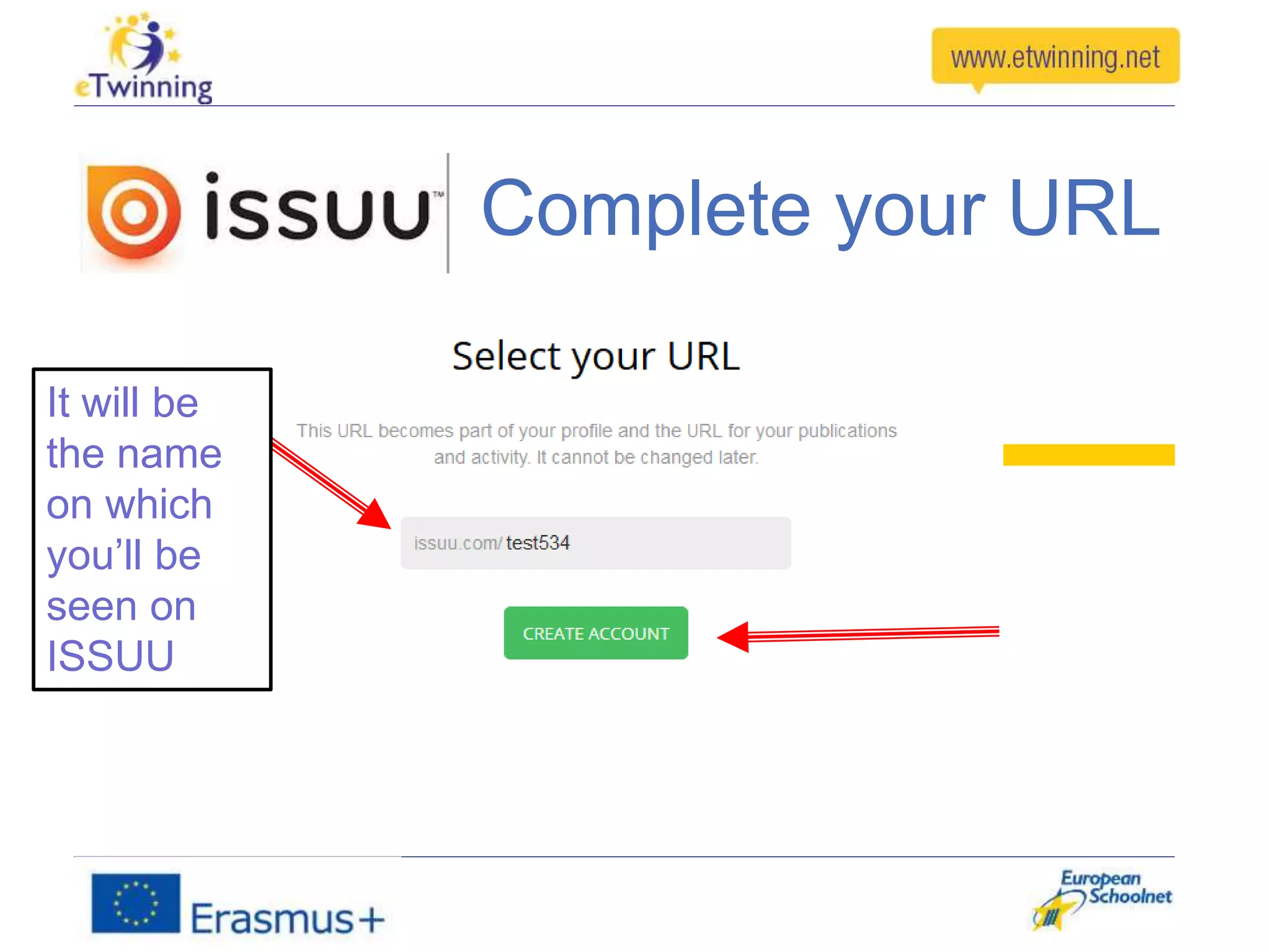
Complete your URL
It will be
the name
on which
you’ll be
seen on
ISSUU
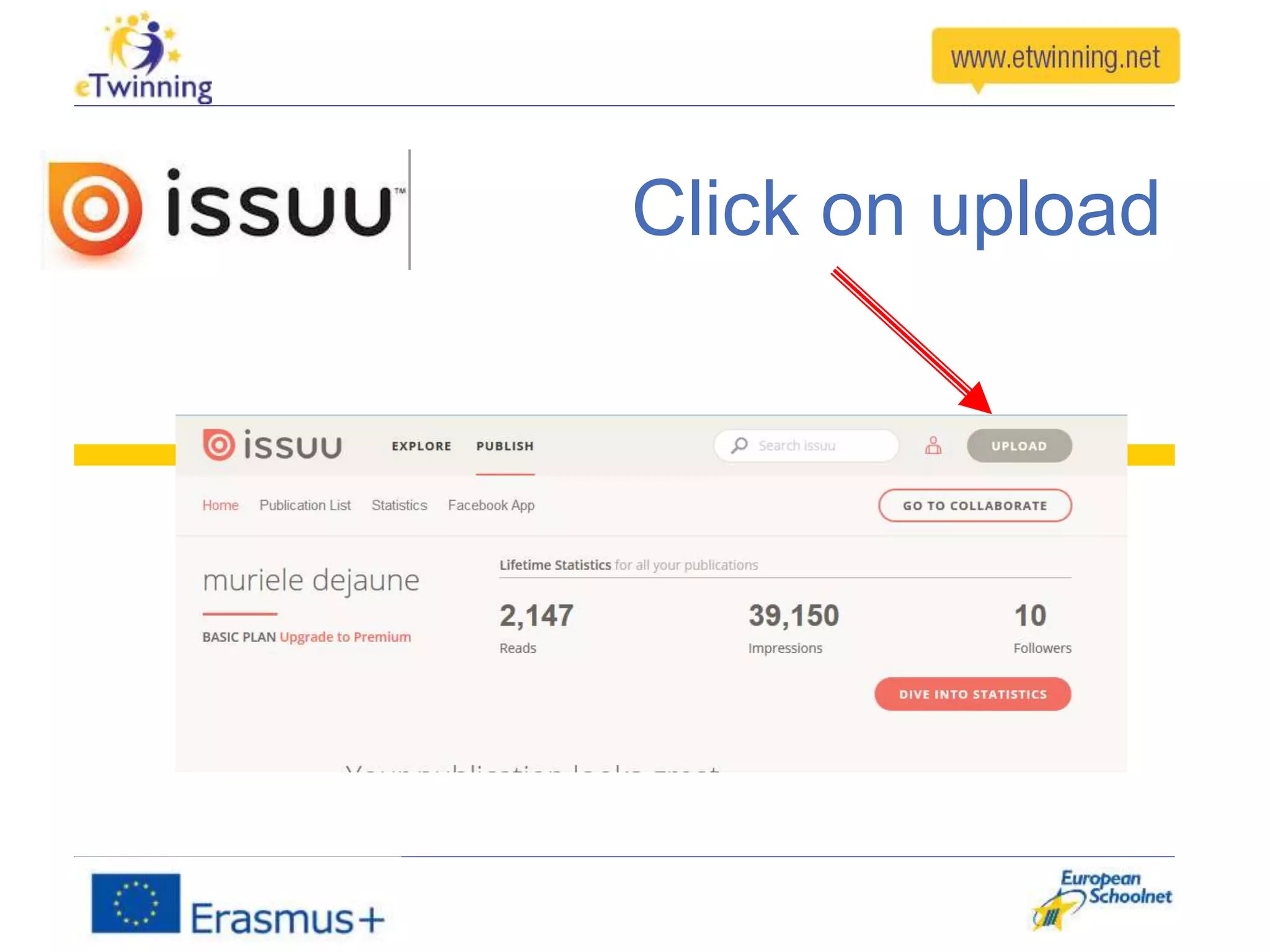
Click on upload
Before uploading your document has
to be ready in one of these formats
PDF
Word(doc, docx)
Powerpoint (ppt, pptx)
Open Office (odt, odp)
WordPerfedt (wdp)
Rich Text Format (RTF)
Star Office (SXI, SXW)
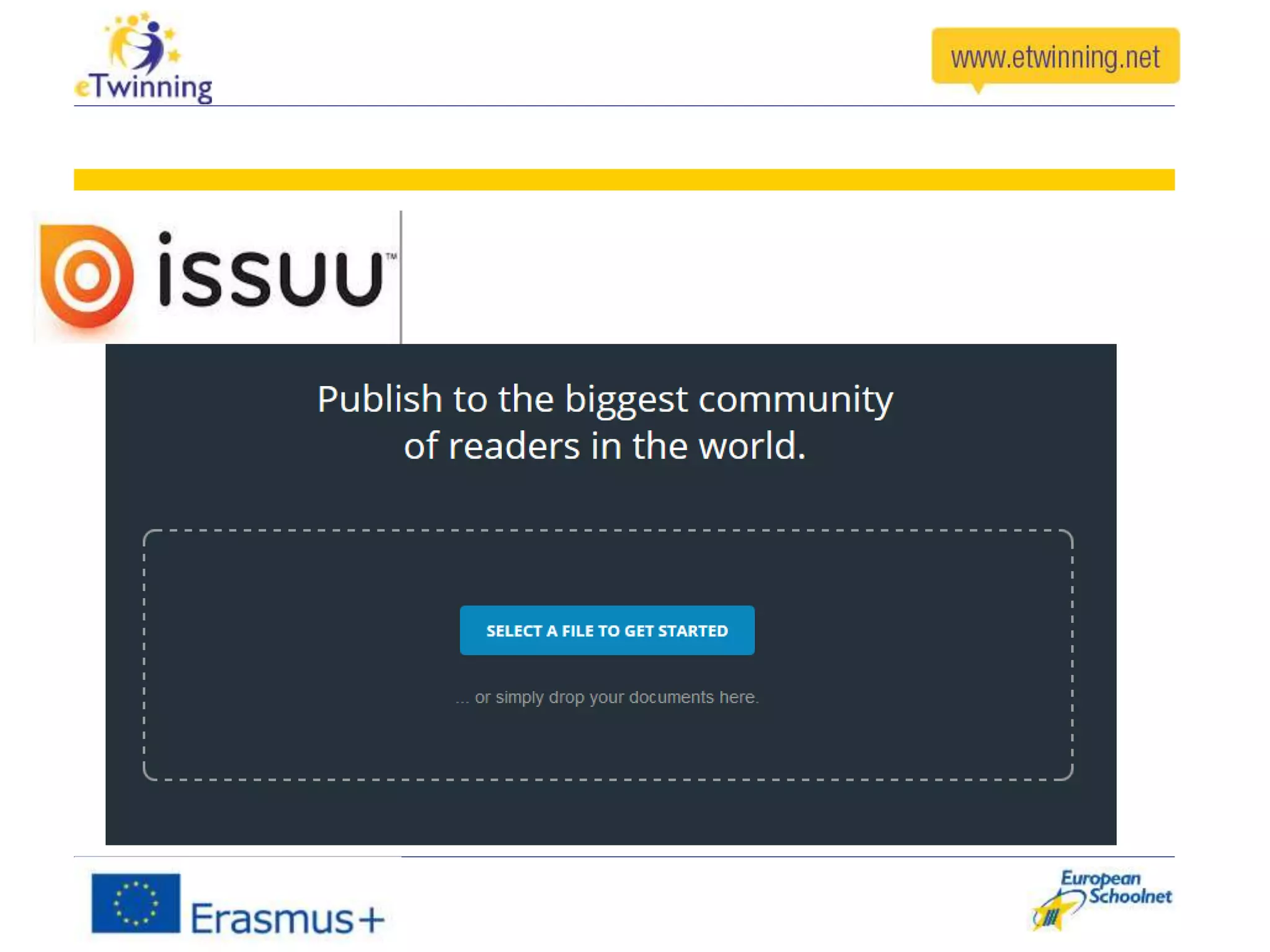
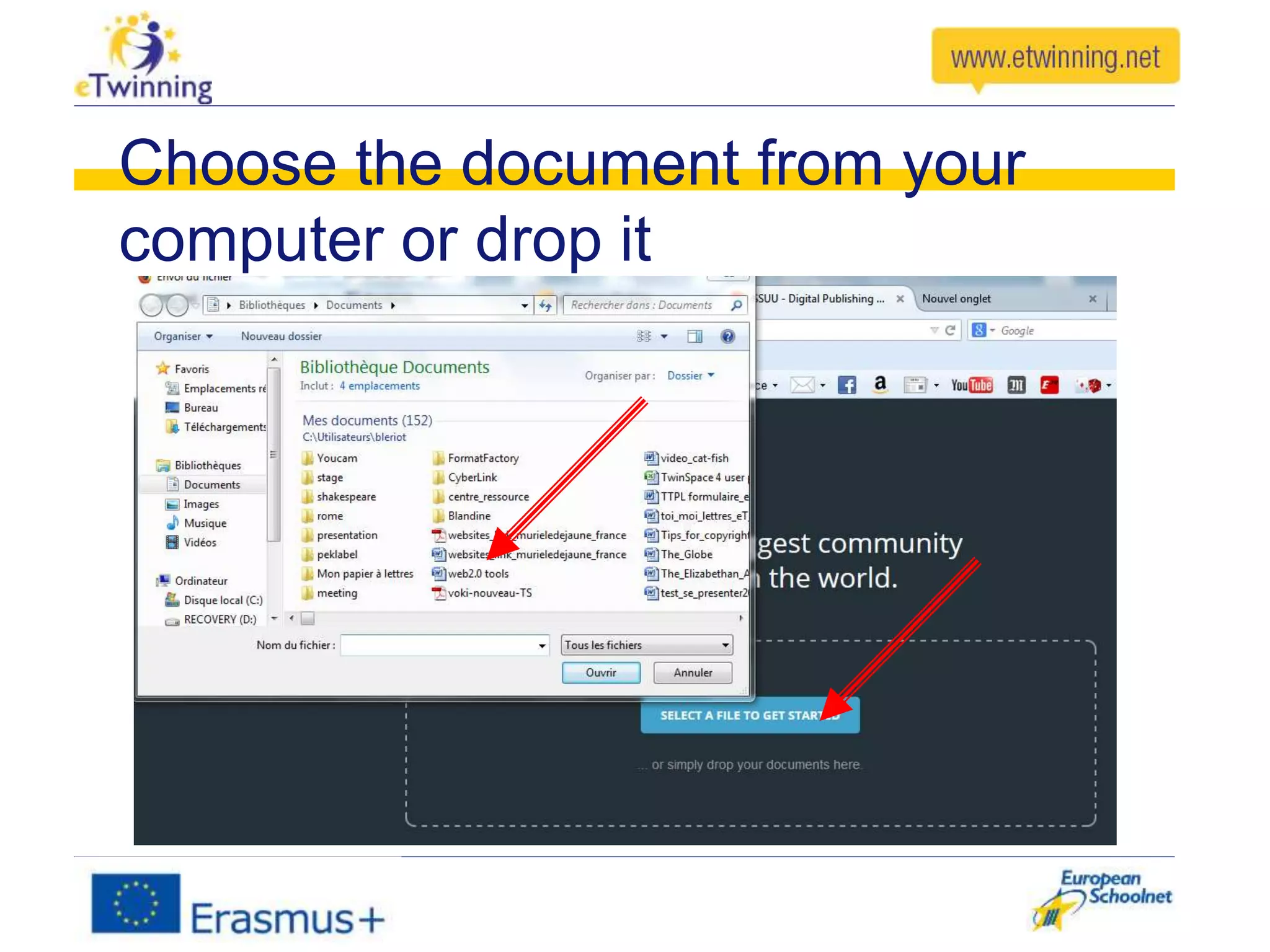
Choose the document from your
computer or drop it
Once your document is uploaded
You can write a
short description
Then you get this message and you
click on Create an embed
You can add your video, click here
Choose the page where you want to
add your video. Click on it.
Select the word or the image
where you want to show the
video
Copy the link URL of the
video
Click on
done
1. Click on save
2. Click on
view to see
your video
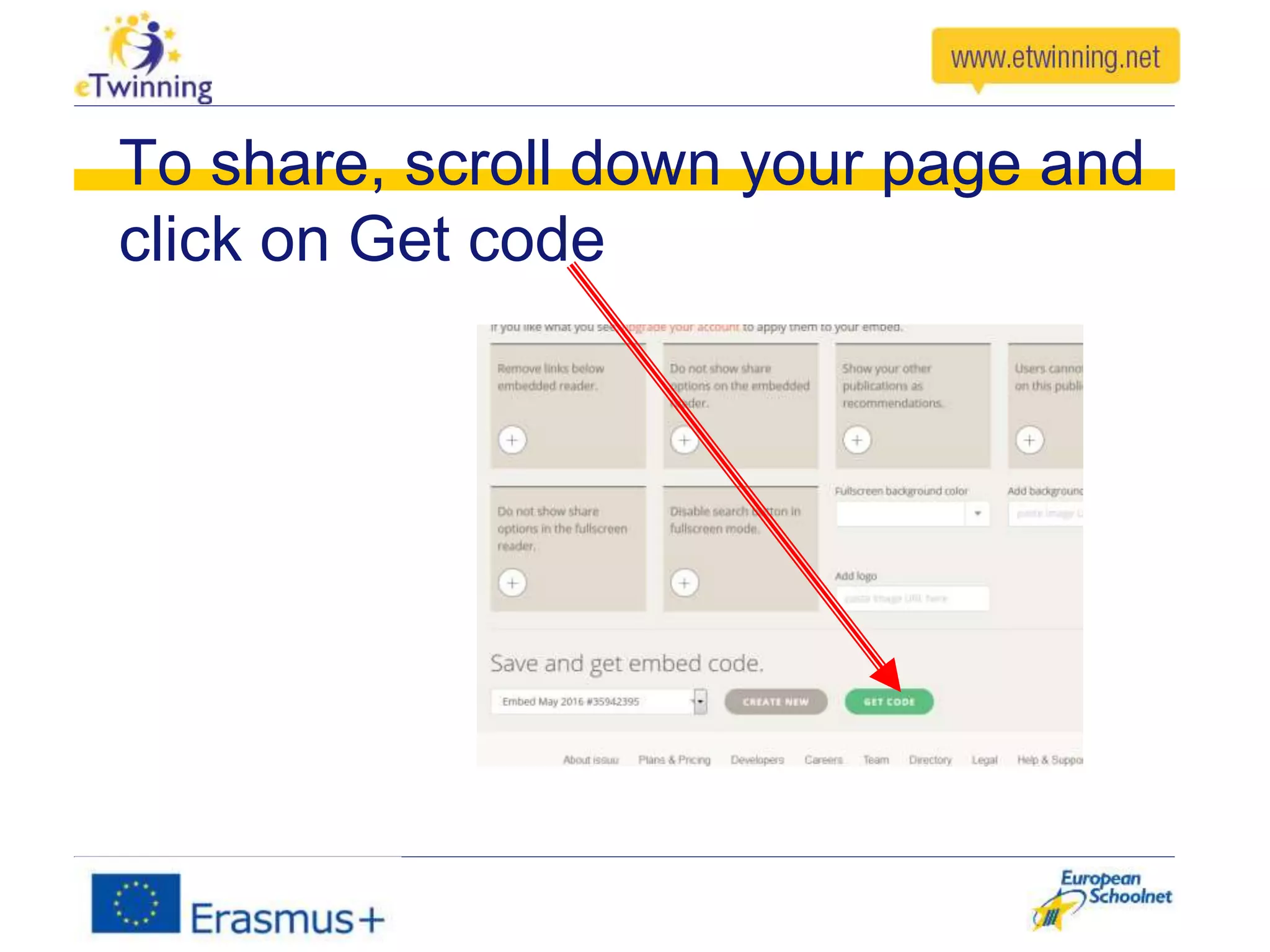
To share, scroll down your page and
click on Get code
1. Choose iframe
2. Copy to add it on the Twinspace
In the Forum, click on
then copy the code
Save
Assignment
After watching the ISSUU’s presentation
participants should find the group Web2.00
Tools Group on eTlive, join in and go to the
forum and add their assignments in ‘Issuu
Assignments”
Thanks for your attention
Murièle Dejaune
(eTwinning ambassador in France)

Issuu ppt