Billie Geena Hyde
@billiegeena
Is your site accessible?
No? Why the h*ck not?
Who am I?
● Learning and Development Manager at SALT.agency
● 5 years formal SEO experience, 2 years content experience
● Neurodivergent - I have Dyscalculia and an anxiety disorder
@billiegeena
The bit you'll probably have focused on, I'm not a
developer
I promise what I have to say is relevant to you though.
@billiegeena
I promise what I have to say is relevant to you though.
Pls don't hate me xoxo
@billiegeena
The bit you'll probably have focused on, I'm not a
developer
Why Accessibility
@billiegeena
15% of the world’s
population lives with a
disability.
@billiegeena
That’s over 1
billion people
@billiegeena
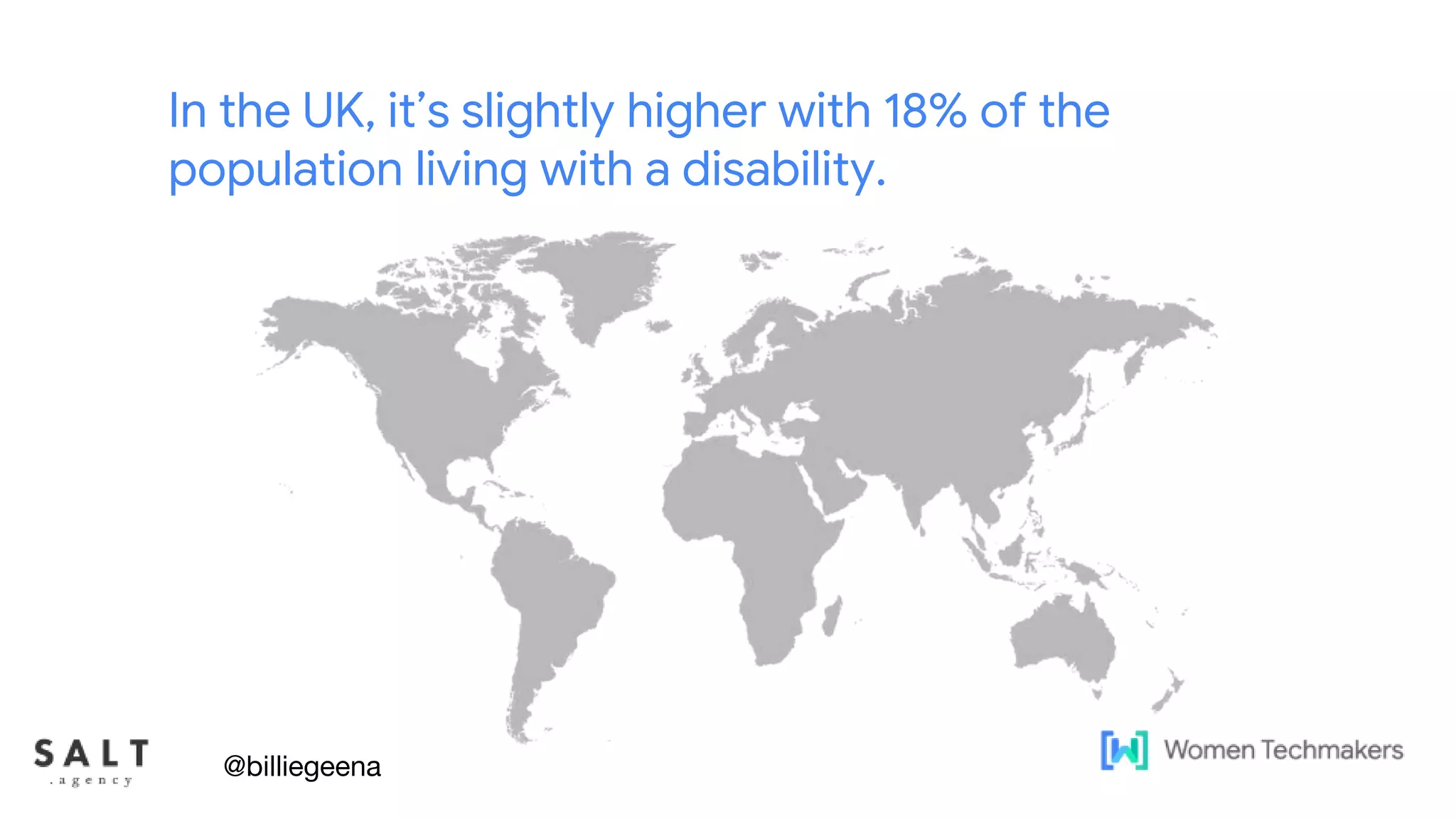
In the UK, it’s slightly higher with 18% of the
population living with a disability.
@billiegeena
Text & diagram slides
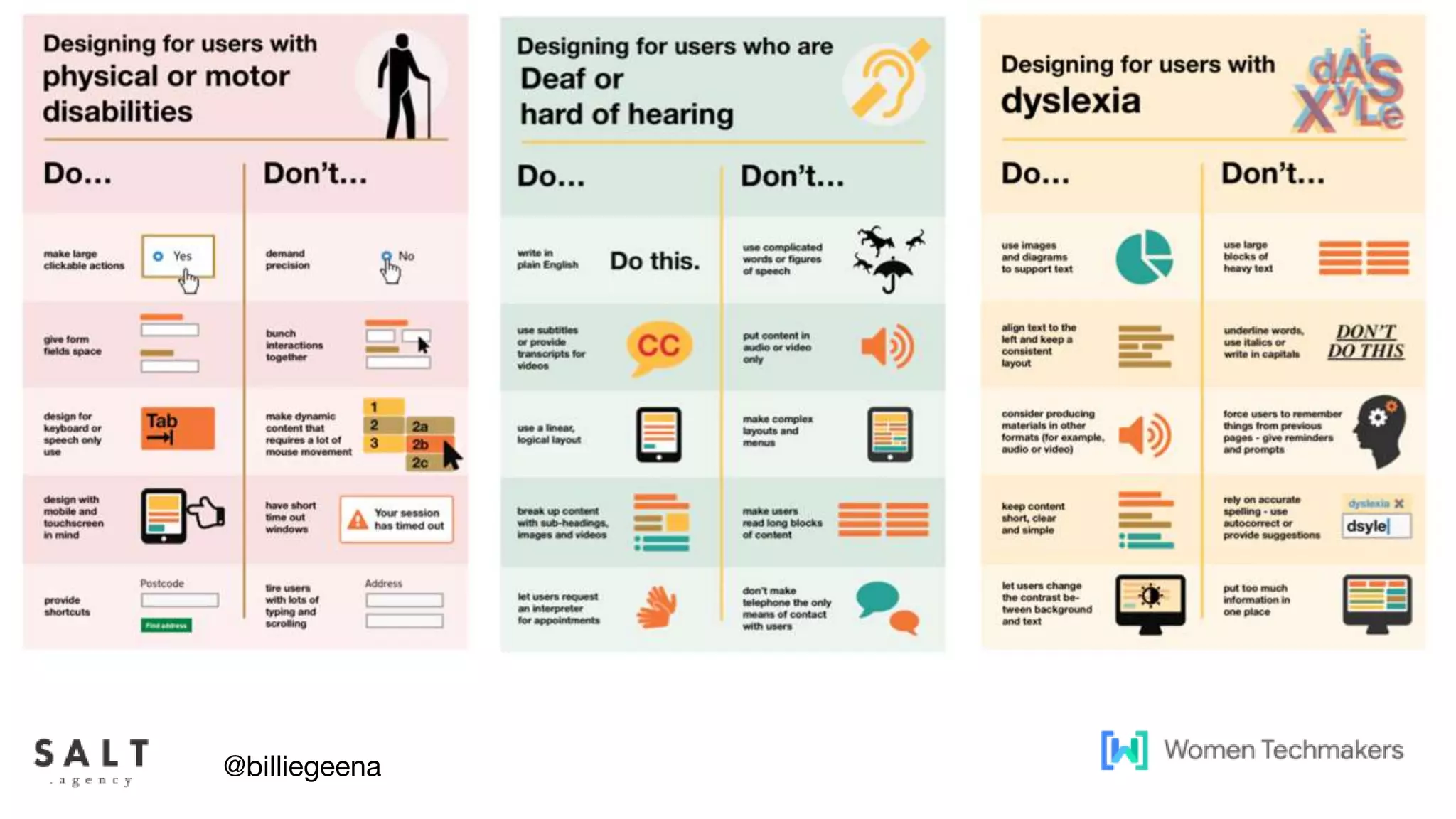
There are 4 main categories of
disability to be aware of:
● Motor
● Cognitive
● Auditory
● Visual
@billiegeena
Text & diagram slides
Accessibility doesn’t
just mean users with a
disability either.
@billiegeena
Text & diagram slides
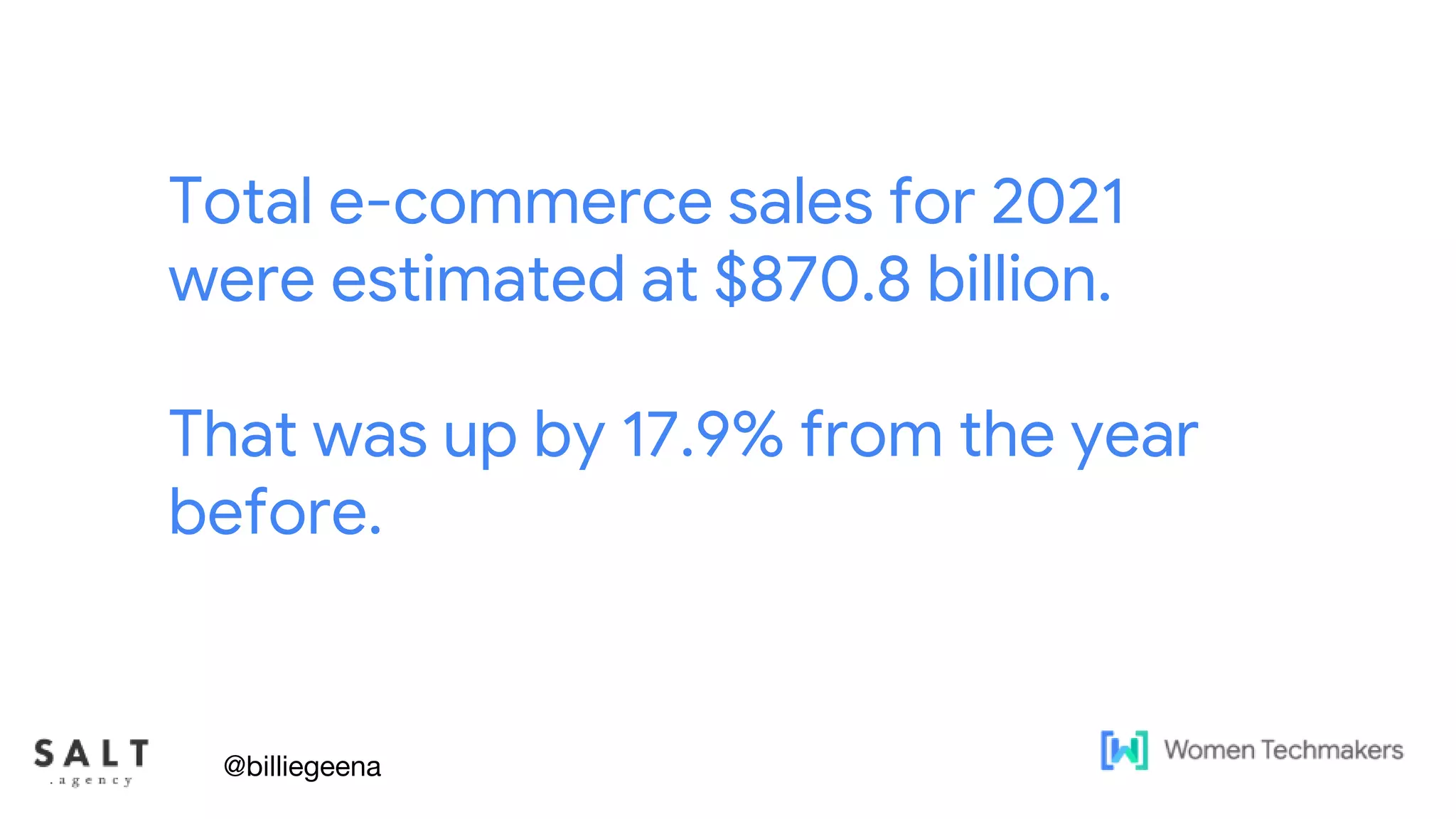
Total e-commerce sales for 2021
were estimated at $870.8 billion.
That was up by 17.9% from the year
before.
@billiegeena
Text & diagram slides
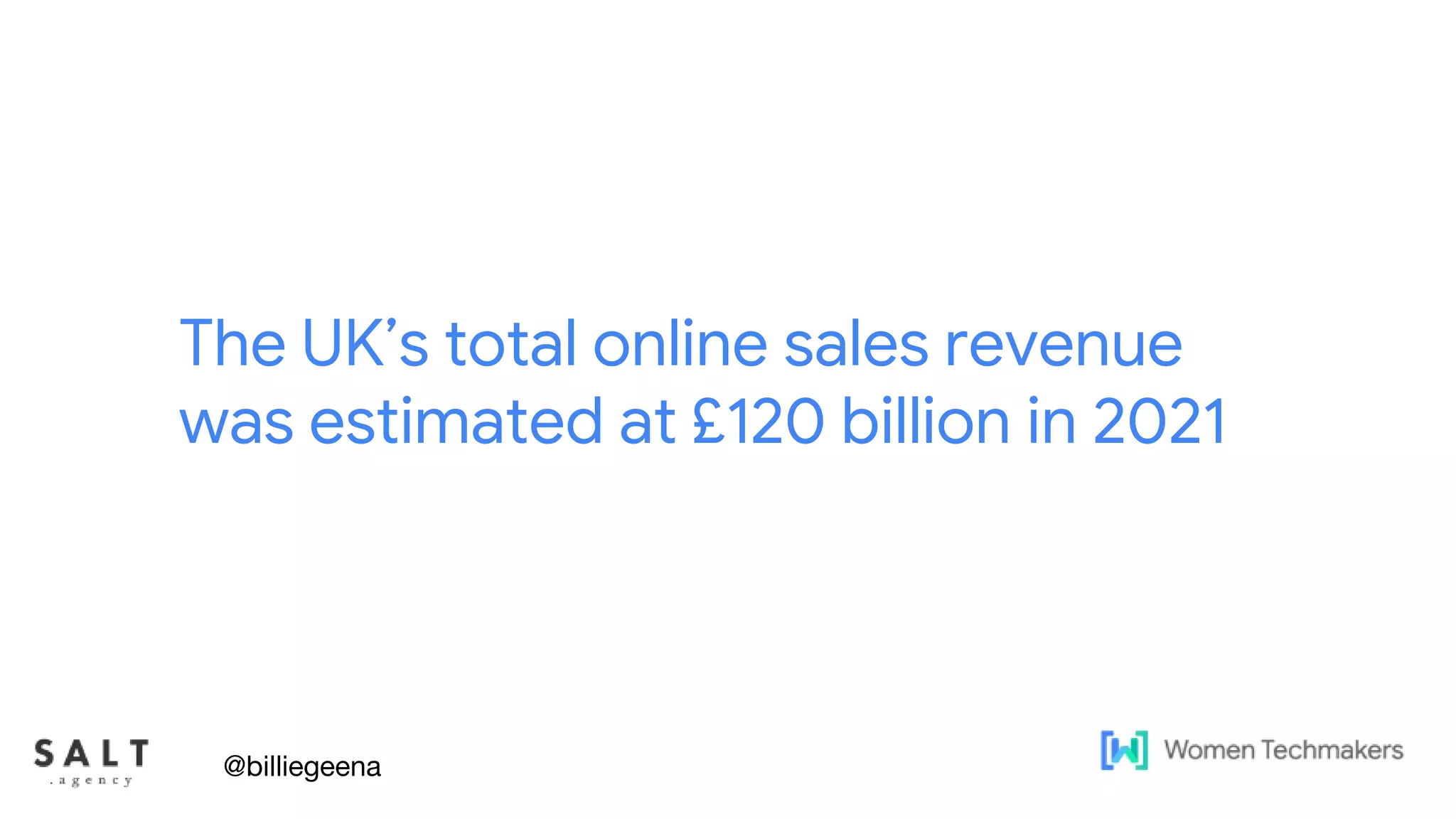
The UK’s total online sales revenue
was estimated at £120 billion in 2021
@billiegeena
Text & diagram slides
92% of the UK’s population has
access to the internet
@billiegeena
https://www.ibisworld.com/uk/bed/percentage-of-households-with-internet-access/2717/
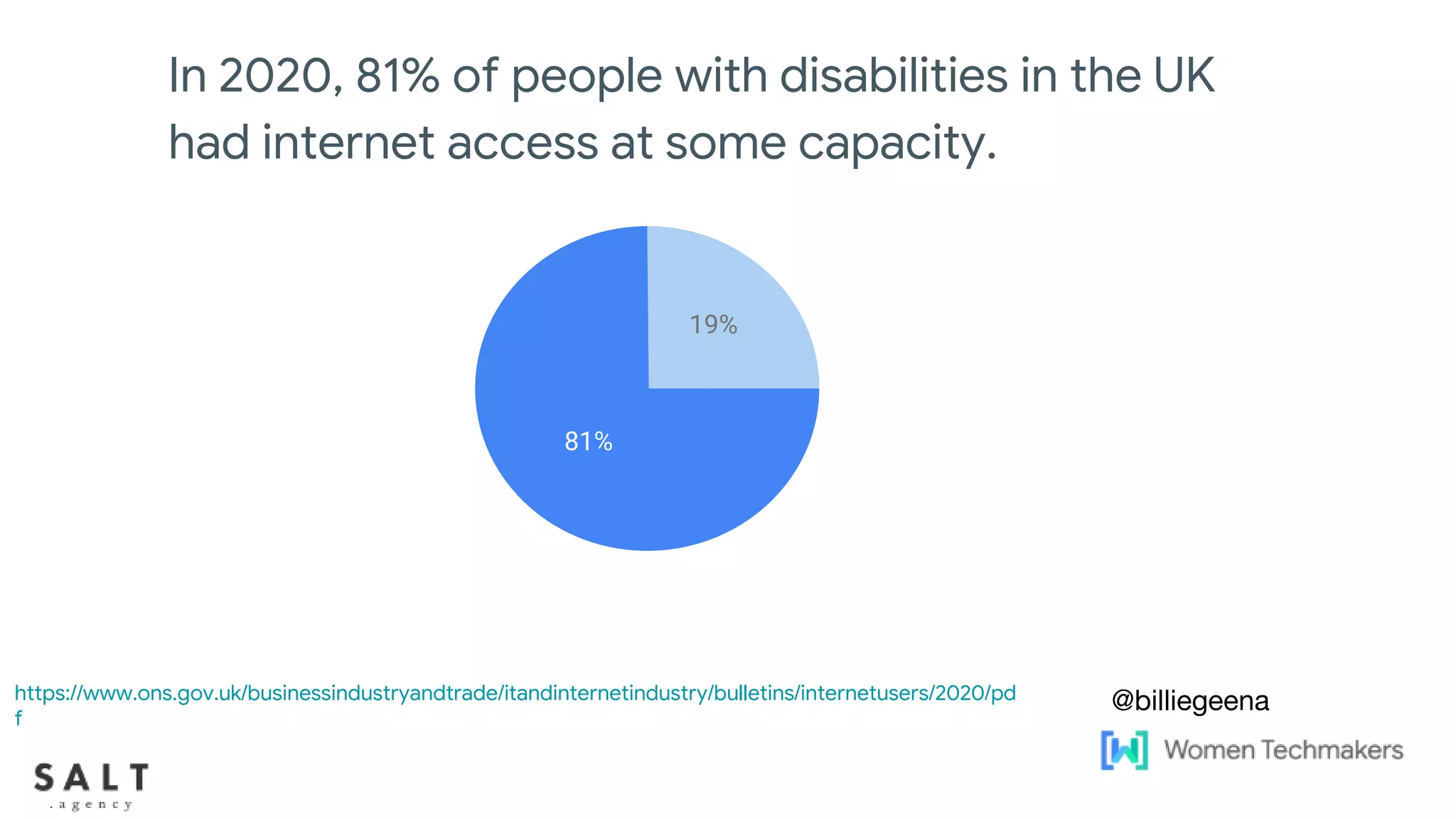
In 2020, 81% of people with disabilities in the UK
had internet access at some capacity.
@billiegeena
81%
19%
https://www.ons.gov.uk/businessindustryandtrade/itandinternetindustry/bulletins/internetusers/2020/pd
f
Text & diagram slides
I mentioned before that I have
dyscalculia
So now I have my much dreaded maths slide
@billiegeena
Text & diagram slides
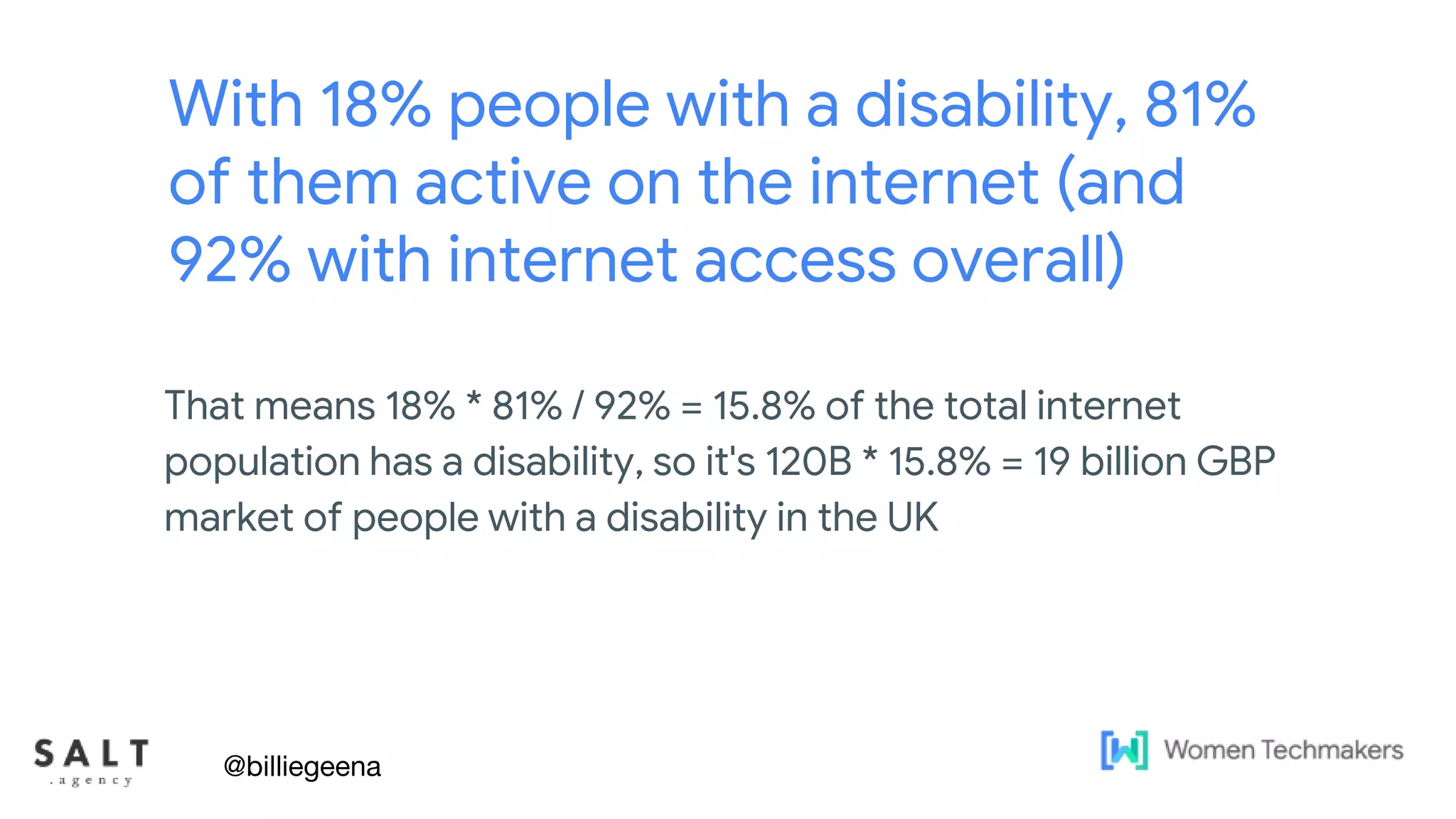
With 18% people with a disability, 81%
of them active on the internet (and
92% with internet access overall)
That means 18% * 81% / 92% = 15.8% of the total internet
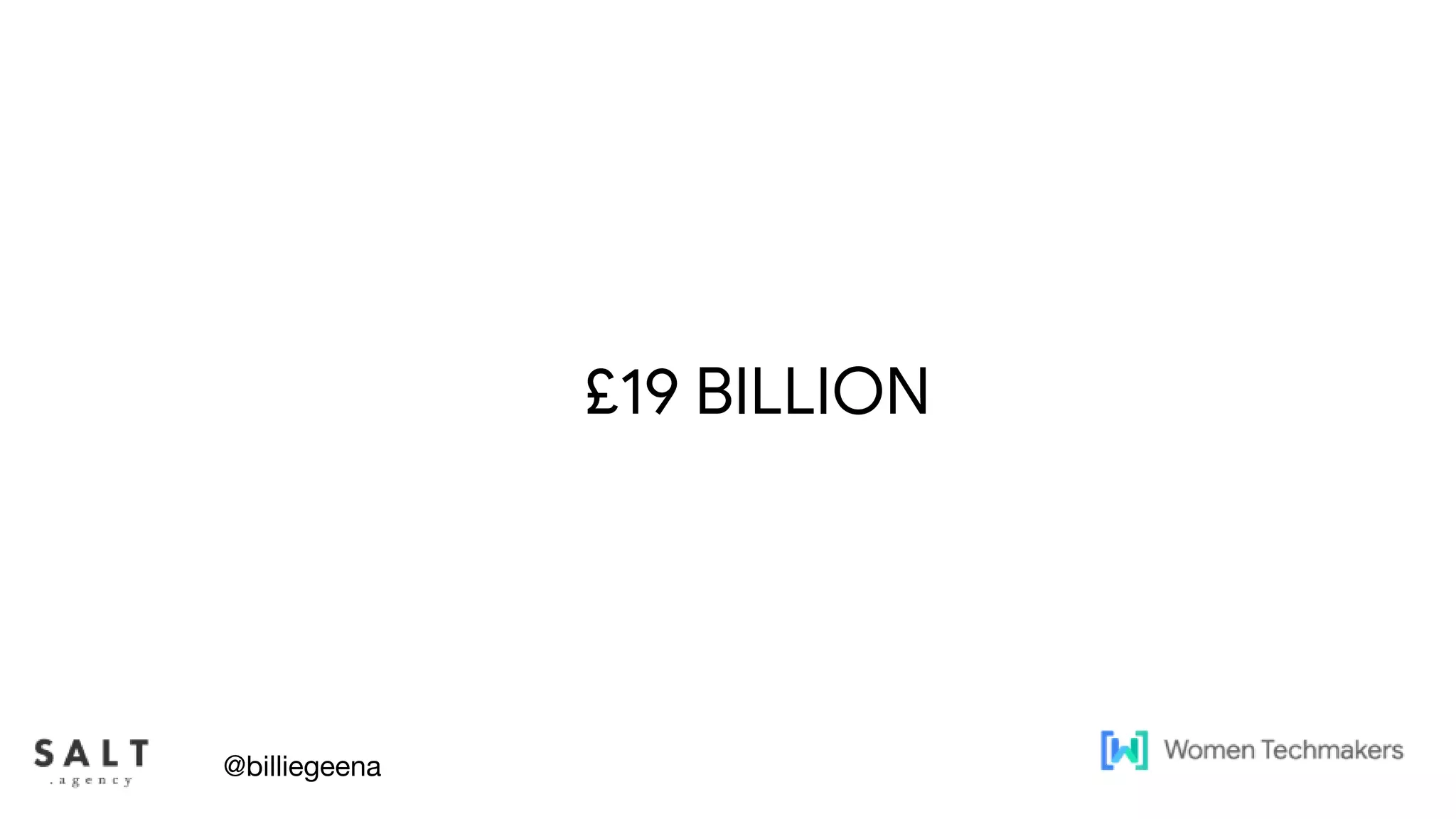
population has a disability, so it's 120B * 15.8% = 19 billion GBP
market of people with a disability in the UK
@billiegeena
Text & diagram slides
£19 BILLION
@billiegeena
Text & diagram slides
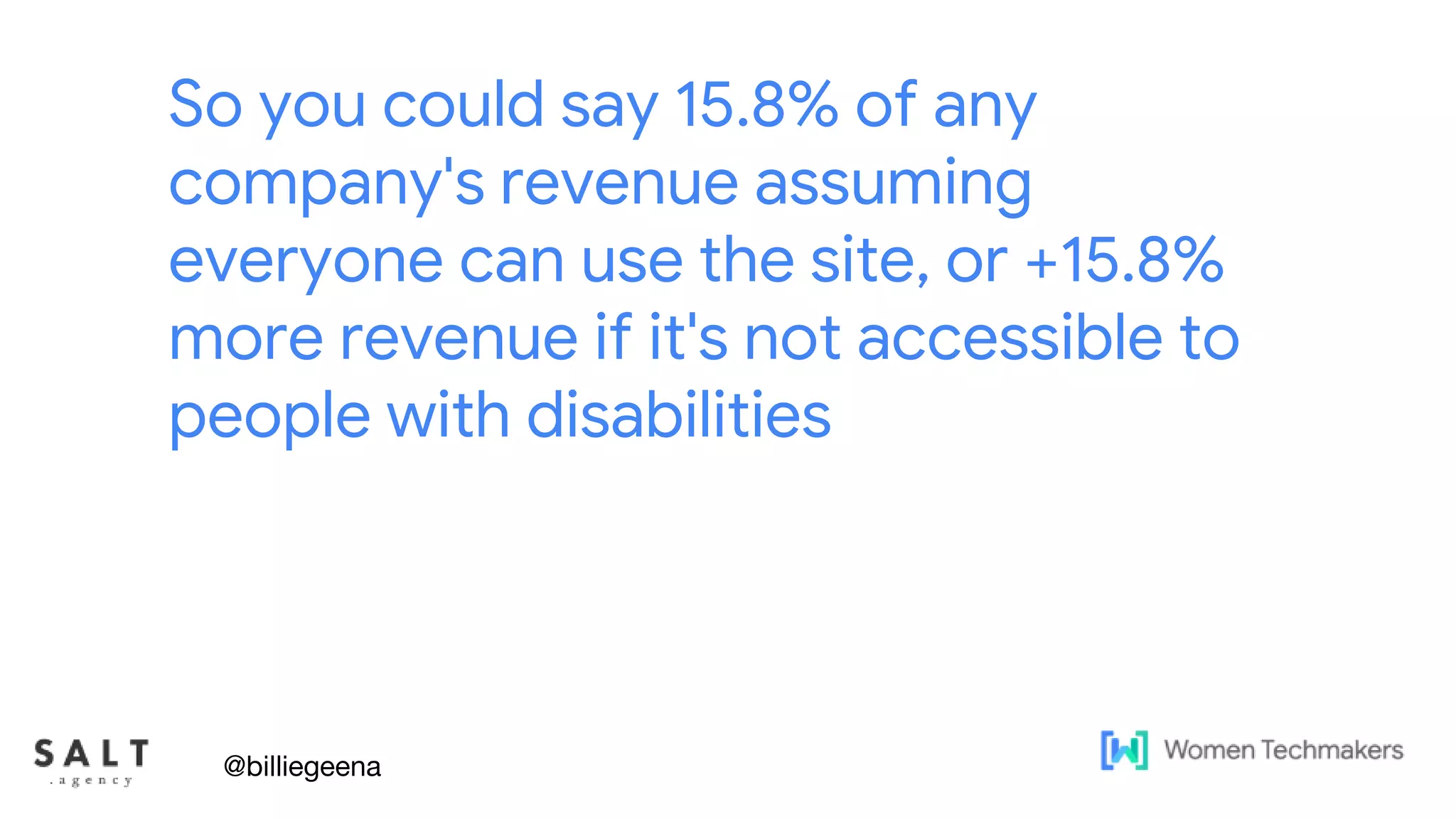
So you could say 15.8% of any
company's revenue assuming
everyone can use the site, or +15.8%
more revenue if it's not accessible to
people with disabilities
@billiegeena
Text & diagram slides
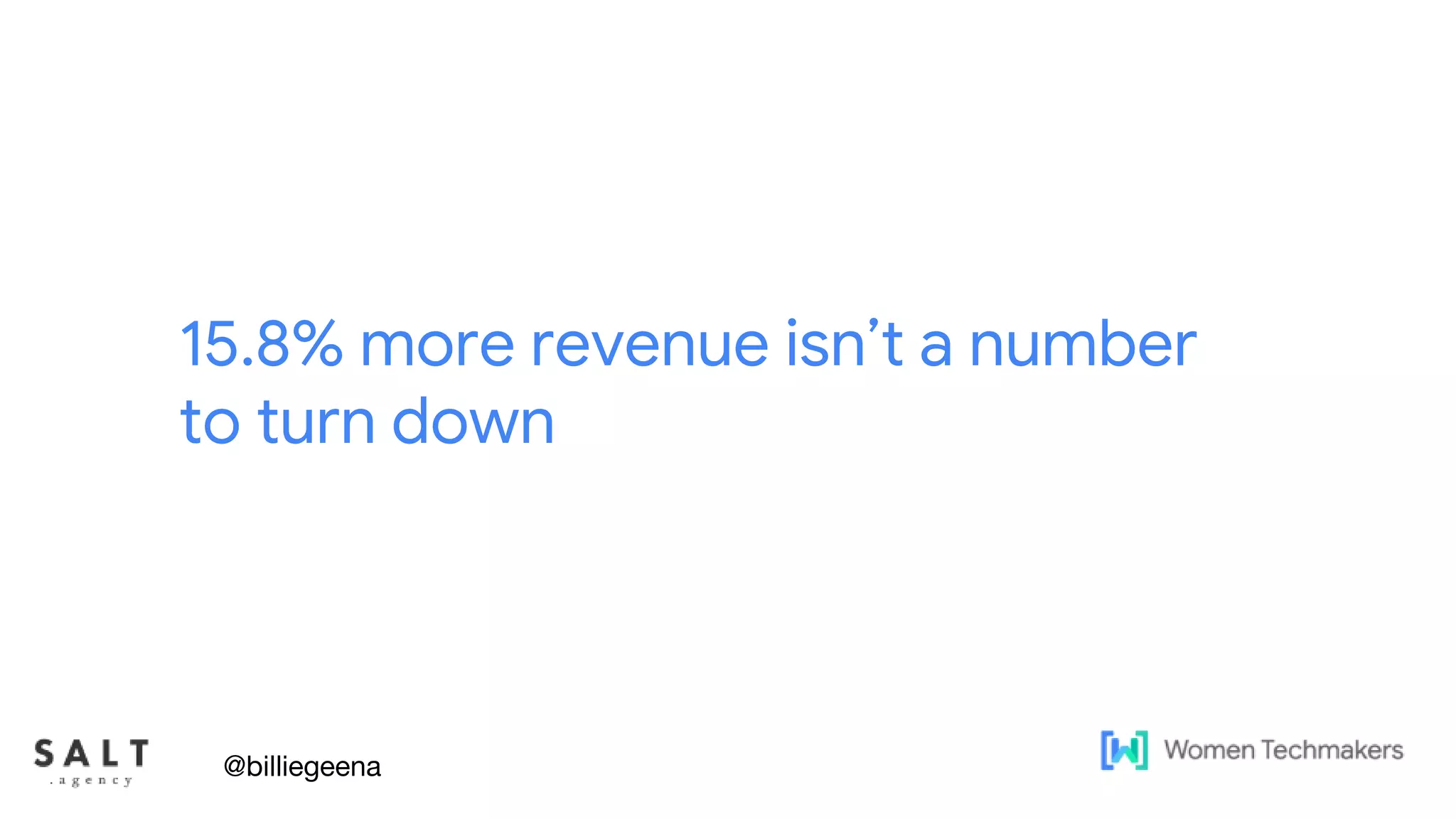
15.8% more revenue isn’t a number
to turn down
@billiegeena
Text & diagram slides
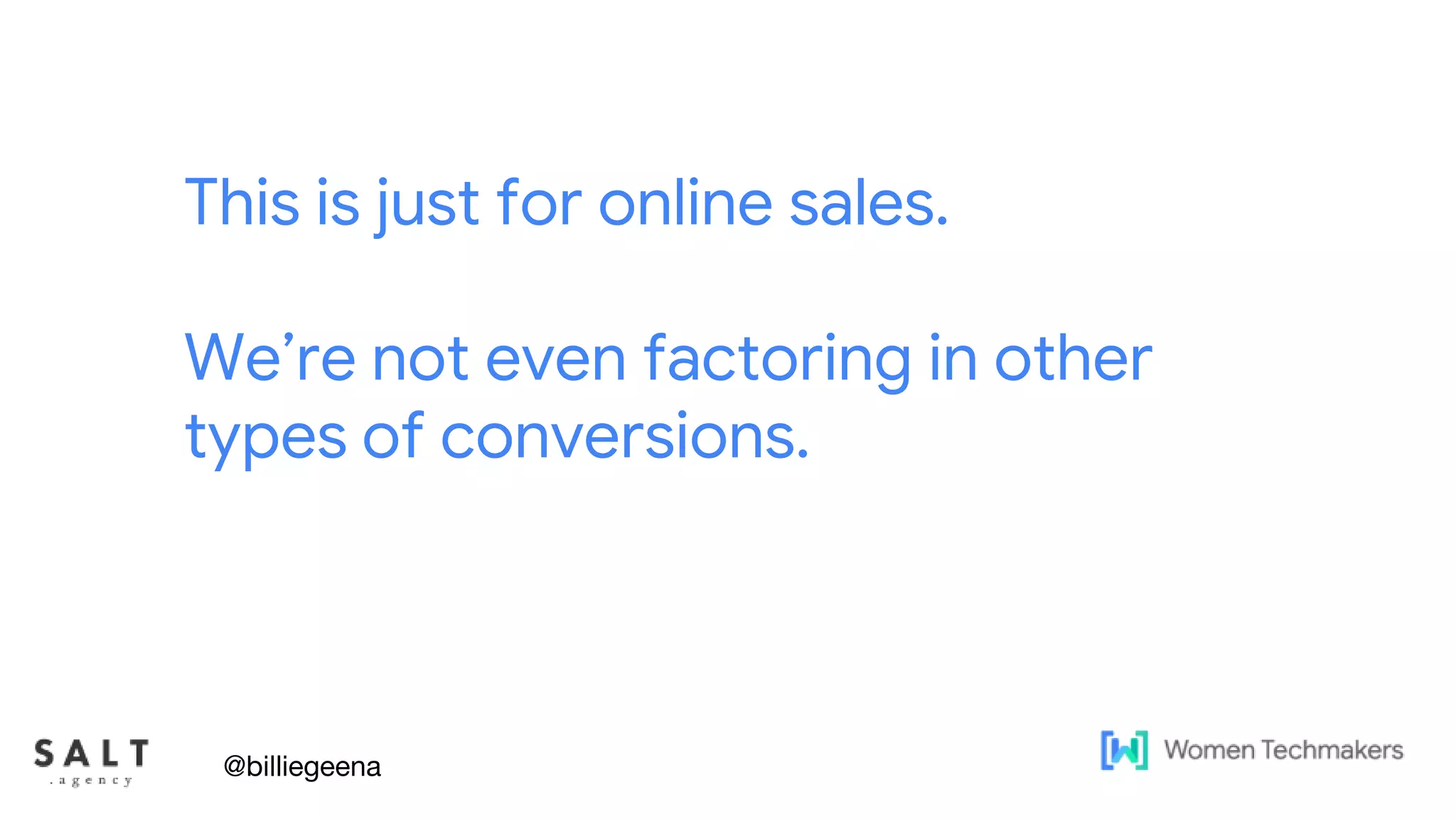
This is just for online sales.
We’re not even factoring in other
types of conversions.
@billiegeena
What is in place to
encourage accessibility
@billiegeena
Text & diagram slides
In the UK, website accessibility is
covered under the Equality Act 2010.
@billiegeena
If you created a new public sector website on or after 23
September 2018, you need to meet accessibility standards and
should have published an accessibility statement. You need to
review and update your statement regularly.
https://www.gov.uk/guidance/accessibility-requirements-
for-public-sector-websites-and-apps
@billiegeena
Text & diagram slides
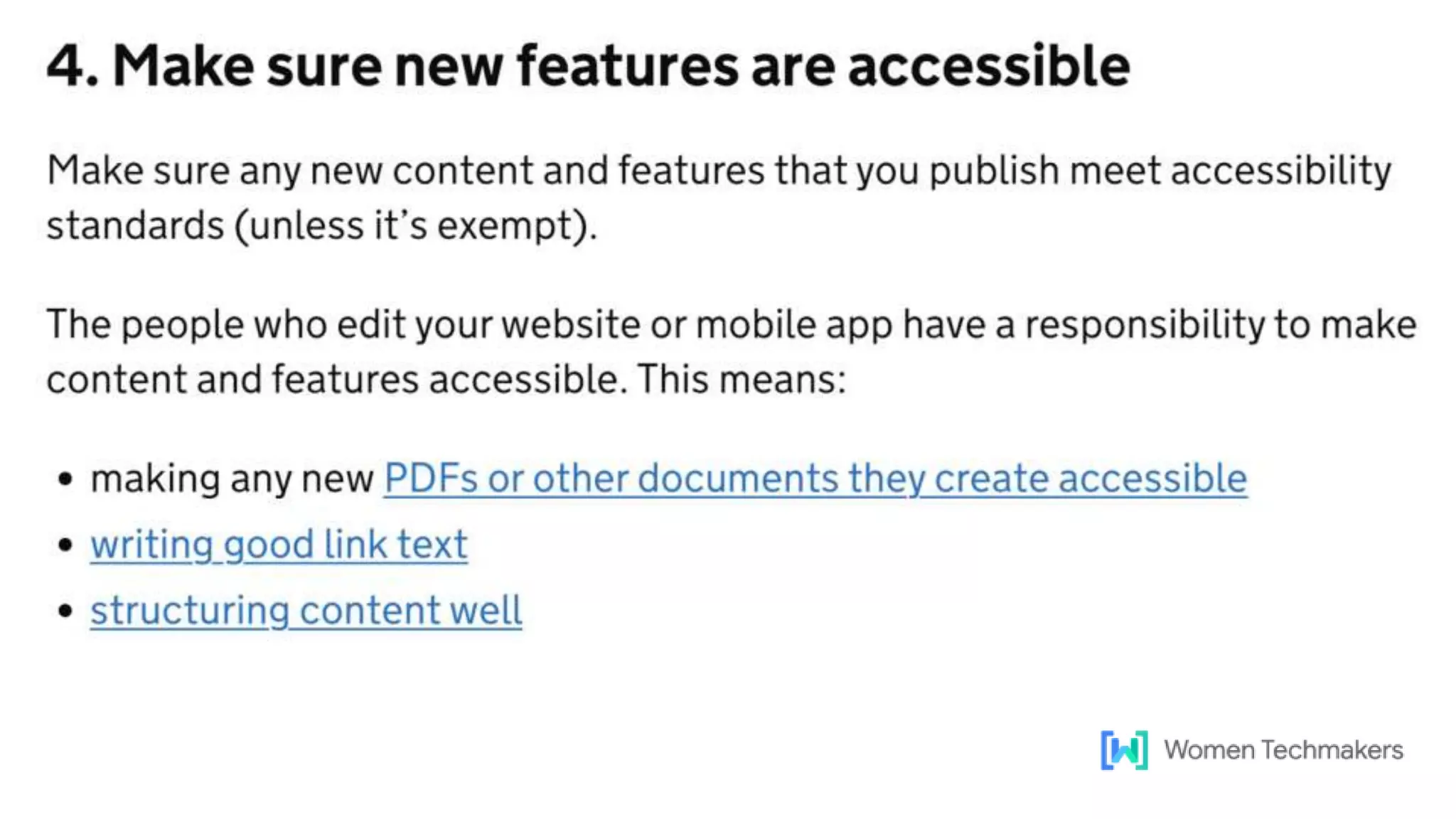
A lot of the things you need to do in
this are just SEO best practices
Excuse the over-simplification, but here’s what the government's
website has to say on the topic
@billiegeena
Text & diagram slides
If you want your site to perform well
in Search, those are fundamentals in
SEO
@billiegeena
Text & diagram slides
In the US
They have the ADA compliance. ADA is The Americans with
Disabilities Act which requires that web content should be
accessible to disabled users.
And it’s America, so you can get sued!
@billiegeena
So really it’s a big deal!
@billiegeena
Text & diagram slides
What they have in common
The both advocate for developers and website owners to achieve
and follow the Web Content Accessibility Guidelines (WCAG)
WCAG has become an international accessibility standard
@billiegeena
But accessibility work is
hard to get approved
@billiegeena
Text & diagram slides
There are countless benefits to having an accessible website but it
can be hard to sell.
@billiegeena
Problem Statements
● It’s a lot of work!
● Our developers, you lot, are already busy on xyz
● We don’t have the budget to do this
● Do we want disabled people to buy our products
● Google isn’t everything
● I have other priorities right now
@billiegeena
Benefits
● Larger Customer Base
● More Returning Customers
● Increase in profits
● Free Word of Mouth Marketing
● Rank Higher in Google
● Good Person Points
@billiegeena
Text & diagram slides
So, what I do, is just treat
accessibility as if it is part of my
usual work.
Or really you can really hammer
home that £19 Billion number.
@billiegeena
Activities that will make
your site(s) more
accessible
@billiegeena
@billiegeena
@billiegeena
Site Structure and Internal
Linking
@billiegeena
Text & diagram slides
Site Structure
The foundations of online accessibility is very similar to the core of a
SEO strategy.
@billiegeena
Text & diagram slides
Clear navigation
Having clear navigation can help users with limited mobility and/or
users who need a screen reader to find and select the content that
is relevant to them.
AND it helps you internally link whilst providing a clear site hierarchy
to Google
@billiegeena
Text & diagram slides
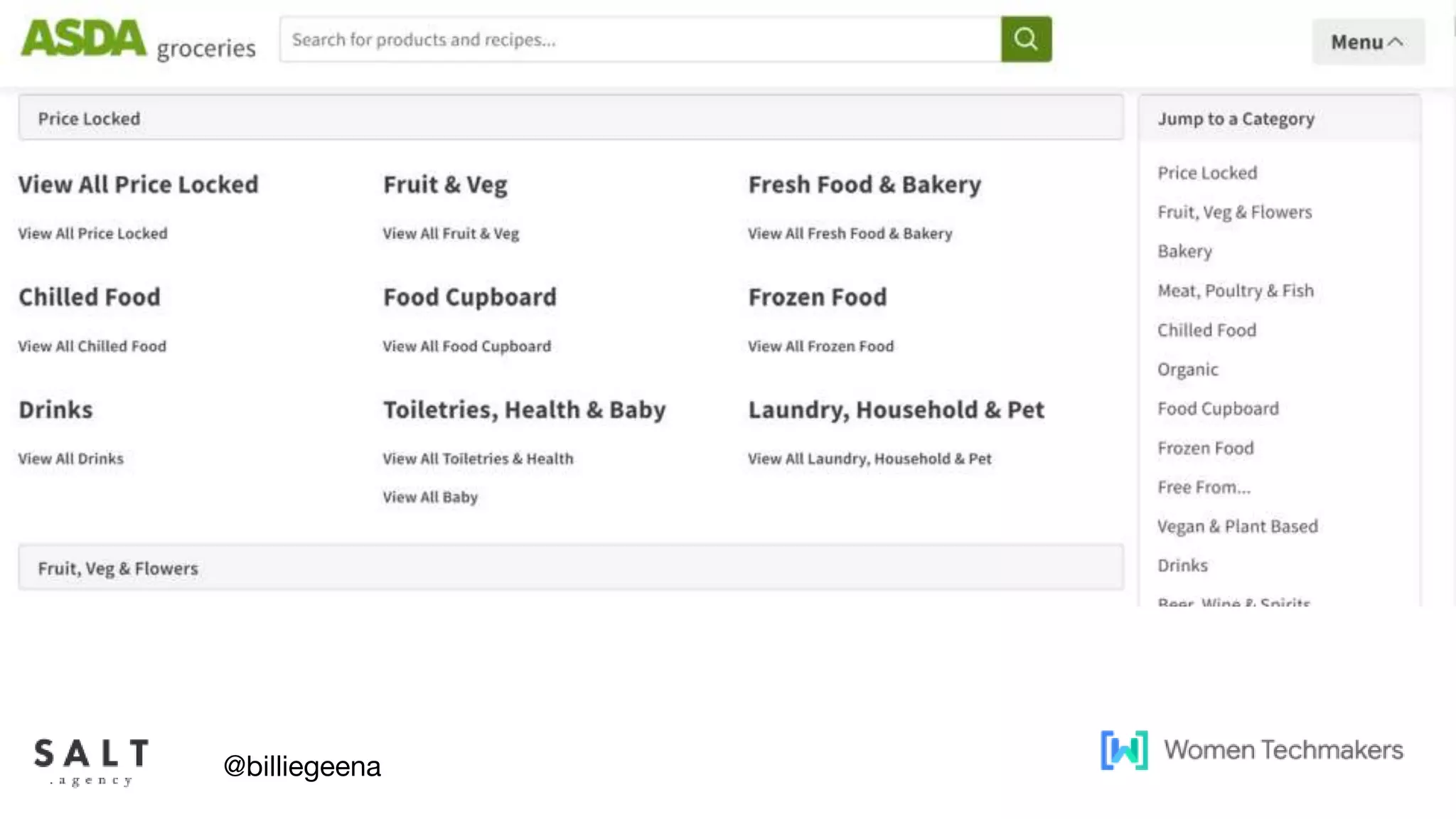
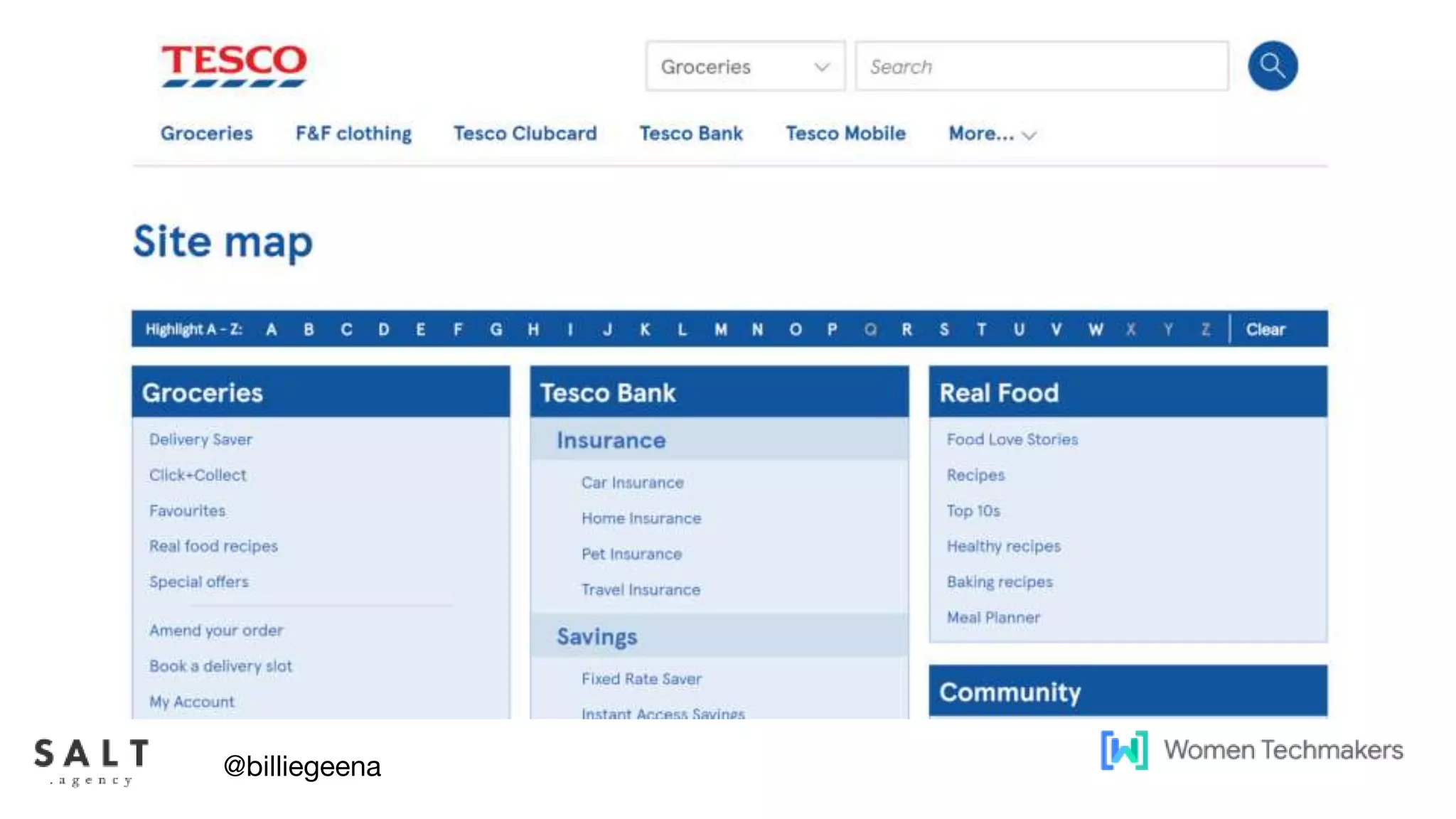
HTML Sitemaps
Often users who navigate websites through tabbing will rely on a
sitemap to help them find what they are looking for.
Again this provides an additional way to ensure all core pages are
linked to but can vastly improve the user experience for users with
limited mobility.
@billiegeena
Text & diagram slides
HTML Sitemaps
However keep user experience as a priority, HTML sitemaps for
large sites can quickly become a navigation nightmare!
@billiegeena
Text & diagram slides
@billiegeena
Text & diagram slides
@billiegeena
Text & diagram slides
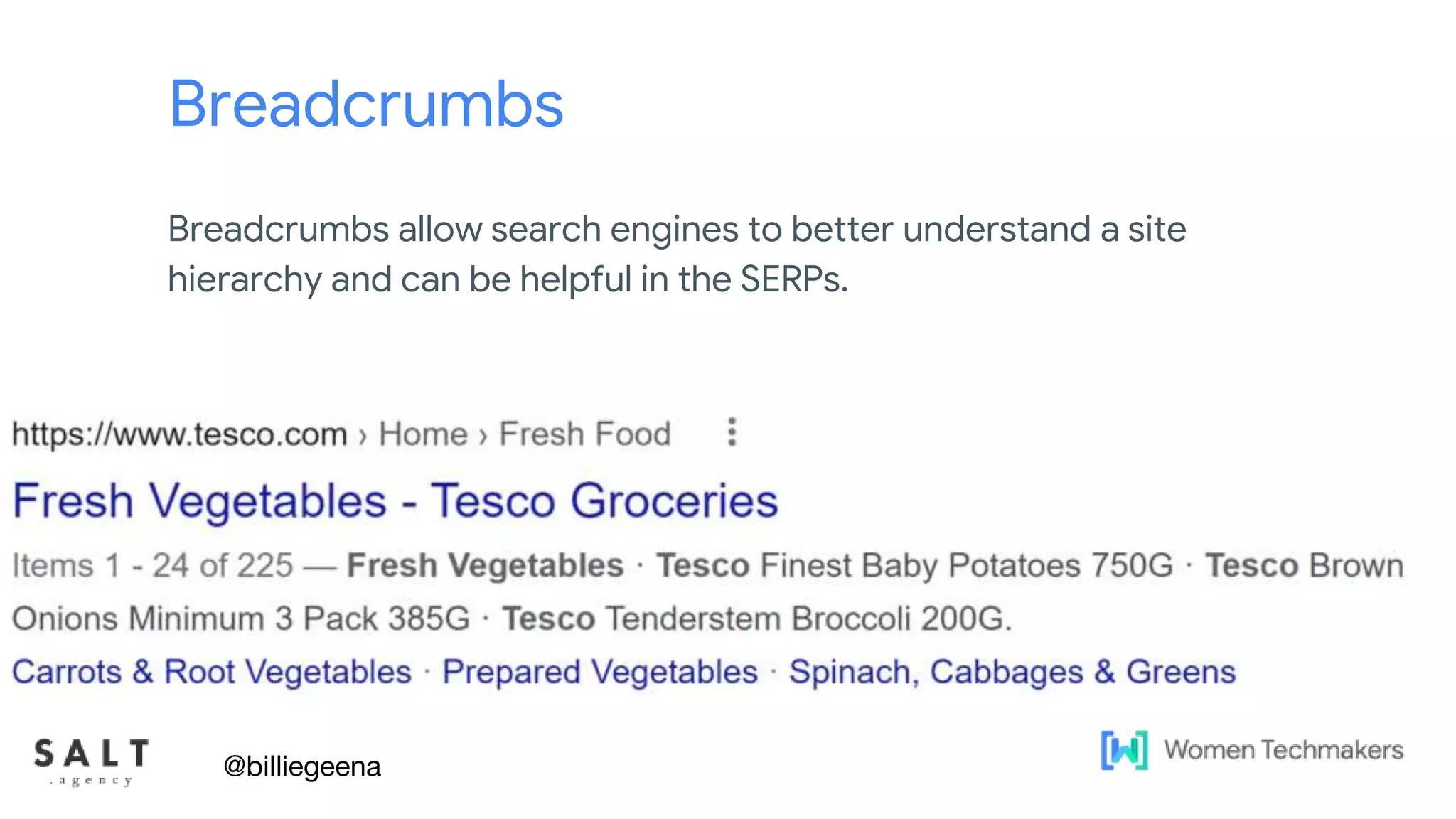
Breadcrumbs
Breadcrumbs allow search engines to better understand a site
hierarchy and can be helpful in the SERPs.
@billiegeena
Text & diagram slides
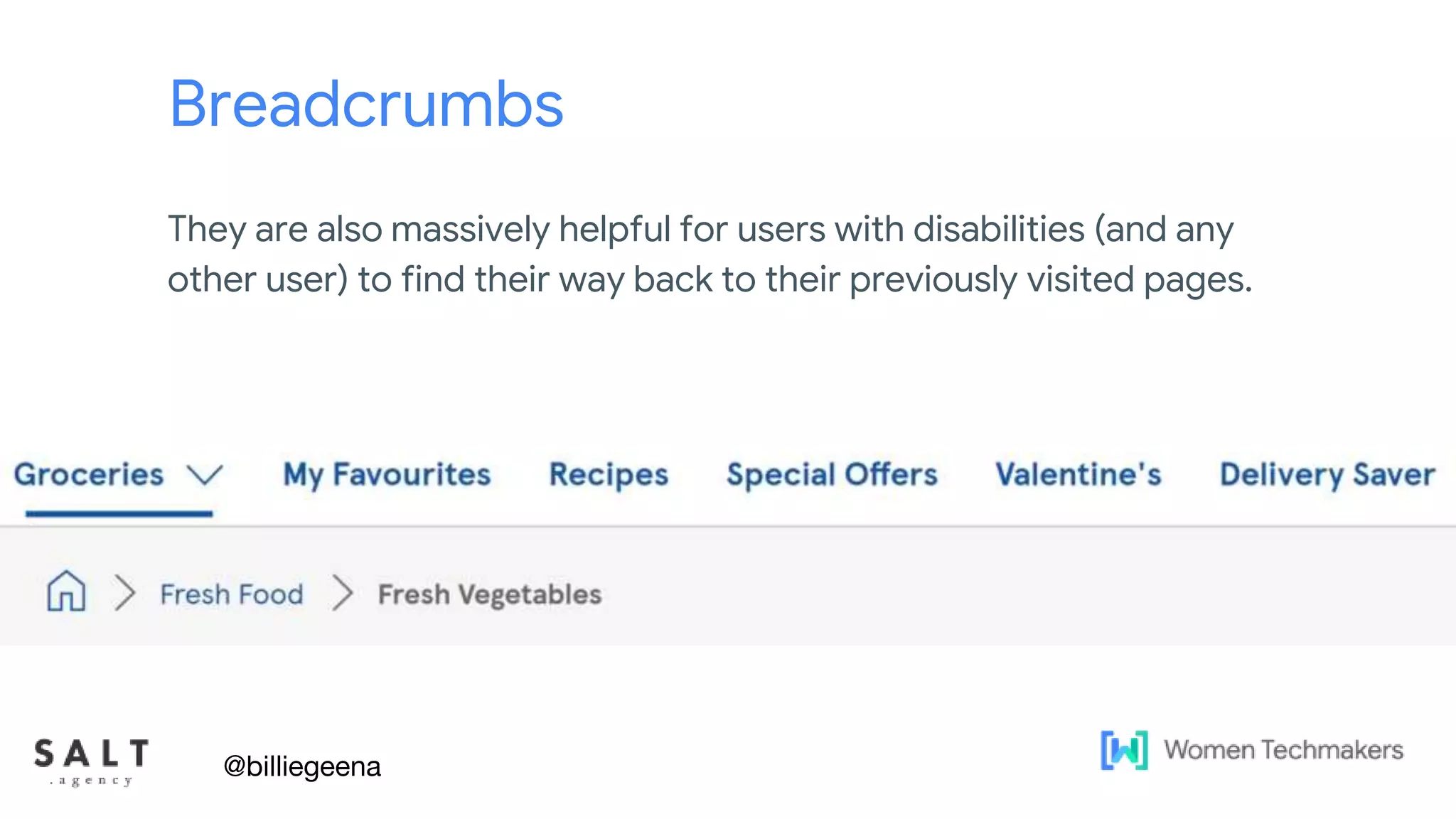
Breadcrumbs
They are also massively helpful for users with disabilities (and any
other user) to find their way back to their previously visited pages.
@billiegeena
Clickable Elements
@billiegeena
Text & diagram slides
Can you navigate the site without a
mouse and is the tabbing order
logical?
@billiegeena
Text & diagram slides
Can you interact with everything with a keyboard in
the same way you can with a mouse or are any
blocks?
This can be an effective way to demonstrate to
others how you may be excluding users or forcing
them to find a workaround.
@billiegeena
Text & diagram slides
Consider button placement
@billiegeena
Could a user with limited mobility use
the mobile version of the site easily?
Text & diagram slides
I personally test this by loading up the page and
navigating only with knuckles.
@billiegeena
Visuals
@billiegeena
Text & diagram slides
Colour Contrast
Colour vision deficiencies affect around 1 in 12 men and 1 in 200
women.
It’s a large portion of the world's population that struggle with
various degrees of colour deficiencies.
The most common colour deficiency is red-green, which means
they struggle differentiating between reds, oranges, yellows,
browns and greens.
@billiegeena
Text & diagram slides
Not ideal
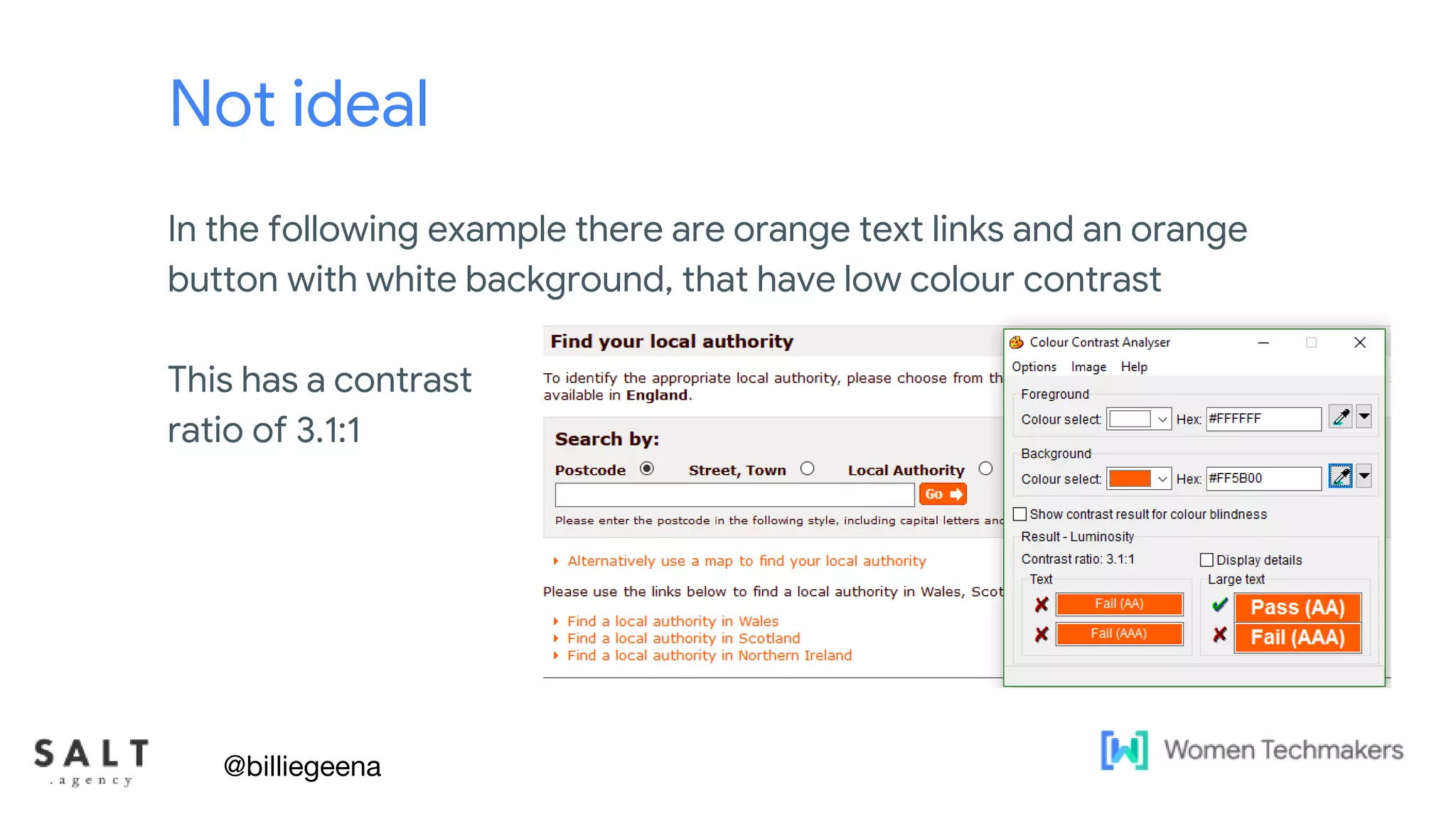
In the following example there are orange text links and an orange
button with white background, that have low colour contrast
This has a contrast
ratio of 3.1:1
@billiegeena
Text & diagram slides
Ideal
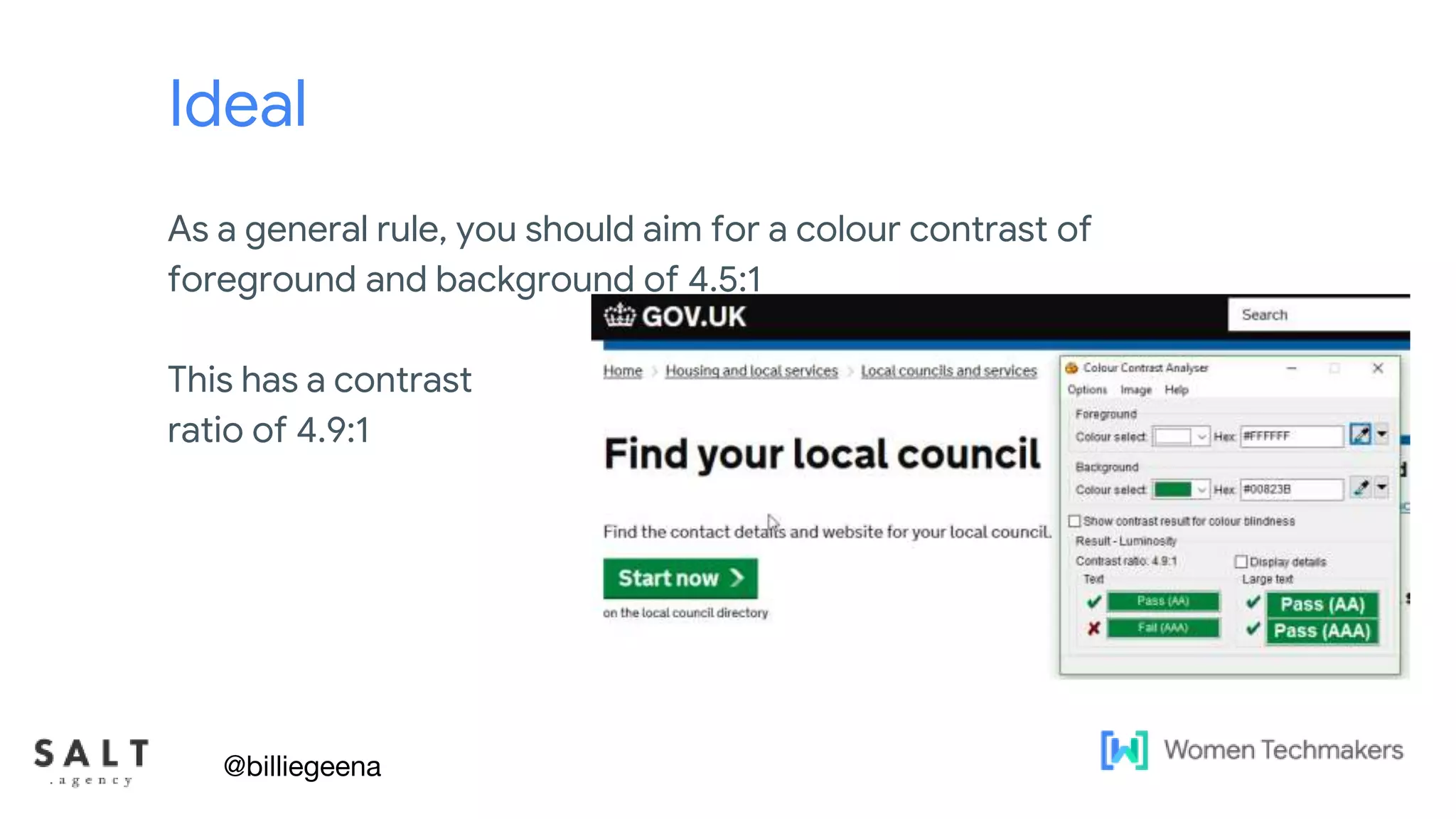
As a general rule, you should aim for a colour contrast of
foreground and background of 4.5:1
This has a contrast
ratio of 4.9:1
@billiegeena
Text & diagram slides
Tap Target Size
When your design is displayed on a mobile device, you should
ensure that interactive elements like buttons or links are large
enough, and have enough space around them, to make them easy
to press without accidentally overlapping onto other elements.
@billiegeena
Text & diagram slides
Tap Target Size
The recommended tap target size of at least 48×48 pixels, which
would be around 9mm on the page, which is about the size of a
person's finger.
Touch targets should also be spaced about 8 pixels apart, both
horizontally and vertically, so that a user's finger pressing on one tap
target does not inadvertently touch another tap target.
@billiegeena
Text & diagram slides
Text Size
Use at least a font size of 16px, but this can vary depending on the
design of the font. Maintain a line length that promotes comfortable
reading.
@billiegeena
Text & diagram slides
Image File Names
Choosing the right file name is important for your page SEO and for
ranking in image search results.
File names are not helpful for Accessibility, however often site
owners use file names in lieu of the ALT text.
@billiegeena
Text & diagram slides
Image File Names
How to use image file names
● Use this as an opportunity to target keywords or the brand
● Do not use the file name to describe the image
● Use hyphens instead of spaces.
● Don’t use underscores because search engines don’t recognize
them and won’t be able to “see” the words individually.
@billiegeena
Text & diagram slides
Alt Text
One of the quickest ways to improve your accessibility is by
ensuring that every image has alt attributes.
Good alt text means that people who use screen readers get the
same experience from the page as a fully sighted user.
Good alt text will also help you rank better on search engines!
@billiegeena
Text & diagram slides
Alt Text
Google will only read the first 100 characters (including spaces) of
alt text, however for accessibility you can go into more detail.
Ensure the most important aspects are at the beginning of the alt
text
@billiegeena
Text & diagram slides
Page Structure
Ensure your page follows a logical structure i.e. a H2 follows a H1
@billiegeena
Open and Honesty
@billiegeena
Text & diagram slides
Accessibility Statements
A written commitment to your users is a strong place to start. It can
help you to build trust and provide accountability.
Writing one is a good prompt to audit a site, identify areas that
fall short and set the intention for how you’ll make improvements.
@billiegeena
So are you going to make
your site more
accessible?
@billiegeena
Text & diagram slides
If you do
Users with disabilities are also more likely to return as customers if
they find your site easy to use.
You could have a very loyal customer base.
@billiegeena
Text & diagram slides
All of these are so easy to do as part
of our usual workflows
So why not just do them?
Then watch the results come in
@billiegeena
Drop me a line @billiegeena
Billie@salt.agency
slideshare.net/billiehyde
Wanna talk about
accessibility more?

Is your site accessible? No? Why the h*ck not!

  • 1.
    Billie Geena Hyde @billiegeena Isyour site accessible? No? Why the h*ck not?
  • 2.
    Who am I? ●Learning and Development Manager at SALT.agency ● 5 years formal SEO experience, 2 years content experience ● Neurodivergent - I have Dyscalculia and an anxiety disorder @billiegeena
  • 3.
    The bit you'llprobably have focused on, I'm not a developer I promise what I have to say is relevant to you though. @billiegeena
  • 4.
    I promise whatI have to say is relevant to you though. Pls don't hate me xoxo @billiegeena The bit you'll probably have focused on, I'm not a developer
  • 5.
  • 6.
    15% of theworld’s population lives with a disability. @billiegeena
  • 7.
    That’s over 1 billionpeople @billiegeena
  • 8.
    In the UK,it’s slightly higher with 18% of the population living with a disability. @billiegeena
  • 9.
    Text & diagramslides There are 4 main categories of disability to be aware of: ● Motor ● Cognitive ● Auditory ● Visual @billiegeena
  • 10.
    Text & diagramslides Accessibility doesn’t just mean users with a disability either. @billiegeena
  • 11.
    Text & diagramslides Total e-commerce sales for 2021 were estimated at $870.8 billion. That was up by 17.9% from the year before. @billiegeena
  • 12.
    Text & diagramslides The UK’s total online sales revenue was estimated at £120 billion in 2021 @billiegeena
  • 13.
    Text & diagramslides 92% of the UK’s population has access to the internet @billiegeena https://www.ibisworld.com/uk/bed/percentage-of-households-with-internet-access/2717/
  • 14.
    In 2020, 81%of people with disabilities in the UK had internet access at some capacity. @billiegeena 81% 19% https://www.ons.gov.uk/businessindustryandtrade/itandinternetindustry/bulletins/internetusers/2020/pd f
  • 15.
    Text & diagramslides I mentioned before that I have dyscalculia So now I have my much dreaded maths slide @billiegeena
  • 16.
    Text & diagramslides With 18% people with a disability, 81% of them active on the internet (and 92% with internet access overall) That means 18% * 81% / 92% = 15.8% of the total internet population has a disability, so it's 120B * 15.8% = 19 billion GBP market of people with a disability in the UK @billiegeena
  • 17.
    Text & diagramslides £19 BILLION @billiegeena
  • 18.
    Text & diagramslides So you could say 15.8% of any company's revenue assuming everyone can use the site, or +15.8% more revenue if it's not accessible to people with disabilities @billiegeena
  • 19.
    Text & diagramslides 15.8% more revenue isn’t a number to turn down @billiegeena
  • 20.
    Text & diagramslides This is just for online sales. We’re not even factoring in other types of conversions. @billiegeena
  • 21.
    What is inplace to encourage accessibility @billiegeena
  • 22.
    Text & diagramslides In the UK, website accessibility is covered under the Equality Act 2010. @billiegeena
  • 23.
    If you createda new public sector website on or after 23 September 2018, you need to meet accessibility standards and should have published an accessibility statement. You need to review and update your statement regularly. https://www.gov.uk/guidance/accessibility-requirements- for-public-sector-websites-and-apps @billiegeena
  • 24.
    Text & diagramslides A lot of the things you need to do in this are just SEO best practices Excuse the over-simplification, but here’s what the government's website has to say on the topic @billiegeena
  • 26.
    Text & diagramslides If you want your site to perform well in Search, those are fundamentals in SEO @billiegeena
  • 27.
    Text & diagramslides In the US They have the ADA compliance. ADA is The Americans with Disabilities Act which requires that web content should be accessible to disabled users. And it’s America, so you can get sued! @billiegeena
  • 28.
    So really it’sa big deal! @billiegeena
  • 29.
    Text & diagramslides What they have in common The both advocate for developers and website owners to achieve and follow the Web Content Accessibility Guidelines (WCAG) WCAG has become an international accessibility standard @billiegeena
  • 30.
    But accessibility workis hard to get approved @billiegeena
  • 31.
    Text & diagramslides There are countless benefits to having an accessible website but it can be hard to sell. @billiegeena
  • 32.
    Problem Statements ● It’sa lot of work! ● Our developers, you lot, are already busy on xyz ● We don’t have the budget to do this ● Do we want disabled people to buy our products ● Google isn’t everything ● I have other priorities right now @billiegeena
  • 33.
    Benefits ● Larger CustomerBase ● More Returning Customers ● Increase in profits ● Free Word of Mouth Marketing ● Rank Higher in Google ● Good Person Points @billiegeena
  • 34.
    Text & diagramslides So, what I do, is just treat accessibility as if it is part of my usual work. Or really you can really hammer home that £19 Billion number. @billiegeena
  • 35.
    Activities that willmake your site(s) more accessible @billiegeena
  • 36.
  • 37.
  • 38.
    Site Structure andInternal Linking @billiegeena
  • 39.
    Text & diagramslides Site Structure The foundations of online accessibility is very similar to the core of a SEO strategy. @billiegeena
  • 40.
    Text & diagramslides Clear navigation Having clear navigation can help users with limited mobility and/or users who need a screen reader to find and select the content that is relevant to them. AND it helps you internally link whilst providing a clear site hierarchy to Google @billiegeena
  • 41.
    Text & diagramslides HTML Sitemaps Often users who navigate websites through tabbing will rely on a sitemap to help them find what they are looking for. Again this provides an additional way to ensure all core pages are linked to but can vastly improve the user experience for users with limited mobility. @billiegeena
  • 42.
    Text & diagramslides HTML Sitemaps However keep user experience as a priority, HTML sitemaps for large sites can quickly become a navigation nightmare! @billiegeena
  • 43.
    Text & diagramslides @billiegeena
  • 44.
    Text & diagramslides @billiegeena
  • 45.
    Text & diagramslides Breadcrumbs Breadcrumbs allow search engines to better understand a site hierarchy and can be helpful in the SERPs. @billiegeena
  • 46.
    Text & diagramslides Breadcrumbs They are also massively helpful for users with disabilities (and any other user) to find their way back to their previously visited pages. @billiegeena
  • 47.
  • 48.
    Text & diagramslides Can you navigate the site without a mouse and is the tabbing order logical? @billiegeena
  • 49.
    Text & diagramslides Can you interact with everything with a keyboard in the same way you can with a mouse or are any blocks? This can be an effective way to demonstrate to others how you may be excluding users or forcing them to find a workaround. @billiegeena
  • 50.
    Text & diagramslides Consider button placement @billiegeena Could a user with limited mobility use the mobile version of the site easily?
  • 51.
    Text & diagramslides I personally test this by loading up the page and navigating only with knuckles. @billiegeena
  • 52.
  • 53.
    Text & diagramslides Colour Contrast Colour vision deficiencies affect around 1 in 12 men and 1 in 200 women. It’s a large portion of the world's population that struggle with various degrees of colour deficiencies. The most common colour deficiency is red-green, which means they struggle differentiating between reds, oranges, yellows, browns and greens. @billiegeena
  • 54.
    Text & diagramslides Not ideal In the following example there are orange text links and an orange button with white background, that have low colour contrast This has a contrast ratio of 3.1:1 @billiegeena
  • 55.
    Text & diagramslides Ideal As a general rule, you should aim for a colour contrast of foreground and background of 4.5:1 This has a contrast ratio of 4.9:1 @billiegeena
  • 56.
    Text & diagramslides Tap Target Size When your design is displayed on a mobile device, you should ensure that interactive elements like buttons or links are large enough, and have enough space around them, to make them easy to press without accidentally overlapping onto other elements. @billiegeena
  • 57.
    Text & diagramslides Tap Target Size The recommended tap target size of at least 48×48 pixels, which would be around 9mm on the page, which is about the size of a person's finger. Touch targets should also be spaced about 8 pixels apart, both horizontally and vertically, so that a user's finger pressing on one tap target does not inadvertently touch another tap target. @billiegeena
  • 58.
    Text & diagramslides Text Size Use at least a font size of 16px, but this can vary depending on the design of the font. Maintain a line length that promotes comfortable reading. @billiegeena
  • 59.
    Text & diagramslides Image File Names Choosing the right file name is important for your page SEO and for ranking in image search results. File names are not helpful for Accessibility, however often site owners use file names in lieu of the ALT text. @billiegeena
  • 60.
    Text & diagramslides Image File Names How to use image file names ● Use this as an opportunity to target keywords or the brand ● Do not use the file name to describe the image ● Use hyphens instead of spaces. ● Don’t use underscores because search engines don’t recognize them and won’t be able to “see” the words individually. @billiegeena
  • 61.
    Text & diagramslides Alt Text One of the quickest ways to improve your accessibility is by ensuring that every image has alt attributes. Good alt text means that people who use screen readers get the same experience from the page as a fully sighted user. Good alt text will also help you rank better on search engines! @billiegeena
  • 62.
    Text & diagramslides Alt Text Google will only read the first 100 characters (including spaces) of alt text, however for accessibility you can go into more detail. Ensure the most important aspects are at the beginning of the alt text @billiegeena
  • 63.
    Text & diagramslides Page Structure Ensure your page follows a logical structure i.e. a H2 follows a H1 @billiegeena
  • 64.
  • 65.
    Text & diagramslides Accessibility Statements A written commitment to your users is a strong place to start. It can help you to build trust and provide accountability. Writing one is a good prompt to audit a site, identify areas that fall short and set the intention for how you’ll make improvements. @billiegeena
  • 66.
    So are yougoing to make your site more accessible? @billiegeena
  • 67.
    Text & diagramslides If you do Users with disabilities are also more likely to return as customers if they find your site easy to use. You could have a very loyal customer base. @billiegeena
  • 68.
    Text & diagramslides All of these are so easy to do as part of our usual workflows So why not just do them? Then watch the results come in @billiegeena
  • 69.
    Drop me aline @billiegeena Billie@salt.agency slideshare.net/billiehyde Wanna talk about accessibility more?