IRIS
Booking management platform for
Real Estate Companies
Product Overview
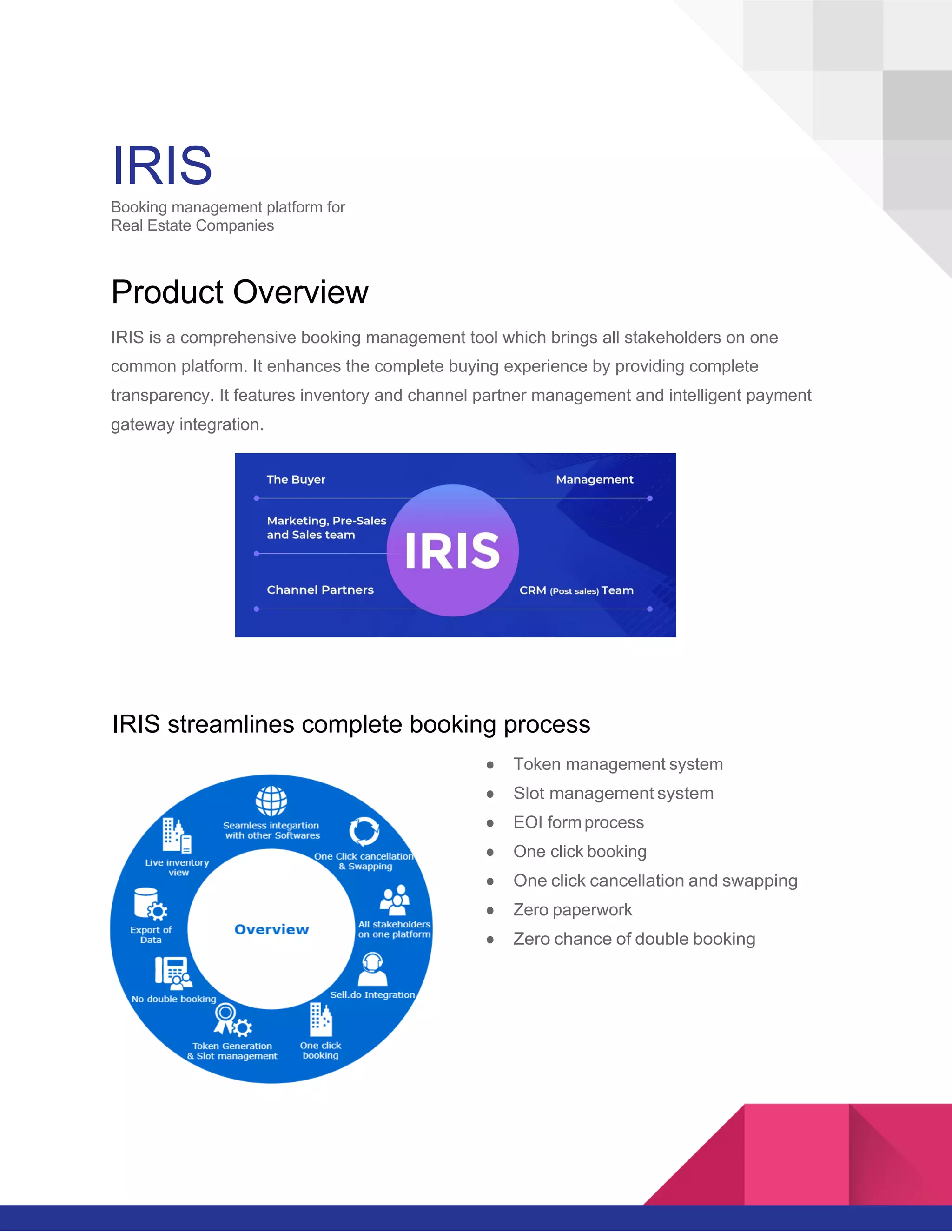
IRIS is a comprehensive booking management tool which brings all stakeholders on one
common platform. It enhances the complete buying experience by providing complete
transparency. It features inventory and channel partner management and intelligent payment
gateway integration.
IRIS streamlines complete booking process
● Token management system
● Slot management system
● EOI formprocess
● One click booking
● One click cancellation and swapping
● Zero paperwork
● Zero chance of double booking
2
Direct customer module
CustomercanberedirectedtoIRISregistrationpagefromprojects
website or from any digital sources. Source of the customer will be
captured from the UTM parameters which will be useful to provide
theROIreporting.Customercanregisterontheportalbysubmitting
the basic details such as name, email and phone number.
Personalized account for that user will be created.
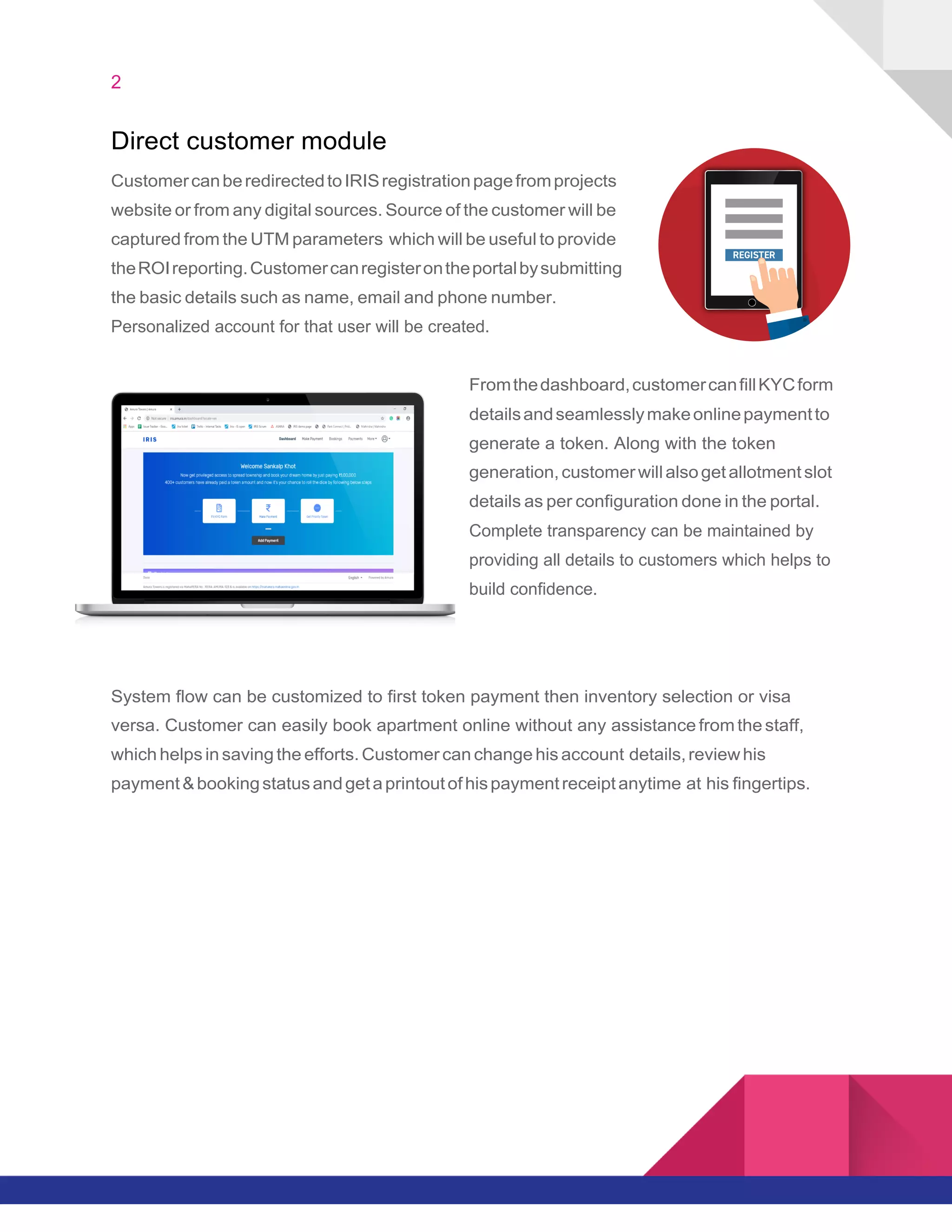
Fromthedashboard,customercanfillKYCform
detailsandseamlesslymakeonlinepaymentto
generate a token. Along with the token
generation,customerwillalsogetallotmentslot
details as per configuration done in the portal.
Complete transparency can be maintained by
providing all details to customers which helps to
build confidence.
System flow can be customized to first token payment then inventory selection or visa
versa. Customer can easily book apartment online without any assistance from the staff,
which helps in saving the efforts. Customer can change his account details,reviewhis
payment&bookingstatusandgetaprintoutofhispaymentreceiptanytime at his fingertips.
3
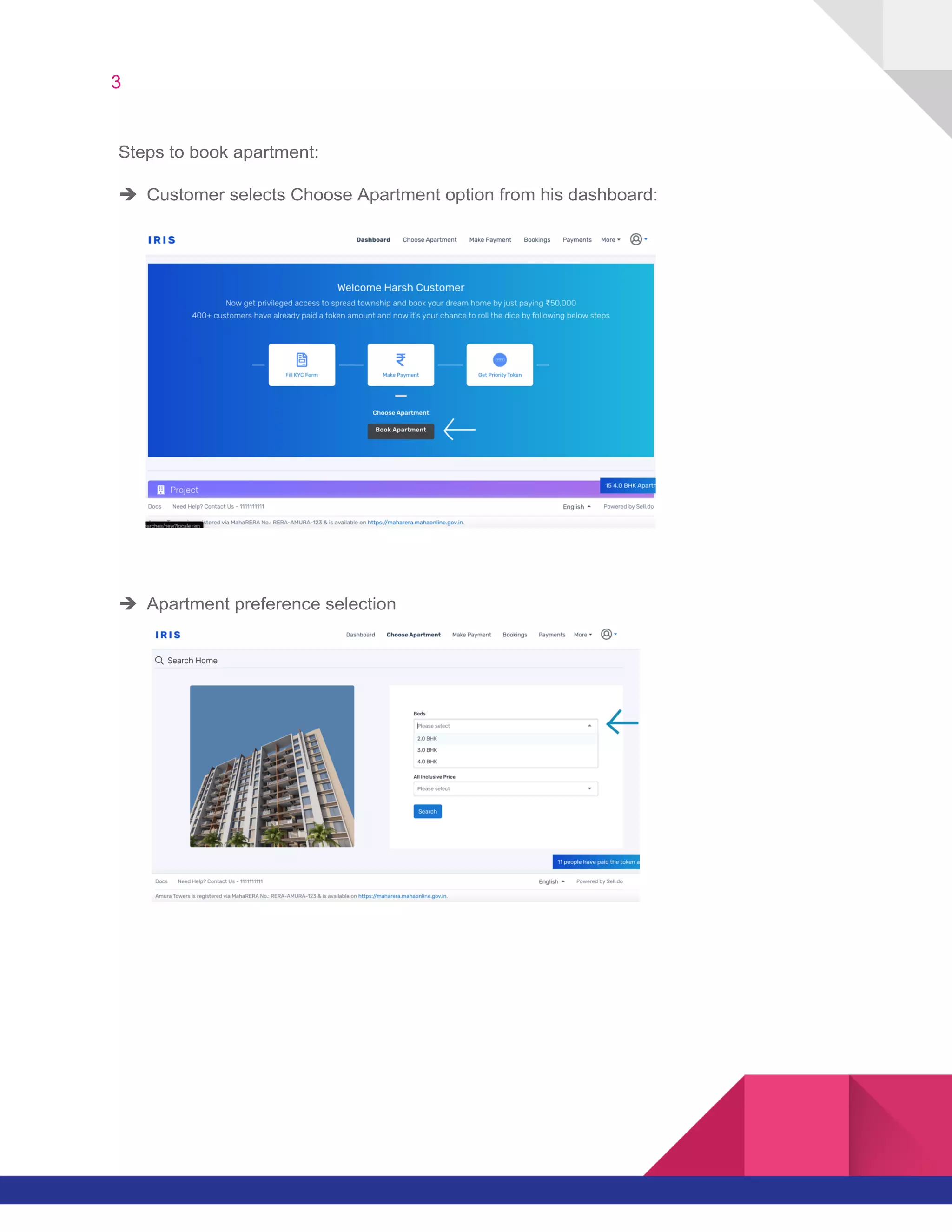
Steps to book apartment:
è Customer selects Choose Apartment option from his dashboard:
è Apartment preference selection
4
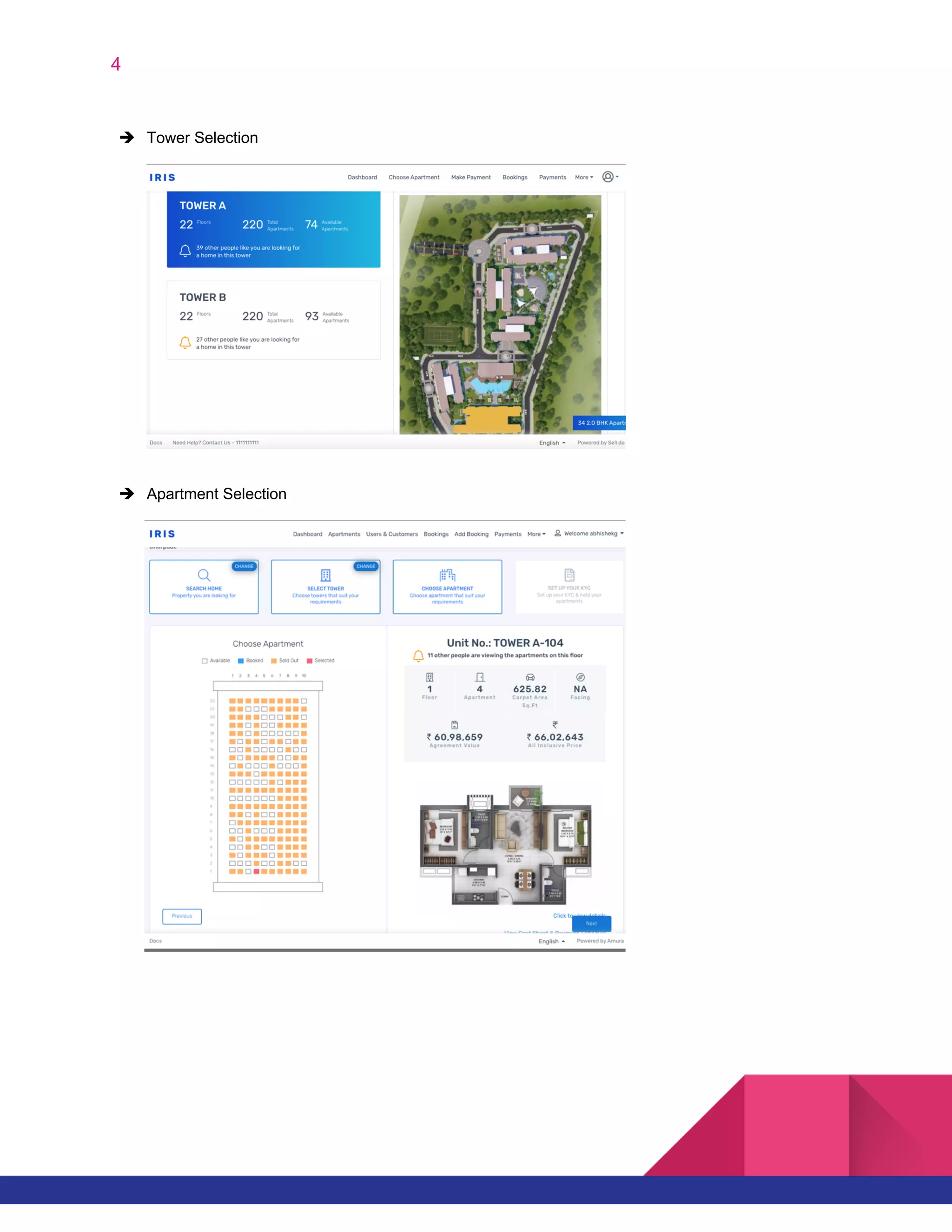
è Tower Selection
è Apartment Selection
5
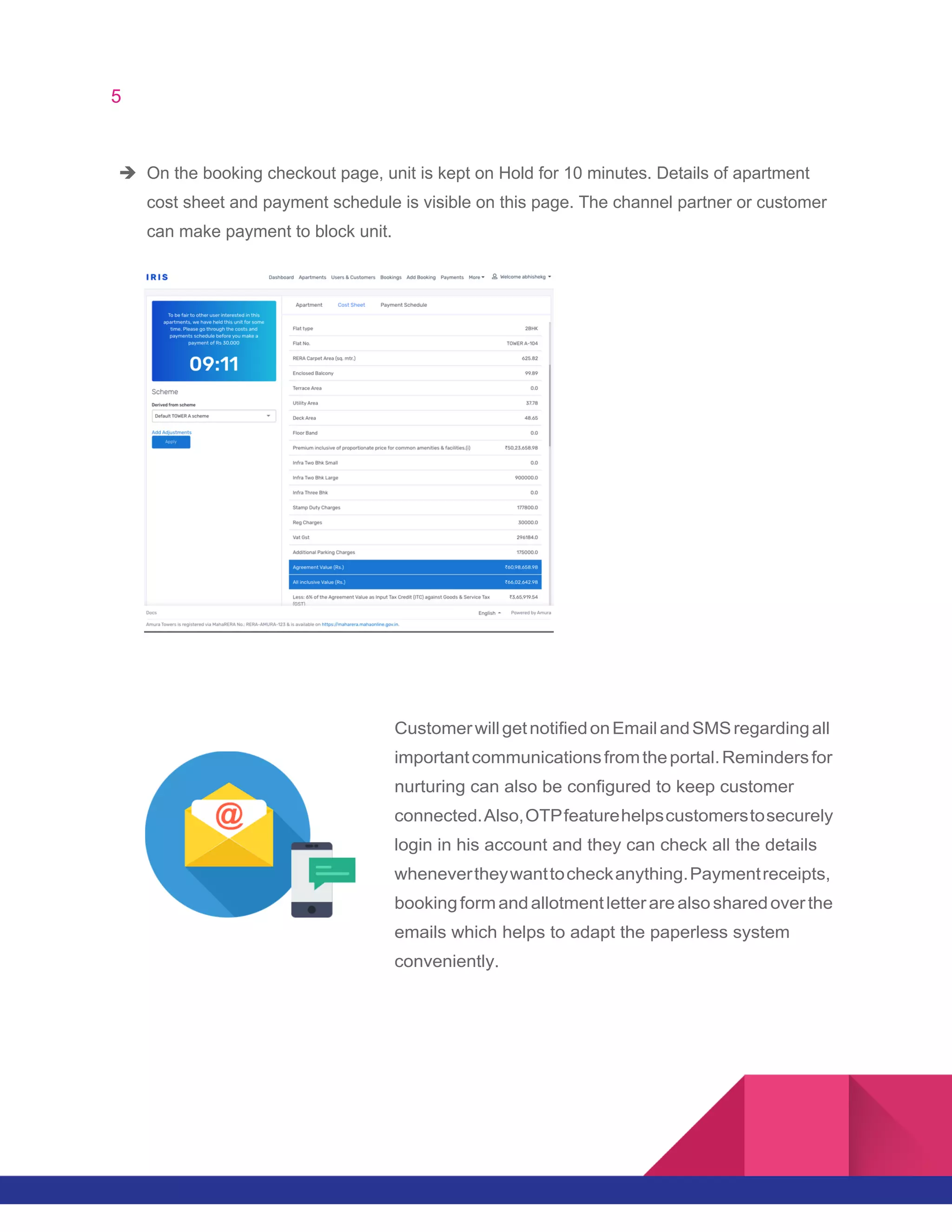
è On the booking checkout page, unit is kept on Hold for 10 minutes. Details of apartment
cost sheet and payment schedule is visible on this page. The channel partner or customer
can make payment to block unit.
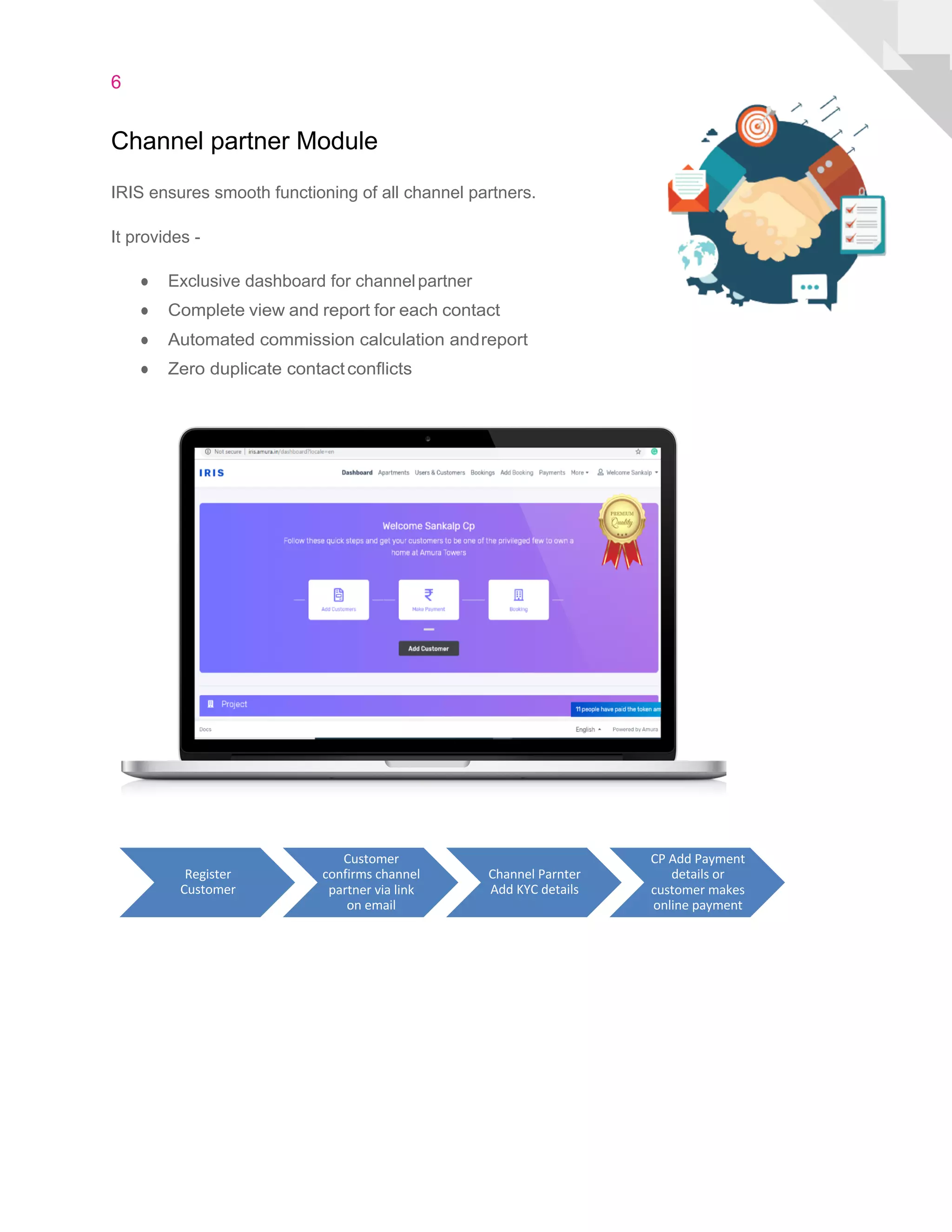
CustomerwillgetnotifiedonEmailandSMSregardingall
importantcommunicationsfromtheportal.Remindersfor
nurturing can also be configured to keep customer
connected.Also,OTPfeaturehelpscustomerstosecurely
login in his account and they can check all the details
whenevertheywanttocheckanything.Paymentreceipts,
bookingformandallotmentletterarealsosharedoverthe
emails which helps to adapt the paperless system
conveniently.
6
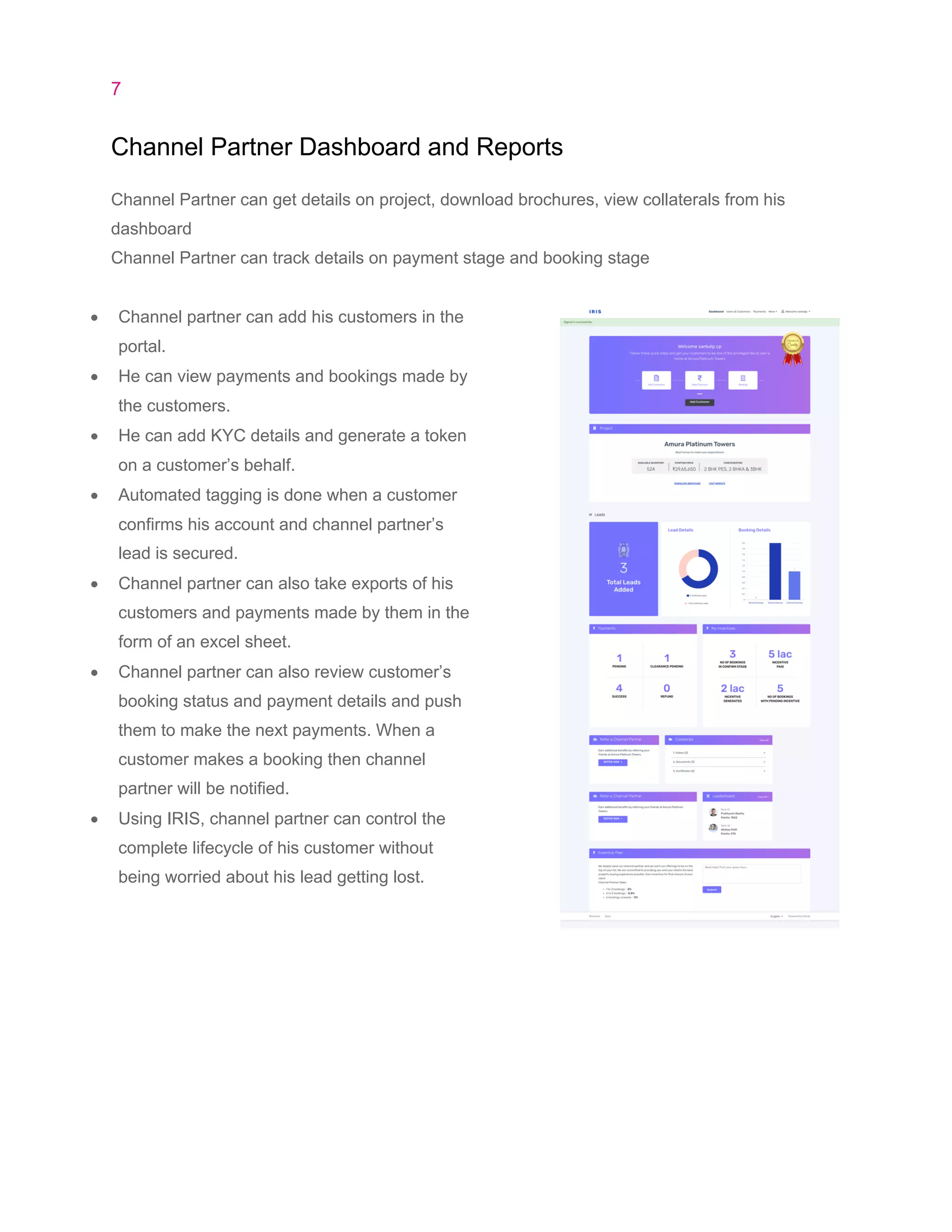
Channel partner Module
IRIS ensures smooth functioning of all channel partners.
It provides -
● Exclusive dashboard for channelpartner
● Complete view and report for each contact
● Automated commission calculation andreport
● Zero duplicate contactconflicts
Register
Customer
Customer
confirms channel
partner via link
on email
Channel Parnter
Add KYC details
CP Add Payment
details or
customer makes
online payment
7
Channel Partner Dashboard and Reports
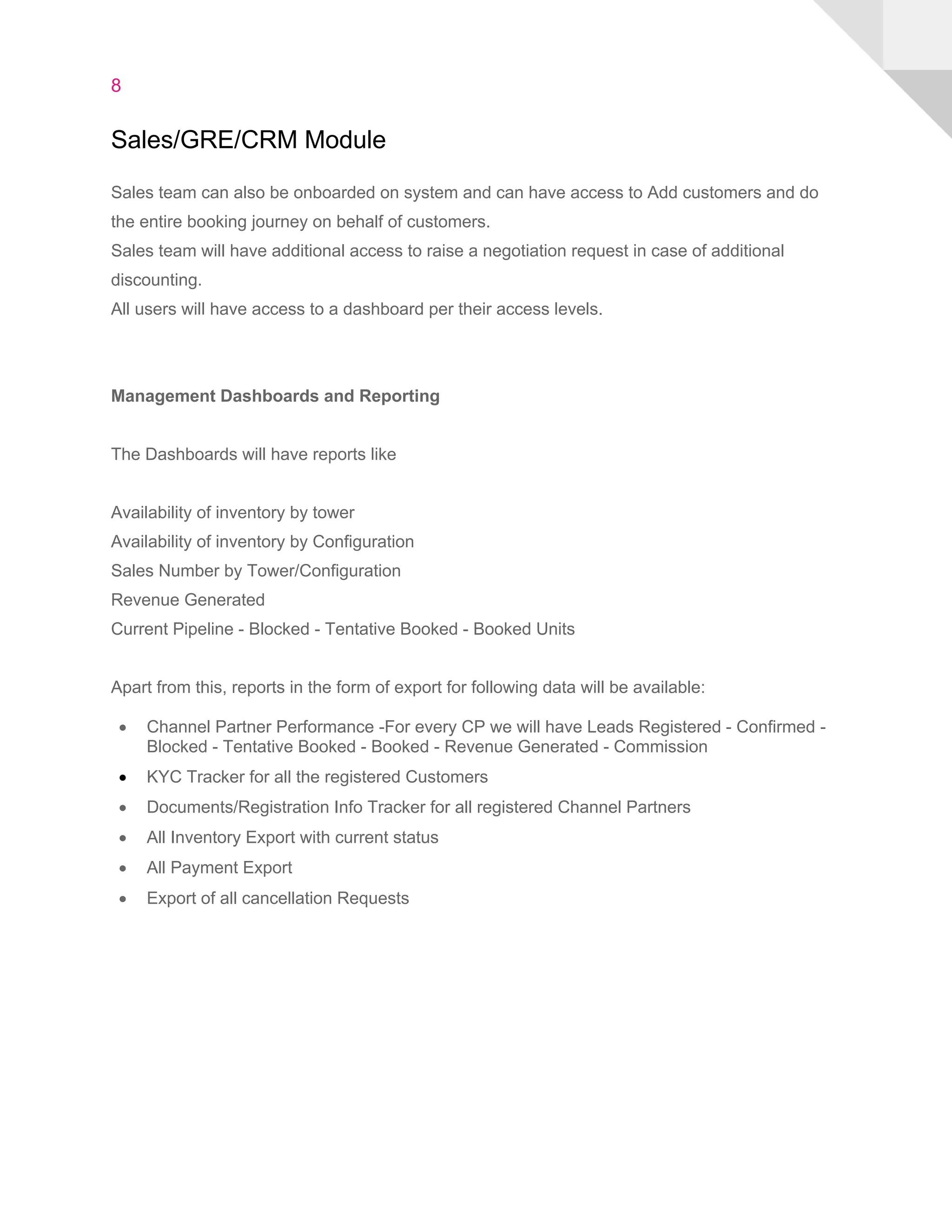
Channel Partner can get details on project, download brochures, view collaterals from his
dashboard
Channel Partner can track details on payment stage and booking stage
• Channel partner can add his customers in the
portal.
• He can view payments and bookings made by
the customers.
• He can add KYC details and generate a token
on a customer’s behalf.
• Automated tagging is done when a customer
confirms his account and channel partner’s
lead is secured.
• Channel partner can also take exports of his
customers and payments made by them in the
form of an excel sheet.
• Channel partner can also review customer’s
booking status and payment details and push
them to make the next payments. When a
customer makes a booking then channel
partner will be notified.
• Using IRIS, channel partner can control the
complete lifecycle of his customer without
being worried about his lead getting lost.
8
Sales/GRE/CRM Module
Sales team can also be onboarded on system and can have access to Add customers and do
the entire booking journey on behalf of customers.
Sales team will have additional access to raise a negotiation request in case of additional
discounting.
All users will have access to a dashboard per their access levels.
Management Dashboards and Reporting
The Dashboards will have reports like
Availability of inventory by tower
Availability of inventory by Configuration
Sales Number by Tower/Configuration
Revenue Generated
Current Pipeline - Blocked - Tentative Booked - Booked Units
Apart from this, reports in the form of export for following data will be available:
• Channel Partner Performance -For every CP we will have Leads Registered - Confirmed -
Blocked - Tentative Booked - Booked - Revenue Generated - Commission
• KYC Tracker for all the registered Customers
• Documents/Registration Info Tracker for all registered Channel Partners
• All Inventory Export with current status
• All Payment Export
• Export of all cancellation Requests

IRIS (Intelligent Real estate Interface for Sales) - Flow Document

  • 1.
    IRIS Booking management platformfor Real Estate Companies Product Overview IRIS is a comprehensive booking management tool which brings all stakeholders on one common platform. It enhances the complete buying experience by providing complete transparency. It features inventory and channel partner management and intelligent payment gateway integration. IRIS streamlines complete booking process ● Token management system ● Slot management system ● EOI formprocess ● One click booking ● One click cancellation and swapping ● Zero paperwork ● Zero chance of double booking
  • 2.
    2 Direct customer module CustomercanberedirectedtoIRISregistrationpagefromprojects websiteor from any digital sources. Source of the customer will be captured from the UTM parameters which will be useful to provide theROIreporting.Customercanregisterontheportalbysubmitting the basic details such as name, email and phone number. Personalized account for that user will be created. Fromthedashboard,customercanfillKYCform detailsandseamlesslymakeonlinepaymentto generate a token. Along with the token generation,customerwillalsogetallotmentslot details as per configuration done in the portal. Complete transparency can be maintained by providing all details to customers which helps to build confidence. System flow can be customized to first token payment then inventory selection or visa versa. Customer can easily book apartment online without any assistance from the staff, which helps in saving the efforts. Customer can change his account details,reviewhis payment&bookingstatusandgetaprintoutofhispaymentreceiptanytime at his fingertips.
  • 3.
    3 Steps to bookapartment: è Customer selects Choose Apartment option from his dashboard: è Apartment preference selection
  • 4.
    4 è Tower Selection èApartment Selection
  • 5.
    5 è On thebooking checkout page, unit is kept on Hold for 10 minutes. Details of apartment cost sheet and payment schedule is visible on this page. The channel partner or customer can make payment to block unit. CustomerwillgetnotifiedonEmailandSMSregardingall importantcommunicationsfromtheportal.Remindersfor nurturing can also be configured to keep customer connected.Also,OTPfeaturehelpscustomerstosecurely login in his account and they can check all the details whenevertheywanttocheckanything.Paymentreceipts, bookingformandallotmentletterarealsosharedoverthe emails which helps to adapt the paperless system conveniently.
  • 6.
    6 Channel partner Module IRISensures smooth functioning of all channel partners. It provides - ● Exclusive dashboard for channelpartner ● Complete view and report for each contact ● Automated commission calculation andreport ● Zero duplicate contactconflicts Register Customer Customer confirms channel partner via link on email Channel Parnter Add KYC details CP Add Payment details or customer makes online payment
  • 7.
    7 Channel Partner Dashboardand Reports Channel Partner can get details on project, download brochures, view collaterals from his dashboard Channel Partner can track details on payment stage and booking stage • Channel partner can add his customers in the portal. • He can view payments and bookings made by the customers. • He can add KYC details and generate a token on a customer’s behalf. • Automated tagging is done when a customer confirms his account and channel partner’s lead is secured. • Channel partner can also take exports of his customers and payments made by them in the form of an excel sheet. • Channel partner can also review customer’s booking status and payment details and push them to make the next payments. When a customer makes a booking then channel partner will be notified. • Using IRIS, channel partner can control the complete lifecycle of his customer without being worried about his lead getting lost.
  • 8.
    8 Sales/GRE/CRM Module Sales teamcan also be onboarded on system and can have access to Add customers and do the entire booking journey on behalf of customers. Sales team will have additional access to raise a negotiation request in case of additional discounting. All users will have access to a dashboard per their access levels. Management Dashboards and Reporting The Dashboards will have reports like Availability of inventory by tower Availability of inventory by Configuration Sales Number by Tower/Configuration Revenue Generated Current Pipeline - Blocked - Tentative Booked - Booked Units Apart from this, reports in the form of export for following data will be available: • Channel Partner Performance -For every CP we will have Leads Registered - Confirmed - Blocked - Tentative Booked - Booked - Revenue Generated - Commission • KYC Tracker for all the registered Customers • Documents/Registration Info Tracker for all registered Channel Partners • All Inventory Export with current status • All Payment Export • Export of all cancellation Requests