iOS App File Structure and
Organization
Jenny Chang Ho
iOS Engineer
November 22nd, 2016
01
02
My Journey on becoming an iOS
engineer
03
04
When I joined GRUBHUB...
– Code base looked daunting
– Code reuse was not obvious
– It was not obvious where to look to update / create new files
– Searching for files required that I knew what I was looking for
– Xcode group did not necessarily match the file system directory
05
Why is file organization important?
– Majority of development time is spent searching
○ Command+Shift+O
○ You need to know part of the filename to find anything,
facilitated with prefix specific to our project
– Easily identify resources for code reuse
– Features or components were not always obvious
– Takes time for new developers to ramp up
1
1
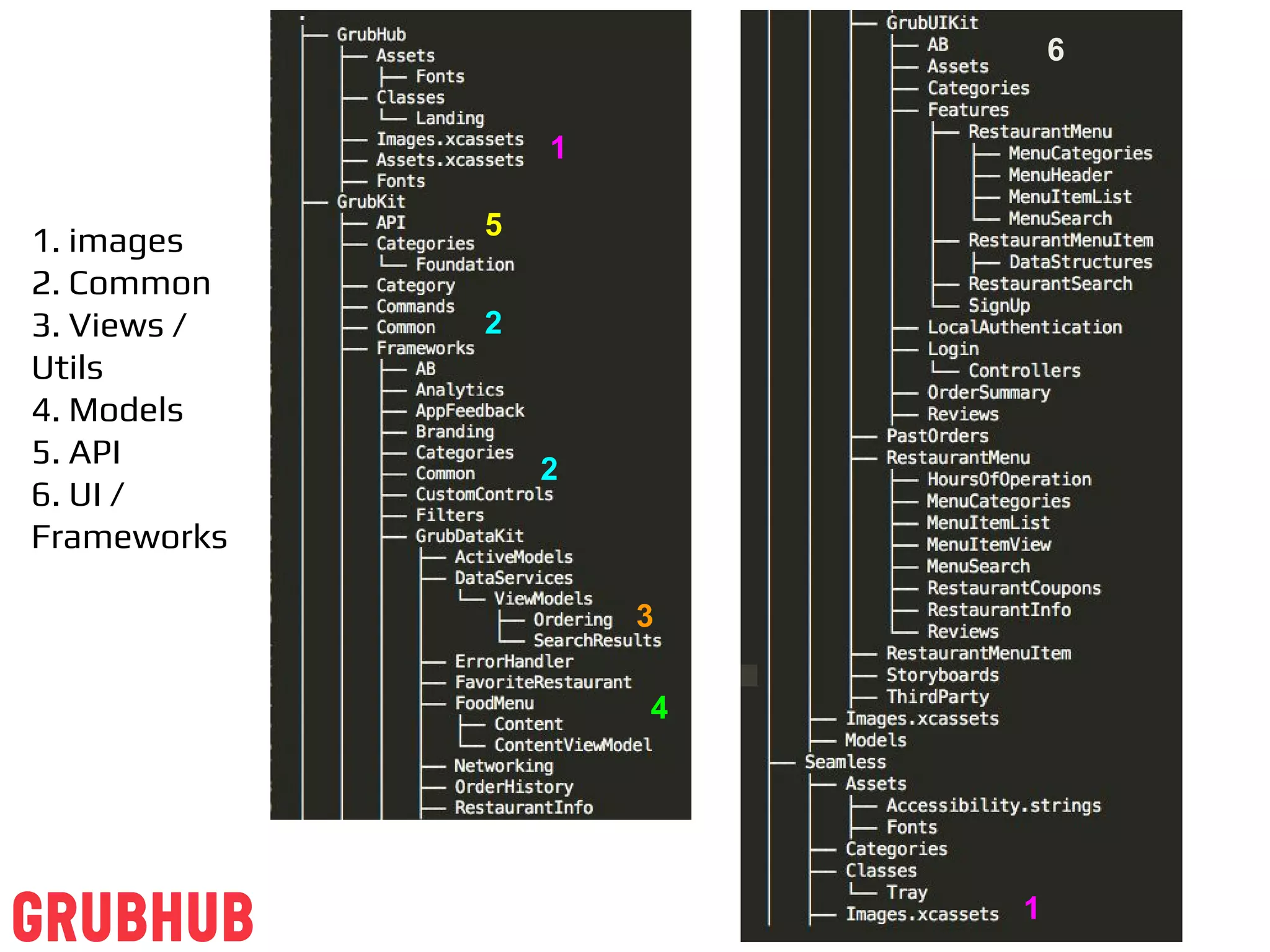
1. images
2. Common
3. Views /
Utils
4. Models
5. API
6. UI /
Frameworks
2
2
3
5
4
6
07
Two Proposed File Structure
Approaches
– From architecture perspective
● API, Commands, Models, Views, View Controllers, Third
Parties, Storyboards
– From application perspective
● Web services (API, Command), UI
(Features/Components/Models/Storyboards), Third Parties
08
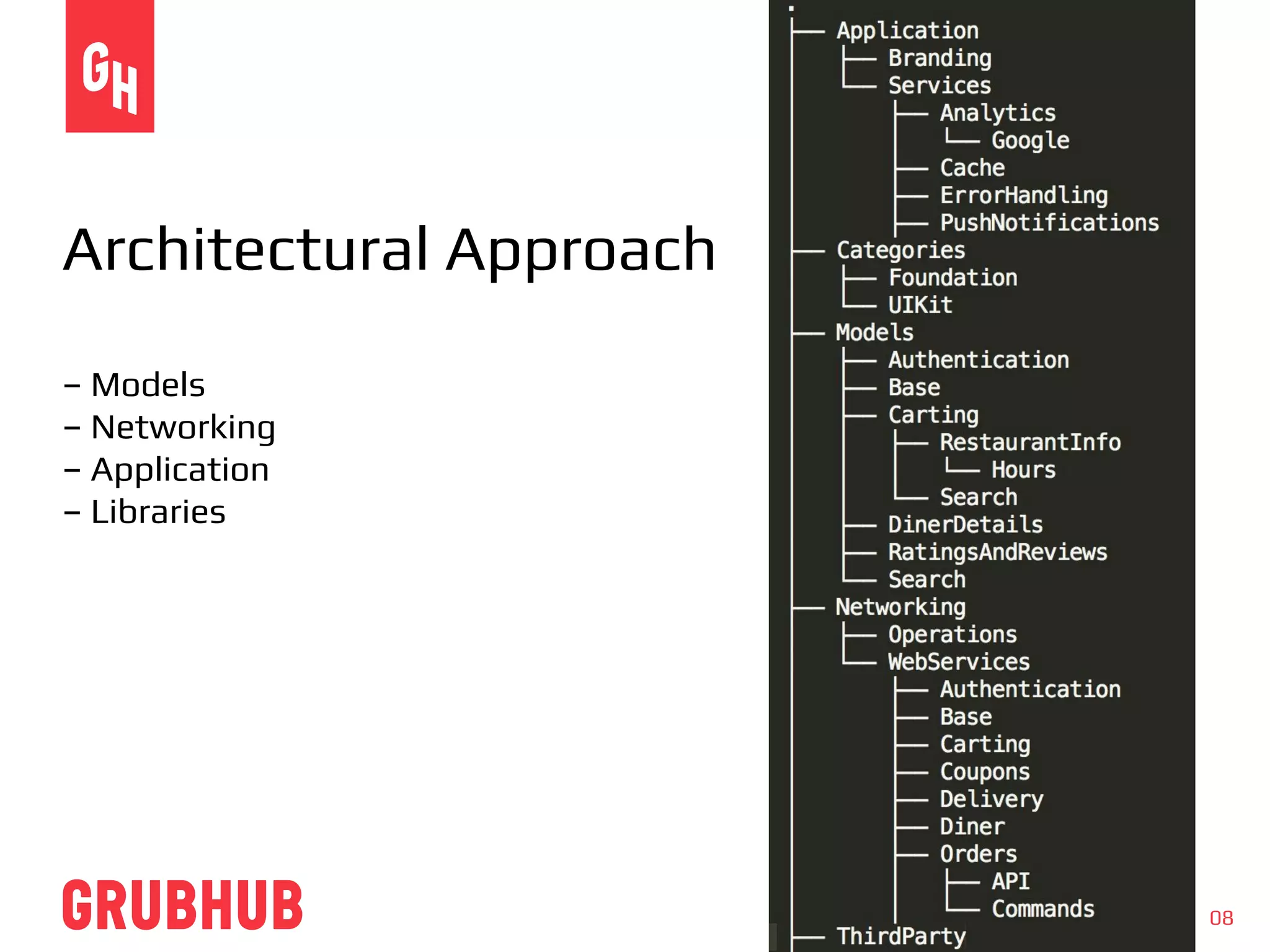
Architectural Approach
– Models
– Networking
– Application
– Libraries
09
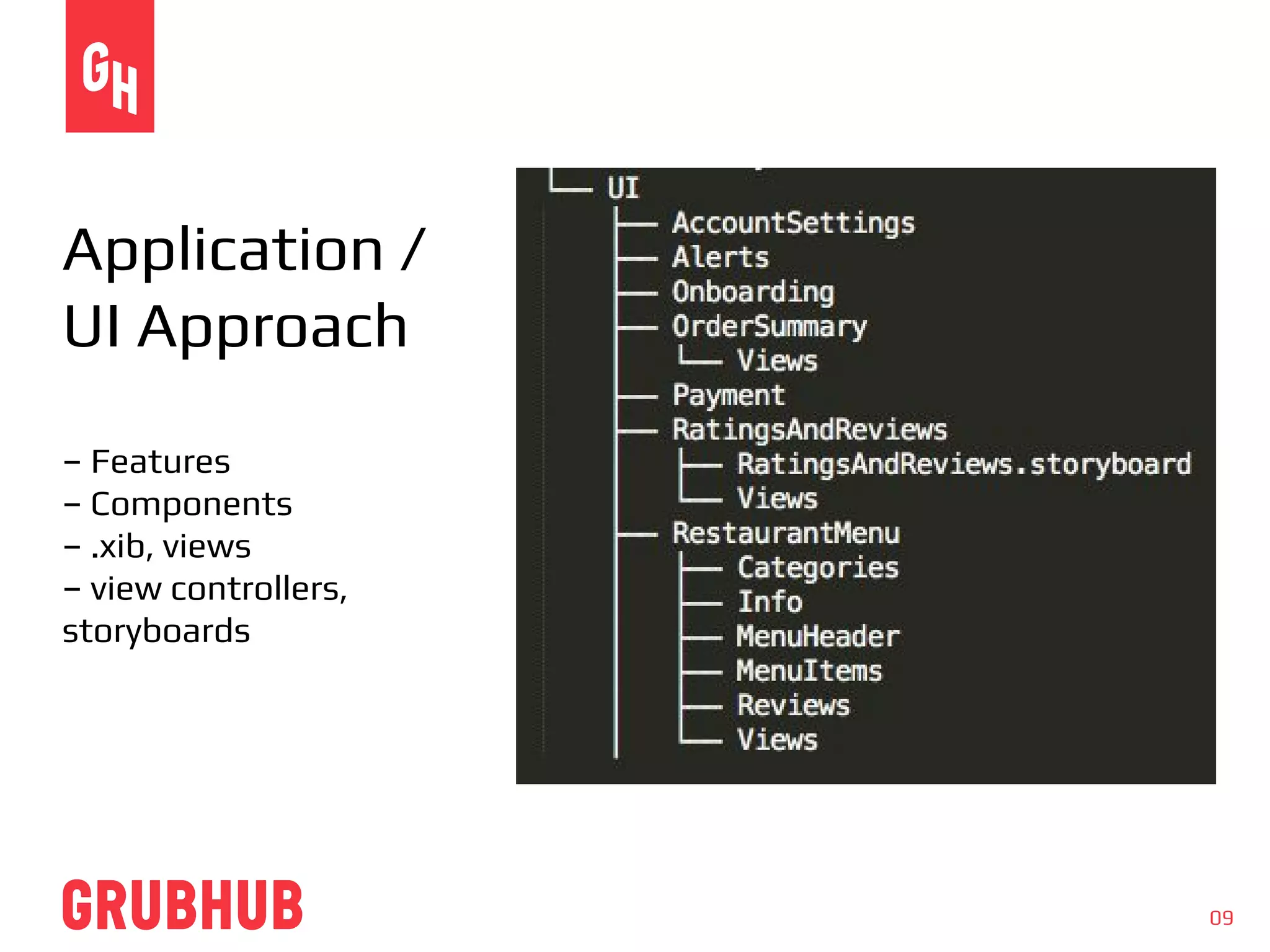
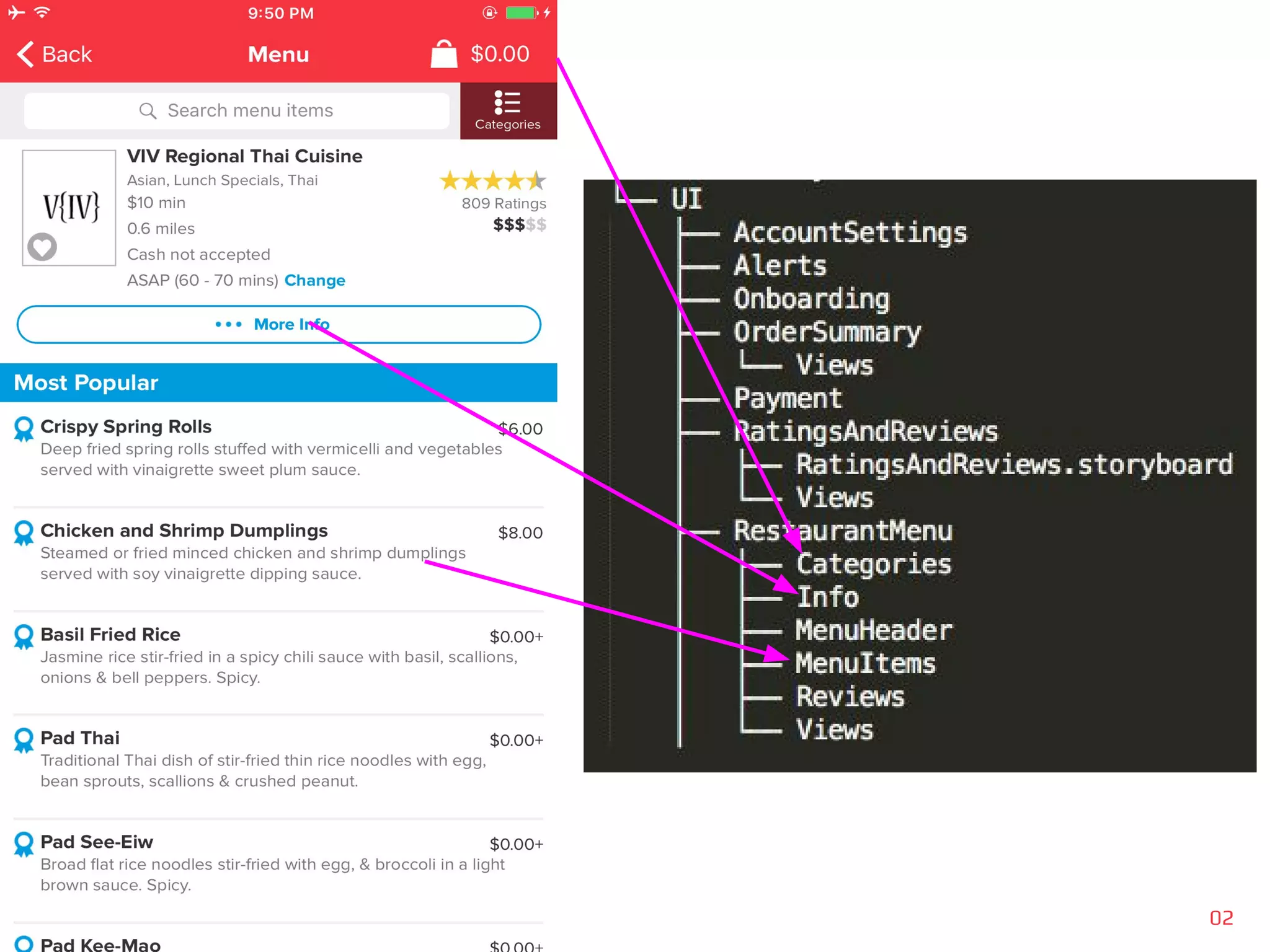
Application /
UI Approach
– Features
– Components
– .xib, views
– view controllers,
storyboards
02
We are hiring iOS and Android
engineers!
Send resumes to:
jchangho@grubhub.com
@tiptopgs |
mobilepickup.tumblr.com
11

iOS file structure and organization

  • 1.
    iOS App FileStructure and Organization Jenny Chang Ho iOS Engineer November 22nd, 2016 01
  • 2.
    02 My Journey onbecoming an iOS engineer
  • 3.
  • 4.
    04 When I joinedGRUBHUB... – Code base looked daunting – Code reuse was not obvious – It was not obvious where to look to update / create new files – Searching for files required that I knew what I was looking for – Xcode group did not necessarily match the file system directory
  • 5.
    05 Why is fileorganization important? – Majority of development time is spent searching ○ Command+Shift+O ○ You need to know part of the filename to find anything, facilitated with prefix specific to our project – Easily identify resources for code reuse – Features or components were not always obvious – Takes time for new developers to ramp up
  • 6.
    1 1 1. images 2. Common 3.Views / Utils 4. Models 5. API 6. UI / Frameworks 2 2 3 5 4 6
  • 7.
    07 Two Proposed FileStructure Approaches – From architecture perspective ● API, Commands, Models, Views, View Controllers, Third Parties, Storyboards – From application perspective ● Web services (API, Command), UI (Features/Components/Models/Storyboards), Third Parties
  • 8.
    08 Architectural Approach – Models –Networking – Application – Libraries
  • 9.
    09 Application / UI Approach –Features – Components – .xib, views – view controllers, storyboards
  • 10.
  • 11.
    We are hiringiOS and Android engineers! Send resumes to: jchangho@grubhub.com @tiptopgs | mobilepickup.tumblr.com 11