
iOS Application Development
iOS Developer Overview
Paul Ardeleanu
Assumptions…
You are:

‣ a developer of sorts…

‣ have no or little exposure to iOS

‣ want to learn enough to become ‘dangerous’
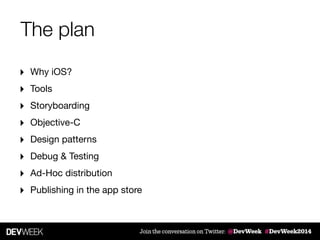
The plan
‣ Why iOS?

‣ Tools

‣ Storyboarding

‣ Objective-C

‣ Design patterns

‣ Debug & Testing

‣ Ad-Hoc distribution

‣ Publishing in the app store
iOS Application Development
Why iOS?
iOS Application Development
Once upon a time…
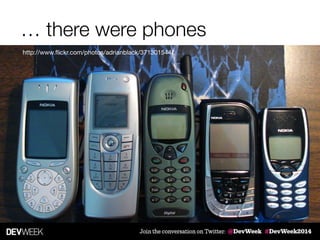
… there were phones
http://www.flickr.com/photos/adrianblack/371301544/
Then the iPhone happened…
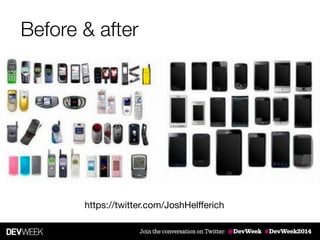
Before & after
https://twitter.com/JoshHelfferich
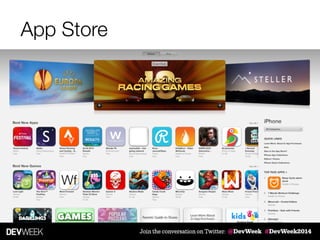
App Store
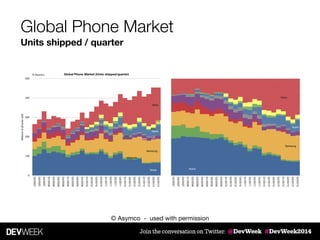
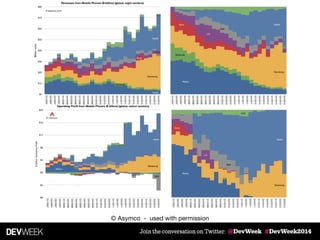
Global Phone Market
Units shipped / quarter
© Asymco - used with permission
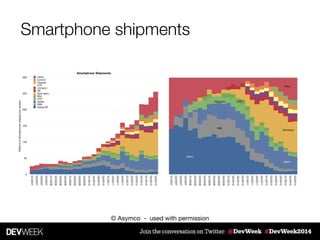
Smartphone shipments
© Asymco - used with permission
iOS Application Development
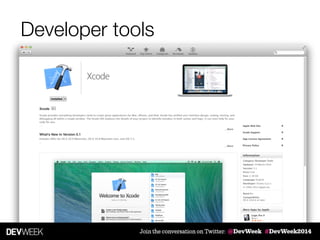
Developer tools
Developer tools
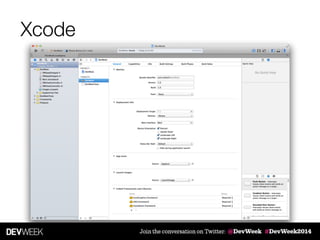
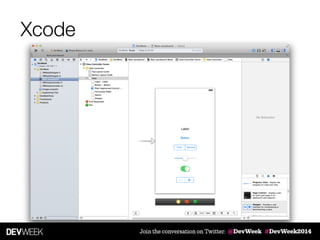
Xcode
Xcode
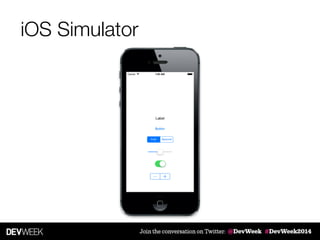
iOS Simulator
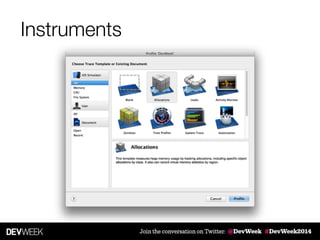
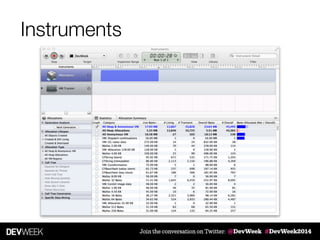
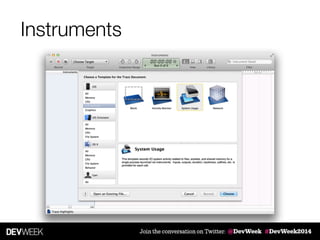
Instruments
Instruments
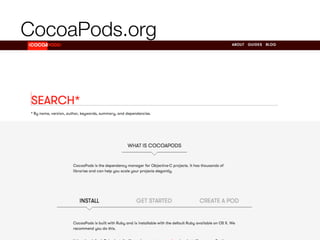
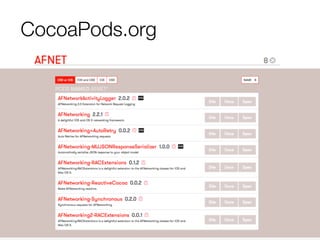
CocoaPods.org
CocoaPods.org
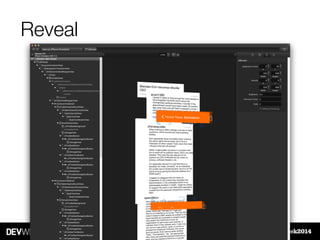
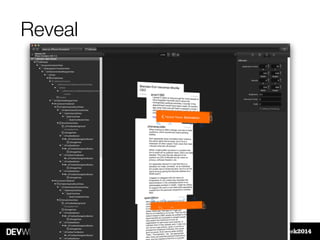
Reveal
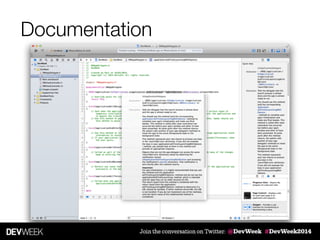
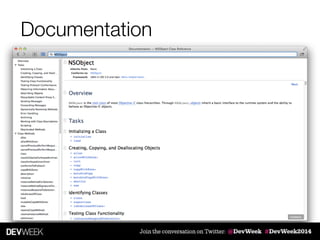
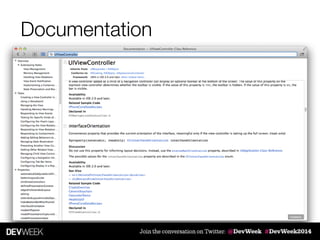
Documentation
Documentation
Documentation
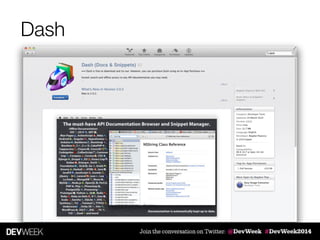
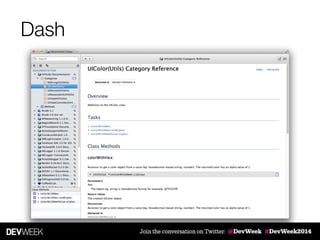
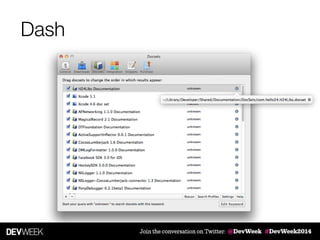
Dash
Dash
Dash
iOS Application Development
Building great apps
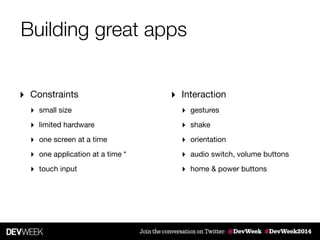
Building great apps
‣ Constraints

‣ small size

‣ limited hardware

‣ one screen at a time

‣ one application at a time *

‣ touch input
‣ Interaction

‣ gestures

‣ shake

‣ orientation

‣ audio switch, volume buttons

‣ home & power buttons
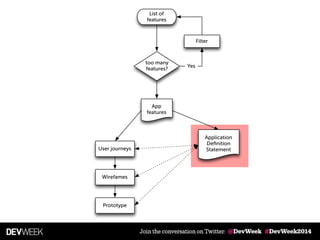
List of
features
too many
features?
Filter
Yes
Application
Definition
Statement
App
features
User journeys
Wirefames
Prototype
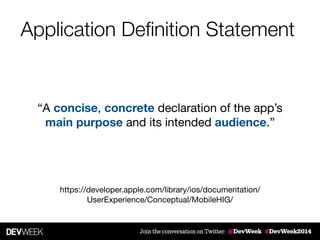
Application Definition Statement
“A concise, concrete declaration of the app’s
main purpose and its intended audience.”
https://developer.apple.com/library/ios/documentation/
UserExperience/Conceptual/MobileHIG/
Solve real problems
"An app must solve a user's problem
clearly and elegantly."

Eric Hope, User Experience Evangelist, Apple
Delivery channels
‣ web app [dedicated]

‣ native app

‣ “hybrid” solutions
iOS Application Development
Storyboarding
What is Storyboarding
‣ Design the “screens” that compose your app => scenes

‣ Visually define the navigation between the scenes => segues

‣ Introduced in: iOS 5 & Xcode 4.2
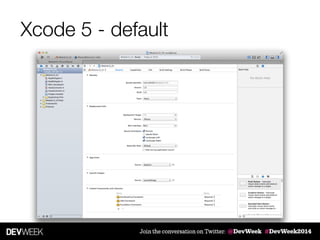
Xcode 5 - default
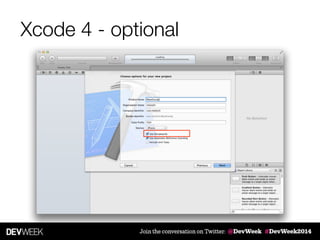
Xcode 4 - optional
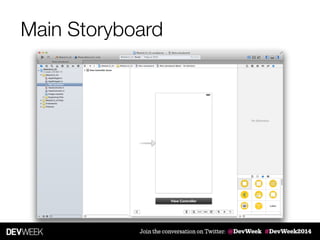
Main Storyboard
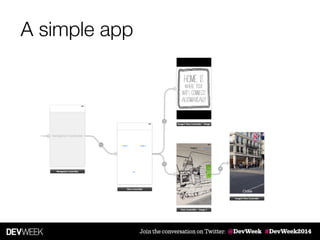
A simple app
Specialised View Controllers
‣ UITableViewController 

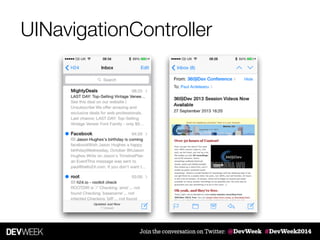
‣ UINavigationController

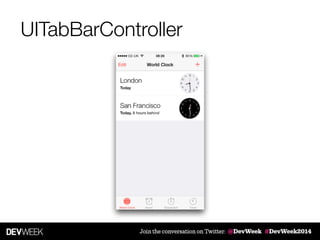
‣ UITabBarController

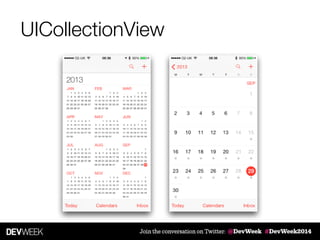
‣ UICollectionView
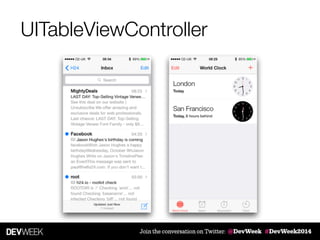
UITableViewController
UINavigationController
UITabBarController
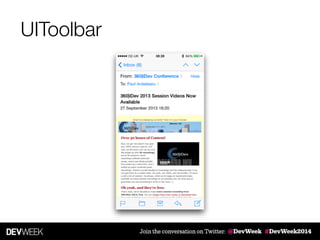
UIToolbar
UICollectionView
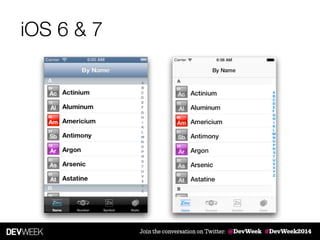
iOS 6 & 7
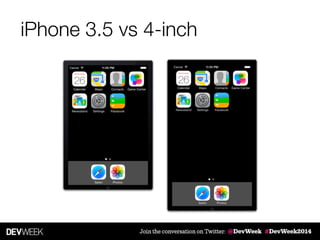
iPhone 3.5 vs 4-inch
iOS Application Development
Objective-C
What is Objective C
‣ Thin layer on top of C; strict superset of C

‣ Object-oriented programming language

‣ Inspired by SmallTalk

‣ Developed by Stepstone / NeXT Software / Apple

‣ The development language for Mac OSX & iOS devices
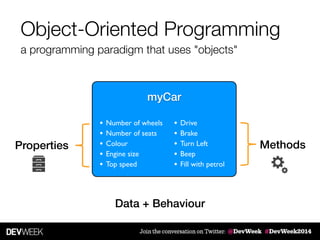
Object-Oriented Programming
a programming paradigm that uses "objects"
!
myCar
• Number of wheels	

• Number of seats	

• Colour	

• Engine size	

• Top speed
• Drive	

• Brake	

• Turn Left	

• Beep	

• Fill with petrol
MethodsProperties
Data + Behaviour
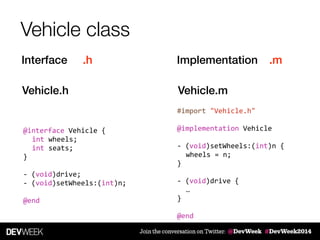
Vehicle class
Interface .h Implementation .m
Vehicle.h Vehicle.m
@interface	
  Vehicle	
  {	
  
	
   int	
  wheels;	


   int	
  seats;	


}	
  
!
-­‐	
  (void)drive;	
  
-­‐	
  (void)setWheels:(int)n;	
  
!
@end
#import	
  "Vehicle.h"	
  
!
@implementation	
  Vehicle	
  
!
-­‐	
  (void)setWheels:(int)n	
  {	
  
	
   wheels	
  =	
  n;	


}	
  
!
-­‐	
  (void)drive	
  {	
  
	
   …	


}	
  
!
@end
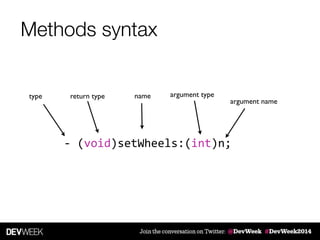
Methods syntax
-­‐	
  (void)setWheels:(int)n;
return type name argument type
argument name
type
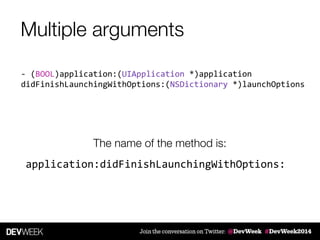
Multiple arguments
-­‐	
  (BOOL)application:(UIApplication	
  *)application	
  
didFinishLaunchingWithOptions:(NSDictionary	
  *)launchOptions
application:didFinishLaunchingWithOptions:
The name of the method is:
Multiple arguments
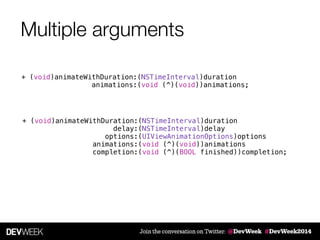
+ (void)animateWithDuration:(NSTimeInterval)duration
delay:(NSTimeInterval)delay
options:(UIViewAnimationOptions)options
animations:(void (^)(void))animations
completion:(void (^)(BOOL finished))completion;
+ (void)animateWithDuration:(NSTimeInterval)duration
animations:(void (^)(void))animations;
Multiple arguments
[UIView animateWithDuration:1.0
delay:0.3
options:UIViewAnimationOptionCurveEaseIn
animations:^{
// animations
} completion:^(BOOL finished) {
// completion block
}
];
+ (void)animateWithDuration:(NSTimeInterval)duration
delay:(NSTimeInterval)delay
options:(UIViewAnimationOptions)options
animations:(void (^)(void))animations
completion:(void (^)(BOOL finished))completion;
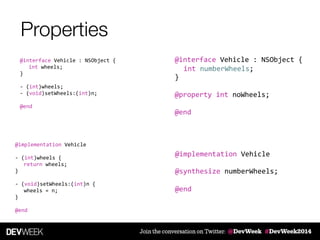
Properties
@implementation	
  Vehicle	
  
!
-­‐	
  (int)wheels	
  {	
  
	
   return	
  wheels;	


}	
  
!
-­‐	
  (void)setWheels:(int)n	
  {	
  
	
   wheels	
  =	
  n;	


}	
  
!
@end
@interface	
  Vehicle	
  :	
  NSObject	
  {	
  
	
   int	
  wheels;	


}	
  
!
-­‐	
  (int)wheels;	
  
-­‐	
  (void)setWheels:(int)n;	
  
!
@end
@implementation	
  Vehicle	
  
!
!
!
@end
@interface	
  Vehicle	
  :	
  NSObject	
  {	
  
!
}	
  
!
@property	
  int	
  noWheels;	
  
!
@end
	
   int	
  numberWheels;	
  	
  
@synthesize	
  numberWheels;
Properties & dot notation
Vehicle	
  *myCar	
  =	
  [Vehicle	
  new];	
  
!
myCar.wheels	
  =	
  5;	
  
!
myCar.wheels	
  
What is a method?
typedef	
  struct	
  objc_selector	
  *SEL;
!
Vehicle	
  *myCar	
  =	
  [Vehicle	
  new];	
  
!
[myCar	
  drive];
objc_msgSend(myCar,	
  @selector(drive))
Sending a message
-­‐	
  (void)setWheels:	
  (int)n;
[myCar	
  setWheels:4];
objc_msgSend(myCar,	
  @selector(setWheels:),	
  4);
Sending a message
!
Vehicle	
  *myCar	
  =	
  nil;	
  
!
[myCar	
  drive];
	
   myCar	
  =	
  ...;	


   if	
  ([myCar	
  respondsToSelector:@selector(drive)])	
  {	


  [myCar	
  drive];	


   }	
  
Initialisers
Vehicle *myCar = [Vehicle new];
-­‐	
  (id)initWithWheels:(int)wheels	
  {	
  
	
   self	
  =	
  [super	
  init];	


   if	
  (nil	
  !=	
  self)	
  {	


  //	
  Custom	
  initialization	


  self.wheels	
  =	
  wheels;	


   }	


   return	
  self;	


}
Vehicle *myCar = [[Vehicle alloc] initWithWheels:4];
Vehicle *myCar = [[Vehicle alloc] init];
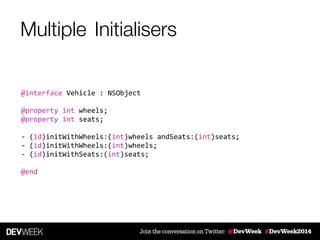
InitialisersMultiple
@interface	
  Vehicle	
  :	
  NSObject	
  
!
@property	
  int	
  wheels;	
  
@property	
  int	
  seats;	
  
!
-­‐	
  (id)initWithWheels:(int)wheels	
  andSeats:(int)seats;	
  
-­‐	
  (id)initWithWheels:(int)wheels;	
  
-­‐	
  (id)initWithSeats:(int)seats;	
  
!
@end
InitialisersMultiple
-­‐	
  (id)init	
  {	
  
	
   return	
  [self	
  initWithWheels:DefaultNumberWheels	
  andSeats:DefaultNumberSeats];	


}	
  
#define	
  DefaultNumberWheels	
  4	
  
#define	
  DefaultNumberSeats	
  5
-­‐	
  (id)initWithWheels:(int)wheels	
  andSeats:(int)seats{	
  
	
   self	
  =	
  [super	
  init];	


   if	
  (nil	
  !=	
  self)	
  {	


self.wheels	
  =	
  wheels;	
  
self.seats	
  =	
  seats;	
  
	
   }	


   return	
  self;	


}
-­‐	
  (id)initWithWheels:(int)wheels	
  {	
  
	
   return	
  [self	
  initWithWheels:wheels	
  andSeats:	


  ];	


}
-­‐	
  (id)initWithNumberSeats:(int)seats	
  {	
  
	
   return	
  [self	
  initWithWheels:DefaultNumberWheels	
  andSeats:seats];	


}
DefaultNumberSeats
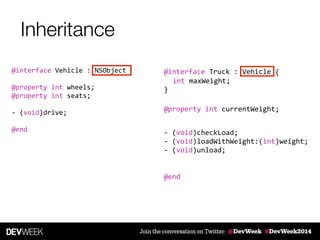
Inheritance
@interface	
  Truck	
  :	
  Vehicle	
  	
  
!
!
!
!
!
!
!
!
!
!
!
@end	
  
@interface	
  Vehicle	
  :	
  NSObject	
  	
  
!
@property	
  int	
  wheels;	
  
@property	
  int	
  seats;	
  
!
-­‐	
  (void)drive;	
  
!
@end -­‐	
  (void)checkLoad;	
  
-­‐	
  (void)loadWithWeight:(int)weight;	
  
-­‐	
  (void)unload;


  {	
  
	
   int	
  maxWeight;	


}
@property	
  int	
  currentWeight;
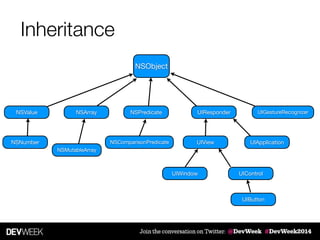
Inheritance
NSObject
NSPredicateNSArray
NSComparisonPredicate
NSMutableArray
UIResponder
UIView
UIWindow UIControl
UIButton
UIGestureRecognizer
UIApplicationNSNumber
NSValue
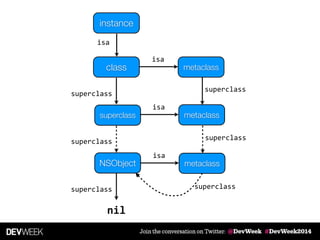
instance
class
isa
superclass
superclass
metaclass
isa
metaclass
isa
superclass
NSObject
superclass
superclass
nil
metaclass
isa
superclass
superclass
Polymorphism & Dynamic typing
Vehicle
Truck	

!
- (void)drive
Car	

!
- (void)drive
id	
  aVehicle;	
  
!
...	
  
!
[aVehicle	
  drive];
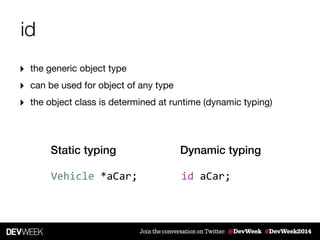
id
‣ the generic object type

‣ can be used for object of any type

‣ the object class is determined at runtime (dynamic typing)
Vehicle	
  *aCar;
Static typing
id	
  aCar;
Dynamic typing
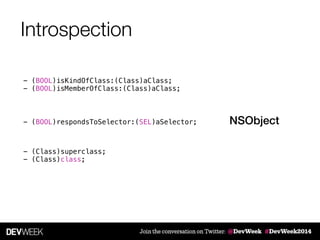
Introspection
NSObject
- (BOOL)isKindOfClass:(Class)aClass;
- (BOOL)isMemberOfClass:(Class)aClass;
- (Class)superclass;
- (Class)class;
- (BOOL)respondsToSelector:(SEL)aSelector;
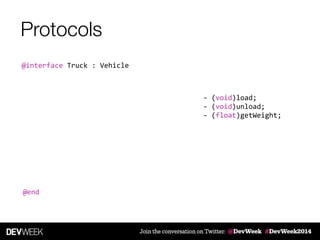
Protocols
-­‐	
  (void)load;	
  
-­‐	
  (void)unload;	
  
-­‐	
  (float)getWeight;
@interface	
  Truck	
  :	
  Vehicle
@end
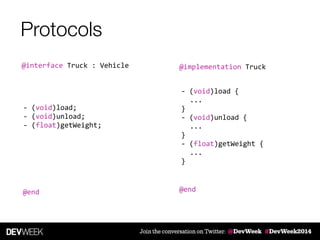
Protocols
-­‐	
  (void)load;	
  
-­‐	
  (void)unload;	
  
-­‐	
  (float)getWeight;
@implementation	
  Truck	
  
!
!
!
!
!
!
!
!
!
!
!
!
!
@end
-­‐	
  (void)load	
  {	
  
	
   ...	


}	
  
-­‐	
  (void)unload	
  {	
  
	
   ...	


}	
  
-­‐	
  (float)getWeight	
  {	
  
	
   ...	


}	
  
@interface	
  Truck	
  :	
  Vehicle
@end
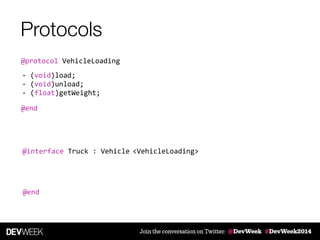
Protocols
-­‐	
  (void)load;	
  
-­‐	
  (void)unload;	
  
-­‐	
  (float)getWeight;
@interface	
  Truck	
  :	
  Vehicle
@end
@protocol	
  VehicleLoading
@end
<VehicleLoading>
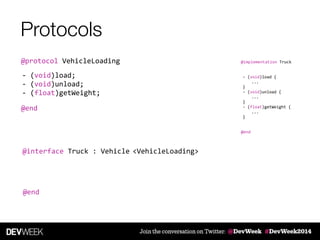
Protocols
-­‐	
  (void)load;	
  
-­‐	
  (void)unload;	
  
-­‐	
  (float)getWeight;
@interface	
  Truck	
  :	
  Vehicle
@end
@protocol	
  VehicleLoading
@end
<VehicleLoading>
@implementation	
  Truck	
  
!
!
!
!
!
!
!
!
!
!
!
!
!
@end
-­‐	
  (void)load	
  {	
  
	
   ...	


}	
  
-­‐	
  (void)unload	
  {	
  
	
   ...	


}	
  
-­‐	
  (float)getWeight	
  {	
  
	
   ...	


}	
  
Category
@interface	
  Vehicle	
  :	
  NSObject	
  	
  
!
...	
  
!
-­‐	
  (void)drive;	
  
-­‐	
  (void)brake;	
  
!
@end
!
Vehicle	
  *myCar	
  =	
  [Vehicle	
  new];	
  
[myCar	
  steerLeft];
Category
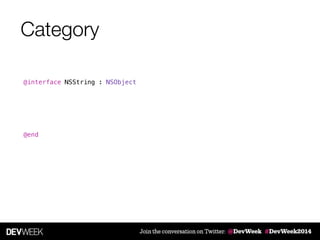
@interface NSString : NSObject
!
!
!
!
!
!
@end
@interface NSString : NSObject
!
!
!
!
!
!
@end
Category
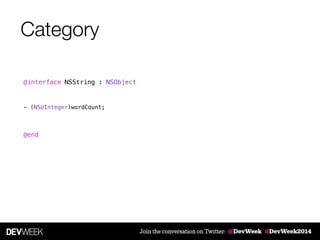
- (NSUInteger)wordCount;
Category
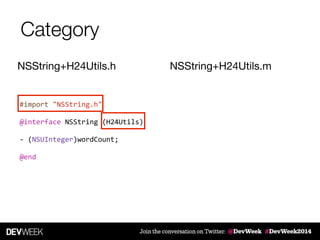
#import	
  "NSString.h"	
  
!
@interface	
  NSString	
  (H24Utils)	
  
!
-­‐	
  (NSUInteger)wordCount;	
  
!
@end
NSString+H24Utils.h NSString+H24Utils.m
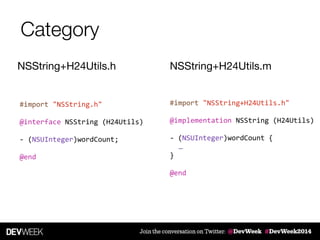
Category
#import	
  "NSString.h"	
  
!
@interface	
  NSString	
  (H24Utils)	
  
!
-­‐	
  (NSUInteger)wordCount;	
  
!
@end
NSString+H24Utils.h NSString+H24Utils.m
#import	
  "NSString+H24Utils.h"	
  
!
@implementation	
  NSString	
  (H24Utils)	
  
!
-­‐	
  (NSUInteger)wordCount	
  {	
  
	
   …	


}	
  
!
@end
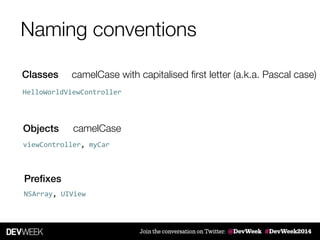
Naming conventions
Classes
Objects
camelCase with capitalised first letter (a.k.a. Pascal case)
Prefixes
HelloWorldViewController	
  
camelCase
viewController,	
  myCar	
  
NSArray,	
  UIView	
  
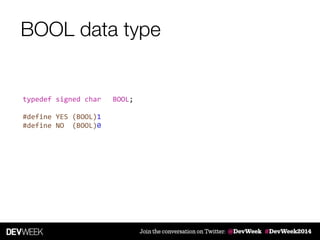
BOOL data type
typedef	
  signed	
  char	
  	
   BOOL;	
  
!
#define	
  YES	
  (BOOL)1	
  
#define	
  NO	
  	
  (BOOL)0
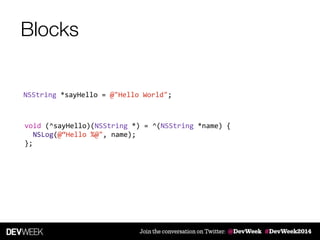
Blocks
void	
  (^sayHello)(NSString	
  *)	
  =	
  ^(NSString	
  *name)	
  {	


   NSLog(@“Hello	
  %@",	
  name);	


};
NSString	
  *sayHello	
  =	
  @"Hello	
  World";
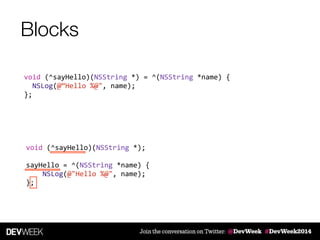
Blocks
void	
  (^sayHello)(NSString	
  *);	
  
!
sayHello	
  =	
  ^(NSString	
  *name)	
  {	


  NSLog(@"Hello	
  %@",	
  name);	
  
};
void	
  (^sayHello)(NSString	
  *)	
  =	
  ^(NSString	
  *name)	
  {	


   NSLog(@“Hello	
  %@",	
  name);	


};
Blocks
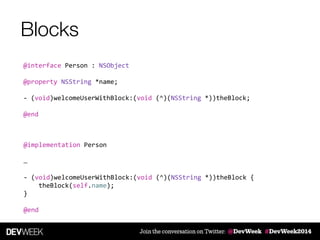
@interface	
  Person	
  :	
  NSObject	
  
!
@property	
  NSString	
  *name;	
  
!
-­‐	
  (void)welcomeUserWithBlock:(void	
  (^)(NSString	
  *))theBlock;	
  
!
@end
@implementation	
  Person	
  
!
…	
  
!
-­‐	
  (void)welcomeUserWithBlock:(void	
  (^)(NSString	
  *))theBlock	
  {	


  theBlock(self.name);	
  
}	
  
!
@end
Blocks
void	
  (^sayHello)(NSString	
  *)	
  =	
  ^(NSString	
  *name)	
  {	


   NSLog(@“Hello	
  %@",	
  name);	


};
Person	
  *theUser	
  =	
  [[Person	
  alloc]	
  initWithName:@"Paul"];
[theUser	
  welcomeUserWithBlock:^(NSString	
  *name)	
  {	


  NSLog(@"Hello	
  %@",	
  name);	
  
}];
[theUser	
  welcomeUserWithBlock:sayHello];
Blocks
Person	
  *theUser	
  =	
  [[Person	
  alloc]	
  initWithName:@"Paul"];
[theUser	
  welcomeUserWithBlock:^(NSString	
  *name)	
  {	


  NSLog(@"Hello	
  %@",	
  name);	
  
}];
Block scope
!
!
Person	
  *theUser	
  =	
  [[Person	
  alloc]	
  initWithName:@"Paul"];	
  
!
[theUser	
  welcomeUserWithBlock:^(NSString	
  *name)	
  {	


  NSLog(@"Hello	
  %@",	
  name);	
  
}];	
  
	
  message
Module09_02[8635:303] Hello Paul
NSString	
  *message	
  =	
  @"Hello	
  %@";
Block scope
NSString	
  *message	
  =	
  @"Hello	
  %@";	
  
!
!
!
!
!
!
Person	
  *theUser	
  =	
  [[Person	
  alloc]	
  initWithName:@"Paul"];	
  
!
[theUser	
  welcomeUserWithBlock:^(NSString	
  *name)	
  {	


  NSLog(@"Hello	
  %@",	
  name);	
  
}];	
  
	
  message
...	
  
!
if	
  (morning)	
  {	


  message	
  =	
  @"Good	
  morning	
  %@";	
  
}
Module09_02[8693:303] Good morning Paul
Example
UIAlertView *alert = [[UIAlertView alloc] initWithTitle:@"Hello"
message:@"Are you sure?"
delegate:self
cancelButtonTitle:@"No"
otherButtonTitles:@"Yes", nil];
[alert show];
- (void)alertView:(UIAlertView *)alertView
clickedButtonAtIndex:(NSInteger)buttonIndex {
...
}
Example
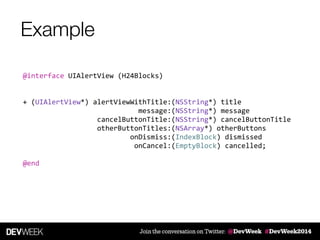
@interface	
  UIAlertView	
  (H24Blocks)	
  
!
!
+	
  (UIAlertView*)	
  alertViewWithTitle:(NSString*)	
  title	


  message:(NSString*)	
  message	


  cancelButtonTitle:(NSString*)	
  cancelButtonTitle	


  otherButtonTitles:(NSArray*)	
  otherButtons	


  onDismiss:(IndexBlock)	
  dismissed	


  onCancel:(EmptyBlock)	
  cancelled;	
  
!
@end
Example
[UIAlertView	
  alertViewWithTitle:@"Hello"	


  message:@"Hello	
  World"	


  cancelButtonTitle:@"Cancel"	


  otherButtonTitles:@[@"OK"]	


  onDismiss:^(int	
  buttonIndex)	
  {	


  NSLog(@"Dismissed");	


  }	
  onCancel:^{	


  NSLog(@"Cancelled");	


  }];
iOS Application Development
Design Patterns
Design Patterns
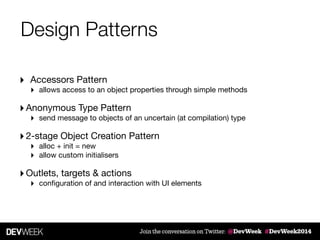
‣ Accessors Pattern

‣ allows access to an object properties through simple methods 

‣Anonymous Type Pattern

‣ send message to objects of an uncertain (at compilation) type 

‣2-stage Object Creation Pattern

‣ alloc + init = new

‣ allow custom initialisers 

‣Outlets, targets & actions

‣ configuration of and interaction with UI elements
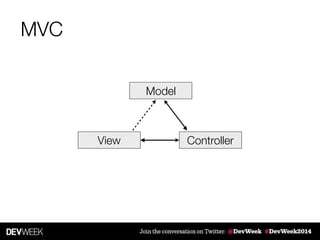
MVC
Model
View Controller
MV[C]
Model
View Controller
[M]VC
Model
View Controller
[M]VC
Model
View Controller
!View
Controller
MVC
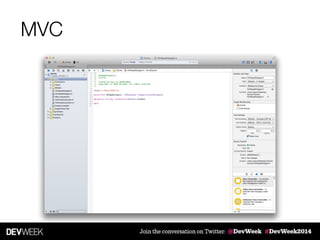
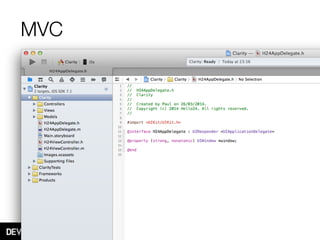
MVC
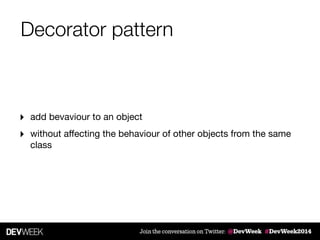
Decorator pattern
‣ add bevaviour to an object

‣ without affecting the behaviour of other objects from the same
class
Categories
‣ adds functionality to classes without the need to subclass

‣ group common methods and implement them across the
relevant framework

‣ informal protocols (unimplemented methods)

‣ anonymous category (private methods)
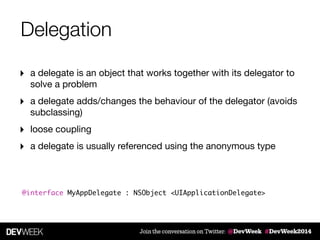
Delegation
‣ a delegate is an object that works together with its delegator to
solve a problem

‣ a delegate adds/changes the behaviour of the delegator (avoids
subclassing)

‣ loose coupling

‣ a delegate is usually referenced using the anonymous type
@interface MyAppDelegate : NSObject <UIApplicationDelegate>
Observer pattern
‣ enables communication between objects

‣ no coupling

‣ one object notifies another object (registered as ‘listener’) when
a change occurs
Notifications
‣ an object registers as observer

‣ when a notification is sent to the Notification Center, it is
distributed to all listeners
[NSNotificationCenter	
  defaultCenter]
Notifications
[[NSNotificationCenter	
  defaultCenter]	
  addObserver:self	


  selector:@selector(soSomething)	


  name:@"H24CourseNotification"	


   object:nil];	
  	
  
[[NSNotificationCenter	
  defaultCenter]	
  postNotificationName:@"H24CourseNotification"	


  object:nil];	
  	
  
[[NSNotificationCenter	
  defaultCenter]	
  removeObserver:self];
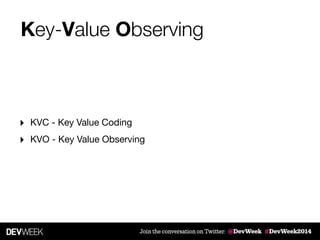
Key-Value Observing
‣ KVC - Key Value Coding

‣ KVO - Key Value Observing
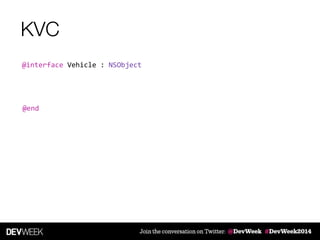
KVC
@interface	
  Vehicle	
  :	
  NSObject
@end
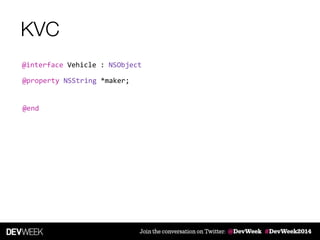
KVC
@interface	
  Vehicle	
  :	
  NSObject
@end
@property	
  NSString	
  *maker;
KVC
@interface	
  Vehicle	
  :	
  NSObject
@end
myCar.maker	
  
[myCar	
  maker]
myCar.maker	
  =	
  @"Ford";	
  
[myCar	
  setMaker:@"Ford"];
@property	
  NSString	
  *maker;
KVC
@interface	
  Vehicle	
  :	
  NSObject
@end
[myCar	
  valueForKey:@"maker"];	
  
[myCar	
  setValue:@"Ford"	
  forKey:@"maker"];
myCar.maker	
  
[myCar	
  maker]
myCar.maker	
  =	
  @"Ford";	
  
[myCar	
  setMaker:@"Ford"];
@property	
  NSString	
  *maker;
KVC
@interface	
  Vehicle	
  :	
  NSObject
@end
@property	
  User	
  *owner;
myCar.maker	
  
[myCar	
  maker]
myCar.maker	
  =	
  @"Ford";	
  
[myCar	
  setMaker:@"Ford"];
@property	
  NSString	
  *maker;
[myCar	
  valueForKey:@"maker"];	
  
[myCar	
  setValue:@"Ford"	
  forKey:@"maker"];
KVC
@interface	
  Vehicle	
  :	
  NSObject
@end
@property	
  User	
  *owner;
[myCar	
  valueForKeyPath:@"owner.firstName"]	
  
[myCar	
  setValue:@"John"	
  forKeyPath:@"owner.firstName"];	
  
myCar.maker	
  
[myCar	
  maker]
myCar.maker	
  =	
  @"Ford";	
  
[myCar	
  setMaker:@"Ford"];
@property	
  NSString	
  *maker;
[myCar	
  valueForKey:@"maker"];	
  
[myCar	
  setValue:@"Ford"	
  forKey:@"maker"];
KVO
[aVehicle	
  addObserver:self	


  forKeyPath:@"owner"	


  options:NSKeyValueObservingOptionNew	


  context:nil];
options:(NSKeyValueObservingOptionNew	
  |	
  NSKeyValueObservingOptionOld)
KVO
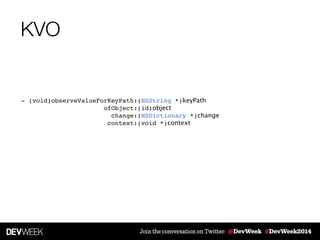
- (void)observeValueForKeyPath:(NSString *)keyPath "
ofObject:(id)object "
change:(NSDictionary *)change "
context:(void *)context
KVO
[vehicle	
  removeObserver:self	
  forKeyPath:@"owner"];
Key-Value Observing
‣ KVC - Key Value Coding

‣ KVO - Key Value Observing
Facade pattern
‣ simplified interface to a larger body of code

‣ subsystems accessed through a well defined entry point

‣ allows subsystems to change without affecting the overall
functionality
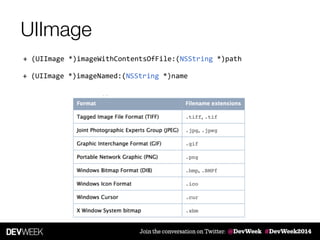
UIImage
+	
  (UIImage	
  *)imageWithContentsOfFile:(NSString	
  *)path
+	
  (UIImage	
  *)imageNamed:(NSString	
  *)name
Anatomy of an app
#import	
  <UIKit/UIKit.h>	
  
!
#import	
  "AppDelegate.h"	
  
!
int	
  main(int	
  argc,	
  char	
  *	
  argv[])	
  
{	


  @autoreleasepool	
  {	


  return	
  UIApplicationMain(argc,	
  argv,	
  nil,	


  NSStringFromClass([AppDelegate	
  class]));	


  }	
  
}
main.m
iOS Application Development
App states
Slide Hello24 Ltd. (c) 2014
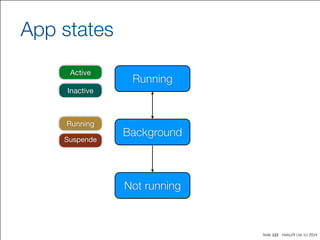
App states
122
Active
Inactive
Running
Suspende
Running
Not running
Background
Slide Hello24 Ltd. (c) 2014
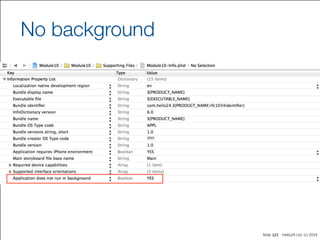
No background
123
Slide Hello24 Ltd. (c) 2014
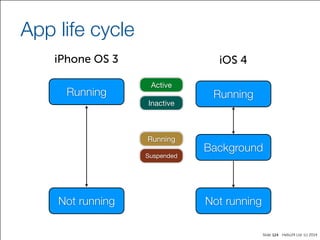
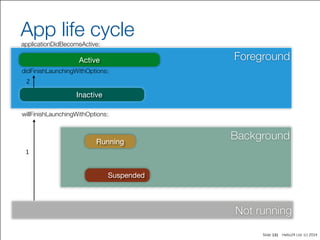
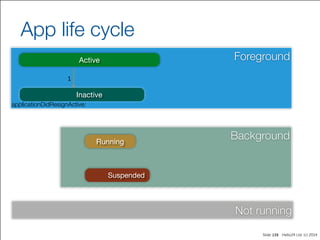
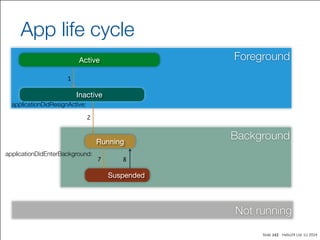
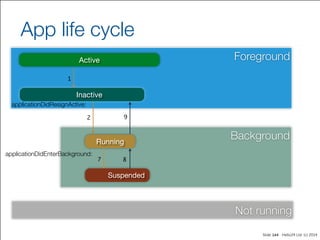
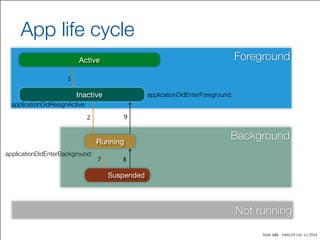
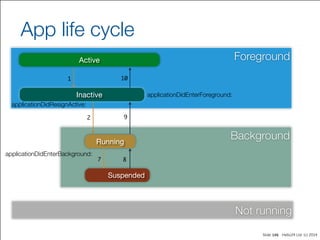
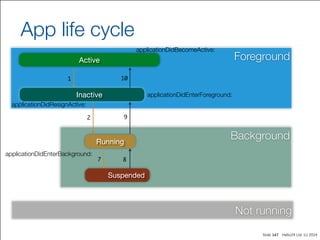
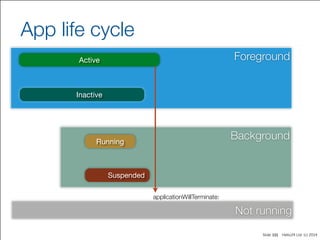
App life cycle
124
Active
Inactive
Running
Suspended
iPhone OS 3 iOS 4
Running
Not running
Running
Not running
Background
Slide Hello24 Ltd. (c) 2014
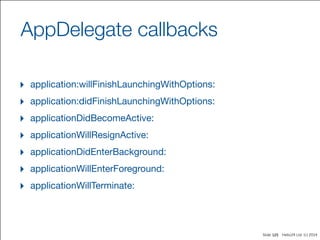
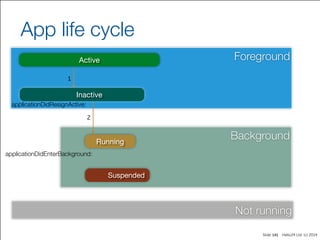
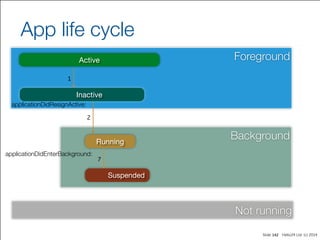
AppDelegate callbacks
‣ application:willFinishLaunchingWithOptions:

‣ application:didFinishLaunchingWithOptions:

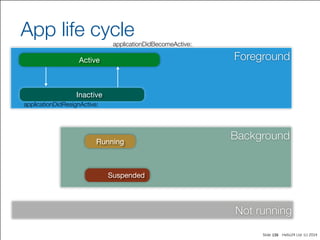
‣ applicationDidBecomeActive:

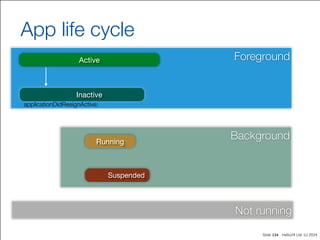
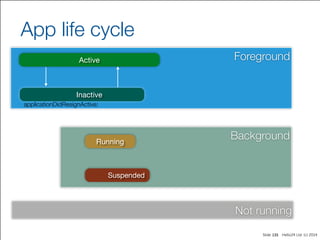
‣ applicationWillResignActive:

‣ applicationDidEnterBackground:

‣ applicationWillEnterForeground:

‣ applicationWillTerminate:
125
Slide Hello24 Ltd. (c) 2014
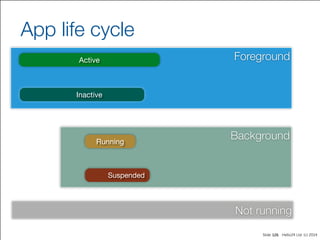
Foreground
Background
Not running
App life cycle
126
Active
Inactive
Running
Suspended
Slide Hello24 Ltd. (c) 2014
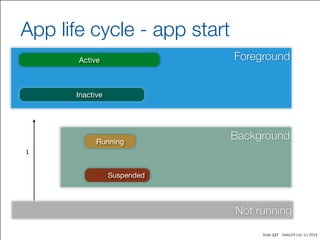
App life cycle - app start
127
ForegroundActive
Inactive
BackgroundRunning
Suspended
Not running
1
Slide Hello24 Ltd. (c) 2014
Foreground
Background
Not running
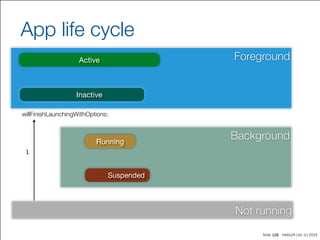
App life cycle
128
Active
Inactive
Running
Suspended
willFinishLaunchingWithOptions:
1
Slide Hello24 Ltd. (c) 2014
Foreground
Background
Not running
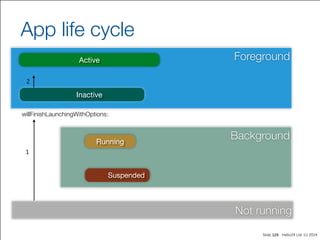
App life cycle
129
Active
Inactive
Running
Suspended
2
willFinishLaunchingWithOptions:
1
Slide Hello24 Ltd. (c) 2014
Foreground
Background
Not running
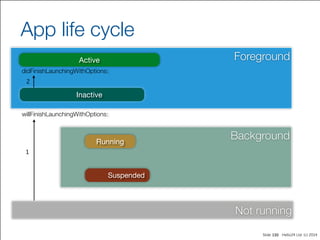
App life cycle
130
Active
Inactive
Running
Suspended
2
willFinishLaunchingWithOptions:
1
didFinishLaunchingWithOptions:
Slide Hello24 Ltd. (c) 2014
Foreground
Background
Not running
App life cycle
131
Active
Inactive
Running
Suspended
2
willFinishLaunchingWithOptions:
1
didFinishLaunchingWithOptions:
applicationDidBecomeActive:
Slide Hello24 Ltd. (c) 2014
Foreground
Background
Not running
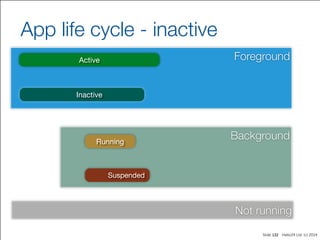
App life cycle - inactive
132
Active
Inactive
Running
Suspended
Slide Hello24 Ltd. (c) 2014
Foreground
Background
Not running
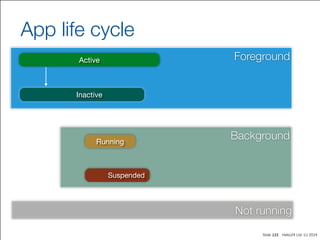
App life cycle
133
Active
Inactive
Running
Suspended
Slide Hello24 Ltd. (c) 2014
Foreground
Background
Not running
App life cycle
134
Active
Inactive
Running
Suspended
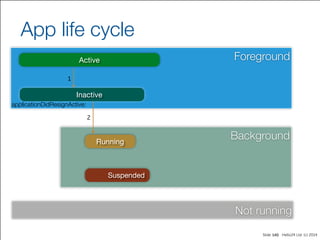
applicationDidResignActive:
Slide Hello24 Ltd. (c) 2014
Foreground
Background
Not running
App life cycle
135
Active
Inactive
Running
Suspended
applicationDidResignActive:
Slide Hello24 Ltd. (c) 2014
Foreground
Background
Not running
App life cycle
136
Active
Inactive
Running
Suspended
applicationDidResignActive:
applicationDidBecomeActive:
Slide Hello24 Ltd. (c) 2014
Foreground
Background
Not running
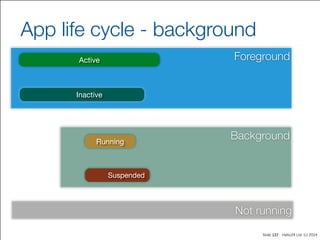
App life cycle - background
137
Active
Inactive
Running
Suspended
Slide Hello24 Ltd. (c) 2014
Foreground
Background
Not running
App life cycle
138
Active
Inactive
Running
Suspended
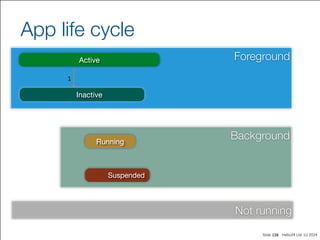
1
Slide Hello24 Ltd. (c) 2014
Foreground
Background
Not running
App life cycle
139
Active
Inactive
Running
Suspended
1
applicationDidResignActive:
Slide Hello24 Ltd. (c) 2014
Foreground
Background
Not running
App life cycle
140
Active
Inactive
Running
Suspended
1
applicationDidResignActive:
2
Slide Hello24 Ltd. (c) 2014
Foreground
Background
Not running
App life cycle
141
Active
Inactive
Running
Suspended
1
applicationDidResignActive:
2
applicationDidEnterBackground:
Slide Hello24 Ltd. (c) 2014
Foreground
Background
Not running
App life cycle
142
Active
Inactive
Running
Suspended
1
applicationDidResignActive:
2
applicationDidEnterBackground:
7
Slide Hello24 Ltd. (c) 2014
Foreground
Background
Not running
App life cycle
143
Active
Inactive
Running
Suspended
1
applicationDidResignActive:
2
applicationDidEnterBackground:
7 8
Slide Hello24 Ltd. (c) 2014
Foreground
Background
Not running
App life cycle
144
Active
Inactive
Running
Suspended
1
applicationDidResignActive:
2
applicationDidEnterBackground:
7 8
9
Slide Hello24 Ltd. (c) 2014
Foreground
Background
Not running
App life cycle
145
Active
Inactive
Running
Suspended
1
applicationDidResignActive:
2
applicationDidEnterBackground:
7 8
9
applicationDidEnterForeground:
Slide Hello24 Ltd. (c) 2014
Foreground
Background
Not running
App life cycle
146
Active
Inactive
Running
Suspended
1
applicationDidResignActive:
2
applicationDidEnterBackground:
7 8
9
10
applicationDidEnterForeground:
Slide Hello24 Ltd. (c) 2014
Foreground
Background
Not running
App life cycle
147
Active
Inactive
Running
Suspended
1
applicationDidResignActive:
2
applicationDidEnterBackground:
7 8
9
10
applicationDidEnterForeground:
applicationDidBecomeActive:
Slide Hello24 Ltd. (c) 2014
Foreground
Background
Not running
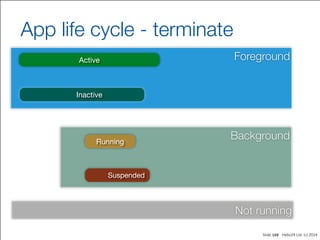
App life cycle - terminate
148
Active
Inactive
Running
Suspended
Slide Hello24 Ltd. (c) 2014
Foreground
Background
Not running
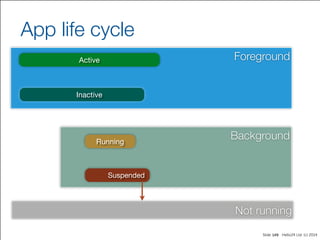
App life cycle
149
Active
Inactive
Running
Suspended
Slide Hello24 Ltd. (c) 2014
Foreground
Background
Not running
App life cycle
150
Active
Inactive
Running
Suspended
Slide Hello24 Ltd. (c) 2014
Foreground
Background
Not running
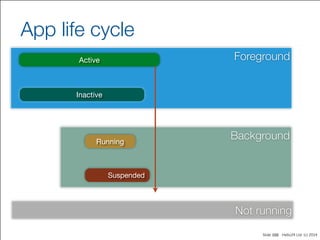
App life cycle
151
Active
Inactive
Running
Suspended
applicationWillTerminate:
iOS Application Development
Debug & Testing
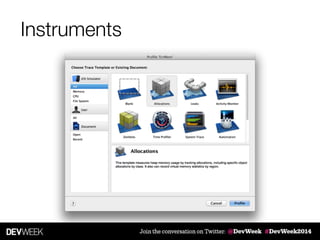
Instruments
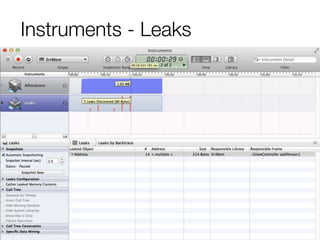
Instruments - Leaks
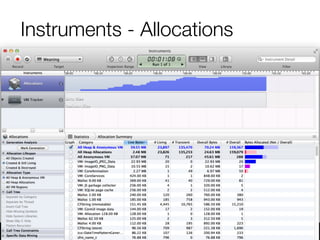
Instruments - Allocations
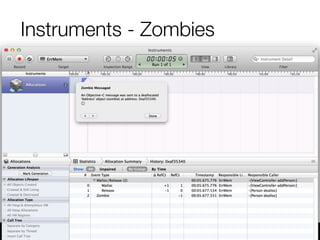
Instruments - Zombies
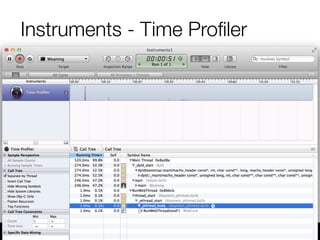
Instruments - Time Profiler
Instruments
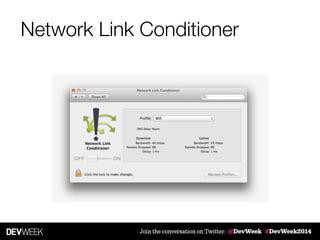
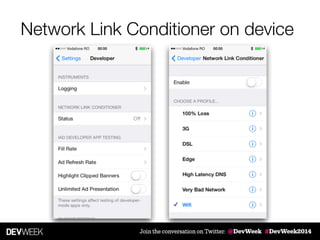
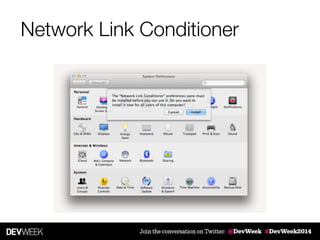
Network Link Conditioner
Network Link Conditioner on device
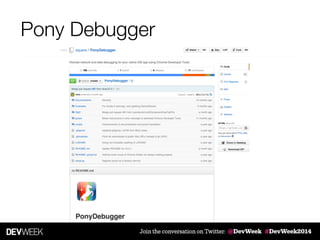
Pony Debugger
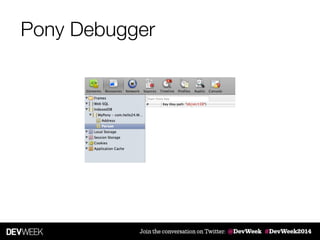
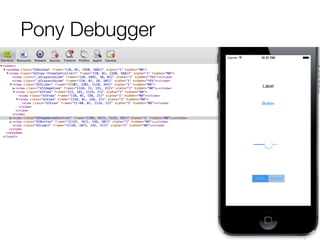
Pony Debugger
[16:04:17] paul@Pro2x:project1 [502] $ ponyd serve --listen-interface=127.0.0.1	
PonyGateway starting. Listening on 127.0.0.1:9000
[17:14:22] paul@Pro2x:MyPony [516] $ pod install	
Setting up CocoaPods master repo	
Setup completed (read-only access)	
Analyzing dependencies	
Downloading dependencies	
Installing PonyDebugger (0.3.1)	
Installing SocketRocket (0.3.1-beta2)	
Generating Pods project	
Integrating client project	
!
[!] From now on use `MyPony.xcworkspace`.	
[deprecated] I18n.enforce_available_locales will default to true in the future. If you really want to
skip validation of your locale you can set I18n.enforce_available_locales = false to avoid this
message.
Pony Debugger


  PDDebugger	
  *debugger	
  =	
  [PDDebugger	
  defaultInstance];	


  [debugger	
  connectToURL:[NSURL	
  URLWithString:@"ws://127.0.0.1:9000/device"]];	


  [debugger	
  forwardAllNetworkTraffic];	


  [debugger	
  enableCoreDataDebugging];	


  [debugger	
  addManagedObjectContext:self.managedObjectContext	
  withName:@"MyPony"];	


  [debugger	
  enableViewHierarchyDebugging];	


  [debugger	
  enableRemoteLogging];
Pony Debugger
Pony Debugger
Reveal
iOS Application Development
Ad-Hoc distribution
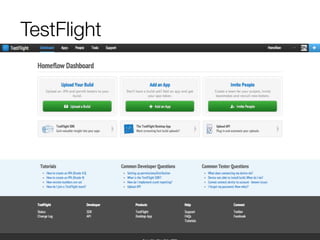
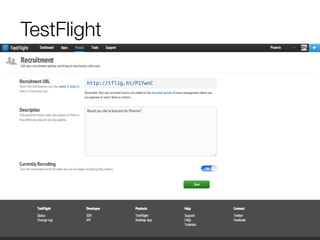
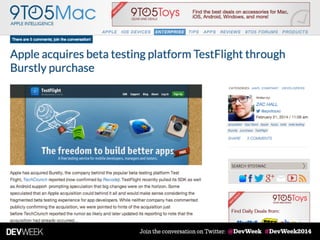
TestFlight
TestFlight
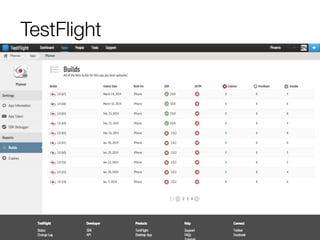
TestFlight
TestFlight
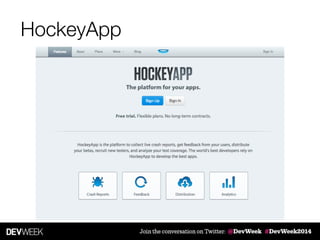
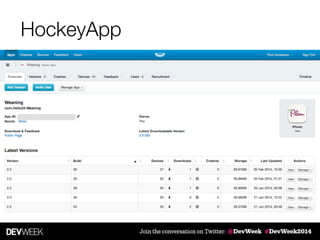
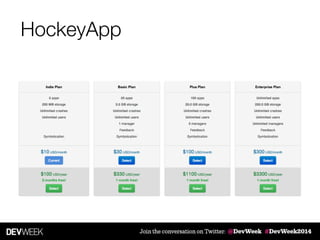
HockeyApp
HockeyApp
HockeyApp
iOS Application Development
Publishing
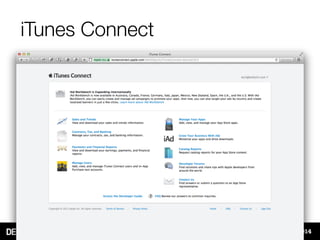
iTunes Connect
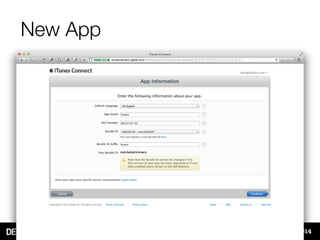
New App
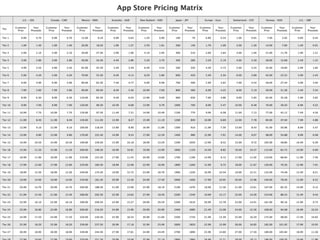
Pricing Matrix
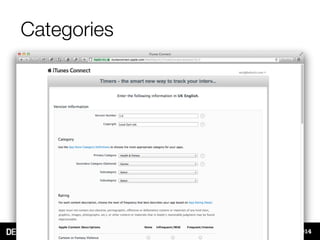
Categories
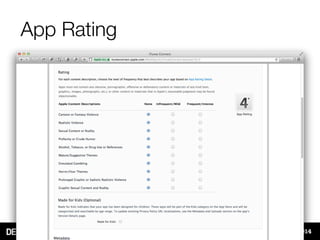
App Rating
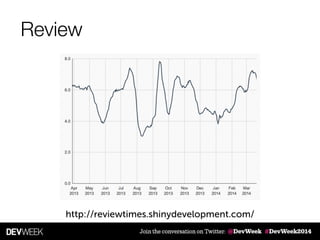
Review
http://reviewtimes.shinydevelopment.com/
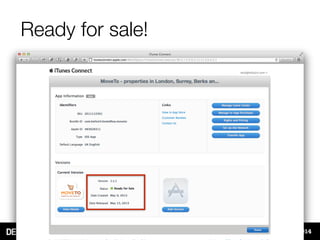
Ready for sale!
Newsstand apps
Newsstand apps
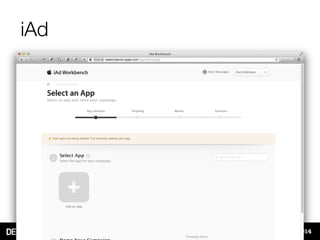
iAd
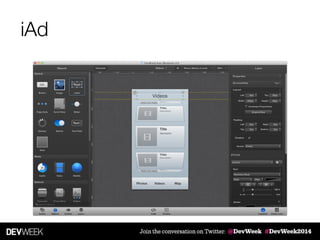
iAd
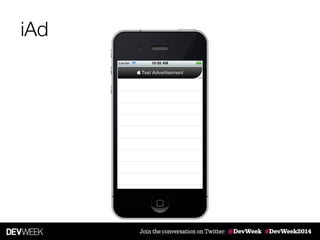
iAd
iOS Application Development
What is an app?
What is an app?
‣ A package that is installed on a device

‣ Runs in a sandboxed environment

‣ Has limited access to system resources

‣ The limits can change over time

‣ Can retrieve remote information (when connection available)

‣ Can run in background
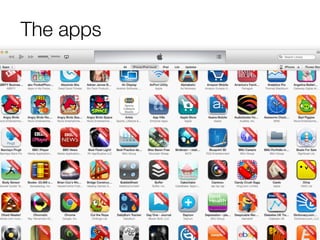
The apps
The apps
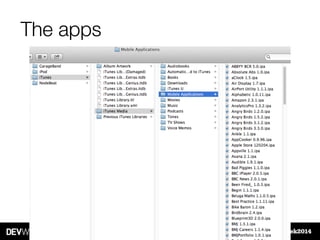
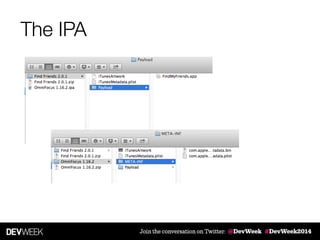
The IPA
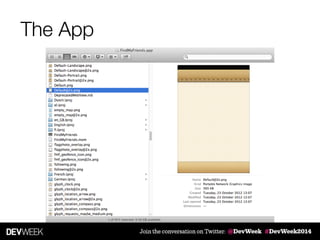
The App
The plan
‣ Why iOS?

‣ Tools

‣ Storyboarding

‣ Objective-C

‣ Design patterns

‣ Debug & Testing

‣ Ad-Hoc distribution

‣ Publishing in the app store
Thank you!
@pardel

!
hello24.com

paul@hello24.com

iOS Developer Overview - DevWeek 2014

  • 1.
    iOS Application Development iOSDeveloper Overview Paul Ardeleanu
  • 3.
    Assumptions… You are: ‣ adeveloper of sorts… ‣ have no or little exposure to iOS ‣ want to learn enough to become ‘dangerous’
  • 4.
    The plan ‣ WhyiOS? ‣ Tools ‣ Storyboarding ‣ Objective-C ‣ Design patterns ‣ Debug & Testing ‣ Ad-Hoc distribution ‣ Publishing in the app store
  • 5.
  • 6.
  • 7.
    … there werephones http://www.flickr.com/photos/adrianblack/371301544/
  • 8.
    Then the iPhonehappened…
  • 9.
  • 10.
  • 11.
    Global Phone Market Unitsshipped / quarter © Asymco - used with permission
  • 12.
    Smartphone shipments © Asymco- used with permission
  • 13.
    © Asymco -used with permission
  • 14.
  • 15.
  • 16.
  • 17.
  • 18.
  • 19.
  • 20.
  • 21.
  • 22.
  • 23.
  • 24.
  • 25.
  • 26.
  • 27.
  • 28.
  • 29.
  • 30.
  • 31.
    Building great apps ‣Constraints ‣ small size ‣ limited hardware ‣ one screen at a time ‣ one application at a time * ‣ touch input ‣ Interaction ‣ gestures ‣ shake ‣ orientation ‣ audio switch, volume buttons ‣ home & power buttons
  • 32.
  • 33.
    Application Definition Statement “Aconcise, concrete declaration of the app’s main purpose and its intended audience.” https://developer.apple.com/library/ios/documentation/ UserExperience/Conceptual/MobileHIG/
  • 34.
    Solve real problems "Anapp must solve a user's problem clearly and elegantly." Eric Hope, User Experience Evangelist, Apple
  • 35.
    Delivery channels ‣ webapp [dedicated] ‣ native app ‣ “hybrid” solutions
  • 36.
  • 37.
    What is Storyboarding ‣Design the “screens” that compose your app => scenes ‣ Visually define the navigation between the scenes => segues ‣ Introduced in: iOS 5 & Xcode 4.2
  • 38.
    Xcode 5 -default
  • 39.
    Xcode 4 -optional
  • 40.
  • 41.
  • 42.
    Specialised View Controllers ‣UITableViewController ‣ UINavigationController ‣ UITabBarController ‣ UICollectionView
  • 43.
  • 44.
  • 45.
  • 46.
  • 47.
  • 48.
  • 49.
  • 50.
  • 51.
    What is ObjectiveC ‣ Thin layer on top of C; strict superset of C ‣ Object-oriented programming language ‣ Inspired by SmallTalk ‣ Developed by Stepstone / NeXT Software / Apple ‣ The development language for Mac OSX & iOS devices
  • 52.
    Object-Oriented Programming a programmingparadigm that uses "objects" ! myCar • Number of wheels • Number of seats • Colour • Engine size • Top speed • Drive • Brake • Turn Left • Beep • Fill with petrol MethodsProperties Data + Behaviour
  • 53.
    Vehicle class Interface .hImplementation .m Vehicle.h Vehicle.m @interface  Vehicle  {     int  wheels;         int  seats;       }   ! -­‐  (void)drive;   -­‐  (void)setWheels:(int)n;   ! @end #import  "Vehicle.h"   ! @implementation  Vehicle   ! -­‐  (void)setWheels:(int)n  {     wheels  =  n;       }   ! -­‐  (void)drive  {     …       }   ! @end
  • 54.
    Methods syntax -­‐  (void)setWheels:(int)n; returntype name argument type argument name type
  • 55.
    Multiple arguments -­‐  (BOOL)application:(UIApplication  *)application   didFinishLaunchingWithOptions:(NSDictionary  *)launchOptions application:didFinishLaunchingWithOptions: The name of the method is:
  • 56.
    Multiple arguments + (void)animateWithDuration:(NSTimeInterval)duration delay:(NSTimeInterval)delay options:(UIViewAnimationOptions)options animations:(void(^)(void))animations completion:(void (^)(BOOL finished))completion; + (void)animateWithDuration:(NSTimeInterval)duration animations:(void (^)(void))animations;
  • 57.
    Multiple arguments [UIView animateWithDuration:1.0 delay:0.3 options:UIViewAnimationOptionCurveEaseIn animations:^{ //animations } completion:^(BOOL finished) { // completion block } ]; + (void)animateWithDuration:(NSTimeInterval)duration delay:(NSTimeInterval)delay options:(UIViewAnimationOptions)options animations:(void (^)(void))animations completion:(void (^)(BOOL finished))completion;
  • 58.
    Properties @implementation  Vehicle   ! -­‐  (int)wheels  {     return  wheels;       }   ! -­‐  (void)setWheels:(int)n  {     wheels  =  n;       }   ! @end @interface  Vehicle  :  NSObject  {     int  wheels;       }   ! -­‐  (int)wheels;   -­‐  (void)setWheels:(int)n;   ! @end @implementation  Vehicle   ! ! ! @end @interface  Vehicle  :  NSObject  {   ! }   ! @property  int  noWheels;   ! @end   int  numberWheels;     @synthesize  numberWheels;
  • 59.
    Properties & dotnotation Vehicle  *myCar  =  [Vehicle  new];   ! myCar.wheels  =  5;   ! myCar.wheels  
  • 60.
    What is amethod? typedef  struct  objc_selector  *SEL; ! Vehicle  *myCar  =  [Vehicle  new];   ! [myCar  drive]; objc_msgSend(myCar,  @selector(drive))
  • 61.
    Sending a message -­‐  (void)setWheels:  (int)n; [myCar  setWheels:4]; objc_msgSend(myCar,  @selector(setWheels:),  4);
  • 62.
    Sending a message ! Vehicle  *myCar  =  nil;   ! [myCar  drive];   myCar  =  ...;             if  ([myCar  respondsToSelector:@selector(drive)])  {        [myCar  drive];       }  
  • 63.
    Initialisers Vehicle *myCar =[Vehicle new]; -­‐  (id)initWithWheels:(int)wheels  {     self  =  [super  init];         if  (nil  !=  self)  {          //  Custom  initialization          self.wheels  =  wheels;         }         return  self;       } Vehicle *myCar = [[Vehicle alloc] initWithWheels:4]; Vehicle *myCar = [[Vehicle alloc] init];
  • 64.
    InitialisersMultiple @interface  Vehicle  :  NSObject   ! @property  int  wheels;   @property  int  seats;   ! -­‐  (id)initWithWheels:(int)wheels  andSeats:(int)seats;   -­‐  (id)initWithWheels:(int)wheels;   -­‐  (id)initWithSeats:(int)seats;   ! @end
  • 65.
    InitialisersMultiple -­‐  (id)init  {     return  [self  initWithWheels:DefaultNumberWheels  andSeats:DefaultNumberSeats];       }   #define  DefaultNumberWheels  4   #define  DefaultNumberSeats  5 -­‐  (id)initWithWheels:(int)wheels  andSeats:(int)seats{     self  =  [super  init];         if  (nil  !=  self)  {       self.wheels  =  wheels;   self.seats  =  seats;     }         return  self;       } -­‐  (id)initWithWheels:(int)wheels  {     return  [self  initWithWheels:wheels  andSeats:                                    ];       } -­‐  (id)initWithNumberSeats:(int)seats  {     return  [self  initWithWheels:DefaultNumberWheels  andSeats:seats];       } DefaultNumberSeats
  • 66.
    Inheritance @interface  Truck  :  Vehicle     ! ! ! ! ! ! ! ! ! ! ! @end   @interface  Vehicle  :  NSObject     ! @property  int  wheels;   @property  int  seats;   ! -­‐  (void)drive;   ! @end -­‐  (void)checkLoad;   -­‐  (void)loadWithWeight:(int)weight;   -­‐  (void)unload;                                                      {     int  maxWeight;       } @property  int  currentWeight;
  • 67.
  • 68.
  • 69.
    Polymorphism & Dynamictyping Vehicle Truck ! - (void)drive Car ! - (void)drive id  aVehicle;   ! ...   ! [aVehicle  drive];
  • 70.
    id ‣ the genericobject type ‣ can be used for object of any type ‣ the object class is determined at runtime (dynamic typing) Vehicle  *aCar; Static typing id  aCar; Dynamic typing
  • 71.
    Introspection NSObject - (BOOL)isKindOfClass:(Class)aClass; - (BOOL)isMemberOfClass:(Class)aClass; -(Class)superclass; - (Class)class; - (BOOL)respondsToSelector:(SEL)aSelector;
  • 72.
    Protocols -­‐  (void)load;   -­‐  (void)unload;   -­‐  (float)getWeight; @interface  Truck  :  Vehicle @end
  • 73.
    Protocols -­‐  (void)load;   -­‐  (void)unload;   -­‐  (float)getWeight; @implementation  Truck   ! ! ! ! ! ! ! ! ! ! ! ! ! @end -­‐  (void)load  {     ...       }   -­‐  (void)unload  {     ...       }   -­‐  (float)getWeight  {     ...       }   @interface  Truck  :  Vehicle @end
  • 74.
    Protocols -­‐  (void)load;   -­‐  (void)unload;   -­‐  (float)getWeight; @interface  Truck  :  Vehicle @end @protocol  VehicleLoading @end <VehicleLoading>
  • 75.
    Protocols -­‐  (void)load;   -­‐  (void)unload;   -­‐  (float)getWeight; @interface  Truck  :  Vehicle @end @protocol  VehicleLoading @end <VehicleLoading> @implementation  Truck   ! ! ! ! ! ! ! ! ! ! ! ! ! @end -­‐  (void)load  {     ...         }   -­‐  (void)unload  {     ...         }   -­‐  (float)getWeight  {     ...         }  
  • 76.
    Category @interface  Vehicle  :  NSObject     ! ...   ! -­‐  (void)drive;   -­‐  (void)brake;   ! @end ! Vehicle  *myCar  =  [Vehicle  new];   [myCar  steerLeft];
  • 77.
    Category @interface NSString :NSObject ! ! ! ! ! ! @end
  • 78.
    @interface NSString :NSObject ! ! ! ! ! ! @end Category - (NSUInteger)wordCount;
  • 79.
    Category #import  "NSString.h"   ! @interface  NSString  (H24Utils)   ! -­‐  (NSUInteger)wordCount;   ! @end NSString+H24Utils.h NSString+H24Utils.m
  • 80.
    Category #import  "NSString.h"   ! @interface  NSString  (H24Utils)   ! -­‐  (NSUInteger)wordCount;   ! @end NSString+H24Utils.h NSString+H24Utils.m #import  "NSString+H24Utils.h"   ! @implementation  NSString  (H24Utils)   ! -­‐  (NSUInteger)wordCount  {     …       }   ! @end
  • 81.
    Naming conventions Classes Objects camelCase withcapitalised first letter (a.k.a. Pascal case) Prefixes HelloWorldViewController   camelCase viewController,  myCar   NSArray,  UIView  
  • 82.
    BOOL data type typedef  signed  char     BOOL;   ! #define  YES  (BOOL)1   #define  NO    (BOOL)0
  • 83.
    Blocks void  (^sayHello)(NSString  *)  =  ^(NSString  *name)  {       NSLog(@“Hello  %@",  name);         }; NSString  *sayHello  =  @"Hello  World";
  • 84.
    Blocks void  (^sayHello)(NSString  *);   ! sayHello  =  ^(NSString  *name)  {          NSLog(@"Hello  %@",  name);   }; void  (^sayHello)(NSString  *)  =  ^(NSString  *name)  {       NSLog(@“Hello  %@",  name);         };
  • 85.
    Blocks @interface  Person  :  NSObject   ! @property  NSString  *name;   ! -­‐  (void)welcomeUserWithBlock:(void  (^)(NSString  *))theBlock;   ! @end @implementation  Person   ! …   ! -­‐  (void)welcomeUserWithBlock:(void  (^)(NSString  *))theBlock  {          theBlock(self.name);   }   ! @end
  • 86.
    Blocks void  (^sayHello)(NSString  *)  =  ^(NSString  *name)  {       NSLog(@“Hello  %@",  name);         }; Person  *theUser  =  [[Person  alloc]  initWithName:@"Paul"]; [theUser  welcomeUserWithBlock:^(NSString  *name)  {            NSLog(@"Hello  %@",  name);   }]; [theUser  welcomeUserWithBlock:sayHello];
  • 87.
    Blocks Person  *theUser  =  [[Person  alloc]  initWithName:@"Paul"]; [theUser  welcomeUserWithBlock:^(NSString  *name)  {            NSLog(@"Hello  %@",  name);   }];
  • 88.
    Block scope ! ! Person  *theUser  =  [[Person  alloc]  initWithName:@"Paul"];   ! [theUser  welcomeUserWithBlock:^(NSString  *name)  {            NSLog(@"Hello  %@",  name);   }];    message Module09_02[8635:303] Hello Paul NSString  *message  =  @"Hello  %@";
  • 89.
    Block scope NSString  *message  =  @"Hello  %@";   ! ! ! ! ! ! Person  *theUser  =  [[Person  alloc]  initWithName:@"Paul"];   ! [theUser  welcomeUserWithBlock:^(NSString  *name)  {            NSLog(@"Hello  %@",  name);   }];    message ...   ! if  (morning)  {          message  =  @"Good  morning  %@";   } Module09_02[8693:303] Good morning Paul
  • 90.
    Example UIAlertView *alert =[[UIAlertView alloc] initWithTitle:@"Hello" message:@"Are you sure?" delegate:self cancelButtonTitle:@"No" otherButtonTitles:@"Yes", nil]; [alert show]; - (void)alertView:(UIAlertView *)alertView clickedButtonAtIndex:(NSInteger)buttonIndex { ... }
  • 91.
    Example @interface  UIAlertView  (H24Blocks)   ! ! +  (UIAlertView*)  alertViewWithTitle:(NSString*)  title                                                                                                message:(NSString*)  message                                        cancelButtonTitle:(NSString*)  cancelButtonTitle                                      otherButtonTitles:(NSArray*)  otherButtons                                                      onDismiss:(IndexBlock)  dismissed                                                                                    onCancel:(EmptyBlock)  cancelled;   ! @end
  • 92.
    Example [UIAlertView  alertViewWithTitle:@"Hello"                                                  message:@"Hello  World"                              cancelButtonTitle:@"Cancel"                              otherButtonTitles:@[@"OK"]                                              onDismiss:^(int  buttonIndex)  {                                                      NSLog(@"Dismissed");                                              }  onCancel:^{                                                      NSLog(@"Cancelled");                                              }];
  • 93.
  • 94.
    Design Patterns ‣ AccessorsPattern ‣ allows access to an object properties through simple methods ‣Anonymous Type Pattern ‣ send message to objects of an uncertain (at compilation) type ‣2-stage Object Creation Pattern ‣ alloc + init = new ‣ allow custom initialisers ‣Outlets, targets & actions ‣ configuration of and interaction with UI elements
  • 95.
  • 96.
  • 97.
  • 98.
  • 99.
  • 100.
  • 101.
    Decorator pattern ‣ addbevaviour to an object ‣ without affecting the behaviour of other objects from the same class
  • 102.
    Categories ‣ adds functionalityto classes without the need to subclass ‣ group common methods and implement them across the relevant framework ‣ informal protocols (unimplemented methods) ‣ anonymous category (private methods)
  • 103.
    Delegation ‣ a delegateis an object that works together with its delegator to solve a problem ‣ a delegate adds/changes the behaviour of the delegator (avoids subclassing) ‣ loose coupling ‣ a delegate is usually referenced using the anonymous type @interface MyAppDelegate : NSObject <UIApplicationDelegate>
  • 104.
    Observer pattern ‣ enablescommunication between objects ‣ no coupling ‣ one object notifies another object (registered as ‘listener’) when a change occurs
  • 105.
    Notifications ‣ an objectregisters as observer ‣ when a notification is sent to the Notification Center, it is distributed to all listeners [NSNotificationCenter  defaultCenter]
  • 106.
    Notifications [[NSNotificationCenter  defaultCenter]  addObserver:self                              selector:@selector(soSomething)                                          name:@"H24CourseNotification"                                     object:nil];     [[NSNotificationCenter  defaultCenter]  postNotificationName:@"H24CourseNotification"                                      object:nil];     [[NSNotificationCenter  defaultCenter]  removeObserver:self];
  • 107.
    Key-Value Observing ‣ KVC- Key Value Coding ‣ KVO - Key Value Observing
  • 108.
  • 109.
    KVC @interface  Vehicle  :  NSObject @end @property  NSString  *maker;
  • 110.
    KVC @interface  Vehicle  :  NSObject @end myCar.maker   [myCar  maker] myCar.maker  =  @"Ford";   [myCar  setMaker:@"Ford"]; @property  NSString  *maker;
  • 111.
    KVC @interface  Vehicle  :  NSObject @end [myCar  valueForKey:@"maker"];   [myCar  setValue:@"Ford"  forKey:@"maker"]; myCar.maker   [myCar  maker] myCar.maker  =  @"Ford";   [myCar  setMaker:@"Ford"]; @property  NSString  *maker;
  • 112.
    KVC @interface  Vehicle  :  NSObject @end @property  User  *owner; myCar.maker   [myCar  maker] myCar.maker  =  @"Ford";   [myCar  setMaker:@"Ford"]; @property  NSString  *maker; [myCar  valueForKey:@"maker"];   [myCar  setValue:@"Ford"  forKey:@"maker"];
  • 113.
    KVC @interface  Vehicle  :  NSObject @end @property  User  *owner; [myCar  valueForKeyPath:@"owner.firstName"]   [myCar  setValue:@"John"  forKeyPath:@"owner.firstName"];   myCar.maker   [myCar  maker] myCar.maker  =  @"Ford";   [myCar  setMaker:@"Ford"]; @property  NSString  *maker; [myCar  valueForKey:@"maker"];   [myCar  setValue:@"Ford"  forKey:@"maker"];
  • 114.
    KVO [aVehicle  addObserver:self                        forKeyPath:@"owner"                              options:NSKeyValueObservingOptionNew                              context:nil]; options:(NSKeyValueObservingOptionNew  |  NSKeyValueObservingOptionOld)
  • 115.
    KVO - (void)observeValueForKeyPath:(NSString *)keyPath " ofObject:(id)object" change:(NSDictionary *)change " context:(void *)context
  • 116.
  • 117.
    Key-Value Observing ‣ KVC- Key Value Coding ‣ KVO - Key Value Observing
  • 118.
    Facade pattern ‣ simplifiedinterface to a larger body of code ‣ subsystems accessed through a well defined entry point ‣ allows subsystems to change without affecting the overall functionality
  • 119.
    UIImage +  (UIImage  *)imageWithContentsOfFile:(NSString  *)path +  (UIImage  *)imageNamed:(NSString  *)name
  • 120.
    Anatomy of anapp #import  <UIKit/UIKit.h>   ! #import  "AppDelegate.h"   ! int  main(int  argc,  char  *  argv[])   {          @autoreleasepool  {                  return  UIApplicationMain(argc,  argv,  nil,                                                                    NSStringFromClass([AppDelegate  class]));          }   } main.m
  • 121.
  • 122.
    Slide Hello24 Ltd.(c) 2014 App states 122 Active Inactive Running Suspende Running Not running Background
  • 123.
    Slide Hello24 Ltd.(c) 2014 No background 123
  • 124.
    Slide Hello24 Ltd.(c) 2014 App life cycle 124 Active Inactive Running Suspended iPhone OS 3 iOS 4 Running Not running Running Not running Background
  • 125.
    Slide Hello24 Ltd.(c) 2014 AppDelegate callbacks ‣ application:willFinishLaunchingWithOptions: ‣ application:didFinishLaunchingWithOptions: ‣ applicationDidBecomeActive: ‣ applicationWillResignActive: ‣ applicationDidEnterBackground: ‣ applicationWillEnterForeground: ‣ applicationWillTerminate: 125
  • 126.
    Slide Hello24 Ltd.(c) 2014 Foreground Background Not running App life cycle 126 Active Inactive Running Suspended
  • 127.
    Slide Hello24 Ltd.(c) 2014 App life cycle - app start 127 ForegroundActive Inactive BackgroundRunning Suspended Not running 1
  • 128.
    Slide Hello24 Ltd.(c) 2014 Foreground Background Not running App life cycle 128 Active Inactive Running Suspended willFinishLaunchingWithOptions: 1
  • 129.
    Slide Hello24 Ltd.(c) 2014 Foreground Background Not running App life cycle 129 Active Inactive Running Suspended 2 willFinishLaunchingWithOptions: 1
  • 130.
    Slide Hello24 Ltd.(c) 2014 Foreground Background Not running App life cycle 130 Active Inactive Running Suspended 2 willFinishLaunchingWithOptions: 1 didFinishLaunchingWithOptions:
  • 131.
    Slide Hello24 Ltd.(c) 2014 Foreground Background Not running App life cycle 131 Active Inactive Running Suspended 2 willFinishLaunchingWithOptions: 1 didFinishLaunchingWithOptions: applicationDidBecomeActive:
  • 132.
    Slide Hello24 Ltd.(c) 2014 Foreground Background Not running App life cycle - inactive 132 Active Inactive Running Suspended
  • 133.
    Slide Hello24 Ltd.(c) 2014 Foreground Background Not running App life cycle 133 Active Inactive Running Suspended
  • 134.
    Slide Hello24 Ltd.(c) 2014 Foreground Background Not running App life cycle 134 Active Inactive Running Suspended applicationDidResignActive:
  • 135.
    Slide Hello24 Ltd.(c) 2014 Foreground Background Not running App life cycle 135 Active Inactive Running Suspended applicationDidResignActive:
  • 136.
    Slide Hello24 Ltd.(c) 2014 Foreground Background Not running App life cycle 136 Active Inactive Running Suspended applicationDidResignActive: applicationDidBecomeActive:
  • 137.
    Slide Hello24 Ltd.(c) 2014 Foreground Background Not running App life cycle - background 137 Active Inactive Running Suspended
  • 138.
    Slide Hello24 Ltd.(c) 2014 Foreground Background Not running App life cycle 138 Active Inactive Running Suspended 1
  • 139.
    Slide Hello24 Ltd.(c) 2014 Foreground Background Not running App life cycle 139 Active Inactive Running Suspended 1 applicationDidResignActive:
  • 140.
    Slide Hello24 Ltd.(c) 2014 Foreground Background Not running App life cycle 140 Active Inactive Running Suspended 1 applicationDidResignActive: 2
  • 141.
    Slide Hello24 Ltd.(c) 2014 Foreground Background Not running App life cycle 141 Active Inactive Running Suspended 1 applicationDidResignActive: 2 applicationDidEnterBackground:
  • 142.
    Slide Hello24 Ltd.(c) 2014 Foreground Background Not running App life cycle 142 Active Inactive Running Suspended 1 applicationDidResignActive: 2 applicationDidEnterBackground: 7
  • 143.
    Slide Hello24 Ltd.(c) 2014 Foreground Background Not running App life cycle 143 Active Inactive Running Suspended 1 applicationDidResignActive: 2 applicationDidEnterBackground: 7 8
  • 144.
    Slide Hello24 Ltd.(c) 2014 Foreground Background Not running App life cycle 144 Active Inactive Running Suspended 1 applicationDidResignActive: 2 applicationDidEnterBackground: 7 8 9
  • 145.
    Slide Hello24 Ltd.(c) 2014 Foreground Background Not running App life cycle 145 Active Inactive Running Suspended 1 applicationDidResignActive: 2 applicationDidEnterBackground: 7 8 9 applicationDidEnterForeground:
  • 146.
    Slide Hello24 Ltd.(c) 2014 Foreground Background Not running App life cycle 146 Active Inactive Running Suspended 1 applicationDidResignActive: 2 applicationDidEnterBackground: 7 8 9 10 applicationDidEnterForeground:
  • 147.
    Slide Hello24 Ltd.(c) 2014 Foreground Background Not running App life cycle 147 Active Inactive Running Suspended 1 applicationDidResignActive: 2 applicationDidEnterBackground: 7 8 9 10 applicationDidEnterForeground: applicationDidBecomeActive:
  • 148.
    Slide Hello24 Ltd.(c) 2014 Foreground Background Not running App life cycle - terminate 148 Active Inactive Running Suspended
  • 149.
    Slide Hello24 Ltd.(c) 2014 Foreground Background Not running App life cycle 149 Active Inactive Running Suspended
  • 150.
    Slide Hello24 Ltd.(c) 2014 Foreground Background Not running App life cycle 150 Active Inactive Running Suspended
  • 151.
    Slide Hello24 Ltd.(c) 2014 Foreground Background Not running App life cycle 151 Active Inactive Running Suspended applicationWillTerminate:
  • 152.
  • 153.
  • 154.
  • 155.
  • 156.
  • 157.
  • 158.
  • 159.
  • 160.
  • 161.
  • 162.
  • 163.
    Pony Debugger [16:04:17] paul@Pro2x:project1[502] $ ponyd serve --listen-interface=127.0.0.1 PonyGateway starting. Listening on 127.0.0.1:9000 [17:14:22] paul@Pro2x:MyPony [516] $ pod install Setting up CocoaPods master repo Setup completed (read-only access) Analyzing dependencies Downloading dependencies Installing PonyDebugger (0.3.1) Installing SocketRocket (0.3.1-beta2) Generating Pods project Integrating client project ! [!] From now on use `MyPony.xcworkspace`. [deprecated] I18n.enforce_available_locales will default to true in the future. If you really want to skip validation of your locale you can set I18n.enforce_available_locales = false to avoid this message.
  • 164.
    Pony Debugger        PDDebugger  *debugger  =  [PDDebugger  defaultInstance];          [debugger  connectToURL:[NSURL  URLWithString:@"ws://127.0.0.1:9000/device"]];          [debugger  forwardAllNetworkTraffic];                    [debugger  enableCoreDataDebugging];          [debugger  addManagedObjectContext:self.managedObjectContext  withName:@"MyPony"];                    [debugger  enableViewHierarchyDebugging];          [debugger  enableRemoteLogging];
  • 165.
  • 166.
  • 167.
  • 168.
  • 169.
  • 170.
  • 171.
  • 172.
  • 173.
  • 174.
  • 175.
  • 176.
  • 177.
  • 178.
  • 179.
  • 180.
  • 181.
  • 182.
  • 183.
  • 184.
  • 185.
  • 186.
  • 187.
  • 188.
  • 189.
  • 190.
    What is anapp? ‣ A package that is installed on a device ‣ Runs in a sandboxed environment ‣ Has limited access to system resources ‣ The limits can change over time ‣ Can retrieve remote information (when connection available) ‣ Can run in background
  • 191.
  • 192.
  • 193.
  • 194.
  • 195.
    The plan ‣ WhyiOS? ‣ Tools ‣ Storyboarding ‣ Objective-C ‣ Design patterns ‣ Debug & Testing ‣ Ad-Hoc distribution ‣ Publishing in the app store
  • 196.