Costing Models
in D365 F&O
PRESENTED BY: JONATHAN ANDERSON - JANDERSON@BKD.COM
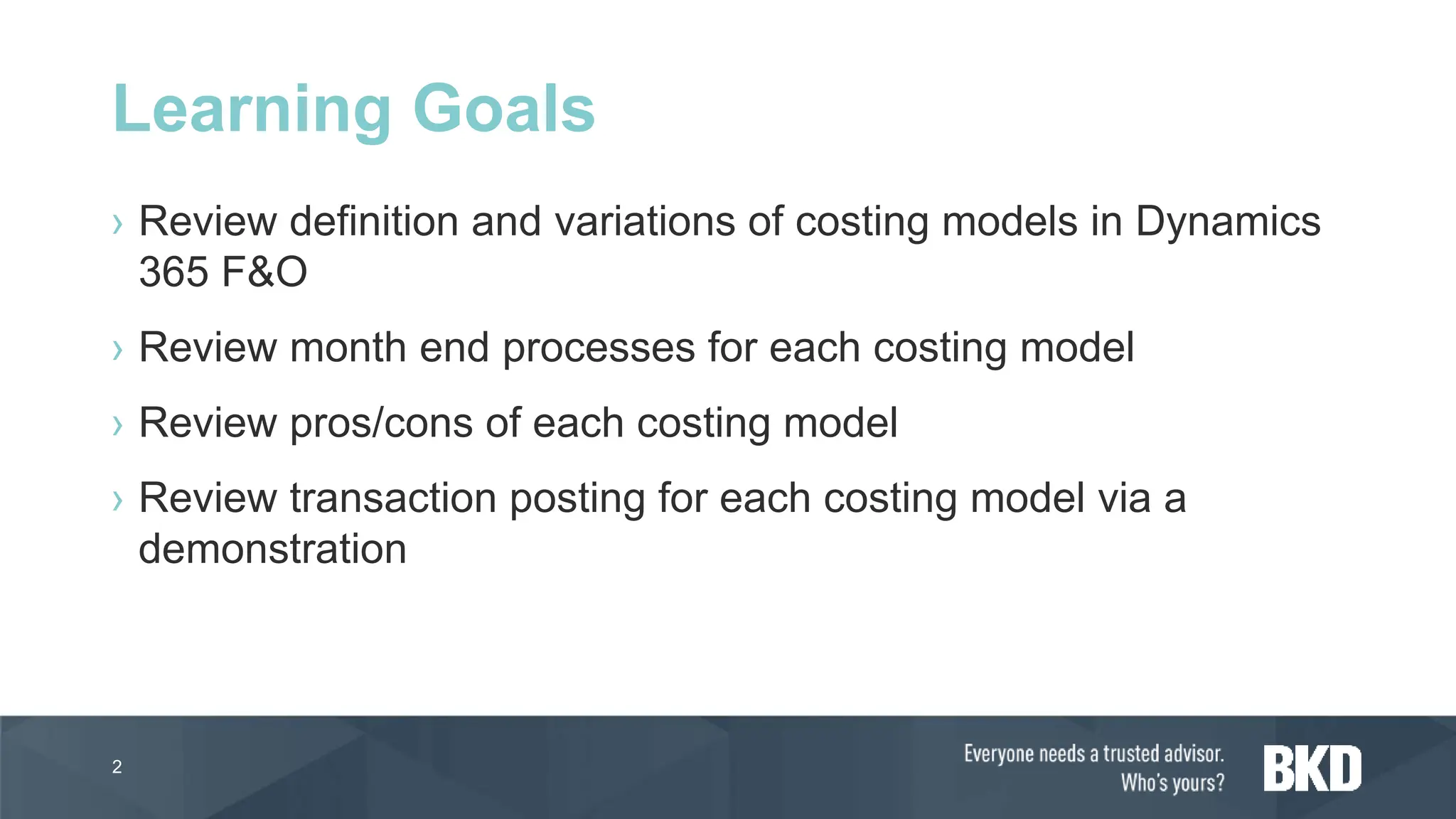
› Review definition and variations of costing models in Dynamics
365 F&O
› Review month end processes for each costing model
› Review pros/cons of each costing model
› Review transaction posting for each costing model via a
demonstration
2
Learning Goals
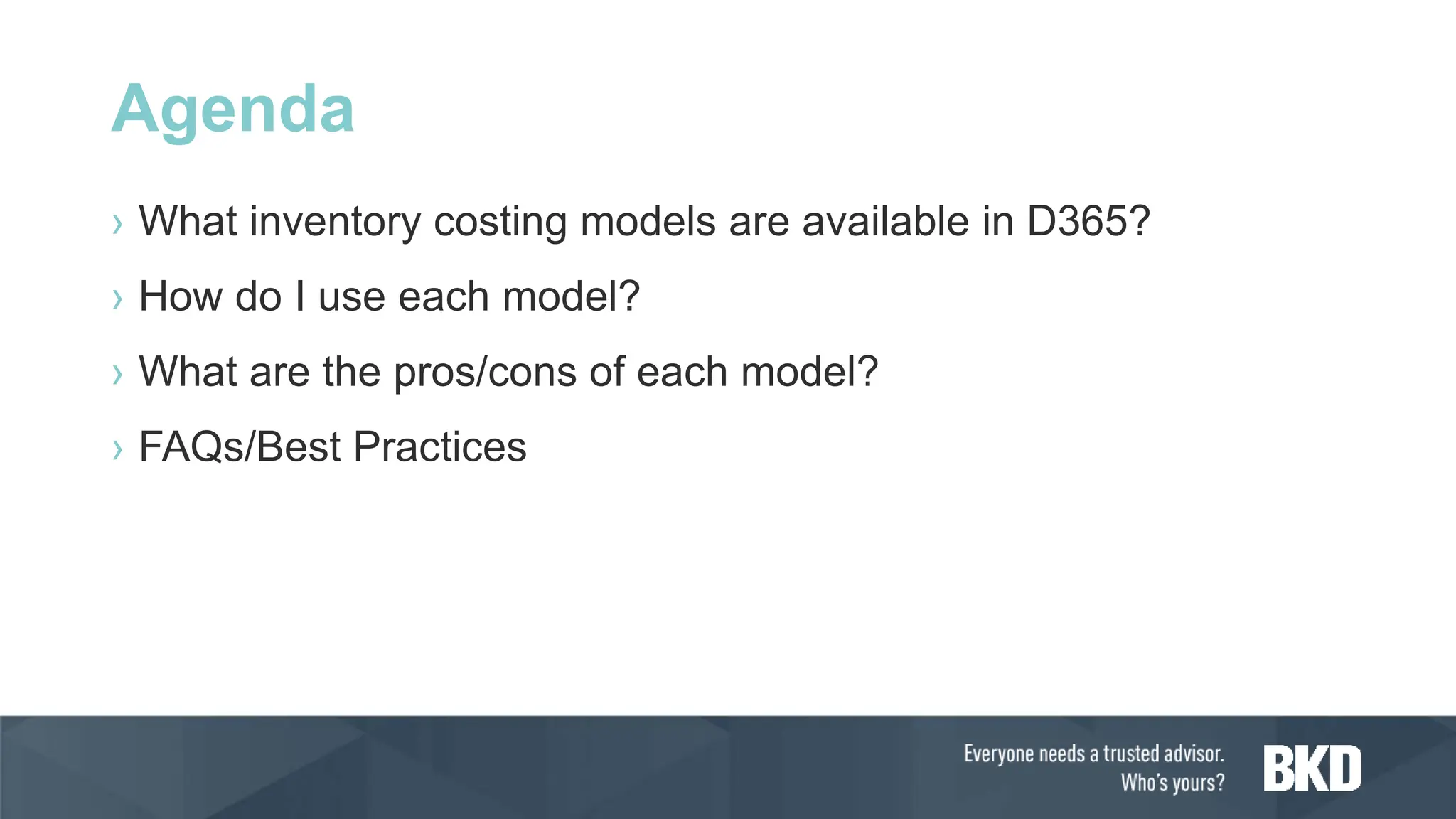
Agenda
› What inventory costing models are available in D365?
› How do I use each model?
› What are the pros/cons of each model?
› FAQs/Best Practices
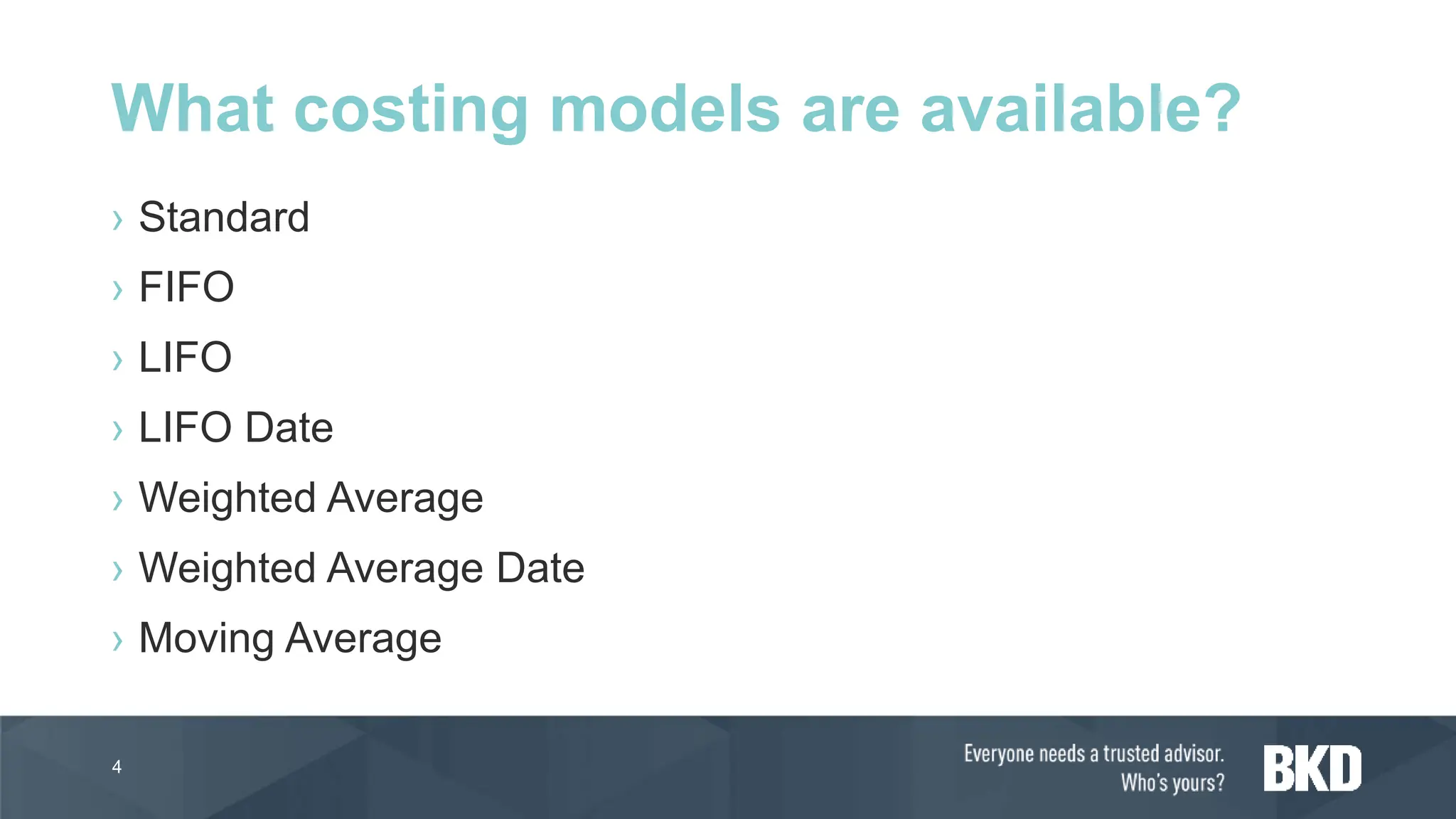
› Standard
› FIFO
› LIFO
› LIFO Date
› Weighted Average
› Weighted Average Date
› Moving Average
4
What costing models are available?
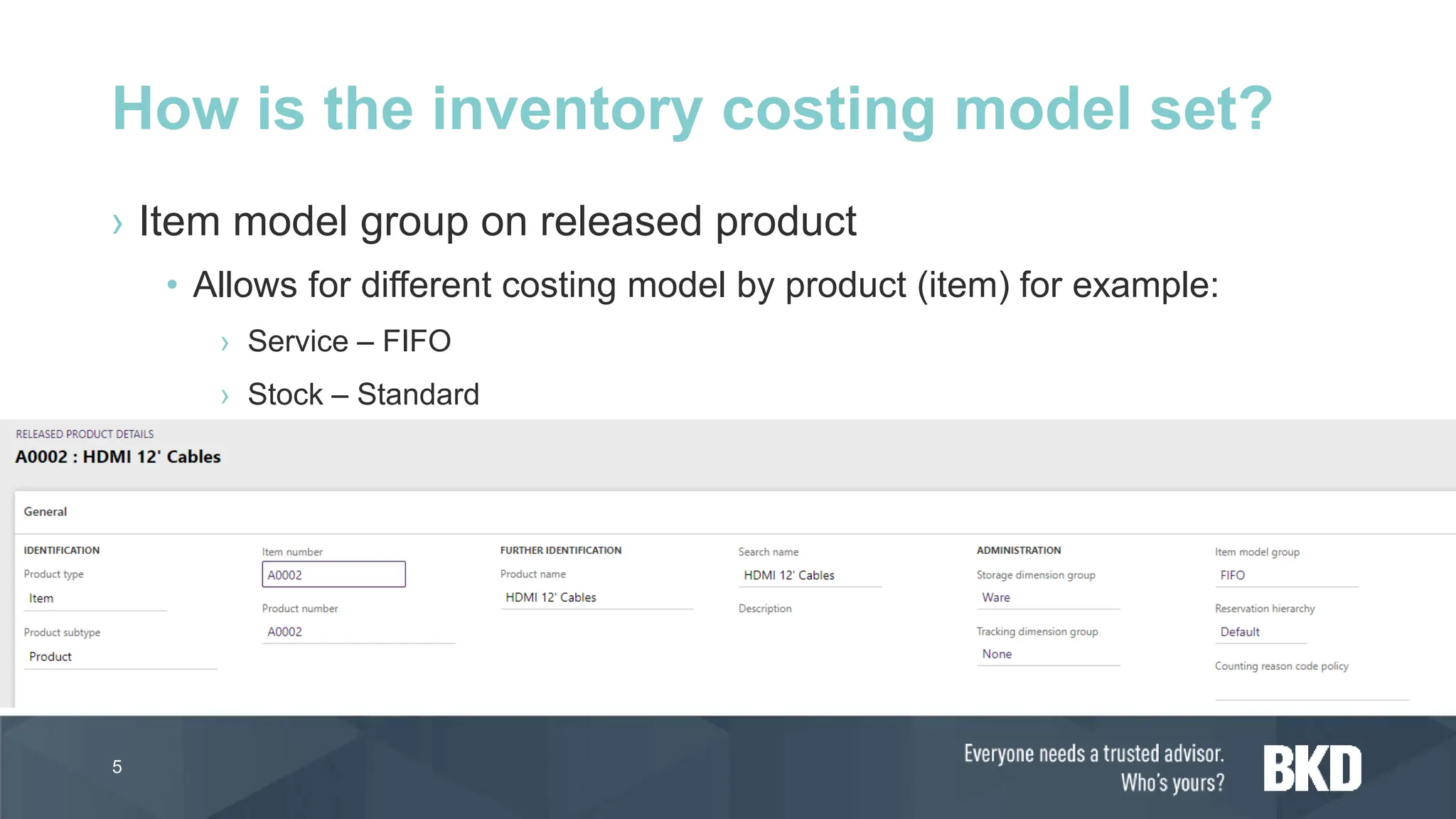
› Item model group on released product
• Allows for different costing model by product (item) for example:
› Service – FIFO
› Stock – Standard
5
How is the inventory costing model set?
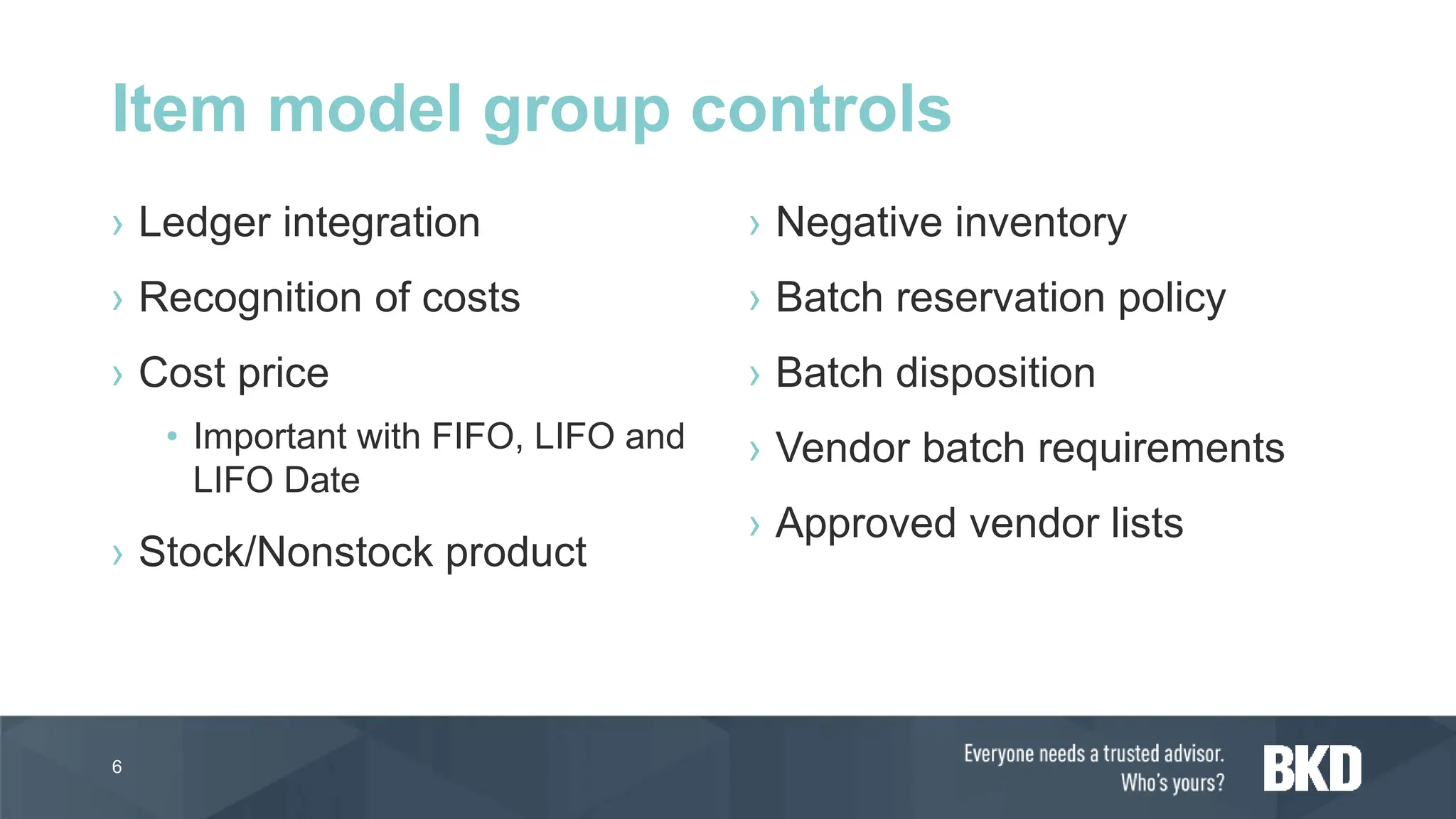
› Ledger integration
› Recognition of costs
› Cost price
• Important with FIFO, LIFO and
LIFO Date
› Stock/Nonstock product
› Negative inventory
› Batch reservation policy
› Batch disposition
› Vendor batch requirements
› Approved vendor lists
6
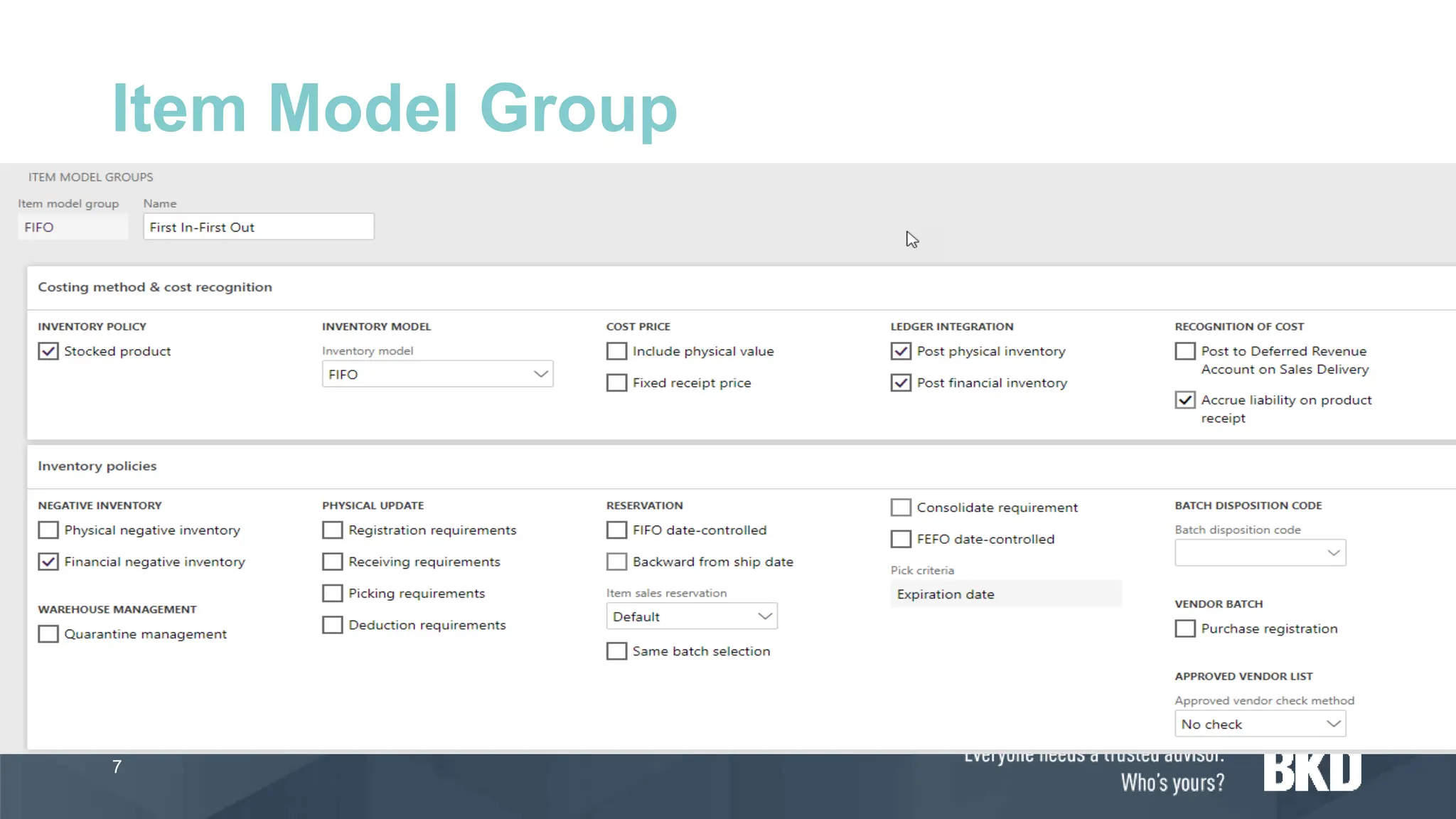
Item model group controls
Item Model Group
7
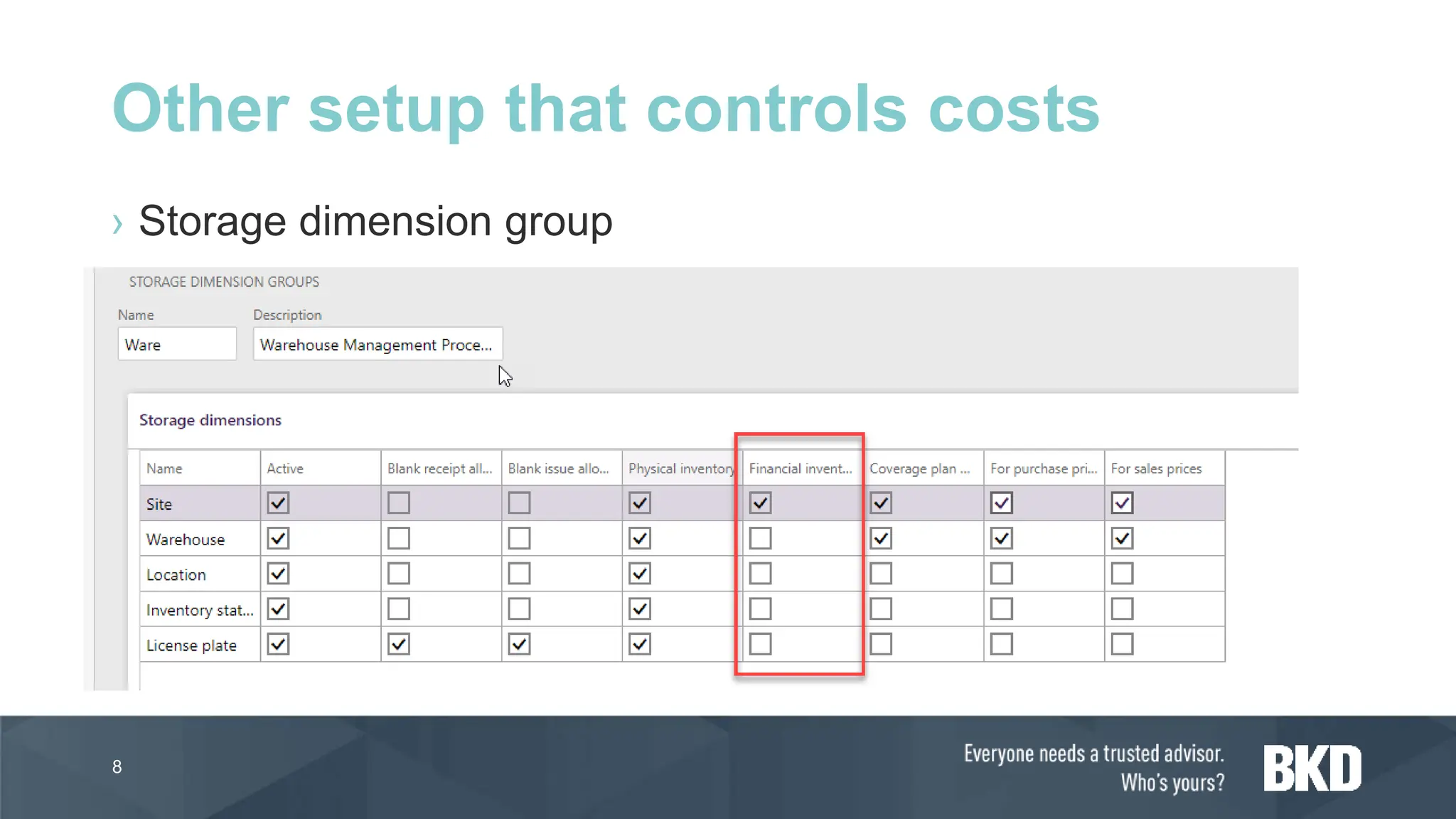
› Storage dimension group
8
Other setup that controls costs
Standard Costing
9
› With standard costing, the general ledger accounts for inventories
and the cost of goods sold contain the standard costs of the inputs
that should have been used to make the actual good output.
› Differences between the actual costs and the standard costs will
appear as variances, which can be investigated.
› Analysis of the variances direct management attention to production
inefficiencies or material cost differences. Thus management can
take effective corrective action for the differences.
10
Standard costing definition
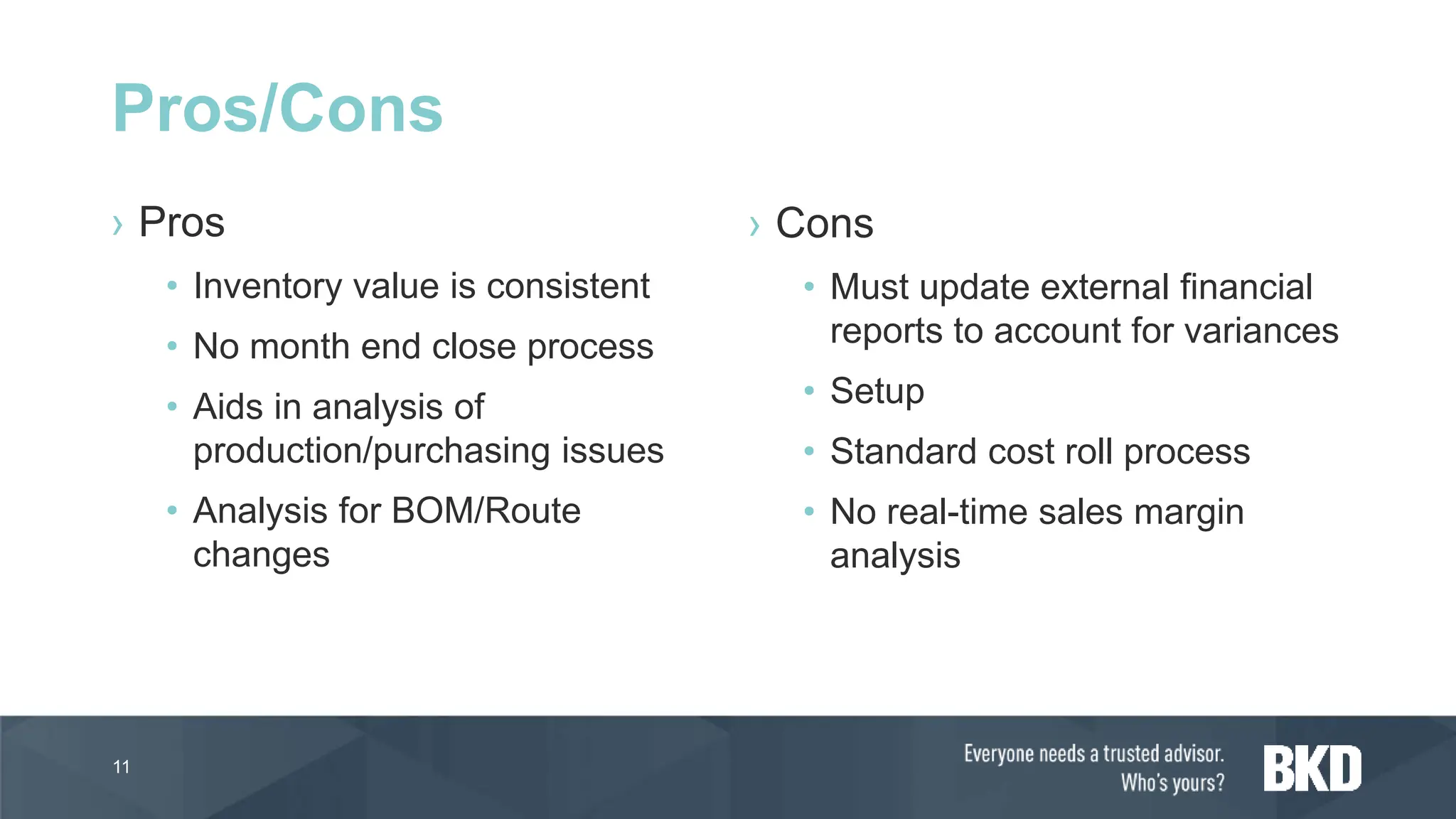
› Pros
• Inventory value is consistent
• No month end close process
• Aids in analysis of
production/purchasing issues
• Analysis for BOM/Route
changes
› Cons
• Must update external financial
reports to account for variances
• Setup
• Standard cost roll process
• No real-time sales margin
analysis
11
Pros/Cons
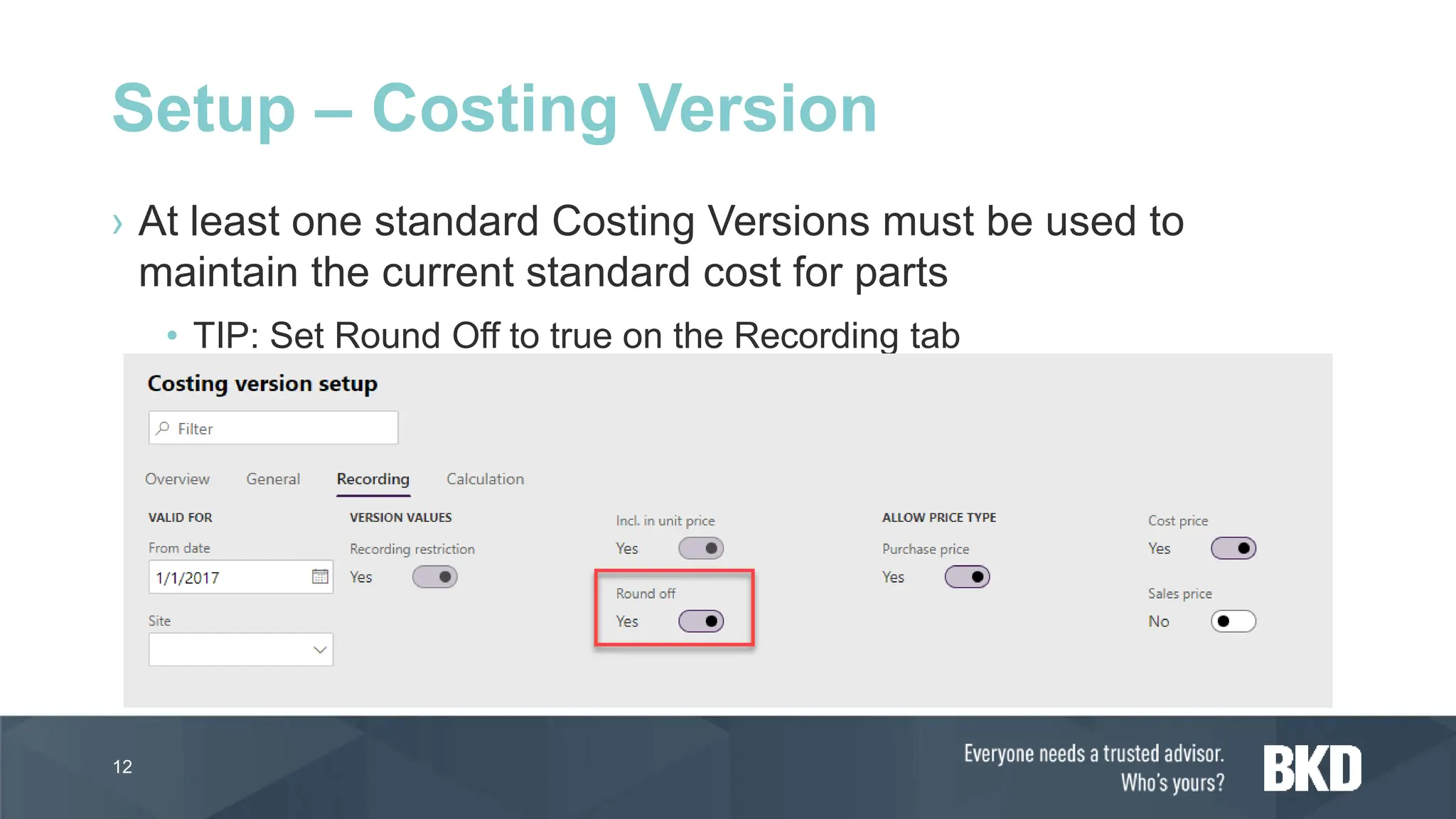
› At least one standard Costing Versions must be used to
maintain the current standard cost for parts
• TIP: Set Round Off to true on the Recording tab
12
Setup – Costing Version
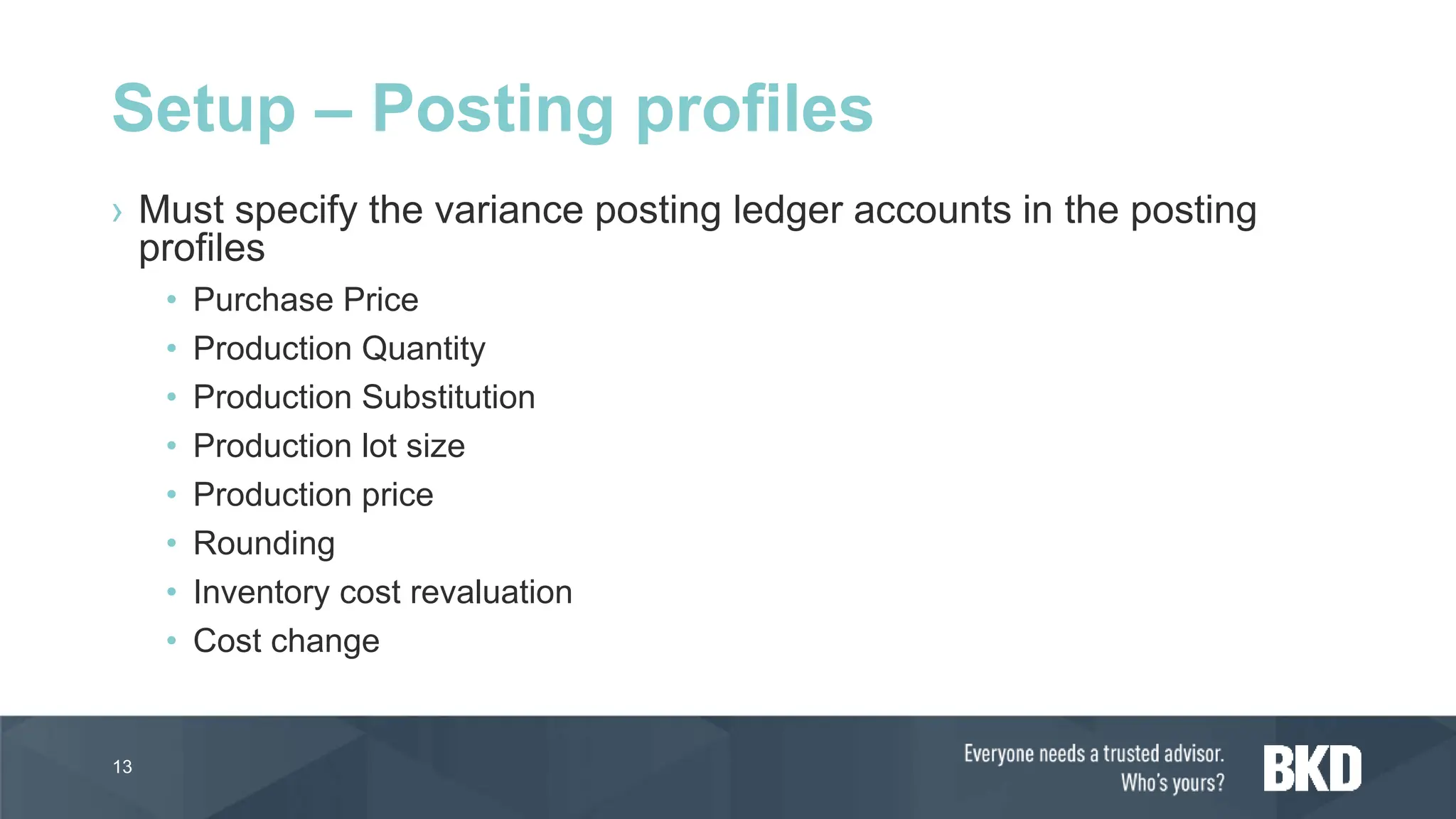
› Must specify the variance posting ledger accounts in the posting
profiles
• Purchase Price
• Production Quantity
• Production Substitution
• Production lot size
• Production price
• Rounding
• Inventory cost revaluation
• Cost change
13
Setup – Posting profiles
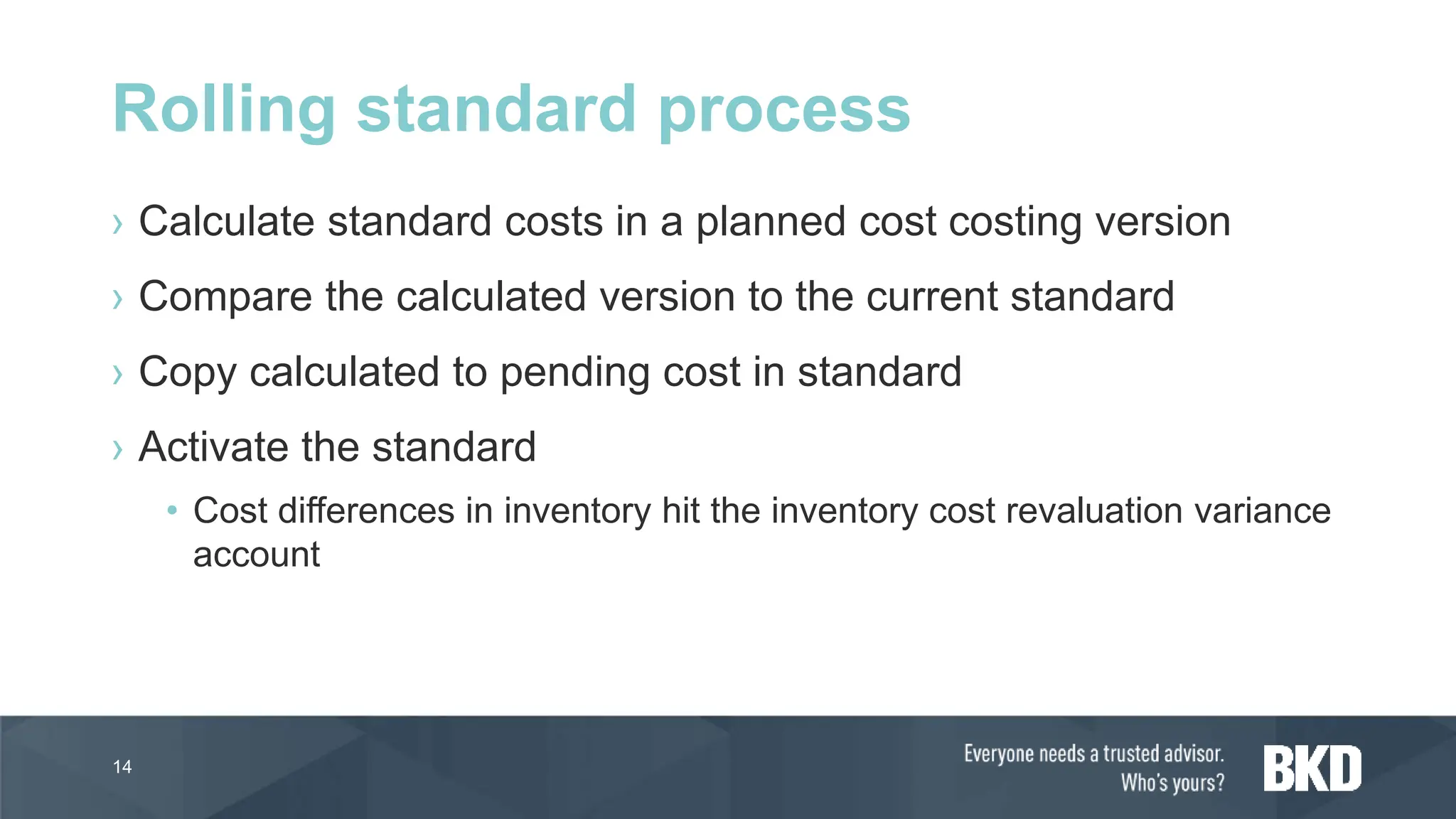
› Calculate standard costs in a planned cost costing version
› Compare the calculated version to the current standard
› Copy calculated to pending cost in standard
› Activate the standard
• Cost differences in inventory hit the inventory cost revaluation variance
account
14
Rolling standard process
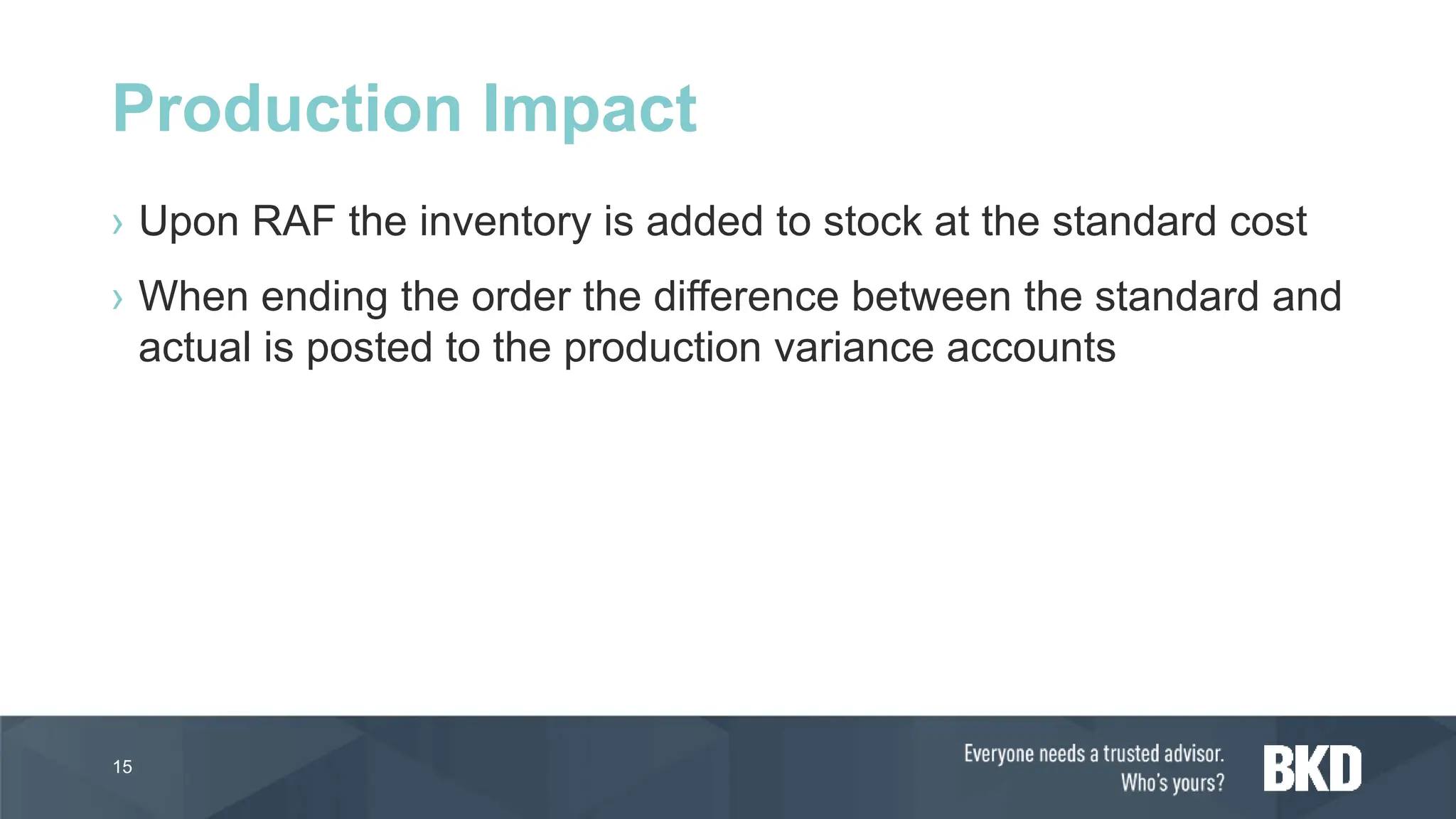
› Upon RAF the inventory is added to stock at the standard cost
› When ending the order the difference between the standard and
actual is posted to the production variance accounts
15
Production Impact
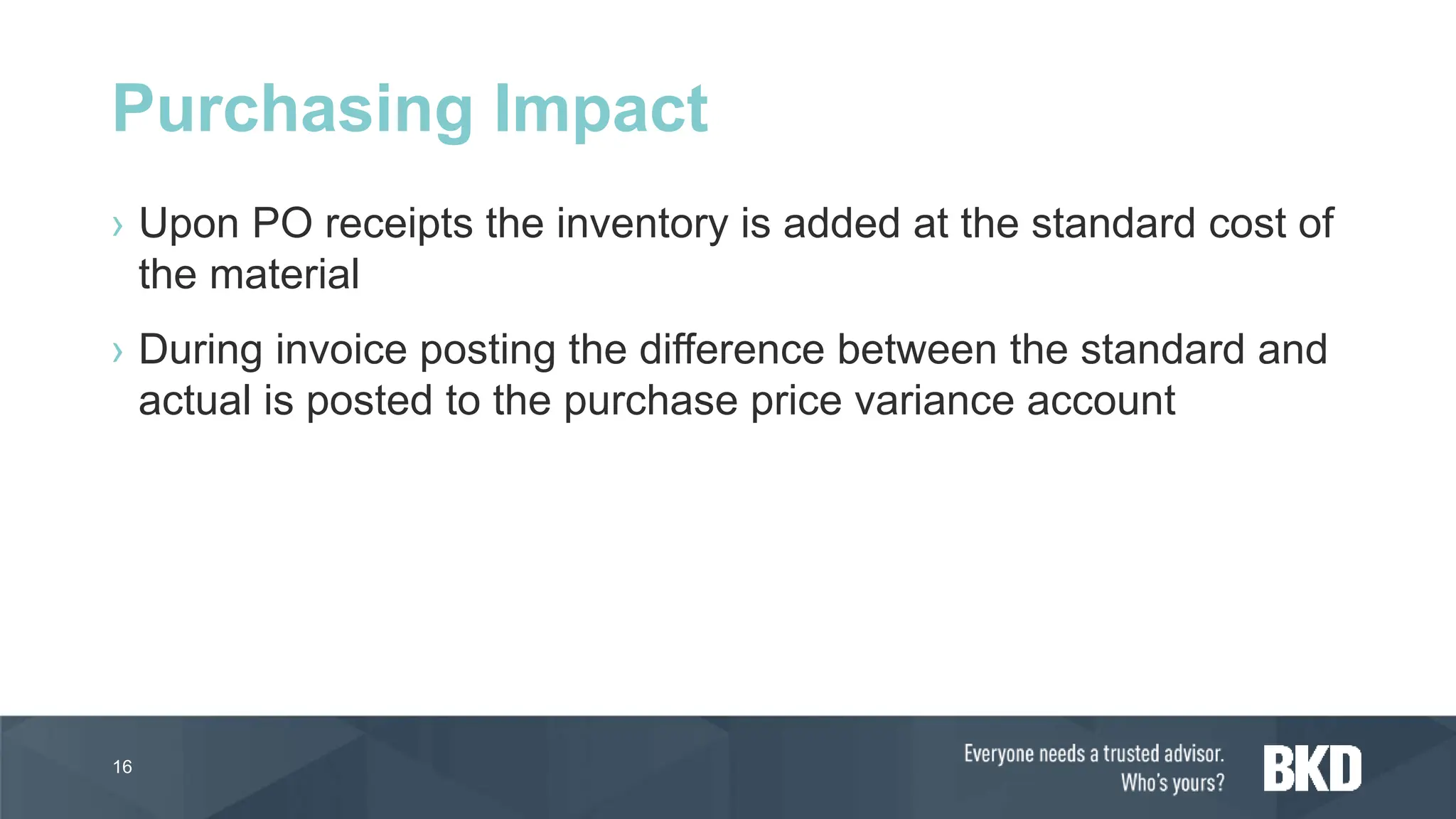
› Upon PO receipts the inventory is added at the standard cost of
the material
› During invoice posting the difference between the standard and
actual is posted to the purchase price variance account
16
Purchasing Impact
Standard Costing
Demonstration
17
FIFO Costing
18
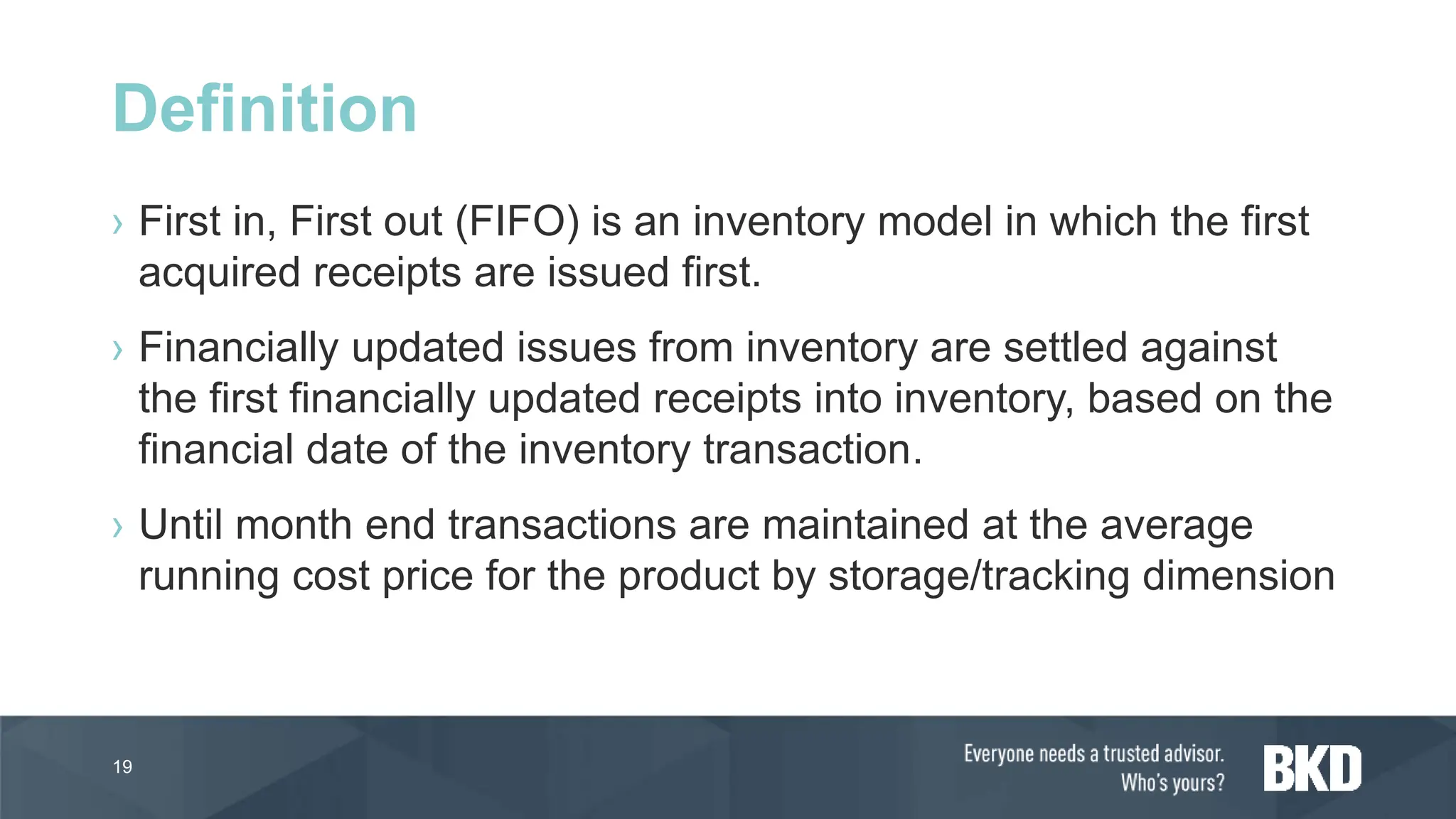
› First in, First out (FIFO) is an inventory model in which the first
acquired receipts are issued first.
› Financially updated issues from inventory are settled against
the first financially updated receipts into inventory, based on the
financial date of the inventory transaction.
› Until month end transactions are maintained at the average
running cost price for the product by storage/tracking dimension
19
Definition
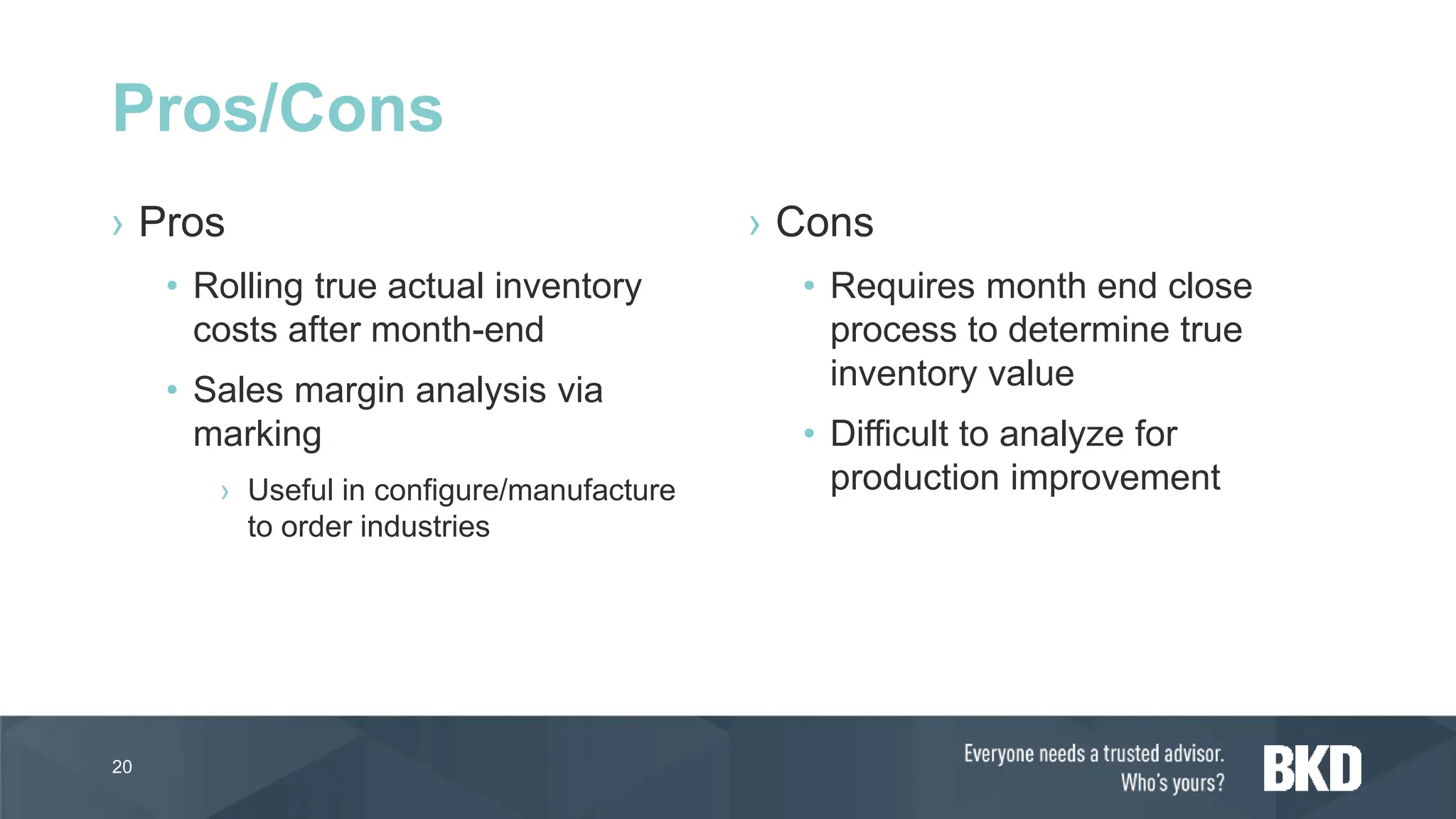
› Pros
• Rolling true actual inventory
costs after month-end
• Sales margin analysis via
marking
› Useful in configure/manufacture
to order industries
› Cons
• Requires month end close
process to determine true
inventory value
• Difficult to analyze for
production improvement
20
Pros/Cons
› At month end each issue will be adjusted and settled based
upon the fist in/first out financial issue/sold transaction matching
• NOTE: If the “Include physical value” is selected in the item model
group physical transactions can be settled if all financial transactions
are settled previously
› A new running average is calculated based upon the unsettled
transactions
• NOTE: If “include physical value” is FALSE then only financial settled
transactions are including in the calculation
21
Month End Application
22
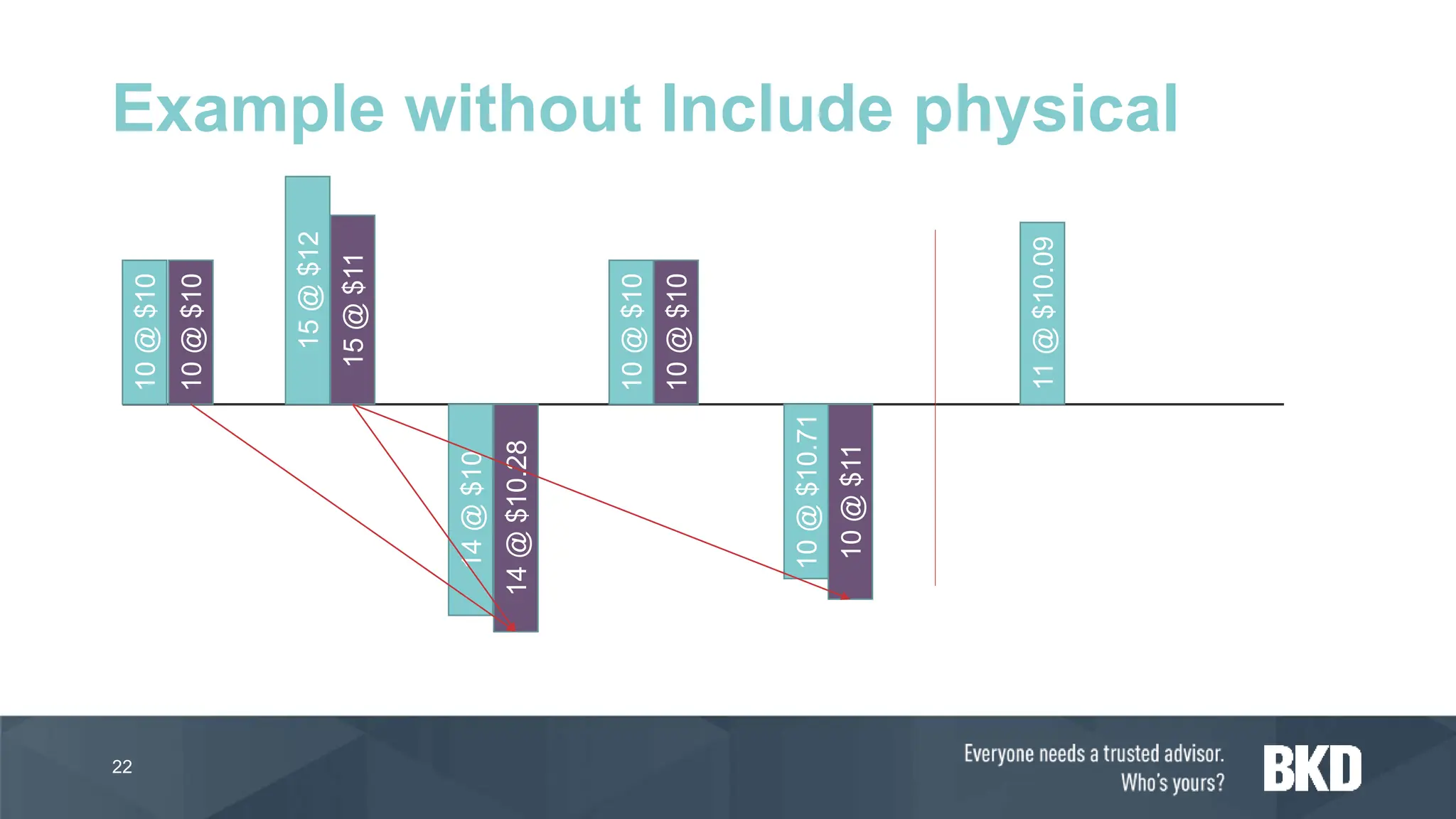
Example without Include physical
10
@
$10
15
@
$12
14
@
$10
10
@
$10
10
@
$10.71
11
@
$10.09
10
@
$10
15
@
$11
10
@
$10
14
@
$10.28
10
@
$11
23
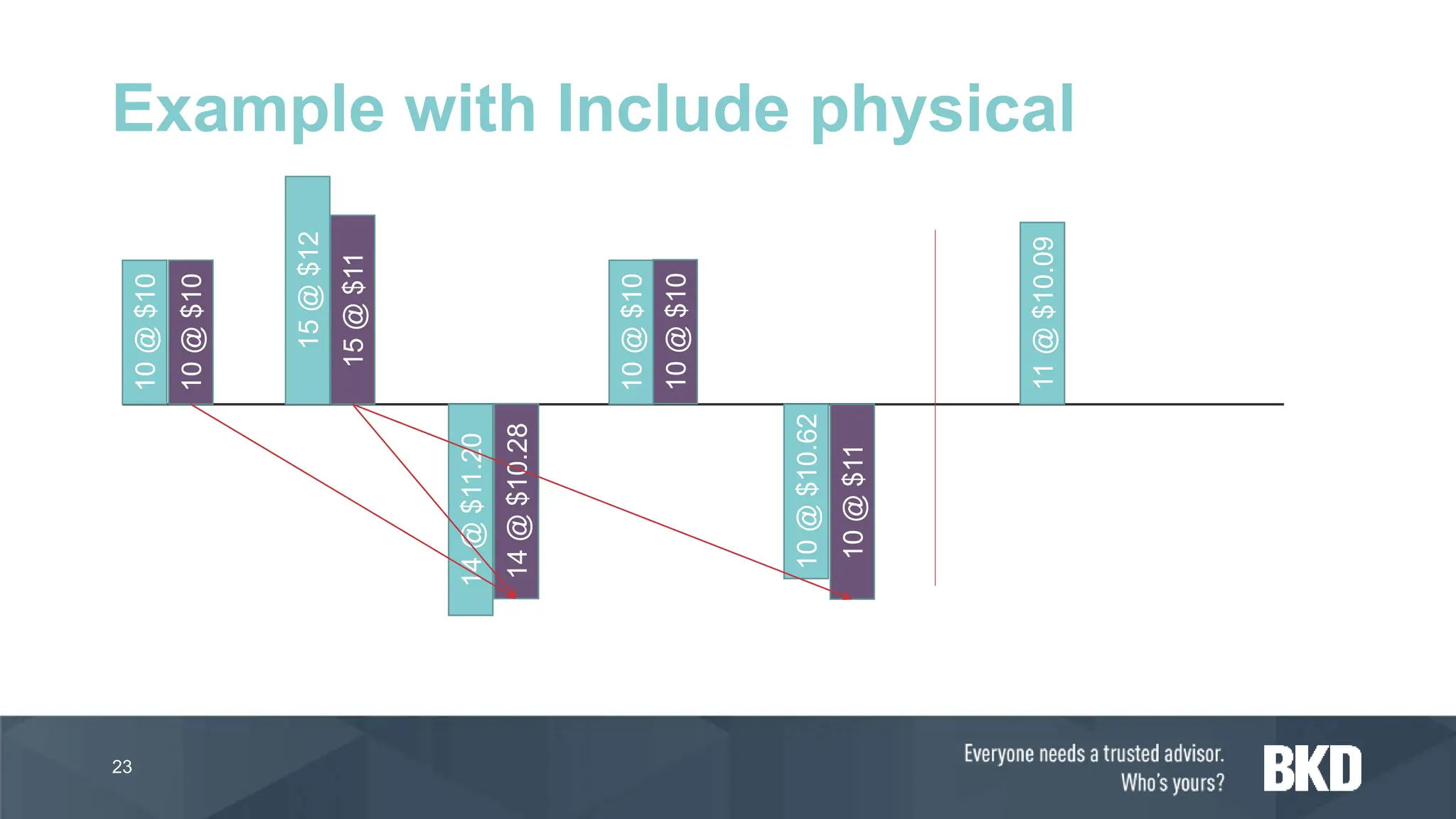
Example with Include physical
10
@
$10
15
@
$12
14
@
$11.20
10
@
$10
10
@
$10.62
11
@
$10.09
10
@
$10
15
@
$11
10
@
$10
14
@
$10.28
10
@
$11
› If a specific receipt transaction should be “tagged” to an issue
transaction the transactions can be marked to each other
› Marking over-rides the standard FIFO rules for the settlement of
transactions at month-end
24
Marking
FIFO Demonstration
25
LIFO and LIFO Date
26
› Last in, First out (LIFO) is an inventory model in which the last
(newest) receipts are issued first.
› Issues from inventory are settled against the last receipts into
inventory based on the date of the inventory transaction.
› If using LIFO Date, if there is no receipt before the issue, the
issue is settled against any receipt that occurs after the date of
issue.
27
Definition
› Pros
• Rolling true actual inventory
costs after month-end
› Lower inventory carrying costs
using LIFO vs FIFO
• Sales margin analysis via
marking
› Useful in configure/manufacture
to order industries
› Cons
• Requires month end close
process to determine true
inventory value
• Difficult to analyze for
production improvement
28
Pros/Cons
› At month end each issue will be adjusted and settled based upon the
last in/first out financial issue/sold transaction matching
• NOTE: If the “Include physical value” is selected in the item model group
physical transactions can be settled if all financial transactions are settled
previously
› A new running average is calculated based upon the unsettled
transactions
• NOTE: If “include physical value” is FALSE then only financial settled
transactions are including in the calculation
29
Month End Application
30
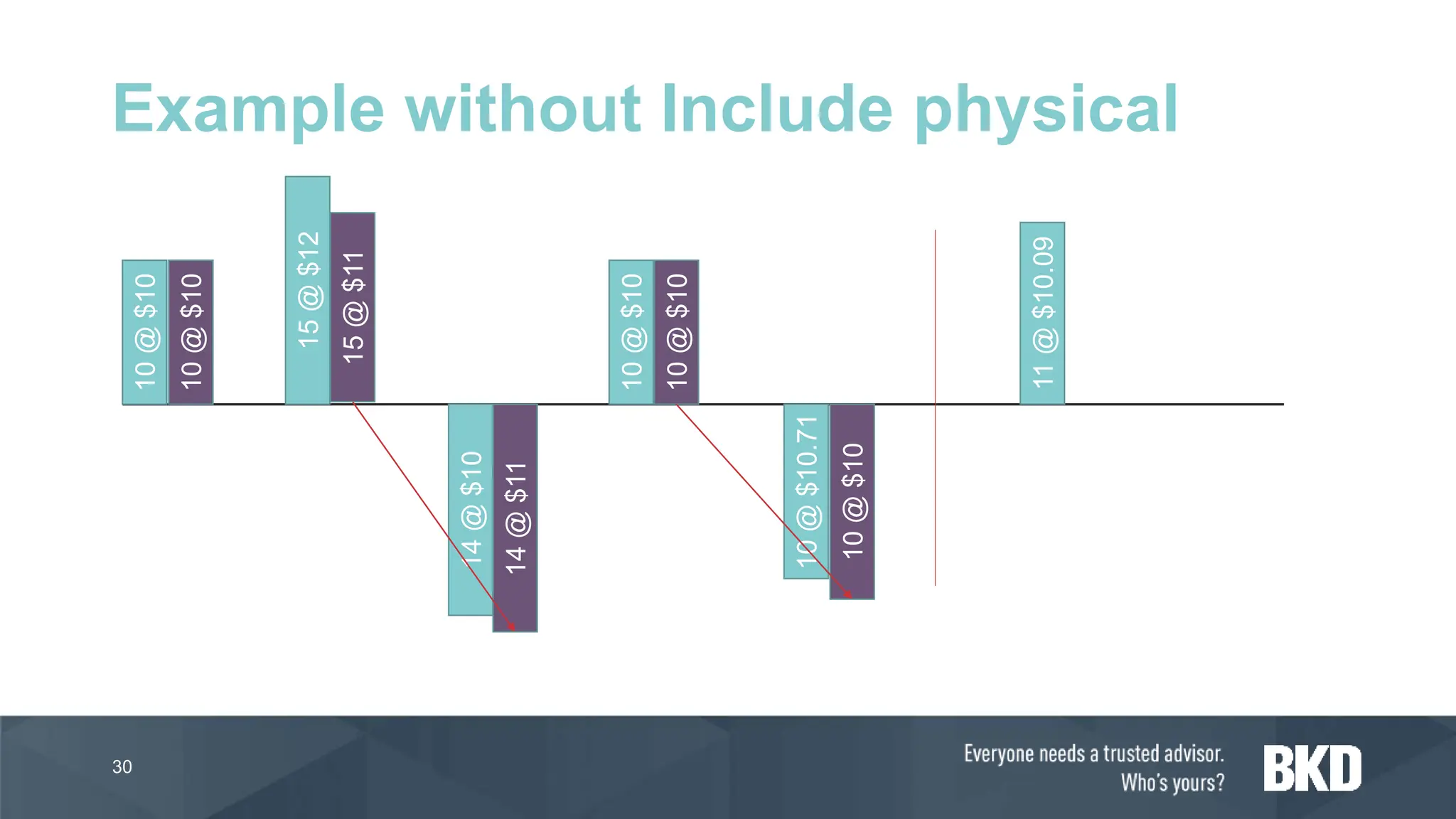
Example without Include physical
10
@
$10
15
@
$12
14
@
$10
10
@
$10
10
@
$10.71
11
@
$10.09
10
@
$10
15
@
$11
10
@
$10
14
@
$11
10
@
$10
31
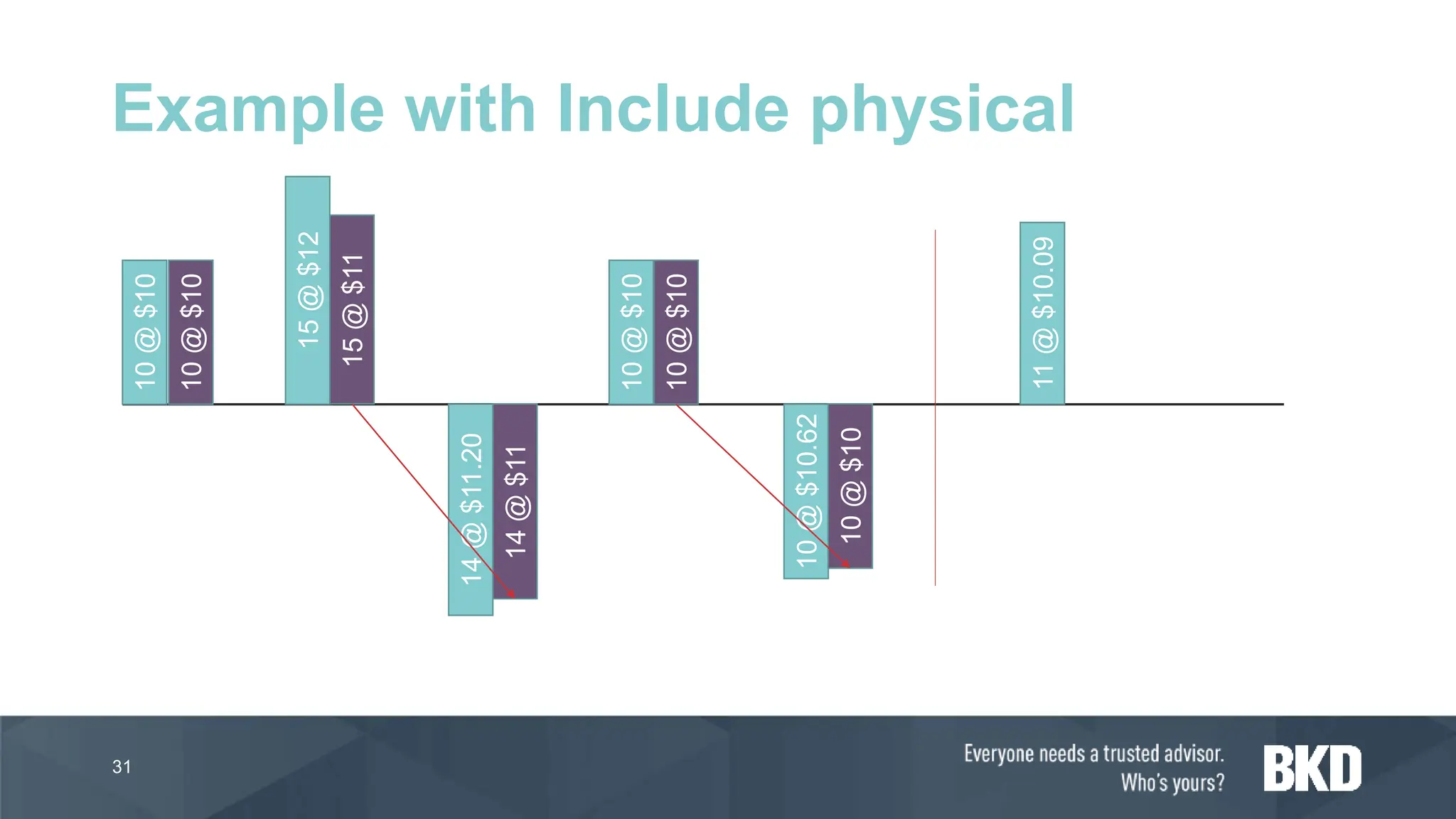
Example with Include physical
10
@
$10
15
@
$12
14
@
$11.20
10
@
$10
10
@
$10.62
11
@
$10.09
10
@
$10
15
@
$11
10
@
$10
14
@
$11
10
@
$10
› If a specific receipt transaction should be “tagged” to an issue
transaction the transactions can be marked to each other
› Marking over-rides the standard LIFO rules for the settlement of
transactions at month-end
32
Marking
LIFO Demonstration
33
Weighted Average and
Weighted Average Date
34
› Weighted average is an inventory model where issues from
inventory are valued at the average value of the items that are
received into inventory during the inventory closing period, plus
any on-hand inventory from the previous period.
› During inventory close a virtual receipt is created that contains
all receipts for the period. The issues are settled against this
virtual receipt so that all issues get the same average price.
› Settled using direct or summarized settlement
35
Definition
› Pros
• Inventory valued at average
value of receipts at end of
every month
• Sales margin analysis via
marking
› Useful in configure/manufacture
to order industries
› Cons
• Requires month end close
process to determine true
inventory value
• Difficult to analyze for
production improvement
• Summary settlement
transactions can be confusing
36
Pros/Cons
› Direct settlement of the weighted average cost is done when
• One receipt and one or several issues has been posted in the period
• Only issues have been posted in the period and the inventory contains
on-hand items from a previous closing
› Settlement is done directly to the receipt transaction instead of
calculating an average receipt value
37
Direct Settlement
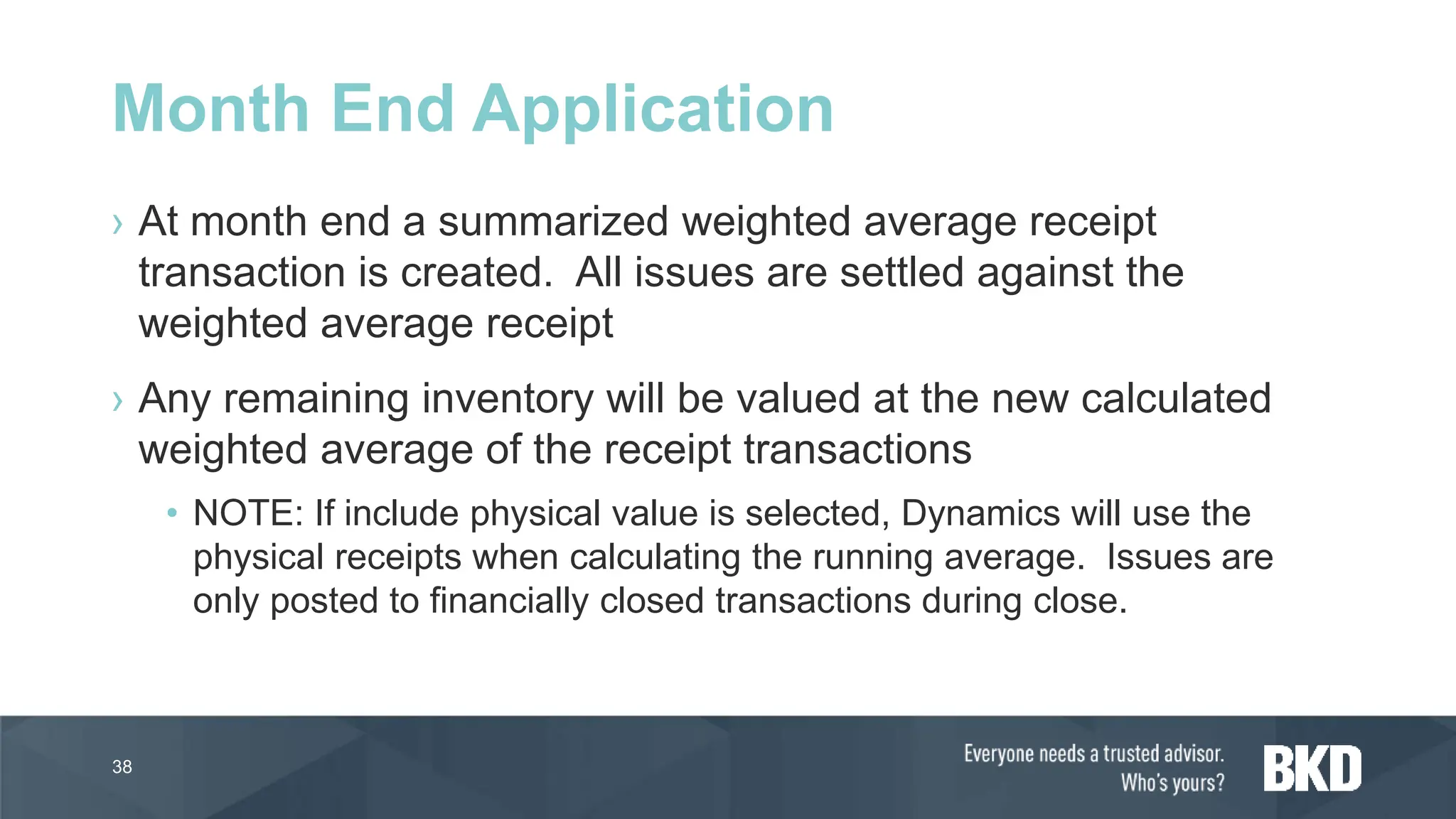
› At month end a summarized weighted average receipt
transaction is created. All issues are settled against the
weighted average receipt
› Any remaining inventory will be valued at the new calculated
weighted average of the receipt transactions
• NOTE: If include physical value is selected, Dynamics will use the
physical receipts when calculating the running average. Issues are
only posted to financially closed transactions during close.
38
Month End Application
› During period close all daily issues are settled against a virtual
receipt.
› This allows for all daily issues to have the same average cost.
› The new daily average cost is then used as the inventory cost
start for the next day and the calculation is run again
› The same rules apply with direct settlement and use physical
cost as the Weighted Average method
39
Weighted Average Date
40
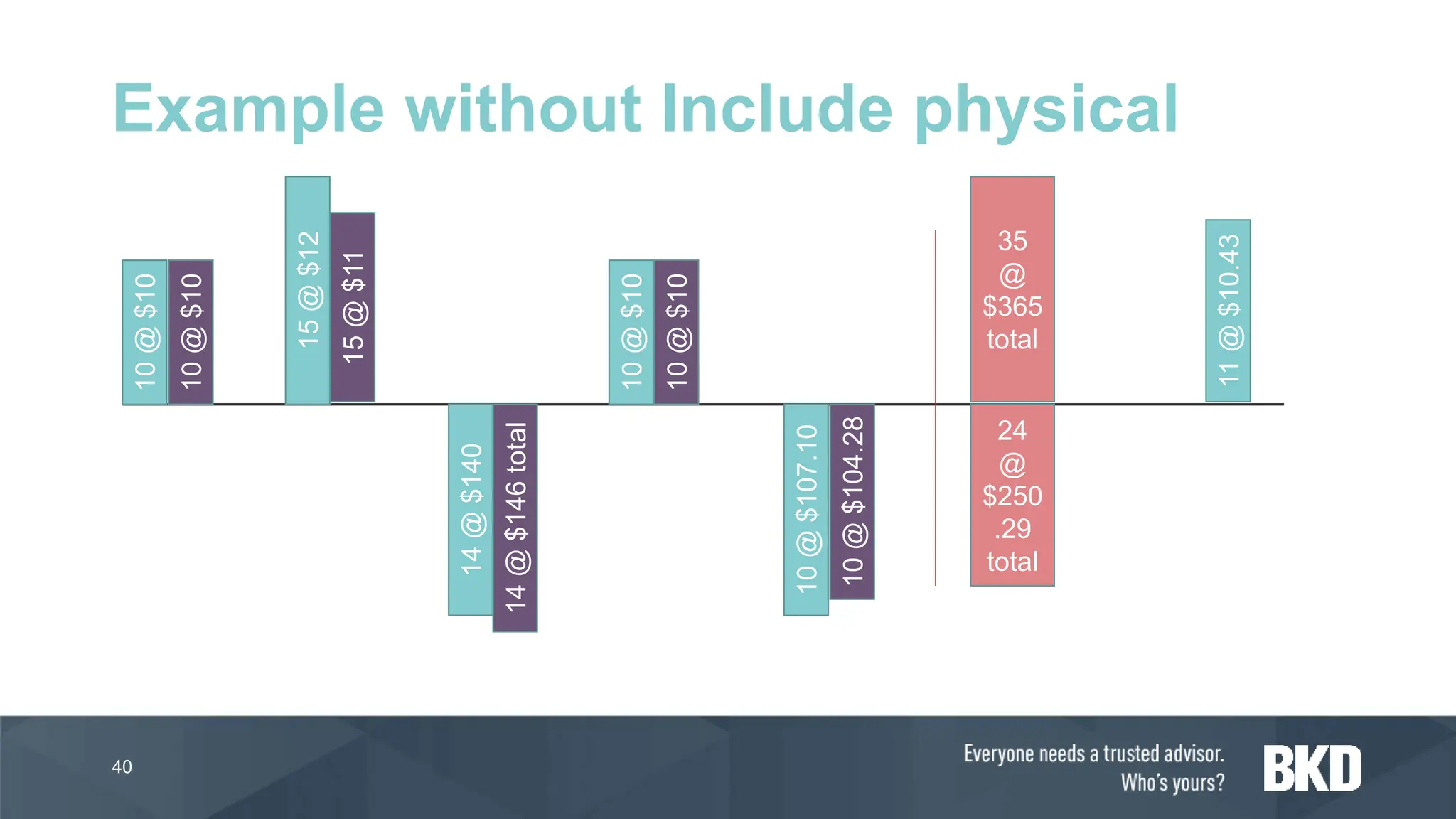
Example without Include physical
10
@
$10
15
@
$12
14
@
$140
10
@
$10
10
@
$107.10
11
@
$10.43
10
@
$10
15
@
$11
10
@
$10
14
@
$146
total
10
@
$104.28
35
@
$365
total
24
@
$250
.29
total
41
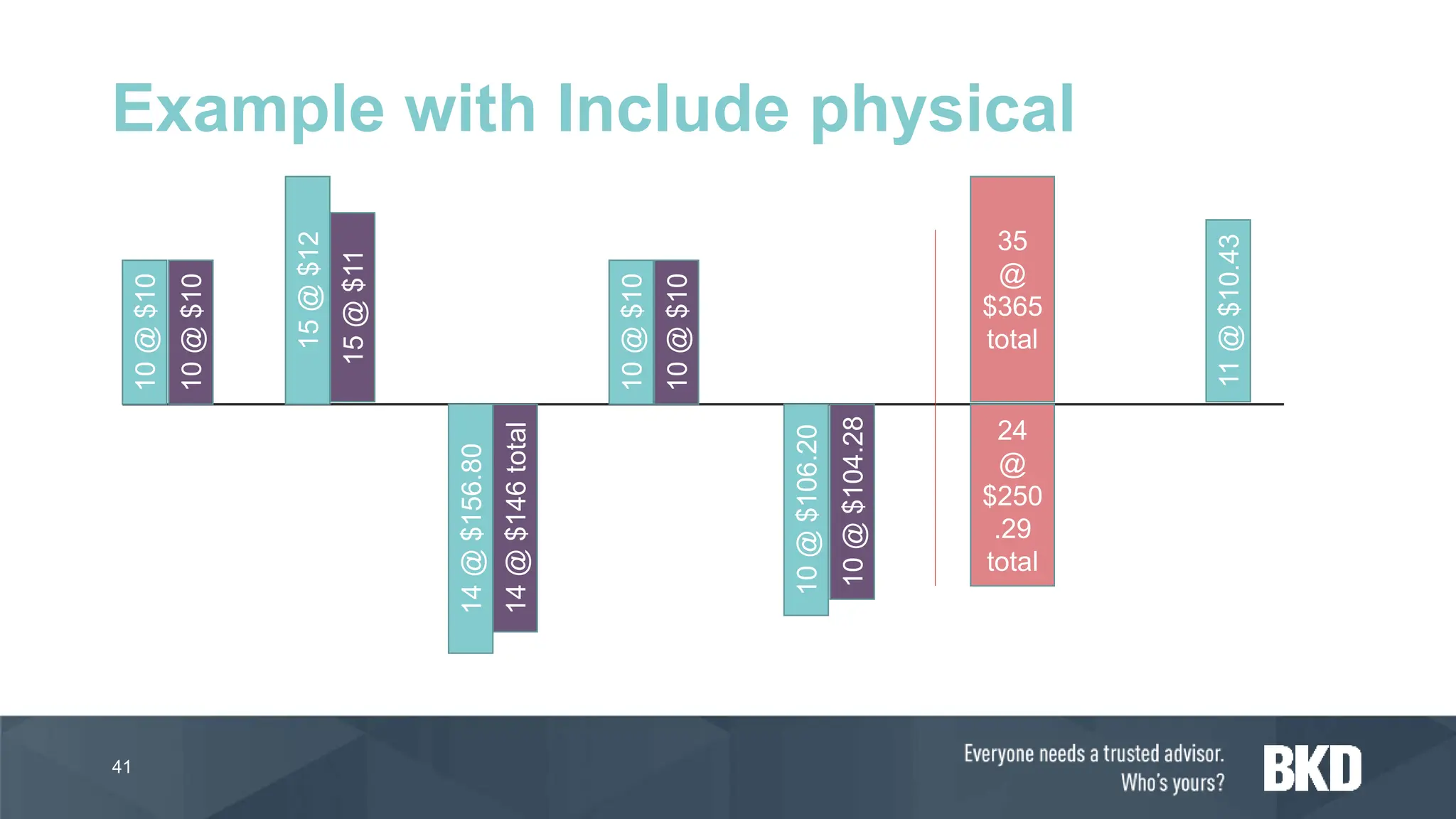
Example with Include physical
10
@
$10
15
@
$12
14
@
$156.80
10
@
$10
10
@
$106.20
11
@
$10.43
10
@
$10
15
@
$11
10
@
$10
14
@
$146
total
10
@
$104.28
35
@
$365
total
24
@
$250
.29
total
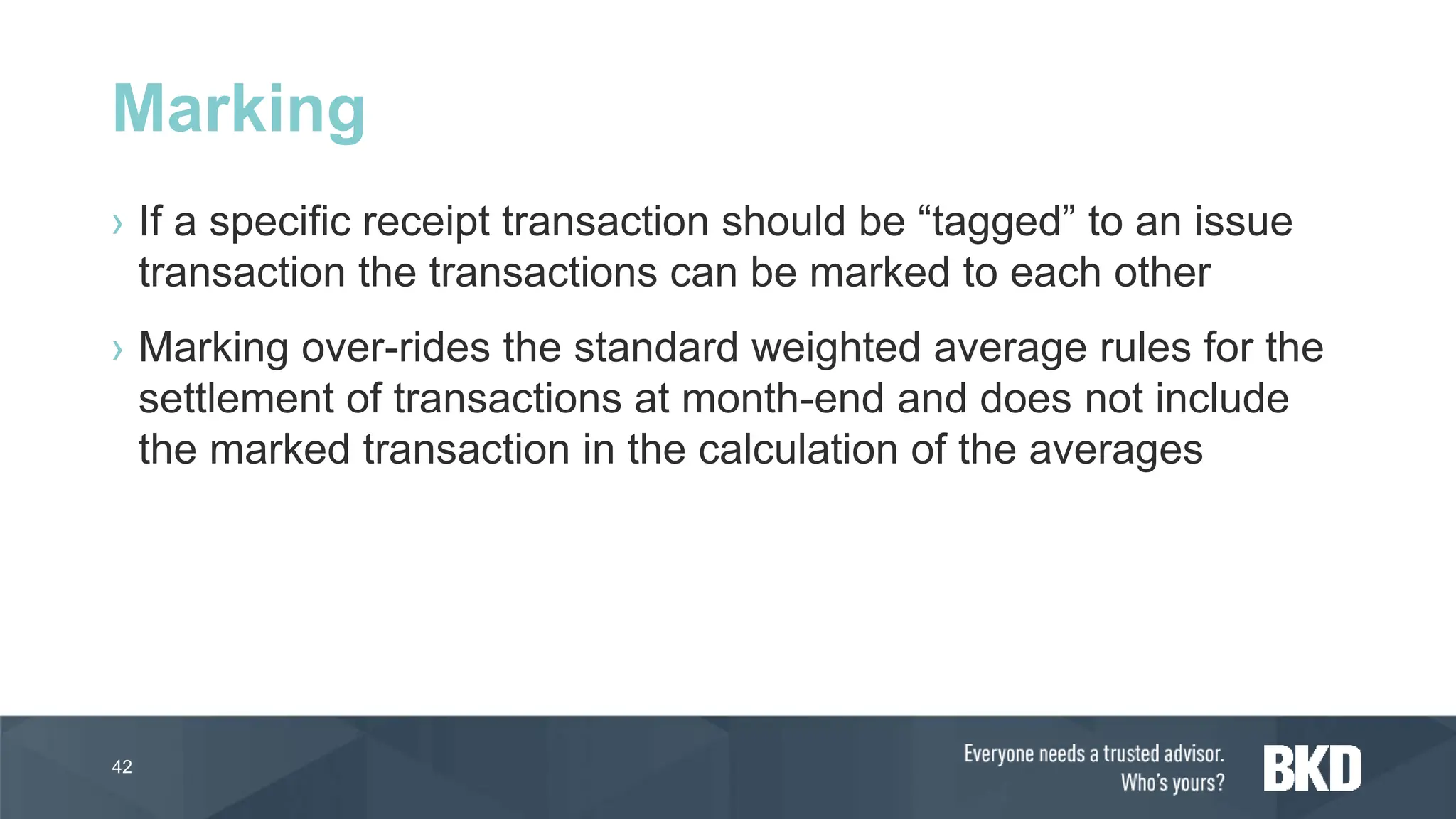
› If a specific receipt transaction should be “tagged” to an issue
transaction the transactions can be marked to each other
› Marking over-rides the standard weighted average rules for the
settlement of transactions at month-end and does not include
the marked transaction in the calculation of the averages
42
Marking
Weighted Average
Demonstration
43
Moving Average
44
› Moving average is a perpetual costing method based upon the
average principle where the cost on inventory does not change
when the financial purchase cost changes
› Purchase cost physical vs financial differences are posted to a
capitalization account and the remaining amount is expensed.
› Manual cost revaluations can be completed using todays date
only
45
Definition
› Pros
• Rolling true actual inventory
cost based upon physical
transaction
• No month end close
• Easy to understand
› Cons
• Difficult margin analysis
• No marking allowed
• No settlements allowed
46
Pros/Cons
Moving Average
Demonstration
47
› Review definition and variations of costing models in Dynamics
365 F&O
› Review month end processes for each costing model
› Review pros/cons of each costing model
› Review transaction posting for each costing model via a
demonstration
48
Learning Goals
Summit Presentations
› MFG07 - Mastering Production Plans with Routes and
Resources
• Wednesday October 16 @ 4:30 PM
• Osceola 3
› MFG06 - Production Order Picking in D365FO
• Thursday October 17 @ 10:45 AM
• TBD
bkd.com | @bkdllp
The information contained in these slides is presented by professionals for your information only and is not to
be considered as legal advice. Applying specific information to your situation requires careful consideration of
facts & circumstances. Consult your BKD advisor or legal counsel before acting on any matters covered.

Inventory Costing Models in Dynamics 365 Finance and Operations

  • 1.
    Costing Models in D365F&O PRESENTED BY: JONATHAN ANDERSON - JANDERSON@BKD.COM
  • 2.
    › Review definitionand variations of costing models in Dynamics 365 F&O › Review month end processes for each costing model › Review pros/cons of each costing model › Review transaction posting for each costing model via a demonstration 2 Learning Goals
  • 3.
    Agenda › What inventorycosting models are available in D365? › How do I use each model? › What are the pros/cons of each model? › FAQs/Best Practices
  • 4.
    › Standard › FIFO ›LIFO › LIFO Date › Weighted Average › Weighted Average Date › Moving Average 4 What costing models are available?
  • 5.
    › Item modelgroup on released product • Allows for different costing model by product (item) for example: › Service – FIFO › Stock – Standard 5 How is the inventory costing model set?
  • 6.
    › Ledger integration ›Recognition of costs › Cost price • Important with FIFO, LIFO and LIFO Date › Stock/Nonstock product › Negative inventory › Batch reservation policy › Batch disposition › Vendor batch requirements › Approved vendor lists 6 Item model group controls
  • 7.
  • 8.
    › Storage dimensiongroup 8 Other setup that controls costs
  • 9.
  • 10.
    › With standardcosting, the general ledger accounts for inventories and the cost of goods sold contain the standard costs of the inputs that should have been used to make the actual good output. › Differences between the actual costs and the standard costs will appear as variances, which can be investigated. › Analysis of the variances direct management attention to production inefficiencies or material cost differences. Thus management can take effective corrective action for the differences. 10 Standard costing definition
  • 11.
    › Pros • Inventoryvalue is consistent • No month end close process • Aids in analysis of production/purchasing issues • Analysis for BOM/Route changes › Cons • Must update external financial reports to account for variances • Setup • Standard cost roll process • No real-time sales margin analysis 11 Pros/Cons
  • 12.
    › At leastone standard Costing Versions must be used to maintain the current standard cost for parts • TIP: Set Round Off to true on the Recording tab 12 Setup – Costing Version
  • 13.
    › Must specifythe variance posting ledger accounts in the posting profiles • Purchase Price • Production Quantity • Production Substitution • Production lot size • Production price • Rounding • Inventory cost revaluation • Cost change 13 Setup – Posting profiles
  • 14.
    › Calculate standardcosts in a planned cost costing version › Compare the calculated version to the current standard › Copy calculated to pending cost in standard › Activate the standard • Cost differences in inventory hit the inventory cost revaluation variance account 14 Rolling standard process
  • 15.
    › Upon RAFthe inventory is added to stock at the standard cost › When ending the order the difference between the standard and actual is posted to the production variance accounts 15 Production Impact
  • 16.
    › Upon POreceipts the inventory is added at the standard cost of the material › During invoice posting the difference between the standard and actual is posted to the purchase price variance account 16 Purchasing Impact
  • 17.
  • 18.
  • 19.
    › First in,First out (FIFO) is an inventory model in which the first acquired receipts are issued first. › Financially updated issues from inventory are settled against the first financially updated receipts into inventory, based on the financial date of the inventory transaction. › Until month end transactions are maintained at the average running cost price for the product by storage/tracking dimension 19 Definition
  • 20.
    › Pros • Rollingtrue actual inventory costs after month-end • Sales margin analysis via marking › Useful in configure/manufacture to order industries › Cons • Requires month end close process to determine true inventory value • Difficult to analyze for production improvement 20 Pros/Cons
  • 21.
    › At monthend each issue will be adjusted and settled based upon the fist in/first out financial issue/sold transaction matching • NOTE: If the “Include physical value” is selected in the item model group physical transactions can be settled if all financial transactions are settled previously › A new running average is calculated based upon the unsettled transactions • NOTE: If “include physical value” is FALSE then only financial settled transactions are including in the calculation 21 Month End Application
  • 22.
    22 Example without Includephysical 10 @ $10 15 @ $12 14 @ $10 10 @ $10 10 @ $10.71 11 @ $10.09 10 @ $10 15 @ $11 10 @ $10 14 @ $10.28 10 @ $11
  • 23.
    23 Example with Includephysical 10 @ $10 15 @ $12 14 @ $11.20 10 @ $10 10 @ $10.62 11 @ $10.09 10 @ $10 15 @ $11 10 @ $10 14 @ $10.28 10 @ $11
  • 24.
    › If aspecific receipt transaction should be “tagged” to an issue transaction the transactions can be marked to each other › Marking over-rides the standard FIFO rules for the settlement of transactions at month-end 24 Marking
  • 25.
  • 26.
  • 27.
    › Last in,First out (LIFO) is an inventory model in which the last (newest) receipts are issued first. › Issues from inventory are settled against the last receipts into inventory based on the date of the inventory transaction. › If using LIFO Date, if there is no receipt before the issue, the issue is settled against any receipt that occurs after the date of issue. 27 Definition
  • 28.
    › Pros • Rollingtrue actual inventory costs after month-end › Lower inventory carrying costs using LIFO vs FIFO • Sales margin analysis via marking › Useful in configure/manufacture to order industries › Cons • Requires month end close process to determine true inventory value • Difficult to analyze for production improvement 28 Pros/Cons
  • 29.
    › At monthend each issue will be adjusted and settled based upon the last in/first out financial issue/sold transaction matching • NOTE: If the “Include physical value” is selected in the item model group physical transactions can be settled if all financial transactions are settled previously › A new running average is calculated based upon the unsettled transactions • NOTE: If “include physical value” is FALSE then only financial settled transactions are including in the calculation 29 Month End Application
  • 30.
    30 Example without Includephysical 10 @ $10 15 @ $12 14 @ $10 10 @ $10 10 @ $10.71 11 @ $10.09 10 @ $10 15 @ $11 10 @ $10 14 @ $11 10 @ $10
  • 31.
    31 Example with Includephysical 10 @ $10 15 @ $12 14 @ $11.20 10 @ $10 10 @ $10.62 11 @ $10.09 10 @ $10 15 @ $11 10 @ $10 14 @ $11 10 @ $10
  • 32.
    › If aspecific receipt transaction should be “tagged” to an issue transaction the transactions can be marked to each other › Marking over-rides the standard LIFO rules for the settlement of transactions at month-end 32 Marking
  • 33.
  • 34.
  • 35.
    › Weighted averageis an inventory model where issues from inventory are valued at the average value of the items that are received into inventory during the inventory closing period, plus any on-hand inventory from the previous period. › During inventory close a virtual receipt is created that contains all receipts for the period. The issues are settled against this virtual receipt so that all issues get the same average price. › Settled using direct or summarized settlement 35 Definition
  • 36.
    › Pros • Inventoryvalued at average value of receipts at end of every month • Sales margin analysis via marking › Useful in configure/manufacture to order industries › Cons • Requires month end close process to determine true inventory value • Difficult to analyze for production improvement • Summary settlement transactions can be confusing 36 Pros/Cons
  • 37.
    › Direct settlementof the weighted average cost is done when • One receipt and one or several issues has been posted in the period • Only issues have been posted in the period and the inventory contains on-hand items from a previous closing › Settlement is done directly to the receipt transaction instead of calculating an average receipt value 37 Direct Settlement
  • 38.
    › At monthend a summarized weighted average receipt transaction is created. All issues are settled against the weighted average receipt › Any remaining inventory will be valued at the new calculated weighted average of the receipt transactions • NOTE: If include physical value is selected, Dynamics will use the physical receipts when calculating the running average. Issues are only posted to financially closed transactions during close. 38 Month End Application
  • 39.
    › During periodclose all daily issues are settled against a virtual receipt. › This allows for all daily issues to have the same average cost. › The new daily average cost is then used as the inventory cost start for the next day and the calculation is run again › The same rules apply with direct settlement and use physical cost as the Weighted Average method 39 Weighted Average Date
  • 40.
    40 Example without Includephysical 10 @ $10 15 @ $12 14 @ $140 10 @ $10 10 @ $107.10 11 @ $10.43 10 @ $10 15 @ $11 10 @ $10 14 @ $146 total 10 @ $104.28 35 @ $365 total 24 @ $250 .29 total
  • 41.
    41 Example with Includephysical 10 @ $10 15 @ $12 14 @ $156.80 10 @ $10 10 @ $106.20 11 @ $10.43 10 @ $10 15 @ $11 10 @ $10 14 @ $146 total 10 @ $104.28 35 @ $365 total 24 @ $250 .29 total
  • 42.
    › If aspecific receipt transaction should be “tagged” to an issue transaction the transactions can be marked to each other › Marking over-rides the standard weighted average rules for the settlement of transactions at month-end and does not include the marked transaction in the calculation of the averages 42 Marking
  • 43.
  • 44.
  • 45.
    › Moving averageis a perpetual costing method based upon the average principle where the cost on inventory does not change when the financial purchase cost changes › Purchase cost physical vs financial differences are posted to a capitalization account and the remaining amount is expensed. › Manual cost revaluations can be completed using todays date only 45 Definition
  • 46.
    › Pros • Rollingtrue actual inventory cost based upon physical transaction • No month end close • Easy to understand › Cons • Difficult margin analysis • No marking allowed • No settlements allowed 46 Pros/Cons
  • 47.
  • 48.
    › Review definitionand variations of costing models in Dynamics 365 F&O › Review month end processes for each costing model › Review pros/cons of each costing model › Review transaction posting for each costing model via a demonstration 48 Learning Goals
  • 49.
    Summit Presentations › MFG07- Mastering Production Plans with Routes and Resources • Wednesday October 16 @ 4:30 PM • Osceola 3 › MFG06 - Production Order Picking in D365FO • Thursday October 17 @ 10:45 AM • TBD
  • 51.
    bkd.com | @bkdllp Theinformation contained in these slides is presented by professionals for your information only and is not to be considered as legal advice. Applying specific information to your situation requires careful consideration of facts & circumstances. Consult your BKD advisor or legal counsel before acting on any matters covered.