Introduction to
Databases and
Data-mining
Introduction
The term database‘ is defined as any
collection of electronic records that can be
processed to produce useful information. The
data can be accessed, modified, managed,
controlled, and organized to perform various
data-processing operations. The data is
typically indexed across rows, columns, and
tables that make workload processing and
data querying efficient. Different types of
databases include object oriented,
relational, distributed, hierarchical, network,
and others.
In enterprise applications, databases
involve mission-critical, security sensitive,
and compliance-focused record items that
have complicated logical relationships with
other datasets and grow exponentially over
time as the user based increases. As a result,
these organizations require technology
solutions to maintain, secure, manage and
process the data stored in databases. This is
where the Database Management System
comes into play.
Timeline of Database
ANCIENT 1960s 1970s 1976
Today 2000s 1990s 1980s
OBJECTIVES/COMPETENCIES:
 Understand what is database?
 Identify the different databases types
 Understand the Database Management
System
 Identify the various widespread databases
 Understand the data warehousing concepts
 Define what is data warehouse
 Understand the basics of data science and
data mining
What is database?
A database is an organized collection of
structured information, or data, typically
stored electronically in a computer system. A
database is usually controlled by a database
management system (DBMS). Together, the
data and the DBMS, along with the
applications that are associated with them,
are referred to as a database system, often
shortened to just database.
Database Types
Depending upon the usage
requirements, there are following
types of databases available in the
market
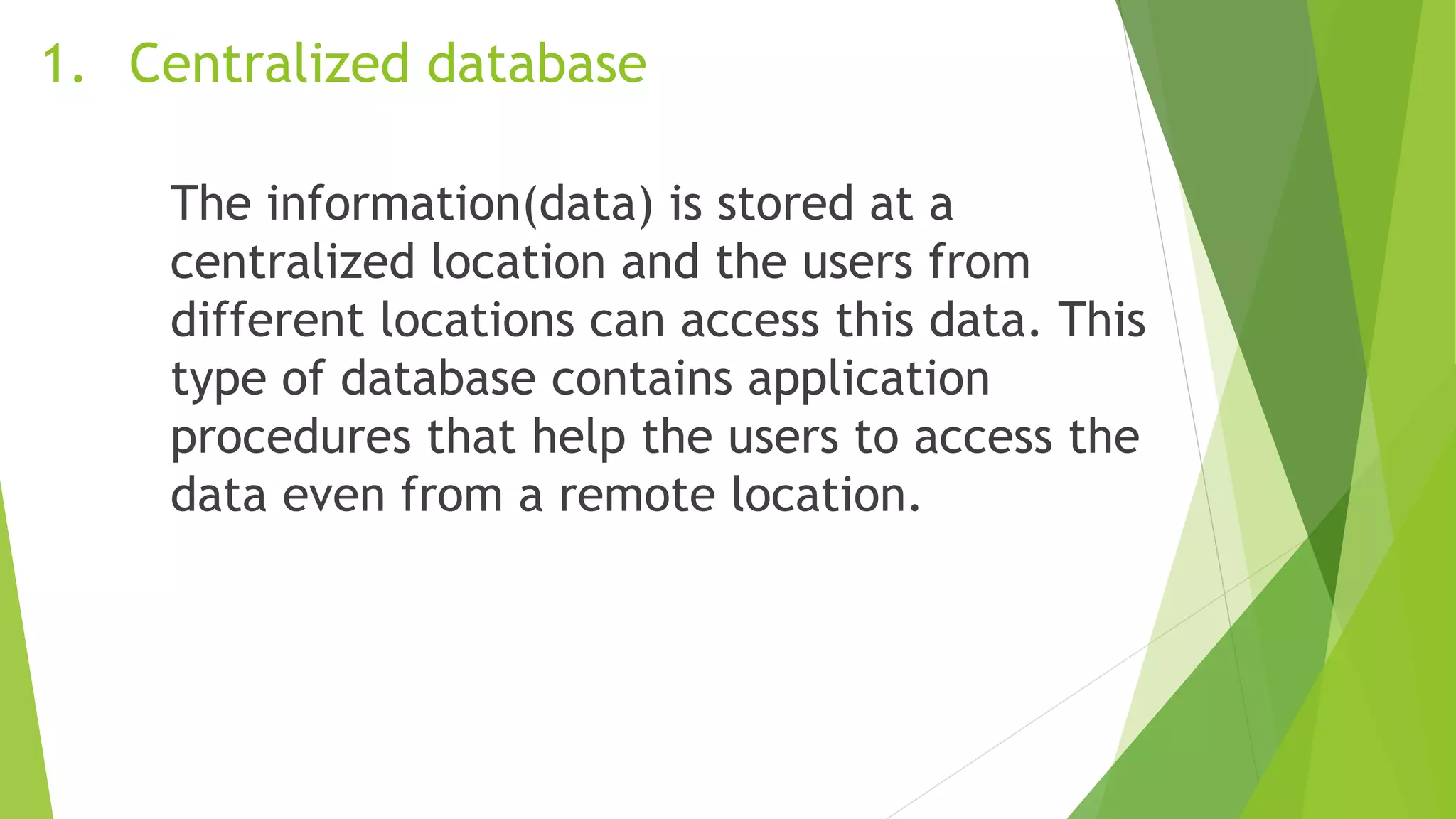
1. Centralized database
The information(data) is stored at a
centralized location and the users from
different locations can access this data. This
type of database contains application
procedures that help the users to access the
data even from a remote location.
1. Centralized database
https://www.reachmarketing.com/wp-content/uploads/2016/03/CentralIntelligence-598.png
2. Distributed database
Just opposite of the centralized database
concept, the distributed database has
contributions from the common database as
well as the information captured by local
computers also. The data is not at one place
and is distributed at various sites of an
organization. These sites are connected to
each other with the help of communication
links which helps them to access the
distributed data easily.
2. Distributed database
https://sungsoo.github.com/images/distributed-dbms.png
3. Personal database
Data is collected and stored on personal
computers which is small and easily
manageable. The data is generally used by
the same department of an organization and
is accessed by a small group of people
3. Personal database
https://qph.fs.quoracdn.net/main-qimg-272b4fa3de42f87aa488bc53e65517f6
4. End User Database
The end user is usually not concerned about
the transaction or operations done at various
levels and is only aware of the product which
may be a software or an application.
Therefore, this is a shared database which is
specifically designed for the end user, just
like different levels’ managers. Summary of
whole information is collected in this
database.
4. End User Database
https://slideplayer.com/slide/5297526/17/images/3/Figure+The+DBMS+Manages+the+Inter
action+between+the+End+User+and+the+Database.jpg
5. Commercial Database
These are the paid versions of the huge
databases designed uniquely for the users
who want to access the information for help.
These databases are subject specific, and
one cannot afford to maintain such a huge
information. Access to such databases is
provided through commercial links
5. Commercial Database
https://images.squarespace-cdn.com/content/v1/50c9c50fe4b0a97682fac903/1363727323947-
GIDJVZ7P5RAFNI3DY70H/ke17ZwdGBToddI8pDm48kKPZiPD6e8GDTTrsfe8YaVp7gQa3H78H3Y0txjaiv_0fDoOvxcdMm
MKkDsyUqMSsMWxHk725yiiHCCLfrh8O1z5QPOohDIaIeljMHgDF5CVlOqpeNLcJ80NK65_fV7S1UWhASDya4MIkduCSQIg
WYRug5gZBtjPPvKarInL7Mj9qg9BbsCj1I192ZTbeJRDZgQ/ERD1.jpg
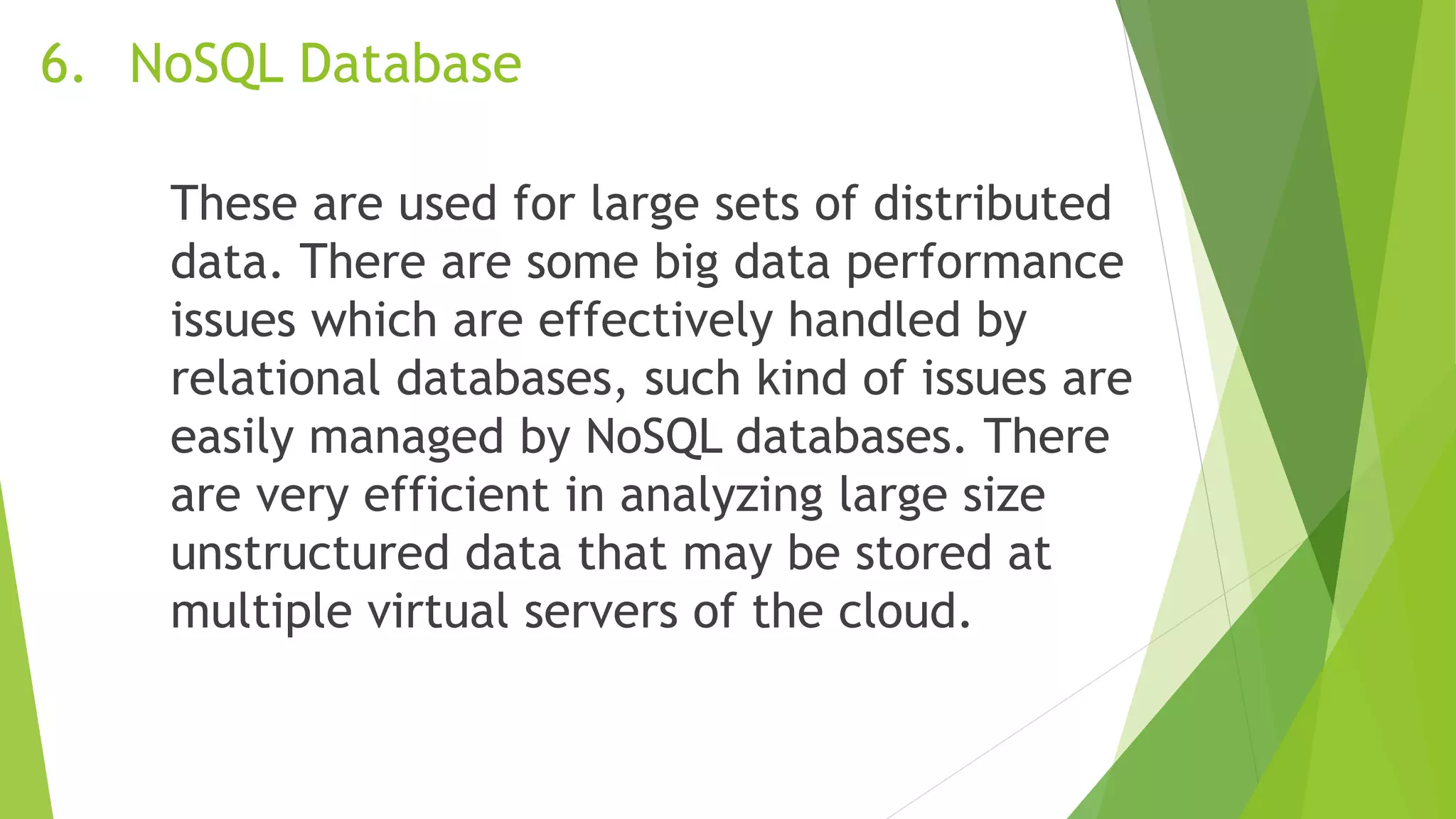
6. NoSQL Database
These are used for large sets of distributed
data. There are some big data performance
issues which are effectively handled by
relational databases, such kind of issues are
easily managed by NoSQL databases. There
are very efficient in analyzing large size
unstructured data that may be stored at
multiple virtual servers of the cloud.
6. NoSQL Database
https://cdn.educba.com/academy/wp-content/uploads/2019/05/what-is-Nosql-database1.png
7. Operational Database
Information related to operations of an
enterprise is stored inside this database.
Functional lines like marketing, employee
relations, customer service etc. require such
kind of databases.
7. Operational Database
https://images.ctfassets.net/k49d63tr8kcn/54HTyOCaiA0QfLDSmurKXR/283dd58d31bef6d9d2731
a5082204c5e/Datawarehouse_reference_architecture.jpg
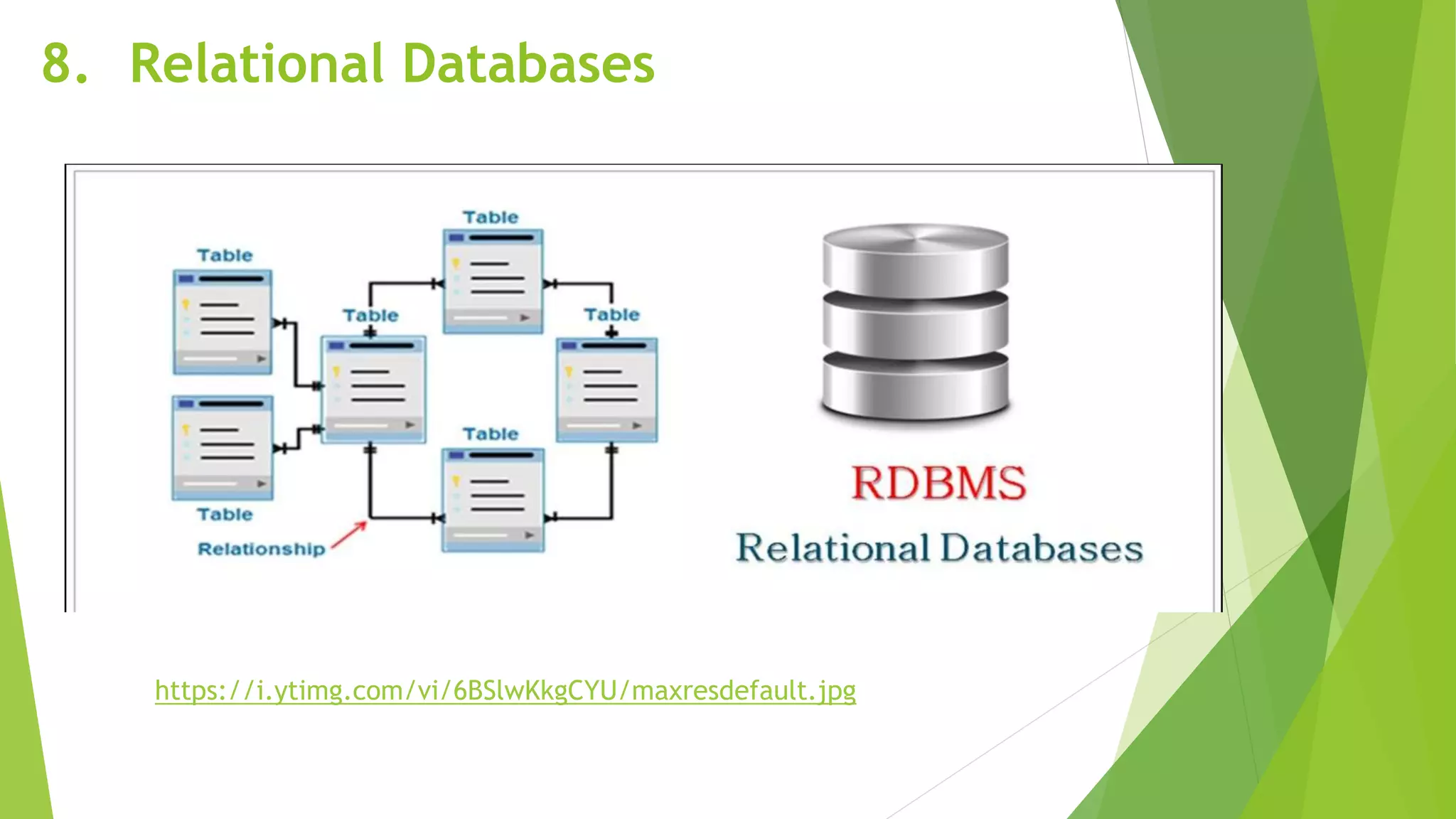
8. Relational Databases
These databases are categorized by a set of
tables where data gets fit into a pre-defined
category. The table consists of rows and
columns where the column has an entry for
data for a specific category and rows
contains instance for that data defined
according to the category.
8. Relational Databases
https://i.ytimg.com/vi/6BSlwKkgCYU/maxresdefault.jpg
9. Cloud Databases
Now a day, data has been specifically getting
stored over clouds also known as a virtual
environment, either in a hybrid cloud, public
or private cloud. A cloud database is a
database that has been optimized or built for
such a virtualized environment.
9. Cloud Databases
https://miro.medium.com/max/776/1*ShBqLAbLLiWS0YC1vTg9uw.png
10. Object-Oriented Databases
An object-oriented database is a collection of
object-oriented programming and relational
database. There are various items which are
created using object-oriented programming
languages like C++, Java which can be stored
in relational databases, but object-oriented
databases are well-suited for those items.
Database applications
Facebook CNN Wikipedia Youtube Google
Amazon Microsoft MySQL ebay Oracle
Access Relational
Database
Database
Management
System
Object-Oriented Databases
is the software that is used to manage
databases. Examples are MySQL, Oracle, etc.
These are some commercially popular DBMS
used in various applications.
DBMS allows users the following tasks:
Data Definition
It helps in the creation, modification, and
removal of definitions that define the
organization of data in the database.
Data Updation
It helps in insertion, modification, and
deletion of the actual data in the database.
Data Retrieval User Administration
It helps in retrieval of data from the
database, which can be used by applications
for various purposes.
It helps in registering and monitoring users,
enforcing data security, monitoring
performance, maintaining data integrity,
dealing with concurrency control, and
recovering information corrupted by
unexpected failure.
User Administration
Characteristics
DBMS
A. Data Integrity
maintains the correctness and consistency of
the data.
1. Domain Integrity
- All categories and values in a database are
set, including nulls (e.g., N/A). The domain
integrity of a database refers to the common
ways to input and read this data.
1. Domain Integrity
2. Entity Integrity
It depends on the making of primary keys or
exclusive values that classify data items. The
purpose is to make sure that data is not
recorded multiple times (i.e., each data item
is unique), and the table has no null fields.
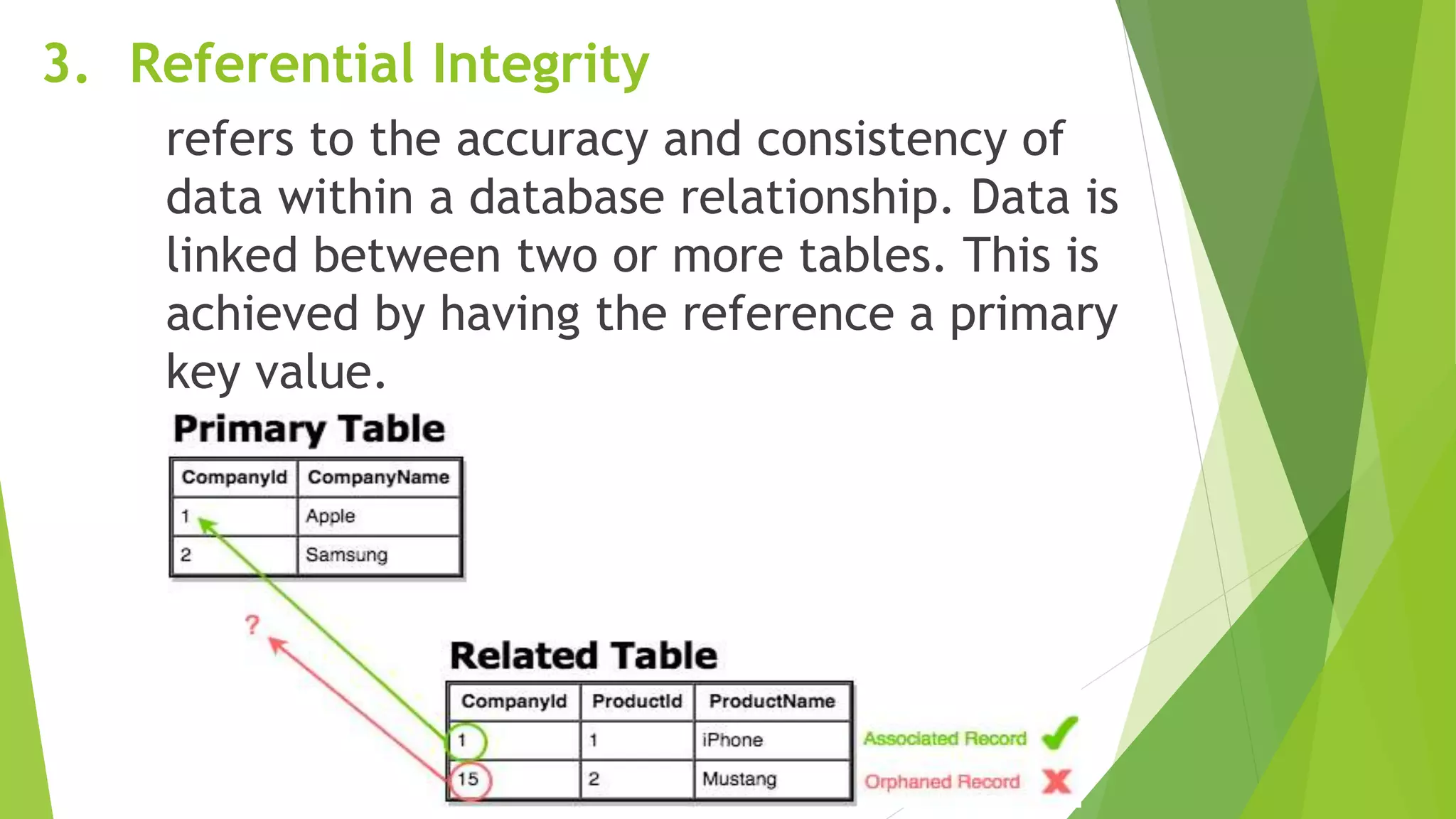
3. Referential Integrity
refers to the accuracy and consistency of
data within a database relationship. Data is
linked between two or more tables. This is
achieved by having the reference a primary
key value.
B. Data Accessibility and Responsiveness
even when it crosses traditional
departmental restrictions, the end-users
without programming knowledge can often
recover and display data.
C. Data Security
the data saved in the database is secured
with appropriate access control.
Data Warehousing Concepts
The concept of a data warehouse was initially
developed by IBM and called information
warehouse. It is presented as a key for
accessing data saved in non – relational
systems. The information warehouse was
projected to let organizations use their data
archives and help them have a business
advantage. Bill Inmon is the latest advocate for
data warehousing and most successful. Because
of his active promotion of the concept, He was
called the father of data warehousing.
Data Warehousing Concepts
Bill Inmon
Father of Data Warehousing
Data warehouse (Inmon)
Subject-oriented as the warehouse is organized
around the primary subjects of the enterprise
(such as customers, products, and sales) rather
than the significant application areas (such as
customer invoicing, stock control, and product
sales).
They are integrated because of the coming
together of source data from different enterprise-
wide applications systems. The combined data
source must be made consistent with presenting a
unified view of the data to the users.
Data warehouse (Inmon)
Time-variant because data in the warehouse is
only accurate and valid at some point in time or
over some time interval. The time-variance of the
data warehouse is also shown in the extended
time that the data is held. The implicit or explicit
association of time with all data and the fact that
the data represents a series of snapshots.
Data warehouse (Inmon)
Non-volatile as the data is not updated in real-
time but is refreshed from operational systems
regularly. New information is always added as a
supplement to the database, rather than a
replacement. The database continually absorbs
this new data, incrementally integrating it with
the previous data.
Data Mining
What is Data Mining
Data mining is a process of gathering mass of data
and turning it into a valuable information that will
help a company. It is the way a machine or a
program gathers information to solve a problem,
predict revenue, know what the consumer wants,
and etc.
How Does it Work?
Data Mining works by gathering information and
making that information valuable. It gathers data
and a machine or a program process all the data
and it will evaluate all the data, then the
algorithm will give you the result. It’s important to
know that a poor data leads into to a poor result
that’s why you need to know what kind of data
you’re looking for.
Who Uses it?
 Data mining can be use in all sorts of business, it
can change the way a company approach their
tactics.
Who Uses it?
Example of industry that uses data mining:
Marketing- by the use of data mining they able to
predict the consumers behavior. They can also
predict who’s likely to be interested to a certain
product. And with the help of data mining, they
can know what kind of advertisement would be
the best for their product.
Who Uses it?
Example of industry that uses data mining:
Medicine- with all the data that they can gather
they can predict more effectively what kind of
decease does a certain person has.
Media- it can personalize your show
recommendation based on what you recently
watched or listen to.

Introduction-to-Databases.pptx

  • 1.
  • 2.
    Introduction The term database‘is defined as any collection of electronic records that can be processed to produce useful information. The data can be accessed, modified, managed, controlled, and organized to perform various data-processing operations. The data is typically indexed across rows, columns, and tables that make workload processing and data querying efficient. Different types of databases include object oriented, relational, distributed, hierarchical, network, and others.
  • 3.
    In enterprise applications,databases involve mission-critical, security sensitive, and compliance-focused record items that have complicated logical relationships with other datasets and grow exponentially over time as the user based increases. As a result, these organizations require technology solutions to maintain, secure, manage and process the data stored in databases. This is where the Database Management System comes into play.
  • 4.
    Timeline of Database ANCIENT1960s 1970s 1976 Today 2000s 1990s 1980s
  • 5.
    OBJECTIVES/COMPETENCIES:  Understand whatis database?  Identify the different databases types  Understand the Database Management System  Identify the various widespread databases  Understand the data warehousing concepts  Define what is data warehouse  Understand the basics of data science and data mining
  • 6.
    What is database? Adatabase is an organized collection of structured information, or data, typically stored electronically in a computer system. A database is usually controlled by a database management system (DBMS). Together, the data and the DBMS, along with the applications that are associated with them, are referred to as a database system, often shortened to just database.
  • 7.
    Database Types Depending uponthe usage requirements, there are following types of databases available in the market
  • 8.
    1. Centralized database Theinformation(data) is stored at a centralized location and the users from different locations can access this data. This type of database contains application procedures that help the users to access the data even from a remote location.
  • 9.
  • 10.
    2. Distributed database Justopposite of the centralized database concept, the distributed database has contributions from the common database as well as the information captured by local computers also. The data is not at one place and is distributed at various sites of an organization. These sites are connected to each other with the help of communication links which helps them to access the distributed data easily.
  • 11.
  • 12.
    3. Personal database Datais collected and stored on personal computers which is small and easily manageable. The data is generally used by the same department of an organization and is accessed by a small group of people
  • 13.
  • 14.
    4. End UserDatabase The end user is usually not concerned about the transaction or operations done at various levels and is only aware of the product which may be a software or an application. Therefore, this is a shared database which is specifically designed for the end user, just like different levels’ managers. Summary of whole information is collected in this database.
  • 15.
    4. End UserDatabase https://slideplayer.com/slide/5297526/17/images/3/Figure+The+DBMS+Manages+the+Inter action+between+the+End+User+and+the+Database.jpg
  • 16.
    5. Commercial Database Theseare the paid versions of the huge databases designed uniquely for the users who want to access the information for help. These databases are subject specific, and one cannot afford to maintain such a huge information. Access to such databases is provided through commercial links
  • 17.
  • 18.
    6. NoSQL Database Theseare used for large sets of distributed data. There are some big data performance issues which are effectively handled by relational databases, such kind of issues are easily managed by NoSQL databases. There are very efficient in analyzing large size unstructured data that may be stored at multiple virtual servers of the cloud.
  • 19.
  • 20.
    7. Operational Database Informationrelated to operations of an enterprise is stored inside this database. Functional lines like marketing, employee relations, customer service etc. require such kind of databases.
  • 21.
  • 22.
    8. Relational Databases Thesedatabases are categorized by a set of tables where data gets fit into a pre-defined category. The table consists of rows and columns where the column has an entry for data for a specific category and rows contains instance for that data defined according to the category.
  • 23.
  • 24.
    9. Cloud Databases Nowa day, data has been specifically getting stored over clouds also known as a virtual environment, either in a hybrid cloud, public or private cloud. A cloud database is a database that has been optimized or built for such a virtualized environment.
  • 25.
  • 26.
    10. Object-Oriented Databases Anobject-oriented database is a collection of object-oriented programming and relational database. There are various items which are created using object-oriented programming languages like C++, Java which can be stored in relational databases, but object-oriented databases are well-suited for those items.
  • 27.
    Database applications Facebook CNNWikipedia Youtube Google Amazon Microsoft MySQL ebay Oracle Access Relational Database
  • 28.
  • 29.
    Object-Oriented Databases is thesoftware that is used to manage databases. Examples are MySQL, Oracle, etc. These are some commercially popular DBMS used in various applications. DBMS allows users the following tasks:
  • 30.
    Data Definition It helpsin the creation, modification, and removal of definitions that define the organization of data in the database. Data Updation It helps in insertion, modification, and deletion of the actual data in the database.
  • 31.
    Data Retrieval UserAdministration It helps in retrieval of data from the database, which can be used by applications for various purposes. It helps in registering and monitoring users, enforcing data security, monitoring performance, maintaining data integrity, dealing with concurrency control, and recovering information corrupted by unexpected failure. User Administration
  • 32.
  • 33.
    A. Data Integrity maintainsthe correctness and consistency of the data. 1. Domain Integrity - All categories and values in a database are set, including nulls (e.g., N/A). The domain integrity of a database refers to the common ways to input and read this data.
  • 34.
  • 35.
    2. Entity Integrity Itdepends on the making of primary keys or exclusive values that classify data items. The purpose is to make sure that data is not recorded multiple times (i.e., each data item is unique), and the table has no null fields.
  • 36.
    3. Referential Integrity refersto the accuracy and consistency of data within a database relationship. Data is linked between two or more tables. This is achieved by having the reference a primary key value.
  • 37.
    B. Data Accessibilityand Responsiveness even when it crosses traditional departmental restrictions, the end-users without programming knowledge can often recover and display data. C. Data Security the data saved in the database is secured with appropriate access control.
  • 38.
    Data Warehousing Concepts Theconcept of a data warehouse was initially developed by IBM and called information warehouse. It is presented as a key for accessing data saved in non – relational systems. The information warehouse was projected to let organizations use their data archives and help them have a business advantage. Bill Inmon is the latest advocate for data warehousing and most successful. Because of his active promotion of the concept, He was called the father of data warehousing.
  • 39.
    Data Warehousing Concepts BillInmon Father of Data Warehousing
  • 40.
    Data warehouse (Inmon) Subject-orientedas the warehouse is organized around the primary subjects of the enterprise (such as customers, products, and sales) rather than the significant application areas (such as customer invoicing, stock control, and product sales). They are integrated because of the coming together of source data from different enterprise- wide applications systems. The combined data source must be made consistent with presenting a unified view of the data to the users.
  • 41.
    Data warehouse (Inmon) Time-variantbecause data in the warehouse is only accurate and valid at some point in time or over some time interval. The time-variance of the data warehouse is also shown in the extended time that the data is held. The implicit or explicit association of time with all data and the fact that the data represents a series of snapshots.
  • 42.
    Data warehouse (Inmon) Non-volatileas the data is not updated in real- time but is refreshed from operational systems regularly. New information is always added as a supplement to the database, rather than a replacement. The database continually absorbs this new data, incrementally integrating it with the previous data.
  • 43.
  • 44.
    What is DataMining Data mining is a process of gathering mass of data and turning it into a valuable information that will help a company. It is the way a machine or a program gathers information to solve a problem, predict revenue, know what the consumer wants, and etc.
  • 45.
    How Does itWork? Data Mining works by gathering information and making that information valuable. It gathers data and a machine or a program process all the data and it will evaluate all the data, then the algorithm will give you the result. It’s important to know that a poor data leads into to a poor result that’s why you need to know what kind of data you’re looking for.
  • 46.
    Who Uses it? Data mining can be use in all sorts of business, it can change the way a company approach their tactics.
  • 47.
    Who Uses it? Exampleof industry that uses data mining: Marketing- by the use of data mining they able to predict the consumers behavior. They can also predict who’s likely to be interested to a certain product. And with the help of data mining, they can know what kind of advertisement would be the best for their product.
  • 48.
    Who Uses it? Exampleof industry that uses data mining: Medicine- with all the data that they can gather they can predict more effectively what kind of decease does a certain person has. Media- it can personalize your show recommendation based on what you recently watched or listen to.