INTRODUCTION TO PENTAHO ANALYSIS
IntroductionPentaho analysis(The Mondrian project) helps to operate with maximum effectiveness by gaining the insights and understanding to make optimal decisions.PAS(pentaho analysis services) allows you to interactively analyze data from data warehouses by providing cross-tab style interface on which different dimensions such as time, product, and customer.
componentsPentaho analysis consists of the BI server and Client tools and add-onsSchema workbench
Design studio
Pentaho administration console
The Mondrian ROLAP engine
Aggregation designerPentaho analysis offers the following functionalityPentaho user-console web interfaceA real-time pentaho analysis view interfaceA complex scheduling sub-systemThe ability to email a published analysis view to other users.The ability to create complex analysis schemasThe ability to improve ROLAP cube performance with aggregation designer
OLAPOLAP front end provides an intuitive point-and-click or drag-and-drop interface that will automatically retrieve and format data based on selection made from the user.Other benefits:Drill down: fast zooming in on certain parts of the data cubeDrill up: aggregating details to a summary level.Slicing: apply conditions to only look at parts of the cube.Dicing: swapping information from rows to columns and  turning  the cube to look at it from different angles.Allows user to quickly analyze data and find exceptions or gain insight in business intelligence. Allows employees through out the enterprise, to answer critical business solutions  and make better decisions.
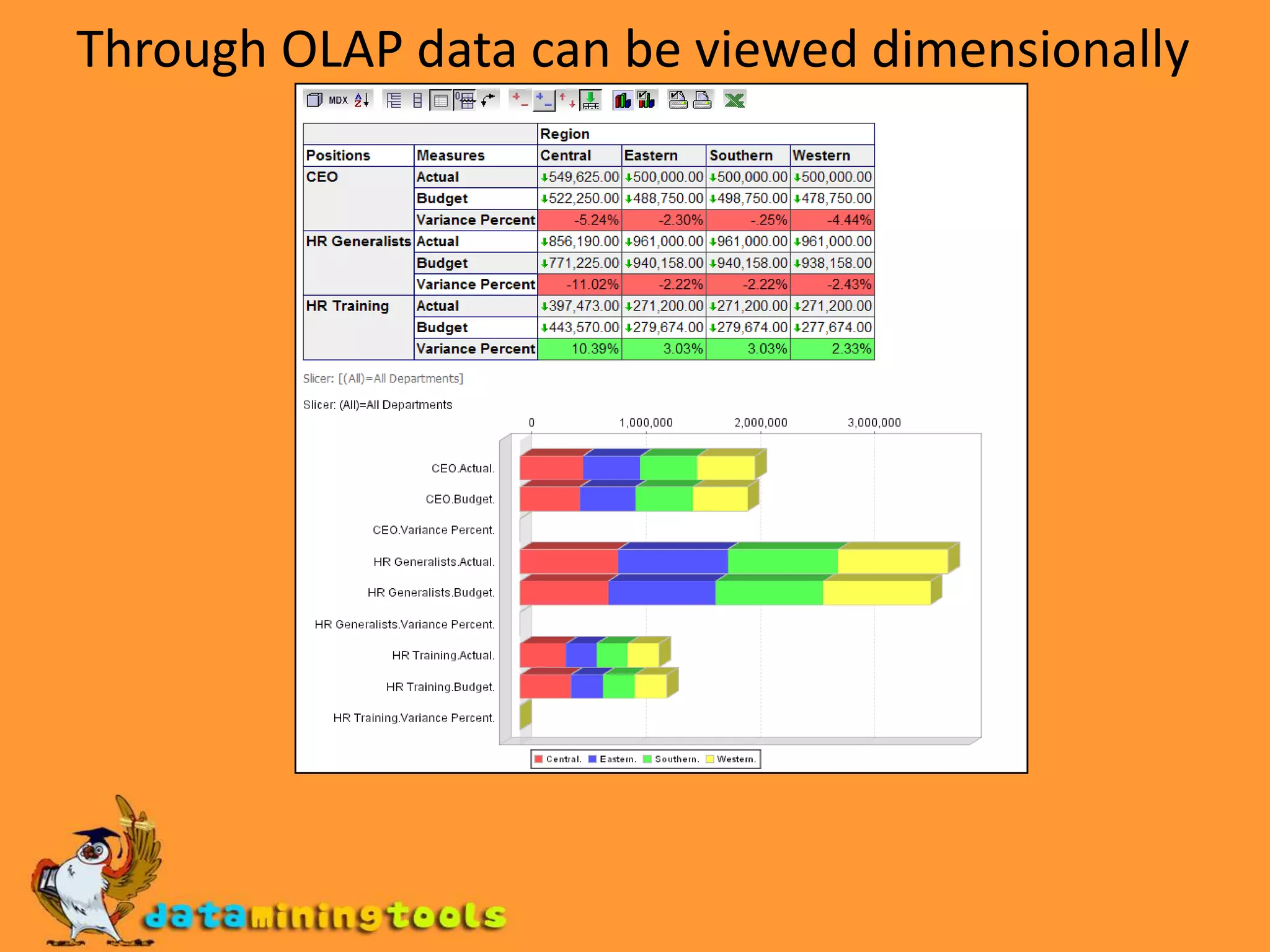
Through OLAP data can be viewed dimensionally
Mondrian features and architectureMondrian is an OLAP server written in java.CubesSpeed of thought response time
Automated aggregation open architecture100% java
Any JDBC data source is supported
MDX and XML/AMDX-Multi dimensional expressionsMain query language implemented by Mondrian.Plays the same role in Mondrian's API as SQL does in JDBCBasic MDX query looks like thisSELECT { [Measures].[Unit Sales], [Measures].[Store Sales]}ON COLUMNS,         { [Product].members} ON ROWSFROM [sales]WHERE [Time].[1997].[Q2]
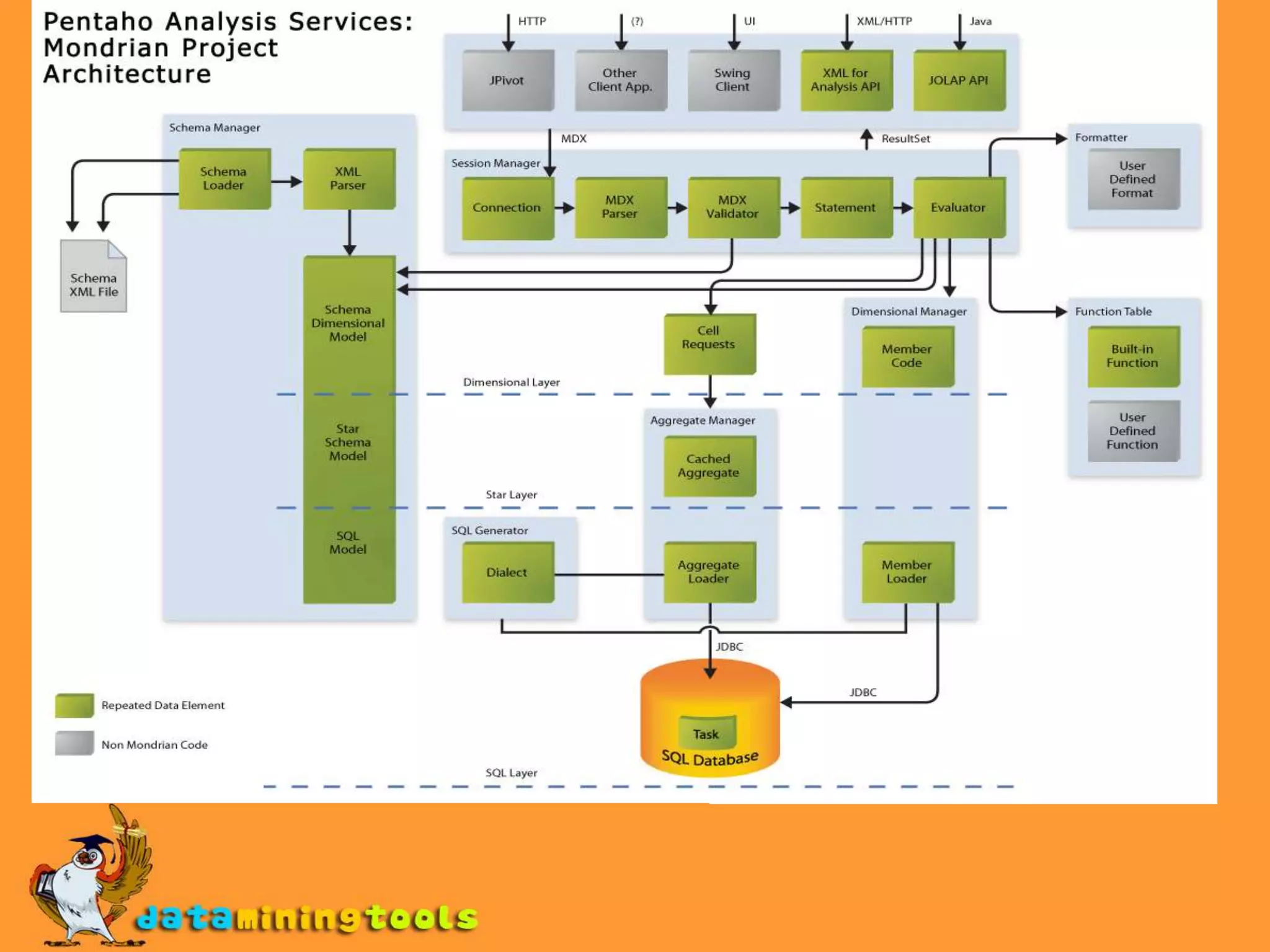
Overview of the ArchitectureMondrian OLAP system has 4 layersThe presentation layer:End users view and interact Pivot tables, bar charts and advanced visualization toolsThe dimensional layer:Parses, validates and executes MDX queries.Query transformer manipulates the existing queriesMetadata describes the dimensional model and how it maps onto the relational model.The star layer:Maintains the aggregate cacheThe storage layer:RDBMS responsible for providing aggregated cell data and members from dimensional tables.
Pentaho Schema workbenchPentaho schema work bench is started using the shell script.On windows: double-click on the workbench.bat fileOn unix systems: start workbench.sh script , you need to make the workbench.sh file executable first.
Establishing the connectionChoose tools preferences to open the connection dialog windowDriver class name: class name of the JDBC driver you are using, for MYSQL, its com.mysql.jdbc.driverConnection URL: it’s the connect string used to connect to database server, assuming you want to connect to employee database on local MYSQL running at port 3306(default) use URL as jdbc:mysql://localhost:3306:/employeeUsername and password: mention the other details and click on Accept button.
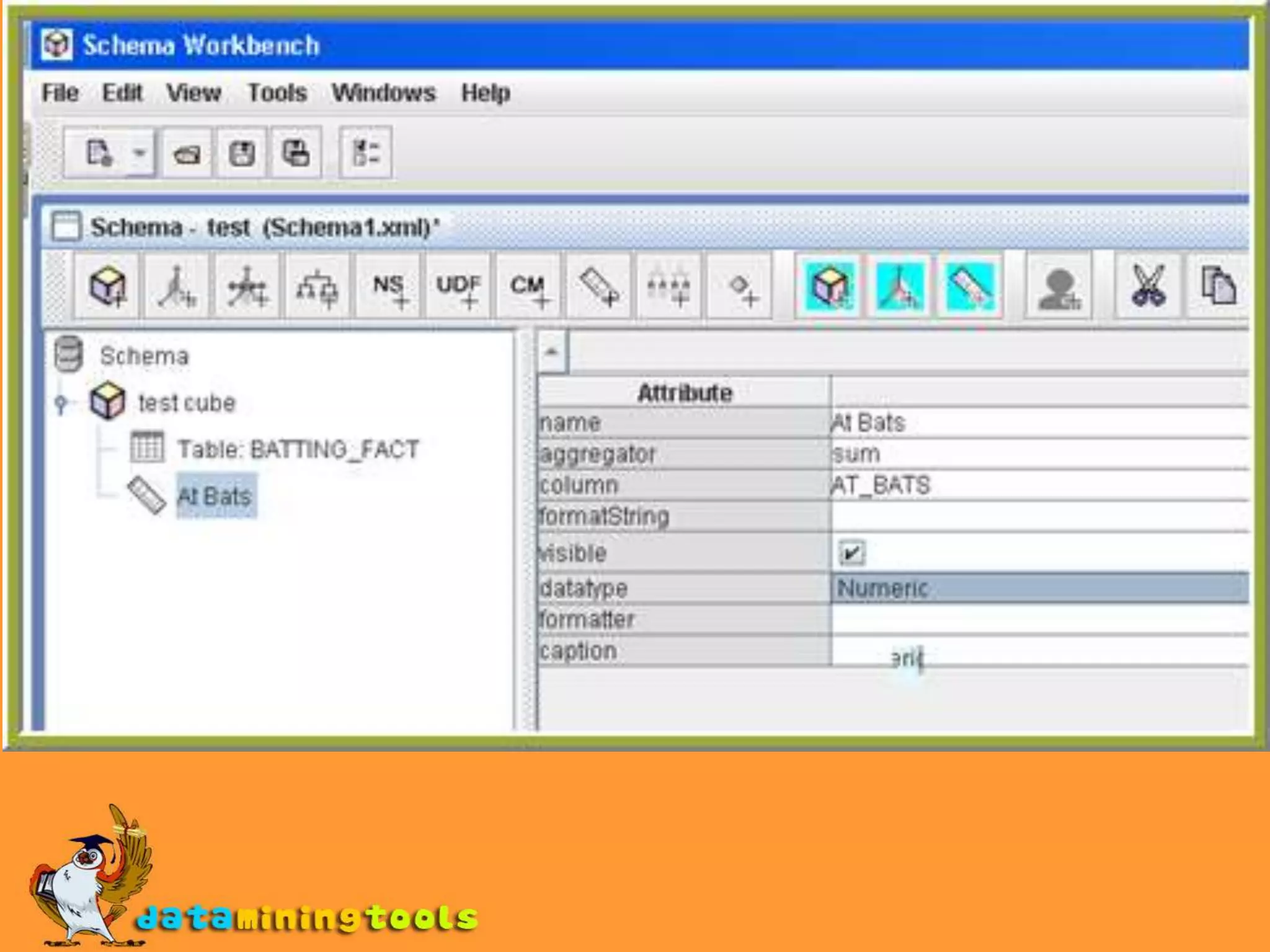
Schema work bench window
JDBC explorerAfter establishing the connection open the JDBC explorer window by choosing FilenewJDBC explorer.JDBC explorer displays the tables you can access from the current connection as folders.You can expand the folders to see what folders the tables contain.
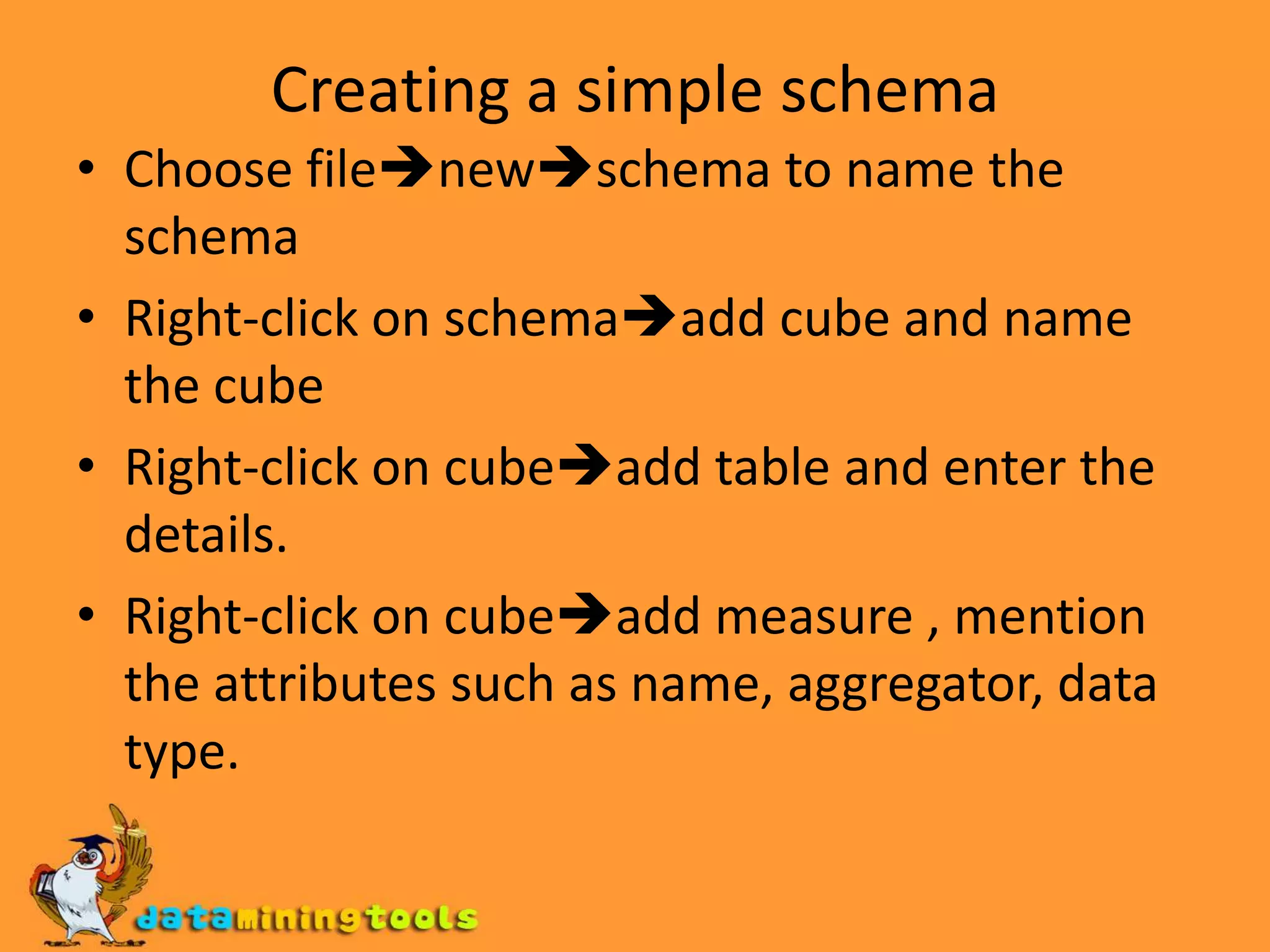
Creating a simple schemaChoose filenewschema to name the schemaRight-click on schemaadd cube and name the cubeRight-click on cubeadd table and enter the details.Right-click on cubeadd measure , mention the attributes such as name, aggregator, data type.
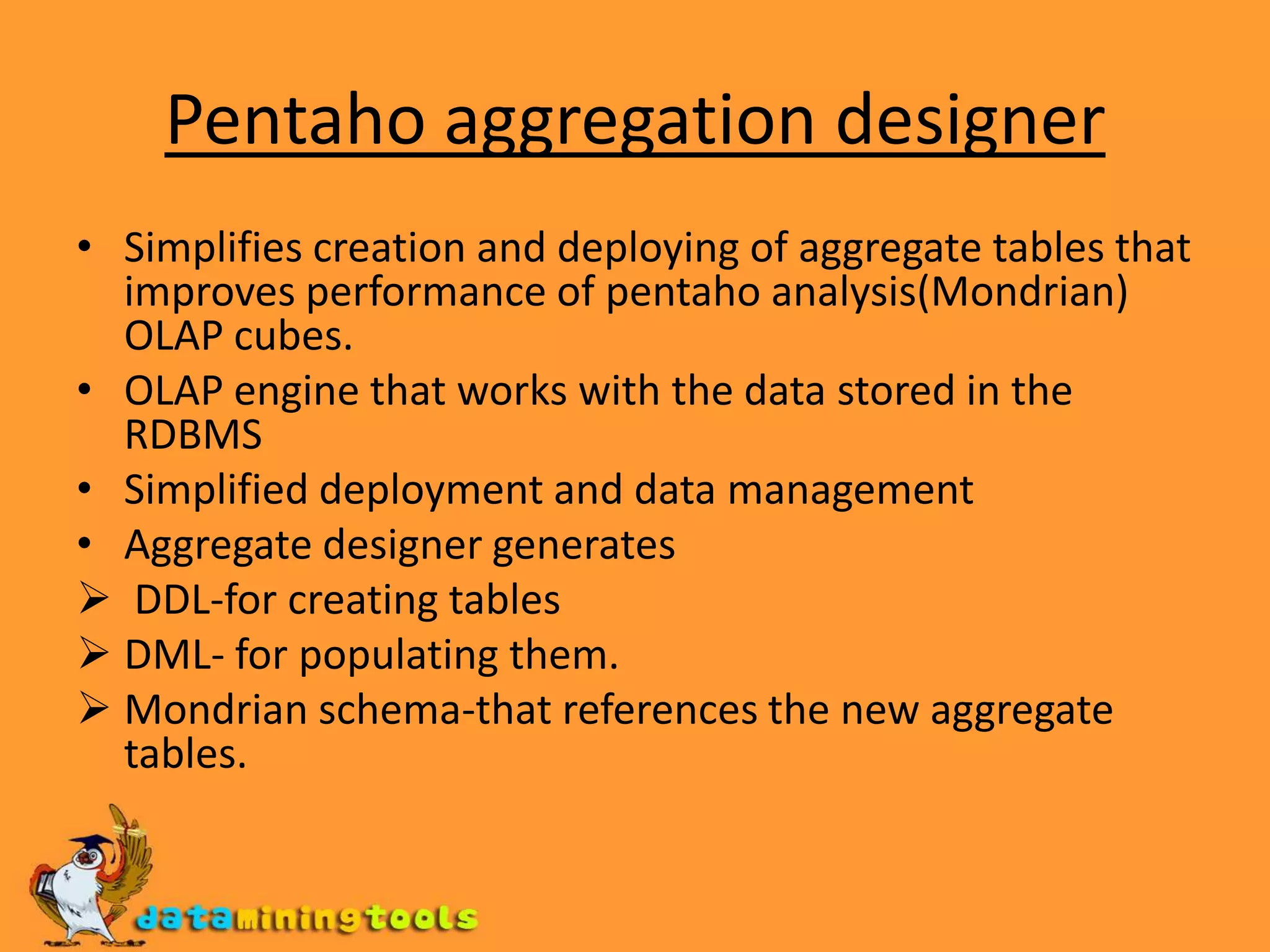
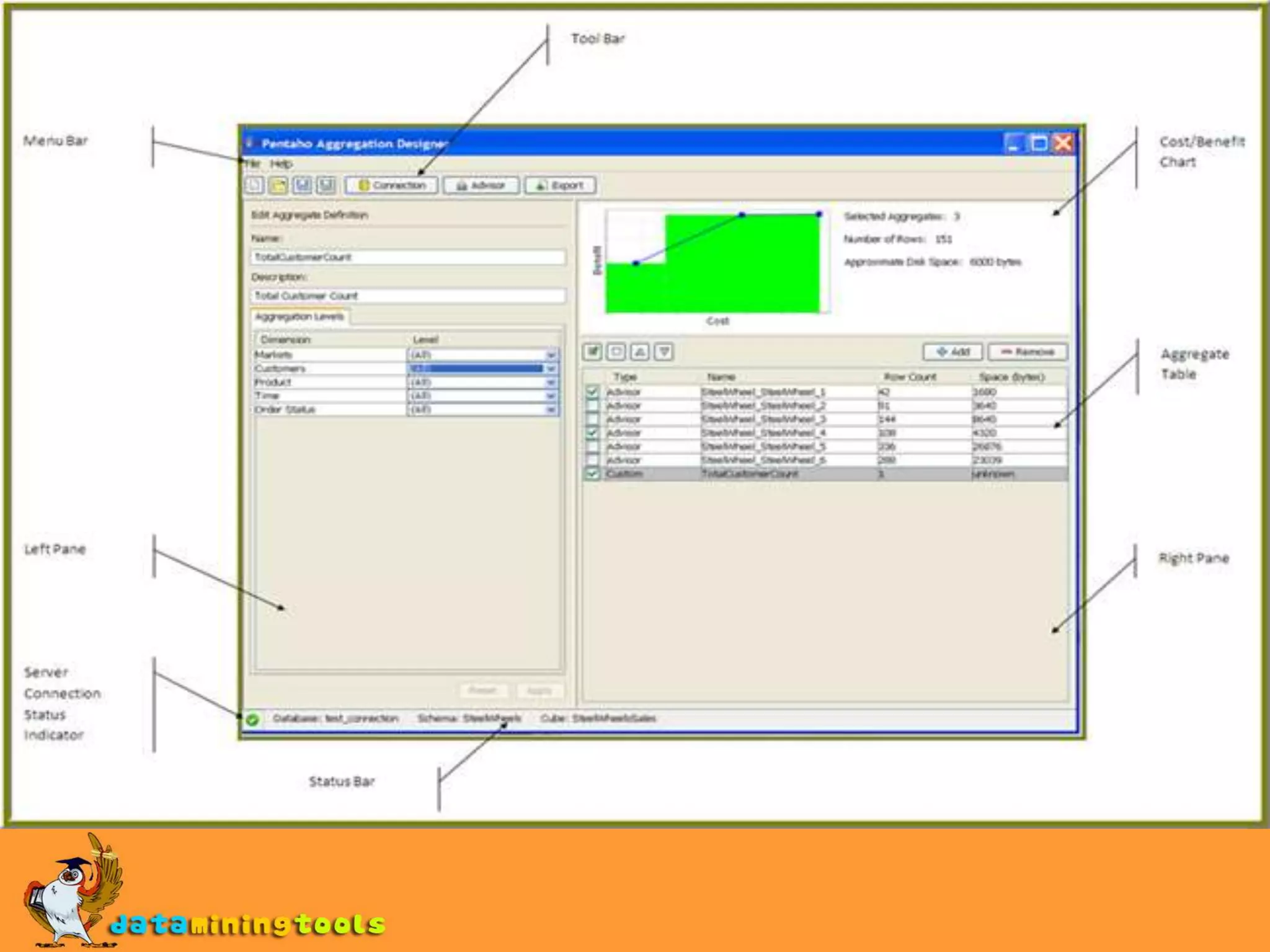
Pentaho aggregation designerSimplifies creation and deploying of aggregate tables that improves performance of pentaho analysis(Mondrian) OLAP cubes.OLAP engine that works with the data stored in the RDBMSSimplified deployment and data managementAggregate designer generates DDL-for creating tables

Introduction To Pentaho Analysis

  • 1.
  • 2.
    IntroductionPentaho analysis(The Mondrianproject) helps to operate with maximum effectiveness by gaining the insights and understanding to make optimal decisions.PAS(pentaho analysis services) allows you to interactively analyze data from data warehouses by providing cross-tab style interface on which different dimensions such as time, product, and customer.
  • 3.
    componentsPentaho analysis consistsof the BI server and Client tools and add-onsSchema workbench
  • 4.
  • 5.
  • 6.
  • 7.
    Aggregation designerPentaho analysisoffers the following functionalityPentaho user-console web interfaceA real-time pentaho analysis view interfaceA complex scheduling sub-systemThe ability to email a published analysis view to other users.The ability to create complex analysis schemasThe ability to improve ROLAP cube performance with aggregation designer
  • 8.
    OLAPOLAP front endprovides an intuitive point-and-click or drag-and-drop interface that will automatically retrieve and format data based on selection made from the user.Other benefits:Drill down: fast zooming in on certain parts of the data cubeDrill up: aggregating details to a summary level.Slicing: apply conditions to only look at parts of the cube.Dicing: swapping information from rows to columns and turning the cube to look at it from different angles.Allows user to quickly analyze data and find exceptions or gain insight in business intelligence. Allows employees through out the enterprise, to answer critical business solutions and make better decisions.
  • 9.
    Through OLAP datacan be viewed dimensionally
  • 10.
    Mondrian features andarchitectureMondrian is an OLAP server written in java.CubesSpeed of thought response time
  • 11.
    Automated aggregation openarchitecture100% java
  • 12.
    Any JDBC datasource is supported
  • 13.
    MDX and XML/AMDX-Multidimensional expressionsMain query language implemented by Mondrian.Plays the same role in Mondrian's API as SQL does in JDBCBasic MDX query looks like thisSELECT { [Measures].[Unit Sales], [Measures].[Store Sales]}ON COLUMNS, { [Product].members} ON ROWSFROM [sales]WHERE [Time].[1997].[Q2]
  • 14.
    Overview of theArchitectureMondrian OLAP system has 4 layersThe presentation layer:End users view and interact Pivot tables, bar charts and advanced visualization toolsThe dimensional layer:Parses, validates and executes MDX queries.Query transformer manipulates the existing queriesMetadata describes the dimensional model and how it maps onto the relational model.The star layer:Maintains the aggregate cacheThe storage layer:RDBMS responsible for providing aggregated cell data and members from dimensional tables.
  • 16.
    Pentaho Schema workbenchPentahoschema work bench is started using the shell script.On windows: double-click on the workbench.bat fileOn unix systems: start workbench.sh script , you need to make the workbench.sh file executable first.
  • 17.
    Establishing the connectionChoosetools preferences to open the connection dialog windowDriver class name: class name of the JDBC driver you are using, for MYSQL, its com.mysql.jdbc.driverConnection URL: it’s the connect string used to connect to database server, assuming you want to connect to employee database on local MYSQL running at port 3306(default) use URL as jdbc:mysql://localhost:3306:/employeeUsername and password: mention the other details and click on Accept button.
  • 18.
  • 19.
    JDBC explorerAfter establishingthe connection open the JDBC explorer window by choosing FilenewJDBC explorer.JDBC explorer displays the tables you can access from the current connection as folders.You can expand the folders to see what folders the tables contain.
  • 20.
    Creating a simpleschemaChoose filenewschema to name the schemaRight-click on schemaadd cube and name the cubeRight-click on cubeadd table and enter the details.Right-click on cubeadd measure , mention the attributes such as name, aggregator, data type.
  • 22.
    Pentaho aggregation designerSimplifiescreation and deploying of aggregate tables that improves performance of pentaho analysis(Mondrian) OLAP cubes.OLAP engine that works with the data stored in the RDBMSSimplified deployment and data managementAggregate designer generates DDL-for creating tables
  • 23.
  • 24.
    Mondrian schema-that referencesthe new aggregate tables.
  • 25.
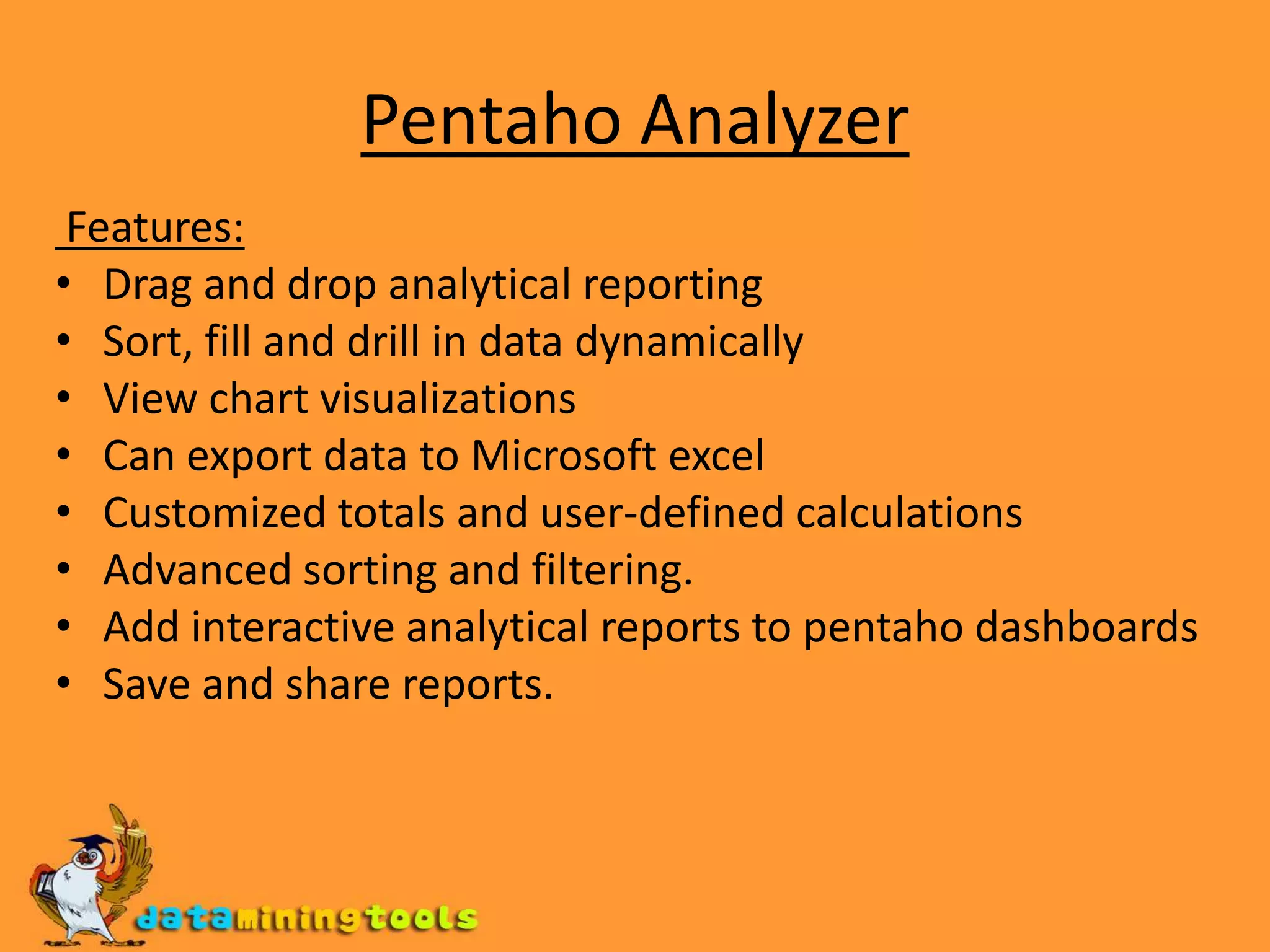
    Pentaho AnalyzerFeatures:Drag anddrop analytical reportingSort, fill and drill in data dynamicallyView chart visualizationsCan export data to Microsoft excelCustomized totals and user-defined calculationsAdvanced sorting and filtering.Add interactive analytical reports to pentaho dashboardsSave and share reports.
  • 26.
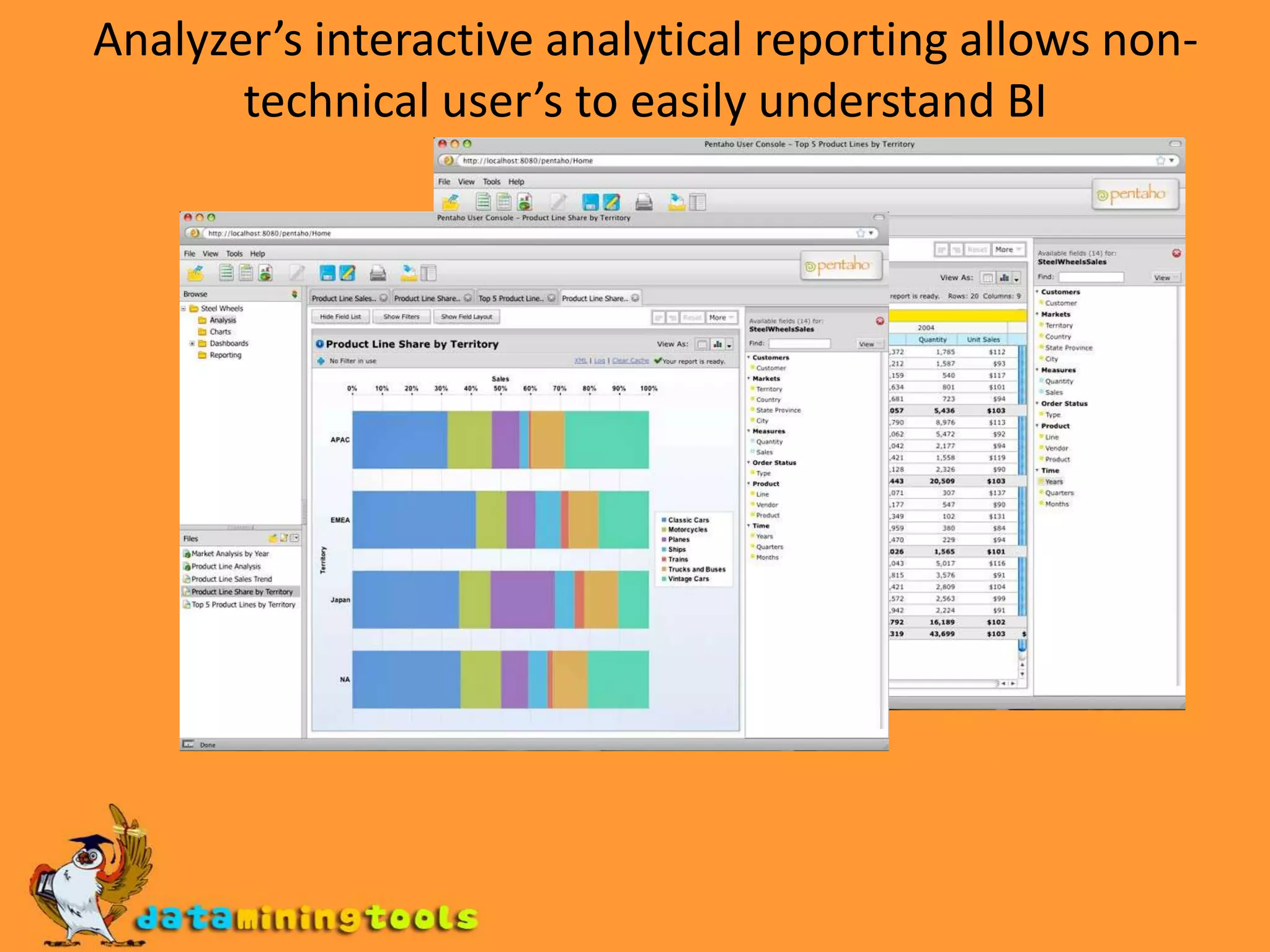
    Analyzer’s interactive analyticalreporting allows non-technical user’s to easily understand BI
  • 27.
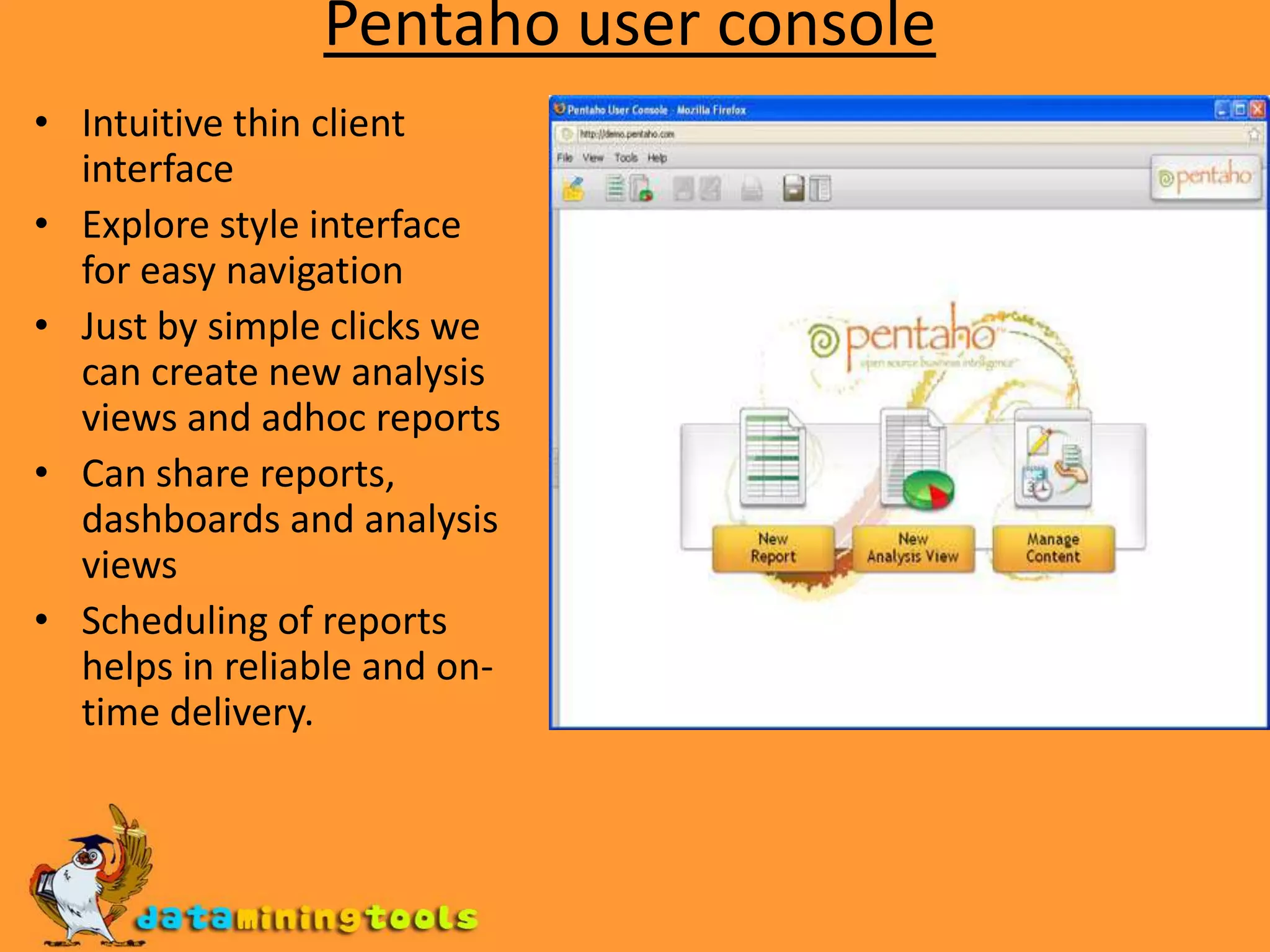
    Pentaho user consoleIntuitivethin client interfaceExplore style interface for easy navigationJust by simple clicks we can create new analysis views and adhoc reportsCan share reports, dashboards and analysis viewsScheduling of reports helps in reliable and on-time delivery.