IT Concept and Systems Analysis
and Design Development
Lecture 1
Data Management
Data Hierarchy – Refers to the systematic
organization of data.
Hierarchy of Data
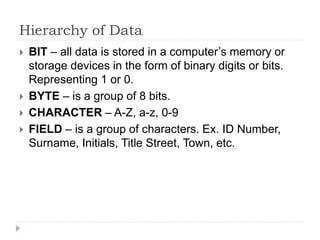
 BIT – all data is stored in a computer’s memory or
storage devices in the form of binary digits or bits.
Representing 1 or 0.
 BYTE – is a group of 8 bits.
 CHARACTER – A-Z, a-z, 0-9
 FIELD – is a group of characters. Ex. ID Number,
Surname, Initials, Title Street, Town, etc.
Hierarchy of Data
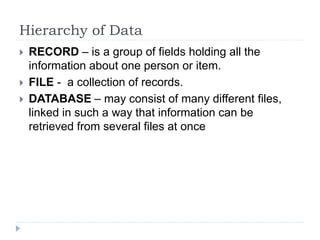
 RECORD – is a group of fields holding all the
information about one person or item.
 FILE - a collection of records.
 DATABASE – may consist of many different files,
linked in such a way that information can be
retrieved from several files at once
Data Entities, Attributes and Keys
 ENTITY – a generalized class of people, places or
things for which data is collected, stored and
maintained.
 Ex. Customer, Employee
 ATTRIBUTE – a characteristic of an entity;
something the entity is identified by.
 Ex. Customer Name, Employee Name
Data Entities, Attributes and Keys
• KEYS – a field or set of fields in a record that is used
to identify the record.
Traditional VS Database
Traditional Approach
Data Payroll
Payroll
Program
Reports
Data Invoicing
Invoicing
Program
Reports
Data Inventory
Control
Inventory
Control
Program
Reports
Data Management
Inquiries
Management
Inquiries
Program
Reports
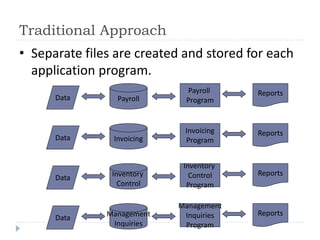
• Separate files are created and stored for each
application program.
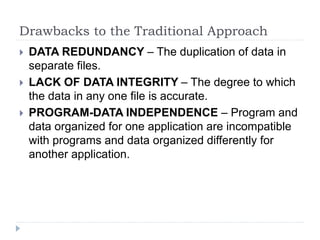
Drawbacks to the Traditional Approach
 DATA REDUNDANCY – The duplication of data in
separate files.
 LACK OF DATA INTEGRITY – The degree to which
the data in any one file is accurate.
 PROGRAM-DATA INDEPENDENCE – Program and
data organized for one application are incompatible
with programs and data organized differently for
another application.
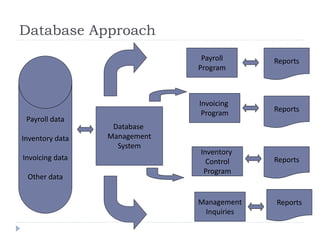
Database Approach
Payroll data
Inventory data
Invoicing data
Other data
Database
Management
System
Payroll
Program
Invoicing
Program
Inventory
Control
Program
Management
Inquiries
Reports
Reports
Reports
Reports
Advantages of Database Approach
Advantages Explanation
Improved Strategic use of corporate data Accurate, complete, up-to-date data can be
made available to decision makers where,
when and in the form they need it.
Reduced data redundancy With the traditional approach can reduce or
eliminate data redundancy. Data is
organized by the DBMS and stored in only
one location. This results in more efficient
utilization of system storage space.
Improved data integrity With the traditional approach, some
changes to data were not reflected in all
copies of the data kept in separate files.
This is prevented with the database
approach
Advantages of Database Approach
Advantages Explanation
Easier modification and updating With the database approach, the DBMS
coordinates updates and data modifications.
Modifications and updating is also easier
because the data is shard at only one
location.
Data and program independence The DBMS organizes the data independently
of the application program
Better access to data and information Relationships between records can be more
easily investigated and exploited.
Standardization of data access This means that the same overall procedures
are used by all application programs to
retrieve data and information
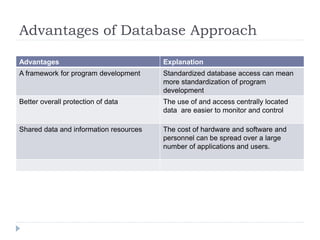
Advantages of Database Approach
Advantages Explanation
A framework for program development Standardized database access can mean
more standardization of program
development
Better overall protection of data The use of and access centrally located
data are easier to monitor and control
Shared data and information resources The cost of hardware and software and
personnel can be spread over a large
number of applications and users.
Disadvantages of Database Approach
Advantages Explanation
Relatively high cost of purchasing and
operating a DBMS in a mainframe
operating environment
Large cost
Increased cost of specialized staff Additional specialized staff that will
implement and handle the database
Increased Vulnerability Data are concentrated in one location
Data Model
 Is a collection of tools often including a diagram and
a specialized vocabulary for describing the structure
of the database.
The Importance of Data Models
 Data models serve as a communication tool.
 Database Blueprint
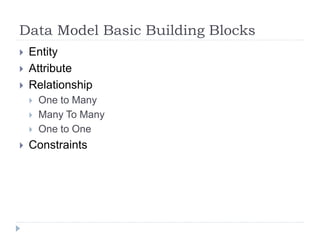
Data Model Basic Building Blocks
 Entity
 Attribute
 Relationship
 One to Many
 Many To Many
 One to One
 Constraints
What is Database System
 Refers to an organization of components that define
and regulate the collection, storage, management
and use of data within a database environment.
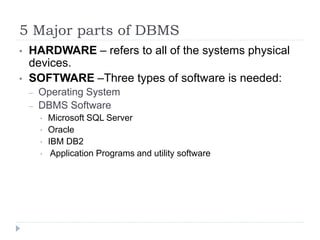
5 Major parts of DBMS
• HARDWARE – refers to all of the systems physical
devices.
• SOFTWARE –Three types of software is needed:
– Operating System
– DBMS Software
• Microsoft SQL Server
• Oracle
• IBM DB2
• Application Programs and utility software
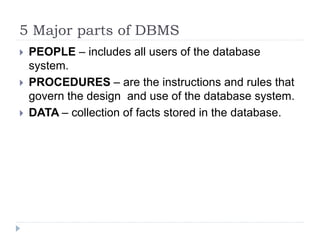
5 Major parts of DBMS
 PEOPLE – includes all users of the database
system.
 PROCEDURES – are the instructions and rules that
govern the design and use of the database system.
 DATA – collection of facts stored in the database.
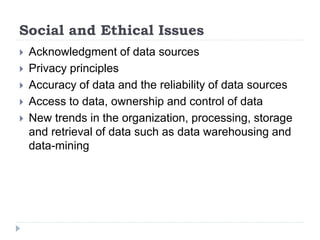
Social and Ethical Issues
 Acknowledgment of data sources
 Privacy principles
 Accuracy of data and the reliability of data sources
 Access to data, ownership and control of data
 New trends in the organization, processing, storage
and retrieval of data such as data warehousing and
data-mining

Introduction to Database (Lecture 1).ppt

  • 1.
    IT Concept andSystems Analysis and Design Development Lecture 1
  • 2.
    Data Management Data Hierarchy– Refers to the systematic organization of data.
  • 3.
    Hierarchy of Data BIT – all data is stored in a computer’s memory or storage devices in the form of binary digits or bits. Representing 1 or 0.  BYTE – is a group of 8 bits.  CHARACTER – A-Z, a-z, 0-9  FIELD – is a group of characters. Ex. ID Number, Surname, Initials, Title Street, Town, etc.
  • 4.
    Hierarchy of Data RECORD – is a group of fields holding all the information about one person or item.  FILE - a collection of records.  DATABASE – may consist of many different files, linked in such a way that information can be retrieved from several files at once
  • 5.
    Data Entities, Attributesand Keys  ENTITY – a generalized class of people, places or things for which data is collected, stored and maintained.  Ex. Customer, Employee  ATTRIBUTE – a characteristic of an entity; something the entity is identified by.  Ex. Customer Name, Employee Name
  • 6.
    Data Entities, Attributesand Keys • KEYS – a field or set of fields in a record that is used to identify the record.
  • 7.
  • 8.
    Traditional Approach Data Payroll Payroll Program Reports DataInvoicing Invoicing Program Reports Data Inventory Control Inventory Control Program Reports Data Management Inquiries Management Inquiries Program Reports • Separate files are created and stored for each application program.
  • 9.
    Drawbacks to theTraditional Approach  DATA REDUNDANCY – The duplication of data in separate files.  LACK OF DATA INTEGRITY – The degree to which the data in any one file is accurate.  PROGRAM-DATA INDEPENDENCE – Program and data organized for one application are incompatible with programs and data organized differently for another application.
  • 10.
    Database Approach Payroll data Inventorydata Invoicing data Other data Database Management System Payroll Program Invoicing Program Inventory Control Program Management Inquiries Reports Reports Reports Reports
  • 11.
    Advantages of DatabaseApproach Advantages Explanation Improved Strategic use of corporate data Accurate, complete, up-to-date data can be made available to decision makers where, when and in the form they need it. Reduced data redundancy With the traditional approach can reduce or eliminate data redundancy. Data is organized by the DBMS and stored in only one location. This results in more efficient utilization of system storage space. Improved data integrity With the traditional approach, some changes to data were not reflected in all copies of the data kept in separate files. This is prevented with the database approach
  • 12.
    Advantages of DatabaseApproach Advantages Explanation Easier modification and updating With the database approach, the DBMS coordinates updates and data modifications. Modifications and updating is also easier because the data is shard at only one location. Data and program independence The DBMS organizes the data independently of the application program Better access to data and information Relationships between records can be more easily investigated and exploited. Standardization of data access This means that the same overall procedures are used by all application programs to retrieve data and information
  • 13.
    Advantages of DatabaseApproach Advantages Explanation A framework for program development Standardized database access can mean more standardization of program development Better overall protection of data The use of and access centrally located data are easier to monitor and control Shared data and information resources The cost of hardware and software and personnel can be spread over a large number of applications and users.
  • 14.
    Disadvantages of DatabaseApproach Advantages Explanation Relatively high cost of purchasing and operating a DBMS in a mainframe operating environment Large cost Increased cost of specialized staff Additional specialized staff that will implement and handle the database Increased Vulnerability Data are concentrated in one location
  • 15.
    Data Model  Isa collection of tools often including a diagram and a specialized vocabulary for describing the structure of the database.
  • 16.
    The Importance ofData Models  Data models serve as a communication tool.  Database Blueprint
  • 17.
    Data Model BasicBuilding Blocks  Entity  Attribute  Relationship  One to Many  Many To Many  One to One  Constraints
  • 18.
    What is DatabaseSystem  Refers to an organization of components that define and regulate the collection, storage, management and use of data within a database environment.
  • 19.
    5 Major partsof DBMS • HARDWARE – refers to all of the systems physical devices. • SOFTWARE –Three types of software is needed: – Operating System – DBMS Software • Microsoft SQL Server • Oracle • IBM DB2 • Application Programs and utility software
  • 20.
    5 Major partsof DBMS  PEOPLE – includes all users of the database system.  PROCEDURES – are the instructions and rules that govern the design and use of the database system.  DATA – collection of facts stored in the database.
  • 21.
    Social and EthicalIssues  Acknowledgment of data sources  Privacy principles  Accuracy of data and the reliability of data sources  Access to data, ownership and control of data  New trends in the organization, processing, storage and retrieval of data such as data warehousing and data-mining