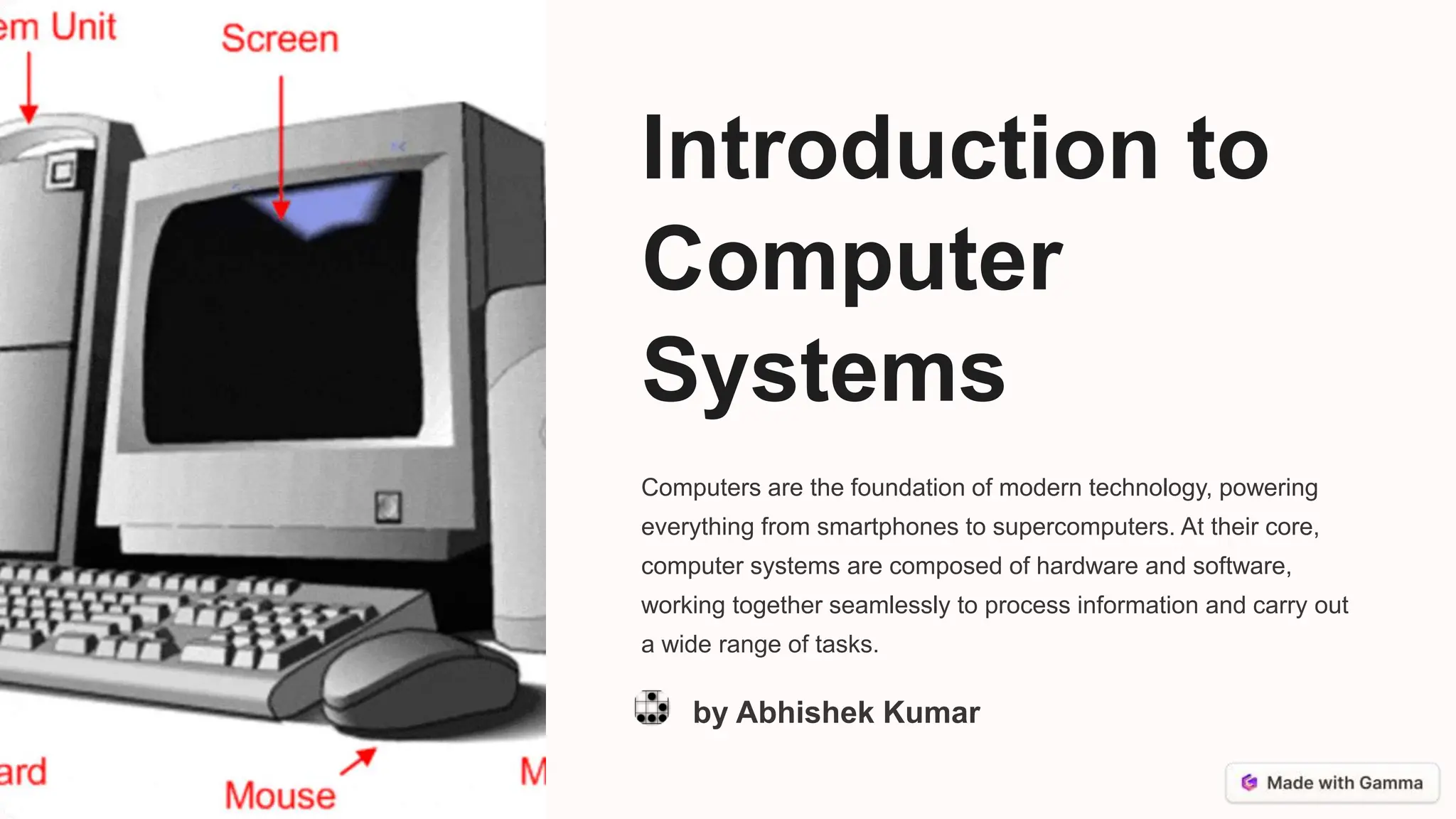
Introduction to
Computer
Systems
Computers are the foundation of modern technology, powering
everything from smartphones to supercomputers. At their core,
computer systems are composed of hardware and software,
working together seamlessly to process information and carry out
a wide range of tasks.
by Abhishek Kumar
Hardware: The Physical Components
Processor
The CPU, or central processing unit, is the "brain"
of the computer, responsible for executing
instructions and performing calculations.
Memory
RAM (Random Access Memory) stores data and
instructions for immediate use, while storage
devices like hard drives and solid-state drives
provide long-term data storage.
Input/Output
Devices like keyboards, mice, and displays allow
users to interact with the computer and receive
information.
Peripherals
Additional components like printers, scanners, and
external storage can be connected to the computer
to expand its capabilities.
Software: The Invisible Brains
Operating System
The OS, such as Windows,
macOS, or Linux, manages the
computer's resources and
provides a user interface.
Applications
Software programs, like word
processors, web browsers, and
media players, allow users to
perform specific tasks.
System Software
Low-level programs, such as
device drivers and utilities, enable
the hardware and software to
work together seamlessly.
Data Storage and Processing
1 Data Input
Information is entered into the computer system through various input devices.
2 Data Storage
The computer's memory and storage devices preserve the data for later use.
3 Data Processing
The CPU and software algorithms manipulate the data to generate useful
information.
Computer Networks and Communication
Wireless
Devices can connect to
each other and the
internet using wireless
technologies like Wi-Fi
and Bluetooth.
Wired
Ethernet cables and
other physical
connections provide
reliable and high-speed
data transmission
between computers and
networks.
The Internet
The global network of
interconnected
computers and devices
allows for worldwide
communication and
information sharing.
Cloud Computing
Remote servers and
storage accessed
through the internet
enable users to access
data and applications
from anywhere.
Computer Programming and Algorithms
Algorithm Design
Programmers create step-by-
step instructions to solve a
problem or complete a task.
Coding
These algorithms are translated
into a programming language,
such as Python or Java, that the
computer can understand.
Execution
The computer's processor
follows the coded instructions to
perform the desired operations
and generate output.
Cybersecurity and Data Protection
1 Access Control
Ensuring only authorized users can access
systems and data through techniques like
passwords and biometrics.
2 Encryption
Transforming data into a coded format to prevent
unauthorized access and protect sensitive
information.
3 Firewalls
Network security systems that monitor and
control incoming and outgoing traffic to prevent
cyber threats.
4 Backup and Recovery
Regularly creating copies of data and systems to
ensure business continuity and minimize the
impact of data loss or system failures.
The Future of Computer Systems
Artificial Intelligence
AI-powered systems that can
learn, adapt, and make decisions,
revolutionizing fields like
healthcare, transportation, and
education.
Quantum Computing
Harnessing the principles of
quantum mechanics to perform
calculations exponentially faster
than classical computers, opening
new frontiers in research and
problem-solving.
Internet of Things
The interconnectivity of devices,
sensors, and appliances, allowing
for seamless data exchange and
automation in our homes, cities,
and industries.

Introduction to Computer Systems in brief

  • 1.
    Introduction to Computer Systems Computers arethe foundation of modern technology, powering everything from smartphones to supercomputers. At their core, computer systems are composed of hardware and software, working together seamlessly to process information and carry out a wide range of tasks. by Abhishek Kumar
  • 2.
    Hardware: The PhysicalComponents Processor The CPU, or central processing unit, is the "brain" of the computer, responsible for executing instructions and performing calculations. Memory RAM (Random Access Memory) stores data and instructions for immediate use, while storage devices like hard drives and solid-state drives provide long-term data storage. Input/Output Devices like keyboards, mice, and displays allow users to interact with the computer and receive information. Peripherals Additional components like printers, scanners, and external storage can be connected to the computer to expand its capabilities.
  • 3.
    Software: The InvisibleBrains Operating System The OS, such as Windows, macOS, or Linux, manages the computer's resources and provides a user interface. Applications Software programs, like word processors, web browsers, and media players, allow users to perform specific tasks. System Software Low-level programs, such as device drivers and utilities, enable the hardware and software to work together seamlessly.
  • 4.
    Data Storage andProcessing 1 Data Input Information is entered into the computer system through various input devices. 2 Data Storage The computer's memory and storage devices preserve the data for later use. 3 Data Processing The CPU and software algorithms manipulate the data to generate useful information.
  • 5.
    Computer Networks andCommunication Wireless Devices can connect to each other and the internet using wireless technologies like Wi-Fi and Bluetooth. Wired Ethernet cables and other physical connections provide reliable and high-speed data transmission between computers and networks. The Internet The global network of interconnected computers and devices allows for worldwide communication and information sharing. Cloud Computing Remote servers and storage accessed through the internet enable users to access data and applications from anywhere.
  • 6.
    Computer Programming andAlgorithms Algorithm Design Programmers create step-by- step instructions to solve a problem or complete a task. Coding These algorithms are translated into a programming language, such as Python or Java, that the computer can understand. Execution The computer's processor follows the coded instructions to perform the desired operations and generate output.
  • 7.
    Cybersecurity and DataProtection 1 Access Control Ensuring only authorized users can access systems and data through techniques like passwords and biometrics. 2 Encryption Transforming data into a coded format to prevent unauthorized access and protect sensitive information. 3 Firewalls Network security systems that monitor and control incoming and outgoing traffic to prevent cyber threats. 4 Backup and Recovery Regularly creating copies of data and systems to ensure business continuity and minimize the impact of data loss or system failures.
  • 8.
    The Future ofComputer Systems Artificial Intelligence AI-powered systems that can learn, adapt, and make decisions, revolutionizing fields like healthcare, transportation, and education. Quantum Computing Harnessing the principles of quantum mechanics to perform calculations exponentially faster than classical computers, opening new frontiers in research and problem-solving. Internet of Things The interconnectivity of devices, sensors, and appliances, allowing for seamless data exchange and automation in our homes, cities, and industries.