Coding a Webpage
KenTabor
Ken Tabor
Cloud Application Architect
Programming 35+ years
40+ conference talks,
workshops, classes
@KenTabor
Let’s get it started !
Coding a Webpage
Core Technologies
1. CSS
2. HTML
3. JavaScript
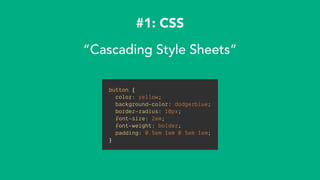
#1: CSS
“Cascading Style Sheets”
button {
color: yellow;
background-color: dodgerblue;
border-radius: 10px;
font-size: 2em;
font-weight: bolder;
padding: 0.5em 1em 0.5em 1em;
}
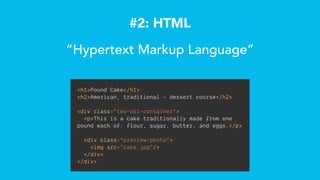
#2: HTML
“Hypertext Markup Language”
<h1>Pound Cake</h1>
<h2>American, traditional - dessert course</h2>
<div class="two-col-container">
<p>This is a cake traditionally made from one
pound each of: flour, sugar, butter, and eggs.</p>
<div class="preview-photo">
<img src=“cake.jpg"/>
</div>
</div>
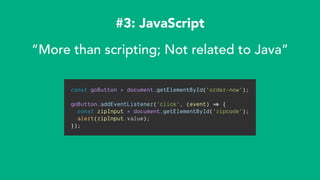
#3: JavaScript
“More than scripting; Not related to Java”
const goButton = document.getElementById('order-now');
goButton.addEventListener('click', (event) => {
const zipInput = document.getElementById('zipcode');
alert(zipInput.value);
});
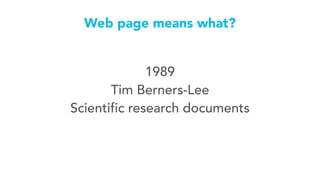
1989
Tim Berners-Lee
Scientific research documents
Web page means what?
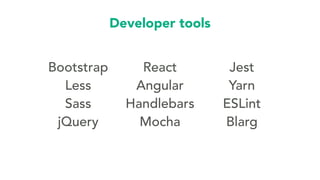
Developer tools
Bootstrap
Less
Sass
jQuery
React
Angular
Handlebars
Mocha
Jest
Yarn
ESLint
Blarg
WWW is
permissionless
LIVE
DEMO !!!
😱🙏
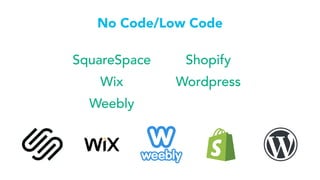
SquareSpace
Wix
Weebly
Shopify
Wordpress
No Code/Low Code
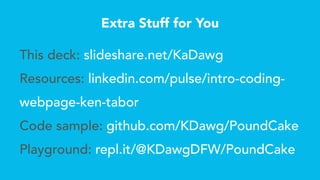
Extra Stuff for You
This deck: slideshare.net/KaDawg
Resources: linkedin.com/pulse/intro-coding-
webpage-ken-tabor
Code sample: github.com/KDawg/PoundCake
Playground: repl.it/@KDawgDFW/PoundCake
“The best thing a human being can
do is to help another human being
know more.”
-Charlie Munger
Play and
have
fun!
What tech do you want to learn?
hello@KenTabor.com
@KenTabor
This deck:
SlideShare.net/KaDawg

Introduction to Coding a Webpage