25th March,2023
Exploring Cloud Hub 2.0
NYC MuleSoft Meetup Group
2
● Around 15 years of Experience into ERP and Integrations.
● Working as Principal Architect @Slalom LLC.
● Proud Community Member and MuleSoft Ambassador
Quick Introduction
Neeraj Kumar- Host NYC
Safe Harbor Statement
• Both the speaker and host are organizing this meet up in individual capacity only.
We are not representing our companies here.
• This presentation is strictly for learning purpose only. Organizer/Presenter do not
hold any responsibility that same solution will work for your business
requirements also.
• This presentation is not meant for any promotional activities.
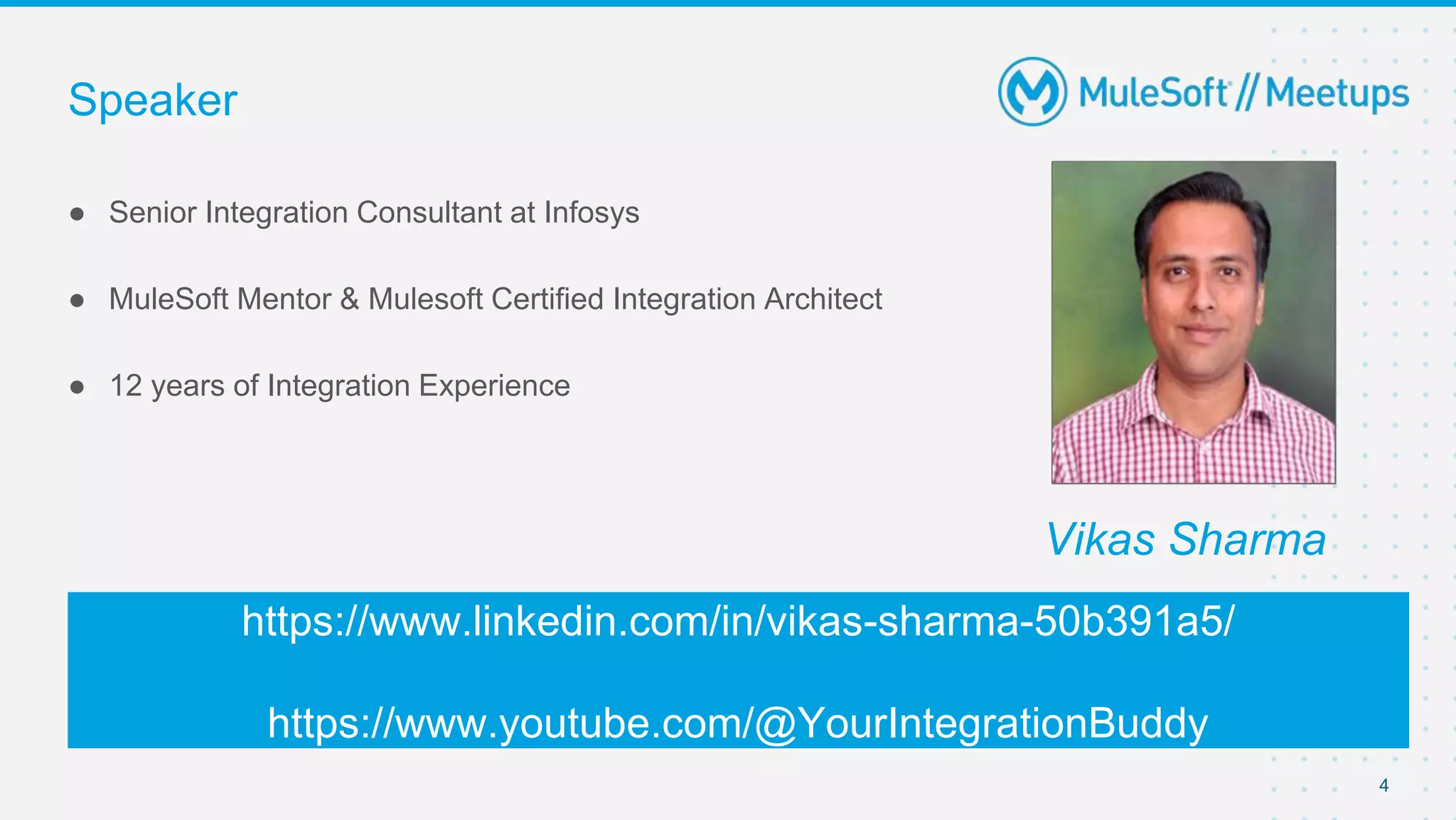
● Senior Integration Consultant at Infosys
● MuleSoft Mentor & Mulesoft Certified Integration Architect
● 12 years of Integration Experience
https://www.linkedin.com/in/vikas-sharma-50b391a5/
https://www.youtube.com/@YourIntegrationBuddy
4
Vikas Sharma
Speaker
Your Photo
● Why Cloud Hub 2.0
● Shared Space vs. Private Space
● Cloud Hub 2.0 Deployment
● Cloud Hub 2.0 Architecture
● Cloud Hub 1.0 and 2.0 Feature Comparision
● Live Demo
● Q & A
Agenda
5
CloudHub 2.0
Why CloudHub 2.0
7
Orchestration Services
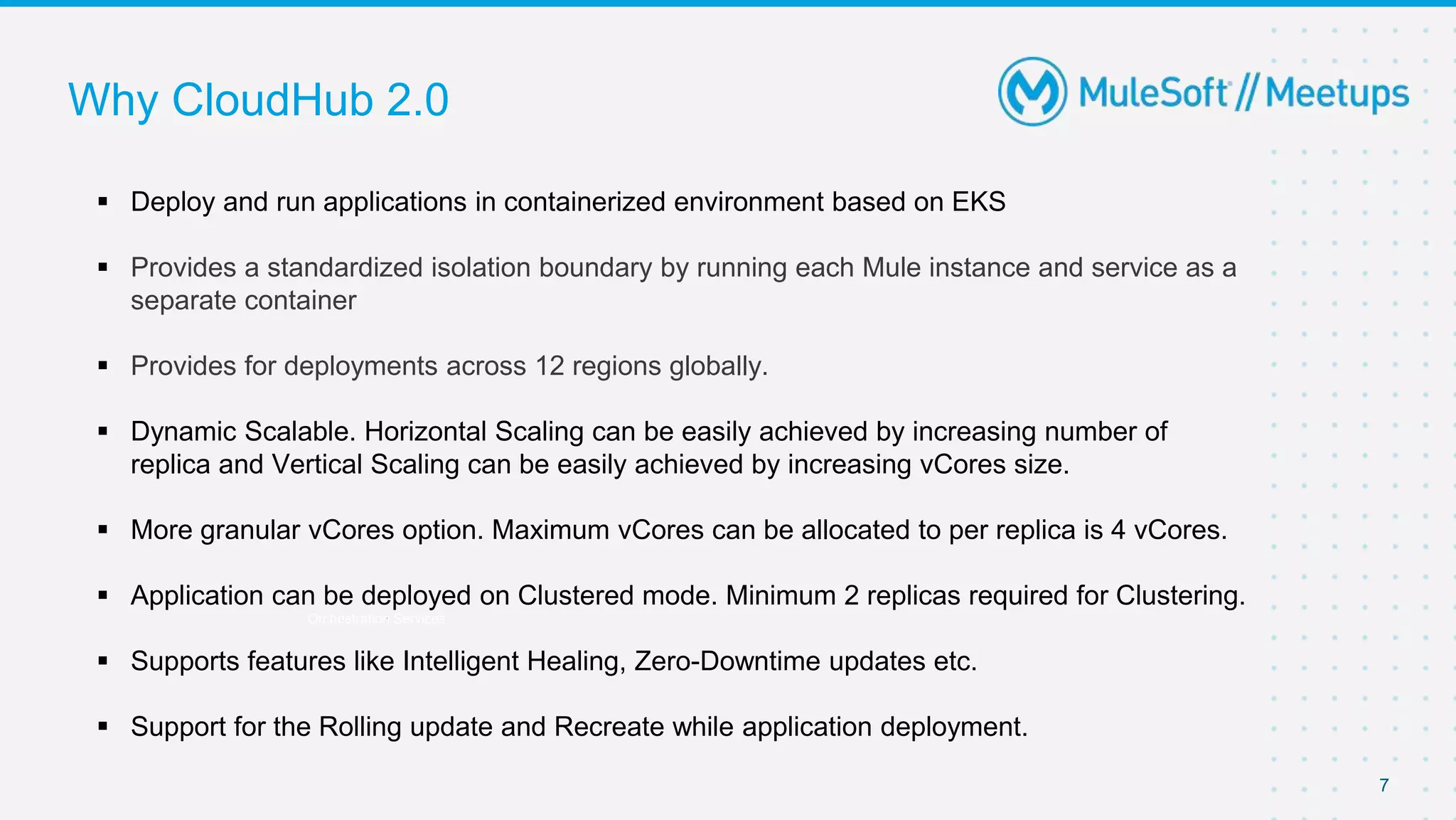
 Deploy and run applications in containerized environment based on EKS
 Provides a standardized isolation boundary by running each Mule instance and service as a
separate container
 Provides for deployments across 12 regions globally.
 Dynamic Scalable. Horizontal Scaling can be easily achieved by increasing number of
replica and Vertical Scaling can be easily achieved by increasing vCores size.
 More granular vCores option. Maximum vCores can be allocated to per replica is 4 vCores.
 Application can be deployed on Clustered mode. Minimum 2 replicas required for Clustering.
 Supports features like Intelligent Healing, Zero-Downtime updates etc.
 Support for the Rolling update and Recreate while application deployment.
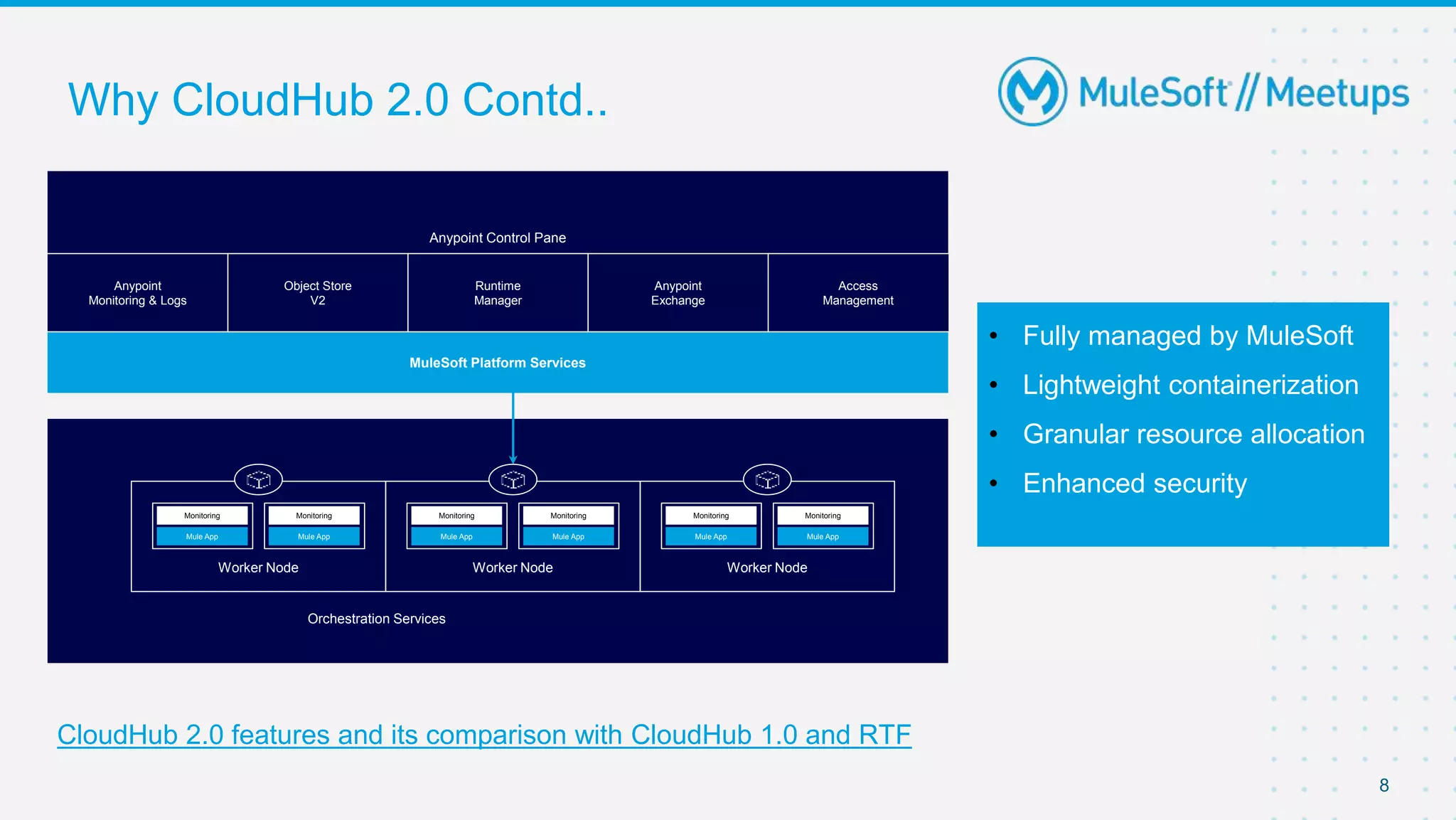
Why CloudHub 2.0 Contd..
8
Anypoint Control Pane
Anypoint
Monitoring & Logs
Object Store
V2
Runtime
Manager
Anypoint
Exchange
Access
Management
MuleSoft Platform Services
Orchestration Services
Worker Node
Mule App
Monitoring
Mule App
Monitoring
Worker Node
Mule App
Monitoring
Mule App
Monitoring
Worker Node
Mule App
Monitoring
Mule App
Monitoring
• Fully managed by MuleSoft
• Lightweight containerization
• Granular resource allocation
• Enhanced security
CloudHub 2.0 features and its comparison with CloudHub 1.0 and RTF
All contents © MuleSoft, LLC
Shared
Space
CloudHub 2.0 Shared and Private Space
9
Private
Space
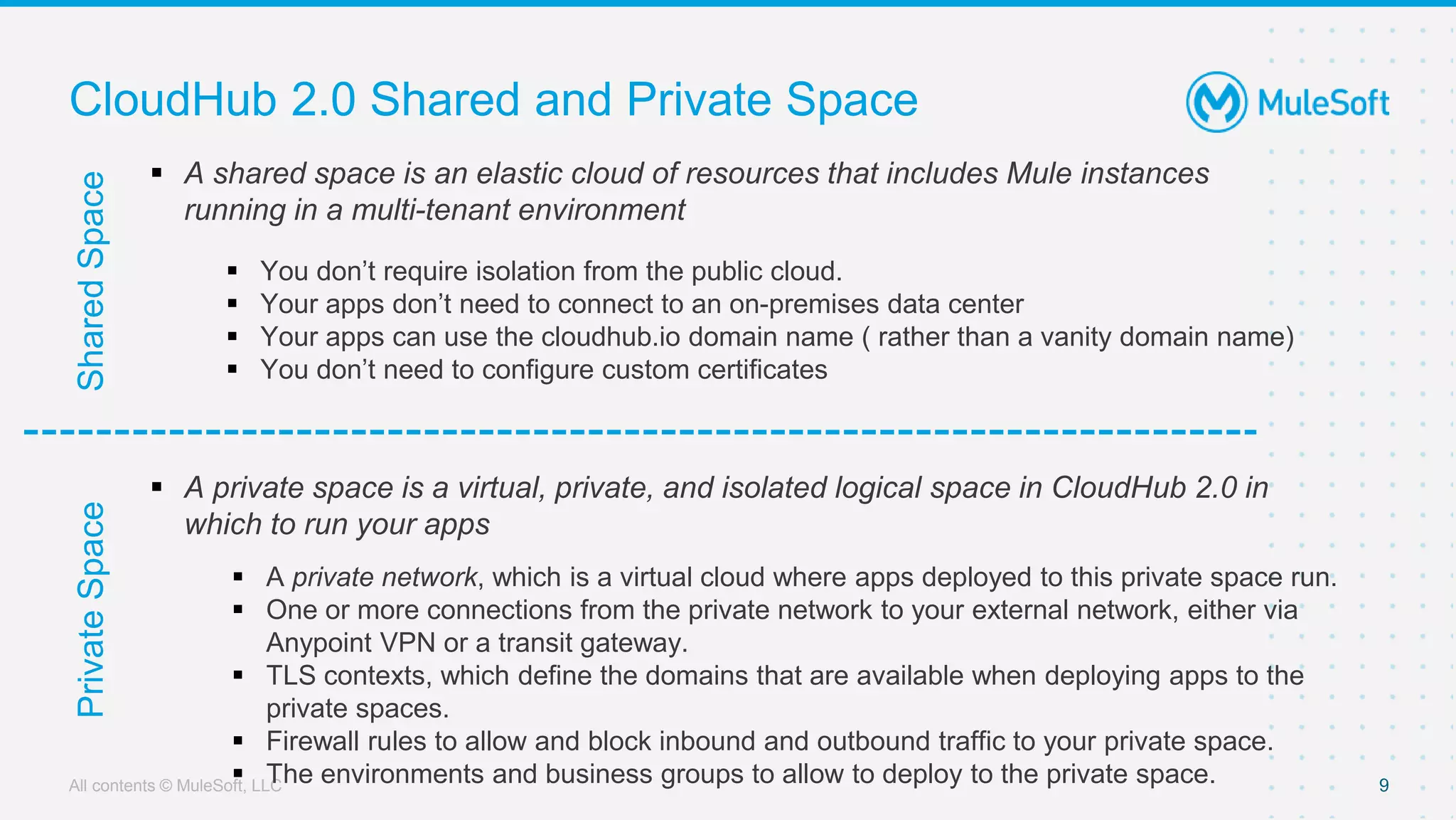
 A shared space is an elastic cloud of resources that includes Mule instances
running in a multi-tenant environment
 You don’t require isolation from the public cloud.
 Your apps don’t need to connect to an on-premises data center
 Your apps can use the cloudhub.io domain name ( rather than a vanity domain name)
 You don’t need to configure custom certificates
 A private space is a virtual, private, and isolated logical space in CloudHub 2.0 in
which to run your apps
 A private network, which is a virtual cloud where apps deployed to this private space run.
 One or more connections from the private network to your external network, either via
Anypoint VPN or a transit gateway.
 TLS contexts, which define the domains that are available when deploying apps to the
private spaces.
 Firewall rules to allow and block inbound and outbound traffic to your private space.
 The environments and business groups to allow to deploy to the private space.
All contents © MuleSoft, LLC
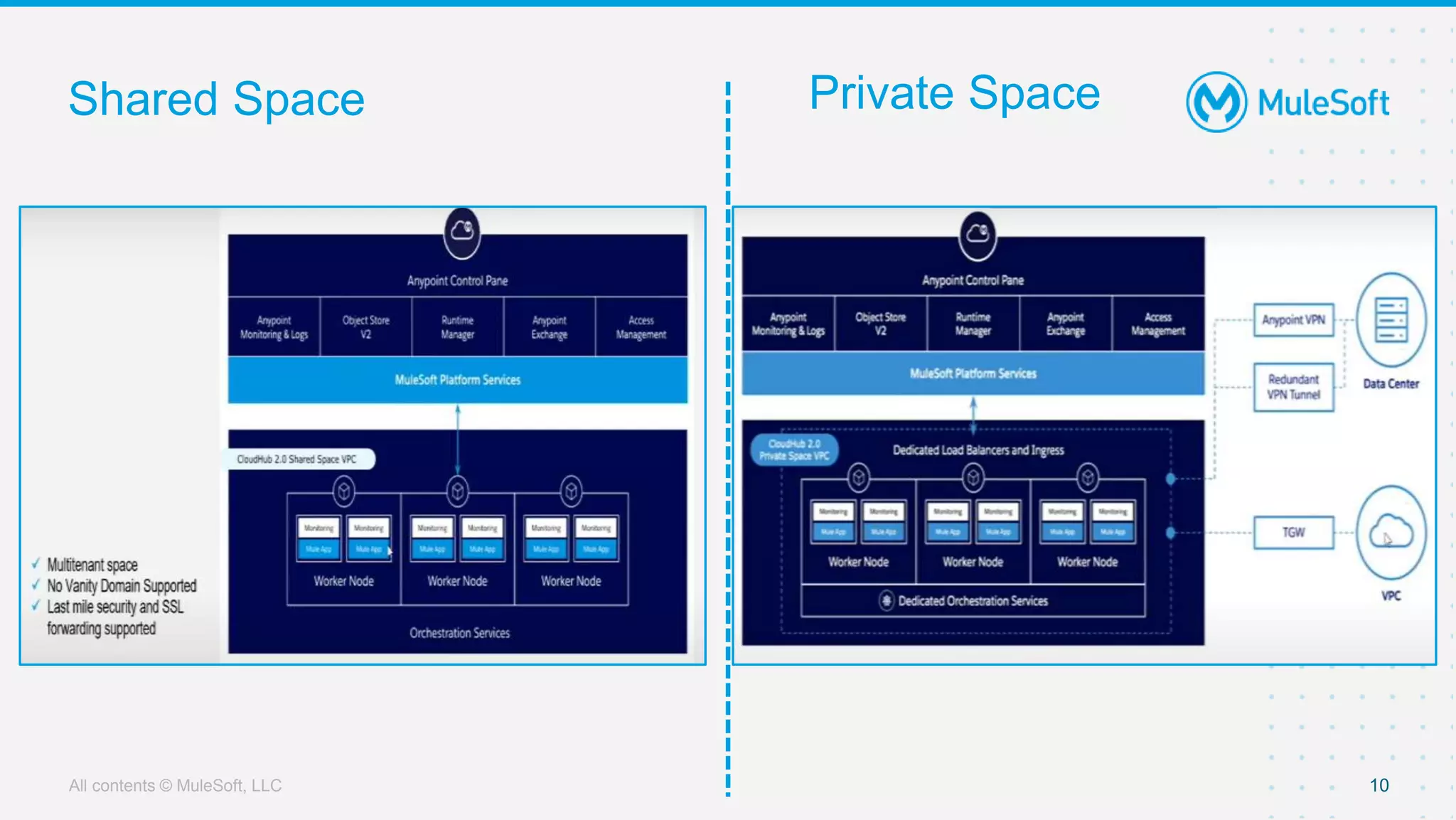
Shared Space
10
Orchestration Services
Private Space
All contents © MuleSoft, LLC
Deployment Model
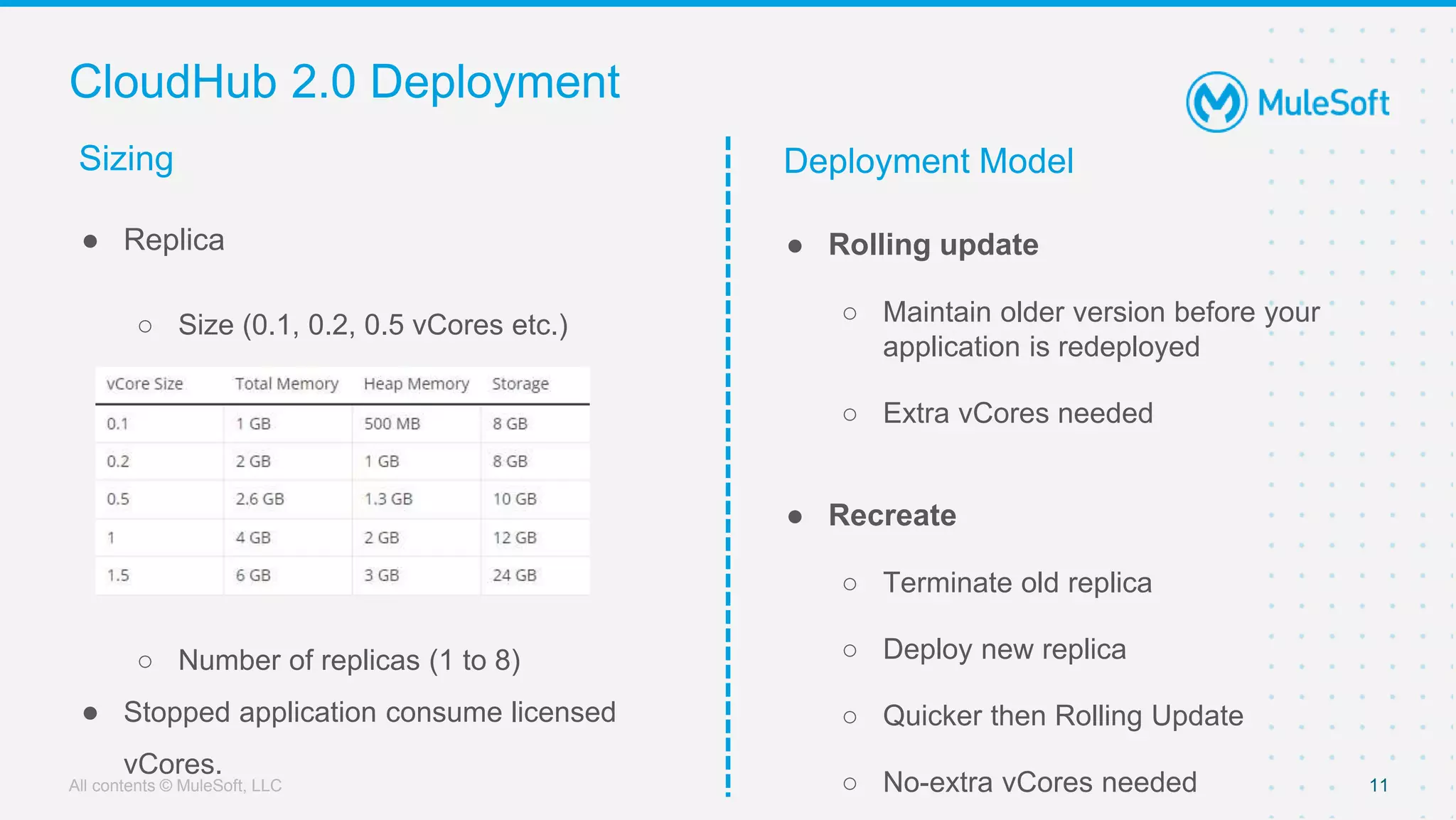
CloudHub 2.0 Deployment
● Rolling update
○ Maintain older version before your
application is redeployed
○ Extra vCores needed
● Recreate
○ Terminate old replica
○ Deploy new replica
○ Quicker then Rolling Update
○ No-extra vCores needed 11
● Replica
○ Size (0.1, 0.2, 0.5 vCores etc.)
○ Number of replicas (1 to 8)
● Stopped application consume licensed
vCores.
Sizing
All contents © MuleSoft, LLC
LIVE DEMO
All contents © MuleSoft, LLC
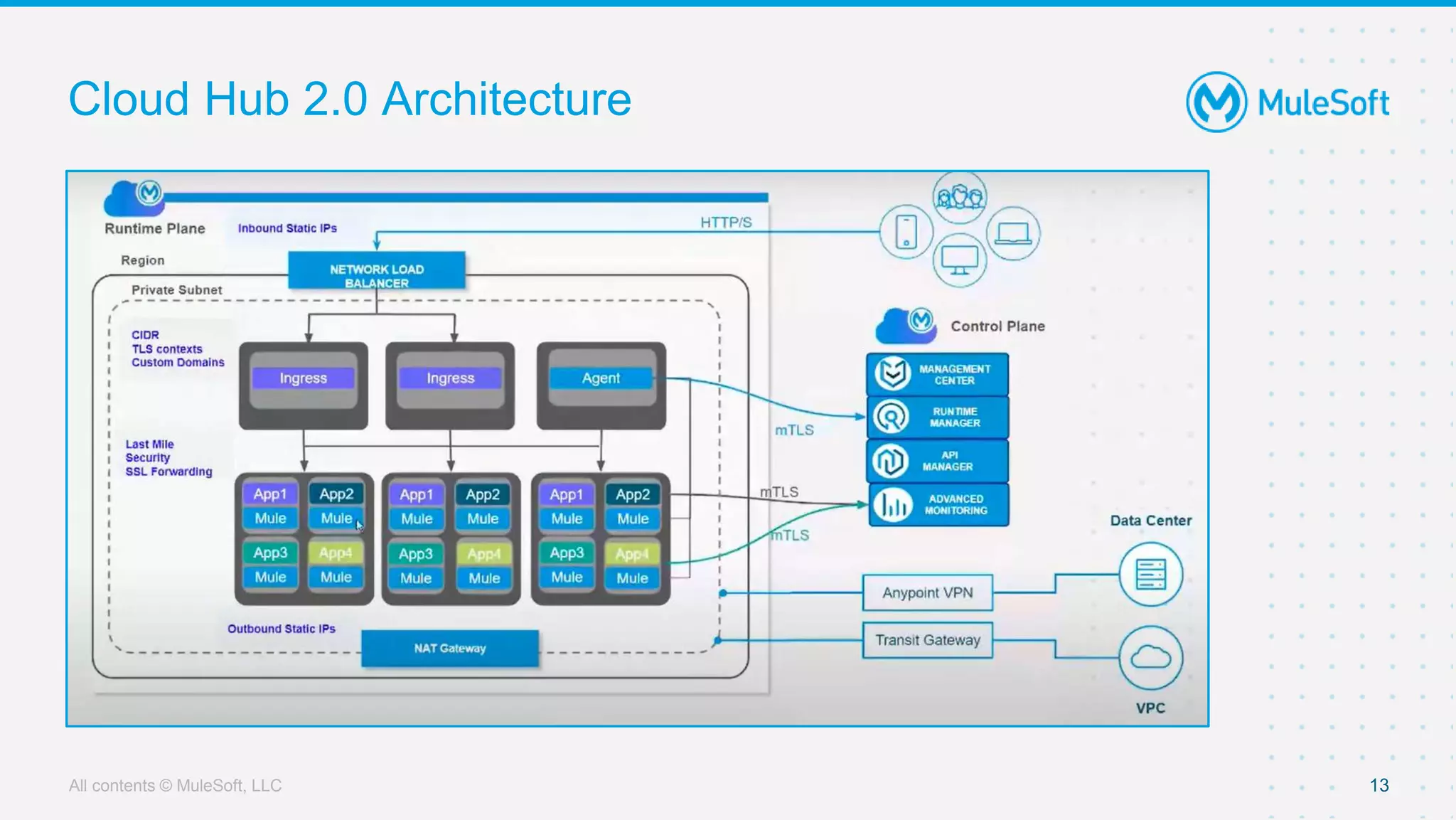
Cloud Hub 2.0 Architecture
13
Orchestration Services
All contents © MuleSoft, LLC
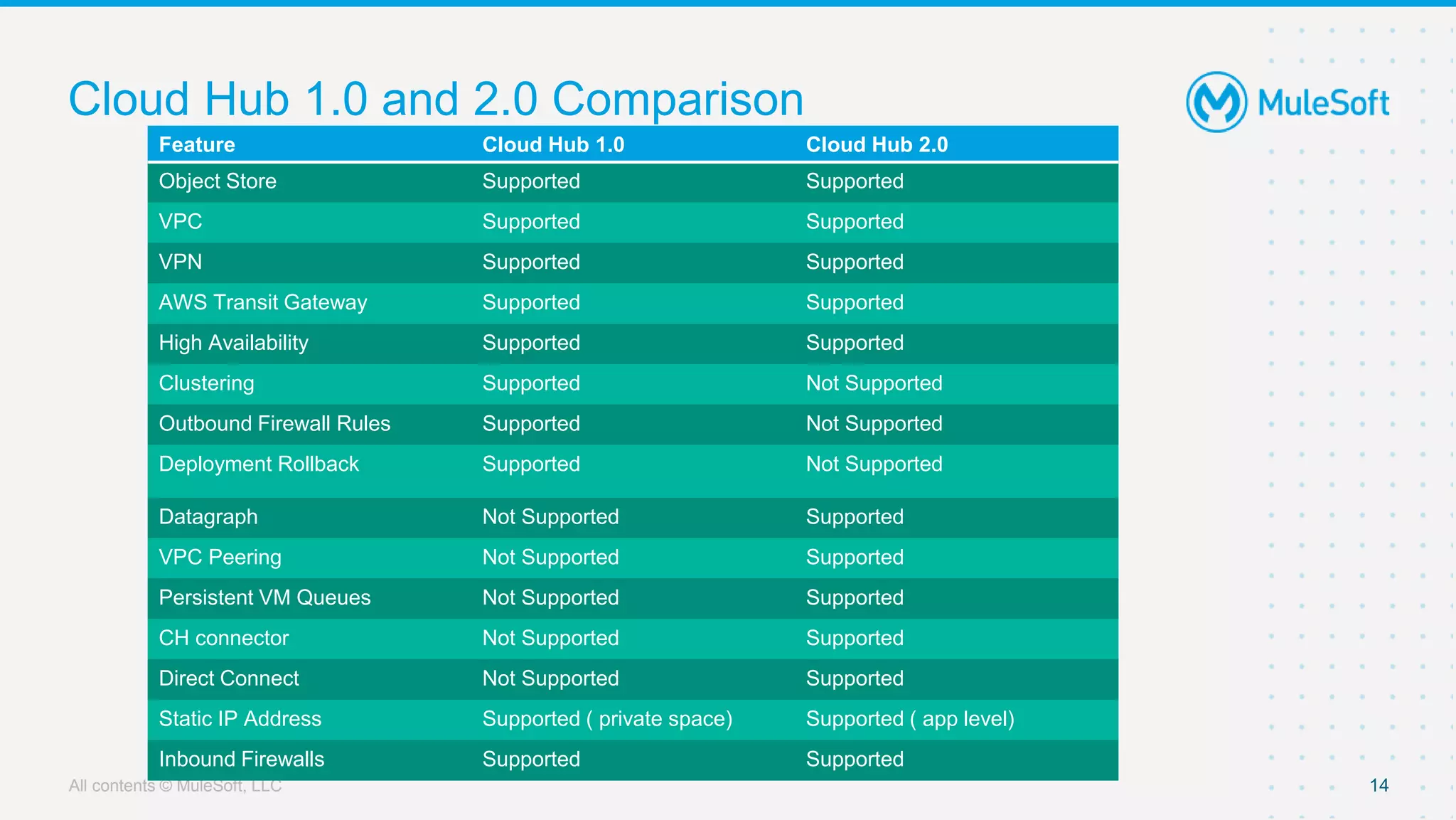
Cloud Hub 1.0 and 2.0 Comparison
14
Orchestration Services
Feature Cloud Hub 1.0 Cloud Hub 2.0
Object Store Supported Supported
VPC Supported Supported
VPN Supported Supported
AWS Transit Gateway Supported Supported
High Availability Supported Supported
Clustering Supported Not Supported
Outbound Firewall Rules Supported Not Supported
Deployment Rollback Supported Not Supported
Datagraph Not Supported Supported
VPC Peering Not Supported Supported
Persistent VM Queues Not Supported Supported
CH connector Not Supported Supported
Direct Connect Not Supported Supported
Static IP Address Supported ( private space) Supported ( app level)
Inbound Firewalls Supported Supported
All contents © MuleSoft, LLC
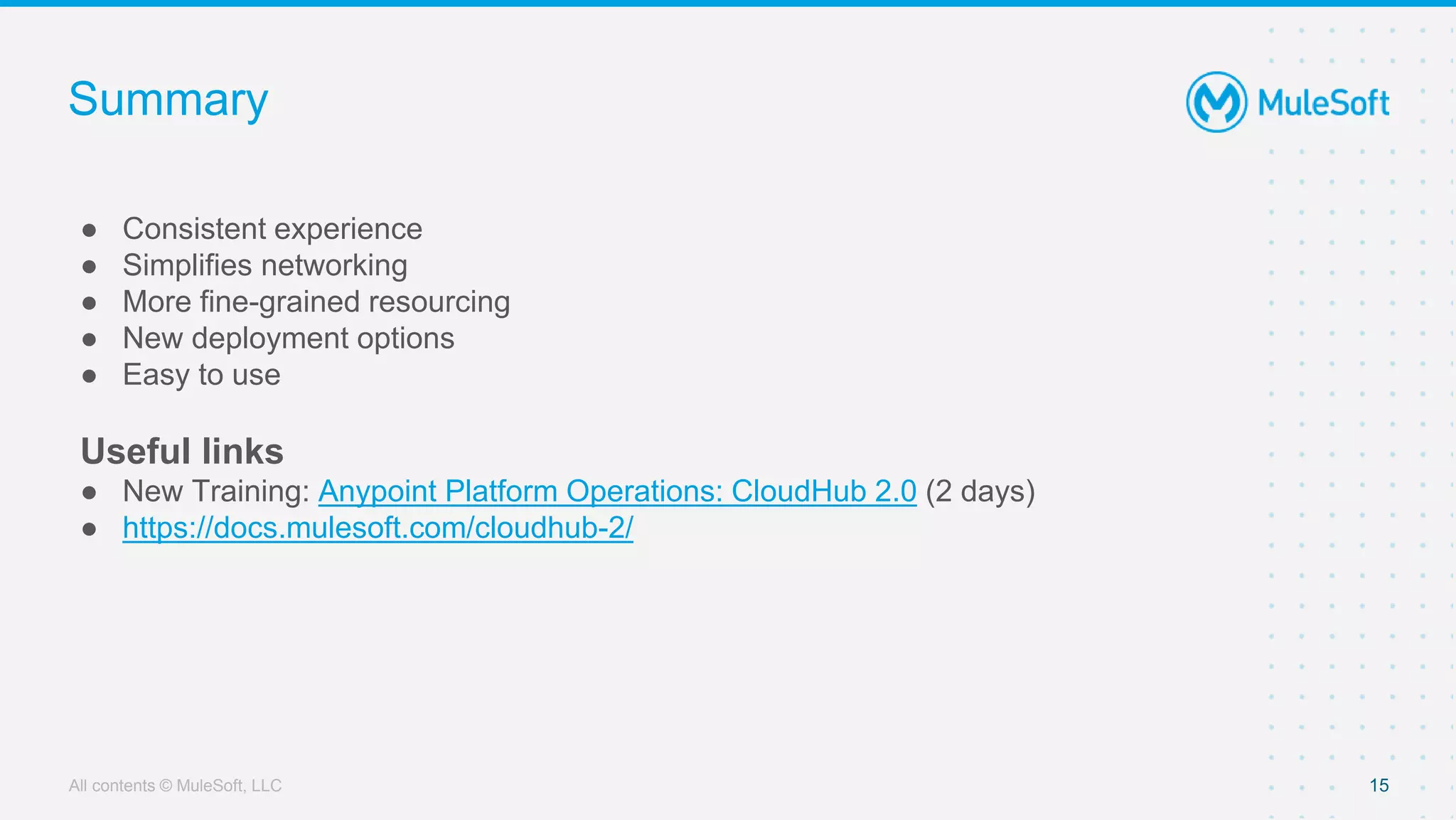
Summary
● Consistent experience
● Simplifies networking
● More fine-grained resourcing
● New deployment options
● Easy to use
Useful links
● New Training: Anypoint Platform Operations: CloudHub 2.0 (2 days)
● https://docs.mulesoft.com/cloudhub-2/
15
All contents © MuleSoft, LLC
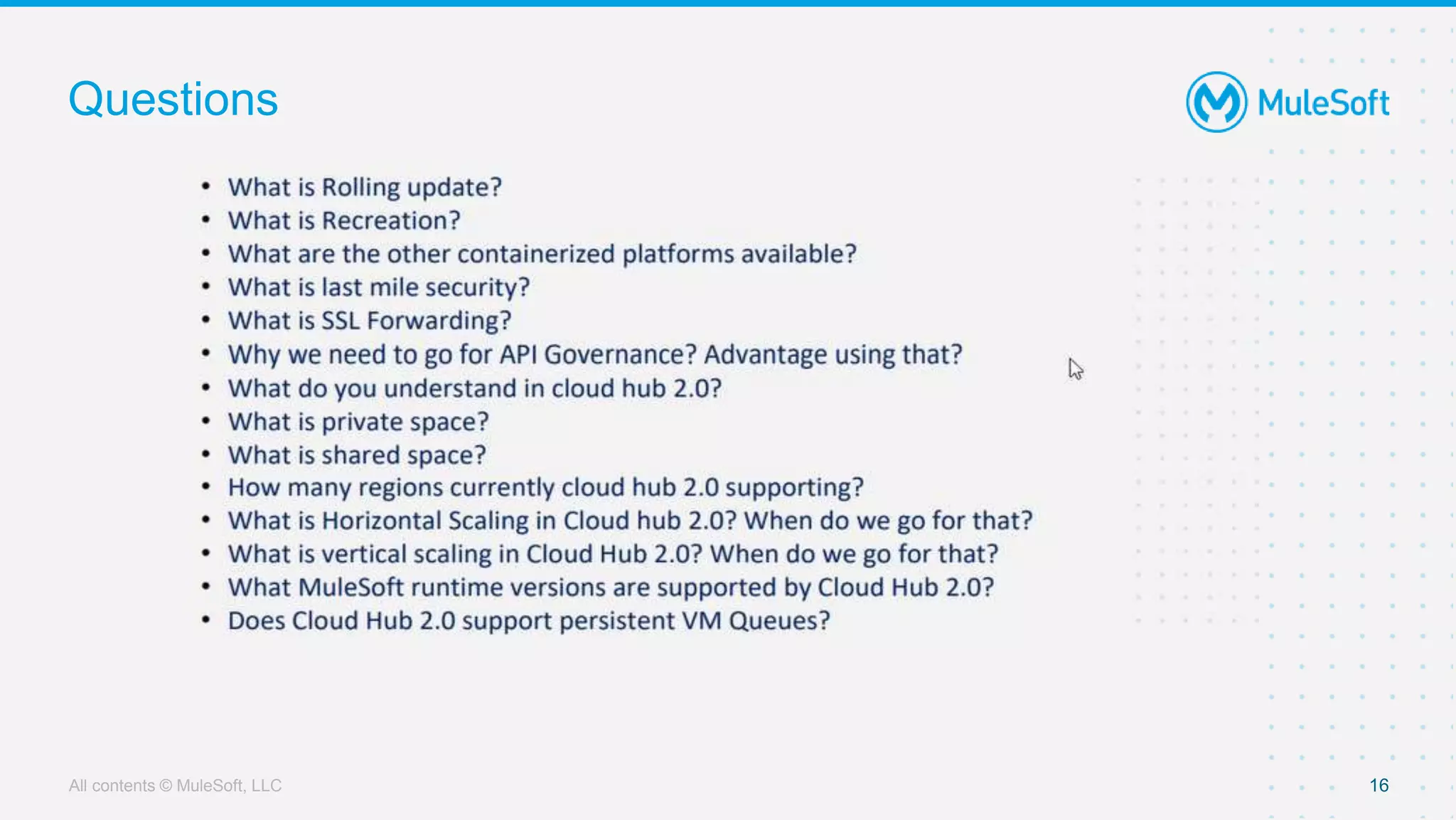
Questions
16
Wrap up
All contents © MuleSoft, LLC 18
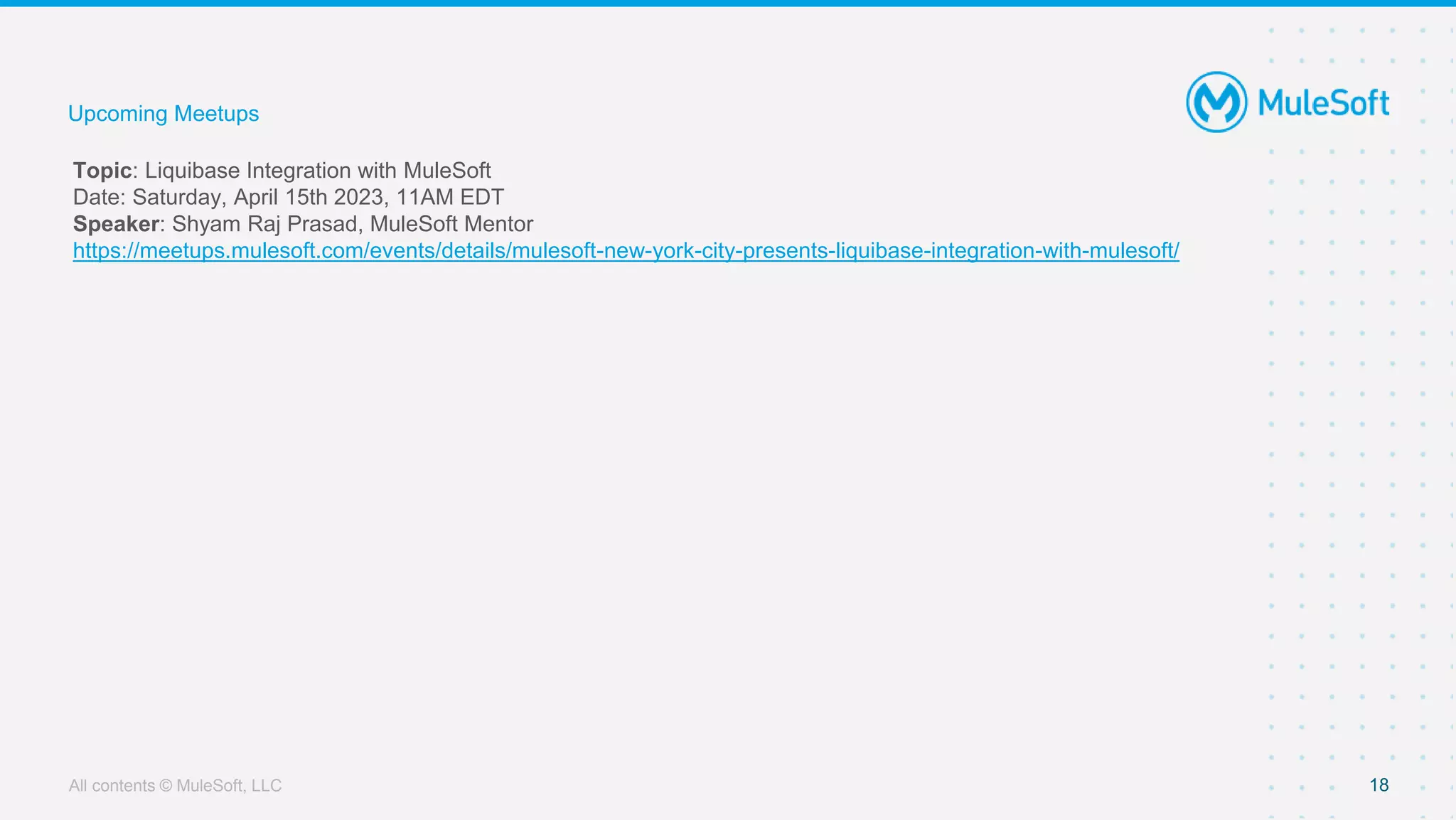
Topic: Liquibase Integration with MuleSoft
Date: Saturday, April 15th 2023, 11AM EDT
Speaker: Shyam Raj Prasad, MuleSoft Mentor
https://meetups.mulesoft.com/events/details/mulesoft-new-york-city-presents-liquibase-integration-with-mulesoft/
Upcoming Meetups
See you next time

Introduction to CloudHub 2.0

  • 1.
    25th March,2023 Exploring CloudHub 2.0 NYC MuleSoft Meetup Group
  • 2.
    2 ● Around 15years of Experience into ERP and Integrations. ● Working as Principal Architect @Slalom LLC. ● Proud Community Member and MuleSoft Ambassador Quick Introduction Neeraj Kumar- Host NYC
  • 3.
    Safe Harbor Statement •Both the speaker and host are organizing this meet up in individual capacity only. We are not representing our companies here. • This presentation is strictly for learning purpose only. Organizer/Presenter do not hold any responsibility that same solution will work for your business requirements also. • This presentation is not meant for any promotional activities.
  • 4.
    ● Senior IntegrationConsultant at Infosys ● MuleSoft Mentor & Mulesoft Certified Integration Architect ● 12 years of Integration Experience https://www.linkedin.com/in/vikas-sharma-50b391a5/ https://www.youtube.com/@YourIntegrationBuddy 4 Vikas Sharma Speaker Your Photo
  • 5.
    ● Why CloudHub 2.0 ● Shared Space vs. Private Space ● Cloud Hub 2.0 Deployment ● Cloud Hub 2.0 Architecture ● Cloud Hub 1.0 and 2.0 Feature Comparision ● Live Demo ● Q & A Agenda 5
  • 6.
  • 7.
    Why CloudHub 2.0 7 OrchestrationServices  Deploy and run applications in containerized environment based on EKS  Provides a standardized isolation boundary by running each Mule instance and service as a separate container  Provides for deployments across 12 regions globally.  Dynamic Scalable. Horizontal Scaling can be easily achieved by increasing number of replica and Vertical Scaling can be easily achieved by increasing vCores size.  More granular vCores option. Maximum vCores can be allocated to per replica is 4 vCores.  Application can be deployed on Clustered mode. Minimum 2 replicas required for Clustering.  Supports features like Intelligent Healing, Zero-Downtime updates etc.  Support for the Rolling update and Recreate while application deployment.
  • 8.
    Why CloudHub 2.0Contd.. 8 Anypoint Control Pane Anypoint Monitoring & Logs Object Store V2 Runtime Manager Anypoint Exchange Access Management MuleSoft Platform Services Orchestration Services Worker Node Mule App Monitoring Mule App Monitoring Worker Node Mule App Monitoring Mule App Monitoring Worker Node Mule App Monitoring Mule App Monitoring • Fully managed by MuleSoft • Lightweight containerization • Granular resource allocation • Enhanced security CloudHub 2.0 features and its comparison with CloudHub 1.0 and RTF
  • 9.
    All contents ©MuleSoft, LLC Shared Space CloudHub 2.0 Shared and Private Space 9 Private Space  A shared space is an elastic cloud of resources that includes Mule instances running in a multi-tenant environment  You don’t require isolation from the public cloud.  Your apps don’t need to connect to an on-premises data center  Your apps can use the cloudhub.io domain name ( rather than a vanity domain name)  You don’t need to configure custom certificates  A private space is a virtual, private, and isolated logical space in CloudHub 2.0 in which to run your apps  A private network, which is a virtual cloud where apps deployed to this private space run.  One or more connections from the private network to your external network, either via Anypoint VPN or a transit gateway.  TLS contexts, which define the domains that are available when deploying apps to the private spaces.  Firewall rules to allow and block inbound and outbound traffic to your private space.  The environments and business groups to allow to deploy to the private space.
  • 10.
    All contents ©MuleSoft, LLC Shared Space 10 Orchestration Services Private Space
  • 11.
    All contents ©MuleSoft, LLC Deployment Model CloudHub 2.0 Deployment ● Rolling update ○ Maintain older version before your application is redeployed ○ Extra vCores needed ● Recreate ○ Terminate old replica ○ Deploy new replica ○ Quicker then Rolling Update ○ No-extra vCores needed 11 ● Replica ○ Size (0.1, 0.2, 0.5 vCores etc.) ○ Number of replicas (1 to 8) ● Stopped application consume licensed vCores. Sizing
  • 12.
    All contents ©MuleSoft, LLC LIVE DEMO
  • 13.
    All contents ©MuleSoft, LLC Cloud Hub 2.0 Architecture 13 Orchestration Services
  • 14.
    All contents ©MuleSoft, LLC Cloud Hub 1.0 and 2.0 Comparison 14 Orchestration Services Feature Cloud Hub 1.0 Cloud Hub 2.0 Object Store Supported Supported VPC Supported Supported VPN Supported Supported AWS Transit Gateway Supported Supported High Availability Supported Supported Clustering Supported Not Supported Outbound Firewall Rules Supported Not Supported Deployment Rollback Supported Not Supported Datagraph Not Supported Supported VPC Peering Not Supported Supported Persistent VM Queues Not Supported Supported CH connector Not Supported Supported Direct Connect Not Supported Supported Static IP Address Supported ( private space) Supported ( app level) Inbound Firewalls Supported Supported
  • 15.
    All contents ©MuleSoft, LLC Summary ● Consistent experience ● Simplifies networking ● More fine-grained resourcing ● New deployment options ● Easy to use Useful links ● New Training: Anypoint Platform Operations: CloudHub 2.0 (2 days) ● https://docs.mulesoft.com/cloudhub-2/ 15
  • 16.
    All contents ©MuleSoft, LLC Questions 16
  • 17.
  • 18.
    All contents ©MuleSoft, LLC 18 Topic: Liquibase Integration with MuleSoft Date: Saturday, April 15th 2023, 11AM EDT Speaker: Shyam Raj Prasad, MuleSoft Mentor https://meetups.mulesoft.com/events/details/mulesoft-new-york-city-presents-liquibase-integration-with-mulesoft/ Upcoming Meetups
  • 19.