Introduction To Android
Development - Build an App!
http://simpledeveloper.com
@Eenvincible
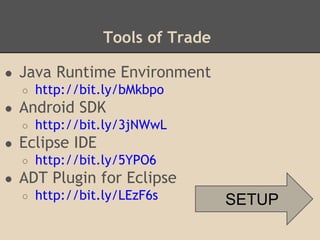
Tools of Trade
● Java Runtime Environment
○ http://bit.ly/bMkbpo
● Android SDK
○ http://bit.ly/3jNWwL
● Eclipse IDE
○ http://bit.ly/5YPO6
● ADT Plugin for Eclipse
○ http://bit.ly/LEzF6s SETUP
Simple Setup
Step 1 - Download the Java Runtime Environment
if you don't have one already!
Step 2 - I recommend you download the SDK
Bundle instead of downloading the tools
separately.
Step 3 - If you chose not to download the bundle,
download Android SDK, Eclipse and then from
within Eclipse, Install the ADT Plugin and you will
be ready to go.
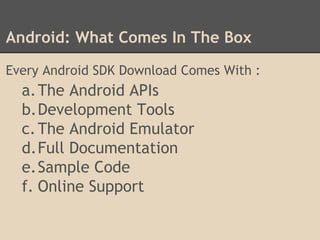
Android: What Comes In The Box
Every Android SDK Download Comes With :
a.The Android APIs
b.Development Tools
c.The Android Emulator
d.Full Documentation
e.Sample Code
f. Online Support
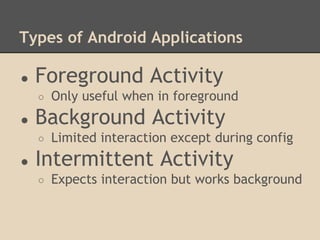
Types of Android Applications
● Foreground Activity
○ Only useful when in foreground
● Background Activity
○ Limited interaction except during config
● Intermittent Activity
○ Expects interaction but works background
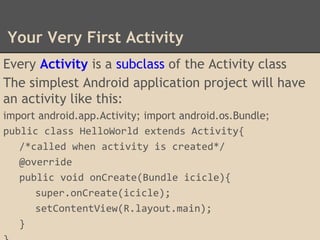
Your Very First Activity
Every Activity is a subclass of the Activity class
The simplest Android application project will have
an activity like this:
import android.app.Activity; import android.os.Bundle;
public class HelloWorld extends Activity{
/*called when activity is created*/
@override
public void onCreate(Bundle icicle){
super.onCreate(icicle);
setContentView(R.layout.main);
}

Introduction To Android Development.pptx

  • 1.
    Introduction To Android Development- Build an App! http://simpledeveloper.com @Eenvincible
  • 2.
    Tools of Trade ●Java Runtime Environment ○ http://bit.ly/bMkbpo ● Android SDK ○ http://bit.ly/3jNWwL ● Eclipse IDE ○ http://bit.ly/5YPO6 ● ADT Plugin for Eclipse ○ http://bit.ly/LEzF6s SETUP
  • 3.
    Simple Setup Step 1- Download the Java Runtime Environment if you don't have one already! Step 2 - I recommend you download the SDK Bundle instead of downloading the tools separately. Step 3 - If you chose not to download the bundle, download Android SDK, Eclipse and then from within Eclipse, Install the ADT Plugin and you will be ready to go.
  • 4.
    Android: What ComesIn The Box Every Android SDK Download Comes With : a.The Android APIs b.Development Tools c.The Android Emulator d.Full Documentation e.Sample Code f. Online Support
  • 5.
    Types of AndroidApplications ● Foreground Activity ○ Only useful when in foreground ● Background Activity ○ Limited interaction except during config ● Intermittent Activity ○ Expects interaction but works background
  • 6.
    Your Very FirstActivity Every Activity is a subclass of the Activity class The simplest Android application project will have an activity like this: import android.app.Activity; import android.os.Bundle; public class HelloWorld extends Activity{ /*called when activity is created*/ @override public void onCreate(Bundle icicle){ super.onCreate(icicle); setContentView(R.layout.main); }

Editor's Notes

  • #2 Welcome to Hangouts For Coders - Episode 03
  • #6 Foreground - Maps, Games Background - SMS auto-responders Intermittent - media player
  • #7 Parent -> Son Mother - > Daughter