Digital Graphics
Lila Purswani
Digital Images
• Have you taken
pictures on holiday
and been a bit
disappointed?
• Have you ever
used Photoshop?
What we are going to do in this
session?
• Describe what makes up a digital image.
• Find out what a filter is?
• Become familiar with the Photoshop
interface
• Apply a filter to a photograph
Brainstorm – 1 minute
Write down on your
block of post it notes
anything you know about
a digital image.
Brainstorm – 1 minute - Timer
What is a digital image?
• Millions of tiny, square-
shaped block called?
PIXELS
• The blocks are arranged
in a grid-like form called a
bitmap
• A pixel bitmap describes
a digital image by the
number of pixels along the
horizontal and vertical
axis.
Adobe Photoshop
Filters - A filter can be applied to
the overall images, individual layers
or even smaller selections of the
digital image.
They work by applying a precise
mathematical formula to every pixel
in the bitmap, changing their colour
or position.
Creative, added interest…
Texture filters
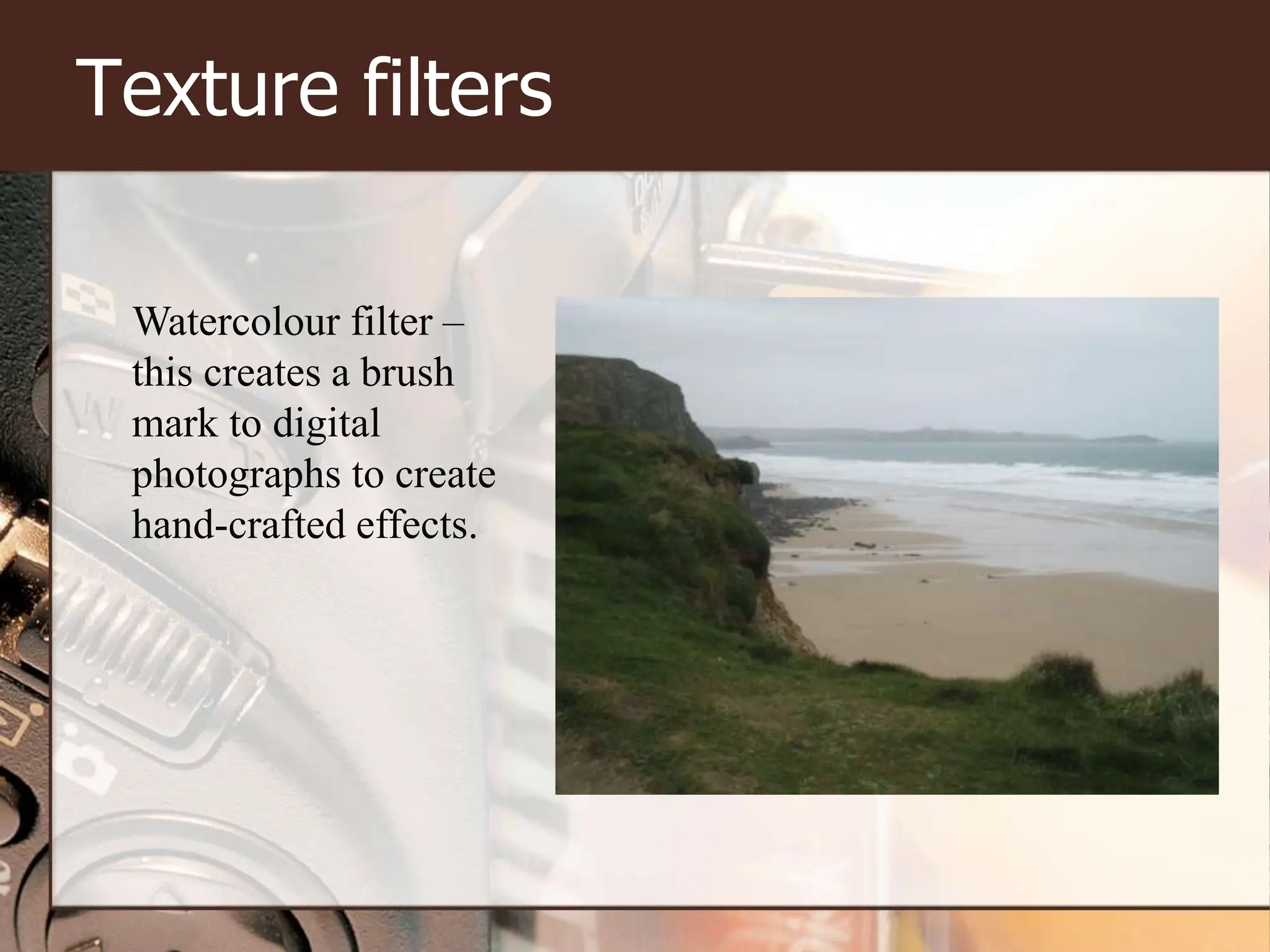
Watercolour filter –
this creates a brush
mark to digital
photographs to create
hand-crafted effects.
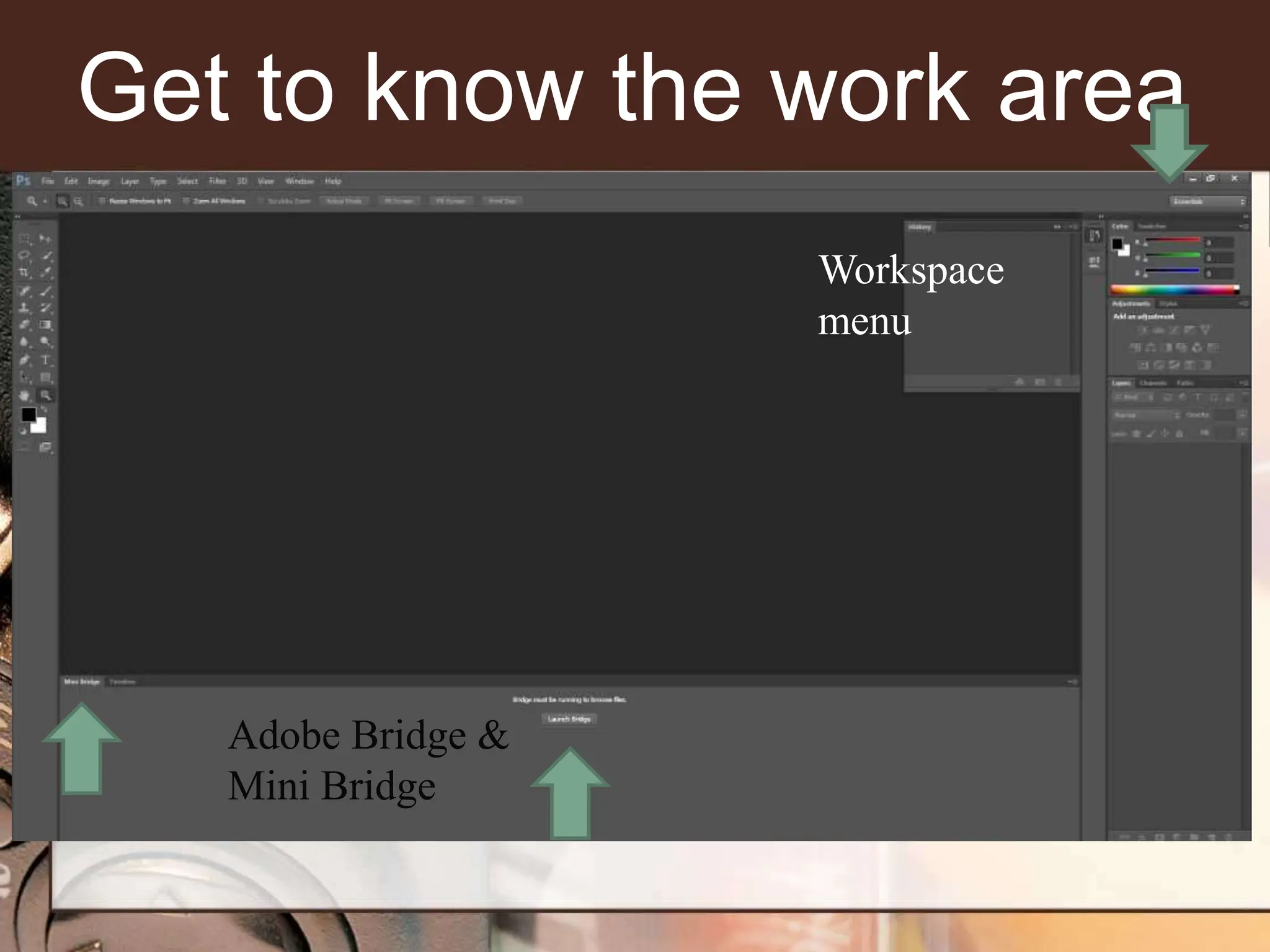
Get to know the work area
Adobe Bridge &
Mini Bridge
Workspace
menu
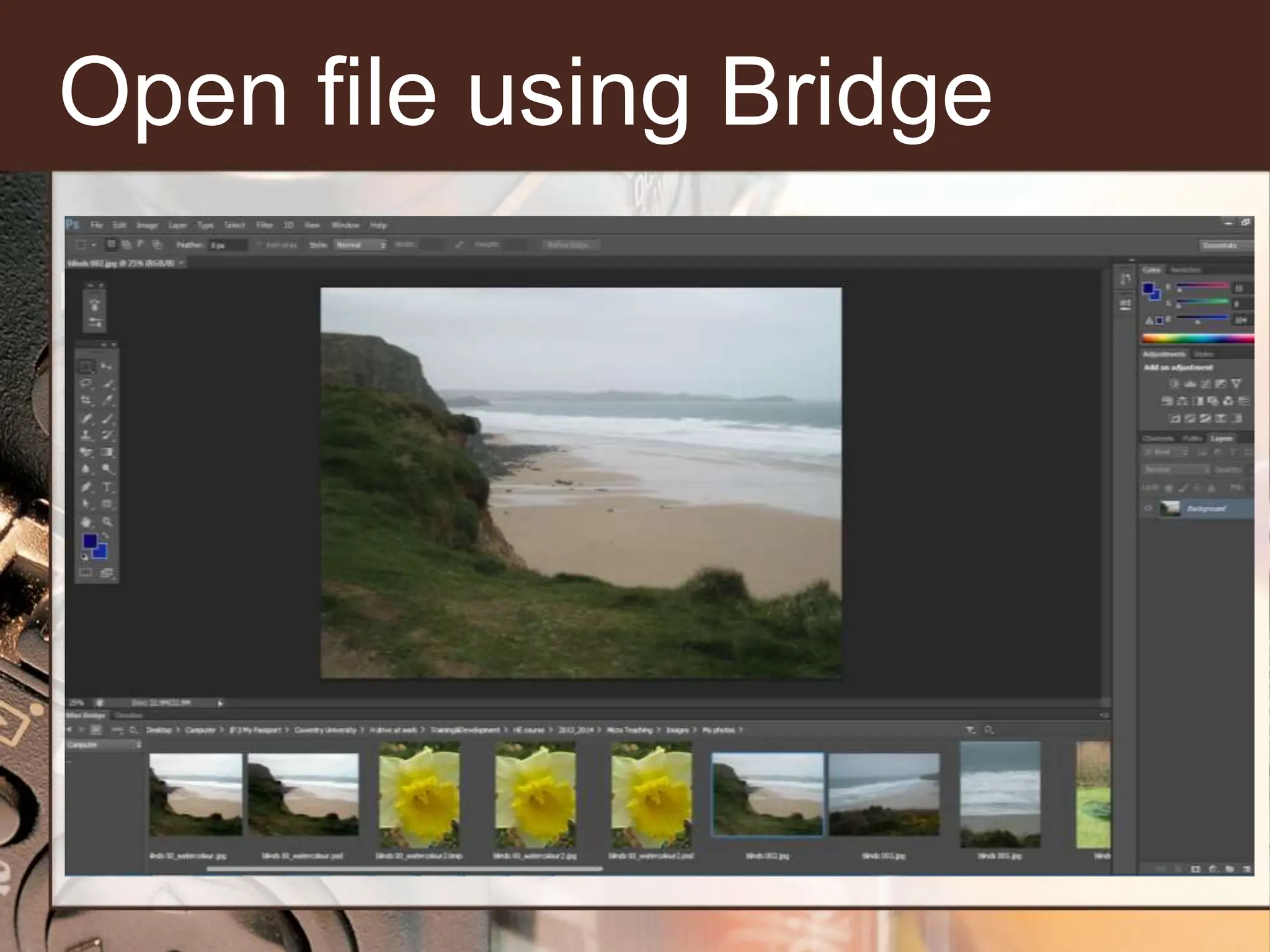
Open file using Bridge
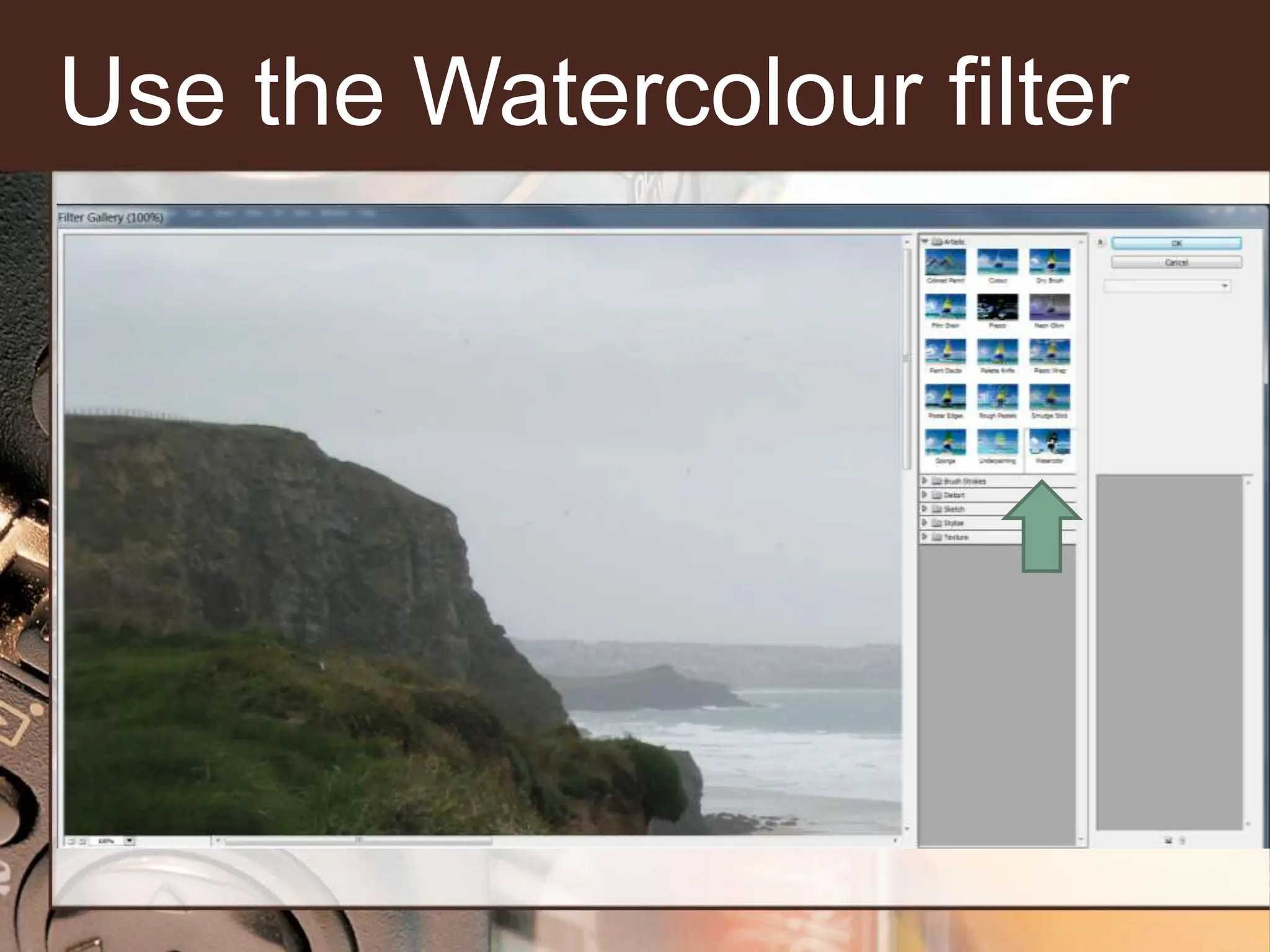
Use the Watercolour filter
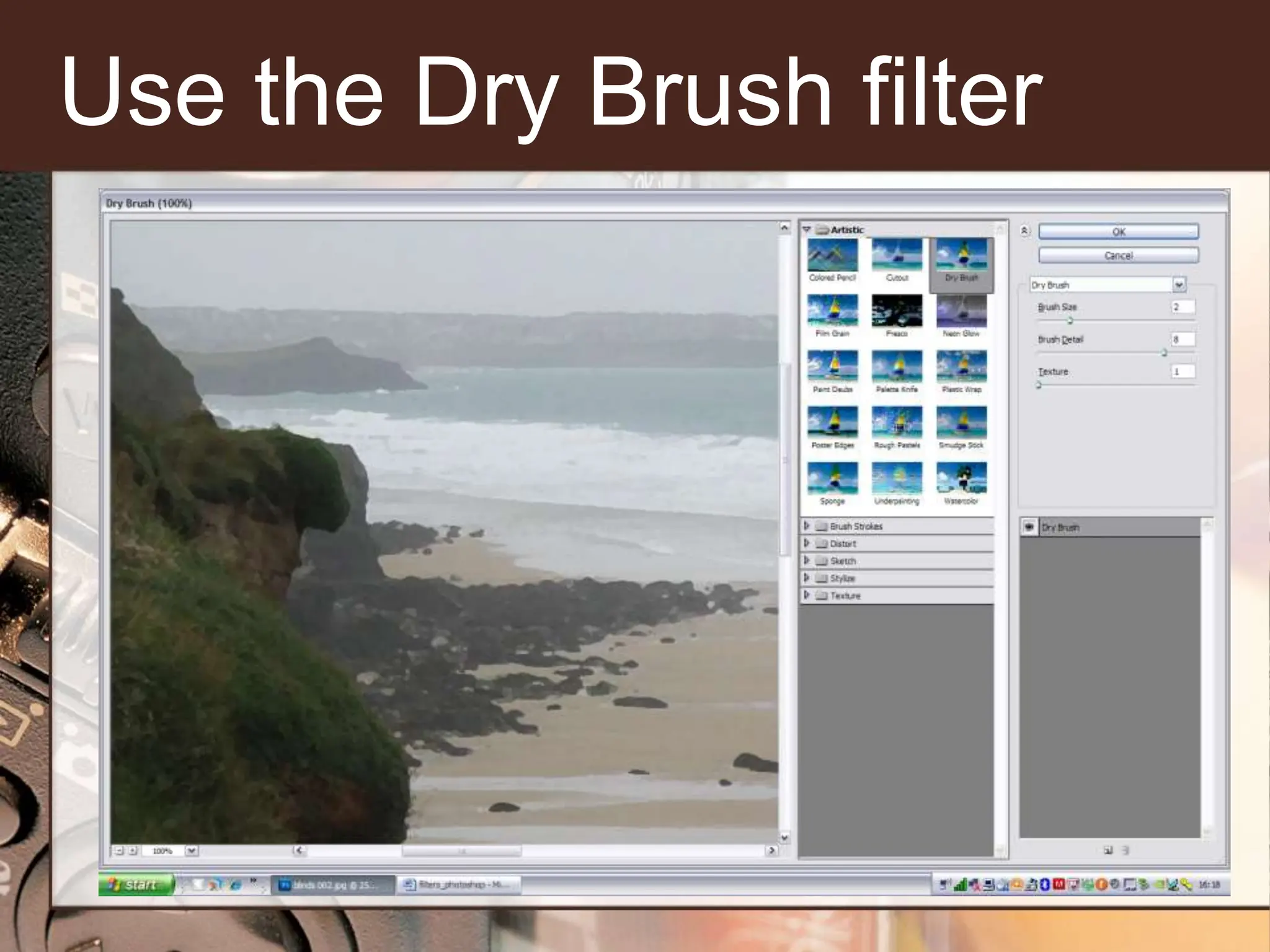
Use the Dry Brush filter
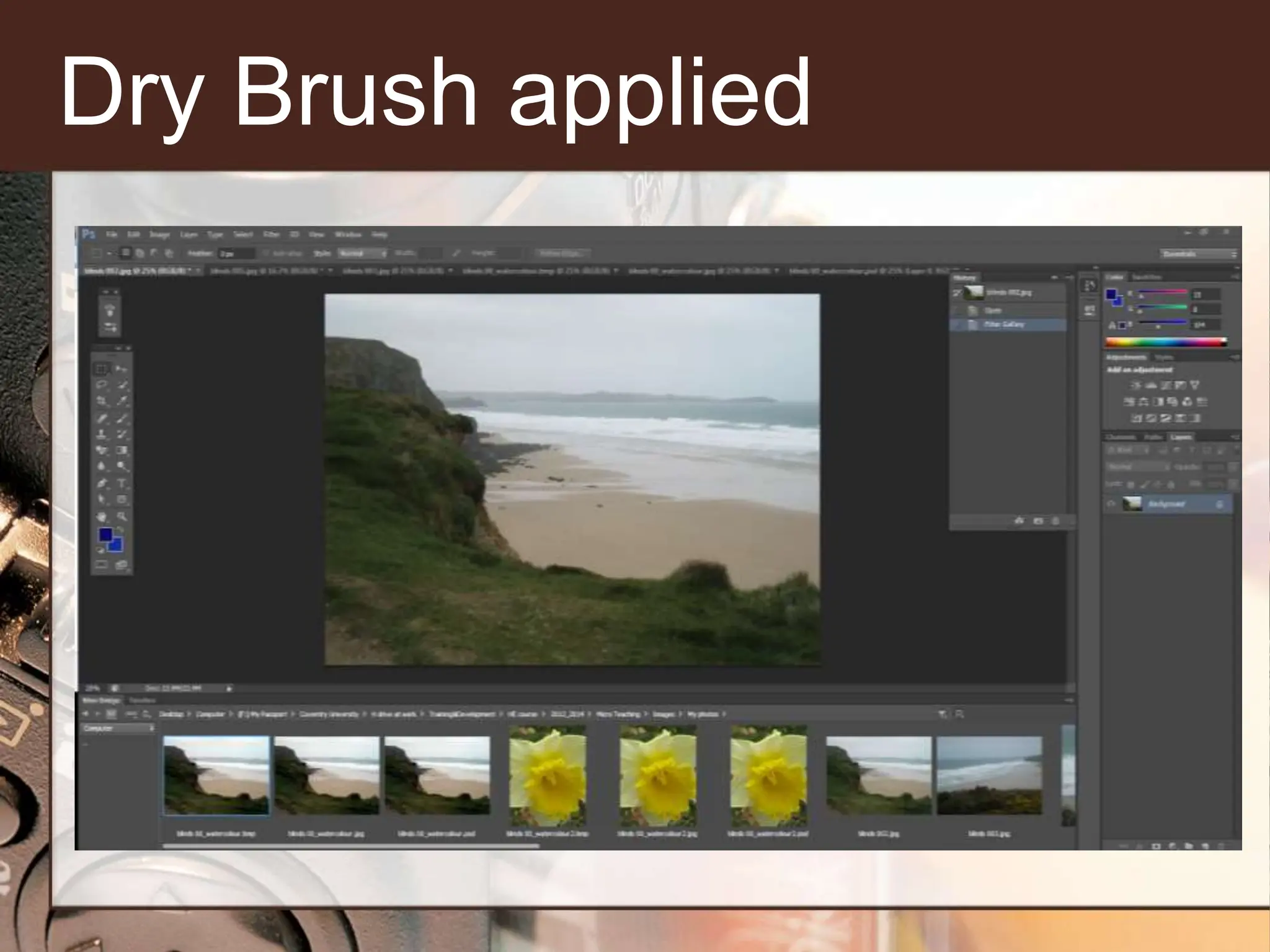
Dry Brush applied
A landscape image
Before After
Texture filter – Brushstroke
This filter can give different
results depending on the
edges and level of contrast in
your digital image.
An image of a daffodil
Before After
Digital Graphics
• Described what makes up a digital
image.
• Found out what a filter is?
• Become familiar with the Photoshop
interface
• Applied a filter to a photograph

Introduction to adobe Photoshop cs6.pptx

  • 1.
  • 2.
    Digital Images • Haveyou taken pictures on holiday and been a bit disappointed? • Have you ever used Photoshop?
  • 3.
    What we aregoing to do in this session? • Describe what makes up a digital image. • Find out what a filter is? • Become familiar with the Photoshop interface • Apply a filter to a photograph
  • 4.
    Brainstorm – 1minute Write down on your block of post it notes anything you know about a digital image.
  • 5.
    Brainstorm – 1minute - Timer
  • 6.
    What is adigital image? • Millions of tiny, square- shaped block called? PIXELS • The blocks are arranged in a grid-like form called a bitmap • A pixel bitmap describes a digital image by the number of pixels along the horizontal and vertical axis.
  • 7.
    Adobe Photoshop Filters -A filter can be applied to the overall images, individual layers or even smaller selections of the digital image. They work by applying a precise mathematical formula to every pixel in the bitmap, changing their colour or position. Creative, added interest…
  • 8.
    Texture filters Watercolour filter– this creates a brush mark to digital photographs to create hand-crafted effects.
  • 9.
    Get to knowthe work area Adobe Bridge & Mini Bridge Workspace menu
  • 10.
  • 11.
  • 12.
    Use the DryBrush filter
  • 13.
  • 14.
  • 15.
    Texture filter –Brushstroke This filter can give different results depending on the edges and level of contrast in your digital image.
  • 16.
    An image ofa daffodil Before After
  • 17.
    Digital Graphics • Describedwhat makes up a digital image. • Found out what a filter is? • Become familiar with the Photoshop interface • Applied a filter to a photograph

Editor's Notes

  • #2 Introduce myself -
  • #3 Warm-up – 1 minute Find out if anyone has ever used Photoshop and what sort of skills they have?
  • #4 Warm-up – 1 minute Find out if anyone has ever used Photoshop and what sort of skills they have?
  • #5 If there is space put the sticky notes on the wall
  • #7 2 minutes What is a digital image? Go through this slide and compare against their notes A digital image is made up of millions of tiny, square-shaped blocks called – does anyone know what they are called? Click Pixels. The blocks are arranged in a grid-like form called a bitmap. A pixel bitmap describes a digital image by the number of pixels along the horizontal and vertical axis. Many digital cameras and scanners are solder with a description of the maximum size image they can create such as 1200X1800. This figure refers to the actual number of pixels created in the bitmap. High-resolution images are made from millions of pixels and are able to describe curved shapes and fine details with clarity. Low-resolution images are made from far fewer pixels and cannot reproduce the same level of quality. The more pixels an image contains, the bigger and better a printout will be.
  • #8 Ask the participants if they can explain what a filter is? 1 minute All digital imaging software applications have a set of filters that can be applied to the overall image, individual layers or even smaller selections. So you can use any photo editing software Filters work by applying a precise mathematical formula to each and every pixel in the bitmap, changing their colour or position.
  • #9 Talk about the picture, - Watergate Bay in Cornwall, the dramatic scenery and the noise of the sea. We are going to use texture filters for this image.
  • #10 Bar with Essentials workspace drop down – application bar The bar with PS file is the menu bar Underneath is the options bar. Talk through the Tools panel and the Panels
  • #11 Open up the image in Photoshop – Click to go to next slide.
  • #12 Make sure you have unlocked your background, from the Filter>Filter Gallery>, select Watercolour - Hard to see the effect, so it might be better to zoom out, see all the different styles offered under watercolour, the style I wanted to apply is dry brush. Click to go to next slide.
  • #13 You can vary the brush detail, brush size and texture…. Click to go to next slide.
  • #14 A hand-crafted effect - Click to go to next slide.
  • #15 Now you can see the difference between the two. Click to go to next slide.
  • #16 This is a macro shot of a daffodil that I took at Trevano gardens in Cornwall. I chose Brush Strokes under Filter Gallery>Brush Strokes and then Accented Edges. See the default edge width, edge brightness and smoothness.
  • #17 Digital filters give the freedom to vary the visibility of special effects….now get them around the laptop ask them to choose a picture and get them to apply a filter….
  • #18 Summary – Q&A