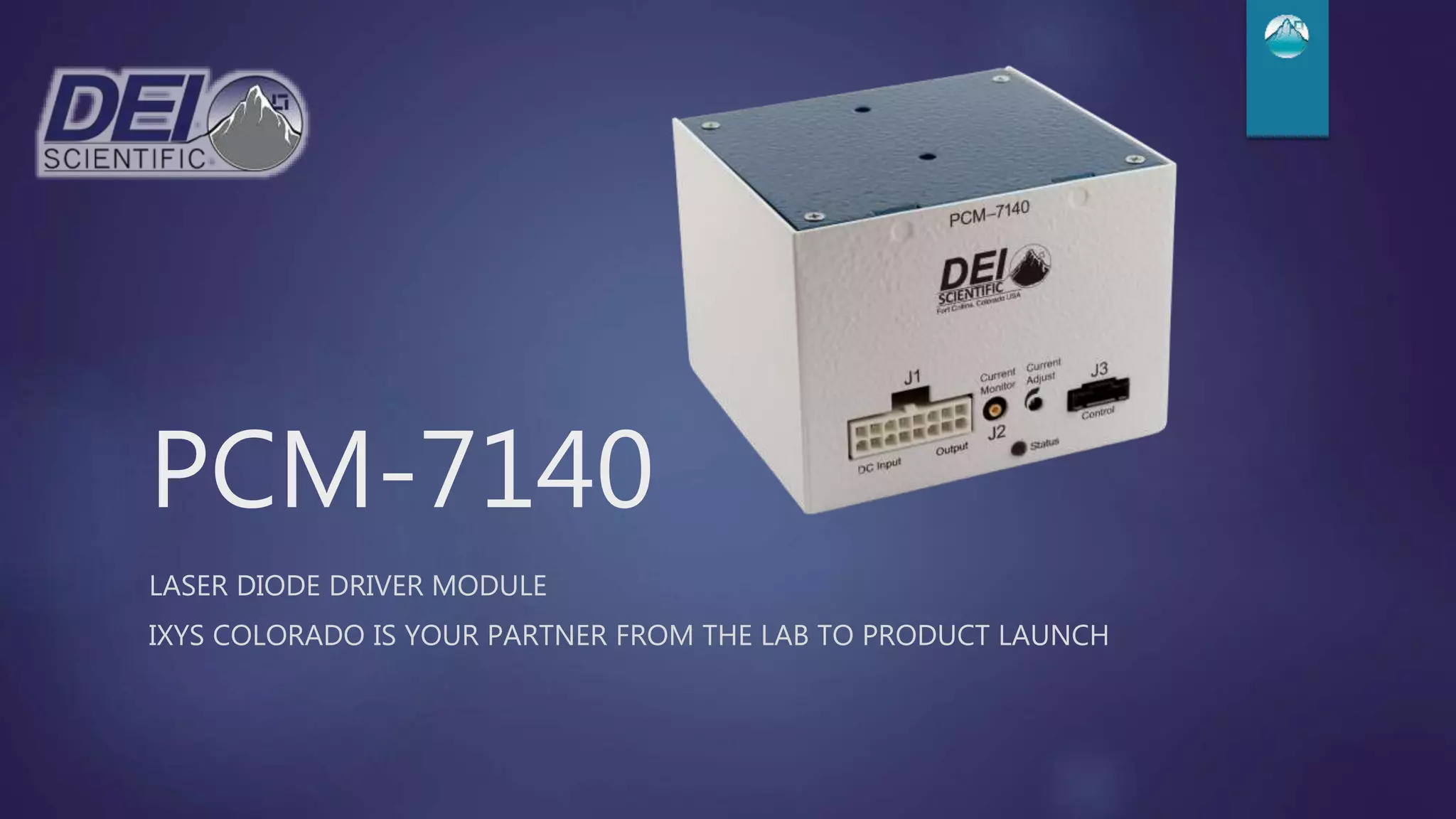
PCM-7140
LASER DIODE DRIVER MODULE
IXYS COLORADO IS YOUR PARTNER FROM THE LAB TO PRODUCT LAUNCH
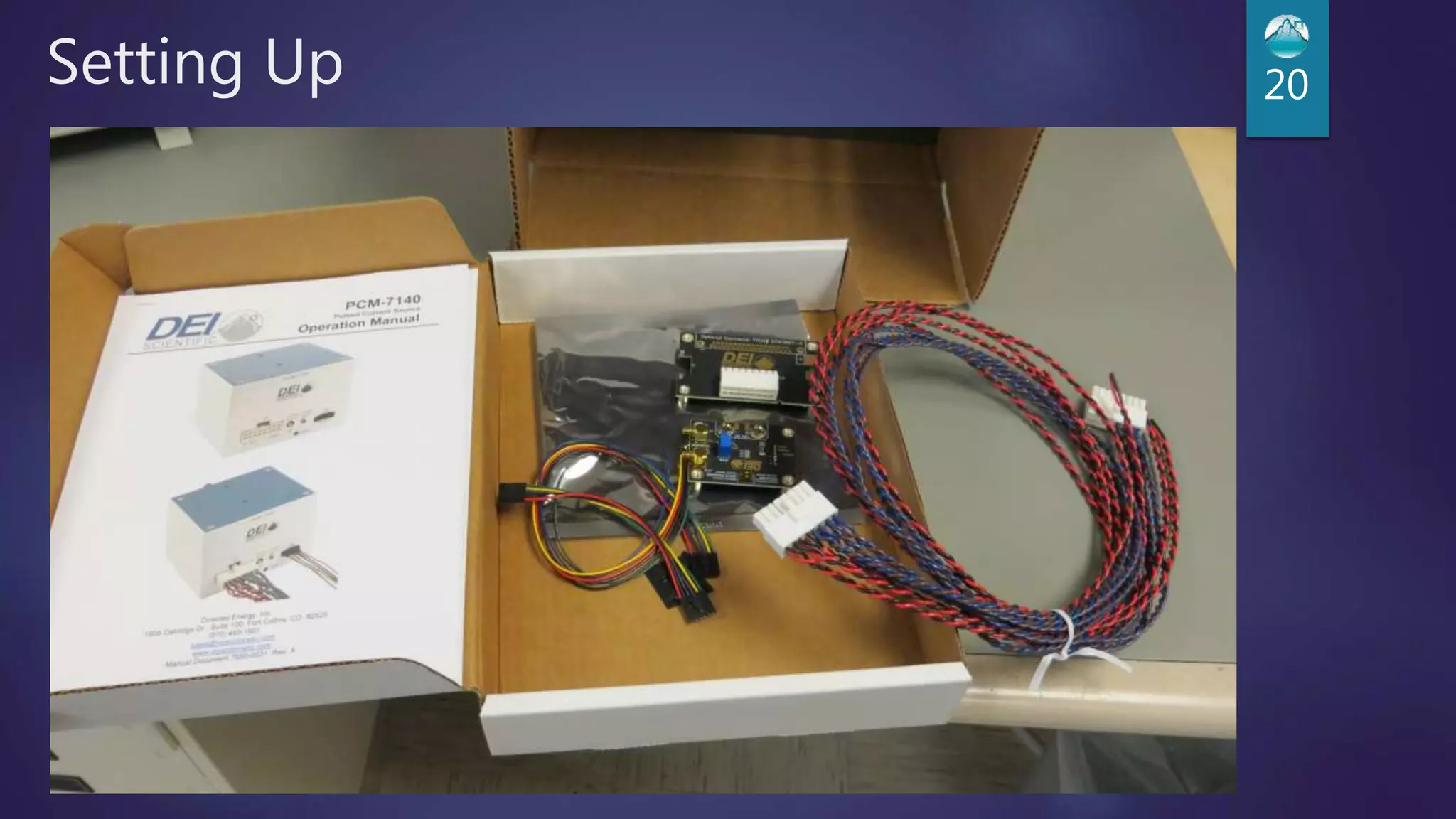
What’s in the Box?
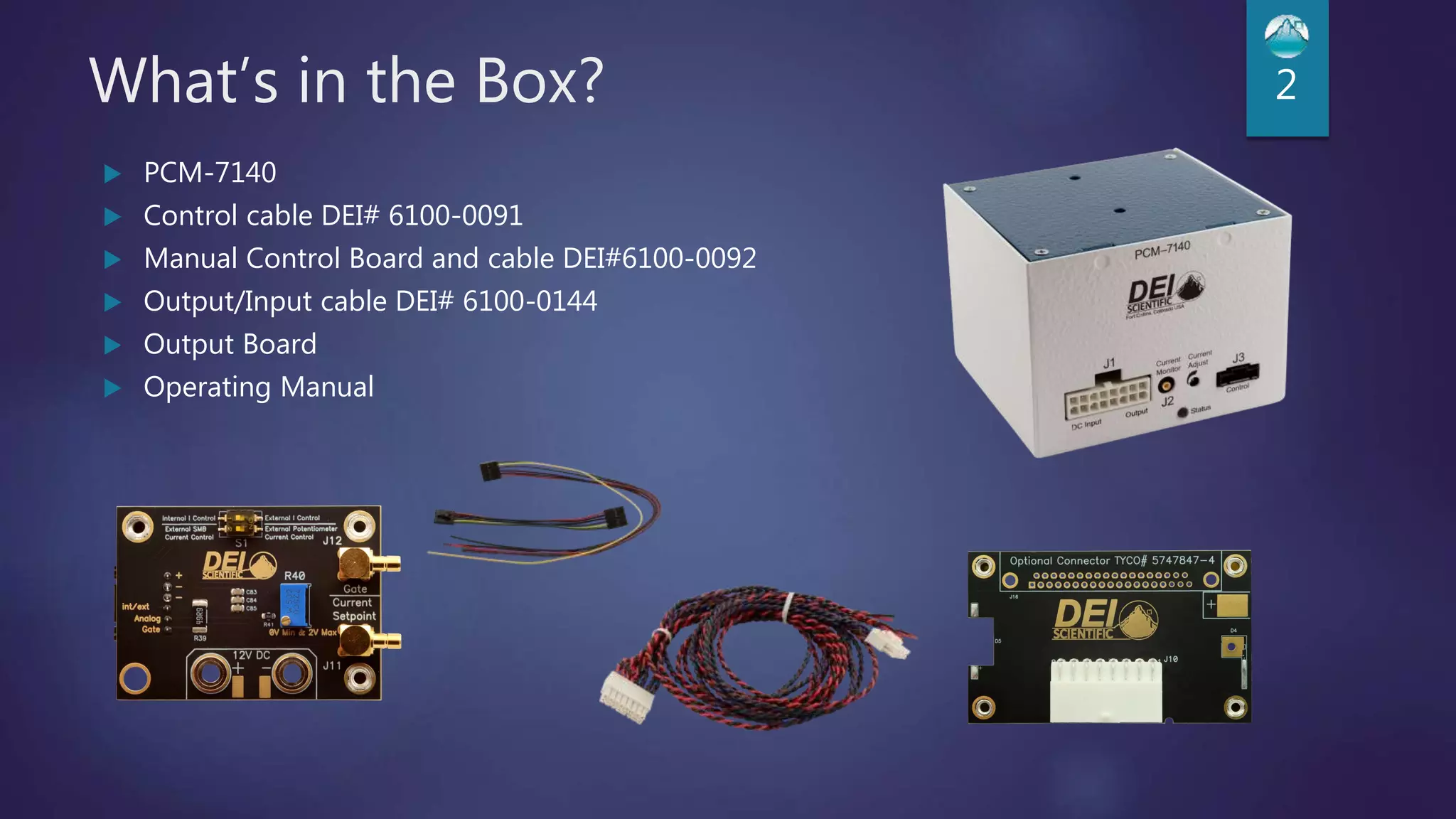
 PCM-7140
 Control cable DEI# 6100-0091
 Manual Control Board and cable DEI#6100-0092
 Output/Input cable DEI# 6100-0144
 Output Board
 Operating Manual
2
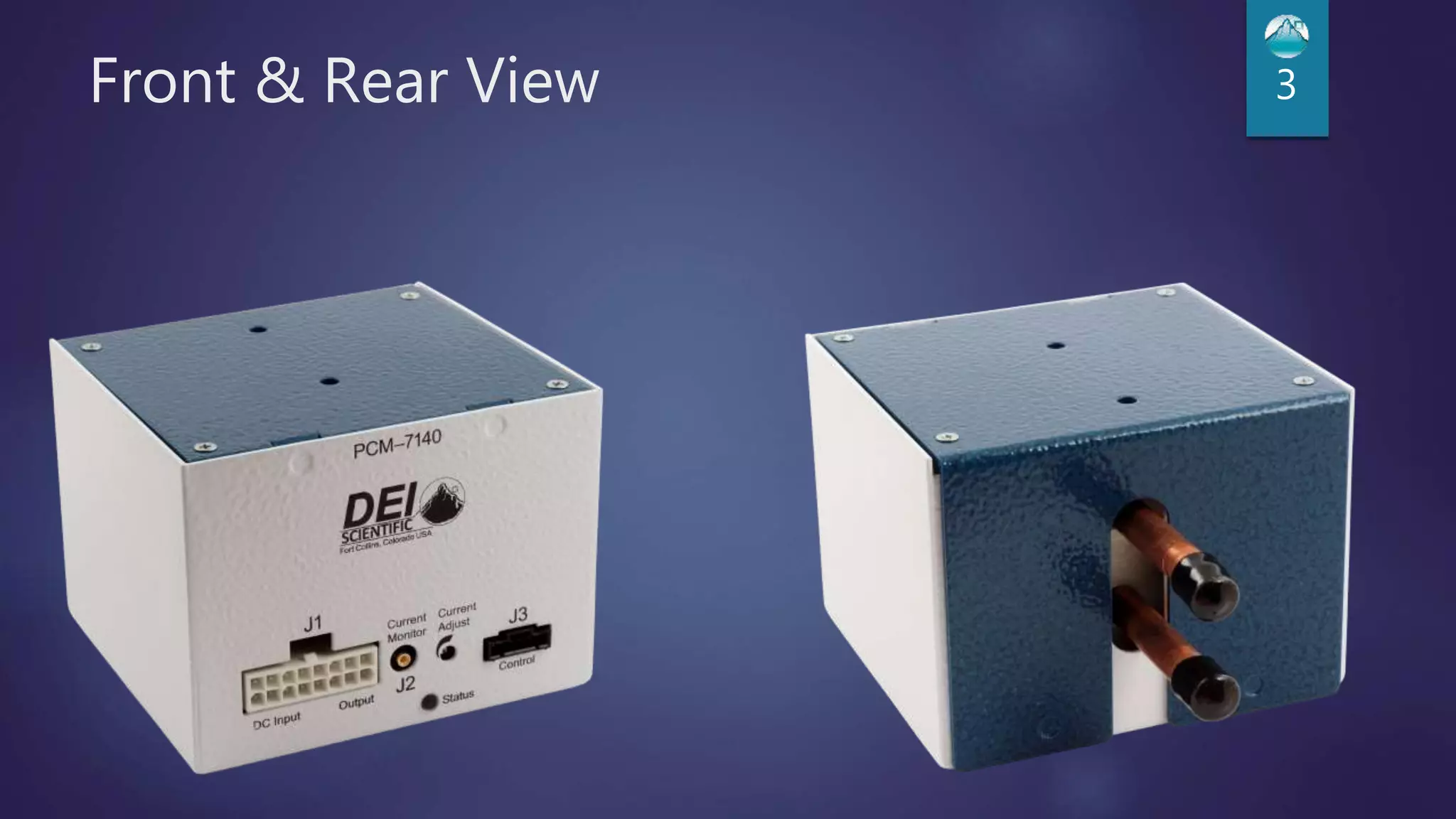
Front & Rear View 3
Available Models
 PCM-7140-200
 Output Current 5A to 200A
 Rise/Fall Time less than 20 µs
 PCM-7140-10
 Output Current 1A to 10A
 Rise/Fall Time less than 12 µs
 PCM-7140-1
 Output Current 0.1A to 1A
 Rise/Fall Time less than 5 µs
4
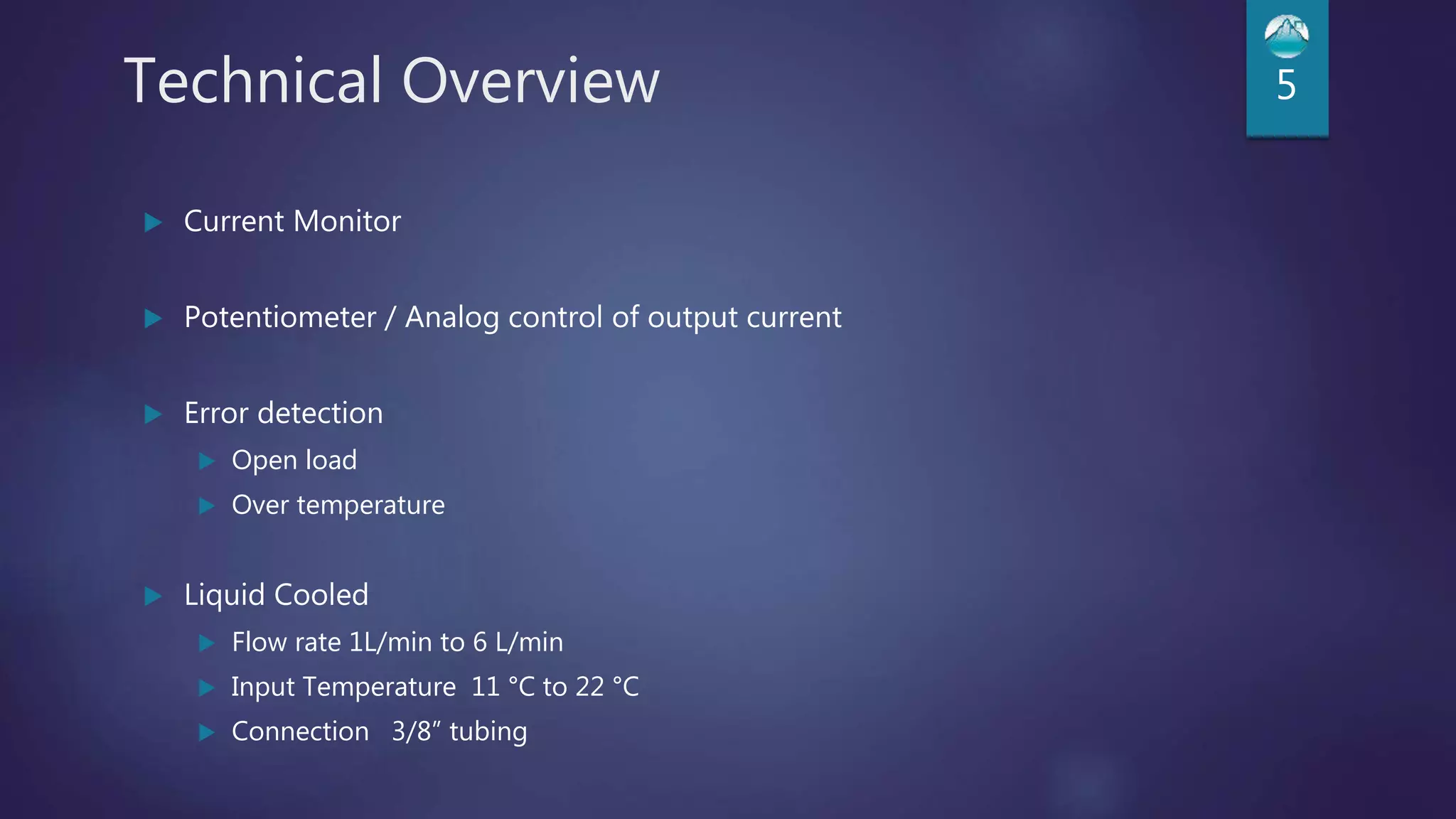
Technical Overview 5
 Current Monitor
 Potentiometer / Analog control of output current
 Error detection
 Open load
 Over temperature
 Liquid Cooled
 Flow rate 1L/min to 6 L/min
 Input Temperature 11 °C to 22 °C
 Connection 3/8” tubing
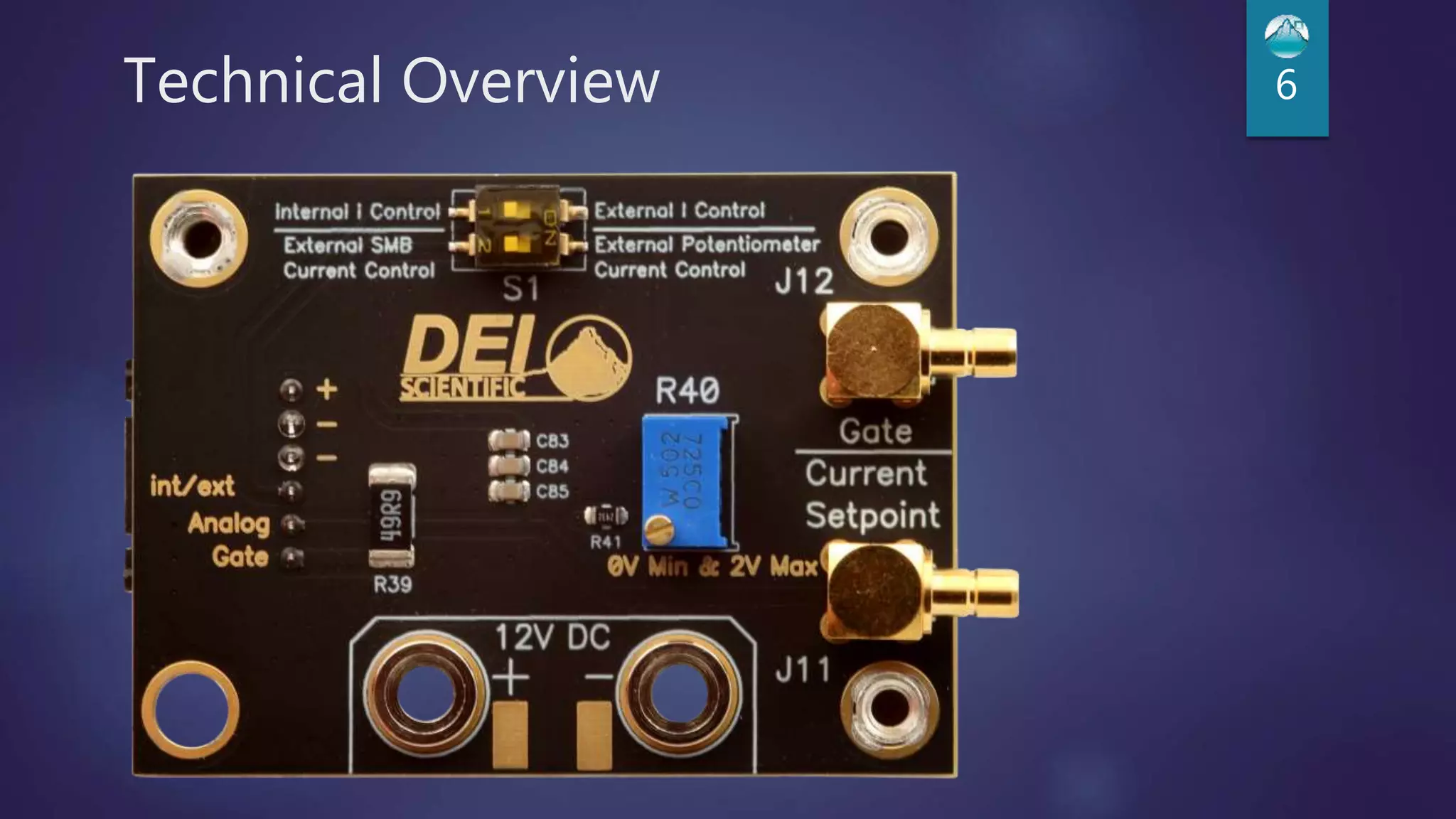
Technical Overview 6
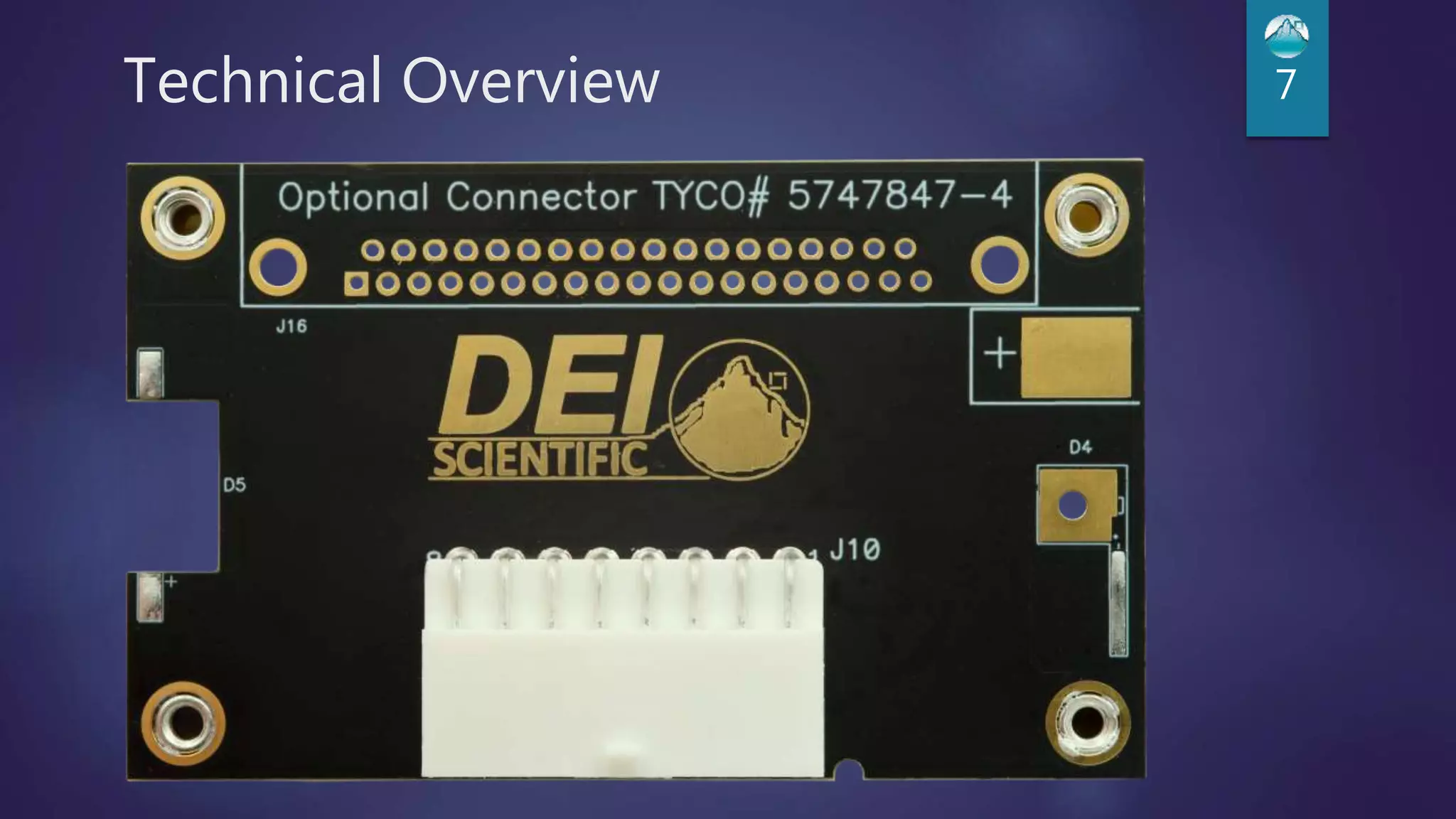
Technical Overview 7
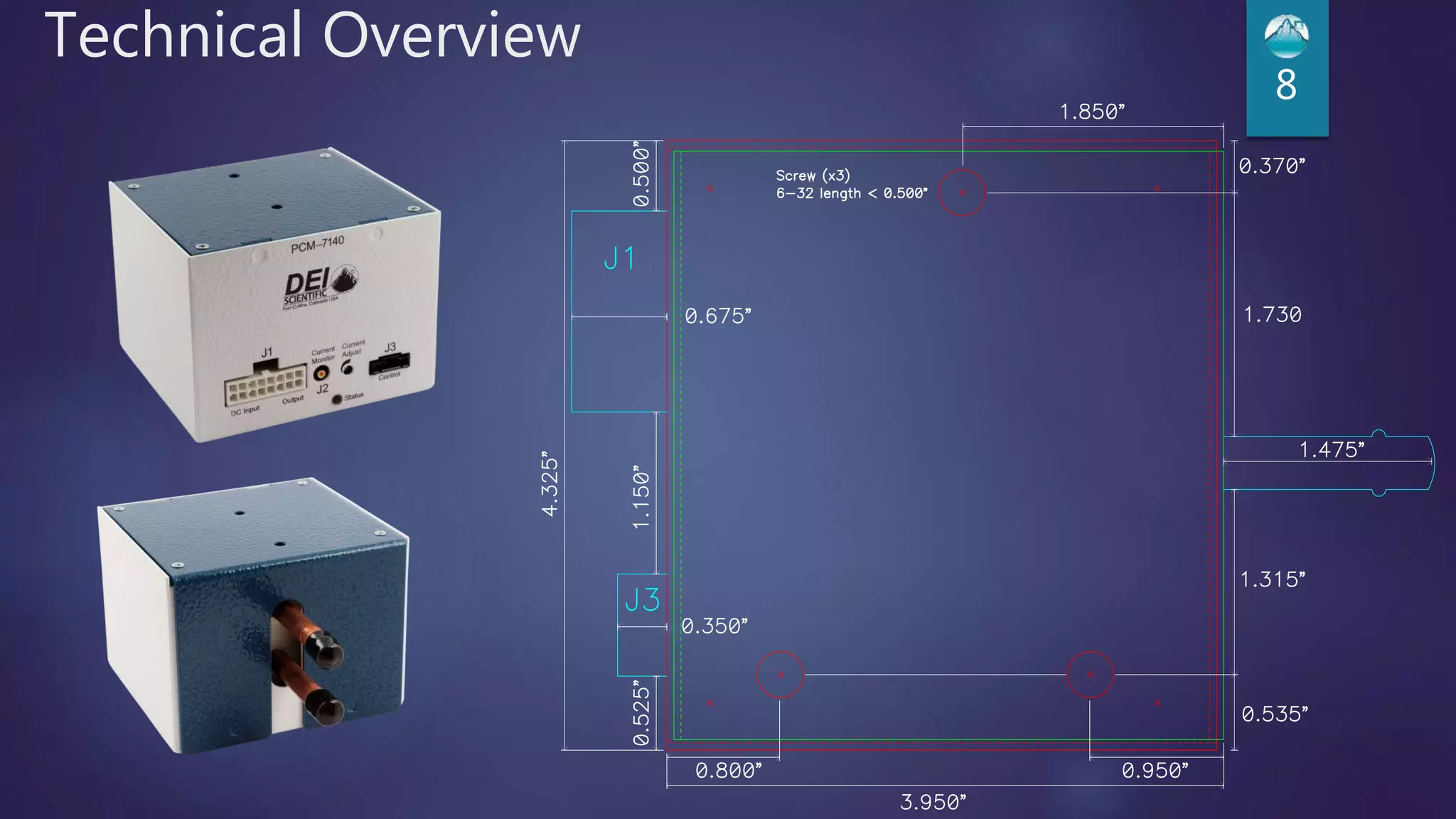
Technical Overview
8
Technical Overview (200A unit) 9
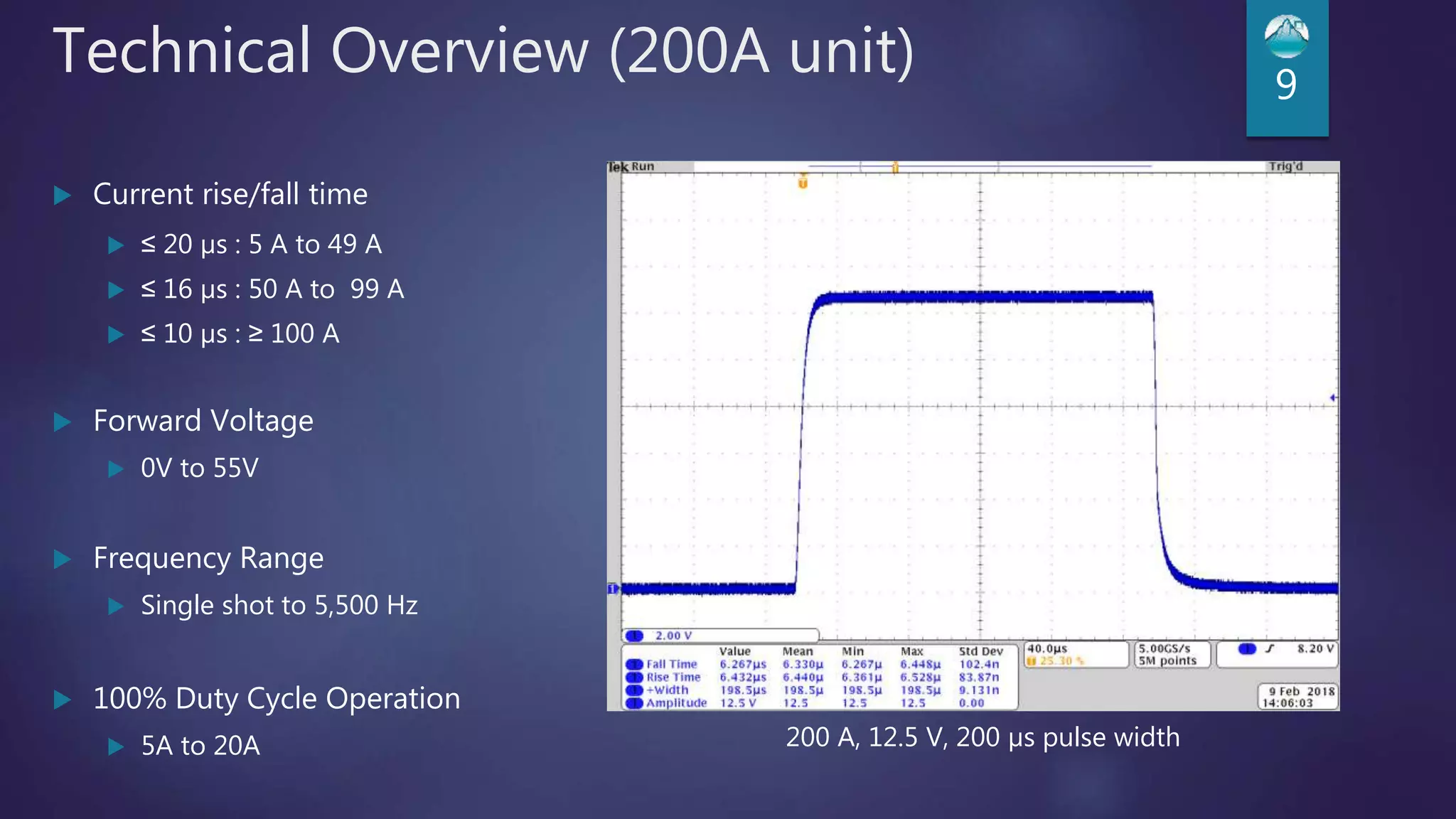
 Current rise/fall time
 ≤ 20 µs : 5 A to 49 A
 ≤ 16 µs : 50 A to 99 A
 ≤ 10 µs : ≥ 100 A
 Forward Voltage
 0V to 55V
 Frequency Range
 Single shot to 5,500 Hz
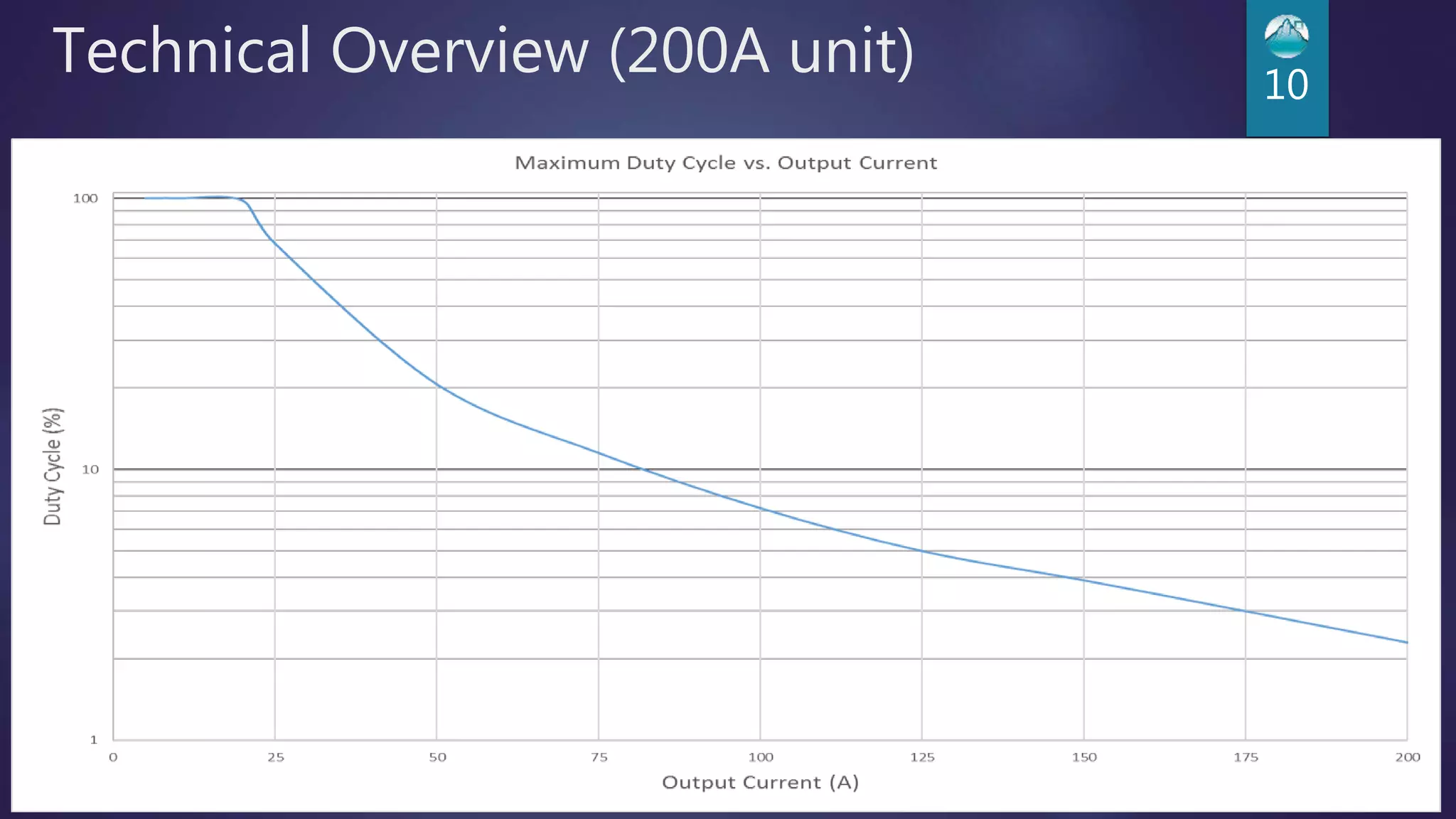
 100% Duty Cycle Operation
 5A to 20A 200 A, 12.5 V, 200 µs pulse width
Technical Overview (200A unit) 10
Technical Overview (200A unit) 11
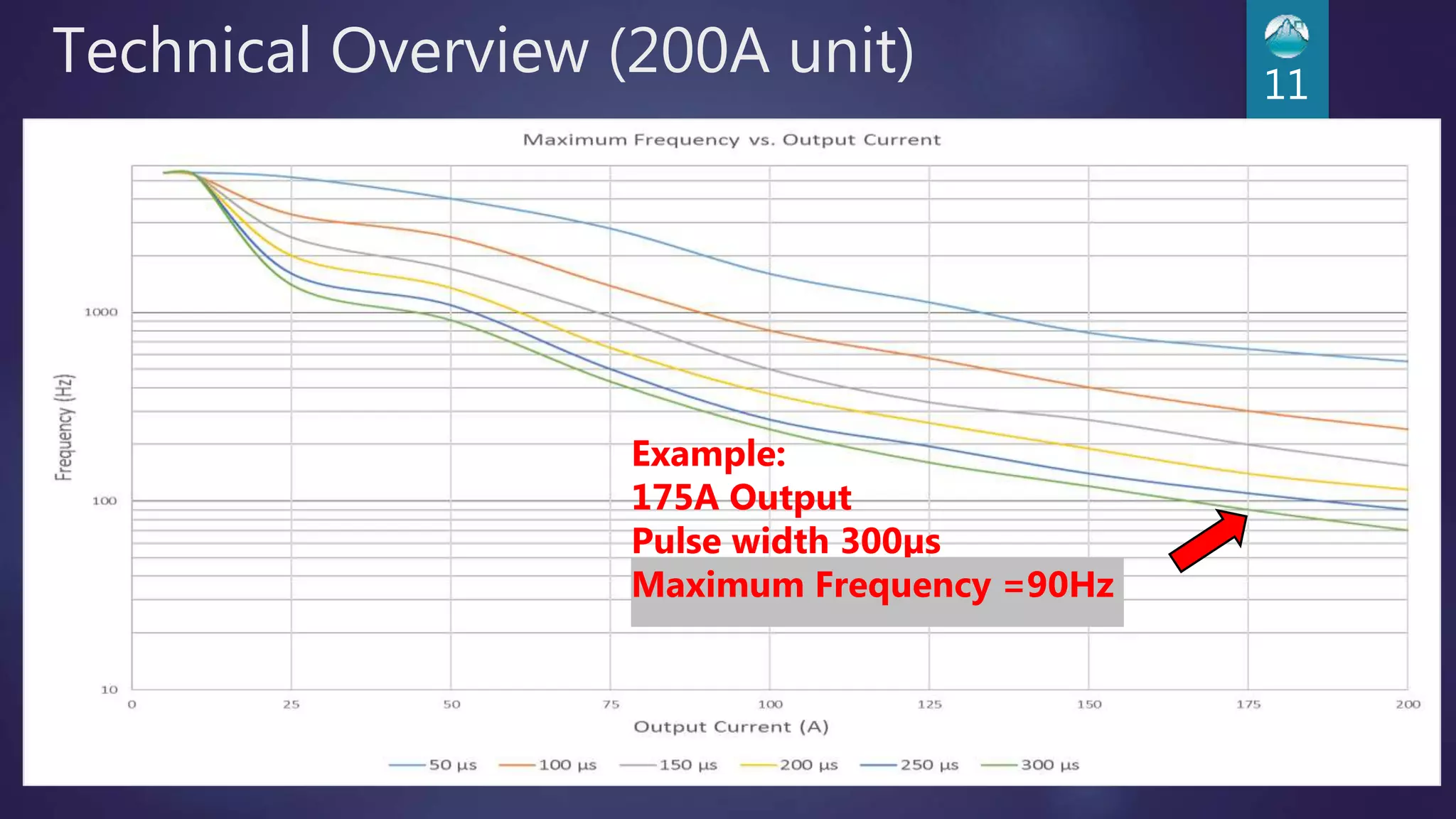
Example:
175A Output
Pulse width 300µs
Maximum Frequency =90Hz
Technical Overview (200A unit) 12
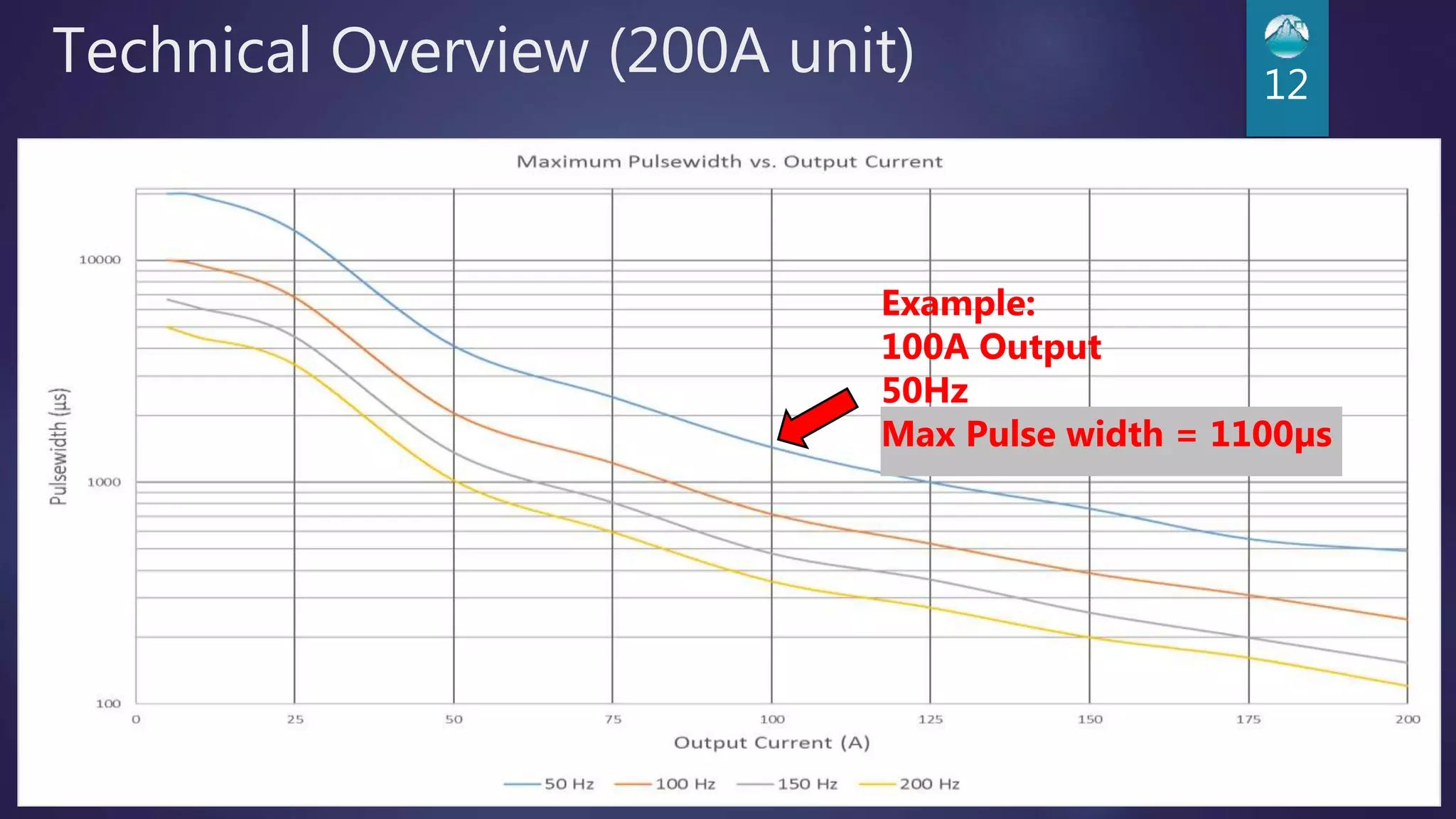
Example:
100A Output
50Hz
Max Pulse width = 1100µs
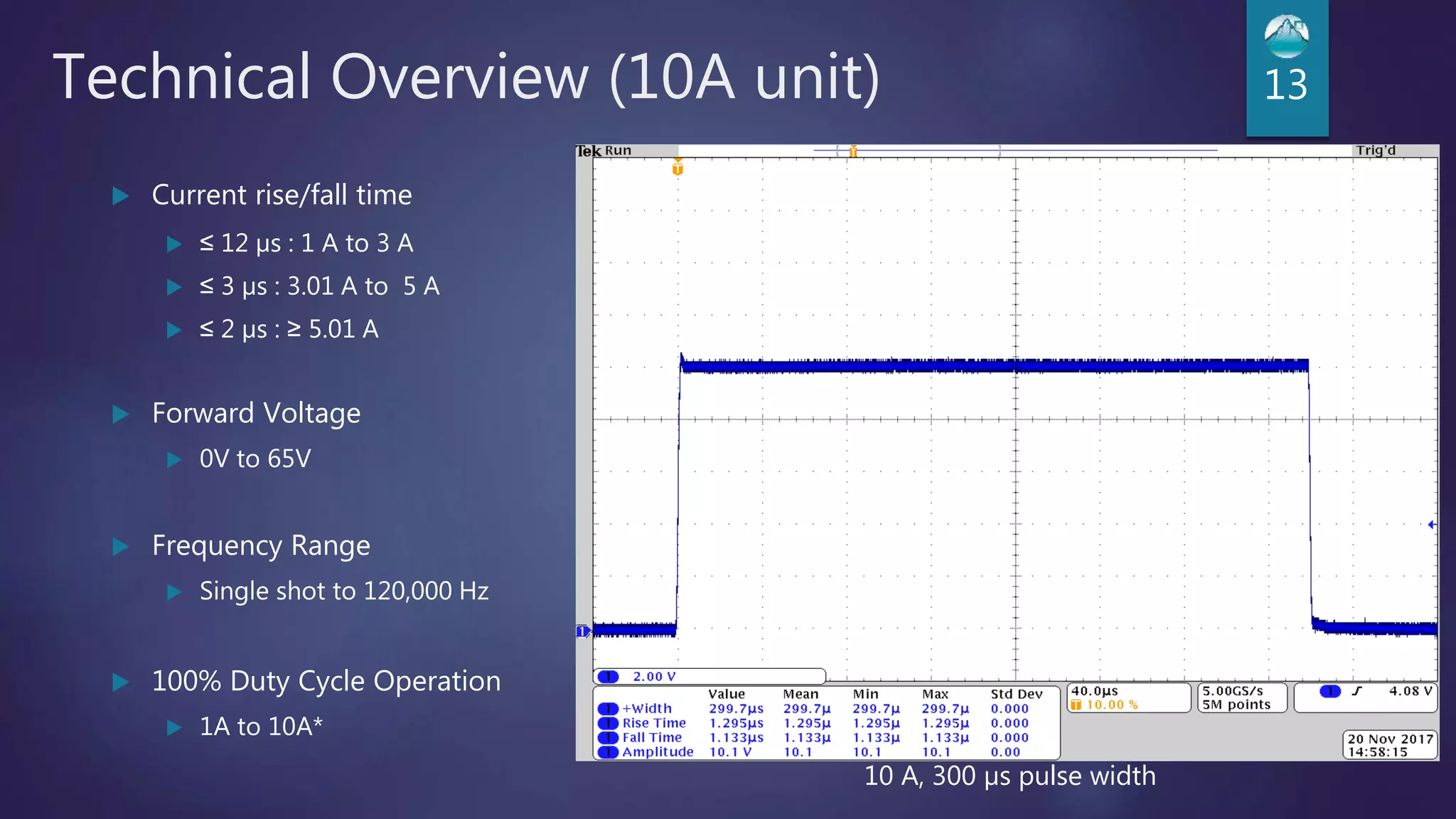
Technical Overview (10A unit) 13
 Current rise/fall time
 ≤ 12 µs : 1 A to 3 A
 ≤ 3 µs : 3.01 A to 5 A
 ≤ 2 µs : ≥ 5.01 A
 Forward Voltage
 0V to 65V
 Frequency Range
 Single shot to 120,000 Hz
 100% Duty Cycle Operation
 1A to 10A*
10 A, 300 µs pulse width
Technical Overview (10A unit) 14
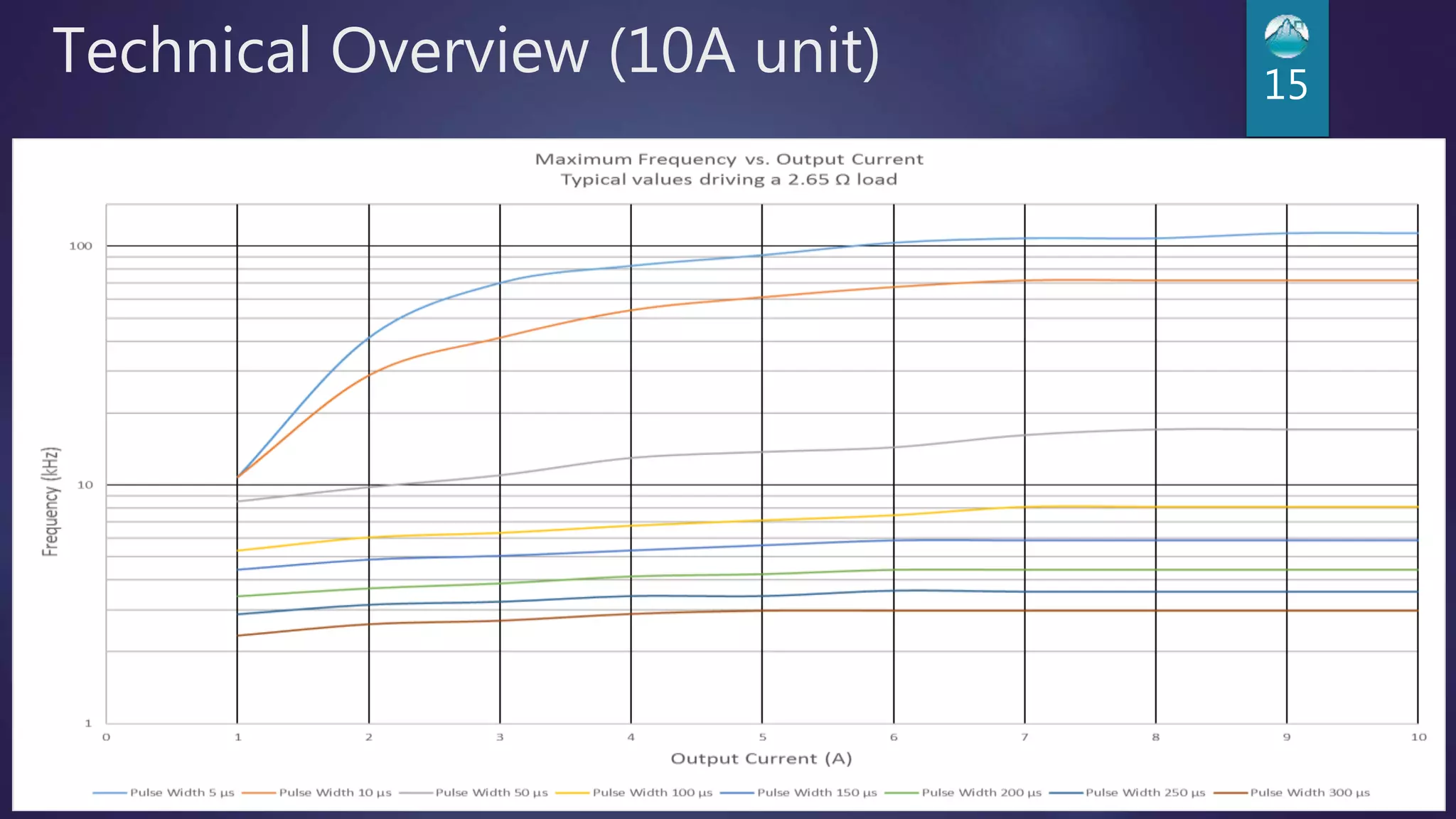
Technical Overview (10A unit) 15
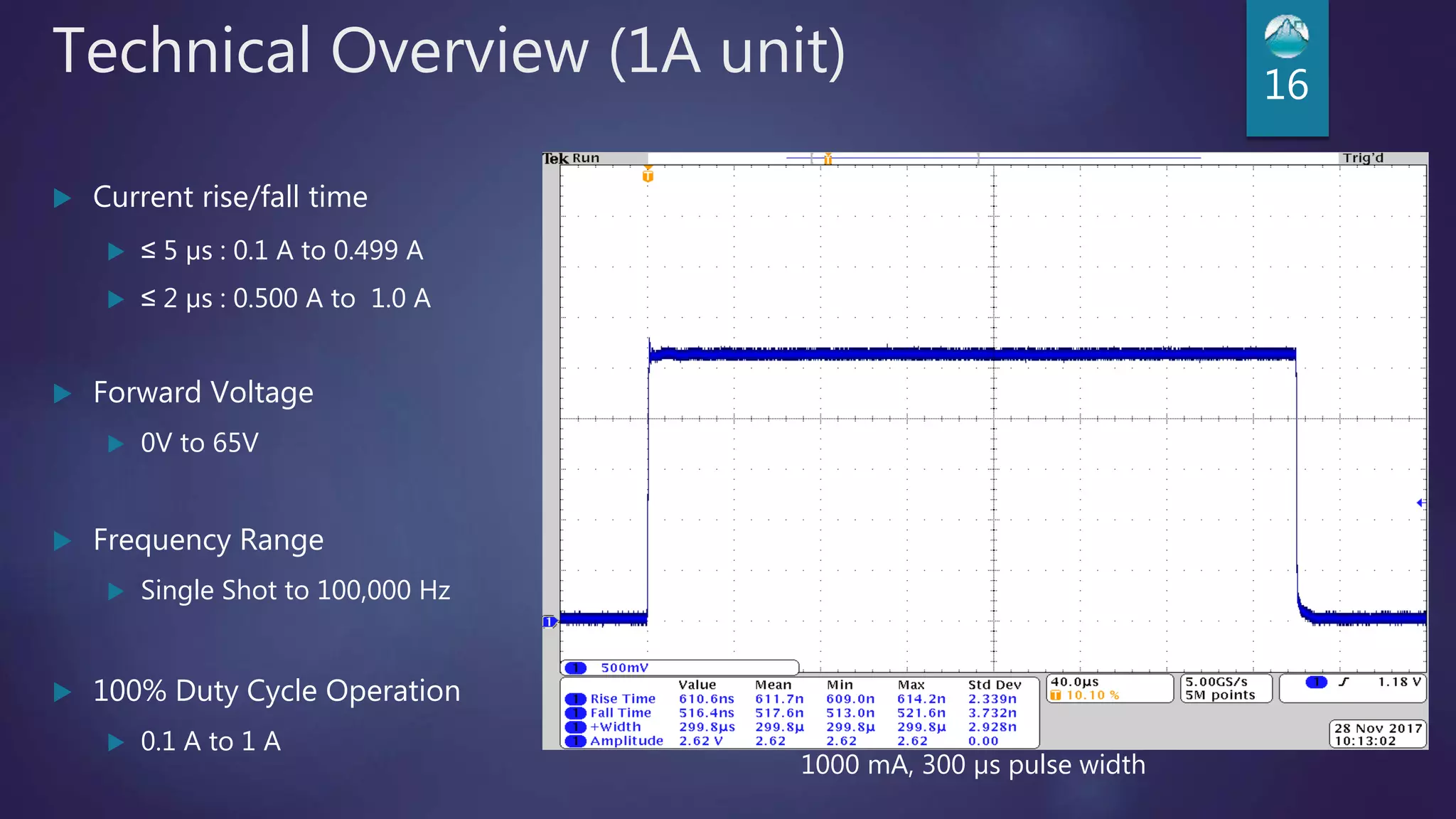
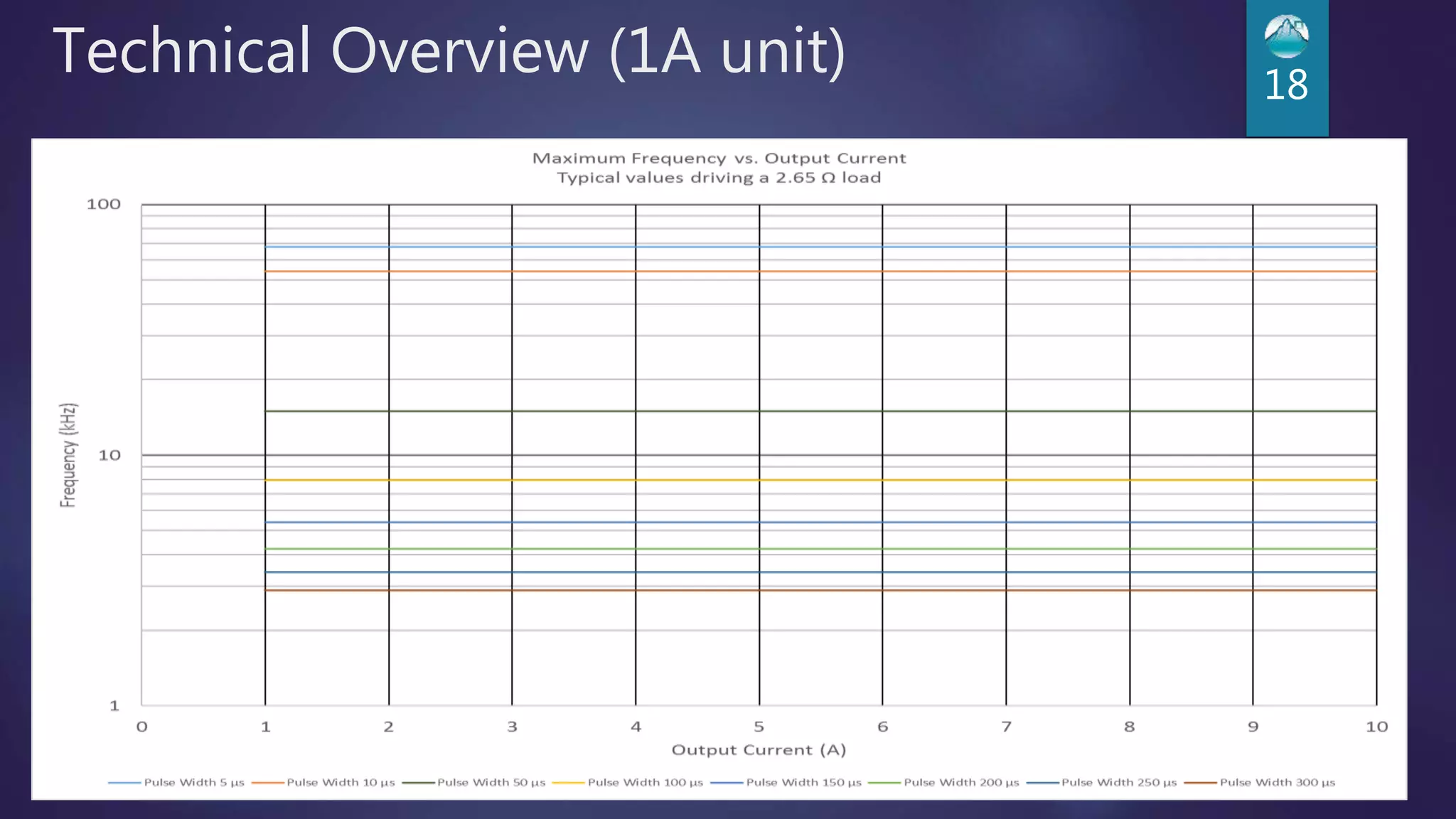
Technical Overview (1A unit) 16
 Current rise/fall time
 ≤ 5 µs : 0.1 A to 0.499 A
 ≤ 2 µs : 0.500 A to 1.0 A
 Forward Voltage
 0V to 65V
 Frequency Range
 Single Shot to 100,000 Hz
 100% Duty Cycle Operation
 0.1 A to 1 A
1000 mA, 300 µs pulse width
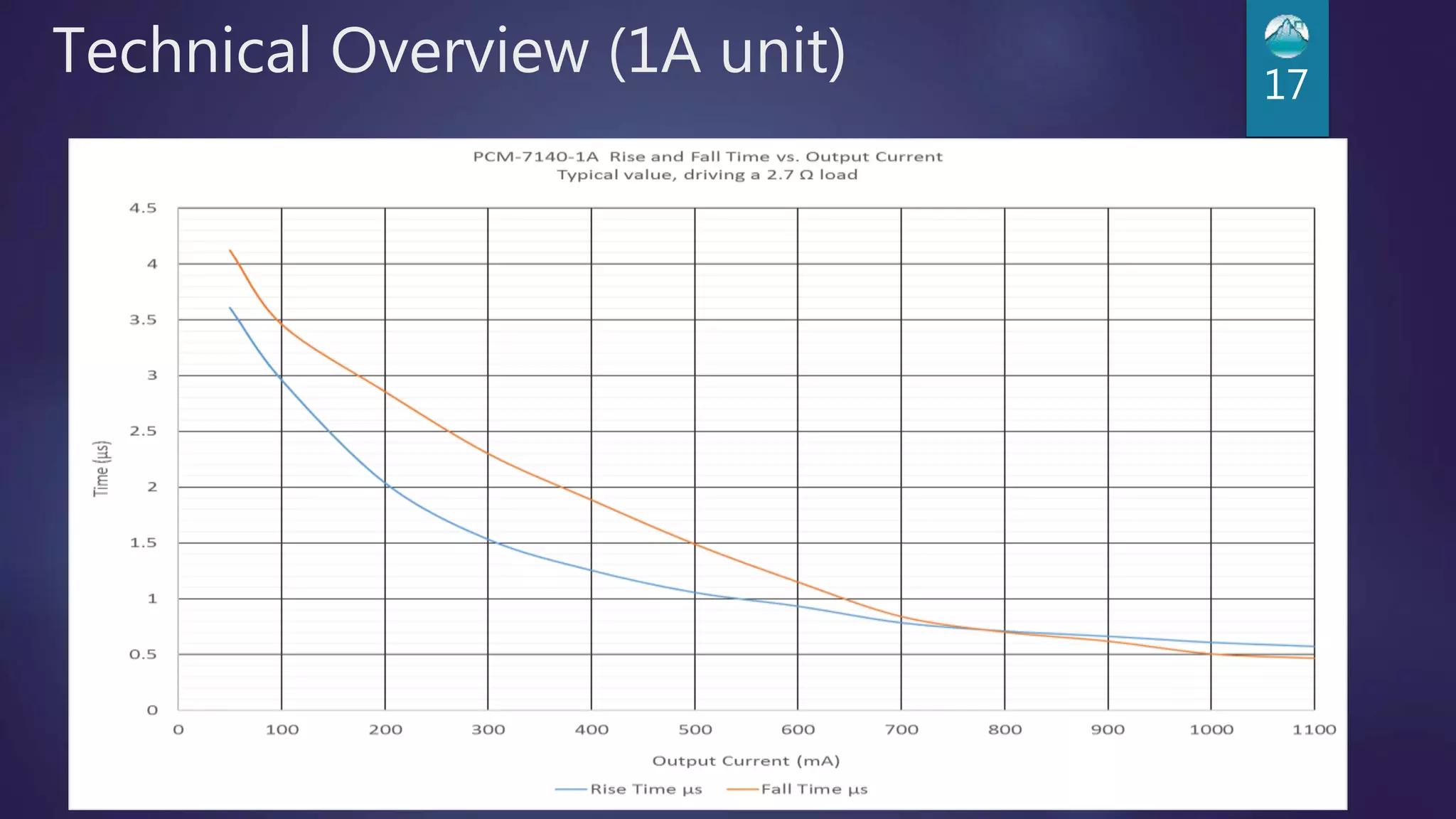
Technical Overview (1A unit) 17
Technical Overview (1A unit) 18
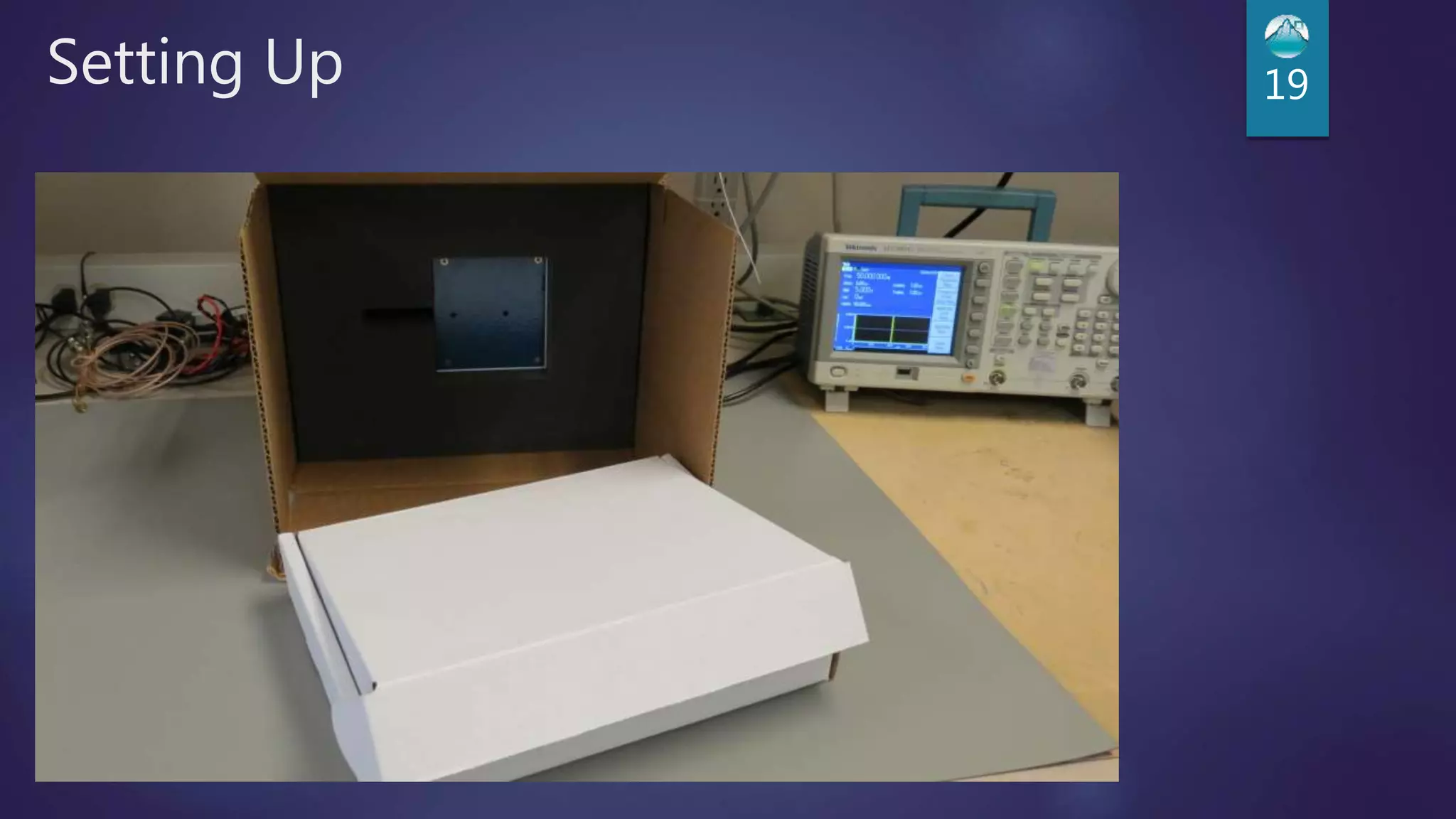
Setting Up 19
Setting Up 20
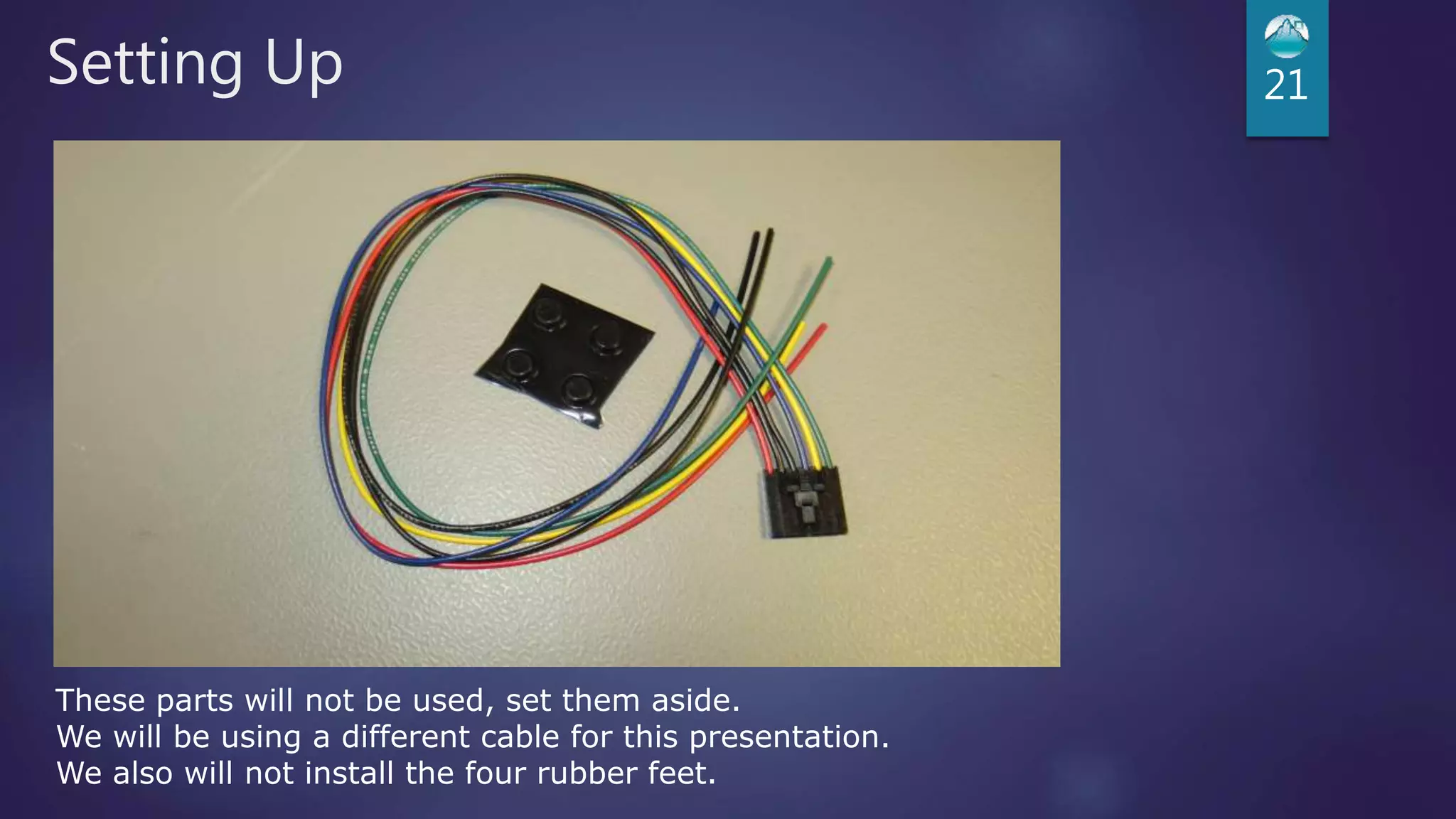
Setting Up 21
These parts will not be used, set them aside.
We will be using a different cable for this presentation.
We also will not install the four rubber feet.
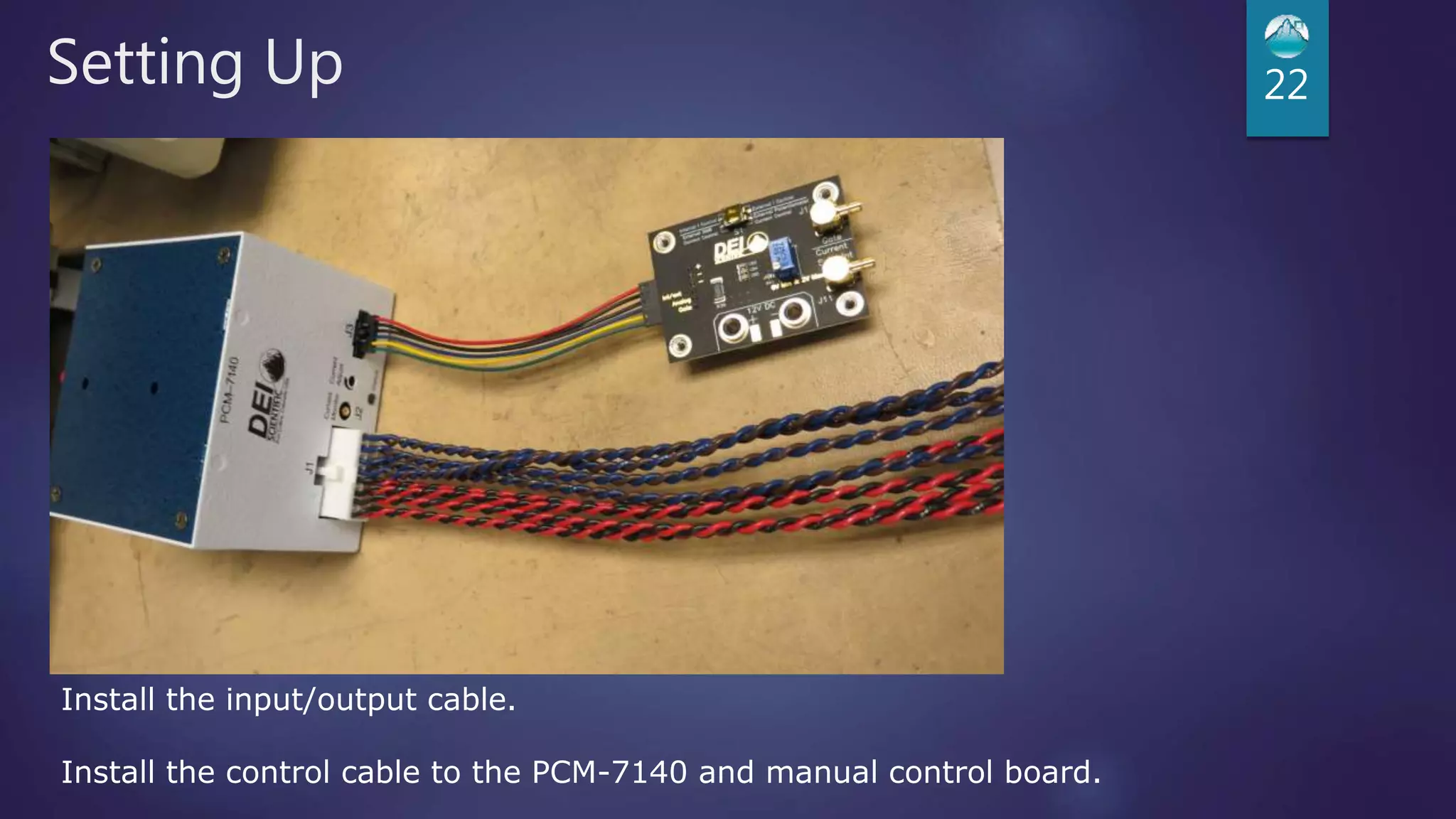
Setting Up 22
Install the input/output cable.
Install the control cable to the PCM-7140 and manual control board.
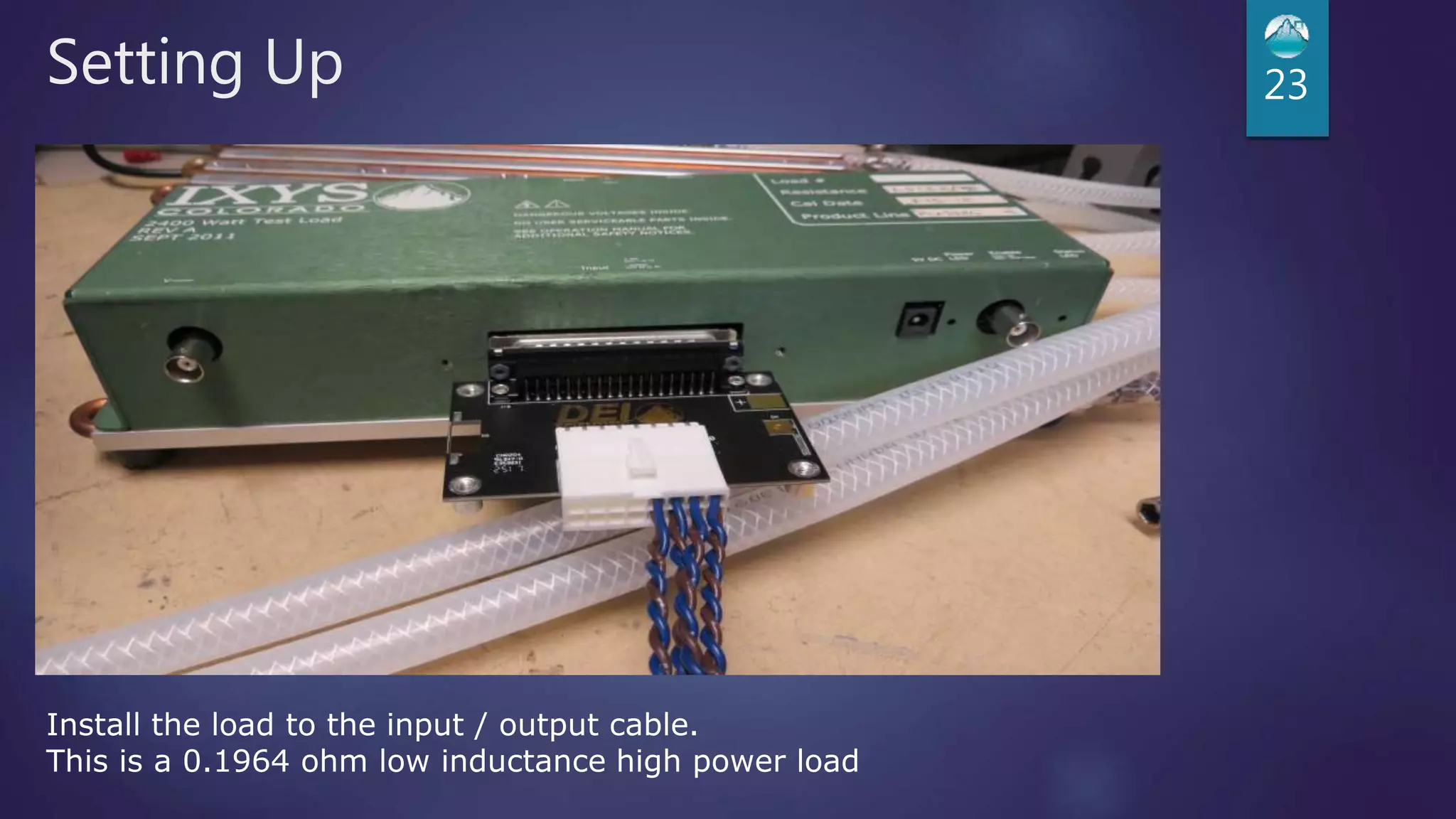
Setting Up 23
Install the load to the input / output cable.
This is a 0.1964 ohm low inductance high power load
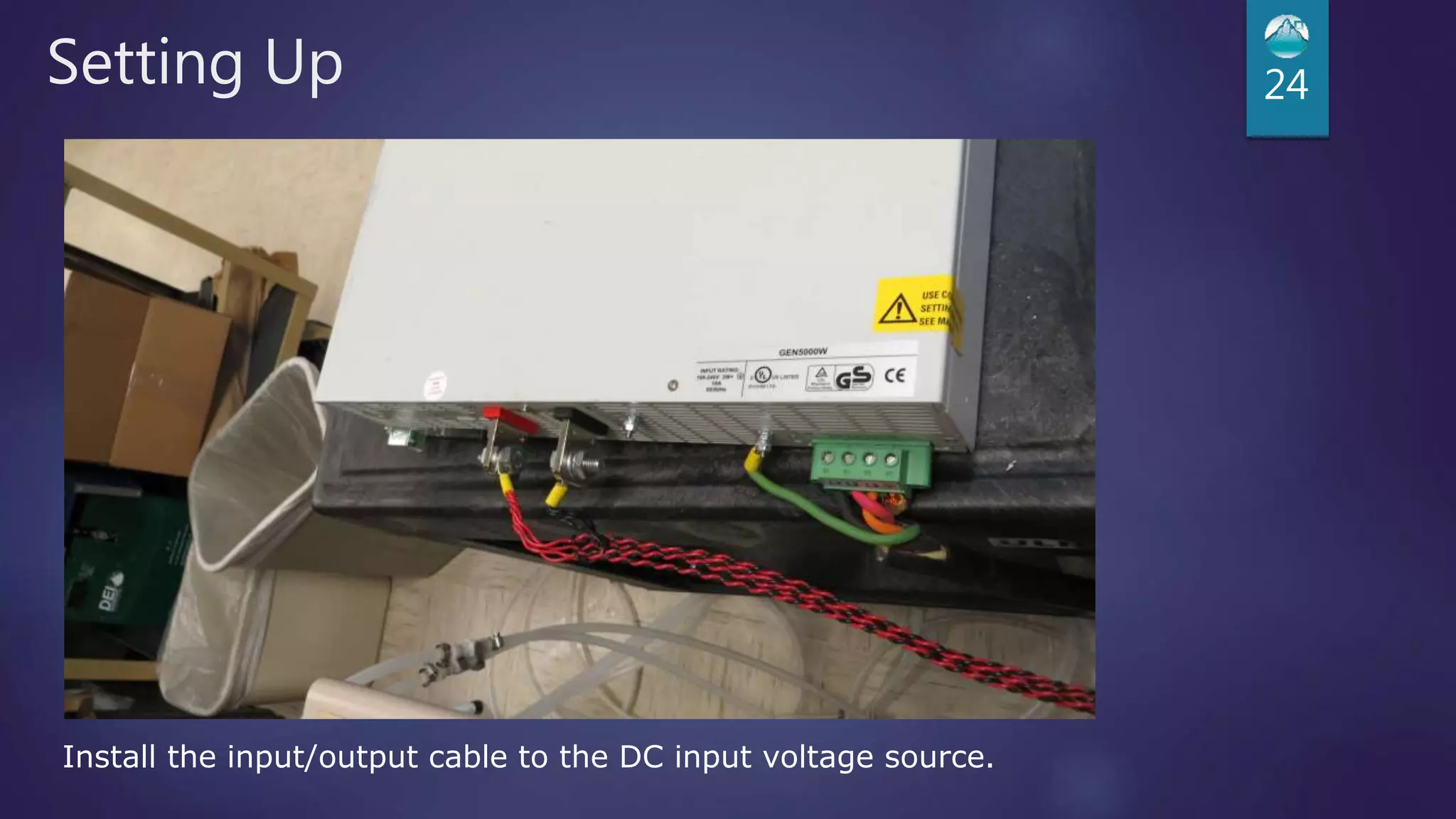
Setting Up 24
Install the input/output cable to the DC input voltage source.
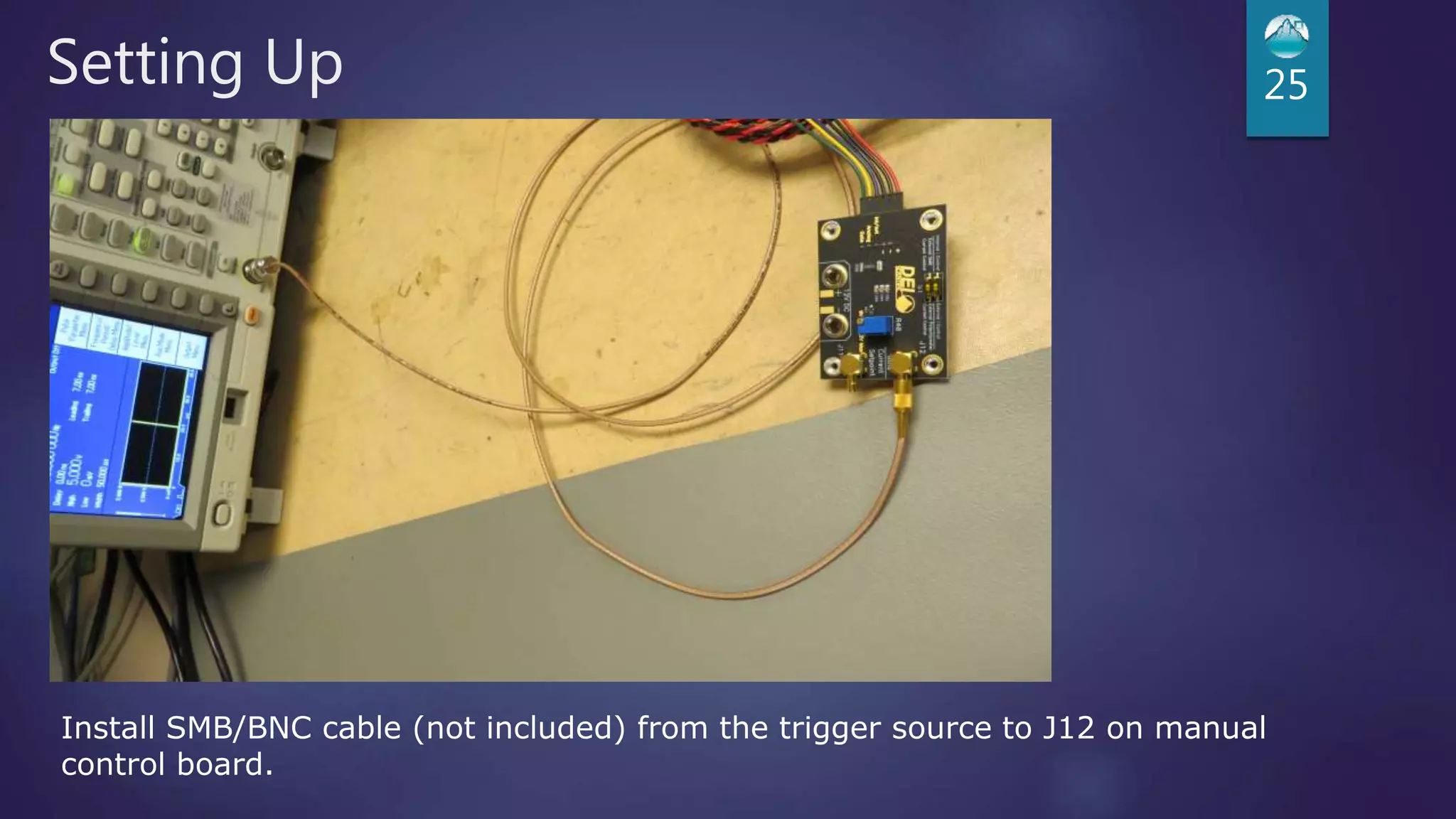
Setting Up 25
Install SMB/BNC cable (not included) from the trigger source to J12 on manual
control board.
Setting Up 26
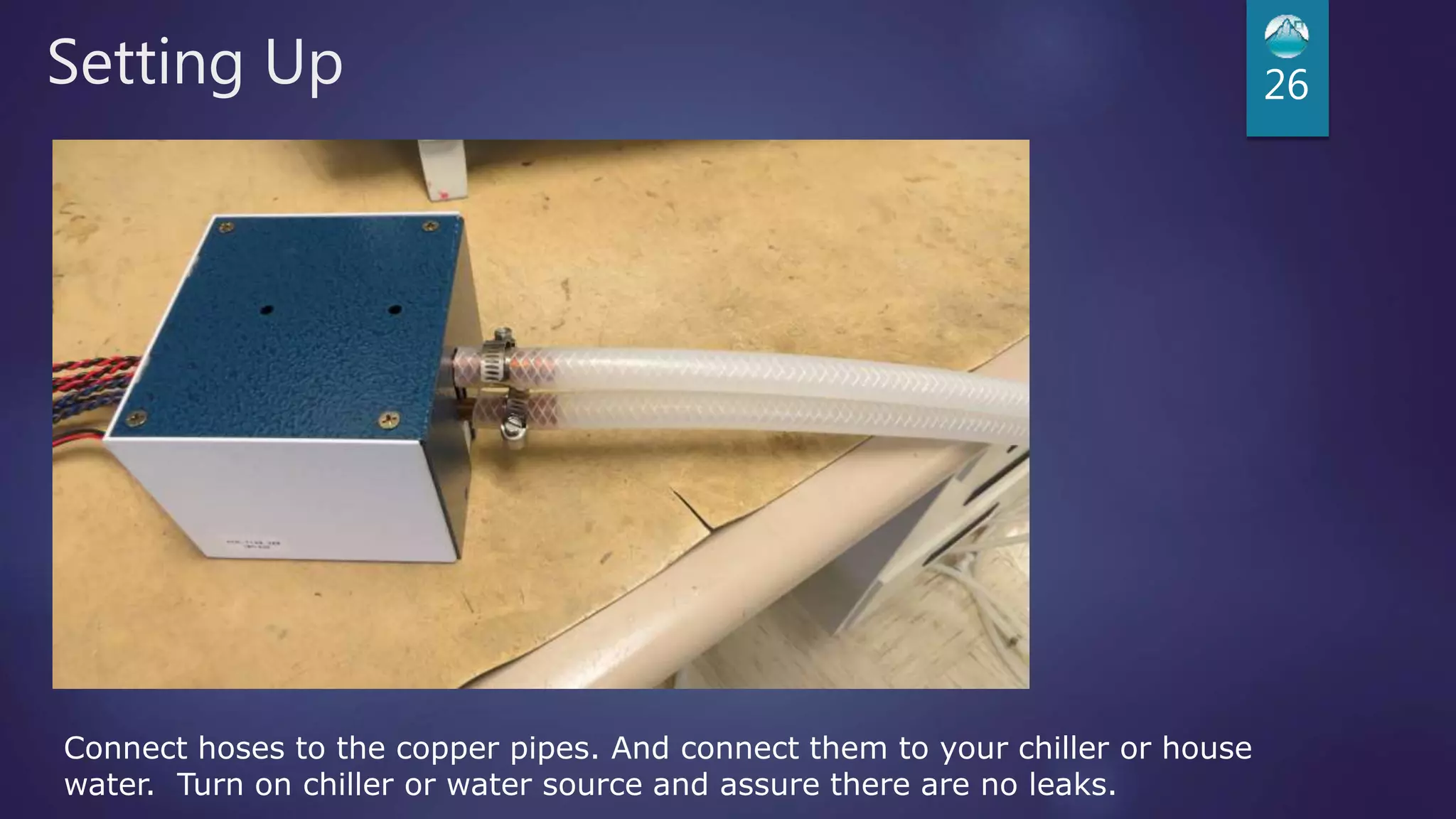
Connect hoses to the copper pipes. And connect them to your chiller or house
water. Turn on chiller or water source and assure there are no leaks.
Setting Up 27
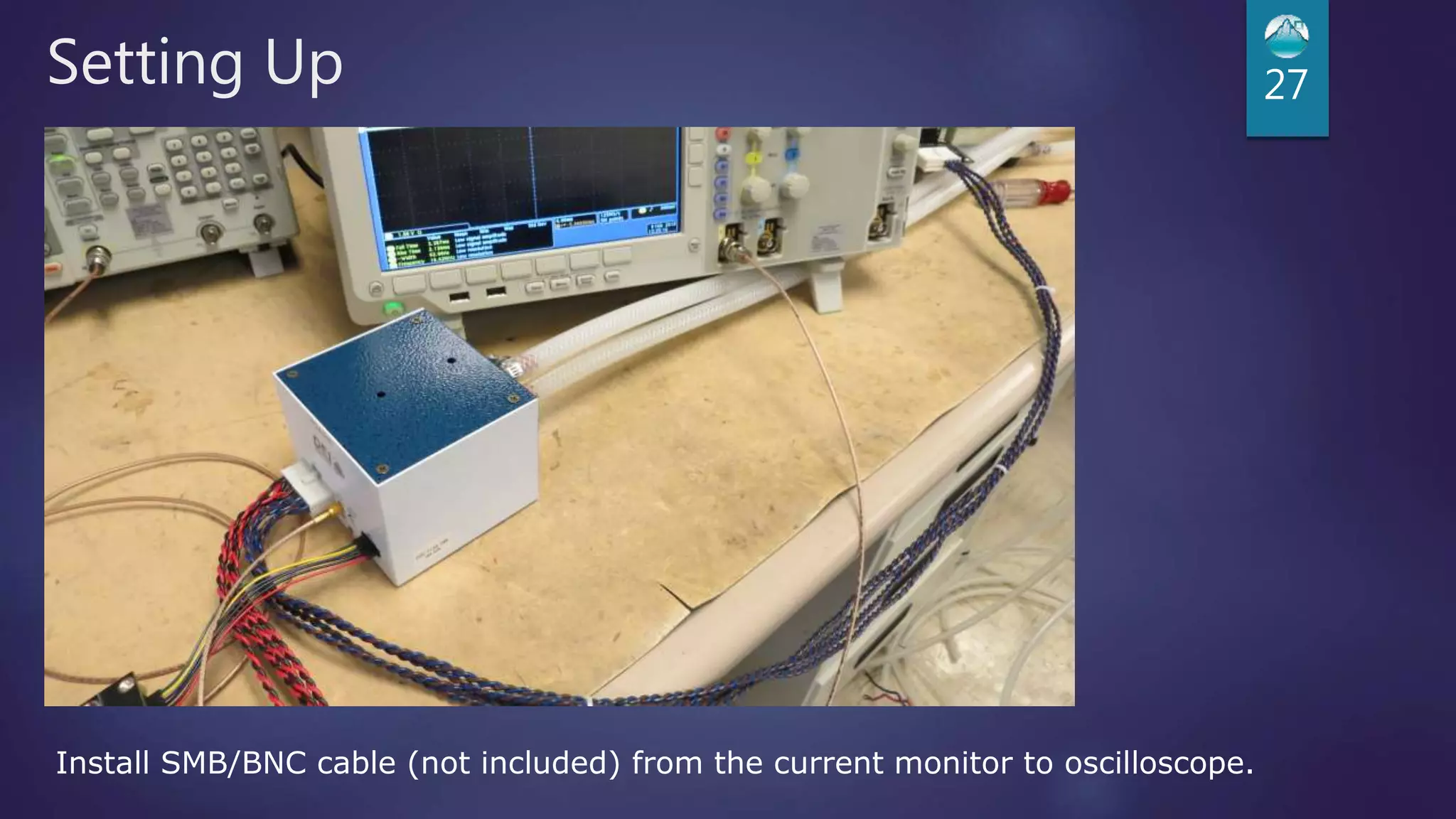
Install SMB/BNC cable (not included) from the current monitor to oscilloscope.
Setting Up 28
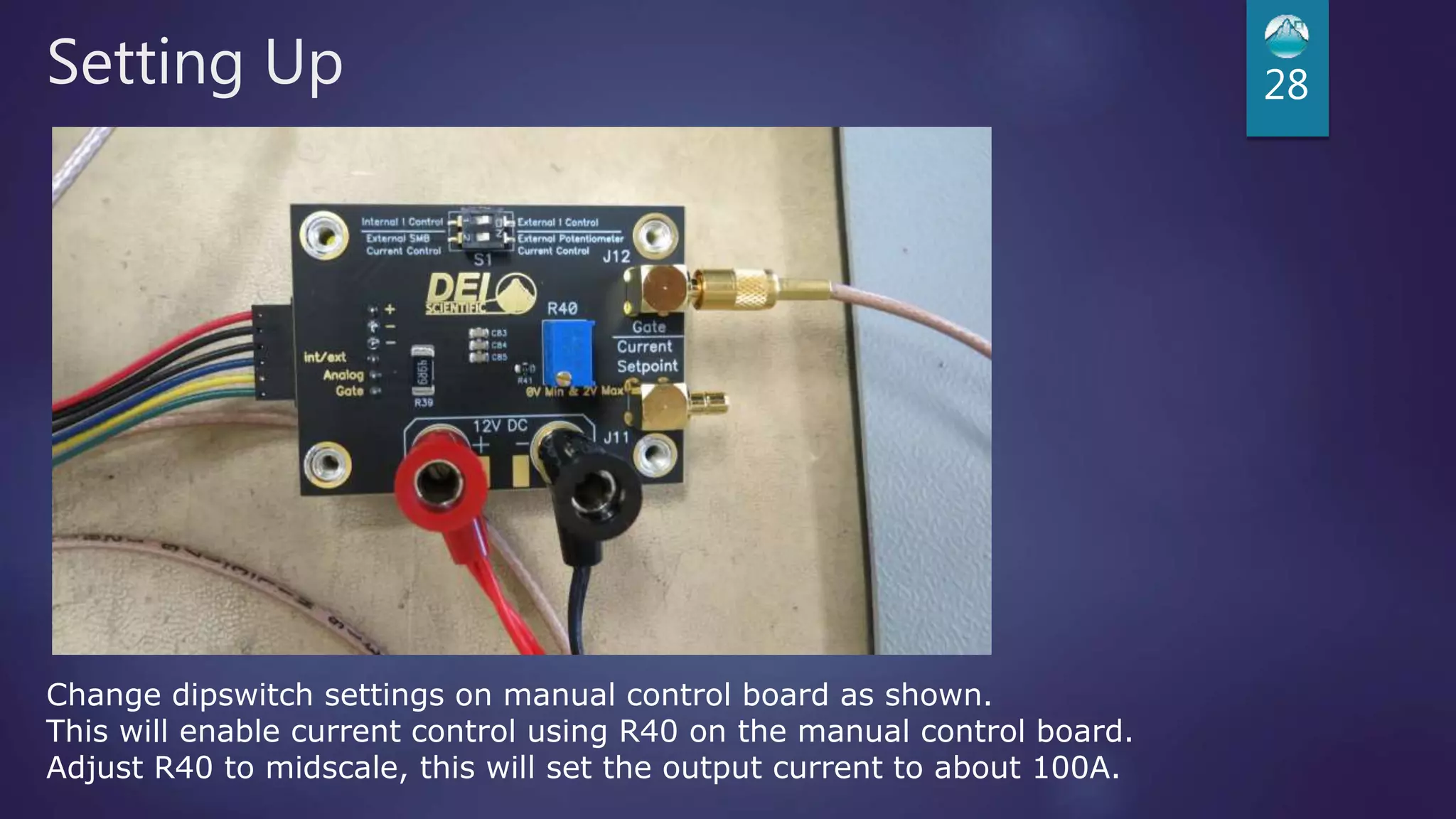
Change dipswitch settings on manual control board as shown.
This will enable current control using R40 on the manual control board.
Adjust R40 to midscale, this will set the output current to about 100A.
Setting Up 29
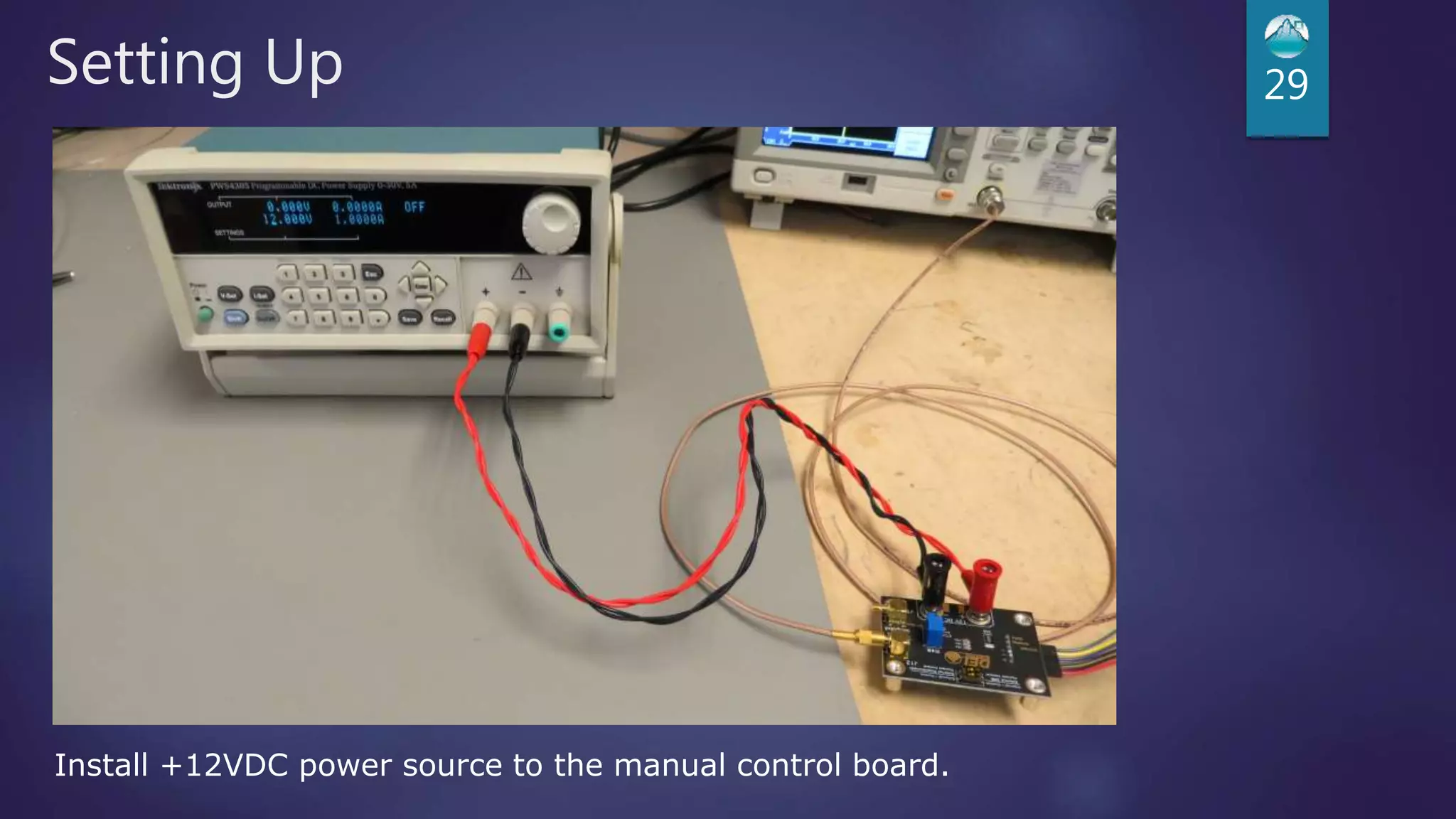
Install +12VDC power source to the manual control board.
Setting Up 30
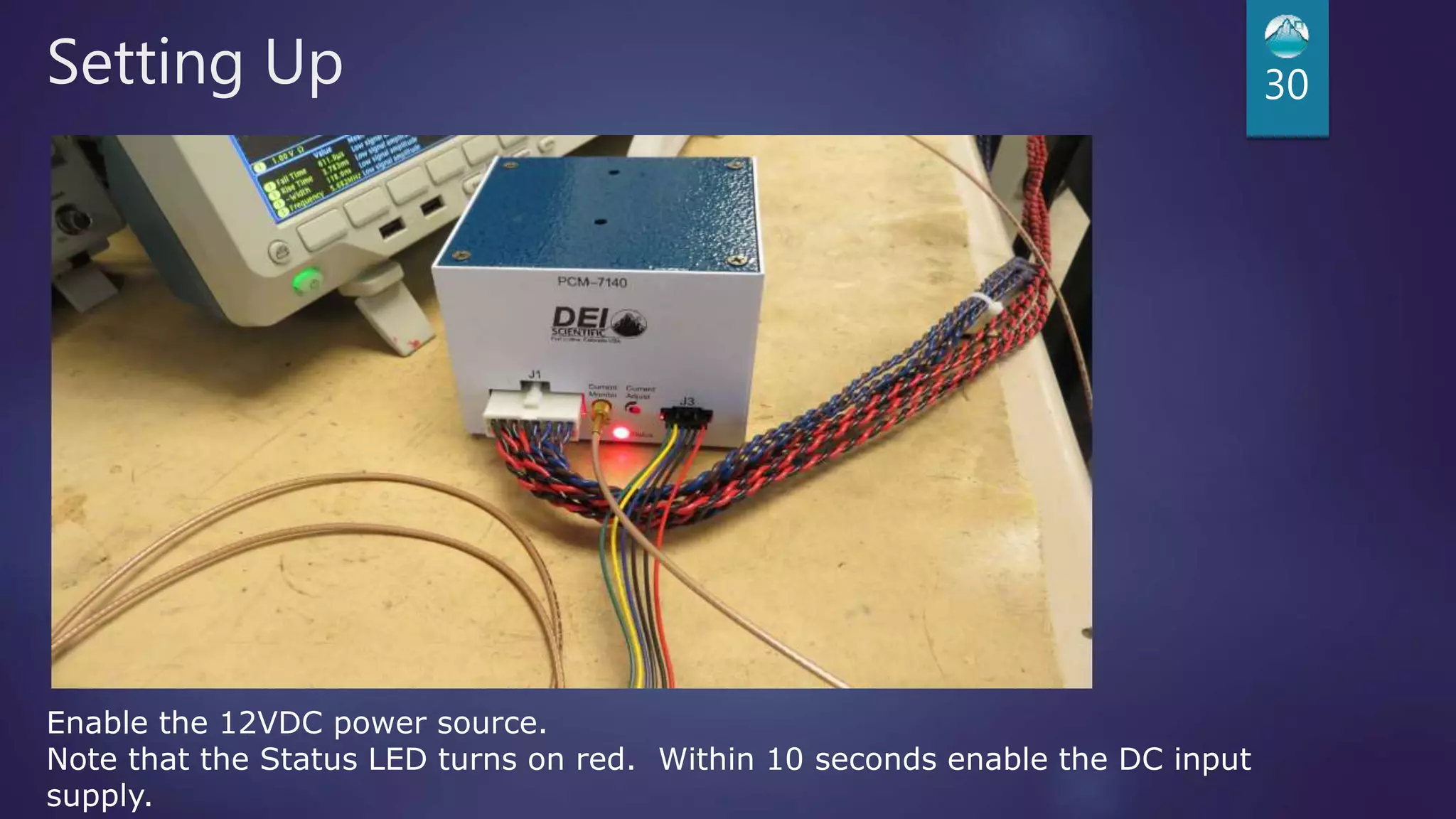
Enable the 12VDC power source.
Note that the Status LED turns on red. Within 10 seconds enable the DC input
supply.
Setting Up 31
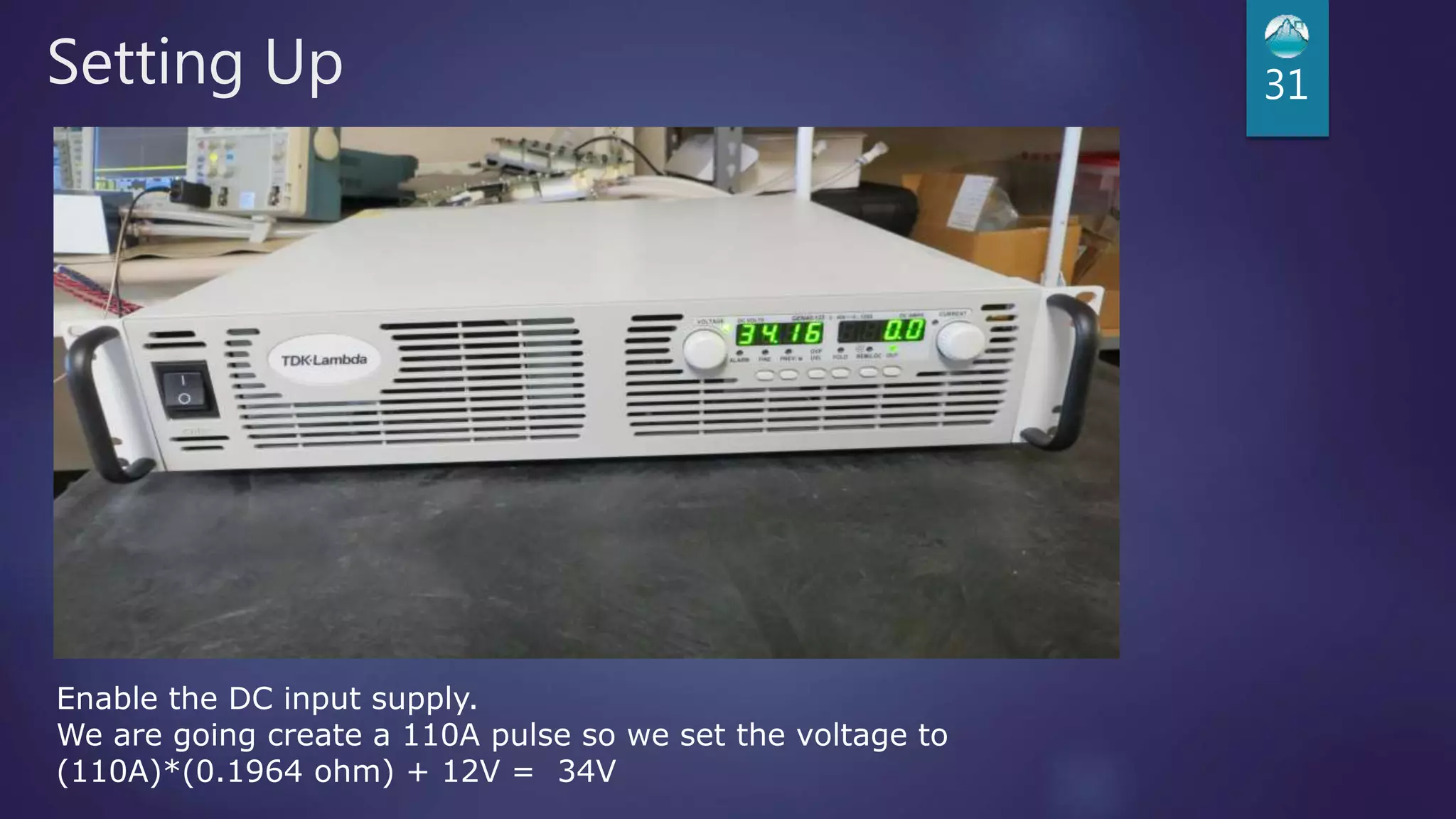
Enable the DC input supply.
We are going create a 110A pulse so we set the voltage to
(110A)*(0.1964 ohm) + 12V = 34V
Setting Up 32
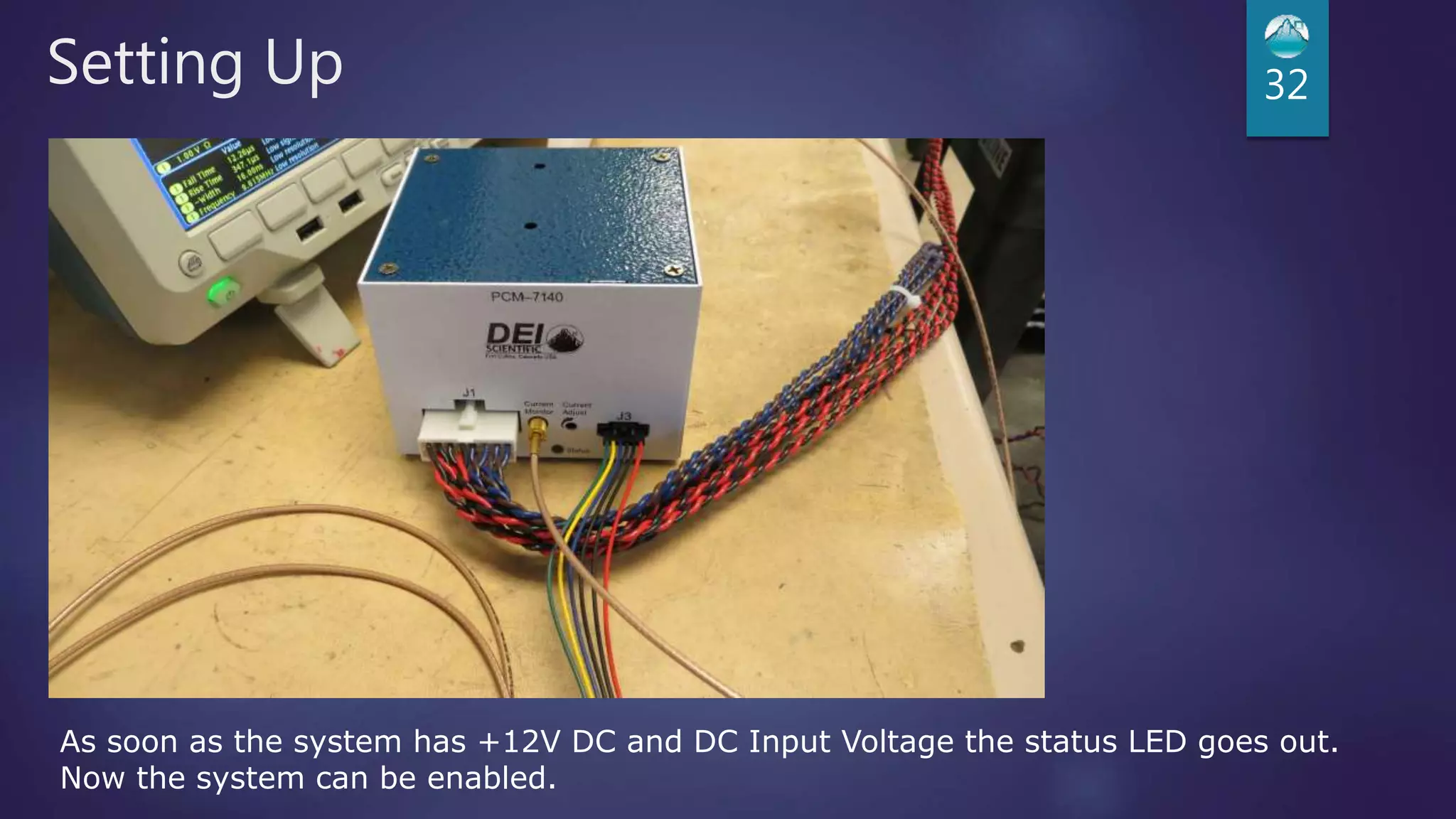
As soon as the system has +12V DC and DC Input Voltage the status LED goes out.
Now the system can be enabled.
Setting Up 33
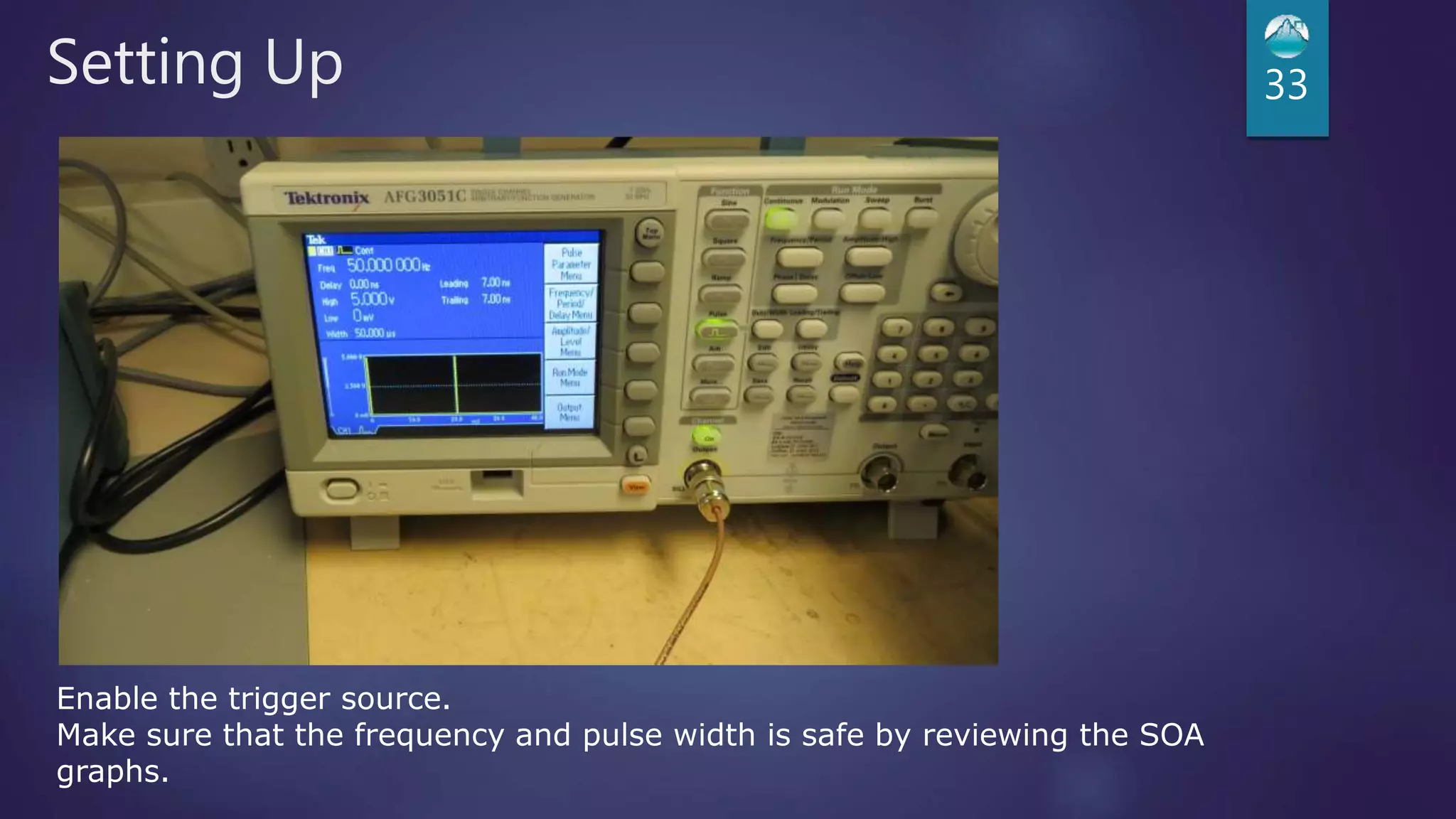
Enable the trigger source.
Make sure that the frequency and pulse width is safe by reviewing the SOA
graphs.
Setting Up 34
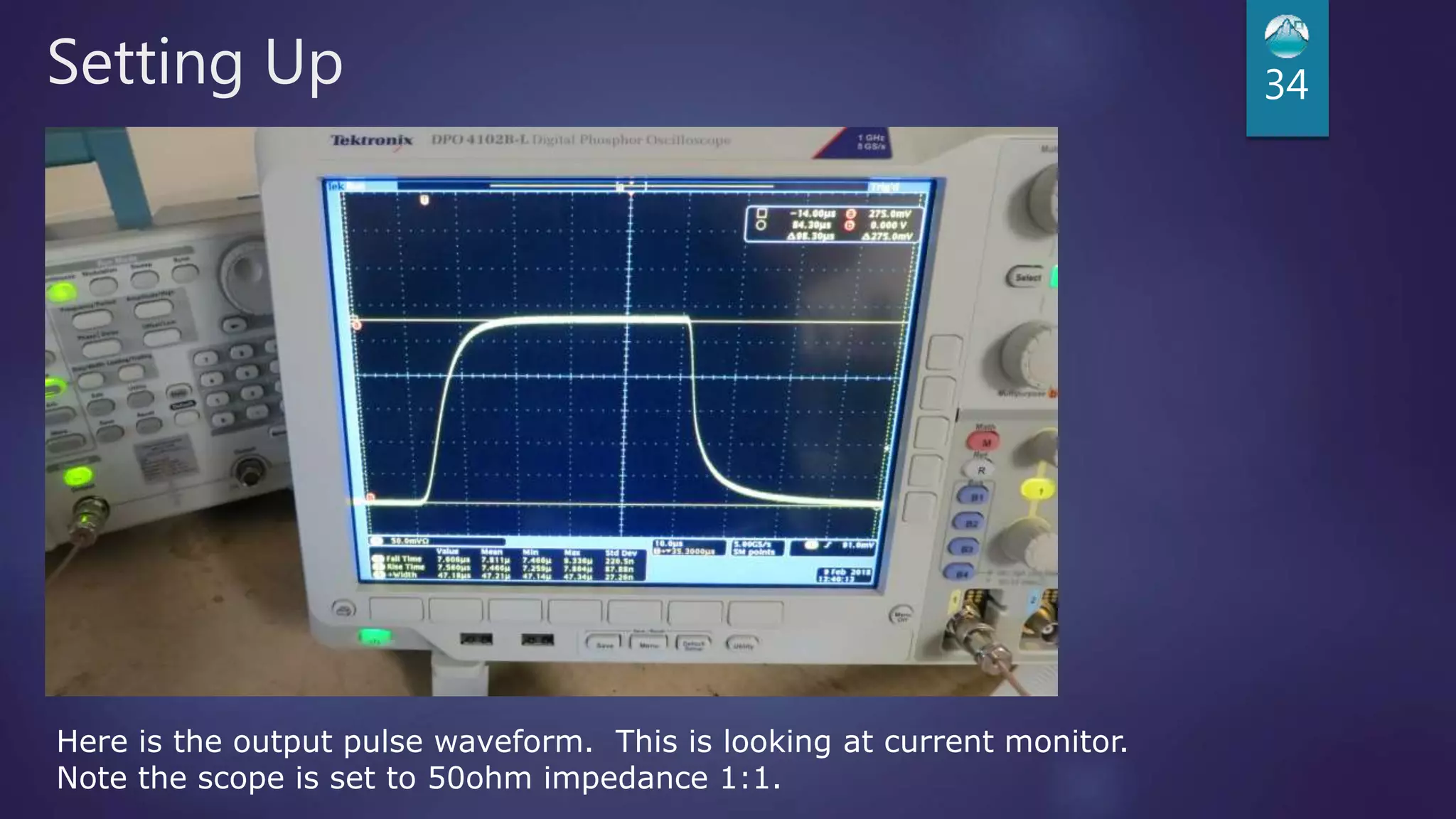
Here is the output pulse waveform. This is looking at current monitor.
Note the scope is set to 50ohm impedance 1:1.
Setting Up 35
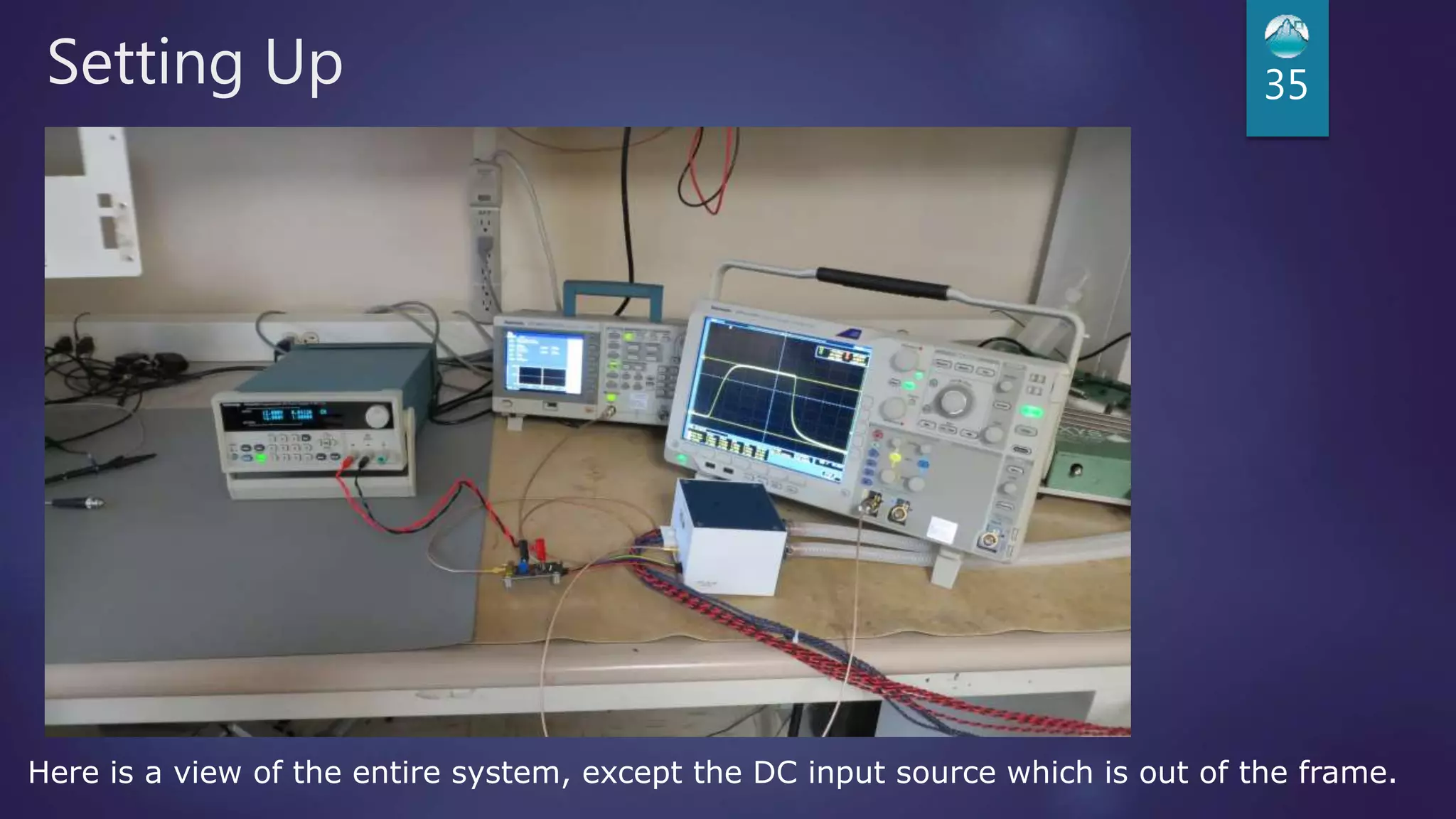
Here is a view of the entire system, except the DC input source which is out of the frame.
Solutions to Common Problems 36
 Problem: Red status LED is ON
 Solutions:
 1) Upon power up the status LED is on for about 10 seconds. This is normal.
 2) Open Load Fault detected?
 The DC Input Voltage must be over Vforward by the amount shown in the datasheet. Review the datasheet,
power down 12V and DC input voltage for at least 30 seconds. Power up the module using the procedure
in the manual.
 3) Thermal Fault detected?
 Check liquid flow. Check SOA curves in the datasheet to determine if the module is running within the
Safe Operating Area. Review the DC Input Voltage setting to assure it is set properly. Power down 12V
and DC input voltage for at least 30 seconds. Power up the module using the procedure in the manual.
Solutions to Common Problems
 Problem: Ringing or distortion on the output
 Solutions:
 1) Review datasheet to assure DC input voltage is set properly.
 2) Make sure the laser is connected to the load board properly. It is very important to reduce the
inductance as much as possible.
37

Introducing the PCM-7140

  • 1.
    PCM-7140 LASER DIODE DRIVERMODULE IXYS COLORADO IS YOUR PARTNER FROM THE LAB TO PRODUCT LAUNCH
  • 2.
    What’s in theBox?  PCM-7140  Control cable DEI# 6100-0091  Manual Control Board and cable DEI#6100-0092  Output/Input cable DEI# 6100-0144  Output Board  Operating Manual 2
  • 3.
  • 4.
    Available Models  PCM-7140-200 Output Current 5A to 200A  Rise/Fall Time less than 20 µs  PCM-7140-10  Output Current 1A to 10A  Rise/Fall Time less than 12 µs  PCM-7140-1  Output Current 0.1A to 1A  Rise/Fall Time less than 5 µs 4
  • 5.
    Technical Overview 5 Current Monitor  Potentiometer / Analog control of output current  Error detection  Open load  Over temperature  Liquid Cooled  Flow rate 1L/min to 6 L/min  Input Temperature 11 °C to 22 °C  Connection 3/8” tubing
  • 6.
  • 7.
  • 8.
  • 9.
    Technical Overview (200Aunit) 9  Current rise/fall time  ≤ 20 µs : 5 A to 49 A  ≤ 16 µs : 50 A to 99 A  ≤ 10 µs : ≥ 100 A  Forward Voltage  0V to 55V  Frequency Range  Single shot to 5,500 Hz  100% Duty Cycle Operation  5A to 20A 200 A, 12.5 V, 200 µs pulse width
  • 10.
  • 11.
    Technical Overview (200Aunit) 11 Example: 175A Output Pulse width 300µs Maximum Frequency =90Hz
  • 12.
    Technical Overview (200Aunit) 12 Example: 100A Output 50Hz Max Pulse width = 1100µs
  • 13.
    Technical Overview (10Aunit) 13  Current rise/fall time  ≤ 12 µs : 1 A to 3 A  ≤ 3 µs : 3.01 A to 5 A  ≤ 2 µs : ≥ 5.01 A  Forward Voltage  0V to 65V  Frequency Range  Single shot to 120,000 Hz  100% Duty Cycle Operation  1A to 10A* 10 A, 300 µs pulse width
  • 14.
  • 15.
  • 16.
    Technical Overview (1Aunit) 16  Current rise/fall time  ≤ 5 µs : 0.1 A to 0.499 A  ≤ 2 µs : 0.500 A to 1.0 A  Forward Voltage  0V to 65V  Frequency Range  Single Shot to 100,000 Hz  100% Duty Cycle Operation  0.1 A to 1 A 1000 mA, 300 µs pulse width
  • 17.
  • 18.
  • 19.
  • 20.
  • 21.
    Setting Up 21 Theseparts will not be used, set them aside. We will be using a different cable for this presentation. We also will not install the four rubber feet.
  • 22.
    Setting Up 22 Installthe input/output cable. Install the control cable to the PCM-7140 and manual control board.
  • 23.
    Setting Up 23 Installthe load to the input / output cable. This is a 0.1964 ohm low inductance high power load
  • 24.
    Setting Up 24 Installthe input/output cable to the DC input voltage source.
  • 25.
    Setting Up 25 InstallSMB/BNC cable (not included) from the trigger source to J12 on manual control board.
  • 26.
    Setting Up 26 Connecthoses to the copper pipes. And connect them to your chiller or house water. Turn on chiller or water source and assure there are no leaks.
  • 27.
    Setting Up 27 InstallSMB/BNC cable (not included) from the current monitor to oscilloscope.
  • 28.
    Setting Up 28 Changedipswitch settings on manual control board as shown. This will enable current control using R40 on the manual control board. Adjust R40 to midscale, this will set the output current to about 100A.
  • 29.
    Setting Up 29 Install+12VDC power source to the manual control board.
  • 30.
    Setting Up 30 Enablethe 12VDC power source. Note that the Status LED turns on red. Within 10 seconds enable the DC input supply.
  • 31.
    Setting Up 31 Enablethe DC input supply. We are going create a 110A pulse so we set the voltage to (110A)*(0.1964 ohm) + 12V = 34V
  • 32.
    Setting Up 32 Assoon as the system has +12V DC and DC Input Voltage the status LED goes out. Now the system can be enabled.
  • 33.
    Setting Up 33 Enablethe trigger source. Make sure that the frequency and pulse width is safe by reviewing the SOA graphs.
  • 34.
    Setting Up 34 Hereis the output pulse waveform. This is looking at current monitor. Note the scope is set to 50ohm impedance 1:1.
  • 35.
    Setting Up 35 Hereis a view of the entire system, except the DC input source which is out of the frame.
  • 36.
    Solutions to CommonProblems 36  Problem: Red status LED is ON  Solutions:  1) Upon power up the status LED is on for about 10 seconds. This is normal.  2) Open Load Fault detected?  The DC Input Voltage must be over Vforward by the amount shown in the datasheet. Review the datasheet, power down 12V and DC input voltage for at least 30 seconds. Power up the module using the procedure in the manual.  3) Thermal Fault detected?  Check liquid flow. Check SOA curves in the datasheet to determine if the module is running within the Safe Operating Area. Review the DC Input Voltage setting to assure it is set properly. Power down 12V and DC input voltage for at least 30 seconds. Power up the module using the procedure in the manual.
  • 37.
    Solutions to CommonProblems  Problem: Ringing or distortion on the output  Solutions:  1) Review datasheet to assure DC input voltage is set properly.  2) Make sure the laser is connected to the load board properly. It is very important to reduce the inductance as much as possible. 37