Heroku
                                    By Bhagwat Kumar
                        http://twitter.com/bhagwatkumar


5th Jan 2013
Agenda

    Cloud Computing and Heroku

    Process Model

    Dynos Manifold

    Deployment Stack

    Add-on Services

    Usage and Billing

    CLI
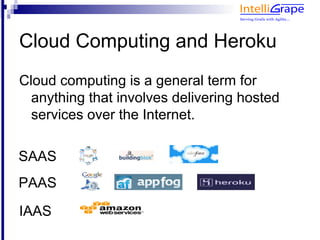
Cloud Computing and Heroku
Cloud computing is a general term for
  anything that involves delivering hosted
  services over the Internet.

SAAS
PAAS
IAAS
Heroku

    a new way of building and deploying web
    apps.

    Spend 100% of your time on application
    code.

    Forget managing servers, deployment,
    ongoing operations, or scaling.
How it works?

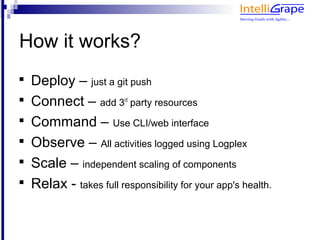
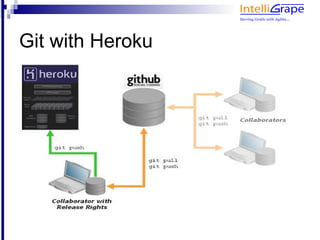
    Deploy – just a git push

    Connect – add 3 party resources
                         rd



    Command – Use CLI/web interface

    Observe – All activities logged using Logplex

    Scale – independent scaling of components

    Relax - takes full responsibility for your app's health.
Git with Heroku
Process Model

    Process Type
       
           Web : web application
       
           Worker : timed jobs and queuing systems

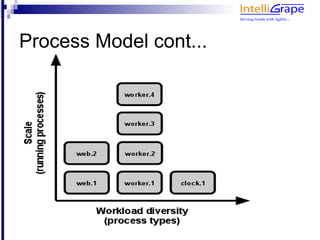
    Each app has a set of running processes
    and the processes are instantiated using
    'Process Type' as prototype.
Process Model cont...
Dyno

    Basic unit of composition on Heroku.

    A lightweight container running a single
    user-specified command/process.

    Possible commands
       – Web processes
       – Worker processes
       – Other processes defined in Procfile
Dyno composition

    Your app

    Framework support

    Config vars

    Own file system for temp usage

    512MB of RAM
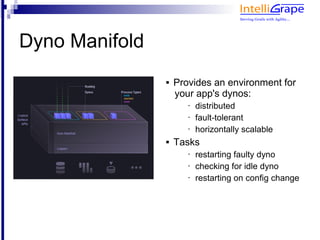
Dyno Manifold
                   Provides an environment for
                    your app's dynos:
                       •   distributed
                       •   fault-tolerant
                       •   horizontally scalable
                   Tasks
                       •   restarting faulty dyno
                       •   checking for idle dyno
                       •   restarting on config change
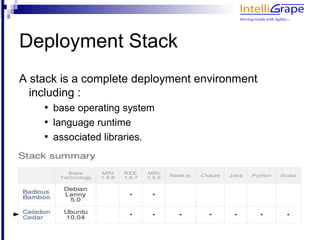
Deployment Stack
A stack is a complete deployment environment
  including :
    
        base operating system
    
        language runtime
    
        associated libraries.
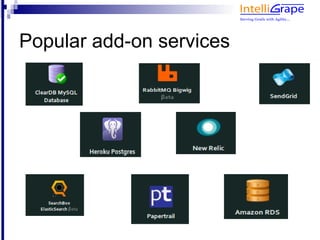
Popular add-on services
Usage & Billing

    Usage is computed from wall-clock time,
    not CPU time.

    Current charge : $0.05 per hour per dyno

    Each app gets 750 free dyno-hours/month
       – run 1 dyno for an entire month for free
                          OR
       – run 2 dynos for 1/2 of a month

    Add-on services have their own charges
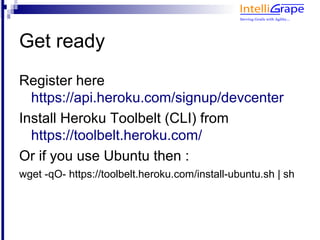
Get ready
Register here
  https://api.heroku.com/signup/devcenter
Install Heroku Toolbelt (CLI) from
  https://toolbelt.heroku.com/
Or if you use Ubuntu then :
wget -qO- https://toolbelt.heroku.com/install-ubuntu.sh | sh
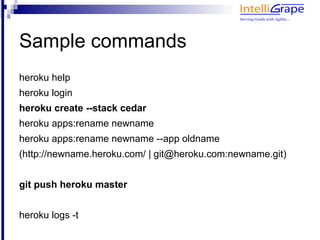
Sample commands
heroku help
heroku login
heroku create --stack cedar
heroku apps:rename newname
heroku apps:rename newname --app oldname
(http://newname.heroku.com/ | git@heroku.com:newname.git)


git push heroku master


heroku logs -t
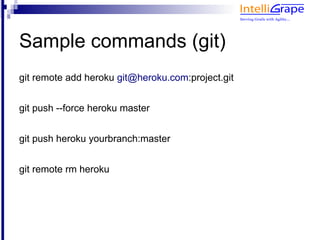
Sample commands (git)
add heroku remote to existing project
git remote add heroku git@heroku.com:project.git
push different project code on existing heroku app
git push --force heroku master
Deploy git 'yourbranch' instead of master
git push heroku yourbranch:master
Remove heroku remote from the project
git remote rm heroku
Sample commands (config)
See all the config available for your project
heroku config
Add a key-value pair to config
heroku config:add COMPANY='Intelligrape Software'
Remove keys from config
sheroku config:remove COMPANY OTHER_VAR


//config variables are available as System properties on heroku.
// in Java/Groovy System.getenv('COMPANY')
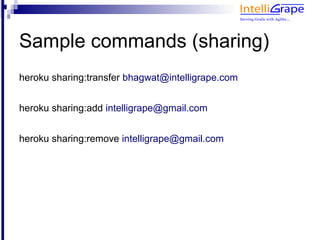
Sample commands (sharing)
Change owner of the heroku project
heroku sharing:transfer owner@xyz.com
Add collaborator
heroku sharing:add my_email@xyz.com
Remove collaborator
heroku sharing:remove my_email@xyz.com
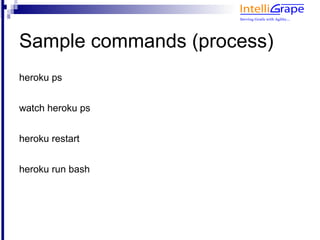
Sample commands (process)
See all running processes
heroku ps


watch heroku ps
Restart all dynos
heroku restart
Run bash shell
heroku run bash
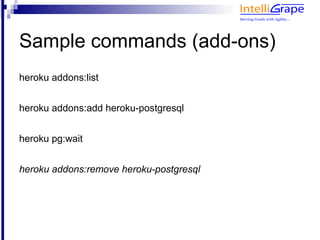
Sample commands (add-ons)
heroku addons:list


heroku addons:add heroku-postgresql


heroku pg:wait


heroku addons:remove heroku-postgresql
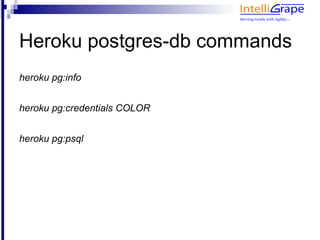
Heroku postgres-db commands
heroku pg:info


heroku pg:credentials COLOR


heroku pg:psql
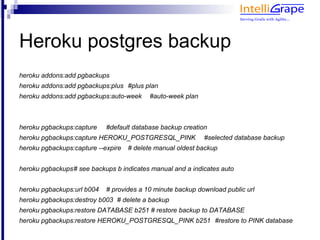
Heroku postgres backup
heroku addons:add pgbackups
heroku addons:add pgbackups:plus #plus plan
heroku addons:add pgbackups:auto-week      #auto-week plan


heroku pgbackups:capture    #default database backup creation
heroku pgbackups:capture HEROKU_POSTGRESQL_PINK              #selected database backup
heroku pgbackups:capture --expire   # delete manual oldest backup


heroku pgbackups# see backups b indicates manual and a indicates auto


heroku pgbackups:url b004   # provides a 10 minute backup download public url
heroku pgbackups:destroy b003 # delete a backup
heroku pgbackups:restore DATABASE b251 # restore backup to DATABASE
heroku pgbackups:restore HEROKU_POSTGRESQL_PINK b251 #restore to PINK database
Thank you :)

Heroku

  • 1.
    Heroku By Bhagwat Kumar http://twitter.com/bhagwatkumar 5th Jan 2013
  • 2.
    Agenda  Cloud Computing and Heroku  Process Model  Dynos Manifold  Deployment Stack  Add-on Services  Usage and Billing  CLI
  • 3.
    Cloud Computing andHeroku Cloud computing is a general term for anything that involves delivering hosted services over the Internet. SAAS PAAS IAAS
  • 4.
    Heroku  a new way of building and deploying web apps.  Spend 100% of your time on application code.  Forget managing servers, deployment, ongoing operations, or scaling.
  • 5.
    How it works?  Deploy – just a git push  Connect – add 3 party resources rd  Command – Use CLI/web interface  Observe – All activities logged using Logplex  Scale – independent scaling of components  Relax - takes full responsibility for your app's health.
  • 6.
  • 7.
    Process Model  Process Type  Web : web application  Worker : timed jobs and queuing systems  Each app has a set of running processes and the processes are instantiated using 'Process Type' as prototype.
  • 8.
  • 9.
    Dyno  Basic unit of composition on Heroku.  A lightweight container running a single user-specified command/process.  Possible commands – Web processes – Worker processes – Other processes defined in Procfile
  • 10.
    Dyno composition  Your app  Framework support  Config vars  Own file system for temp usage  512MB of RAM
  • 11.
    Dyno Manifold  Provides an environment for your app's dynos: • distributed • fault-tolerant • horizontally scalable  Tasks • restarting faulty dyno • checking for idle dyno • restarting on config change
  • 12.
    Deployment Stack A stackis a complete deployment environment including :  base operating system  language runtime  associated libraries.
  • 13.
  • 14.
    Usage & Billing  Usage is computed from wall-clock time, not CPU time.  Current charge : $0.05 per hour per dyno  Each app gets 750 free dyno-hours/month – run 1 dyno for an entire month for free OR – run 2 dynos for 1/2 of a month  Add-on services have their own charges
  • 16.
    Get ready Register here https://api.heroku.com/signup/devcenter Install Heroku Toolbelt (CLI) from https://toolbelt.heroku.com/ Or if you use Ubuntu then : wget -qO- https://toolbelt.heroku.com/install-ubuntu.sh | sh
  • 17.
    Sample commands heroku help herokulogin heroku create --stack cedar heroku apps:rename newname heroku apps:rename newname --app oldname (http://newname.heroku.com/ | git@heroku.com:newname.git) git push heroku master heroku logs -t
  • 18.
    Sample commands (git) addheroku remote to existing project git remote add heroku git@heroku.com:project.git push different project code on existing heroku app git push --force heroku master Deploy git 'yourbranch' instead of master git push heroku yourbranch:master Remove heroku remote from the project git remote rm heroku
  • 19.
    Sample commands (config) Seeall the config available for your project heroku config Add a key-value pair to config heroku config:add COMPANY='Intelligrape Software' Remove keys from config sheroku config:remove COMPANY OTHER_VAR //config variables are available as System properties on heroku. // in Java/Groovy System.getenv('COMPANY')
  • 20.
    Sample commands (sharing) Changeowner of the heroku project heroku sharing:transfer owner@xyz.com Add collaborator heroku sharing:add my_email@xyz.com Remove collaborator heroku sharing:remove my_email@xyz.com
  • 21.
    Sample commands (process) Seeall running processes heroku ps watch heroku ps Restart all dynos heroku restart Run bash shell heroku run bash
  • 22.
    Sample commands (add-ons) herokuaddons:list heroku addons:add heroku-postgresql heroku pg:wait heroku addons:remove heroku-postgresql
  • 23.
    Heroku postgres-db commands herokupg:info heroku pg:credentials COLOR heroku pg:psql
  • 24.
    Heroku postgres backup herokuaddons:add pgbackups heroku addons:add pgbackups:plus #plus plan heroku addons:add pgbackups:auto-week #auto-week plan heroku pgbackups:capture #default database backup creation heroku pgbackups:capture HEROKU_POSTGRESQL_PINK #selected database backup heroku pgbackups:capture --expire # delete manual oldest backup heroku pgbackups# see backups b indicates manual and a indicates auto heroku pgbackups:url b004 # provides a 10 minute backup download public url heroku pgbackups:destroy b003 # delete a backup heroku pgbackups:restore DATABASE b251 # restore backup to DATABASE heroku pgbackups:restore HEROKU_POSTGRESQL_PINK b251 #restore to PINK database
  • 25.