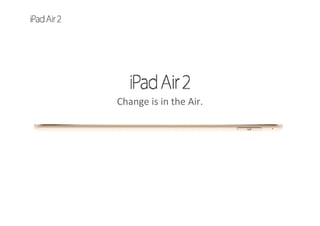
Change is in the Air. 
So capable, you won’t want to put it down. 
So thin and light, you won’t have to.
With iPad, we’ve always had a somewhat paradoxical goal: to create a device that’s immensely powerful, yet so thin 
and light you almost forget it’s there. A device that helps you do amazing things, without ever getting in your way. 
iPad Air 2 is all that. And then some. 
18%
THINNER
6.1
MM THIN
0.96
POUND
Not just a             
thinner display.            
A better display.
To create the astonishingly thin silhouette of iPad Air 2, 
we started by redesigning the Retina display, fusing 
what had been three layers into one. Not only did this 
make the display thinner, it made it better, with more 
vivid colors and greater contrast. Then we added an 
antireflective coating, giving iPad Air 2 the least 
reflective display of any tablet in the world.
9.7
INCH DISPLAY
2048x1536
RESOLUTION
3.1
MILLION PIXELS
264
PIXELS PER INCH
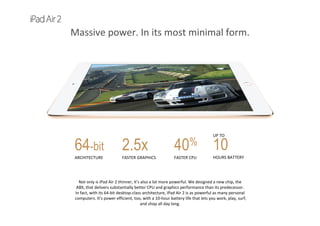
Massive power. In its most minimal form.
40%
FASTER CPU
UP TO      
10
HOURS BATTERY
2.5x
FASTER GRAPHICS
64-bit
ARCHITECTURE
Not only is iPad Air 2 thinner, it’s also a lot more powerful. We designed a new chip, the 
A8X, that delivers substantially better CPU and graphics performance than its predecessor. 
In fact, with its 64‐bit desktop‐class architecture, iPad Air 2 is as powerful as many personal 
computers. It’s power efficient, too, with a 10‐hour battery life that lets you work, play, surf, 
and shop all day long. 
Security based on a 
one-of-a-kind design: 
your fingerprint.
iPad Air 2 comes with our breakthrough Touch ID technology. It gives you an 
unprecedented level of security because it uses nature’s most perfect 
password: your fingerprint. So with just one touch, you can instantly unlock 
your iPad Air 2. But Touch ID goes beyond that. You can also make secure 
purchases in iTunes, iBooks, and the App Store. And with Apple Pay, you can 
unlock an entire world of online shopping that’s fast, convenient, and secure.
Two amazing cameras. 
Cleverly disguised as an iPad.
The new iSight camera is our best iPad camera yet, with advanced optics, an improved sensor, and a 
powerful Apple‐designed image signal processor. There are new features like panorama, time‐lapse videos, 
slo‐mo, and burst and timer modes. The front‐facing FaceTime HD camera has been redesigned, too, with an 
improved sensor and larger pixels for even better low‐light performance. The upshot? All your photos and 
videos — and video calls and selfies — look incredible.
Faster wireless.
Good things come to those who don’t wait.
Wi‐Fi on iPad Air 2 is fast — more than twice as fast as the previous generation — so downloading movies 
and streaming videos take less time. And the Wi‐Fi + Cellular model is equipped with faster, more advanced 
LTE technology.2 In addition, the cellular model lets you choose from a variety of carriers and flexible short‐
term plans. So you can make fast connections, even when you’re on the go.
Apps designed for iPad.
And everything you want to do with it.
iPad Air 2 comes with powerful apps for the things you do every day, like surfing the web, checking email, 
editing movies and photos, writing reports, and reading books. And there are hundreds of thousands of apps 
on the App Store, designed specifically for the large Retina display (instead of stretched‐out phone apps). So 
whether it’s photography, gaming, traveling, or managing your finances, you’ll find an app that will help you 
do it better.
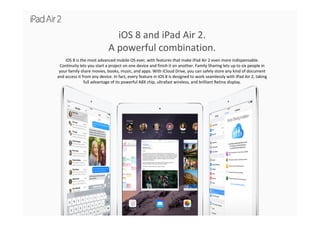
iOS 8 and iPad Air 2. 
A powerful combination.
iOS 8 is the most advanced mobile OS ever, with features that make iPad Air 2 even more indispensable. 
Continuity lets you start a project on one device and finish it on another. Family Sharing lets up to six people in 
your family share movies, books, music, and apps. With iCloud Drive, you can safely store any kind of document 
and access it from any device. In fact, every feature in iOS 8 is designed to work seamlessly with iPad Air 2, taking 
full advantage of its powerful A8X chip, ultrafast wireless, and brilliant Retina display.
Design
Design
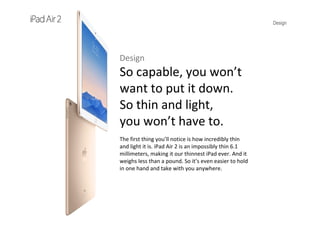
So capable, you won’t 
want to put it down. 
So thin and light, 
you won’t have to.
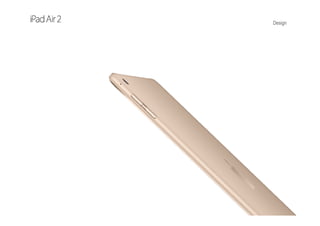
The first thing you’ll notice is how incredibly thin 
and light it is. iPad Air 2 is an impossibly thin 6.1 
millimeters, making it our thinnest iPad ever. And it 
weighs less than a pound. So it’s even easier to hold 
in one hand and take with you anywhere.
Design
Design
Ingenuity makes it thin.
Aluminum makes it strong.
When it was introduced four years ago, the original iPad set the standard for thinness and lightness. Since 
then, iPad has become even thinner and lighter. But thanks to its durable aluminum unibody, iPad Air 2 
doesn’t sacrifie strength in the pursuit of thinness. From the moment you pick it up, you feel how sturdy 
and rigid it is.
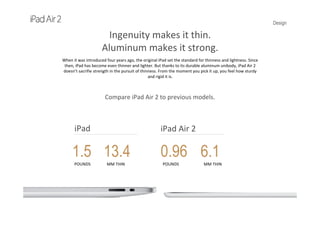
Compare iPad Air 2 to previous models.
iPad Air 2iPad
1.5
POUNDS
13.4
MM THIN
0.96
POUNDS
6.1
MM THIN
Design
Ingenuity makes it thin.
Aluminum makes it strong.
When it was introduced four years ago, the original iPad set the standard for thinness and lightness. Since 
then, iPad has become even thinner and lighter. But thanks to its durable aluminum unibody, iPad Air 2 
doesn’t sacrifie strength in the pursuit of thinness. From the moment you pick it up, you feel how sturdy 
and rigid it is.
Compare iPad Air 2 to previous models.
iPad Air 2iPad 2
1.33
POUNDS
8.8
MM THIN
0.96
POUNDS
6.1
MM THIN
Design
Ingenuity makes it thin.
Aluminum makes it strong.
When it was introduced four years ago, the original iPad set the standard for thinness and lightness. Since 
then, iPad has become even thinner and lighter. But thanks to its durable aluminum unibody, iPad Air 2 
doesn’t sacrifie strength in the pursuit of thinness. From the moment you pick it up, you feel how sturdy 
and rigid it is.
Compare iPad Air 2 to previous models.
iPad Air 2iPad Air
1
POUNDS
7.5
MM THIN
0.96
POUNDS
6.1
MM THIN
Design
Not just a thinner display.
A better display.
The displays on previous generations of iPad used three separate components. 
iPad Air 2 changes all that, combining those three layers into just one. This eliminates 
gaps between layers, along with the internal reflectance caused by those gaps. The 
result? Colors are richer, contrast is greater, and images are sharper and more vivid. 
9.7
INCH DISPLAY
2048x1536
RESOLUTION
3.1
MILLION PIXELS
COVER GLASS
TOUCH SENSOR
LCD
FULLY LAMINATED DISPLAY
Design
Your content, right at 
your fingertips.
The LCD layer is now closer to your eyes (and your 
fingers), so when you touch the screen it feels as if 
you’re touching your content. And we’ve improved 
the sensitivity of the screen, so it tracks your finger 
even more accurately, especially when you make 
quick gestures. Which means everything you do —
playing games, surfing the web, enjoying photos and 
videos — becomes more personal, immediate, and 
immersive.
The lowest reflectance 
of any tablet.
iPad Air 2 features a custom‐designed antireflective 
coating that reduces glare by 56 percent, making it 
the least reflective tablet in the world. In virtually any 
kind of environment — offices, classrooms, 
outdoors — everything is clearer and more readable.
Design
Design
Silver, space gray, and now, gold.
Three metallicfinishes as brilliant as 
the iPad itself.
Our designers pay as much attention to the back of iPad as they do to the front. The 
anodized aluminum body of iPad Air 2 comes in three elegant metallic finishes, 
including silver, space gray, and a beautiful new one: gold.
Every detail counts.Even the 
ones measured in microns.
The beveled edges of the aluminum unibody are cut with a 
mono‐crystalline diamond to tolerances measured in microns. 
(For reference, the width of a human hair is about 75 microns.) 
That level of detail may seem excessive. But every detail adds up 
to a better overall experience.
Design
Design
An iPad the whole planet can love.
We’re always thinking about the impact our products have on the 
world. And we know that impact continues after the end of a 
product’s useful life. That’s why nearly every Apple product is  
made from highly recyclable materials like aluminum, and why 
we go to great lengths to exclude harmful toxins from 
our components.
iPad Air 2 is a perfect example. The aluminum enclosure is highly 
recyclable. And every iPad Air is free of brominated flame 
retardants (BFRs), beryllium and polyvinyl chloride (PVC). In fact, 
Apple has one of the strictest BFR‐free and PVC‐free standards in 
the industry. And we expect the same from our suppliers. So we 
actually disassemble our products into individual components    
and materials in our Cupertino lab. Then we test those 
components using a variety of methods, including X‐ray 
fluorescence, spectroscopy, and ion chromatography. We do this 
to ensure that every product we release meets our 
environmental standards.
Mercury‐free LCD display 
Arsenic‐free display glass 
BFR‐free 
PVC‐free 
Beryllium‐free 
Recyclable aluminum enclosure 
Performance
Performance
Massive power. 
In its most minimal form.
With a new A8X chip built on second‐generation 64‐bit desktop‐class architecture, 
iPad Air 2 is the fastest, most powerful iPad ever. With this kind of performance, you 
might expect a compromise or two. Like a bigger form factor or a shorter battery life. 
But iPad Air 2 is both thinner and lighter than the previous iPad Air. And thanks in part 
to the M8 motion coprocessor, it still has an incredibly long 10‐hour battery life. So 
you can do more. While carrying less.
Performance
The new A8X chip with 64-bit architecture.
The fast and fluid performance of iPad Air 2 begins with its A8X chip. With 64‐bit desktop‐class 
architecture and an extraordinary 3 billion transistors, the A8X chip delivers speed and          
graphics that rival many personal computers.
64-bit
ARCHITECTURE
A8XCHIP
M8MOTION
COPROCESSOR
Performance
40 percent faster CPU performance.
Compared with the A7 chip in the previous iPad Air, the new A8X chip delivers 40 
percent faster CPU performance. From launching apps to playing games, everything is 
more fluid and responsive. And all your actions — swiping, pinching, zooming, scrolling, 
and rotating — happen quickly and smoothly.
More than double the graphics performance.
The A8X chip has an astonishing 2.5 times the graphics performance of the A7 chip. So iPad Air 2 delivers 
graphics once possible only on desktop computers and gaming consoles. Graphics‐intensive games and video 
editing apps run superbly, and they look gorgeous on the big Retina display.
Performance
Metal. A real game changer.
To get the greatest graphics performance out of the A8X chip and iOS 8, we 
created Metal — a new technology that lets developers design highly 
immersive console‐style games. Metal is optimized to allow the CPU and GPU 
to work together to deliver detailed graphics and complex visual effects. So 
every imaginary world feels more realistic.
Performance
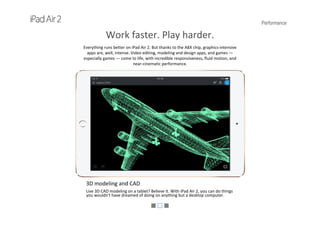
Work faster. Play harder.
Everything runs better on iPad Air 2. But thanks to the A8X chip, graphics‐intensive 
apps are, well, intense. Video editing, modeling and design apps, and games —
especially games — come to life, with incredible responsiveness, fluid motion, and
near‐cinematic performance.
Graphics‐intensive apps
Draw, sketch, rotate, resize — all in real time. The A8X chip is powerful enough 
to make it as easy as swiping, tapping, and pinching.
Performance
Work faster. Play harder.
Everything runs better on iPad Air 2. But thanks to the A8X chip, graphics‐intensive 
apps are, well, intense. Video editing, modeling and design apps, and games —
especially games — come to life, with incredible responsiveness, fluid motion, and
near‐cinematic performance.
3D modeling and CAD
Live 3D CAD modeling on a tablet? Believe it. With iPad Air 2, you can do things 
you wouldn't have dreamed of doing on anything but a desktop computer.
Performance
Work faster. Play harder.
Everything runs better on iPad Air 2. But thanks to the A8X chip, graphics‐intensive 
apps are, well, intense. Video editing, modeling and design apps, and games —
especially games — come to life, with incredible responsiveness, fluid motion, and
near‐cinematic performance.
Games
Metal is 10 times more efficient than OpenGL. And combined with the A8X 
chip, it unlocks a level of advanced visual effects previously unimaginable on 
mobile platforms.
Performance
Usually, increased performance comes at the 
expense of battery life. Notice we said “usually.”
Thanks to hardware and software that work together seamlessly, iPad Air 2 isn’t                                                            
just extremely powerful. It’s also extremely power efficient, with up to 10 hours of battery
life.* And that’s an impressive feat of engineering, considering it’s just 6.1 mm thin and                                          
weighs less than a pound.
UP TO
10hr
BATTERY LIFE
Performance
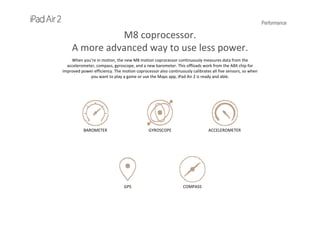
M8 coprocessor.                                          
A more advanced way to use less power.
When you’re in motion, the new M8 motion coprocessor continuously measures data from the 
accelerometer, compass, gyroscope, and a new barometer. This offloads work from the A8X chip for 
improved power efficiency. The motion coprocessor also continuously calibrates all five sensors, so when 
you want to play a game or use the Maps app, iPad Air 2 is ready and able. 
BAROMETER GYROSCOPE ACCELEROMETER
COMPASSGPS
Performance
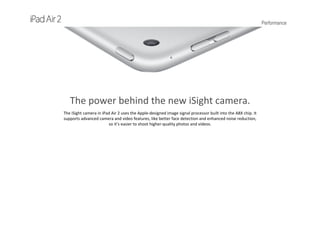
The power behind the new iSight camera.
The iSight camera in iPad Air 2 uses the Apple‐designed image signal processor built into the A8X chip. It 
supports advanced camera and video features, like better face detection and enhanced noise reduction, 
so it’s easier to shoot higher‐quality photos and videos.
Touch ID
TouchID
Security based on a one-of‐a‐kind 
design: your fingerprint.
Your fingerprint is the perfect password. You always have it with you. And no one 
can ever guess what it is. Our breakthrough Touch ID technology uses a unique 
fingerprint identity sensor to make unlocking your iPad Air 2 easy and secure. And 
with new developments in iOS 8, your fingerprint will grant you faster access to so 
much more.
Touch ID
One touch unlocks your iPad Air 2.
With Touch ID, you put your finger on the Home button, and just like that, your iPad unlocks. And Touch 
ID is capable of 360‐degree readability. No matter how you’re holding it — portrait, landscape, or 
anything in between — your iPad knows who you are.
Touch ID
The technology behind Touch ID.
The Home button on iPad Air 2 is made from a sapphire crystal surrounded by a stainless steel ring. When 
you touch the button, the steel ring detects your finger and the crystal sends an image of your fingerprint 
to a sensor. Software then reads the ridges of your print and confirms a match. And it all happens in the 
blink of an eye.
Laser‐Cut Sapphire Crystal
Stainless Steel Detection Ring
Capacitive Single‐Touch Sensor
Tactile Switch
Your iPad keeps your personal information to itself.
Your safety and security are a major priority. So we created an advanced security architecture within the A8X that 
keeps your personal information private. Your passcode and fingerprint data never leave your iPad —
they’re not backed up to iCloud, nor are they shared with Apple or anyone else.
Touch ID
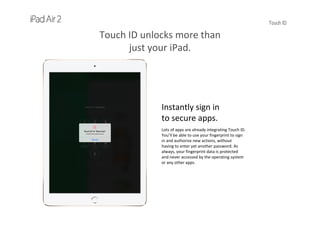
Touch ID unlocks more than 
just your iPad.
Instantly sign in
to secure apps.
Lots of apps are already integrating Touch ID. 
You’ll be able to use your fingerprint to sign 
in and authorize new actions, without 
having to enter yet another password. As 
always, your fingerprint data is protected 
and never accessed by the operating system 
or any other apps.
Touch ID
Touch ID unlocks more than 
just your iPad.
One‐touch  
purchasing in       
iTunes, iBooks, and 
the App Store.
Your fingerprint can also approve purchases 
from iTunes, iBooks, and the App Store, so 
you don’t have to enter your password or 
billing information over and over.
Touch ID
Touch ID unlocks more than 
just your iPad.
Fast, easy, secure 
payments with 
Apple Pay.
Everyone loves to shop on iPad, and   
now it’s simpler and safer than ever. You 
can easily add your credit or debit card 
from your iTunes account, or capture 
card information with the iSight camera 
on your iPad. When you’re ready to 
check out, select Apple Pay, touch your 
finger lightly on the Home button, and 
you’re done — no need to type in 
shipping and billing information. And 
when you pay with Apple Pay, your card 
details are never shared by Apple or 
transmitted with payment to the online 
merchant.
Cameras
Cameras
Two amazing 
cameras. 
Cleverly disguised 
as an iPad.
You won’t believe how good a 
photographer you are. With an improved 
sensor, advanced optics, and a more 
powerful image signal processor, the 
new iSight camera in iPad Air 2 captures 
incredibly detailed photos and 
professional‐looking 1080p HD videos. 
The FaceTime HD camera has been 
redesigned, too, with a new sensor that 
makes your video calls look better, even 
in low light. And the large, high‐
resolution Retina display makes a 
spectacular viewfinder. 
Cameras
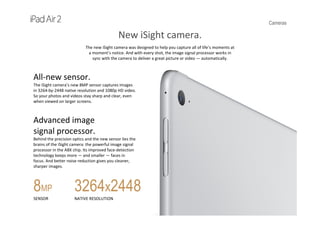
New iSight camera.
The new iSight camera was designed to help you capture all of life’s moments at 
a moment’s notice. And with every shot, the image signal processor works in 
sync with the camera to deliver a great picture or video — automatically.
All‐new sensor.
The iSight camera’s new 8MP sensor captures images 
in 3264‐by‐2448 native resolution and 1080p HD video. 
So your photos and videos stay sharp and clear, even 
when viewed on larger screens.
Advanced image 
signal processor.
Behind the precision optics and the new sensor lies the 
brains of the iSight camera: the powerful image signal 
processor in the A8X chip. Its improved face‐detection 
technology keeps more — and smaller — faces in 
focus. And better noise reduction gives you cleaner, 
sharper images.
8MP
SENSOR
3264x2448
NATIVE RESOLUTION
Cameras
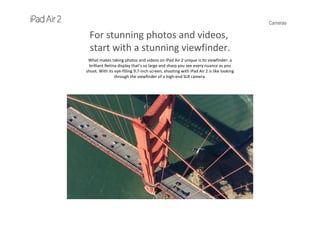
For stunning photos and videos,
start with a stunning viewfinder.
What makes taking photos and videos on iPad Air 2 unique is its viewfinder: a 
brilliant Retina display that’s so large and sharp you see every nuance as you 
shoot. With its eye‐filling 9.7‐inch screen, shooting with iPad Air 2 is like looking 
through the viewfinder of a high‐end SLR camera.
Time-lapse video
Now you can create remarkable time‐lapse videos and iOS 8 does all the work. Just 
set up your iPad Air 2, select Time‐lapse mode, and tap Record. You’ll have an 
amazing movie, whether you record for 30 minutes or 30 hours.
Cameras
For stunning photos and videos,
start with a stunning viewfinder.
What makes taking photos and videos on iPad Air 2 unique is its viewfinder: a 
brilliant Retina display that’s so large and sharp you see every nuance as you 
shoot. With its eye‐filling 9.7‐inch screen, shooting with iPad Air 2 is like looking 
through the viewfinder of a high‐end SLR camera.
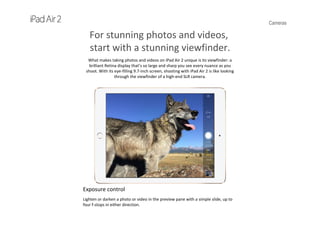
Exposure control
Lighten or darken a photo or video in the preview pane with a simple slide, up to 
four f‐stops in either direction.
Cameras
For stunning photos and videos,
start with a stunning viewfinder.
What makes taking photos and videos on iPad Air 2 unique is its viewfinder: a 
brilliant Retina display that’s so large and sharp you see every nuance as you 
shoot. With its eye‐filling 9.7‐inch screen, shooting with iPad Air 2 is like looking 
through the viewfinder of a high‐end SLR camera.
120-fps slo-mo
Slow down life’s fastest moments. The slo‐mo feature lets you shoot HD video at 
120 fps in 720p. You can even record and then select the portion you want to slow 
down.
Cameras
For stunning photos and videos,
start with a stunning viewfinder.
What makes taking photos and videos on iPad Air 2 unique is its viewfinder: a 
brilliant Retina display that’s so large and sharp you see every nuance as you 
shoot. With its eye‐filling 9.7‐inch screen, shooting with iPad Air 2 is like looking 
through the viewfinder of a high‐end SLR camera.
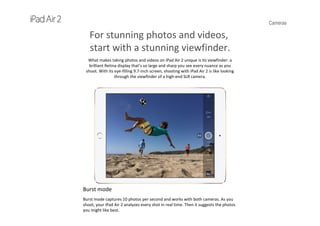
Burst mode
Burst mode captures 10 photos per second and works with both cameras. As you 
shoot, your iPad Air 2 analyzes every shot in real time. Then it suggests the photos 
you might like best.
Cameras
For stunning photos and videos,
start with a stunning viewfinder.
What makes taking photos and videos on iPad Air 2 unique is its viewfinder: a 
brilliant Retina display that’s so large and sharp you see every nuance as you 
shoot. With its eye‐filling 9.7‐inch screen, shooting with iPad Air 2 is like looking 
through the viewfinder of a high‐end SLR camera.
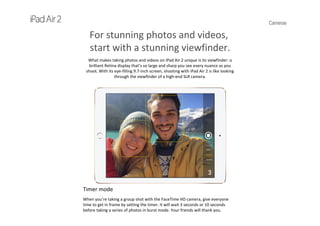
Timer mode
When you’re taking a group shot with the FaceTime HD camera, give everyone 
time to get in frame by setting the timer. It will wait 3 seconds or 10 seconds 
before taking a series of photos in burst mode. Your friends will thank you.
Cameras
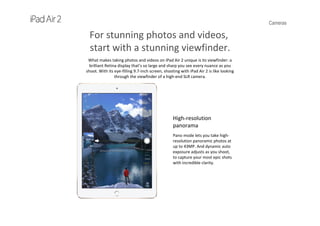
High-resolution 
panorama
Pano mode lets you take high‐
resolution panoramic photos at 
up to 43MP. And dynamic auto 
exposure adjusts as you shoot, 
to capture your most epic shots 
with incredible clarity.
For stunning photos and videos,
start with a stunning viewfinder.
What makes taking photos and videos on iPad Air 2 unique is its viewfinder: a 
brilliant Retina display that’s so large and sharp you see every nuance as you 
shoot. With its eye‐filling 9.7‐inch screen, shooting with iPad Air 2 is like looking 
through the viewfinder of a high‐end SLR camera.
Cameras
For stunning photos and videos,
start with a stunning viewfinder.
What makes taking photos and videos on iPad Air 2 unique is its viewfinder: a 
brilliant Retina display that’s so large and sharp you see every nuance as you 
shoot. With its eye‐filling 9.7‐inch screen, shooting with iPad Air 2 is like looking 
through the viewfinder of a high‐end SLR camera.
Cameras
For stunning photos and videos,
start with a stunning viewfinder.
What makes taking photos and videos on iPad Air 2 unique is its viewfinder: a 
brilliant Retina display that’s so large and sharp you see every nuance as you 
shoot. With its eye‐filling 9.7‐inch screen, shooting with iPad Air 2 is like looking 
through the viewfinder of a high‐end SLR camera.
Cameras
For stunning photos and videos,
start with a stunning viewfinder.
What makes taking photos and videos on iPad Air 2 unique is its viewfinder: a 
brilliant Retina display that’s so large and sharp you see every nuance as you 
shoot. With its eye‐filling 9.7‐inch screen, shooting with iPad Air 2 is like looking 
through the viewfinder of a high‐end SLR camera.
Cameras
For stunning photos and videos,
start with a stunning viewfinder.
What makes taking photos and videos on iPad Air 2 unique is its viewfinder: a 
brilliant Retina display that’s so large and sharp you see every nuance as you 
shoot. With its eye‐filling 9.7‐inch screen, shooting with iPad Air 2 is like looking 
through the viewfinder of a high‐end SLR camera.
Cameras
For stunning photos and videos,
start with a stunning viewfinder.
What makes taking photos and videos on iPad Air 2 unique is its viewfinder: a 
brilliant Retina display that’s so large and sharp you see every nuance as you 
shoot. With its eye‐filling 9.7‐inch screen, shooting with iPad Air 2 is like looking 
through the viewfinder of a high‐end SLR camera.
Cameras
For stunning photos and videos,
start with a stunning viewfinder.
What makes taking photos and videos on iPad Air 2 unique is its viewfinder: a 
brilliant Retina display that’s so large and sharp you see every nuance as you 
shoot. With its eye‐filling 9.7‐inch screen, shooting with iPad Air 2 is like looking 
through the viewfinder of a high‐end SLR camera.
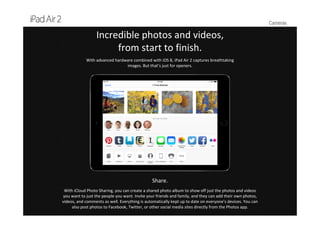
Cameras
Incredible photos and videos, 
from start to finish.
With advanced hardware combined with iOS 8, iPad Air 2 captures breathtaking 
images. But that’s just for openers.
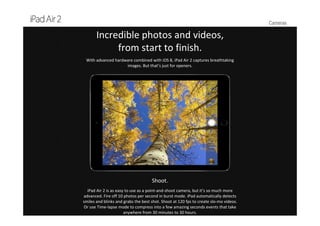
Shoot.
iPad Air 2 is as easy to use as a point‐and‐shoot camera, but it’s so much more 
advanced. Fire off 10 photos per second in burst mode. iPad automatically detects 
smiles and blinks and grabs the best shot. Shoot at 120 fps to create slo‐mo videos. 
Or use Time‐lapse mode to compress into a few amazing seconds events that take 
anywhere from 30 minutes to 30 hours.
Cameras
Incredible photos and videos, 
from start to finish.
With advanced hardware combined with iOS 8, iPad Air 2 captures breathtaking 
images. But that’s just for openers.
Edit.
Once you’ve captured a photo or video, there’s a lot more you can do. And iPad Air 2 makes it a breeze, 
because its built‐in editing apps work seamlessly with all your images. Adjust exposure, color, brightness, 
and contrast. Add filters. Edit a movie with iMovie. Or use third‐party apps to get even more creative. For 
example, turn a photo into a cartoon, complete with dialogue balloons. And thanks to the large display, 
you’ll be able to do it all without needing to switch to a computer.
Cameras
Incredible photos and videos, 
from start to finish.
With advanced hardware combined with iOS 8, iPad Air 2 captures breathtaking 
images. But that’s just for openers.
Share.
With iCloud Photo Sharing, you can create a shared photo album to show off just the photos and videos 
you want to just the people you want. Invite your friends and family, and they can add their own photos, 
videos, and comments as well. Everything is automatically kept up to date on everyone’s devices. You can 
also post photos to Facebook, Twitter, or other social media sites directly from the Photos app.
Cameras
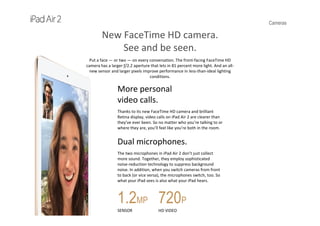
New FaceTime HD camera.
See and be seen.
Put a face — or two — on every conversation. The front‐facing FaceTime HD 
camera has a larger ƒ/2.2 aperture that lets in 81 percent more light. And an all‐
new sensor and larger pixels improve performance in less‐than‐ideal lighting 
conditions.
More personal               
video calls.
Thanks to its new FaceTime HD camera and brilliant 
Retina display, video calls on iPad Air 2 are clearer than 
they’ve ever been. So no matter who you’re talking to or 
where they are, you’ll feel like you’re both in the room.
Dual microphones.
The two microphones in iPad Air 2 don’t just collect 
more sound. Together, they employ sophisticated 
noise‐reduction technology to suppress background 
noise. In addition, when you switch cameras from front 
to back (or vice versa), the microphones switch, too. So 
what your iPad sees is also what your iPad hears.
1.2MP
SENSOR
720P
HD VIDEO
Cameras
Photos and videos
are just the beginning.
The cameras on iPad Air 2 can do more than take dazzling photos and videos. 
Used with apps, they can do remarkable things. Like be your partner on that 
home redecorating project. Improve your athletic performance. Or let you scan, 
save, and send documents. And developers are working on new apps that do 
even more with the cameras. You’ll find them on the App Store.
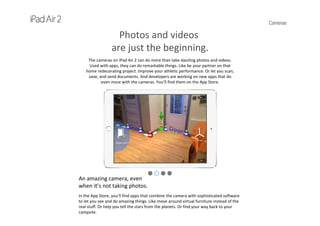
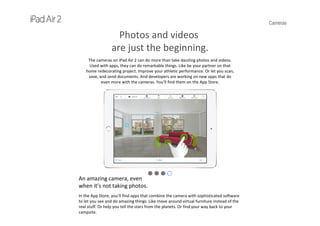
An amazing camera, even
when it’s not taking photos.
In the App Store, you’ll find apps that combine the camera with sophisticated software
to let you see and do amazing things. Like move around virtual furniture instead of the 
real stuff. Or help you tell the stars from the planets. Or find your way back to your 
campsite.
Cameras
Photos and videos
are just the beginning.
The cameras on iPad Air 2 can do more than take dazzling photos and videos. 
Used with apps, they can do remarkable things. Like be your partner on that 
home redecorating project. Improve your athletic performance. Or let you scan, 
save, and send documents. And developers are working on new apps that do 
even more with the cameras. You’ll find them on the App Store.
An amazing camera, even
when it’s not taking photos.
In the App Store, you’ll find apps that combine the camera with sophisticated software
to let you see and do amazing things. Like move around virtual furniture instead of the 
real stuff. Or help you tell the stars from the planets. Or find your way back to your 
campsite.
Cameras
Photos and videos
are just the beginning.
The cameras on iPad Air 2 can do more than take dazzling photos and videos. 
Used with apps, they can do remarkable things. Like be your partner on that 
home redecorating project. Improve your athletic performance. Or let you scan, 
save, and send documents. And developers are working on new apps that do 
even more with the cameras. You’ll find them on the App Store.
An amazing camera, even
when it’s not taking photos.
In the App Store, you’ll find apps that combine the camera with sophisticated software
to let you see and do amazing things. Like move around virtual furniture instead of the 
real stuff. Or help you tell the stars from the planets. Or find your way back to your 
campsite.
Cameras
Photos and videos
are just the beginning.
The cameras on iPad Air 2 can do more than take dazzling photos and videos. 
Used with apps, they can do remarkable things. Like be your partner on that 
home redecorating project. Improve your athletic performance. Or let you scan, 
save, and send documents. And developers are working on new apps that do 
even more with the cameras. You’ll find them on the App Store.
An amazing camera, even
when it’s not taking photos.
In the App Store, you’ll find apps that combine the camera with sophisticated software
to let you see and do amazing things. Like move around virtual furniture instead of the 
real stuff. Or help you tell the stars from the planets. Or find your way back to your 
campsite.
Cameras
Photos and videos
are just the beginning.
The cameras on iPad Air 2 can do more than take dazzling photos and videos. 
Used with apps, they can do remarkable things. Like be your partner on that 
home redecorating project. Improve your athletic performance. Or let you scan, 
save, and send documents. And developers are working on new apps that do 
even more with the cameras. You’ll find them on the App Store.
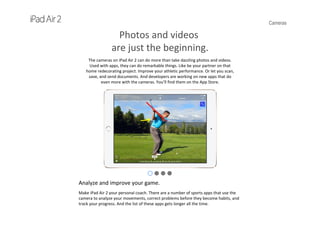
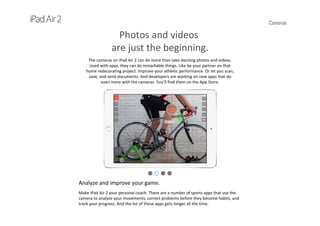
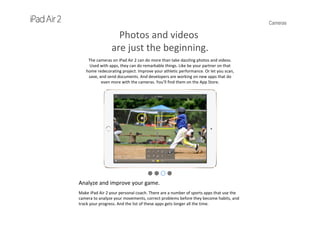
Analyze and improve your game.
Make iPad Air 2 your personal coach. There are a number of sports apps that use the 
camera to analyze your movements, correct problems before they become habits, and 
track your progress. And the list of these apps gets longer all the time.
Cameras
Photos and videos
are just the beginning.
The cameras on iPad Air 2 can do more than take dazzling photos and videos. 
Used with apps, they can do remarkable things. Like be your partner on that 
home redecorating project. Improve your athletic performance. Or let you scan, 
save, and send documents. And developers are working on new apps that do 
even more with the cameras. You’ll find them on the App Store.
Analyze and improve your game.
Make iPad Air 2 your personal coach. There are a number of sports apps that use the 
camera to analyze your movements, correct problems before they become habits, and 
track your progress. And the list of these apps gets longer all the time.
Cameras
Photos and videos
are just the beginning.
The cameras on iPad Air 2 can do more than take dazzling photos and videos. 
Used with apps, they can do remarkable things. Like be your partner on that 
home redecorating project. Improve your athletic performance. Or let you scan, 
save, and send documents. And developers are working on new apps that do 
even more with the cameras. You’ll find them on the App Store.
Analyze and improve your game.
Make iPad Air 2 your personal coach. There are a number of sports apps that use the 
camera to analyze your movements, correct problems before they become habits, and 
track your progress. And the list of these apps gets longer all the time.
Cameras
Photos and videos
are just the beginning.
The cameras on iPad Air 2 can do more than take dazzling photos and videos. 
Used with apps, they can do remarkable things. Like be your partner on that 
home redecorating project. Improve your athletic performance. Or let you scan, 
save, and send documents. And developers are working on new apps that do 
even more with the cameras. You’ll find them on the App Store.
Analyze and improve your game.
Make iPad Air 2 your personal coach. There are a number of sports apps that use the 
camera to analyze your movements, correct problems before they become habits, and 
track your progress. And the list of these apps gets longer all the time.
Cameras
Photos and videos
are just the beginning.
The cameras on iPad Air 2 can do more than take dazzling photos and videos. 
Used with apps, they can do remarkable things. Like be your partner on that 
home redecorating project. Improve your athletic performance. Or let you scan, 
save, and send documents. And developers are working on new apps that do 
even more with the cameras. You’ll find them on the App Store.
Scan, store, and send documents.
Turn your iPad Air 2 into a scanner to store and organize all those receipts, tickets, 
notes, sketches, and business cards. Some apps even offer optical character recognition 
(OCR), allowing you to create editable documents.
Cameras
Photos and videos
are just the beginning.
The cameras on iPad Air 2 can do more than take dazzling photos and videos. 
Used with apps, they can do remarkable things. Like be your partner on that 
home redecorating project. Improve your athletic performance. Or let you scan, 
save, and send documents. And developers are working on new apps that do 
even more with the cameras. You’ll find them on the App Store.
Scan, store, and send documents.
Turn your iPad Air 2 into a scanner to store and organize all those receipts, tickets, 
notes, sketches, and business cards. Some apps even offer optical character recognition 
(OCR), allowing you to create editable documents.
Cameras
Photos and videos
are just the beginning.
The cameras on iPad Air 2 can do more than take dazzling photos and videos. 
Used with apps, they can do remarkable things. Like be your partner on that 
home redecorating project. Improve your athletic performance. Or let you scan, 
save, and send documents. And developers are working on new apps that do 
even more with the cameras. You’ll find them on the App Store.
Scan, store, and send documents.
Turn your iPad Air 2 into a scanner to store and organize all those receipts, tickets, 
notes, sketches, and business cards. Some apps even offer optical character recognition 
(OCR), allowing you to create editable documents.
Cameras
Photos and videos
are just the beginning.
The cameras on iPad Air 2 can do more than take dazzling photos and videos. 
Used with apps, they can do remarkable things. Like be your partner on that 
home redecorating project. Improve your athletic performance. Or let you scan, 
save, and send documents. And developers are working on new apps that do 
even more with the cameras. You’ll find them on the App Store.
Scan, store, and send documents.
Turn your iPad Air 2 into a scanner to store and organize all those receipts, tickets, 
notes, sketches, and business cards. Some apps even offer optical character recognition 
(OCR), allowing you to create editable documents.
Wireless
Wireless
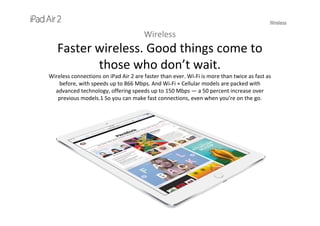
Faster wireless. Good things come to 
those who don’t wait.
Wireless connections on iPad Air 2 are faster than ever. Wi-Fi is more than twice as fast as 
before, with speeds up to 866 Mbps. And Wi-Fi + Cellular models are packed with 
advanced technology, offering speeds up to 150 Mbps — a 50 percent increase over 
previous models.1 So you can make fast connections, even when you’re on the go.
Wireless
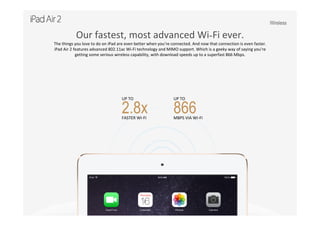
Our fastest, most advanced Wi-Fi ever.
The things you love to do on iPad are even better when you’re connected. And now that connection is even faster. 
iPad Air 2 features advanced 802.11ac Wi-Fi technology and MIMO support. Which is a geeky way of saying you’re 
getting some serious wireless capability, with download speeds up to a superfast 866 Mbps.
UP TO   
2.8xFASTER WI‐FI
UP TO   
866MBPS VIA WI‐FI
Wireless
Our fastest, most advanced Wi-Fi ever.
The things you love to do on iPad are even better when you’re connected. And now that connection is even faster. 
iPad Air 2 features advanced 802.11ac Wi-Fi technology and MIMO support. Which is a geeky way of saying you’re 
getting some serious wireless capability, with download speeds up to a superfast 866 Mbps.
AirDrop
AirDrop is the quickest and easiest way to wirelessly 
share documents and files with people nearby. 
Simply enable AirDrop in Control Center, select a 
photo, video, or document, tap the Share icon, and 
choose who you want to share with. And just like 
that, the file appears on their device. It’s a lot easier 
than digging around for a thumb drive.
AirPlay
AirPlay lets you wirelessly stream what’s on your iPad Air 2 
via Apple TV to your HDTV and speakers — without having 
to log in to a network. Or you can mirror exactly what’s on 
your display and see it on the big screen. Whether you’re in 
the boardroom, the classroom, or the living room, you’ll be 
able to share everything — from a business presentation to 
a history lesson to a vacation video. 
Wireless
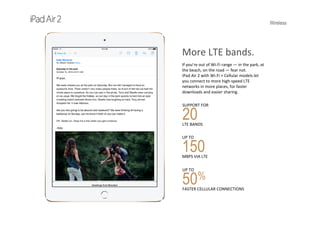
More LTE bands.
If you’re out of Wi-Fi range — in the park, at 
the beach, on the road — fear not. 
iPad Air 2 with Wi-Fi + Cellular models let 
you connect to more high‐speed LTE 
networks in more places, for faster 
downloads and easier sharing.
SUPPORT FOR   
20LTE BANDS
UP TO   
150MBPS VIA LTE
UP TO                               
50%
FASTER CELLULAR CONNECTIONS
Wireless
More cellular networks. 
More ways to connect.
On the iPad Air 2 with Wi-Fi + Cellular model, 20 LTE 
bands are packed into a single device. So you can take 
advantage of LTE networks for fast download and 
upload speeds practically anywhere you go.
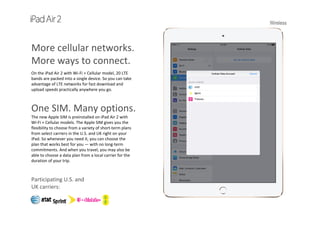
One SIM. Many options.
The new Apple SIM is preinstalled on iPad Air 2 with  
Wi‐Fi + Cellular models. The Apple SIM gives you the 
flexibility to choose from a variety of short‐term plans 
from select carriers in the U.S. and UK right on your  
iPad. So whenever you need it, you can choose the   
plan that works best for you — with no long‐term 
commitments. And when you travel, you may also be 
able to choose a data plan from a local carrier for the 
duration of your trip.
Participating U.S. and 
UK carriers:
Wireless
Create your own mobile hotspot.
With Personal Hotspot on your Wi-Fi + Cellular model, you can easily create a mobile hotspot for other 
devices. For example, say you’re with some friends who want to get online with a laptop, but there’s no Wi-Fi. 
You can come to their rescue simply by turning on your hotspot in Settings, and voilà, they’re ready to 
connect. And you’re the hero.
APPs
Apps
Designed for iPad. And everything 
you want to do with it.
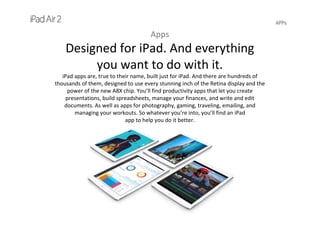
iPad apps are, true to their name, built just for iPad. And there are hundreds of 
thousands of them, designed to use every stunning inch of the Retina display and the 
power of the new A8X chip. You’ll find productivity apps that let you create 
presentations, build spreadsheets, manage your finances, and write and edit 
documents. As well as apps for photography, gaming, traveling, emailing, and 
managing your workouts. So whatever you’re into, you’ll find an iPad
app to help you do it better.
APPs
Exclusively from Apple.            
Especially for iPad.
Every new iPad comes with Pages, Numbers, Keynote, iMovie, and GarageBand.* So you 
can be creative with your documents, spreadsheets, presentations, videos, and music 
right from the start. And all these apps are optimized for 64-bit architecture.
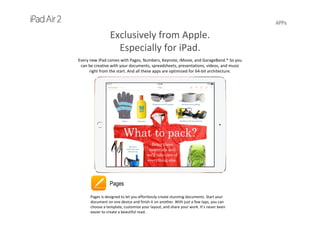
Pages
Pages is designed to let you effortlessly create stunning documents. Start your 
document on one device and finish it on another. With just a few taps, you can 
choose a template, customize your layout, and share your work. It’s never been 
easier to create a beautiful read.
APPs
Numbers
Numbers makes it easy to create spreadsheets that stand out. Start with a blank 
canvas. Tap to choose a handsome template and add multiple tables. Build stunning 
interactive charts with a touch. And easily switch between devices so you can work 
wherever you are. The power of numbers has never been so beautiful to behold. 
Exclusively from Apple.            
Especially for iPad.
Every new iPad comes with Pages, Numbers, Keynote, iMovie, and GarageBand.* So you 
can be creative with your documents, spreadsheets, presentations, videos, and music 
right from the start. And all these apps are optimized for 64-bit architecture.
APPs
Keynote
Keynote puts the power to create a compelling presentation right at your fingertips —
wherever you go and whichever device you’re working on. Tap to choose an elegant 
theme. Add photos, interactive charts, and cinematic transitions. And quickly pair nearby 
iOS devices to control your presentation on one device from another. 
Exclusively from Apple.            
Especially for iPad.
Every new iPad comes with Pages, Numbers, Keynote, iMovie, and GarageBand.* So you 
can be creative with your documents, spreadsheets, presentations, videos, and music 
right from the start. And all these apps are optimized for 64-bit architecture.
APPs
iMovie
iMovie makes it easy to browse and share the HD video you shoot on your iPad. 
Turn your favorite clips into blockbuster movies or Hollywood-style trailers. And 
watch your mini-masterpieces anywhere with iMovie Theater. A few taps, a few 
swipes, and you’re ready for your big premiere. 
Exclusively from Apple.            
Especially for iPad.
Every new iPad comes with Pages, Numbers, Keynote, iMovie, and GarageBand.* So you 
can be creative with your documents, spreadsheets, presentations, videos, and music 
right from the start. And all these apps are optimized for 64-bit architecture.
APPs
GarageBand
GarageBand is the most popular music creation app for iPad, iPhone, and 
iPod touch. And it’s easy to see why. You can play, mix, and record your own songs.
Then share them — across the room or across the globe — with just a few taps. It’s 
never been so simple to create great music and get it out there.
Exclusively from Apple.            
Especially for iPad.
Every new iPad comes with Pages, Numbers, Keynote, iMovie, and GarageBand.* So you 
can be creative with your documents, spreadsheets, presentations, videos, and music 
right from the start. And all these apps are optimized for 64-bit architecture.
APPs
Countless apps. Endless possibilities.
Be productive. Be creative. Be entertained. There are hundreds of thousands of apps that 
make your iPad whatever you want it to be.
Cooking Cooking Home 
Improvement
Music Health      
and  Fitness
Photography 
and       
Video
Productivity Gaming Travel Kids
APPs
Storehouse
Combine your photos and videos to tell a story. You can import from 
Instagram, Flickr, and Dropbox, and share on social networks. 
Photography and Video
APPs
Adobe Photo Mix
Combine the power of Adobe Photoshop software with the 
convenience of mobile for a creative, easy‐to‐use photo editing 
experience on your iPad.
Photography and Video
APPs
Rookie-Photo Editor
RookieTM is the filter photo editor that goes beyond basic photo 
editing, allowing you to express even the most subtle mood in 
your photos. 
Photography and Video
APPs
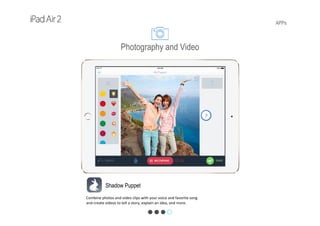
Shadow Puppet
Combine photos and video clips with your voice and favorite song
and create videos to tell a story, explain an idea, and more. 
Photography and Video
APPs
Microsoft Word
Word for iPad has the familiar Office look and feel along with an 
intuitive touch experience, so you’ll be up and running in no time. 
Productivity
APPs
Mint
Mint puts your investments and accounts in one place, so you can
track your spending, create a budget, get bill reminders, and more. 
Productivity
APPs
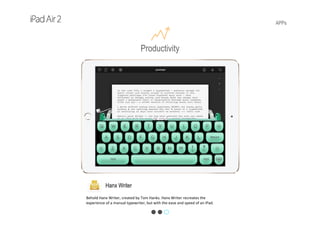
Hanx Writer
Behold Hanx Writer, created by Tom Hanks. Hanx Writer recreates the 
experience of a manual typewriter, but with the ease and speed of an iPad. 
Productivity
APPs
Leo’s Fortune
Hunt down the cunning and mysterious thief that stole your gold in 
this epic adventure. 
Gaming
APPs
80 Days
1872 with a steampunk twist. Phileas Fogg has wagered he can 
circumnavigate the world in just 80 days. 
Gaming
APPs
MMX Racing
This is your chance to create a fire‐breathing Monster Truck and 
race it head‐to‐head over spectacular jump‐filled courses. 
Gaming
APPs
Table Tennis Touch
If you like games that are fast, fun, and challenging, you’ll love Table 
Tennis Touch — the #1 table tennis game on the App Store.
Gaming
APPs
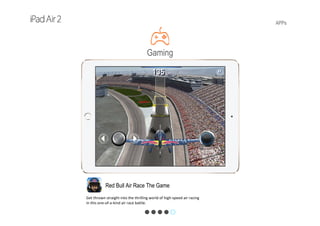
Red Bull Air Race The Game
Get thrown straight into the thrilling world of high‐speed air racing 
in this one‐of‐a‐kind air race battle.
Gaming
APPs
Expedia Hotel&Flights
Get mobile‐exclusive deals, book your trip, access itineraries on the 
go, and receive flight delays and hotel checkout times alerts.
Travel
APPs
Fodor’s City Guide
Simplify your travel planning with expert advice, discounts on 
attractions and tours, hotel booking, and more. 
Travel
APPs
AirPano travel Book
AirPano Travel Book is a collection of 360‐degree spherical aerial 
panoramas of the most amazing places in the world.
Travel
APPs
Hopscotch
Kids can use simple, intuitive building blocks to create games, 
animations, and apps in this colorful, interactive environment. 
Kids
APPs
Star WalkTM Kids
Combines extensive astronomical data with premium technology to 
deliver a magical and engaging stargazing experience.
Kids
APPs
This is my car
Lets boys and girls learn about cars through hands‐on gameplay: 
refueling, topping off the oil, changing a tire, and much more.
Kids
APPs
Dora and Friends HD
The Dora and Friends app invites kids to become magical storytellers 
as they play with Dora and her new friends.
Kids
APPs
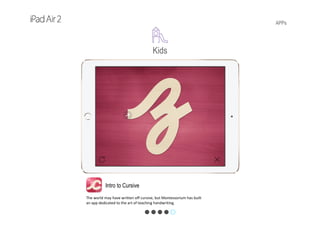
Intro to Cursive
The world may have written off cursive, but Montessorium has built 
an app dedicated to the art of teaching handwriting.
Kids
APPs
The Whole Pantry
The Whole Pantry is the first of its kind, combining inspiring whole‐
food recipes with lifestyle and wellness guides.
Cooking
APPs
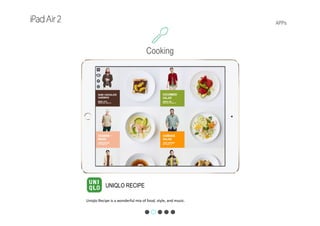
UNIQLO RECIPE
Uniqlo Recipe is a wonderful mix of food, style, and music.
Cooking
APPs
Panna
Panna merges beautiful HD video with the expertise of renowned 
master chefs and their kitchen equipment knowledge.
Cooking
APPs
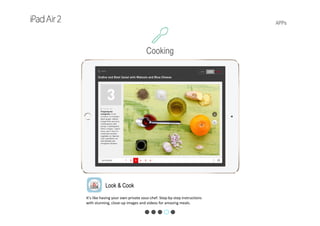
Look & Cook
It’s like having your own private sous‐chef. Step‐by‐step instructions 
with stunning, close‐up images and videos for amazing meals.
Cooking
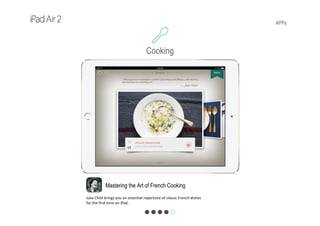
APPs
Mastering the Art of French Cooking
Julia Child brings you an essential repertoire of classic French dishes 
for the first time on iPad.
Cooking
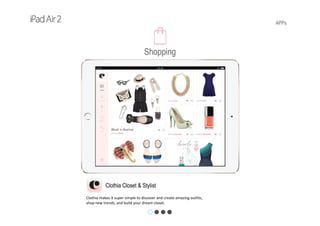
APPs
Clothia Closet & Stylist
Clothia makes it super simple to discover and create amazing outfits, 
shop new trends, and build your dream closet.
Shopping
APPs
Target for iPad
The award‐winning Target app gives you all the tools you need to 
shop and save, online and in stores.
Shopping
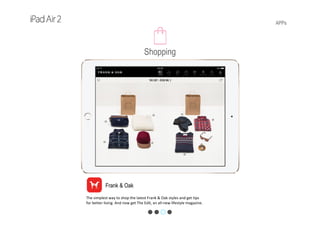
APPs
Frank & Oak
The simplest way to shop the latest Frank & Oak styles and get tips 
for better living. And now get The Edit, an all‐new lifestyle magazine. 
Shopping
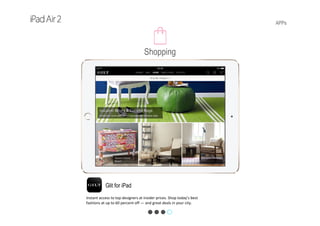
APPs
Glit for iPad
Instant access to top designers at insider prices. Shop today’s best 
fashions at up to 60 percent off — and great deals in your city.
Shopping
APPs
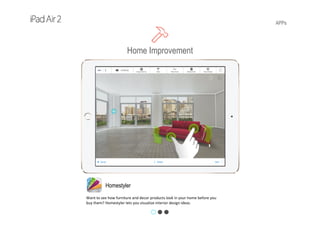
Homestyler
Want to see how furniture and decor products look in your home before you 
buy them? Homestyler lets you visualize interior design ideas. 
Home Improvement
APPs
HGTV Folio
Explore, save, and share an endless stream of photos and galleries 
from HGTV’s experts and design professionals.
Home Improvement
APPs
Zillow Digs
Collect images, share your favorites, and check out project costs. Finding 
inspiration for your next remodel is easy. 
Home Improvement
APPs
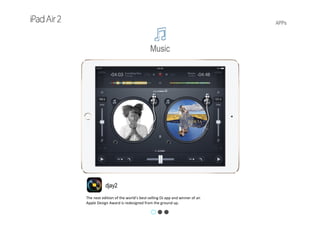
djay2
The next edition of the world’s best‐selling DJ app and winner of an 
Apple Design Award is redesigned from the ground up. 
Music
APPs
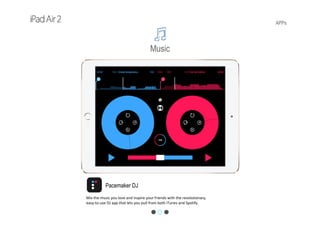
Pacemaker DJ
Mix the music you love and inspire your friends with the revolutionary, 
easy‐to‐use DJ app that lets you pull from both iTunes and Spotify.
Music
APPs
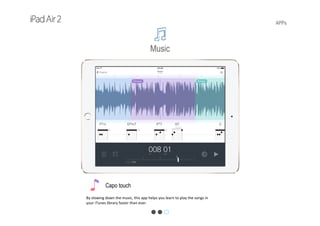
Capo touch
By slowing down the music, this app helps you learn to play the songs in 
your iTunes library faster than ever.
Music
APPs
Chatelaine 10-Minutes Fitness
No gym? No problem. Sculpt, tighten, and tone every inch in no time with this 
comprehensive 10-minute workout that goes anywhere you do. 
Health and Fitness
APPs
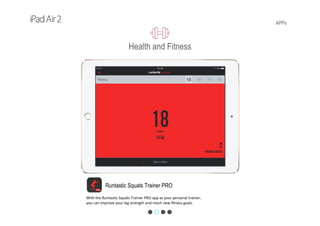
Runtastic Squats Trainer PRO
With the Runtastic Squats Trainer PRO app as your personal trainer, 
you can improve your leg strength and reach new fitness goals. 
Health and Fitness
APPs
FitStar Personal Trainer
Get a customized workout when you can’t make it to the gym or 
don’t want to pay for a costly personal trainer.
Health and Fitness
APPs
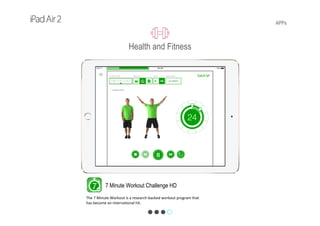
7 Minute Workout Challenge HD
The 7 Minute Workout is a research‐backed workout program that 
has become an international hit. 
Health and Fitness
iOS 8
iOS8
iOS 8 and iPad Air.
A powerful 
combination.
With an easy‐to‐use interface, amazing features, 
and security at its core, iOS 8 makes your iPad
more capable than ever. It’s designed to look 
beautiful and work beautifully, so even the 
simplest tasks are more engaging. And iOS 8 is 
engineered to take full advantage of the powerful 
A8X chip, ultrafast wireless, and brilliant Retina 
display of iPad Air 2. 
iOS 8
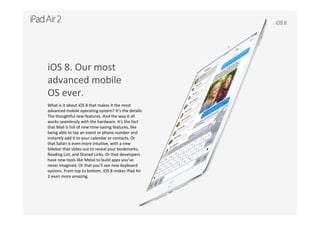
iOS 8. Our most
advanced mobile
OS ever.
What is it about iOS 8 that makes it the most 
advanced mobile operating system? It’s the details. 
The thoughtful new features. And the way it all 
works seamlessly with the hardware. It’s the fact 
that Mail is full of new time‐saving features, like 
being able to tap an event or phone number and 
instantly add it to your calendar or contacts. Or 
that Safari is even more intuitive, with a new 
Sidebar that slides out to reveal your bookmarks, 
Reading List, and Shared Links. Or that developers 
have new tools like Metal to build apps you’ve 
never imagined. Or that you’ll see new keyboard 
options. From top to bottom, iOS 8 makes iPad Air 
2 even more amazing.
iOS 8
Great apps included. iPad Air comes ready to 
work. And play.
iPad Air 2 comes with apps that help you do the things you do every day. Like check your email, make a 
video call, or consult Siri to check a sports score. Or you can write the next great novel, nail your 
presentation, and compose a score for your home movie — all from your iPad Air. And these apps are 
optimized for 64‐bit architecture. So they run smoothly and quickly and make iPad Air — and you —
capable of just about anything.
iOS 8
Camera
Take beautiful photos and videos with the touch of a button. Shoot in slo‐mo 
or create a time‐lapse video or epic panorama image. Take better selfies using 
the timer and burst mode. The timer gives you 3 seconds or 10 seconds to get 
ready, then takes 10 photos per second in burst mode.
iOS 8
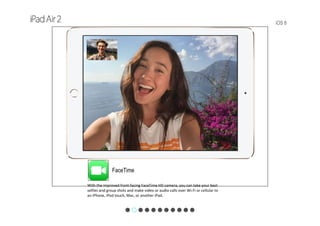
FaceTime
With the improved front‐facing FaceTime HD camera, you can take your best 
selfies and group shots and make video or audio calls over Wi-Fi or cellular to 
an iPhone, iPod touch, Mac, or another iPad.
iOS 8
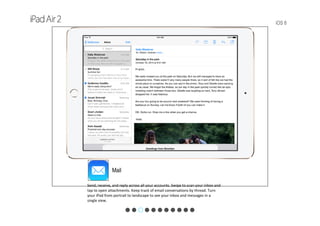
Mail
Send, receive, and reply across all your accounts. Swipe to scan your inbox and 
tap to open attachments. Keep track of email conversations by thread. Turn 
your iPad from portrait to landscape to see your inbox and messages in a 
single view.
iOS 8
Safari
This is web browsing at its most beautiful. Pages look crisp and sharp, and they 
load almost instantly. Tap the Reader icon to read web articles without ads or 
distractions. View items on your Reading List on any device — even when 
you’re offline. And browse through all your tabs with a swipe.
iOS 8
Siri
Say what you want to do and Siri makes it happen. Say what you want to know 
and Siri provides the answer. Say it in any of eight languages and 
Siri understands. And when your iPad is plugged in, just say “Hey Siri” to make 
all your requests hands free.
iOS 8
Calendar
Manage your busy schedule with the Calendar app. View by list, day, or month. 
Switch from portrait to landscape on your iPad to see more days at once on 
your Retina display. 
iOS 8
Music
Build an iTunes library full of your favorite songs, artists, and albums. Tap 
Shuffle to mix things up, or let Siri choose the order. Stream music from DJ‐
curated and genre‐focused stations with iTunes Radio.
iOS 8
Game Center
Your iPad is your arcade with Game Center. Challenge friends or take on an 
opponent six time zones away. When you’re done dominating, check the 
leaderboards for scores and achievements. 
iOS 8
iTunes Store
With millions of songs and thousands of TV shows and HD movies, it’s easy to 
find your favorites — and discover new ones — when you shop the iTunes 
Store. And with iCloud, you can access everything you buy right on your iPad.
iOS 8
App Store
The App Store puts more than one million apps and games at your fingertips. 
Browse Featured Apps or categories like Music, Education, Kids, and more. Or 
tap Explore for app recommendations based on your interests and location.
iOS 8
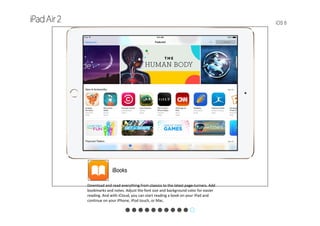
iBooks
Download and read everything from classics to the latest page‐turners. Add 
bookmarks and notes. Adjust the font size and background color for easier 
reading. And with iCloud, you can start reading a book on your iPad and 
continue on your iPhone, iPod touch, or Mac.
iOS 8
What’s new in iOS 8.
Quickly find and edit the photos you take. Add your voice right in a text message. Start an email or 
document on your iPhone and finish it on your iPad. You’ll even have new keyboard options and more ways 
to share your content. And you’ll be able to use iCloud and Touch ID in ways you never have before. Here 
are some of the things iOS 8 can do for you — so you can do more than ever.
iOS 8
Photos. Be the master of 
your photo collection.
The all‐new Photos app makes it simpler than ever to 
find and rediscover your favorite photos with new 
search features and smart albums that organize your 
photos for you. And you can make every shot look 
even better immediately after you’ve taken it with 
powerful new editing tools, no matter your skill level. 
And iCloud Photo Library, in beta, stores every photo 
and video you take, making them accessible from 
your iPad.
iOS 8
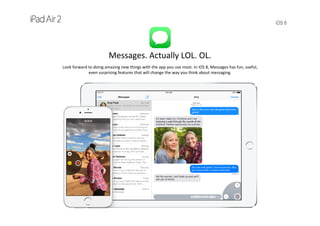
Messages. Actually LOL. OL.
Look forward to doing amazing new things with the app you use most. In iOS 8, Messages has fun, useful, 
even surprising features that will change the way you think about messaging.
iOS 8
Continuity. iPad, iPhone, and Mac — connected 
like never before.
Apple products have always been designed to work together beautifully. But now, with iOS 8 and OS X 
Yosemite, they’re more connected than ever. You can start writing an email on your iPhone and pick up 
where you left off on your iPad. Or browse the web on your Mac and continue from the same link on 
your iPad. You can even answer phone calls on your Mac or iPad.
iOS 8
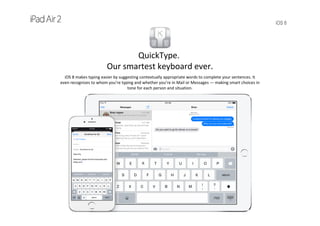
QuickType.
Our smartest keyboard ever.
iOS 8 makes typing easier by suggesting contextually appropriate words to complete your sentences. It   
even recognizes to whom you’re typing and whether you’re in Mail or Messages — making smart choices in 
tone for each person and situation.
iOS 8
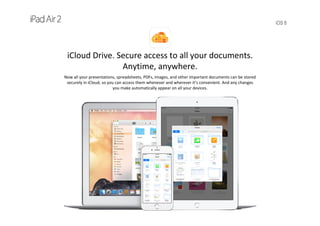
iCloud Drive. Secure access to all your documents. 
Anytime, anywhere.
Now all your presentations, spreadsheets, PDFs, images, and other important documents can be stored 
securely in iCloud, so you can access them whenever and wherever it’s convenient. And any changes 
you make automatically appear on all your devices.
iOS 8
Family Sharing. It’s good to 
share. And now you can do 
it with all your content.
Family Sharing brings harmony to your family’s digital 
life. Up to six people in your family can share 
purchases from iTunes, iBooks, and the App Store 
without sharing accounts. You can pay for family 
purchases with the same credit card and approve kids’
spending right from a parent’s device. And you can 
easily share photos, a family calendar, and more to 
help keep everyone connected.
iOS 8
iOS 8 for developers.
iOS 8 is the biggest iOS release ever. With deeper access and more tools, developers are leveraging the 
new capabilities of iOS 8 to create amazing apps and features. You’ll see new keyboard options, more 
immersive games thanks to Metal, new ways to control your home using HomeKit, and new ways to 
use iCloud and Touch ID.
Tech Specs
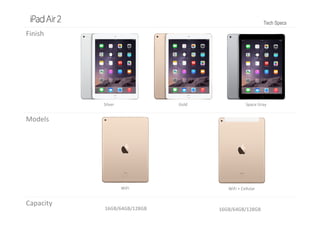
Finish
Models
Capacity
16GB/64GB/128GB 16GB/64GB/128GB
Silver Gold Space Gray
WiFi WiFi + Cellular
Tech Specs
Carriers
Cellular and 
Wireless
Wi-Fi model
Wi-Fi (802.11a/b/g/n/ac); dual channel (2.4GHz and
5GHz); HT80 with MIMO
Bluetooth 4.0 technology
Wi-Fi + Cellular model
Wi-Fi (802.11a/b/g/n/ac); dual channel (2.4GHz and
5GHz); HT80 with MIMO
Bluetooth 4.0 technology
UMTS/HSPA/HSPA+/DC-HSDPA (850, 900, 1700/2100,
1900, 2100 MHz); GSM/EDGE (850, 900, 1800, 1900 MHz)
CDMA EV‐DO Rev. A and Rev. B (800, 1900 MHz)
LTE (Bands 1, 2, 3, 4, 5, 7, 8, 13, 17, 18, 19, 20, 25, 26, 28,
29, 38, 39, 40, 41)3
Data only
Includes Apple SIM — U.S. and UK only
Location Digital compass
Wi-Fi
iBeacon microlocation
Digital compass
Wi-Fi
Assisted GPS and GLONASS
Cellular
iBeacon microlocation
Tech Specs
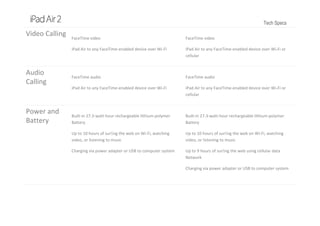
Video Calling FaceTime video
iPad Air to any FaceTime‐enabled device over Wi-Fi
FaceTime video
iPad Air to any FaceTime‐enabled device over Wi-Fi or
cellular
Audio 
Calling
FaceTime audio
iPad Air to any FaceTime‐enabled device over Wi-Fi
FaceTime audio
iPad Air to any FaceTime‐enabled device over Wi-Fi or
cellular
Power and 
Battery
Built‐in 27.3‐watt‐hour rechargeable lithium‐polymer
Battery
Up to 10 hours of surfing the web on Wi-Fi, watching
video, or listening to music
Charging via power adapter or USB to computer system
Built‐in 27.3‐watt‐hour rechargeable lithium‐polymer
Battery
Up to 10 hours of surfing the web on Wi-Fi, watching
video, or listening to music
Up to 9 hours of surfing the web using cellular data
Network
Charging via power adapter or USB to computer system
Tech Specs
Weight and 
Dimensions
Height: 9.4 inches (240 mm)
Width: 6.6 inches (169.5 mm)
Depth: 0.24 inch (6.1 mm)
Weight: 0.96 pound (437 g)
Height: 9.4 inches (240 mm)
Width: 6.6 inches (169.5 mm)
Depth: 0.24 inch (6.1 mm)
Weight: 0.96 pound (444 g)
Display Retina display
9.7‐inch (diagonal) LED‐backlit widescreen Multi‐Touch display with IPS technology
2048‐by‐1536‐pixel resolution at 264 ppi
Fingerprint‐resistant oleophobic coating
Fully laminated display
Antireflective coating
6.6 inches 
(169.5 mm)
0.24 inch   
(6.1 mm)
9.4 inches 
(240 mm)
Tech Specs
Chips
A8X chip with 64‐bit architecture
M8 motion coprocessor
Cameras, 
Photos, and 
Video 
Recording
iSight Camera
8MP iSight camera
Autofocus
ƒ/2.4 aperture
Five‐element lens
Hybrid IR filter
Backside illumination
Improved face detection
Exposure control
Panorama (up to 43MP)
Burst mode
Tap to focus
Photo geotagging
Timer mode
Video Recording
1080p HD video recording (30 fps)
Slo-mo (120 fps)
Time‐lapse video
Video image stabilization
Improved face detection
3x video zoom
Video geotagging
FaceTime HD Camera
1.2MP photos
ƒ/2.2 aperture
720p HD video recording
Backside illumination
Auto HDR photos and videos
Improved face detection
Burst mode
Exposure control
Timer mode
Tech Specs
Audio 
Playback
Frequency response: 20Hz to 20,000Hz
Audio formats supported: AAC (8 to 320 Kbps), Protected AAC (from iTunes Store), HE‐AAC, MP3 (8 to 320 Kbps), MP3
VBR, Audible (formats 2, 3, 4, Audible Enhanced Audio, AAX, and AAX+), Apple Lossless, AIFF, and WAV
User‐configurable maximum volume limit
TV and 
Video
AirPlay Mirroring, photos, audio, and video out to Apple TV (2nd generation or later)
Video mirroring and video out support: Up to 1080p through Lightning Digital AV Adapter and Lightning to VGA Adapter
(adapters sold separately)
Video formats supported: H.264 video up to 1080p, 60 frames per second, High Profile level 5.0 with AAC‐LC audio up
to 160 Kbps, 48kHz, stereo audio in .m4v, .mp4, and .mov file formats; MPEG‐4 video up to 2.5 Mbps, 640 by 480 pixels,
30 frames per second, Simple Profile with AAC‐LC audio up to 160 Kbps per channel, 48kHz, stereo audio in .m4v, .mp4,
and .mov file formats; Motion JPEG (M‐JPEG) up to 35 Mbps, 1280 by 720 pixels, 30 frames per second, audio in ulaw,
PCM stereo audio in .avi file format
Intelligent 
Assistant
Siri — Use your voice to send messages, set reminders, and more
Use hands‐free
Listen and identify songs
Tech Specs
External 
Buttons and 
Connectors
Sensors Touch ID
Three‐axis gyro
Accelerometer
Barometer
Ambient light sensor
Connector Lightning
Dual 
microphonesBuilt‐in speaker
Home/Touch ID sensor
On/Off  
Sleep/Wake
Volume 
up/down
Built‐in speaker
Lightning 
connector
3.5‐mm stereo 
headphone 
jack
Tech Specs
Operating 
System
iOS 8
With amazing new capabilities and updates to features you use every day, iOS 8 is the biggest iOS release  
ever.
Built‐in Apps
Free Apps 
from Apple
Tech Specs
 Apple A8X Processor
 NXP 65V10 NFC Controller 
 Fairchild Semiconductor FDMC 6683 
 Fairchild Semiconductor FDMC 6676BZ 
 Dual‐Channel LPDDR3, 8Gb, ELPIDA/Micron&SK Hynix
 NXP LPC18B1UK, Apple M8 motion coprocessor
 Apple 338S1213 audio codec
 Dual‐Channel LPDDR3, 8Gb, ELPIDA/Micron&SK Hynix
 Bosch Sensortec BMP280, Barometer
 Bosch Sensortec BMA280, Accelerometer
 NAND Flash‐based storage, 16GB/64GB/128GB capacity
 Maxim Integrated MAX98721BEWV
 Broadcom BCM5976
 Texas Instruments TI48WHXDP 343S0583 
 AKM AK8963
 USI WiFi/BT module
 NXP CBTL1610
 Unknown part number,
PMIC for Apple A8X processor, Dialog Semiconductor(?)
This area is used for WWAN function 
in Wi-Fi + Cellular model,                                
1. Qualcomm MDM9625M                             
2. Qualcomm PM8019                                       
3. Qualcomm WTR1625L                                 
4. Qualcomm WFR1620                                    
5. PA chips:                                      
TriQuint, Avago, RF Micro,  SKYWORKS
Tech Specs
eDP
ALS
Broadcom
BCM5976
Front facing camera
Rear facing camera
AKM
AK8963
I2C/SPI
Bosch
BMP280
I2C/SPI
B418/B412
Qualcomm
PM8019
Qualcomm
WTR1625L
Qualcomm
MDM9625M
Murata/USI
339S0229/
339S0251
SDIOUART
LPDDR3
16/64/128GB
NAND Flash
SK Hynix
2‐channel
8Gb
LPDDR3LPDDR3
Apple
PMIC
Apple
338S1213
Audio Codec
Texas
Instruments
48WHXDP
343S0583
Touch Screen
PA 
chips
For Wi-Fi + Cellular model only
Qualcomm
WFR1620
NXP
PN548
Broadcom 
BCM4350
HSIC
NXP
NVT8416
NXP
CBTL1610
Broadcom
BCM5976
I2CBosch
BMA280
MAXIM
MAX98721
9.7”
2048x1536
TI
TPS65143A
Parade
DP675
LPDDR3
LPDDR3
2‐channel
8Gb
LPDDR3
Lightning
Tech Specs
Electronic Compass ‐ 3‐Axis, w/ built‐in ADC & 14‐16‐bit selectable digital outputAK8963AKM
▼MEMs
Unknown
Unknown part number
(Chip package marking: B418/B412)
Unknown
3‐Axis AccelerometerBMA280Bosch Sensortech
BarometerBMP280
Touch Screen ControllerBCM5976TCIKUBB6GBroadcom
Manufacturer Device Function
▼Processor
Apple
Apple A8X Microprocessor
(Apple APL1012)
‧20nm process
‧Tri‐core, ARMv8 architecture
‧Imagination PowerVR 6‐Series GPU, 8 clusters
NXP
NXP LPC18B1
(Apple M8 Processor)
‧NXP LPC1800 series micro processor
‧ARM Cortex‐M3 
▼Memory
Elpida/Micon
SK Hynix
F8164A3MD‐GD‐F
H9CCNNN8KTMLFR‐NTH
‧32‐bit, Dual‐channel, 8Gb LPDDR3
‧Two LPDDR3 memory chips. Total density is 2GB
SK Hynix
‧NAND Flash‐based storage
‧Apple customized
‧16GB/64GB/128GB
▼PMIC
Apple Unknown part number PMIC for Apple A8X Processor
▼Audio
Apple Apple 338S1213 Audio Codec
Maxim Integrated MAX98721BEWV  Boosted Class Amplifier
▼Touch Screen Controller
Texas Instruments 48WHXDP 343S0583 Line Driver
Tech Specs
▼ Display
LCD driverDP675Parade Technologies
LCD Bias Solution for LCD Panels TPS65143ATexas Instruments
▼Others
UnknownCBTL1610NXP
UnknownNVT8416
PMIC for Qualcomm MDM9625M baseband processorPM8019
GSM/CDMA/W‐CDMA/LTE ReceiverWFR1620
Manufacturer Device Function
▼Radio Frequency
USI
Murata
339S0251
339S0229
Broadcom BCM4350
‧802.11 ac/a/b/g/n Wi‐Fi
‧Bluetooth 4.0
‧FM Receiver
NXP PN548 NFC controller
Qualcomm MDM9625M baseband processor Baseband Processor:
‧ Rel 9 LTE Cat 4(150Mbps)
‧ Rel 10 LTE‐FDD CA
‧ Rel10 3C HSDPA+ 63Mbps
‧ DC HSUPA
‧ TD‐SCDMA
‧ DOrB
‧ QICE, Envelope Tracking
‧ Integrated Memory
WTR1625L GSM/CDMA/W‐CDMA/LTE RxD Transceiver
Tech Specs
▼Processor
Application Processor
‧Tri core
‧ARM v8 architecture
‧Imagination PowerVR 6 series GPU, 8 clusters
‧20nm  process
Apple M8 Coprocessor
‧ LPC18B1
▼Memory
System Memory
‧ Quad‐Channel 32‐bit LPDDR3 controller
‧ Two Dual‐channel 32‐bit 8Gb density LPDDR3 chips
‧ Apple customized package
Storage
‧Apple customized NAND Flash
‧16GB/64GB/128GB capacity
Tech Specs
‧Avago
‧Qualcomm
‧RF Micro
‧Skyworks
‧TriQuint
PA Chips
▼Radio Frequency
WiFi/BT
‧ Broadcom BCM4354
‧ Murata & USI module
Baseband Processor
‧Qualcomm MDM9625M
‧Qualcomm WTR1625L/WFR260
NFC PN548
▼PMIC
PMIC for AP
‧ Dialog Semiconductor
PMIC for BP
‧ Qualcomm PM8019
▼Audio
Audio Codec
Tech Specs
Barometer
▼Touch Screen Controller
Controller
▼MEMs
Accelerometer
Compass
Introducing Apple iPad Air 2

Introducing Apple iPad Air 2