Python Basics: A Beginner's
Guide
Unlock the Power of Programming
Presented by Alamgir Hossain
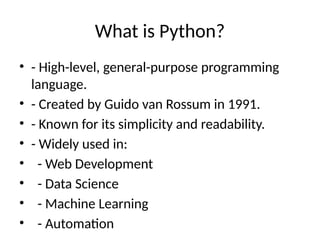
What is Python?
• - High-level, general-purpose programming
language.
• - Created by Guido van Rossum in 1991.
• - Known for its simplicity and readability.
• - Widely used in:
• - Web Development
• - Data Science
• - Machine Learning
• - Automation
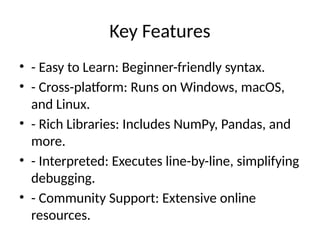
Key Features
• - Easy to Learn: Beginner-friendly syntax.
• - Cross-platform: Runs on Windows, macOS,
and Linux.
• - Rich Libraries: Includes NumPy, Pandas, and
more.
• - Interpreted: Executes line-by-line, simplifying
debugging.
• - Community Support: Extensive online
resources.
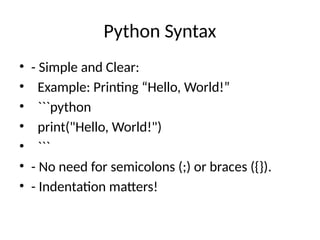
Python Syntax
• - Simple and Clear:
• Example: Printing “Hello, World!”
• ```python
• print("Hello, World!")
• ```
• - No need for semicolons (;) or braces ({}).
• - Indentation matters!
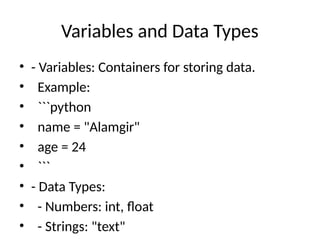
Variables and Data Types
• - Variables: Containers for storing data.
• Example:
• ```python
• name = "Alamgir"
• age = 24
• ```
• - Data Types:
• - Numbers: int, float
• - Strings: "text"
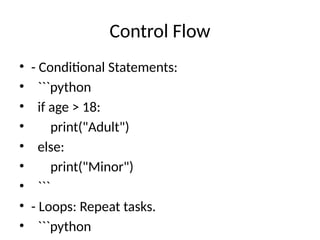
Control Flow
• - Conditional Statements:
• ```python
• if age > 18:
• print("Adult")
• else:
• print("Minor")
• ```
• - Loops: Repeat tasks.
• ```python
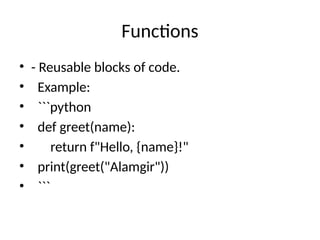
Functions
• - Reusable blocks of code.
• Example:
• ```python
• def greet(name):
• return f"Hello, {name}!"
• print(greet("Alamgir"))
• ```
Popular Libraries
• - Data Analysis: Pandas, NumPy
• - Visualization: Matplotlib, Seaborn
• - Web Development: Flask, Django
• - Machine Learning: TensorFlow, PyTorch
Why Learn Python?
• - Versatile and beginner-friendly.
• - In-demand skill for jobs in tech.
• - Helps automate repetitive tasks.
Getting Started
• - Install Python: python.org
• - IDEs:
• - PyCharm
• - VS Code
• - Jupyter Notebook
• - Practice: Start small and build projects!
Thank You!
• - Questions?
• - Contact: Alamgir Hossain

Introduces the topic and presenter, setting the stage for a structured guide to Python

  • 1.
    Python Basics: ABeginner's Guide Unlock the Power of Programming Presented by Alamgir Hossain
  • 2.
    What is Python? •- High-level, general-purpose programming language. • - Created by Guido van Rossum in 1991. • - Known for its simplicity and readability. • - Widely used in: • - Web Development • - Data Science • - Machine Learning • - Automation
  • 3.
    Key Features • -Easy to Learn: Beginner-friendly syntax. • - Cross-platform: Runs on Windows, macOS, and Linux. • - Rich Libraries: Includes NumPy, Pandas, and more. • - Interpreted: Executes line-by-line, simplifying debugging. • - Community Support: Extensive online resources.
  • 4.
    Python Syntax • -Simple and Clear: • Example: Printing “Hello, World!” • ```python • print("Hello, World!") • ``` • - No need for semicolons (;) or braces ({}). • - Indentation matters!
  • 5.
    Variables and DataTypes • - Variables: Containers for storing data. • Example: • ```python • name = "Alamgir" • age = 24 • ``` • - Data Types: • - Numbers: int, float • - Strings: "text"
  • 6.
    Control Flow • -Conditional Statements: • ```python • if age > 18: • print("Adult") • else: • print("Minor") • ``` • - Loops: Repeat tasks. • ```python
  • 7.
    Functions • - Reusableblocks of code. • Example: • ```python • def greet(name): • return f"Hello, {name}!" • print(greet("Alamgir")) • ```
  • 8.
    Popular Libraries • -Data Analysis: Pandas, NumPy • - Visualization: Matplotlib, Seaborn • - Web Development: Flask, Django • - Machine Learning: TensorFlow, PyTorch
  • 9.
    Why Learn Python? •- Versatile and beginner-friendly. • - In-demand skill for jobs in tech. • - Helps automate repetitive tasks.
  • 10.
    Getting Started • -Install Python: python.org • - IDEs: • - PyCharm • - VS Code • - Jupyter Notebook • - Practice: Start small and build projects!
  • 11.
    Thank You! • -Questions? • - Contact: Alamgir Hossain