Introduction to Python
Python is a versatile and beginner-friendly programming language known
for its simplicity and readability.
With a wide range of applications, from web development to data science,
learning Python opens up diverse opportunities.
Index
Introduction to Python
Get a brief overview of Python and its
applications.
Setting up Python environment
Learn how to install and configure
Python on your system.
Learning the basics of Python
syntax
Understand the fundamental building
blocks of Python programming.
Understanding data types and
data structures
Explore the different types of data and
structures in Python.
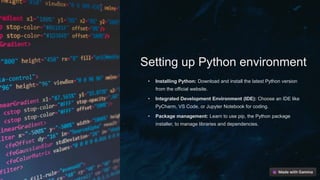
Setting up Python environment
• Installing Python: Download and install the latest Python version
from the official website.
• Integrated Development Environment (IDE): Choose an IDE like
PyCharm, VS Code, or Jupyter Notebook for coding.
• Package management: Learn to use pip, the Python package
installer, to manage libraries and dependencies.
Learning the basics of Python syntax
1 Understanding Syntax
Learn the structure and rules governing Python code, such as indentation
and proper use of punctuation.
2 Variable Declaration
Explore the process of declaring variables and their data types, including
strings, integers, and booleans.
3 Control Structures
Discover the use of loops, conditionals, and functions to control the flow of
your Python code.
Understanding Data Types
and Data Structures
Understanding the differences between data types and selecting the
appropriate one. Exploring the properties of different data structures and
their applications in Python.
Lists, tuples, dictionaries, and sets, and how to effectively use them in
coding. The significance of data types in programming.
Exploring control flow and functions
Control Flow
Control flow in Python involves decision-
making and looping to execute code based
on specified conditions.
Function Basics
Functions in Python are defined using the
def keyword and play a crucial role in
structuring reusable code.
Working with Libraries and Frameworks
Libraries
Integration with external
resources for enhanced
functionality.
Framework
Structured environment for
developing efficient
applications.
Dependencies
Managing interconnected
components for seamless
functionality.
Building projects to apply knowledge
After mastering Python basics, it's crucial to
apply the knowledge through practical
projects. Start by creating simple scripts to
automate tasks or solve everyday
problems. Then progress to developing
small applications or games to solidify your
skills.
Conclusion and Next Steps
Now that you have gained a strong foundational understanding of Python, it's time to start
working on small projects to apply your knowledge practically. Utilize online tutorials, GitHub
repositories, and open-source projects to further enhance your Python skills.
Explore advanced topics such as object-oriented programming, data analysis, and web
development using Python. Joining coding communities and attending local meetups can
provide valuable networking opportunities and continued learning.
Remember to stay persistent, practice consistently, and remain curious as you progress in your
Python journey. Keep pushing your boundaries and embracing new challenges to become
proficient in this versatile programming language.
FAQs
Getting Started
Tips for setting up
Python for beginners.
Common Errors
Exploring common
mistakes and how to
fix them.
Community Support
Where to find help and
resources for learning
Python.
Thank You!
Thank you for joining us on this Python journey. We hope you found this course helpful in
getting started with Python programming. Remember to keep practicing and exploring new
projects to solidify your knowledge. Stay curious and keep coding!

5 Effective Tips to Learn Python Fast.pptx

  • 1.
    Introduction to Python Pythonis a versatile and beginner-friendly programming language known for its simplicity and readability. With a wide range of applications, from web development to data science, learning Python opens up diverse opportunities.
  • 2.
    Index Introduction to Python Geta brief overview of Python and its applications. Setting up Python environment Learn how to install and configure Python on your system. Learning the basics of Python syntax Understand the fundamental building blocks of Python programming. Understanding data types and data structures Explore the different types of data and structures in Python.
  • 3.
    Setting up Pythonenvironment • Installing Python: Download and install the latest Python version from the official website. • Integrated Development Environment (IDE): Choose an IDE like PyCharm, VS Code, or Jupyter Notebook for coding. • Package management: Learn to use pip, the Python package installer, to manage libraries and dependencies.
  • 4.
    Learning the basicsof Python syntax 1 Understanding Syntax Learn the structure and rules governing Python code, such as indentation and proper use of punctuation. 2 Variable Declaration Explore the process of declaring variables and their data types, including strings, integers, and booleans. 3 Control Structures Discover the use of loops, conditionals, and functions to control the flow of your Python code.
  • 5.
    Understanding Data Types andData Structures Understanding the differences between data types and selecting the appropriate one. Exploring the properties of different data structures and their applications in Python. Lists, tuples, dictionaries, and sets, and how to effectively use them in coding. The significance of data types in programming.
  • 6.
    Exploring control flowand functions Control Flow Control flow in Python involves decision- making and looping to execute code based on specified conditions. Function Basics Functions in Python are defined using the def keyword and play a crucial role in structuring reusable code.
  • 7.
    Working with Librariesand Frameworks Libraries Integration with external resources for enhanced functionality. Framework Structured environment for developing efficient applications. Dependencies Managing interconnected components for seamless functionality.
  • 8.
    Building projects toapply knowledge After mastering Python basics, it's crucial to apply the knowledge through practical projects. Start by creating simple scripts to automate tasks or solve everyday problems. Then progress to developing small applications or games to solidify your skills.
  • 9.
    Conclusion and NextSteps Now that you have gained a strong foundational understanding of Python, it's time to start working on small projects to apply your knowledge practically. Utilize online tutorials, GitHub repositories, and open-source projects to further enhance your Python skills. Explore advanced topics such as object-oriented programming, data analysis, and web development using Python. Joining coding communities and attending local meetups can provide valuable networking opportunities and continued learning. Remember to stay persistent, practice consistently, and remain curious as you progress in your Python journey. Keep pushing your boundaries and embracing new challenges to become proficient in this versatile programming language.
  • 10.
    FAQs Getting Started Tips forsetting up Python for beginners. Common Errors Exploring common mistakes and how to fix them. Community Support Where to find help and resources for learning Python.
  • 11.
    Thank You! Thank youfor joining us on this Python journey. We hope you found this course helpful in getting started with Python programming. Remember to keep practicing and exploring new projects to solidify your knowledge. Stay curious and keep coding!