Use “Interwrite” To Get Your
  Students “Interactive!”
    By: Stephanie Hughes
   Jefferson Middle School
Starting the Program..
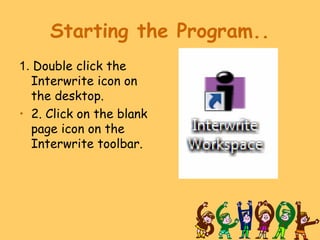
1. Double click the
  Interwrite icon on
  the desktop.
• 2. Click on the blank
  page icon on the
  Interwrite toolbar.
Using the Pen
1. Pushing the rocker forward over an icon acts as a double mouse
click.

2. Pushing the rocker backward over an icon acts like a single mouse
click.

3. Pushing the rocker forward as you hold it over anything you
   wrote
on the board will create an eraser.

4. Notice the pen options at the bottom of the screen
a) line colors, palette
b) line width, transparency
c) line styles, dash styles
Page Set Up
1. Click File and select Preferences from the
  menu.

2. Click the New Page Setup tab on the top of
  the new window.

3. Change the options in this window.
Customize Toolbar
1. Right click anywhere on the toolbar.
2. Scroll down and select Preferences from the
  menu.
3. Click the Customize Toolbar tab.
4. See what tools are available to you.
5. Add or delete tools to the toolbar in this
  window.
Gallary
1. The Gallary was the icon on the toolbar
  that we used to look at “pre-made”
  games, lessons, etc..
2. Click the picture gallery icon on the
  toolbar.
3. Examine the categories. Click on the +
  sign to display more options.
4. Click and drag the pictures onto a blank
  page.
Saving Pages
1. Right click on toolbar and select File and select Save
   or Save As from the menu.
2. Change the file name if you wish. Otherwise, it will
   remain as the date of that day.
3. The program automatically saves all pages in the My
   Documents and Interwrite Workspace folders located
   on the C Drive.
4. To save pages as a PDF (Portable Document Format),
   Click File and select
5. Export PDF File. This will allow the file to be opened
   on any computer using Adobe Acrobat Reader. This is
   good if you wish to post notes on a website.
Tips and Tricks when using
          PowerPoint.…
•Using the highlighter
•abc text box
•Curtain
•Stamper
•Gallary
•Podcast…audio and video
What are some ways you integrate these tools with
 your board?
Where to find PowerPoints?
• http://www.pppst.com/index.html - every
  subject
• http://www.worldofteaching.com/ -
  Presentations for Biology, Chemistry, Physics, English,
  Math, History, Geography, and spanish.
• Free templetes to CREATE your own:
• PowerPoint templates,
  http://www.soniacoleman.com/templates.htm
• Brainy Betty, http://www.brainybetty.com/sitemap.htm
Using Hypermedia
 Technologies to Teach Math
What is Hypermedia?
- Hypermedia is interactive multimedia that is
  used to help increase retention: “I hear and I
  misunderstand, I see and I forget, I do and I
  learn!”
- Multimedia is data that comes in the form of text,
  still images, animation, audio, and videos.
How can I use Hypermedia to teach math?
Showbeyond
             http://www.showbeyond.com
• Showbeyond is an online photo slideshow story
  creator and sharing community.
• Sign in for a FREE account
• Create a photo slide show
• Maximum of 24 slides
• Add background music and/or narration
• Share your slideshow by creating a URL or
  emailing.
• Student Examples:
    http://www.showbeyond.com/show/view?sid=47a3146d367faaaf4c6276deda2ae43d
http://www.showbeyond.com/show/view?sid=4a72af6a4f33f8ca78c76d59d64e471f
Photo Story 3
• Photo Story 3 is similar to Showbeyond. It
  creates videos with digital photos. However, this
  program adds animation to the photos and it has
  to be burned to a CD or saved on your
  computer. You can not get a URL.
• The Microsoft website has a FREE download of
  this program.
• Ideas:
- Create a video of “Famous Mathematicians”
Audacity
      www.audacity.sourceforge.net
• Audacity is a FREE software program that
  allows you to record and edit sounds.
• Great for instructional use!
• Ideas:
- Have students create a math rap on a skill.
- You could create a tutorial for a math skill.
- Create a CD with directions for an assignment or
  post on a website as a podcast
Spicynodes
       www.spicynodes.com
• A free program that allows you to create
  interactive concept maps, tell stories, or
  just teach a lesson.
• You do have to create an account
• Example:
http://www.spicynodes.org/a/85854e501385d524
Blog
                www.blogger.com
•   A blog is an on-line journal that can be
    viewed, shared, and/or edited.
•   This is an excellent way to gain students
    interest on a topic as well as have them
    interact with different concepts.
•   http://hughesmath7.blogspot.com (class)
•   http://stephstechtalk.blogspot.com
    (personal)
WebQuest
         http://webquest.org
• A webquest is a technology enhanced, hands-
  on, and scaffolded learning experience.
• Examples:

Most Thrilling Roller Coaster:
 http://www.wfu.edu/~mccoy/NCTM99/coasters.html
World Shopping Spree:
http://www.wfu.edu/~mccoy/NCTM99/shopping.html
Additional Math WebQuests:
http://www.wfu.edu/~mccoy/NCTM99/examples.html
Specifically for High School:
http://www.meridian.wednet.edu/~dshick/webquest.htm
WebPages
               www.freewebs.com
• Webpages can easily be created by teachers and
  students.
• They can be used to demonstrate an understanding of a
  skill through an informative page or a tutorial page.
• Since it is Free, you are going to have SPAM and other
  advertisements on your page. However, for a small fee
  you can upgrade your webpage.
Student Example:
• http://www.measurements.webs.com/
• Let’s see how easy it is!
Content Resources…
Simulations:
 • GLOBAL ONLINE ADVENTURE LEARNING SITE
 (GOALS)
    www.goals.com

 • THE JASON PROJECT
     www.jasonproject.org

 • NASA QUEST
     http://quest.arc.nasa.gov
More Simulations….
•   http://www-itg.lbl.gov/vfrog/dissect.html
•   http://www.forgefx.com/casestudies/prenticeha
•   http://www.explorelearning.com/
•   http://www.pbs.org/wgbh/nova/fire/simulation.h
•   http://www.innerbody.com/htm/body.html
Content Resources…

Language Arts:
 • CHILDREN’S LITERATURE WEB GUIDE
 www.acs.ucalgary.ca/~dkbrown

 • EDSITEMENT
    http://edsitement.neh.gov

 • READWRITETHINK
    www.readwritethink.org

 • SHAKESPEARE WEB
    www.shakespeare.com
Content Resources…

Arts:
 • ARTSEDGE
    http://artsedge.kennedy-center.org

 • METROPOLITAN MUSEUM OF ART
     www.metmuseum.org

 • PLAY MUSIC
     www.playmusic.org
Content Resources…
Social Studies:
 • THE AMERICAN CIVIL WAR HOMEPAGE
     http://sunsite.utk.edu/civil-war/warweb.html

 • CONGRESS.ORG
     http://congress.org

 • DIGITAL HISTORY
      www.digitalhistory.uh.edu

 • ECONEDLINK
     www.econedlink.org

 • NATIONAL GEOGRAPHIC XPEDITIONS
     www.nationalgeographic.com/xpeditions
Content Resources…
Science:
 • EXPLORELEARNING.COM
      http://explorelearning.com

 • THE FRANKLIN INSTITUTE ONLINE
     http://www2.fi.edu/

 • OLOGY
     http://ology.amnh.org

 • VOLCANOWORLD
     http://volcano.und.nodak.edu

 • SEAWORLD/BUSCH GARDENS ANIMAL
 INFORMATION DB
    www.seaworld.org
Content Resources…

Mathematics:
 • THE GEOMETRY CENTER
     www.geom.uiuc.edu

 • ILLUMINATIONS
    http://illuminations.nctm.org

 • MEGA-MATHEMATICS
    www.c3.lanl.gov/mega-math
Content Resources…
Planting Tools:
 • CRUNCH
     http://nces.ed.gov/nceskids/crunch

 • CYBERKIDS
      www.cyberkids.com

 • FERN’S POETRY CLUB
     http://pbskids.org/arthur/games/poetry

 • MIDLINK MAGAZINE
     www.ncsu.edu/midlink
Drill and Skill…..
• http://www.aplusmath.com/Flashcards/index.h
• http://www.aplusmath.com/games/matho/
  AddMatho.html
• http://www.cityu.edu.hk/elc/quiz/pronoun.h
  tm
Resources
•   http://www.math-drills.com/ - Endless amounts of math worksheets
•   http://www.timesaversforteachers.com/ - Offers free samples of
    printable forms for substitutes, seating charts, time tables’ chart,
    fractions chart, and more!
•   http://www.awesomelibrary.org/Library/Materials_Search/Lesson_Plans/M
    - offers worksheets and lesson plans
•   http://www.lessonplanet.com/search/Math - Here you will find a
    variety of different math lesson plans such as the history of math
    and endless amounts of math activities.
•   http://www.mathleague.com/help/help.htm - Here you will find
    objectives, definitions, and examples.
•   http://www.mathcats.com – Explore symmetry, tessellations, and
    more! My favorite… Polygon Playground
•   http://www.funbrain.com - My student’s favorite! Lots of math
    interaction through games and different activities
•   http://www.cut-the-knot.org/manifesto/index.shtml- math
    philosophers, games, worksheets, lesson ideas……
Resources Continued….
Numbers and Operations:
•   http://www.bbc.co.uk/education/mathsfile/index.shtml - This site
    offers interactive games for fractions, decimals, percentages,
    squares, and more. It also gives teachers the specific objective that
    each game meets and how it aligns with the math competencies.
    Most importantly, it has printable activities such as; practice
    exercises for writing a check!

Algebra:
•   http://www.internet4classrooms.com/math_sec.htm This site offers
    resources for teaching algebra history, accessing algebra articles,
    and a free algebra forum for you to join. It gives several specific
    ideas for using an excel worksheet! 
•   http://www.myalgebra.com – With this website, you have the
    capability to enter a math problem and get the answer. It will also
    give you step by step instructions on how to get that answer.
Resources Continued….
Geometry and Measurements:
•   http://www.iit.edu/~smile/mathinde.html - This site has over 200
    single concept lessons. Fifty of these are just on Geometry and
    Measurements.
•   http://mathforum.org/workshops/sum98/participants/sanders/ - Have
    the students study real-life three dimensional objects like buildings,
    furniture, and plants. You can look at careers in math such as:
    architecture or movies, and let them create their own 3D objects.
Data Analysis and Probability:
•   http://fcit.usf.edu/math/lessons/lessons8.html - This site has some
    excellent ideas for class activities. It includes the lesson plans as
    well as activity sheets that are needed for the students.
•   http://nces.ed.gov/nceskids/createagraph/default.aspx - Kids Zone
    is an interactive way of visually demonstrating different types of
    graphs and how to create them.

Interwrite training

  • 1.
    Use “Interwrite” ToGet Your Students “Interactive!” By: Stephanie Hughes Jefferson Middle School
  • 2.
    Starting the Program.. 1.Double click the Interwrite icon on the desktop. • 2. Click on the blank page icon on the Interwrite toolbar.
  • 3.
    Using the Pen 1.Pushing the rocker forward over an icon acts as a double mouse click. 2. Pushing the rocker backward over an icon acts like a single mouse click. 3. Pushing the rocker forward as you hold it over anything you wrote on the board will create an eraser. 4. Notice the pen options at the bottom of the screen a) line colors, palette b) line width, transparency c) line styles, dash styles
  • 4.
    Page Set Up 1.Click File and select Preferences from the menu. 2. Click the New Page Setup tab on the top of the new window. 3. Change the options in this window.
  • 5.
    Customize Toolbar 1. Rightclick anywhere on the toolbar. 2. Scroll down and select Preferences from the menu. 3. Click the Customize Toolbar tab. 4. See what tools are available to you. 5. Add or delete tools to the toolbar in this window.
  • 6.
    Gallary 1. The Gallarywas the icon on the toolbar that we used to look at “pre-made” games, lessons, etc.. 2. Click the picture gallery icon on the toolbar. 3. Examine the categories. Click on the + sign to display more options. 4. Click and drag the pictures onto a blank page.
  • 7.
    Saving Pages 1. Rightclick on toolbar and select File and select Save or Save As from the menu. 2. Change the file name if you wish. Otherwise, it will remain as the date of that day. 3. The program automatically saves all pages in the My Documents and Interwrite Workspace folders located on the C Drive. 4. To save pages as a PDF (Portable Document Format), Click File and select 5. Export PDF File. This will allow the file to be opened on any computer using Adobe Acrobat Reader. This is good if you wish to post notes on a website.
  • 8.
    Tips and Trickswhen using PowerPoint.… •Using the highlighter •abc text box •Curtain •Stamper •Gallary •Podcast…audio and video What are some ways you integrate these tools with your board?
  • 9.
    Where to findPowerPoints? • http://www.pppst.com/index.html - every subject • http://www.worldofteaching.com/ - Presentations for Biology, Chemistry, Physics, English, Math, History, Geography, and spanish. • Free templetes to CREATE your own: • PowerPoint templates, http://www.soniacoleman.com/templates.htm • Brainy Betty, http://www.brainybetty.com/sitemap.htm
  • 10.
    Using Hypermedia Technologiesto Teach Math What is Hypermedia? - Hypermedia is interactive multimedia that is used to help increase retention: “I hear and I misunderstand, I see and I forget, I do and I learn!” - Multimedia is data that comes in the form of text, still images, animation, audio, and videos. How can I use Hypermedia to teach math?
  • 11.
    Showbeyond http://www.showbeyond.com • Showbeyond is an online photo slideshow story creator and sharing community. • Sign in for a FREE account • Create a photo slide show • Maximum of 24 slides • Add background music and/or narration • Share your slideshow by creating a URL or emailing. • Student Examples: http://www.showbeyond.com/show/view?sid=47a3146d367faaaf4c6276deda2ae43d http://www.showbeyond.com/show/view?sid=4a72af6a4f33f8ca78c76d59d64e471f
  • 12.
    Photo Story 3 •Photo Story 3 is similar to Showbeyond. It creates videos with digital photos. However, this program adds animation to the photos and it has to be burned to a CD or saved on your computer. You can not get a URL. • The Microsoft website has a FREE download of this program. • Ideas: - Create a video of “Famous Mathematicians”
  • 13.
    Audacity www.audacity.sourceforge.net • Audacity is a FREE software program that allows you to record and edit sounds. • Great for instructional use! • Ideas: - Have students create a math rap on a skill. - You could create a tutorial for a math skill. - Create a CD with directions for an assignment or post on a website as a podcast
  • 14.
    Spicynodes www.spicynodes.com • A free program that allows you to create interactive concept maps, tell stories, or just teach a lesson. • You do have to create an account • Example: http://www.spicynodes.org/a/85854e501385d524
  • 15.
    Blog www.blogger.com • A blog is an on-line journal that can be viewed, shared, and/or edited. • This is an excellent way to gain students interest on a topic as well as have them interact with different concepts. • http://hughesmath7.blogspot.com (class) • http://stephstechtalk.blogspot.com (personal)
  • 16.
    WebQuest http://webquest.org • A webquest is a technology enhanced, hands- on, and scaffolded learning experience. • Examples: Most Thrilling Roller Coaster: http://www.wfu.edu/~mccoy/NCTM99/coasters.html World Shopping Spree: http://www.wfu.edu/~mccoy/NCTM99/shopping.html Additional Math WebQuests: http://www.wfu.edu/~mccoy/NCTM99/examples.html Specifically for High School: http://www.meridian.wednet.edu/~dshick/webquest.htm
  • 17.
    WebPages www.freewebs.com • Webpages can easily be created by teachers and students. • They can be used to demonstrate an understanding of a skill through an informative page or a tutorial page. • Since it is Free, you are going to have SPAM and other advertisements on your page. However, for a small fee you can upgrade your webpage. Student Example: • http://www.measurements.webs.com/ • Let’s see how easy it is!
  • 18.
    Content Resources… Simulations: •GLOBAL ONLINE ADVENTURE LEARNING SITE (GOALS) www.goals.com • THE JASON PROJECT www.jasonproject.org • NASA QUEST http://quest.arc.nasa.gov
  • 19.
    More Simulations…. • http://www-itg.lbl.gov/vfrog/dissect.html • http://www.forgefx.com/casestudies/prenticeha • http://www.explorelearning.com/ • http://www.pbs.org/wgbh/nova/fire/simulation.h • http://www.innerbody.com/htm/body.html
  • 20.
    Content Resources… Language Arts: • CHILDREN’S LITERATURE WEB GUIDE www.acs.ucalgary.ca/~dkbrown • EDSITEMENT http://edsitement.neh.gov • READWRITETHINK www.readwritethink.org • SHAKESPEARE WEB www.shakespeare.com
  • 21.
    Content Resources… Arts: •ARTSEDGE http://artsedge.kennedy-center.org • METROPOLITAN MUSEUM OF ART www.metmuseum.org • PLAY MUSIC www.playmusic.org
  • 22.
    Content Resources… Social Studies: • THE AMERICAN CIVIL WAR HOMEPAGE http://sunsite.utk.edu/civil-war/warweb.html • CONGRESS.ORG http://congress.org • DIGITAL HISTORY www.digitalhistory.uh.edu • ECONEDLINK www.econedlink.org • NATIONAL GEOGRAPHIC XPEDITIONS www.nationalgeographic.com/xpeditions
  • 23.
    Content Resources… Science: •EXPLORELEARNING.COM http://explorelearning.com • THE FRANKLIN INSTITUTE ONLINE http://www2.fi.edu/ • OLOGY http://ology.amnh.org • VOLCANOWORLD http://volcano.und.nodak.edu • SEAWORLD/BUSCH GARDENS ANIMAL INFORMATION DB www.seaworld.org
  • 24.
    Content Resources… Mathematics: •THE GEOMETRY CENTER www.geom.uiuc.edu • ILLUMINATIONS http://illuminations.nctm.org • MEGA-MATHEMATICS www.c3.lanl.gov/mega-math
  • 25.
    Content Resources… Planting Tools: • CRUNCH http://nces.ed.gov/nceskids/crunch • CYBERKIDS www.cyberkids.com • FERN’S POETRY CLUB http://pbskids.org/arthur/games/poetry • MIDLINK MAGAZINE www.ncsu.edu/midlink
  • 26.
    Drill and Skill….. •http://www.aplusmath.com/Flashcards/index.h • http://www.aplusmath.com/games/matho/ AddMatho.html • http://www.cityu.edu.hk/elc/quiz/pronoun.h tm
  • 27.
    Resources • http://www.math-drills.com/ - Endless amounts of math worksheets • http://www.timesaversforteachers.com/ - Offers free samples of printable forms for substitutes, seating charts, time tables’ chart, fractions chart, and more! • http://www.awesomelibrary.org/Library/Materials_Search/Lesson_Plans/M - offers worksheets and lesson plans • http://www.lessonplanet.com/search/Math - Here you will find a variety of different math lesson plans such as the history of math and endless amounts of math activities. • http://www.mathleague.com/help/help.htm - Here you will find objectives, definitions, and examples. • http://www.mathcats.com – Explore symmetry, tessellations, and more! My favorite… Polygon Playground • http://www.funbrain.com - My student’s favorite! Lots of math interaction through games and different activities • http://www.cut-the-knot.org/manifesto/index.shtml- math philosophers, games, worksheets, lesson ideas……
  • 28.
    Resources Continued…. Numbers andOperations: • http://www.bbc.co.uk/education/mathsfile/index.shtml - This site offers interactive games for fractions, decimals, percentages, squares, and more. It also gives teachers the specific objective that each game meets and how it aligns with the math competencies. Most importantly, it has printable activities such as; practice exercises for writing a check! Algebra: • http://www.internet4classrooms.com/math_sec.htm This site offers resources for teaching algebra history, accessing algebra articles, and a free algebra forum for you to join. It gives several specific ideas for using an excel worksheet!  • http://www.myalgebra.com – With this website, you have the capability to enter a math problem and get the answer. It will also give you step by step instructions on how to get that answer.
  • 29.
    Resources Continued…. Geometry andMeasurements: • http://www.iit.edu/~smile/mathinde.html - This site has over 200 single concept lessons. Fifty of these are just on Geometry and Measurements. • http://mathforum.org/workshops/sum98/participants/sanders/ - Have the students study real-life three dimensional objects like buildings, furniture, and plants. You can look at careers in math such as: architecture or movies, and let them create their own 3D objects. Data Analysis and Probability: • http://fcit.usf.edu/math/lessons/lessons8.html - This site has some excellent ideas for class activities. It includes the lesson plans as well as activity sheets that are needed for the students. • http://nces.ed.gov/nceskids/createagraph/default.aspx - Kids Zone is an interactive way of visually demonstrating different types of graphs and how to create them.