INDUSTRIAL TRAINING-1
Partial Fulfilment of
B. Tech-Computer Science and Engineering
Individual Project under guidance of Mr. Burhannudin
Dept. of Computer Science and Engineering, SRM University
From 26.05.2015 to 26.06.2015
By
Mufaddal Vasi
Register No. 1031310434
Report submitted to Professor Mrs. S. Girija
(Class In-Charge)
Department Of Computer Science And Engineering,
SRM University,School Of Computing,Faculty Of Engineering And Technology,
Kattankulathur-603203,KancheepuramDist.,Chennai,Tamil Nadu
BONAFIDE CERTIFICATE
This is to certify that Mufaddal Vasi of IIIrd year, B. Tech (Computer Science and
Engineering) bearing Registration Number- 1031310434 has completed his one month of
internship as a research project during the academic year 2015-16 as a partial fulfillment of the
B.Tech course under Mr. Burhanuddin, Department of Accounting, Paramount Copper PVT.
LTD
Date:
(Class In Charge) (Head of Department)
ACKNOWLEDGEMENT
I would like to take this opportunity to thank the Director of E&T, Dr.Muthamizchelvan and
Head of Department of Computer Science and Engineering, Dr.E.Poovamal, for making the
industrial Training a part of the Curriculum and possible for the students.
I would like to express my gratitude to Moazzam Vasi (Director) ,Paramount Copper
Rolling Mills PVT. LTD for allowing me with the golden opportunity of taking the internship
under the Department of Accounting, Paramount Copper Rolling Mills PVT. LTD
I would like to thank Burhanuddin Vasi(Accounting Software Engineer) and Qasim
Motiwala(Head, Accounting and Finance) for guiding me throughout the development of the
project.
I would also like to thank Mrs S. Girija, Class-In-Charge, who has been a supporting pillar
throughout the project. She has not only helped me in my particular research but has also been a
great mentor to me.
Lastly, I would like to thank the entire Computer Science Department who have helped me in the
completion of my project.
CERTIFICATE
COMPANY PROFILE
With a zeal to make a mark for itself in diverse industries like Telecommunications, Armaments,
Wind Mills, Refrigeration, Tire & Tube etc., Paramount Copper Rolling Mills was founded in the
year 1980. Since their inception they have aimed for enhancement of productivity by obtaining
rod through direct melting and technological up gradation for improving the quality of existing
products and manufacture 8 mm rods. The showcased range of our products includes Copper
Crop Bars, Color Plated Copper only for Jari Work, Raw Copper of Different Gauges, Gulla,
Copper Wire Bars of 99.9% Purity, Copper Super-D Wire Bars and Copper Casting Wire Bars.
Founded by Mr. Moazzam Z. Vasi, they are one of the leading companies that started the wire
drawing plant in the year 1960. As an extension of our existing plant, our chairman started
Paramount Copper Rolling Mills in 1980. Theirs was the only Rolling Mill in Gujarat at that time.
Training Details
 Name:- Mufaddal Vasi
 Year:- 2015
 Project:- Late Payment Database
 Organization:- Paramount Copper PVT.LTD
 Place of Training:-Surat, Gujarat
 Supervisor:- Qasim Motiwala/ Burhannudin Vasi(Accounting Software Engineer)
 Period:- 26’May 2015 to 26’June 2015
 Duration:- 1 month
 Field of training:- MySQL, JDBC , Java swing
TABLE OF CONTENTS
Abstract
Chapter 1: Introduction
1.1 Objective
Chapter 2: System Description
2.1 Working with MySQL
2.2 Java Programming
Chapter 3: Implementation
3.1 Working of the project
3.2 Working in MySQL
3.3 Database Creation Syntax
3.4Queries executed in java application
3.5 Layout of the application
Chapter 4: Appendix
Sample Code
ABSTRACT
This project is a Java Swing Application that displays and maintains a list of people with pending
payments and calculates the interest upon the late payments based on a pre-defined formula. It
further maintains an individual payment table for each client. The front end is created in
NetBeans IDE 7.2.1 whereas the back end is created using MySQL workbench.
The application makes tables by retrieving data from MySQL tables.
The Database table that is created, is in MySQL workbench. This report also contains an
extensive discussion on the work that was done on MySQL which includes the features of the
DBMS and also a few snapshots that show the functions of the commands or queries that are
commonly used.
CHAPTER 1
INTRODUCTION
1.1 OBJECTIVE:
The objective of this Report is to put forward the work that was carried out on MySQL and
Java Swing application during the span of one month of Internship.
The First part of the Implementation part deals extensively with the introduction, features and
working of MySQL. The snapshots that are provided, show the queries that are used for the
creation of a table, followed by the selection, insertion, deletion, import and export of the data in
the table.
The second part then shows the Swing application in its form, its connection with the database
and the Table creation. This part of the Report involves syntax and functions used for the
execution of the entire project.
CHAPTER 2
SYSTEM DESCRIPTION
2.1 MODULE 1:
Working with MySQL:
The MySQL™ software delivers a very fast, multi-threaded, multi-user, and robust SQL (Structured
Query Language) database server. MySQL Server is intended for mission-critical, heavy-load
production systems as well as for embedding into mass-deployed software. Oracle is a registered
trademark of Oracle Corporation and/or its affiliates. MySQL is a trademark of Oracle Corporation
and/or its affiliates, and shall not be used by Customer without Oracle's express written
authorization. Other names may be trademarks of their respective owners.
MySQL Workbench is a graphical tool for working with MySQL Servers and databases. MySQL
Workbench fully supports MySQL Server versions 5.1 and above. It is also compatible with
MySQL Server 5.0, but not every feature of 5.0 may be supported. It does not support MySQL
Server versions 4.x.
MySQL Workbench functionality covers five main topics:
 SQL Development: Enables you to create and manage connections to database servers. Along
with enabling you to configure connection parameters, MySQL Workbench provides the
capability to execute SQL queries on the database connections using the built-in SQL Editor.
 Data Modeling (Design): Enables you to create models of your database schema graphically,
reverse and forward engineer between a schema and a live database, and edit all aspects of
your database using the comprehensive Table Editor. The Table Editor provides easy-to-use
facilities for editing Tables, Columns, Indexes, Triggers, Partitioning, Options, Inserts and
Privileges, Routines and Views.
 Server Administration:Enables you to administer MySQL server instances by administering
users, performing backup and recovery, inspecting audit data, viewing database health, and
monitoring the MySQL server performance.
 Data Migration: Allows you to migrate from Microsoft SQL Server, Microsoft Access,
Sybase ASE, SQLite, SQL Anywhere, PostreSQL, and other RDBMS tables, objects and data
to MySQL. Migration also supports migrating from earlier versions of MySQL to the latest
releases.
2.2 MODULE 2:
Basic Java Programming :
Java is a general-purpose computer programming language that is concurrent, class-based, object-
oriented, and specifically designed to have as few implementation dependencies as possible. It is
intended to let application developers "write once, run anywhere" (WORA), meaning
that compiled Java code can run on all platforms that support Java without the need for
recompilation. Java applications are typically compiled to bytecode that can run on any Java virtual
machine (JVM) regardless of computer architecture. As of 2015, Java is one of the most popular
programming languages in use, particularly for client-server web applications, The language derives
much of its syntax from C and C++, but it has fewer low-level facilities than either of them.
JDBC is a Java database connectivity technology (Java Standard Edition platform) from Oracle
Corporation. This technology is an API for the Java programming language that defines how a client
may access a database. It provides methods for querying and updating data in a database. JDBC is
oriented towards relational databases. A JDBC-to-ODBC bridge enables connections to any ODBC-
accessible data source in the JVM host environment.
JDBC allows multiple implementations to exist and be used by the same application. The API
provides a mechanism for dynamically loading the correct Java packages and registering them with
the JDBC Driver Manager. The Driver Manager is used as a connection factory for creating JDBC
connections.
JDBC connections support creating and executing statements. These may be update statements
such as SQL's CREATE, INSERT, UPDATE and DELETE, or they may be query statements such as
SELECT. Additionally, stored procedures may be invoked through a JDBC connection. JDBC
represents statements using one of the following classes:
 Statement – the statement is sent to the database server each and every time.
 PreparedStatement – the statement is cached and then the execution path is pre-determined
on the database server allowing it to be executed multiple times in an efficient manner.
 CallableStatement – used for executing stored procedures on the database.
Update statements such as INSERT, UPDATE and DELETE return an update count that indicates
how many rows were affected in the database. These statements do not return any other
information.
Query statements return a JDBC row result set. The row result set is used to walk over the result
set. Individual columns in a row are retrieved either by name or by column number. There may be
any number of rows in the result set. The row result set has metadata that describes the names of
the columns and their types.
There is an extension to the basic JDBC API in the javax.sql .
JDBC connections are often managed via a connection pool rather than obtained directly from the
driver.
Swing is a GUI widget toolkit for Java. It is part of Oracle's Java Foundation Classes (JFC) —
an API for providing a graphical user interface (GUI) for Java programs.
Swing was developed to provide a more sophisticated set of GUI components than the
earlier Abstract Window Toolkit (AWT). Swing provides a native look and feel that emulates the look
and feel of several platforms, and also supports a pluggable look and feel that allows applications to
have a look and feel unrelated to the underlying platform. It has more powerful and flexible
components than AWT. In addition to familiar components such as buttons, check boxes and labels,
Swing provides several advanced components such as tabbed panel, scroll panes, trees, tables, and
lists.
Unlike AWT components, Swing components are not implemented by platform-specific code.
Instead, they are written entirely in Java and therefore are platform-independent. The term
"lightweight" is used to describe such an element.
CHAPTER 3
IMPLEMENTATION
3.1 Working of the project:
The project is based on the concept of creation of partial payment tables in MySQL for every
entry in the late payment database
The application allows the user to add new transactions, and for each transaction there is a new
SQL table that is created due to query execution. This new table allows the database to accept
partial payments for each transaction in the main table.
The application offers other basic features for entering and deleting from the pending list as well
as addition and deletion of partial payments
3.2 Working in MySQL:
Database creation in MySQL:
Query
mysql> CREATE DATABASE paramount;
Transaction Table creation in MySQL:
CREATE TABLE `paramount`.`pending_list` ( `Sr_no` INT NOT NULL COMMENT '',
`Party_Name` VARCHAR(45) NOT NULL COMMENT '', `Sale_Date` DATE NOT NULL
COMMENT '', `Due Date` DATE NOT NULL COMMENT '', `Amount` FLOAT NOT NULL
COMMENT '', `Rate` INT NOT NULL COMMENT '', `Quantity` FLOAT NOT NULL
COMMENT '', `Interest` FLOAT NOT NULL COMMENT '', PRIMARY KEY (`Party_Name`)
COMMENT '');
Using table import wizard in MySQL workbench
Import data into the table pending_list from ‘pending_list.csv’
Partial payment Table creation in MySQL:
CREATE TABLE `paramount`.`amit` ( `Sr_no` INT(11) UNIQUE NOT NULL COMMENT '',
`Amount` FLOAT NOT NULL COMMENT '', `Rate` INT(11) NOT NULL COMMENT '',
`Quantity` FLOAT NOT NULL COMMENT '', `Recieved_Date` DATE NOTNULL
COMMENT '', `No_of_Late_Days` INT(11) NOT NULL COMMENT '',
`Per_kg_per_day_interest` FLOAT NOT NULL COMMENT '', `Due_Date` DATE NULL
COMMENT '', PRIMARY KEY (`Sr_no`) COMMENT '');
Using table import wizard in MySQL workbench
Import data into the table pending_list from ‘amit v.k.csv’
3.3 Database ConnectionSyntax:
To create a connection between the front end and the database, a few files have to be
imported. These required files and the syntax in which they are to be imported in a JSP file
are given below:
import java.sql.Connection;
import java.sql.DriverManager;
import java.sql.ResultSet;
import java.sql.SQLException;
import java.sql.Statement;
import net.proteanit.sql.DbUtils;
After importing the required files, the next important line is to initialize the JDBC driver
and the URL
static final String JDBC_DRIVER = "com.mysql.jdbc.Driver";
static final String DB_URL = "jdbc:mysql://localhost/paramount";
After that the username and password are defined to log in.
static final String USER = "root";
static final String PASS = "mufaddal";
To create a connection to the database, the DriverManager file is used. The syntax is as per
given below:
Connection conn = null;
Statement stmt = null;
Class.forName("com.mysql.jdbc.Driver");
The conn is an object that is used to create the connection between the MySQL database
paramount. The username and password of the MySQLSQL software are followed by the
name of the database.
Then the java database is allowed to access the tables using the credentials
conn = DriverManager.getConnection(DB_URL,USER,PASS);
The data is then inserted into the table , with the help of the following statement:
sql ="SELECT * FROM `paramount`.`"+party+"`;";
This String is then executed with the help of:
ResultSet rs = stmt.executeQuery(sql);
Then the obtained table is matched to the data type used in Java
jTable1.setModel(DbUtils.resultSetToTableModel(rs));
3.4 Queries executedin Java for different functions
Deleting a record
DELETE FROM `paramount`.`pending_list` WHERE Party_Name='"+party+"';"
Adding a record and creating a partial payment table
INSERT INTO pending_list
"+"VALUES('"+rc.sr_no+"','"+rc.party_name+"','"+rc.sale_date+"','"+rc.due_date+"','"+rc.a
mount+"','"+rc.rate+"','"+rc.quantity+"','"+rc.interest+"','"+rc.status+"')";
CREATE TABLE `paramount`.`"+table_name+"` ("+
"`Sr_no` INT(11) UNIQUE NOT NULL,"+
"`Amount` FLOAT NOT NULL,"+
"`Rate` INT(11) NOT NULL,"+
"`Quantity` FLOAT NOT NULL,"+
"`Recieved_Date` DATE NOT NULL,"+
"`Due_Date` DATE NULL,"+
"`No_of_Late_Days` INT(11) NOT NULL,"+
"`Per_kg_per_day_interest` FLOAT NOT NULL,"+
" PRIMARY KEY (`Sr_no`));
Viewing Pending List
sql = "SELECT * FROM pending_list";
Deleting a partial payment
DELETE FROM `paramount`.`"+party+"` WHERE Sr_no='"+i+"';"
Adding a partial payment
INSERT INTO `paramount`.`"+party+"` VALUES('"
+data.sr_no+"','"+data.amount+"','"+data.rate+"','"
+data.quantity+"','"+data.recd_date+"','"+data.due_date
+"','"+data.no_days+"','"+data.per_day_interest+"')"
Viewing a payment table
sql ="SELECT * FROM `paramount`.`"+party+"`;";
3.5 Layout of the application
3.4.1 Homepage
This is the first menu that appears at the start of the application. It allows the
user to view all the transactions. It also allows the user to add new transactions
and delete existing transactions.
3.4.2 Delete recordscreen
It takes the party name to be deleted from the user and executes a query in the background to
delete that record
3.4.3 Add Recordscreen
It takes the attributes from the user for the record to be added into the table
It also creates another table for the newly created record for future partial payments.
3.4.4 View Pending List screen
This screen gives all the existing transactions in the database in the form of a table
3.4.5 Delete payment screen
It takes the Party name and the Payment ID to be deleted from the user
3.4.6 Add payment screen
It takes the payment data from the user to execute a query in the background to add the
payment in the database.
3.4.7 View Payment Screen
It takes the Party Name from the user to execute a query in the background to search the party in
the database.
3.4.8 View payment table
It views all the processed payments with their calculated interest in a table.
CHAPTER 4
APPENDIX
SAMPLE CODE
Calculator.java
package calculator;
importjavax.swing.JFrame;
/**
*
* @author mufad_000
*/
publicclassCalculator{
static JFrame x=newJFrame();
/**
* @param args the commandline arguments
*/
publicstaticvoidmain(String[] args) {
//TODO code applicationlogichere
x.add(newFirst());
x.pack();
x.setDefaultCloseOperation(JFrame.EXIT_ON_CLOSE);
x.setVisible(true);
}
}
First.java
package calculator;
importjavax.swing.JFrame;
/**
*
* @author mufad_000
*/
publicclassCalculator{
static JFrame x=newJFrame();
/**
* @param args the commandline arguments
*/
publicstaticvoidmain(String[] args) {
//TODO code applicationlogichere
x.add(newFirst());
x.pack();
x.setDefaultCloseOperation(JFrame.EXIT_ON_CLOSE);
x.setVisible(true);
}
}
DelRecord.java
package calculator;
importstaticcalculator.Calculator.x;
importstaticjava.lang.Integer.parseInt;
importjava.sql.Connection;
importjava.sql.DriverManager;
importjava.sql.SQLException;
importjava.sql.Statement;
importjavax.swing.JFrame;
/**
*
* @author mufad_000
*/
publicclassDelRecordextendsjavax.swing.JPanel {
/**
* CreatesnewformDelRecord
*/
Stringparty;
static JFrame x=newJFrame();
static final StringJDBC_DRIVER= "com.mysql.jdbc.Driver";
staticfinal StringDB_URL = "jdbc:mysql://localhost/paramount";
// Database credentials
staticfinal StringUSER = "root";
staticfinal StringPASS= "mufaddal";
publicDelRecord() {
initComponents();
setVisible(true);
}
/**
* Thismethodiscalledfromwithinthe constructorto initializethe form.
* WARNING:Do NOT modifythiscode.The contentof thismethodisalways
* regeneratedbythe FormEditor.
*/
@SuppressWarnings("unchecked")
// <editor-folddefaultstate="collapsed"desc="GeneratedCode">
private voidinitComponents() {
jLabel1= newjavax.swing.JLabel();
jTextField1= newjavax.swing.JTextField();
jButton1= newjavax.swing.JButton();
jLabel2= newjavax.swing.JLabel();
Back = newjavax.swing.JButton();
setPreferredSize(newjava.awt.Dimension(600,400));
jLabel1.setText("EntrPartyName:");
jTextField1.setBackground(newjava.awt.Color(102,255, 204));
jTextField1.addActionListener(newjava.awt.event.ActionListener() {
publicvoidactionPerformed(java.awt.event.ActionEventevt) {
jTextField1ActionPerformed(evt);
}
});
jButton1.setText("Delete");
jButton1.addActionListener(newjava.awt.event.ActionListener() {
publicvoidactionPerformed(java.awt.event.ActionEventevt) {
jButton1ActionPerformed(evt);
}
});
jLabel2.setFont(newjava.awt.Font("Tunga",1,18));// NOI18N
jLabel2.setText("DeleteRecord");
Back.setText("Back");
Back.addActionListener(newjava.awt.event.ActionListener() {
publicvoidactionPerformed(java.awt.event.ActionEventevt) {
BackActionPerformed(evt);
}
});
javax.swing.GroupLayoutlayout=new javax.swing.GroupLayout(this);
this.setLayout(layout);
layout.setHorizontalGroup(
layout.createParallelGroup(javax.swing.GroupLayout.Alignment.LEADING)
.addGroup(layout.createSequentialGroup()
.addGroup(layout.createParallelGroup(javax.swing.GroupLayout.Alignment.LEADING)
.addGroup(layout.createSequentialGroup()
.addGap(22,22, 22)
.addGroup(layout.createParallelGroup(javax.swing.GroupLayout.Alignment.LEADING)
.addComponent(jLabel1)
.addComponent(jButton1))
.addGap(18,18, 18)
.addGroup(layout.createParallelGroup(javax.swing.GroupLayout.Alignment.LEADING)
.addComponent(jTextField1,javax.swing.GroupLayout.PREFERRED_SIZE,109,
javax.swing.GroupLayout.PREFERRED_SIZE)
.addComponent(Back)))
.addGroup(layout.createSequentialGroup()
.addGap(245, 245, 245)
.addComponent(jLabel2,javax.swing.GroupLayout.PREFERRED_SIZE,105,
javax.swing.GroupLayout.PREFERRED_SIZE)))
.addContainerGap(250,Short.MAX_VALUE))
);
layout.setVerticalGroup(
layout.createParallelGroup(javax.swing.GroupLayout.Alignment.LEADING)
.addGroup(layout.createSequentialGroup()
.addContainerGap()
.addComponent(jLabel2,javax.swing.GroupLayout.PREFERRED_SIZE,59,
javax.swing.GroupLayout.PREFERRED_SIZE)
.addGap(43, 43, 43)
.addGroup(layout.createParallelGroup(javax.swing.GroupLayout.Alignment.BASELINE)
.addComponent(jLabel1)
.addComponent(jTextField1,javax.swing.GroupLayout.PREFERRED_SIZE,
javax.swing.GroupLayout.DEFAULT_SIZE,javax.swing.GroupLayout.PREFERRED_SIZE))
.addGap(44, 44, 44)
.addGroup(layout.createParallelGroup(javax.swing.GroupLayout.Alignment.BASELINE)
.addComponent(jButton1)
.addComponent(Back))
.addContainerGap(200,Short.MAX_VALUE))
);
}// </editor-fold>
private voidjButton1ActionPerformed(java.awt.event.ActionEventevt) {
//TODO add yourhandlingcode here:
party=jTextField1.getText();
Connectionconn=null;
Statementstmt= null;
try{
//STEP2: RegisterJDBCdriver
Class.forName("com.mysql.jdbc.Driver");
//STEP3: Opena connection
System.out.println("Connectingtodatabase...");
conn = DriverManager.getConnection(DB_URL,USER,PASS);
//STEP4: Execute aquery
System.out.println("Creatingstatement...");
stmt = conn.createStatement();
Stringsql;
sql="DELETE FROM`paramount`.`pending_list`WHEREParty_Name='"+party+"';";
stmt.executeUpdate(sql);
party=party.toLowerCase();
System.out.println("Creatingstatement...");
sql="DROPTABLE IF EXISTS`paramount`.`"+party+"`;";
stmt.executeUpdate(sql);
stmt.close();
conn.close();
}
catch(SQLExceptionse){
//Handle errorsforJDBC
se.printStackTrace();
}catch(Exceptione){
//Handle errorsforClass.forName
e.printStackTrace();
}finally{
//finallyblockusedtoclose resources
try{
if(stmt!=null)
stmt.close();
}catch(SQLExceptionse2){
}//nothingwe can do
try{
if(conn!=null)
conn.close();
}catch(SQLExceptionse){
se.printStackTrace();
}//endfinallytry
}//endtry
x.add(newFirst());
x.pack();
x.setDefaultCloseOperation(JFrame.EXIT_ON_CLOSE);
x.setVisible(true);
}
private voidjTextField1ActionPerformed(java.awt.event.ActionEventevt) {
//TODO add yourhandlingcode here:
}
private voidBackActionPerformed(java.awt.event.ActionEventevt) {
//TODO add yourhandlingcode here:
x.add(newFirst());
x.pack();
x.setDefaultCloseOperation(JFrame.EXIT_ON_CLOSE);
x.setVisible(true);
}
// Variablesdeclaration - donotmodify
private javax.swing.JButtonBack;
private javax.swing.JButtonjButton1;
private javax.swing.JLabeljLabel1;
private javax.swing.JLabeljLabel2;
private javax.swing.JTextFieldjTextField1;
// End of variablesdeclaration
}
AddRecord.java
package calculator;
importstaticcalculator.Calculator.x;
importjava.sql.Connection;
importjava.sql.DriverManager;
importjava.sql.SQLException;
importjava.sql.Statement;
importjava.text.ParseException;
importjava.text.SimpleDateFormat;
importjava.util.logging.Level;
importjava.util.logging.Logger;
importjavax.swing.JButton;
importjavax.swing.JFrame;
/**
*
* @author mufad_000
*/
publicclassAddRecordextendsjavax.swing.JPanel {
/**
* CreatesnewformAddRecord
*/
static JFrame x=newJFrame();
Record rc=newRecord();
SimpleDateFormatdf =newSimpleDateFormat("yy/MM/dd");
java.util.Date date;
Stringstr;
static final StringJDBC_DRIVER= "com.mysql.jdbc.Driver";
staticfinal StringDB_URL = "jdbc:mysql://localhost/paramount";
// Database credentials
staticfinal StringUSER = "root";
staticfinal StringPASS= "mufaddal";
publicAddRecord() {
initComponents();
}
/**
* Thismethodiscalledfromwithinthe constructorto initializethe form.
* WARNING:Do NOT modifythiscode.The contentof thismethodisalways
* regeneratedbythe FormEditor.
*/
@SuppressWarnings("unchecked")
// <editor-folddefaultstate="collapsed"desc="GeneratedCode">
private voidinitComponents() {
jLabel1= newjavax.swing.JLabel();
jLabel2= newjavax.swing.JLabel();
jLabel3= newjavax.swing.JLabel();
jLabel4= newjavax.swing.JLabel();
jLabel5= newjavax.swing.JLabel();
jLabel6= newjavax.swing.JLabel();
jLabel7= newjavax.swing.JLabel();
jLabel8= newjavax.swing.JLabel();
jLabel9= newjavax.swing.JLabel();
jLabel10= newjavax.swing.JLabel();
jTextField1= newjavax.swing.JTextField();
jTextField2= newjavax.swing.JTextField();
jTextField3= newjavax.swing.JTextField();
jTextField4= newjavax.swing.JTextField();
jTextField5= newjavax.swing.JTextField();
jTextField6= newjavax.swing.JTextField();
jTextField7= newjavax.swing.JTextField();
jTextField8= newjavax.swing.JTextField();
jTextField9= newjavax.swing.JTextField();
jButton1= newjavax.swing.JButton();
jButton2= newjavax.swing.JButton();
jLabel1.setFont(newjava.awt.Font("Tunga",1,18)); // NOI18N
jLabel1.setText("AddRecord");
jLabel2.setText("Sr.no:");
jLabel3.setText("PartyName:");
jLabel4.setText("Sale Date:");
jLabel5.setText("DueDate:");
jLabel6.setText("Amount:");
jLabel7.setText("Rate:");
jLabel8.setText("Quantity");
jLabel9.setText("Interest");
jLabel10.setText("Status:");
jTextField1.setBackground(newjava.awt.Color(102,255, 204));
jTextField1.addActionListener(newjava.awt.event.ActionListener() {
publicvoidactionPerformed(java.awt.event.ActionEventevt) {
jTextField1ActionPerformed(evt);
}
});
jTextField2.setBackground(newjava.awt.Color(102,255, 204));
jTextField2.addActionListener(newjava.awt.event.ActionListener() {
publicvoidactionPerformed(java.awt.event.ActionEventevt) {
jTextField2ActionPerformed(evt);
}
});
jTextField3.setBackground(newjava.awt.Color(102,255, 204));
jTextField3.addActionListener(newjava.awt.event.ActionListener() {
publicvoidactionPerformed(java.awt.event.ActionEventevt) {
jTextField3ActionPerformed(evt);
}
});
jTextField4.setBackground(newjava.awt.Color(102,255, 204));
jTextField4.addActionListener(newjava.awt.event.ActionListener() {
publicvoidactionPerformed(java.awt.event.ActionEventevt) {
jTextField4ActionPerformed(evt);
}
});
jTextField5.setBackground(newjava.awt.Color(102,255, 204));
jTextField5.addActionListener(newjava.awt.event.ActionListener() {
publicvoidactionPerformed(java.awt.event.ActionEventevt) {
jTextField5ActionPerformed(evt);
}
});
jTextField6.setBackground(newjava.awt.Color(102,255, 204));
jTextField6.addActionListener(newjava.awt.event.ActionListener() {
publicvoidactionPerformed(java.awt.event.ActionEventevt) {
jTextField6ActionPerformed(evt);
}
});
jTextField7.setBackground(newjava.awt.Color(102,255, 204));
jTextField7.addActionListener(newjava.awt.event.ActionListener() {
publicvoidactionPerformed(java.awt.event.ActionEventevt) {
jTextField7ActionPerformed(evt);
}
});
jTextField8.setBackground(newjava.awt.Color(102,255, 204));
jTextField8.addActionListener(newjava.awt.event.ActionListener() {
publicvoidactionPerformed(java.awt.event.ActionEventevt) {
jTextField8ActionPerformed(evt);
}
});
jTextField9.setBackground(newjava.awt.Color(102,255, 204));
jTextField9.setDisabledTextColor(newjava.awt.Color(0,0,0));
jTextField9.addActionListener(newjava.awt.event.ActionListener() {
publicvoidactionPerformed(java.awt.event.ActionEventevt) {
jTextField9ActionPerformed(evt);
}
});
jButton1.setText("Submit");
jButton1.addActionListener(newjava.awt.event.ActionListener() {
publicvoidactionPerformed(java.awt.event.ActionEventevt) {
jButton1ActionPerformed(evt);
}
});
jButton2.setText("Back");
jButton2.addActionListener(newjava.awt.event.ActionListener() {
publicvoidactionPerformed(java.awt.event.ActionEventevt) {
jButton2ActionPerformed(evt);
}
});
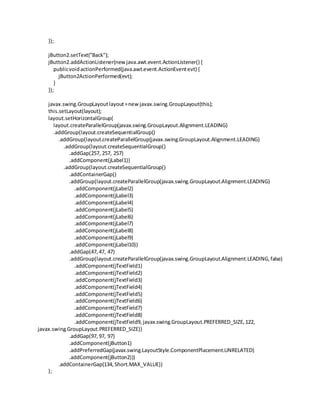
javax.swing.GroupLayoutlayout=new javax.swing.GroupLayout(this);
this.setLayout(layout);
layout.setHorizontalGroup(
layout.createParallelGroup(javax.swing.GroupLayout.Alignment.LEADING)
.addGroup(layout.createSequentialGroup()
.addGroup(layout.createParallelGroup(javax.swing.GroupLayout.Alignment.LEADING)
.addGroup(layout.createSequentialGroup()
.addGap(257, 257, 257)
.addComponent(jLabel1))
.addGroup(layout.createSequentialGroup()
.addContainerGap()
.addGroup(layout.createParallelGroup(javax.swing.GroupLayout.Alignment.LEADING)
.addComponent(jLabel2)
.addComponent(jLabel3)
.addComponent(jLabel4)
.addComponent(jLabel5)
.addComponent(jLabel6)
.addComponent(jLabel7)
.addComponent(jLabel8)
.addComponent(jLabel9)
.addComponent(jLabel10))
.addGap(47,47, 47)
.addGroup(layout.createParallelGroup(javax.swing.GroupLayout.Alignment.LEADING,false)
.addComponent(jTextField1)
.addComponent(jTextField2)
.addComponent(jTextField3)
.addComponent(jTextField4)
.addComponent(jTextField5)
.addComponent(jTextField6)
.addComponent(jTextField7)
.addComponent(jTextField8)
.addComponent(jTextField9,javax.swing.GroupLayout.PREFERRED_SIZE,122,
javax.swing.GroupLayout.PREFERRED_SIZE))
.addGap(97,97, 97)
.addComponent(jButton1)
.addPreferredGap(javax.swing.LayoutStyle.ComponentPlacement.UNRELATED)
.addComponent(jButton2)))
.addContainerGap(134,Short.MAX_VALUE))
);
layout.setVerticalGroup(
layout.createParallelGroup(javax.swing.GroupLayout.Alignment.LEADING)
.addGroup(layout.createSequentialGroup()
.addContainerGap()
.addComponent(jLabel1)
.addGap(18, 18, 18)
.addGroup(layout.createParallelGroup(javax.swing.GroupLayout.Alignment.BASELINE)
.addComponent(jLabel2)
.addComponent(jTextField1,javax.swing.GroupLayout.PREFERRED_SIZE,
javax.swing.GroupLayout.DEFAULT_SIZE,javax.swing.GroupLayout.PREFERRED_SIZE))
.addGap(18, 18, 18)
.addGroup(layout.createParallelGroup(javax.swing.GroupLayout.Alignment.BASELINE)
.addComponent(jLabel3)
.addComponent(jTextField2,javax.swing.GroupLayout.PREFERRED_SIZE,
javax.swing.GroupLayout.DEFAULT_SIZE,javax.swing.GroupLayout.PREFERRED_SIZE))
.addGap(18, 18, 18)
.addGroup(layout.createParallelGroup(javax.swing.GroupLayout.Alignment.BASELINE)
.addComponent(jLabel4)
.addComponent(jTextField3,javax.swing.GroupLayout.PREFERRED_SIZE,
javax.swing.GroupLayout.DEFAULT_SIZE,javax.swing.GroupLayout.PREFERRED_SIZE))
.addGap(18, 18, 18)
.addGroup(layout.createParallelGroup(javax.swing.GroupLayout.Alignment.BASELINE)
.addComponent(jLabel5)
.addComponent(jTextField4,javax.swing.GroupLayout.PREFERRED_SIZE,
javax.swing.GroupLayout.DEFAULT_SIZE,javax.swing.GroupLayout.PREFERRED_SIZE))
.addGap(18, 18, 18)
.addGroup(layout.createParallelGroup(javax.swing.GroupLayout.Alignment.LEADING)
.addComponent(jLabel6)
.addComponent(jTextField5,javax.swing.GroupLayout.PREFERRED_SIZE,
javax.swing.GroupLayout.DEFAULT_SIZE,javax.swing.GroupLayout.PREFERRED_SIZE))
.addGap(18, 18, 18)
.addGroup(layout.createParallelGroup(javax.swing.GroupLayout.Alignment.BASELINE)
.addComponent(jLabel7)
.addComponent(jTextField6,javax.swing.GroupLayout.PREFERRED_SIZE,
javax.swing.GroupLayout.DEFAULT_SIZE,javax.swing.GroupLayout.PREFERRED_SIZE))
.addGap(18, 18, 18)
.addGroup(layout.createParallelGroup(javax.swing.GroupLayout.Alignment.BASELINE)
.addComponent(jLabel8)
.addComponent(jTextField7,javax.swing.GroupLayout.PREFERRED_SIZE,
javax.swing.GroupLayout.DEFAULT_SIZE,javax.swing.GroupLayout.PREFERRED_SIZE))
.addGap(18, 18, 18)
.addGroup(layout.createParallelGroup(javax.swing.GroupLayout.Alignment.BASELINE)
.addComponent(jLabel9)
.addComponent(jTextField8,javax.swing.GroupLayout.PREFERRED_SIZE,
javax.swing.GroupLayout.DEFAULT_SIZE,javax.swing.GroupLayout.PREFERRED_SIZE))
.addGap(18, 18, 18)
.addGroup(layout.createParallelGroup(javax.swing.GroupLayout.Alignment.BASELINE)
.addComponent(jLabel10)
.addComponent(jTextField9,javax.swing.GroupLayout.PREFERRED_SIZE,
javax.swing.GroupLayout.DEFAULT_SIZE,javax.swing.GroupLayout.PREFERRED_SIZE)
.addComponent(jButton1)
.addComponent(jButton2))
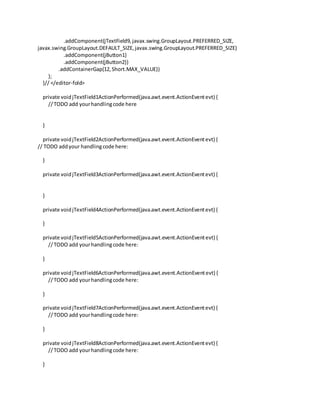
.addContainerGap(12,Short.MAX_VALUE))
);
}// </editor-fold>
private voidjTextField1ActionPerformed(java.awt.event.ActionEventevt) {
//TODO add yourhandlingcode here
}
private voidjTextField2ActionPerformed(java.awt.event.ActionEventevt) {
// TODO addyour handlingcode here:
}
private voidjTextField3ActionPerformed(java.awt.event.ActionEventevt) {
}
private voidjTextField4ActionPerformed(java.awt.event.ActionEventevt) {
}
private voidjTextField5ActionPerformed(java.awt.event.ActionEventevt) {
//TODO add yourhandlingcode here:
}
private voidjTextField6ActionPerformed(java.awt.event.ActionEventevt) {
//TODO add yourhandlingcode here:
}
private voidjTextField7ActionPerformed(java.awt.event.ActionEventevt) {
//TODO add yourhandlingcode here:
}
private voidjTextField8ActionPerformed(java.awt.event.ActionEventevt) {
//TODO add yourhandlingcode here:
}
private voidjTextField9ActionPerformed(java.awt.event.ActionEventevt) {
//TODO add yourhandlingcode here:
}
private voidjButton1ActionPerformed(java.awt.event.ActionEventevt) {
//TODO add yourhandlingcode here:
rc.sr_no=Integer.parseInt(jTextField1.getText());
rc.party_name=jTextField2.getText();
try {
//TODO add your handlingcode here:
str=jTextField3.getText();
date = df.parse(str);
rc.sale_date =newjava.sql.Date(date.getTime());
} catch (ParseExceptionex){
Logger.getLogger(AddRecord.class.getName()).log(Level.SEVERE,null,ex);
}
try {
// TODO add your handlingcode here:
str=jTextField4.getText();
date = df.parse(str);
rc.due_date = newjava.sql.Date(date.getTime());
} catch (ParseExceptionex){
Logger.getLogger(AddRecord.class.getName()).log(Level.SEVERE,null,ex);
}
rc.amount=Float.parseFloat(jTextField5.getText());
rc.rate=Integer.parseInt(jTextField6.getText());
rc.quantity=Float.parseFloat(jTextField7.getText());
rc.interest=Float.parseFloat(jTextField8.getText());
rc.status=jTextField9.getText();
Connectionconn=null;
Statementstmt= null;
try{
//STEP2: RegisterJDBCdriver
Class.forName("com.mysql.jdbc.Driver");
//STEP3: Opena connection
System.out.println("Connectingtodatabase...");
conn = DriverManager.getConnection(DB_URL,USER,PASS);
//STEP4: Execute aquery
System.out.println("Creatingstatement...");
stmt = conn.createStatement();
Stringsql;
Stringtable_name=rc.party_name.toLowerCase();
sql = "INSERTINTOpending_list
"+"VALUES('"+rc.sr_no+"','"+rc.party_name+"','"+rc.sale_date+"','"+rc.due_date+"','"+rc.amount+"','"+rc
.rate+"','"+rc.quantity+"','"+rc.interest+"','"+rc.status+"')";
stmt.executeUpdate(sql);
sql="CREATE TABLE `paramount`.`"+table_name+"`("+
"`Sr_no` INT(11) UNIQUE NOT NULL,"+
"`Amount`FLOATNOT NULL,"+
"`Rate` INT(11) NOT NULL,"+
"`Quantity`FLOATNOT NULL,"+
"`Recieved_Date`DATENOTNULL,"+
"`Due_Date` DATE NULL,"+
"`No_of_Late_Days`INT(11) NOTNULL,"+
"`Per_kg_per_day_interest`FLOATNOTNULL,"+
" PRIMARY KEY (`Sr_no`));";
stmt.executeUpdate(sql);
stmt.close();
conn.close();
}catch(SQLExceptionse){
//Handle errorsforJDBC
se.printStackTrace();
}catch(Exceptione){
//Handle errorsforClass.forName
e.printStackTrace();
}finally{
//finallyblockusedtoclose resources
try{
if(stmt!=null)
stmt.close();
}catch(SQLExceptionse2){
}//nothingwe can do
try{
if(conn!=null)
conn.close();
}catch(SQLExceptionse){
se.printStackTrace();
}//endfinallytry
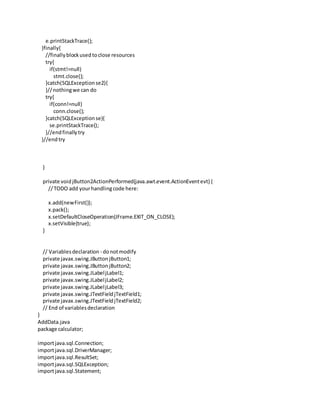
}//endtry
x.add(new First());
x.pack();
x.setDefaultCloseOperation(JFrame.EXIT_ON_CLOSE);
x.setVisible(true);
}
private voidjButton2ActionPerformed(java.awt.event.ActionEventevt) {
//TODO add yourhandlingcode here:
x.add(newFirst());
x.pack();
x.setDefaultCloseOperation(JFrame.EXIT_ON_CLOSE);
x.setVisible(true);
}
// Variablesdeclaration - donotmodify
private javax.swing.JButtonjButton1;
private javax.swing.JButtonjButton2;
private javax.swing.JLabeljLabel1;
private javax.swing.JLabeljLabel10;
private javax.swing.JLabeljLabel2;
private javax.swing.JLabeljLabel3;
private javax.swing.JLabeljLabel4;
private javax.swing.JLabeljLabel5;
private javax.swing.JLabeljLabel6;
private javax.swing.JLabeljLabel7;
private javax.swing.JLabeljLabel8;
private javax.swing.JLabeljLabel9;
private javax.swing.JTextFieldjTextField1;
private javax.swing.JTextFieldjTextField2;
private javax.swing.JTextFieldjTextField3;
private javax.swing.JTextFieldjTextField4;
private javax.swing.JTextFieldjTextField5;
private javax.swing.JTextFieldjTextField6;
private javax.swing.JTextFieldjTextField7;
private javax.swing.JTextFieldjTextField8;
private javax.swing.JTextFieldjTextField9;
// End of variablesdeclaration
}
ViewRecord.java
package calculator;
importjava.sql.Connection;
importjava.sql.DriverManager;
importjava.sql.ResultSet;
importjava.sql.SQLException;
importjava.sql.Statement;
importjava.util.ArrayList;
importjavax.swing.JFrame;
importnet.proteanit.sql.DbUtils;
/**
*
* @author mufad_000
*/
publicclassViewRecordextendsjavax.swing.JPanel {
static JFrame x=newJFrame();
staticfinal StringJDBC_DRIVER= "com.mysql.jdbc.Driver";
staticfinal StringDB_URL = "jdbc:mysql://localhost/paramount";
// Database credentials
staticfinal StringUSER = "root";
staticfinal StringPASS= "mufaddal";
Record rc=newRecord();
publicViewRecord(){
initComponents();
Connection conn=null;
Statementstmt= null;
ArrayListcolumnNames=newArrayList();
ArrayListdata= newArrayList();
try{
//STEP2: RegisterJDBCdriver
Class.forName("com.mysql.jdbc.Driver");
//STEP3: Opena connection
System.out.println("Connectingtodatabase...");
conn = DriverManager.getConnection(DB_URL,USER,PASS);
//STEP4: Execute aquery
System.out.println("Creatingstatement...");
stmt = conn.createStatement();
Stringsql;
sql = "SELECT * FROMpending_list";
ResultSetrs= stmt.executeQuery(sql);
jTable1.setModel(DbUtils.resultSetToTableModel(rs));
}catch(SQLExceptionse){
//Handle errorsforJDBC
se.printStackTrace();
}catch(Exceptione){
//Handle errorsforClass.forName
e.printStackTrace();
}finally{
//finallyblockusedtoclose resources
try{
if(stmt!=null)
stmt.close();
}catch(SQLExceptionse2){
}//nothingwe can do
try{
if(conn!=null)
conn.close();
}catch(SQLExceptionse){
se.printStackTrace();
}//endfinallytry
}//endtry
}
/**
* Thismethodiscalledfromwithinthe constructorto initializethe form.
* WARNING:Do NOT modifythiscode.The contentof thismethodisalways
* regeneratedbythe FormEditor.
*/
@SuppressWarnings("unchecked")
// <editor-folddefaultstate="collapsed"desc="GeneratedCode">
private voidinitComponents() {
jButton1= newjavax.swing.JButton();
jButton2= newjavax.swing.JButton();
jButton4= newjavax.swing.JButton();
jButton3= newjavax.swing.JButton();
jScrollPane1= newjavax.swing.JScrollPane();
jTable1= newjavax.swing.JTable();
setPreferredSize(newjava.awt.Dimension(600,404));
jButton1.setText("AddPayment");
jButton1.addActionListener(newjava.awt.event.ActionListener() {
publicvoidactionPerformed(java.awt.event.ActionEventevt) {
jButton1ActionPerformed(evt);
}
});
jButton2.setText("Delete Payment");
jButton2.addActionListener(newjava.awt.event.ActionListener() {
publicvoidactionPerformed(java.awt.event.ActionEventevt) {
jButton2ActionPerformed(evt);
}
});
jButton4.setText("ViewPaymentTables");
jButton4.addActionListener(newjava.awt.event.ActionListener() {
publicvoidactionPerformed(java.awt.event.ActionEventevt) {
jButton4ActionPerformed(evt);
}
});
jButton3.setText("Back");
jButton3.addActionListener(newjava.awt.event.ActionListener() {
publicvoidactionPerformed(java.awt.event.ActionEventevt) {
jButton3ActionPerformed(evt);
}
});
jTable1.setModel(new javax.swing.table.DefaultTableModel(
newObject[][] {
{null,null,null,null,null,null,null,null,null},
{null,null, null,null,null,null,null,null,null},
{null,null,null,null,null,null,null,null,null},
{null,null,null,null,null,null,null,null,null}
},
newString[] {
"Sr.no","PartyName","Sale Date","Due Date","Amount","Rate","Quantity","Interest",
"Status"
}
) {
Class[] types=newClass[] {
java.lang.Integer.class,java.lang.String.class,java.lang.String.class,java.lang.String.class,
java.lang.Float.class,java.lang.Float.class,java.lang.Float.class,java.lang.Float.class,java.lang.Float.class
};
boolean[] canEdit=newboolean[] {
false,false,false,false,false,false,false,false,false
};
publicClassgetColumnClass(intcolumnIndex) {
returntypes[columnIndex];
}
publicbooleanisCellEditable(introwIndex,intcolumnIndex) {
returncanEdit [columnIndex];
}
});
jScrollPane1.setViewportView(jTable1);
javax.swing.GroupLayoutlayout=new javax.swing.GroupLayout(this);
this.setLayout(layout);
layout.setHorizontalGroup(
layout.createParallelGroup(javax.swing.GroupLayout.Alignment.LEADING)
.addGroup(layout.createSequentialGroup()
.addContainerGap()
.addComponent(jButton1)
.addPreferredGap(javax.swing.LayoutStyle.ComponentPlacement.RELATED)
.addComponent(jButton2)
.addPreferredGap(javax.swing.LayoutStyle.ComponentPlacement.RELATED)
.addComponent(jButton4)
.addPreferredGap(javax.swing.LayoutStyle.ComponentPlacement.RELATED,174,
Short.MAX_VALUE)
.addComponent(jButton3)
.addContainerGap())
.addGroup(layout.createParallelGroup(javax.swing.GroupLayout.Alignment.LEADING)
.addGroup(layout.createSequentialGroup()
.addContainerGap()
.addComponent(jScrollPane1,javax.swing.GroupLayout.DEFAULT_SIZE,580,
Short.MAX_VALUE)
.addContainerGap()))
);
layout.setVerticalGroup(
layout.createParallelGroup(javax.swing.GroupLayout.Alignment.LEADING)
.addGroup(layout.createSequentialGroup()
.addGap(370, 370, 370)
.addGroup(layout.createParallelGroup(javax.swing.GroupLayout.Alignment.BASELINE)
.addComponent(jButton1)
.addComponent(jButton2)
.addComponent(jButton3)
.addComponent(jButton4))
.addContainerGap(56,Short.MAX_VALUE))
.addGroup(layout.createParallelGroup(javax.swing.GroupLayout.Alignment.LEADING)
.addGroup(javax.swing.GroupLayout.Alignment.TRAILING,layout.createSequentialGroup()
.addContainerGap(javax.swing.GroupLayout.DEFAULT_SIZE,Short.MAX_VALUE)
.addComponent(jScrollPane1,javax.swing.GroupLayout.PREFERRED_SIZE,356,
javax.swing.GroupLayout.PREFERRED_SIZE)
.addContainerGap(82,Short.MAX_VALUE)))
);
}// </editor-fold>
private voidjButton1ActionPerformed(java.awt.event.ActionEventevt) {
//TODO add yourhandlingcode here:
x.add(newAddData());
x.pack();
x.setDefaultCloseOperation(JFrame.EXIT_ON_CLOSE);
x.setVisible(true);
}
private voidjButton2ActionPerformed(java.awt.event.ActionEventevt) {
//TODO add yourhandlingcode here:
x.add(newDelData());
x.pack();
x.setDefaultCloseOperation(JFrame.EXIT_ON_CLOSE);
x.setVisible(true);
}
private voidjButton4ActionPerformed(java.awt.event.ActionEventevt) {
//TODO add yourhandlingcode here:
x.add(newViewPay());
x.pack();
x.setDefaultCloseOperation(JFrame.EXIT_ON_CLOSE);
x.setVisible(true);
}
private voidjButton3ActionPerformed(java.awt.event.ActionEventevt) {
//TODO add yourhandlingcode here:
x.add(newFirst());
x.pack();
x.setDefaultCloseOperation(JFrame.EXIT_ON_CLOSE);
x.setVisible(true);
}
// Variablesdeclaration - donotmodify
private javax.swing.JButtonjButton1;
private javax.swing.JButtonjButton2;
private javax.swing.JButtonjButton3;
private javax.swing.JButtonjButton4;
private javax.swing.JScrollPane jScrollPane1;
private javax.swing.JTablejTable1;
// End of variablesdeclaration
}
Deldata.java
package calculator;
importstaticcalculator.Calculator.x;
importjava.sql.Connection;
importjava.sql.DriverManager;
importjava.sql.SQLException;
importjava.sql.Statement;
importjavax.swing.JFrame;
/**
*
* @author mufad_000
*/
publicclassDelDataextendsjavax.swing.JPanel{
/**
* CreatesnewformDelData
*/
static final StringJDBC_DRIVER= "com.mysql.jdbc.Driver";
static final StringDB_URL = "jdbc:mysql://localhost/paramount";
// Database credentials
staticfinal StringUSER = "root";
staticfinal StringPASS= "mufaddal";
Stringparty;
int i;
publicDelData() {
initComponents();
}
/**
* Thismethodiscalledfromwithinthe constructorto initializethe form.
* WARNING:Do NOT modifythiscode.The contentof thismethodisalways
* regeneratedbythe FormEditor.
*/
@SuppressWarnings("unchecked")
// <editor-folddefaultstate="collapsed"desc="GeneratedCode">
private voidinitComponents() {
jLabel1= newjavax.swing.JLabel();
jLabel2= newjavax.swing.JLabel();
jLabel3= newjavax.swing.JLabel();
jTextField1= newjavax.swing.JTextField();
jTextField2= newjavax.swing.JTextField();
jButton1= newjavax.swing.JButton();
jButton2= newjavax.swing.JButton();
jLabel1.setFont(newjava.awt.Font("Tunga",1,18));// NOI18N
jLabel1.setText("DeletePayment");
jLabel2.setText("EnterPartyName:");
jLabel3.setText("EnterPaymentSr.no:");
jTextField1.setBackground(newjava.awt.Color(255,51, 51));
jTextField1.addActionListener(newjava.awt.event.ActionListener() {
publicvoidactionPerformed(java.awt.event.ActionEventevt) {
jTextField1ActionPerformed(evt);
}
});
jTextField2.setBackground(newjava.awt.Color(255,51, 51));
jTextField2.addActionListener(newjava.awt.event.ActionListener() {
publicvoidactionPerformed(java.awt.event.ActionEventevt) {
jTextField2ActionPerformed(evt);
}
});
jButton1.setText("Delete");
jButton1.addActionListener(newjava.awt.event.ActionListener() {
publicvoidactionPerformed(java.awt.event.ActionEventevt) {
jButton1ActionPerformed(evt);
}
});
jButton2.setText("Back");
jButton2.addActionListener(newjava.awt.event.ActionListener() {
publicvoidactionPerformed(java.awt.event.ActionEventevt) {
jButton2ActionPerformed(evt);
}
});
javax.swing.GroupLayoutlayout=new javax.swing.GroupLayout(this);
this.setLayout(layout);
layout.setHorizontalGroup(
layout.createParallelGroup(javax.swing.GroupLayout.Alignment.LEADING)
.addGroup(layout.createSequentialGroup()
.addGroup(layout.createParallelGroup(javax.swing.GroupLayout.Alignment.LEADING)
.addGroup(layout.createSequentialGroup()
.addGap(235, 235, 235)
.addComponent(jLabel1))
.addGroup(layout.createSequentialGroup()
.addContainerGap()
.addGroup(layout.createParallelGroup(javax.swing.GroupLayout.Alignment.TRAILING,
false)
.addGroup(javax.swing.GroupLayout.Alignment.LEADING,
layout.createSequentialGroup()
.addComponent(jButton1)
.addPreferredGap(javax.swing.LayoutStyle.ComponentPlacement.RELATED,
javax.swing.GroupLayout.DEFAULT_SIZE,Short.MAX_VALUE)
.addComponent(jButton2))
.addGroup(javax.swing.GroupLayout.Alignment.LEADING,
layout.createSequentialGroup()
.addGroup(layout.createParallelGroup(javax.swing.GroupLayout.Alignment.LEADING)
.addComponent(jLabel3)
.addComponent(jLabel2))
.addGap(18, 18, 18)
.addGroup(layout.createParallelGroup(javax.swing.GroupLayout.Alignment.LEADING)
.addComponent(jTextField2,javax.swing.GroupLayout.PREFERRED_SIZE,82,
javax.swing.GroupLayout.PREFERRED_SIZE)
.addComponent(jTextField1,javax.swing.GroupLayout.PREFERRED_SIZE,82,
javax.swing.GroupLayout.PREFERRED_SIZE))))))
.addContainerGap(258,Short.MAX_VALUE))
);
layout.setVerticalGroup(
layout.createParallelGroup(javax.swing.GroupLayout.Alignment.LEADING)
.addGroup(layout.createSequentialGroup()
.addContainerGap()
.addComponent(jLabel1)
.addGap(27, 27, 27)
.addGroup(layout.createParallelGroup(javax.swing.GroupLayout.Alignment.BASELINE)
.addComponent(jLabel2)
.addComponent(jTextField2,javax.swing.GroupLayout.PREFERRED_SIZE,
javax.swing.GroupLayout.DEFAULT_SIZE,javax.swing.GroupLayout.PREFERRED_SIZE))
.addGap(18, 18, 18)
.addGroup(layout.createParallelGroup(javax.swing.GroupLayout.Alignment.BASELINE)
.addComponent(jLabel3)
.addComponent(jTextField1,javax.swing.GroupLayout.PREFERRED_SIZE,
javax.swing.GroupLayout.DEFAULT_SIZE,javax.swing.GroupLayout.PREFERRED_SIZE))
.addGap(50, 50, 50)
.addGroup(layout.createParallelGroup(javax.swing.GroupLayout.Alignment.BASELINE)
.addComponent(jButton1)
.addComponent(jButton2))
.addContainerGap(199,Short.MAX_VALUE))
);
}// </editor-fold>
private voidjTextField2ActionPerformed(java.awt.event.ActionEventevt) {
//TODO add yourhandlingcode here:
}
private voidjTextField1ActionPerformed(java.awt.event.ActionEventevt) {
//TODO add yourhandlingcode here:
}
private voidjButton1ActionPerformed(java.awt.event.ActionEventevt) {
//TODO add yourhandlingcode here:
Connectionconn=null;
Statementstmt= null;
party=jTextField2.getText();
i=Integer.parseInt(jTextField1.getText());
try{
//STEP2: RegisterJDBCdriver
Class.forName("com.mysql.jdbc.Driver");
//STEP3: Opena connection
System.out.println("Connectingtodatabase...");
conn = DriverManager.getConnection(DB_URL,USER,PASS);
//STEP4: Execute aquery
System.out.println("Creatingstatement...");
stmt = conn.createStatement();
Stringsql;
sql="DELETE FROM`paramount`.`"+party+"` WHERE Sr_no='"+i+"';";
stmt.executeUpdate(sql);
stmt.close();
conn.close();
}catch(SQLExceptionse){
//Handle errorsforJDBC
se.printStackTrace();
}catch(Exceptione){
//Handle errorsforClass.forName
e.printStackTrace();
}finally{
//finallyblockusedtoclose resources
try{
if(stmt!=null)
stmt.close();
}catch(SQLExceptionse2){
}//nothingwe can do
try{
if(conn!=null)
conn.close();
}catch(SQLExceptionse){
se.printStackTrace();
}//endfinallytry
}//endtry
}
private voidjButton2ActionPerformed(java.awt.event.ActionEventevt) {
//TODO add yourhandlingcode here:
x.add(newFirst());
x.pack();
x.setDefaultCloseOperation(JFrame.EXIT_ON_CLOSE);
x.setVisible(true);
}
// Variablesdeclaration - donotmodify
private javax.swing.JButtonjButton1;
private javax.swing.JButtonjButton2;
private javax.swing.JLabeljLabel1;
private javax.swing.JLabeljLabel2;
private javax.swing.JLabeljLabel3;
private javax.swing.JTextFieldjTextField1;
private javax.swing.JTextFieldjTextField2;
// End of variablesdeclaration
}
AddData.java
package calculator;
importjava.sql.Connection;
importjava.sql.DriverManager;
importjava.sql.ResultSet;
importjava.sql.SQLException;
importjava.sql.Statement;
importjava.text.ParseException;
importjava.text.SimpleDateFormat;
importjava.util.logging.Level;
importjava.util.logging.Logger;
importstaticcalculator.Calculator.x;
/**
*
* @author mufad_000
*/
publicclassAddDataextendsjavax.swing.JPanel {
/**
* CreatesnewformAddData
*/
Data data;
Stringparty,str;
SimpleDateFormatdf =newSimpleDateFormat("yy/MM/dd");
java.util.Date date;
int interest;
longdays;
staticfinal StringJDBC_DRIVER= "com.mysql.jdbc.Driver";
static final StringDB_URL = "jdbc:mysql://localhost/paramount";
// Database credentials
staticfinal StringUSER = "root";
staticfinal StringPASS= "mufaddal";
publicAddData() {
initComponents();
}
/**
* Thismethodiscalledfromwithinthe constructorto initializethe form.
* WARNING:Do NOT modifythiscode.The contentof thismethodisalways
* regeneratedbythe FormEditor.
*/
@SuppressWarnings("unchecked")
// <editor-folddefaultstate="collapsed"desc="GeneratedCode">
private voidinitComponents() {
jLabel1= newjavax.swing.JLabel();
jLabel2= newjavax.swing.JLabel();
jLabel3= newjavax.swing.JLabel();
jLabel4= newjavax.swing.JLabel();
jTextField1= newjavax.swing.JTextField();
jTextField2= newjavax.swing.JTextField();
jTextField3= newjavax.swing.JTextField();
jTextField4= newjavax.swing.JTextField();
jButton1= newjavax.swing.JButton();
jButton2= newjavax.swing.JButton();
jLabel5= newjavax.swing.JLabel();
jLabel1.setText("PartyName:");
jLabel2.setText("Sr.no:");
jLabel3.setText("Amount:");
jLabel4.setText("RecievedDate:");
jTextField1.setBackground(newjava.awt.Color(255,255, 102));
jTextField1.addActionListener(newjava.awt.event.ActionListener() {
publicvoidactionPerformed(java.awt.event.ActionEvent evt) {
jTextField1ActionPerformed(evt);
}
});
jTextField2.setBackground(newjava.awt.Color(255,255, 102));
jTextField2.addActionListener(newjava.awt.event.ActionListener() {
publicvoidactionPerformed(java.awt.event.ActionEventevt) {
jTextField2ActionPerformed(evt);
}
});
jTextField3.setBackground(newjava.awt.Color(255,255, 102));
jTextField3.addActionListener(newjava.awt.event.ActionListener() {
publicvoidactionPerformed(java.awt.event.ActionEventevt) {
jTextField3ActionPerformed(evt);
}
});
jTextField4.setBackground(newjava.awt.Color(255,255, 102));
jTextField4.addActionListener(newjava.awt.event.ActionListener() {
publicvoidactionPerformed(java.awt.event.ActionEventevt) {
jTextField4ActionPerformed(evt);
}
});
jButton1.setText("Submit");
jButton1.addActionListener(newjava.awt.event.ActionListener() {
publicvoidactionPerformed(java.awt.event.ActionEventevt) {
jButton1ActionPerformed(evt);
}
});
jButton2.setText("Back");
jButton2.addActionListener(newjava.awt.event.ActionListener() {
publicvoidactionPerformed(java.awt.event.ActionEventevt) {
jButton2ActionPerformed(evt);
}
});
jLabel5.setFont(newjava.awt.Font("Tunga",1,18));// NOI18N
jLabel5.setText("NewPayment");
javax.swing.GroupLayoutlayout=new javax.swing.GroupLayout(this);
this.setLayout(layout);
layout.setHorizontalGroup(
layout.createParallelGroup(javax.swing.GroupLayout.Alignment.LEADING)
.addGroup(layout.createSequentialGroup()
.addGroup(layout.createParallelGroup(javax.swing.GroupLayout.Alignment.LEADING)
.addGroup(layout.createSequentialGroup()
.addGap(16,16, 16)
.addGroup(layout.createParallelGroup(javax.swing.GroupLayout.Alignment.TRAILING,
false)
.addGroup(layout.createSequentialGroup()
.addComponent(jLabel2)
.addPreferredGap(javax.swing.LayoutStyle.ComponentPlacement.RELATED,
javax.swing.GroupLayout.DEFAULT_SIZE,Short.MAX_VALUE)
.addComponent(jTextField3,javax.swing.GroupLayout.PREFERRED_SIZE,85,
javax.swing.GroupLayout.PREFERRED_SIZE))
.addGroup(layout.createSequentialGroup()
.addComponent(jLabel4)
.addPreferredGap(javax.swing.LayoutStyle.ComponentPlacement.RELATED)
.addComponent(jTextField1,javax.swing.GroupLayout.PREFERRED_SIZE,85,
javax.swing.GroupLayout.PREFERRED_SIZE))
.addGroup(javax.swing.GroupLayout.Alignment.LEADING,
layout.createSequentialGroup()
.addComponent(jLabel3)
.addPreferredGap(javax.swing.LayoutStyle.ComponentPlacement.RELATED,
javax.swing.GroupLayout.DEFAULT_SIZE,Short.MAX_VALUE)
.addComponent(jTextField2,javax.swing.GroupLayout.PREFERRED_SIZE,85,
javax.swing.GroupLayout.PREFERRED_SIZE))
.addGroup(javax.swing.GroupLayout.Alignment.LEADING,
layout.createSequentialGroup()
.addComponent(jButton1)
.addPreferredGap(javax.swing.LayoutStyle.ComponentPlacement.RELATED,
javax.swing.GroupLayout.DEFAULT_SIZE,Short.MAX_VALUE)
.addComponent(jButton2))))
.addGroup(layout.createSequentialGroup()
.addContainerGap()
.addComponent(jLabel1)
.addGap(24,24, 24)
.addComponent(jTextField4,javax.swing.GroupLayout.PREFERRED_SIZE,85,
javax.swing.GroupLayout.PREFERRED_SIZE))
.addGroup(layout.createSequentialGroup()
.addGap(265, 265, 265)
.addComponent(jLabel5)))
.addContainerGap(242,Short.MAX_VALUE))
);
layout.setVerticalGroup(
layout.createParallelGroup(javax.swing.GroupLayout.Alignment.LEADING)
.addGroup(layout.createSequentialGroup()
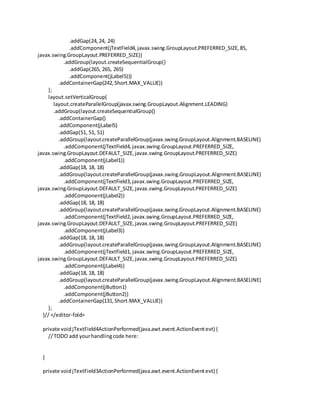
.addContainerGap()
.addComponent(jLabel5)
.addGap(51, 51, 51)
.addGroup(layout.createParallelGroup(javax.swing.GroupLayout.Alignment.BASELINE)
.addComponent(jTextField4,javax.swing.GroupLayout.PREFERRED_SIZE,
javax.swing.GroupLayout.DEFAULT_SIZE,javax.swing.GroupLayout.PREFERRED_SIZE)
.addComponent(jLabel1))
.addGap(18, 18, 18)
.addGroup(layout.createParallelGroup(javax.swing.GroupLayout.Alignment.BASELINE)
.addComponent(jTextField3,javax.swing.GroupLayout.PREFERRED_SIZE,
javax.swing.GroupLayout.DEFAULT_SIZE,javax.swing.GroupLayout.PREFERRED_SIZE)
.addComponent(jLabel2))
.addGap(18, 18, 18)
.addGroup(layout.createParallelGroup(javax.swing.GroupLayout.Alignment.BASELINE)
.addComponent(jTextField2,javax.swing.GroupLayout.PREFERRED_SIZE,
javax.swing.GroupLayout.DEFAULT_SIZE,javax.swing.GroupLayout.PREFERRED_SIZE)
.addComponent(jLabel3))
.addGap(18, 18, 18)
.addGroup(layout.createParallelGroup(javax.swing.GroupLayout.Alignment.BASELINE)
.addComponent(jTextField1, javax.swing.GroupLayout.PREFERRED_SIZE,
javax.swing.GroupLayout.DEFAULT_SIZE,javax.swing.GroupLayout.PREFERRED_SIZE)
.addComponent(jLabel4))
.addGap(18, 18, 18)
.addGroup(layout.createParallelGroup(javax.swing.GroupLayout.Alignment.BASELINE)
.addComponent(jButton1)
.addComponent(jButton2))
.addContainerGap(131,Short.MAX_VALUE))
);
}// </editor-fold>
private voidjTextField4ActionPerformed(java.awt.event.ActionEventevt) {
//TODO add yourhandlingcode here:
}
private voidjTextField3ActionPerformed(java.awt.event.ActionEventevt) {
//TODO add yourhandlingcode here:
}
private voidjTextField2ActionPerformed(java.awt.event.ActionEventevt) {
}
private voidjTextField1ActionPerformed(java.awt.event.ActionEventevt) {
}
private voidjButton1ActionPerformed(java.awt.event.ActionEventevt) {
//TODO add yourhandlingcode here:
party=jTextField4.getText();
data.sr_no=Integer.parseInt(jTextField3.getText());
data.amount=Float.parseFloat(jTextField2.getText());
try {
//TODO add your handlingcode here:
str=jTextField1.getText();
date = df.parse(str);
data.recd_date = newjava.sql.Date(date.getTime());
} catch (ParseExceptionex){
Logger.getLogger(AddData.class.getName()).log(Level.SEVERE,null,ex);
}
Connectionconn=null;
Statementstmt= null;
try{
conn = DriverManager.getConnection(DB_URL,USER,PASS);
stmt = conn.createStatement();
Stringsql;
sql="SELECTRate,Interest,Due_Date FROM`paramount`.`pending_list`WHERE
Party_Name='"+party+"';";
ResultSetrst= stmt.executeQuery(sql);
floatinterest=0;
while(rst.next())
{
data.rate=rst.getInt("Rate");
interest=rst.getFloat("Interest");
data.due_date=rst.getDate("Due_Date");
}
}catch(SQLExceptionse){
//Handle errorsforJDBC
se.printStackTrace();
}catch(Exceptione){
//Handle errorsforClass.forName
e.printStackTrace();
}finally{
//finallyblockusedtoclose resources
try{
if(stmt!=null)
stmt.close();
}catch(SQLExceptionse2){
}//nothingwe can do
try{
if(conn!=null)
conn.close();
}catch(SQLExceptionse){
se.printStackTrace();
}//endfinallytry
}//endtry
data.quantity=data.amount/data.rate;
days= data.recd_date.getTime()-data.due_date.getTime();
data.no_days=(int) Math.abs(days/86400000);
data.per_day_interest=data.no_days*interest*data.quantity;
conn = null;
stmt= null;
try{
//STEP2: RegisterJDBCdriver
Class.forName("com.mysql.jdbc.Driver");
//STEP3: Opena connection
System.out.println("Connectingtodatabase...");
conn = DriverManager.getConnection(DB_URL,USER,PASS);
//STEP4: Execute aquery
System.out.println("Creatingstatement...");
stmt = conn.createStatement();
Stringsql;
sql = "INSERTINTO`paramount`.`"+party+"` VALUES('"
+data.sr_no+"','"+data.amount+"','"+data.rate+"','"
+data.quantity+"','"+data.recd_date+"','"+data.due_date
+"','"+data.no_days+"','"+data.per_day_interest+"')";
stmt.executeUpdate(sql);
stmt.close();
conn.close();
}catch(SQLExceptionse){
//Handle errorsforJDBC
se.printStackTrace();
}catch(Exceptione){
//Handle errorsforClass.forName
e.printStackTrace();
}finally{
//finallyblockusedtoclose resources
try{
if(stmt!=null)
stmt.close();
}catch(SQLExceptionse2){
}//nothingwe can do
try{
if(conn!=null)
conn.close();
}catch(SQLExceptionse){
se.printStackTrace();
}//endfinallytry
}//endtry
}
private voidjButton2ActionPerformed(java.awt.event.ActionEventevt) {
//TODO add yourhandlingcode here:
}
// Variablesdeclaration- donotmodify
private javax.swing.JButtonjButton1;
private javax.swing.JButtonjButton2;
private javax.swing.JLabeljLabel1;
private javax.swing.JLabeljLabel2;
private javax.swing.JLabeljLabel3;
private javax.swing.JLabeljLabel4;
private javax.swing.JLabeljLabel5;
private javax.swing.JTextFieldjTextField1;
private javax.swing.JTextFieldjTextField2;
private javax.swing.JTextFieldjTextField3;
private javax.swing.JTextFieldjTextField4;
// End of variablesdeclaration
}
ViewPay.java
package calculator;
importstaticcalculator.Calculator.x;
importjavax.swing.JFrame;
/**
*
* @author mufad_000
*/
publicclassViewPayextendsjavax.swing.JPanel{
static JFrame x=newJFrame();
Stringparty;
/**
* CreatesnewformViewPay
*/
publicViewPay() {
initComponents();
}
/**
* Thismethodiscalledfromwithinthe constructorto initializethe form.
* WARNING:Do NOT modifythiscode.The contentof thismethodisalways
* regeneratedbythe FormEditor.
*/
@SuppressWarnings("unchecked")
// <editor-folddefaultstate="collapsed"desc="GeneratedCode">
private voidinitComponents() {
jLabel1= newjavax.swing.JLabel();
jTextField1= newjavax.swing.JTextField();
jButton1= newjavax.swing.JButton();
jLabel2= newjavax.swing.JLabel();
jLabel1.setText("EnterPartytoView:");
jTextField1.setBackground(newjava.awt.Color(255,247, 127));
jTextField1.addActionListener(newjava.awt.event.ActionListener() {
publicvoidactionPerformed(java.awt.event.ActionEventevt) {
jTextField1ActionPerformed(evt);
}
});
jButton1.setText("Submit");
jButton1.addActionListener(newjava.awt.event.ActionListener() {
publicvoidactionPerformed(java.awt.event.ActionEventevt) {
jButton1ActionPerformed(evt);
}
});
jLabel2.setFont(newjava.awt.Font("Tunga",1,18));// NOI18N
jLabel2.setText("View PaymentTable");
javax.swing.GroupLayoutlayout=new javax.swing.GroupLayout(this);
this.setLayout(layout);
layout.setHorizontalGroup(
layout.createParallelGroup(javax.swing.GroupLayout.Alignment.LEADING)
.addGroup(layout.createSequentialGroup()
.addGroup(layout.createParallelGroup(javax.swing.GroupLayout.Alignment.LEADING)
.addGroup(layout.createSequentialGroup()
.addContainerGap()
.addGroup(layout.createParallelGroup(javax.swing.GroupLayout.Alignment.TRAILING)
.addComponent(jLabel1)
.addComponent(jButton1))
.addGap(18,18, 18)
.addComponent(jTextField1,javax.swing.GroupLayout.PREFERRED_SIZE,89,
javax.swing.GroupLayout.PREFERRED_SIZE))
.addGroup(layout.createSequentialGroup()
.addGap(224, 224, 224)
.addComponent(jLabel2)))
.addContainerGap(238,Short.MAX_VALUE))
);
layout.setVerticalGroup(
layout.createParallelGroup(javax.swing.GroupLayout.Alignment.LEADING)
.addGroup(layout.createSequentialGroup()
.addContainerGap()
.addComponent(jLabel2)
.addGap(41, 41, 41)
.addGroup(layout.createParallelGroup(javax.swing.GroupLayout.Alignment.BASELINE)
.addComponent(jLabel1)
.addComponent(jTextField1,javax.swing.GroupLayout.PREFERRED_SIZE,
javax.swing.GroupLayout.DEFAULT_SIZE,javax.swing.GroupLayout.PREFERRED_SIZE))
.addGap(47, 47, 47)
.addComponent(jButton1)
.addContainerGap(226,Short.MAX_VALUE))
);
}// </editor-fold>
private voidjTextField1ActionPerformed(java.awt.event.ActionEventevt) {
//TODO add yourhandlingcode here:
}
private voidjButton1ActionPerformed(java.awt.event.ActionEventevt) {
//TODO add yourhandlingcode here:
}
// Variablesdeclaration - donotmodify
private javax.swing.JButtonjButton1;
private javax.swing.JLabeljLabel1;
private javax.swing.JLabeljLabel2;
private javax.swing.JTextFieldjTextField1;
// End of variablesdeclaration
}
View.java
package Calculator;
importjava.sql.Connection;
importjava.sql.DriverManager;
importjava.sql.ResultSet;
importjava.sql.SQLException;
importjava.sql.Statement;
importjava.util.ArrayList;
importjavax.swing.JFrame;
importnet.proteanit.sql.DbUtils;
/**
*
* @author mufad_000
*/
publicclassViewextendsjavax.swing.JPanel {
staticJFrame x=newJFrame();
Stringparty;
static final StringJDBC_DRIVER= "com.mysql.jdbc.Driver";
staticfinal StringDB_URL = "jdbc:mysql://localhost/paramount";
// Database credentials
staticfinal StringUSER = "root";
staticfinal StringPASS= "mufaddal";
/**
* CreatesnewformPayView
* @param str
*/
publicvoidgetParty(Stringstr){
party=str;}
publicView(){
initComponents();
Connectionconn=null;
Statementstmt= null;
ArrayListcolumnNames=newArrayList();
ArrayListdata= newArrayList();
try{
//STEP2: RegisterJDBCdriver
Class.forName("com.mysql.jdbc.Driver");
//STEP3: Opena connection
System.out.println("Connectingtodatabase...");
conn = DriverManager.getConnection(DB_URL,USER,PASS);
//STEP4: Execute aquery
System.out.println("Creatingstatement...");
stmt = conn.createStatement();
Stringsql;
sql ="SELECT * FROM `paramount`.`"+party+"`;";
ResultSetrs= stmt.executeQuery(sql);
jTable1.setModel(DbUtils.resultSetToTableModel(rs));
}catch(SQLExceptionse){
//Handle errorsforJDBC
se.printStackTrace();
}catch(Exceptione){
//Handle errorsforClass.forName
e.printStackTrace();
}finally{
//finallyblockusedtoclose resources
try{
if(stmt!=null)
stmt.close();
}catch(SQLExceptionse2){
}//nothingwe can do
try{
if(conn!=null)
conn.close();
}catch(SQLExceptionse){
se.printStackTrace();
}//endfinallytry
}//endtry
}
@SuppressWarnings("unchecked")
// <editor-folddefaultstate="collapsed"desc="GeneratedCode">
private voidinitComponents() {
jScrollPane1= newjavax.swing.JScrollPane();
jTable1= newjavax.swing.JTable();
jButton1= newjavax.swing.JButton();
jTable1.setModel(new javax.swing.table.DefaultTableModel(
newObject[][] {
{null,null,null,null,null,null,null,null},
{null,null, null,null,null,null,null,null},
{null,null,null,null,null,null,null,null},
{null,null,null,null,null,null,null,null}
},
newString[] {
"Sr.no","Amount","Rate","Quantity","RecievedDate","Due Date","No.of Late Daysl","Per
kg perday interest"
}
) {
boolean[] canEdit=newboolean[] {
false,false,false,false,false,false,true,false
};
publicbooleanisCellEditable(introwIndex,intcolumnIndex) {
returncanEdit [columnIndex];
}
});
jScrollPane1.setViewportView(jTable1);
jButton1.setText("Back");
jButton1.addActionListener(newjava.awt.event.ActionListener() {
publicvoidactionPerformed(java.awt.event.ActionEventevt) {
jButton1ActionPerformed(evt);
}
});
javax.swing.GroupLayoutlayout=new javax.swing.GroupLayout(this);
this.setLayout(layout);
layout.setHorizontalGroup(
layout.createParallelGroup(javax.swing.GroupLayout.Alignment.LEADING)
.addGroup(layout.createSequentialGroup()
.addContainerGap()
.addGroup(layout.createParallelGroup(javax.swing.GroupLayout.Alignment.LEADING)
.addComponent(jScrollPane1,javax.swing.GroupLayout.DEFAULT_SIZE,580,
Short.MAX_VALUE)
.addGroup(layout.createSequentialGroup()
.addComponent(jButton1)
.addGap(0,0, Short.MAX_VALUE)))
.addContainerGap())
);
layout.setVerticalGroup(
layout.createParallelGroup(javax.swing.GroupLayout.Alignment.LEADING)
.addGroup(layout.createSequentialGroup()
.addContainerGap()
.addComponent(jScrollPane1,javax.swing.GroupLayout.PREFERRED_SIZE,189,
javax.swing.GroupLayout.PREFERRED_SIZE)
.addGap(18, 18, 18)
.addComponent(jButton1)
.addContainerGap(159,Short.MAX_VALUE))
);
}// </editor-fold>
private voidjButton1ActionPerformed(java.awt.event.ActionEventevt) {
//TODO add yourhandlingcode here:
x.add(newcalculator.RecordView());
x.pack();
x.setDefaultCloseOperation(JFrame.EXIT_ON_CLOSE);
x.setVisible(true);
}
// Variablesdeclaration - donotmodify
private javax.swing.JButtonjButton1;
private javax.swing.JScrollPane jScrollPane1;
private javax.swing.JTablejTable1;
// End of variablesdeclaration
}
INTERNSHIP REPORT

INTERNSHIP REPORT

  • 1.
    INDUSTRIAL TRAINING-1 Partial Fulfilmentof B. Tech-Computer Science and Engineering Individual Project under guidance of Mr. Burhannudin Dept. of Computer Science and Engineering, SRM University From 26.05.2015 to 26.06.2015 By Mufaddal Vasi Register No. 1031310434 Report submitted to Professor Mrs. S. Girija (Class In-Charge) Department Of Computer Science And Engineering, SRM University,School Of Computing,Faculty Of Engineering And Technology, Kattankulathur-603203,KancheepuramDist.,Chennai,Tamil Nadu
  • 2.
    BONAFIDE CERTIFICATE This isto certify that Mufaddal Vasi of IIIrd year, B. Tech (Computer Science and Engineering) bearing Registration Number- 1031310434 has completed his one month of internship as a research project during the academic year 2015-16 as a partial fulfillment of the B.Tech course under Mr. Burhanuddin, Department of Accounting, Paramount Copper PVT. LTD Date: (Class In Charge) (Head of Department)
  • 3.
    ACKNOWLEDGEMENT I would liketo take this opportunity to thank the Director of E&T, Dr.Muthamizchelvan and Head of Department of Computer Science and Engineering, Dr.E.Poovamal, for making the industrial Training a part of the Curriculum and possible for the students. I would like to express my gratitude to Moazzam Vasi (Director) ,Paramount Copper Rolling Mills PVT. LTD for allowing me with the golden opportunity of taking the internship under the Department of Accounting, Paramount Copper Rolling Mills PVT. LTD I would like to thank Burhanuddin Vasi(Accounting Software Engineer) and Qasim Motiwala(Head, Accounting and Finance) for guiding me throughout the development of the project. I would also like to thank Mrs S. Girija, Class-In-Charge, who has been a supporting pillar throughout the project. She has not only helped me in my particular research but has also been a great mentor to me. Lastly, I would like to thank the entire Computer Science Department who have helped me in the completion of my project.
  • 4.
  • 5.
    COMPANY PROFILE With azeal to make a mark for itself in diverse industries like Telecommunications, Armaments, Wind Mills, Refrigeration, Tire & Tube etc., Paramount Copper Rolling Mills was founded in the year 1980. Since their inception they have aimed for enhancement of productivity by obtaining rod through direct melting and technological up gradation for improving the quality of existing products and manufacture 8 mm rods. The showcased range of our products includes Copper Crop Bars, Color Plated Copper only for Jari Work, Raw Copper of Different Gauges, Gulla, Copper Wire Bars of 99.9% Purity, Copper Super-D Wire Bars and Copper Casting Wire Bars. Founded by Mr. Moazzam Z. Vasi, they are one of the leading companies that started the wire drawing plant in the year 1960. As an extension of our existing plant, our chairman started Paramount Copper Rolling Mills in 1980. Theirs was the only Rolling Mill in Gujarat at that time.
  • 6.
    Training Details  Name:-Mufaddal Vasi  Year:- 2015  Project:- Late Payment Database  Organization:- Paramount Copper PVT.LTD  Place of Training:-Surat, Gujarat  Supervisor:- Qasim Motiwala/ Burhannudin Vasi(Accounting Software Engineer)  Period:- 26’May 2015 to 26’June 2015  Duration:- 1 month  Field of training:- MySQL, JDBC , Java swing
  • 7.
    TABLE OF CONTENTS Abstract Chapter1: Introduction 1.1 Objective Chapter 2: System Description 2.1 Working with MySQL 2.2 Java Programming Chapter 3: Implementation 3.1 Working of the project 3.2 Working in MySQL 3.3 Database Creation Syntax 3.4Queries executed in java application 3.5 Layout of the application Chapter 4: Appendix Sample Code
  • 8.
    ABSTRACT This project isa Java Swing Application that displays and maintains a list of people with pending payments and calculates the interest upon the late payments based on a pre-defined formula. It further maintains an individual payment table for each client. The front end is created in NetBeans IDE 7.2.1 whereas the back end is created using MySQL workbench. The application makes tables by retrieving data from MySQL tables. The Database table that is created, is in MySQL workbench. This report also contains an extensive discussion on the work that was done on MySQL which includes the features of the DBMS and also a few snapshots that show the functions of the commands or queries that are commonly used.
  • 9.
    CHAPTER 1 INTRODUCTION 1.1 OBJECTIVE: Theobjective of this Report is to put forward the work that was carried out on MySQL and Java Swing application during the span of one month of Internship. The First part of the Implementation part deals extensively with the introduction, features and working of MySQL. The snapshots that are provided, show the queries that are used for the creation of a table, followed by the selection, insertion, deletion, import and export of the data in the table. The second part then shows the Swing application in its form, its connection with the database and the Table creation. This part of the Report involves syntax and functions used for the execution of the entire project.
  • 10.
    CHAPTER 2 SYSTEM DESCRIPTION 2.1MODULE 1: Working with MySQL: The MySQL™ software delivers a very fast, multi-threaded, multi-user, and robust SQL (Structured Query Language) database server. MySQL Server is intended for mission-critical, heavy-load production systems as well as for embedding into mass-deployed software. Oracle is a registered trademark of Oracle Corporation and/or its affiliates. MySQL is a trademark of Oracle Corporation and/or its affiliates, and shall not be used by Customer without Oracle's express written authorization. Other names may be trademarks of their respective owners. MySQL Workbench is a graphical tool for working with MySQL Servers and databases. MySQL Workbench fully supports MySQL Server versions 5.1 and above. It is also compatible with MySQL Server 5.0, but not every feature of 5.0 may be supported. It does not support MySQL Server versions 4.x. MySQL Workbench functionality covers five main topics:  SQL Development: Enables you to create and manage connections to database servers. Along with enabling you to configure connection parameters, MySQL Workbench provides the capability to execute SQL queries on the database connections using the built-in SQL Editor.  Data Modeling (Design): Enables you to create models of your database schema graphically, reverse and forward engineer between a schema and a live database, and edit all aspects of your database using the comprehensive Table Editor. The Table Editor provides easy-to-use facilities for editing Tables, Columns, Indexes, Triggers, Partitioning, Options, Inserts and Privileges, Routines and Views.  Server Administration:Enables you to administer MySQL server instances by administering users, performing backup and recovery, inspecting audit data, viewing database health, and monitoring the MySQL server performance.
  • 11.
     Data Migration:Allows you to migrate from Microsoft SQL Server, Microsoft Access, Sybase ASE, SQLite, SQL Anywhere, PostreSQL, and other RDBMS tables, objects and data to MySQL. Migration also supports migrating from earlier versions of MySQL to the latest releases. 2.2 MODULE 2: Basic Java Programming : Java is a general-purpose computer programming language that is concurrent, class-based, object- oriented, and specifically designed to have as few implementation dependencies as possible. It is intended to let application developers "write once, run anywhere" (WORA), meaning that compiled Java code can run on all platforms that support Java without the need for recompilation. Java applications are typically compiled to bytecode that can run on any Java virtual machine (JVM) regardless of computer architecture. As of 2015, Java is one of the most popular programming languages in use, particularly for client-server web applications, The language derives much of its syntax from C and C++, but it has fewer low-level facilities than either of them. JDBC is a Java database connectivity technology (Java Standard Edition platform) from Oracle Corporation. This technology is an API for the Java programming language that defines how a client may access a database. It provides methods for querying and updating data in a database. JDBC is oriented towards relational databases. A JDBC-to-ODBC bridge enables connections to any ODBC- accessible data source in the JVM host environment. JDBC allows multiple implementations to exist and be used by the same application. The API provides a mechanism for dynamically loading the correct Java packages and registering them with the JDBC Driver Manager. The Driver Manager is used as a connection factory for creating JDBC connections. JDBC connections support creating and executing statements. These may be update statements such as SQL's CREATE, INSERT, UPDATE and DELETE, or they may be query statements such as SELECT. Additionally, stored procedures may be invoked through a JDBC connection. JDBC represents statements using one of the following classes:  Statement – the statement is sent to the database server each and every time.
  • 12.
     PreparedStatement –the statement is cached and then the execution path is pre-determined on the database server allowing it to be executed multiple times in an efficient manner.  CallableStatement – used for executing stored procedures on the database. Update statements such as INSERT, UPDATE and DELETE return an update count that indicates how many rows were affected in the database. These statements do not return any other information. Query statements return a JDBC row result set. The row result set is used to walk over the result set. Individual columns in a row are retrieved either by name or by column number. There may be any number of rows in the result set. The row result set has metadata that describes the names of the columns and their types. There is an extension to the basic JDBC API in the javax.sql . JDBC connections are often managed via a connection pool rather than obtained directly from the driver. Swing is a GUI widget toolkit for Java. It is part of Oracle's Java Foundation Classes (JFC) — an API for providing a graphical user interface (GUI) for Java programs. Swing was developed to provide a more sophisticated set of GUI components than the earlier Abstract Window Toolkit (AWT). Swing provides a native look and feel that emulates the look and feel of several platforms, and also supports a pluggable look and feel that allows applications to have a look and feel unrelated to the underlying platform. It has more powerful and flexible components than AWT. In addition to familiar components such as buttons, check boxes and labels, Swing provides several advanced components such as tabbed panel, scroll panes, trees, tables, and lists. Unlike AWT components, Swing components are not implemented by platform-specific code. Instead, they are written entirely in Java and therefore are platform-independent. The term "lightweight" is used to describe such an element.
  • 13.
    CHAPTER 3 IMPLEMENTATION 3.1 Workingof the project: The project is based on the concept of creation of partial payment tables in MySQL for every entry in the late payment database The application allows the user to add new transactions, and for each transaction there is a new SQL table that is created due to query execution. This new table allows the database to accept partial payments for each transaction in the main table. The application offers other basic features for entering and deleting from the pending list as well as addition and deletion of partial payments 3.2 Working in MySQL: Database creation in MySQL: Query mysql> CREATE DATABASE paramount;
  • 14.
    Transaction Table creationin MySQL: CREATE TABLE `paramount`.`pending_list` ( `Sr_no` INT NOT NULL COMMENT '', `Party_Name` VARCHAR(45) NOT NULL COMMENT '', `Sale_Date` DATE NOT NULL COMMENT '', `Due Date` DATE NOT NULL COMMENT '', `Amount` FLOAT NOT NULL COMMENT '', `Rate` INT NOT NULL COMMENT '', `Quantity` FLOAT NOT NULL COMMENT '', `Interest` FLOAT NOT NULL COMMENT '', PRIMARY KEY (`Party_Name`) COMMENT ''); Using table import wizard in MySQL workbench Import data into the table pending_list from ‘pending_list.csv’ Partial payment Table creation in MySQL: CREATE TABLE `paramount`.`amit` ( `Sr_no` INT(11) UNIQUE NOT NULL COMMENT '', `Amount` FLOAT NOT NULL COMMENT '', `Rate` INT(11) NOT NULL COMMENT '', `Quantity` FLOAT NOT NULL COMMENT '', `Recieved_Date` DATE NOTNULL COMMENT '', `No_of_Late_Days` INT(11) NOT NULL COMMENT '',
  • 15.
    `Per_kg_per_day_interest` FLOAT NOTNULL COMMENT '', `Due_Date` DATE NULL COMMENT '', PRIMARY KEY (`Sr_no`) COMMENT ''); Using table import wizard in MySQL workbench Import data into the table pending_list from ‘amit v.k.csv’
  • 16.
    3.3 Database ConnectionSyntax: Tocreate a connection between the front end and the database, a few files have to be imported. These required files and the syntax in which they are to be imported in a JSP file are given below: import java.sql.Connection; import java.sql.DriverManager; import java.sql.ResultSet; import java.sql.SQLException; import java.sql.Statement; import net.proteanit.sql.DbUtils; After importing the required files, the next important line is to initialize the JDBC driver and the URL static final String JDBC_DRIVER = "com.mysql.jdbc.Driver"; static final String DB_URL = "jdbc:mysql://localhost/paramount"; After that the username and password are defined to log in. static final String USER = "root"; static final String PASS = "mufaddal"; To create a connection to the database, the DriverManager file is used. The syntax is as per given below: Connection conn = null;
  • 17.
    Statement stmt =null; Class.forName("com.mysql.jdbc.Driver"); The conn is an object that is used to create the connection between the MySQL database paramount. The username and password of the MySQLSQL software are followed by the name of the database. Then the java database is allowed to access the tables using the credentials conn = DriverManager.getConnection(DB_URL,USER,PASS); The data is then inserted into the table , with the help of the following statement: sql ="SELECT * FROM `paramount`.`"+party+"`;"; This String is then executed with the help of: ResultSet rs = stmt.executeQuery(sql); Then the obtained table is matched to the data type used in Java jTable1.setModel(DbUtils.resultSetToTableModel(rs));
  • 18.
    3.4 Queries executedinJava for different functions Deleting a record DELETE FROM `paramount`.`pending_list` WHERE Party_Name='"+party+"';" Adding a record and creating a partial payment table INSERT INTO pending_list "+"VALUES('"+rc.sr_no+"','"+rc.party_name+"','"+rc.sale_date+"','"+rc.due_date+"','"+rc.a mount+"','"+rc.rate+"','"+rc.quantity+"','"+rc.interest+"','"+rc.status+"')"; CREATE TABLE `paramount`.`"+table_name+"` ("+ "`Sr_no` INT(11) UNIQUE NOT NULL,"+ "`Amount` FLOAT NOT NULL,"+ "`Rate` INT(11) NOT NULL,"+ "`Quantity` FLOAT NOT NULL,"+ "`Recieved_Date` DATE NOT NULL,"+ "`Due_Date` DATE NULL,"+ "`No_of_Late_Days` INT(11) NOT NULL,"+ "`Per_kg_per_day_interest` FLOAT NOT NULL,"+ " PRIMARY KEY (`Sr_no`)); Viewing Pending List sql = "SELECT * FROM pending_list";
  • 19.
    Deleting a partialpayment DELETE FROM `paramount`.`"+party+"` WHERE Sr_no='"+i+"';" Adding a partial payment INSERT INTO `paramount`.`"+party+"` VALUES('" +data.sr_no+"','"+data.amount+"','"+data.rate+"','" +data.quantity+"','"+data.recd_date+"','"+data.due_date +"','"+data.no_days+"','"+data.per_day_interest+"')" Viewing a payment table sql ="SELECT * FROM `paramount`.`"+party+"`;"; 3.5 Layout of the application 3.4.1 Homepage This is the first menu that appears at the start of the application. It allows the user to view all the transactions. It also allows the user to add new transactions and delete existing transactions.
  • 20.
    3.4.2 Delete recordscreen Ittakes the party name to be deleted from the user and executes a query in the background to delete that record
  • 21.
    3.4.3 Add Recordscreen Ittakes the attributes from the user for the record to be added into the table It also creates another table for the newly created record for future partial payments. 3.4.4 View Pending List screen This screen gives all the existing transactions in the database in the form of a table
  • 22.
    3.4.5 Delete paymentscreen It takes the Party name and the Payment ID to be deleted from the user 3.4.6 Add payment screen It takes the payment data from the user to execute a query in the background to add the payment in the database.
  • 23.
    3.4.7 View PaymentScreen It takes the Party Name from the user to execute a query in the background to search the party in the database. 3.4.8 View payment table It views all the processed payments with their calculated interest in a table.
  • 24.
    CHAPTER 4 APPENDIX SAMPLE CODE Calculator.java packagecalculator; importjavax.swing.JFrame; /** * * @author mufad_000 */ publicclassCalculator{ static JFrame x=newJFrame(); /** * @param args the commandline arguments */ publicstaticvoidmain(String[] args) { //TODO code applicationlogichere x.add(newFirst()); x.pack(); x.setDefaultCloseOperation(JFrame.EXIT_ON_CLOSE); x.setVisible(true); } } First.java package calculator; importjavax.swing.JFrame; /** * * @author mufad_000 */ publicclassCalculator{ static JFrame x=newJFrame(); /** * @param args the commandline arguments */
  • 25.
    publicstaticvoidmain(String[] args) { //TODOcode applicationlogichere x.add(newFirst()); x.pack(); x.setDefaultCloseOperation(JFrame.EXIT_ON_CLOSE); x.setVisible(true); } } DelRecord.java package calculator; importstaticcalculator.Calculator.x; importstaticjava.lang.Integer.parseInt; importjava.sql.Connection; importjava.sql.DriverManager; importjava.sql.SQLException; importjava.sql.Statement; importjavax.swing.JFrame; /** * * @author mufad_000 */ publicclassDelRecordextendsjavax.swing.JPanel { /** * CreatesnewformDelRecord */ Stringparty; static JFrame x=newJFrame(); static final StringJDBC_DRIVER= "com.mysql.jdbc.Driver"; staticfinal StringDB_URL = "jdbc:mysql://localhost/paramount"; // Database credentials staticfinal StringUSER = "root"; staticfinal StringPASS= "mufaddal"; publicDelRecord() { initComponents(); setVisible(true);
  • 26.
    } /** * Thismethodiscalledfromwithinthe constructortoinitializethe form. * WARNING:Do NOT modifythiscode.The contentof thismethodisalways * regeneratedbythe FormEditor. */ @SuppressWarnings("unchecked") // <editor-folddefaultstate="collapsed"desc="GeneratedCode"> private voidinitComponents() { jLabel1= newjavax.swing.JLabel(); jTextField1= newjavax.swing.JTextField(); jButton1= newjavax.swing.JButton(); jLabel2= newjavax.swing.JLabel(); Back = newjavax.swing.JButton(); setPreferredSize(newjava.awt.Dimension(600,400)); jLabel1.setText("EntrPartyName:"); jTextField1.setBackground(newjava.awt.Color(102,255, 204)); jTextField1.addActionListener(newjava.awt.event.ActionListener() { publicvoidactionPerformed(java.awt.event.ActionEventevt) { jTextField1ActionPerformed(evt); } }); jButton1.setText("Delete"); jButton1.addActionListener(newjava.awt.event.ActionListener() { publicvoidactionPerformed(java.awt.event.ActionEventevt) { jButton1ActionPerformed(evt); } }); jLabel2.setFont(newjava.awt.Font("Tunga",1,18));// NOI18N jLabel2.setText("DeleteRecord"); Back.setText("Back"); Back.addActionListener(newjava.awt.event.ActionListener() { publicvoidactionPerformed(java.awt.event.ActionEventevt) { BackActionPerformed(evt); } }); javax.swing.GroupLayoutlayout=new javax.swing.GroupLayout(this); this.setLayout(layout); layout.setHorizontalGroup(
  • 27.
    layout.createParallelGroup(javax.swing.GroupLayout.Alignment.LEADING) .addGroup(layout.createSequentialGroup() .addGroup(layout.createParallelGroup(javax.swing.GroupLayout.Alignment.LEADING) .addGroup(layout.createSequentialGroup() .addGap(22,22, 22) .addGroup(layout.createParallelGroup(javax.swing.GroupLayout.Alignment.LEADING) .addComponent(jLabel1) .addComponent(jButton1)) .addGap(18,18, 18) .addGroup(layout.createParallelGroup(javax.swing.GroupLayout.Alignment.LEADING) .addComponent(jTextField1,javax.swing.GroupLayout.PREFERRED_SIZE,109, javax.swing.GroupLayout.PREFERRED_SIZE) .addComponent(Back))) .addGroup(layout.createSequentialGroup() .addGap(245,245, 245) .addComponent(jLabel2,javax.swing.GroupLayout.PREFERRED_SIZE,105, javax.swing.GroupLayout.PREFERRED_SIZE))) .addContainerGap(250,Short.MAX_VALUE)) ); layout.setVerticalGroup( layout.createParallelGroup(javax.swing.GroupLayout.Alignment.LEADING) .addGroup(layout.createSequentialGroup() .addContainerGap() .addComponent(jLabel2,javax.swing.GroupLayout.PREFERRED_SIZE,59, javax.swing.GroupLayout.PREFERRED_SIZE) .addGap(43, 43, 43) .addGroup(layout.createParallelGroup(javax.swing.GroupLayout.Alignment.BASELINE) .addComponent(jLabel1) .addComponent(jTextField1,javax.swing.GroupLayout.PREFERRED_SIZE, javax.swing.GroupLayout.DEFAULT_SIZE,javax.swing.GroupLayout.PREFERRED_SIZE)) .addGap(44, 44, 44) .addGroup(layout.createParallelGroup(javax.swing.GroupLayout.Alignment.BASELINE) .addComponent(jButton1) .addComponent(Back)) .addContainerGap(200,Short.MAX_VALUE)) ); }// </editor-fold> private voidjButton1ActionPerformed(java.awt.event.ActionEventevt) { //TODO add yourhandlingcode here: party=jTextField1.getText(); Connectionconn=null; Statementstmt= null; try{ //STEP2: RegisterJDBCdriver Class.forName("com.mysql.jdbc.Driver");
  • 28.
    //STEP3: Opena connection System.out.println("Connectingtodatabase..."); conn= DriverManager.getConnection(DB_URL,USER,PASS); //STEP4: Execute aquery System.out.println("Creatingstatement..."); stmt = conn.createStatement(); Stringsql; sql="DELETE FROM`paramount`.`pending_list`WHEREParty_Name='"+party+"';"; stmt.executeUpdate(sql); party=party.toLowerCase(); System.out.println("Creatingstatement..."); sql="DROPTABLE IF EXISTS`paramount`.`"+party+"`;"; stmt.executeUpdate(sql); stmt.close(); conn.close(); } catch(SQLExceptionse){ //Handle errorsforJDBC se.printStackTrace(); }catch(Exceptione){ //Handle errorsforClass.forName e.printStackTrace(); }finally{ //finallyblockusedtoclose resources try{ if(stmt!=null) stmt.close(); }catch(SQLExceptionse2){ }//nothingwe can do try{ if(conn!=null) conn.close(); }catch(SQLExceptionse){ se.printStackTrace(); }//endfinallytry }//endtry x.add(newFirst()); x.pack(); x.setDefaultCloseOperation(JFrame.EXIT_ON_CLOSE); x.setVisible(true);
  • 29.
    } private voidjTextField1ActionPerformed(java.awt.event.ActionEventevt) { //TODOadd yourhandlingcode here: } private voidBackActionPerformed(java.awt.event.ActionEventevt) { //TODO add yourhandlingcode here: x.add(newFirst()); x.pack(); x.setDefaultCloseOperation(JFrame.EXIT_ON_CLOSE); x.setVisible(true); } // Variablesdeclaration - donotmodify private javax.swing.JButtonBack; private javax.swing.JButtonjButton1; private javax.swing.JLabeljLabel1; private javax.swing.JLabeljLabel2; private javax.swing.JTextFieldjTextField1; // End of variablesdeclaration } AddRecord.java package calculator; importstaticcalculator.Calculator.x; importjava.sql.Connection; importjava.sql.DriverManager; importjava.sql.SQLException; importjava.sql.Statement; importjava.text.ParseException; importjava.text.SimpleDateFormat; importjava.util.logging.Level; importjava.util.logging.Logger; importjavax.swing.JButton; importjavax.swing.JFrame; /** * * @author mufad_000 */ publicclassAddRecordextendsjavax.swing.JPanel {
  • 30.
    /** * CreatesnewformAddRecord */ static JFramex=newJFrame(); Record rc=newRecord(); SimpleDateFormatdf =newSimpleDateFormat("yy/MM/dd"); java.util.Date date; Stringstr; static final StringJDBC_DRIVER= "com.mysql.jdbc.Driver"; staticfinal StringDB_URL = "jdbc:mysql://localhost/paramount"; // Database credentials staticfinal StringUSER = "root"; staticfinal StringPASS= "mufaddal"; publicAddRecord() { initComponents(); } /** * Thismethodiscalledfromwithinthe constructorto initializethe form. * WARNING:Do NOT modifythiscode.The contentof thismethodisalways * regeneratedbythe FormEditor. */ @SuppressWarnings("unchecked") // <editor-folddefaultstate="collapsed"desc="GeneratedCode"> private voidinitComponents() { jLabel1= newjavax.swing.JLabel(); jLabel2= newjavax.swing.JLabel(); jLabel3= newjavax.swing.JLabel(); jLabel4= newjavax.swing.JLabel(); jLabel5= newjavax.swing.JLabel(); jLabel6= newjavax.swing.JLabel(); jLabel7= newjavax.swing.JLabel(); jLabel8= newjavax.swing.JLabel(); jLabel9= newjavax.swing.JLabel(); jLabel10= newjavax.swing.JLabel(); jTextField1= newjavax.swing.JTextField(); jTextField2= newjavax.swing.JTextField(); jTextField3= newjavax.swing.JTextField(); jTextField4= newjavax.swing.JTextField(); jTextField5= newjavax.swing.JTextField(); jTextField6= newjavax.swing.JTextField();
  • 31.
    jTextField7= newjavax.swing.JTextField(); jTextField8= newjavax.swing.JTextField(); jTextField9=newjavax.swing.JTextField(); jButton1= newjavax.swing.JButton(); jButton2= newjavax.swing.JButton(); jLabel1.setFont(newjava.awt.Font("Tunga",1,18)); // NOI18N jLabel1.setText("AddRecord"); jLabel2.setText("Sr.no:"); jLabel3.setText("PartyName:"); jLabel4.setText("Sale Date:"); jLabel5.setText("DueDate:"); jLabel6.setText("Amount:"); jLabel7.setText("Rate:"); jLabel8.setText("Quantity"); jLabel9.setText("Interest"); jLabel10.setText("Status:"); jTextField1.setBackground(newjava.awt.Color(102,255, 204)); jTextField1.addActionListener(newjava.awt.event.ActionListener() { publicvoidactionPerformed(java.awt.event.ActionEventevt) { jTextField1ActionPerformed(evt); } }); jTextField2.setBackground(newjava.awt.Color(102,255, 204)); jTextField2.addActionListener(newjava.awt.event.ActionListener() { publicvoidactionPerformed(java.awt.event.ActionEventevt) { jTextField2ActionPerformed(evt); } }); jTextField3.setBackground(newjava.awt.Color(102,255, 204)); jTextField3.addActionListener(newjava.awt.event.ActionListener() { publicvoidactionPerformed(java.awt.event.ActionEventevt) { jTextField3ActionPerformed(evt); } });
  • 32.
    jTextField4.setBackground(newjava.awt.Color(102,255, 204)); jTextField4.addActionListener(newjava.awt.event.ActionListener() { publicvoidactionPerformed(java.awt.event.ActionEventevt){ jTextField4ActionPerformed(evt); } }); jTextField5.setBackground(newjava.awt.Color(102,255, 204)); jTextField5.addActionListener(newjava.awt.event.ActionListener() { publicvoidactionPerformed(java.awt.event.ActionEventevt) { jTextField5ActionPerformed(evt); } }); jTextField6.setBackground(newjava.awt.Color(102,255, 204)); jTextField6.addActionListener(newjava.awt.event.ActionListener() { publicvoidactionPerformed(java.awt.event.ActionEventevt) { jTextField6ActionPerformed(evt); } }); jTextField7.setBackground(newjava.awt.Color(102,255, 204)); jTextField7.addActionListener(newjava.awt.event.ActionListener() { publicvoidactionPerformed(java.awt.event.ActionEventevt) { jTextField7ActionPerformed(evt); } }); jTextField8.setBackground(newjava.awt.Color(102,255, 204)); jTextField8.addActionListener(newjava.awt.event.ActionListener() { publicvoidactionPerformed(java.awt.event.ActionEventevt) { jTextField8ActionPerformed(evt); } }); jTextField9.setBackground(newjava.awt.Color(102,255, 204)); jTextField9.setDisabledTextColor(newjava.awt.Color(0,0,0)); jTextField9.addActionListener(newjava.awt.event.ActionListener() { publicvoidactionPerformed(java.awt.event.ActionEventevt) { jTextField9ActionPerformed(evt); } }); jButton1.setText("Submit"); jButton1.addActionListener(newjava.awt.event.ActionListener() { publicvoidactionPerformed(java.awt.event.ActionEventevt) { jButton1ActionPerformed(evt); }
  • 33.
    }); jButton2.setText("Back"); jButton2.addActionListener(newjava.awt.event.ActionListener() { publicvoidactionPerformed(java.awt.event.ActionEventevt) { jButton2ActionPerformed(evt); } }); javax.swing.GroupLayoutlayout=newjavax.swing.GroupLayout(this); this.setLayout(layout); layout.setHorizontalGroup( layout.createParallelGroup(javax.swing.GroupLayout.Alignment.LEADING) .addGroup(layout.createSequentialGroup() .addGroup(layout.createParallelGroup(javax.swing.GroupLayout.Alignment.LEADING) .addGroup(layout.createSequentialGroup() .addGap(257, 257, 257) .addComponent(jLabel1)) .addGroup(layout.createSequentialGroup() .addContainerGap() .addGroup(layout.createParallelGroup(javax.swing.GroupLayout.Alignment.LEADING) .addComponent(jLabel2) .addComponent(jLabel3) .addComponent(jLabel4) .addComponent(jLabel5) .addComponent(jLabel6) .addComponent(jLabel7) .addComponent(jLabel8) .addComponent(jLabel9) .addComponent(jLabel10)) .addGap(47,47, 47) .addGroup(layout.createParallelGroup(javax.swing.GroupLayout.Alignment.LEADING,false) .addComponent(jTextField1) .addComponent(jTextField2) .addComponent(jTextField3) .addComponent(jTextField4) .addComponent(jTextField5) .addComponent(jTextField6) .addComponent(jTextField7) .addComponent(jTextField8) .addComponent(jTextField9,javax.swing.GroupLayout.PREFERRED_SIZE,122, javax.swing.GroupLayout.PREFERRED_SIZE)) .addGap(97,97, 97) .addComponent(jButton1) .addPreferredGap(javax.swing.LayoutStyle.ComponentPlacement.UNRELATED) .addComponent(jButton2))) .addContainerGap(134,Short.MAX_VALUE)) );
  • 34.
    layout.setVerticalGroup( layout.createParallelGroup(javax.swing.GroupLayout.Alignment.LEADING) .addGroup(layout.createSequentialGroup() .addContainerGap() .addComponent(jLabel1) .addGap(18, 18, 18) .addGroup(layout.createParallelGroup(javax.swing.GroupLayout.Alignment.BASELINE) .addComponent(jLabel2) .addComponent(jTextField1,javax.swing.GroupLayout.PREFERRED_SIZE, javax.swing.GroupLayout.DEFAULT_SIZE,javax.swing.GroupLayout.PREFERRED_SIZE)) .addGap(18,18, 18) .addGroup(layout.createParallelGroup(javax.swing.GroupLayout.Alignment.BASELINE) .addComponent(jLabel3) .addComponent(jTextField2,javax.swing.GroupLayout.PREFERRED_SIZE, javax.swing.GroupLayout.DEFAULT_SIZE,javax.swing.GroupLayout.PREFERRED_SIZE)) .addGap(18, 18, 18) .addGroup(layout.createParallelGroup(javax.swing.GroupLayout.Alignment.BASELINE) .addComponent(jLabel4) .addComponent(jTextField3,javax.swing.GroupLayout.PREFERRED_SIZE, javax.swing.GroupLayout.DEFAULT_SIZE,javax.swing.GroupLayout.PREFERRED_SIZE)) .addGap(18, 18, 18) .addGroup(layout.createParallelGroup(javax.swing.GroupLayout.Alignment.BASELINE) .addComponent(jLabel5) .addComponent(jTextField4,javax.swing.GroupLayout.PREFERRED_SIZE, javax.swing.GroupLayout.DEFAULT_SIZE,javax.swing.GroupLayout.PREFERRED_SIZE)) .addGap(18, 18, 18) .addGroup(layout.createParallelGroup(javax.swing.GroupLayout.Alignment.LEADING) .addComponent(jLabel6) .addComponent(jTextField5,javax.swing.GroupLayout.PREFERRED_SIZE, javax.swing.GroupLayout.DEFAULT_SIZE,javax.swing.GroupLayout.PREFERRED_SIZE)) .addGap(18, 18, 18) .addGroup(layout.createParallelGroup(javax.swing.GroupLayout.Alignment.BASELINE) .addComponent(jLabel7) .addComponent(jTextField6,javax.swing.GroupLayout.PREFERRED_SIZE, javax.swing.GroupLayout.DEFAULT_SIZE,javax.swing.GroupLayout.PREFERRED_SIZE)) .addGap(18, 18, 18) .addGroup(layout.createParallelGroup(javax.swing.GroupLayout.Alignment.BASELINE) .addComponent(jLabel8) .addComponent(jTextField7,javax.swing.GroupLayout.PREFERRED_SIZE, javax.swing.GroupLayout.DEFAULT_SIZE,javax.swing.GroupLayout.PREFERRED_SIZE)) .addGap(18, 18, 18) .addGroup(layout.createParallelGroup(javax.swing.GroupLayout.Alignment.BASELINE) .addComponent(jLabel9) .addComponent(jTextField8,javax.swing.GroupLayout.PREFERRED_SIZE, javax.swing.GroupLayout.DEFAULT_SIZE,javax.swing.GroupLayout.PREFERRED_SIZE)) .addGap(18, 18, 18) .addGroup(layout.createParallelGroup(javax.swing.GroupLayout.Alignment.BASELINE) .addComponent(jLabel10)
  • 35.
    .addComponent(jTextField9,javax.swing.GroupLayout.PREFERRED_SIZE, javax.swing.GroupLayout.DEFAULT_SIZE,javax.swing.GroupLayout.PREFERRED_SIZE) .addComponent(jButton1) .addComponent(jButton2)) .addContainerGap(12,Short.MAX_VALUE)) ); }// </editor-fold> private voidjTextField1ActionPerformed(java.awt.event.ActionEventevt){ //TODO add yourhandlingcode here } private voidjTextField2ActionPerformed(java.awt.event.ActionEventevt) { // TODO addyour handlingcode here: } private voidjTextField3ActionPerformed(java.awt.event.ActionEventevt) { } private voidjTextField4ActionPerformed(java.awt.event.ActionEventevt) { } private voidjTextField5ActionPerformed(java.awt.event.ActionEventevt) { //TODO add yourhandlingcode here: } private voidjTextField6ActionPerformed(java.awt.event.ActionEventevt) { //TODO add yourhandlingcode here: } private voidjTextField7ActionPerformed(java.awt.event.ActionEventevt) { //TODO add yourhandlingcode here: } private voidjTextField8ActionPerformed(java.awt.event.ActionEventevt) { //TODO add yourhandlingcode here: }
  • 36.
    private voidjTextField9ActionPerformed(java.awt.event.ActionEventevt) { //TODOadd yourhandlingcode here: } private voidjButton1ActionPerformed(java.awt.event.ActionEventevt) { //TODO add yourhandlingcode here: rc.sr_no=Integer.parseInt(jTextField1.getText()); rc.party_name=jTextField2.getText(); try { //TODO add your handlingcode here: str=jTextField3.getText(); date = df.parse(str); rc.sale_date =newjava.sql.Date(date.getTime()); } catch (ParseExceptionex){ Logger.getLogger(AddRecord.class.getName()).log(Level.SEVERE,null,ex); } try { // TODO add your handlingcode here: str=jTextField4.getText(); date = df.parse(str); rc.due_date = newjava.sql.Date(date.getTime()); } catch (ParseExceptionex){ Logger.getLogger(AddRecord.class.getName()).log(Level.SEVERE,null,ex); } rc.amount=Float.parseFloat(jTextField5.getText()); rc.rate=Integer.parseInt(jTextField6.getText()); rc.quantity=Float.parseFloat(jTextField7.getText()); rc.interest=Float.parseFloat(jTextField8.getText()); rc.status=jTextField9.getText(); Connectionconn=null; Statementstmt= null; try{ //STEP2: RegisterJDBCdriver Class.forName("com.mysql.jdbc.Driver"); //STEP3: Opena connection System.out.println("Connectingtodatabase..."); conn = DriverManager.getConnection(DB_URL,USER,PASS); //STEP4: Execute aquery
  • 37.
    System.out.println("Creatingstatement..."); stmt = conn.createStatement(); Stringsql; Stringtable_name=rc.party_name.toLowerCase(); sql= "INSERTINTOpending_list "+"VALUES('"+rc.sr_no+"','"+rc.party_name+"','"+rc.sale_date+"','"+rc.due_date+"','"+rc.amount+"','"+rc .rate+"','"+rc.quantity+"','"+rc.interest+"','"+rc.status+"')"; stmt.executeUpdate(sql); sql="CREATE TABLE `paramount`.`"+table_name+"`("+ "`Sr_no` INT(11) UNIQUE NOT NULL,"+ "`Amount`FLOATNOT NULL,"+ "`Rate` INT(11) NOT NULL,"+ "`Quantity`FLOATNOT NULL,"+ "`Recieved_Date`DATENOTNULL,"+ "`Due_Date` DATE NULL,"+ "`No_of_Late_Days`INT(11) NOTNULL,"+ "`Per_kg_per_day_interest`FLOATNOTNULL,"+ " PRIMARY KEY (`Sr_no`));"; stmt.executeUpdate(sql); stmt.close(); conn.close(); }catch(SQLExceptionse){ //Handle errorsforJDBC se.printStackTrace(); }catch(Exceptione){ //Handle errorsforClass.forName e.printStackTrace(); }finally{ //finallyblockusedtoclose resources try{ if(stmt!=null) stmt.close(); }catch(SQLExceptionse2){ }//nothingwe can do try{
  • 38.
    if(conn!=null) conn.close(); }catch(SQLExceptionse){ se.printStackTrace(); }//endfinallytry }//endtry x.add(new First()); x.pack(); x.setDefaultCloseOperation(JFrame.EXIT_ON_CLOSE); x.setVisible(true); } private voidjButton2ActionPerformed(java.awt.event.ActionEventevt){ //TODO add yourhandlingcode here: x.add(newFirst()); x.pack(); x.setDefaultCloseOperation(JFrame.EXIT_ON_CLOSE); x.setVisible(true); } // Variablesdeclaration - donotmodify private javax.swing.JButtonjButton1; private javax.swing.JButtonjButton2; private javax.swing.JLabeljLabel1; private javax.swing.JLabeljLabel10; private javax.swing.JLabeljLabel2; private javax.swing.JLabeljLabel3; private javax.swing.JLabeljLabel4; private javax.swing.JLabeljLabel5; private javax.swing.JLabeljLabel6; private javax.swing.JLabeljLabel7; private javax.swing.JLabeljLabel8; private javax.swing.JLabeljLabel9; private javax.swing.JTextFieldjTextField1; private javax.swing.JTextFieldjTextField2; private javax.swing.JTextFieldjTextField3; private javax.swing.JTextFieldjTextField4; private javax.swing.JTextFieldjTextField5; private javax.swing.JTextFieldjTextField6; private javax.swing.JTextFieldjTextField7; private javax.swing.JTextFieldjTextField8; private javax.swing.JTextFieldjTextField9; // End of variablesdeclaration } ViewRecord.java package calculator;
  • 39.
    importjava.sql.Connection; importjava.sql.DriverManager; importjava.sql.ResultSet; importjava.sql.SQLException; importjava.sql.Statement; importjava.util.ArrayList; importjavax.swing.JFrame; importnet.proteanit.sql.DbUtils; /** * * @author mufad_000 */ publicclassViewRecordextendsjavax.swing.JPanel{ static JFrame x=newJFrame(); staticfinal StringJDBC_DRIVER= "com.mysql.jdbc.Driver"; staticfinal StringDB_URL = "jdbc:mysql://localhost/paramount"; // Database credentials staticfinal StringUSER = "root"; staticfinal StringPASS= "mufaddal"; Record rc=newRecord(); publicViewRecord(){ initComponents(); Connection conn=null; Statementstmt= null; ArrayListcolumnNames=newArrayList(); ArrayListdata= newArrayList(); try{ //STEP2: RegisterJDBCdriver Class.forName("com.mysql.jdbc.Driver"); //STEP3: Opena connection System.out.println("Connectingtodatabase..."); conn = DriverManager.getConnection(DB_URL,USER,PASS); //STEP4: Execute aquery System.out.println("Creatingstatement..."); stmt = conn.createStatement(); Stringsql; sql = "SELECT * FROMpending_list"; ResultSetrs= stmt.executeQuery(sql);
  • 40.
    jTable1.setModel(DbUtils.resultSetToTableModel(rs)); }catch(SQLExceptionse){ //Handle errorsforJDBC se.printStackTrace(); }catch(Exceptione){ //Handle errorsforClass.forName e.printStackTrace(); }finally{ //finallyblockusedtocloseresources try{ if(stmt!=null) stmt.close(); }catch(SQLExceptionse2){ }//nothingwe can do try{ if(conn!=null) conn.close(); }catch(SQLExceptionse){ se.printStackTrace(); }//endfinallytry }//endtry } /** * Thismethodiscalledfromwithinthe constructorto initializethe form. * WARNING:Do NOT modifythiscode.The contentof thismethodisalways * regeneratedbythe FormEditor. */ @SuppressWarnings("unchecked") // <editor-folddefaultstate="collapsed"desc="GeneratedCode"> private voidinitComponents() { jButton1= newjavax.swing.JButton(); jButton2= newjavax.swing.JButton(); jButton4= newjavax.swing.JButton(); jButton3= newjavax.swing.JButton(); jScrollPane1= newjavax.swing.JScrollPane(); jTable1= newjavax.swing.JTable(); setPreferredSize(newjava.awt.Dimension(600,404)); jButton1.setText("AddPayment");
  • 41.
    jButton1.addActionListener(newjava.awt.event.ActionListener() { publicvoidactionPerformed(java.awt.event.ActionEventevt) { jButton1ActionPerformed(evt); } }); jButton2.setText("DeletePayment"); jButton2.addActionListener(newjava.awt.event.ActionListener() { publicvoidactionPerformed(java.awt.event.ActionEventevt) { jButton2ActionPerformed(evt); } }); jButton4.setText("ViewPaymentTables"); jButton4.addActionListener(newjava.awt.event.ActionListener() { publicvoidactionPerformed(java.awt.event.ActionEventevt) { jButton4ActionPerformed(evt); } }); jButton3.setText("Back"); jButton3.addActionListener(newjava.awt.event.ActionListener() { publicvoidactionPerformed(java.awt.event.ActionEventevt) { jButton3ActionPerformed(evt); } }); jTable1.setModel(new javax.swing.table.DefaultTableModel( newObject[][] { {null,null,null,null,null,null,null,null,null}, {null,null,null,null,null,null,null,null,null}, {null,null,null,null,null,null,null,null,null}, {null,null,null,null,null,null,null,null,null}, {null,null,null,null,null,null,null,null,null}, {null,null, null,null,null,null,null,null,null}, {null,null,null,null,null,null,null,null,null}, {null,null,null,null,null,null,null,null,null}, {null,null,null,null,null,null,null,null,null}, {null,null,null,null,null,null,null,null,null}, {null,null,null,null,null,null,null,null,null}, {null,null,null,null,null,null,null,null,null}, {null,null,null,null,null,null,null,null,null}, {null,null,null,null,null,null,null,null,null}, {null,null,null,null,null,null,null,null,null}, {null,null,null,null,null,null,null,null,null}, {null,null,null,null,null,null,null,null,null}, {null,null,null,null,null,null,null,null,null}, {null,null,null,null,null,null,null,null,null}
  • 42.
    }, newString[] { "Sr.no","PartyName","Sale Date","DueDate","Amount","Rate","Quantity","Interest", "Status" } ) { Class[] types=newClass[] { java.lang.Integer.class,java.lang.String.class,java.lang.String.class,java.lang.String.class, java.lang.Float.class,java.lang.Float.class,java.lang.Float.class,java.lang.Float.class,java.lang.Float.class }; boolean[] canEdit=newboolean[] { false,false,false,false,false,false,false,false,false }; publicClassgetColumnClass(intcolumnIndex) { returntypes[columnIndex]; } publicbooleanisCellEditable(introwIndex,intcolumnIndex) { returncanEdit [columnIndex]; } }); jScrollPane1.setViewportView(jTable1); javax.swing.GroupLayoutlayout=new javax.swing.GroupLayout(this); this.setLayout(layout); layout.setHorizontalGroup( layout.createParallelGroup(javax.swing.GroupLayout.Alignment.LEADING) .addGroup(layout.createSequentialGroup() .addContainerGap() .addComponent(jButton1) .addPreferredGap(javax.swing.LayoutStyle.ComponentPlacement.RELATED) .addComponent(jButton2) .addPreferredGap(javax.swing.LayoutStyle.ComponentPlacement.RELATED) .addComponent(jButton4) .addPreferredGap(javax.swing.LayoutStyle.ComponentPlacement.RELATED,174, Short.MAX_VALUE) .addComponent(jButton3) .addContainerGap()) .addGroup(layout.createParallelGroup(javax.swing.GroupLayout.Alignment.LEADING) .addGroup(layout.createSequentialGroup() .addContainerGap() .addComponent(jScrollPane1,javax.swing.GroupLayout.DEFAULT_SIZE,580, Short.MAX_VALUE) .addContainerGap())) ); layout.setVerticalGroup( layout.createParallelGroup(javax.swing.GroupLayout.Alignment.LEADING)
  • 43.
    .addGroup(layout.createSequentialGroup() .addGap(370, 370, 370) .addGroup(layout.createParallelGroup(javax.swing.GroupLayout.Alignment.BASELINE) .addComponent(jButton1) .addComponent(jButton2) .addComponent(jButton3) .addComponent(jButton4)) .addContainerGap(56,Short.MAX_VALUE)) .addGroup(layout.createParallelGroup(javax.swing.GroupLayout.Alignment.LEADING) .addGroup(javax.swing.GroupLayout.Alignment.TRAILING,layout.createSequentialGroup() .addContainerGap(javax.swing.GroupLayout.DEFAULT_SIZE,Short.MAX_VALUE) .addComponent(jScrollPane1,javax.swing.GroupLayout.PREFERRED_SIZE,356, javax.swing.GroupLayout.PREFERRED_SIZE) .addContainerGap(82,Short.MAX_VALUE))) ); }//</editor-fold> private voidjButton1ActionPerformed(java.awt.event.ActionEventevt) { //TODO add yourhandlingcode here: x.add(newAddData()); x.pack(); x.setDefaultCloseOperation(JFrame.EXIT_ON_CLOSE); x.setVisible(true); } private voidjButton2ActionPerformed(java.awt.event.ActionEventevt) { //TODO add yourhandlingcode here: x.add(newDelData()); x.pack(); x.setDefaultCloseOperation(JFrame.EXIT_ON_CLOSE); x.setVisible(true); } private voidjButton4ActionPerformed(java.awt.event.ActionEventevt) { //TODO add yourhandlingcode here: x.add(newViewPay()); x.pack(); x.setDefaultCloseOperation(JFrame.EXIT_ON_CLOSE); x.setVisible(true); } private voidjButton3ActionPerformed(java.awt.event.ActionEventevt) { //TODO add yourhandlingcode here: x.add(newFirst()); x.pack(); x.setDefaultCloseOperation(JFrame.EXIT_ON_CLOSE); x.setVisible(true); }
  • 44.
    // Variablesdeclaration -donotmodify private javax.swing.JButtonjButton1; private javax.swing.JButtonjButton2; private javax.swing.JButtonjButton3; private javax.swing.JButtonjButton4; private javax.swing.JScrollPane jScrollPane1; private javax.swing.JTablejTable1; // End of variablesdeclaration } Deldata.java package calculator; importstaticcalculator.Calculator.x; importjava.sql.Connection; importjava.sql.DriverManager; importjava.sql.SQLException; importjava.sql.Statement; importjavax.swing.JFrame; /** * * @author mufad_000 */ publicclassDelDataextendsjavax.swing.JPanel{ /** * CreatesnewformDelData */ static final StringJDBC_DRIVER= "com.mysql.jdbc.Driver"; static final StringDB_URL = "jdbc:mysql://localhost/paramount"; // Database credentials staticfinal StringUSER = "root"; staticfinal StringPASS= "mufaddal"; Stringparty; int i; publicDelData() { initComponents(); } /** * Thismethodiscalledfromwithinthe constructorto initializethe form. * WARNING:Do NOT modifythiscode.The contentof thismethodisalways
  • 45.
    * regeneratedbythe FormEditor. */ @SuppressWarnings("unchecked") //<editor-folddefaultstate="collapsed"desc="GeneratedCode"> private voidinitComponents() { jLabel1= newjavax.swing.JLabel(); jLabel2= newjavax.swing.JLabel(); jLabel3= newjavax.swing.JLabel(); jTextField1= newjavax.swing.JTextField(); jTextField2= newjavax.swing.JTextField(); jButton1= newjavax.swing.JButton(); jButton2= newjavax.swing.JButton(); jLabel1.setFont(newjava.awt.Font("Tunga",1,18));// NOI18N jLabel1.setText("DeletePayment"); jLabel2.setText("EnterPartyName:"); jLabel3.setText("EnterPaymentSr.no:"); jTextField1.setBackground(newjava.awt.Color(255,51, 51)); jTextField1.addActionListener(newjava.awt.event.ActionListener() { publicvoidactionPerformed(java.awt.event.ActionEventevt) { jTextField1ActionPerformed(evt); } }); jTextField2.setBackground(newjava.awt.Color(255,51, 51)); jTextField2.addActionListener(newjava.awt.event.ActionListener() { publicvoidactionPerformed(java.awt.event.ActionEventevt) { jTextField2ActionPerformed(evt); } }); jButton1.setText("Delete"); jButton1.addActionListener(newjava.awt.event.ActionListener() { publicvoidactionPerformed(java.awt.event.ActionEventevt) { jButton1ActionPerformed(evt); } }); jButton2.setText("Back"); jButton2.addActionListener(newjava.awt.event.ActionListener() { publicvoidactionPerformed(java.awt.event.ActionEventevt) { jButton2ActionPerformed(evt); } });
  • 46.
    javax.swing.GroupLayoutlayout=new javax.swing.GroupLayout(this); this.setLayout(layout); layout.setHorizontalGroup( layout.createParallelGroup(javax.swing.GroupLayout.Alignment.LEADING) .addGroup(layout.createSequentialGroup() .addGroup(layout.createParallelGroup(javax.swing.GroupLayout.Alignment.LEADING) .addGroup(layout.createSequentialGroup() .addGap(235, 235,235) .addComponent(jLabel1)) .addGroup(layout.createSequentialGroup() .addContainerGap() .addGroup(layout.createParallelGroup(javax.swing.GroupLayout.Alignment.TRAILING, false) .addGroup(javax.swing.GroupLayout.Alignment.LEADING, layout.createSequentialGroup() .addComponent(jButton1) .addPreferredGap(javax.swing.LayoutStyle.ComponentPlacement.RELATED, javax.swing.GroupLayout.DEFAULT_SIZE,Short.MAX_VALUE) .addComponent(jButton2)) .addGroup(javax.swing.GroupLayout.Alignment.LEADING, layout.createSequentialGroup() .addGroup(layout.createParallelGroup(javax.swing.GroupLayout.Alignment.LEADING) .addComponent(jLabel3) .addComponent(jLabel2)) .addGap(18, 18, 18) .addGroup(layout.createParallelGroup(javax.swing.GroupLayout.Alignment.LEADING) .addComponent(jTextField2,javax.swing.GroupLayout.PREFERRED_SIZE,82, javax.swing.GroupLayout.PREFERRED_SIZE) .addComponent(jTextField1,javax.swing.GroupLayout.PREFERRED_SIZE,82, javax.swing.GroupLayout.PREFERRED_SIZE)))))) .addContainerGap(258,Short.MAX_VALUE)) ); layout.setVerticalGroup( layout.createParallelGroup(javax.swing.GroupLayout.Alignment.LEADING) .addGroup(layout.createSequentialGroup() .addContainerGap() .addComponent(jLabel1) .addGap(27, 27, 27) .addGroup(layout.createParallelGroup(javax.swing.GroupLayout.Alignment.BASELINE) .addComponent(jLabel2) .addComponent(jTextField2,javax.swing.GroupLayout.PREFERRED_SIZE, javax.swing.GroupLayout.DEFAULT_SIZE,javax.swing.GroupLayout.PREFERRED_SIZE)) .addGap(18, 18, 18) .addGroup(layout.createParallelGroup(javax.swing.GroupLayout.Alignment.BASELINE) .addComponent(jLabel3) .addComponent(jTextField1,javax.swing.GroupLayout.PREFERRED_SIZE, javax.swing.GroupLayout.DEFAULT_SIZE,javax.swing.GroupLayout.PREFERRED_SIZE))
  • 47.
    .addGap(50, 50, 50) .addGroup(layout.createParallelGroup(javax.swing.GroupLayout.Alignment.BASELINE) .addComponent(jButton1) .addComponent(jButton2)) .addContainerGap(199,Short.MAX_VALUE)) ); }//</editor-fold> private voidjTextField2ActionPerformed(java.awt.event.ActionEventevt) { //TODO add yourhandlingcode here: } private voidjTextField1ActionPerformed(java.awt.event.ActionEventevt) { //TODO add yourhandlingcode here: } private voidjButton1ActionPerformed(java.awt.event.ActionEventevt) { //TODO add yourhandlingcode here: Connectionconn=null; Statementstmt= null; party=jTextField2.getText(); i=Integer.parseInt(jTextField1.getText()); try{ //STEP2: RegisterJDBCdriver Class.forName("com.mysql.jdbc.Driver"); //STEP3: Opena connection System.out.println("Connectingtodatabase..."); conn = DriverManager.getConnection(DB_URL,USER,PASS); //STEP4: Execute aquery System.out.println("Creatingstatement..."); stmt = conn.createStatement(); Stringsql; sql="DELETE FROM`paramount`.`"+party+"` WHERE Sr_no='"+i+"';"; stmt.executeUpdate(sql); stmt.close(); conn.close(); }catch(SQLExceptionse){ //Handle errorsforJDBC se.printStackTrace(); }catch(Exceptione){ //Handle errorsforClass.forName
  • 48.
    e.printStackTrace(); }finally{ //finallyblockusedtoclose resources try{ if(stmt!=null) stmt.close(); }catch(SQLExceptionse2){ }//nothingwe cando try{ if(conn!=null) conn.close(); }catch(SQLExceptionse){ se.printStackTrace(); }//endfinallytry }//endtry } private voidjButton2ActionPerformed(java.awt.event.ActionEventevt) { //TODO add yourhandlingcode here: x.add(newFirst()); x.pack(); x.setDefaultCloseOperation(JFrame.EXIT_ON_CLOSE); x.setVisible(true); } // Variablesdeclaration - donotmodify private javax.swing.JButtonjButton1; private javax.swing.JButtonjButton2; private javax.swing.JLabeljLabel1; private javax.swing.JLabeljLabel2; private javax.swing.JLabeljLabel3; private javax.swing.JTextFieldjTextField1; private javax.swing.JTextFieldjTextField2; // End of variablesdeclaration } AddData.java package calculator; importjava.sql.Connection; importjava.sql.DriverManager; importjava.sql.ResultSet; importjava.sql.SQLException; importjava.sql.Statement;
  • 49.
    importjava.text.ParseException; importjava.text.SimpleDateFormat; importjava.util.logging.Level; importjava.util.logging.Logger; importstaticcalculator.Calculator.x; /** * * @author mufad_000 */ publicclassAddDataextendsjavax.swing.JPanel{ /** * CreatesnewformAddData */ Data data; Stringparty,str; SimpleDateFormatdf =newSimpleDateFormat("yy/MM/dd"); java.util.Date date; int interest; longdays; staticfinal StringJDBC_DRIVER= "com.mysql.jdbc.Driver"; static final StringDB_URL = "jdbc:mysql://localhost/paramount"; // Database credentials staticfinal StringUSER = "root"; staticfinal StringPASS= "mufaddal"; publicAddData() { initComponents(); } /** * Thismethodiscalledfromwithinthe constructorto initializethe form. * WARNING:Do NOT modifythiscode.The contentof thismethodisalways * regeneratedbythe FormEditor. */ @SuppressWarnings("unchecked") // <editor-folddefaultstate="collapsed"desc="GeneratedCode"> private voidinitComponents() { jLabel1= newjavax.swing.JLabel(); jLabel2= newjavax.swing.JLabel(); jLabel3= newjavax.swing.JLabel(); jLabel4= newjavax.swing.JLabel(); jTextField1= newjavax.swing.JTextField(); jTextField2= newjavax.swing.JTextField();
  • 50.
    jTextField3= newjavax.swing.JTextField(); jTextField4= newjavax.swing.JTextField(); jButton1=newjavax.swing.JButton(); jButton2= newjavax.swing.JButton(); jLabel5= newjavax.swing.JLabel(); jLabel1.setText("PartyName:"); jLabel2.setText("Sr.no:"); jLabel3.setText("Amount:"); jLabel4.setText("RecievedDate:"); jTextField1.setBackground(newjava.awt.Color(255,255, 102)); jTextField1.addActionListener(newjava.awt.event.ActionListener() { publicvoidactionPerformed(java.awt.event.ActionEvent evt) { jTextField1ActionPerformed(evt); } }); jTextField2.setBackground(newjava.awt.Color(255,255, 102)); jTextField2.addActionListener(newjava.awt.event.ActionListener() { publicvoidactionPerformed(java.awt.event.ActionEventevt) { jTextField2ActionPerformed(evt); } }); jTextField3.setBackground(newjava.awt.Color(255,255, 102)); jTextField3.addActionListener(newjava.awt.event.ActionListener() { publicvoidactionPerformed(java.awt.event.ActionEventevt) { jTextField3ActionPerformed(evt); } }); jTextField4.setBackground(newjava.awt.Color(255,255, 102)); jTextField4.addActionListener(newjava.awt.event.ActionListener() { publicvoidactionPerformed(java.awt.event.ActionEventevt) { jTextField4ActionPerformed(evt); } }); jButton1.setText("Submit"); jButton1.addActionListener(newjava.awt.event.ActionListener() { publicvoidactionPerformed(java.awt.event.ActionEventevt) { jButton1ActionPerformed(evt); } });
  • 51.
    jButton2.setText("Back"); jButton2.addActionListener(newjava.awt.event.ActionListener() { publicvoidactionPerformed(java.awt.event.ActionEventevt) { jButton2ActionPerformed(evt); } }); jLabel5.setFont(newjava.awt.Font("Tunga",1,18));//NOI18N jLabel5.setText("NewPayment"); javax.swing.GroupLayoutlayout=new javax.swing.GroupLayout(this); this.setLayout(layout); layout.setHorizontalGroup( layout.createParallelGroup(javax.swing.GroupLayout.Alignment.LEADING) .addGroup(layout.createSequentialGroup() .addGroup(layout.createParallelGroup(javax.swing.GroupLayout.Alignment.LEADING) .addGroup(layout.createSequentialGroup() .addGap(16,16, 16) .addGroup(layout.createParallelGroup(javax.swing.GroupLayout.Alignment.TRAILING, false) .addGroup(layout.createSequentialGroup() .addComponent(jLabel2) .addPreferredGap(javax.swing.LayoutStyle.ComponentPlacement.RELATED, javax.swing.GroupLayout.DEFAULT_SIZE,Short.MAX_VALUE) .addComponent(jTextField3,javax.swing.GroupLayout.PREFERRED_SIZE,85, javax.swing.GroupLayout.PREFERRED_SIZE)) .addGroup(layout.createSequentialGroup() .addComponent(jLabel4) .addPreferredGap(javax.swing.LayoutStyle.ComponentPlacement.RELATED) .addComponent(jTextField1,javax.swing.GroupLayout.PREFERRED_SIZE,85, javax.swing.GroupLayout.PREFERRED_SIZE)) .addGroup(javax.swing.GroupLayout.Alignment.LEADING, layout.createSequentialGroup() .addComponent(jLabel3) .addPreferredGap(javax.swing.LayoutStyle.ComponentPlacement.RELATED, javax.swing.GroupLayout.DEFAULT_SIZE,Short.MAX_VALUE) .addComponent(jTextField2,javax.swing.GroupLayout.PREFERRED_SIZE,85, javax.swing.GroupLayout.PREFERRED_SIZE)) .addGroup(javax.swing.GroupLayout.Alignment.LEADING, layout.createSequentialGroup() .addComponent(jButton1) .addPreferredGap(javax.swing.LayoutStyle.ComponentPlacement.RELATED, javax.swing.GroupLayout.DEFAULT_SIZE,Short.MAX_VALUE) .addComponent(jButton2)))) .addGroup(layout.createSequentialGroup() .addContainerGap() .addComponent(jLabel1)
  • 52.
    .addGap(24,24, 24) .addComponent(jTextField4,javax.swing.GroupLayout.PREFERRED_SIZE,85, javax.swing.GroupLayout.PREFERRED_SIZE)) .addGroup(layout.createSequentialGroup() .addGap(265, 265,265) .addComponent(jLabel5))) .addContainerGap(242,Short.MAX_VALUE)) ); layout.setVerticalGroup( layout.createParallelGroup(javax.swing.GroupLayout.Alignment.LEADING) .addGroup(layout.createSequentialGroup() .addContainerGap() .addComponent(jLabel5) .addGap(51, 51, 51) .addGroup(layout.createParallelGroup(javax.swing.GroupLayout.Alignment.BASELINE) .addComponent(jTextField4,javax.swing.GroupLayout.PREFERRED_SIZE, javax.swing.GroupLayout.DEFAULT_SIZE,javax.swing.GroupLayout.PREFERRED_SIZE) .addComponent(jLabel1)) .addGap(18, 18, 18) .addGroup(layout.createParallelGroup(javax.swing.GroupLayout.Alignment.BASELINE) .addComponent(jTextField3,javax.swing.GroupLayout.PREFERRED_SIZE, javax.swing.GroupLayout.DEFAULT_SIZE,javax.swing.GroupLayout.PREFERRED_SIZE) .addComponent(jLabel2)) .addGap(18, 18, 18) .addGroup(layout.createParallelGroup(javax.swing.GroupLayout.Alignment.BASELINE) .addComponent(jTextField2,javax.swing.GroupLayout.PREFERRED_SIZE, javax.swing.GroupLayout.DEFAULT_SIZE,javax.swing.GroupLayout.PREFERRED_SIZE) .addComponent(jLabel3)) .addGap(18, 18, 18) .addGroup(layout.createParallelGroup(javax.swing.GroupLayout.Alignment.BASELINE) .addComponent(jTextField1, javax.swing.GroupLayout.PREFERRED_SIZE, javax.swing.GroupLayout.DEFAULT_SIZE,javax.swing.GroupLayout.PREFERRED_SIZE) .addComponent(jLabel4)) .addGap(18, 18, 18) .addGroup(layout.createParallelGroup(javax.swing.GroupLayout.Alignment.BASELINE) .addComponent(jButton1) .addComponent(jButton2)) .addContainerGap(131,Short.MAX_VALUE)) ); }// </editor-fold> private voidjTextField4ActionPerformed(java.awt.event.ActionEventevt) { //TODO add yourhandlingcode here: } private voidjTextField3ActionPerformed(java.awt.event.ActionEventevt) {
  • 53.
    //TODO add yourhandlingcodehere: } private voidjTextField2ActionPerformed(java.awt.event.ActionEventevt) { } private voidjTextField1ActionPerformed(java.awt.event.ActionEventevt) { } private voidjButton1ActionPerformed(java.awt.event.ActionEventevt) { //TODO add yourhandlingcode here: party=jTextField4.getText(); data.sr_no=Integer.parseInt(jTextField3.getText()); data.amount=Float.parseFloat(jTextField2.getText()); try { //TODO add your handlingcode here: str=jTextField1.getText(); date = df.parse(str); data.recd_date = newjava.sql.Date(date.getTime()); } catch (ParseExceptionex){ Logger.getLogger(AddData.class.getName()).log(Level.SEVERE,null,ex); } Connectionconn=null; Statementstmt= null; try{ conn = DriverManager.getConnection(DB_URL,USER,PASS); stmt = conn.createStatement(); Stringsql; sql="SELECTRate,Interest,Due_Date FROM`paramount`.`pending_list`WHERE Party_Name='"+party+"';"; ResultSetrst= stmt.executeQuery(sql); floatinterest=0; while(rst.next()) { data.rate=rst.getInt("Rate"); interest=rst.getFloat("Interest"); data.due_date=rst.getDate("Due_Date"); }
  • 54.
    }catch(SQLExceptionse){ //Handle errorsforJDBC se.printStackTrace(); }catch(Exceptione){ //Handle errorsforClass.forName e.printStackTrace(); }finally{ //finallyblockusedtocloseresources try{ if(stmt!=null) stmt.close(); }catch(SQLExceptionse2){ }//nothingwe can do try{ if(conn!=null) conn.close(); }catch(SQLExceptionse){ se.printStackTrace(); }//endfinallytry }//endtry data.quantity=data.amount/data.rate; days= data.recd_date.getTime()-data.due_date.getTime(); data.no_days=(int) Math.abs(days/86400000); data.per_day_interest=data.no_days*interest*data.quantity; conn = null; stmt= null; try{ //STEP2: RegisterJDBCdriver Class.forName("com.mysql.jdbc.Driver"); //STEP3: Opena connection System.out.println("Connectingtodatabase...");
  • 55.
    conn = DriverManager.getConnection(DB_URL,USER,PASS); //STEP4:Execute aquery System.out.println("Creatingstatement..."); stmt = conn.createStatement(); Stringsql; sql = "INSERTINTO`paramount`.`"+party+"` VALUES('" +data.sr_no+"','"+data.amount+"','"+data.rate+"','" +data.quantity+"','"+data.recd_date+"','"+data.due_date +"','"+data.no_days+"','"+data.per_day_interest+"')"; stmt.executeUpdate(sql); stmt.close(); conn.close(); }catch(SQLExceptionse){ //Handle errorsforJDBC se.printStackTrace(); }catch(Exceptione){ //Handle errorsforClass.forName e.printStackTrace(); }finally{ //finallyblockusedtoclose resources try{ if(stmt!=null) stmt.close(); }catch(SQLExceptionse2){ }//nothingwe can do try{ if(conn!=null) conn.close(); }catch(SQLExceptionse){ se.printStackTrace(); }//endfinallytry }//endtry } private voidjButton2ActionPerformed(java.awt.event.ActionEventevt) { //TODO add yourhandlingcode here: } // Variablesdeclaration- donotmodify private javax.swing.JButtonjButton1; private javax.swing.JButtonjButton2; private javax.swing.JLabeljLabel1; private javax.swing.JLabeljLabel2;
  • 56.
    private javax.swing.JLabeljLabel3; private javax.swing.JLabeljLabel4; privatejavax.swing.JLabeljLabel5; private javax.swing.JTextFieldjTextField1; private javax.swing.JTextFieldjTextField2; private javax.swing.JTextFieldjTextField3; private javax.swing.JTextFieldjTextField4; // End of variablesdeclaration } ViewPay.java package calculator; importstaticcalculator.Calculator.x; importjavax.swing.JFrame; /** * * @author mufad_000 */ publicclassViewPayextendsjavax.swing.JPanel{ static JFrame x=newJFrame(); Stringparty; /** * CreatesnewformViewPay */ publicViewPay() { initComponents(); } /** * Thismethodiscalledfromwithinthe constructorto initializethe form. * WARNING:Do NOT modifythiscode.The contentof thismethodisalways * regeneratedbythe FormEditor. */ @SuppressWarnings("unchecked") // <editor-folddefaultstate="collapsed"desc="GeneratedCode"> private voidinitComponents() { jLabel1= newjavax.swing.JLabel(); jTextField1= newjavax.swing.JTextField(); jButton1= newjavax.swing.JButton(); jLabel2= newjavax.swing.JLabel(); jLabel1.setText("EnterPartytoView:"); jTextField1.setBackground(newjava.awt.Color(255,247, 127)); jTextField1.addActionListener(newjava.awt.event.ActionListener() {
  • 57.
    publicvoidactionPerformed(java.awt.event.ActionEventevt) { jTextField1ActionPerformed(evt); } }); jButton1.setText("Submit"); jButton1.addActionListener(newjava.awt.event.ActionListener() { publicvoidactionPerformed(java.awt.event.ActionEventevt){ jButton1ActionPerformed(evt); } }); jLabel2.setFont(newjava.awt.Font("Tunga",1,18));// NOI18N jLabel2.setText("View PaymentTable"); javax.swing.GroupLayoutlayout=new javax.swing.GroupLayout(this); this.setLayout(layout); layout.setHorizontalGroup( layout.createParallelGroup(javax.swing.GroupLayout.Alignment.LEADING) .addGroup(layout.createSequentialGroup() .addGroup(layout.createParallelGroup(javax.swing.GroupLayout.Alignment.LEADING) .addGroup(layout.createSequentialGroup() .addContainerGap() .addGroup(layout.createParallelGroup(javax.swing.GroupLayout.Alignment.TRAILING) .addComponent(jLabel1) .addComponent(jButton1)) .addGap(18,18, 18) .addComponent(jTextField1,javax.swing.GroupLayout.PREFERRED_SIZE,89, javax.swing.GroupLayout.PREFERRED_SIZE)) .addGroup(layout.createSequentialGroup() .addGap(224, 224, 224) .addComponent(jLabel2))) .addContainerGap(238,Short.MAX_VALUE)) ); layout.setVerticalGroup( layout.createParallelGroup(javax.swing.GroupLayout.Alignment.LEADING) .addGroup(layout.createSequentialGroup() .addContainerGap() .addComponent(jLabel2) .addGap(41, 41, 41) .addGroup(layout.createParallelGroup(javax.swing.GroupLayout.Alignment.BASELINE) .addComponent(jLabel1) .addComponent(jTextField1,javax.swing.GroupLayout.PREFERRED_SIZE, javax.swing.GroupLayout.DEFAULT_SIZE,javax.swing.GroupLayout.PREFERRED_SIZE)) .addGap(47, 47, 47) .addComponent(jButton1) .addContainerGap(226,Short.MAX_VALUE)) );
  • 58.
    }// </editor-fold> private voidjTextField1ActionPerformed(java.awt.event.ActionEventevt){ //TODO add yourhandlingcode here: } private voidjButton1ActionPerformed(java.awt.event.ActionEventevt) { //TODO add yourhandlingcode here: } // Variablesdeclaration - donotmodify private javax.swing.JButtonjButton1; private javax.swing.JLabeljLabel1; private javax.swing.JLabeljLabel2; private javax.swing.JTextFieldjTextField1; // End of variablesdeclaration } View.java package Calculator; importjava.sql.Connection; importjava.sql.DriverManager; importjava.sql.ResultSet; importjava.sql.SQLException; importjava.sql.Statement; importjava.util.ArrayList; importjavax.swing.JFrame; importnet.proteanit.sql.DbUtils; /** * * @author mufad_000 */ publicclassViewextendsjavax.swing.JPanel { staticJFrame x=newJFrame(); Stringparty; static final StringJDBC_DRIVER= "com.mysql.jdbc.Driver"; staticfinal StringDB_URL = "jdbc:mysql://localhost/paramount"; // Database credentials staticfinal StringUSER = "root"; staticfinal StringPASS= "mufaddal";
  • 59.
    /** * CreatesnewformPayView * @paramstr */ publicvoidgetParty(Stringstr){ party=str;} publicView(){ initComponents(); Connectionconn=null; Statementstmt= null; ArrayListcolumnNames=newArrayList(); ArrayListdata= newArrayList(); try{ //STEP2: RegisterJDBCdriver Class.forName("com.mysql.jdbc.Driver"); //STEP3: Opena connection System.out.println("Connectingtodatabase..."); conn = DriverManager.getConnection(DB_URL,USER,PASS); //STEP4: Execute aquery System.out.println("Creatingstatement..."); stmt = conn.createStatement(); Stringsql; sql ="SELECT * FROM `paramount`.`"+party+"`;"; ResultSetrs= stmt.executeQuery(sql); jTable1.setModel(DbUtils.resultSetToTableModel(rs)); }catch(SQLExceptionse){ //Handle errorsforJDBC se.printStackTrace(); }catch(Exceptione){ //Handle errorsforClass.forName e.printStackTrace(); }finally{ //finallyblockusedtoclose resources try{ if(stmt!=null)
  • 60.
    stmt.close(); }catch(SQLExceptionse2){ }//nothingwe can do try{ if(conn!=null) conn.close(); }catch(SQLExceptionse){ se.printStackTrace(); }//endfinallytry }//endtry } @SuppressWarnings("unchecked") //<editor-folddefaultstate="collapsed"desc="GeneratedCode"> private voidinitComponents() { jScrollPane1= newjavax.swing.JScrollPane(); jTable1= newjavax.swing.JTable(); jButton1= newjavax.swing.JButton(); jTable1.setModel(new javax.swing.table.DefaultTableModel( newObject[][] { {null,null,null,null,null,null,null,null}, {null,null,null,null,null,null,null,null}, {null,null,null,null,null,null,null,null}, {null,null,null,null,null,null,null,null}, {null,null,null,null,null,null,null,null}, {null,null,null,null,null,null,null,null}, {null,null,null,null,null,null,null,null}, {null,null, null,null,null,null,null,null}, {null,null,null,null,null,null,null,null}, {null,null,null,null,null,null,null,null} }, newString[] { "Sr.no","Amount","Rate","Quantity","RecievedDate","Due Date","No.of Late Daysl","Per kg perday interest" } ) { boolean[] canEdit=newboolean[] { false,false,false,false,false,false,true,false }; publicbooleanisCellEditable(introwIndex,intcolumnIndex) { returncanEdit [columnIndex]; } }); jScrollPane1.setViewportView(jTable1);
  • 61.
    jButton1.setText("Back"); jButton1.addActionListener(newjava.awt.event.ActionListener() { publicvoidactionPerformed(java.awt.event.ActionEventevt) { jButton1ActionPerformed(evt); } }); javax.swing.GroupLayoutlayout=newjavax.swing.GroupLayout(this); this.setLayout(layout); layout.setHorizontalGroup( layout.createParallelGroup(javax.swing.GroupLayout.Alignment.LEADING) .addGroup(layout.createSequentialGroup() .addContainerGap() .addGroup(layout.createParallelGroup(javax.swing.GroupLayout.Alignment.LEADING) .addComponent(jScrollPane1,javax.swing.GroupLayout.DEFAULT_SIZE,580, Short.MAX_VALUE) .addGroup(layout.createSequentialGroup() .addComponent(jButton1) .addGap(0,0, Short.MAX_VALUE))) .addContainerGap()) ); layout.setVerticalGroup( layout.createParallelGroup(javax.swing.GroupLayout.Alignment.LEADING) .addGroup(layout.createSequentialGroup() .addContainerGap() .addComponent(jScrollPane1,javax.swing.GroupLayout.PREFERRED_SIZE,189, javax.swing.GroupLayout.PREFERRED_SIZE) .addGap(18, 18, 18) .addComponent(jButton1) .addContainerGap(159,Short.MAX_VALUE)) ); }// </editor-fold> private voidjButton1ActionPerformed(java.awt.event.ActionEventevt) { //TODO add yourhandlingcode here: x.add(newcalculator.RecordView()); x.pack(); x.setDefaultCloseOperation(JFrame.EXIT_ON_CLOSE); x.setVisible(true); } // Variablesdeclaration - donotmodify private javax.swing.JButtonjButton1; private javax.swing.JScrollPane jScrollPane1; private javax.swing.JTablejTable1; // End of variablesdeclaration }