INTERNET SAFETY
TIP 1#
THE INTERNET IS
FOREVERRRRRRRRRRRRRRRR
RRRRRRRRRRRRR………….
• If you put a picture or a post in Internet it will
be there for a long time.
• When you put something think that your
childs and your grandchilds could see that.
• For prevent that you should have your
accounts(facebook,instagram,etc)private.
TIP 2#
Half of the people that have social
network put personal data in it.
Like phone numbers, addresses,etc.
Don’t do that!!
TIP3#
Don’t forget about
phone safety!!
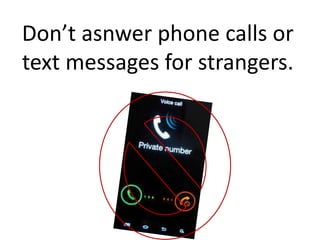
Don’t asnwer phone calls or
text messages for strangers.
TIP4#
Handle hacking
intelligently
Do you think that your account will be
hacked?
• Change your password and make the new one
more secure.
• Turn on the two step verification.
• Do a sweep of your computer with antivirus
software.
• Back up your files
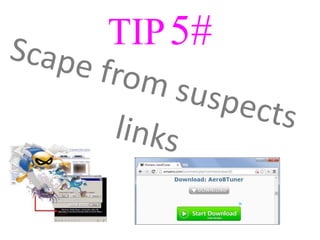
TIP5#
TIP 6#
Download applications
from official websites.
Be sure that you download
something in a official web
because if the web is not official
you can be hacked.
TIP7#
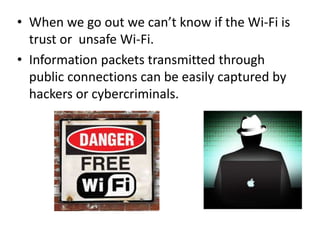
• When we go out we can’t know if the Wi-Fi is
trust or unsafe Wi-Fi.
• Information packets transmitted through
public connections can be easily captured by
hackers or cybercriminals.
TIP8#
When you leave the computer you
should always log out because a
hacker can take advantage of that
and enter in you account.
Hope you like it!!

Internet safety

  • 1.
  • 2.
    TIP 1# THE INTERNETIS FOREVERRRRRRRRRRRRRRRR RRRRRRRRRRRRR………….
  • 3.
    • If youput a picture or a post in Internet it will be there for a long time. • When you put something think that your childs and your grandchilds could see that. • For prevent that you should have your accounts(facebook,instagram,etc)private.
  • 4.
  • 5.
    Half of thepeople that have social network put personal data in it. Like phone numbers, addresses,etc. Don’t do that!!
  • 6.
  • 7.
    Don’t asnwer phonecalls or text messages for strangers.
  • 8.
  • 9.
    Do you thinkthat your account will be hacked? • Change your password and make the new one more secure. • Turn on the two step verification. • Do a sweep of your computer with antivirus software. • Back up your files
  • 10.
  • 12.
  • 13.
    Be sure thatyou download something in a official web because if the web is not official you can be hacked.
  • 14.
  • 15.
    • When wego out we can’t know if the Wi-Fi is trust or unsafe Wi-Fi. • Information packets transmitted through public connections can be easily captured by hackers or cybercriminals.
  • 16.
  • 17.
    When you leavethe computer you should always log out because a hacker can take advantage of that and enter in you account.
  • 18.