Resources
•
•
•
•

Code.google.com
Yahoo Developers
Web Site Caching (Book)
Few more websites, came across while writing
recipes.

Sanjeev Kumar Jaiswal
http://www.aliencoders.com

2
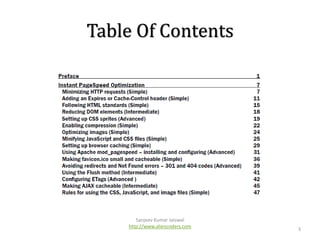
Table Of Contents

Sanjeev Kumar Jaiswal
http://www.aliencoders.com

3
Following HTML Standards
• <html xmlns="http://www.w3.org/1999/xhtml" dir="ltr" lang="en-US">

•
•
•
•

CSS files at the top under the head tag
JavaScript scripts at the bottom of the body tag
Use the tableless design whenever possible
Use proper ending methods of one-sided tags.
Ex: <br /> instead of <br>

• Tags should be properly closed
• Avoid deprecated tags like <b>, <i>
• Use HTML validator (FF Plugin) for better results

Sanjeev Kumar Jaiswal
http://www.aliencoders.com

4
Rules for using the CSS, JavaScript, and image
files

• Using external files for stylesheets and
JavaScript
• Using correct order of stylesheets, scripts, and
inline JavaScript code
• Don't scale images in HTML
• Removing Duplicate
• Avoid CSS @import
• Avoiding empty image src
Sanjeev Kumar Jaiswal
http://www.aliencoders.com

5
Minimizing HTTP Requests
•
•
•
•
•
•

Reducing DNS Lookups
Using combined CSS files and scripts
Using CSS Sprites (spriteme.org)
Using imagemaps (FF Plugin imagemap editor)
Firefox plugins Speed DNS
Minify js scripts and CSS files

Sanjeev Kumar Jaiswal
http://www.aliencoders.com

6
Optimizing Images
• Use text with CSS3 instead of images, if
possible
• Use web format of images like gif or png
• Use photo editor to use exact image size
required
• Use the height and width attributes under the
img tag

Sanjeev Kumar Jaiswal
http://www.aliencoders.com

7
Enabling Compression
• For IIS Folks!
http://technet.microsoft.com/en-us/library/cc730629(v=ws.10).aspx

• For PHP Folks
<?php
if (substr_count($_SERVER['HTTP_ACCEPT_ENCODING'], 'gzip')
ob_start("ob_gzhandler");
else
ob_start();
?>

Sanjeev Kumar Jaiswal
http://www.aliencoders.com

8
Enabling Compression cont…
For Apache Geeks
• Apache has two compression modes,
mod_deflate and mod_gzip.
http://httpd.apache.org/docs/2.0/mod/mod_deflate.html

• compress specific file types:
<files *.html>
SetOutputFilter DEFLATE
</files>

• or use AddOutputFilterByType
AddOutputFilterByType DEFLATE text/html text/plain text/xml

Sanjeev Kumar Jaiswal
http://www.aliencoders.com

9
Adding an Expires or Cache-Control header
• It will only help in optimizing the website if it has been
already visited and the cache is not empty, else it has no
effect
• Add the Expires metadata for static contents.
<META HTTP-EQUIV="Expires" CONTENT="Sat, 04 Dec 2021 21:29:02 GMT">

• The response header would contain the Expires term like this:
Expires: Sat, 04 Dec 2021 21:29:02 GMT

• Add Cache-Control metadata for dynamic contents
<META HTTP-EQUIV="CACHE-CONTROL" CONTENT="PUBLIC">

Sanjeev Kumar Jaiswal
http://www.aliencoders.com

10
Adding an Expires or Cache-Control header contd..
The following are the two cache-related header parts that you should
know (rfc 2616, section 14.9):
• cache-request-directive = "no-cache" | "no-store" | "max-age" "="
delta-seconds | "max-stale" [ "=" delta-seconds ] | "min-fresh" "="
delta-seconds | "no-transform" | "only-if-cached" | cache-extension
• cache-response-directive ="public" | "private" [ "=" <"> 1#fieldname
<"> ] | "no-cache" [ "=" <"> 1#field-name <"> ] | "no-store" |
"notransform"
| "must-revalidate" | "proxy-revalidate" | "max-age" "="
delta-seconds | "s-maxage" "=" delta-seconds
Sanjeev Kumar Jaiswal
http://www.aliencoders.com

11
Setting up browser Caching
• Tools->Options->Advanced->Network->offline
Storage
•
•
•
•

about:config->browser.cache.check_doc_frequency
Gateway Cache like Akamai , AWS etc
In CGI: print "Cache-Control: max-age = 3600n";
Apache
### activate mod_expires
ExpiresActive On
ExpiresByType image/gif seconds
Sanjeev Kumar Jaiswal
http://www.aliencoders.com

12
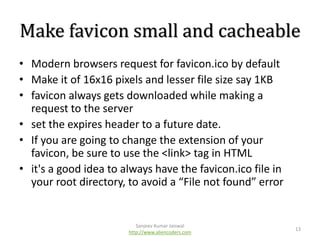
Make favicon small and cacheable
• Modern browsers request for favicon.ico by default
• Make it of 16x16 pixels and lesser file size say 1KB
• favicon always gets downloaded while making a
request to the server
• set the expires header to a future date.
• If you are going to change the extension of your
favicon, be sure to use the <link> tag in HTML
• it's a good idea to always have the favicon.ico file in
your root directory, to avoid a “File not found” error

Sanjeev Kumar Jaiswal
http://www.aliencoders.com

13
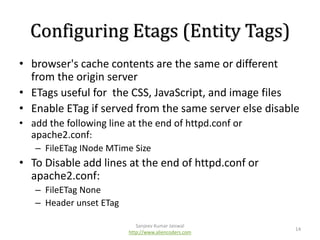
Configuring Etags (Entity Tags)
• browser's cache contents are the same or different
from the origin server
• ETags useful for the CSS, JavaScript, and image files
• Enable ETag if served from the same server else disable
• add the following line at the end of httpd.conf or
apache2.conf:
– FileETag INode MTime Size

• To Disable add lines at the end of httpd.conf or
apache2.conf:
– FileETag None
– Header unset ETag
Sanjeev Kumar Jaiswal
http://www.aliencoders.com

14
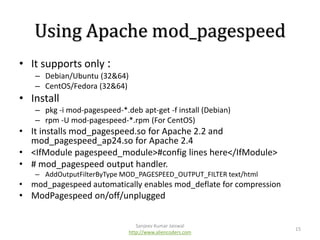
Using Apache mod_pagespeed
• It supports only :
– Debian/Ubuntu (32&64)
– CentOS/Fedora (32&64)

• Install
– pkg -i mod-pagespeed-*.deb apt-get -f install (Debian)
– rpm -U mod-pagespeed-*.rpm (For CentOS)

• It installs mod_pagespeed.so for Apache 2.2 and
mod_pagespeed_ap24.so for Apache 2.4
• <IfModule pagespeed_module>#config lines here</IfModule>
• # mod_pagespeed output handler.
– AddOutputFilterByType MOD_PAGESPEED_OUTPUT_FILTER text/html

• mod_pagespeed automatically enables mod_deflate for compression

• ModPagespeed on/off/unplugged
Sanjeev Kumar Jaiswal
http://www.aliencoders.com

15
Thanks
• Thanks to Ravindran for his valuable feedback
and reviews for this book 
• Thanks to Vignesh and Siva for their guidance
in my regular job.
• Thanks to teammates and AlienCoders Users
who always support me to go for something
big 

Sanjeev Kumar Jaiswal
http://www.aliencoders.com

16
Support Us
•
•
•
•
•
•
•

Facebook: https://www.facebook.com/aliencoders
Twitter: https://twitter.com/aliencoders
YouTube: http://www.youtube.com/user/jassics
LinkedIn: http://www.linkedin.com/groups/Alien-Coders-4642371
G+: https://plus.google.com/115500638348284368431/posts
Pinterest: http://www.pinterest.com/aliencoders/
Website: http://www.aliencoders.com

17

Presentation on Instant page speed optimization

  • 2.
    Resources • • • • Code.google.com Yahoo Developers Web SiteCaching (Book) Few more websites, came across while writing recipes. Sanjeev Kumar Jaiswal http://www.aliencoders.com 2
  • 3.
    Table Of Contents SanjeevKumar Jaiswal http://www.aliencoders.com 3
  • 4.
    Following HTML Standards •<html xmlns="http://www.w3.org/1999/xhtml" dir="ltr" lang="en-US"> • • • • CSS files at the top under the head tag JavaScript scripts at the bottom of the body tag Use the tableless design whenever possible Use proper ending methods of one-sided tags. Ex: <br /> instead of <br> • Tags should be properly closed • Avoid deprecated tags like <b>, <i> • Use HTML validator (FF Plugin) for better results Sanjeev Kumar Jaiswal http://www.aliencoders.com 4
  • 5.
    Rules for usingthe CSS, JavaScript, and image files • Using external files for stylesheets and JavaScript • Using correct order of stylesheets, scripts, and inline JavaScript code • Don't scale images in HTML • Removing Duplicate • Avoid CSS @import • Avoiding empty image src Sanjeev Kumar Jaiswal http://www.aliencoders.com 5
  • 6.
    Minimizing HTTP Requests • • • • • • ReducingDNS Lookups Using combined CSS files and scripts Using CSS Sprites (spriteme.org) Using imagemaps (FF Plugin imagemap editor) Firefox plugins Speed DNS Minify js scripts and CSS files Sanjeev Kumar Jaiswal http://www.aliencoders.com 6
  • 7.
    Optimizing Images • Usetext with CSS3 instead of images, if possible • Use web format of images like gif or png • Use photo editor to use exact image size required • Use the height and width attributes under the img tag Sanjeev Kumar Jaiswal http://www.aliencoders.com 7
  • 8.
    Enabling Compression • ForIIS Folks! http://technet.microsoft.com/en-us/library/cc730629(v=ws.10).aspx • For PHP Folks <?php if (substr_count($_SERVER['HTTP_ACCEPT_ENCODING'], 'gzip') ob_start("ob_gzhandler"); else ob_start(); ?> Sanjeev Kumar Jaiswal http://www.aliencoders.com 8
  • 9.
    Enabling Compression cont… ForApache Geeks • Apache has two compression modes, mod_deflate and mod_gzip. http://httpd.apache.org/docs/2.0/mod/mod_deflate.html • compress specific file types: <files *.html> SetOutputFilter DEFLATE </files> • or use AddOutputFilterByType AddOutputFilterByType DEFLATE text/html text/plain text/xml Sanjeev Kumar Jaiswal http://www.aliencoders.com 9
  • 10.
    Adding an Expiresor Cache-Control header • It will only help in optimizing the website if it has been already visited and the cache is not empty, else it has no effect • Add the Expires metadata for static contents. <META HTTP-EQUIV="Expires" CONTENT="Sat, 04 Dec 2021 21:29:02 GMT"> • The response header would contain the Expires term like this: Expires: Sat, 04 Dec 2021 21:29:02 GMT • Add Cache-Control metadata for dynamic contents <META HTTP-EQUIV="CACHE-CONTROL" CONTENT="PUBLIC"> Sanjeev Kumar Jaiswal http://www.aliencoders.com 10
  • 11.
    Adding an Expiresor Cache-Control header contd.. The following are the two cache-related header parts that you should know (rfc 2616, section 14.9): • cache-request-directive = "no-cache" | "no-store" | "max-age" "=" delta-seconds | "max-stale" [ "=" delta-seconds ] | "min-fresh" "=" delta-seconds | "no-transform" | "only-if-cached" | cache-extension • cache-response-directive ="public" | "private" [ "=" <"> 1#fieldname <"> ] | "no-cache" [ "=" <"> 1#field-name <"> ] | "no-store" | "notransform" | "must-revalidate" | "proxy-revalidate" | "max-age" "=" delta-seconds | "s-maxage" "=" delta-seconds Sanjeev Kumar Jaiswal http://www.aliencoders.com 11
  • 12.
    Setting up browserCaching • Tools->Options->Advanced->Network->offline Storage • • • • about:config->browser.cache.check_doc_frequency Gateway Cache like Akamai , AWS etc In CGI: print "Cache-Control: max-age = 3600n"; Apache ### activate mod_expires ExpiresActive On ExpiresByType image/gif seconds Sanjeev Kumar Jaiswal http://www.aliencoders.com 12
  • 13.
    Make favicon smalland cacheable • Modern browsers request for favicon.ico by default • Make it of 16x16 pixels and lesser file size say 1KB • favicon always gets downloaded while making a request to the server • set the expires header to a future date. • If you are going to change the extension of your favicon, be sure to use the <link> tag in HTML • it's a good idea to always have the favicon.ico file in your root directory, to avoid a “File not found” error Sanjeev Kumar Jaiswal http://www.aliencoders.com 13
  • 14.
    Configuring Etags (EntityTags) • browser's cache contents are the same or different from the origin server • ETags useful for the CSS, JavaScript, and image files • Enable ETag if served from the same server else disable • add the following line at the end of httpd.conf or apache2.conf: – FileETag INode MTime Size • To Disable add lines at the end of httpd.conf or apache2.conf: – FileETag None – Header unset ETag Sanjeev Kumar Jaiswal http://www.aliencoders.com 14
  • 15.
    Using Apache mod_pagespeed •It supports only : – Debian/Ubuntu (32&64) – CentOS/Fedora (32&64) • Install – pkg -i mod-pagespeed-*.deb apt-get -f install (Debian) – rpm -U mod-pagespeed-*.rpm (For CentOS) • It installs mod_pagespeed.so for Apache 2.2 and mod_pagespeed_ap24.so for Apache 2.4 • <IfModule pagespeed_module>#config lines here</IfModule> • # mod_pagespeed output handler. – AddOutputFilterByType MOD_PAGESPEED_OUTPUT_FILTER text/html • mod_pagespeed automatically enables mod_deflate for compression • ModPagespeed on/off/unplugged Sanjeev Kumar Jaiswal http://www.aliencoders.com 15
  • 16.
    Thanks • Thanks toRavindran for his valuable feedback and reviews for this book  • Thanks to Vignesh and Siva for their guidance in my regular job. • Thanks to teammates and AlienCoders Users who always support me to go for something big  Sanjeev Kumar Jaiswal http://www.aliencoders.com 16
  • 17.
    Support Us • • • • • • • Facebook: https://www.facebook.com/aliencoders Twitter:https://twitter.com/aliencoders YouTube: http://www.youtube.com/user/jassics LinkedIn: http://www.linkedin.com/groups/Alien-Coders-4642371 G+: https://plus.google.com/115500638348284368431/posts Pinterest: http://www.pinterest.com/aliencoders/ Website: http://www.aliencoders.com 17