Information Literacy
“…the ability to know when there is a need for
information, to be able to identify, locate,
evaluate, and effectively use that information
for the issue or problem at hand.”
» National Forum on Information Literacy
Develop “habits of mind” to tackle
information needs
Why do I care?
Information Skills…
Not just for Language Arts anymore!!!
Levels of Inquiry
Controlled Inquiry
Find three facts
about turtles using
a given website,
present it in a 5
slide powerpoint
Guided Inquiry
Students given
question/topic, but
have more flexibility
with sources and
how its presented
Free Inquiry
Self selected topic,
find information
and present it in
their own way
Models for
Information Seeking Process
Big 6 5As
ISP DIALOGUE
Research Cycle Infozone
REACTS 8Ws
Stripling Model Research Process Helper
8Ws Research Assistant
Flip-It
Pathways to Knowledge
1. What am I doing?
Task Definition
• Overview of the information seeking process
• Strategies for asking good research questions
and clarifying a topic
• Strategies for finding background info on a
topic
• Knowing kinds of information to look for i.e.
overview, details, pros & cons etc.
• Different types of information needs require
different types of information
2. Where should I go to find the info I
need?
Information Seeking Strategies
• Planning where to go to get information
• Identify different types of sources and what
kind of information you might find there
• Recognizing the differences between sources
i.e. why might you use a book vs. website vs.
database etc.
3. How do I get info from sources?
Location and access
• Identifying parts of a book and how it might help you
find information i.e. index, table of contents,
• Identifying parts of a website and how it might help
you find information i.e. navigation, title, URL etc.
• Knowing generally how a search engine works i.e. the
source of information is not Google, recognizing
advertising in search results and on websites
• Different search terms bring up different results
• Identifying search terms from background knowledge
• Finding a book in the library
4. How do I sort and organize the
information?
Use of Information
• Now that you have the info, how to evaluate
usefulness, relevance, credibility
• Does the information meet my needs
• Differentiating between fact & opinion
• Strategies to verify information
• Evaluating website by finding out “who, when &
why”
• Note taking & avoiding plagiarism
• Citing sources
6. What am I going to create with the
information?
Synthesis
Creating product i.e. writing, digital storytelling,
infographics etc.
6. How’d I do?
What can I do different next time?
Evaluation
• Evaluating not only the content of what you
learned but search process, what worked,
what didn’t etc.
• Identifying the hardest part, best part, skills
learned, insights from search process
Challenging
• Need lots of practice opportunities to build
skills
• The process is as important as the outcome
• Systematically spread across grade levels and
across subjects
• Start with basic skills and build up from year
to year
• Mini lessons, tutorials etc.
Evaluating websites
• 6th – strategies for identifying who wrote a
website
• 7th - strategies for identifying why a website
was created, recognizing purpose
• 8th - putting it all together, more challenging
examples etc.
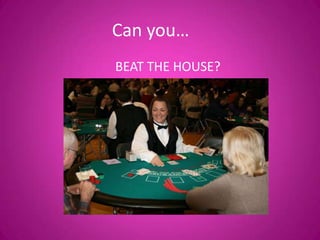
Can you…
BEAT THE HOUSE?
1. Log on to the library home page – search for
“sioux falls school district library”
2. Use the databases to find the items listed
3. Write the database name next to the item
you find
4. Beat the librarian’s hand without going over
21

Inservice

  • 1.
    Information Literacy “…the abilityto know when there is a need for information, to be able to identify, locate, evaluate, and effectively use that information for the issue or problem at hand.” » National Forum on Information Literacy Develop “habits of mind” to tackle information needs
  • 3.
    Why do Icare?
  • 5.
    Information Skills… Not justfor Language Arts anymore!!!
  • 6.
    Levels of Inquiry ControlledInquiry Find three facts about turtles using a given website, present it in a 5 slide powerpoint Guided Inquiry Students given question/topic, but have more flexibility with sources and how its presented Free Inquiry Self selected topic, find information and present it in their own way
  • 7.
    Models for Information SeekingProcess Big 6 5As ISP DIALOGUE Research Cycle Infozone REACTS 8Ws Stripling Model Research Process Helper 8Ws Research Assistant Flip-It Pathways to Knowledge
  • 8.
    1. What amI doing? Task Definition • Overview of the information seeking process • Strategies for asking good research questions and clarifying a topic • Strategies for finding background info on a topic • Knowing kinds of information to look for i.e. overview, details, pros & cons etc. • Different types of information needs require different types of information
  • 9.
    2. Where shouldI go to find the info I need? Information Seeking Strategies • Planning where to go to get information • Identify different types of sources and what kind of information you might find there • Recognizing the differences between sources i.e. why might you use a book vs. website vs. database etc.
  • 10.
    3. How doI get info from sources? Location and access • Identifying parts of a book and how it might help you find information i.e. index, table of contents, • Identifying parts of a website and how it might help you find information i.e. navigation, title, URL etc. • Knowing generally how a search engine works i.e. the source of information is not Google, recognizing advertising in search results and on websites • Different search terms bring up different results • Identifying search terms from background knowledge • Finding a book in the library
  • 11.
    4. How doI sort and organize the information? Use of Information • Now that you have the info, how to evaluate usefulness, relevance, credibility • Does the information meet my needs • Differentiating between fact & opinion • Strategies to verify information • Evaluating website by finding out “who, when & why” • Note taking & avoiding plagiarism • Citing sources
  • 12.
    6. What amI going to create with the information? Synthesis Creating product i.e. writing, digital storytelling, infographics etc.
  • 13.
    6. How’d Ido? What can I do different next time? Evaluation • Evaluating not only the content of what you learned but search process, what worked, what didn’t etc. • Identifying the hardest part, best part, skills learned, insights from search process
  • 14.
    Challenging • Need lotsof practice opportunities to build skills • The process is as important as the outcome • Systematically spread across grade levels and across subjects • Start with basic skills and build up from year to year • Mini lessons, tutorials etc.
  • 15.
    Evaluating websites • 6th– strategies for identifying who wrote a website • 7th - strategies for identifying why a website was created, recognizing purpose • 8th - putting it all together, more challenging examples etc.
  • 16.
  • 17.
    1. Log onto the library home page – search for “sioux falls school district library” 2. Use the databases to find the items listed 3. Write the database name next to the item you find 4. Beat the librarian’s hand without going over 21