
R.D.SIVAKUMAR, M.Sc.,M.Phil.,M.Tech.,
Assistant Professor of Computer Science &
Assistant Professor and Head, Department of M.Com.(CA),
Ayya Nadar Janaki Ammal College,
Sivakasi – 626 124.
Mobile: 099440-42243
e-mail : sivamsccsit@gmail.com
website: www.rdsivakumar.blogspot.in
INSERTING TEXT
INSERTING TEXT
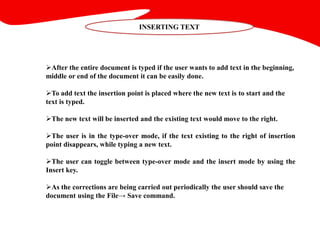
After the entire document is typed if the user wants to add text in the beginning,
middle or end of the document it can be easily done.
To add text the insertion point is placed where the new text is to start and the
text is typed.
The new text will be inserted and the existing text would move to the right.
The user is in the type-over mode, if the text existing to the right of insertion
point disappears, while typing a new text.
The user can toggle between type-over mode and the insert mode by using the
Insert key.
As the corrections are being carried out periodically the user should save the
document using the File→ Save command.
Thank you..!!

Inserting Text - R.D.Sivakumar

  • 1.
    R.D.SIVAKUMAR, M.Sc.,M.Phil.,M.Tech., Assistant Professorof Computer Science & Assistant Professor and Head, Department of M.Com.(CA), Ayya Nadar Janaki Ammal College, Sivakasi – 626 124. Mobile: 099440-42243 e-mail : sivamsccsit@gmail.com website: www.rdsivakumar.blogspot.in INSERTING TEXT
  • 2.
    INSERTING TEXT After theentire document is typed if the user wants to add text in the beginning, middle or end of the document it can be easily done. To add text the insertion point is placed where the new text is to start and the text is typed. The new text will be inserted and the existing text would move to the right. The user is in the type-over mode, if the text existing to the right of insertion point disappears, while typing a new text. The user can toggle between type-over mode and the insert mode by using the Insert key. As the corrections are being carried out periodically the user should save the document using the File→ Save command.
  • 3.