Brief Innodb Architecture and
Performance Optimization
Oct 26, 2010
HighLoad++
Moscow, Russia
by Peter Zaitsev, Percona Inc
-2-
Architecture and Performance
• Advanced Performance Optimization requires
transparency
– X-ray vision
• Impossible without understanding system
architecture
• Focus on Conceptual Aspects
– Exact Checksum algorithm Innodb uses is not important
– What matters
• How fast is that algorithm ?
• How checksums are checked/updated
General Architecture
• Traditional OLTP Engine
– “Emulates Oracle Architecture”
• Implemented using MySQL Storage engine API
• Row Based Storage. Row Locking. MVCC
• Data Stored in Tablespaces
• Log of changes stored in circular log files
– Redo logs
• Tablespace pages cached in “Buffer Pool”
-3-
Storage Files Layout
Physical Structure of Innodb Tabespaces and Logs
-4-
Innodb Tablespaces
• All data stored in Tablespaces
– Changes to these databases stored in Circular Logs
– Changes has to be reflected in tablespace before log
record is overwritten
• Single tablespace or multiple tablespace
– innodb_file_per_table=1
• System information always in main tablespace
– Ibdata1
– Main tablespace can consist of many files
• They are concatenated
-5-
Tablespace Format
• Tablespace is Collection of Segments
– Segment is like a “file”
• Segment is number of extents
– Typically 64 of 16K page sizes
– Smaller extents for very small objects
• First Tablespace page contains header
– Tablespace size
– Tablespace id
-6-
Types of Segments
• Each table is Set of Indexes
– Innodb table is “index organized table”
– Data is stored in leaf pages of PRIMARY key
• Each index has
– Leaf node segment
– Non Leaf node segment
• Special Segments
– Rollback Segment
– Insert buffer, etc
-7-
Innodb Space Allocation
• Small Segments (less than 32 pages)
– Page at the time
• Large Segments
– Extent at the time (to avoid fragmentation)
• Free pages recycled within same segment
• All pages in extent must be free before it is used in
different segment of same tablespace
– innodb_file_per_table=1 - free space can be used by
same table only
• Innodb never shrinks its tablespaces
-8-
Innodb Log Files
• Set of log files
– ib_logfile?
– 2 log files by default. Effectively concatenated
• Log Header
– Stores information about last checkpoint
• Log is NOT organized in pages, but records
– Records aligned 512 bytes, matching disk sector
• Log record format “physiological”
– Stores Page# and operation to do on it
• Only REDO operations are stored in logs.
-9-
Storage Tuning Parameters
• innodb_file_per_table
– Store each table in its own file/tablespace
• innodb_autoextend_increment
– Extend system tablespace in this increment
• innodb_log_file_size
• innodb_log_files_in_group
– Log file configuration
• Innodb page size
– XtraDB only
-10-
Using File per Table
• Typically more convenient
• Reclaim space from dropped table
• ALTER TABLE ENGINE=INNODB
– reduce file size after data was deleted
• Store different tables/databases on different drives
• Backup/Restore tables one by one
• Support for compression in Innodb Plugin/XtraDB
• Will use more space with many tables
• Longer unclean restart time with many tables
• Performance is typically similar
-11-
Dealing with Run-away tablespace
• Main Tablespace does not shrink
– Consider setting max size
– innodb_data_file_path=ibdata1:10M:autoextend:max:10G
• Dump and Restore
• Export tables with XtraBackup
– And import them into “clean” server
– http://www.mysqlperformanceblog.com/2009/06/08/impossible-possible-moving-innodb-
tables-between-servers/
-12-
Resizing Log Files
• You can't simply change log file size in my.cnf
– InnoDB: Error: log file ./ib_logfile0 is of different size 0
5242880 bytes
– InnoDB: than specified in the .cnf file 0 52428800 bytes!
• Stop MySQL (make sure it is clean shutdow)
• Rename (or delete) ib_logfile*
• Start MySQL with new log file settings
– It will create new set of log files
-13-
Innodb Threads Architecture
What threads are there and what they do
-14-
General Thread Architecture
• Using MySQL Threads for execution
– Normally thread per connection
• Transaction executed mainly by such thread
– Little benefit from Multi-Core for single query
• innodb_thread_concurrency can be used to limit
number of executing threads
– Reduce contention, but may add some too
• This limit is number of threads in kernel
– Including threads doing Disk IO or storing data in TMP
Table.
-15-
Helper Threads
• Main Thread
– Schedules activities – flush, purge, checkpoint, insert
buffer merge
• IO Threads
– Read – multiple threads used for read ahead
– Write – multiple threads used for background writes
– Insert Buffer thread used for Insert buffer merge
– Log Thread used for flushing the log
• Purge thread(s) (MySQL 5.5 and XtraDB)
• Deadlock detection thread.
• Monitoring Thread
-16-
Memory Handling
How Innodb Allocates and Manages Memory
-17-
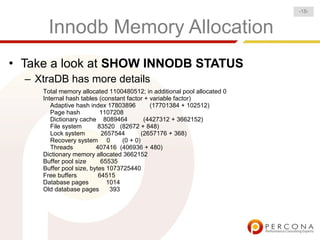
Innodb Memory Allocation
• Take a look at SHOW INNODB STATUS
– XtraDB has more details
Total memory allocated 1100480512; in additional pool allocated 0
Internal hash tables (constant factor + variable factor)
Adaptive hash index 17803896 (17701384 + 102512)
Page hash 1107208
Dictionary cache 8089464 (4427312 + 3662152)
File system 83520 (82672 + 848)
Lock system 2657544 (2657176 + 368)
Recovery system 0 (0 + 0)
Threads 407416 (406936 + 480)
Dictionary memory allocated 3662152
Buffer pool size 65535
Buffer pool size, bytes 1073725440
Free buffers 64515
Database pages 1014
Old database pages 393
-18-
Memory Allocation Basics
• Buffer Pool
– Set by innodb_buffer_pool_size
– Database cache; Insert Buffer; Locks
– Takes More memory than specified
• Extra space needed for Latches, LRU etc
• Additional Memory Pool
– Dictionary and other allocations
– innodb_additional_mem_pool_size
• Not used in newer releases
• Log Buffer
– innodb_log_buffer_size
-19-
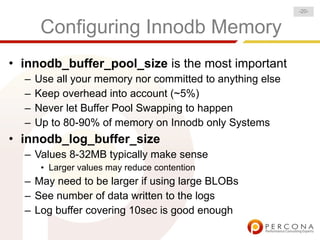
Configuring Innodb Memory
• innodb_buffer_pool_size is the most important
– Use all your memory nor committed to anything else
– Keep overhead into account (~5%)
– Never let Buffer Pool Swapping to happen
– Up to 80-90% of memory on Innodb only Systems
• innodb_log_buffer_size
– Values 8-32MB typically make sense
• Larger values may reduce contention
– May need to be larger if using large BLOBs
– See number of data written to the logs
– Log buffer covering 10sec is good enough
-20-
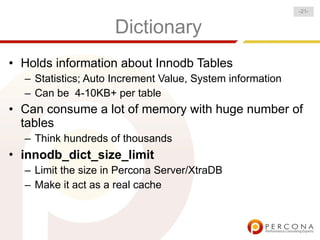
Dictionary
• Holds information about Innodb Tables
– Statistics; Auto Increment Value, System information
– Can be 4-10KB+ per table
• Can consume a lot of memory with huge number of
tables
– Think hundreds of thousands
• innodb_dict_size_limit
– Limit the size in Percona Server/XtraDB
– Make it act as a real cache
-21-
Disk IO
How Innodb Performs Disk IO
-22-
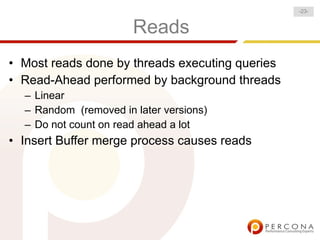
Reads
• Most reads done by threads executing queries
• Read-Ahead performed by background threads
– Linear
– Random (removed in later versions)
– Do not count on read ahead a lot
• Insert Buffer merge process causes reads
-23-
Writes
• Data Writes are Background in Most cases
– As long as you can flush data fast enough you're good
• Synchronous flushes can happen if no free buffers
available
• Log Writes can by sync or async depending on
innodb_flush_log_at_trx_commit
– 1 – fsync log on transaction commit
– 0 – do not flush. Flushed in background ~ once/sec
– 2 – Flush to OS cache but do not call fsync()
• Data safe if MySQL Crashes but OS Survives
-24-
Page Checksums
• Protection from corrupted data
– Bad hardware, OS Bugs, Innodb Bugs
– Are not completely replaced by Filesystem Checksums
• Checked when page is Read to Buffer Pool
• Updated when page is flushed to disk
• Can be significant overhead
– Especially for very fast storage
• Can be disabled by innodb_checksums=0
– Not Recommended for Production
-25-
Double Write Buffer
• Innodb log requires consistent pages for recovery
• Page write may complete partially
– Updating part of 16K and leaving the rest
• Double Write Buffer is short term page level log
• The process is:
– Write pages to double write buffer; Sync
– Write Pages to their original locations; Sync
– Pages contain tablespace_id+page_id
• On crash recovery pages in buffer are checked to
their original location
-26-
Disabling Double Write
• Overhead less than 2x because write is sequential
• Relatively larger overhead on SSD; Plus life impact;
• Can be disabled if FS guaranties atomic writes
– ZFS
• innodb_doublewrite=0
-27-
Direct IO Operation
• Default IO mode for Innodb data is Buffered
• Good
– Faster flushes when no write cache on RAID
– Faster warmup on restart
– Reduce problems with inode locking on EXT3
• Bad
– Lost of effective cache memory due to double buffering
– OS Cache could be used to cache other data
– Increased tendency to swap due to IO pressure
• innodb_flush_method=O_DIRECT
-28-
Log IO
• Log are always opened in buffered mode
• Flushed by fsync() - default or O_SYNC
• Logs are often written in blocks less than 4K
– Read has to happen before write
• Logs which fit in cache may improve performance
– Small transactions and
innodb_flush_log_at_trx_commit=1 or 2
-29-
Indexes
How Indexes are Implemented in Innodb
-30-
Everything is the Index
• Innodb tables are “Index Organized”
– PRIMARY key contains data instead of data pointer
• Hidden PRIMARY KEY is used if not defined (6b)
• Data is “Clustered” by PRIMARY KEY
– Data with close PK value is stored close to each other
– Clustering is within page ONLY
• Leaf and Non-Leaf nodes use separate Segments
– Makes IO more sequential for ordered scans
• Innodb system tables SYS_TABLES and
SYS_INDEXES hold information about index “root”
-31-
Index Structure
• Secondary Indexes refer to rows by Primary Key
– No need to update when row is moved to different page
• Long Primary Keys are expensive
– Increase size of all Indexes
• Random Primary Key Inserts are expensive
– Cause page splits; Fragmentation
– Make page space utilization low
• AutoIncrement keys are often better than artificial
keys, UUIDs, SHA1 etc.
-32-
More on Clustered Index
• PRIMARY KEY lookups are the most efficient
– Secondary key lookup is essentially 2 key lookups
• Adaptive hash index is used to optimize it
• PRIMARY KEY ranges are very efficient
– Build Schema keeping it in mind
– (user_id,message_id) may be better than (message_id)
• Changing PRIMARY KEY is expensive
– Effectively removing row and adding new one.
• Sequential Inserts give compact, least fragmented
storage
– ALTER TABLE tbl=INNODB can be optimization
-33-
More on Indexes
• There is no Prefix Index compressions
– Index can be 10x larger than for MyISAM table
– Innodb has page compression. Not the same thing.
• Indexes contain transaction information = fat
– Allow to see row visibility = index covering queries
• Secondary Keys built by insertion
– Often outside of sorted order = inefficient
• Innodb Plugin and XtraDB building by sort
– Faster
– Indexes have good page fill factor
– Indexes are not fragmented
-34-
Fragmentation
• Inter-row fragmentation
– The row itself is fragmented
– Happens in MyISAM but NOT in Innodb
• Intra-row fragmentation
– Sequential scan of rows is not sequential
– Happens in Innodb, outside of page boundary
• Empty Space Fragmentation
– A lot of empty space can be left between rows
• ALTER TABLE tbl ENGINE=INNODB
– The only medicine available.
-35-
Multi Versioning
Implementation of Multi Versioning and Locking
-36-
Multi Versioning at Glance
• Multiple versions of row exist at the same time
• Read Transaction can read old version of row, while
it is modified
– No need for locking
• Locking reads can be performed with SELECT FOR
UPDATE and LOCK IN SHARE MODE Modifiers
-37-
Transaction isolation Modes
• SERIALIZABLE
– Locking reads. Bypass multi versioning
• REPEATABLE-READ (default)
– Read commited data at it was on start of transaction
• READ-COMMITED
– Read commited data as it was at start of statement
• READ-UNCOMMITED
– Read non committed data as it is changing live
-38-
Updates and Locking Reads
• Updates bypass Multi Versioning
– You can only modify row which currently exists
• Locking Read bypass multi-versioning
– Result from SELECT vs SELECT .. LOCK IN SHARE
MODE will be different
• Locking Reads are slower
– Because they have to set locks
– Can be 2x+ slower !
– SELECT FOR UPDATE has larger overhead
-39-
Multi Version Implementaition
• The most recent row version is stored in the page
– Even before it is committed
• Previous row versions stored in undo space
– Located in System tablespace
• The number of versions stored is not limited
– Can cause system tablespace size to explode.
• Access to old versions require going through linked
list
– Long transactions with many concurrent updates can
impact performance.
-40-
Multi-Versioning Internals
• Each row in the database has
– DB_TRX_ID (6b) – Transaction inserted/updated row
– DB_ROLL_PTR (7b) - Pointer to previous version
– Significant extra space for short rows !
• Deletion handled as Special Update
• DB_TRX_ID + list of currently running transactions is
used to check which version is visible
• Insert and Update Undo Segments
– Inserts history can be discarded when transaction
commits.
– Update history is used for MVCC implementation
-41-
Multi Versioning Performance
• Short rows are faster to update
– Whole rows (excluding BLOBs) are versioned
– Separate table to store counters often make sense
• Beware of long transactions
– Especially many concurrent updates
• “Rows Read” can be misleading
– Single row may correspond to scanning thousand of
versions/index entries
-42-
Multi Versioning Indexes
• Indexes contain pointers to all versions
– Index key 5 will point to all rows which were 5 in the past
• Indexes contain TRX_ID
– Easy to check entry is visible
– Can use “Covering Indexes”
• Many old versions is performance problem
– Slow down accesses
– Will leave many “holes” in pages when purged
-43-
Cleaning up the Garbage
• Old Row and index entries need to be removed
– When they are not needed for any active transaction
• REPEATABLE READ
– Need to be able to read everything at transaction start
• READ-COMMITED
– Need to read everything at statement start
• Purge Thread may be unable to keep up with
intensive updates
– Innodb “History Length” will grow high
• innodb_max_purge_lag slows updates down
-44-
Handling Blobs
• Blobs are handled specially by Innodb
– And differently by different versions
• Small blobs
– Whole row fits in ~8000 bytes stored on the page
• Large Blobs
– Can be stored full on external pages (Barracuda)
– Can be stored partially on external page
• First 768 bytes are stored on the page (Antelope)
• Innodb will NOT read blobs unless they are touched
by the query
– No need to move BLOBs to separate table.
-45-
Blob Allocation
• Each BLOB Stored in separate segment
– Normal allocation rules apply. By page when by extent
– One large BLOB is faster than several medium ones
– Many BLOBs can cause extreme waste
• 500 byte blobs will require full 16K page if it does not fit with row
• External BLOBs are NOT updated in place
– Innodb always creates the new version
• Large VARCHAR/TEXT are handled same as BLOB
-46-
Oops!
A lot of cool stuff should follow but is removed in the
brief version of this presentation due to time
constraints
-47-
Innodb Architecture and Performnce Optimization
Thanks for Coming
• Questions ? Followup ?
– pz@percona.com
• Yes, we do MySQL and Web Scaling Consulting
– http://www.percona.com
• Check out our book
– Complete rewrite of 1st
edition
– Available in Russian Too
• And Yes we're hiring
– http://www.percona.com/contact/careers/
-48--48-

InnoDB Architecture and Performance Optimization, Peter Zaitsev

  • 1.
    Brief Innodb Architectureand Performance Optimization Oct 26, 2010 HighLoad++ Moscow, Russia by Peter Zaitsev, Percona Inc
  • 2.
    -2- Architecture and Performance •Advanced Performance Optimization requires transparency – X-ray vision • Impossible without understanding system architecture • Focus on Conceptual Aspects – Exact Checksum algorithm Innodb uses is not important – What matters • How fast is that algorithm ? • How checksums are checked/updated
  • 3.
    General Architecture • TraditionalOLTP Engine – “Emulates Oracle Architecture” • Implemented using MySQL Storage engine API • Row Based Storage. Row Locking. MVCC • Data Stored in Tablespaces • Log of changes stored in circular log files – Redo logs • Tablespace pages cached in “Buffer Pool” -3-
  • 4.
    Storage Files Layout PhysicalStructure of Innodb Tabespaces and Logs -4-
  • 5.
    Innodb Tablespaces • Alldata stored in Tablespaces – Changes to these databases stored in Circular Logs – Changes has to be reflected in tablespace before log record is overwritten • Single tablespace or multiple tablespace – innodb_file_per_table=1 • System information always in main tablespace – Ibdata1 – Main tablespace can consist of many files • They are concatenated -5-
  • 6.
    Tablespace Format • Tablespaceis Collection of Segments – Segment is like a “file” • Segment is number of extents – Typically 64 of 16K page sizes – Smaller extents for very small objects • First Tablespace page contains header – Tablespace size – Tablespace id -6-
  • 7.
    Types of Segments •Each table is Set of Indexes – Innodb table is “index organized table” – Data is stored in leaf pages of PRIMARY key • Each index has – Leaf node segment – Non Leaf node segment • Special Segments – Rollback Segment – Insert buffer, etc -7-
  • 8.
    Innodb Space Allocation •Small Segments (less than 32 pages) – Page at the time • Large Segments – Extent at the time (to avoid fragmentation) • Free pages recycled within same segment • All pages in extent must be free before it is used in different segment of same tablespace – innodb_file_per_table=1 - free space can be used by same table only • Innodb never shrinks its tablespaces -8-
  • 9.
    Innodb Log Files •Set of log files – ib_logfile? – 2 log files by default. Effectively concatenated • Log Header – Stores information about last checkpoint • Log is NOT organized in pages, but records – Records aligned 512 bytes, matching disk sector • Log record format “physiological” – Stores Page# and operation to do on it • Only REDO operations are stored in logs. -9-
  • 10.
    Storage Tuning Parameters •innodb_file_per_table – Store each table in its own file/tablespace • innodb_autoextend_increment – Extend system tablespace in this increment • innodb_log_file_size • innodb_log_files_in_group – Log file configuration • Innodb page size – XtraDB only -10-
  • 11.
    Using File perTable • Typically more convenient • Reclaim space from dropped table • ALTER TABLE ENGINE=INNODB – reduce file size after data was deleted • Store different tables/databases on different drives • Backup/Restore tables one by one • Support for compression in Innodb Plugin/XtraDB • Will use more space with many tables • Longer unclean restart time with many tables • Performance is typically similar -11-
  • 12.
    Dealing with Run-awaytablespace • Main Tablespace does not shrink – Consider setting max size – innodb_data_file_path=ibdata1:10M:autoextend:max:10G • Dump and Restore • Export tables with XtraBackup – And import them into “clean” server – http://www.mysqlperformanceblog.com/2009/06/08/impossible-possible-moving-innodb- tables-between-servers/ -12-
  • 13.
    Resizing Log Files •You can't simply change log file size in my.cnf – InnoDB: Error: log file ./ib_logfile0 is of different size 0 5242880 bytes – InnoDB: than specified in the .cnf file 0 52428800 bytes! • Stop MySQL (make sure it is clean shutdow) • Rename (or delete) ib_logfile* • Start MySQL with new log file settings – It will create new set of log files -13-
  • 14.
    Innodb Threads Architecture Whatthreads are there and what they do -14-
  • 15.
    General Thread Architecture •Using MySQL Threads for execution – Normally thread per connection • Transaction executed mainly by such thread – Little benefit from Multi-Core for single query • innodb_thread_concurrency can be used to limit number of executing threads – Reduce contention, but may add some too • This limit is number of threads in kernel – Including threads doing Disk IO or storing data in TMP Table. -15-
  • 16.
    Helper Threads • MainThread – Schedules activities – flush, purge, checkpoint, insert buffer merge • IO Threads – Read – multiple threads used for read ahead – Write – multiple threads used for background writes – Insert Buffer thread used for Insert buffer merge – Log Thread used for flushing the log • Purge thread(s) (MySQL 5.5 and XtraDB) • Deadlock detection thread. • Monitoring Thread -16-
  • 17.
    Memory Handling How InnodbAllocates and Manages Memory -17-
  • 18.
    Innodb Memory Allocation •Take a look at SHOW INNODB STATUS – XtraDB has more details Total memory allocated 1100480512; in additional pool allocated 0 Internal hash tables (constant factor + variable factor) Adaptive hash index 17803896 (17701384 + 102512) Page hash 1107208 Dictionary cache 8089464 (4427312 + 3662152) File system 83520 (82672 + 848) Lock system 2657544 (2657176 + 368) Recovery system 0 (0 + 0) Threads 407416 (406936 + 480) Dictionary memory allocated 3662152 Buffer pool size 65535 Buffer pool size, bytes 1073725440 Free buffers 64515 Database pages 1014 Old database pages 393 -18-
  • 19.
    Memory Allocation Basics •Buffer Pool – Set by innodb_buffer_pool_size – Database cache; Insert Buffer; Locks – Takes More memory than specified • Extra space needed for Latches, LRU etc • Additional Memory Pool – Dictionary and other allocations – innodb_additional_mem_pool_size • Not used in newer releases • Log Buffer – innodb_log_buffer_size -19-
  • 20.
    Configuring Innodb Memory •innodb_buffer_pool_size is the most important – Use all your memory nor committed to anything else – Keep overhead into account (~5%) – Never let Buffer Pool Swapping to happen – Up to 80-90% of memory on Innodb only Systems • innodb_log_buffer_size – Values 8-32MB typically make sense • Larger values may reduce contention – May need to be larger if using large BLOBs – See number of data written to the logs – Log buffer covering 10sec is good enough -20-
  • 21.
    Dictionary • Holds informationabout Innodb Tables – Statistics; Auto Increment Value, System information – Can be 4-10KB+ per table • Can consume a lot of memory with huge number of tables – Think hundreds of thousands • innodb_dict_size_limit – Limit the size in Percona Server/XtraDB – Make it act as a real cache -21-
  • 22.
    Disk IO How InnodbPerforms Disk IO -22-
  • 23.
    Reads • Most readsdone by threads executing queries • Read-Ahead performed by background threads – Linear – Random (removed in later versions) – Do not count on read ahead a lot • Insert Buffer merge process causes reads -23-
  • 24.
    Writes • Data Writesare Background in Most cases – As long as you can flush data fast enough you're good • Synchronous flushes can happen if no free buffers available • Log Writes can by sync or async depending on innodb_flush_log_at_trx_commit – 1 – fsync log on transaction commit – 0 – do not flush. Flushed in background ~ once/sec – 2 – Flush to OS cache but do not call fsync() • Data safe if MySQL Crashes but OS Survives -24-
  • 25.
    Page Checksums • Protectionfrom corrupted data – Bad hardware, OS Bugs, Innodb Bugs – Are not completely replaced by Filesystem Checksums • Checked when page is Read to Buffer Pool • Updated when page is flushed to disk • Can be significant overhead – Especially for very fast storage • Can be disabled by innodb_checksums=0 – Not Recommended for Production -25-
  • 26.
    Double Write Buffer •Innodb log requires consistent pages for recovery • Page write may complete partially – Updating part of 16K and leaving the rest • Double Write Buffer is short term page level log • The process is: – Write pages to double write buffer; Sync – Write Pages to their original locations; Sync – Pages contain tablespace_id+page_id • On crash recovery pages in buffer are checked to their original location -26-
  • 27.
    Disabling Double Write •Overhead less than 2x because write is sequential • Relatively larger overhead on SSD; Plus life impact; • Can be disabled if FS guaranties atomic writes – ZFS • innodb_doublewrite=0 -27-
  • 28.
    Direct IO Operation •Default IO mode for Innodb data is Buffered • Good – Faster flushes when no write cache on RAID – Faster warmup on restart – Reduce problems with inode locking on EXT3 • Bad – Lost of effective cache memory due to double buffering – OS Cache could be used to cache other data – Increased tendency to swap due to IO pressure • innodb_flush_method=O_DIRECT -28-
  • 29.
    Log IO • Logare always opened in buffered mode • Flushed by fsync() - default or O_SYNC • Logs are often written in blocks less than 4K – Read has to happen before write • Logs which fit in cache may improve performance – Small transactions and innodb_flush_log_at_trx_commit=1 or 2 -29-
  • 30.
    Indexes How Indexes areImplemented in Innodb -30-
  • 31.
    Everything is theIndex • Innodb tables are “Index Organized” – PRIMARY key contains data instead of data pointer • Hidden PRIMARY KEY is used if not defined (6b) • Data is “Clustered” by PRIMARY KEY – Data with close PK value is stored close to each other – Clustering is within page ONLY • Leaf and Non-Leaf nodes use separate Segments – Makes IO more sequential for ordered scans • Innodb system tables SYS_TABLES and SYS_INDEXES hold information about index “root” -31-
  • 32.
    Index Structure • SecondaryIndexes refer to rows by Primary Key – No need to update when row is moved to different page • Long Primary Keys are expensive – Increase size of all Indexes • Random Primary Key Inserts are expensive – Cause page splits; Fragmentation – Make page space utilization low • AutoIncrement keys are often better than artificial keys, UUIDs, SHA1 etc. -32-
  • 33.
    More on ClusteredIndex • PRIMARY KEY lookups are the most efficient – Secondary key lookup is essentially 2 key lookups • Adaptive hash index is used to optimize it • PRIMARY KEY ranges are very efficient – Build Schema keeping it in mind – (user_id,message_id) may be better than (message_id) • Changing PRIMARY KEY is expensive – Effectively removing row and adding new one. • Sequential Inserts give compact, least fragmented storage – ALTER TABLE tbl=INNODB can be optimization -33-
  • 34.
    More on Indexes •There is no Prefix Index compressions – Index can be 10x larger than for MyISAM table – Innodb has page compression. Not the same thing. • Indexes contain transaction information = fat – Allow to see row visibility = index covering queries • Secondary Keys built by insertion – Often outside of sorted order = inefficient • Innodb Plugin and XtraDB building by sort – Faster – Indexes have good page fill factor – Indexes are not fragmented -34-
  • 35.
    Fragmentation • Inter-row fragmentation –The row itself is fragmented – Happens in MyISAM but NOT in Innodb • Intra-row fragmentation – Sequential scan of rows is not sequential – Happens in Innodb, outside of page boundary • Empty Space Fragmentation – A lot of empty space can be left between rows • ALTER TABLE tbl ENGINE=INNODB – The only medicine available. -35-
  • 36.
    Multi Versioning Implementation ofMulti Versioning and Locking -36-
  • 37.
    Multi Versioning atGlance • Multiple versions of row exist at the same time • Read Transaction can read old version of row, while it is modified – No need for locking • Locking reads can be performed with SELECT FOR UPDATE and LOCK IN SHARE MODE Modifiers -37-
  • 38.
    Transaction isolation Modes •SERIALIZABLE – Locking reads. Bypass multi versioning • REPEATABLE-READ (default) – Read commited data at it was on start of transaction • READ-COMMITED – Read commited data as it was at start of statement • READ-UNCOMMITED – Read non committed data as it is changing live -38-
  • 39.
    Updates and LockingReads • Updates bypass Multi Versioning – You can only modify row which currently exists • Locking Read bypass multi-versioning – Result from SELECT vs SELECT .. LOCK IN SHARE MODE will be different • Locking Reads are slower – Because they have to set locks – Can be 2x+ slower ! – SELECT FOR UPDATE has larger overhead -39-
  • 40.
    Multi Version Implementaition •The most recent row version is stored in the page – Even before it is committed • Previous row versions stored in undo space – Located in System tablespace • The number of versions stored is not limited – Can cause system tablespace size to explode. • Access to old versions require going through linked list – Long transactions with many concurrent updates can impact performance. -40-
  • 41.
    Multi-Versioning Internals • Eachrow in the database has – DB_TRX_ID (6b) – Transaction inserted/updated row – DB_ROLL_PTR (7b) - Pointer to previous version – Significant extra space for short rows ! • Deletion handled as Special Update • DB_TRX_ID + list of currently running transactions is used to check which version is visible • Insert and Update Undo Segments – Inserts history can be discarded when transaction commits. – Update history is used for MVCC implementation -41-
  • 42.
    Multi Versioning Performance •Short rows are faster to update – Whole rows (excluding BLOBs) are versioned – Separate table to store counters often make sense • Beware of long transactions – Especially many concurrent updates • “Rows Read” can be misleading – Single row may correspond to scanning thousand of versions/index entries -42-
  • 43.
    Multi Versioning Indexes •Indexes contain pointers to all versions – Index key 5 will point to all rows which were 5 in the past • Indexes contain TRX_ID – Easy to check entry is visible – Can use “Covering Indexes” • Many old versions is performance problem – Slow down accesses – Will leave many “holes” in pages when purged -43-
  • 44.
    Cleaning up theGarbage • Old Row and index entries need to be removed – When they are not needed for any active transaction • REPEATABLE READ – Need to be able to read everything at transaction start • READ-COMMITED – Need to read everything at statement start • Purge Thread may be unable to keep up with intensive updates – Innodb “History Length” will grow high • innodb_max_purge_lag slows updates down -44-
  • 45.
    Handling Blobs • Blobsare handled specially by Innodb – And differently by different versions • Small blobs – Whole row fits in ~8000 bytes stored on the page • Large Blobs – Can be stored full on external pages (Barracuda) – Can be stored partially on external page • First 768 bytes are stored on the page (Antelope) • Innodb will NOT read blobs unless they are touched by the query – No need to move BLOBs to separate table. -45-
  • 46.
    Blob Allocation • EachBLOB Stored in separate segment – Normal allocation rules apply. By page when by extent – One large BLOB is faster than several medium ones – Many BLOBs can cause extreme waste • 500 byte blobs will require full 16K page if it does not fit with row • External BLOBs are NOT updated in place – Innodb always creates the new version • Large VARCHAR/TEXT are handled same as BLOB -46-
  • 47.
    Oops! A lot ofcool stuff should follow but is removed in the brief version of this presentation due to time constraints -47-
  • 48.
    Innodb Architecture andPerformnce Optimization Thanks for Coming • Questions ? Followup ? – pz@percona.com • Yes, we do MySQL and Web Scaling Consulting – http://www.percona.com • Check out our book – Complete rewrite of 1st edition – Available in Russian Too • And Yes we're hiring – http://www.percona.com/contact/careers/ -48--48-