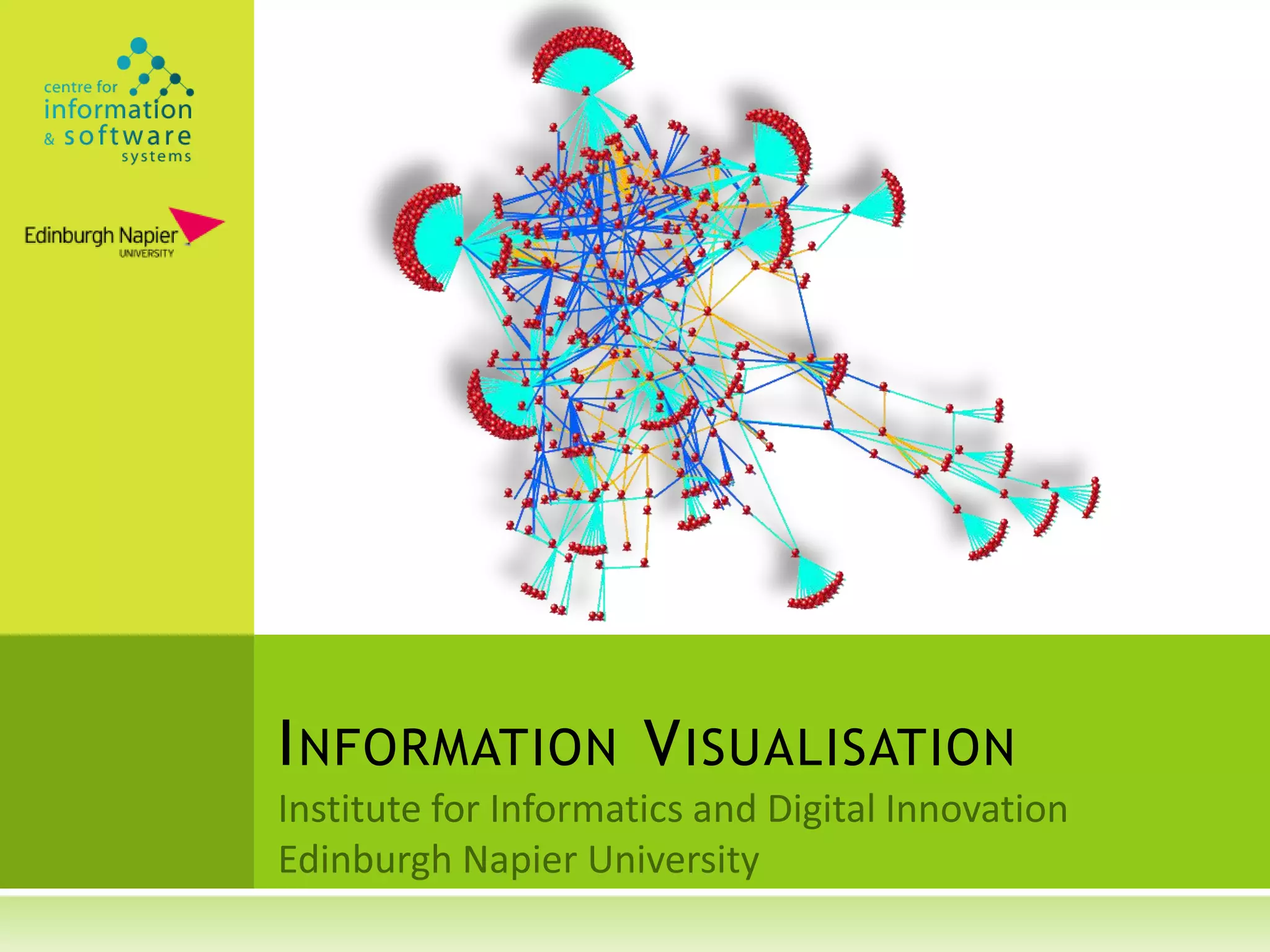
I NFORMATION V ISUALISATION
W HAT

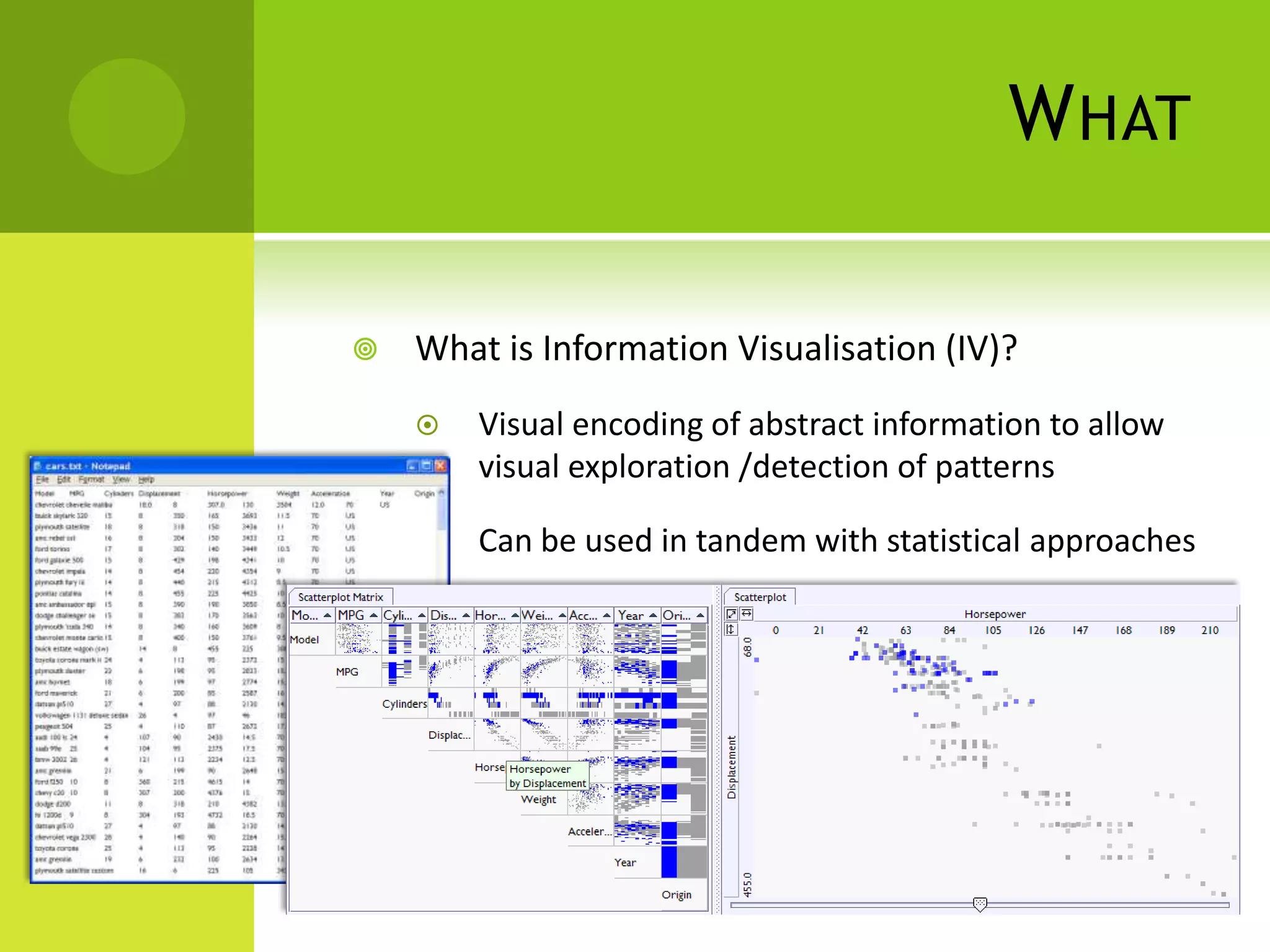
   What is Information Visualisation (IV)?
       Visual encoding of abstract information to allow
        visual exploration /detection of patterns

       Can be used in tandem with statistical approaches
W HY

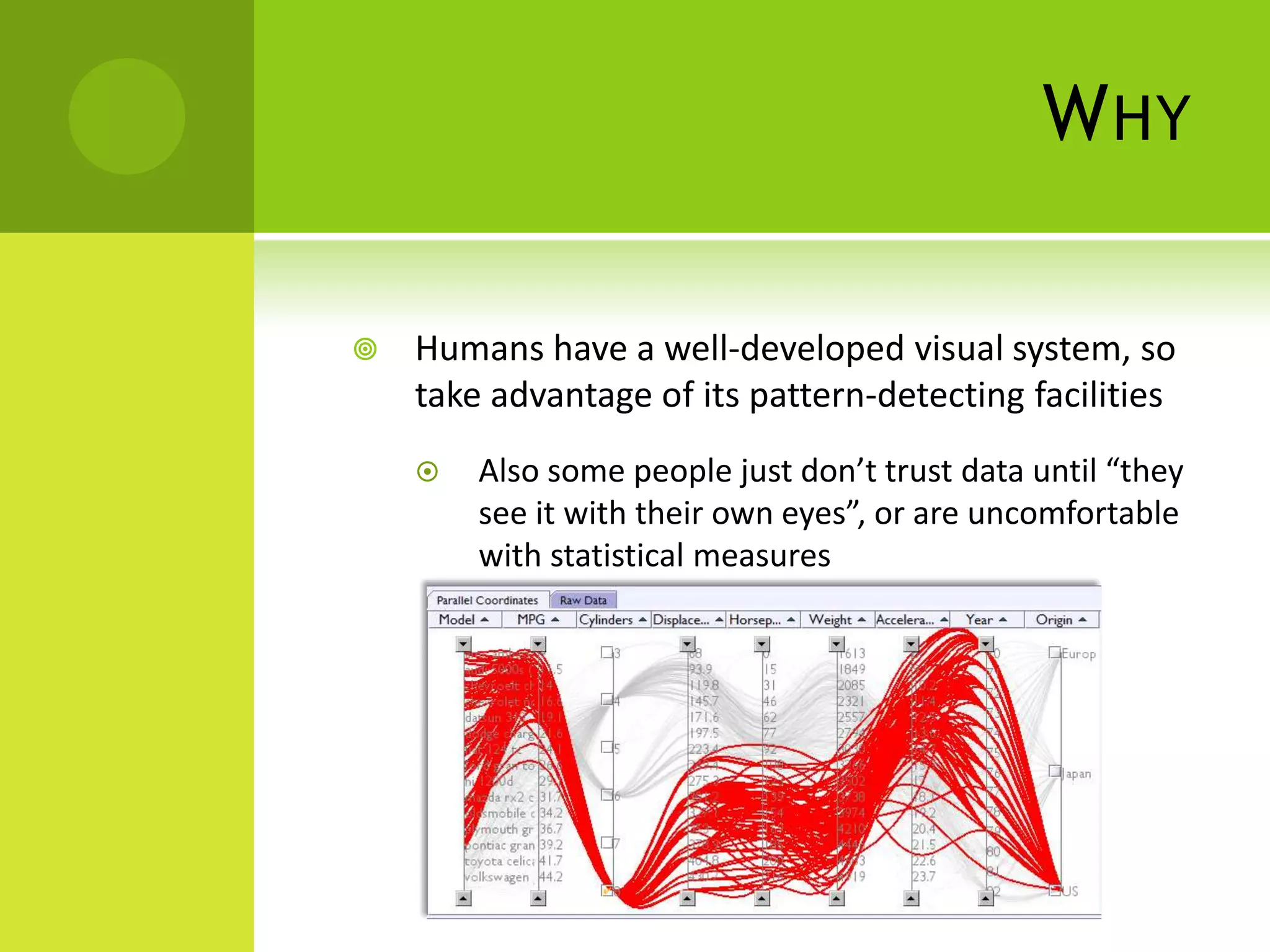
   Humans have a well-developed visual system, so
    take advantage of its pattern-detecting facilities
       Also some people just don’t trust data until “they
        see it with their own eyes”, or are uncomfortable
        with statistical measures
WHY

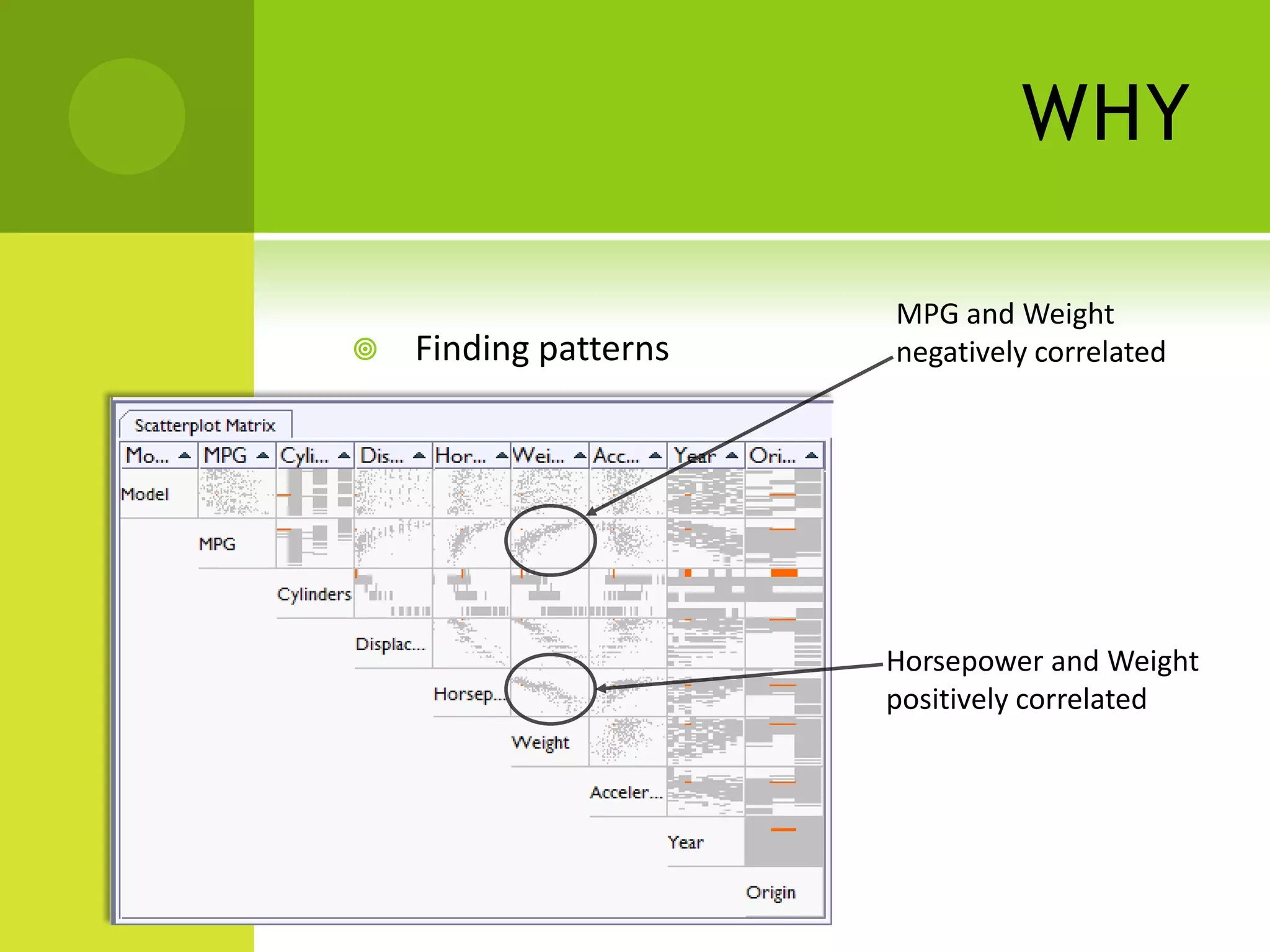
                       MPG and Weight
   Finding patterns   negatively correlated


                       Horsepower and Weight
                       positively correlated
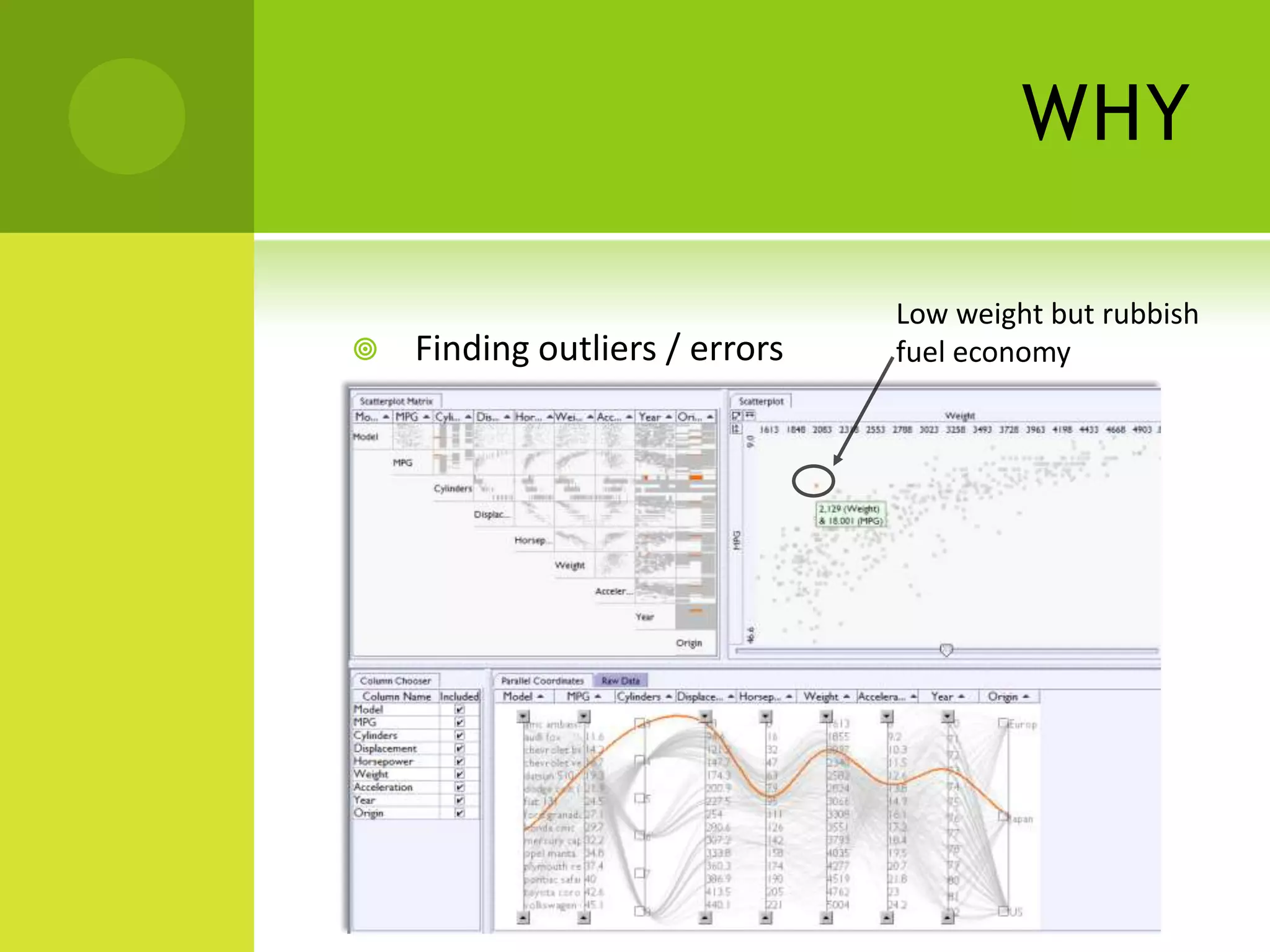
WHY

                                Low weight but rubbish
   Finding outliers / errors   fuel economy
D ATA S TRUCTURES

   Information is abstract i.e. non-physically rooted

   Examples include
       Family trees

       Share prices

       Social networks

       Tuple data
I NTERACTION T ECHNIQUES

   IV applications allow users to interact with the
    data, as opposed to being static screenshots (cf
    GraphViz)
       Common techniques beyond the basics include
           Filtering – removing, reordering and re-rendering
            according to selected subsets of information
           Linking – viewing the same data (and same filters)
            in different views
           Focusing – visual effects such as non-linear
            focus+context and zoom to accentuate areas of
            the visualisation
           Speed of response is vital, recommend < 50ms
I NTERACTION T ECHNIQUES

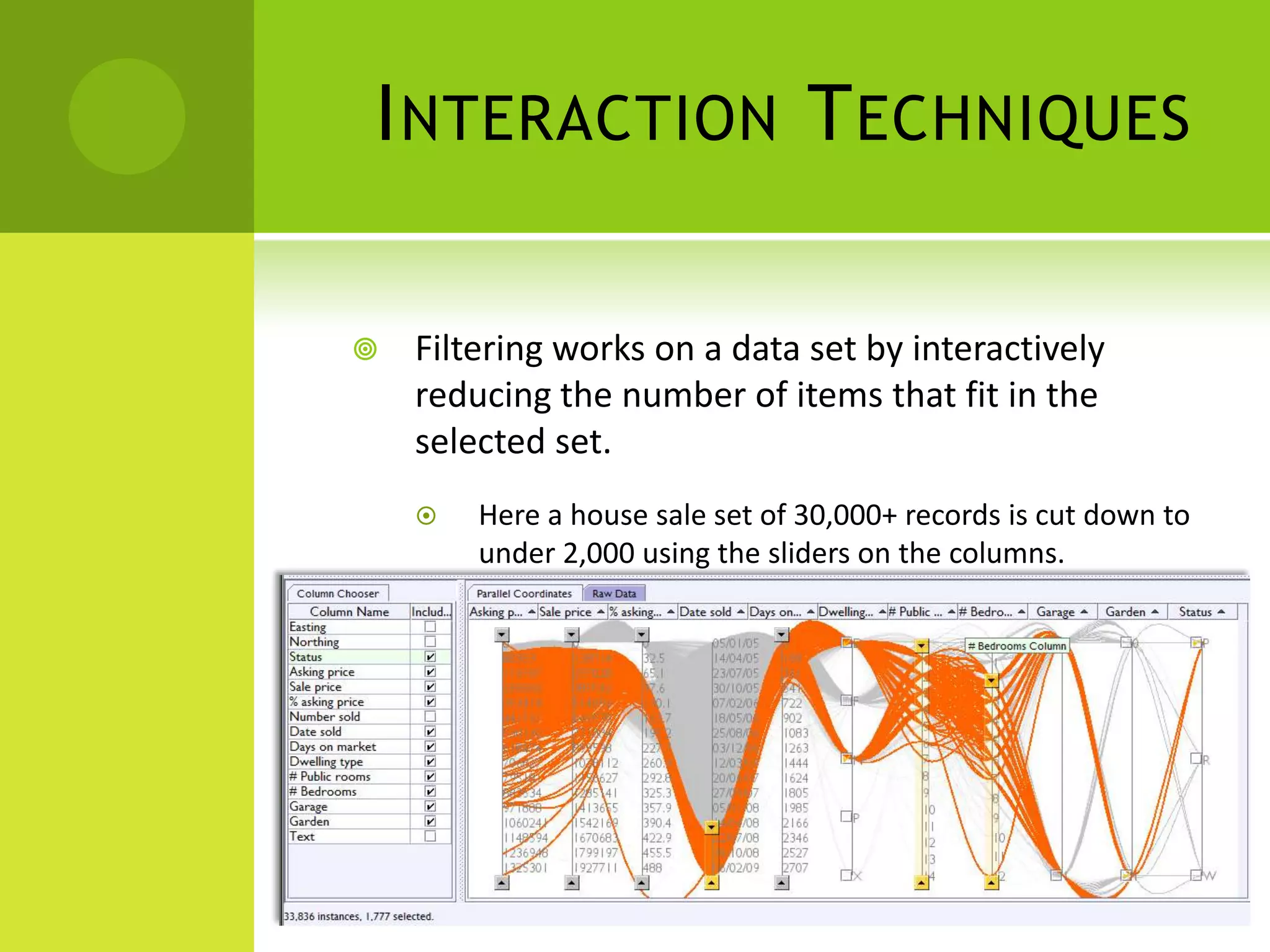
   Filtering works on a data set by interactively
    reducing the number of items that fit in the
    selected set.
       Here a house sale set of 30,000+ records is cut down to
        under 2,000 using the sliders on the columns.
I NTERACTION T ECHNIQUES

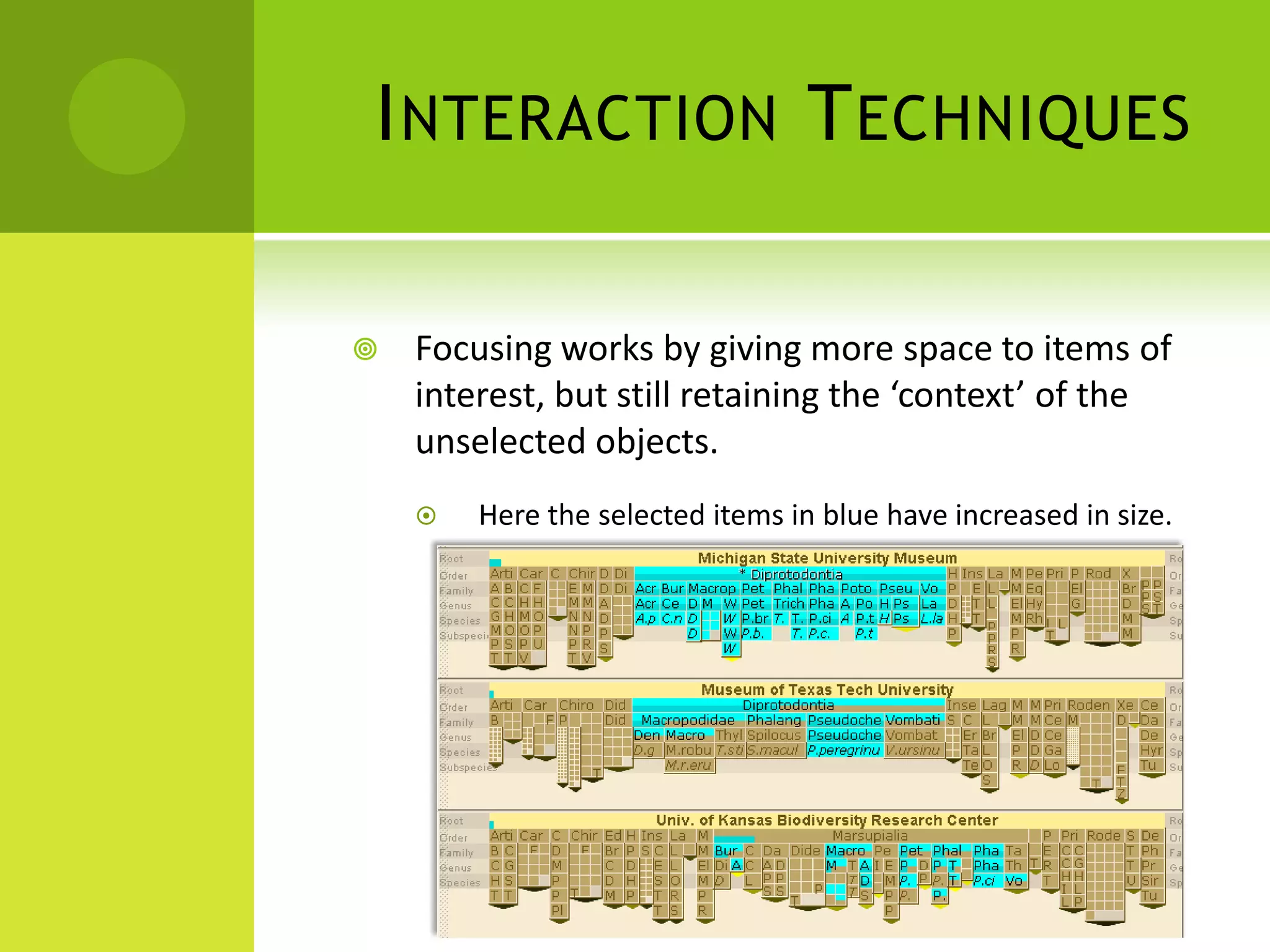
   Focusing works by giving more space to items of
    interest, but still retaining the ‘context’ of the
    unselected objects.
       Here the selected items in blue have increased in size.
I NTERACTION T ECHNIQUES

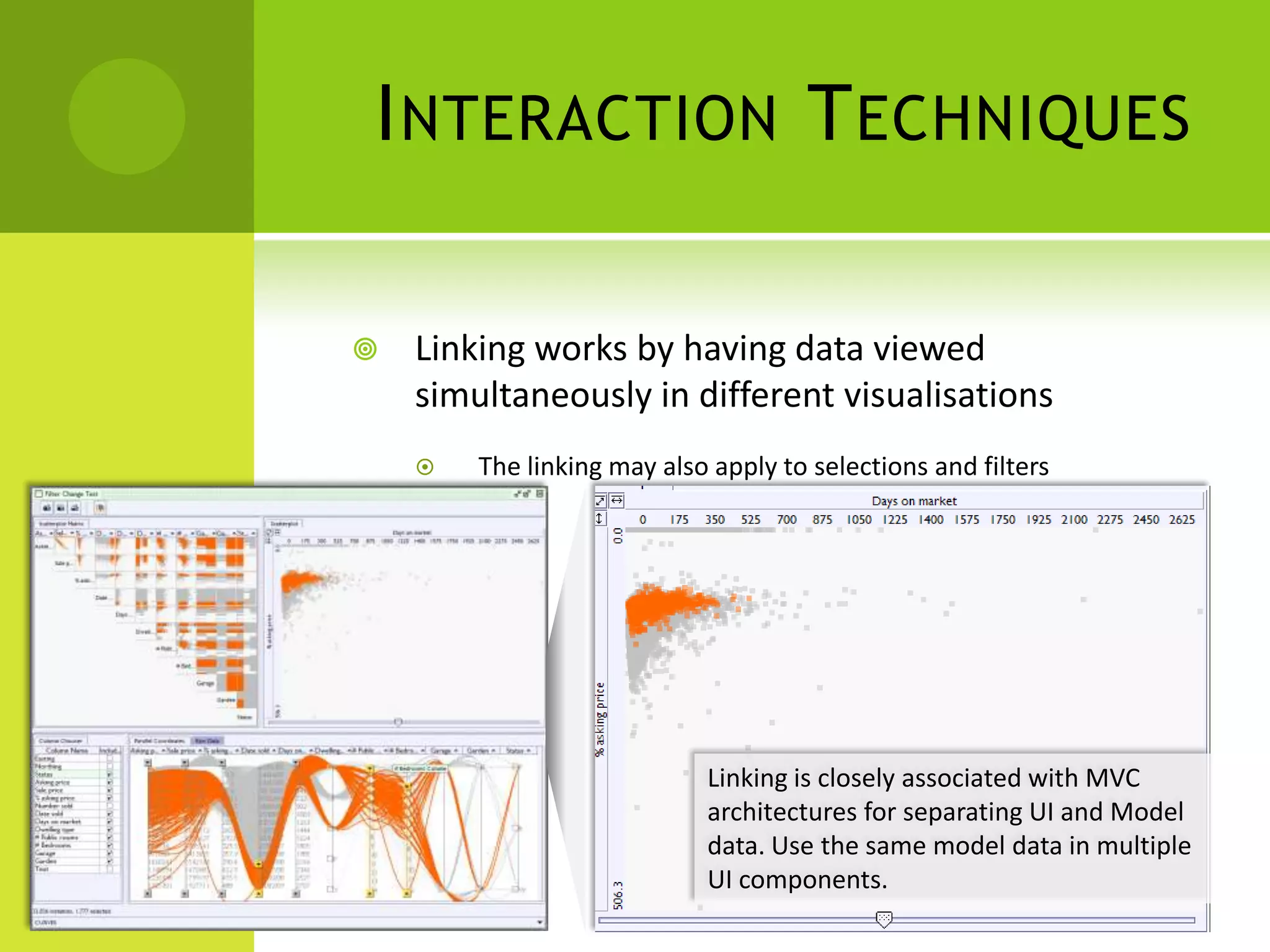
   Linking works by having data viewed
    simultaneously in different visualisations
       The linking may also apply to selections and filters


                            Linking is closely associated with MVC
                            architectures for separating UI and Model
                            data. Use the same model data in multiple
                            UI components.
W HERE

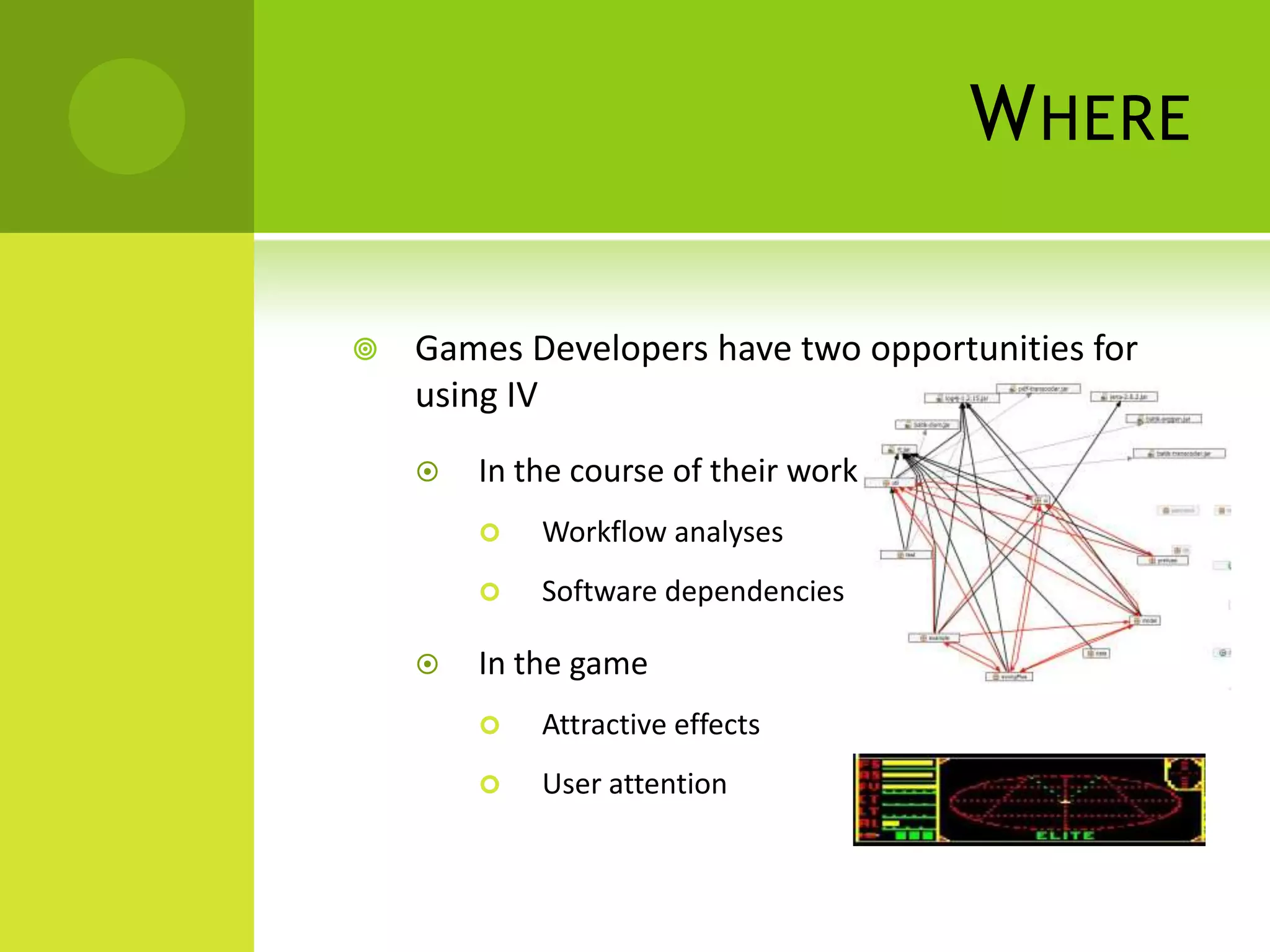
   Games Developers have two opportunities for
    using IV
       In the course of their work
           Workflow analyses
           Software dependencies

       In the game
           Attractive effects
           User attention
S OFTWARE V ISUALISATION

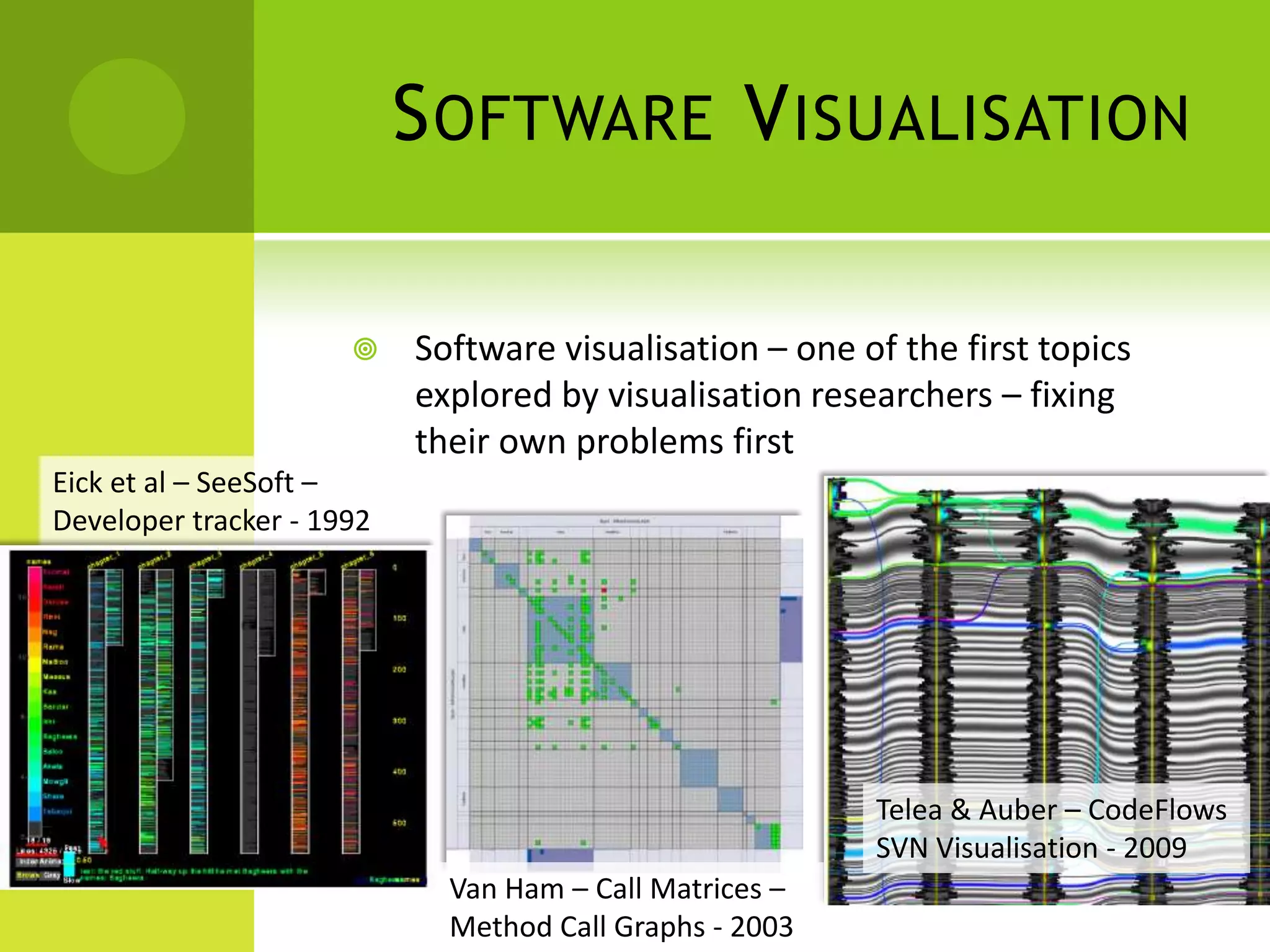
                          Software visualisation – one of the first topics
                           explored by visualisation researchers – fixing
                           their own problems first
Eick et al – SeeSoft –
Developer tracker - 1992


                                                         Telea & Auber – CodeFlows
                                                         SVN Visualisation - 2009
                             Van Ham – Call Matrices –
                             Method Call Graphs - 2003
S OFTWARE V ISUALISATION

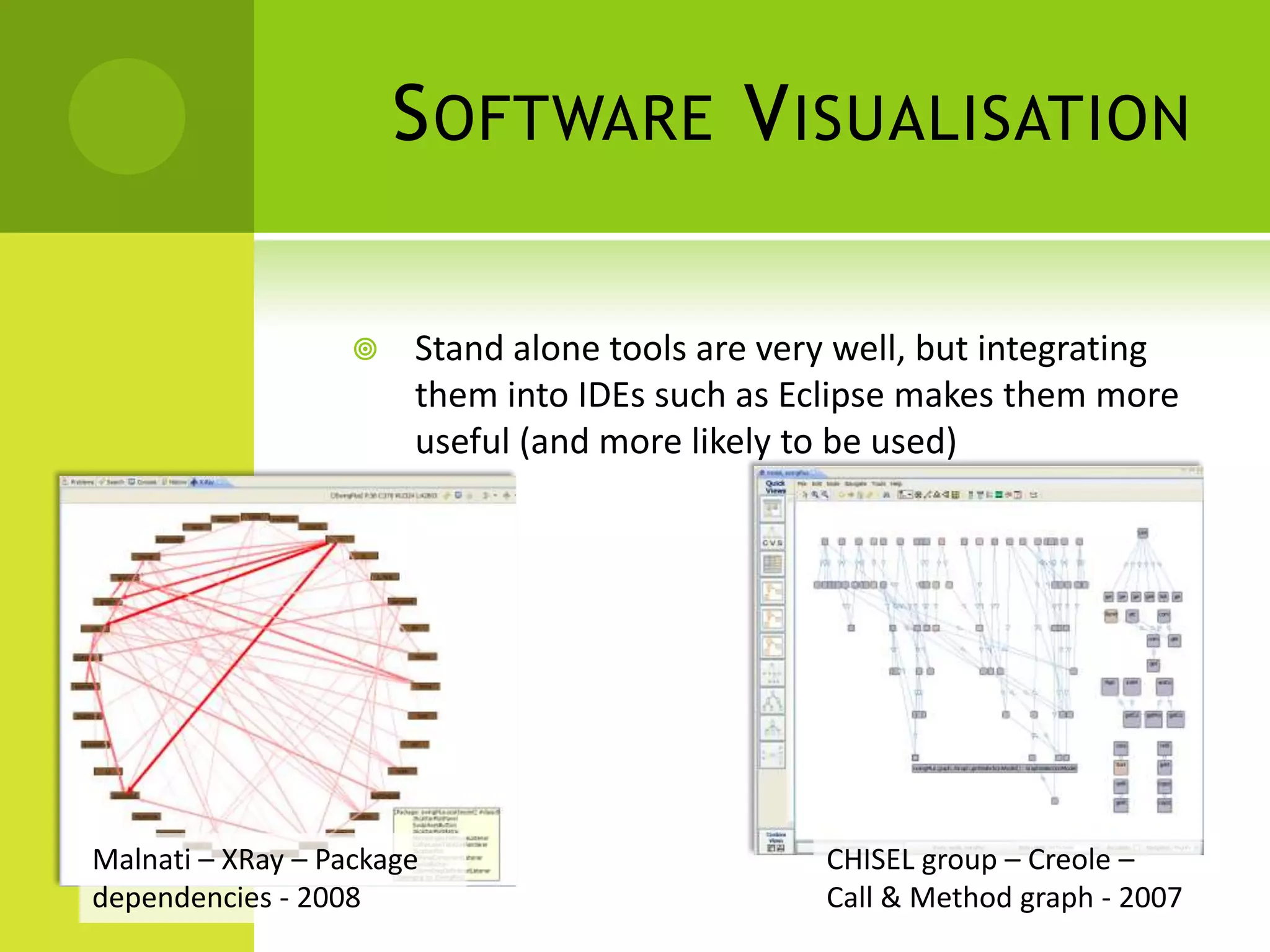
                      Stand alone tools are very well, but integrating
                       them into IDEs such as Eclipse makes them more
                       useful (and more likely to be used)


Malnati – XRay – Package                        CHISEL group – Creole –
dependencies - 2008                             Call & Method graph - 2007
L IBRARIES

   Developing visualisations can be time-consuming
       Developer Libraries
           Integrate common vis techniques into existing
            programs / websites (Prefuse, InfoVis
            Cyberinfrastructure)

       End User Libraries
           Drop data into visualisation (ManyEyes. Mondrian)
T HE E ND

   Some demos at the CISS Napier website
         http://www.ciss.soc.napier.ac.uk/


   Q’s

InfoVis General

  • 1.
    I NFORMATION VISUALISATION
  • 2.
    W HAT  What is Information Visualisation (IV)?  Visual encoding of abstract information to allow visual exploration /detection of patterns  Can be used in tandem with statistical approaches
  • 3.
    W HY  Humans have a well-developed visual system, so take advantage of its pattern-detecting facilities  Also some people just don’t trust data until “they see it with their own eyes”, or are uncomfortable with statistical measures
  • 4.
    WHY MPG and Weight  Finding patterns negatively correlated Horsepower and Weight positively correlated
  • 5.
    WHY Low weight but rubbish  Finding outliers / errors fuel economy
  • 6.
    D ATA STRUCTURES  Information is abstract i.e. non-physically rooted  Examples include  Family trees  Share prices  Social networks  Tuple data
  • 7.
    I NTERACTION TECHNIQUES  IV applications allow users to interact with the data, as opposed to being static screenshots (cf GraphViz)  Common techniques beyond the basics include  Filtering – removing, reordering and re-rendering according to selected subsets of information  Linking – viewing the same data (and same filters) in different views  Focusing – visual effects such as non-linear focus+context and zoom to accentuate areas of the visualisation  Speed of response is vital, recommend < 50ms
  • 8.
    I NTERACTION TECHNIQUES  Filtering works on a data set by interactively reducing the number of items that fit in the selected set.  Here a house sale set of 30,000+ records is cut down to under 2,000 using the sliders on the columns.
  • 9.
    I NTERACTION TECHNIQUES  Focusing works by giving more space to items of interest, but still retaining the ‘context’ of the unselected objects.  Here the selected items in blue have increased in size.
  • 10.
    I NTERACTION TECHNIQUES  Linking works by having data viewed simultaneously in different visualisations  The linking may also apply to selections and filters Linking is closely associated with MVC architectures for separating UI and Model data. Use the same model data in multiple UI components.
  • 11.
    W HERE  Games Developers have two opportunities for using IV  In the course of their work  Workflow analyses  Software dependencies  In the game  Attractive effects  User attention
  • 12.
    S OFTWARE VISUALISATION  Software visualisation – one of the first topics explored by visualisation researchers – fixing their own problems first Eick et al – SeeSoft – Developer tracker - 1992 Telea & Auber – CodeFlows SVN Visualisation - 2009 Van Ham – Call Matrices – Method Call Graphs - 2003
  • 13.
    S OFTWARE VISUALISATION  Stand alone tools are very well, but integrating them into IDEs such as Eclipse makes them more useful (and more likely to be used) Malnati – XRay – Package CHISEL group – Creole – dependencies - 2008 Call & Method graph - 2007
  • 14.
    L IBRARIES  Developing visualisations can be time-consuming  Developer Libraries  Integrate common vis techniques into existing programs / websites (Prefuse, InfoVis Cyberinfrastructure)  End User Libraries  Drop data into visualisation (ManyEyes. Mondrian)
  • 15.
    T HE END  Some demos at the CISS Napier website  http://www.ciss.soc.napier.ac.uk/  Q’s

Editor's Notes

  • #2 This should be a half hour intro talk on why people should use visualisation techniques