Implementing
RQ Approval
Implementing a requisition approval flow
using Infor-Lawson BPM tools
What is covered
• Why build a Requisition Approval Flow?
• Required Resources
• Approach
o Options
o Recommendation
• Post-Implementation
Why Build an RQ Flow?
• An automated requisition approval flow can
increase effectiveness (what we do) and efficiency
(how we do it), which can reduce costs
• Governance and audit requirements
• Move from paper- and email-based processes
Required Resources
• People
o Procurement SME, director, buyers
o Business SME, analyst
o Finance SME, analyst, AP director or supervisor
o Project Manager
o Developer with IPA and DesignStudio
• IPA Software (Infor Process Automation)
o Formerly called Lawson Process Automation
o Formerly called ProcessFlow
• DesignStudio Software
o Typically used to create Inbasket
o Alternatively can code with HTML, at greater cost
Approach Options
• List and map inputs and outputs
• Model current and proposed processes
• Map only the “perfect world” process
• Cross-training and partnership
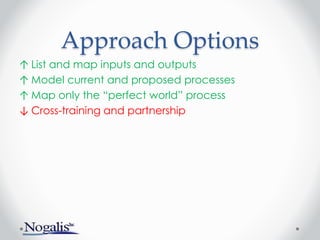
Approach Options
↑ List and map inputs and outputs
↑ Model current and proposed processes
↑ Map only the “perfect world” process
↓ Cross-training and partnership
Approach
Recommendation
• A mixture of the ‘good’ approaches
o List and map all inputs
o Be aware of shortcomings in the current process
o Model the to-be process
Approach
• Plan the project and artifacts
o Charter
• Include clearly defined business issue
• Determine budget
• Clarify roles – be specific, with single ownership
o Artifacts
• Determine DMS/repository and create issues list, risks, change-
management plan
• Document procurement’s “Vision”
• Conduct customer survey
• Define “success”
Approach
• List inputs – requisition item types
o Capital items
o Inventory
o Office supplies
• List participant roles
o Capital approver
o Backup approver
o Buyer
o Department supervisor
• Document involvement of each role
o Approver
o Notified
o Report access
Approach
• “Whiteboard” the proposed workflow for one item
• Include participants’ roles, Not employees’ names
• Label workflow requirements as H/M/L
o Define High/Medium/Low priority in the context of the specific project
(i.e., budget, time)
• Whiteboard remaining items
• Consolidate: find commonalities among items
Approach
• Draw an Inbasket mock-up
• Document proposed design, get approval
• Write test cases
• Build the first iteration
o Document during the build
• Test with the test cases
• Continue build-test iterations
• Publish help text and troubleshooting documents
Post-Implementation
• Lessons learned project meeting
• Benchmark, new metrics
o Transaction volume and approval times
o Conduct follow-up customer satisfaction survey
Next Webinar
September 26
www.nogalis.com/education.html
ProcessFlow
Simple queries and data loads.
@nogalisinc

Implementing Requisition Approval

  • 1.
    Implementing RQ Approval Implementing arequisition approval flow using Infor-Lawson BPM tools
  • 2.
    What is covered •Why build a Requisition Approval Flow? • Required Resources • Approach o Options o Recommendation • Post-Implementation
  • 3.
    Why Build anRQ Flow? • An automated requisition approval flow can increase effectiveness (what we do) and efficiency (how we do it), which can reduce costs • Governance and audit requirements • Move from paper- and email-based processes
  • 4.
    Required Resources • People oProcurement SME, director, buyers o Business SME, analyst o Finance SME, analyst, AP director or supervisor o Project Manager o Developer with IPA and DesignStudio • IPA Software (Infor Process Automation) o Formerly called Lawson Process Automation o Formerly called ProcessFlow • DesignStudio Software o Typically used to create Inbasket o Alternatively can code with HTML, at greater cost
  • 5.
    Approach Options • Listand map inputs and outputs • Model current and proposed processes • Map only the “perfect world” process • Cross-training and partnership
  • 6.
    Approach Options ↑ Listand map inputs and outputs ↑ Model current and proposed processes ↑ Map only the “perfect world” process ↓ Cross-training and partnership
  • 7.
    Approach Recommendation • A mixtureof the ‘good’ approaches o List and map all inputs o Be aware of shortcomings in the current process o Model the to-be process
  • 8.
    Approach • Plan theproject and artifacts o Charter • Include clearly defined business issue • Determine budget • Clarify roles – be specific, with single ownership o Artifacts • Determine DMS/repository and create issues list, risks, change- management plan • Document procurement’s “Vision” • Conduct customer survey • Define “success”
  • 9.
    Approach • List inputs– requisition item types o Capital items o Inventory o Office supplies • List participant roles o Capital approver o Backup approver o Buyer o Department supervisor • Document involvement of each role o Approver o Notified o Report access
  • 10.
    Approach • “Whiteboard” theproposed workflow for one item • Include participants’ roles, Not employees’ names • Label workflow requirements as H/M/L o Define High/Medium/Low priority in the context of the specific project (i.e., budget, time) • Whiteboard remaining items • Consolidate: find commonalities among items
  • 11.
    Approach • Draw anInbasket mock-up • Document proposed design, get approval • Write test cases • Build the first iteration o Document during the build • Test with the test cases • Continue build-test iterations • Publish help text and troubleshooting documents
  • 12.
    Post-Implementation • Lessons learnedproject meeting • Benchmark, new metrics o Transaction volume and approval times o Conduct follow-up customer satisfaction survey
  • 13.
  • 14.

Editor's Notes

  • #2 Good afternoon everyone. Thank you for joining in the next webinar in our educational series with Nogalis. Today’s presentation will be a session on Lawson Implementing requisition approval. This session is being recorded with video and will be available to you for download later. We will go through this quickly so if you miss something you can go back to our site, at Nogalis.com, under the Education section, and review the video again. We will also make this presentation available to you for download. Please hold questions until the end, and you can type them into your Chat box, in the left side. 00:40
  • #4 Most clients implement in order to increase efficiency and for auditing purposes. Some get deeper into it, and use it for tracking projects, budgeting and commitments to projects. Reporting that is delivered with the current product is light, but there are good reporting tools that can be used, and notifications can be sent from within ProcessFlow and LBI products. Keep in mind the scope of what you will include in the process, such as whether and how IT, facilities, and capital items will be included
  • #5 You will need representatives from several departments. You’ll also need ‘regular’ project staff just as with any other software project, including, a sponsor and project manager. Clients typically use only two tools, IPA and DesignStudio. IPA is ProcessFlow. It is the workflow product that handles routing, approval and monitoring. DesignStudio creates custom XML forms, and is used in RQ approvals to create a custom Inbasket. Inbaskets are used by approvers, to view and approve requisitions.
  • #6 Here are some approaches we have seen, some good some bad. <<GO IMMEDIATELY TO NEXT SLIDE for more information on this same slide>>
  • #7 Here are some approaches we have seen: List inputs and outputs, map each one. (Good) Model current and proposed ("to be") processes. Note that Model implies metrics for each step. (Good, but costly) Map out the perfect world (Good) Other options include cross training and group-development. (All are bad). - Partnerships are when the customer (procurement) and developer sit elbow-to-elbow. This takes more time, and will result in low-quality documentation, or less documentation. - Train Procurement in BPM tools - this leads to bad (spaghetti) code, bugs, difficult and costly maintenance - Train developers in procurement applications - This can lead to assumptions – the developer ‘thinks’ he/she knows a process
  • #8 Best approach is a mixture of the ‘good’ approaches: List and map all inputs (IT, facilities, cap.) Be aware of shortcomings in the current process Model the to-be process(whiteboard the routing of a single item) You can model the result and estimate efficiency
  • #9 Work with your PMO to discuss the project requirements (what your organization requires in order to do a project) and required artifacts. A charter must clearly state the Business Issue, and the project is meant to resolve that business issue. Decide where to place project artifacts – a DMS (document management system) or other place. NOT EMAIL. List roles and responsibilities - it is easiest to do this in the planning phase, and it will help when project decisions must be made. Have a single contact for each department (AP, Procurement, Finance) who can coordinate to make decisions on that department's behalf. Discuss doing a customer satisfaction survey – have users and procurement/IT discuss the business issues with the current process Ask procurement owners/stakeholders for their “vision.” Keep it system-agnostic (ie, leave the word “Lawson” out of the conversation). If this is detailed enough, portions of it may be able to serve as requirements. During that discussion, discuss lessons-learned in previous projects, and make sure to check back to this list during your implementation. Finally, ask stakeholders how they would define “success” for this project. Use this as a checklist at the end of the project.
  • #10 List inputs, for example list all unique item types. This includes capital items, inventory, office supplies, facilities. Just name as many as you can for now, you can consolidate the grouping once you see commonalities in how they are processed. List roles. For example, capital approver, backup approver, buyer, supervisor. Indicate method of involvement. Do you want that person to be an approver, receive notifications, or be able to run a report.
  • #11 Map out the current process for an item, then modify the drawing to increase efficiency. - A large whiteboard works best, especially if some processes are unclear, or if there are a lot of assumptions - If you focus on the current process it will add time and expense. Many organizations do not want to document a process that is being replaced, however some do. - Include roles but never use named employees. It may be that in practice there will be several roles done by only one person, but that should not be documented here. Doing it this way will accommodate growth, M&A (Mergers and Acquisitions), turnover. Label each part of the process (ie, each requirement) as H/M/L priority (seems like a contradiction - all requirements are required, so there should be no H/M/L, however this is a project manangement best practice that can help to control costs) Define H/M/L, for example H= critical to project success, so omission would mean project failure (ie, must have backup-approver functionality in case an approver is on vacation). Medium is an item that will increase efficiency, but can be cut out if budget/time do not permit (ie, customized Inbasket that shows all detail in one page). Low-priority items do not contribute to efficiency, or do so with little value when compared to Medium items (ie, include the company logo on each form). Find commonalities. For example, all items require at least one approval. Or, see that both office supplies and facilities items follow the same approval path. This will help in creating a system design Then photograph the whiteboard, turn it into a requirements document. Document that with visio, or as the documentation-portion of your budget permits.
  • #12 Draw out the Inbasket, on a whiteboard/piece of paper/Visio/MS Word/napkin. Get the approvers’ input on what they need to see in order to approve a req. - An Inbasket can be a complex set of objects that will be reused, or it can be a simple copy of a form such as RQ10 or RQ44. Write design document - Have the design approved by the stakeholders Write test cases Build the first iteration This can be to walkthrough approvals for one item, but more typically the entire flow is built and tested in the first iteration. During the build, make sure to include documentation within every node (or at least most of the nodes). This will help in supporting it. Build and test Write help documentation, including troubleshooting document. Use pictures in the help text, with arrows – it’s better than verbiage.
  • #13 Post-implementation - Discuss Lessons learned: Make sure to end the project with a lessons-learned meeting. - What worked well? - What would we change if we had it to do over again? - How should the charter have been written, and what would be useful in the next project? Benchmark progress after implementation Report on transaction volume and approval times Conduct a follow-up customer satisfaction survey
  • #14 This concludes the presentation on implementing RQ Approvals. Our next webinar will be on ProcessFlow, on September 26.