Downloaded 10 times
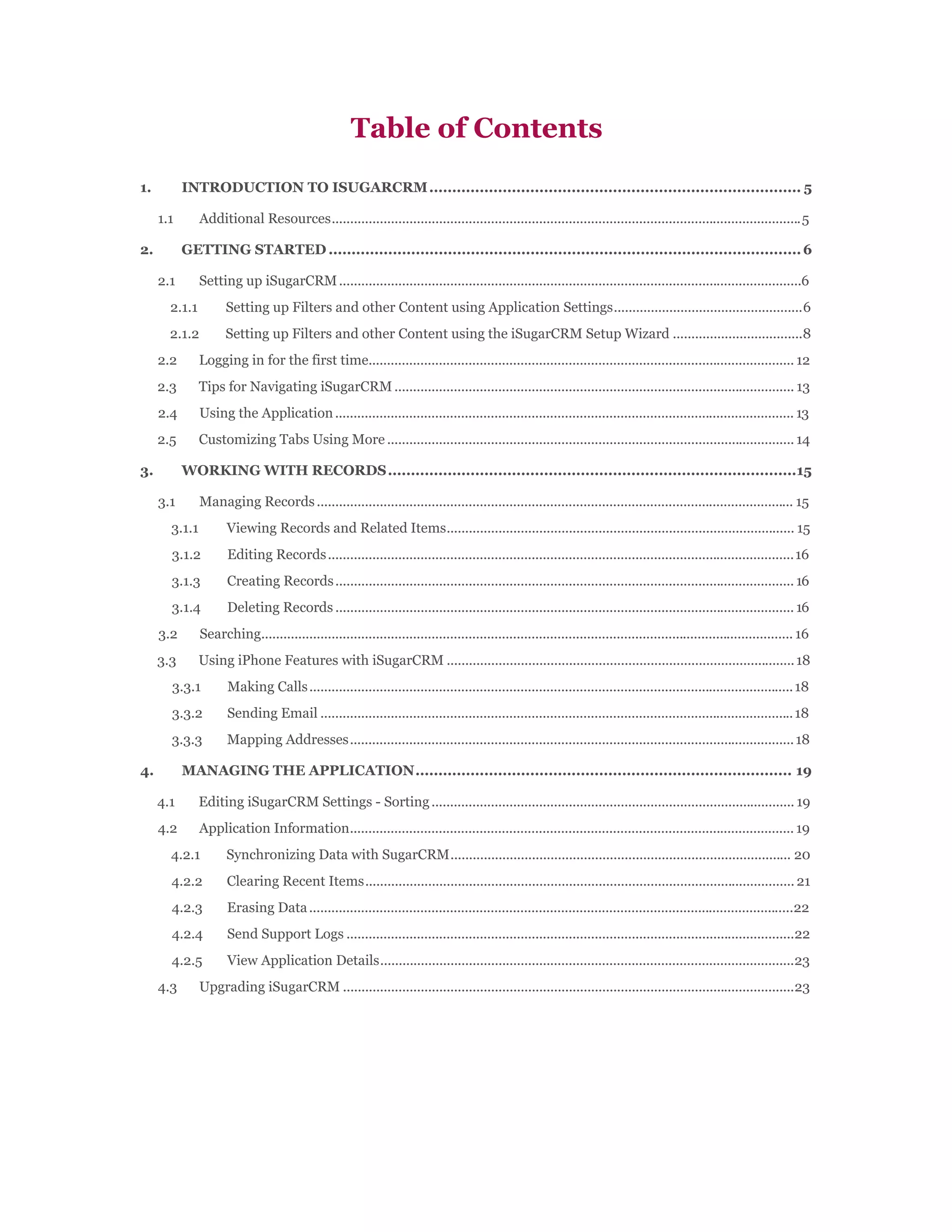

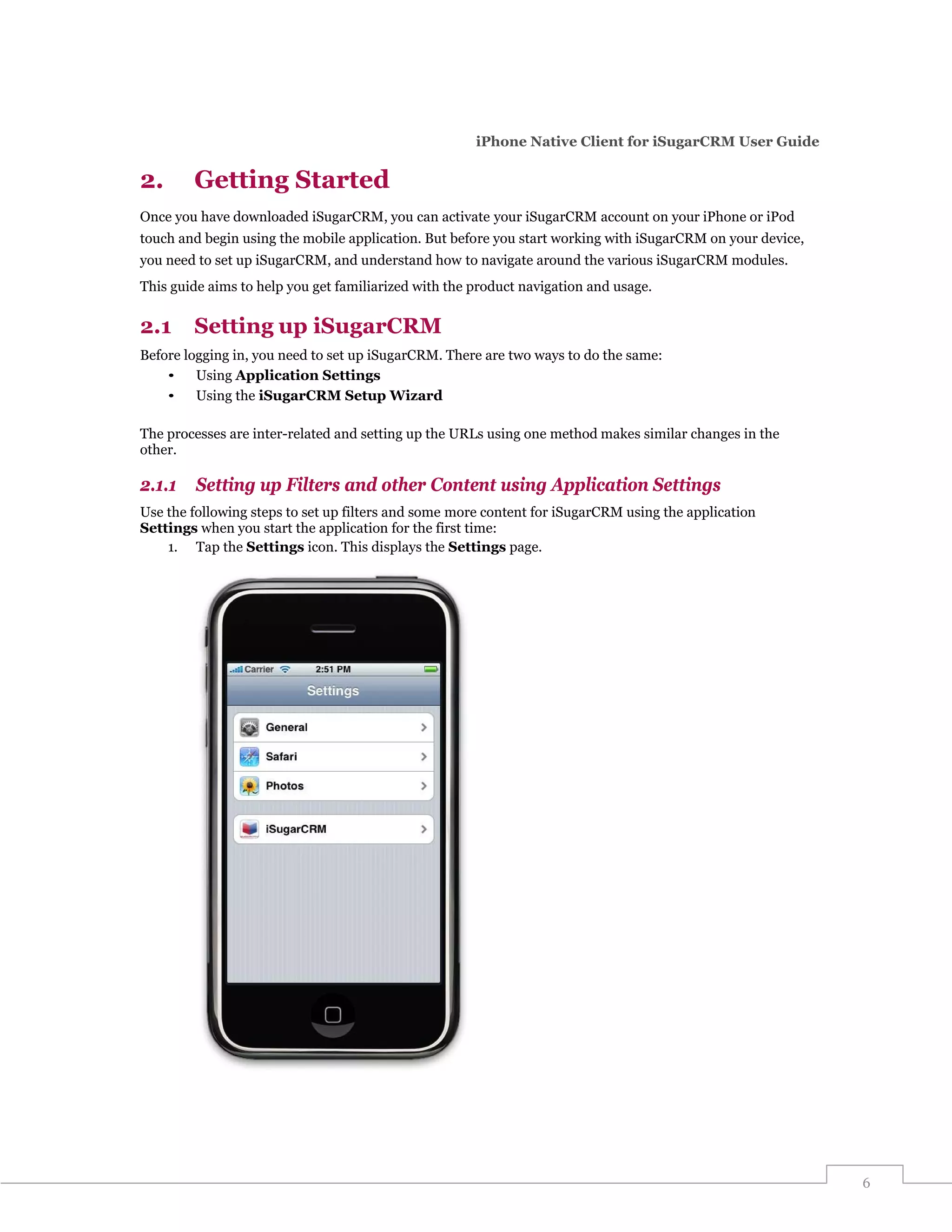
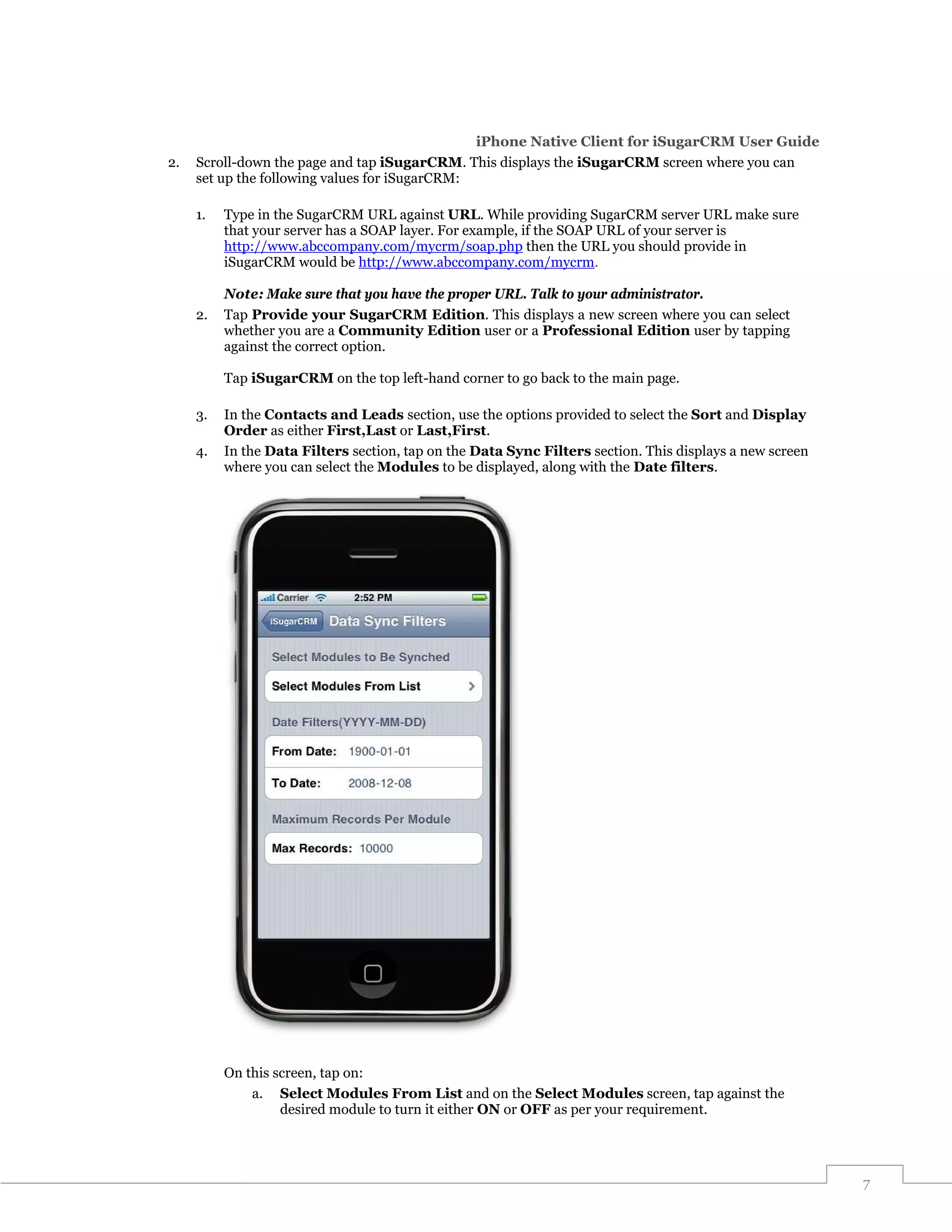
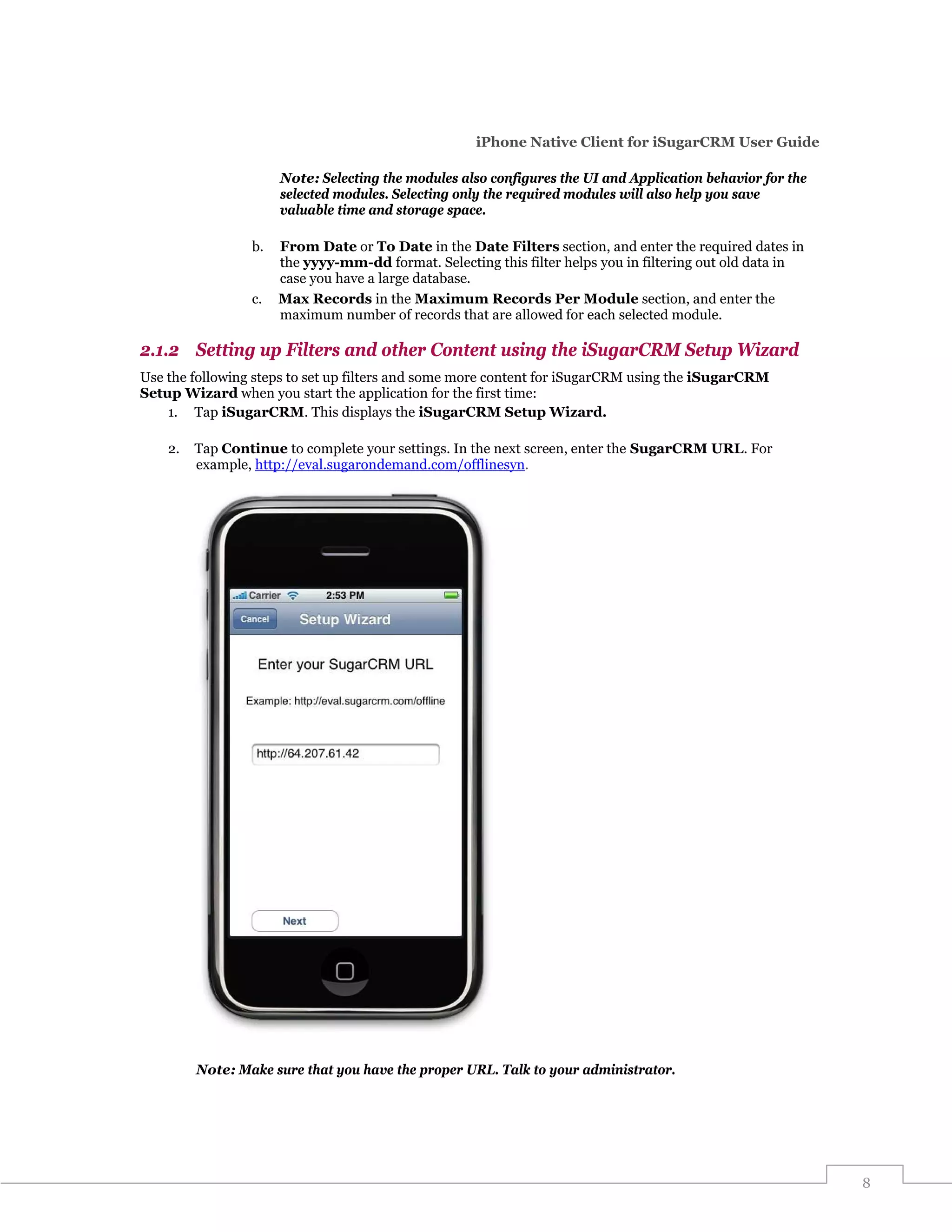
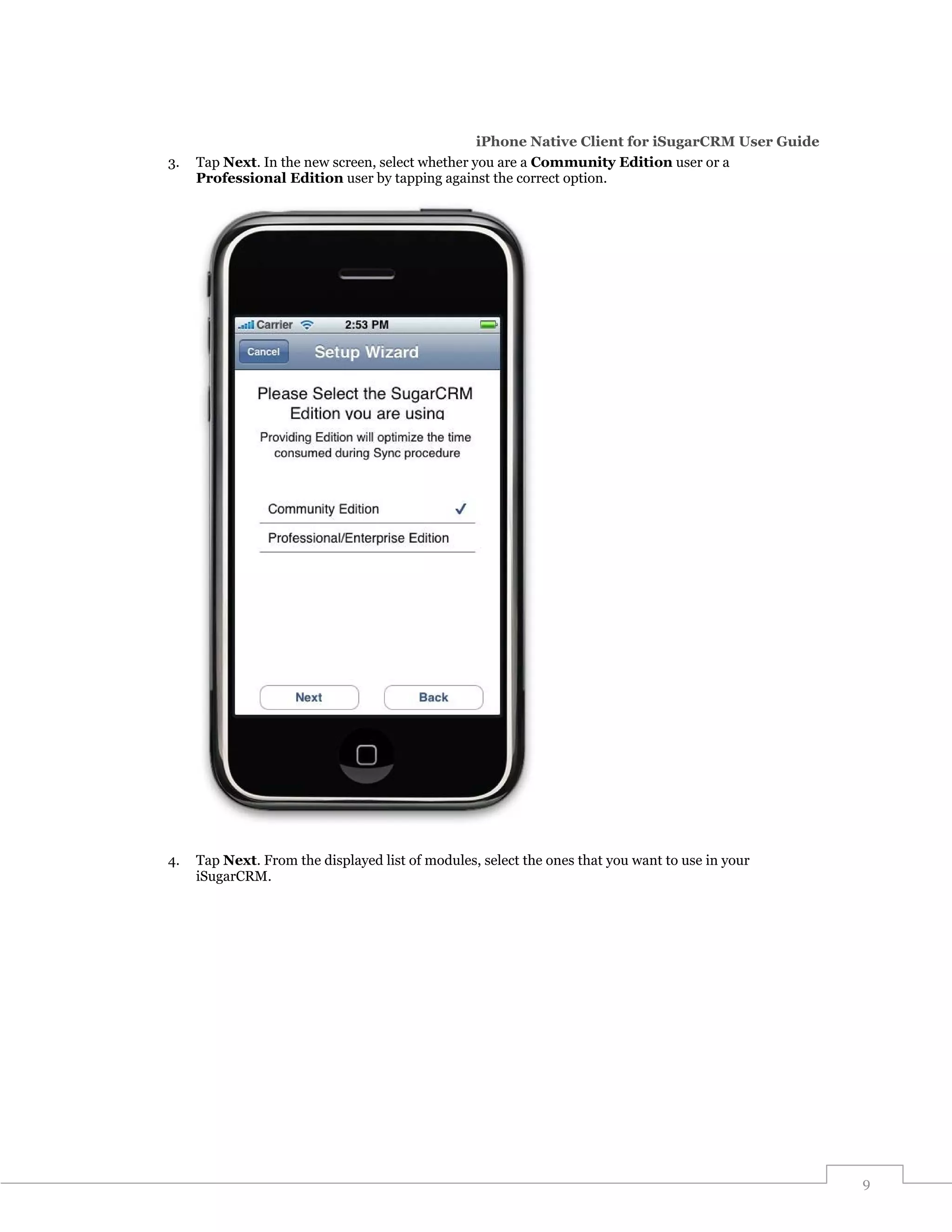
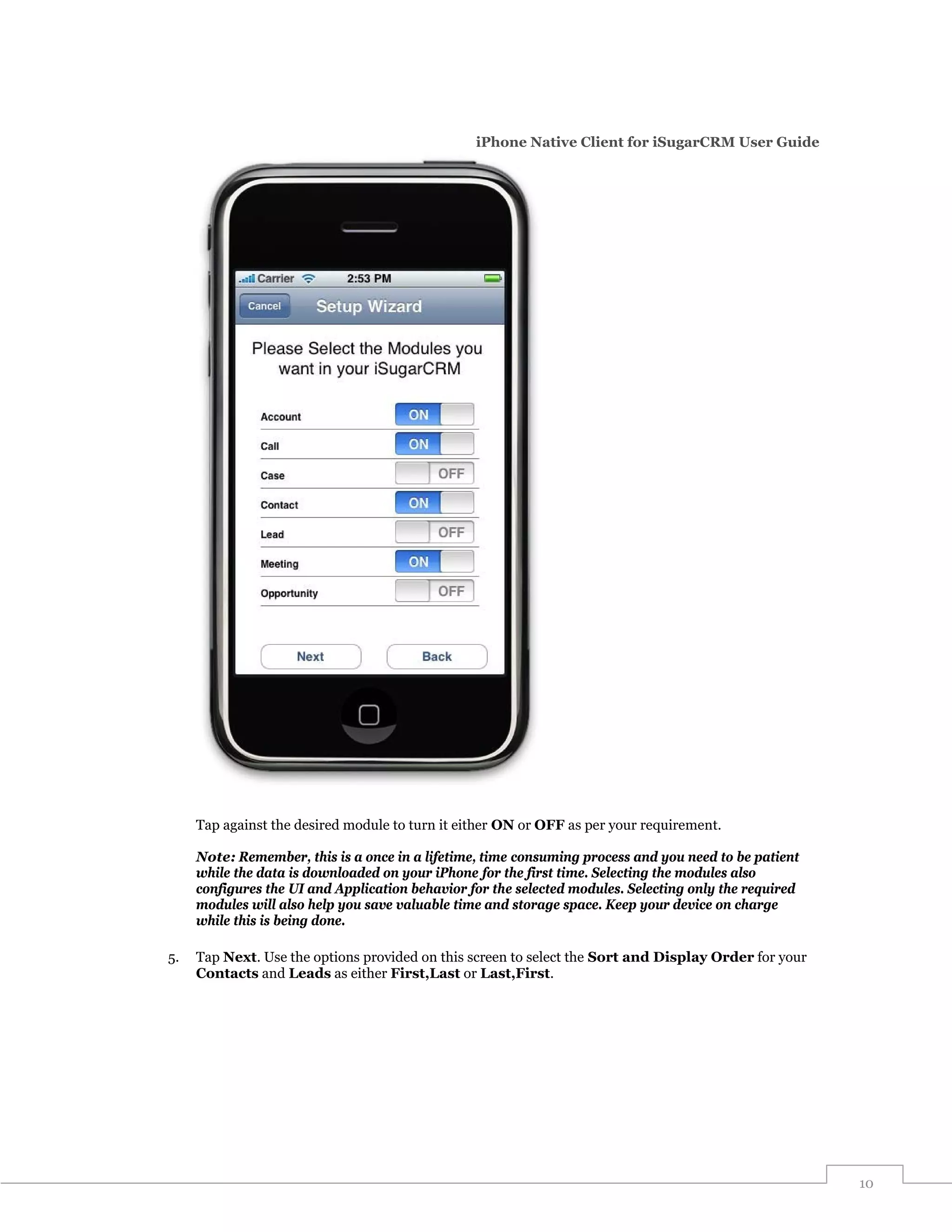
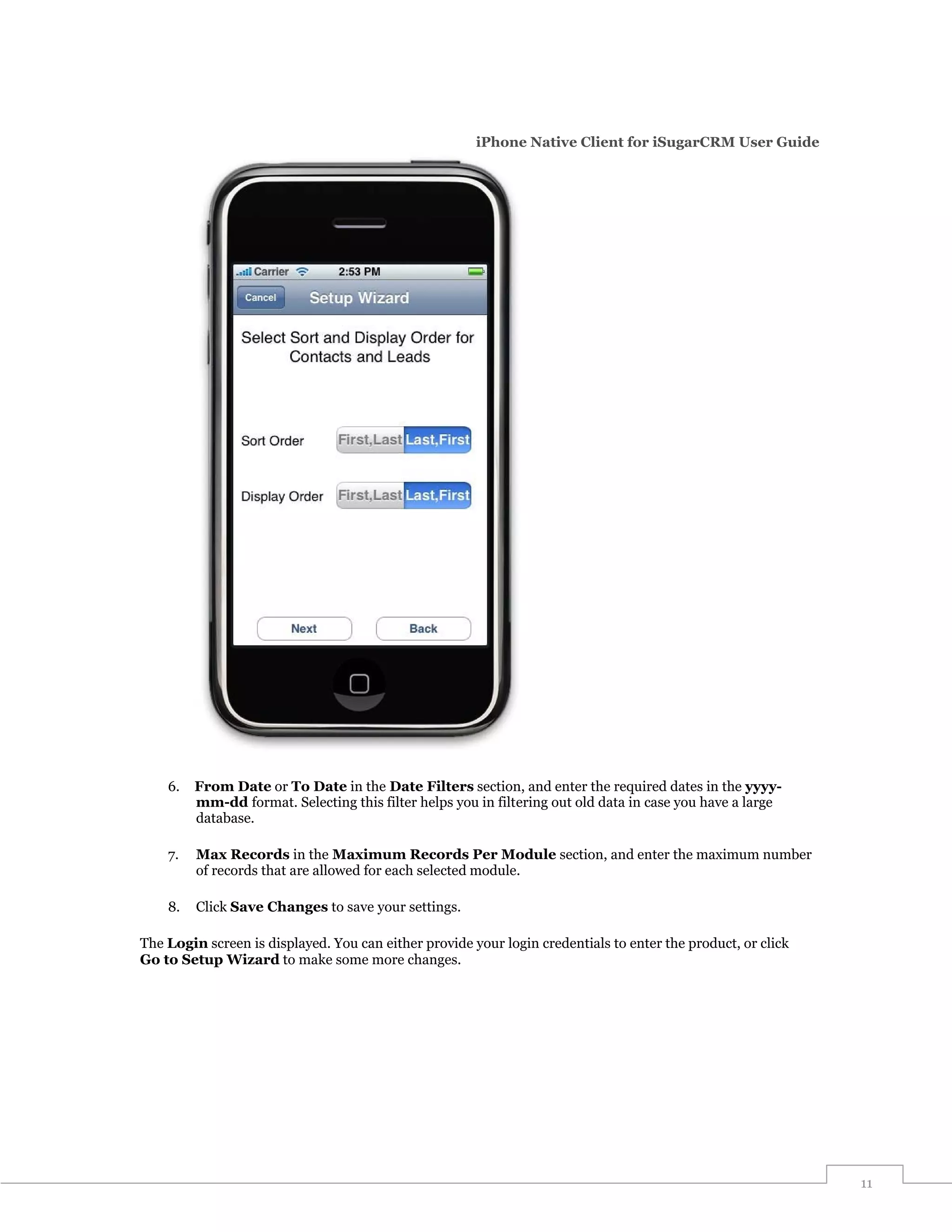
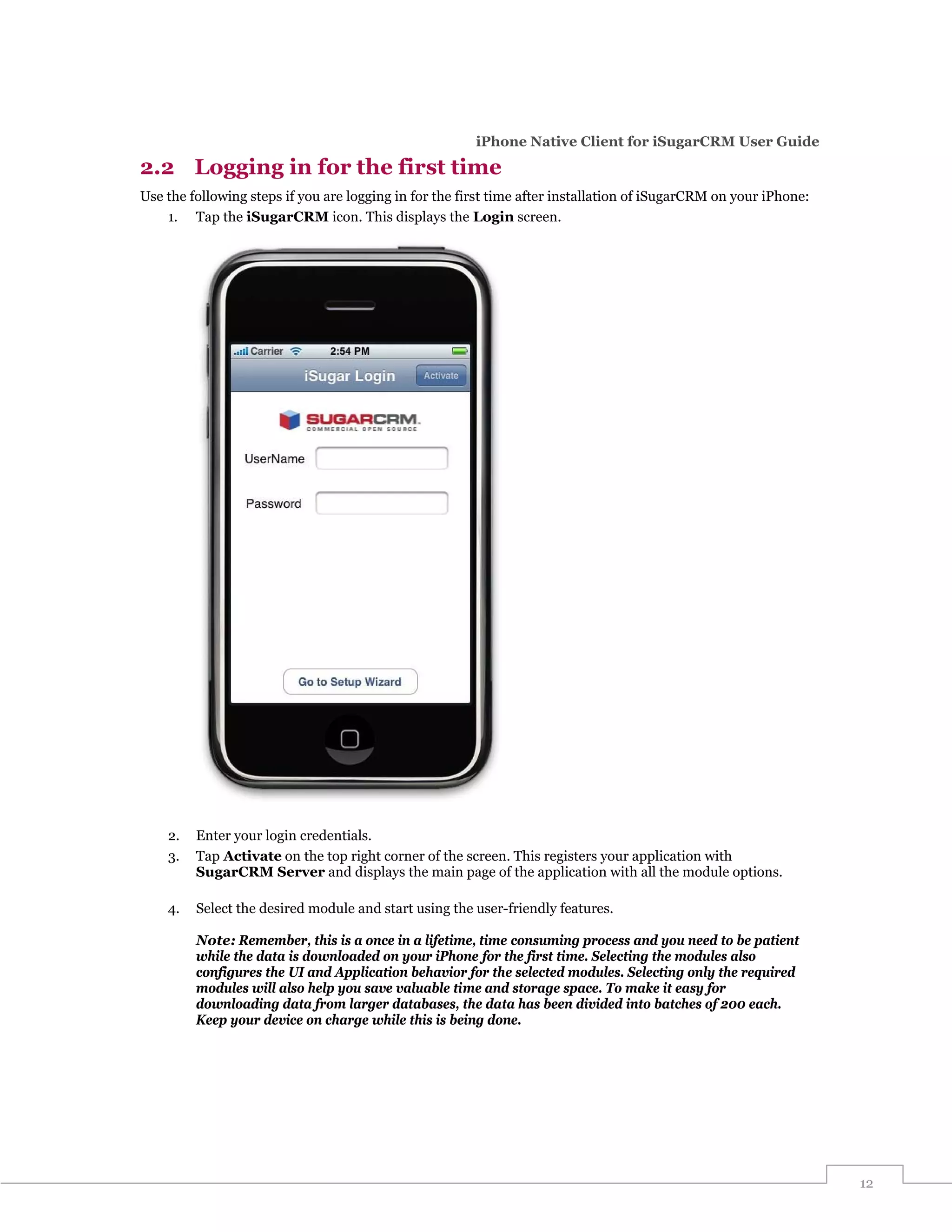
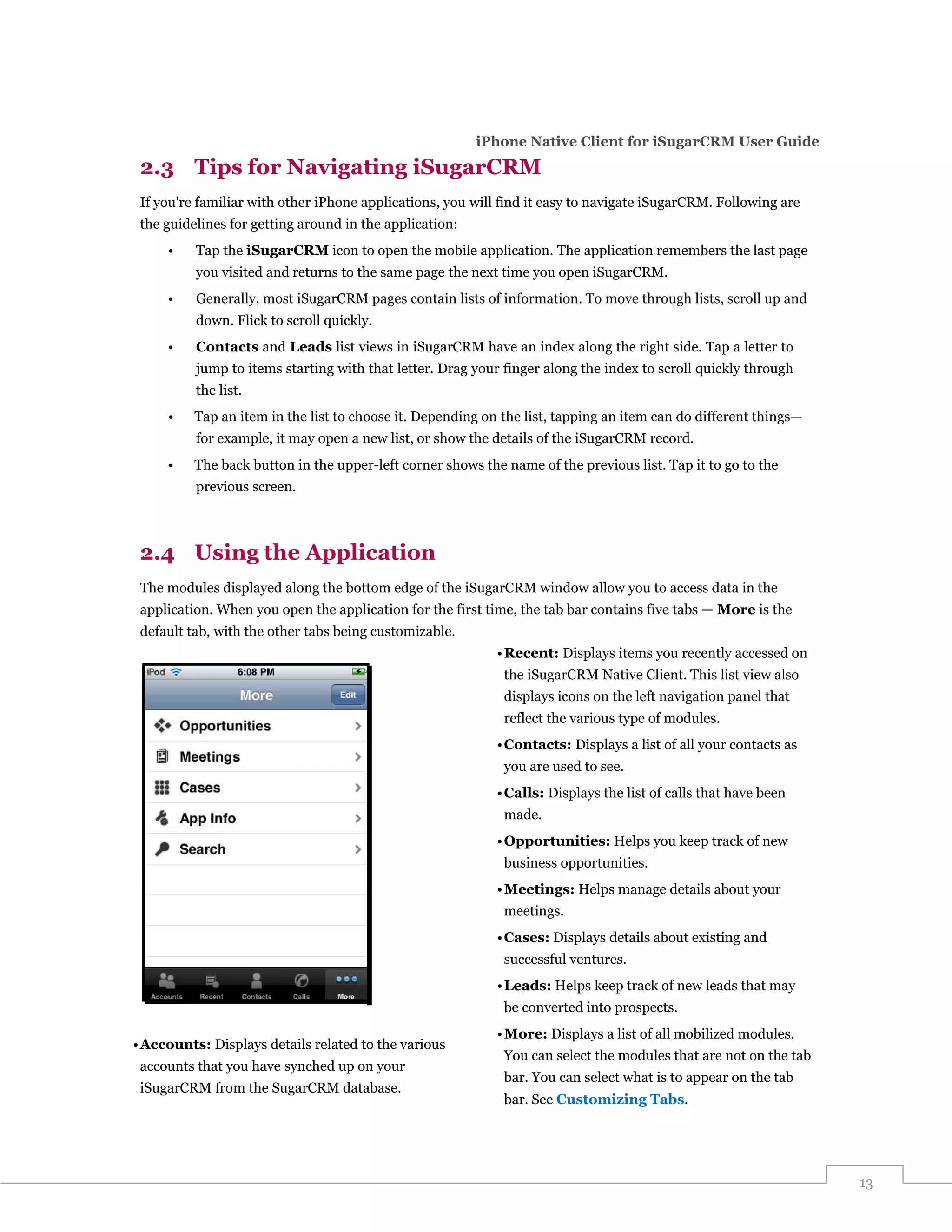
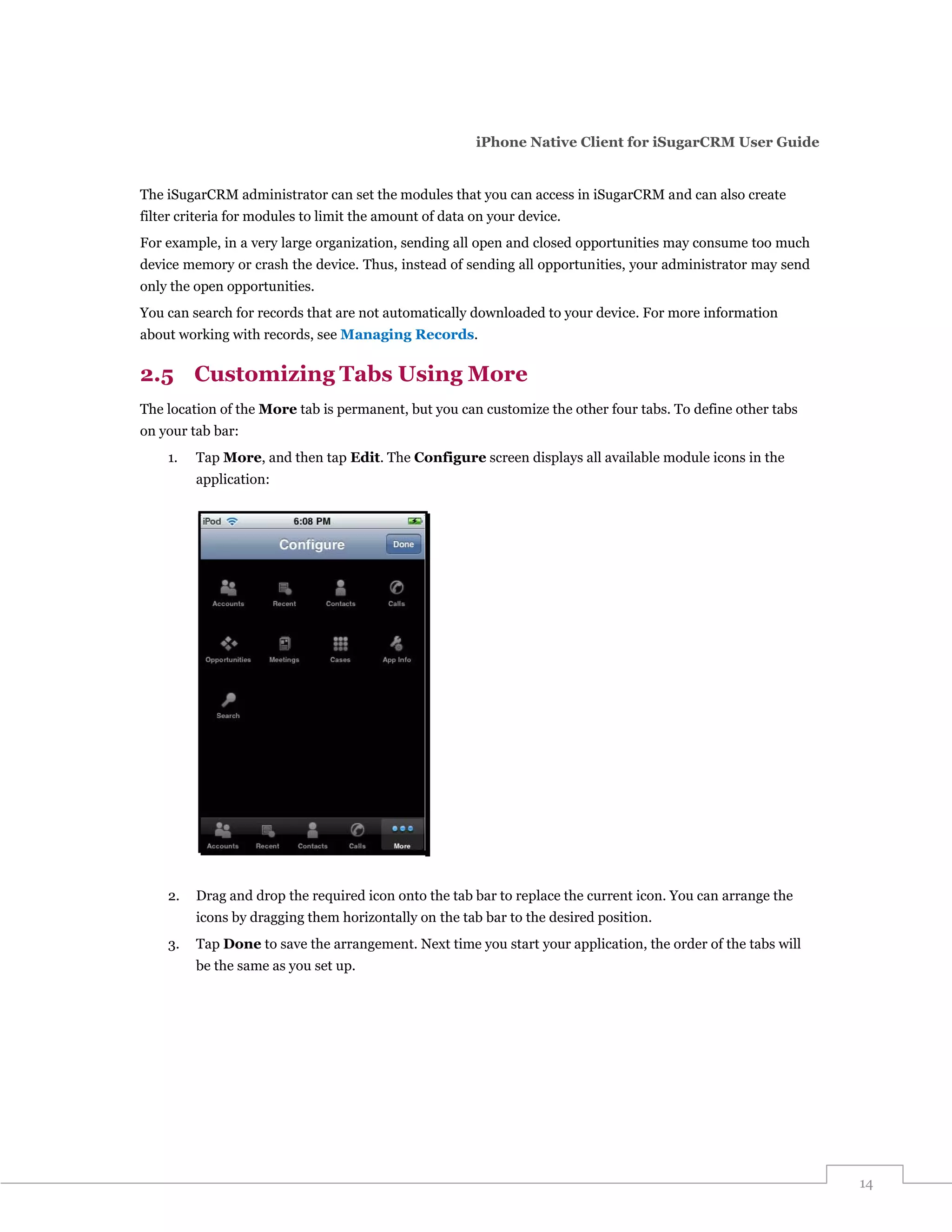
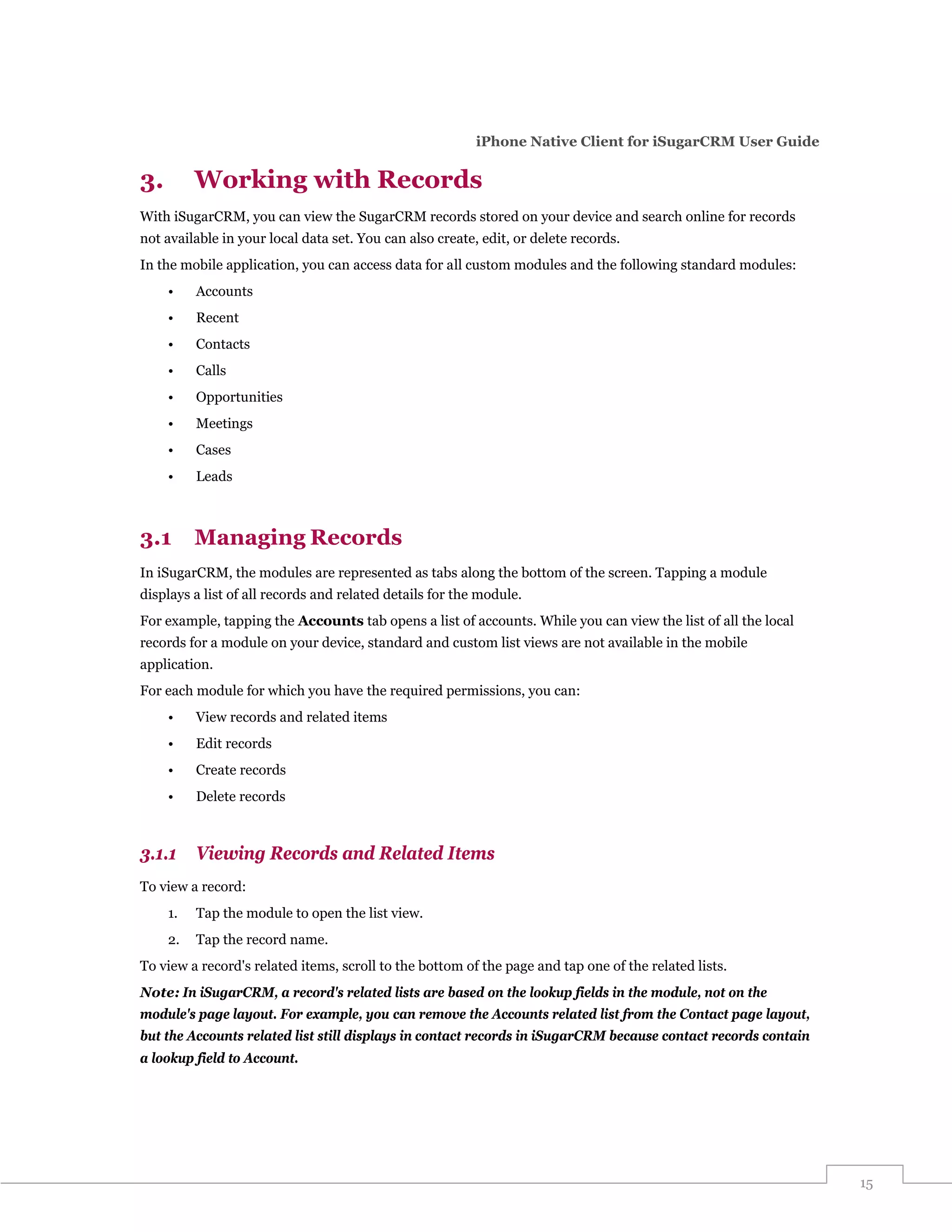
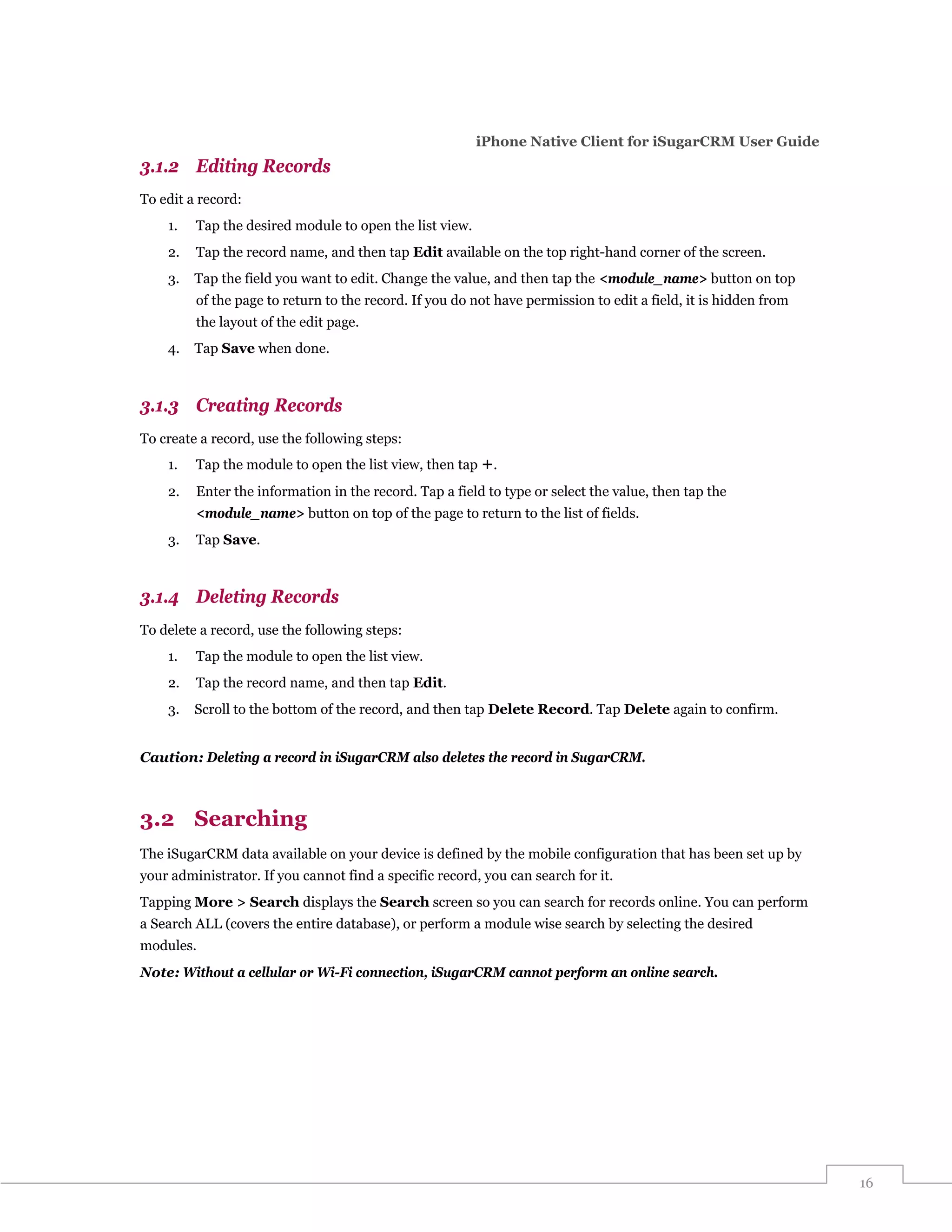
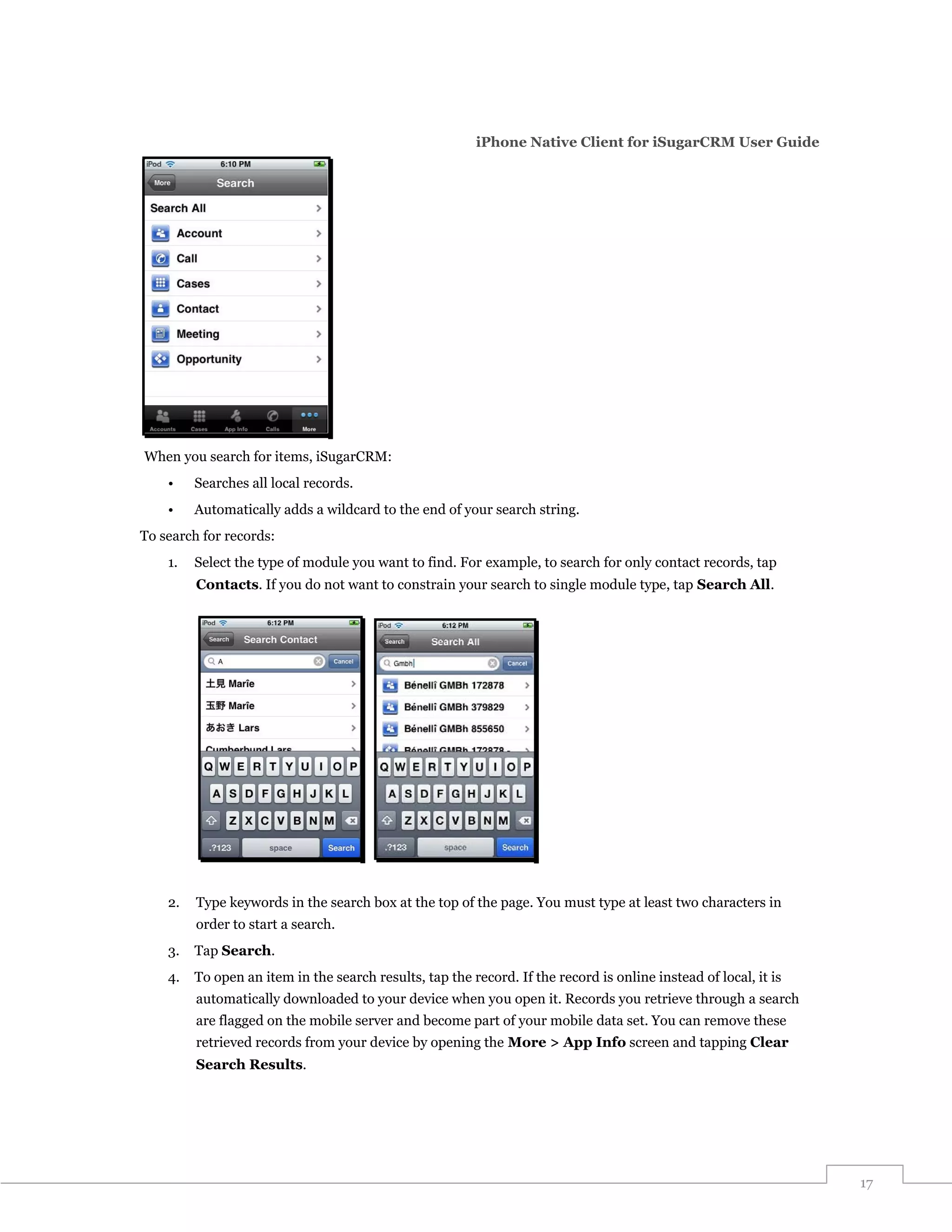
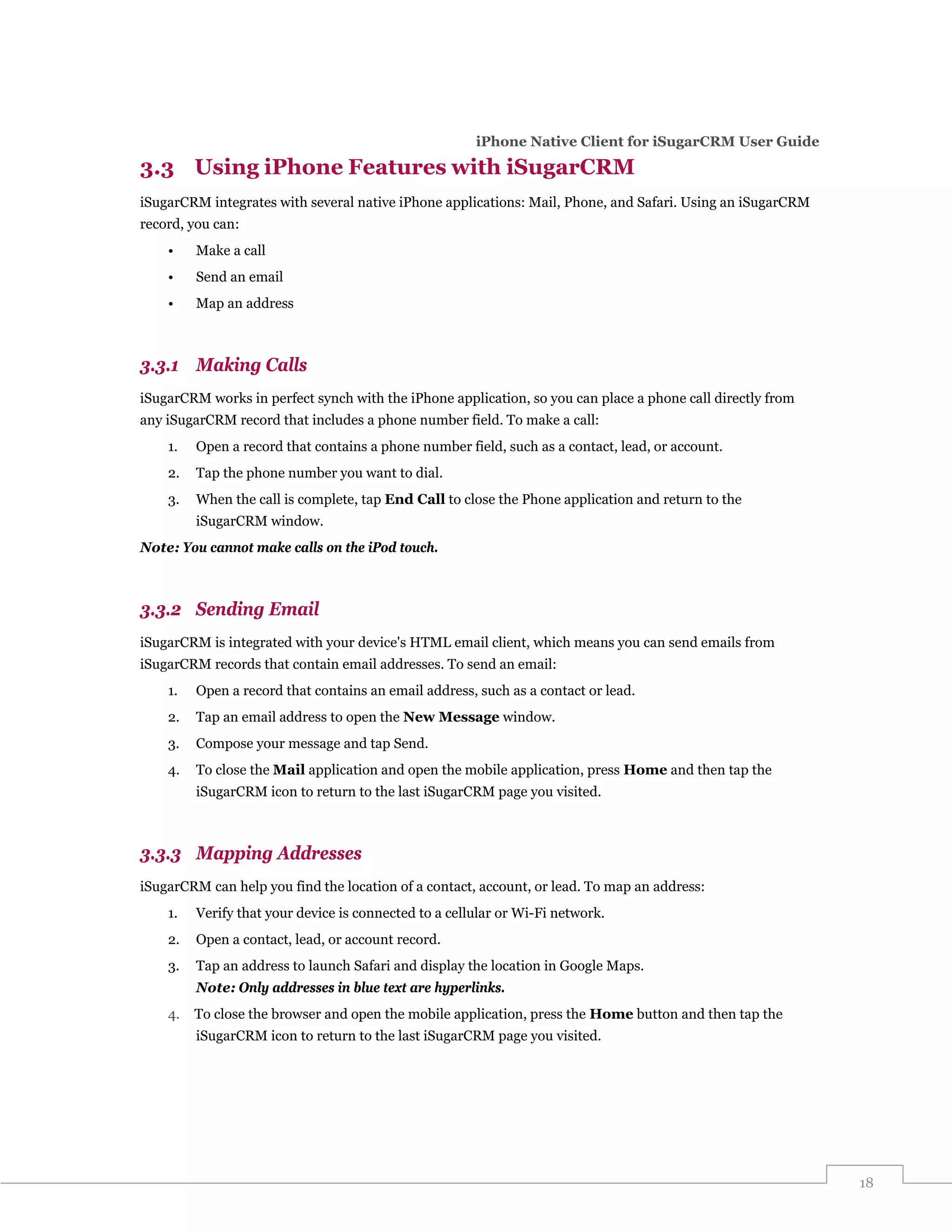
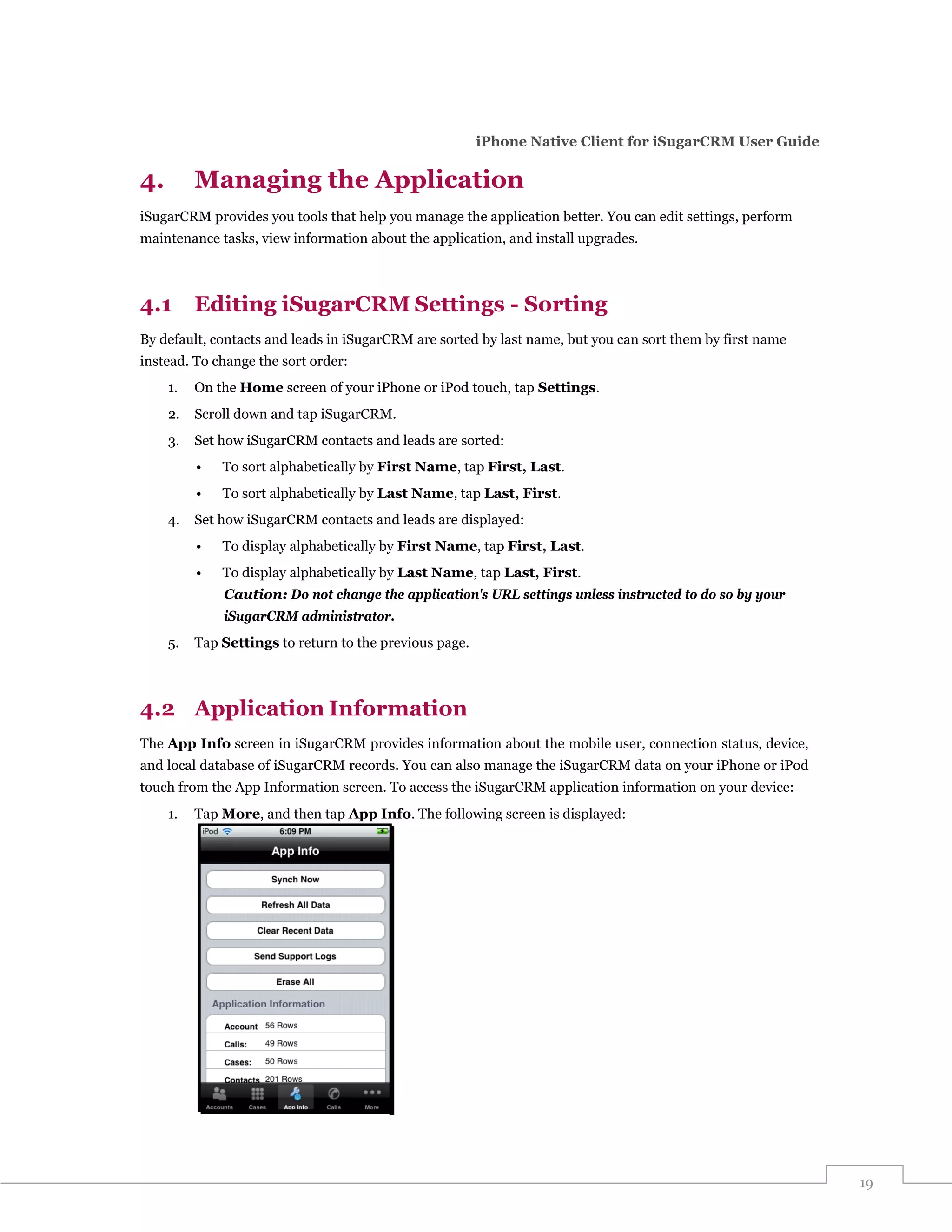
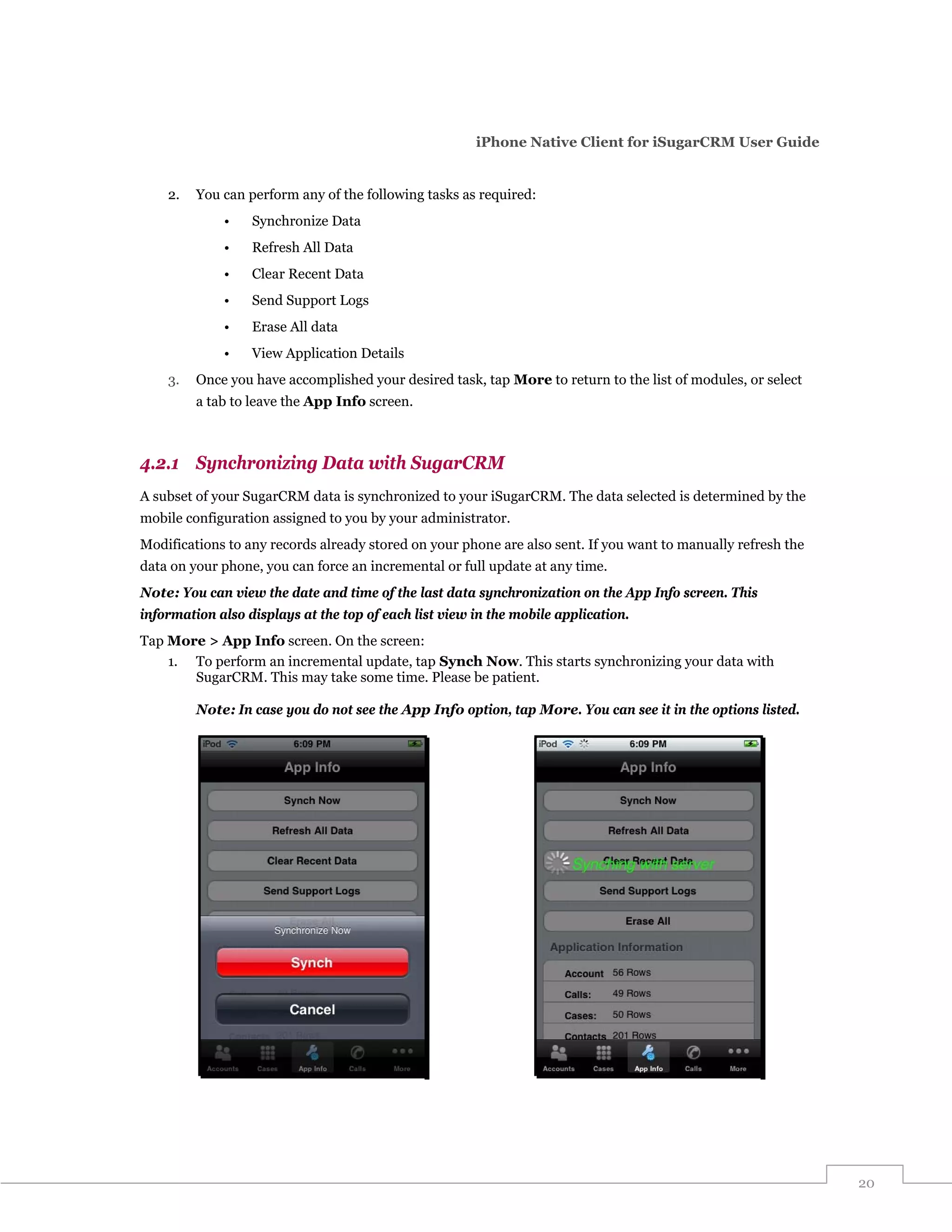
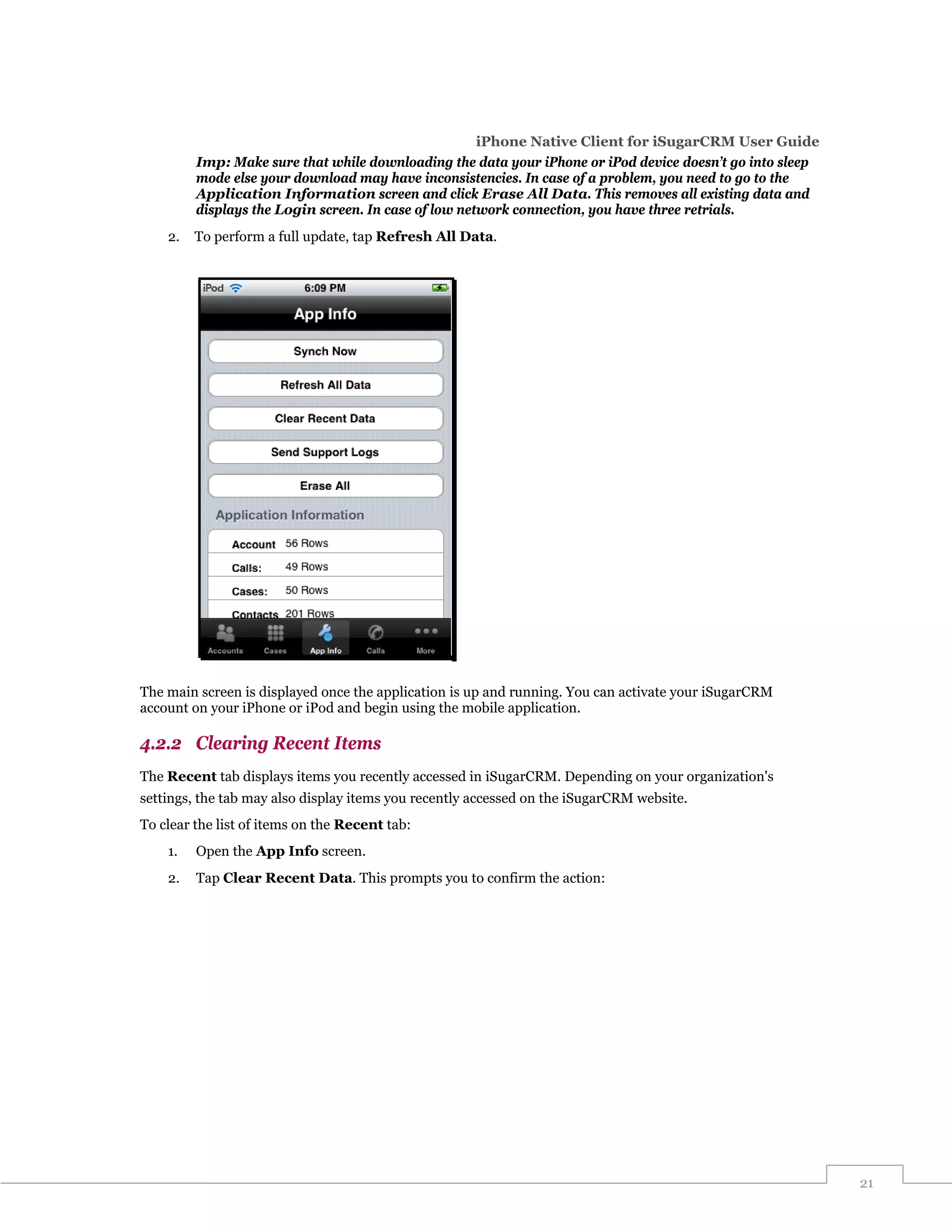

- The document provides a user guide for the iPhone Native Client for Sugar CRM. It describes how to set up and configure iSugarCRM, log in for the first time, navigate the application, work with records like viewing, editing, creating and deleting records, manage application settings, and upgrade iSugarCRM. - The guide helps users get started with iSugarCRM by explaining how to set up filters and content using either application settings or a setup wizard. It also provides tips for navigating the application and customizing tabs. - Users can manage SugarCRM records on their iPhone by viewing, editing, creating, and deleting records for various modules like Accounts, Contacts, Opportunities and


![Gianluca Diegoli [mini]marketing 91 tesi per un marketing diverso](https://cdn.slidesharecdn.com/ss_thumbnails/gianlucadiegoliminimarketing12343724296360052-1234820783923593-3-thumbnail.jpg?width=640&height=640&fit=bounds)


