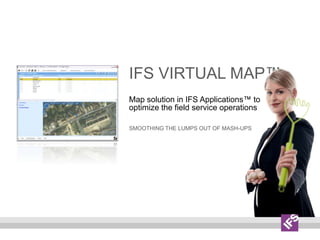
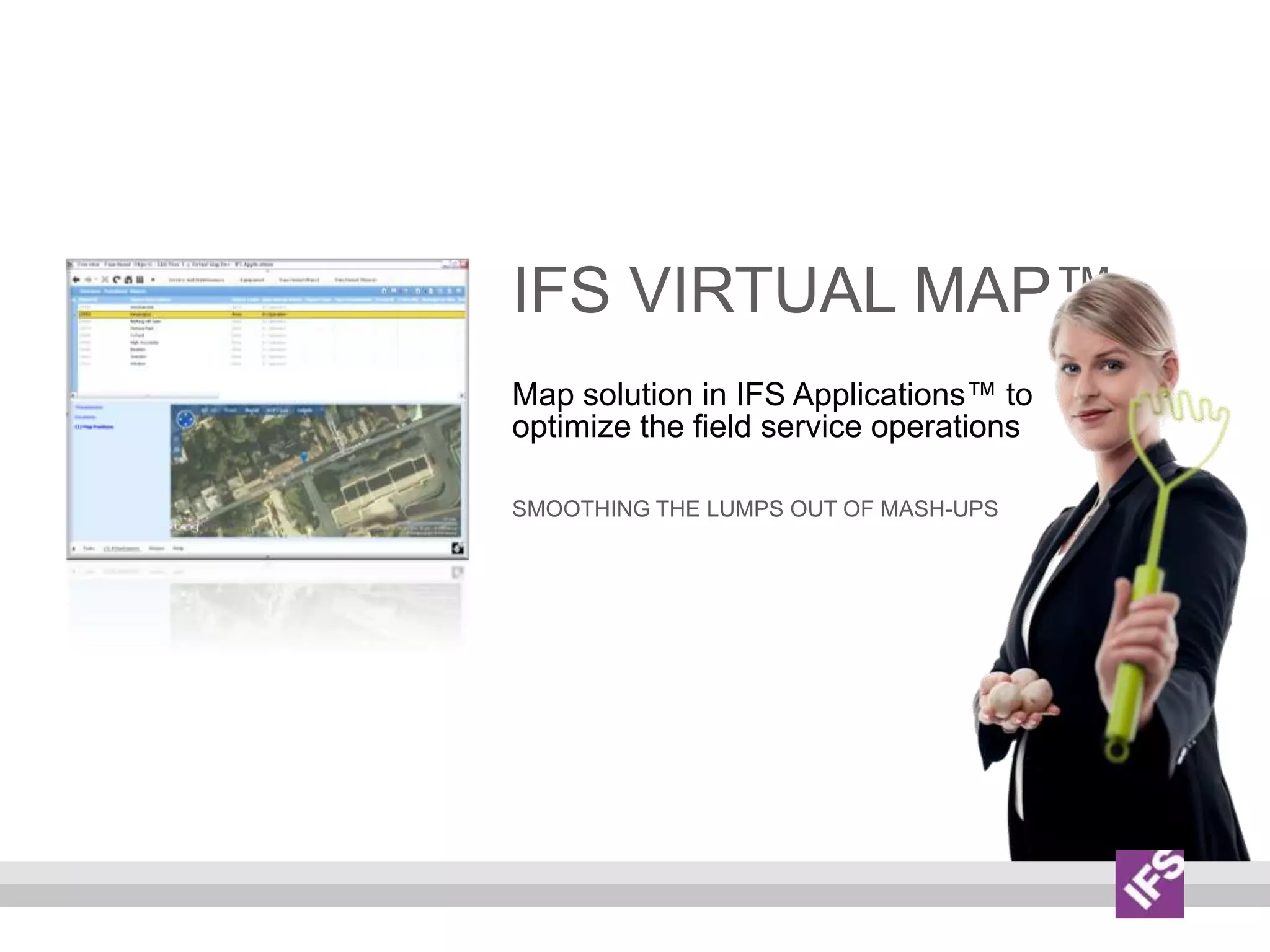
IFS VirtualMap™Map solution in IFS Applications™ to optimize the field service operationsSmoothing the lumps out of mash-ups
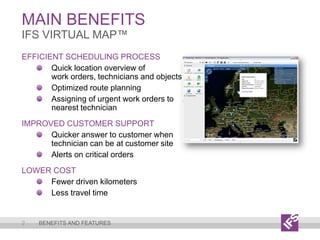
Main Benefits2IFS VirtualMap™Benefits and featuresEfficient Scheduling ProcessQuick location overview ofwork orders, technicians and objectsOptimized route planningAssigning of urgent work orders to nearest technicianImproved Customer SupportQuicker answer to customer when technician can be at customer siteAlerts on critical ordersLower CostFewer driven kilometersLess travel time
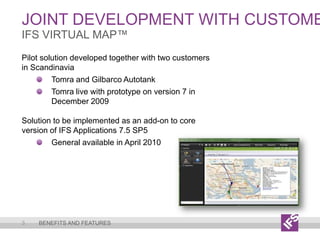
Joint development with customers3IFS VirtualMap™Benefits and featuresPilot solution developed together with two customers in Scandinavia Tomra and Gilbarco AutotankTomra live with prototype on version 7 in December 2009Solution to be implemented as an add-on to core version of IFS Applications 7.5 SP5General available in April 2010
Main Features4IFS VirtualMap™Benefits and featuresMap from Microsoft’s Bing™ Maps for EnterprisesMap visualization of work orders and equipment objects in IFS ApplicationsDriving routes visualization of field techniciansColor coding of work order statusesAlerts to trigger user actionsInfo boxes (work order and equipment details)Possible to position all other business objects in IFS Applications such as;Suppliers, customers, contracts, warehouses
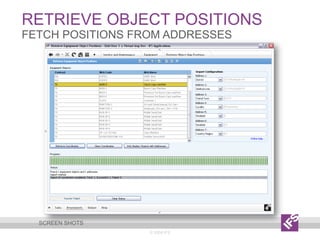
Main Features5IFS VirtualMap™Benefits and featuresFetch geo-coordinates to equipment object addresses through a web-service (Microsoft Bing Maps for Enterprises)Possible to import GPS positions from external tracking systems and display on mapThis feature might be postponed until Q3-2010User and authorization rules from IFS Applications
Technology6IFS VirtualMap™Benefits and featuresMaps and geographical information is presented using the most recent Bing Maps JavaScript API (Formerly known as Virtual Earth 6.2)Additional information presented on the Virtual Map utilizes JavaScript and DHTML, all web pages are W3C DTD XHTML 1.0 compliant. Code-behind client business logic is developed in C# 2.0. Solution is based on the IFS Framework released with Enterprise Explorer 1.0.2 and the J2EE server framework belonging to this release
Screen shots© 2009 IFS7
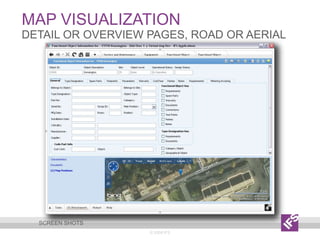
map visualization© 2009 IFSDetail or overview pages, Road or aerialScreen shots
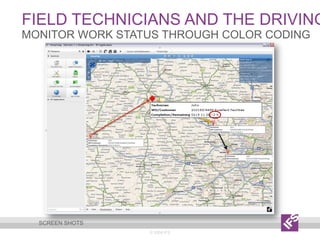
Field technicians and the driving routes© 2009 IFSMonitor work status through color codingScreen shots
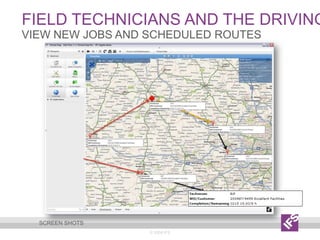
Field technicians and the driving routes© 2009 IFSview new jobs and scheduled routesScreen shots
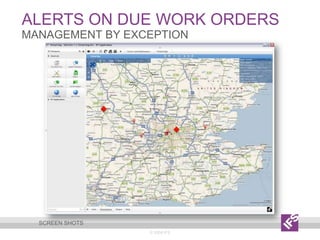
Alerts on due work orders© 2009 IFSManagement by exceptionScreen shots
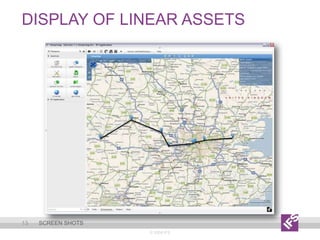
Display of linear Assets© 2009 IFS13Screen shots
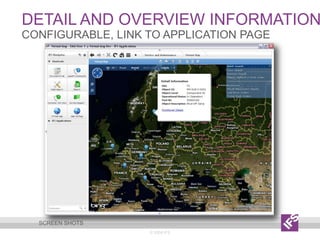
Detail and overview information© 2009 IFSConfigurable, link to application pageScreen shots
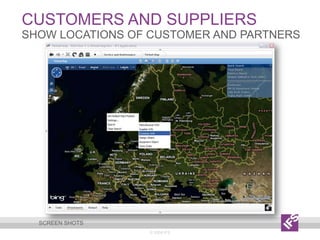
Customers and suppliers© 2009 IFSshow locations of customer and partnersScreen shots
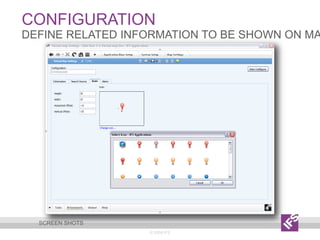
Configuration© 2009 IFSDefine related information to be shown on mapScreen shots
Retrieve Object positions© 2009 IFSFetch positions from addressesScreen shots
More information© 2009 IFS18More informationCatch the demo at YouTube: http://www.youtube.com/watch?v=CKq3Gf7a8R8Read an article at slideshare: http://www.slideshare.net/ifsworld/ifs-virtual-map-articleLearn more about IFS at: http://www.ifsworld.com/
Ifs Virtual Map Solution Overview

Ifs Virtual Map Solution Overview

  • 1.
    IFS VirtualMap™Map solutionin IFS Applications™ to optimize the field service operationsSmoothing the lumps out of mash-ups
  • 2.
    Main Benefits2IFS VirtualMap™Benefitsand featuresEfficient Scheduling ProcessQuick location overview ofwork orders, technicians and objectsOptimized route planningAssigning of urgent work orders to nearest technicianImproved Customer SupportQuicker answer to customer when technician can be at customer siteAlerts on critical ordersLower CostFewer driven kilometersLess travel time
  • 3.
    Joint development withcustomers3IFS VirtualMap™Benefits and featuresPilot solution developed together with two customers in Scandinavia Tomra and Gilbarco AutotankTomra live with prototype on version 7 in December 2009Solution to be implemented as an add-on to core version of IFS Applications 7.5 SP5General available in April 2010
  • 4.
    Main Features4IFS VirtualMap™Benefitsand featuresMap from Microsoft’s Bing™ Maps for EnterprisesMap visualization of work orders and equipment objects in IFS ApplicationsDriving routes visualization of field techniciansColor coding of work order statusesAlerts to trigger user actionsInfo boxes (work order and equipment details)Possible to position all other business objects in IFS Applications such as;Suppliers, customers, contracts, warehouses
  • 5.
    Main Features5IFS VirtualMap™Benefitsand featuresFetch geo-coordinates to equipment object addresses through a web-service (Microsoft Bing Maps for Enterprises)Possible to import GPS positions from external tracking systems and display on mapThis feature might be postponed until Q3-2010User and authorization rules from IFS Applications
  • 6.
    Technology6IFS VirtualMap™Benefits andfeaturesMaps and geographical information is presented using the most recent Bing Maps JavaScript API (Formerly known as Virtual Earth 6.2)Additional information presented on the Virtual Map utilizes JavaScript and DHTML, all web pages are W3C DTD XHTML 1.0 compliant. Code-behind client business logic is developed in C# 2.0. Solution is based on the IFS Framework released with Enterprise Explorer 1.0.2 and the J2EE server framework belonging to this release
  • 7.
  • 8.
    map visualization© 2009IFSDetail or overview pages, Road or aerialScreen shots
  • 9.
    Field technicians andthe driving routes© 2009 IFSMonitor work status through color codingScreen shots
  • 10.
    Field technicians andthe driving routes© 2009 IFSview new jobs and scheduled routesScreen shots
  • 11.
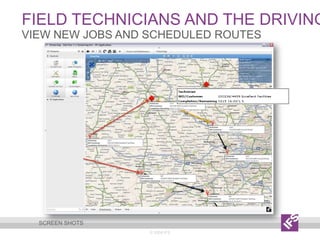
    Field technicians andthe driving routes© 2009 IFSview new jobs and scheduled routesScreen shots
  • 12.
    Alerts on duework orders© 2009 IFSManagement by exceptionScreen shots
  • 13.
    Display of linearAssets© 2009 IFS13Screen shots
  • 14.
    Detail and overviewinformation© 2009 IFSConfigurable, link to application pageScreen shots
  • 15.
    Customers and suppliers©2009 IFSshow locations of customer and partnersScreen shots
  • 16.
    Configuration© 2009 IFSDefinerelated information to be shown on mapScreen shots
  • 17.
    Retrieve Object positions©2009 IFSFetch positions from addressesScreen shots
  • 18.
    More information© 2009IFS18More informationCatch the demo at YouTube: http://www.youtube.com/watch?v=CKq3Gf7a8R8Read an article at slideshare: http://www.slideshare.net/ifsworld/ifs-virtual-map-articleLearn more about IFS at: http://www.ifsworld.com/

Editor's Notes

  • #15 Detail Information is