A Developer Overview Pete LePage Product Manager Microsoft Corporation
Security is key Domain Highlighting Improved Add-On experience Crash Recovery Browser tabs run independently InPrivate Browse knowing nothing is being stored Feeds Platform adds authentication support HTTP based authentication for Basic and Digest Basic authentication via SSL Can save credentials
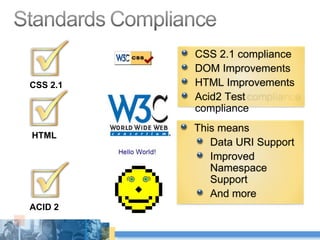
HTML ACID 2 CSS 2.1 CSS 2.1 compliance DOM Improvements HTML Improvements Acid2 Test compliance This means Data URI Support Improved Namespace Support And more
 
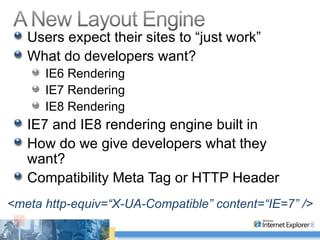
Users expect their sites to “just work” What do developers want? IE6 Rendering IE7 Rendering IE8 Rendering IE7 and IE8 rendering engine built in How do we give developers what they want? Compatibility Meta Tag or HTTP Header <meta http-equiv=“X-UA-Compatible” content=“IE=7” />
Connection Limits Increased Broadband: 6 Modem: 2 Configurable via API’s Pre-Parser doesn’t block at script tags JScript Improvements DOM object look ups are much faster Circular referenced objects are garbage collected Faster native Jscript operations Function call performance String methods Array methods Read, write, and deleted Object methods Garbage collection algorithm Communication layer between DOM and JSript
Mutable DOM Prototypes Add new methods Add new properties Override default built-in behavior for methods Override default built-in behavior for properties Native JSON Support Faster JSON access Uses JSON2 nomenclature  3 rd  party code no longer needed
hasAttribute(“attrName”)  (on Element) Supports “unspecified” attributes Case comparisons for HTML are case-insensitive Getters/setters behave consistently (return strings) ownerElement ,  contentDocument,  and more getElementById()  no longer includes ‘name’d elements Dynamic radio buttons and checkboxes now work properly getAttribute (for/style/class/[boolean]) fixed Boolean attributes properly returned HTML collections fixed Operation Aborted parsing error relegated to script error DataURI
Web Applications today use local storage Cookies, UserData control Many web applications today would like more HTML5 adds the Storage interface Session Store (tab/session specific) Local Store (shared across sessions) Key Value string pairs 10MB per domain 100MB total IE8 Extension Check remaining store Clear store
Feature of HTML 5 AJAX Applications provide “challenges” when users click the back and forward buttons AJAX Navigation allows developers to support back/forward navigation Allows copying & pasting of AJAX URLs! window.location.hash IE fires a  window.onhashchanged  event IE updates the address back, and back button
Features from HTML 5 Cross Domain Requests (XDR) Cross domain communication is integral to AJAX development XDomainRequest Cross Domain Messaging (XDM) Cross document messaging allows sharing data across frames window.PostMessage()
Added CSS Selector API from W3C WebAPI WG .querySelectorAll() .querySelector() APIs can be called on the document or element 50 times faster than JavaScript tree traversal
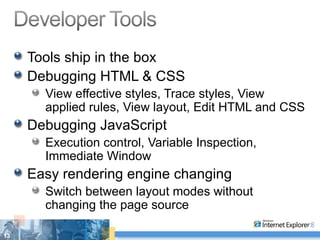
Tools ship in the box Debugging HTML & CSS View effective styles, Trace styles, View applied rules, View layout, Edit HTML and CSS Debugging JavaScript Execution control, Variable Inspection, Immediate Window Easy rendering engine changing Switch between layout modes without changing the page source
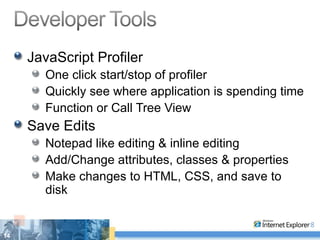
JavaScript Profiler One click start/stop of profiler Quickly see where application is spending time Function or Call Tree View Save Edits Notepad like editing & inline editing Add/Change attributes, classes & properties Make changes to HTML, CSS, and save to disk
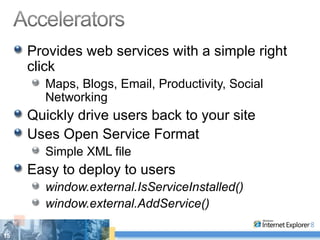
Provides web services with a simple right click Maps, Blogs, Email, Productivity, Social Networking Quickly drive users back to your site Uses Open Service Format Simple XML file Easy to deploy to users window.external.IsServiceInstalled() window.external.AddService()
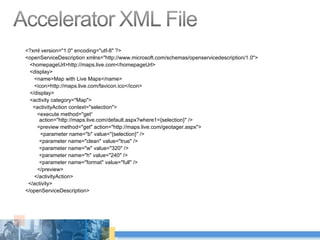
<?xml version=&quot;1.0&quot; encoding=&quot;utf-8&quot; ?>  <openServiceDescription xmlns=&quot;http://www.microsoft.com/schemas/openservicedescription/1.0&quot;> <homepageUrl>http://maps.live.com</homepageUrl>  <display> <name>Map with Live Maps</name>  <icon>http://maps.live.com/favicon.ico</icon>  </display> <activity category=&quot;Map&quot;> <activityAction context=&quot;selection&quot;> <execute method=&quot;get“    action=&quot;http://maps.live.com/default.aspx?where1={selection}&quot; />  <preview method=&quot;get&quot; action=&quot;http://maps.live.com/geotager.aspx&quot;> <parameter name=&quot;b&quot; value=&quot;{selection}&quot; />  <parameter name=&quot;clean&quot; value=&quot;true&quot; />  <parameter name=&quot;w&quot; value=&quot;320&quot; />  <parameter name=&quot;h&quot; value=&quot;240&quot; />  <parameter name=&quot;format&quot; value=&quot;full&quot; />  </preview> </activityAction> </activity> </openServiceDescription>
Users monitor lots of content on the web Auctions, Weather, Top News, Blogs… Web Slices allow users to subscribe to content directly within a web page Requires a developer to mark up their page with a couple of new CSS classes
http://www.ebay.com/amazonkindle20543521543 <div class=”hslice” id=”facebookSlice” > <p class=”entry-title”>Facebook Status Updates</p> <div class=”entry-content”> <img src=“will.jpg”>Will Mason is going to see Steve Berkoff … <hr /> <img src=“tony.jpg”>Tony Chor had a great night sailing. End … <hr /> <img src=“cyra.jpg”>Cyra Richardson Can’t seem to remember … <hr /> </div> </div>
Install Beta 2 today VPC’s are available Test, Test, Test Test Your Websites Add The META Tag As Appropriate Get Others To Test Their Web Sites Tell Us About Our Bugs! Learn About IE Application Compatibility http://MSDN.com/IECompat
© 2008 Microsoft Corporation. All rights reserved. Microsoft, Windows, Windows Vista and other product names are or may be registered trademarks and/or trademarks in the U.S. and/or other countries. The information herein is for informational purposes only and represents the current view of Microsoft Corporation as of the date of this presentation.  Because Microsoft must respond to changing market conditions, it should not be interpreted to be a commitment on the part of Microsoft, and Microsoft cannot guarantee the accuracy of any information provided after the date of this presentation.  MICROSOFT MAKES NO WARRANTIES, EXPRESS, IMPLIED OR STATUTORY, AS TO THE INFORMATION IN THIS PRESENTATION. Pete LePage [email_address] http://blogs.msdn.com/petel Twitter:  PeteLe

IE8 Dev Overview_pp2003

  • 1.
    A Developer OverviewPete LePage Product Manager Microsoft Corporation
  • 2.
    Security is keyDomain Highlighting Improved Add-On experience Crash Recovery Browser tabs run independently InPrivate Browse knowing nothing is being stored Feeds Platform adds authentication support HTTP based authentication for Basic and Digest Basic authentication via SSL Can save credentials
  • 3.
    HTML ACID 2CSS 2.1 CSS 2.1 compliance DOM Improvements HTML Improvements Acid2 Test compliance This means Data URI Support Improved Namespace Support And more
  • 4.
  • 5.
    Users expect theirsites to “just work” What do developers want? IE6 Rendering IE7 Rendering IE8 Rendering IE7 and IE8 rendering engine built in How do we give developers what they want? Compatibility Meta Tag or HTTP Header <meta http-equiv=“X-UA-Compatible” content=“IE=7” />
  • 6.
    Connection Limits IncreasedBroadband: 6 Modem: 2 Configurable via API’s Pre-Parser doesn’t block at script tags JScript Improvements DOM object look ups are much faster Circular referenced objects are garbage collected Faster native Jscript operations Function call performance String methods Array methods Read, write, and deleted Object methods Garbage collection algorithm Communication layer between DOM and JSript
  • 7.
    Mutable DOM PrototypesAdd new methods Add new properties Override default built-in behavior for methods Override default built-in behavior for properties Native JSON Support Faster JSON access Uses JSON2 nomenclature 3 rd party code no longer needed
  • 8.
    hasAttribute(“attrName”) (onElement) Supports “unspecified” attributes Case comparisons for HTML are case-insensitive Getters/setters behave consistently (return strings) ownerElement , contentDocument, and more getElementById() no longer includes ‘name’d elements Dynamic radio buttons and checkboxes now work properly getAttribute (for/style/class/[boolean]) fixed Boolean attributes properly returned HTML collections fixed Operation Aborted parsing error relegated to script error DataURI
  • 9.
    Web Applications todayuse local storage Cookies, UserData control Many web applications today would like more HTML5 adds the Storage interface Session Store (tab/session specific) Local Store (shared across sessions) Key Value string pairs 10MB per domain 100MB total IE8 Extension Check remaining store Clear store
  • 10.
    Feature of HTML5 AJAX Applications provide “challenges” when users click the back and forward buttons AJAX Navigation allows developers to support back/forward navigation Allows copying & pasting of AJAX URLs! window.location.hash IE fires a window.onhashchanged event IE updates the address back, and back button
  • 11.
    Features from HTML5 Cross Domain Requests (XDR) Cross domain communication is integral to AJAX development XDomainRequest Cross Domain Messaging (XDM) Cross document messaging allows sharing data across frames window.PostMessage()
  • 12.
    Added CSS SelectorAPI from W3C WebAPI WG .querySelectorAll() .querySelector() APIs can be called on the document or element 50 times faster than JavaScript tree traversal
  • 13.
    Tools ship inthe box Debugging HTML & CSS View effective styles, Trace styles, View applied rules, View layout, Edit HTML and CSS Debugging JavaScript Execution control, Variable Inspection, Immediate Window Easy rendering engine changing Switch between layout modes without changing the page source
  • 14.
    JavaScript Profiler Oneclick start/stop of profiler Quickly see where application is spending time Function or Call Tree View Save Edits Notepad like editing & inline editing Add/Change attributes, classes & properties Make changes to HTML, CSS, and save to disk
  • 15.
    Provides web serviceswith a simple right click Maps, Blogs, Email, Productivity, Social Networking Quickly drive users back to your site Uses Open Service Format Simple XML file Easy to deploy to users window.external.IsServiceInstalled() window.external.AddService()
  • 16.
    <?xml version=&quot;1.0&quot; encoding=&quot;utf-8&quot;?> <openServiceDescription xmlns=&quot;http://www.microsoft.com/schemas/openservicedescription/1.0&quot;> <homepageUrl>http://maps.live.com</homepageUrl> <display> <name>Map with Live Maps</name> <icon>http://maps.live.com/favicon.ico</icon> </display> <activity category=&quot;Map&quot;> <activityAction context=&quot;selection&quot;> <execute method=&quot;get“ action=&quot;http://maps.live.com/default.aspx?where1={selection}&quot; /> <preview method=&quot;get&quot; action=&quot;http://maps.live.com/geotager.aspx&quot;> <parameter name=&quot;b&quot; value=&quot;{selection}&quot; /> <parameter name=&quot;clean&quot; value=&quot;true&quot; /> <parameter name=&quot;w&quot; value=&quot;320&quot; /> <parameter name=&quot;h&quot; value=&quot;240&quot; /> <parameter name=&quot;format&quot; value=&quot;full&quot; /> </preview> </activityAction> </activity> </openServiceDescription>
  • 17.
    Users monitor lotsof content on the web Auctions, Weather, Top News, Blogs… Web Slices allow users to subscribe to content directly within a web page Requires a developer to mark up their page with a couple of new CSS classes
  • 18.
    http://www.ebay.com/amazonkindle20543521543 <div class=”hslice”id=”facebookSlice” > <p class=”entry-title”>Facebook Status Updates</p> <div class=”entry-content”> <img src=“will.jpg”>Will Mason is going to see Steve Berkoff … <hr /> <img src=“tony.jpg”>Tony Chor had a great night sailing. End … <hr /> <img src=“cyra.jpg”>Cyra Richardson Can’t seem to remember … <hr /> </div> </div>
  • 19.
    Install Beta 2today VPC’s are available Test, Test, Test Test Your Websites Add The META Tag As Appropriate Get Others To Test Their Web Sites Tell Us About Our Bugs! Learn About IE Application Compatibility http://MSDN.com/IECompat
  • 20.
    © 2008 MicrosoftCorporation. All rights reserved. Microsoft, Windows, Windows Vista and other product names are or may be registered trademarks and/or trademarks in the U.S. and/or other countries. The information herein is for informational purposes only and represents the current view of Microsoft Corporation as of the date of this presentation. Because Microsoft must respond to changing market conditions, it should not be interpreted to be a commitment on the part of Microsoft, and Microsoft cannot guarantee the accuracy of any information provided after the date of this presentation. MICROSOFT MAKES NO WARRANTIES, EXPRESS, IMPLIED OR STATUTORY, AS TO THE INFORMATION IN THIS PRESENTATION. Pete LePage [email_address] http://blogs.msdn.com/petel Twitter: PeteLe

Editor's Notes

  • #2 06/08/09 14:59 © 2007 Microsoft Corporation. All rights reserved. Microsoft, Windows, Windows Vista and other product names are or may be registered trademarks and/or trademarks in the U.S. and/or other countries. The information herein is for informational purposes only and represents the current view of Microsoft Corporation as of the date of this presentation. Because Microsoft must respond to changing market conditions, it should not be interpreted to be a commitment on the part of Microsoft, and Microsoft cannot guarantee the accuracy of any information provided after the date of this presentation. MICROSOFT MAKES NO WARRANTIES, EXPRESS, IMPLIED OR STATUTORY, AS TO THE INFORMATION IN THIS PRESENTATION.