06/08/09 HUGE   /  ParentsConnect  / HUGE 45 Main Street, 2nd Floor NY NY 11201 718.625.4843 www.hugeinc.com New Browsers ie8 March 10th, 2009
ie8 “ Internet Explorer 8 is planned to be a fully CSS Level 2.1-compliant browser, and will support some features of CSS 3. ” HUGE   /  New Browsers
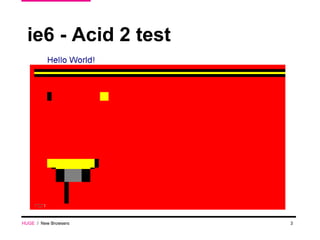
ie6 - Acid 2 test  HUGE   /  New Browsers
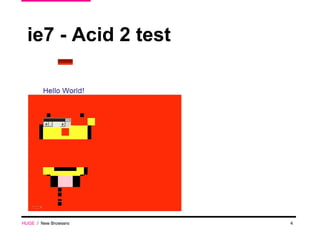
ie7 - Acid 2 test  HUGE   /  New Browsers
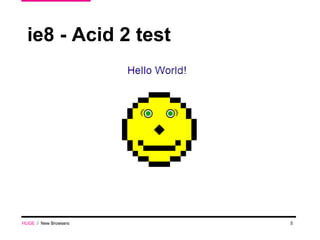
ie8 - Acid 2 test  HUGE   /  New Browsers
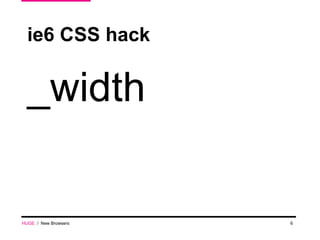
ie6 CSS hack _width HUGE   /  New Browsers
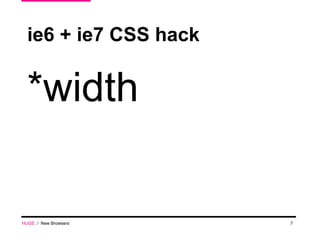
ie6 + ie7 CSS hack HUGE   /  New Browsers *width
ie8 -  Conditional Comments? <!--[if IE 8]> <style type=&quot;text/css&quot;> /**/ </style> <![endif]--> HUGE   /  New Browsers
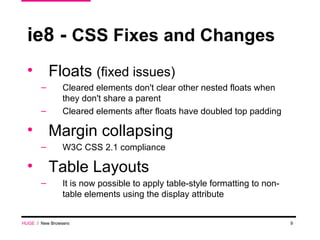
ie8 -  CSS Fixes and Changes Floats  (fixed issues) Cleared elements don't clear other nested floats when they don't share a parent Cleared elements after floats have doubled top padding Margin collapsing  W3C CSS 2.1 compliance Table Layouts It is now possible to apply table-style formatting to non-table elements using the display attribute HUGE   /  New Browsers
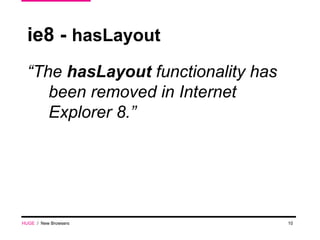
ie8 -  hasLayout “ The  hasLayout  functionality has been removed in Internet Explorer 8.” HUGE   /  New Browsers
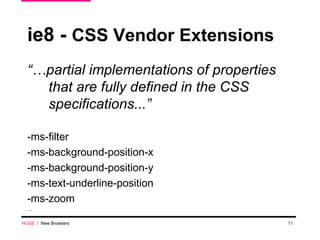
ie8 -  CSS Vendor Extensions “… partial implementations of properties that are fully defined in the CSS specifications...” -ms-filter -ms-background-position-x -ms-background-position-y -ms-text-underline-position -ms-zoom … HUGE   /  New Browsers
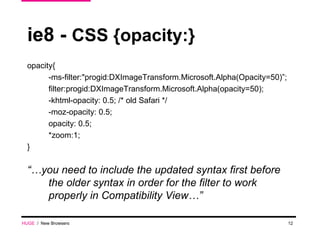
ie8 -  CSS {opacity:} opacity{ -ms-filter:&quot;progid:DXImageTransform.Microsoft.Alpha(Opacity=50)”; filter:progid:DXImageTransform.Microsoft.Alpha(opacity=50); -khtml-opacity: 0.5; /* old Safari */ -moz-opacity: 0.5; opacity: 0.5; *zoom:1; } “… you need to include the updated syntax first before the older syntax in order for the filter to work properly in Compatibility View…” HUGE   /  New Browsers
ie8 -  CSS :active and :hover “ An element in a hovered (mouseover) or active (mousedown) state.” The :active and :hover pseudo-class now applies to all elements. * both were not working in IE6, only hover was working in IE7 HUGE   /  New Browsers
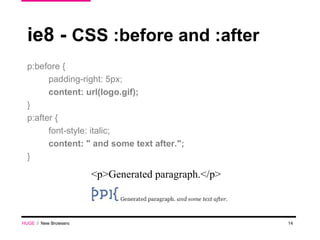
ie8 -  CSS :before and :after p:before { padding-right: 5px; content: url(logo.gif); } p:after { font-style: italic; content: &quot; and some text after.&quot;; } HUGE   /  New Browsers <p>Generated paragraph.</p>
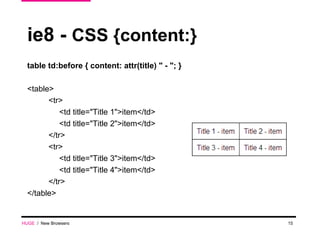
ie8 -  CSS {content:} table td:before { content: attr(title) &quot; - &quot;; } <table> <tr> <td title=&quot;Title 1&quot;>item</td> <td title=&quot;Title 2&quot;>item</td> </tr> <tr> <td title=&quot;Title 3&quot;>item</td> <td title=&quot;Title 4&quot;>item</td> </tr> </table> HUGE   /  New Browsers
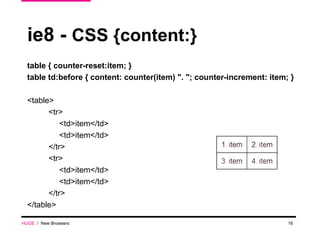
ie8 -  CSS {content:} table { counter-reset:item; } table td:before { content: counter(item) &quot;. &quot;; counter-increment: item; } <table> <tr> <td>item</td> <td>item</td> </tr> <tr> <td>item</td> <td>item</td> </tr> </table> HUGE   /  New Browsers
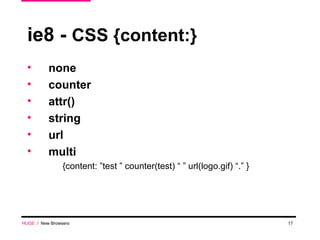
ie8 -  CSS {content:} none counter attr() string  url multi {content: ”test ” counter(test) “ ” url(logo.gif) “.” } HUGE   /  New Browsers
ie8 -  CSS “clearfix” It’s working! HUGE   /  New Browsers
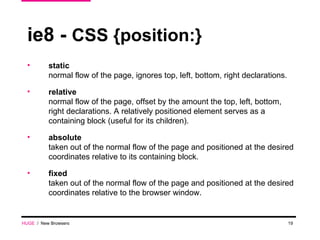
ie8 -  CSS {position:} static normal flow of the page, ignores top, left, bottom, right declarations. relative normal flow of the page, offset by the amount the top, left, bottom, right declarations. A relatively positioned element serves as a containing block (useful for its children). absolute taken out of the normal flow of the page and positioned at the desired coordinates relative to its containing block. fixed taken out of the normal flow of the page and positioned at the desired coordinates relative to the browser window. HUGE   /  New Browsers
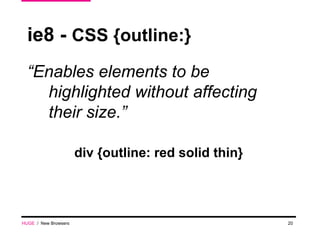
ie8 -  CSS {outline:} “ Enables elements to be highlighted without affecting their size.” div {outline: red solid thin} HUGE   /  New Browsers
ie8 -  CSS Expressions expression(document.body. clientWidth/2-oDiv.offsetWidth/2); CSS Expressions  are  not supported  in IE8 mode. HUGE   /  New Browsers
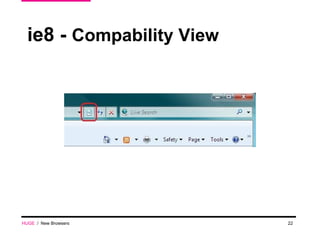
ie8 -  Compability View HUGE   /  New Browsers
ie8 -  Compability View render as IE8 <meta http-equiv=&quot;X-UA-Compatible&quot; content=&quot; IE=8 &quot; /> render as IE7 <meta http-equiv=&quot;X-UA-Compatible&quot; content=&quot; IE=7 &quot; /> Public sites will display in IE8 Mode, intranet sites will display in IE7 Mode Compatibility View is domain specific Happens on the fly without a browser restart  HUGE   /  New Browsers
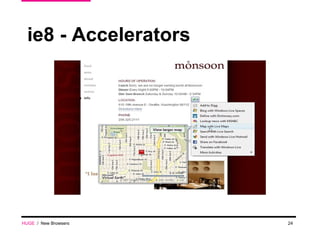
ie8 - Accelerators HUGE   /  New Browsers
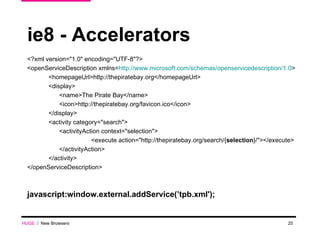
ie8 - Accelerators <?xml version=&quot;1.0&quot; encoding=&quot;UTF-8&quot;?> <openServiceDescription xmlns= http://www.microsoft.com/schemas/openservicedescription/1.0 > <homepageUrl>http://thepiratebay.org</homepageUrl> <display> <name>The Pirate Bay</name> <icon>http://thepiratebay.org/favicon.ico</icon> </display> <activity category=&quot;search&quot;> <activityAction context=&quot;selection&quot;> <execute action=&quot;http://thepiratebay.org/search/{ selection }/&quot;></execute> </activityAction> </activity> </openServiceDescription> javascript:window.external.addService(’tpb.xml'); HUGE   /  New Browsers
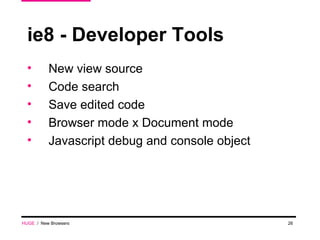
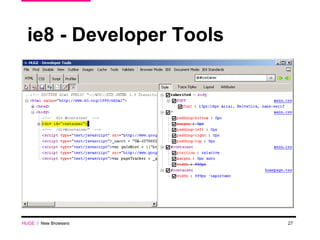
ie8 - Developer Tools New view source Code search Save edited code Browser mode x Document mode Javascript debug and console object HUGE   /  New Browsers
ie8 - Developer Tools HUGE   /  New Browsers
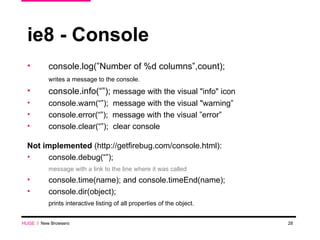
ie8 - Console console.log(”Number of %d columns”,count); writes a message to the console. console.info(“”);  message with the visual &quot;info&quot; icon console.warn(“”);  message with the visual &quot;warning” console.error(“”);  message with the visual ”error” console.clear(“”);  clear console Not implemented  (http://getfirebug.com/console.html): console.debug(“”);  message with a link to the line where it was called console.time(name); and console.timeEnd(name); console.dir(object);  prints interactive listing of all properties of the object.  HUGE   /  New Browsers
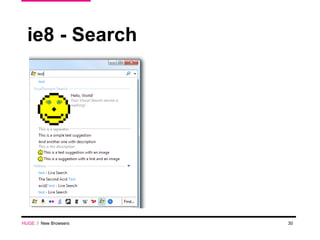
ie8 - Search IE8 supports the OpenSearch description format for search plugins (apparently it is not a new feature, IE7 and FF2 support it too) OpenSearch was created by A9.com, an Amazon.com company Helps search engines and search clients communicate by introducing a common set of formats to perform search requests and syndicate search results Describes the search interface HUGE   /  New Browsers
ie8 - Search HUGE   /  New Browsers
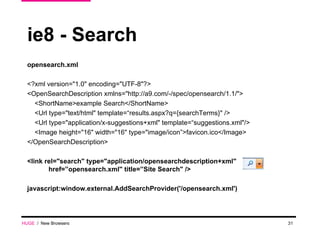
ie8 - Search opensearch.xml <?xml version=&quot;1.0&quot; encoding=&quot;UTF-8&quot;?> <OpenSearchDescription xmlns=&quot;http://a9.com/-/spec/opensearch/1.1/&quot;> <ShortName>example Search</ShortName> <Url type=&quot;text/html&quot; template=“results.aspx?q={searchTerms}&quot; /> <Url type=&quot;application/x-suggestions+xml&quot; template=“suggestions.xml&quot;/> <Image height=&quot;16&quot; width=&quot;16&quot; type=&quot;image/icon”>favicon.ico</Image> </OpenSearchDescription> <link rel=&quot;search&quot; type=&quot;application/opensearchdescription+xml&quot; href=”opensearch.xml&quot; title=”Site Search&quot; />  javascript:window.external.AddSearchProvider('/opensearch.xml') HUGE   /  New Browsers
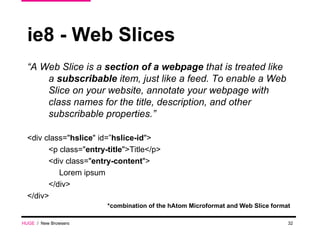
ie8 - Web Slices  “ A Web Slice is a  section of a webpage  that is treated like a  subscribable  item, just like a feed. To enable a Web Slice on your website, annotate your webpage with class names for the title, description, and other subscribable properties.” <div class=&quot; hslice &quot; id=” hslice-id &quot;> <p class=&quot; entry-title &quot;>Title</p> <div class=&quot; entry-content &quot;> Lorem ipsum </div> </div> *combination of the hAtom Microformat and Web Slice format HUGE   /  New Browsers
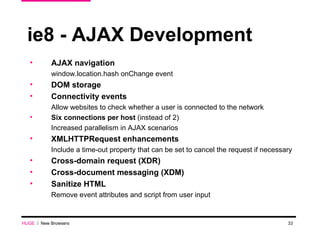
ie8 - AJAX Development AJAX navigation window.location.hash onChange event DOM storage Connectivity events  Allow websites to check whether a user is connected to the network Six connections per host  (instead of 2) Increased parallelism in AJAX scenarios XMLHTTPRequest enhancements  Include a time-out property that can be set to cancel the request if necessary Cross-domain request (XDR) Cross-document messaging (XDM) Sanitize HTML Remove event attributes and script from user input HUGE   /  New Browsers
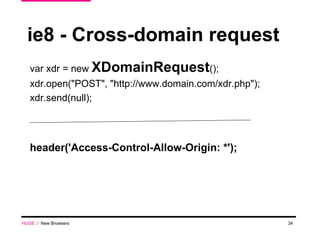
ie8 - Cross-domain request var xdr = new  XDomainRequest ();  xdr.open(&quot;POST&quot;, &quot;http://www.domain.com/xdr.php&quot;); xdr.send(null);  header('Access-Control-Allow-Origin: *');  HUGE   /  New Browsers
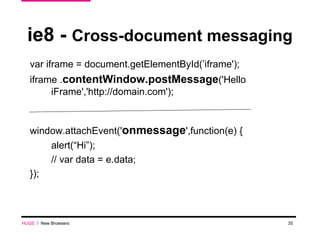
ie8 -  Cross-document messaging  var iframe = document.getElementById(’iframe'); iframe . contentWindow.postMessage ('Hello iFrame','http://domain.com');  window.attachEvent(' onmessage ',function(e) { alert(“Hi”); // var data = e.data; });  HUGE   /  New Browsers
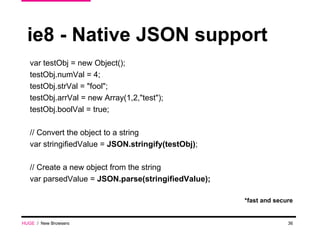
ie8 - Native JSON support var testObj = new Object(); testObj.numVal = 4; testObj.strVal = &quot;fool&quot;; testObj.arrVal = new Array(1,2,&quot;test&quot;); testObj.boolVal = true; // Convert the object to a string var stringifiedValue =  JSON.stringify(testObj) ; // Create a new object from the string var parsedValue =  JSON.parse(stringifiedValue); *fast and secure HUGE   /  New Browsers
ie8 - DOM Native Searching var objs = document.querySelectorAll('h3, p, ul, code'); for (var i = 0; i < objs.length; i++) { objs [i].style.display = 'none'; } Test your browser:  http://webkit.org/perf/slickspeed/ HUGE   /  New Browsers
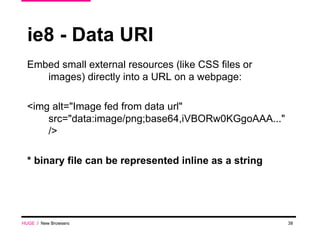
ie8 - Data URI HUGE   /  New Browsers Embed small external resources (like CSS files or images) directly into a URL on a webpage: <img alt=&quot;Image fed from data url&quot; src=&quot;data:image/png;base64,iVBORw0KGgoAAA...&quot; /> * binary file can be represented inline as a string
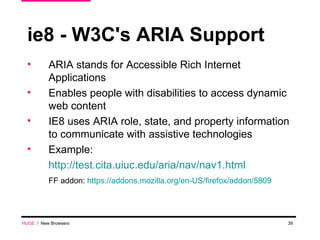
ie8 - W3C's ARIA Support ARIA stands for Accessible Rich Internet Applications  Enables people with disabilities to access dynamic web content IE8 uses ARIA role, state, and property information to communicate with assistive technologies Example: http://test.cita.uiuc.edu/aria/nav/nav1.html FF addon:  https://addons.mozilla.org/en-US/firefox/addon/5809 HUGE   /  New Browsers
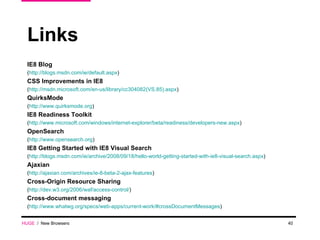
Links IE8 Blog  ( http://blogs.msdn.com/ie/default.aspx ) CSS Improvements in IE8  ( http://msdn.microsoft.com/en-us/library/cc304082(VS.85).aspx ) QuirksMode ( http://www.quirksmode.org ) IE8 Readiness Toolkit ( http://www.microsoft.com/windows/internet-explorer/beta/readiness/developers-new.aspx ) OpenSearch ( http://www.opensearch.org ) IE8 Getting Started with IE8 Visual Search ( http://blogs.msdn.com/ie/archive/2008/09/18/hello-world-getting-started-with-ie8-visual-search.aspx ) Ajaxian ( http://ajaxian.com/archives/ie-8-beta-2-ajax-features ) Cross-Origin Resource Sharing ( http://dev.w3.org/2006/waf/access-control/ ) Cross-document messaging ( http://www.whatwg.org/specs/web-apps/current-work/#crossDocumentMessages ) HUGE   /  New Browsers

New Browsers

  • 1.
    06/08/09 HUGE / ParentsConnect / HUGE 45 Main Street, 2nd Floor NY NY 11201 718.625.4843 www.hugeinc.com New Browsers ie8 March 10th, 2009
  • 2.
    ie8 “ InternetExplorer 8 is planned to be a fully CSS Level 2.1-compliant browser, and will support some features of CSS 3. ” HUGE / New Browsers
  • 3.
    ie6 - Acid2 test HUGE / New Browsers
  • 4.
    ie7 - Acid2 test HUGE / New Browsers
  • 5.
    ie8 - Acid2 test HUGE / New Browsers
  • 6.
    ie6 CSS hack_width HUGE / New Browsers
  • 7.
    ie6 + ie7CSS hack HUGE / New Browsers *width
  • 8.
    ie8 - Conditional Comments? <!--[if IE 8]> <style type=&quot;text/css&quot;> /**/ </style> <![endif]--> HUGE / New Browsers
  • 9.
    ie8 - CSS Fixes and Changes Floats (fixed issues) Cleared elements don't clear other nested floats when they don't share a parent Cleared elements after floats have doubled top padding Margin collapsing W3C CSS 2.1 compliance Table Layouts It is now possible to apply table-style formatting to non-table elements using the display attribute HUGE / New Browsers
  • 10.
    ie8 - hasLayout “ The hasLayout functionality has been removed in Internet Explorer 8.” HUGE / New Browsers
  • 11.
    ie8 - CSS Vendor Extensions “… partial implementations of properties that are fully defined in the CSS specifications...” -ms-filter -ms-background-position-x -ms-background-position-y -ms-text-underline-position -ms-zoom … HUGE / New Browsers
  • 12.
    ie8 - CSS {opacity:} opacity{ -ms-filter:&quot;progid:DXImageTransform.Microsoft.Alpha(Opacity=50)”; filter:progid:DXImageTransform.Microsoft.Alpha(opacity=50); -khtml-opacity: 0.5; /* old Safari */ -moz-opacity: 0.5; opacity: 0.5; *zoom:1; } “… you need to include the updated syntax first before the older syntax in order for the filter to work properly in Compatibility View…” HUGE / New Browsers
  • 13.
    ie8 - CSS :active and :hover “ An element in a hovered (mouseover) or active (mousedown) state.” The :active and :hover pseudo-class now applies to all elements. * both were not working in IE6, only hover was working in IE7 HUGE / New Browsers
  • 14.
    ie8 - CSS :before and :after p:before { padding-right: 5px; content: url(logo.gif); } p:after { font-style: italic; content: &quot; and some text after.&quot;; } HUGE / New Browsers <p>Generated paragraph.</p>
  • 15.
    ie8 - CSS {content:} table td:before { content: attr(title) &quot; - &quot;; } <table> <tr> <td title=&quot;Title 1&quot;>item</td> <td title=&quot;Title 2&quot;>item</td> </tr> <tr> <td title=&quot;Title 3&quot;>item</td> <td title=&quot;Title 4&quot;>item</td> </tr> </table> HUGE / New Browsers
  • 16.
    ie8 - CSS {content:} table { counter-reset:item; } table td:before { content: counter(item) &quot;. &quot;; counter-increment: item; } <table> <tr> <td>item</td> <td>item</td> </tr> <tr> <td>item</td> <td>item</td> </tr> </table> HUGE / New Browsers
  • 17.
    ie8 - CSS {content:} none counter attr() string url multi {content: ”test ” counter(test) “ ” url(logo.gif) “.” } HUGE / New Browsers
  • 18.
    ie8 - CSS “clearfix” It’s working! HUGE / New Browsers
  • 19.
    ie8 - CSS {position:} static normal flow of the page, ignores top, left, bottom, right declarations. relative normal flow of the page, offset by the amount the top, left, bottom, right declarations. A relatively positioned element serves as a containing block (useful for its children). absolute taken out of the normal flow of the page and positioned at the desired coordinates relative to its containing block. fixed taken out of the normal flow of the page and positioned at the desired coordinates relative to the browser window. HUGE / New Browsers
  • 20.
    ie8 - CSS {outline:} “ Enables elements to be highlighted without affecting their size.” div {outline: red solid thin} HUGE / New Browsers
  • 21.
    ie8 - CSS Expressions expression(document.body. clientWidth/2-oDiv.offsetWidth/2); CSS Expressions are not supported in IE8 mode. HUGE / New Browsers
  • 22.
    ie8 - Compability View HUGE / New Browsers
  • 23.
    ie8 - Compability View render as IE8 <meta http-equiv=&quot;X-UA-Compatible&quot; content=&quot; IE=8 &quot; /> render as IE7 <meta http-equiv=&quot;X-UA-Compatible&quot; content=&quot; IE=7 &quot; /> Public sites will display in IE8 Mode, intranet sites will display in IE7 Mode Compatibility View is domain specific Happens on the fly without a browser restart HUGE / New Browsers
  • 24.
    ie8 - AcceleratorsHUGE / New Browsers
  • 25.
    ie8 - Accelerators<?xml version=&quot;1.0&quot; encoding=&quot;UTF-8&quot;?> <openServiceDescription xmlns= http://www.microsoft.com/schemas/openservicedescription/1.0 > <homepageUrl>http://thepiratebay.org</homepageUrl> <display> <name>The Pirate Bay</name> <icon>http://thepiratebay.org/favicon.ico</icon> </display> <activity category=&quot;search&quot;> <activityAction context=&quot;selection&quot;> <execute action=&quot;http://thepiratebay.org/search/{ selection }/&quot;></execute> </activityAction> </activity> </openServiceDescription> javascript:window.external.addService(’tpb.xml'); HUGE / New Browsers
  • 26.
    ie8 - DeveloperTools New view source Code search Save edited code Browser mode x Document mode Javascript debug and console object HUGE / New Browsers
  • 27.
    ie8 - DeveloperTools HUGE / New Browsers
  • 28.
    ie8 - Consoleconsole.log(”Number of %d columns”,count); writes a message to the console. console.info(“”); message with the visual &quot;info&quot; icon console.warn(“”); message with the visual &quot;warning” console.error(“”); message with the visual ”error” console.clear(“”); clear console Not implemented (http://getfirebug.com/console.html): console.debug(“”); message with a link to the line where it was called console.time(name); and console.timeEnd(name); console.dir(object); prints interactive listing of all properties of the object. HUGE / New Browsers
  • 29.
    ie8 - SearchIE8 supports the OpenSearch description format for search plugins (apparently it is not a new feature, IE7 and FF2 support it too) OpenSearch was created by A9.com, an Amazon.com company Helps search engines and search clients communicate by introducing a common set of formats to perform search requests and syndicate search results Describes the search interface HUGE / New Browsers
  • 30.
    ie8 - SearchHUGE / New Browsers
  • 31.
    ie8 - Searchopensearch.xml <?xml version=&quot;1.0&quot; encoding=&quot;UTF-8&quot;?> <OpenSearchDescription xmlns=&quot;http://a9.com/-/spec/opensearch/1.1/&quot;> <ShortName>example Search</ShortName> <Url type=&quot;text/html&quot; template=“results.aspx?q={searchTerms}&quot; /> <Url type=&quot;application/x-suggestions+xml&quot; template=“suggestions.xml&quot;/> <Image height=&quot;16&quot; width=&quot;16&quot; type=&quot;image/icon”>favicon.ico</Image> </OpenSearchDescription> <link rel=&quot;search&quot; type=&quot;application/opensearchdescription+xml&quot; href=”opensearch.xml&quot; title=”Site Search&quot; /> javascript:window.external.AddSearchProvider('/opensearch.xml') HUGE / New Browsers
  • 32.
    ie8 - WebSlices “ A Web Slice is a section of a webpage that is treated like a subscribable item, just like a feed. To enable a Web Slice on your website, annotate your webpage with class names for the title, description, and other subscribable properties.” <div class=&quot; hslice &quot; id=” hslice-id &quot;> <p class=&quot; entry-title &quot;>Title</p> <div class=&quot; entry-content &quot;> Lorem ipsum </div> </div> *combination of the hAtom Microformat and Web Slice format HUGE / New Browsers
  • 33.
    ie8 - AJAXDevelopment AJAX navigation window.location.hash onChange event DOM storage Connectivity events Allow websites to check whether a user is connected to the network Six connections per host (instead of 2) Increased parallelism in AJAX scenarios XMLHTTPRequest enhancements Include a time-out property that can be set to cancel the request if necessary Cross-domain request (XDR) Cross-document messaging (XDM) Sanitize HTML Remove event attributes and script from user input HUGE / New Browsers
  • 34.
    ie8 - Cross-domainrequest var xdr = new XDomainRequest (); xdr.open(&quot;POST&quot;, &quot;http://www.domain.com/xdr.php&quot;); xdr.send(null); header('Access-Control-Allow-Origin: *'); HUGE / New Browsers
  • 35.
    ie8 - Cross-document messaging var iframe = document.getElementById(’iframe'); iframe . contentWindow.postMessage ('Hello iFrame','http://domain.com'); window.attachEvent(' onmessage ',function(e) { alert(“Hi”); // var data = e.data; }); HUGE / New Browsers
  • 36.
    ie8 - NativeJSON support var testObj = new Object(); testObj.numVal = 4; testObj.strVal = &quot;fool&quot;; testObj.arrVal = new Array(1,2,&quot;test&quot;); testObj.boolVal = true; // Convert the object to a string var stringifiedValue = JSON.stringify(testObj) ; // Create a new object from the string var parsedValue = JSON.parse(stringifiedValue); *fast and secure HUGE / New Browsers
  • 37.
    ie8 - DOMNative Searching var objs = document.querySelectorAll('h3, p, ul, code'); for (var i = 0; i < objs.length; i++) { objs [i].style.display = 'none'; } Test your browser: http://webkit.org/perf/slickspeed/ HUGE / New Browsers
  • 38.
    ie8 - DataURI HUGE / New Browsers Embed small external resources (like CSS files or images) directly into a URL on a webpage: <img alt=&quot;Image fed from data url&quot; src=&quot;data:image/png;base64,iVBORw0KGgoAAA...&quot; /> * binary file can be represented inline as a string
  • 39.
    ie8 - W3C'sARIA Support ARIA stands for Accessible Rich Internet Applications Enables people with disabilities to access dynamic web content IE8 uses ARIA role, state, and property information to communicate with assistive technologies Example: http://test.cita.uiuc.edu/aria/nav/nav1.html FF addon: https://addons.mozilla.org/en-US/firefox/addon/5809 HUGE / New Browsers
  • 40.
    Links IE8 Blog ( http://blogs.msdn.com/ie/default.aspx ) CSS Improvements in IE8 ( http://msdn.microsoft.com/en-us/library/cc304082(VS.85).aspx ) QuirksMode ( http://www.quirksmode.org ) IE8 Readiness Toolkit ( http://www.microsoft.com/windows/internet-explorer/beta/readiness/developers-new.aspx ) OpenSearch ( http://www.opensearch.org ) IE8 Getting Started with IE8 Visual Search ( http://blogs.msdn.com/ie/archive/2008/09/18/hello-world-getting-started-with-ie8-visual-search.aspx ) Ajaxian ( http://ajaxian.com/archives/ie-8-beta-2-ajax-features ) Cross-Origin Resource Sharing ( http://dev.w3.org/2006/waf/access-control/ ) Cross-document messaging ( http://www.whatwg.org/specs/web-apps/current-work/#crossDocumentMessages ) HUGE / New Browsers